Watch Quick Video
Inventory Multi-level Approval
Enhance your inventory approval process with Our
Odoo Inventory Multi-Level Approval module.
Our Odoo Inventory Multiple Approve module provides a logical approval process for normal inventories transfers, enabling a meticulous review of stock transfers prior to acceptance.The user can send the transfer for approval with a click of a button and selected approvals will get an email notification instantly to take an action.
The application permits different acceptance levels, so firms can set up authorization stages based on certain users or user groups. You specify how the module should work – adapt it to your company's needs, be it a simple approving system or a complex multi-level workflow. Users can approve/reject transfers inside Odoo. If a move is rejected, a reason may be given and automatic emails will keep users in question informed. This improves interaction and provides transparency in the approval process.
All approval processes are logged, creating a complete audit trail of approvals, rejections and remarks. A unique Waiting & Approval menu offers a single view of all waiting for transfers, aiding teams to effectively handle approvals and ensuring no request is missed.You can configure the application specifically for Delivering Orders, Receipts, and Internal Transfers, thereby giving you full oversight over stock operations while ensuring reliability and compliance with requirements.
Odoo Inventory Multi-Level Approval
- Create a systematic approval process for product transfers with several levels of approval as per your company's needs.
- Specify the approvers at each authorization level using certain users or user groups to meet your business needs.
- Send instant messages to approvers when an inventory transfer needs approval.
- Automatically send e-mail notices to concerned users when rejecting inventory transfers with reason.
- Set up separate approval processes for Delivery Orders, Receipts and Internal Flows.
Complete Workflow for Manage Odoo Inventory Multi-Level Approval
Install the Odoo Inventory Multi-Level Approval module to add multi-level approval workflows to inventory transfers. Before a transfer can be validated, it must pass through configurable approval levels assigned to specific users or groups. The submitter clicks Submit for Approval, approvers receive an email notification with a direct link to the transfer, and each approver can approve or reject at their level. On final approval the transfer is automatically validated. Rejections cancel the transfer and notify the submitter with the rejection reason. Configure approval levels per operation type and company with no limit on the number of levels.
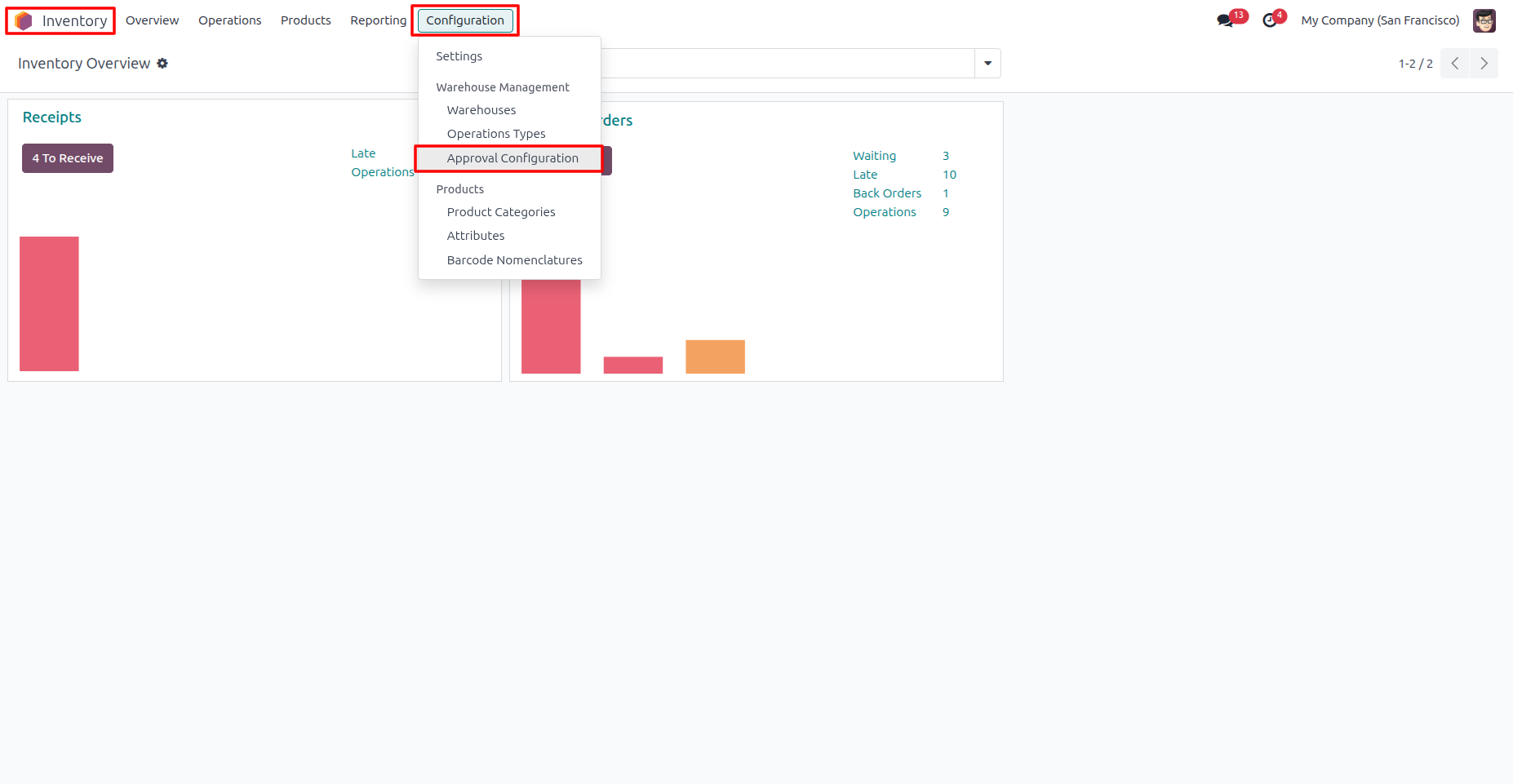
1. Go to Inventory → Configuration → Approval Configuration
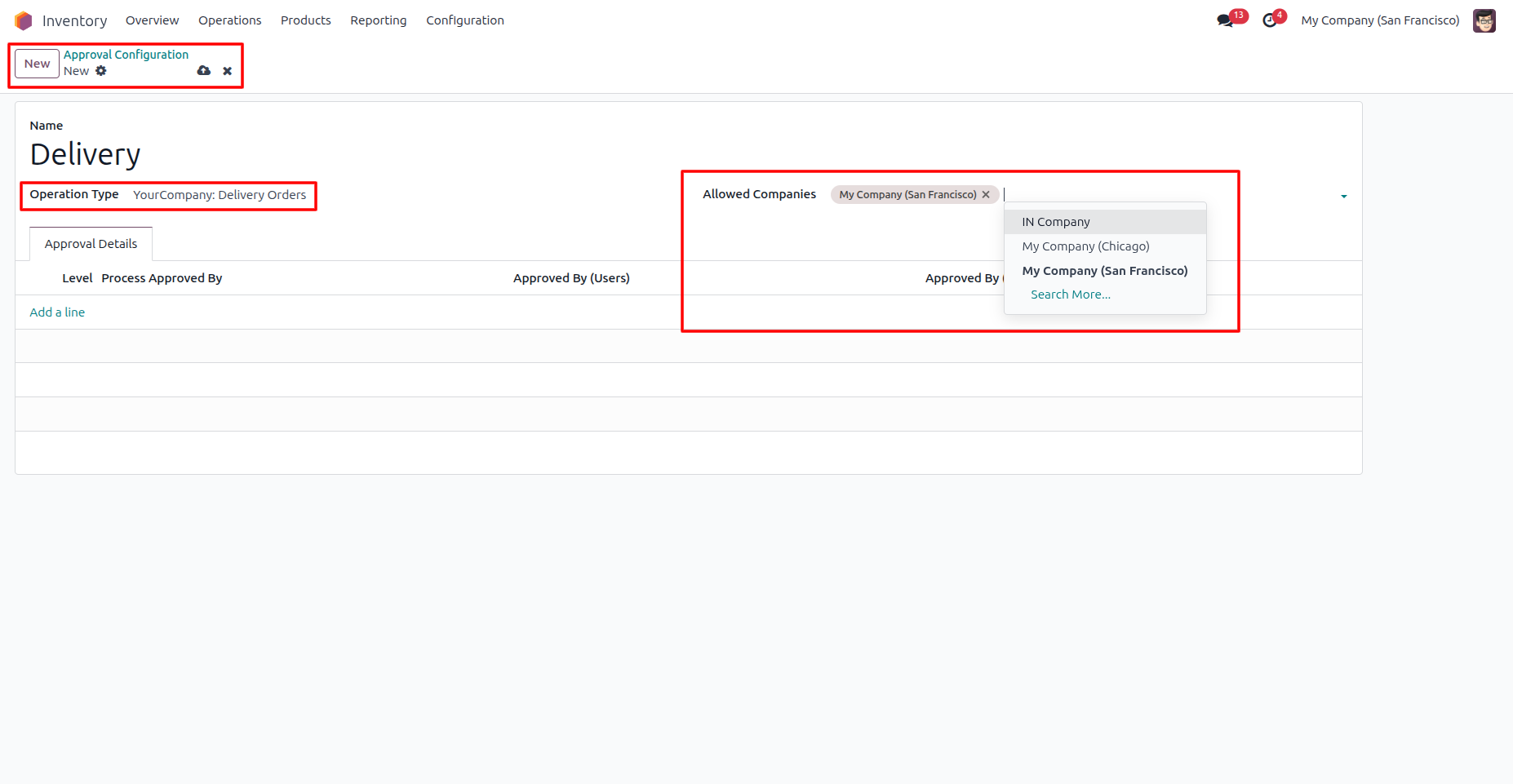
2. Click New to create an approval configuration, select the Operation Type, choose the Allowed Companies
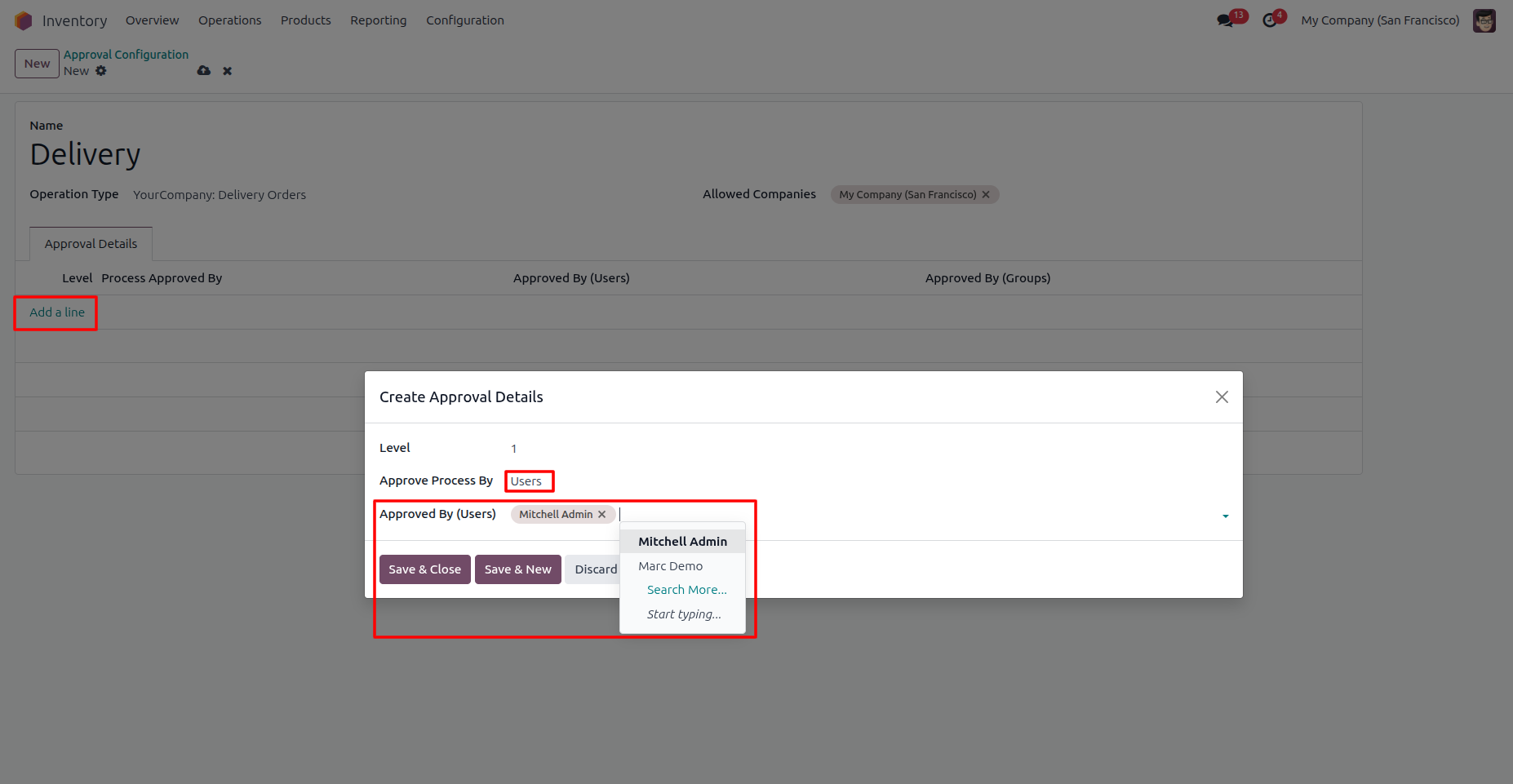
3. Click Add a Line to create an approval level. Select Users as the approval type and assign one or more users who will be responsible for approving the inventory transfer at that approval level.
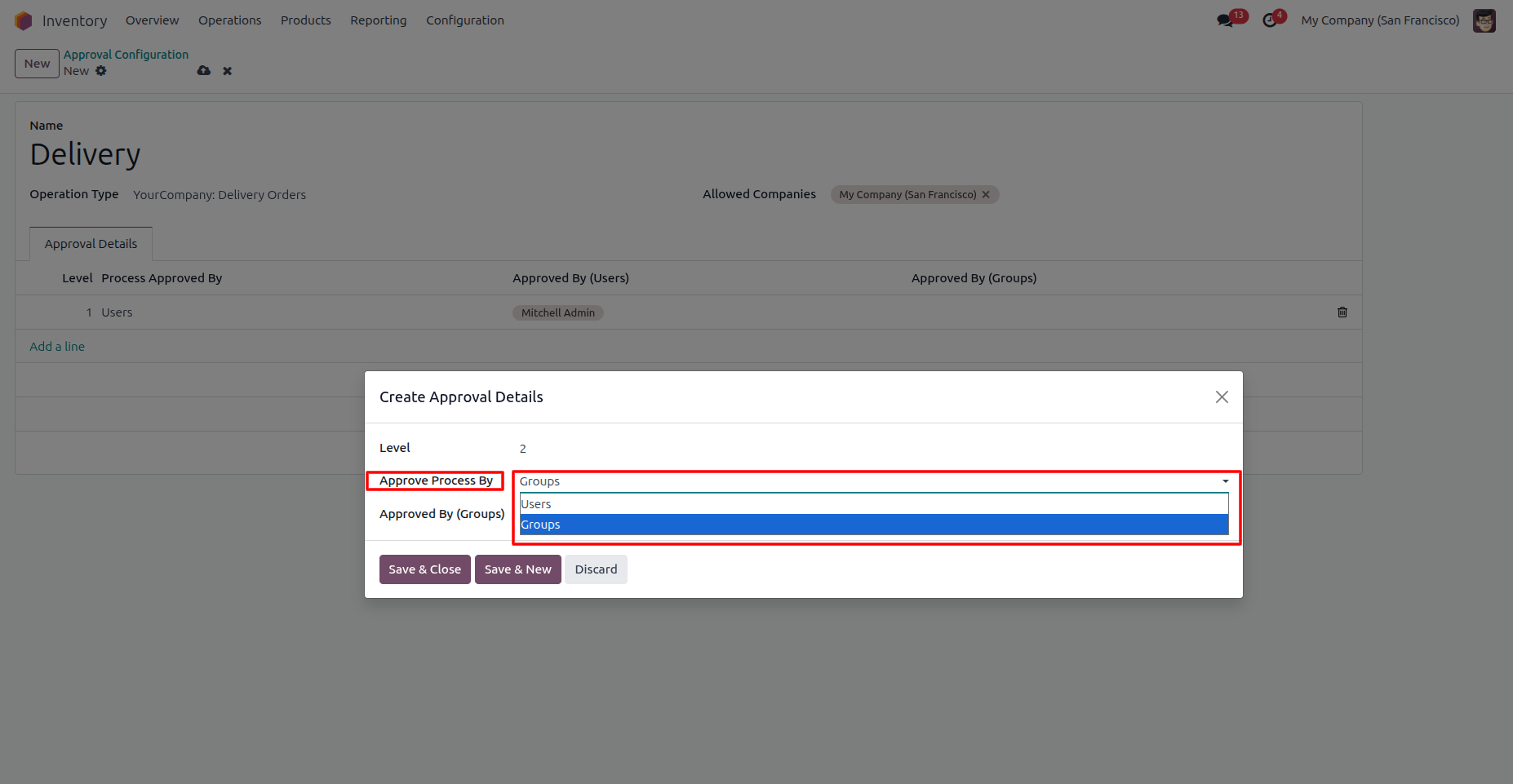
4. You can select Groups as the approval type
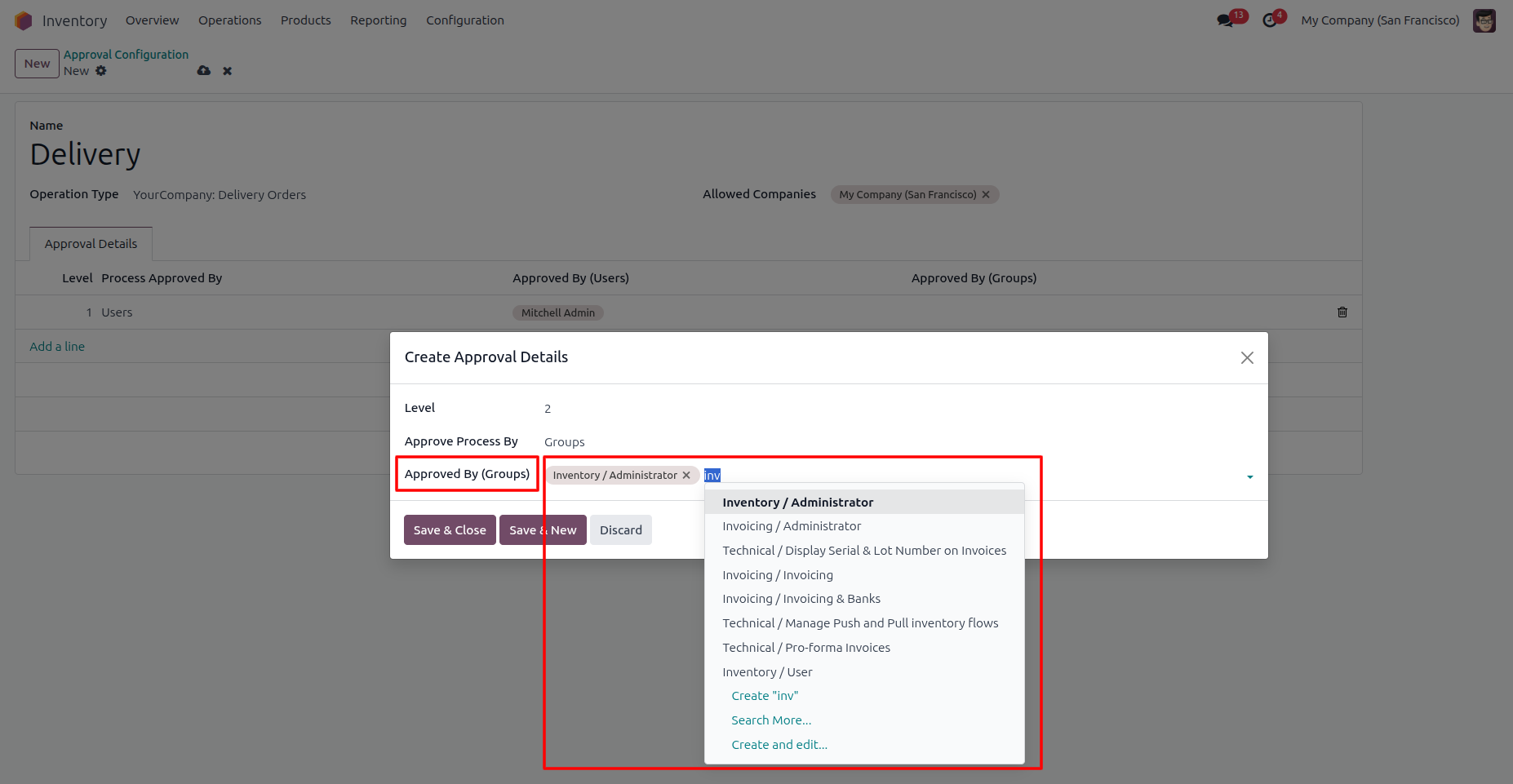
5. Click Add a Line to create another approval level. Select Groups as the approval type and choose the user groups that will be responsible for approving the inventory transfer according to your business requirements.
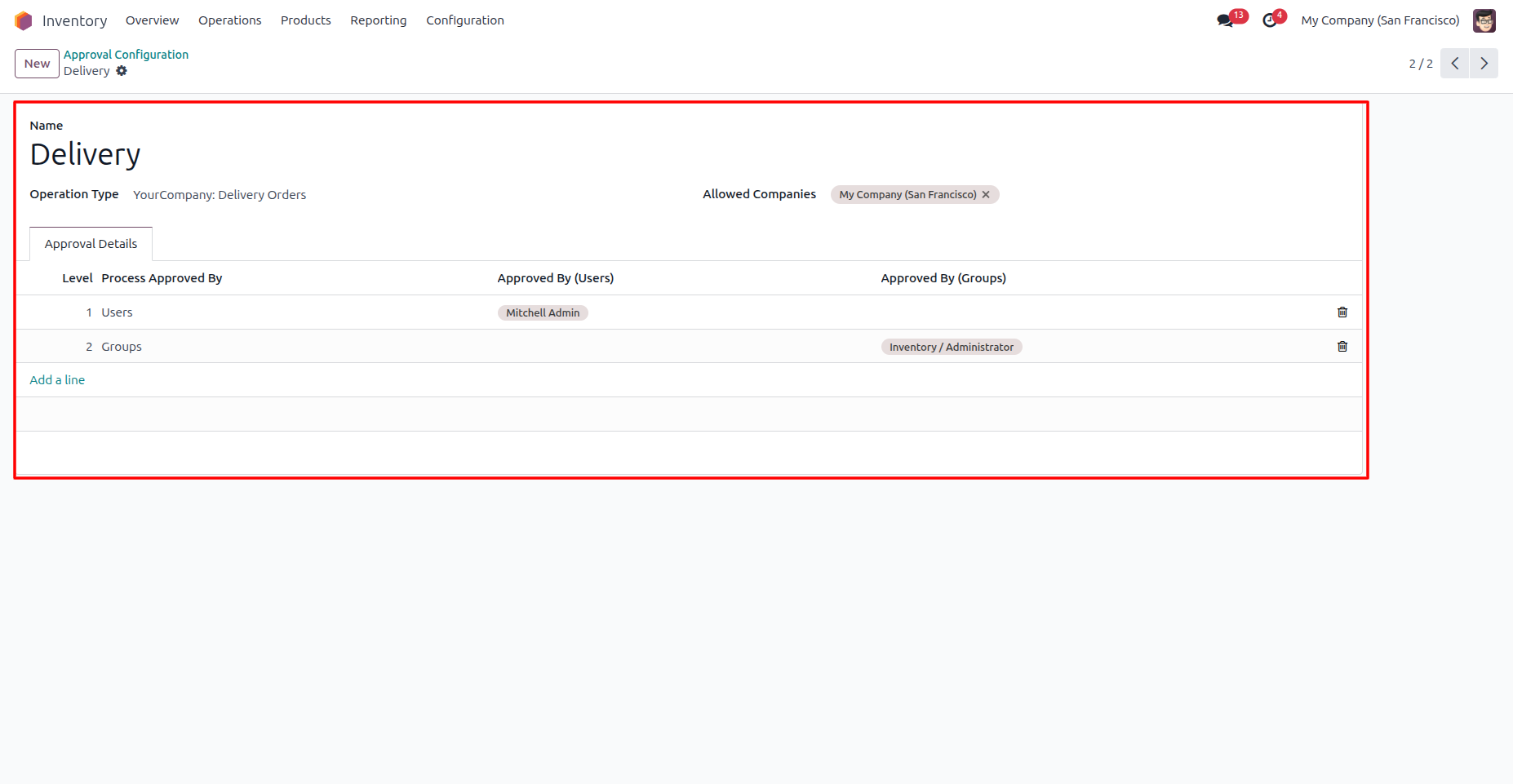
6. Add the required approval levels and assign the appropriate users or groups for each level.
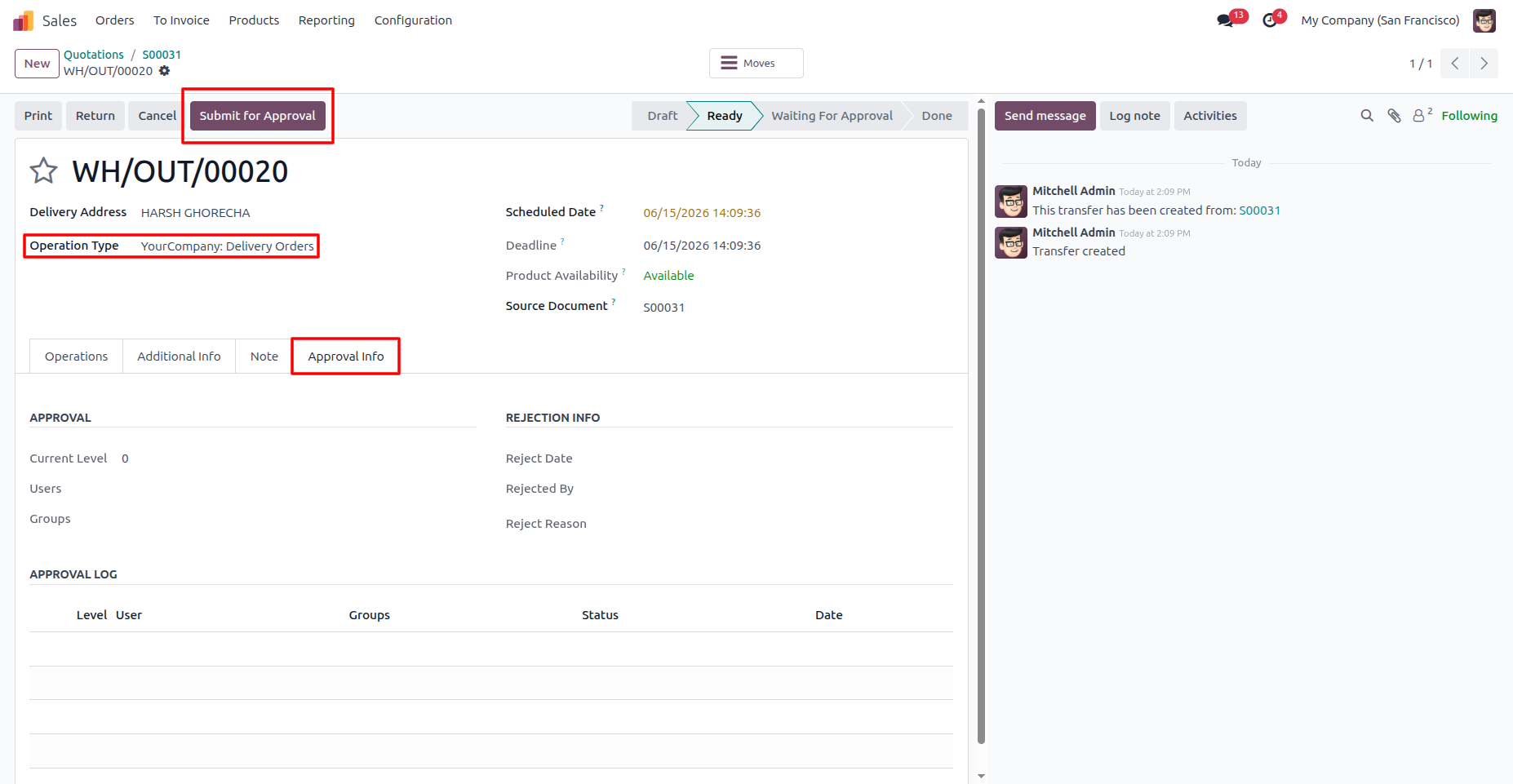
7. Create a Sales Order and open its Delivery Order. You will see the Submit for Approval button and Approval Info tab. Click Submit for Approval to start the approval process.
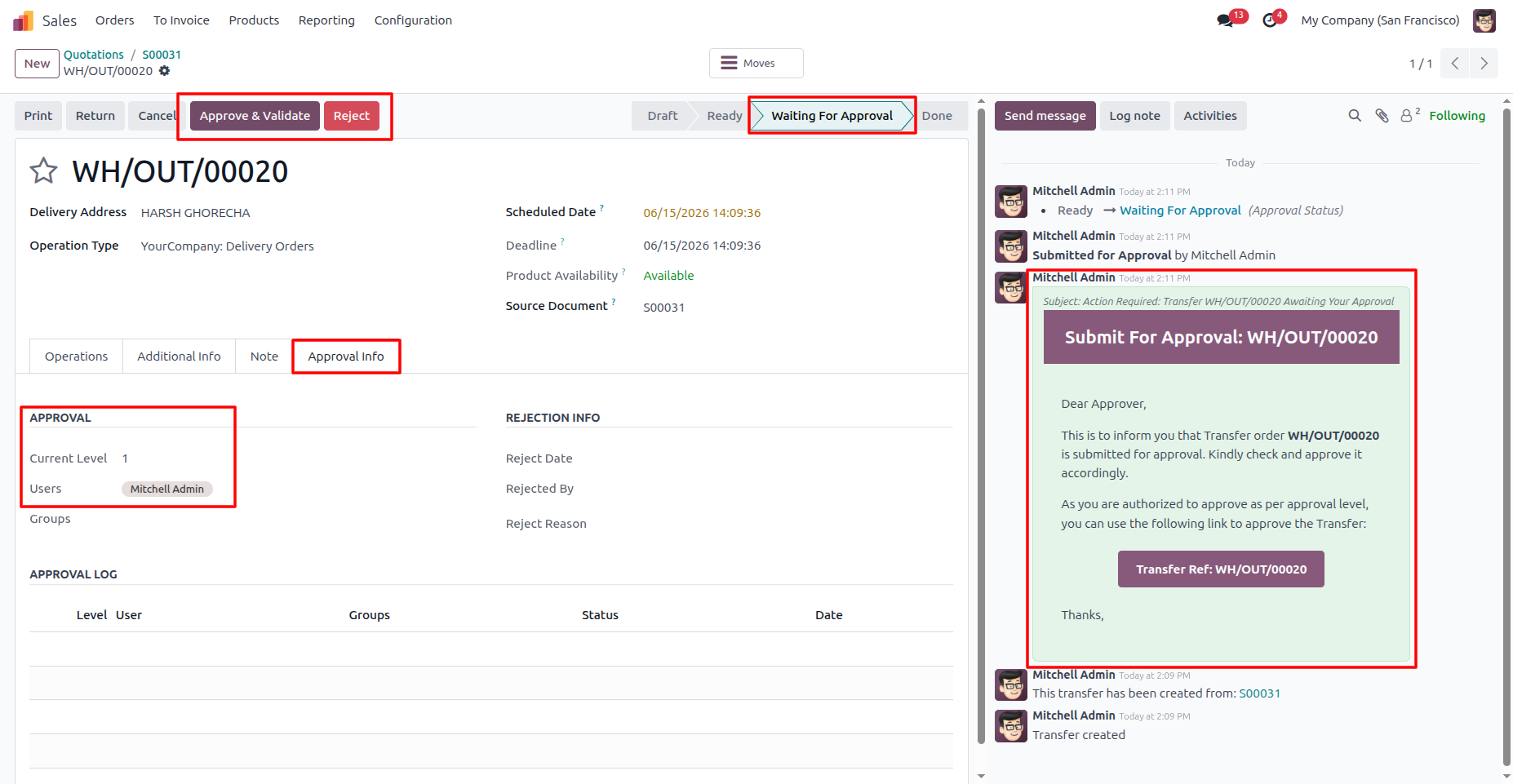
8. After clicking Submit for Approval, an email notification is automatically sent to the Level 1 approver. The inventory transfer status changes to Waiting for Approval, and the approver details are displayed in the Approval Info tab.
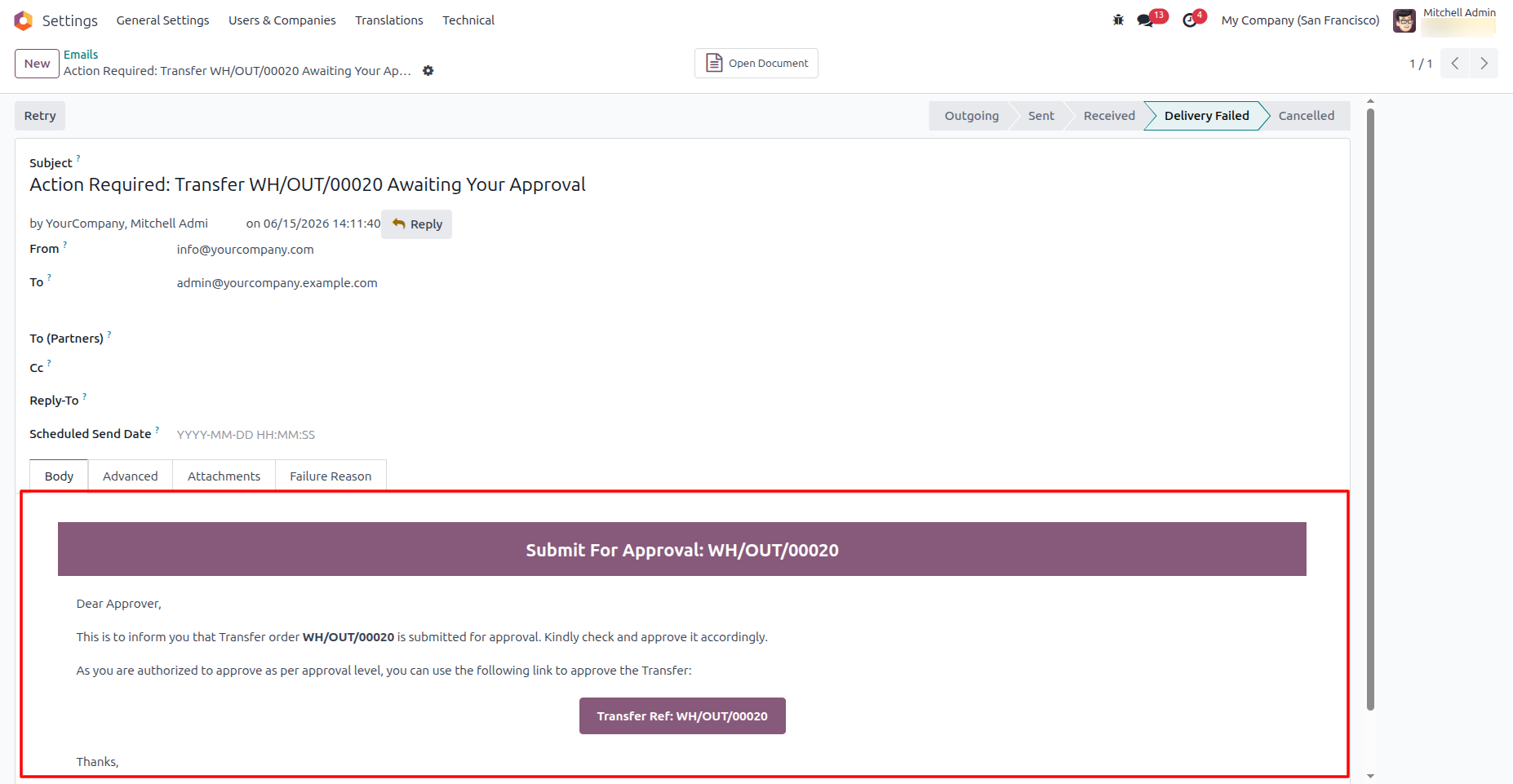
9. Email Notification for Approval
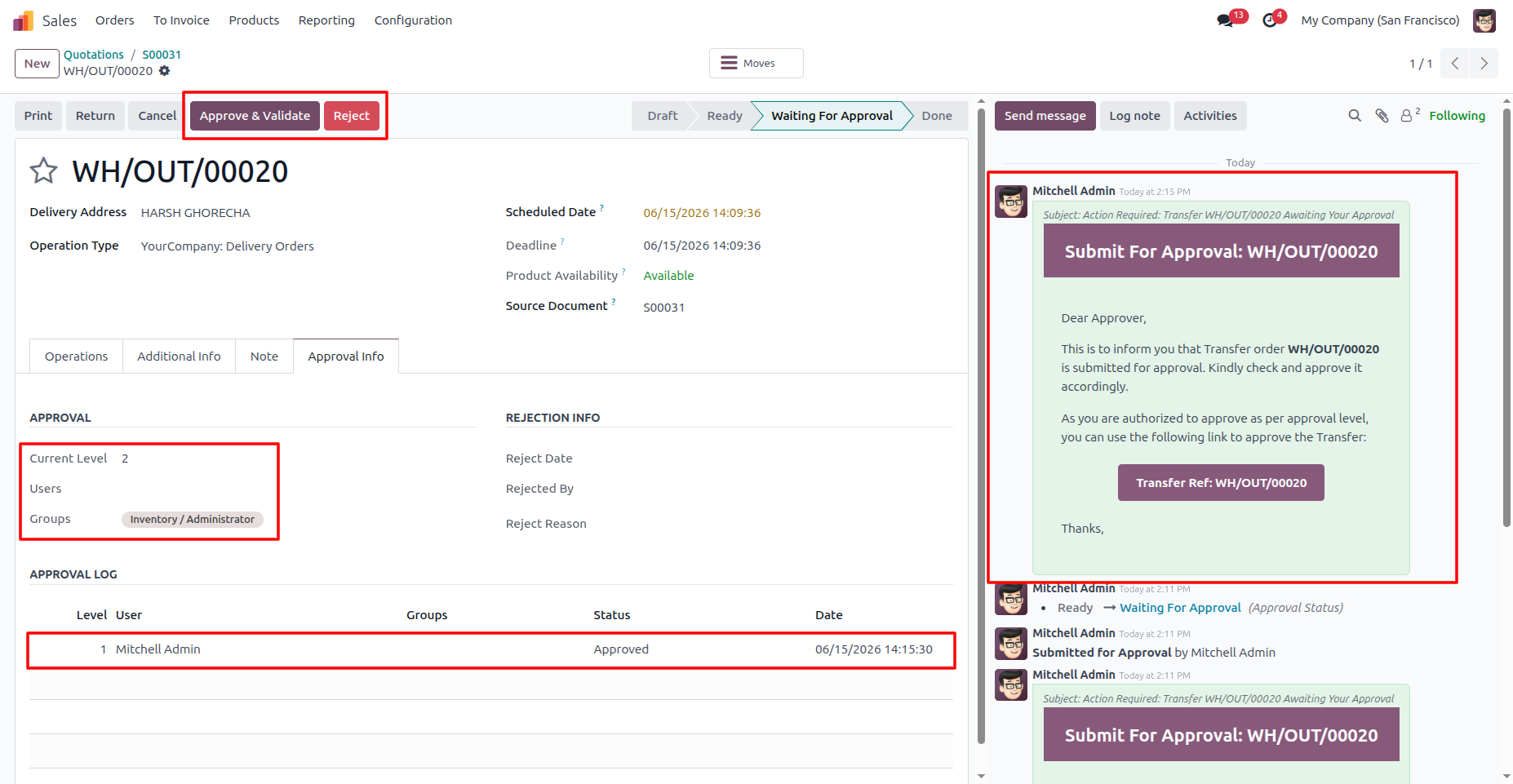
10. When the Level 1 approver approves the transfer, an entry is automatically added to the Approval Log. The approval workflow then moves to the Level 2 approver, and an email notification is sent requesting the next approval action.
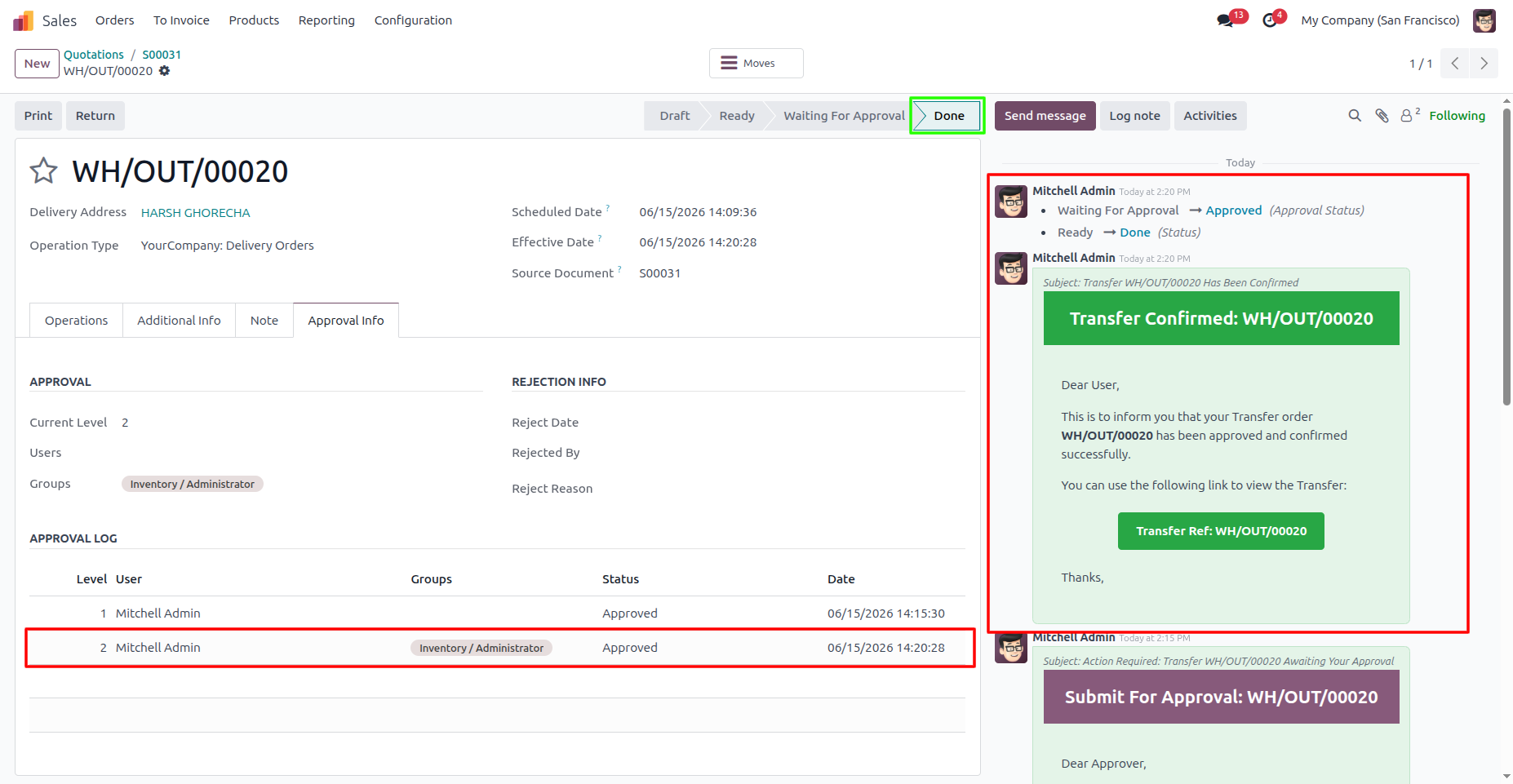
11. Once all approval levels have approved the inventory transfer, the approval workflow is completed and the transfer is automatically validated. A Transfer Confirmation email is sent to the submitter, and the record moves to the Done state.
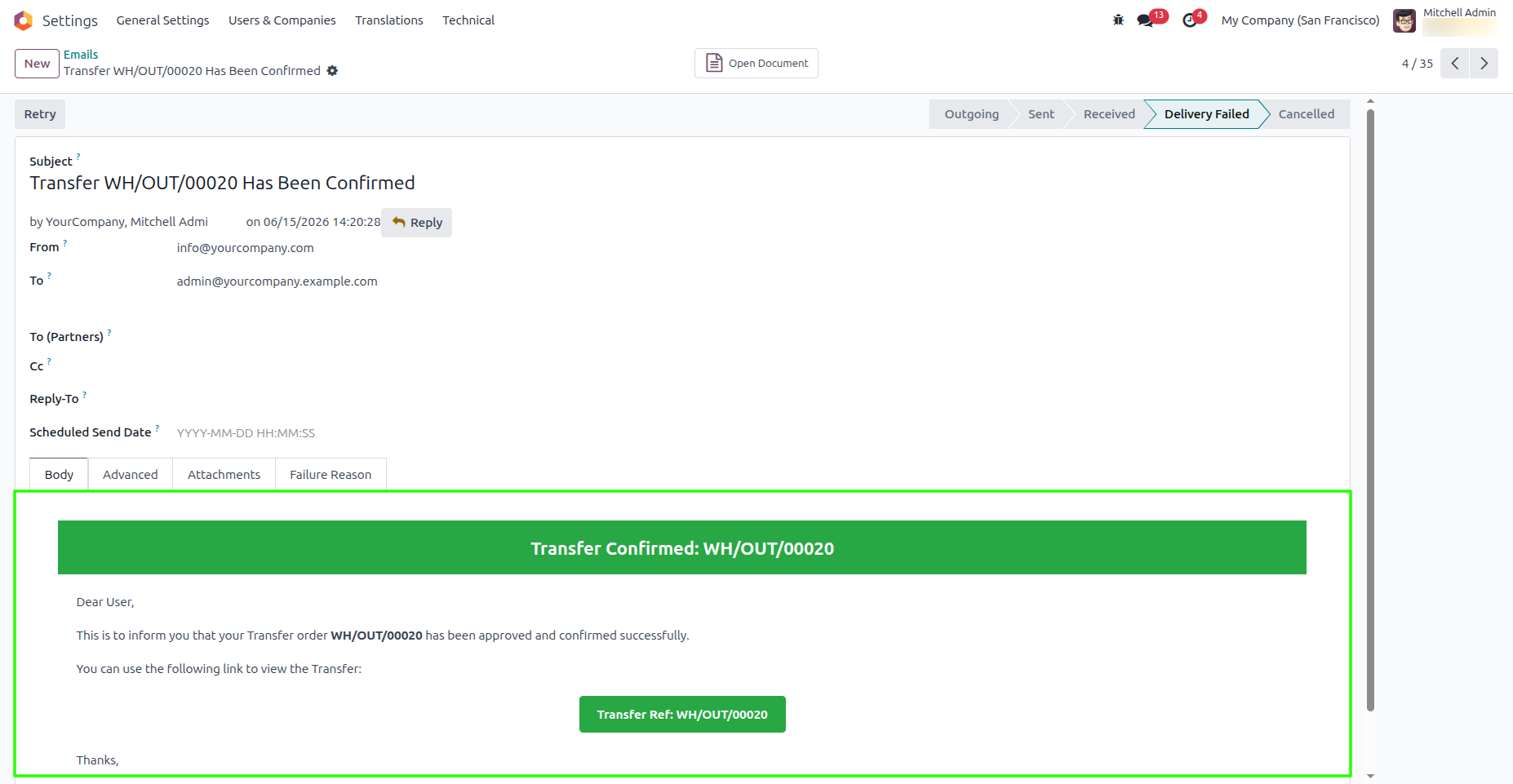
12. Email Notification for Transfer Confirmed
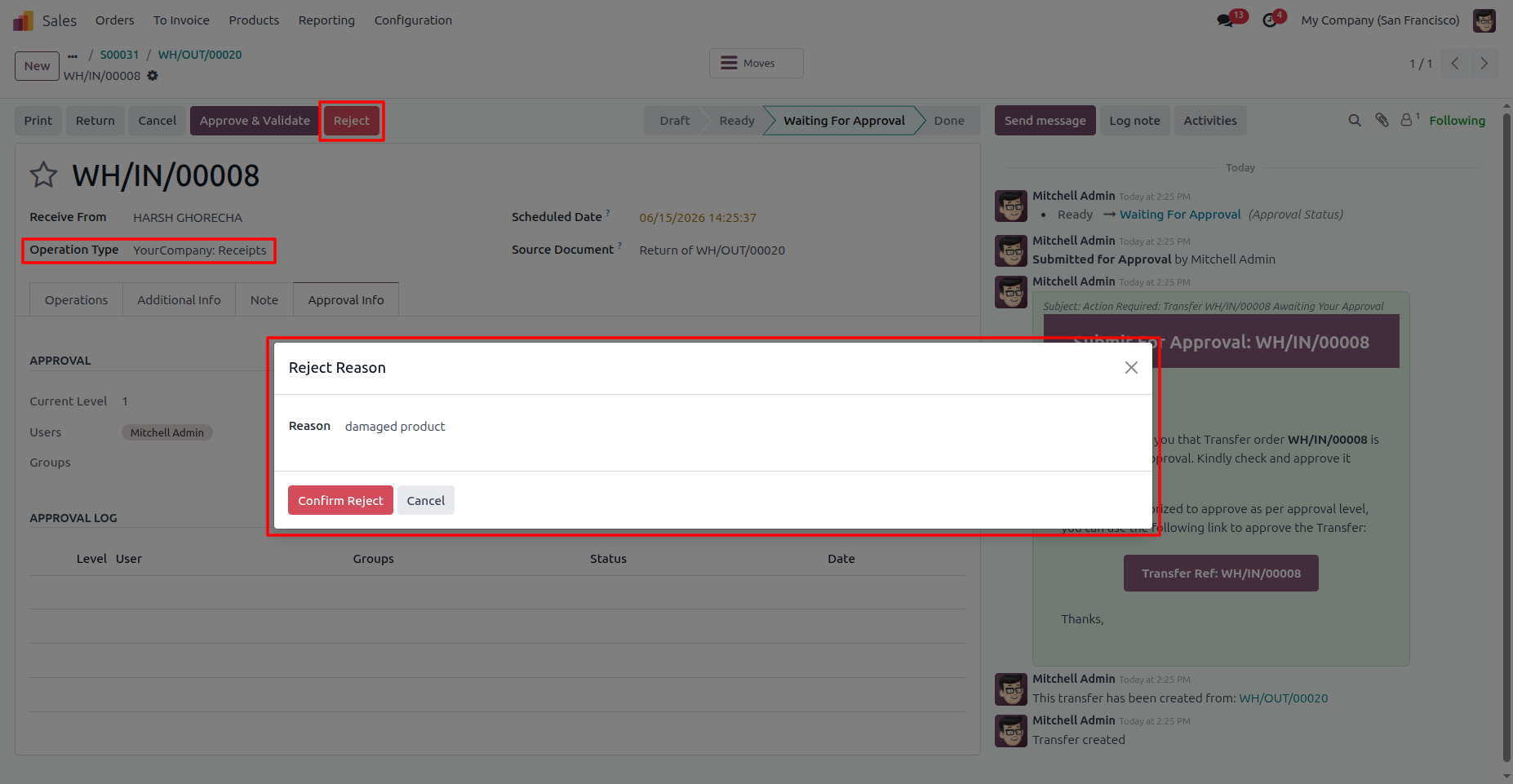
13. If an approver decides to reject the transfer, click the Reject button. A Reject Reason popup will appear, where the approver must enter the reason for rejection before confirming the action.
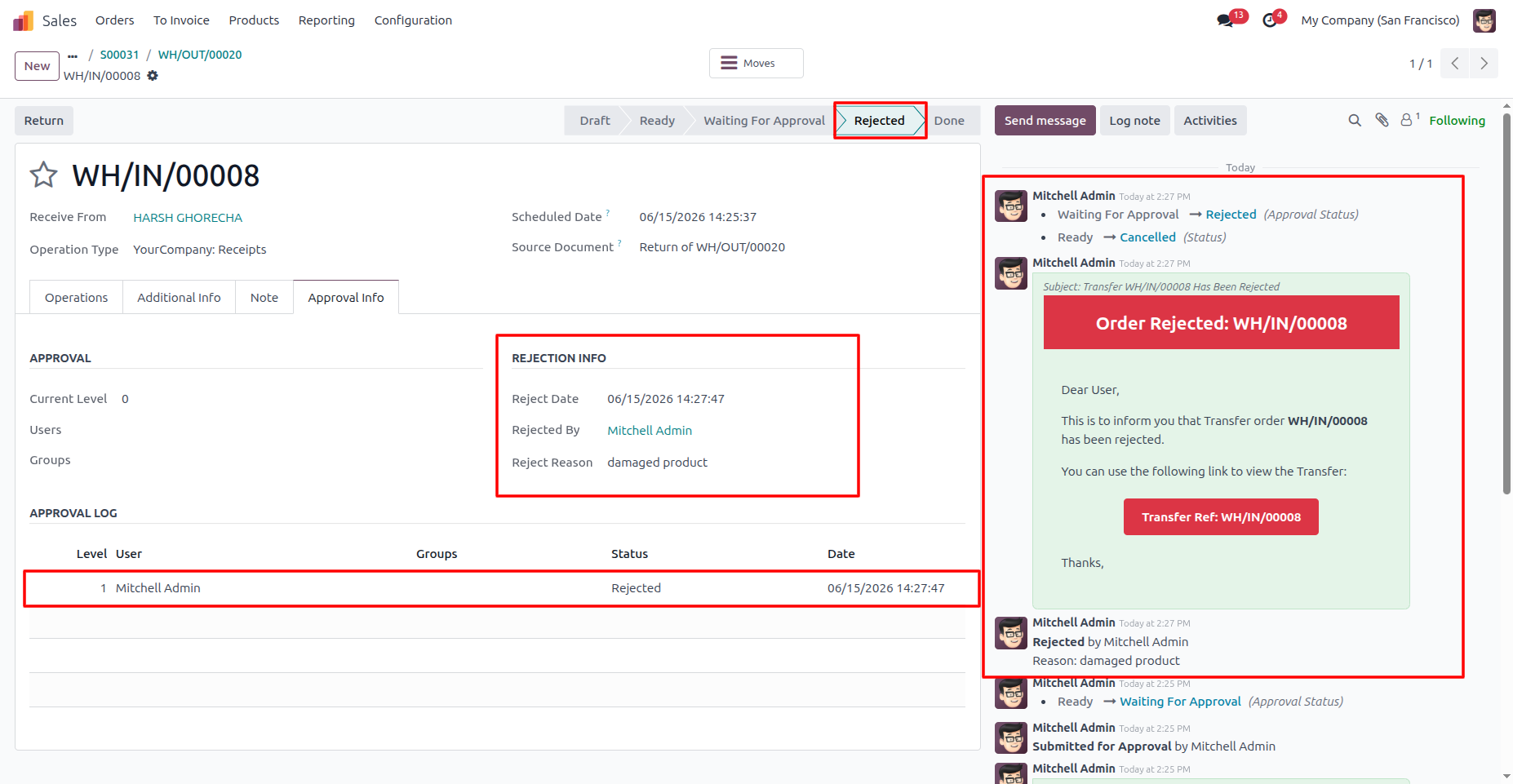
14. If the transfer is rejected, a rejection email is automatically sent to the submitter. The rejection details, including the Rejected By, Reject Date, and Reject Reason, are recorded and displayed in the Rejection Info section, while the rejection entry is also logged in the Approval Log.
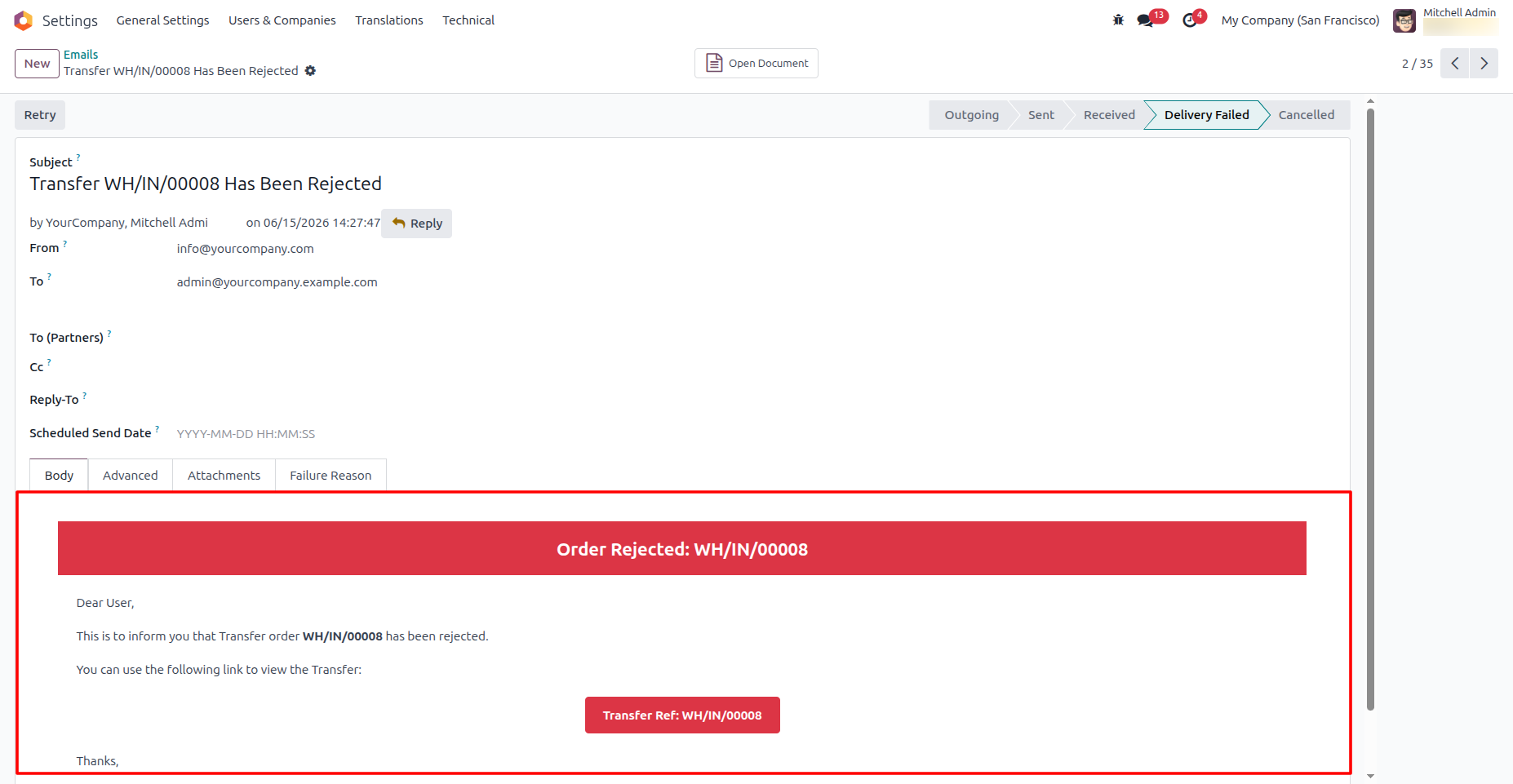
15. Email Notification for Order Rejected
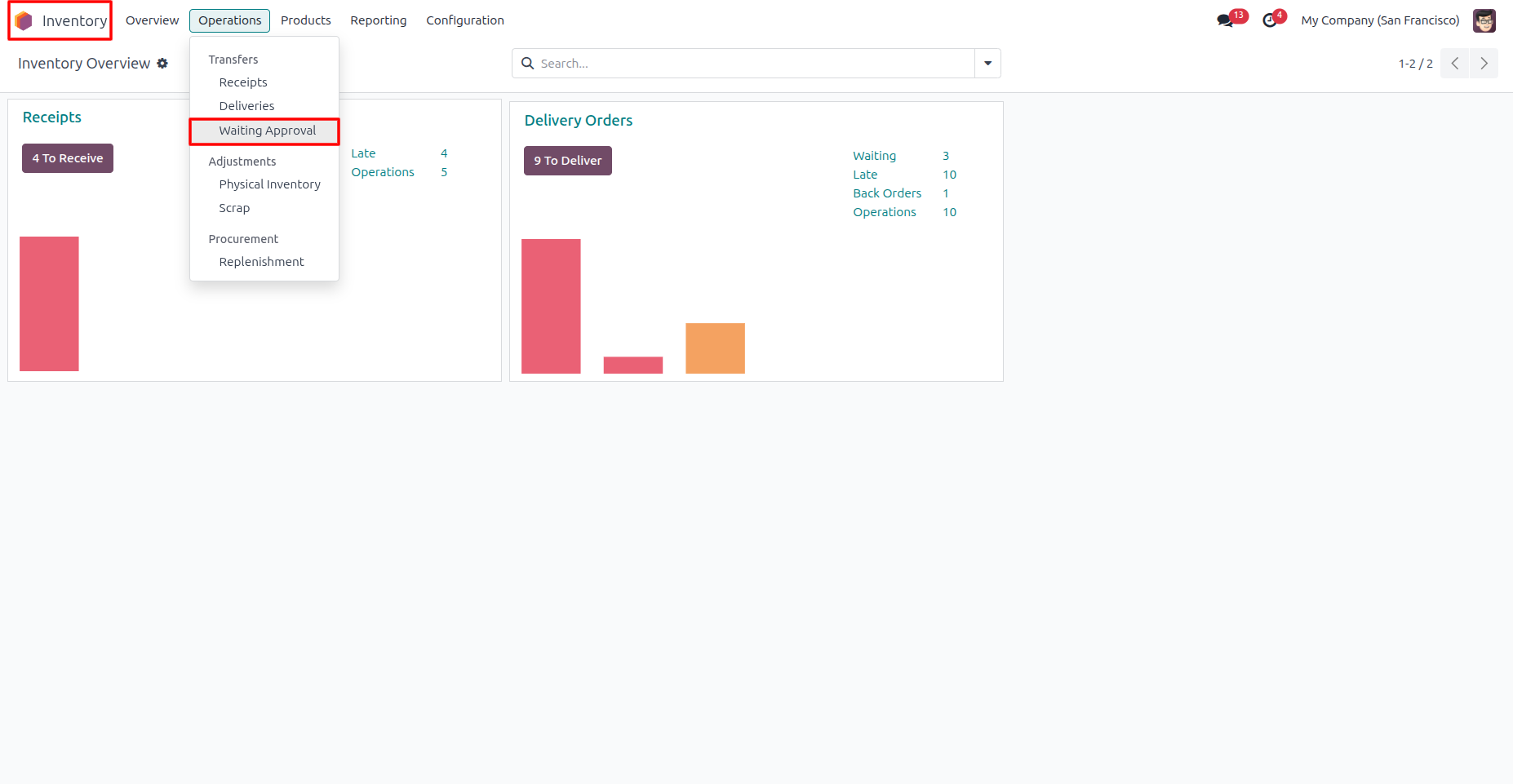
16. Navigate to Inventory → Operations → Waiting For Approval
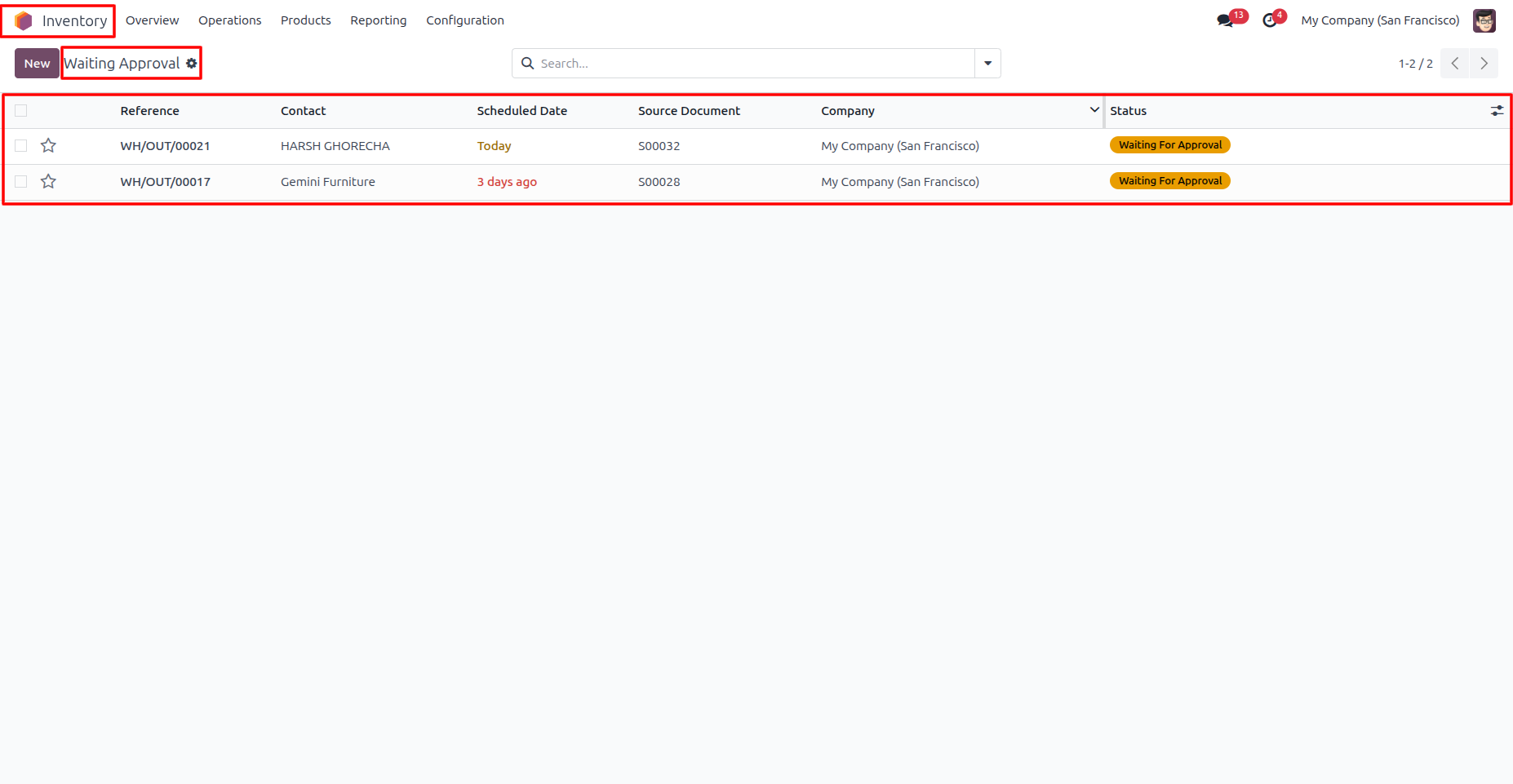
17. View all inventory transfers that are currently awaiting approval. Users can quickly access and review pending approval requests from this menu.
Our solutions focus on your problems
- Odoo Implementation
- Odoo Customization
- ERP Development and Implementation
- Odoo Ipass Cloud
- AI for Odoo
- Odoo Apps
- Aws Marketplace Products
- Business Engines
Our Pricing includes User Manual, 90 Days Support (Monday-Friday 10am to 7pm IST) and One time Setup
• Works & tested on standard installations of Odoo with no third party apps,
• Free support only for odoo installations with no third party apps,
• Paid support available for Odoo installations with third party apps.

Prefortune is a Odoo Official Partner, Odoo Development company. Our philosophy is to use Open Source tools and technologies to provide cost effective and green solutions for our customers.
Prefortune Technologies LLP is working on web development, Mobile development, and Odoo ERP.
If you need any help or want more additional features, you may contact us through:
Alternative Products
These other products might interest you
Specifications
| Version | 19.0, 18.0, 17.0, 16.0, 15.0, 14.0 |