
10 Best Odoo Apps for 2026: eCommerce, Automation & Business Integrations
A practical guide to 10 Odoo apps that help businesses connect platforms, reduce manual work, automate operations, and scale more efficiently.

Our all-inclusive WordPress Odoo Connector integrates Odoo’s ERP system with WordPress, particularly WooCommerce, to streamline data synchronization. This integration exchange of product, order, customer information and coupons between the two platforms, ensuring up-to-date and accurate data across both systems. It enhances efficiency by reducing manual data entry, unifies inventory and sales management, and improves the overall customer experience with consistent information
Create a WooCommerce store in our app and test the connection with WordPress by clicking the "Test Connection" button. If the connection is successful, click the "Product Sync" button to synchronize products from WooCommerce to Odoo. You can follow the same process for syncing orders, coupons, and customers.
In Odoo, you can view WooCommerce-related information such as product IDs, store names, order IDs, coupon IDs, customer IDs, Customer Address Type in their respective models. Additionally, when you create a product in WooCommerce via Odoo, you'll receive the product ID from WooCommerce upon successful creation
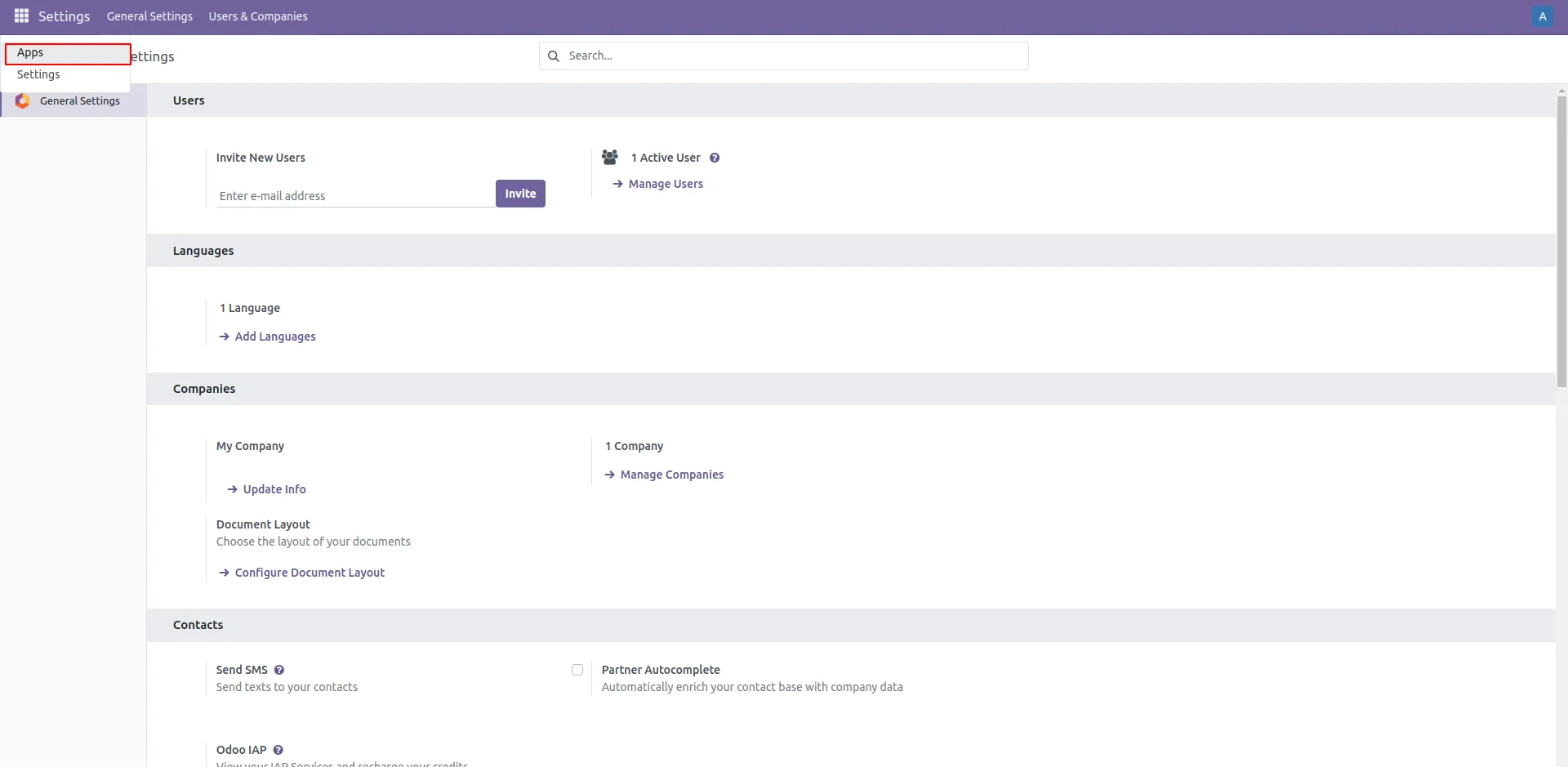
1. Apps
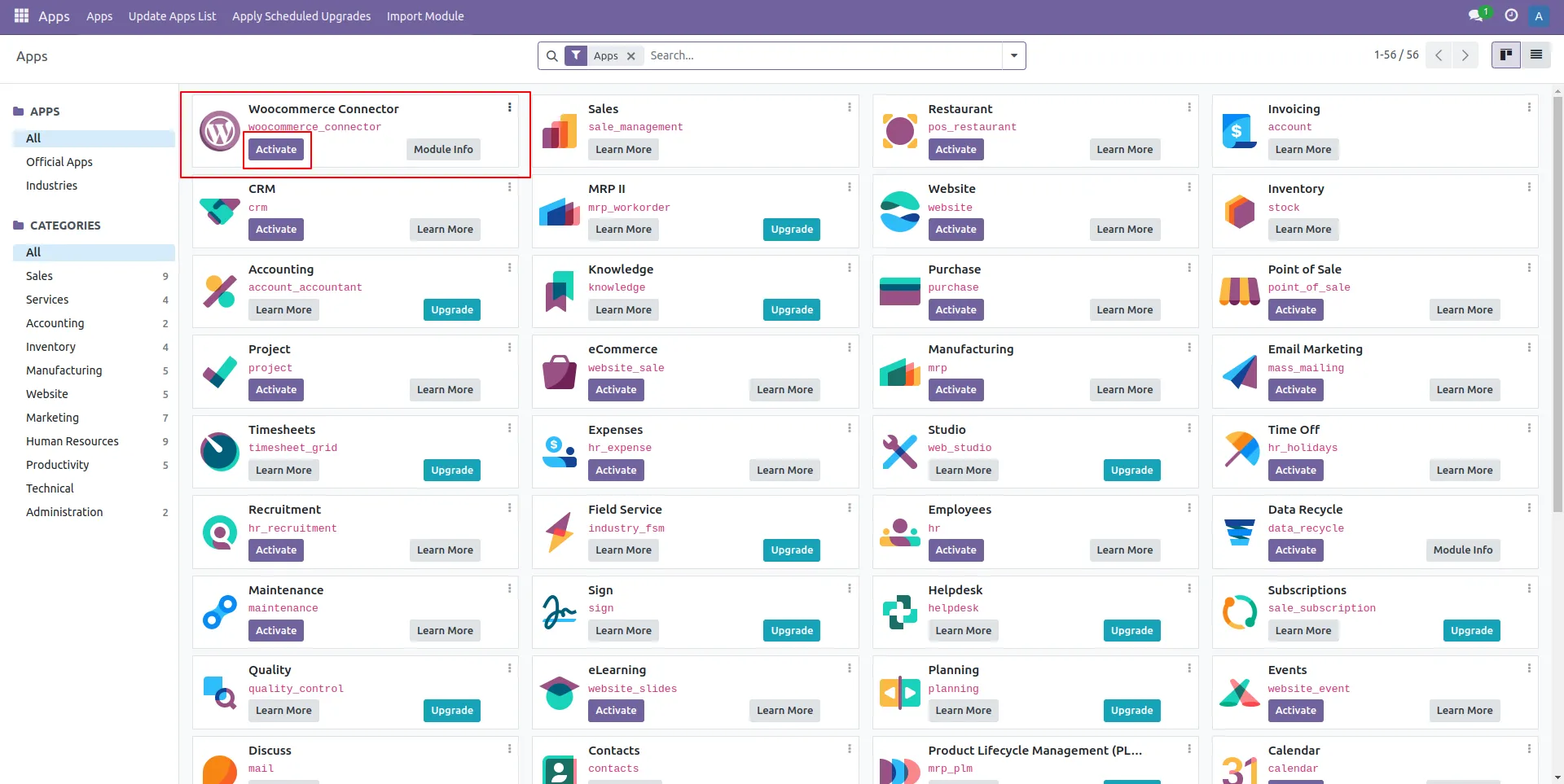
2. WooCommerce Connector in Apps
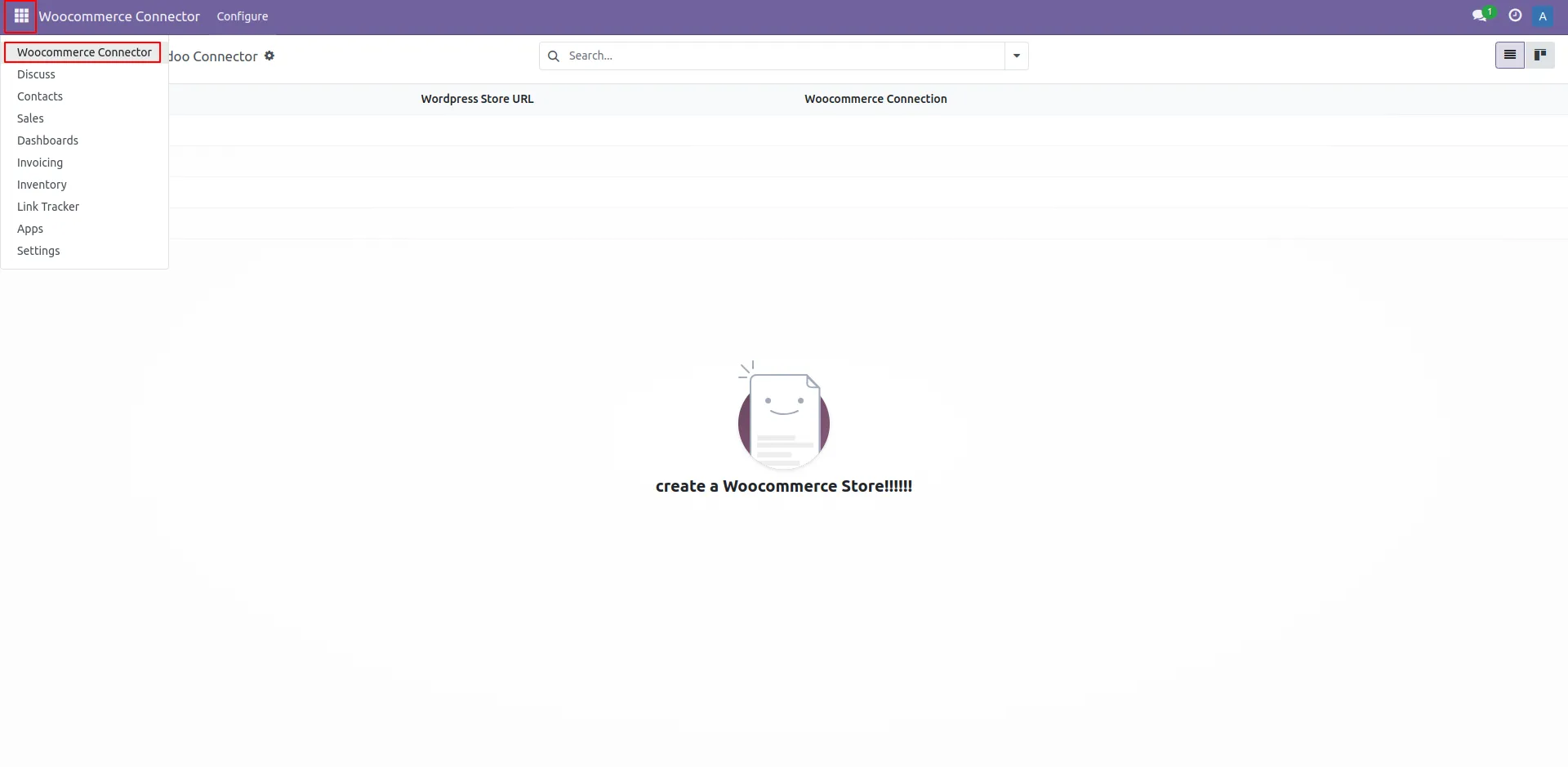
3. WooCommerce Connector
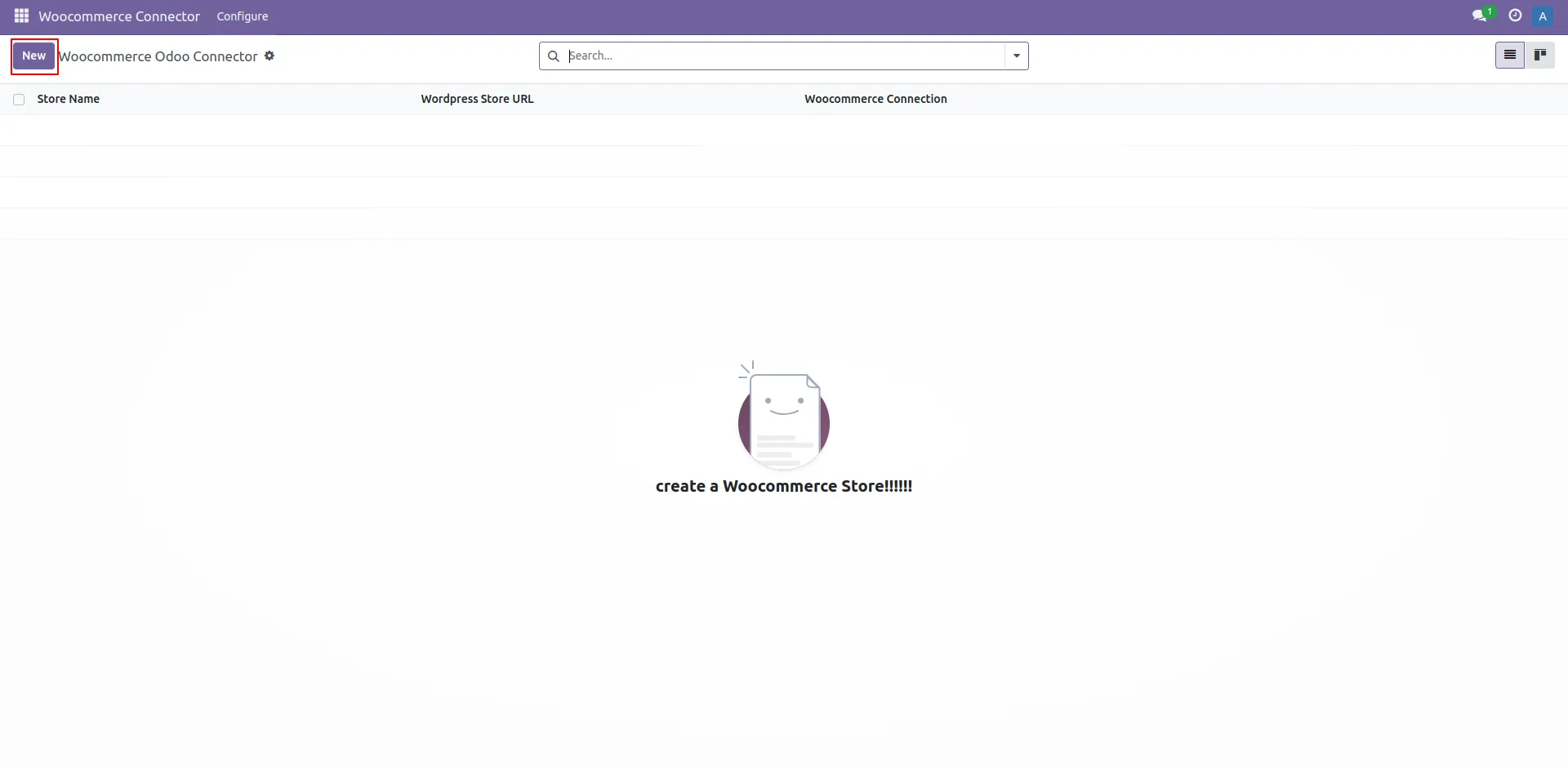
4. Create New Store
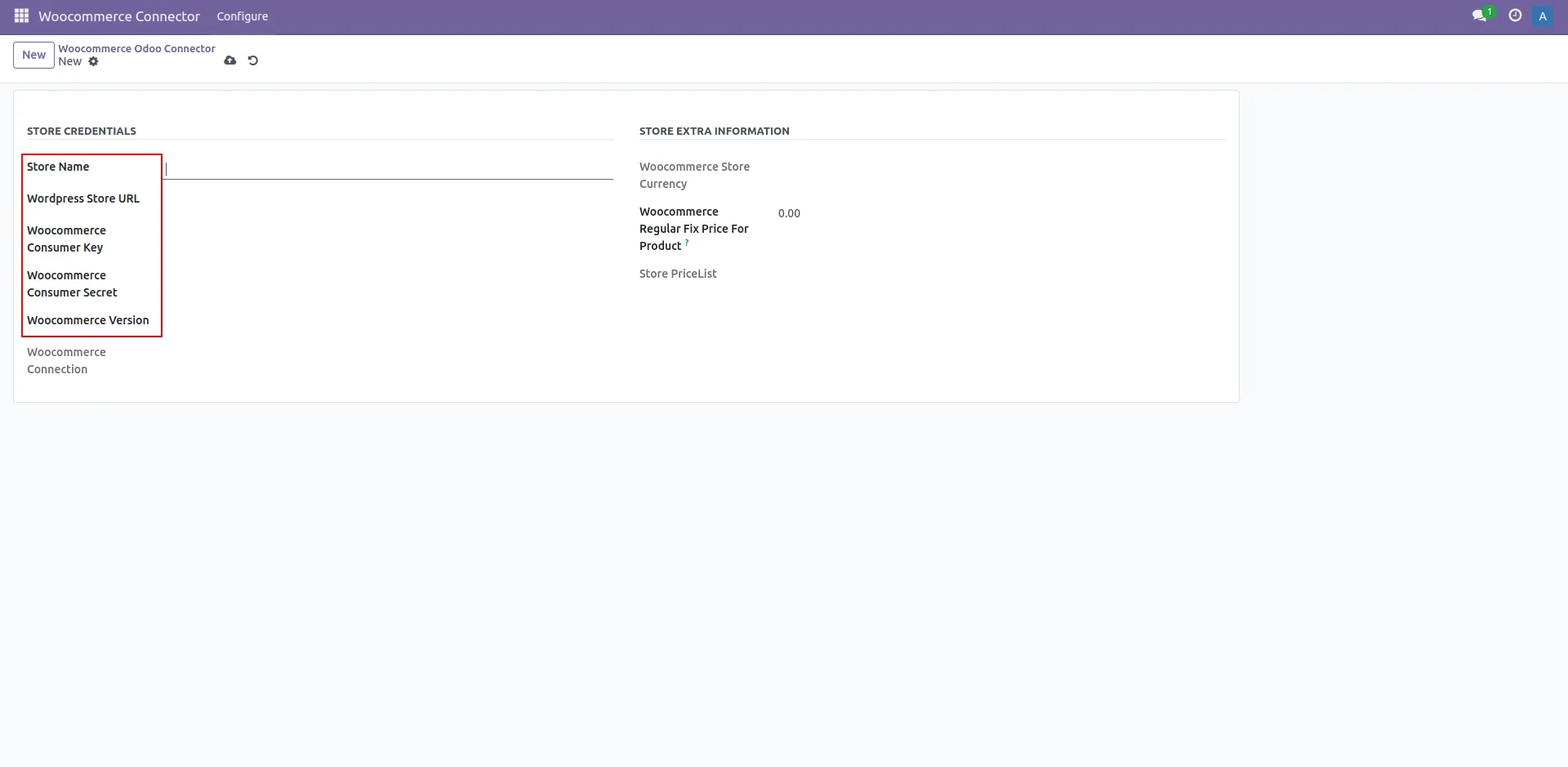
5. Require Store Details
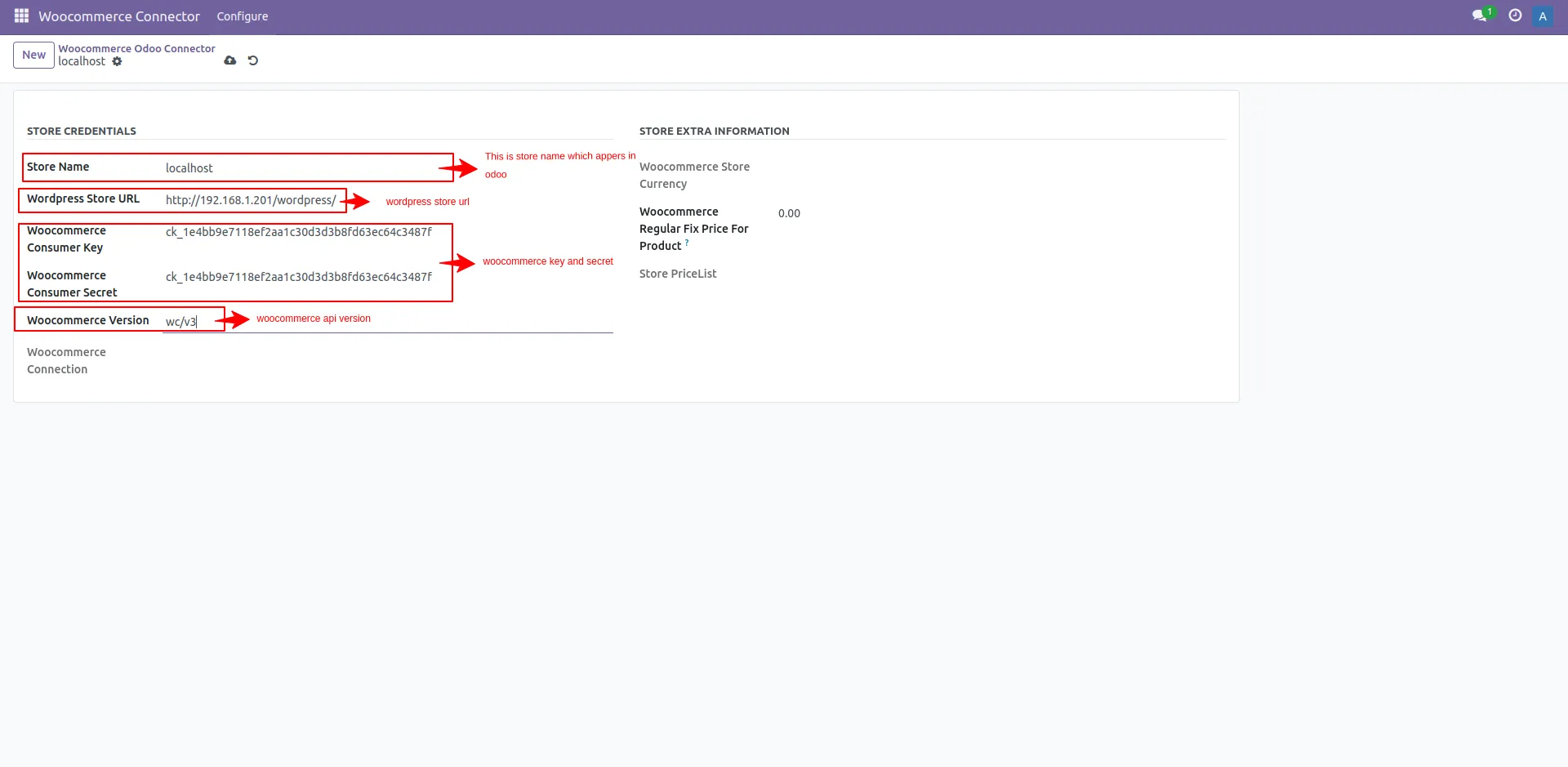
6. Wordpress Url and WooCommerce credentials and then Save
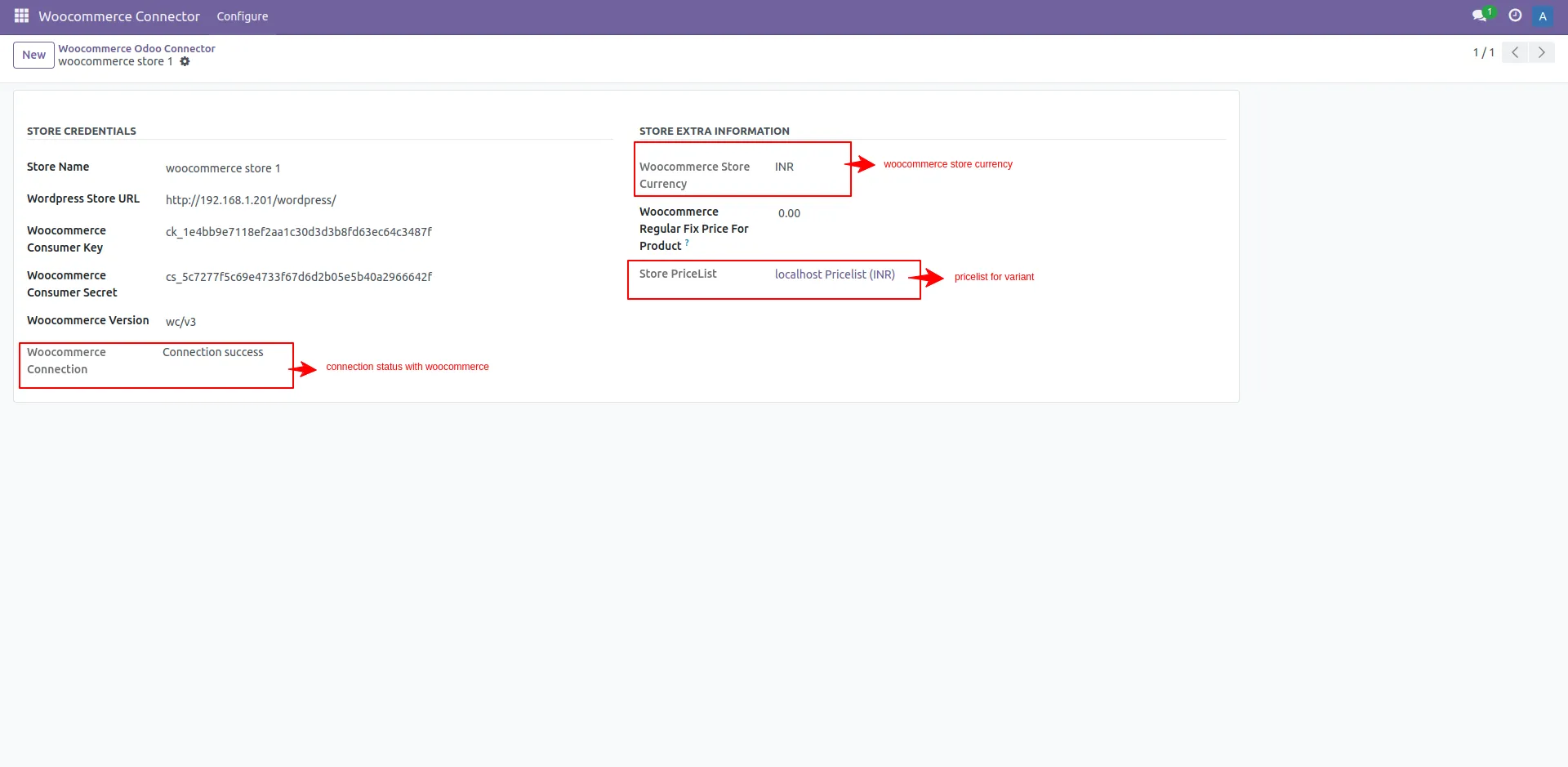
7. WooCommerce Store connection and currency
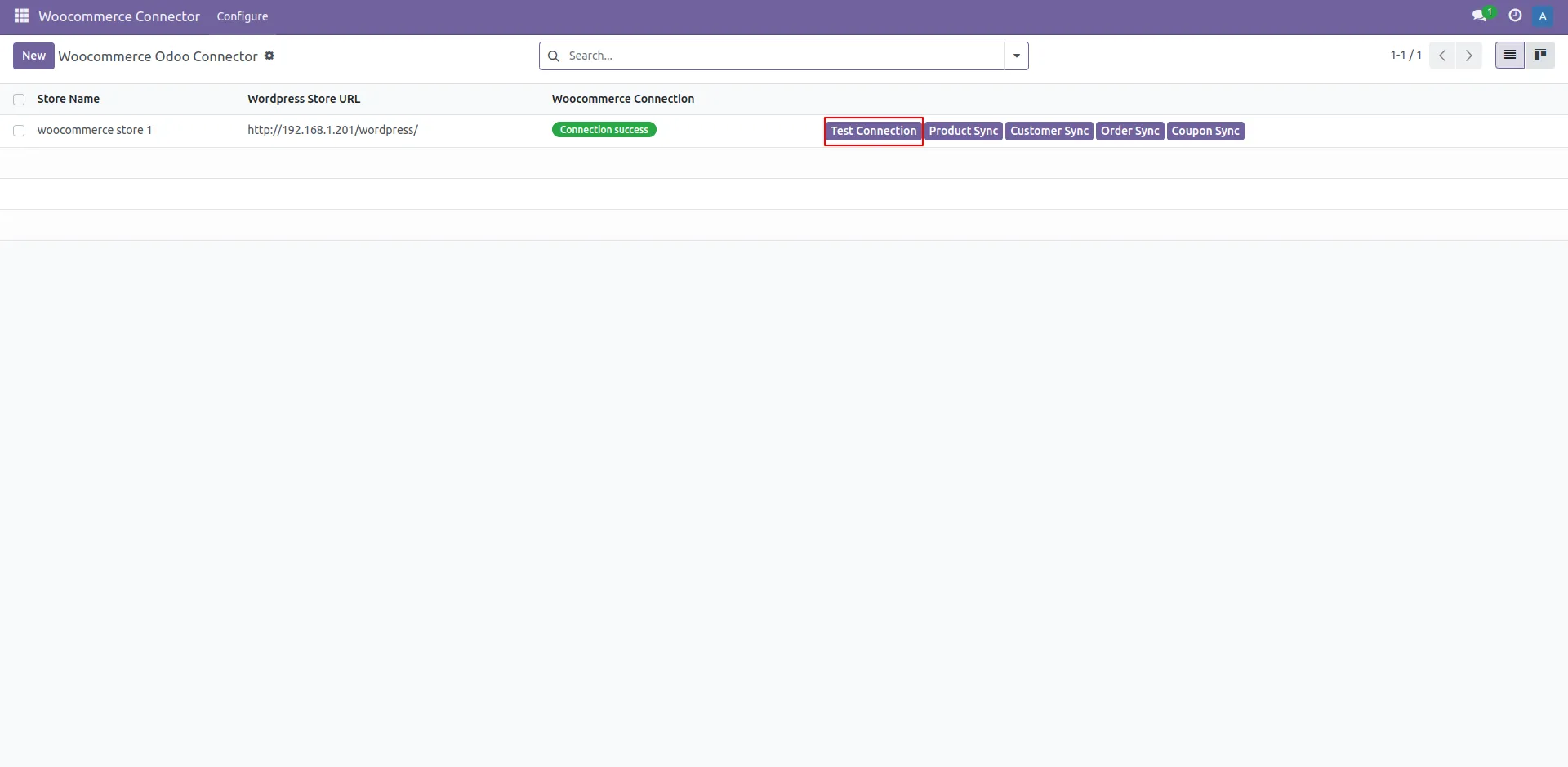
8. Check Connection with WordPress
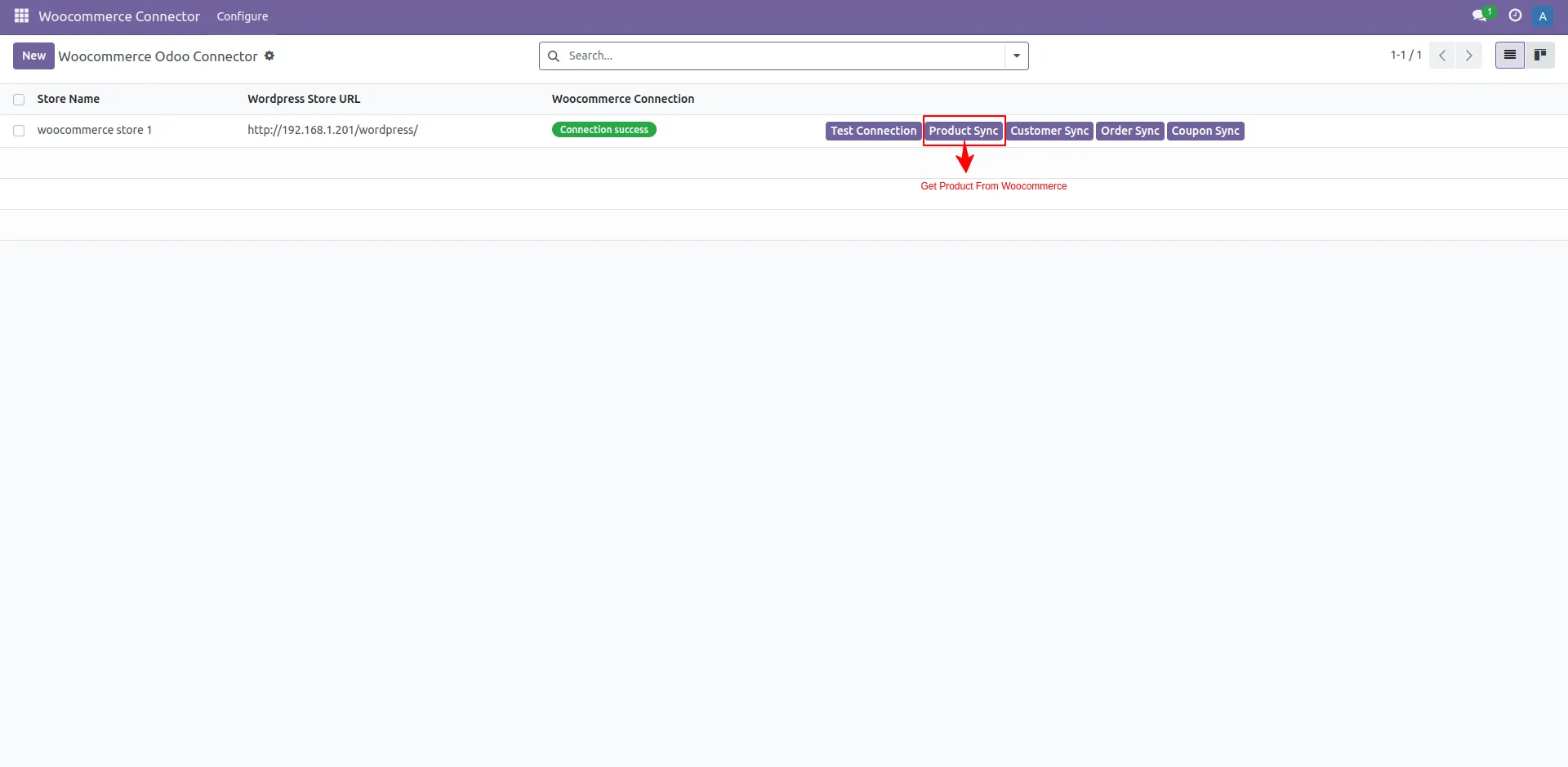
9. Product Sync
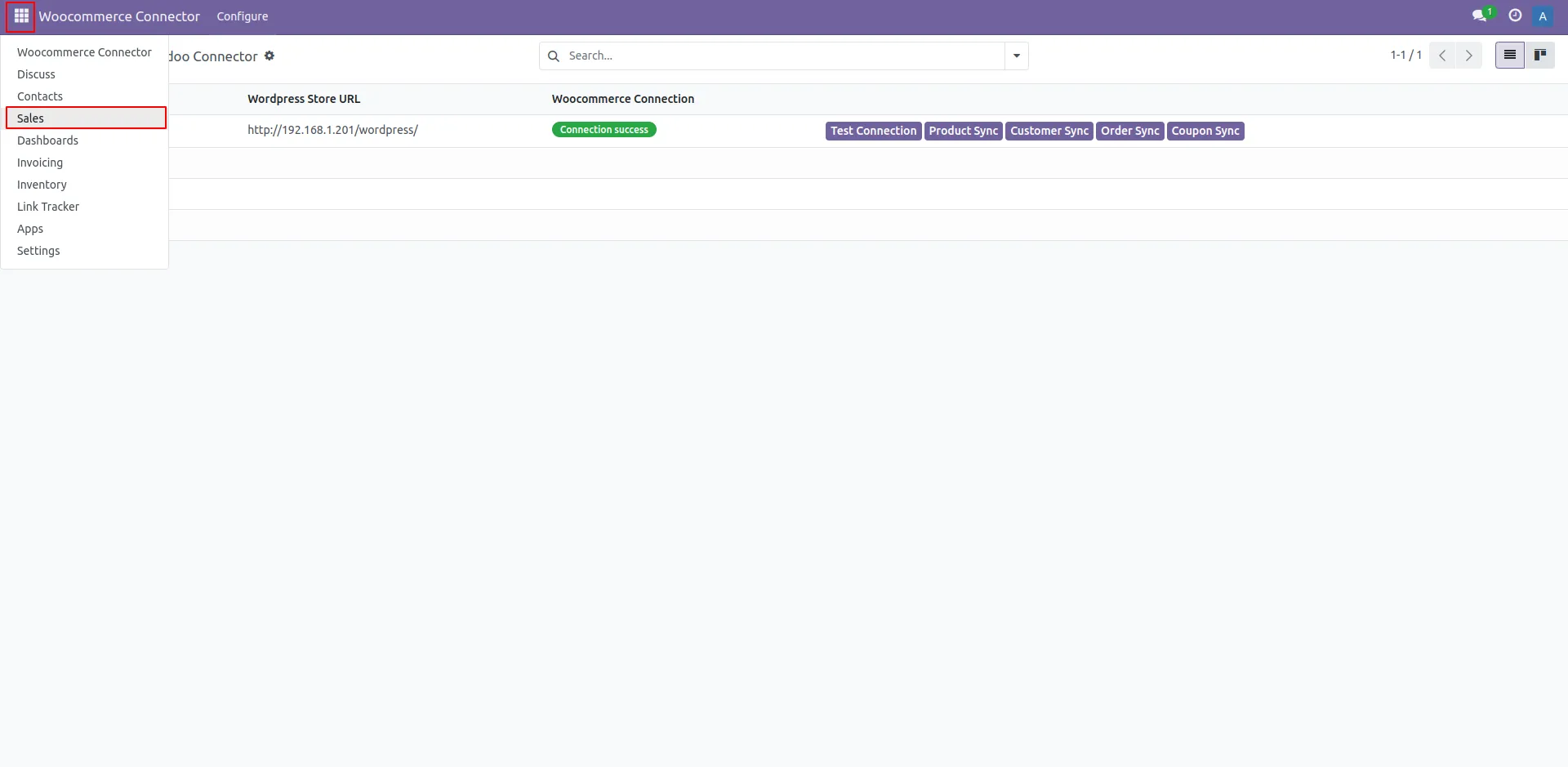
10. Sales
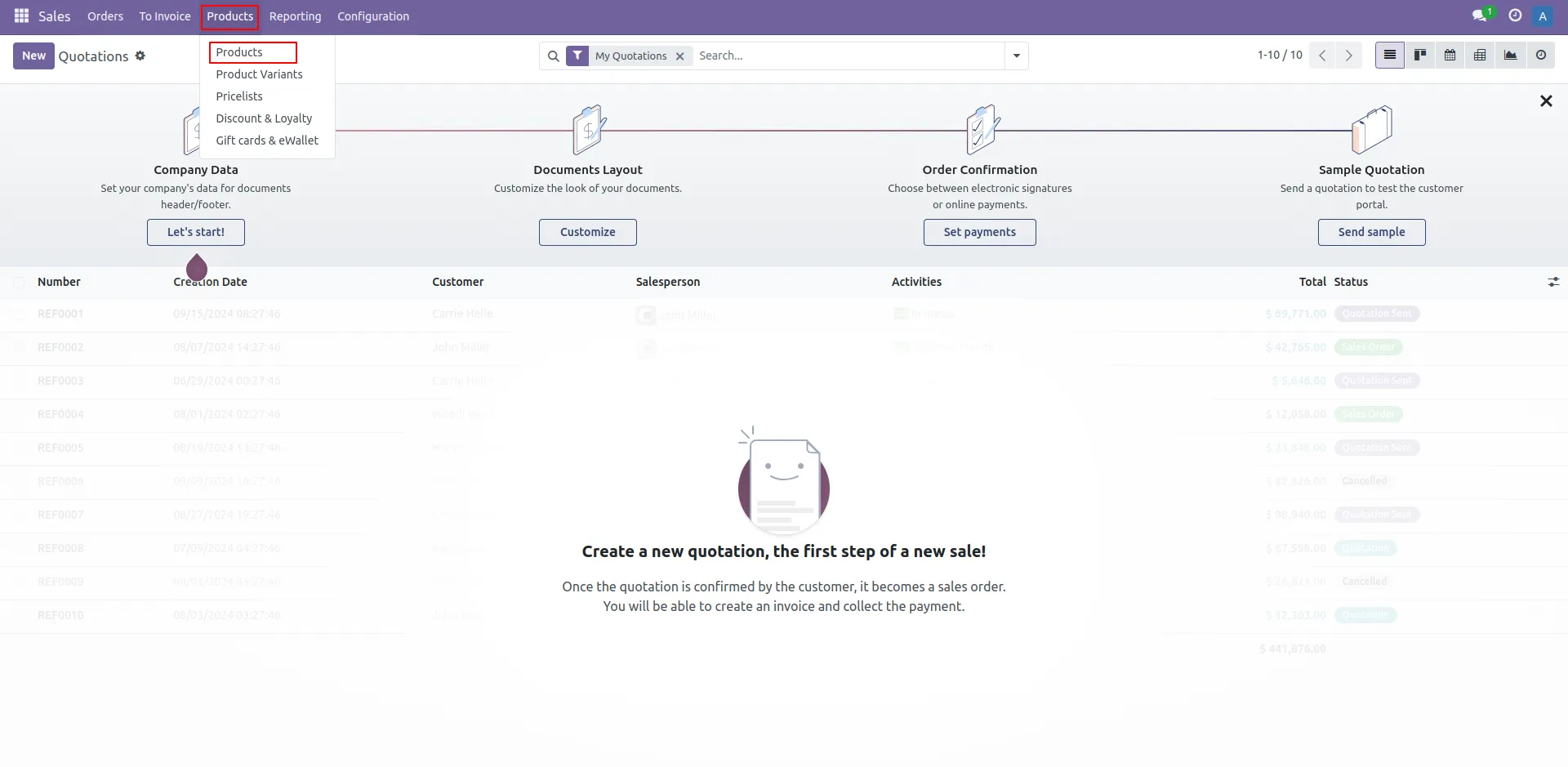
11. Products
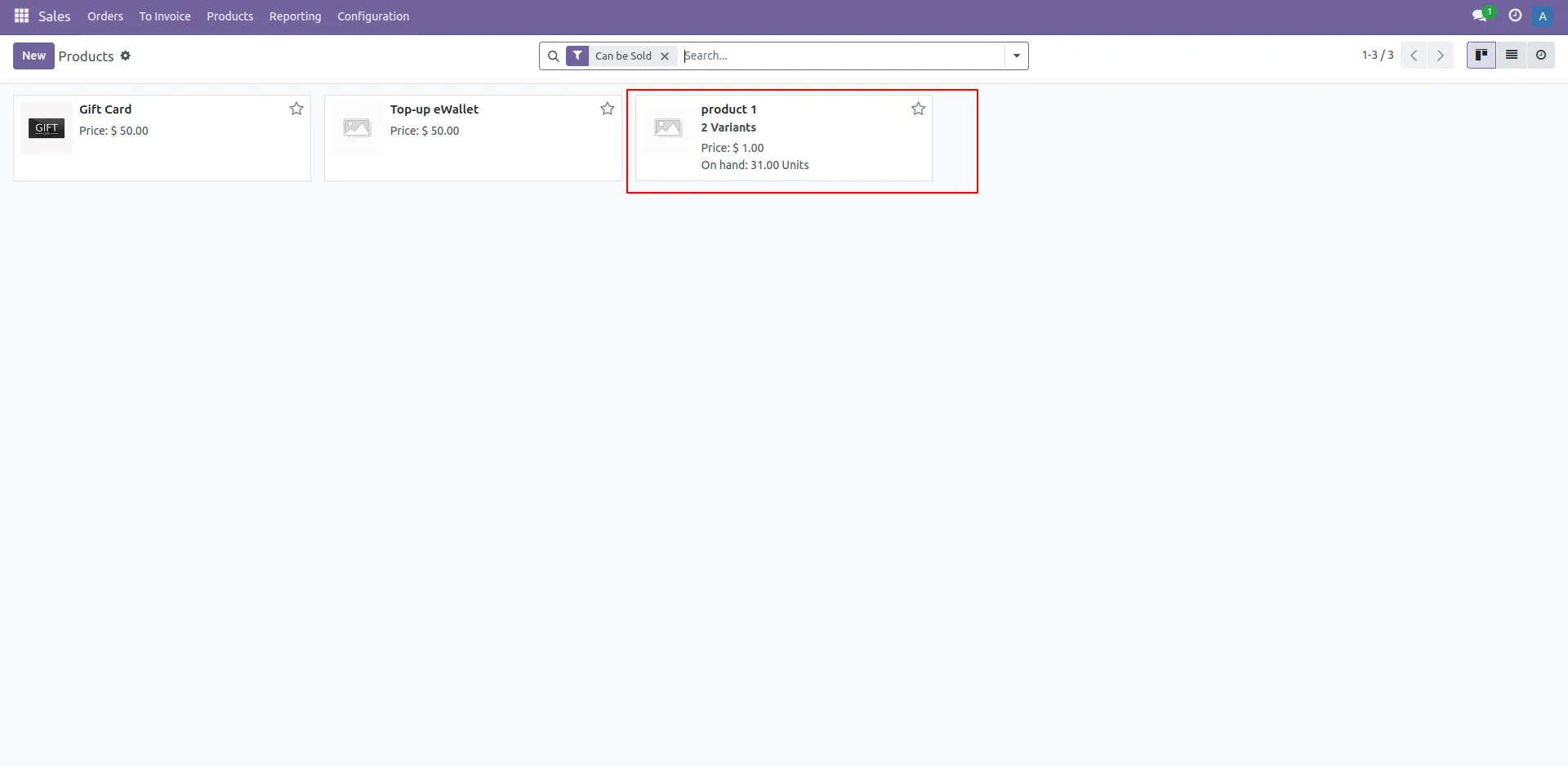
12. List Of Product
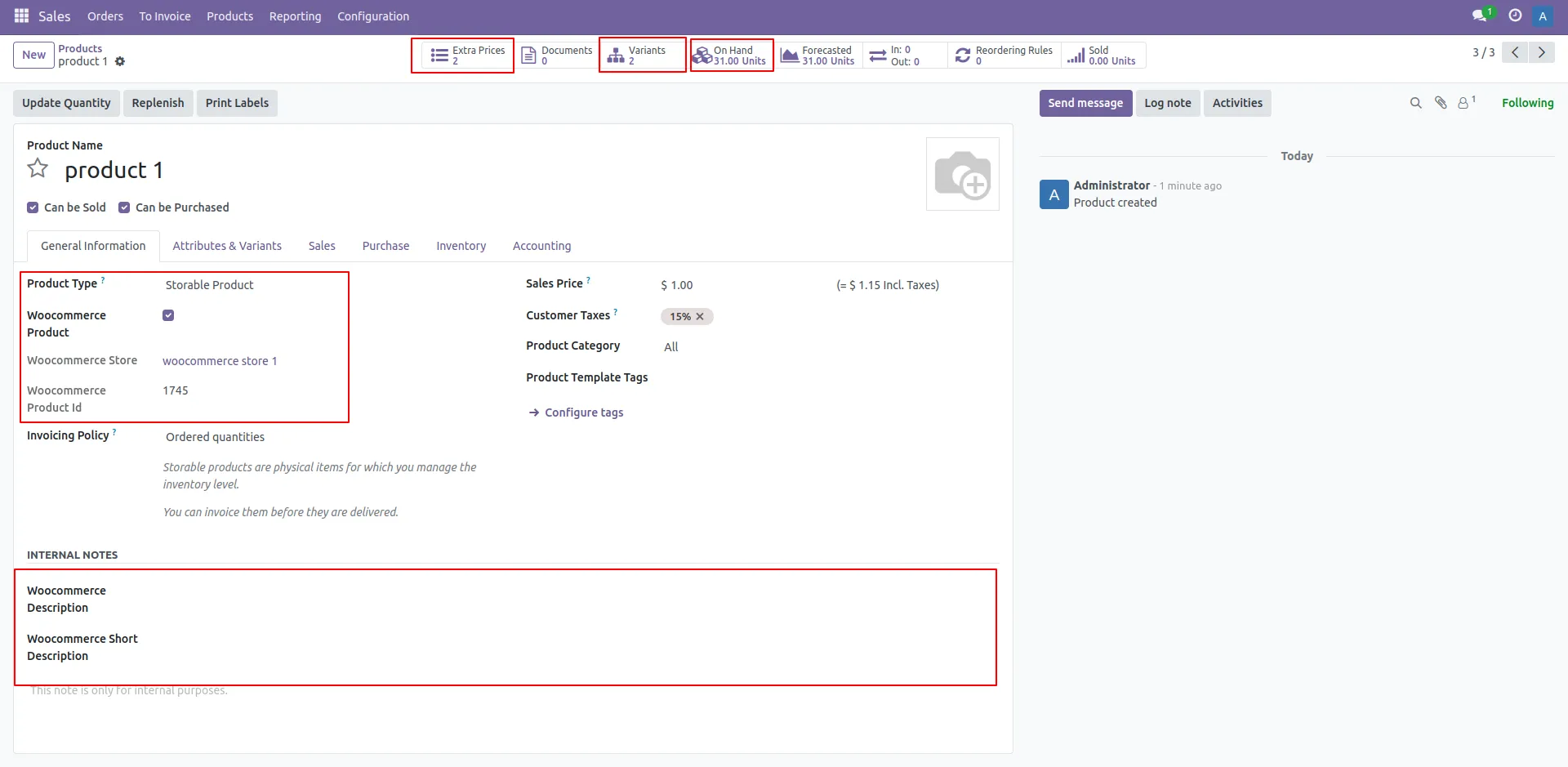
13. Product Details
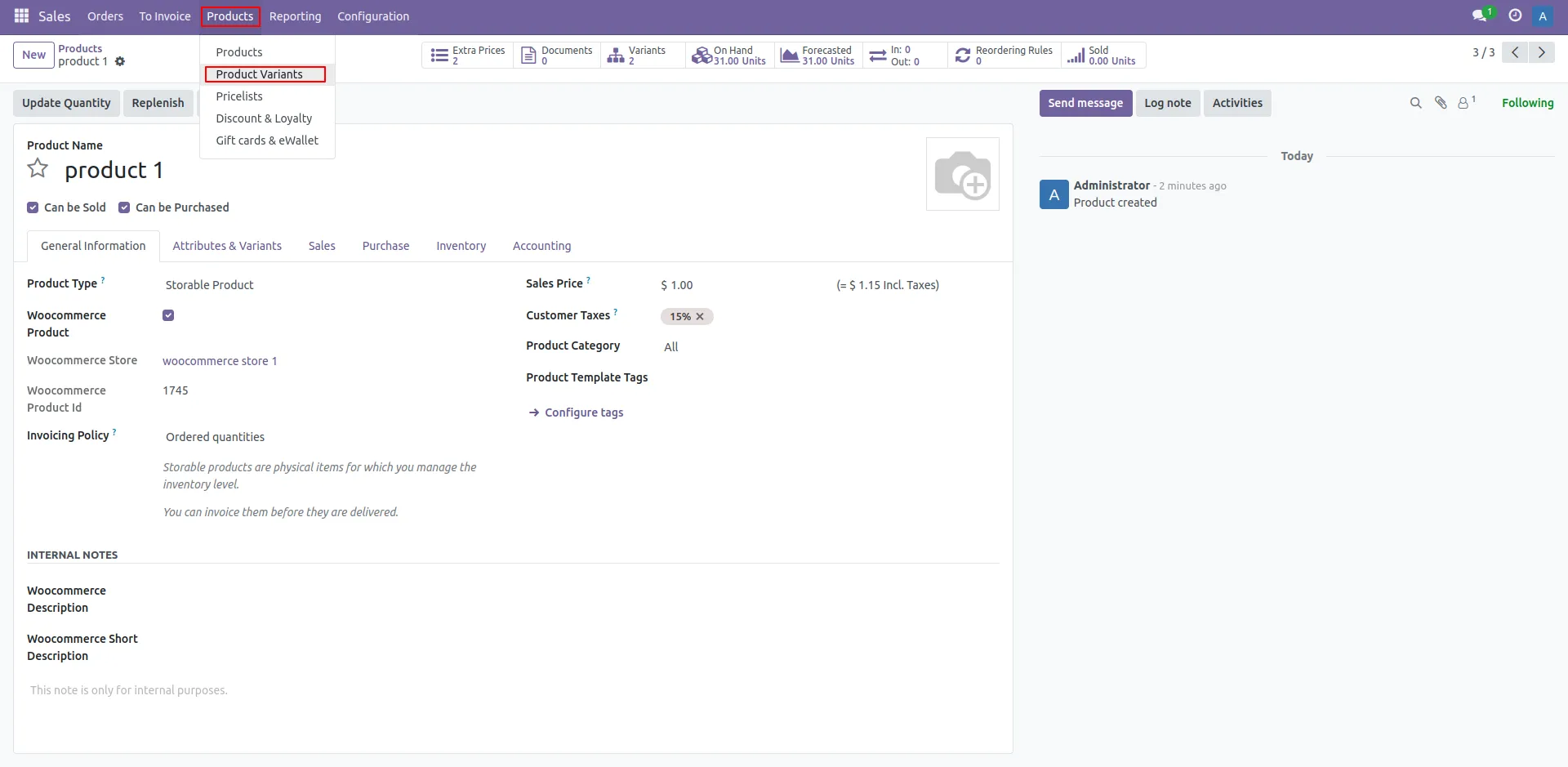
14. Product Variant
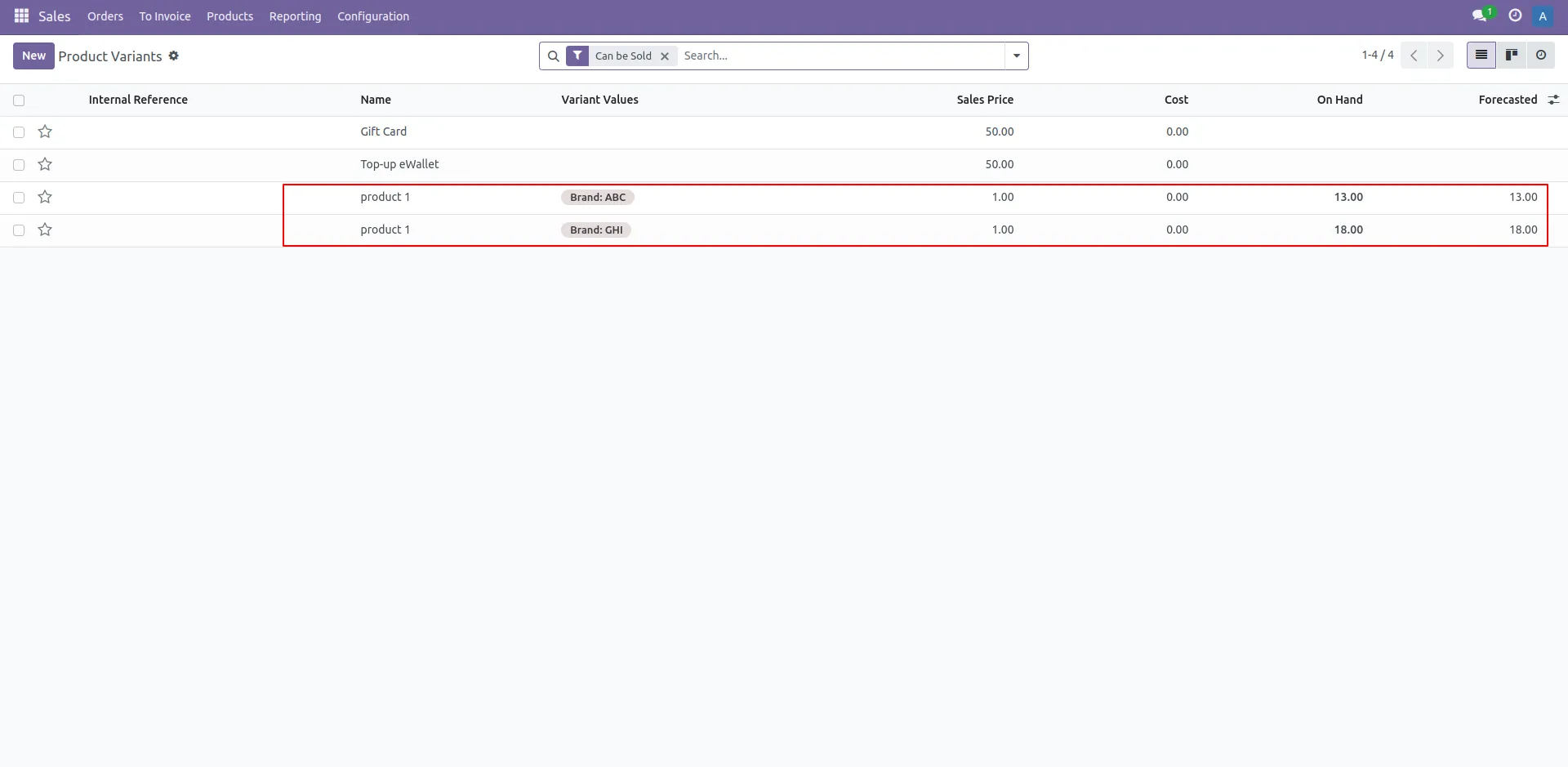
15. List of Product
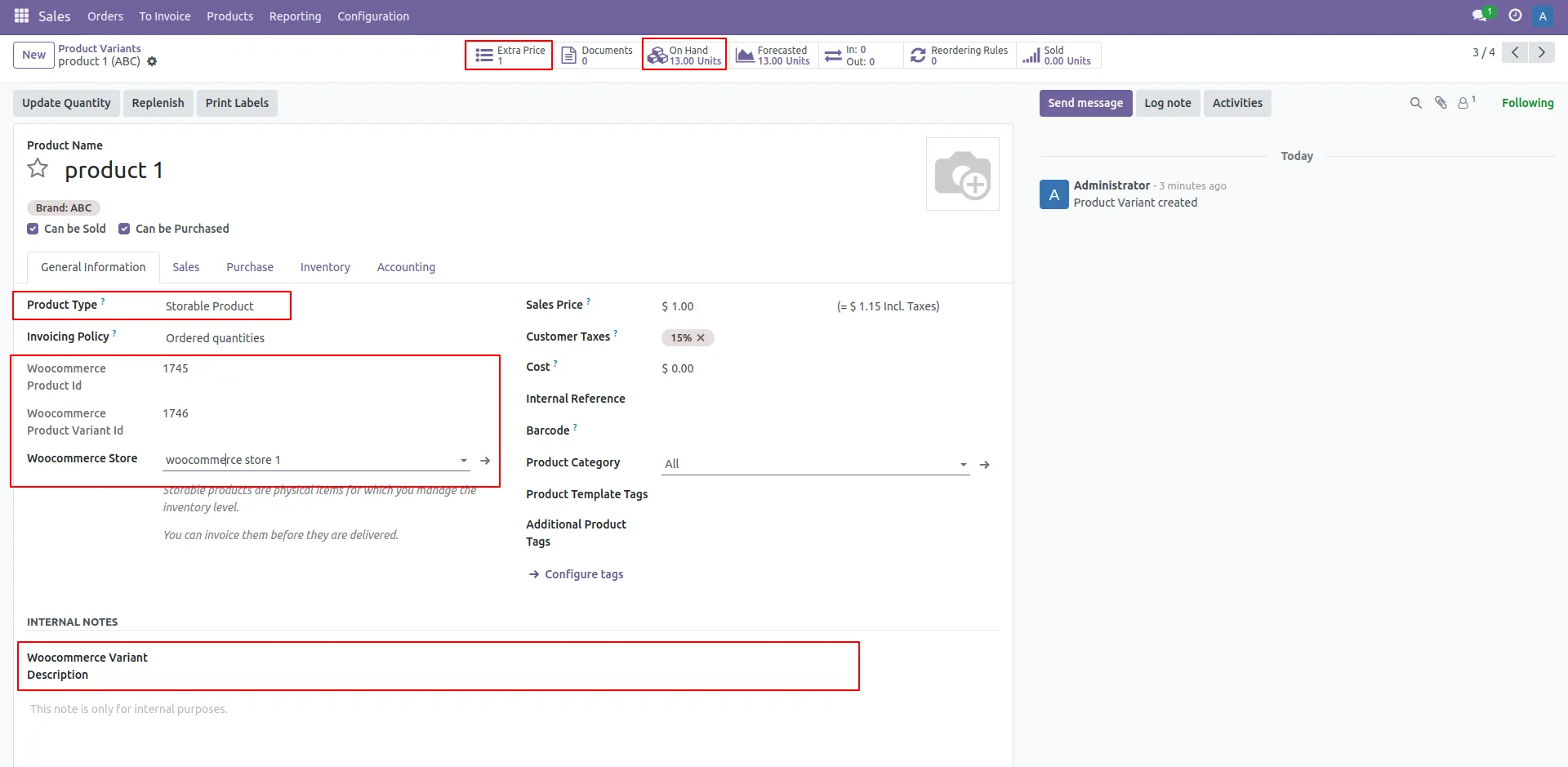
16. Variant Details
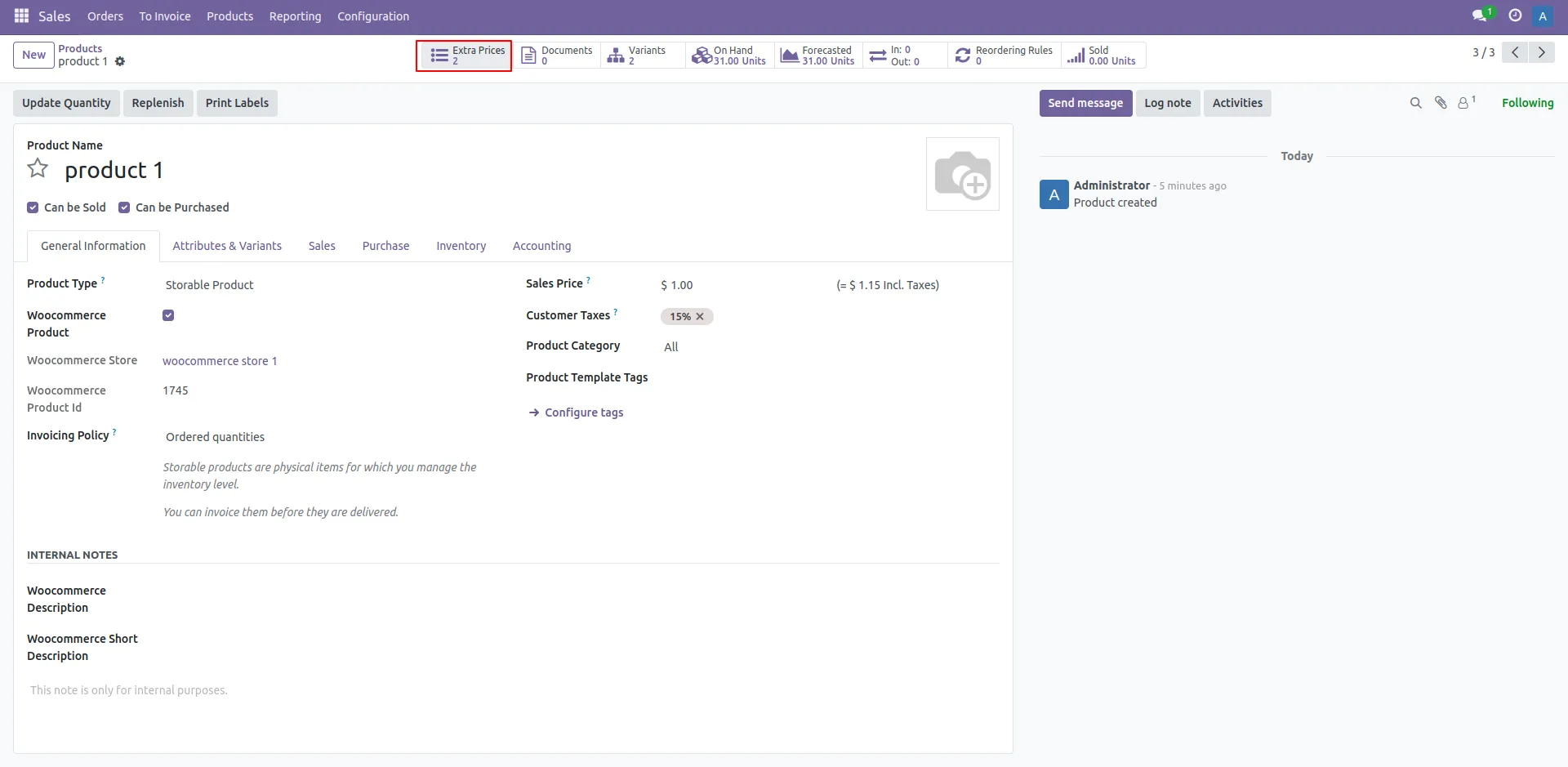
17. Extra Price
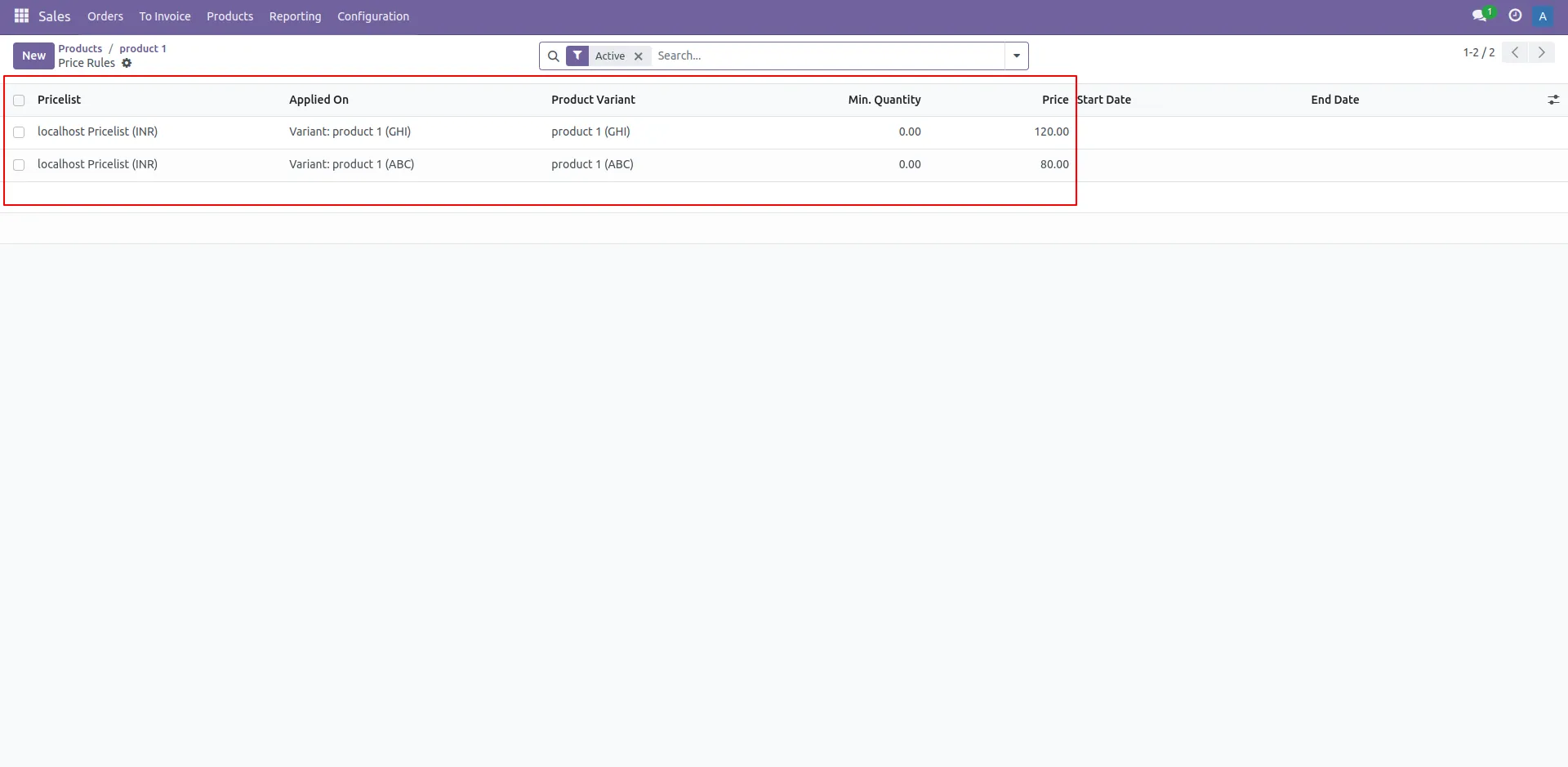
18. List of Product Extra Price
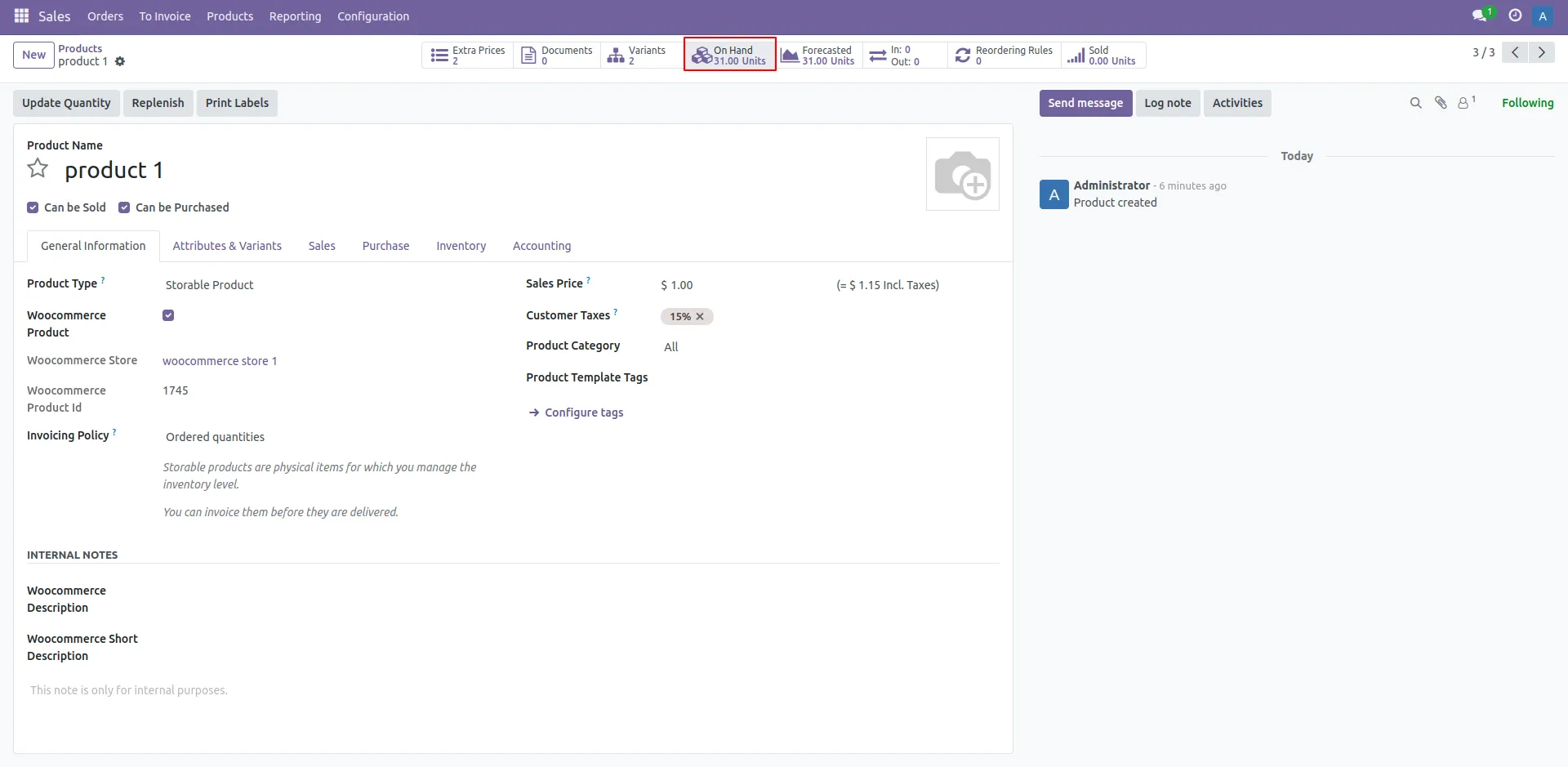
19. On Hand Quantity
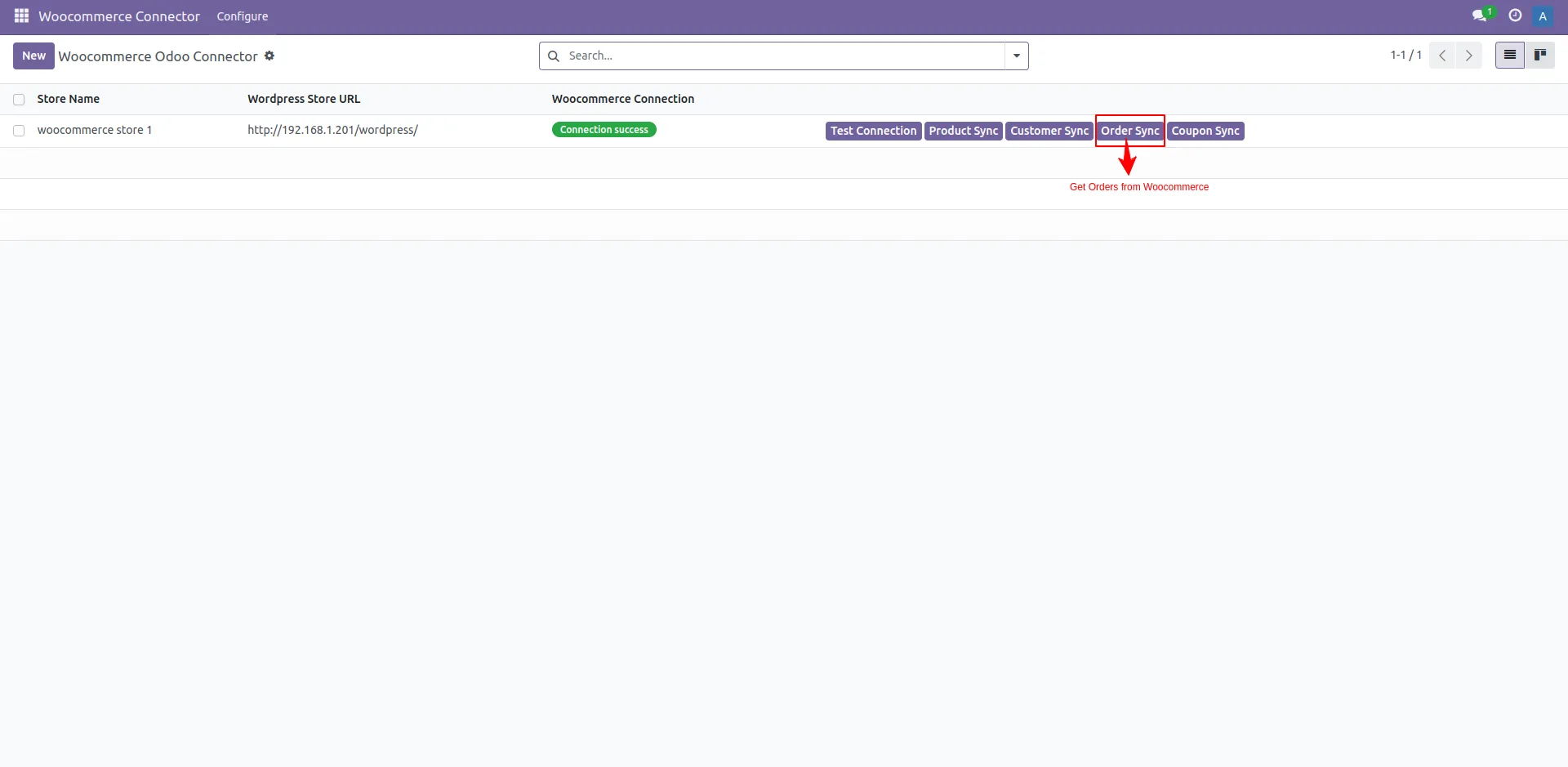
20. Order Sync
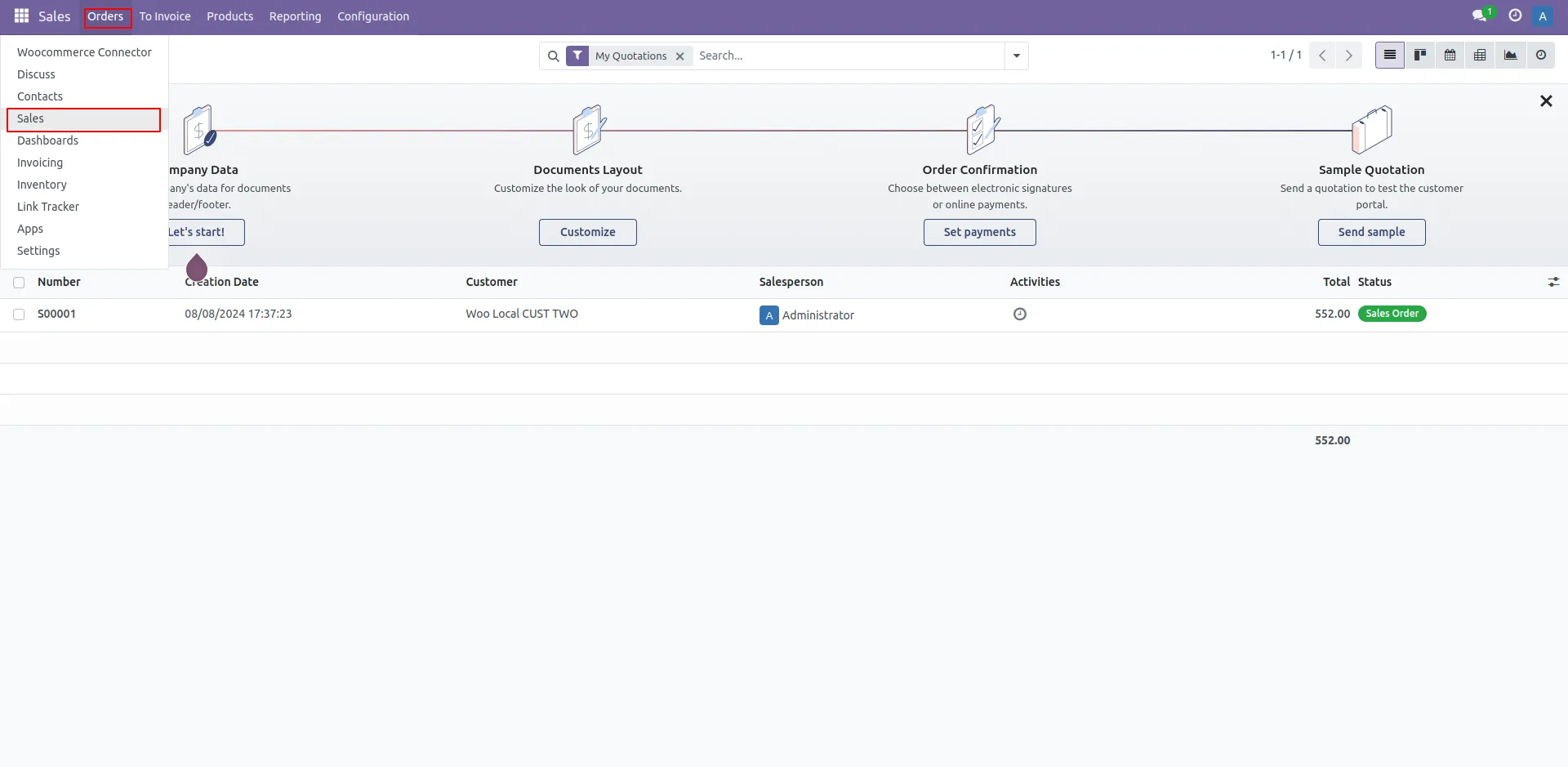
21. Order Menu
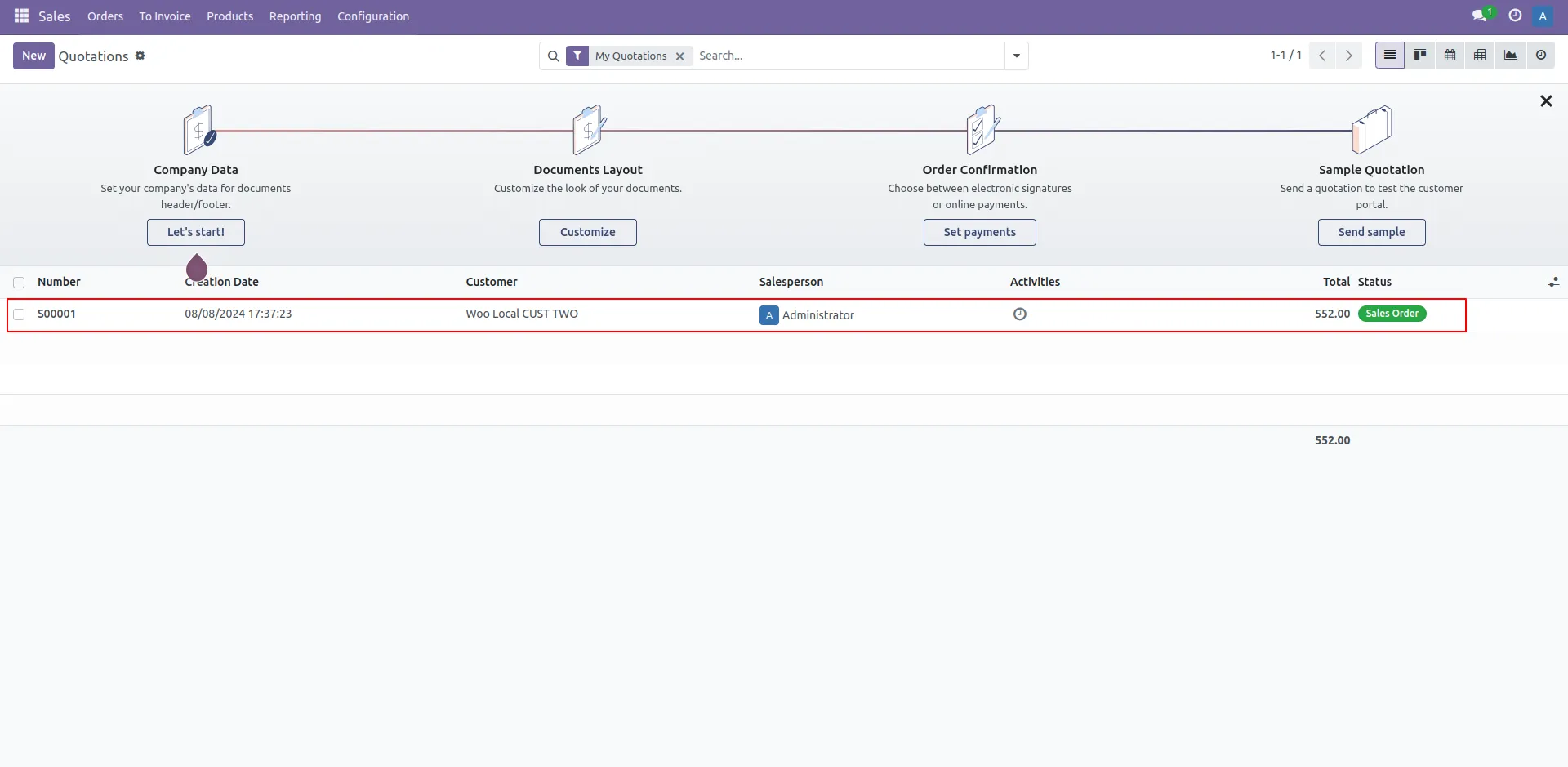
22. List of Orders
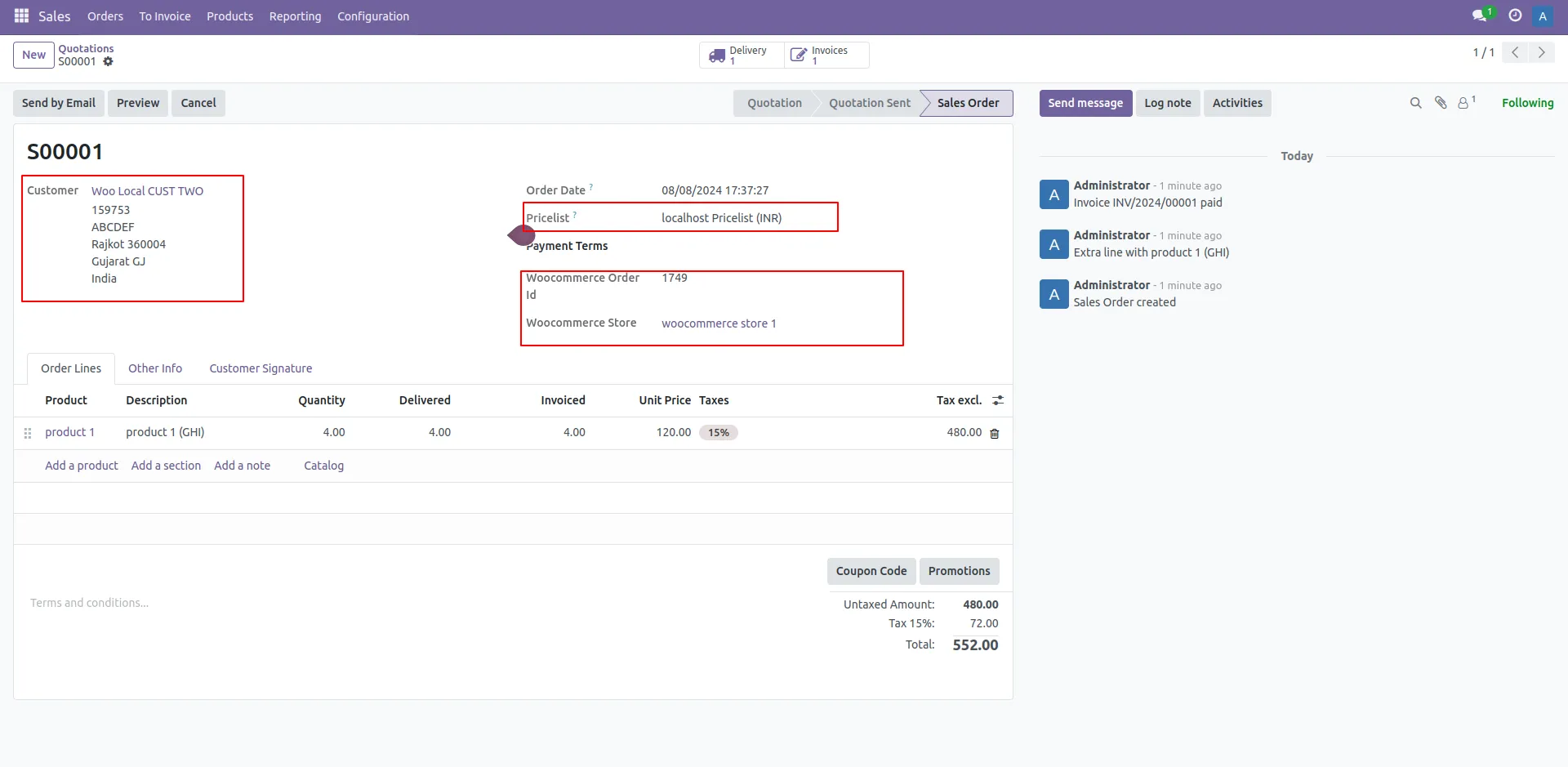
23. Order Details
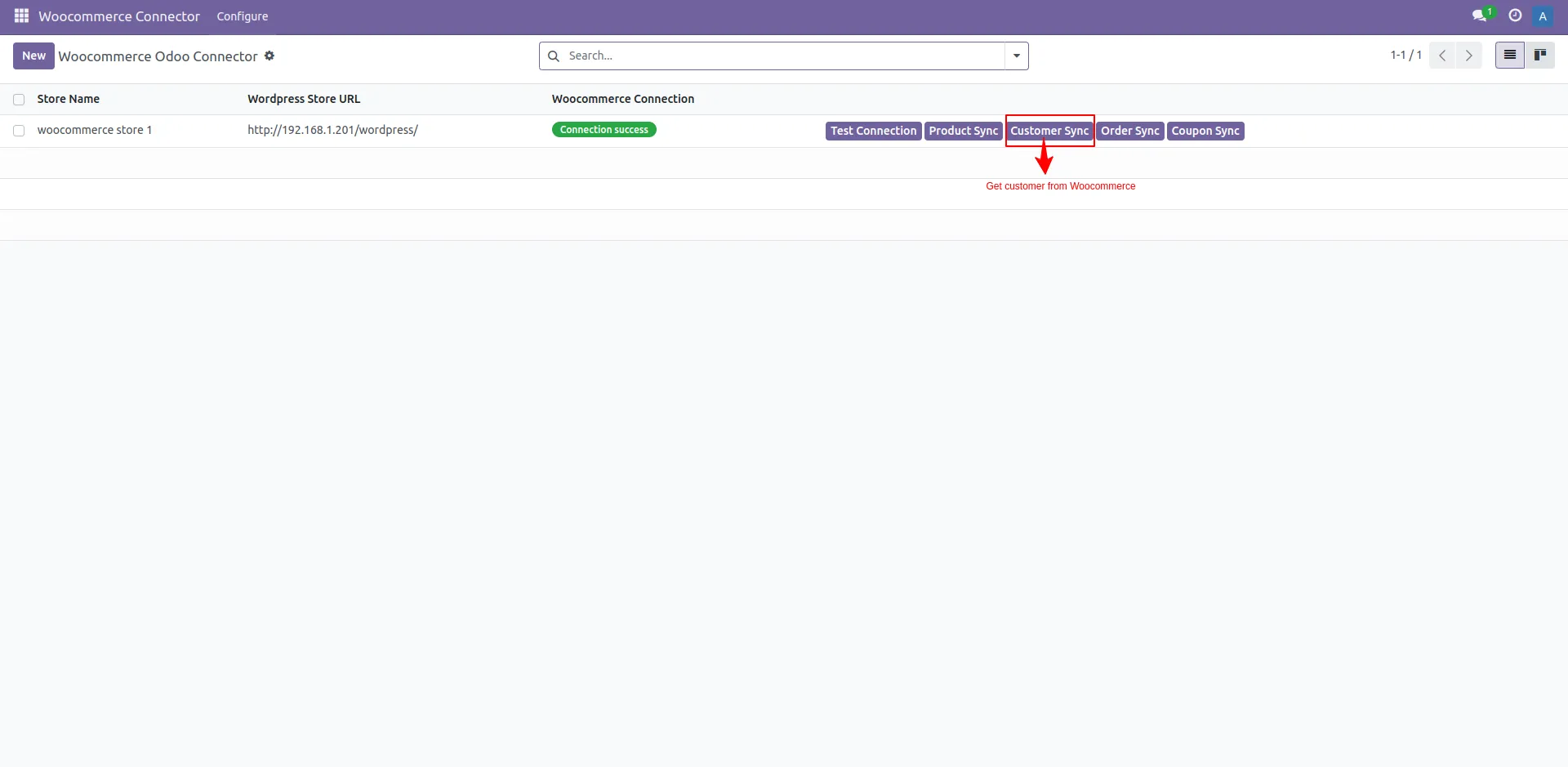
24. Customer Sync
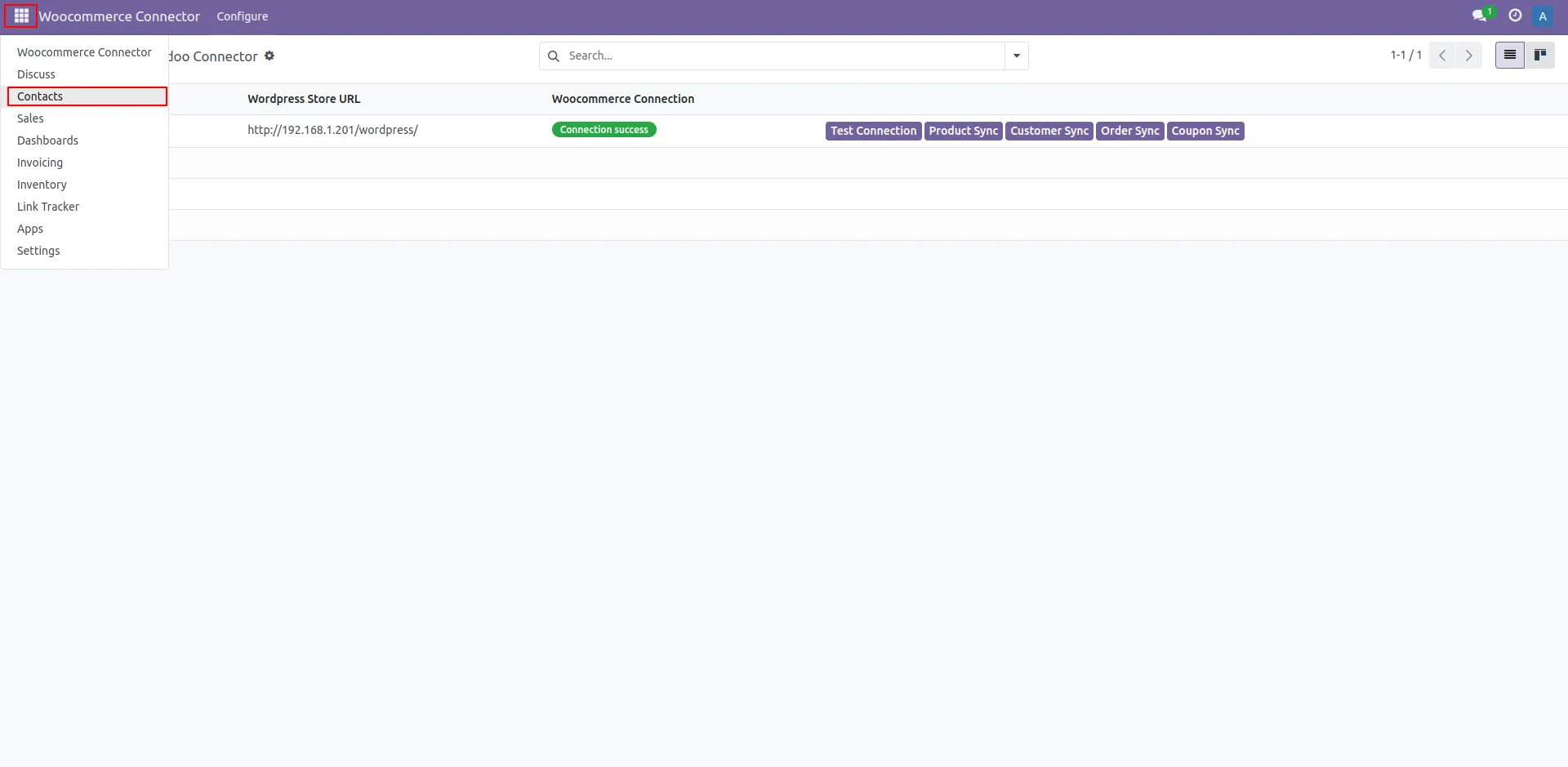
25. Contact Menu
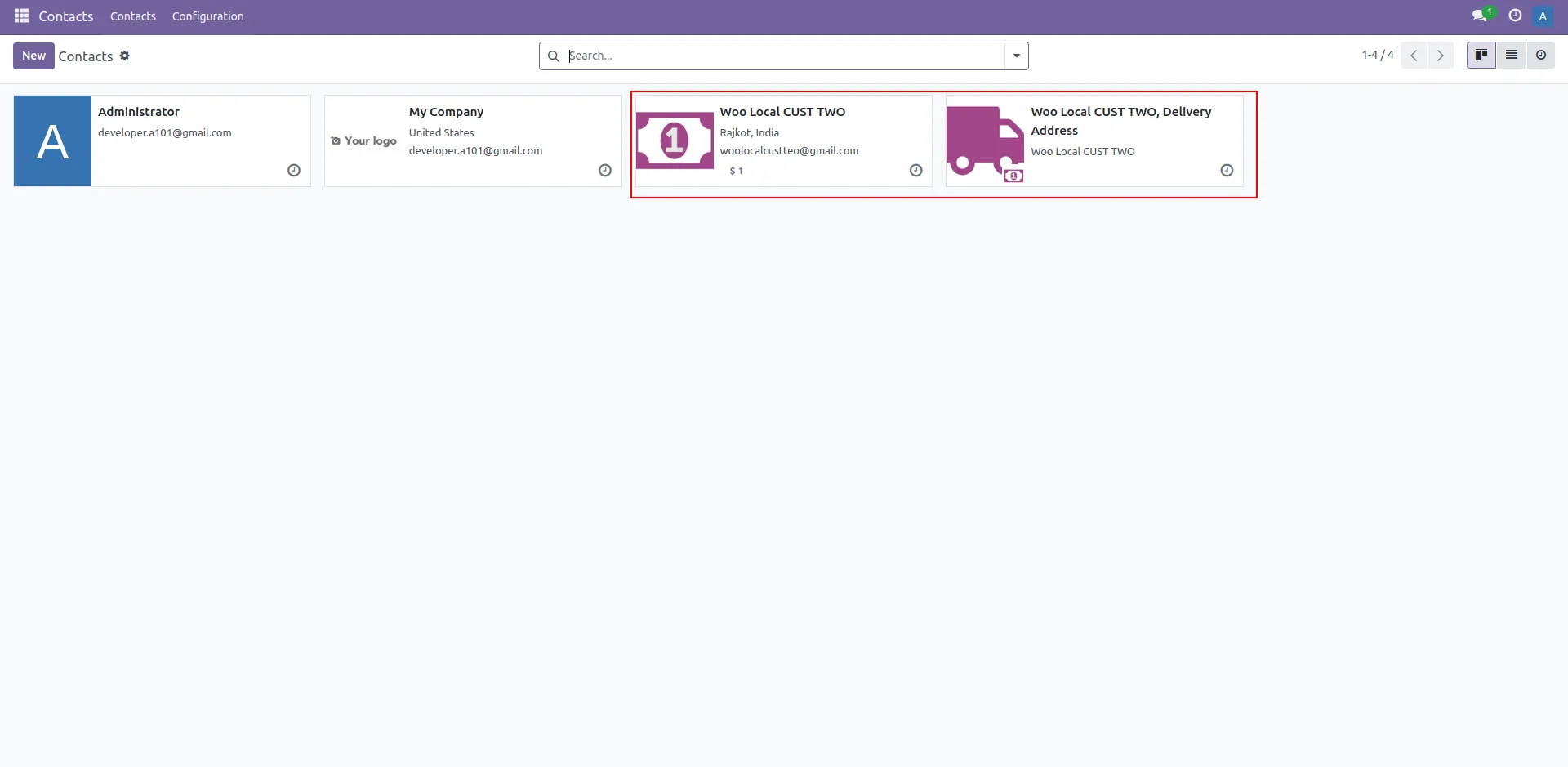
26. List Of Customer
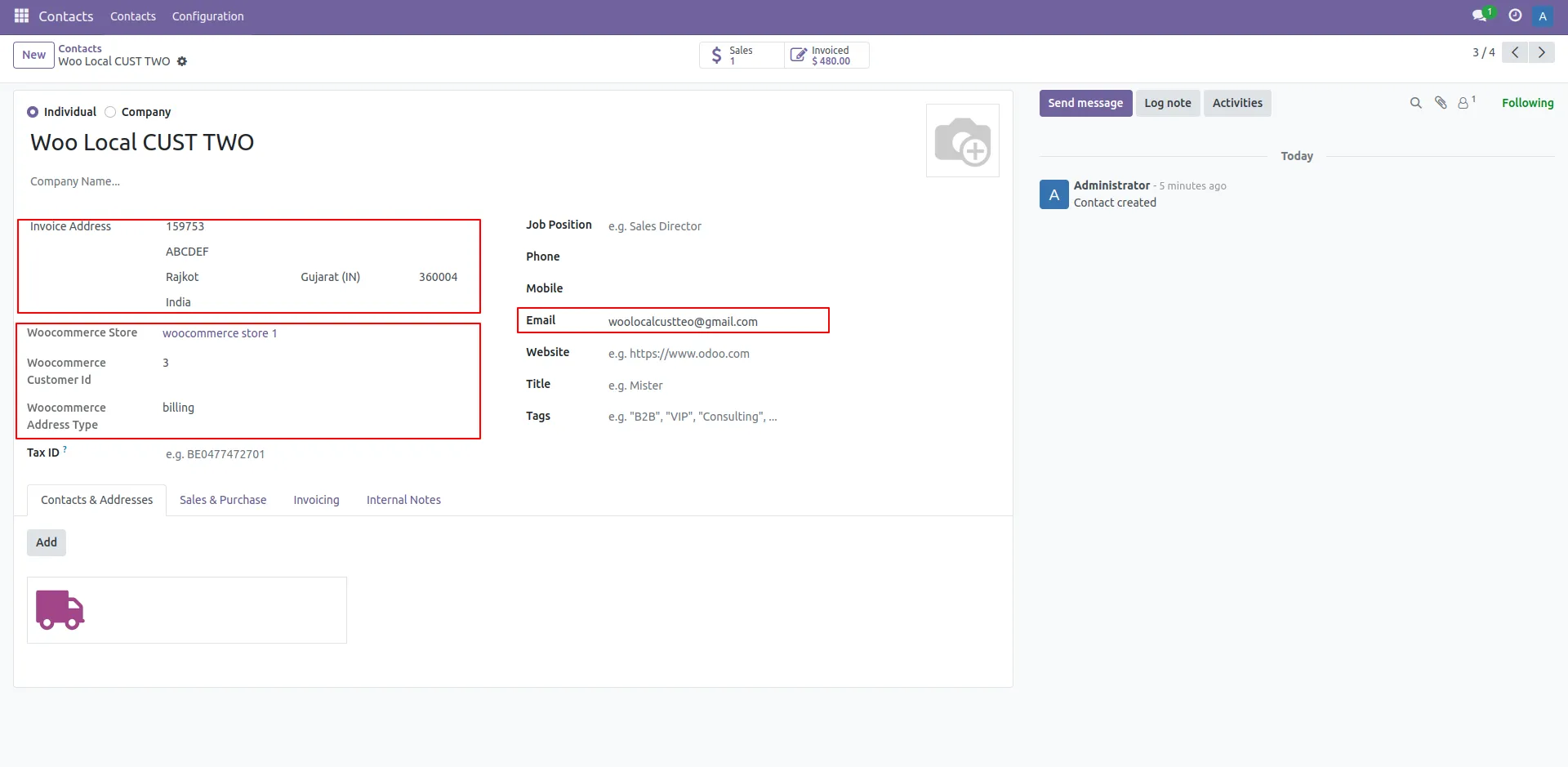
27. Customer Details
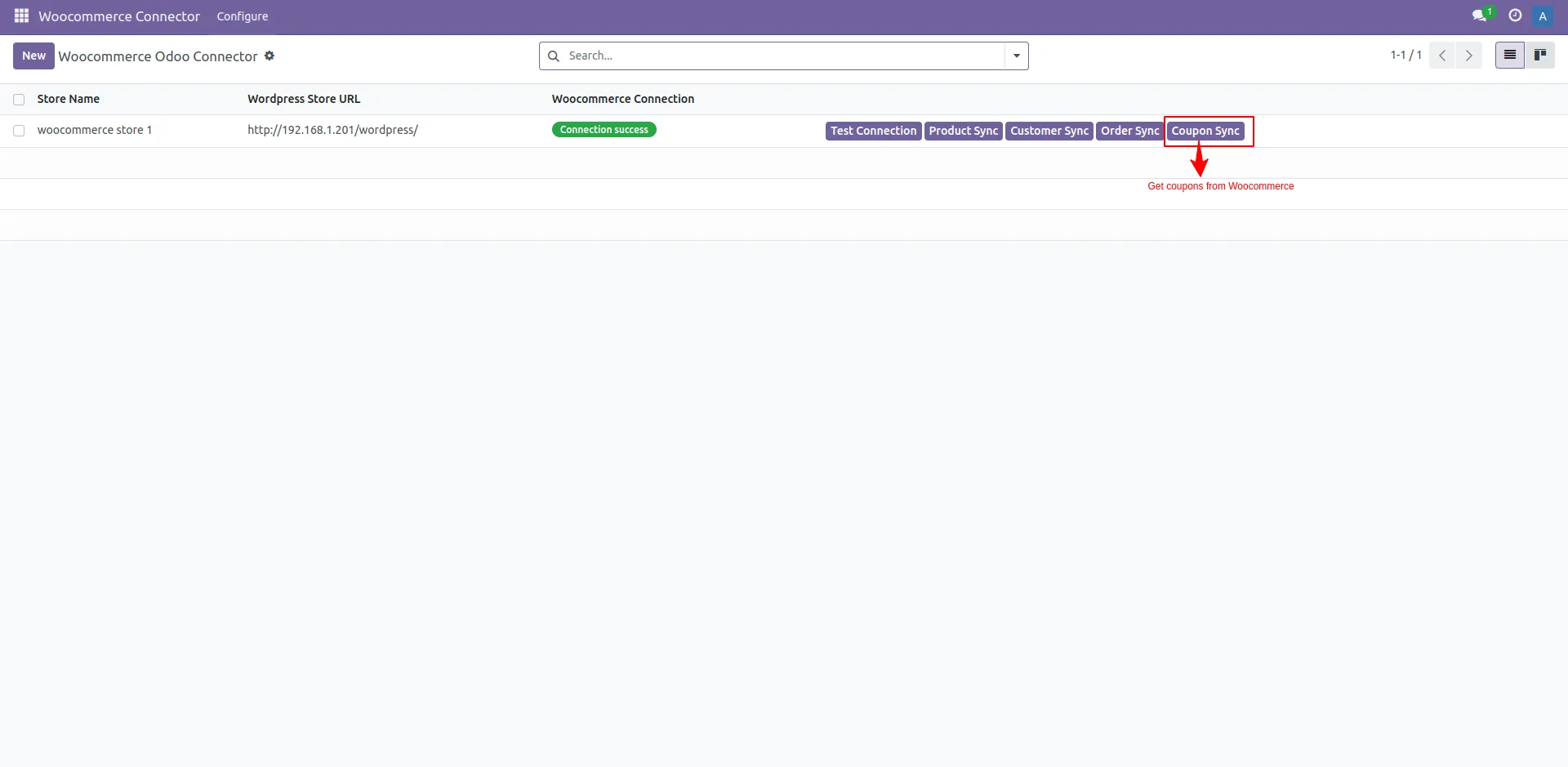
28. Coupon Sync
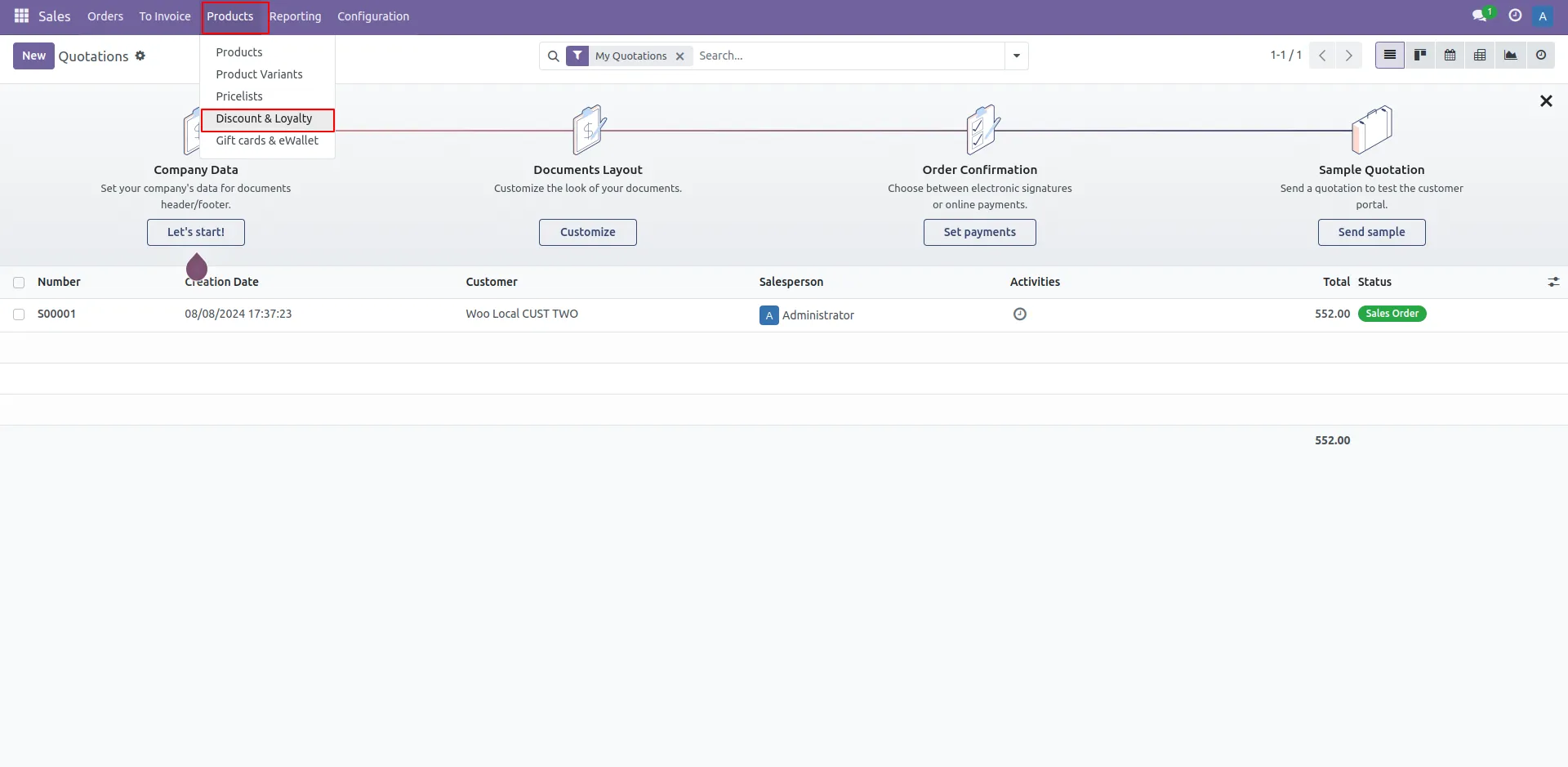
29. Coupon and Discount Menu
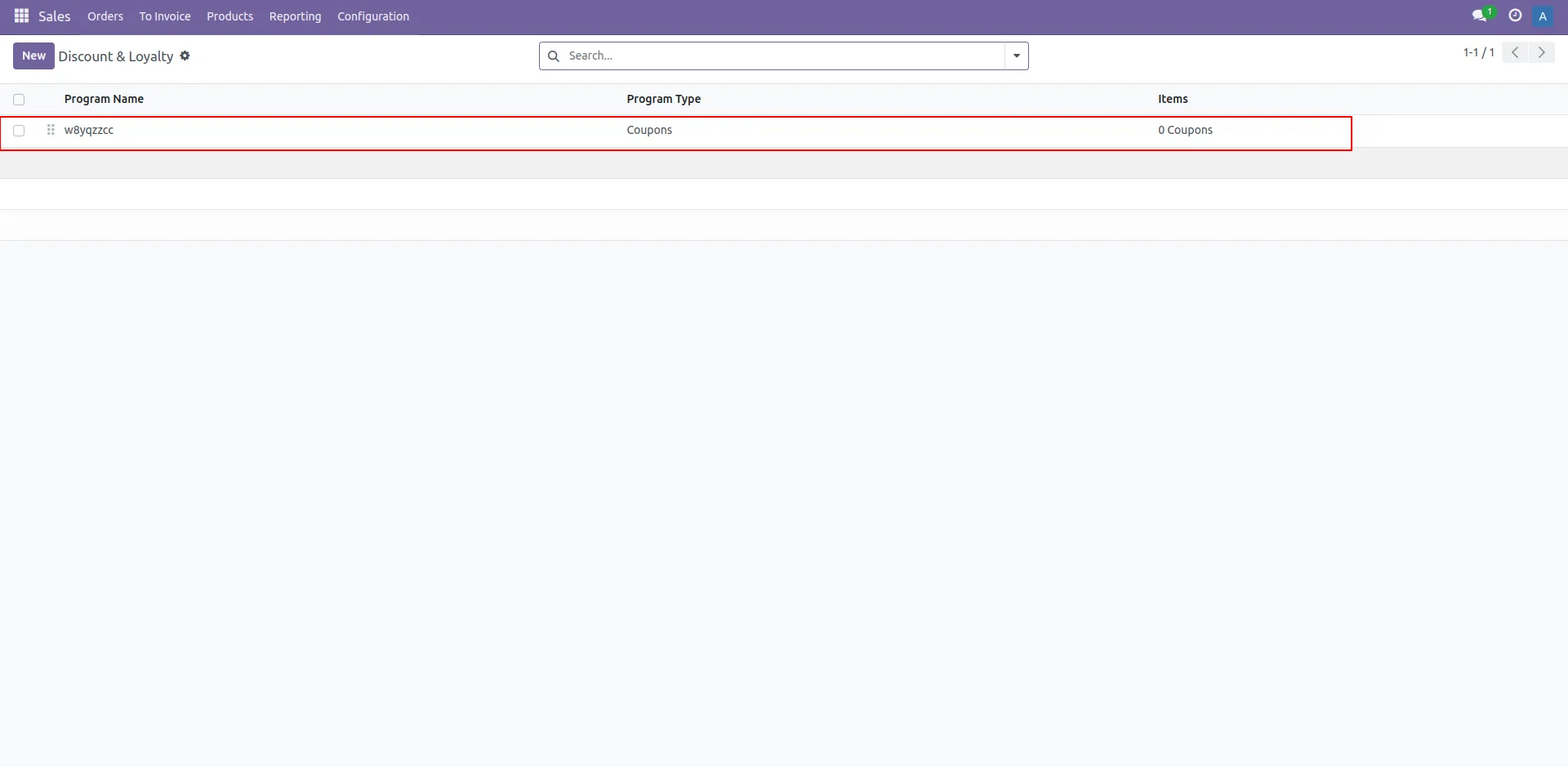
30. List Of Coupon
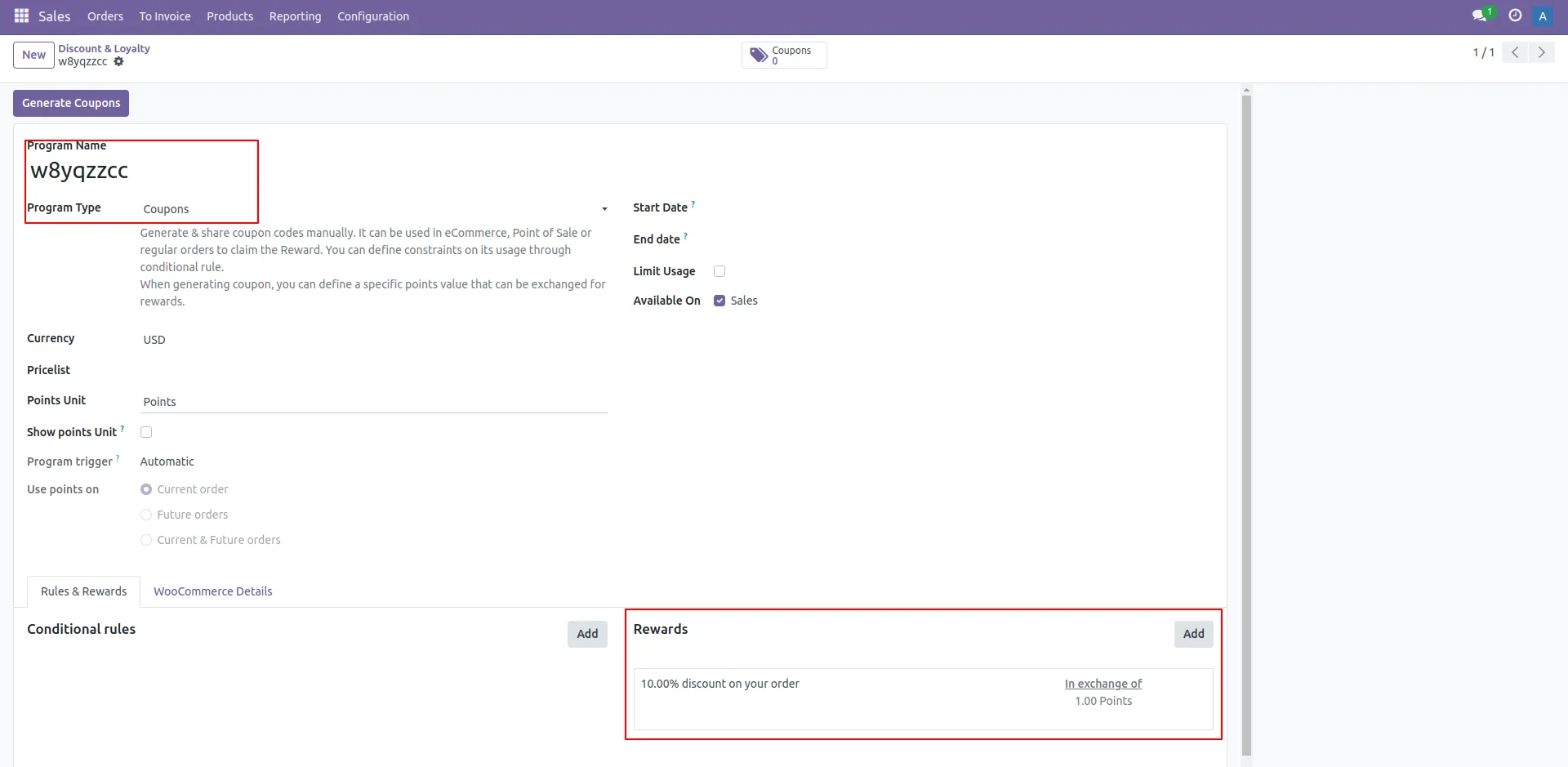
31. Customer Details ( Reward Line )
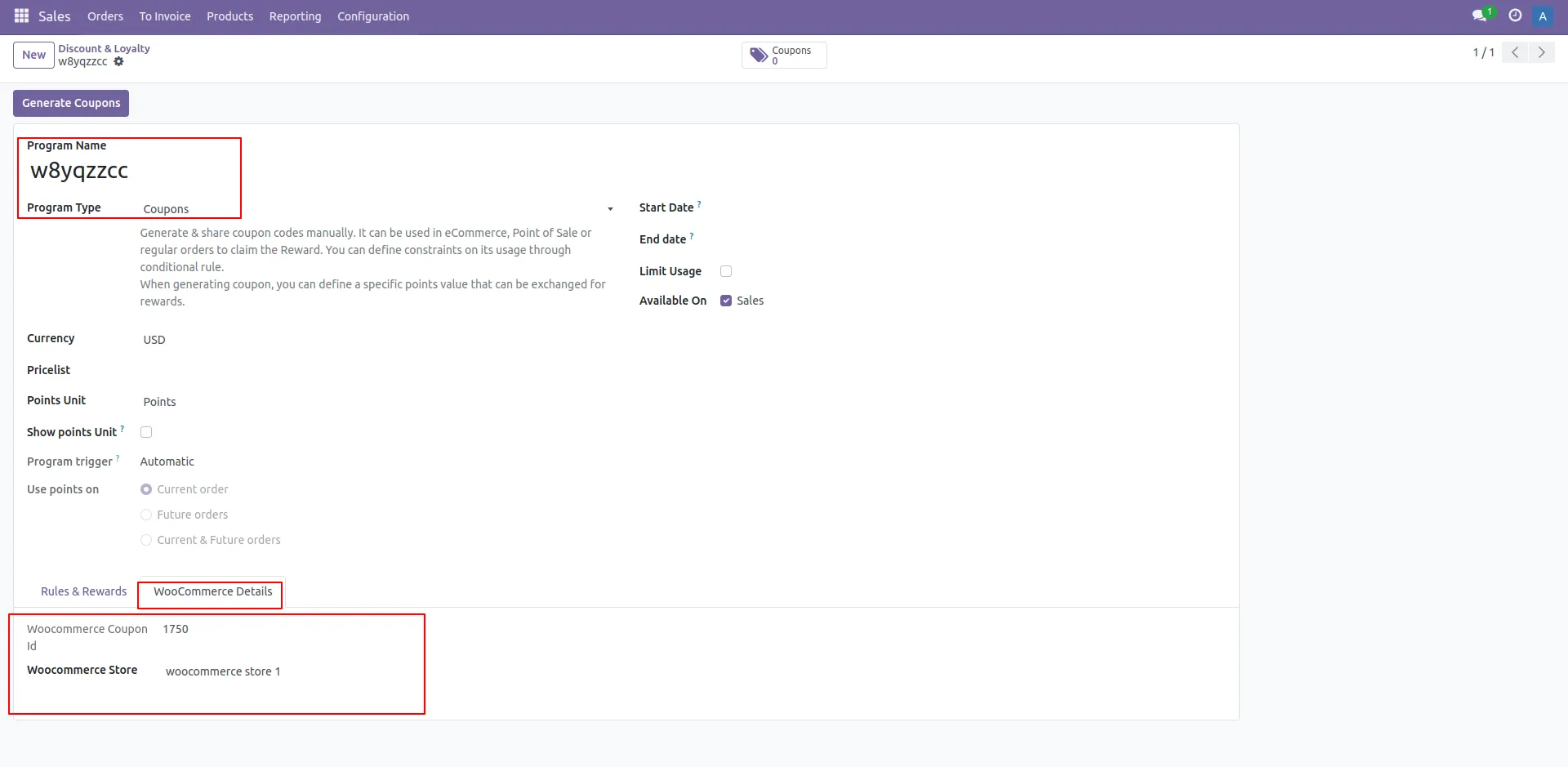
32. Customer Details (WooCommerce details )
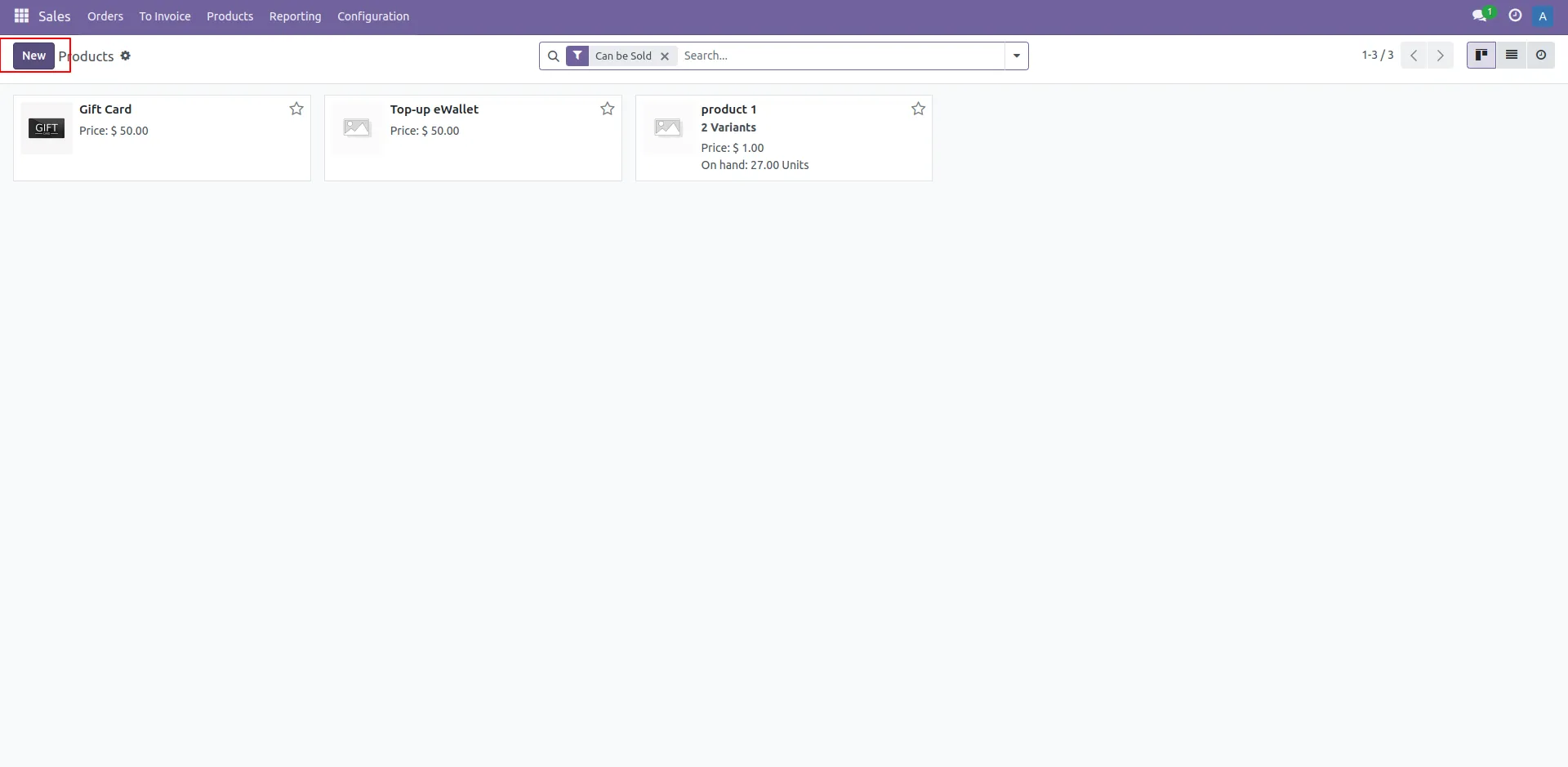
33. Create New Product
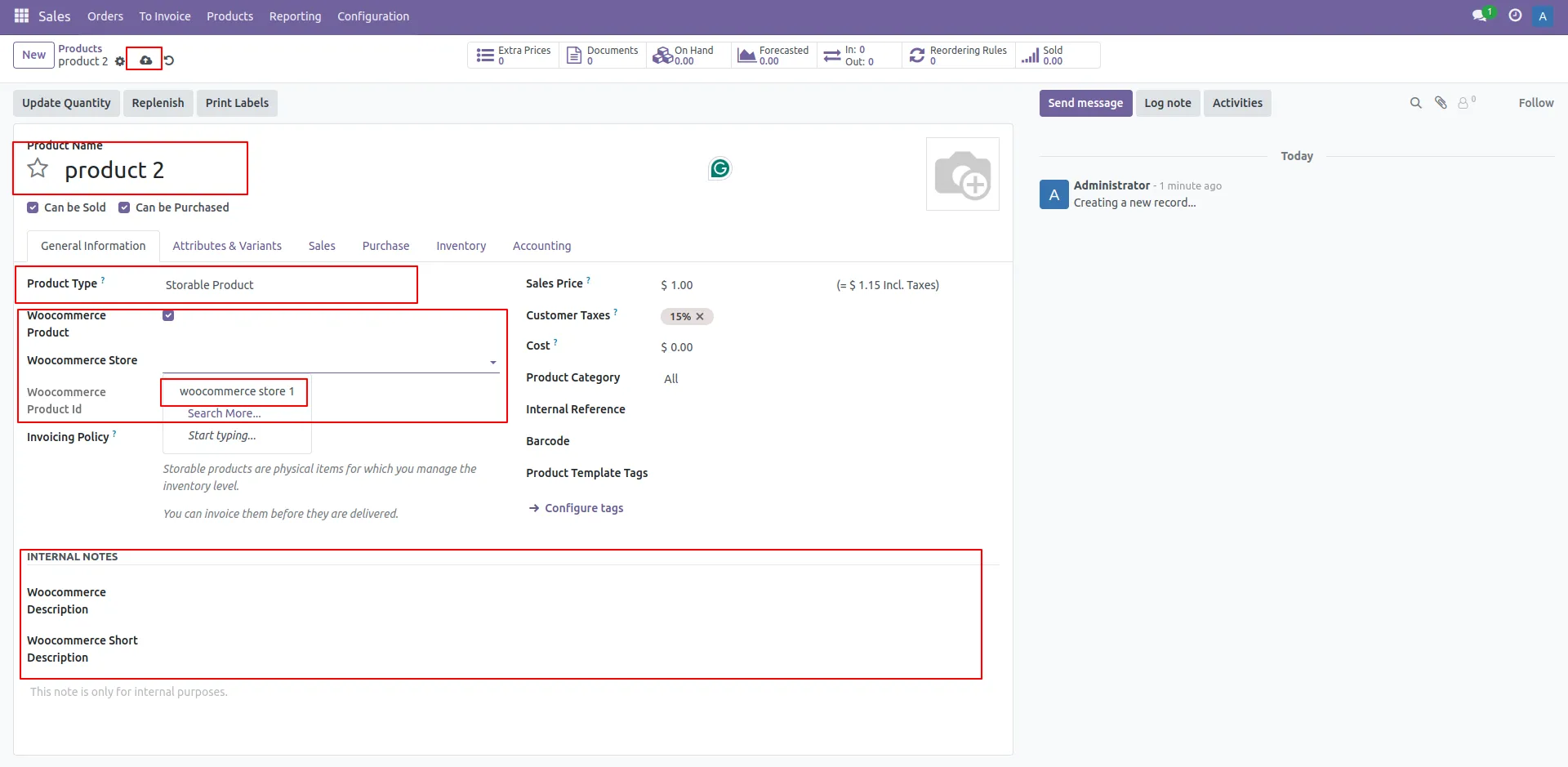
34. Export Product Odoo to WooCommerce
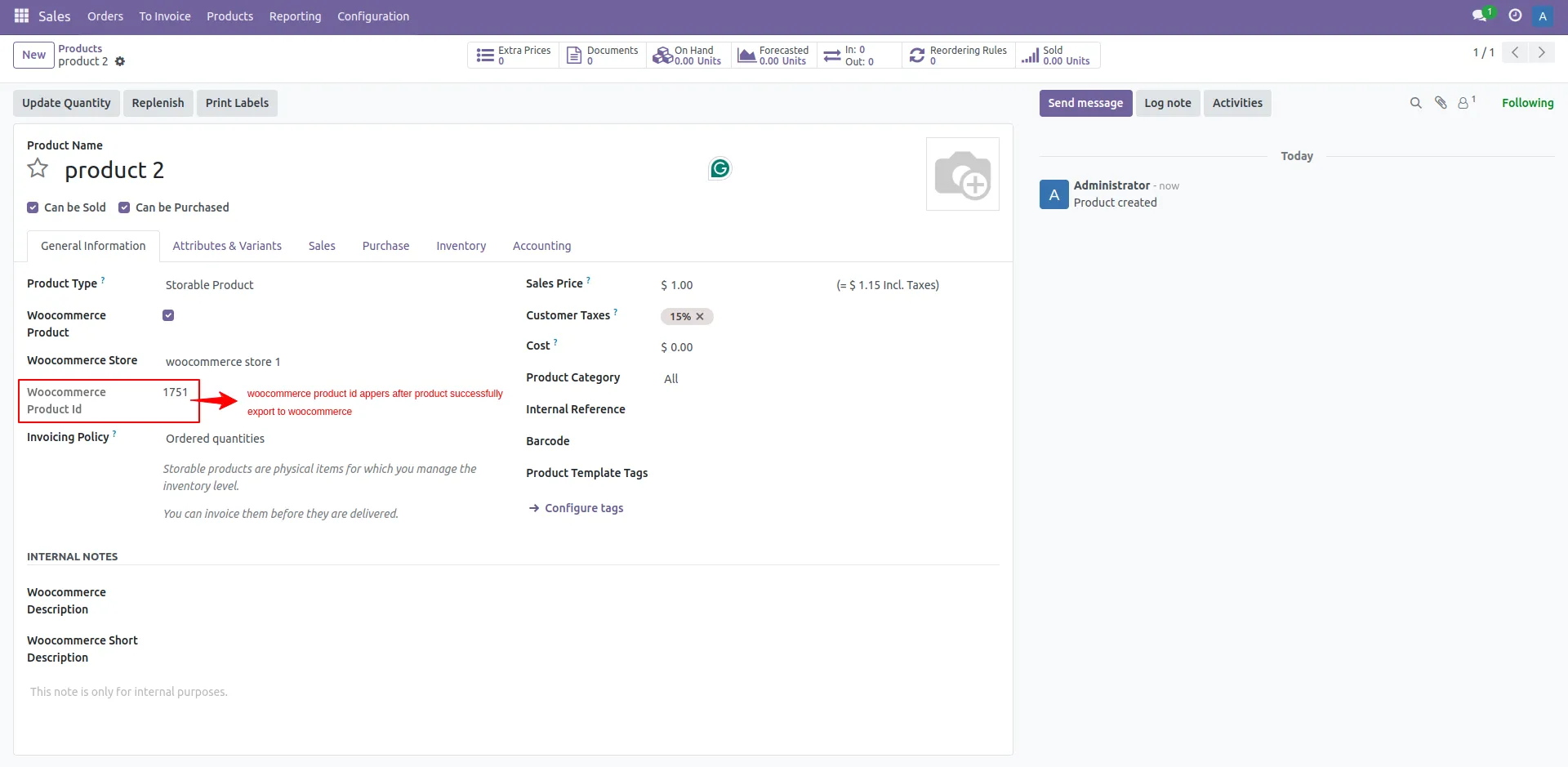
35. Product Added in WooCommerce (Created product id of WooCommerce)
Our Pricing includes User Manual, 90 Days Support (Monday-Friday 10am to 7pm IST) and One time Setup
• Works & tested on standard installations of Odoo with no third party apps,
• Free support only for odoo installations with no third party apps,
• Paid support available for Odoo installations with third party apps.

Prefortune is a Odoo Official Partner, Odoo Development company. Our philosophy is to use Open Source tools and technologies to provide cost effective and green solutions for our customers.
Prefortune Technologies LLP is working on web development, Mobile development, and Odoo ERP.
If you need any help or want more additional features, you may contact us through:
These other products might interest you
| Version | 17.0, 16.0, 15.0, 14.0 |
A practical guide to 10 Odoo apps that help businesses connect platforms, reduce manual work, automate operations, and scale more efficiently.