Watch Quick Video
2fa Two Factor Authentication Odoo App
The 2fa Two Factor Authentication Odoo App app gives store admins the ability to secure their Odoo environment. By enforcing 2FA, users must configure an authenticator app upon logging in, preventing unauthorized access even if credentials are compromised.
The Admin can easily turn the requirement on or off right from Website Settings. The setup is nicely integrated with Odoo’s native flows including a strong password confirmation popup and a seamless barcode scan.
2fa Two Factor Authentication Odoo App Features
- You can enable 2FA on select stores without impacting the other stores in your multi-website database.
- Standard QR codes that sync automatically with standard authenticator apps.
- Detect unsecured logins immediately and force users through a mandatory onboarding screen they can't skip.
Complete Workflow for 2fa Two Factor Authentication Odoo App
Go to Website → Configuration → Settings, scroll to the "Two-Factor Authentication" section, and enable the enforcement option. Save the settings. When a user logs in, they will be prompted to confirm their password and scan a QR code using an authenticator app before gaining access to their portal. Since the module supports multi-website, these settings apply per website — configure each site independently under its own Website Settings.
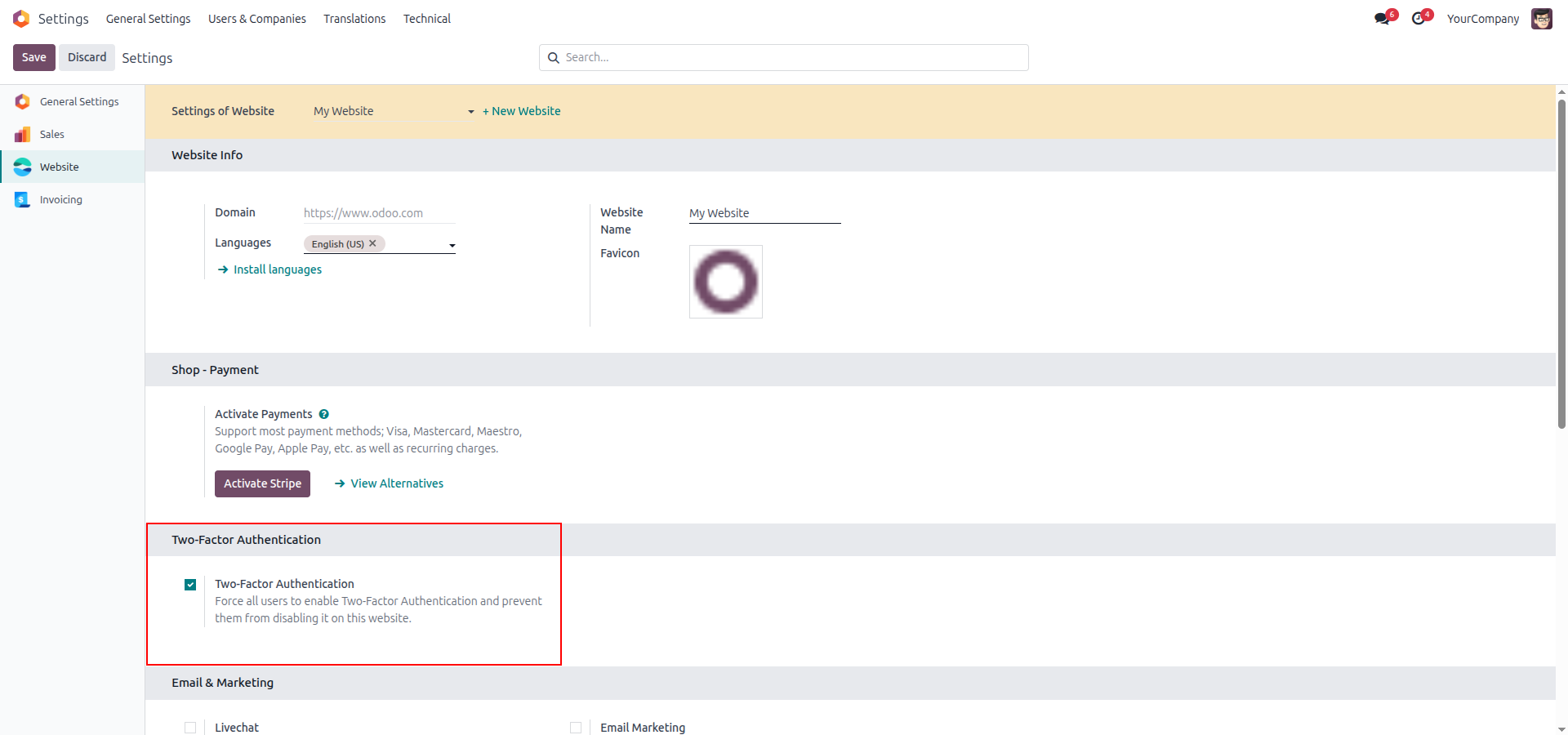
1. Administrators can activate mandatory Two-Factor Authentication independently for specific websites within the configuration settings.
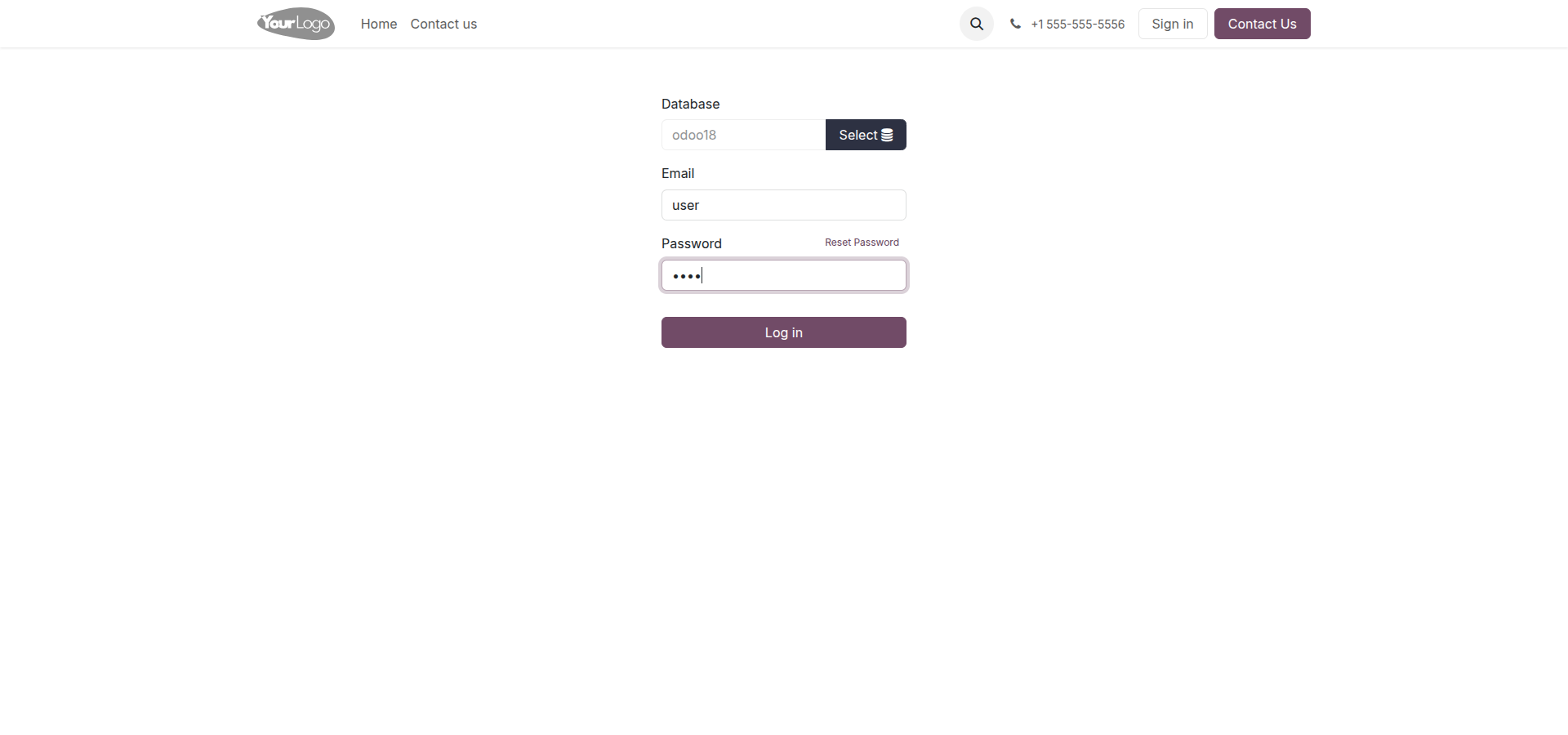
2. Users initiate the authentication process by entering their email and password on Odoo's native login page.
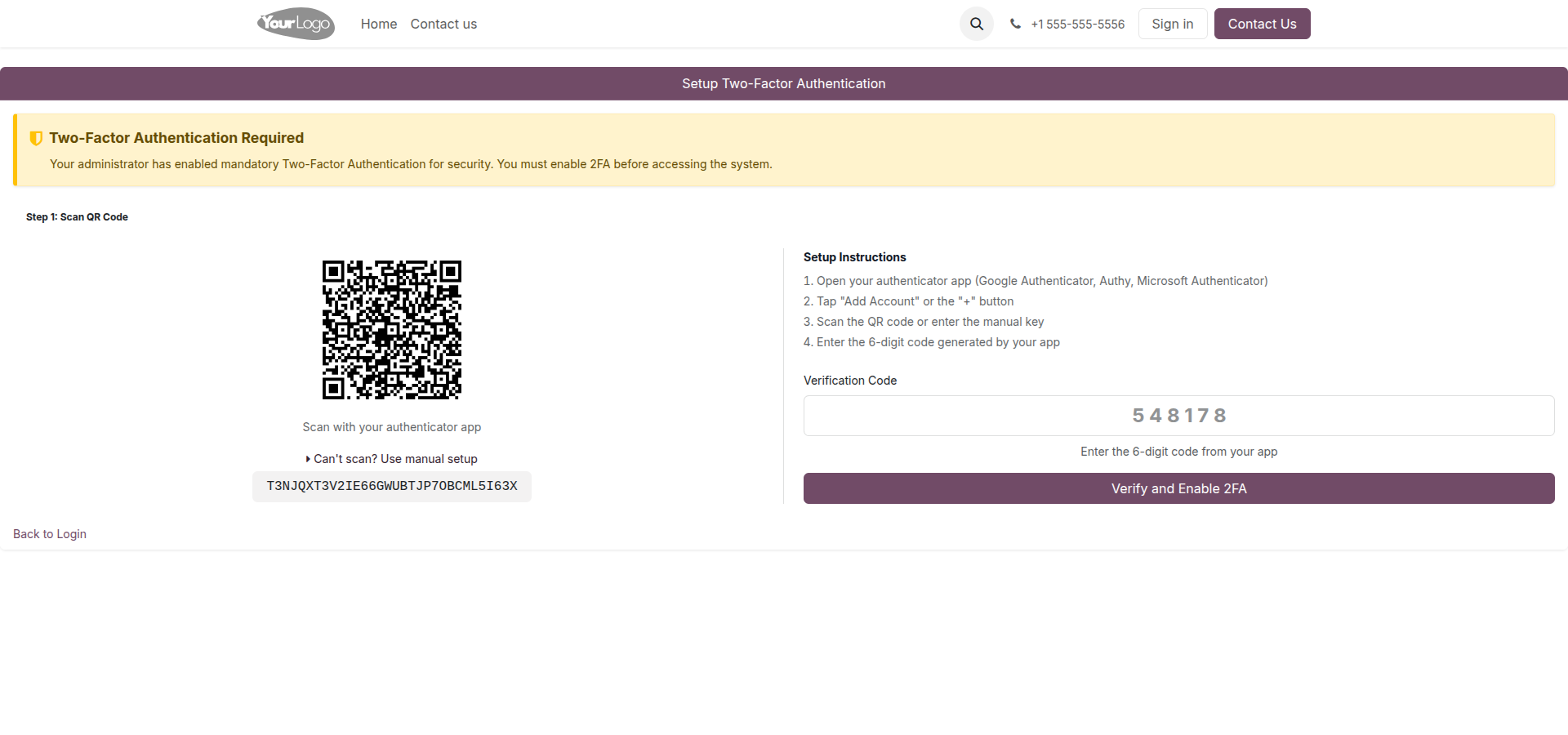
3. If 2FA is not yet configured, users are automatically routed to a custom onboarding page to scan a QR code.
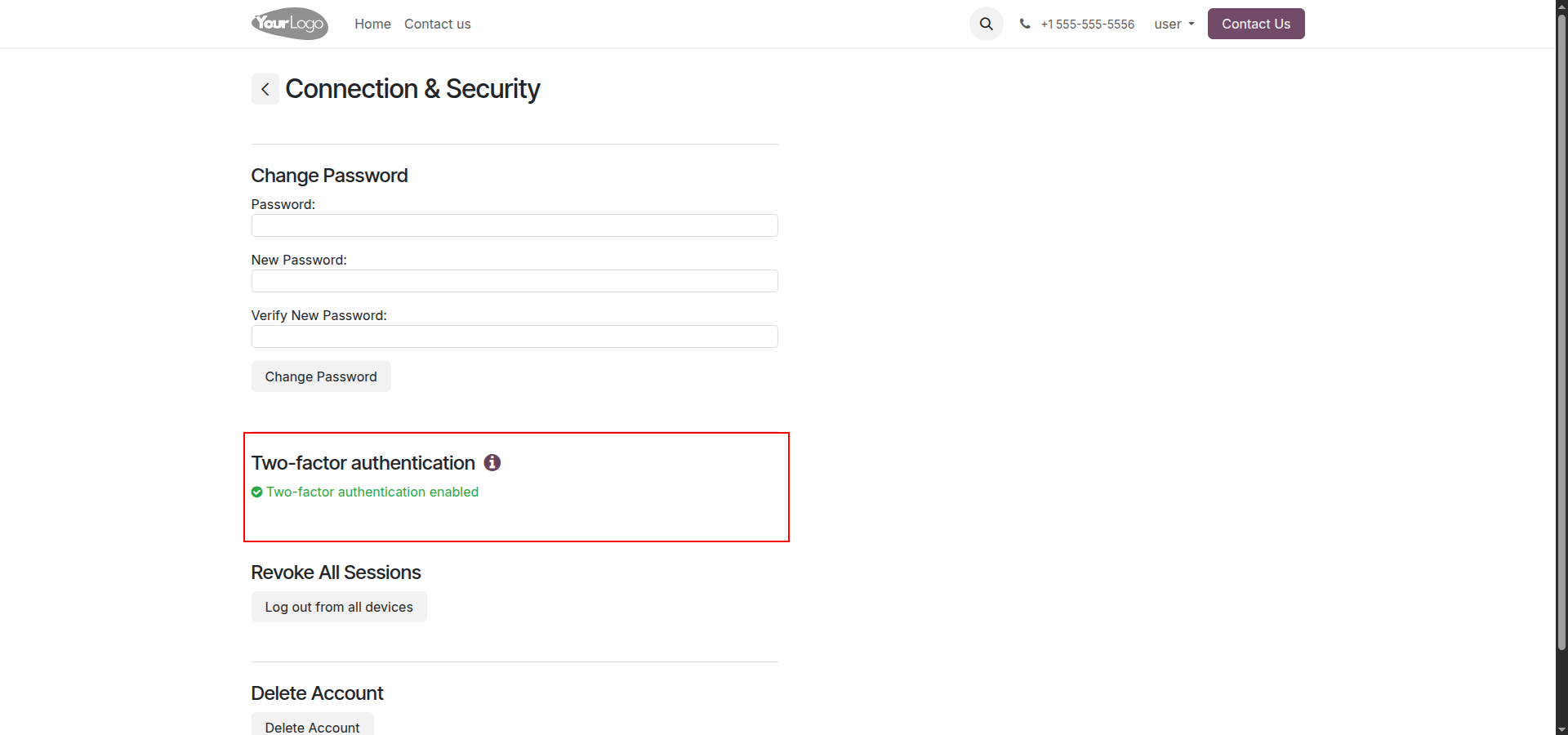
4. The user portal confirms the active security status, with the disable button intentionally removed to prevent users from bypassing enforcement.
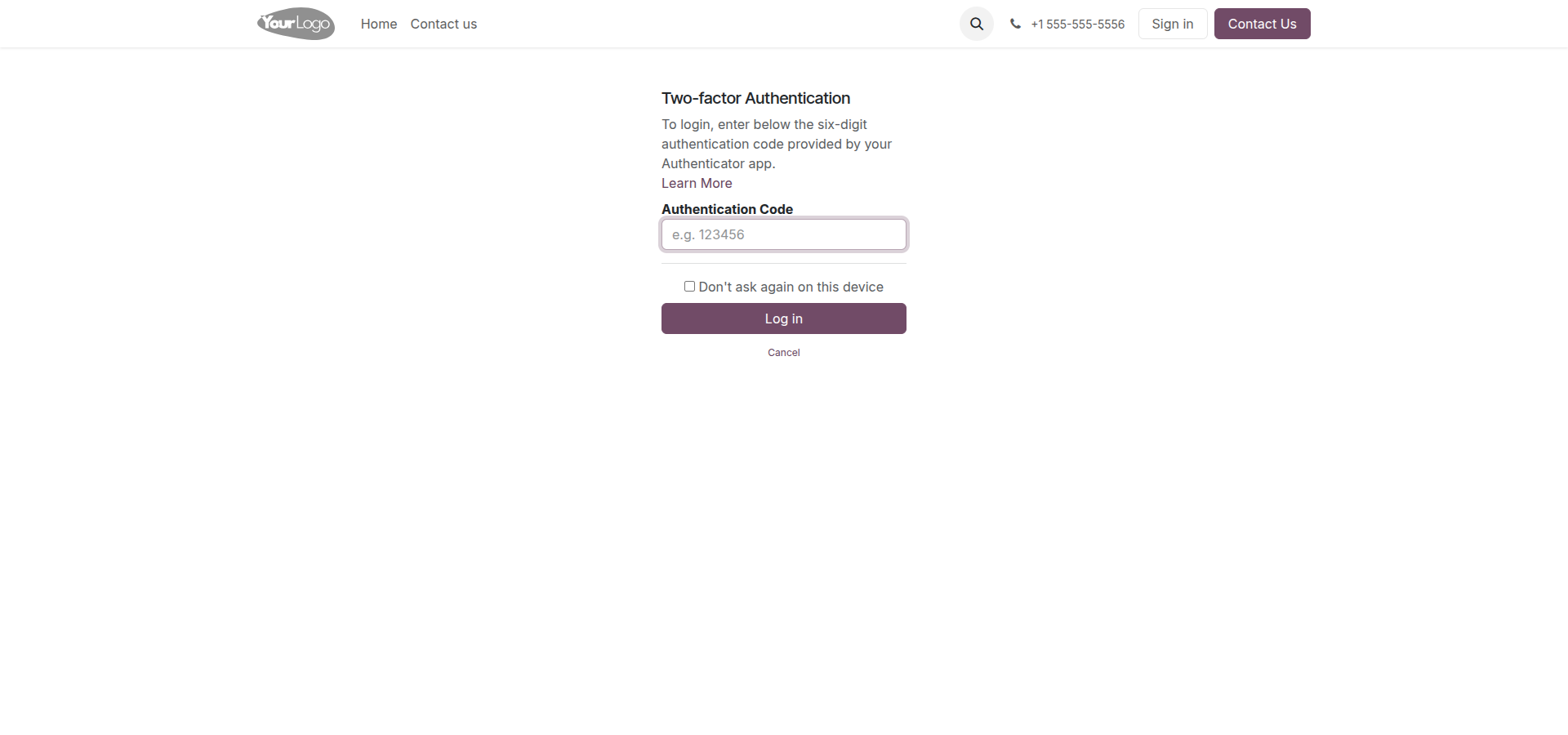
5. Once setup is complete, all subsequent login attempts seamlessly trigger Odoo's native 6-digit 2FA verification screen.
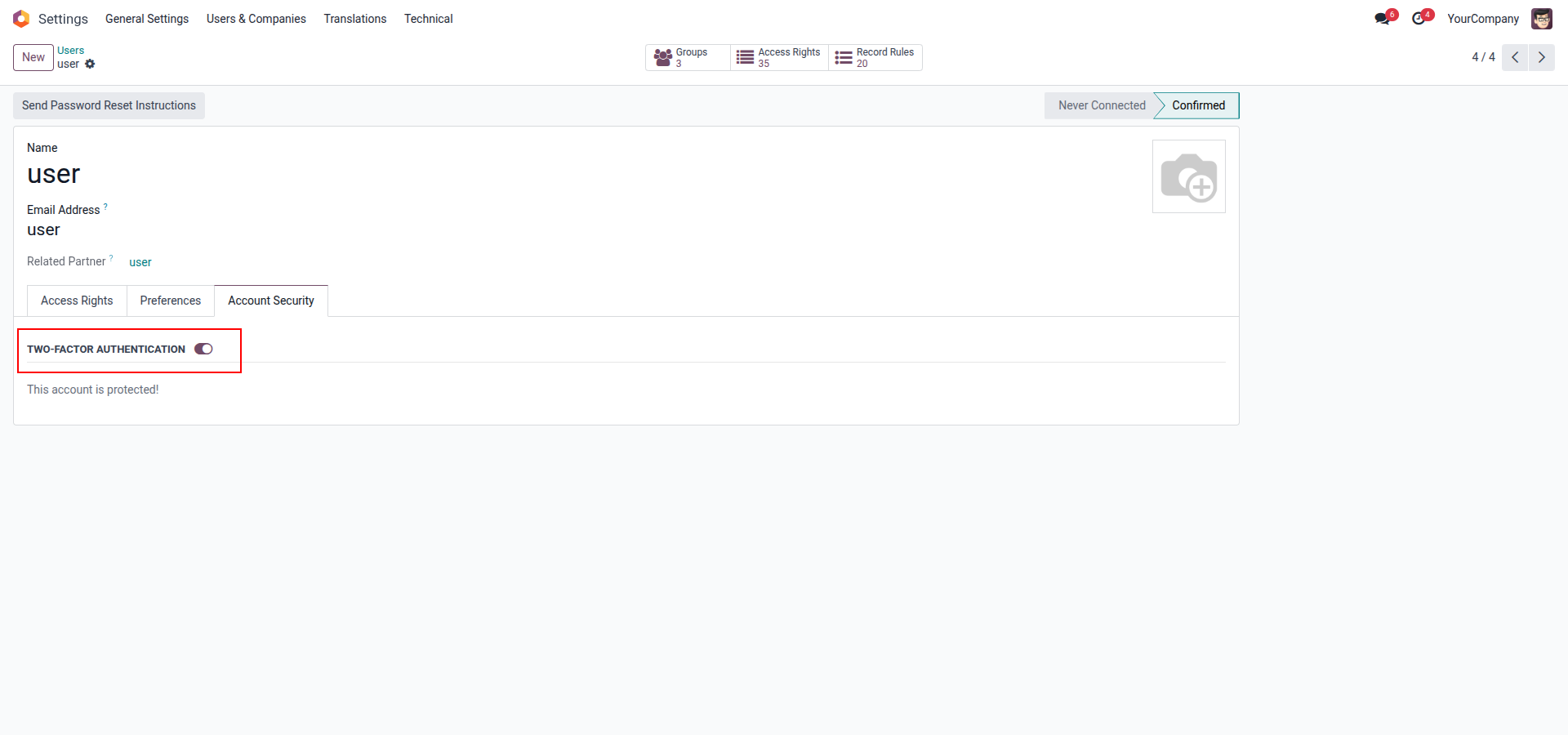
6. Administrators can verify that an individual user's account is successfully protected by checking the Account Security tab in the backend profile.
Our solutions focus on your problems
- Odoo Implementation
- Odoo Customization
- ERP Development and Implementation
- Odoo Ipass Cloud
- AI for Odoo
- Odoo Apps
- Aws Marketplace Products
- Business Engines
Our Pricing includes User Manual, 90 Days Support (Monday-Friday 10am to 7pm IST) and One time Setup
• Works & tested on standard installations of Odoo with no third party apps,
• Free support only for odoo installations with no third party apps,
• Paid support available for Odoo installations with third party apps.

Prefortune is a Odoo Official Partner, Odoo Development company. Our philosophy is to use Open Source tools and technologies to provide cost effective and green solutions for our customers.
Prefortune Technologies LLP is working on web development, Mobile development, and Odoo ERP.
If you need any help or want more additional features, you may contact us through:
Alternative Products
These other products might interest you
Specifications
| Version | 19.0, 18.0, 17.0, 16.0, 15.0, 14.0 |