
Watch Quick Video

Cancel Manufacturing Orders in odoo
Our all-inclusive Odoo – Cancel Manufacturing Orders in odoo module is a robust, user-focused enhancement designed to streamline the management of Manufacturing Orders (MO) in Odoo. Compatible with both Community and Enterprise Editions, this module empowers production managers and operational staff to efficiently handle single or multiple MOs directly from the list view. By offering three flexible cancellation options — Cancel Only, Cancel and Reset to Draft, and Cancel and Delete — businesses gain complete control over their manufacturing workflow. This ensures that orders can be safely canceled, reprocessed, or entirely removed as needed, reducing errors, saving time, and maintaining a cleaner and more organized production environment.
Cancel Manufacturing Orders in odoo
- Cancel Single or Multiple MOs.
- Improved Workflow Management.
- Time-Saving Bulk Actions.
- Cancel MOs directly from the list view with minimal clicks..
- Works with both Odoo Community and Enterprise Editions.
Complete Workflow for Manage Cancel Manufacturing Orders in odoo
First we need to activate the "Cancel Manufacturing Orders in odoo" module. Once activated, go to the Settings menu and open the User Menu.Inside the user menu, enable theMRP Cancel Feature option.This will allow users to efficiently cancel Manufacturing Orders and use the module’s full functionality.Then, go to the Manufacturing section to access and allow the three cancellation options:Cancel Only, Cancel and Reset to Draft, and Cancel and Delete. This will enable users to efficiently manage and cancel Manufacturing Orders using the module’s full functionality.
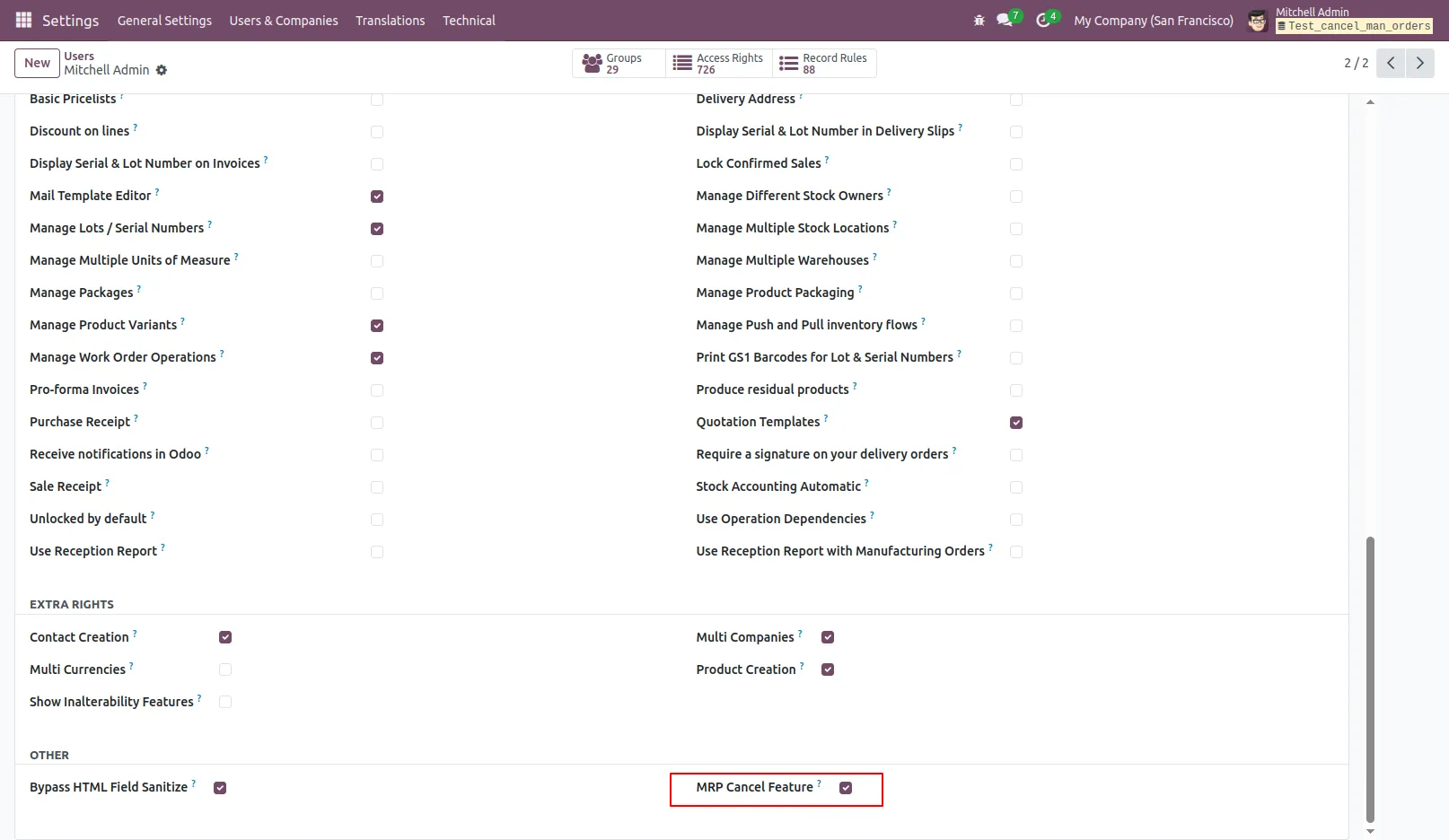
1.Enable the 'MRP Cancel Feature' to allow cancellation of Manufacturing Orders.
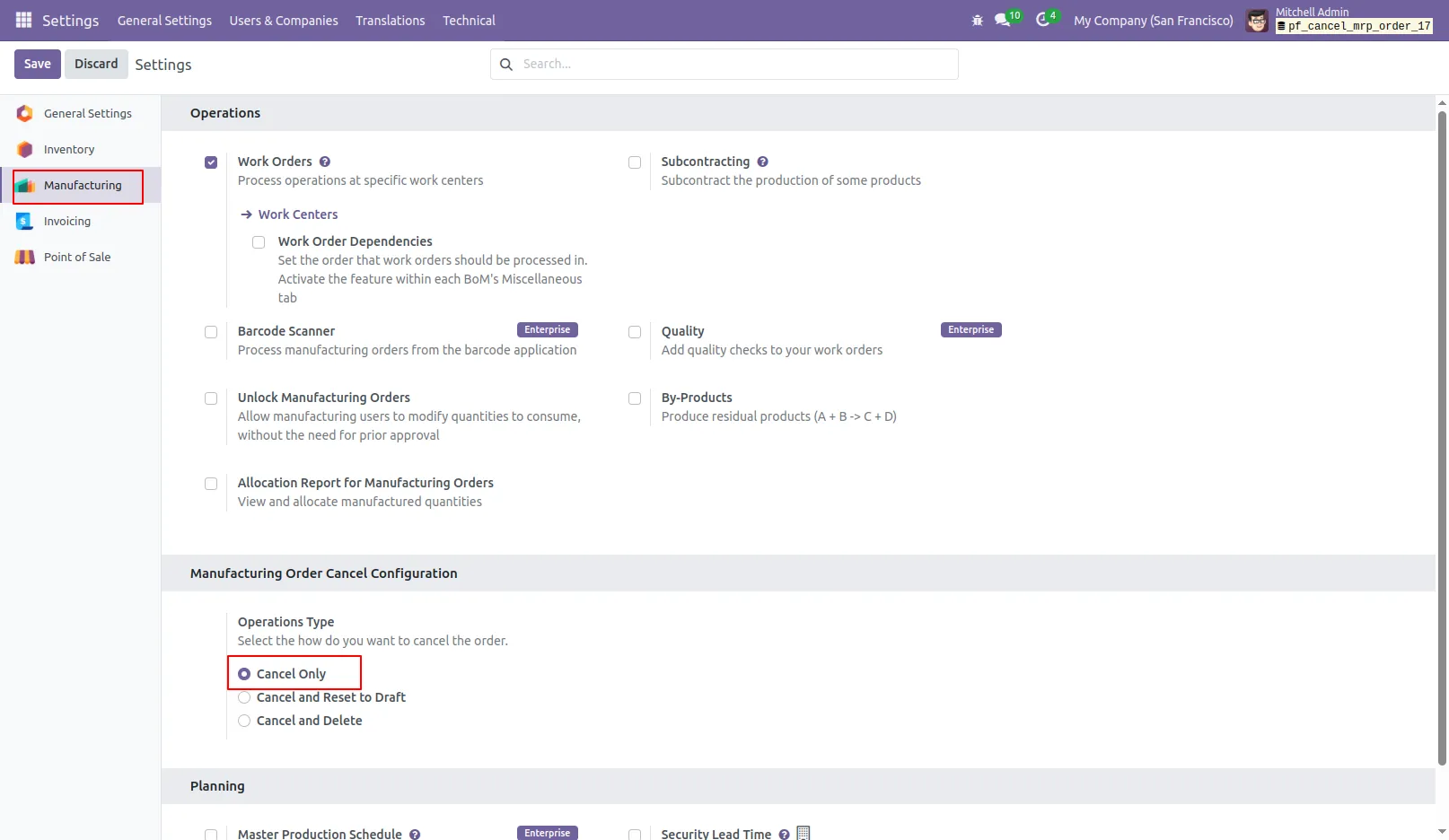
2.Select the 'Cancel Only' option when you want to cancel the Manufacturing Orders without any further action.
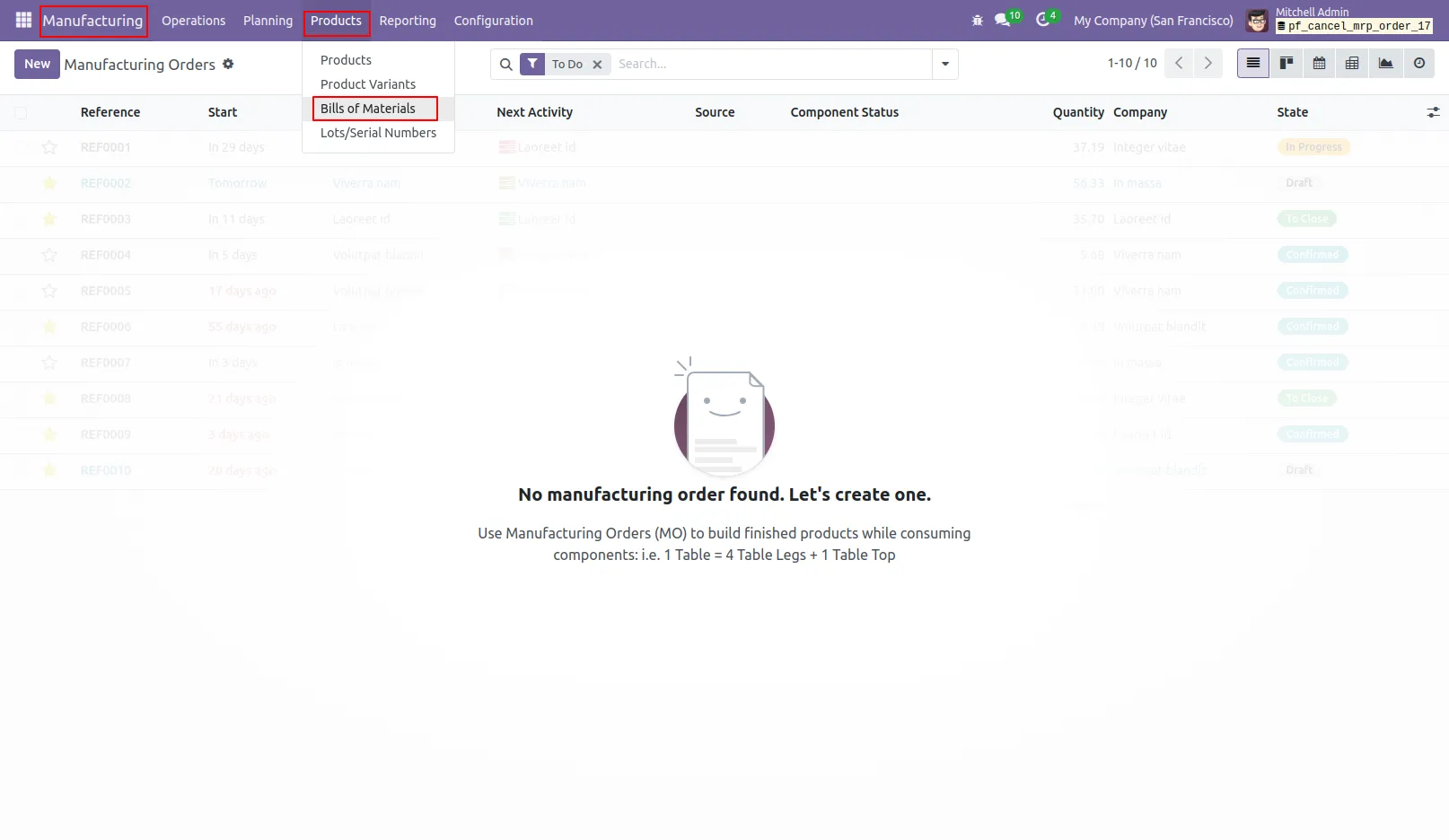
3.Tree View Display of All Bills of Materials.
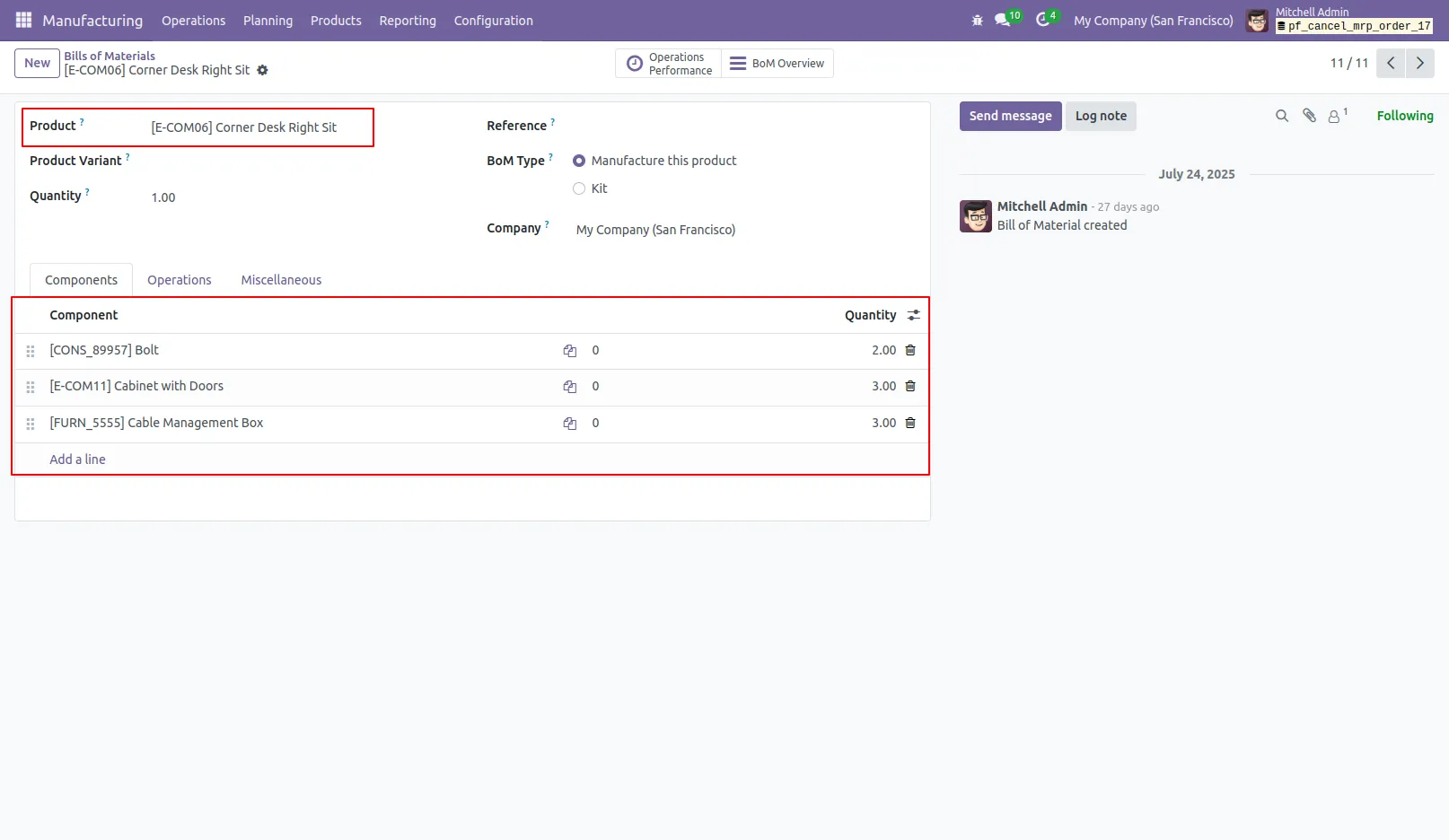
4.View the Bill of Materials along with its Products and Components.
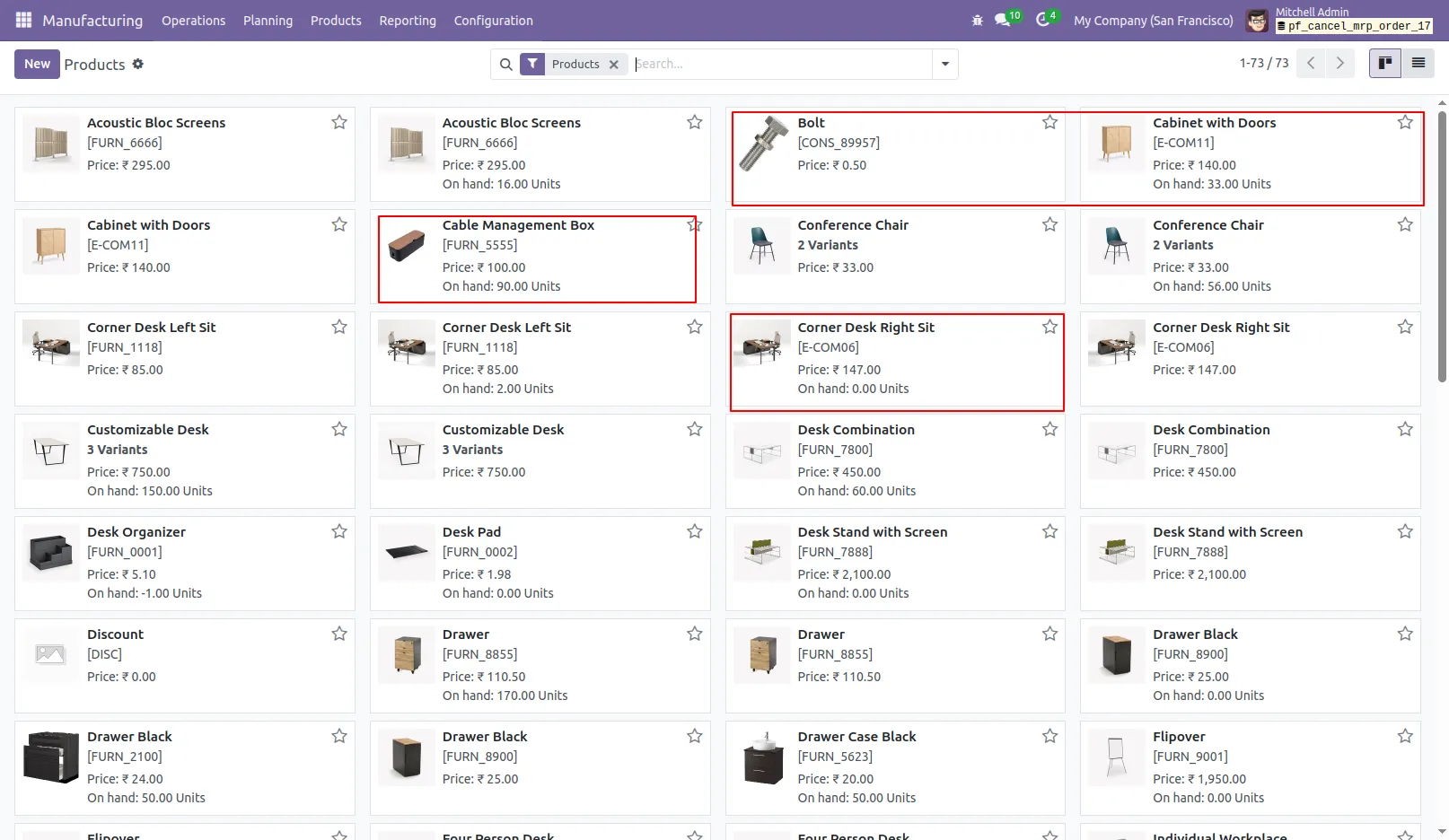
5.Products with Available On-Hand Quantity.
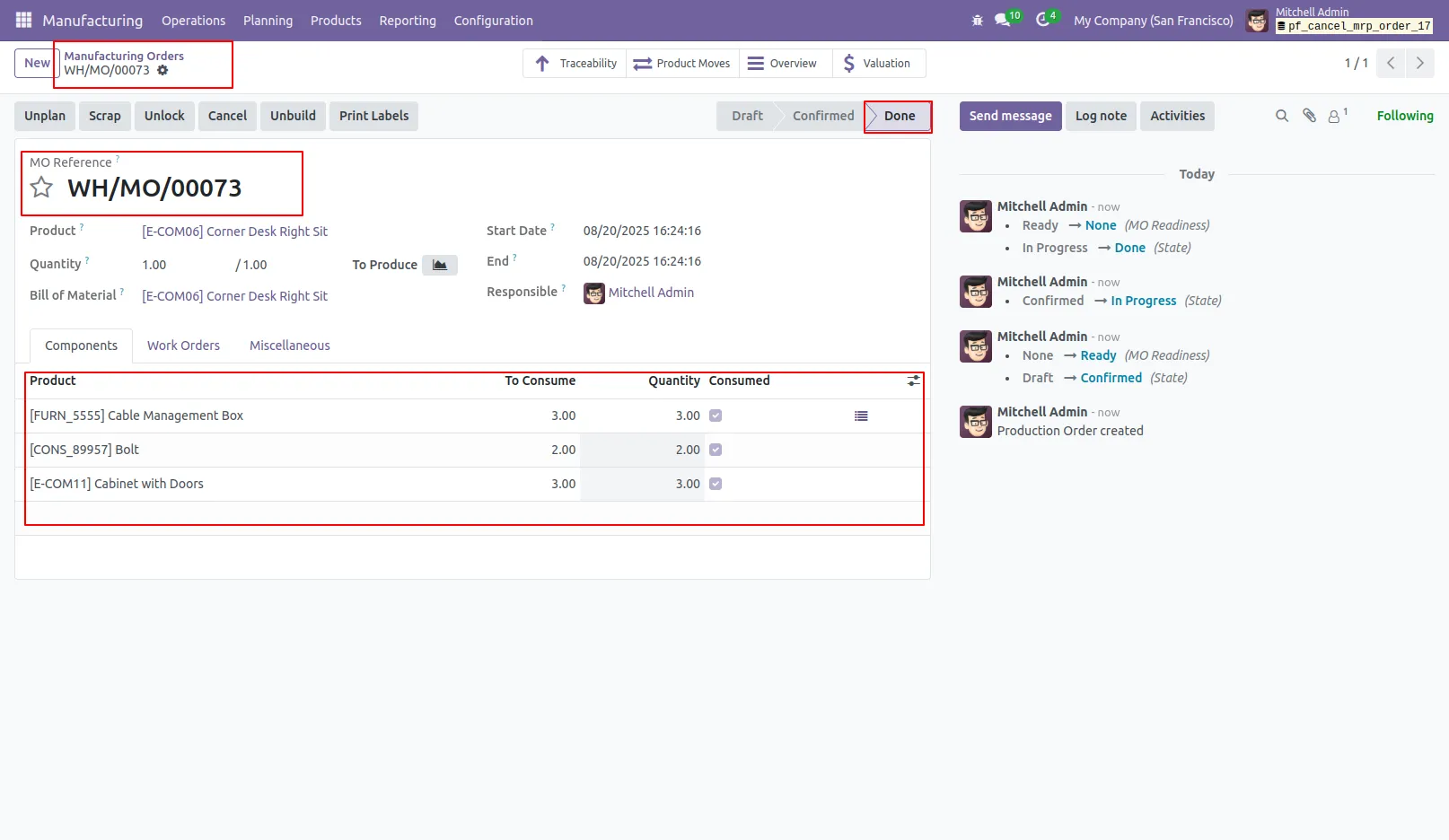
6.The Manufacturing Order is currently in the 'Done' state.
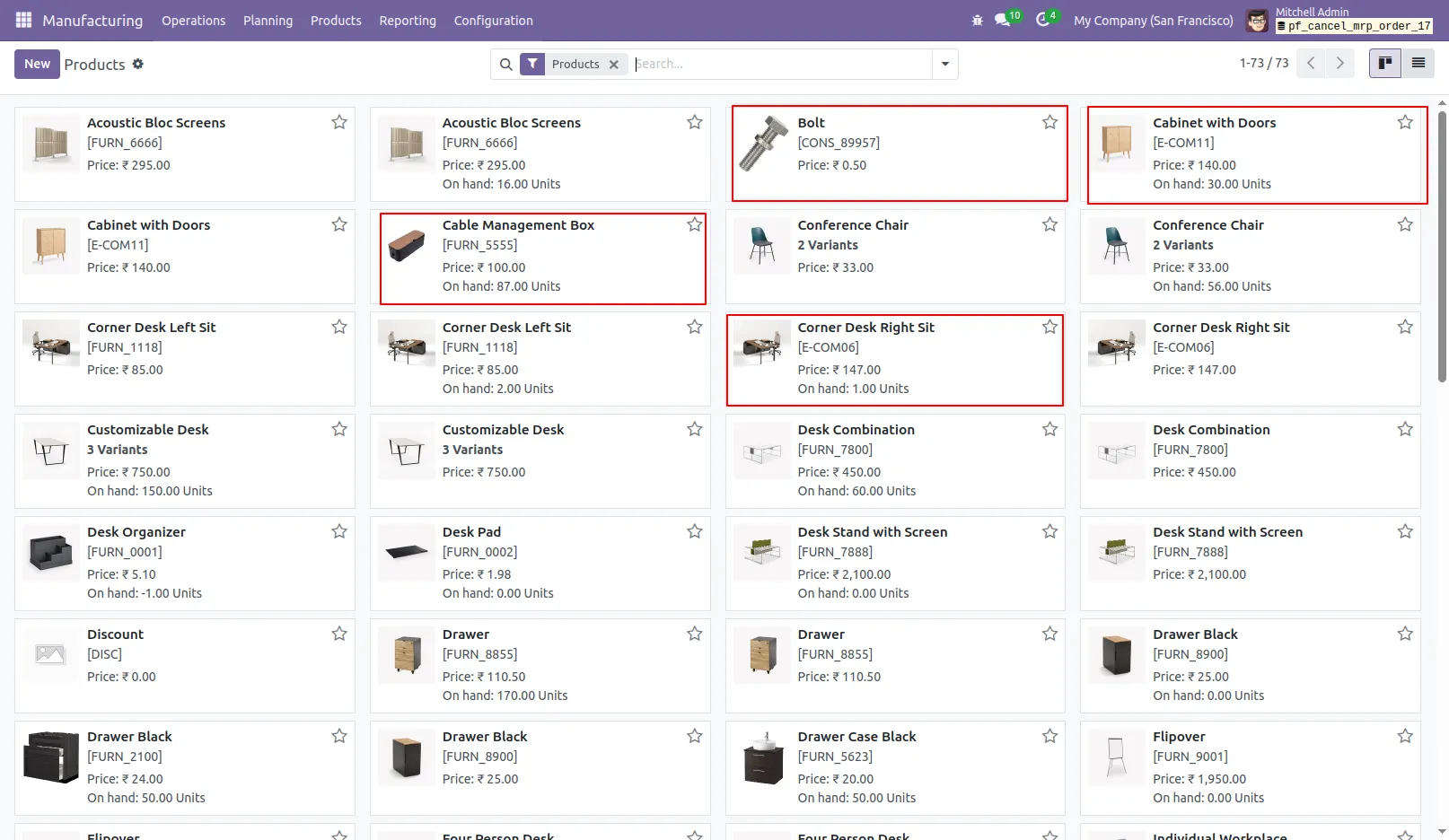
7.Products Showing the Latest On-Hand Quantities.
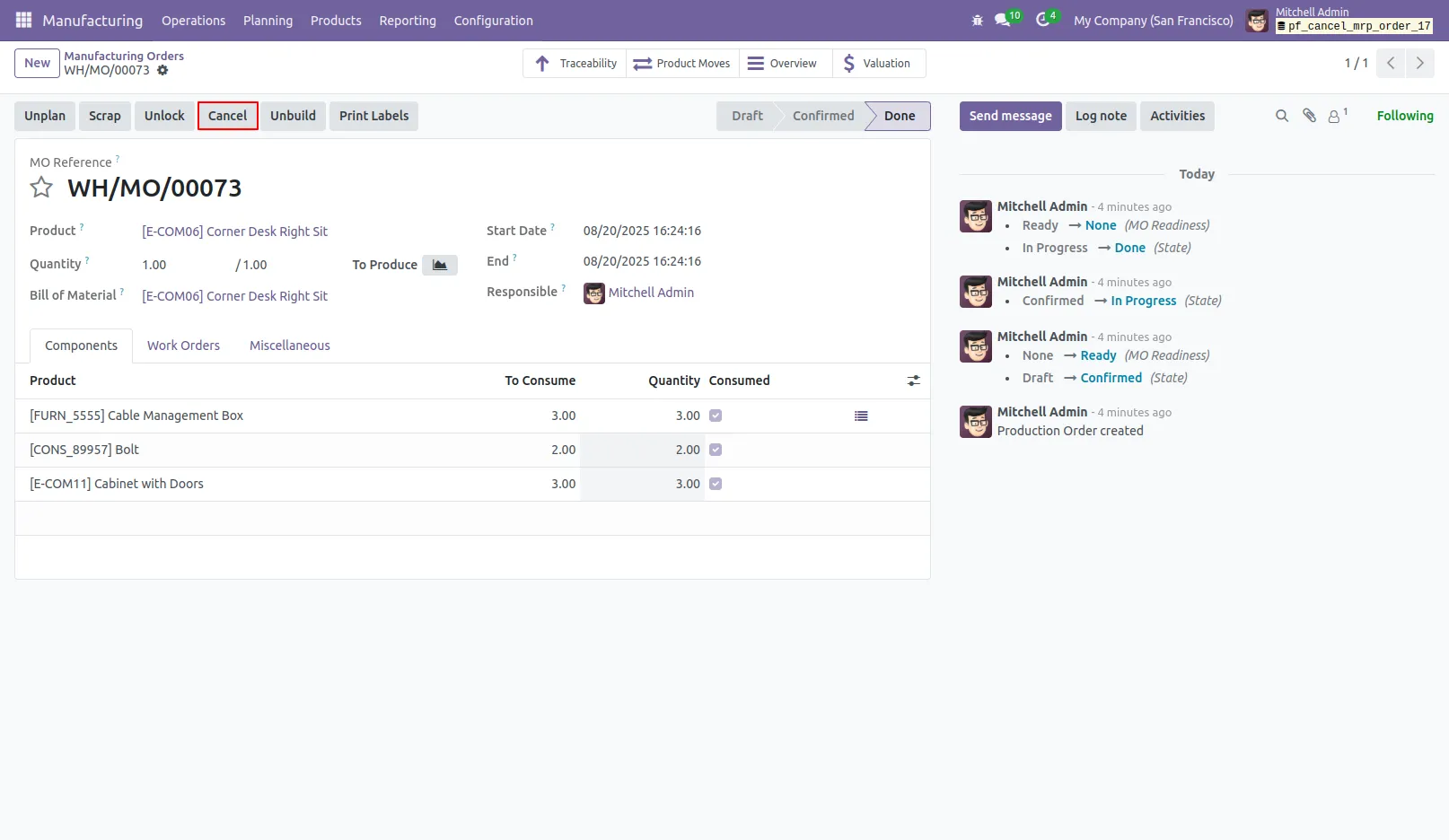
8.Click the 'Cancel' button to cancel the Manufacturing Order.
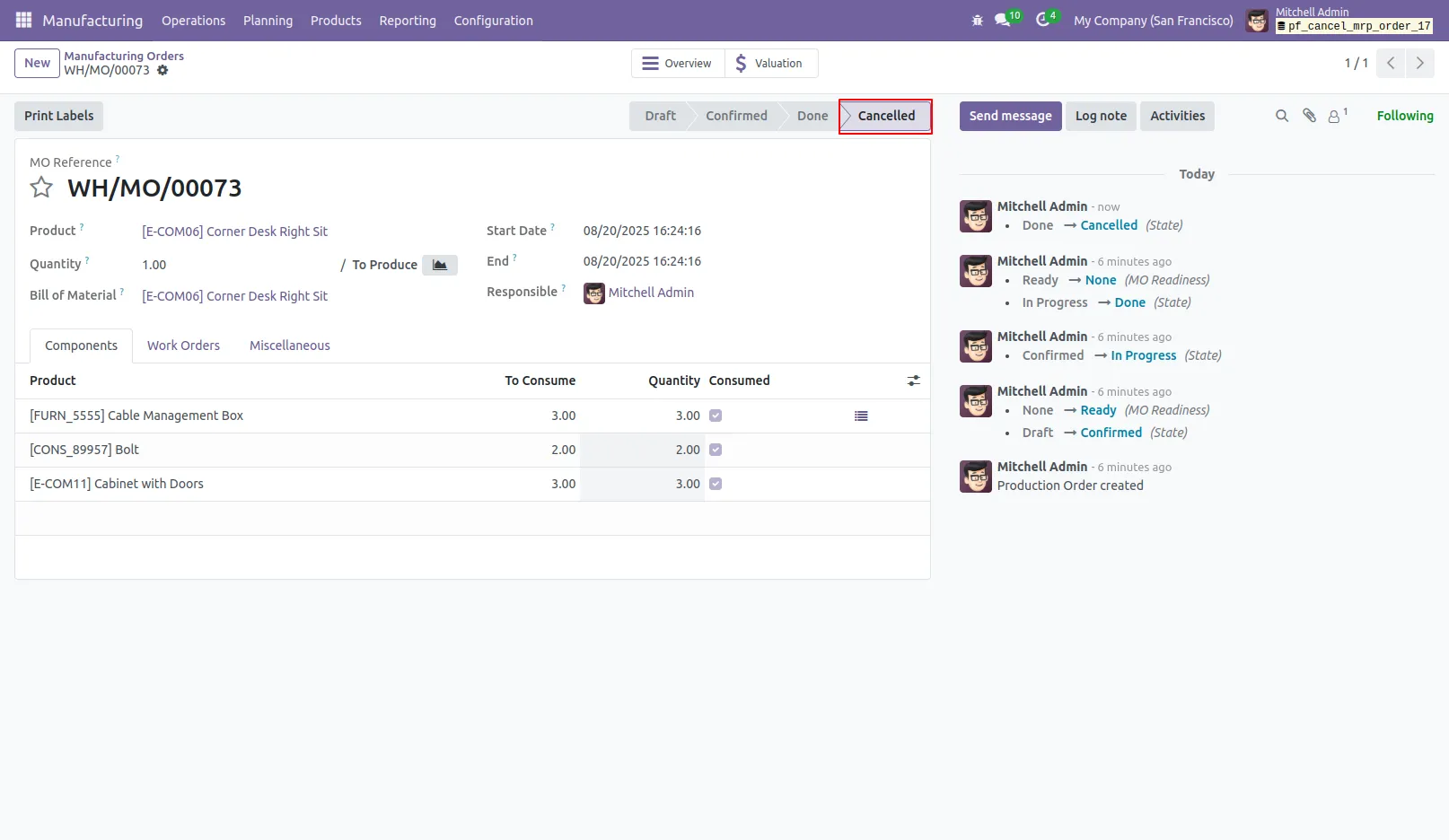
9.When you cancel the Manufacturing Order, its status will be updated to 'Cancelled'.
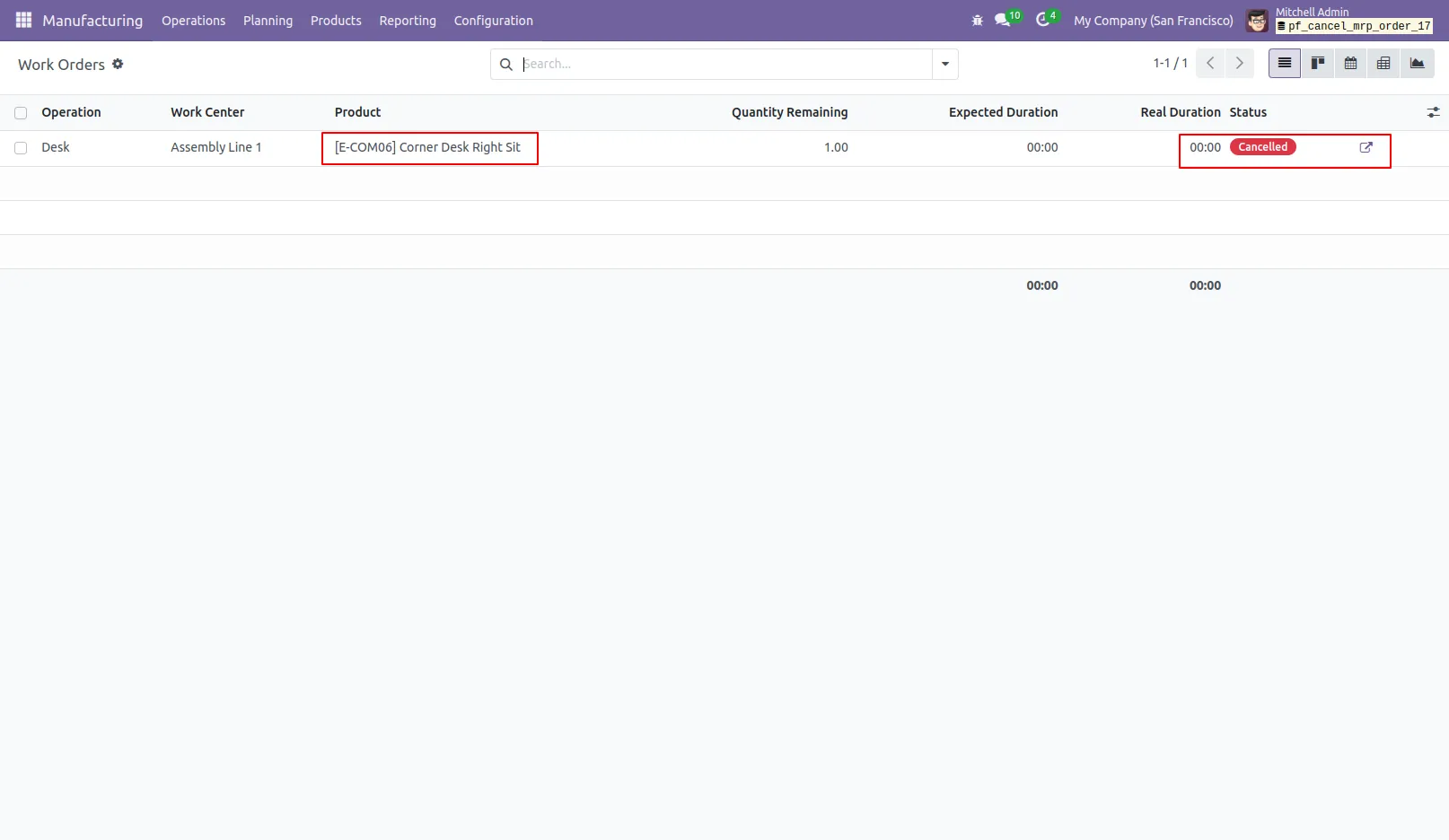
10. Canceling the MRP order will automatically cancel its linked Work Orders.
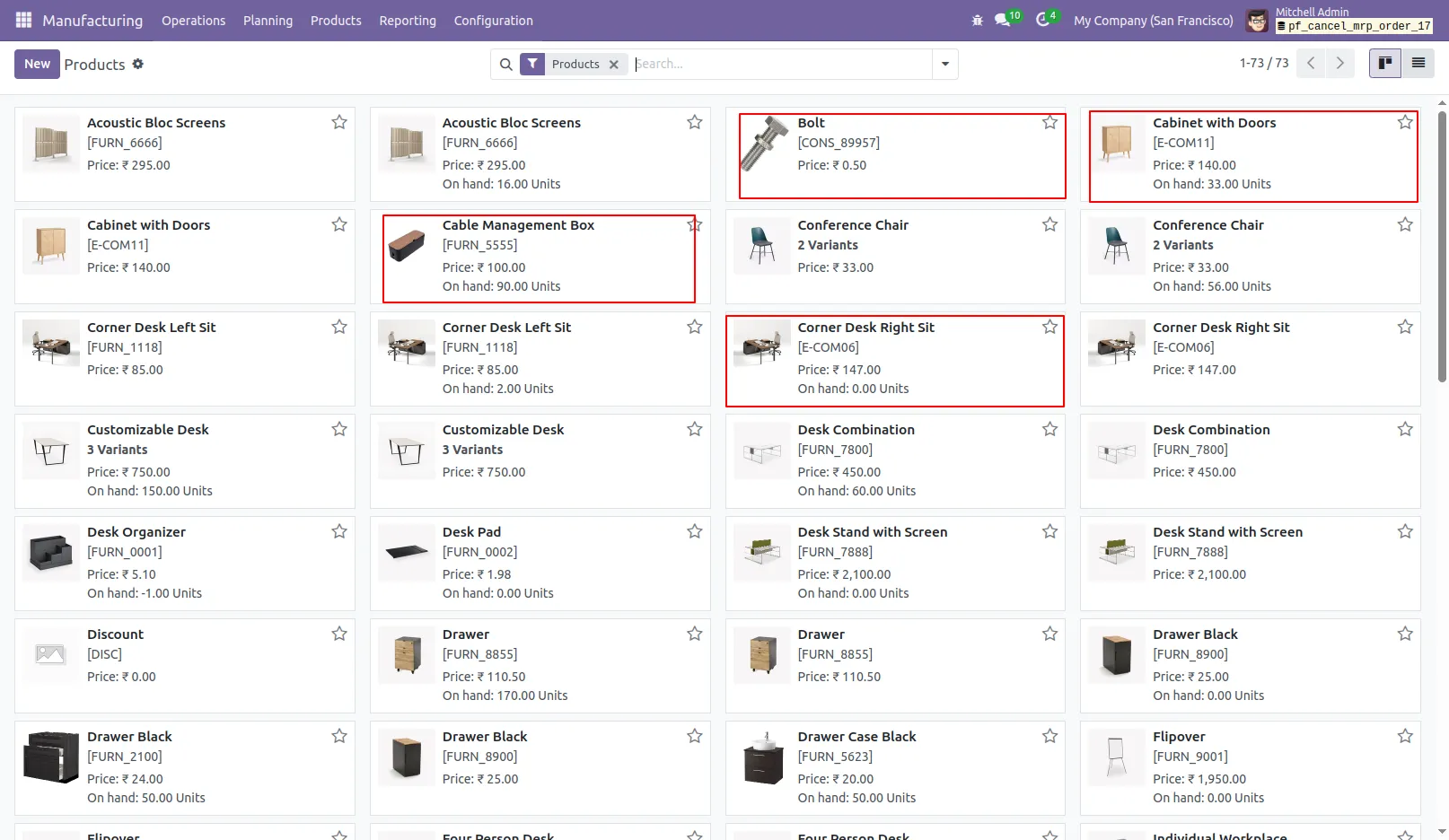
11.View Products Along with Their Current On-Hand Quantities.
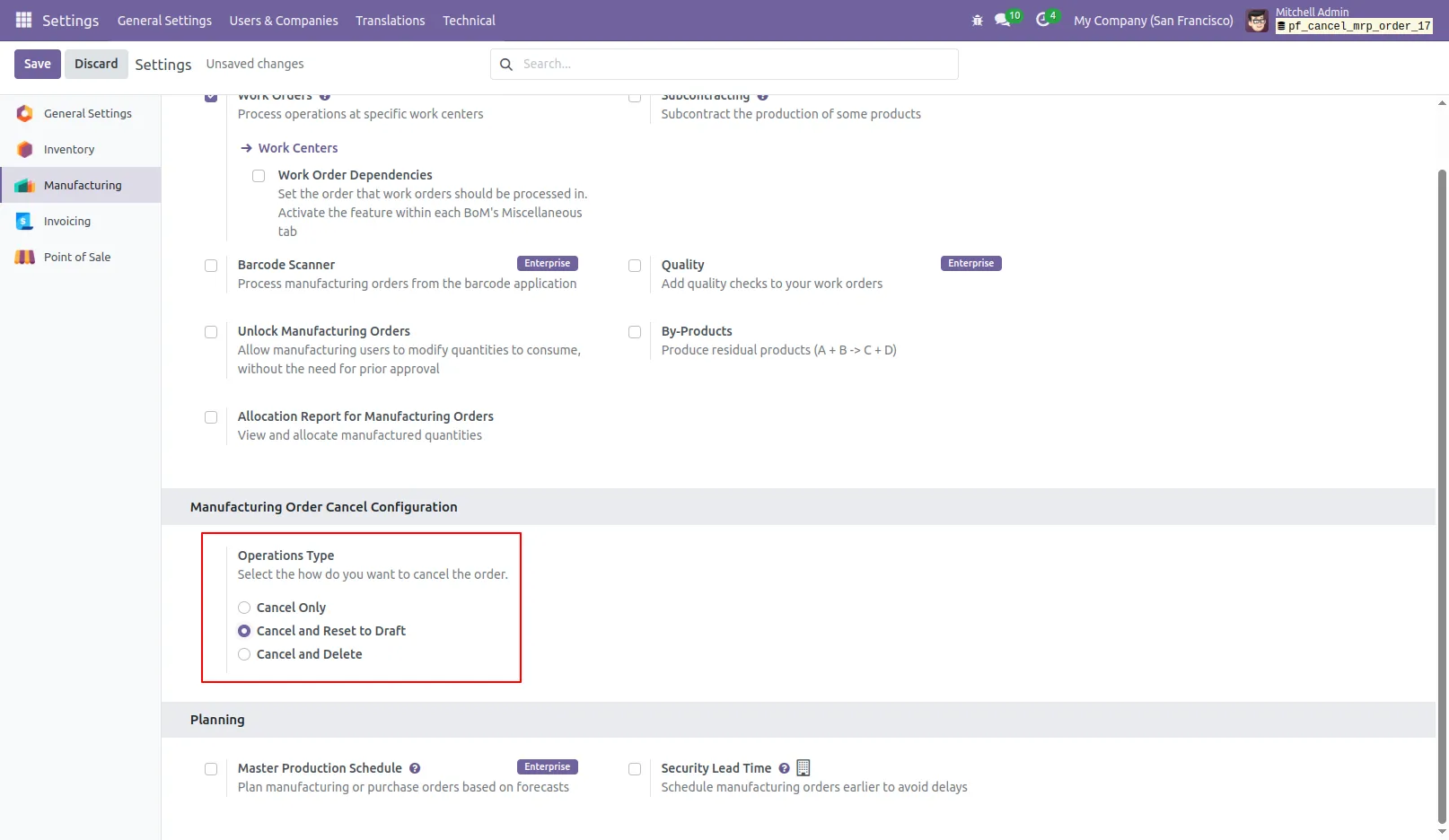
12.To cancel the Manufacturing Order and reset it to the draft state, select 'Cancel and Reset to Draft'.
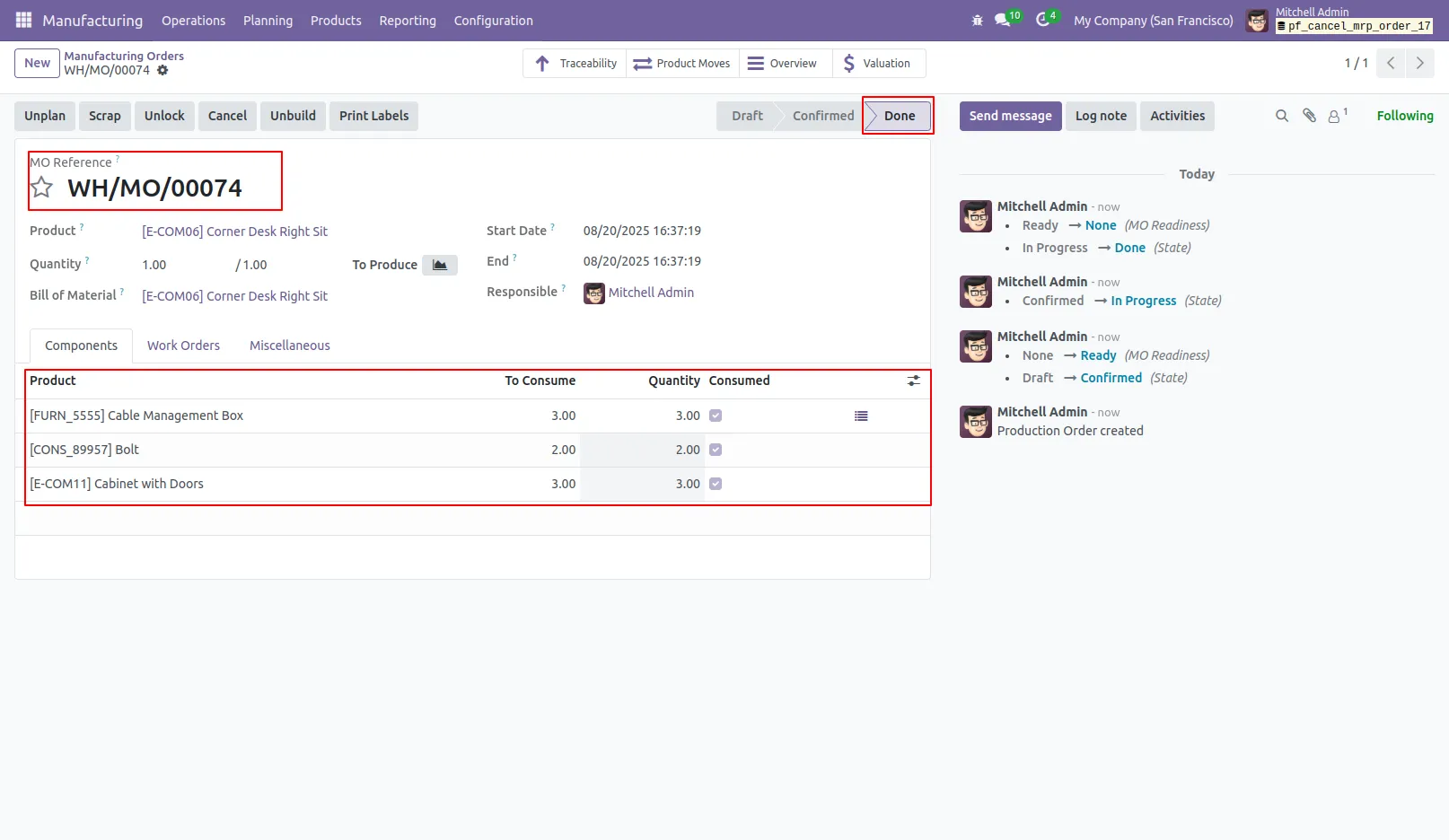
13.The Manufacturing Order is currently in the 'Done' state.
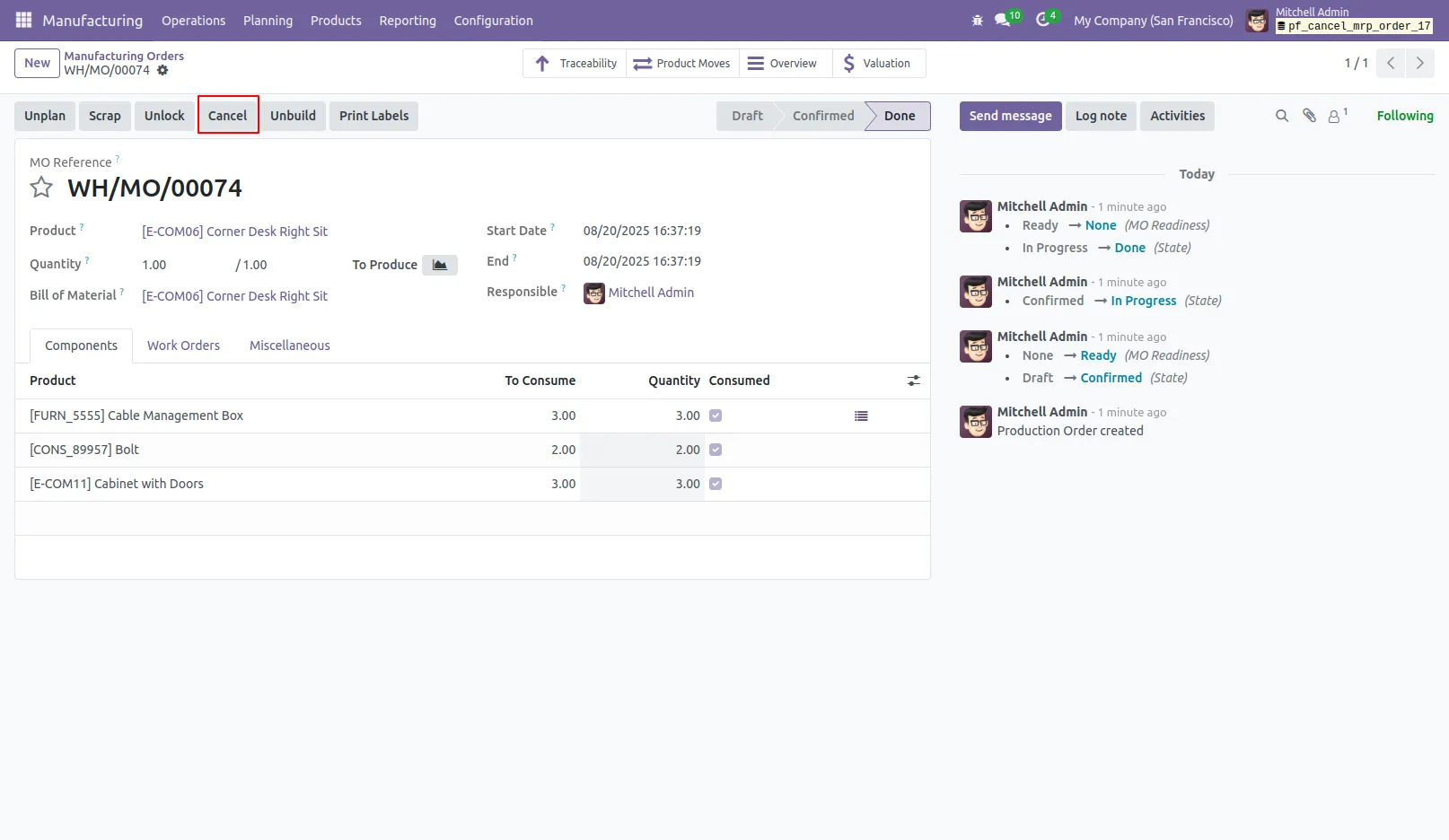
14.Click the 'Cancel' button to Cancel and Reset to Draft the Manufacturing Order.
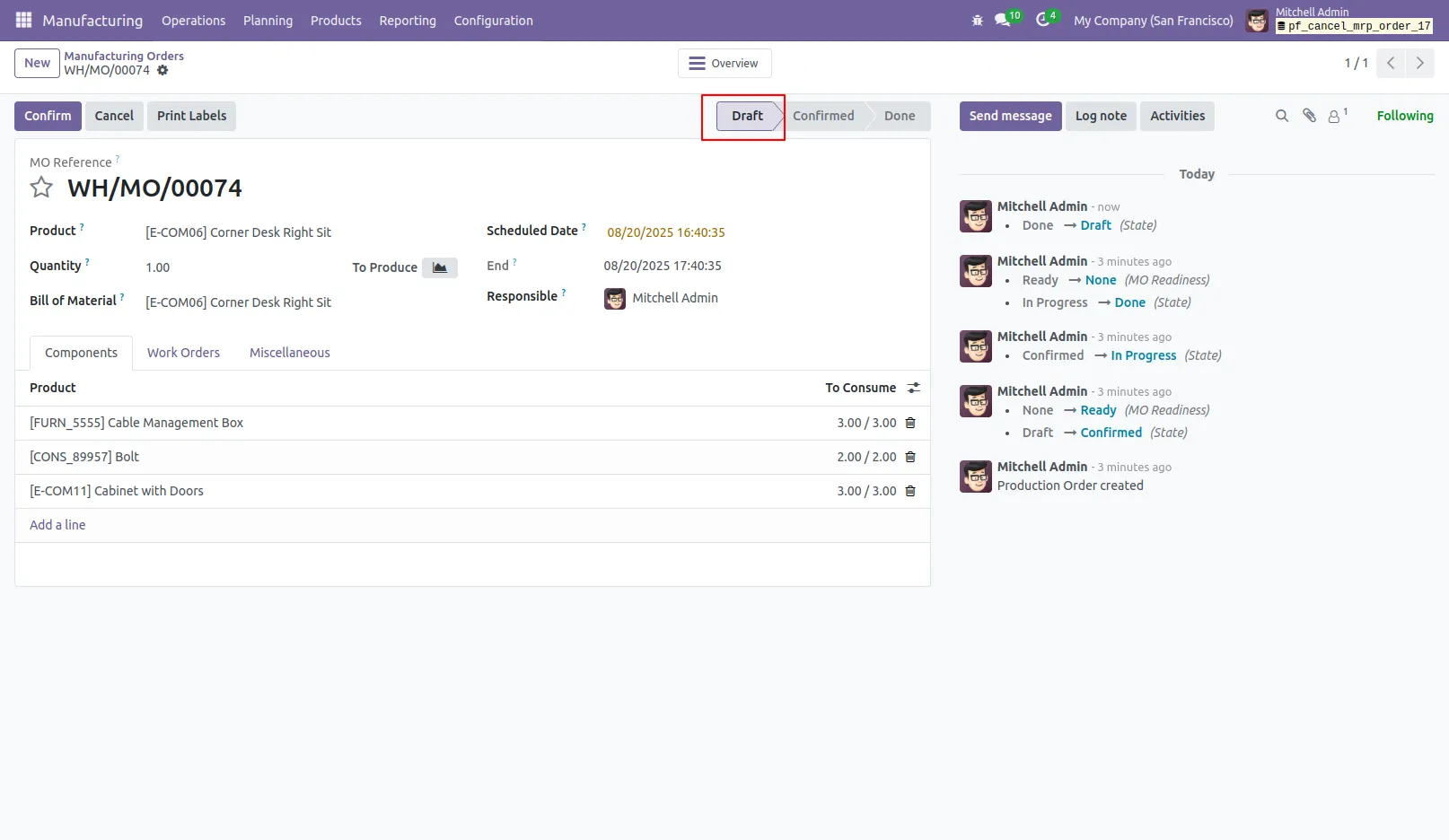
15.Upon cancellation, the Manufacturing Order is reverted to draft.
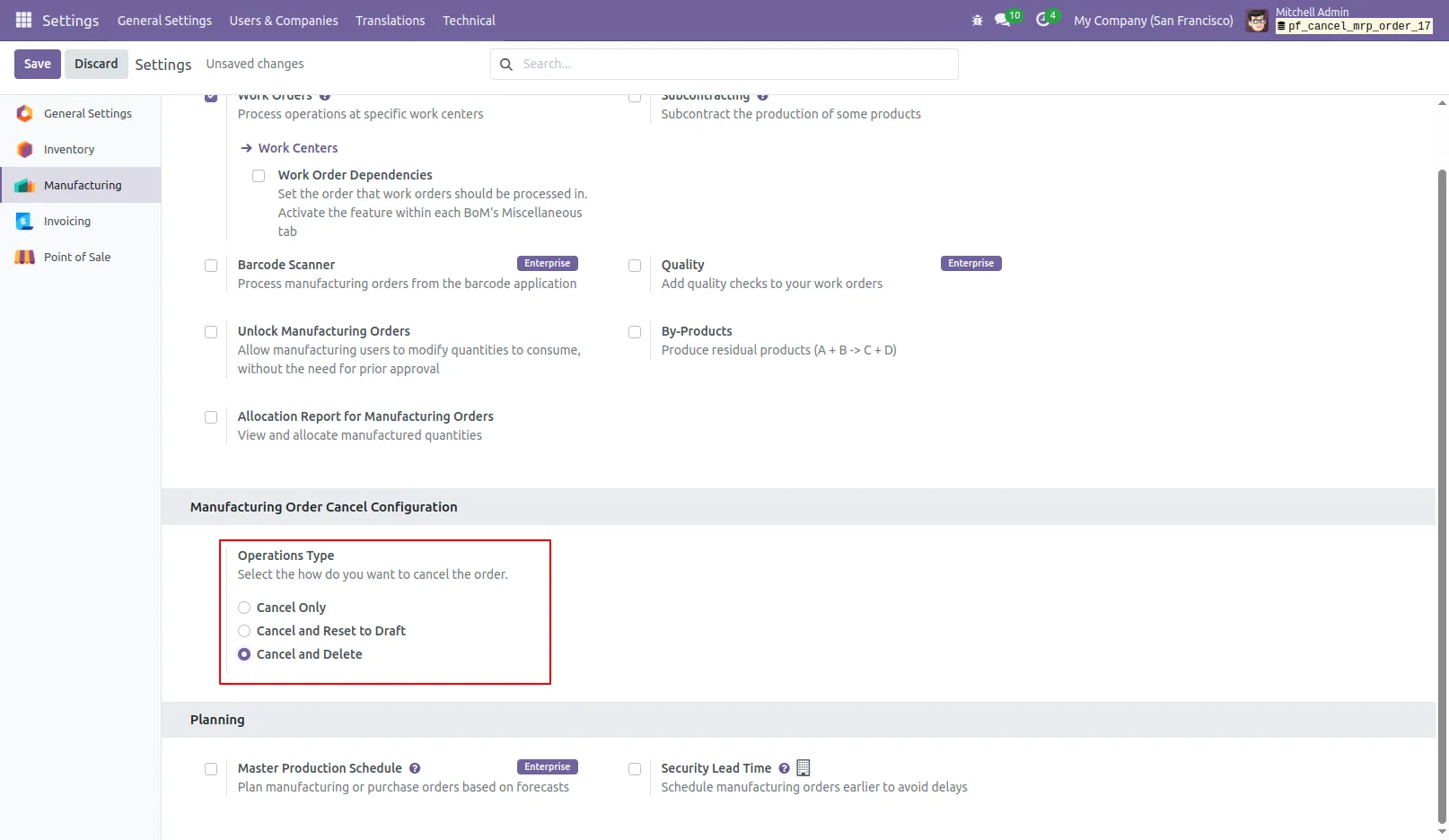
16.Choose 'Cancel and Delete' when you want to cancel the MRP orders and remove them from the system.
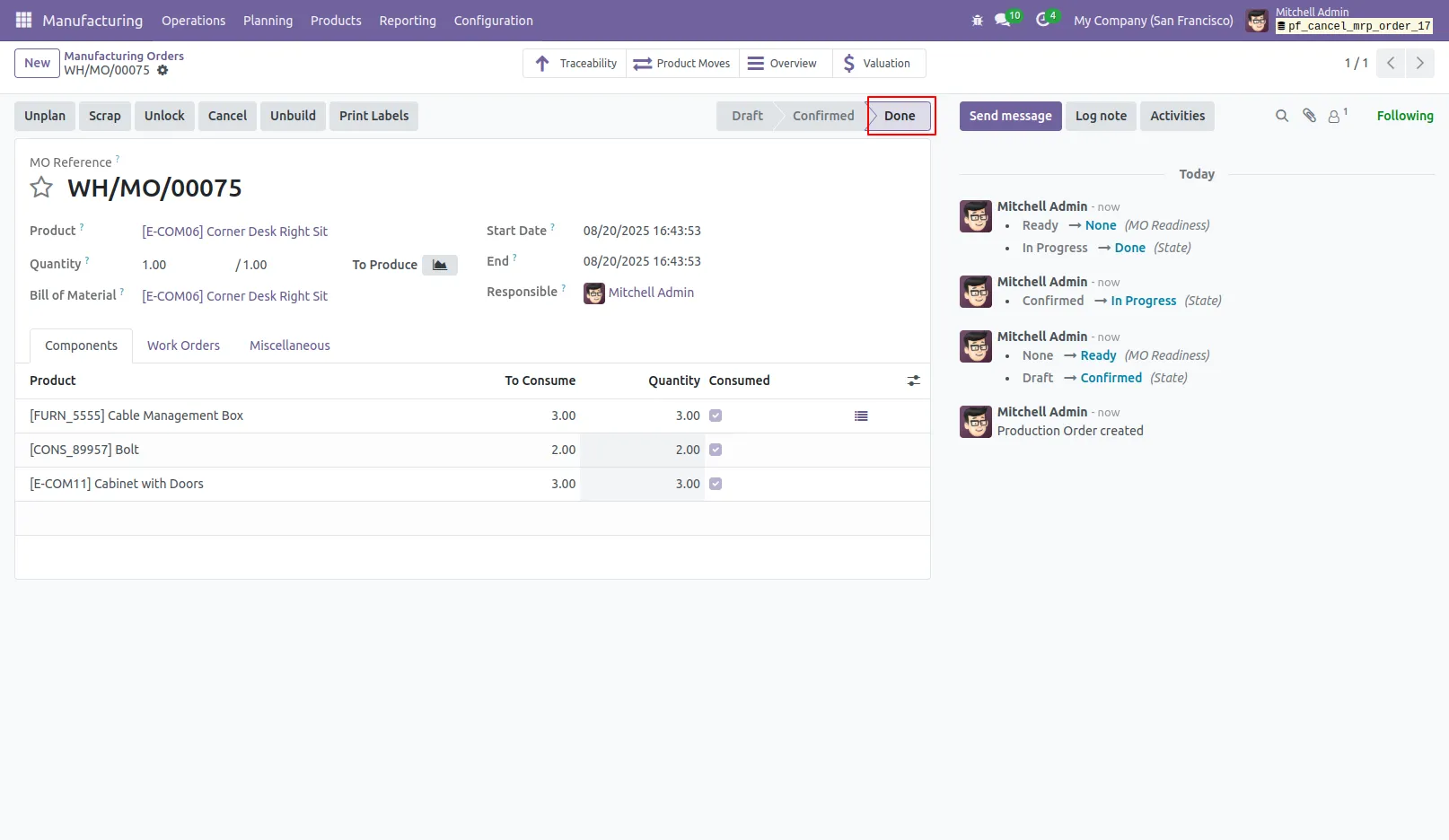
17.The Manufacturing Order is currently in the 'Done' state.
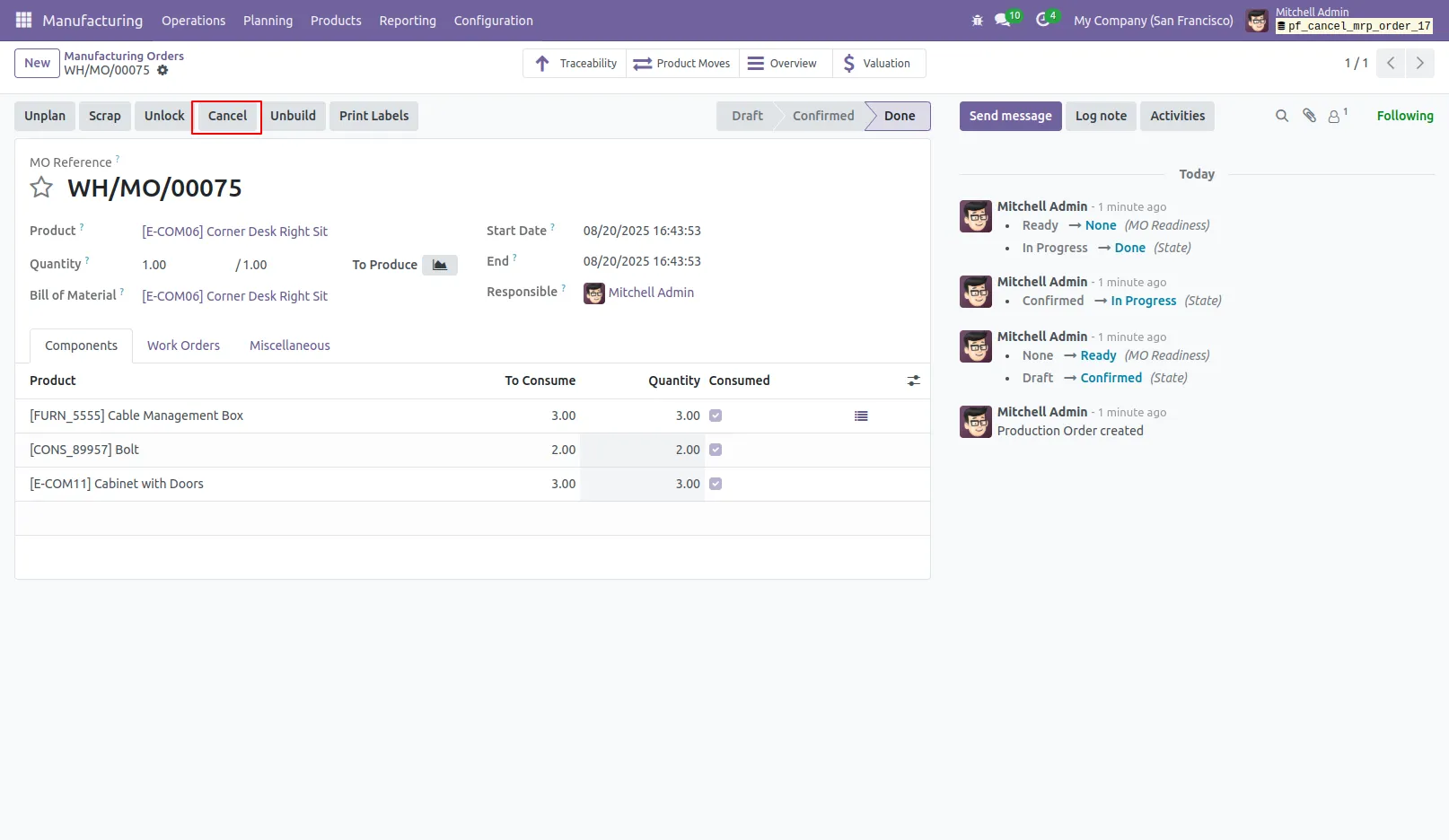
18.Click the 'Cancel' button to Cancel and Delete the Manufacturing Order.
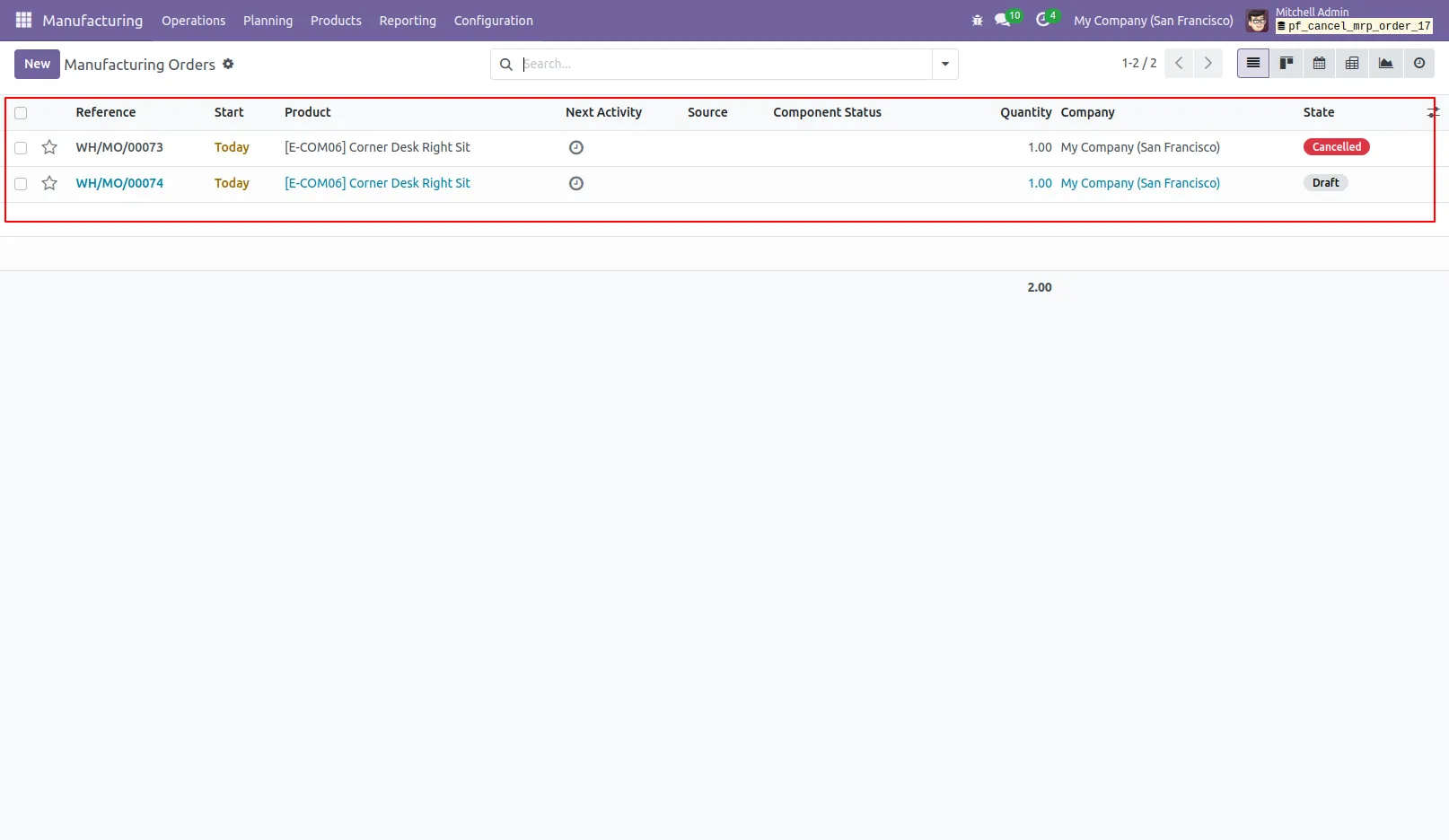
19.The Manufacturing Order will be deleted after performing the 'Cancel and Delete' action.
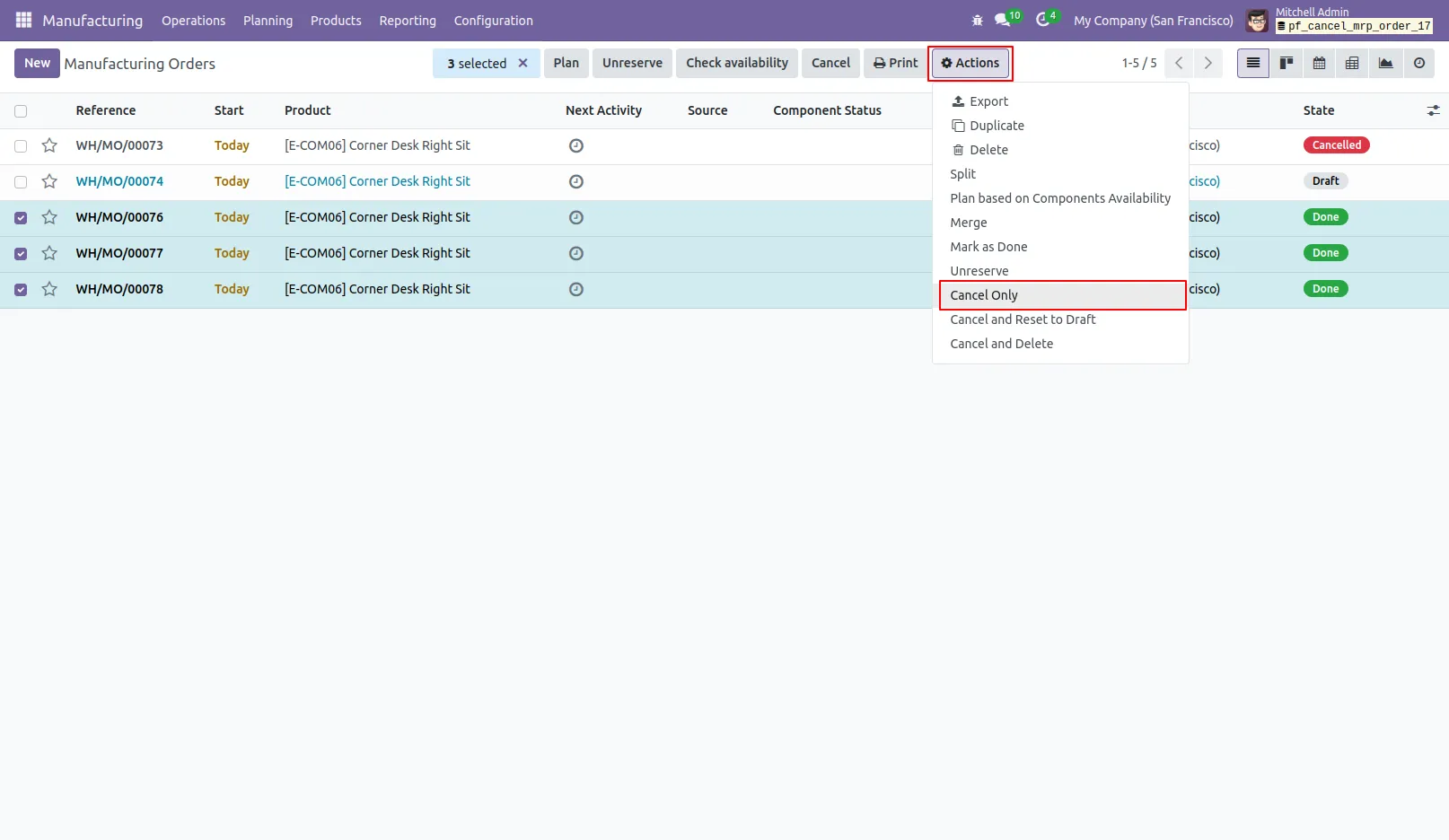
20.You can now cancel multiple Manufacturing Orders directly from the tree view.
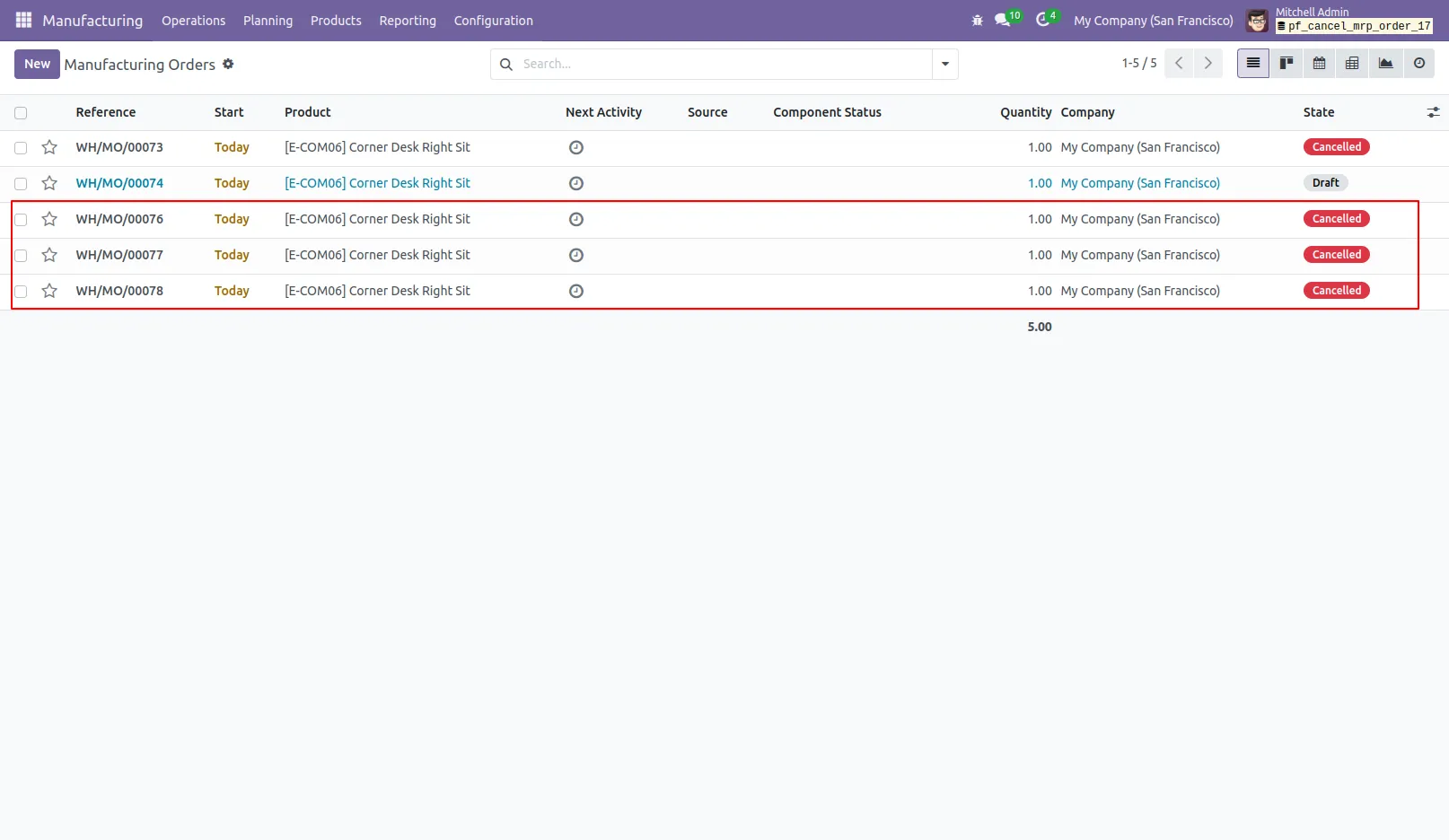
21.All selected Manufacturing Orders have been canceled.
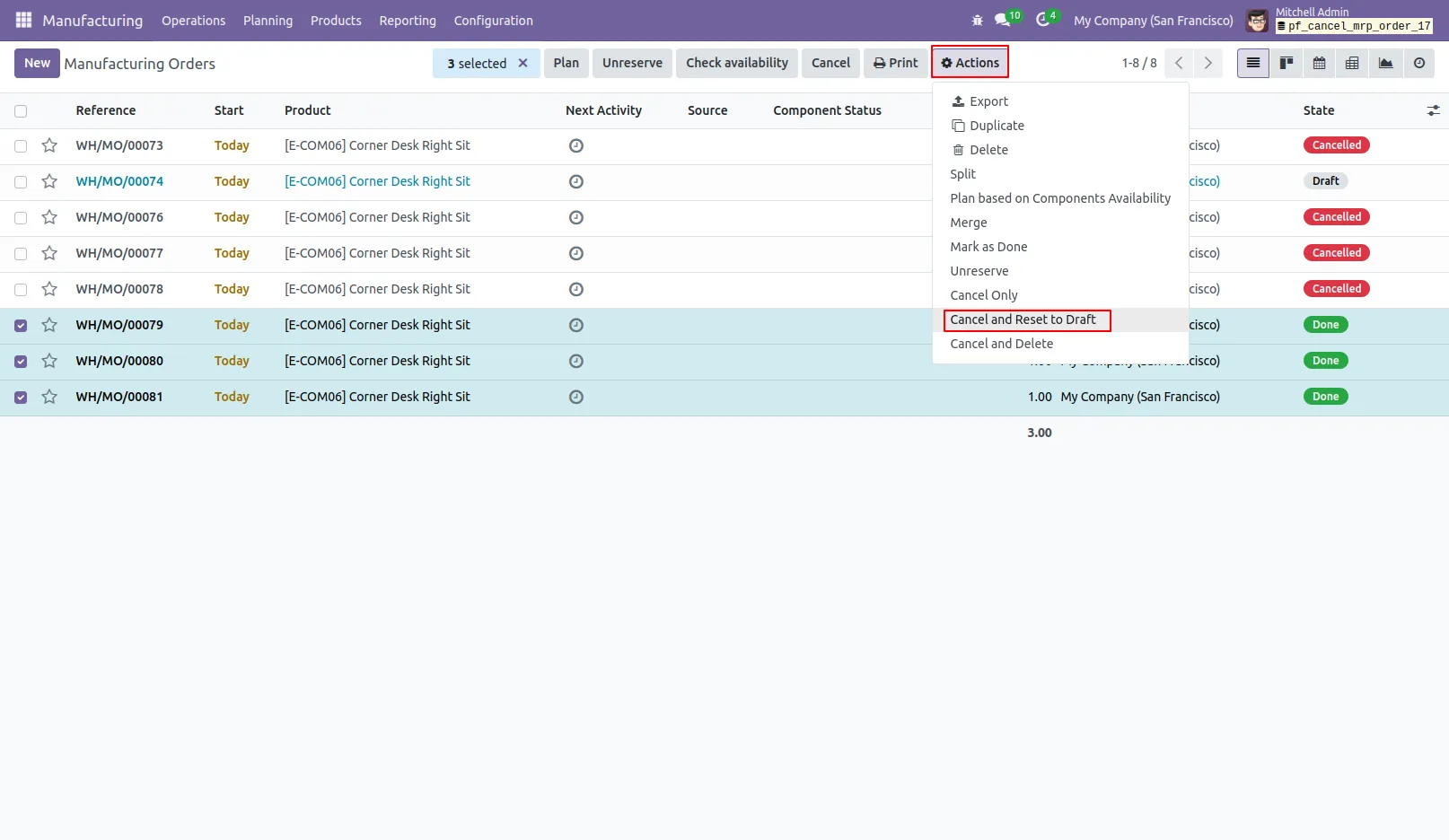
22.You can now 'Cancel & Reset to Draft' multiple Manufacturing Orders directly from the tree view.
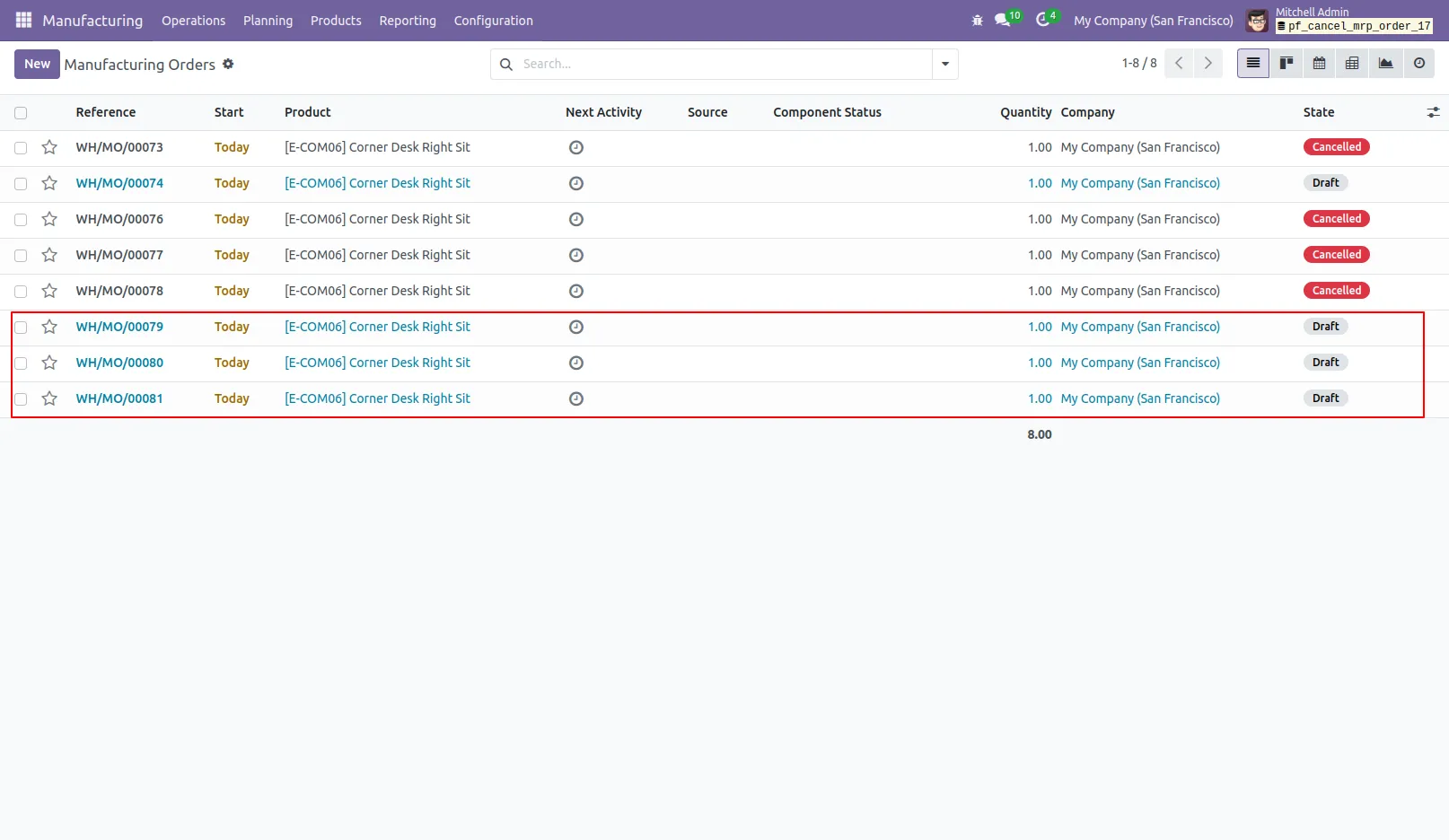
23.All selected Manufacturing Orders have been canceled and reset to draft.
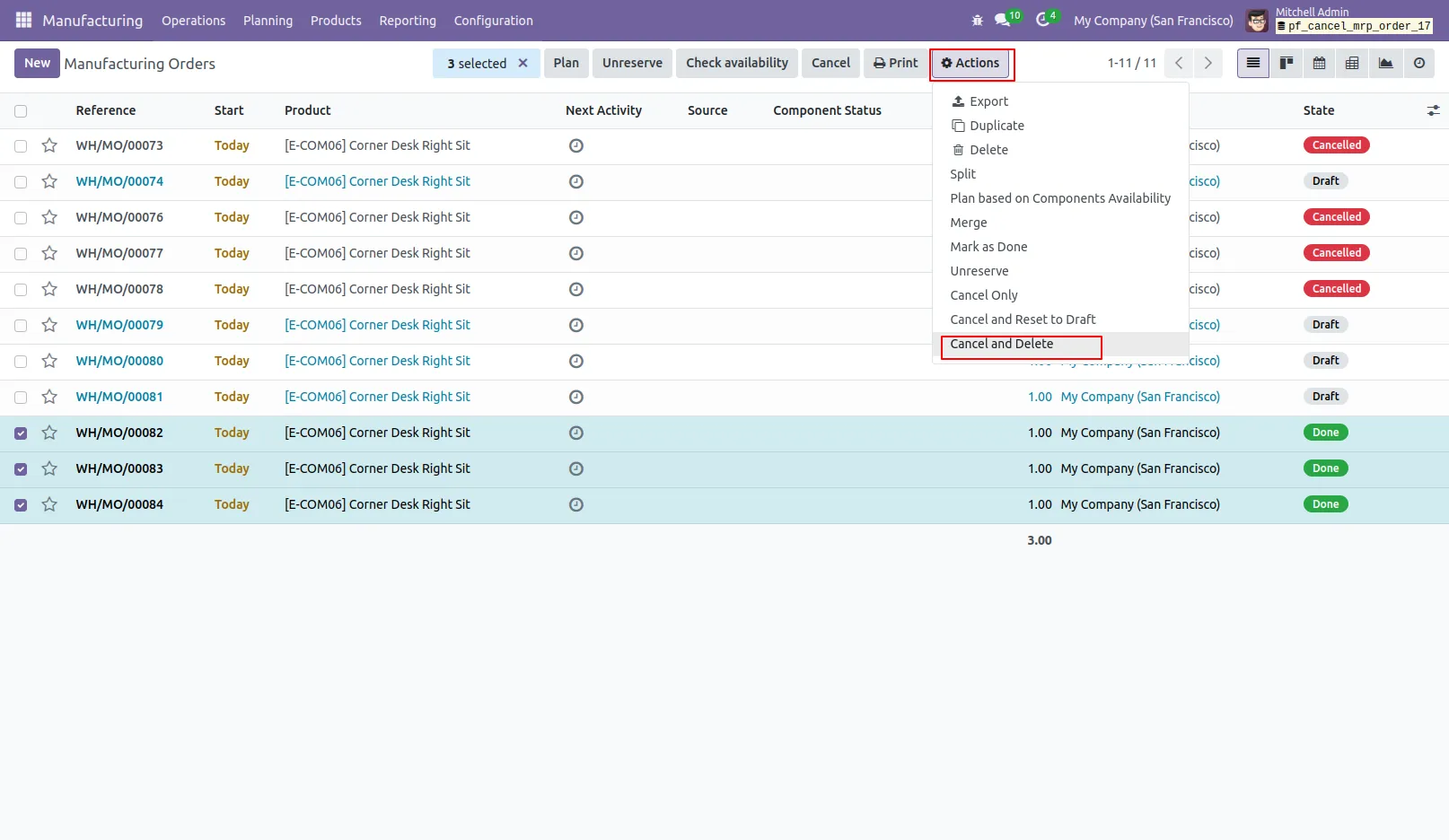
24.You can now 'Cancel & Delete' multiple Manufacturing Orders directly from the tree view.
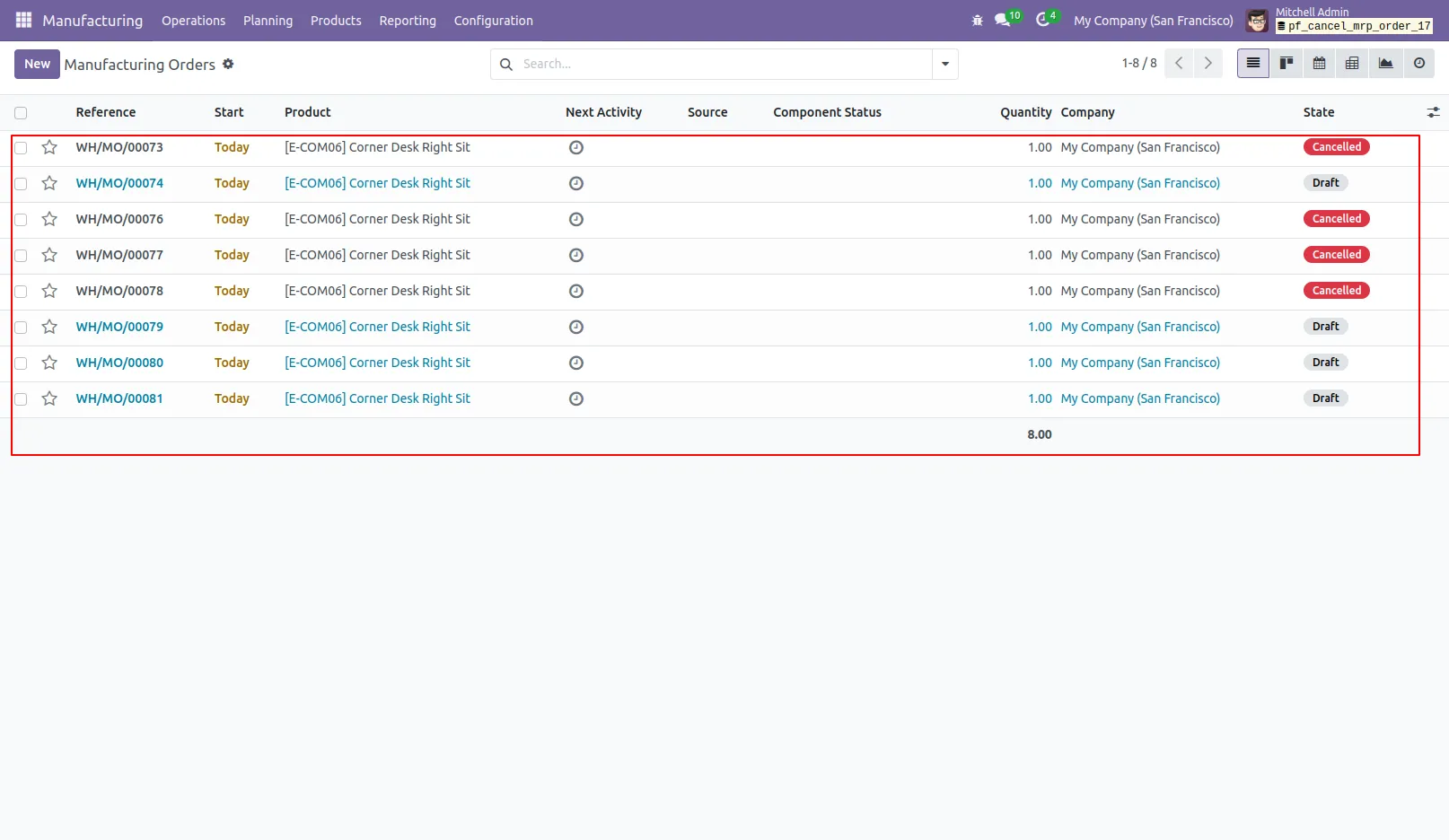
25.All selected Manufacturing Orders will be permanently deleted after cancellation.
Our solutions focus on your problems
- Odoo Implementation
- Odoo Customization
- ERP Development and Implementation
- Odoo Ipass Cloud
- AI for Odoo
- Odoo Apps
- Aws Marketplace Products
- Business Engines
Our Pricing includes User Manual, 90 Days Support (Monday-Friday 10am to 7pm IST) and One time Setup
• Works & tested on standard installations of Odoo with no third party apps,
• Free support only for odoo installations with no third party apps,
• Paid support available for Odoo installations with third party apps.

Prefortune is a Odoo Official Partner, Odoo Development company. Our philosophy is to use Open Source tools and technologies to provide cost effective and green solutions for our customers.
Prefortune Technologies LLP is working on web development, Mobile development, and Odoo ERP.
If you need any help or want more additional features, you may contact us through:
Alternative Products
These other products might interest you
Specifications
| Version | 18.0, 17.0, 16.0, 15.0, 14.0, 13.0 |