
Aerospace Security & Controlled Access with Odoo
Secure Aerospace Operations with Odoo Apps for Access Control, Data Protection & Compliance

Our all-inclusive Odoo – Complete Control Over Menus, Submenus, Fields, and Reports Easily control visibility of menus, submenus, reports, and fields in Odoo. This app provides comprehensive tools to hide or restrict access to various elements based on user or group settings. You can also modify field attributes, such as making fields invisible or read-only.
Easily control visibility of menus, submenus, reports, and fields in Odoo. This app provides comprehensive tools to hide or restrict access to various elements based on user or group settings. You can also modify field attributes, such as making fields invisible or read-only.
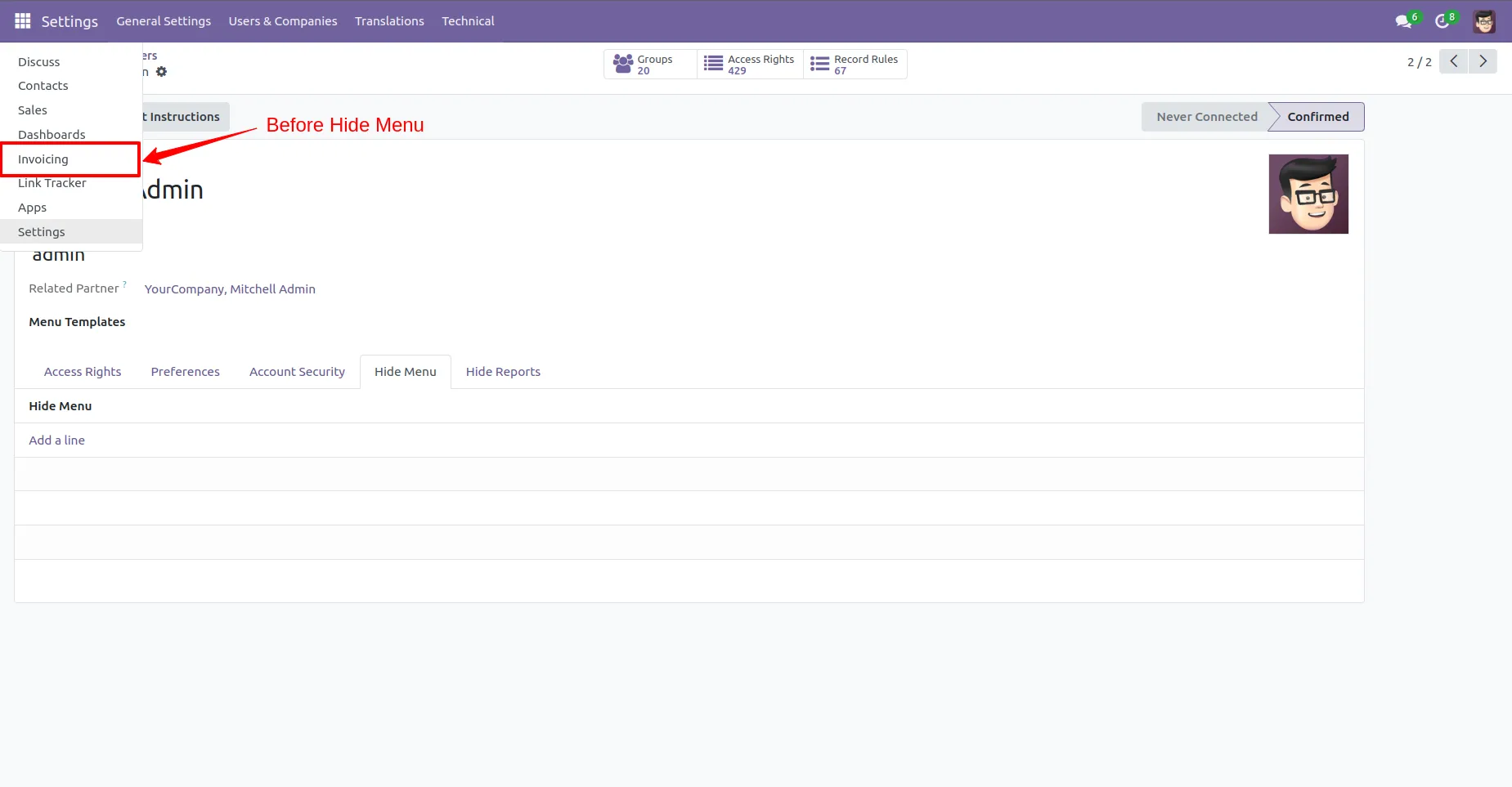
1. Under Settings > User & Companies > Users, use the "Hide Menu" tab to specify menus to hide for individual users.
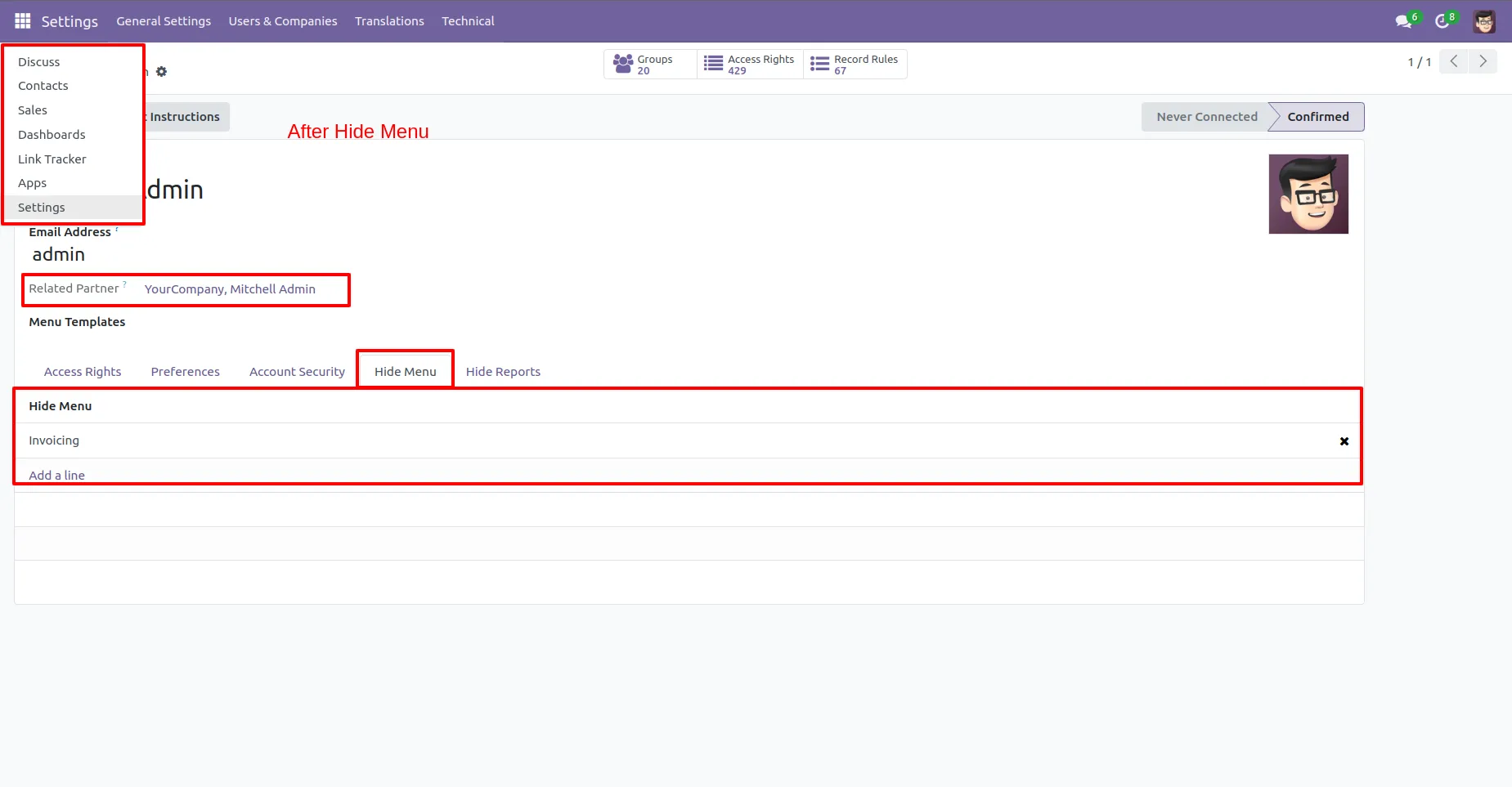
2. Users will notice that selected menus are no longer visible.
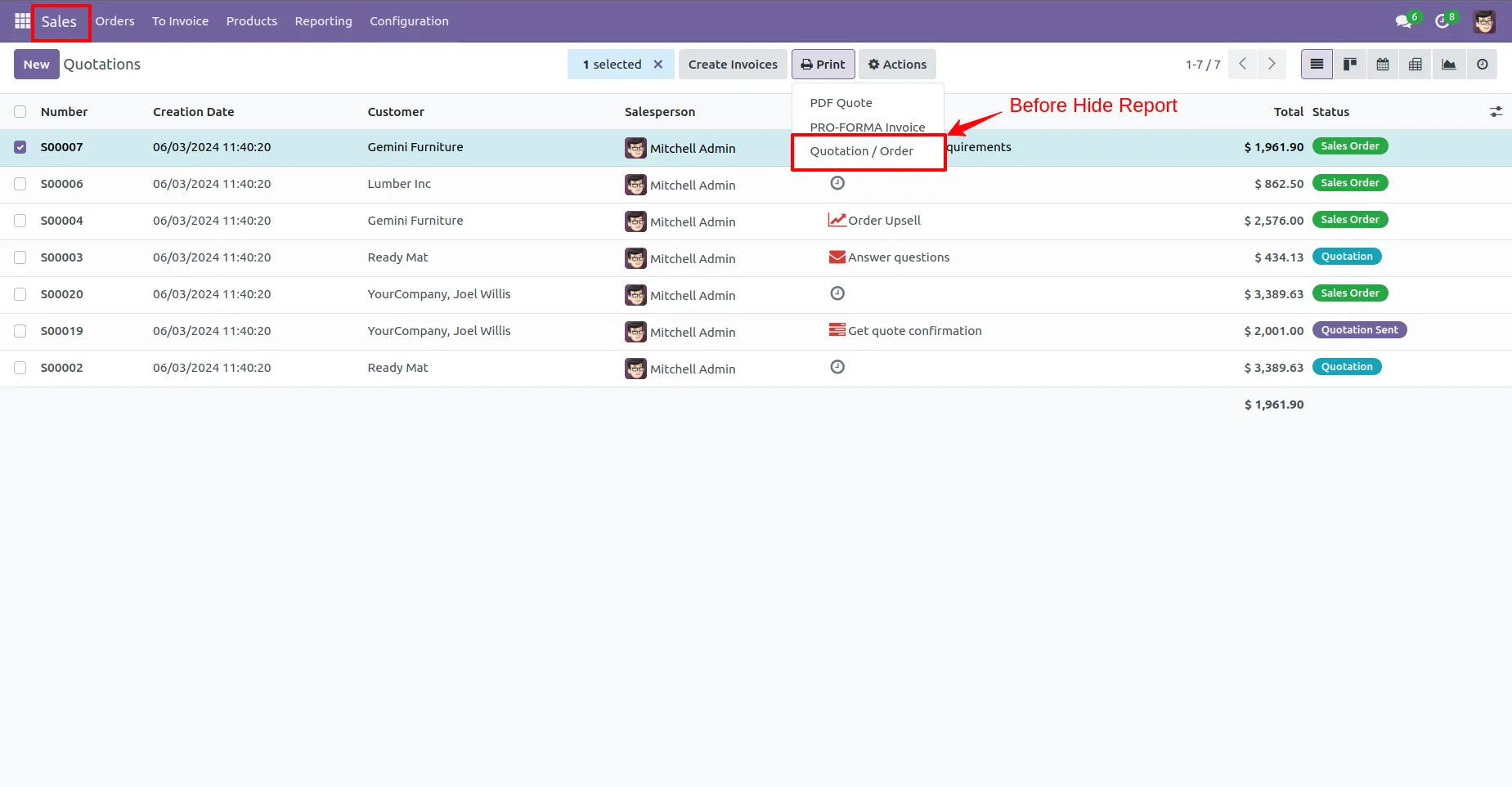
3. Control which reports users can see, customizing visibility directly from User Configuration.
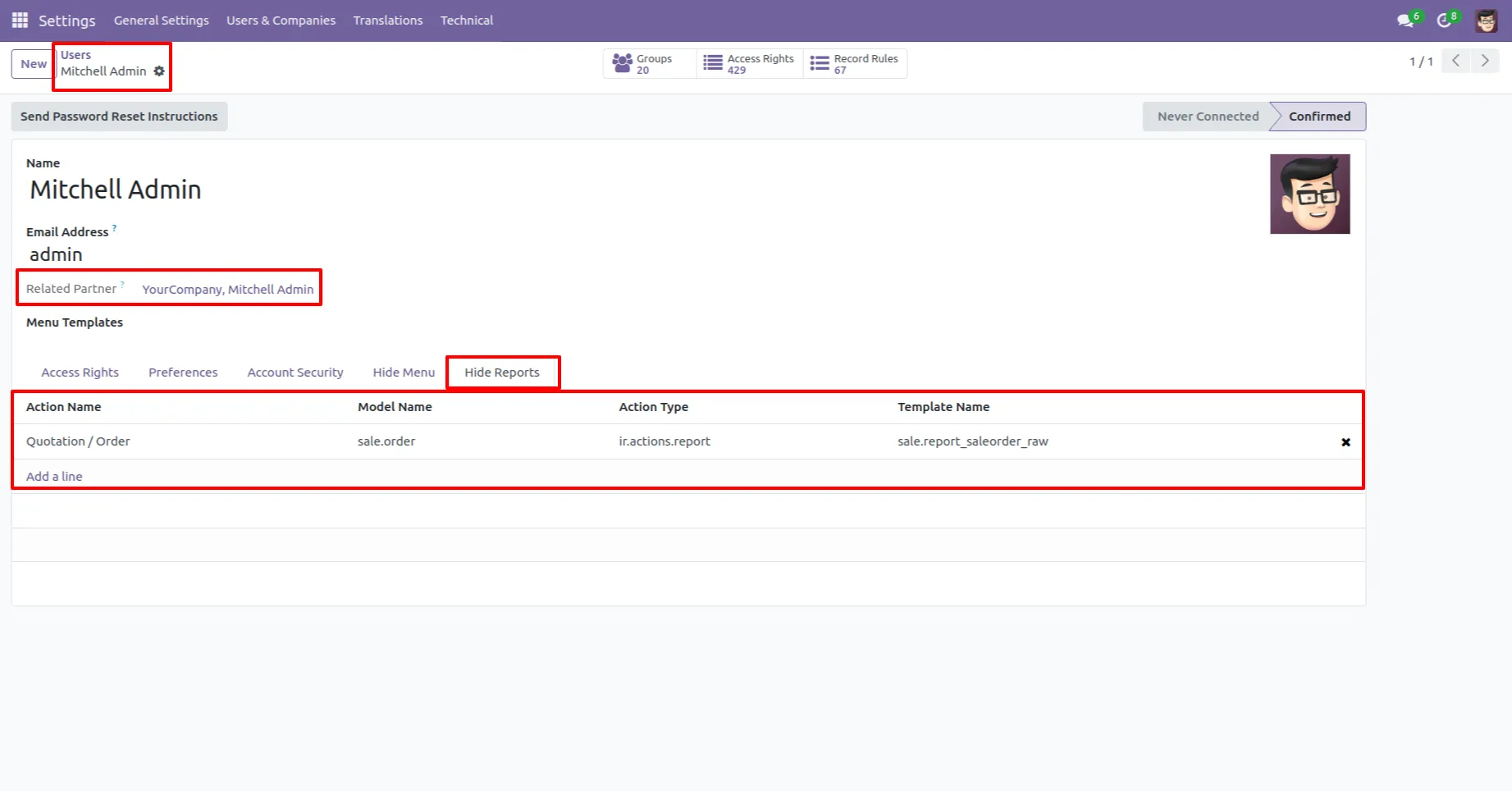
4. Add reports to the "Hide Report" tab under group configurations to restrict access.
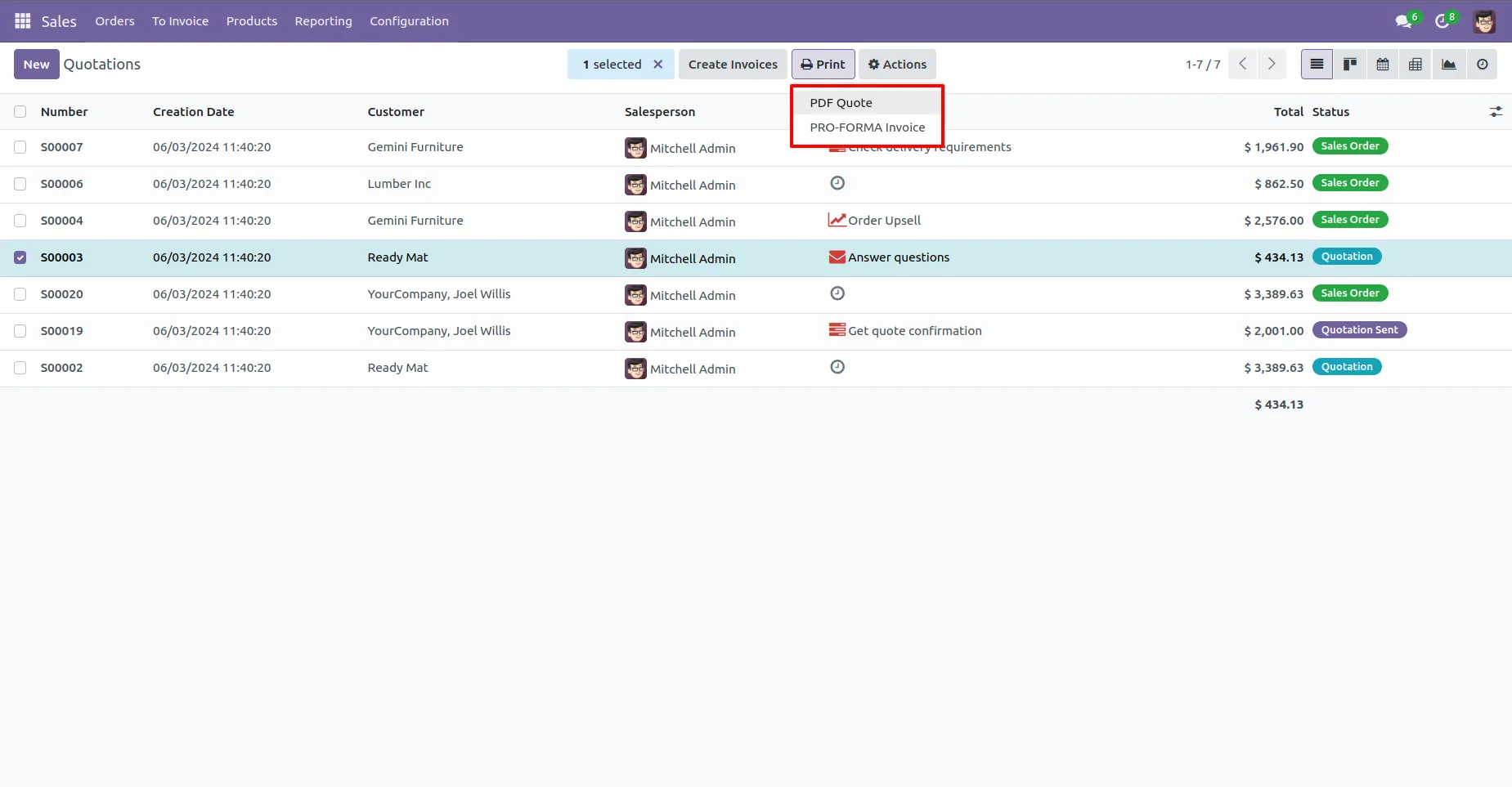
5. Ensure that the reports specified are not visible to unauthorized users.
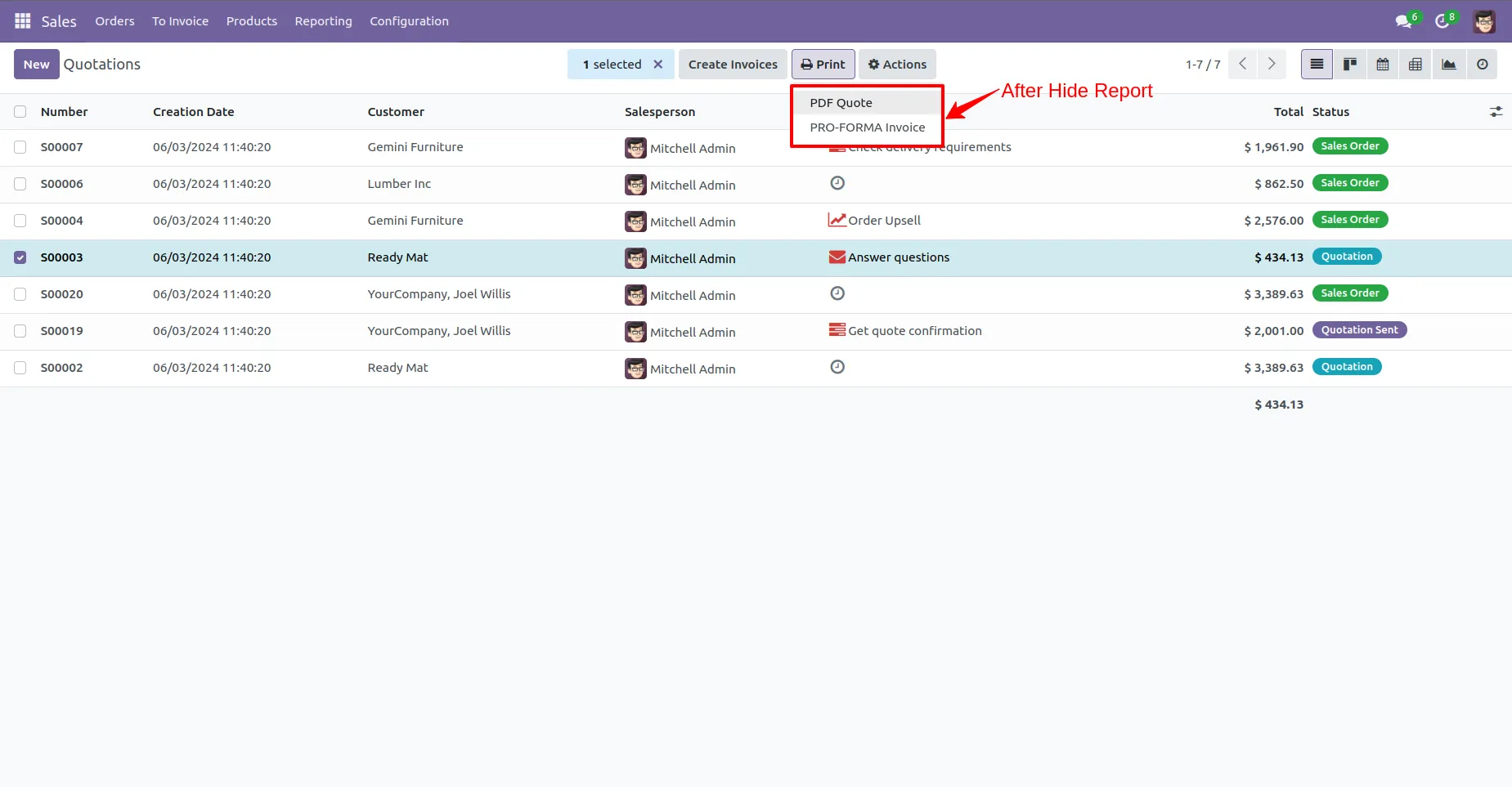
6.Group members will not see reports configured as hidden.
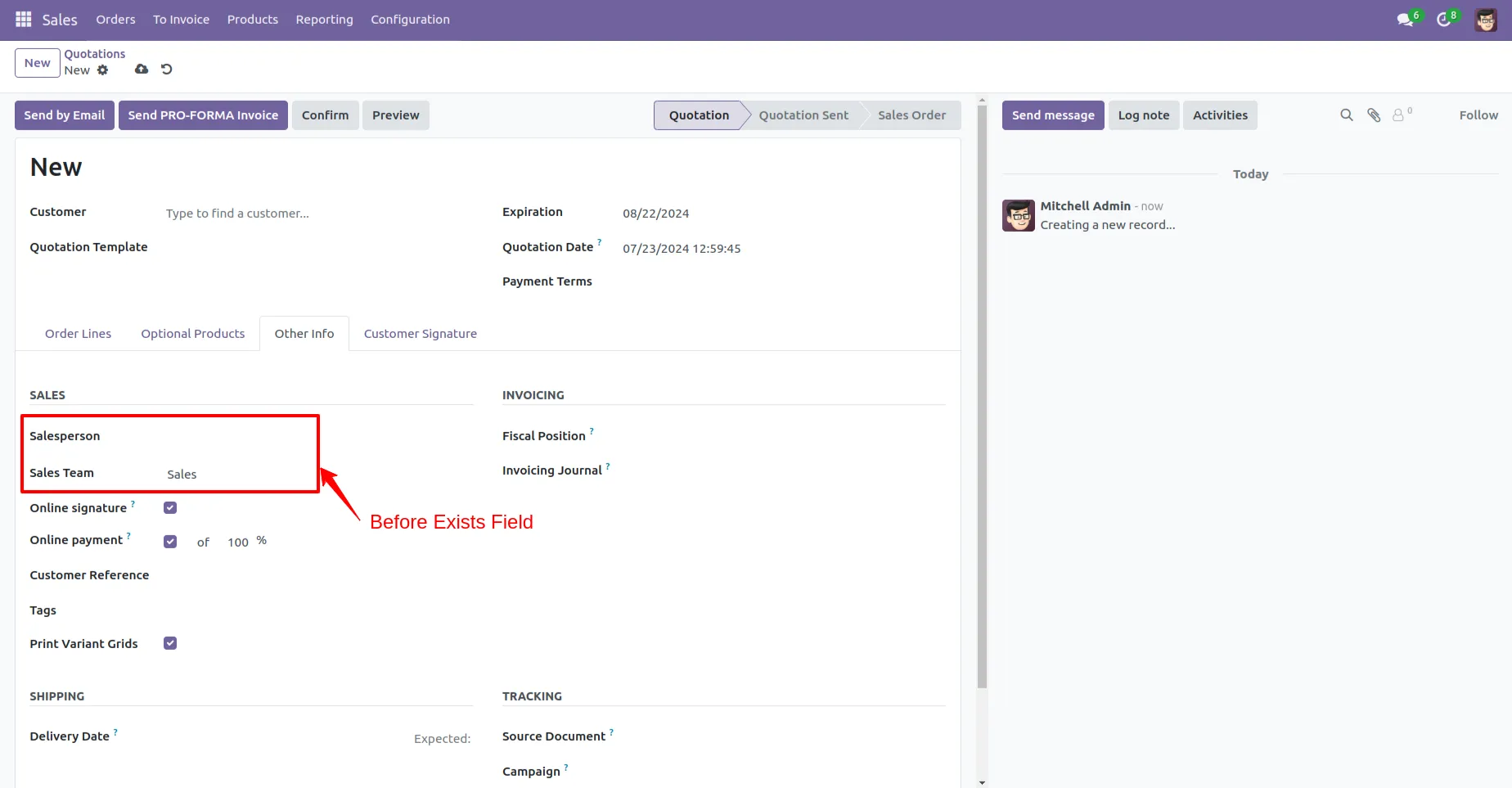
7. Set specific fields as read only or invisible.
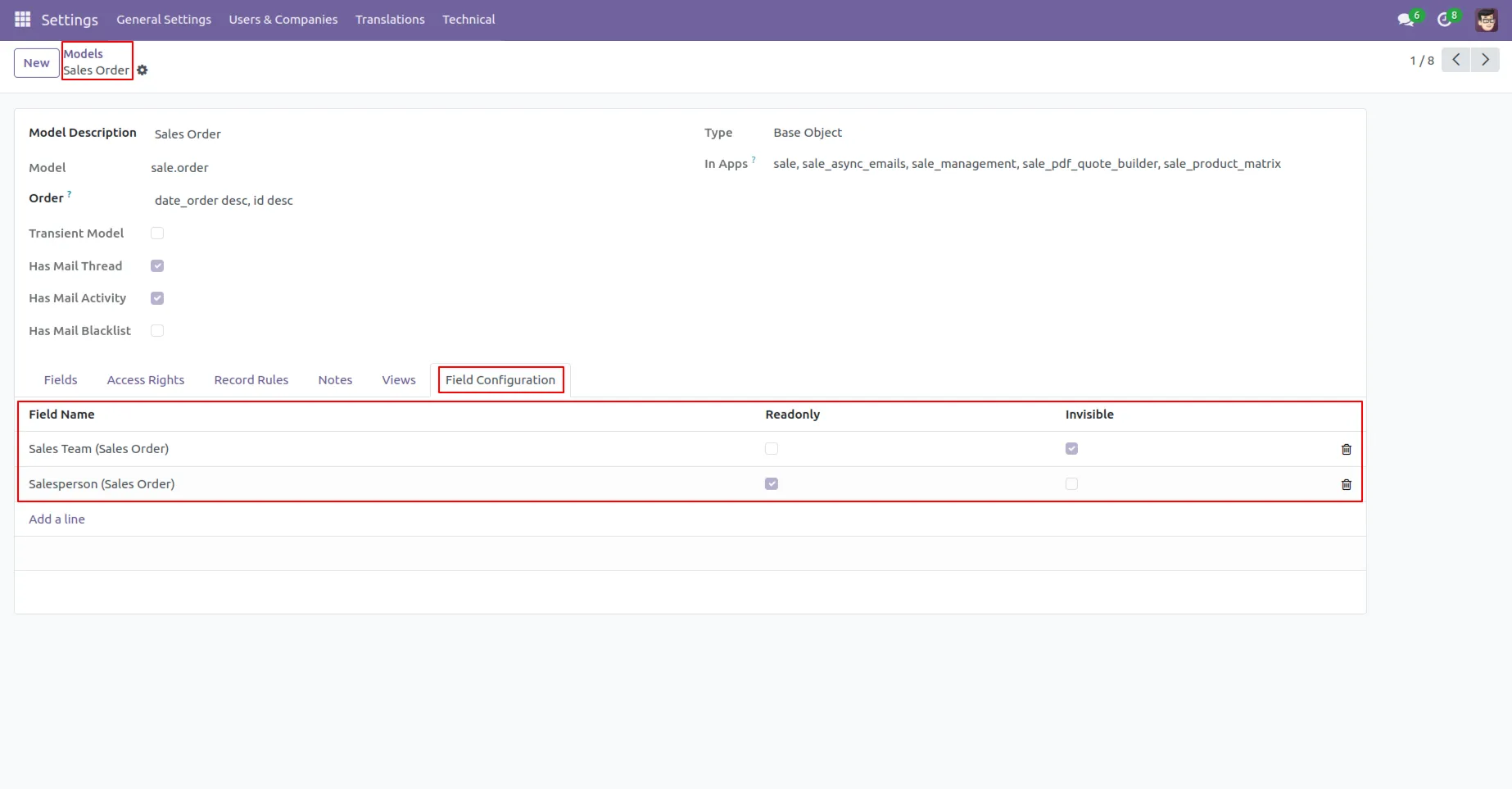
8. In the model's form view, use the "Field Configuration" tab to select fields and apply "Readonly" or "Invisible" attributes. Settings can be group-specific.
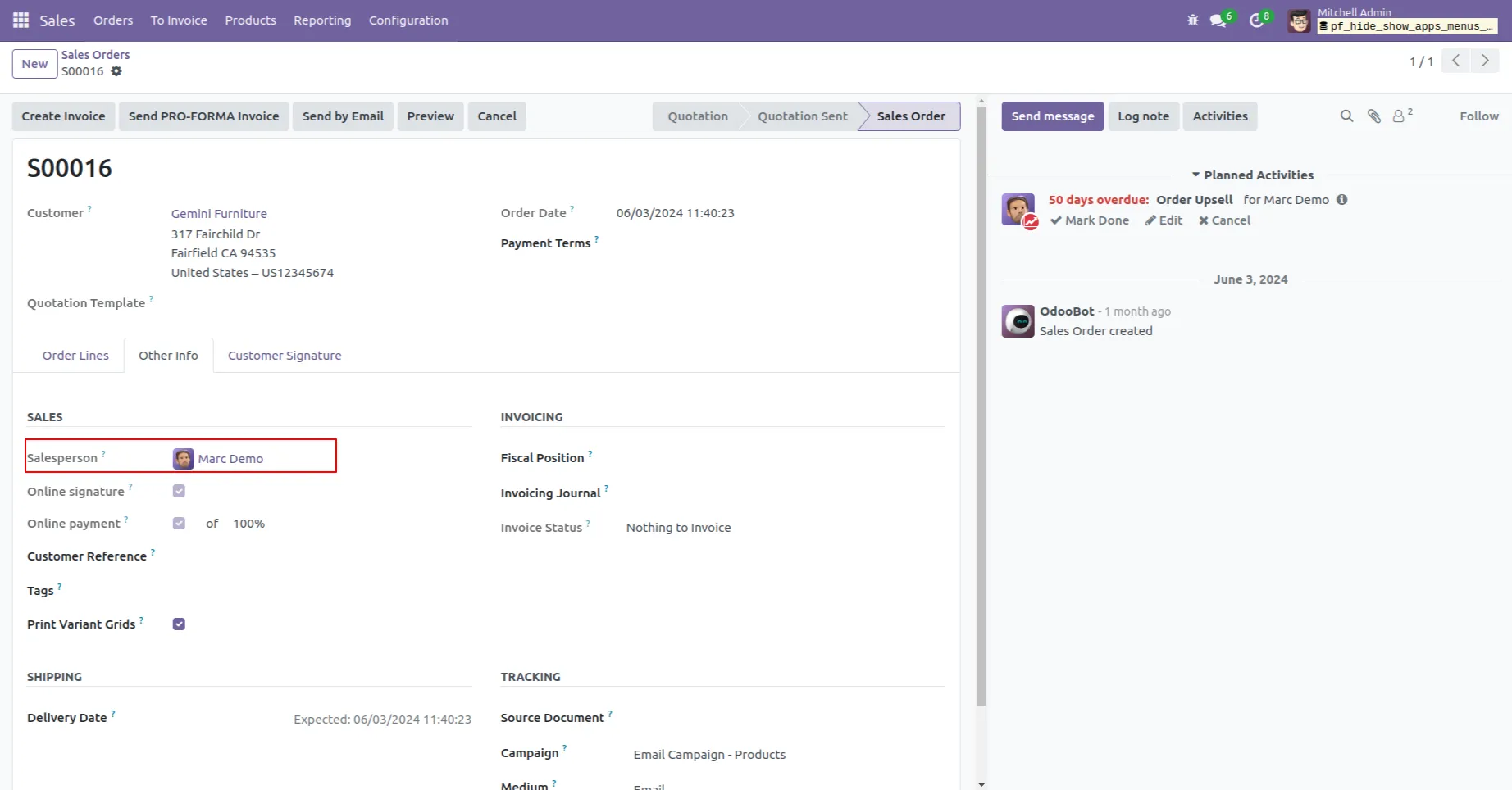
9. Verify that "Sales Team" is invisible and "Sales Person" is read only, ensuring configurations apply correctly.
Our Pricing includes User Manual, 90 Days Support (Monday-Friday 10am to 7pm IST) and One time Setup
• Works & tested on standard installations of Odoo with no third party apps,
• Free support only for odoo installations with no third party apps,
• Paid support available for Odoo installations with third party apps.

Prefortune is a Odoo Official Partner, Odoo Development company. Our philosophy is to use Open Source tools and technologies to provide cost effective and green solutions for our customers.
Prefortune Technologies LLP is working on web development, Mobile development, and Odoo ERP.
If you need any help or want more additional features, you may contact us through:
These other products might interest you
| Version | 17.0, 16.0, 15.0, 14.0, 13.0 |
Secure Aerospace Operations with Odoo Apps for Access Control, Data Protection & Compliance
A practical guide to 10 Odoo apps that help businesses connect platforms, reduce manual work, automate operations, and scale more efficiently.