Watch Quick Video
Odoo Direct Print
With The Direct Print Odoo App , your team can enjoy the added convenience of sending reports directly to the print dialogue of the browser, bypassing the typical PDF auto-download. The app uses a highly secure Base64 background architecture to avoid cluttering your local downloads folder and save valuable time.
The App has dual layer configuration matrix. You can turn on the Global Master Switch and then select exactly which reports like Invoices, Quotations or Picking Operations should trigger the direct print functionality. Otherwise, reports will download as normal PDFs. You have full granular control of your workflow.
Direct Print Odoo App Features
- When the document is generated, immediately pop up the native print dialogue, so the user can print directly without any extra clicks.
- Print everywhere in your system instantly and automatically with one master toggle in General Settings.
- Guaranteeing perfect integration and smooth compatibility with all standard Odoo documents and your custom reports.
- Stop Odoo from automatically saving PDFs to your device Clean up your downloads folder Speed up workflows
- Make it flexible to allow direct printing only for some templates like sales orders and download rest normally.
Complete Workflow
Go to Settings → General Settings, scroll to the Direct Print Configuration section, and enable the Master Switch. Next, navigate to Settings → Technical → Reports. Open the specific report you want to automate (e.g., Quotation / Order) and tick the "Direct Print" checkbox. The next time a user clicks Print on that document, the browser's print dialog will instantly pop open!
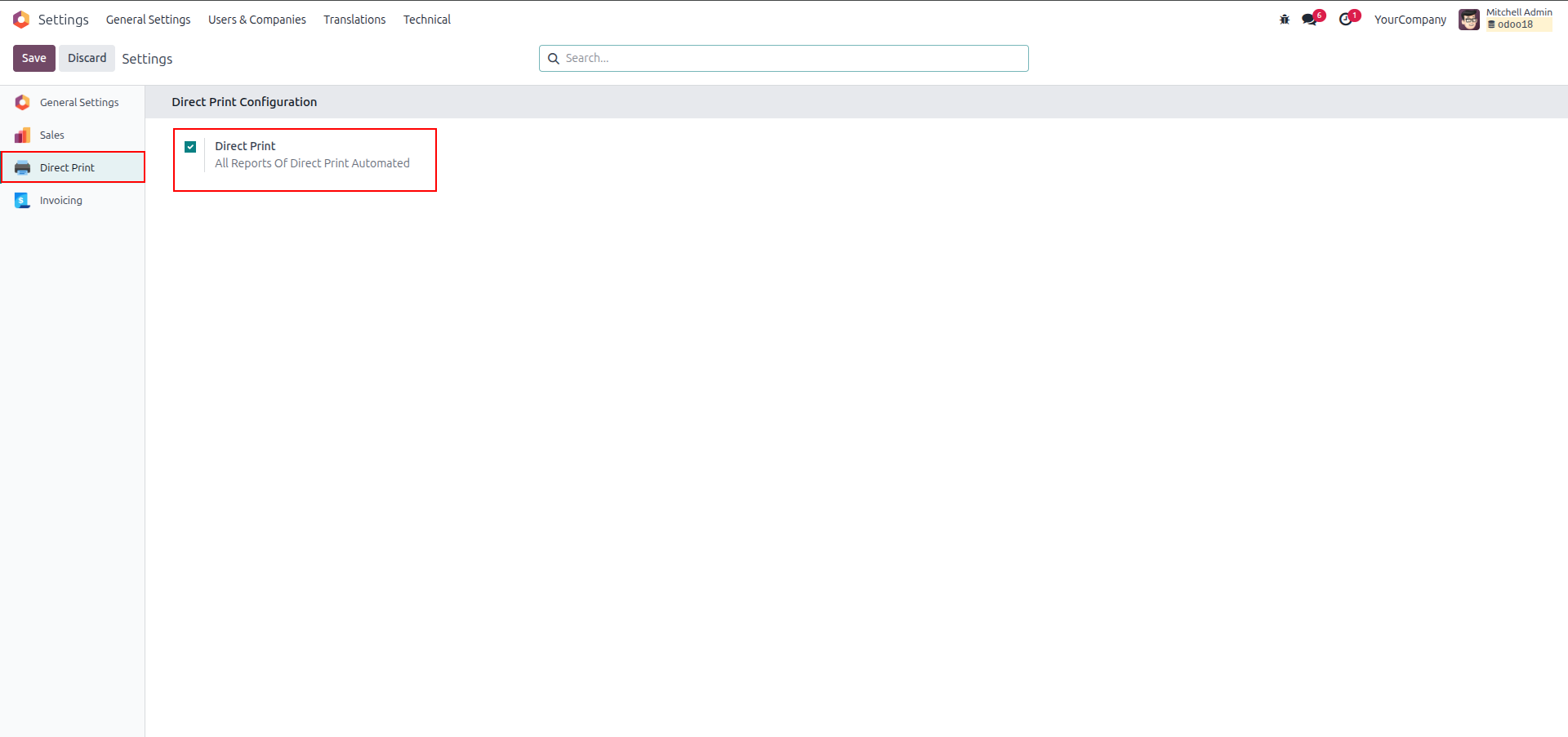
1. Navigate to General Settings to toggle the master 'Direct Print' boolean, enabling the module's core functionality.
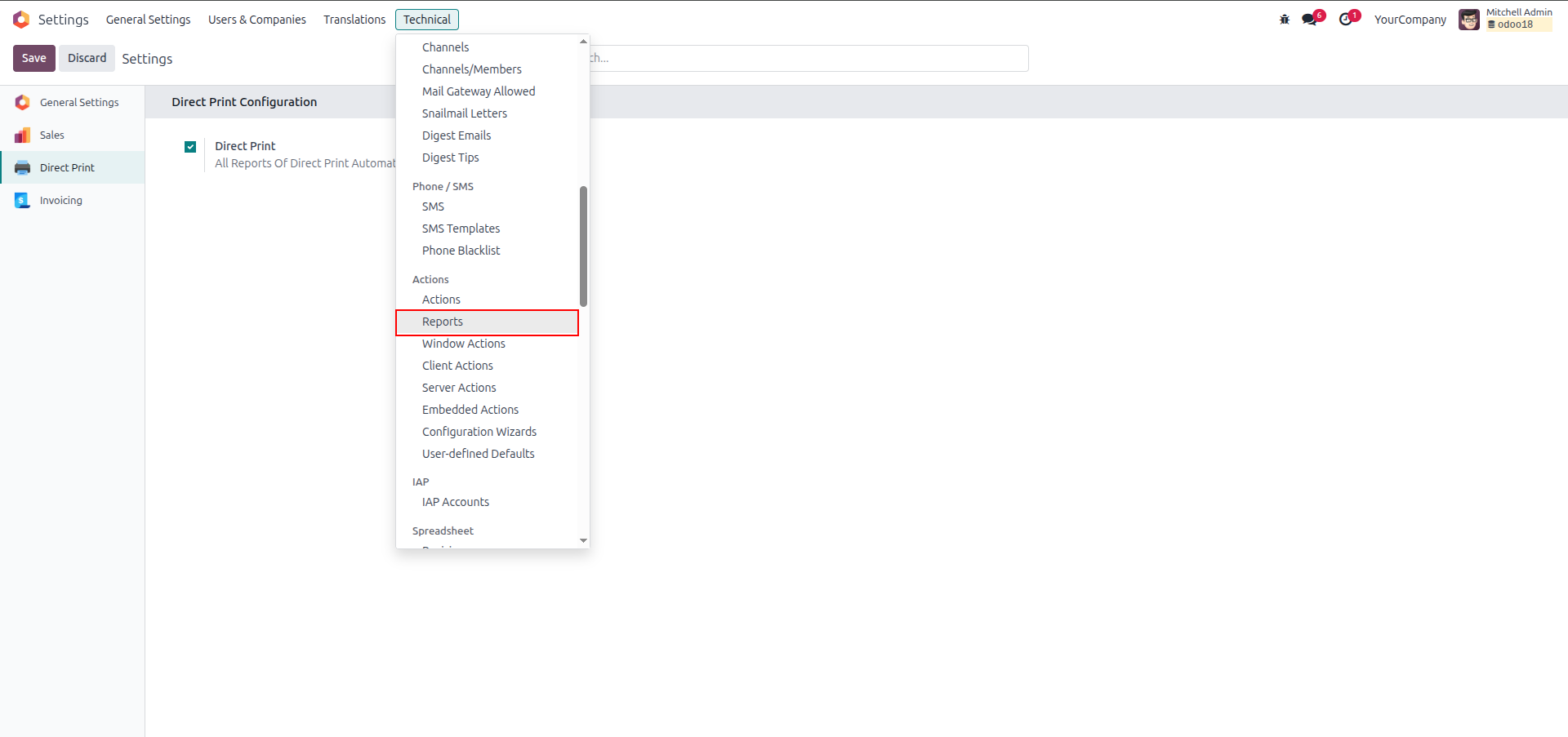
2. Access your system's report templates via Settings → Technical → Actions → Reports.
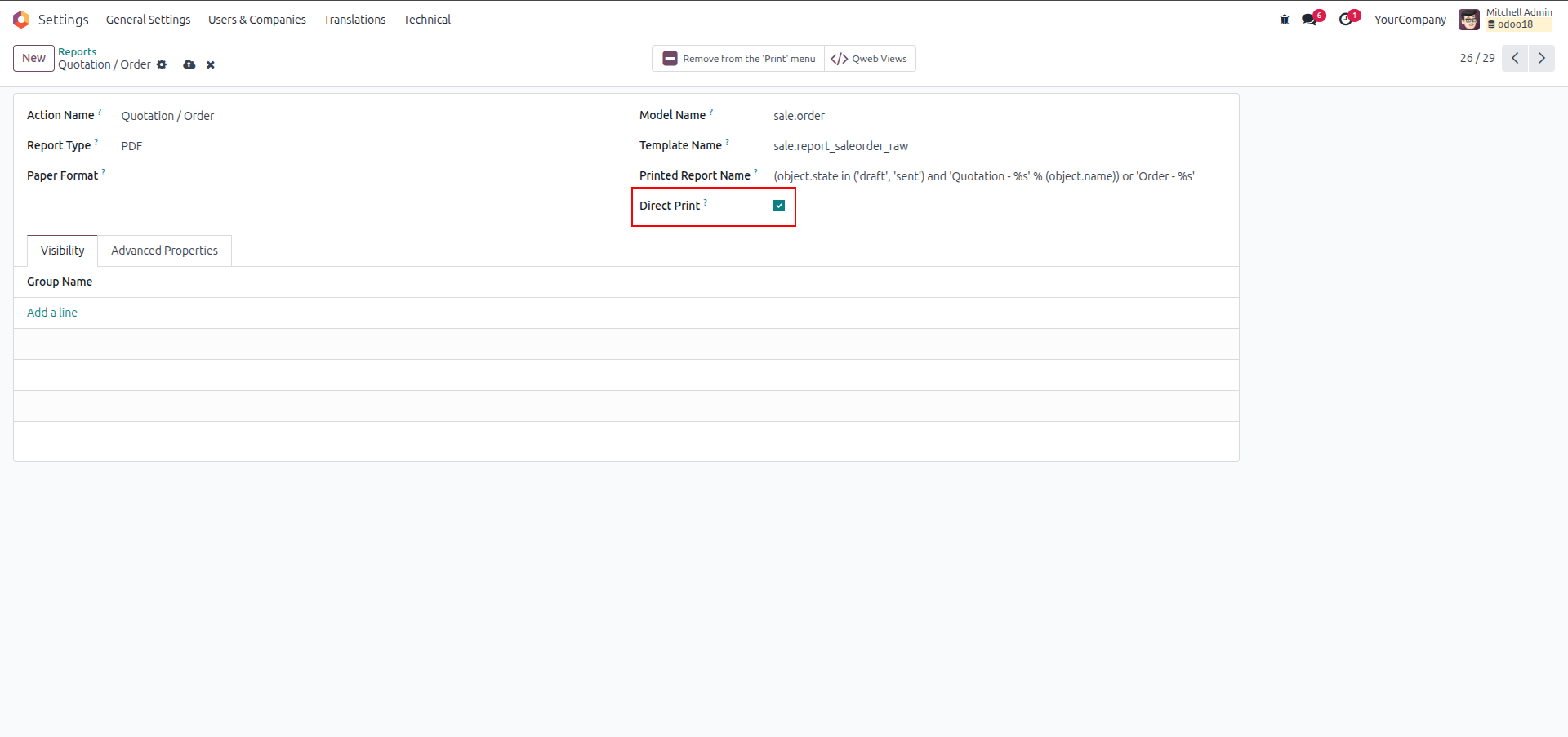
3. Within the specific report record (e.g., Quotation / Order), enable the 'Direct Print' boolean to apply the automation rule.
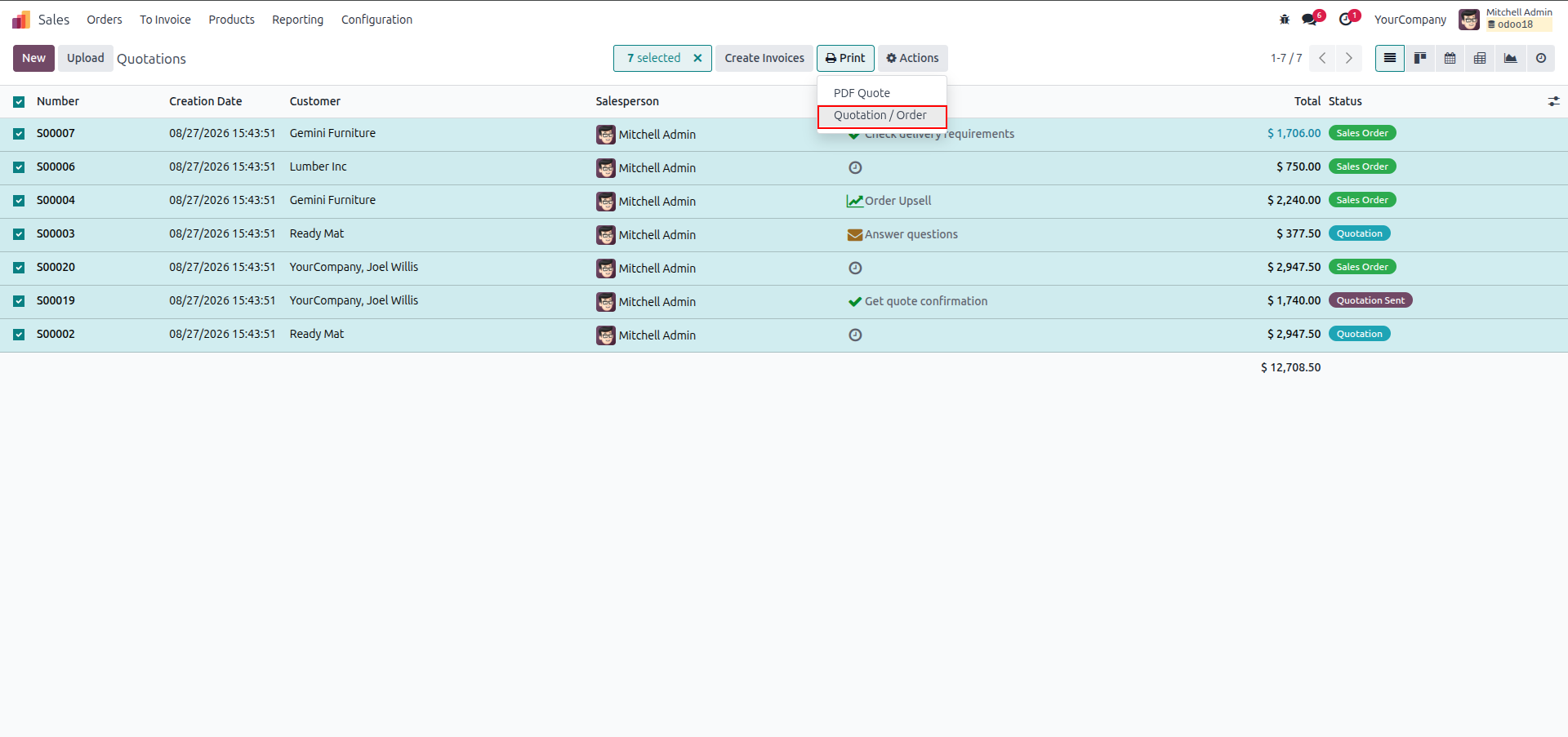
4. Select the desired records from the list view and trigger the standard print action.
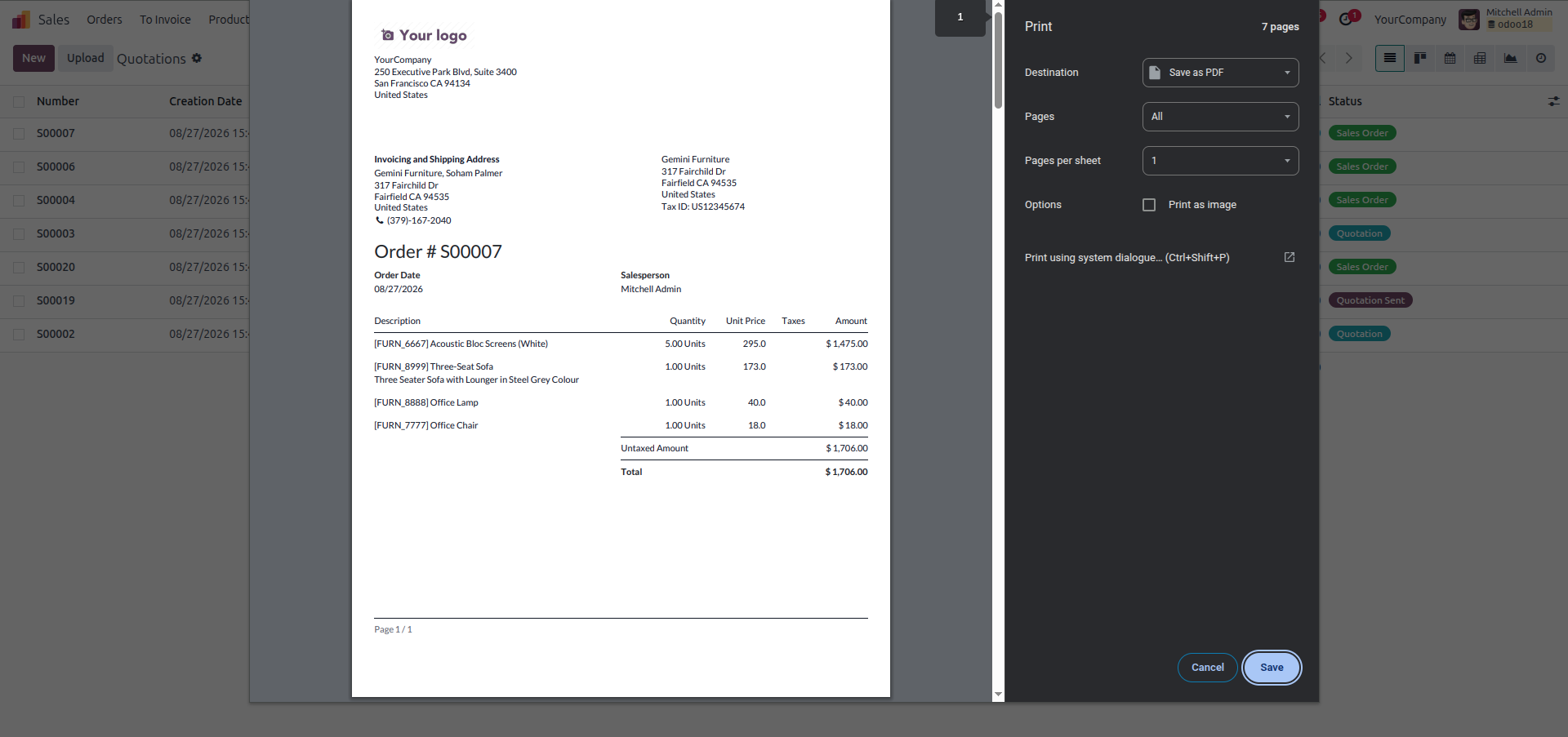
5. The module successfully intercepts the PDF generation and opens the browser's native print interface.
Our solutions focus on your problems
- Odoo Implementation
- Odoo Customization
- ERP Development and Implementation
- Odoo Ipass Cloud
- AI for Odoo
- Odoo Apps
- Aws Marketplace Products
- Business Engines
Our Pricing includes User Manual, 90 Days Support (Monday-Friday 10am to 7pm IST) and One time Setup
• Works & tested on standard installations of Odoo with no third party apps,
• Free support only for odoo installations with no third party apps,
• Paid support available for Odoo installations with third party apps.

Prefortune is a Odoo Official Partner, Odoo Development company. Our philosophy is to use Open Source tools and technologies to provide cost effective and green solutions for our customers.
Prefortune Technologies LLP is working on web development, Mobile development, and Odoo ERP.
If you need any help or want more additional features, you may contact us through:
Alternative Products
These other products might interest you
Specifications
| Version | 19.0, 18.0, 17.0, 16.0, 15.0, 14.0 |