10 Best Odoo Apps for 2026: eCommerce, Automation & Business Integrations
A practical guide to 10 Odoo apps that help businesses connect platforms, reduce manual work, automate operations, and scale more efficiently.
The Employee Leave Portal module provides a flawless
self-service experience for your staff. Instead of granting backend Odoo access to every employee just to
manage time off, workers can navigate to their "My Account" portal to handle their leaves.
The portal connect is smart and adapts based on staff specific setup – seamlessly hiding leave types they do not have allocated time for, calculating the correct shift hours for half day applications based on their unique working calendars, and tracking request through the full HR approval workflow.
Configure your backend leave types by navigating to Time Off →
Configuration → Time Off Types and checking the "Portal Employee
Leave" option.
Portal users can log into their account and navigate to My
Leaves. Here, they can view a statistical dashboard of their approved, pending, and
refused leaves. By clicking Apply for Leave, a dynamic
form appears allowing them to select dates, specify durations (Days or Custom Hours), add a reason, and
upload necessary attachments.
Once submitted, the leave is instantly pushed to the Odoo backend for HR Managers to validate. Employees
can actively monitor the status from their portal, view their Leave
Balances to see how many days they have left, or cancel a request before it gets
approved.
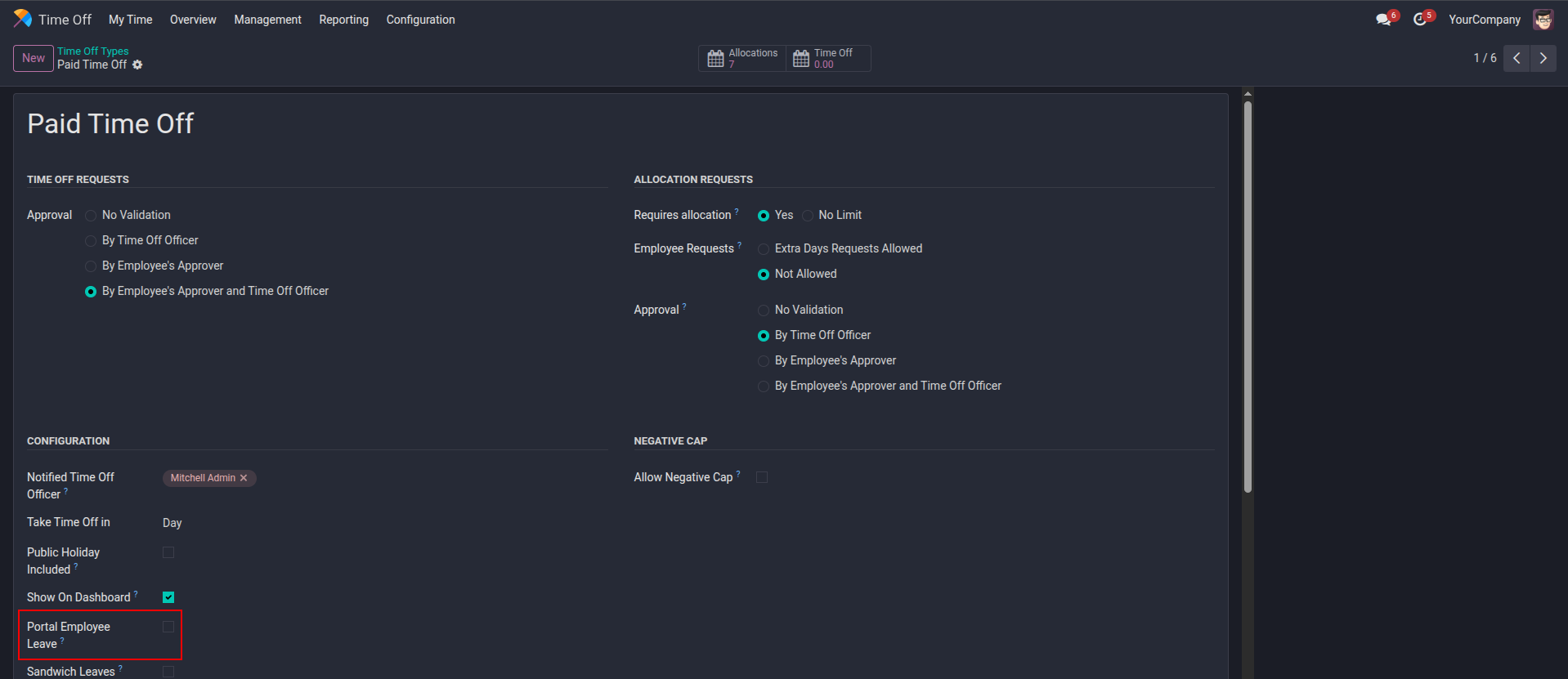
1. Enable the "Portal Employee Leave" checkbox on any backend leave type to make it available in the portal application form.
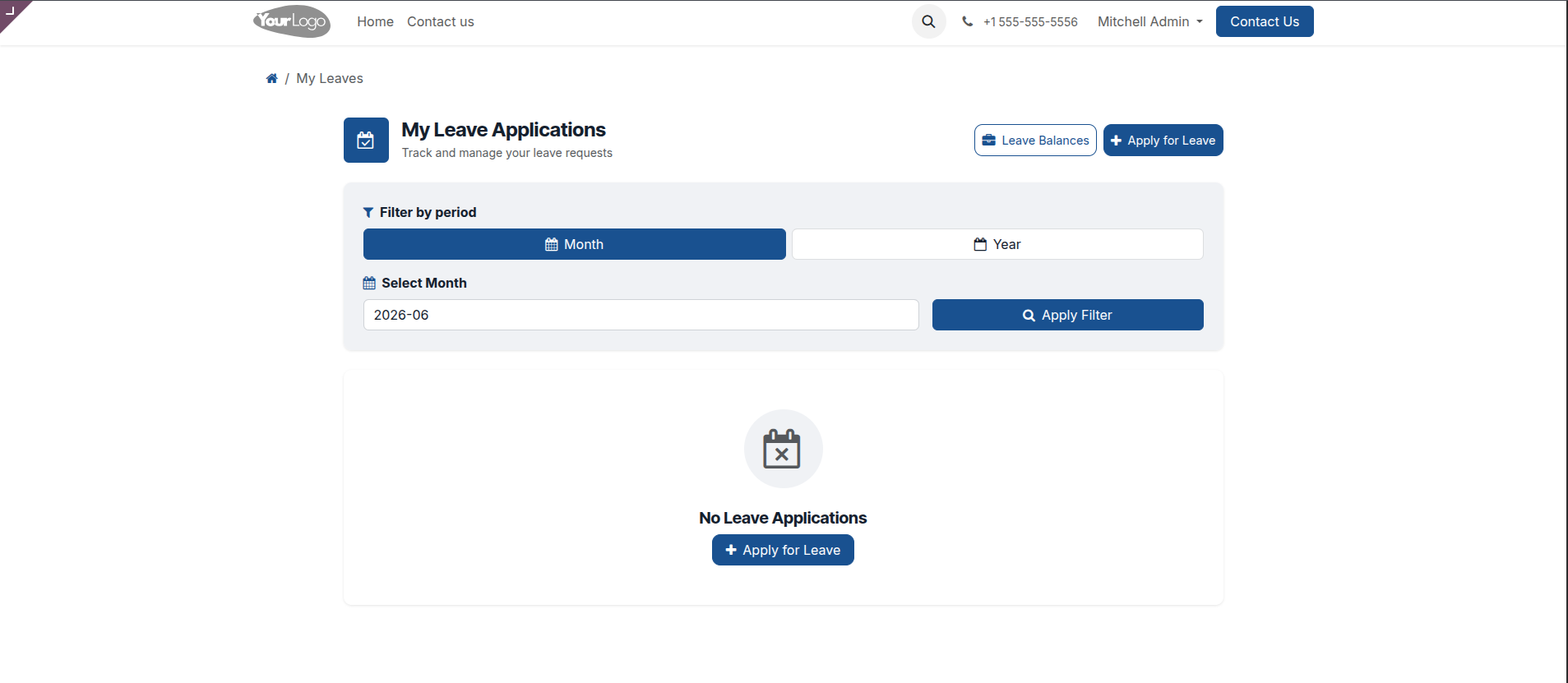
2. Access a clean, user-friendly portal dashboard to quickly initiate new leave requests.
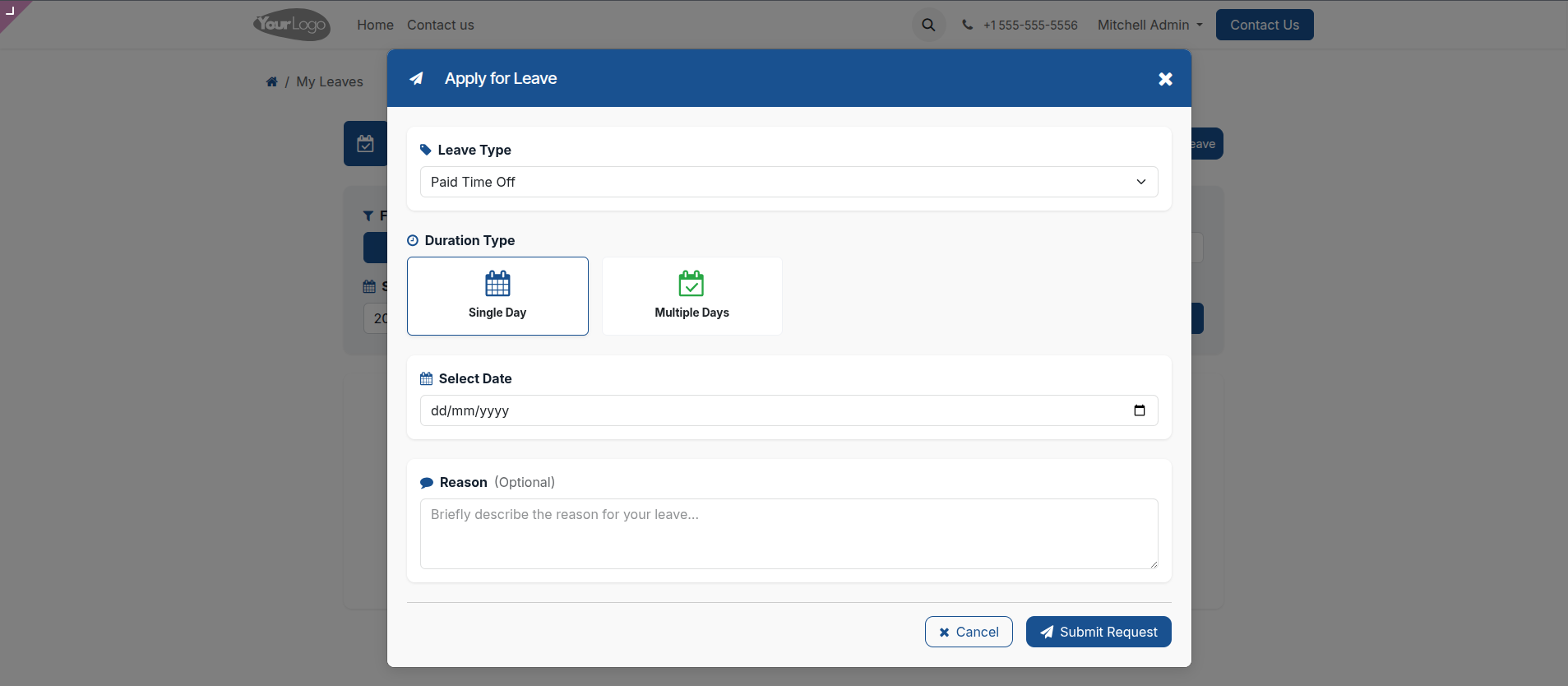
3. Select the "Single Day" duration type to easily apply for a standard full-day absence and provide an optional reason.
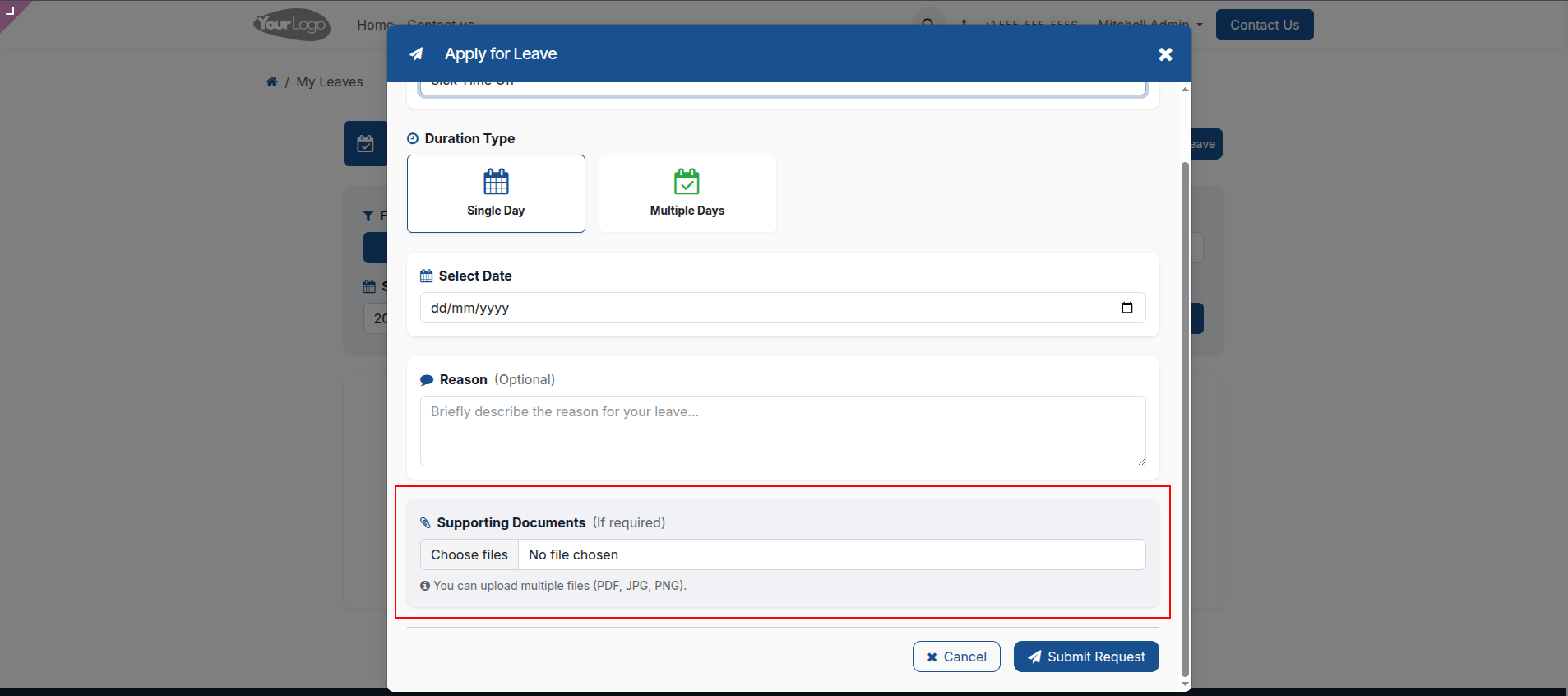
4. Securely attach necessary supporting documents, such as medical certificates, directly within the portal leave application.
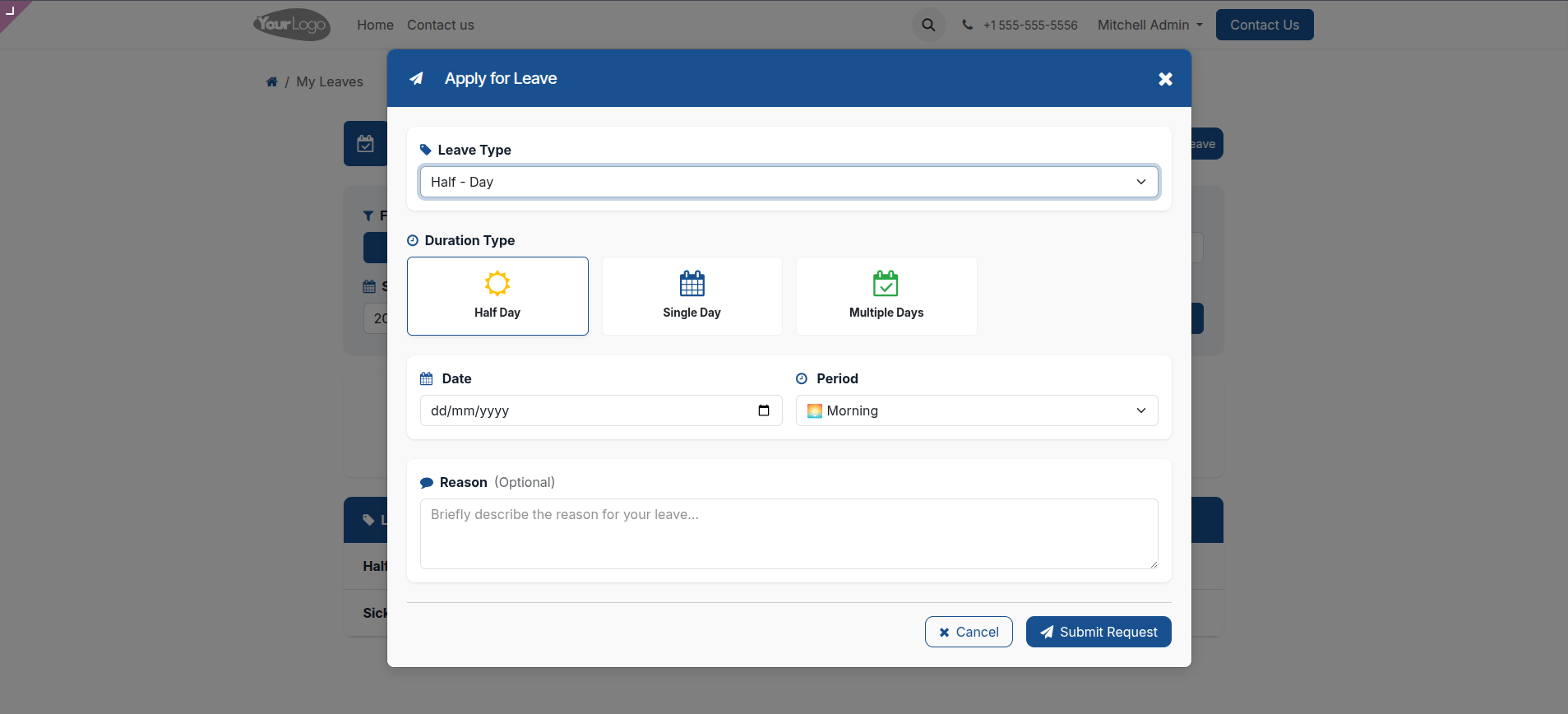
5. Choose the "Half Day" duration to precisely specify morning or afternoon time-off periods based on employee schedules.
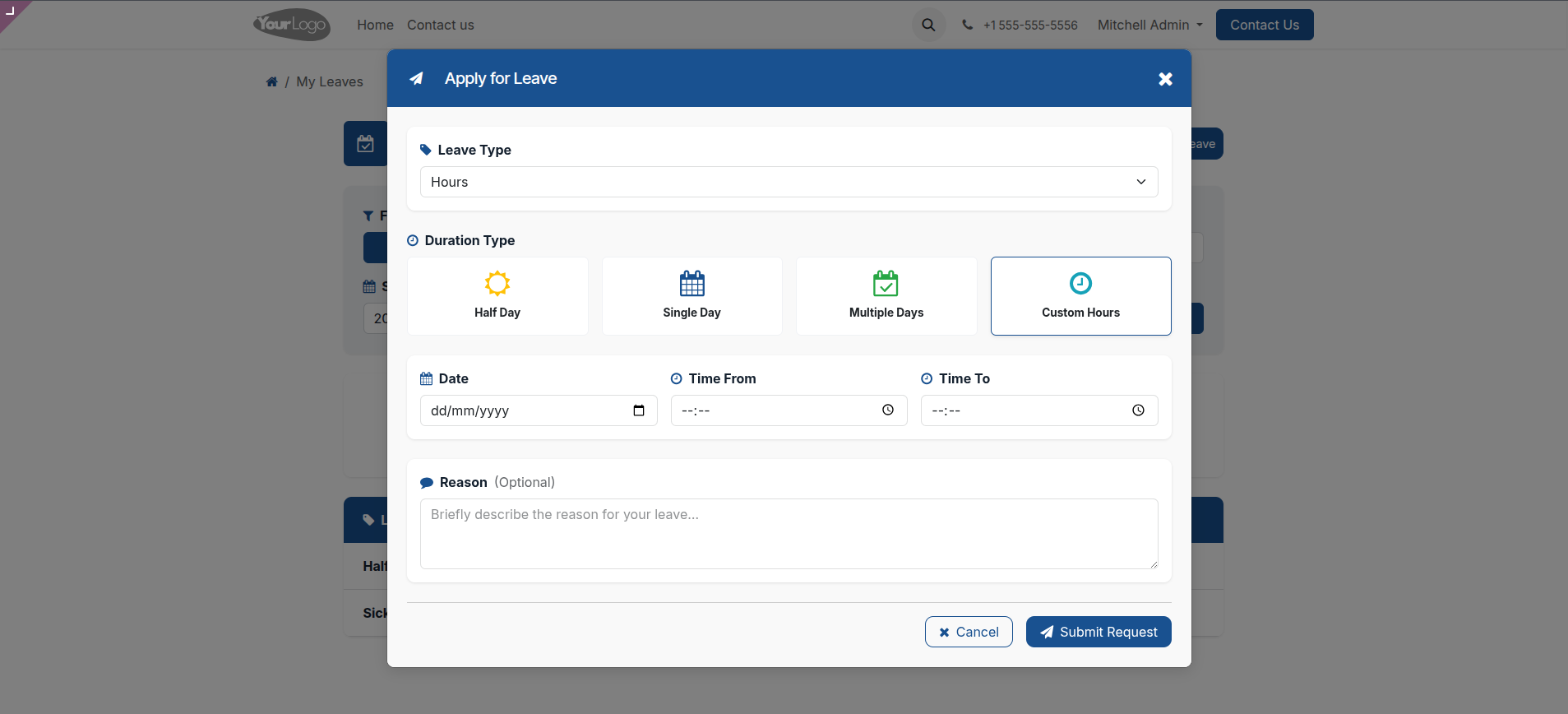
6. Utilize the "Custom Hours" option to request exact time-in and time-out periods for partial day absences.
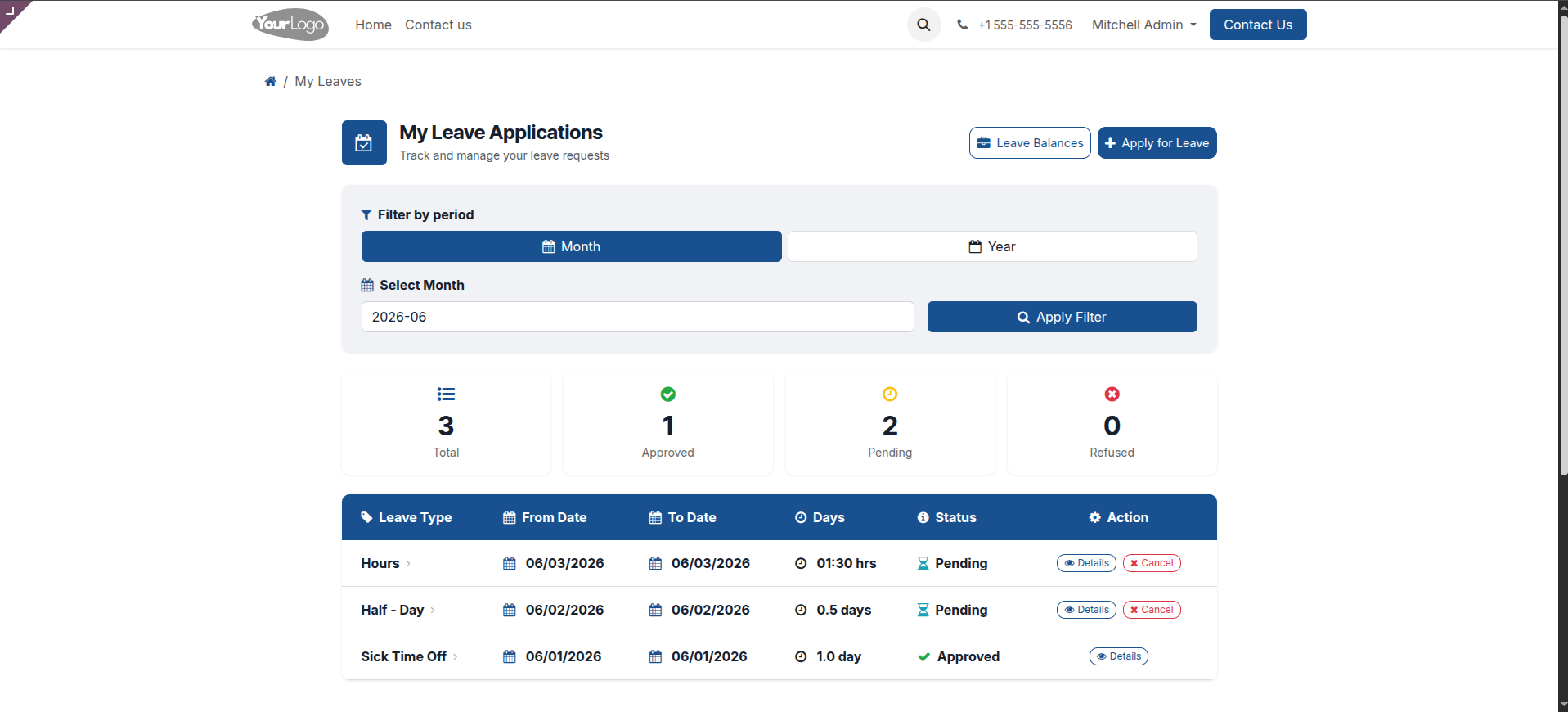
7. Track all applications through a comprehensive portal dashboard featuring live status counters and advanced period filtering.
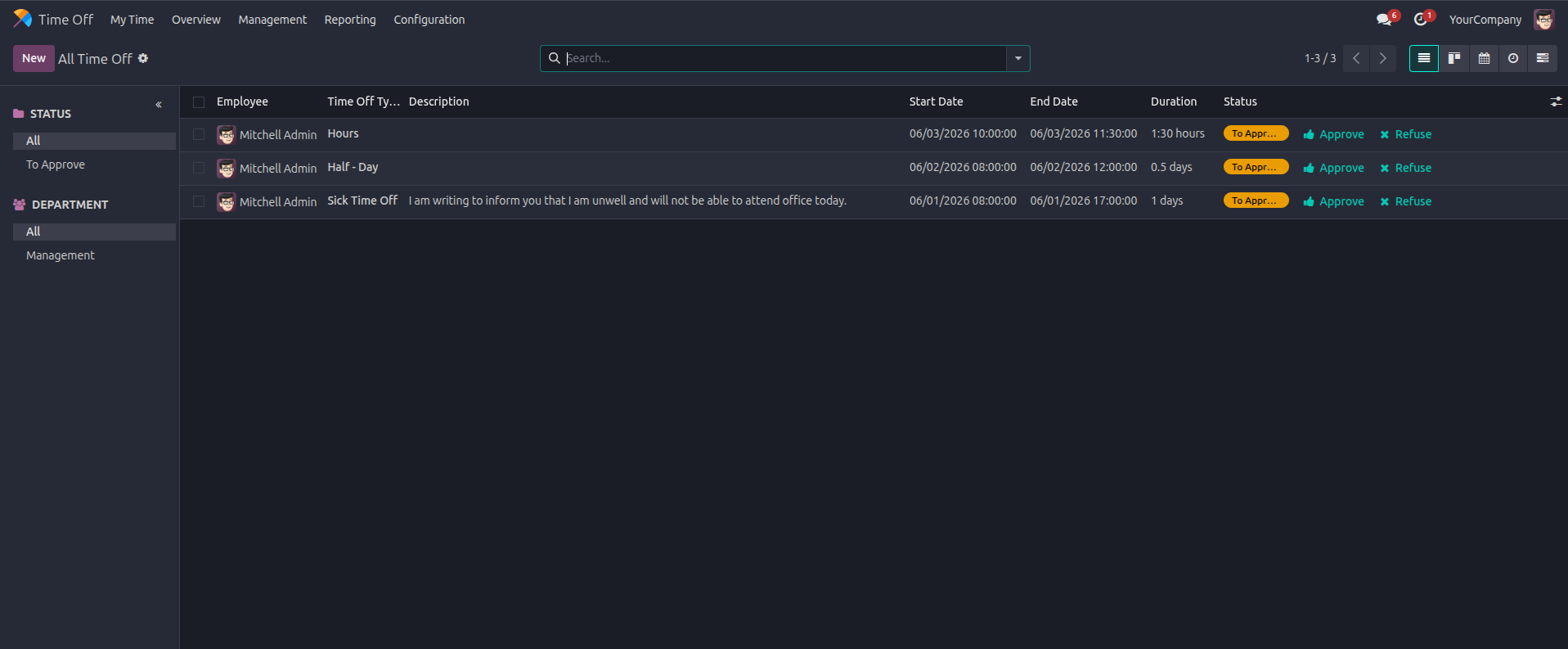
8. Allow HR managers to instantly review, approve, or refuse portal-submitted leave requests directly from the Odoo backend.
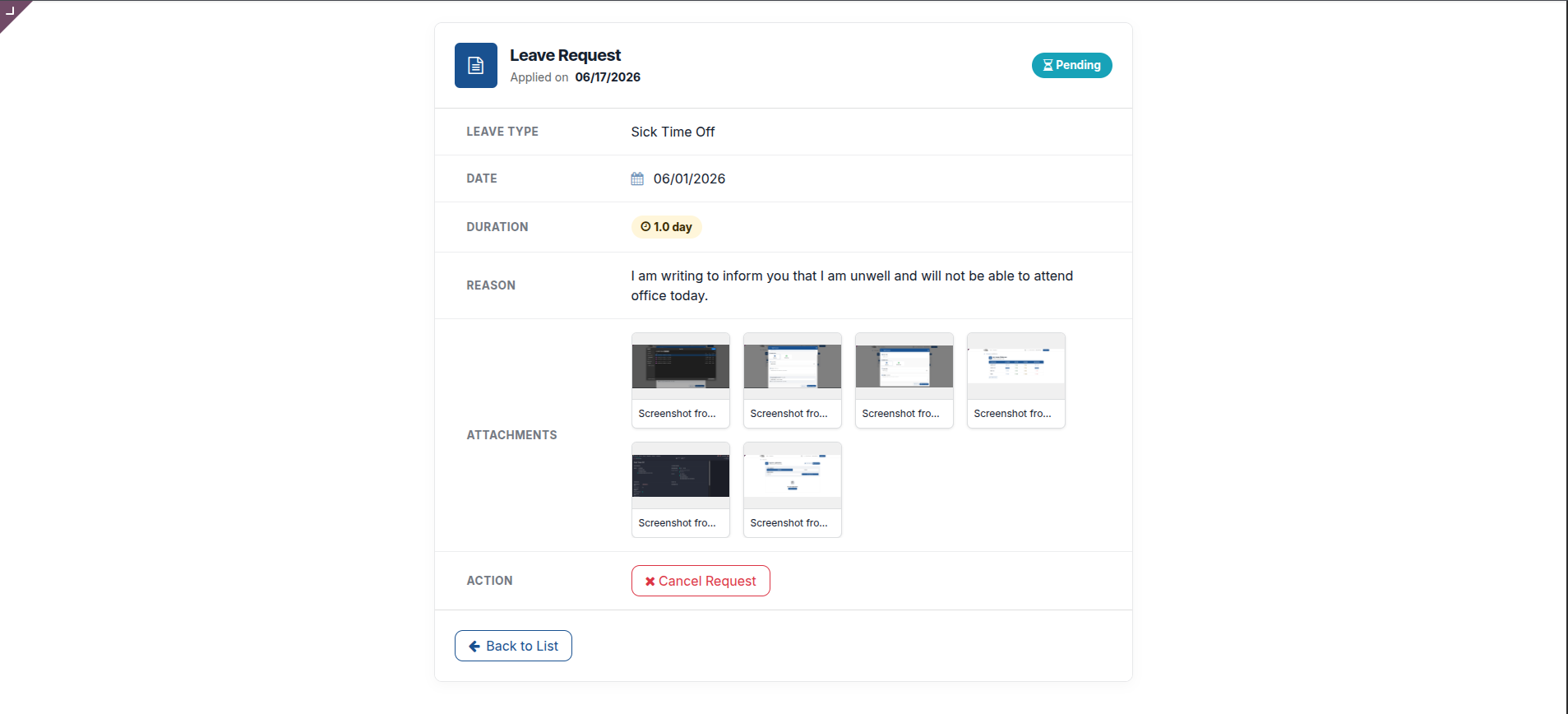
9. Review your detailed leave request summary and easily preview or download any uploaded supporting attachments.
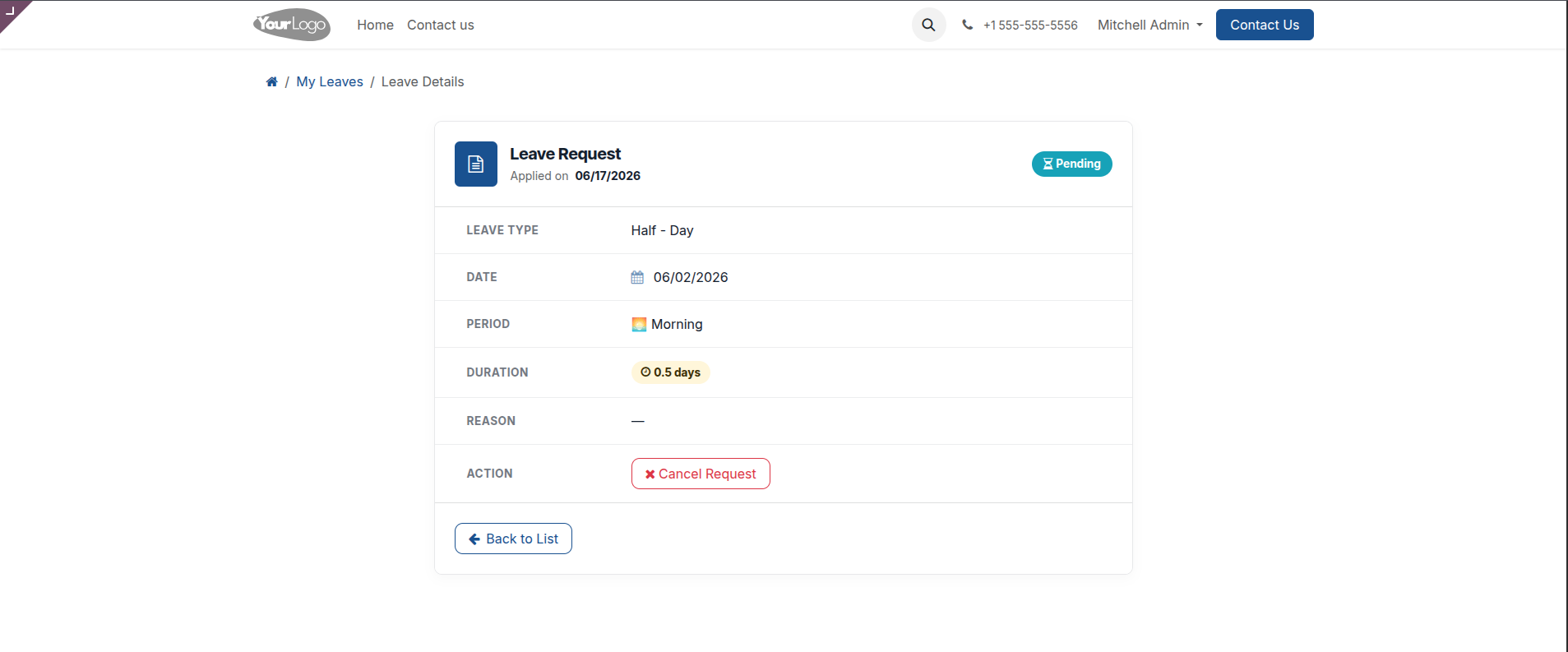
10. Track the exact details of your half-day requests, clearly displaying the specific morning or afternoon period selected.
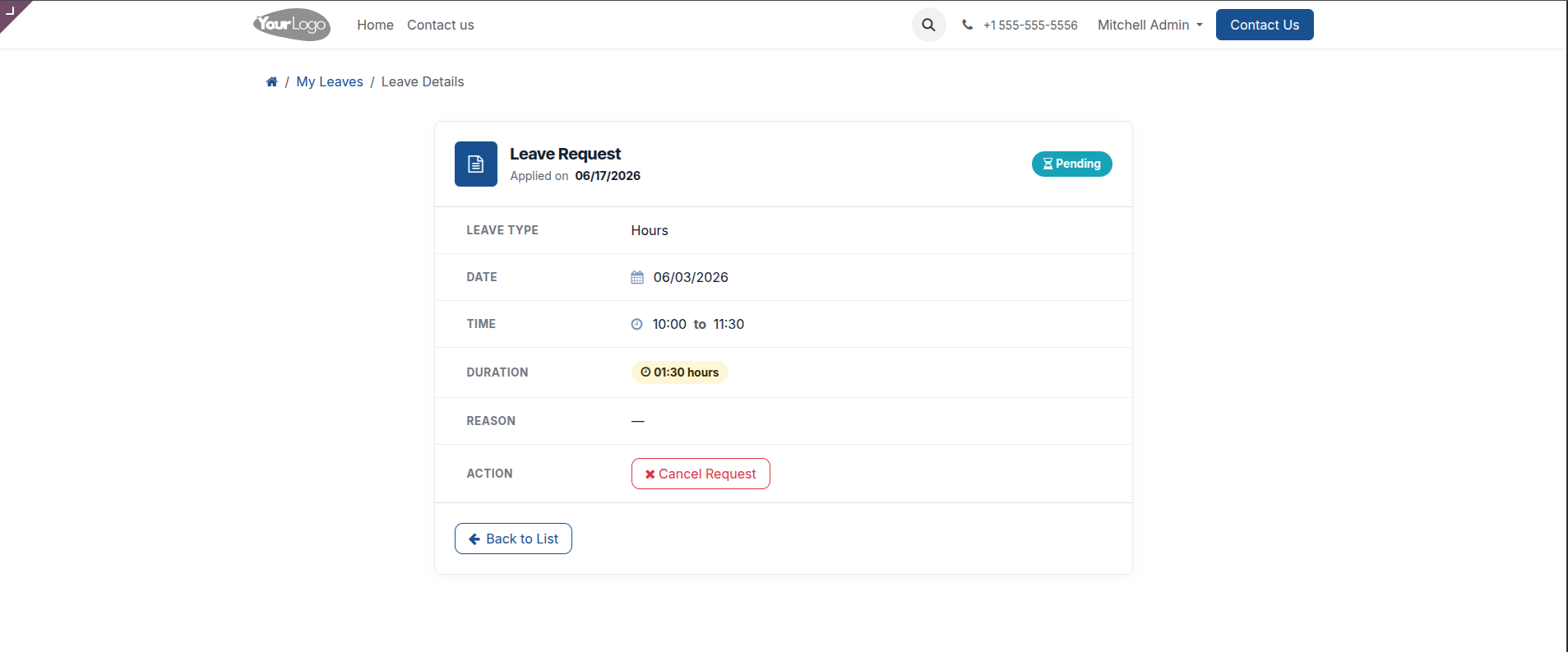
11. Verify the precise start and end times of your custom hourly leave requests right from the portal details page.
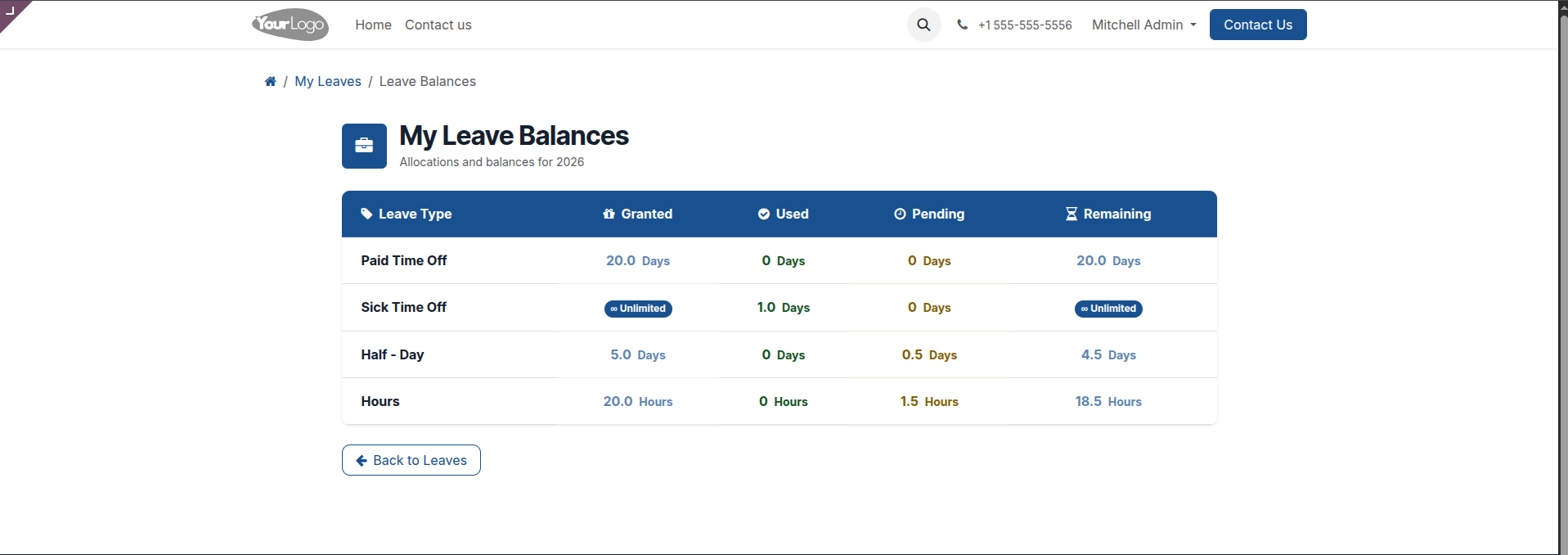
12. Monitor exact time-off allocations with a real-time balances dashboard showing granted, used, pending, and remaining leaves.
Our Pricing includes User Manual, 90 Days Support (Monday-Friday 10am to 7pm IST) and One time Setup
• Works & tested on standard installations of Odoo with no third party apps,
• Free support only for odoo installations with no third party apps,
• Paid support available for Odoo installations with third party apps.

Prefortune is a Odoo Official Partner, Odoo Development company. Our philosophy is to use Open Source tools and technologies to provide cost effective and green solutions for our customers.
Prefortune Technologies LLP is working on web development, Mobile development, and Odoo ERP.
If you need any help or want more additional features, you may contact us through:
These other products might interest you
| Version | 19.0, 18.0, 17.0, 16.0, 15.0, 14.0 |