Watch Quick Video
Employee Time Tracking
Our all-inclusive
Employee Time Tracking
is an all-in-one solution that simplifies repair service management with working time tracking right
from the repair order form. Timer controls such as start, pause, resume and stop allow companies to easily
control repair activities and accurately measure the time spent on each activity. When the timer process
is done the wizard records the time and creates timesheet entries automatically linked to the repair
order. This allows businesses to; Monitor employee performance Keep complete service records Better
productivity tracking The module offers a simple and efficient workflow for dealing with repair times
without any fuss. It improves transparency, reduces manual effort for time tracking and gives better
control over repair operations by automatically updating timesheets with actual hours worked.
Employee Time Tracking
- Add timer workflow to track time used in repair task from repair order.
- Easy control of the timing of repairs with Start, Pause, Resume and Stop.
- Create accurate timesheet data from completed timer sessions and connect to repair orders.
- Monitor and analyze the duration of repair operations for better service management.
- Track and analyse time frame of repair jobs for better service administration.
Complete Workflow for Manage Employee Time Tracking
Go to Repair → Repair Orders and open the required repair order form. Click on the Start button to begin tracking the repair activity time using the integrated timer. During the repair process, users can pause the timer when work is temporarily stopped and resume it when the activity continues. Once the repair task is completed, click on the Stop button to finish the timer process and open the timesheet entry wizard. Enter or review the required details in the wizard and save the record. After saving, the tracked time will be automatically added to the Timesheets tab of the repair order form, allowing users to monitor and manage repair working hours efficiently.
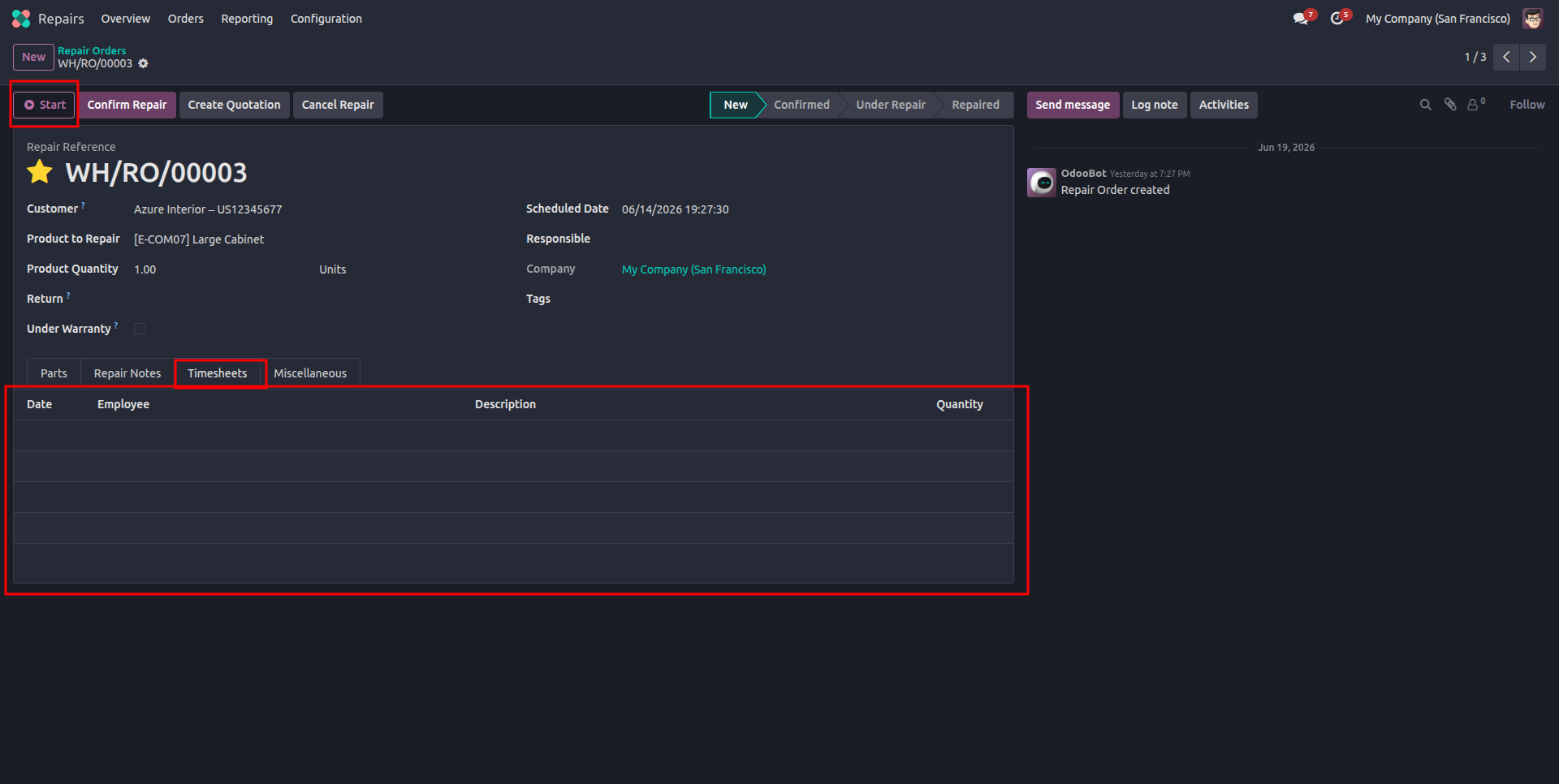
1.Start button and Timesheets tab added on the repair order form (before tracking begins, table is empty).
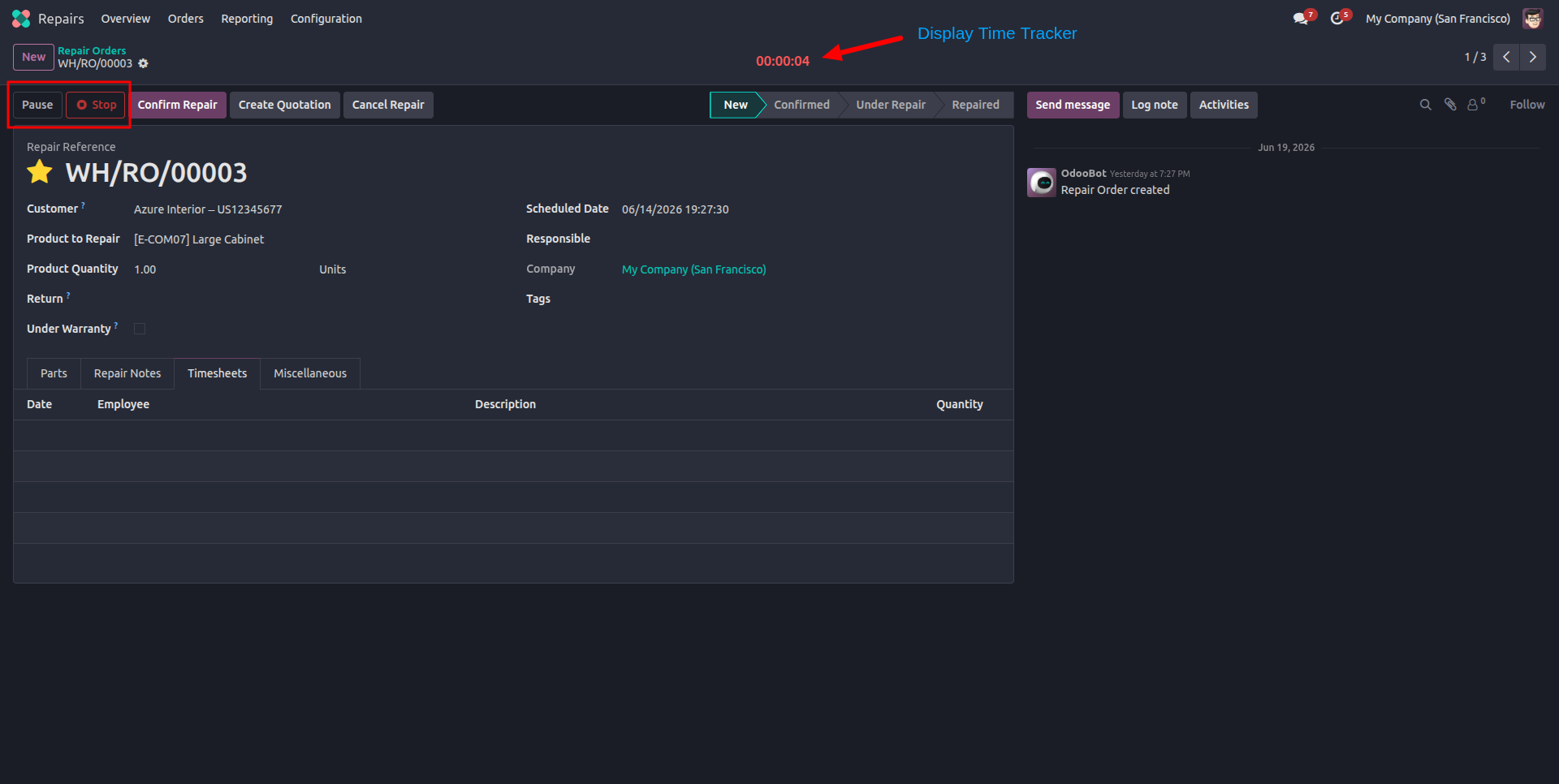
2.While timer is actively running, Pause and Stop buttons along with live duration counter are shown.
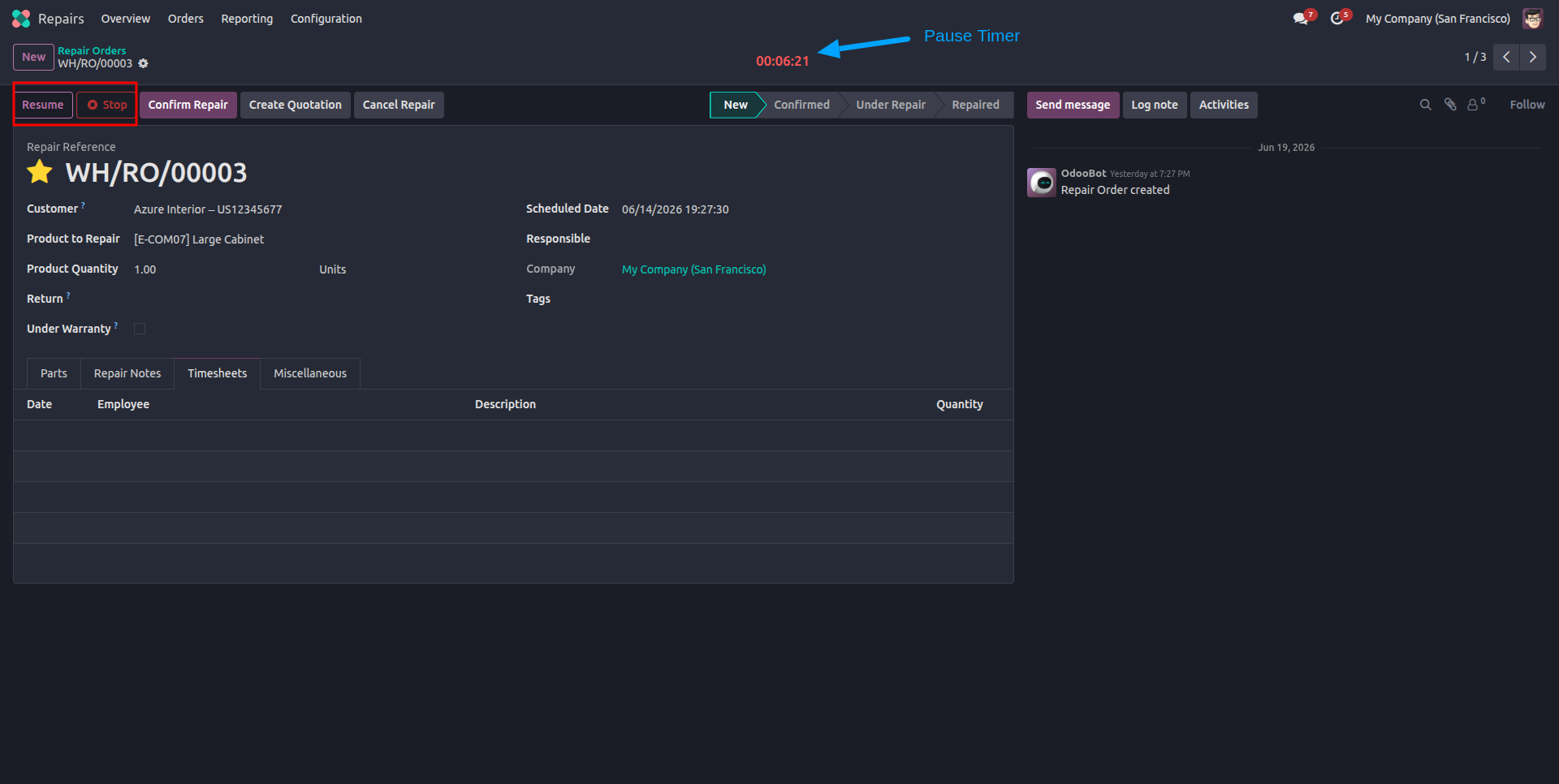
3.Once timer is paused, Resume and Stop buttons are displayed.
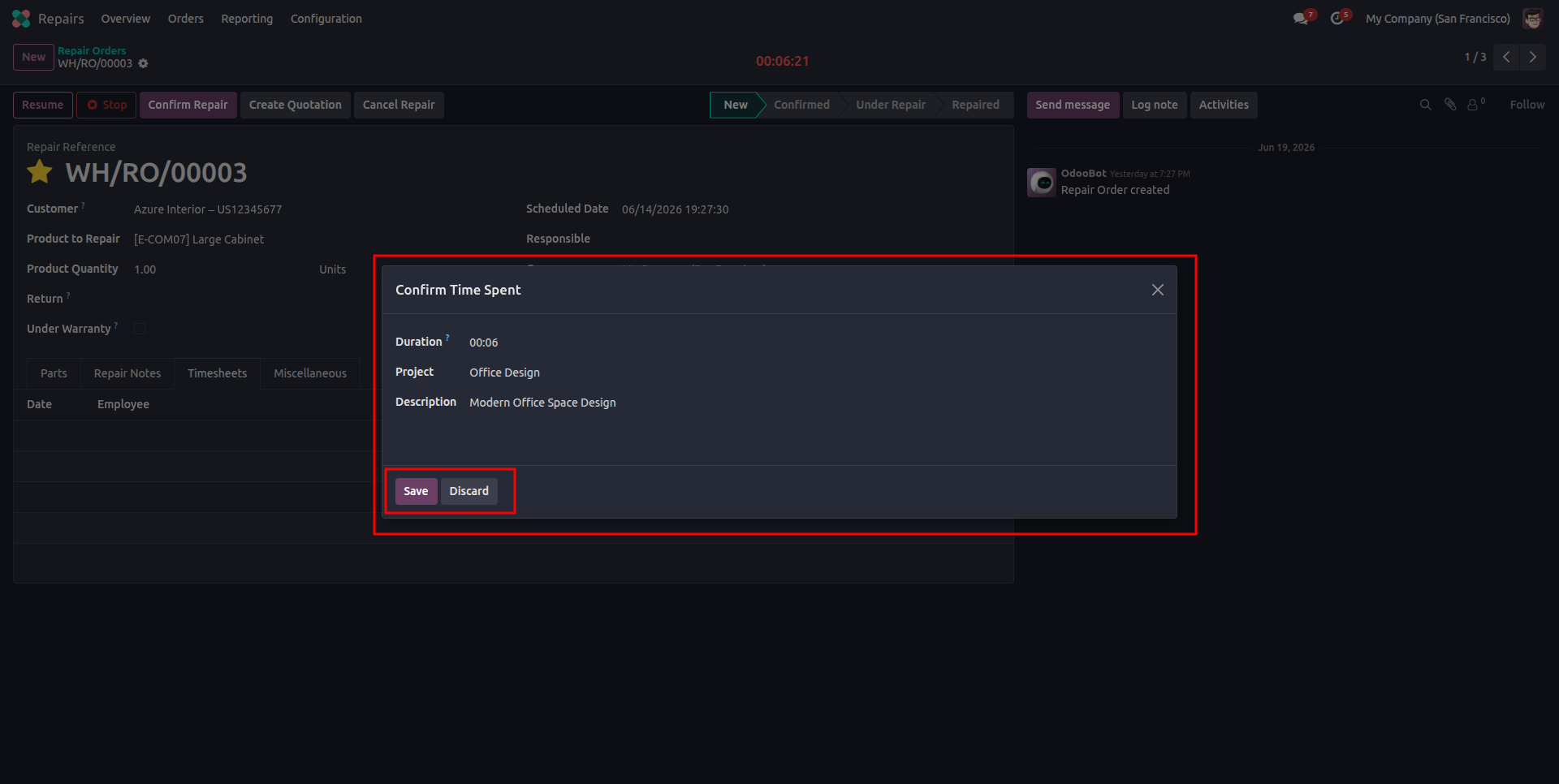
4.On clicking Stop, a "Confirm Time Spent" wizard opens to review and save the logged duration, with an option to Discard if not needed.
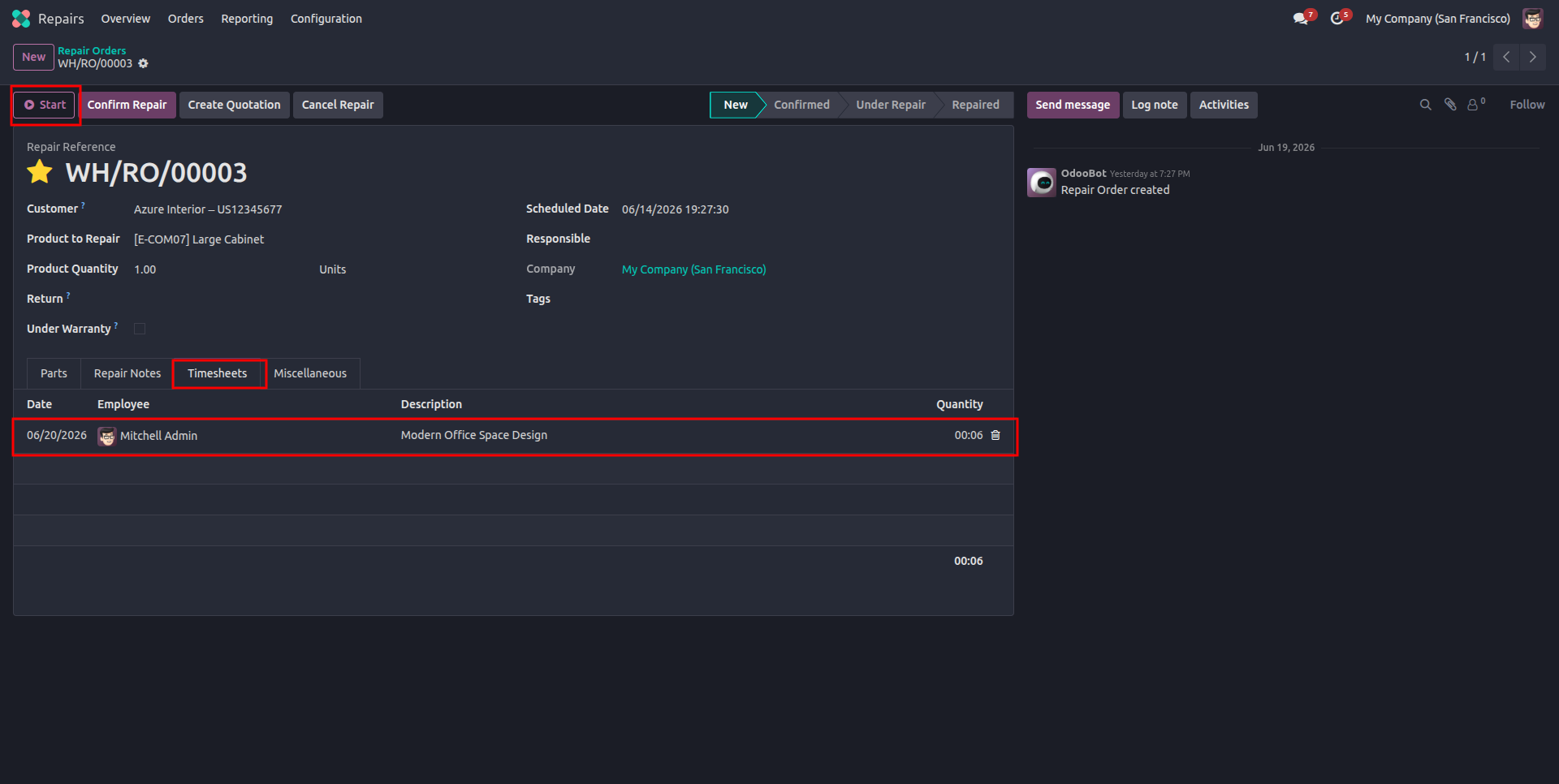
5.After saving the wizard, the time entry gets recorded under the Timesheets tab on the repair order.
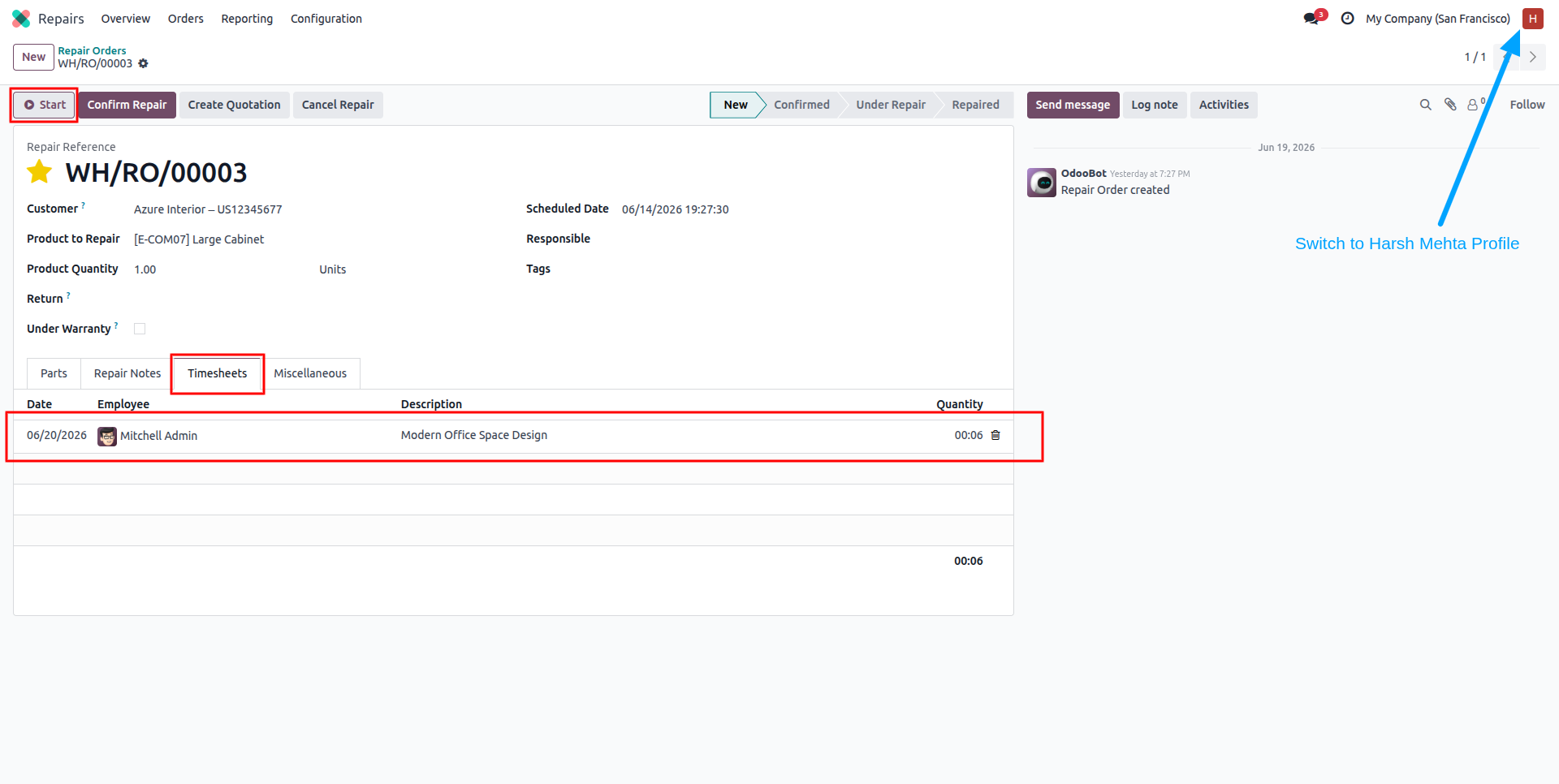
6.Switch to Harsh Mehta profile to verify that the Start button and logged Timesheets entry are visible on the repair order form.
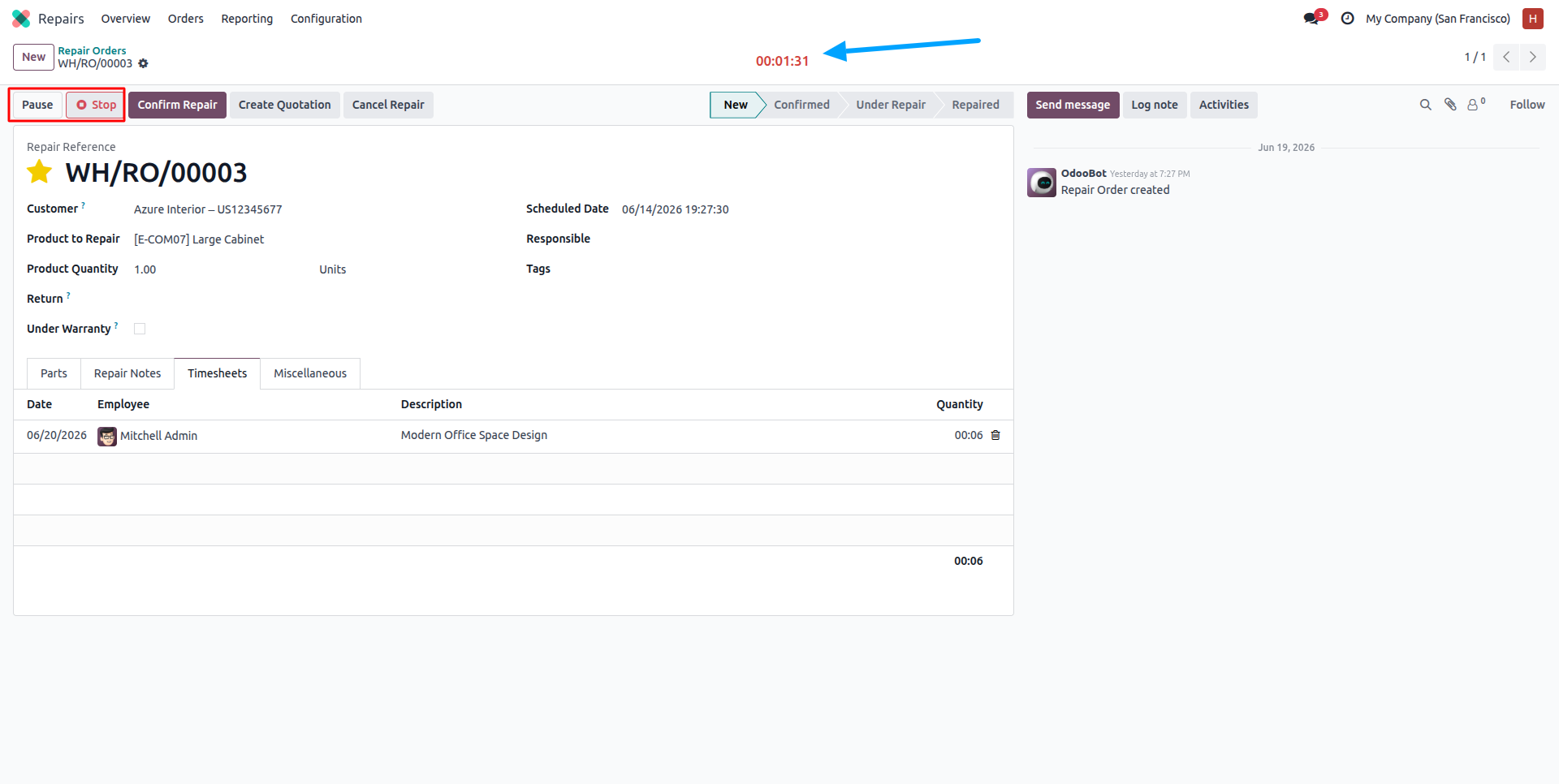
7.While timer is actively running, Pause and Stop buttons along with live duration counter are shown.
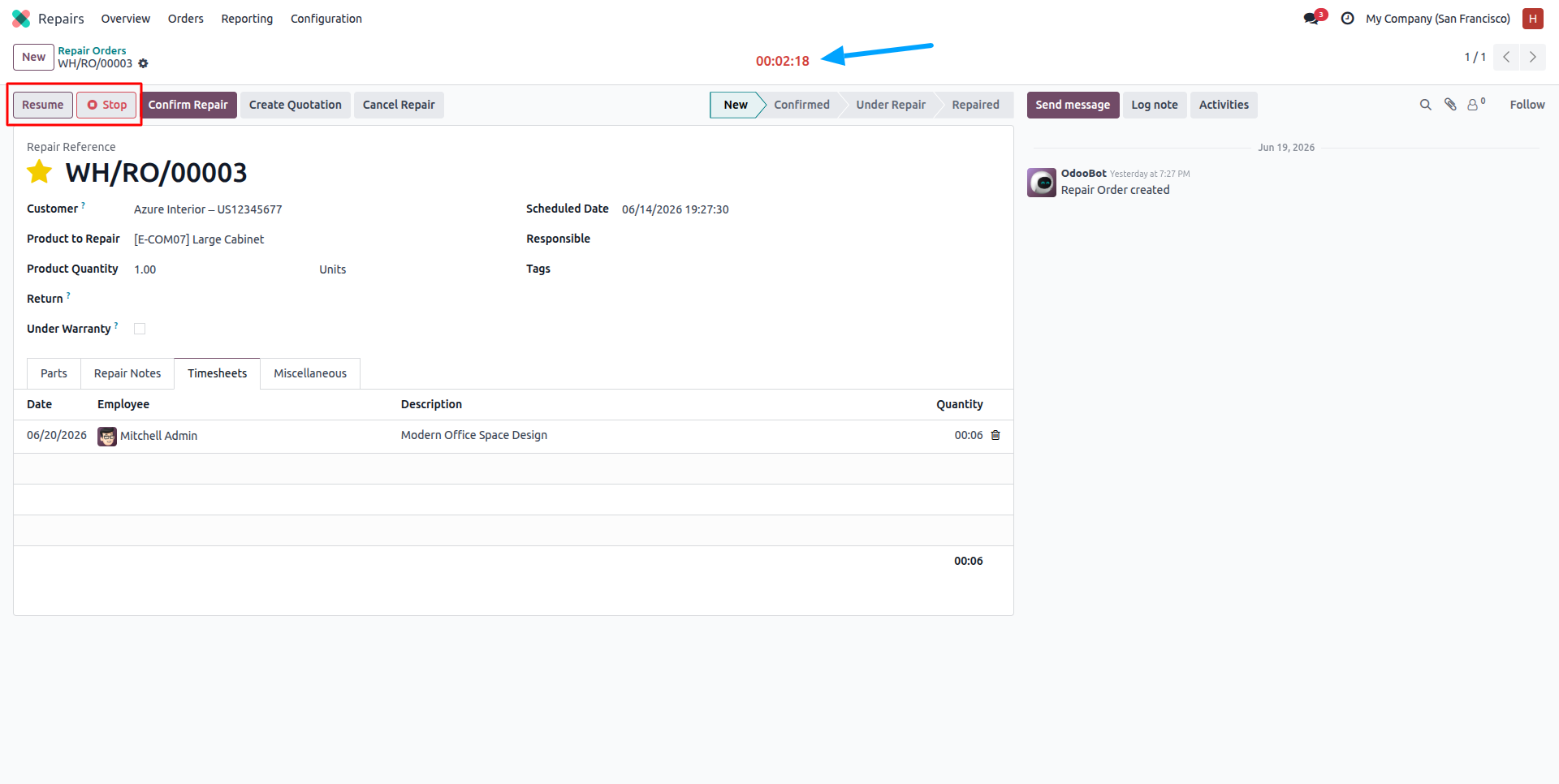
8.Once timer is paused, Resume and Stop buttons are displayed.
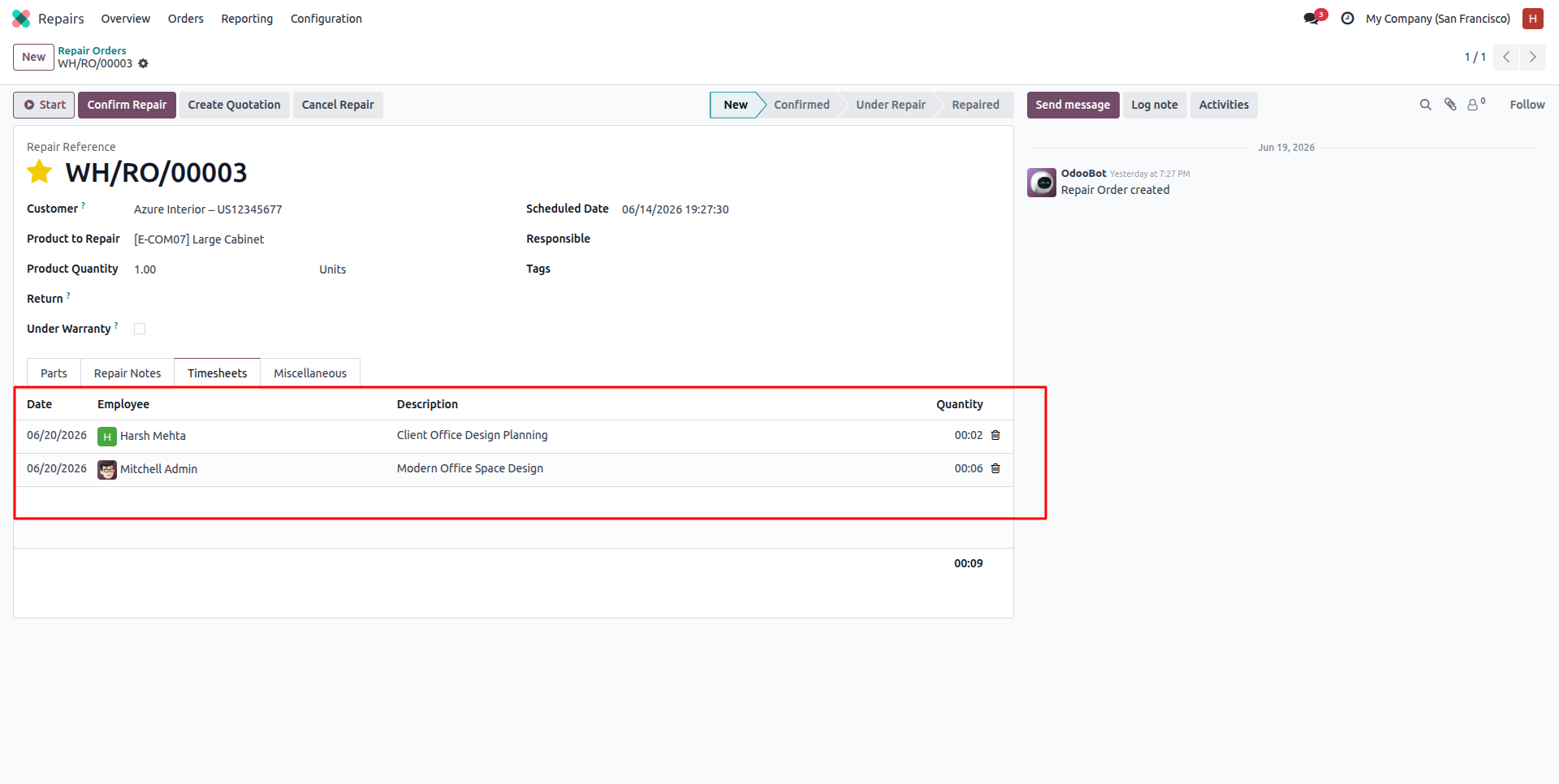
9.Timesheets tab now shows entries from multiple employees (Harsh Mehta and Mitchell Admin), with total duration calculated automatically on the repair order.
Our solutions focus on your problems
- Odoo Implementation
- Odoo Customization
- ERP Development and Implementation
- Odoo Ipass Cloud
- AI for Odoo
- Odoo Apps
- Aws Marketplace Products
- Business Engines
Our Pricing includes User Manual, 90 Days Support (Monday-Friday 10am to 7pm IST) and One time Setup
• Works & tested on standard installations of Odoo with no third party apps,
• Free support only for odoo installations with no third party apps,
• Paid support available for Odoo installations with third party apps.

Prefortune is a Odoo Official Partner, Odoo Development company. Our philosophy is to use Open Source tools and technologies to provide cost effective and green solutions for our customers.
Prefortune Technologies LLP is working on web development, Mobile development, and Odoo ERP.
If you need any help or want more additional features, you may contact us through:
Alternative Products
These other products might interest you
Specifications
| Version | 19.0, 18.0, 17.0, 16.0, 15.0, 14.0 |