Watch Quick Video
Salary Rule Import via XLS or CSV Odoo App
Our comprehensive
Salary Rule Import via XLS or CSV Odoo App
is a one-stop solution that makes payroll configuration easy by allowing the users to import salary
rules in bulk with the help of XLS and CSV files. The module has a dedicated import wizard that allows
users to upload a properly formatted spreadsheet having salary rule details like categories, codes, salary
structures, amount types, conditions, sequences and reporting options. Sample files in the XLS and CSV
formats are available for download to help users prepare import data in the correct format for a smooth
and accurate import process. When the import is finished, the salary rules are automatically created and
linked to the selected salary structure, and they are ready to generate payslips. This enables
organisations to cut down manual data entry, quicken payroll setup, ensure consistent salary rule
configurations and enhance overall efficiency and accuracy of payroll management.
Salary Rule Import via XLS or CSV Odoo App Features
- Mass import of multiple salary rules from XLS and CSV files.
- Download sample XLS and CSV files to enable successful imports.
- Import details of salary rules such as structures, amounts and conditions.
- Import salary rules and auto-link them to your chosen salary structure.
- Streamline manual payroll setup and enhance import accuracy.
Complete Workflow for Manage Salary Rule Import via XLS or CSV Odoo App
Go to Payroll → Configuration → Import Salary Rule and open the Import Salary Rule wizard. Select the appropriate file type (XLS or CSV), upload the prepared XLS or CSV file, and click the Import button to start the import process. If required, users can first download the XLS or CSV Sample File to prepare the salary rule data in the correct format before uploading it. After the import is completed, the system automatically creates the salary rules and links them with the selected salary structure based on the imported data. Users can then review the imported salary rules and use them directly while generating payslips, making payroll configuration faster, more accurate, and easier to manage.

Data File Sample

PYTHON CONDITION - Python condition for salary rule. RANGE BASED ON - Range based on for Python code. MINIMUM RANGE - Minimum range for salary rule. MAXIMUM RANGE - Maximum range for salary rule. SEQUENCE - Sequence for salary rule. APPEARS ON PAYSLIP - Appear salary rule on payslip.

PARTNER - Partner for salary rule. ACTIVE - Active or deactive salary rule. NOTE - Note for salary rule. QUANTITY - Quantity of salary rule to count in payslip. VIEW ON EMPLOYER COST DASHBOARD - Visible salary rule on employer cost dashboard. VIEW ON PAYROLL REPORTING - View salary rule on payroll reporting.
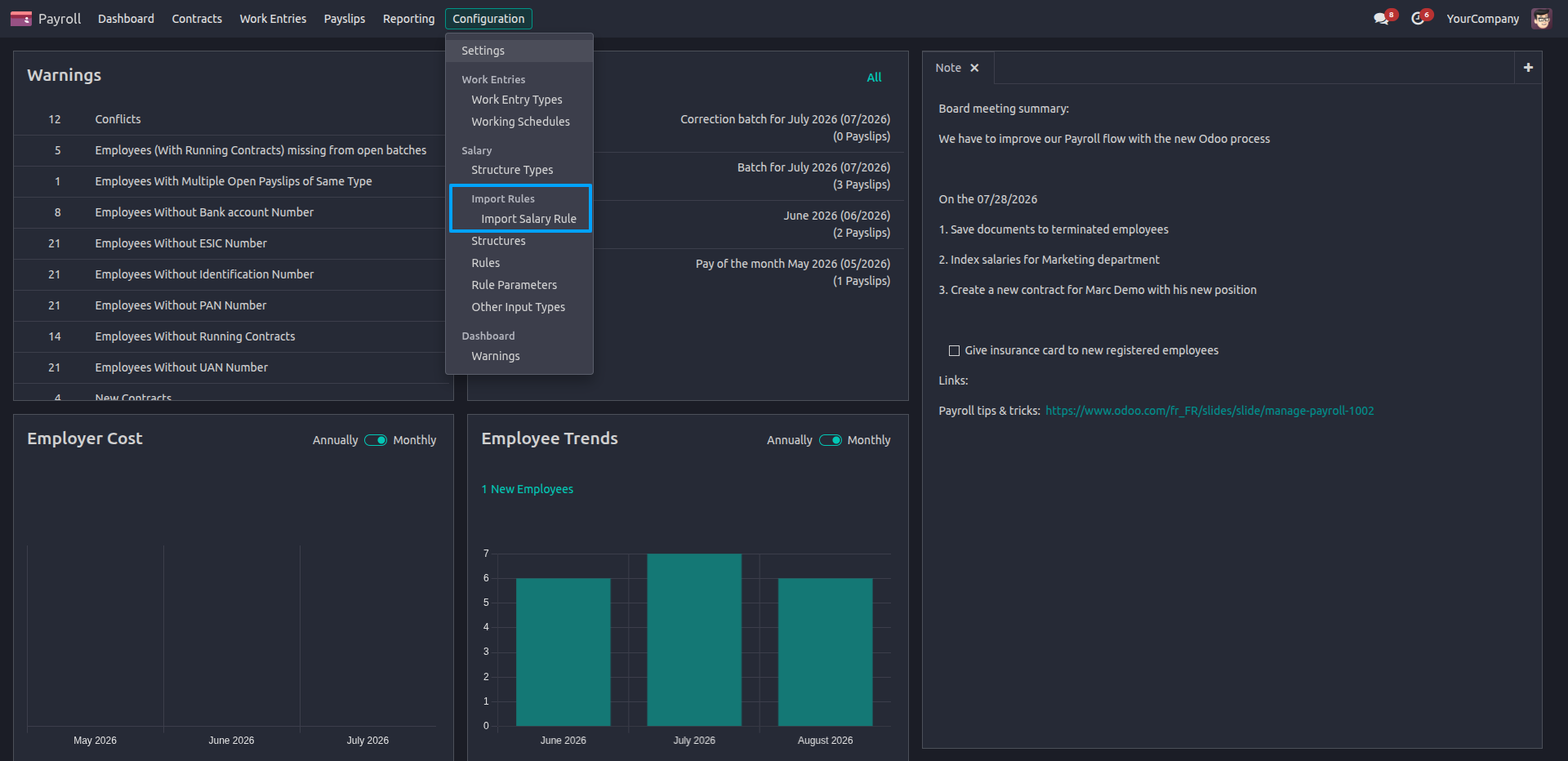
1.Go to Payroll → Configuration → Import Rules → Import Salary Rule to open the salary rule import wizard.
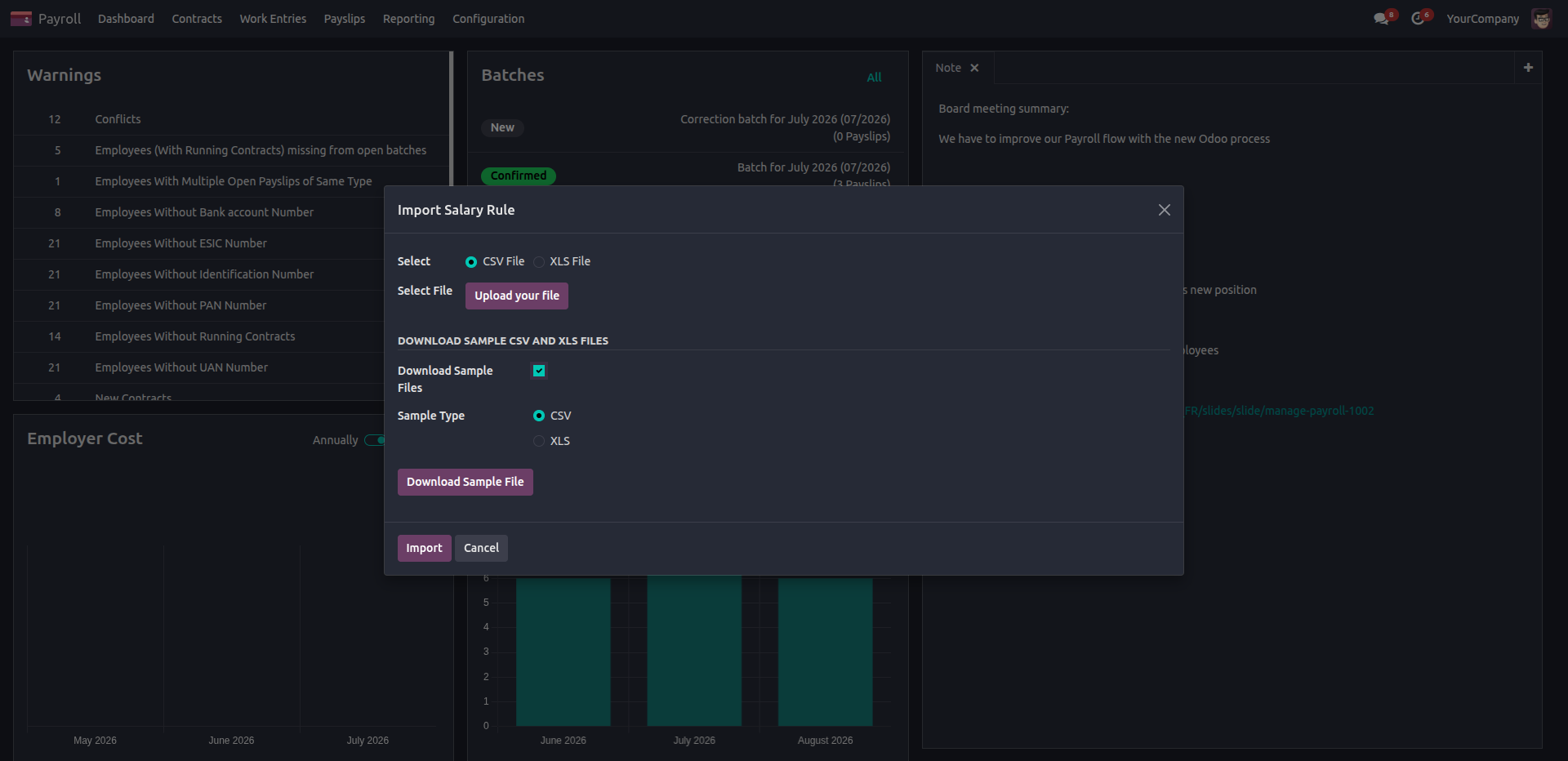
2.Select the required CSV or XLS file format, upload the salary rule file, or download the sample file to prepare data in the correct format before importing.
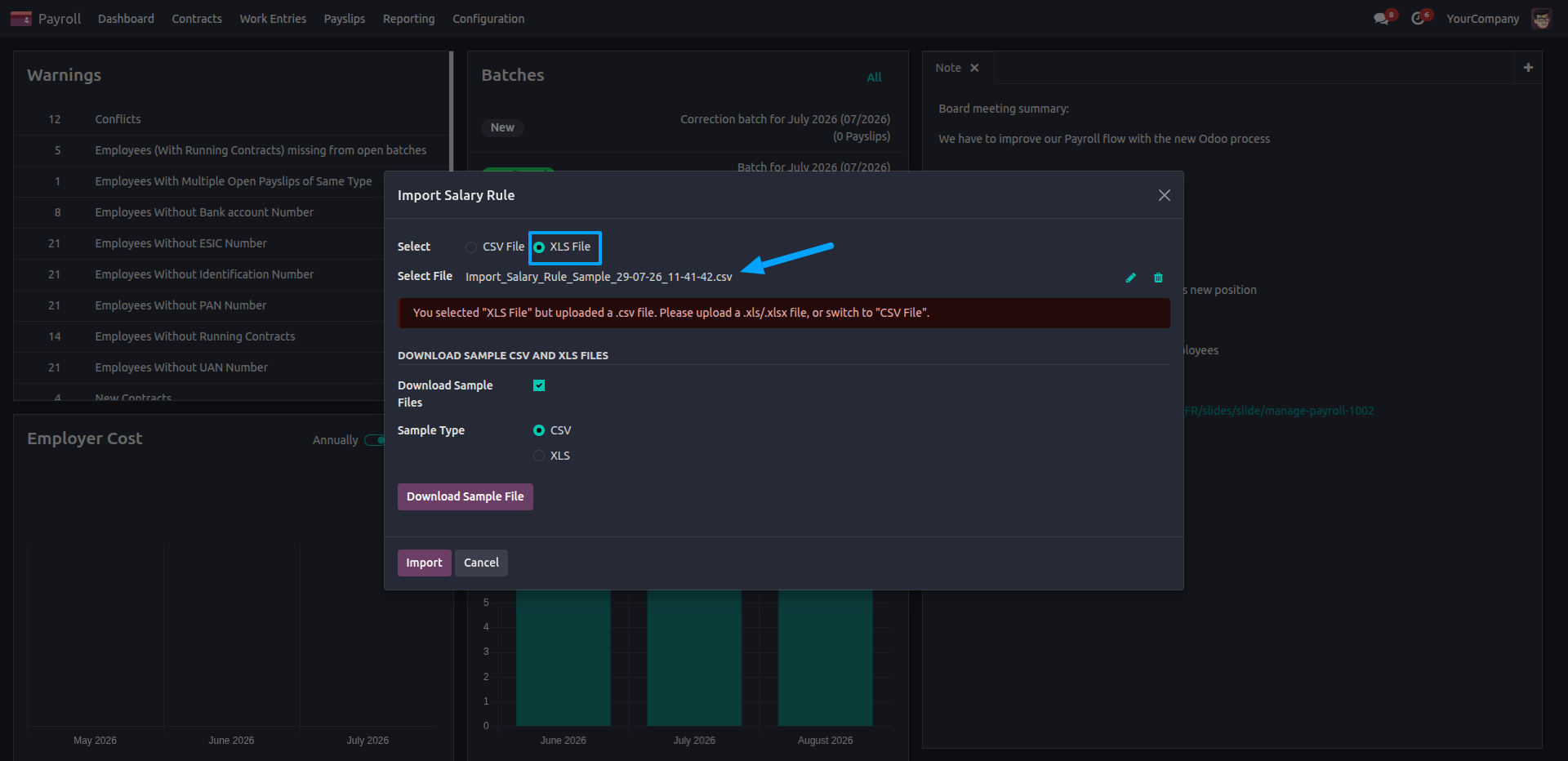
3.File Format Validation During Import.
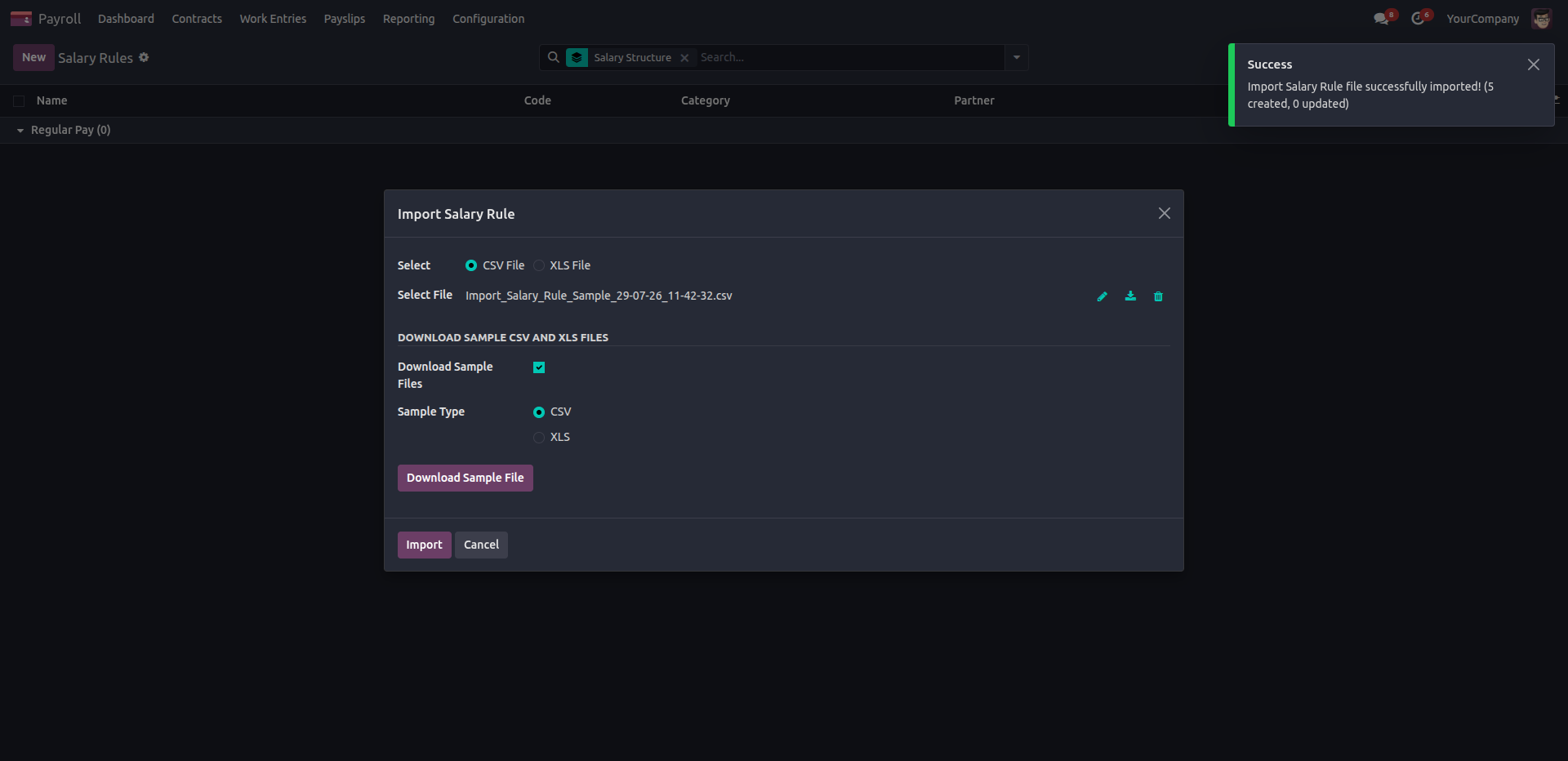
4.The system successfully imports the salary rule file and displays a confirmation message indicating the number of records created and updated.
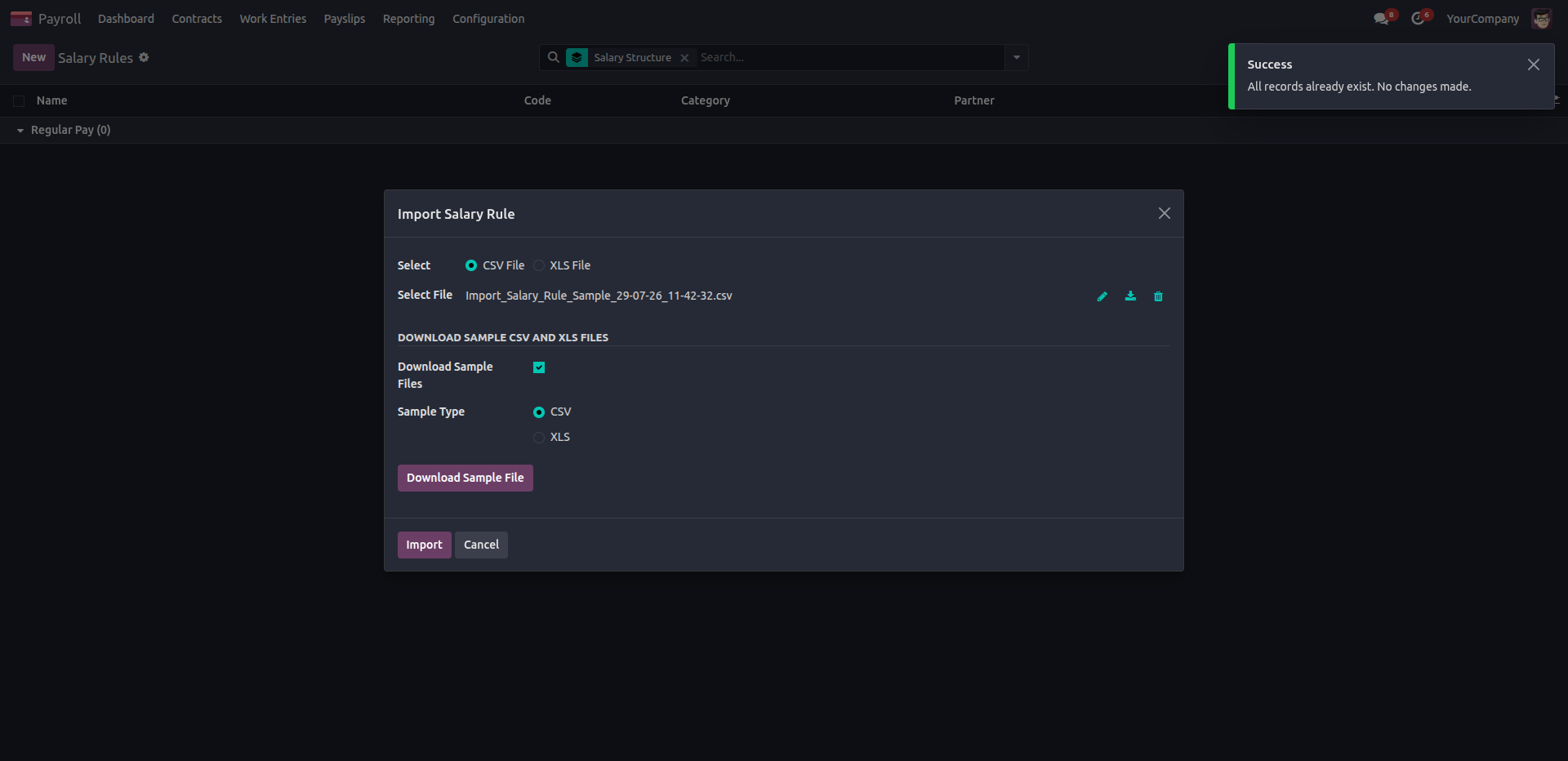
5.When the imported salary rules already exist, the system skips duplicate entries and displays a success message indicating that no changes were made.
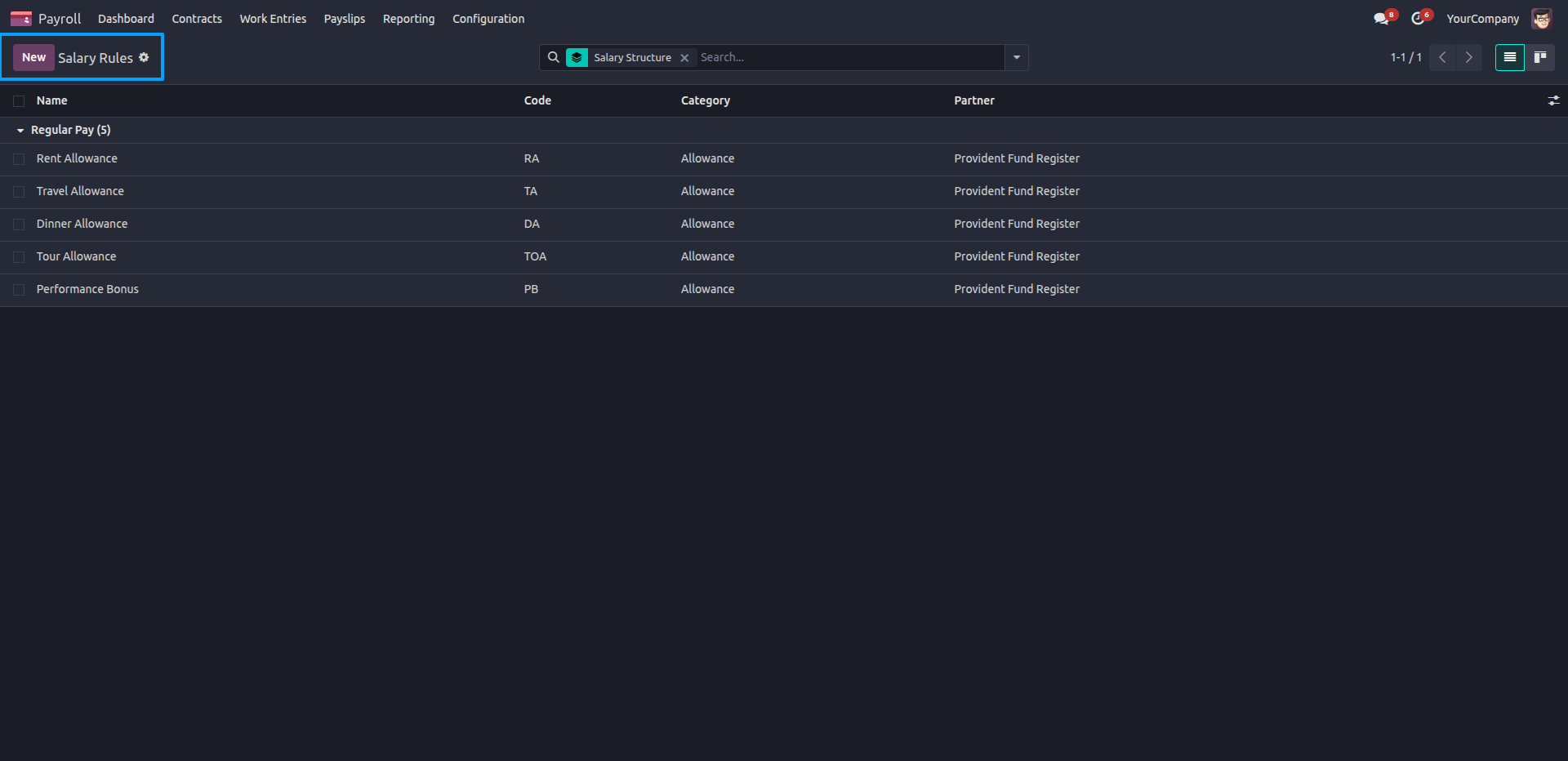
6.After the import is completed, users can view all imported salary rules in the Salary Rules list, organized under the selected salary rules.
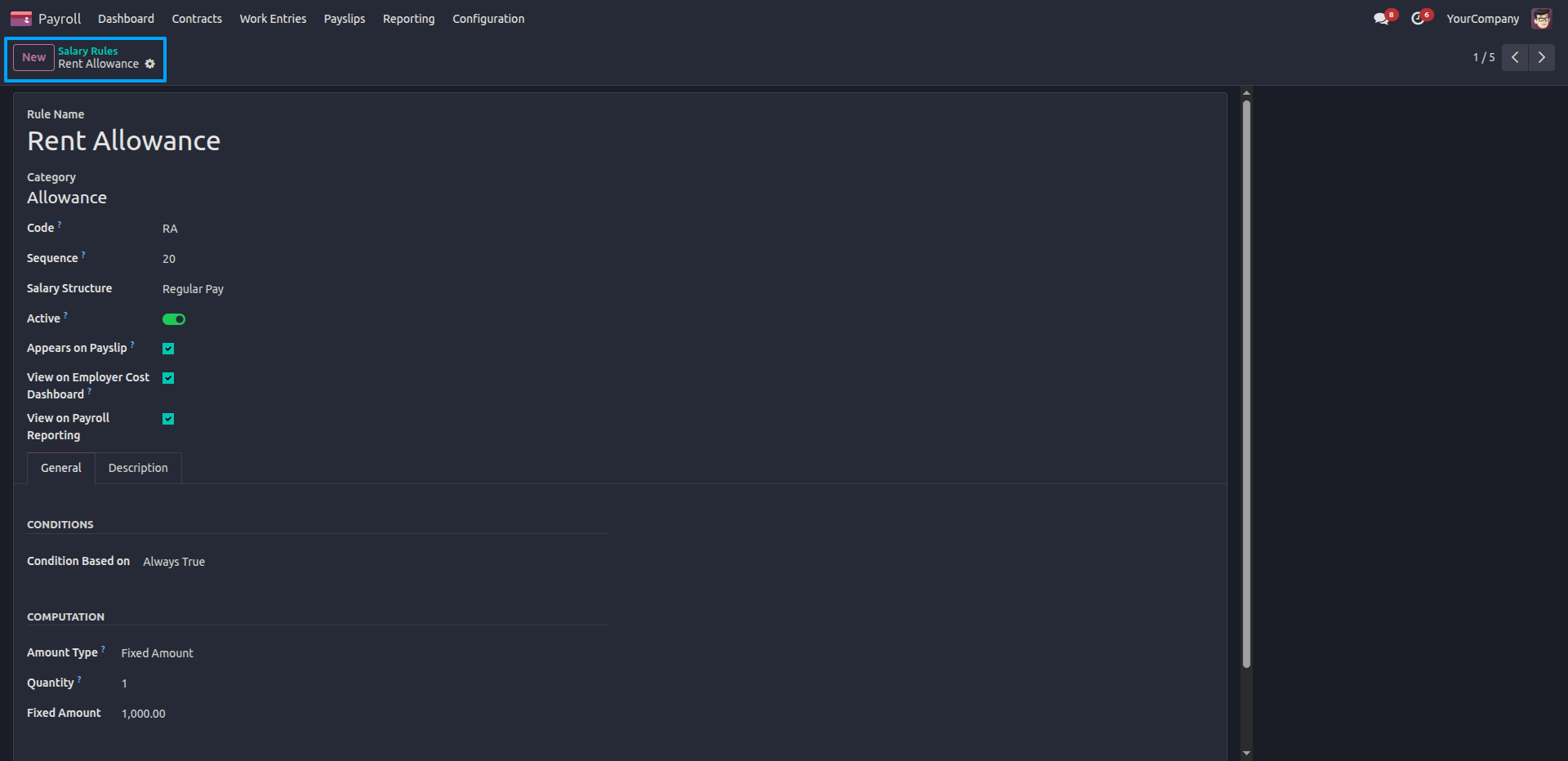
7.Open any imported salary rule to verify its complete configuration, including category, salary structure, computation method, conditions, amount details, and reporting settings.
Our solutions focus on your problems
- Odoo Implementation
- Odoo Customization
- ERP Development and Implementation
- Odoo Ipass Cloud
- AI for Odoo
- Odoo Apps
- Aws Marketplace Products
- Business Engines
Our Pricing includes User Manual, 90 Days Support (Monday-Friday 10am to 7pm IST) and One time Setup
• Works & tested on standard installations of Odoo with no third party apps,
• Free support only for odoo installations with no third party apps,
• Paid support available for Odoo installations with third party apps.

Prefortune is a Odoo Official Partner, Odoo Development company. Our philosophy is to use Open Source tools and technologies to provide cost effective and green solutions for our customers.
Prefortune Technologies LLP is working on web development, Mobile development, and Odoo ERP.
If you need any help or want more additional features, you may contact us through:
Alternative Products
These other products might interest you
Specifications
| Version | 19.0, 18.0, 17.0, 16.0, 15.0, 14.0 |