Watch Quick Video

Import Product Images From Zip For E-Commerce
Odoo – Import Product Images From Zip For
E-Commerce
helps businesses manage product images quickly and efficiently in Odoo eCommerce. This module allows you to bulk upload product images from a ZIP archive and automatically assign them to Product Templates or Product Variant by Product Name, Internal Identifier, Barcode or Product ID. It allows for both main product images and additional eCommerce gallery images which means less repetitive tasks and faster, easier and more structured image handling for large product catalogues.
Import Product Images From Zip For E-Commerce
- Upload hundreds of product images at once using a single ZIP file.
- Easily import images for both Product Templates and Product Variants.
- Upload main product images and additional eCommerce gallery images together.
- Automatically assign images using multiple product identification methods.
- Manage gallery image order automatically and update existing images without duplicates.
Complete Workflow for Import Product Images From Zip For E-Commerce
Simplify your Import Product Images From ZIP For E-Commerce process with an efficient bulk image management solution for Odoo eCommerce. This module allows you to bulk upload product images from a ZIP archive and automatically assign them to Product Templates or Product Variants by Product Name, Internal Identifier, Barcode or Product ID. It allows for both main product images and additional eCommerce gallery images which means less repetitive tasks and faster, easier and more structured image handling for large product catalogues.
IMPORTANT NOTE
ZIP File Guidelines
For accurate import results, all images should be placed inside a single ZIP archive and named according to the selected matching method such as Product Name, Internal Reference, Barcode, or Product ID.
| Gallery Option Disabled ( Main Product Images ) | Gallery Option Enabled ( Main Image + Gallery Images ) |
|---|---|
|
Desk.jpg |
Desk.jpg |
Product Variant Structure
[Warranty_11] Warranty (1 year).jpg
[Warranty_11] Warranty (1 year)_1.jpg
[Warranty_11] Warranty (1 year)_2.jpg
[Warranty_12] Warranty (2 year).jpg
[Warranty_12] Warranty (2 year)_1.jpg
[Warranty_12] Warranty (2 year)_2.jpg
| File Name | Imported As |
|---|---|
| [Warranty_11] Warranty (1 year).jpg | Variant Main Image |
| [Warranty_11] Warranty (1 year)_1.jpg | Variant Gallery Image 1 |
| [Warranty_11] Warranty (1 year)_2.jpg | Variant Gallery Image 2 |
| [Warranty_12] Warranty (2 year).jpg | Variant Main Image |
| [Warranty_12] Warranty (2 year)_1.jpg | Variant Gallery Image 1 |
| [Warranty_12] Warranty (2 year)_2.jpg | Variant Gallery Image 2 |
Our helpful Product

Product Internal Reference Generator
Simplify your Product and Product Variant management with an automatic Internal Reference generation solution for Odoo. The module generates unique Internal References based on the product attributes, which helps businesses keep their product catalogue organised and standardised. It prevents manual SKU creation, reduces duplicate references and increases inventory accuracy. Fast and reliable creation of Internal References helps administrators to manage large product records efficiently, saving time and minimising human errors.
View Product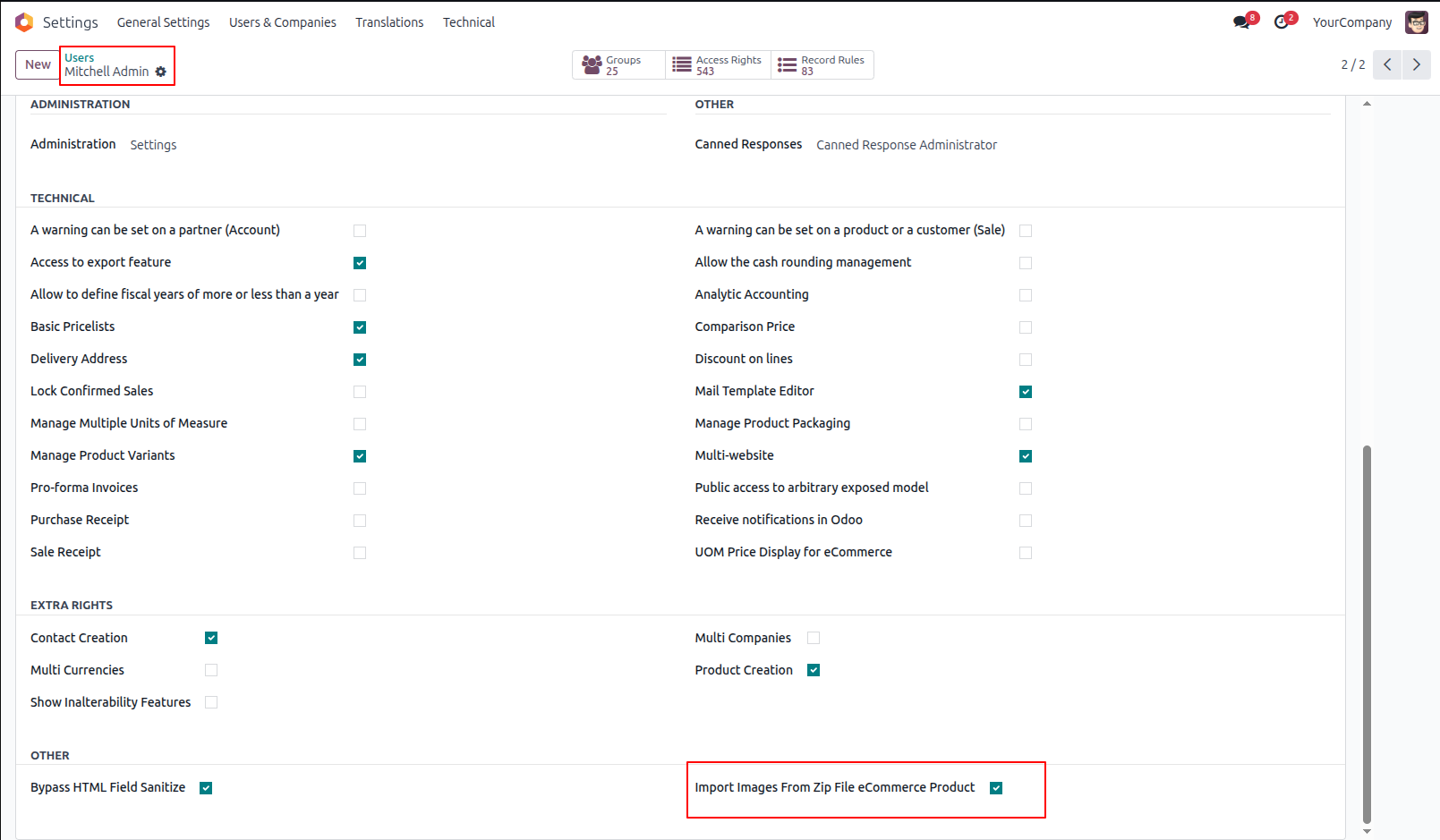
1.First, Tick the 'Import Images From Zip File eCommerce' group.
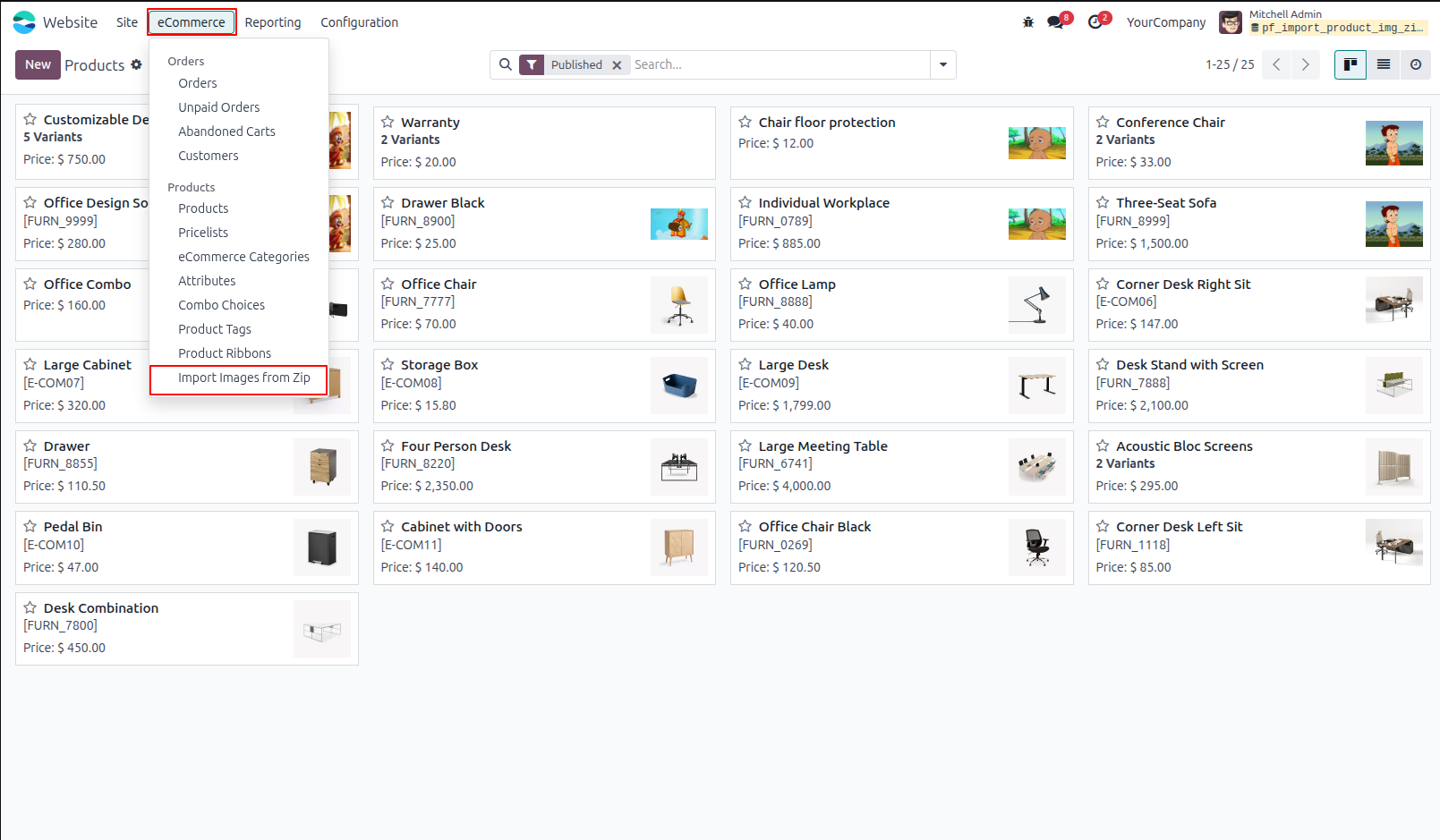
2.Import images from the zip file eCommerce menu on the website.
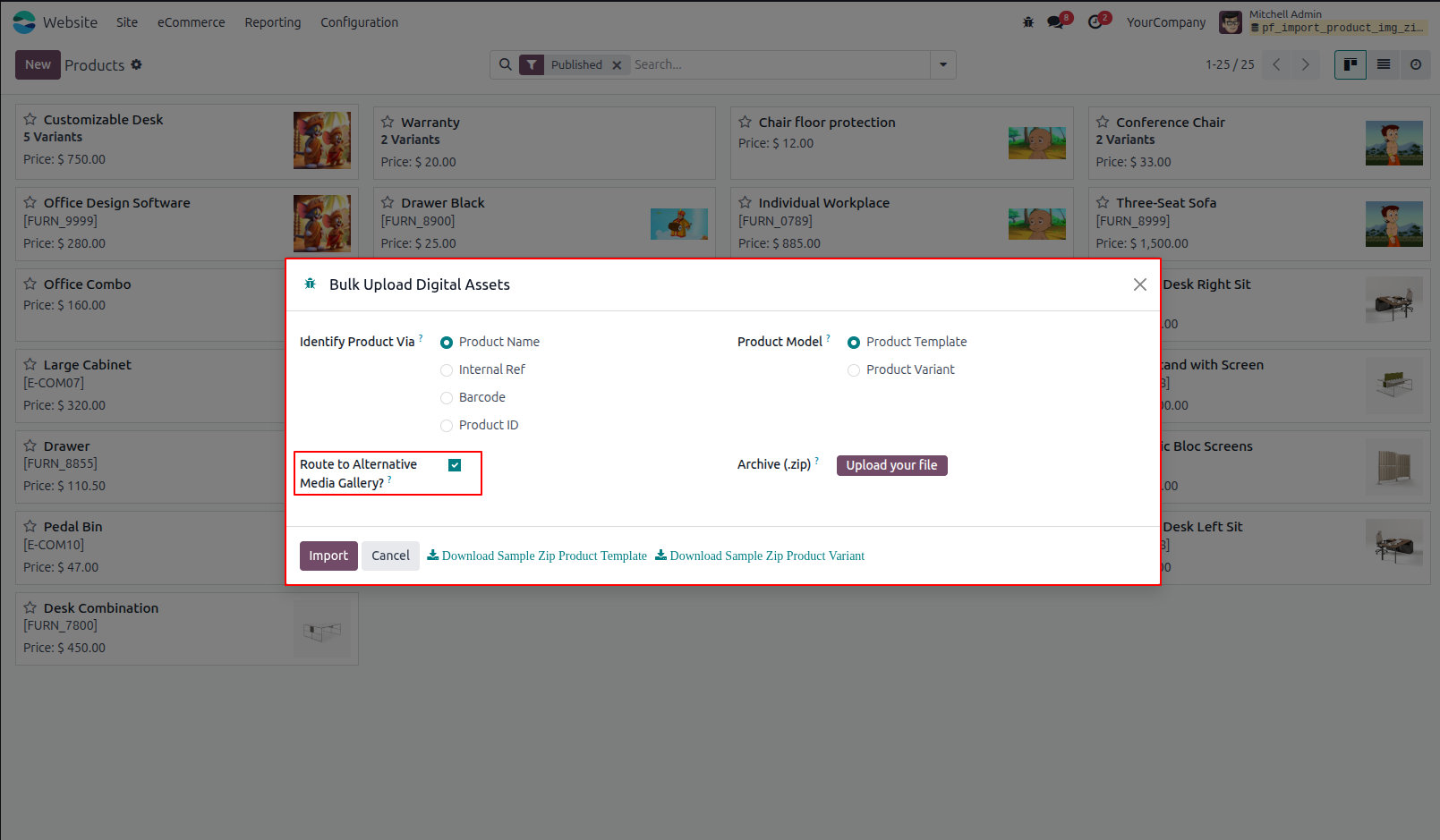
3.Import images from zip file wizard.
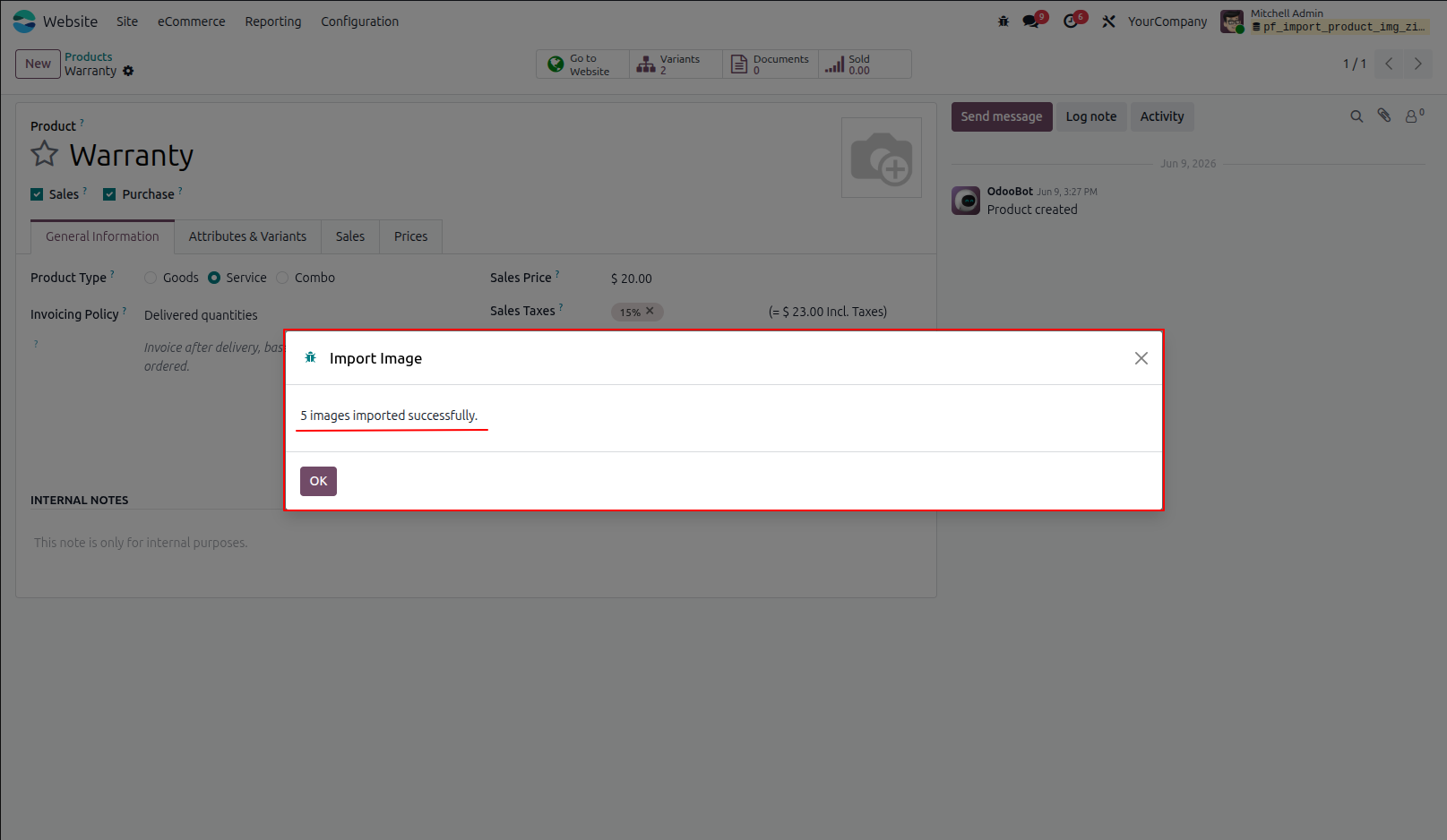
4.Success message after import done.
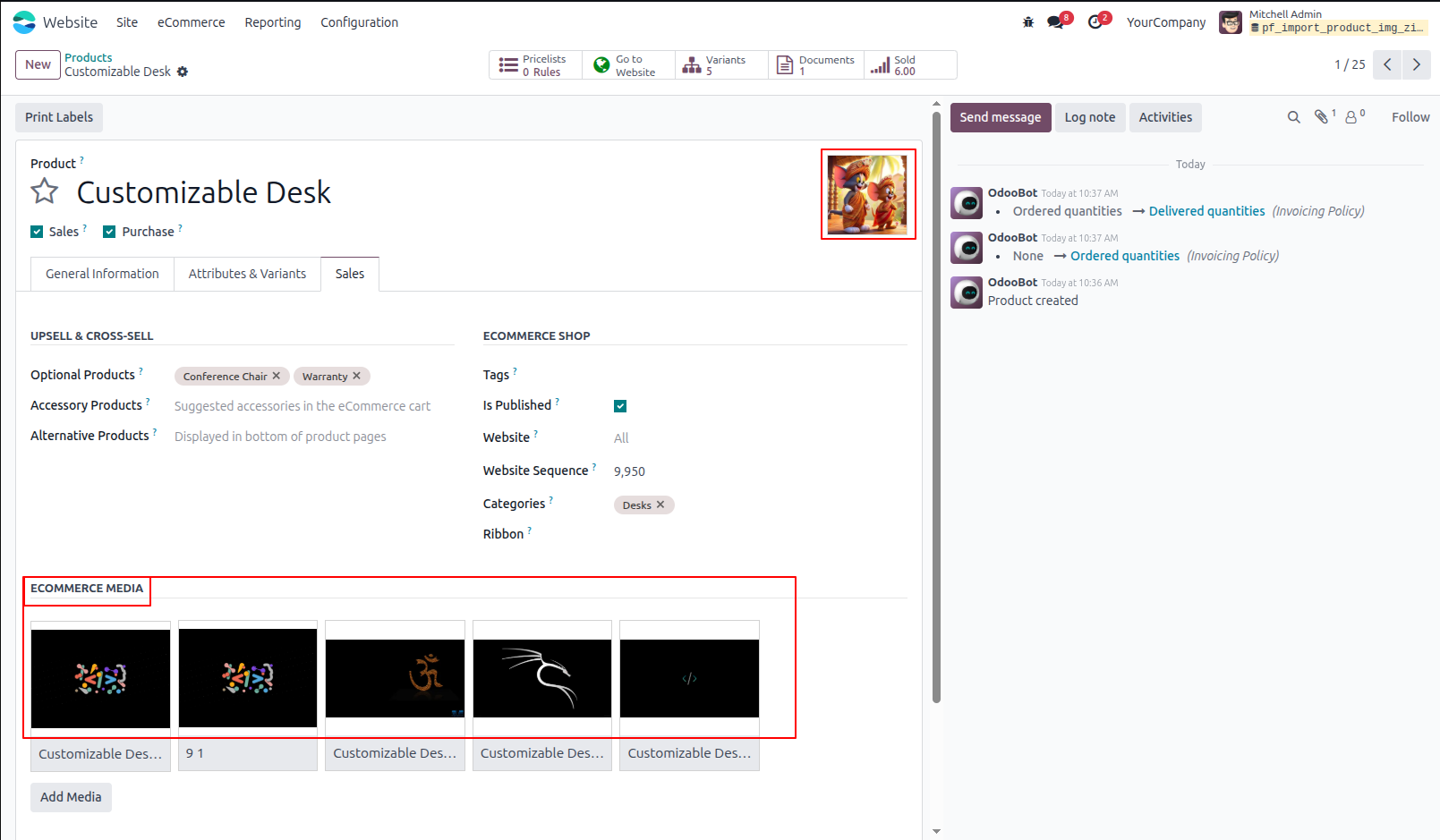
5.Below eCommerce products, images are imported
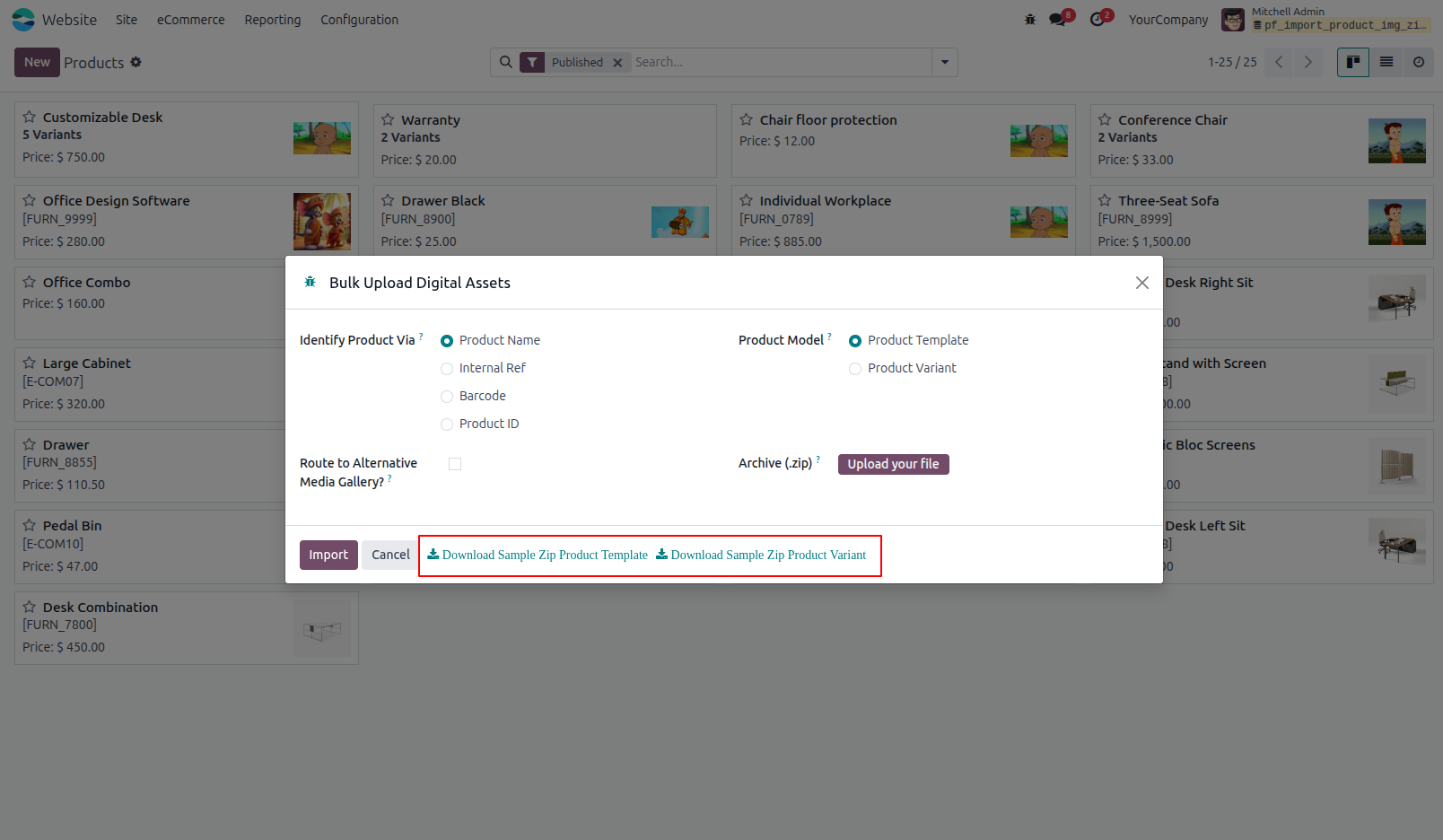
6.Here, you can download a sample ZIP file that contains all the required information for Product Templates and Product Variants, including Product Name, Internal Reference, Barcode, and Product ID.
Our solutions focus on your problems
- Odoo Implementation
- Odoo Customization
- ERP Development and Implementation
- Odoo Ipass Cloud
- AI for Odoo
- Odoo Apps
- Aws Marketplace Products
- Business Engines
Our Pricing includes User Manual, 90 Days Support (Monday-Friday 10am to 7pm IST) and One time Setup
• Works & tested on standard installations of Odoo with no third party apps,
• Free support only for odoo installations with no third party apps,
• Paid support available for Odoo installations with third party apps.

Prefortune is a Odoo Official Partner, Odoo Development company. Our philosophy is to use Open Source tools and technologies to provide cost effective and green solutions for our customers.
Prefortune Technologies LLP is working on web development, Mobile development, and Odoo ERP.
If you need any help or want more additional features, you may contact us through:
Alternative Products
These other products might interest you
Specifications
| Version | 19.0, 18.0, 17.0, 16.0, 15.0, 14.0 |