Watch Quick Video
Mass Import for Inventory Transfers App
Our powerful
Odoo – Mass Product Import in Stock Transfer
has been built to make managing stocks better by enabling users to quickly and precisely add multiple
goods to stock transfers. With an Excel/XLS file, users can import the products in bulk or add many things
at once instead of creating one stock move line at a time. The module uses the product Inner Reference.
(Default Code) to avoid copies and maintain the inventory precision. If a product is not found it can be
created by itself, which cuts down on manual setup and saves valuable time. The app works optimally with
Odoo Inventory and permits all major stock operations like Receipts, Delivery Orders, Internal Transfers.
It helps firms to deal with massive stock transactions much more smoothly and effectively, decreasing the
chances of manual errors. Storage and stocking teams will find the simple user interface eases bulk stock
handling. This is the perfect solution to companies that deal with high volumes of stock flow on a regular
basis and need a more rapid and stable inventory workflow.
It provides intelligent features to improve stock transfer management:
1. Quick Bulk Product Entry: Add multiple products to a stock transfer at once, removing the
need for manual line-by-line entry and boosting operational efficiency.
2. Excel/XLS File Import: Import product details and quantities directly from Excel/XLS files
for fast and accurate processing of large stock transfers.
3. Smart Product Identification: The module verifies the Internal Reference (Default Code) of
products in order to reuse existing products and avoid duplication of records.
4. Automatic Product Creation: If an imported product is not in the database, the module can
automatically create it, minimizing the manual work for product maintenance.
5. Full Stock Transfer Compatibility: Seamlessly integrates with Receipts, Delivery Orders, and
Internal Transfers, offering a flexible solution for various inventory operations.
Mass Import for Inventory Transfers App
- Create multiple product lines for one stock transfer in one operation, instead of one by one. This feature improves inventory processing and minimizes manual efforts.
- Import products and quantities directly from Excel/XLS file to stock transfer. It streamlines large inventory transactions and minimizes data entry mistakes.
- The module checks if a product already exists, according to its Internal Reference (Default Code). This helps to prevent duplicate product records and improves data consistency.
- If the product does not exist, the module is able to automatically create a new product record. This means there is no need to create products manually before adding them to a transfer.
- The module works with Receipts, Delivery Orders and Internal Transfers. The same process allows users to perform bulk product operations across different inventory workflows.
Complete Workflow for Mass Import for Inventory Transfers App
Enable the Mass Product Import option to simplify stock transfer operations in Odoo. Users can Add Multiple Products manually or Import Products from Excel/XLS in a single action. The system performs Product Validation using the Internal Reference (Default Code) and can Automatically Create Products if they do not exist. Imported or selected products are instantly added to the stock transfer with the required quantities. The module seamlessly supports Receipts, Delivery Orders, and Internal Transfers, providing a faster, more accurate, and efficient inventory management workflow in Odoo.
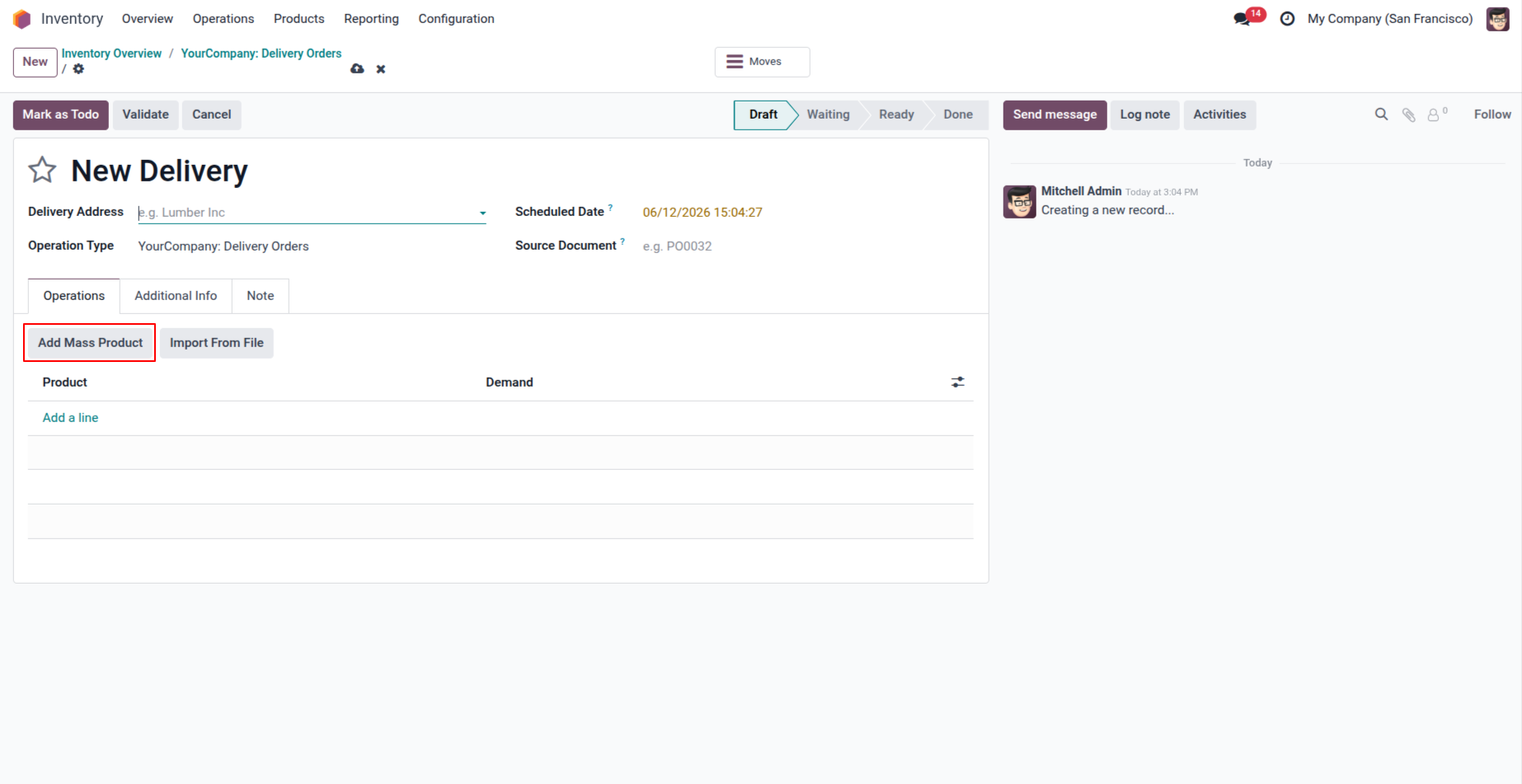
1. Create a Stock Picking record and click the 'Add Mass Product' button to add multiple products at once.
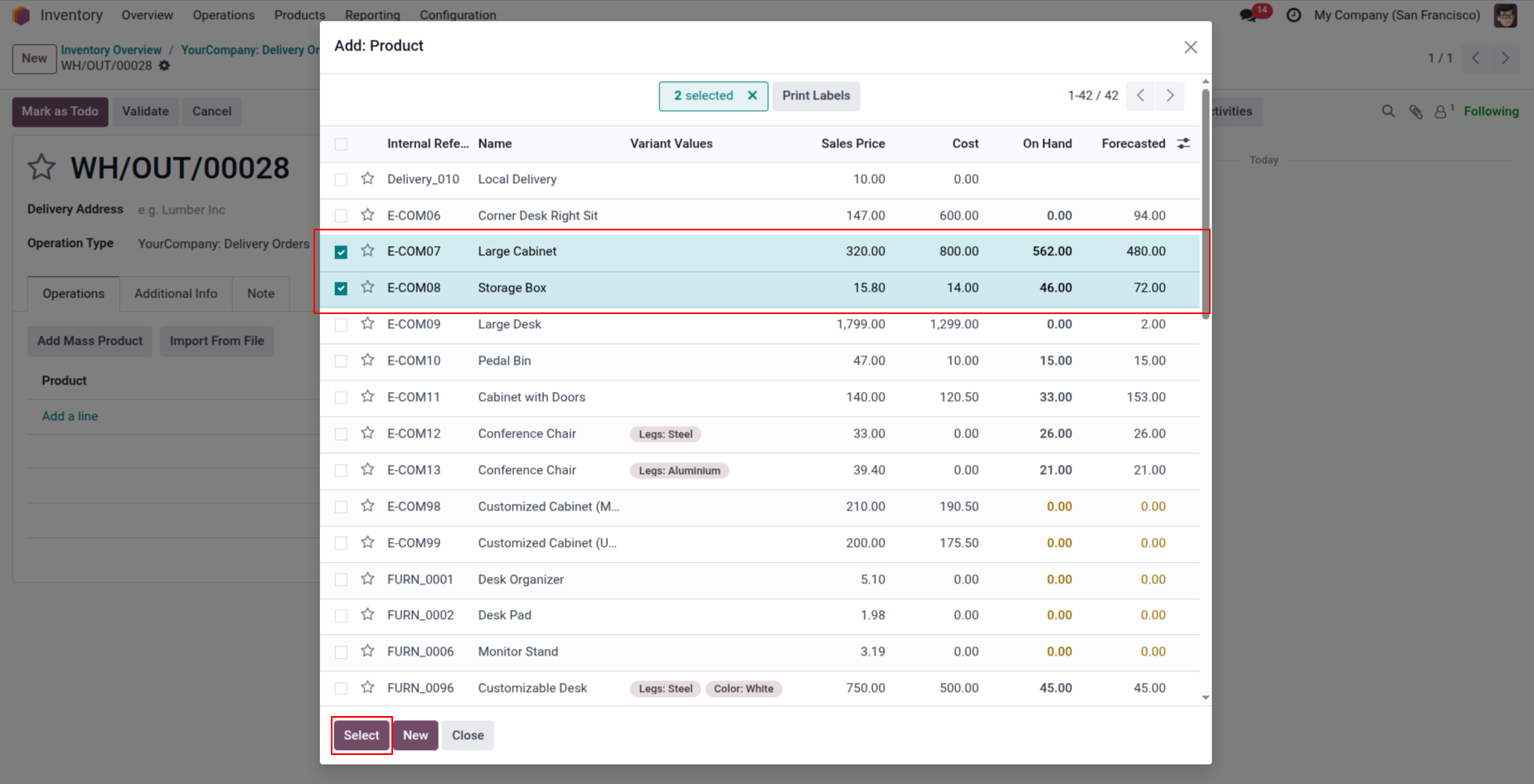
2. The user can select and add multiple products in a single operation.
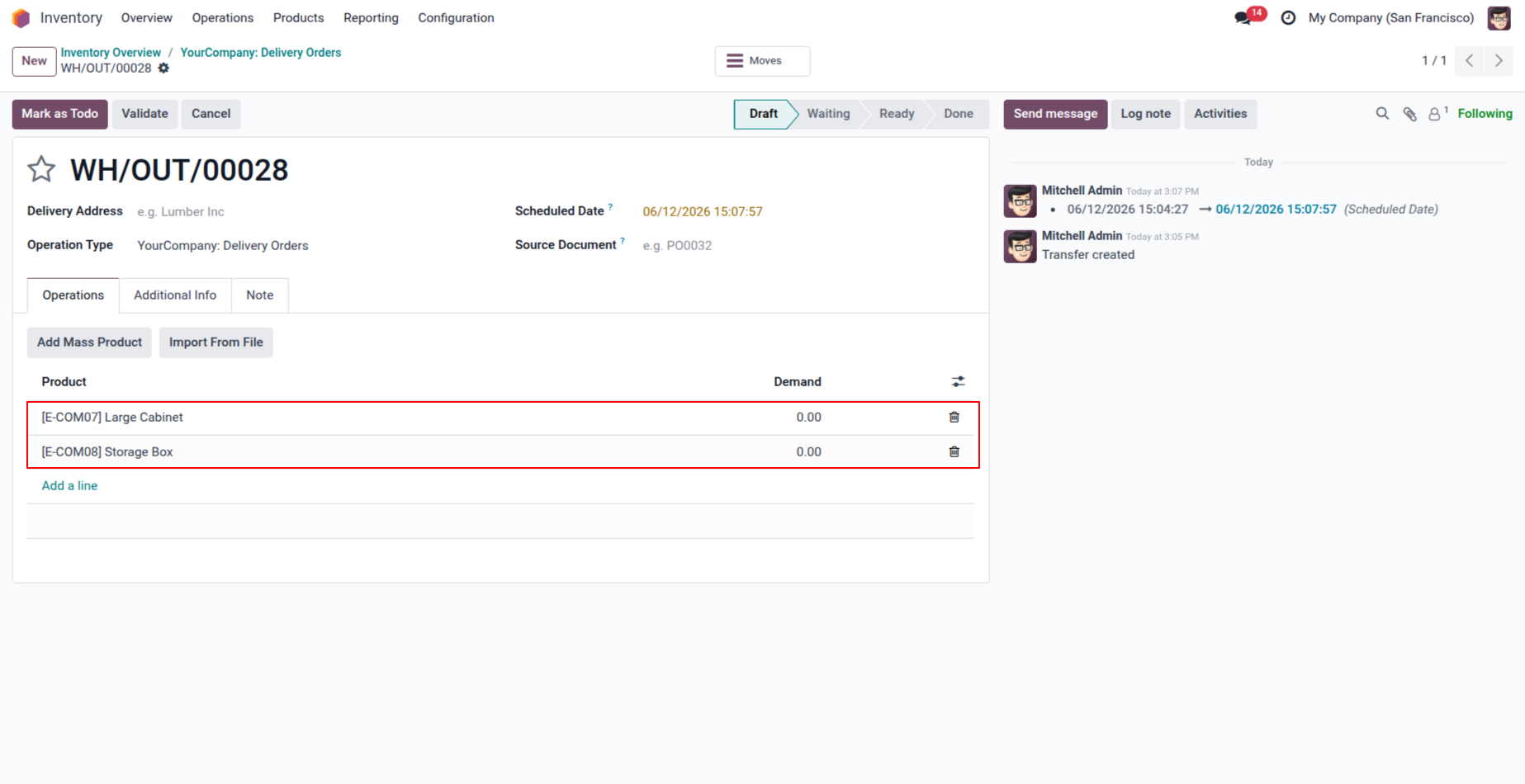
3. After selecting multiple products, the user can add those products to the stock move.
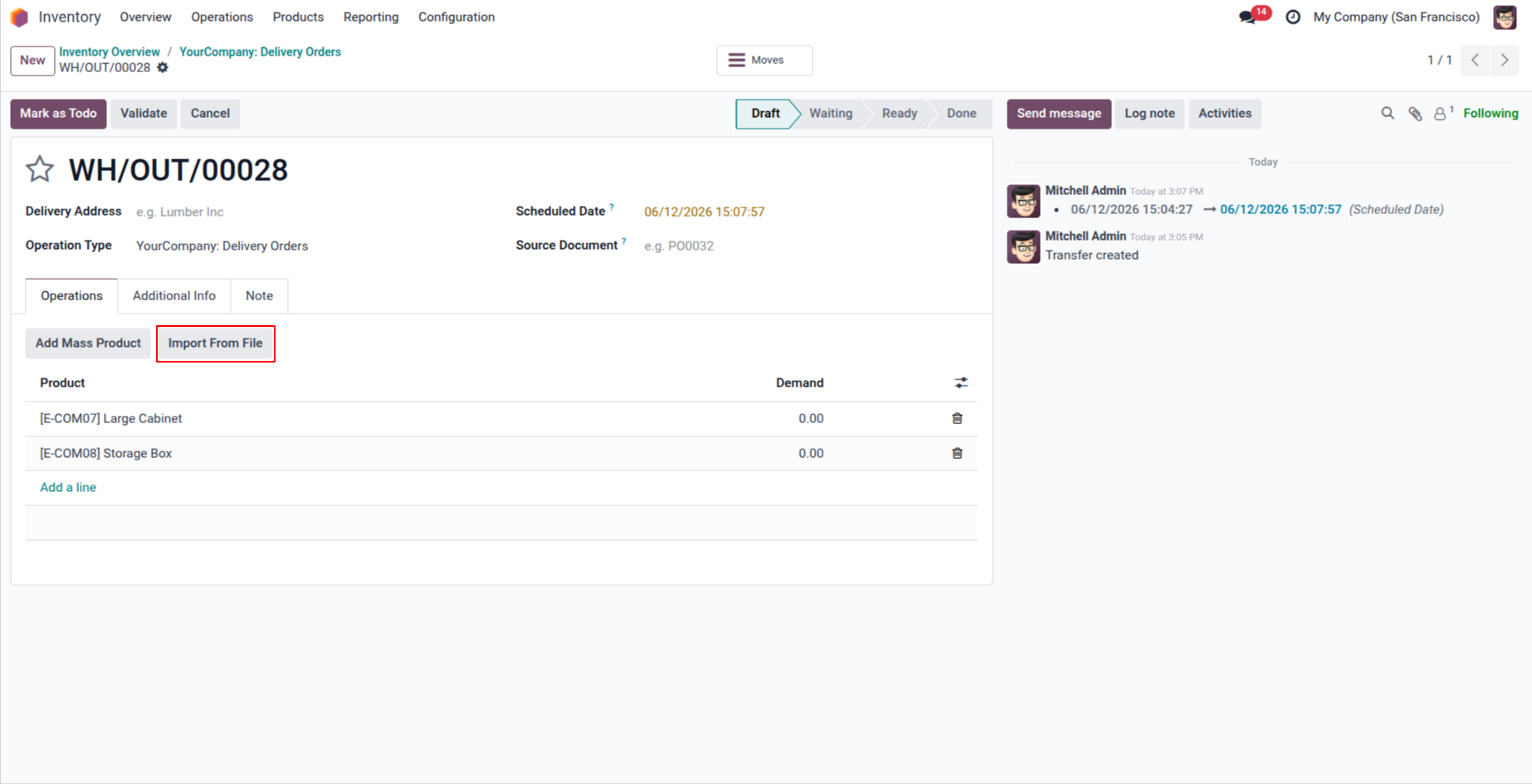
4. click on 'import from file' button.
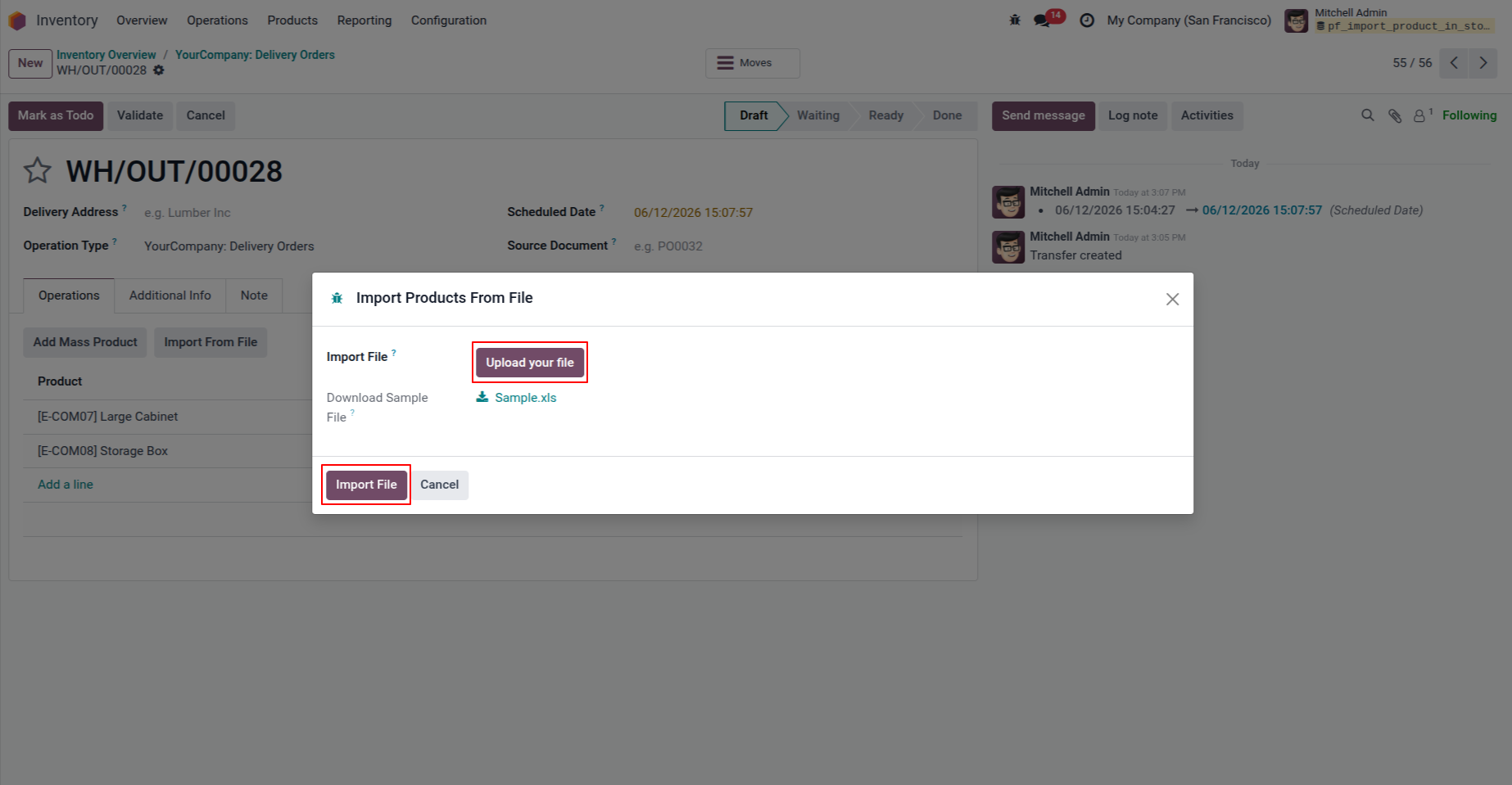
5. The user will be able to upload an XLS file and import the data.
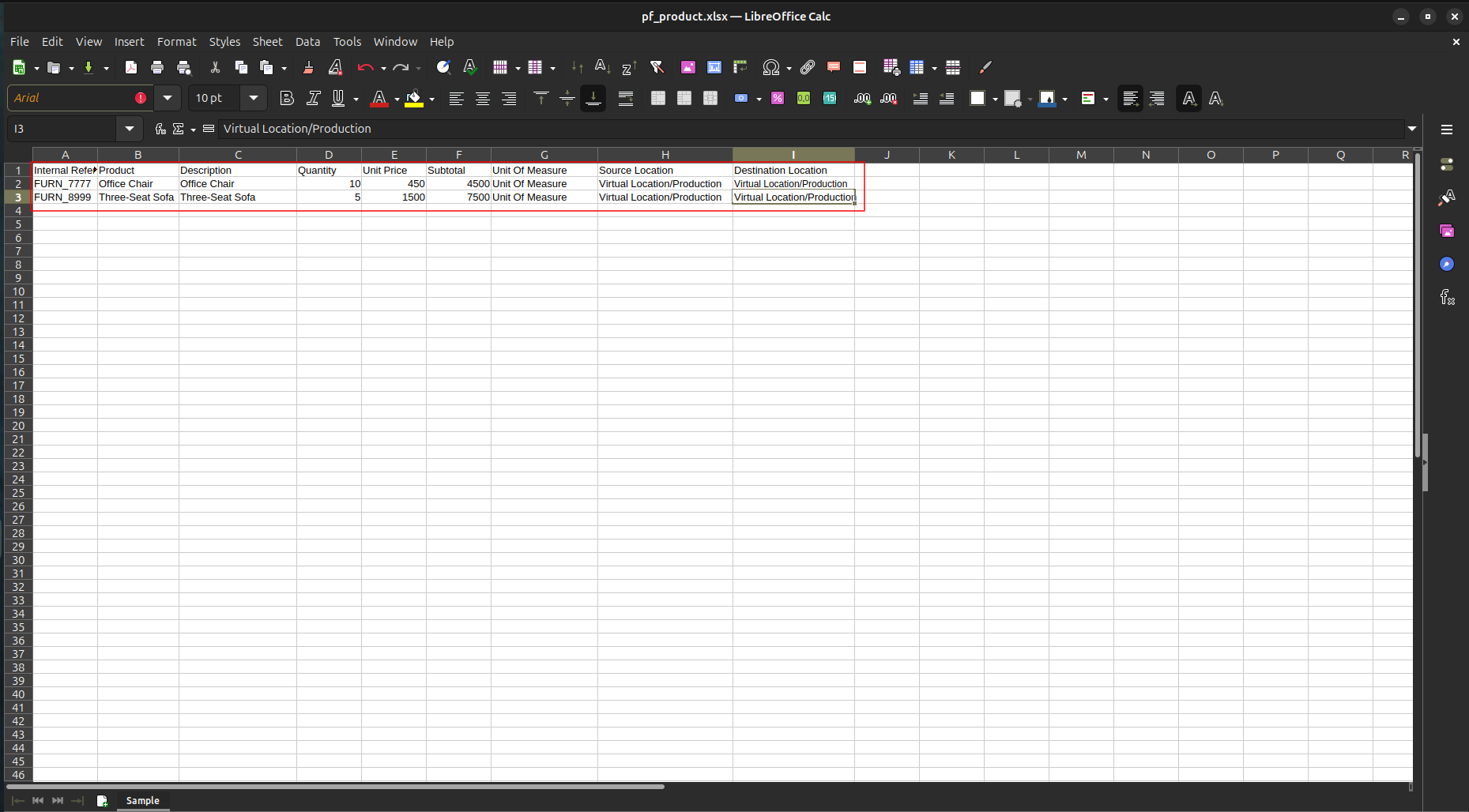
6. Below is an example of the XLS file that can be uploaded.
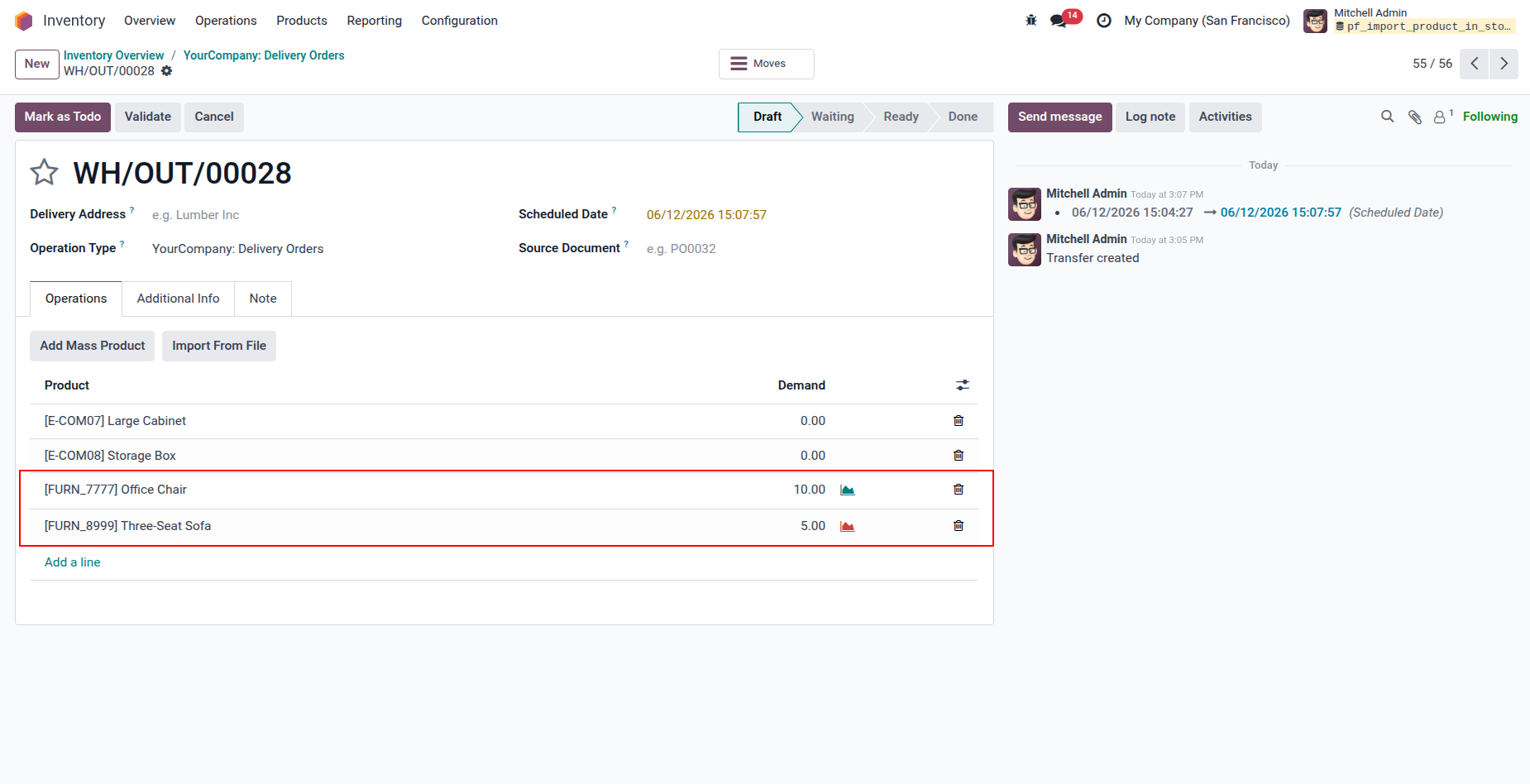
7. Users will be able to import the stock movement using the XLS File.
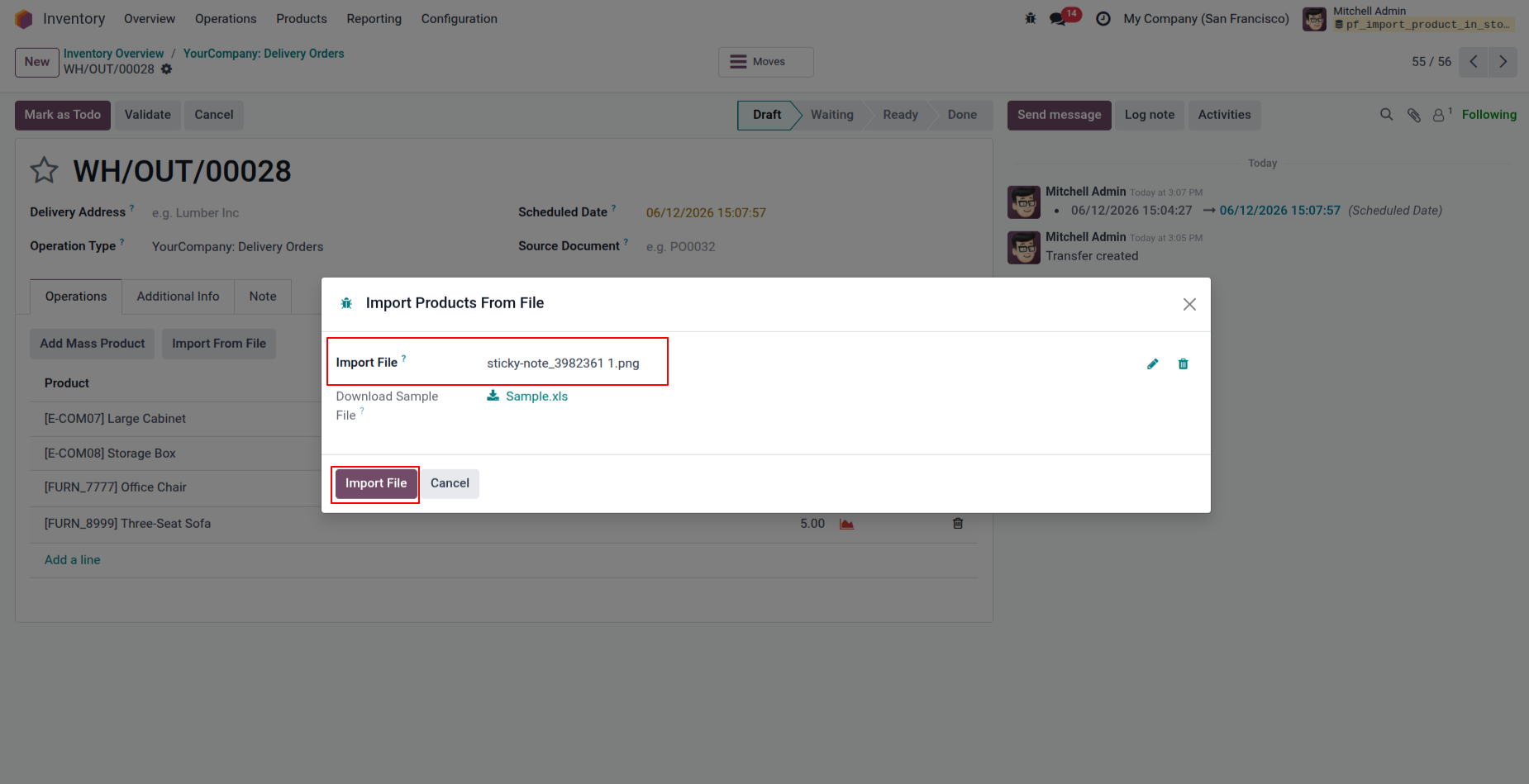
8. When the user uploads a file in a format other than XML, XLS, or CSV.
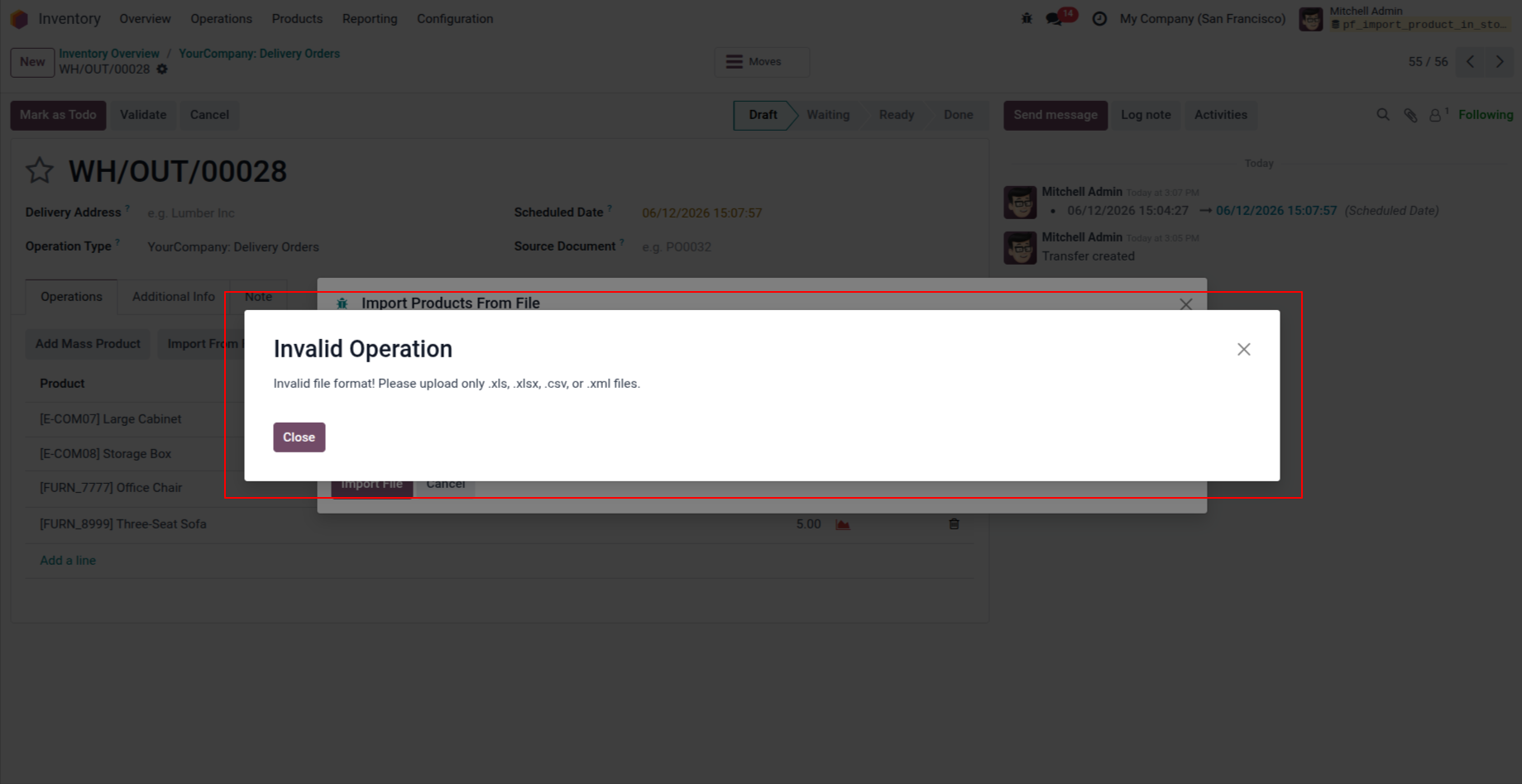
9. In this case, an Invalid Operation error message will be shown.
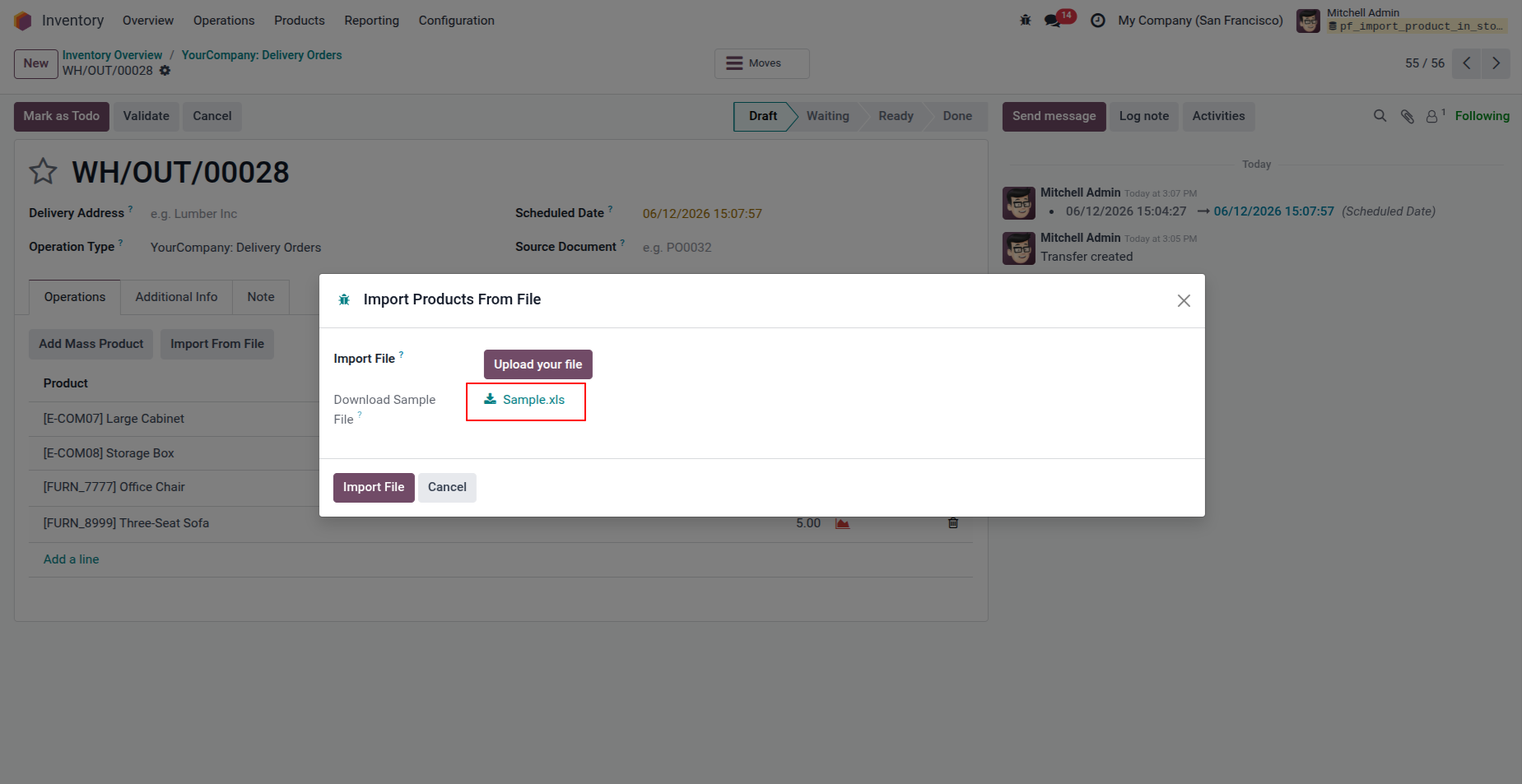
10. User will be able to download a sample XLS file as well from the system. This sample file can be used as a template to import the stock movements.
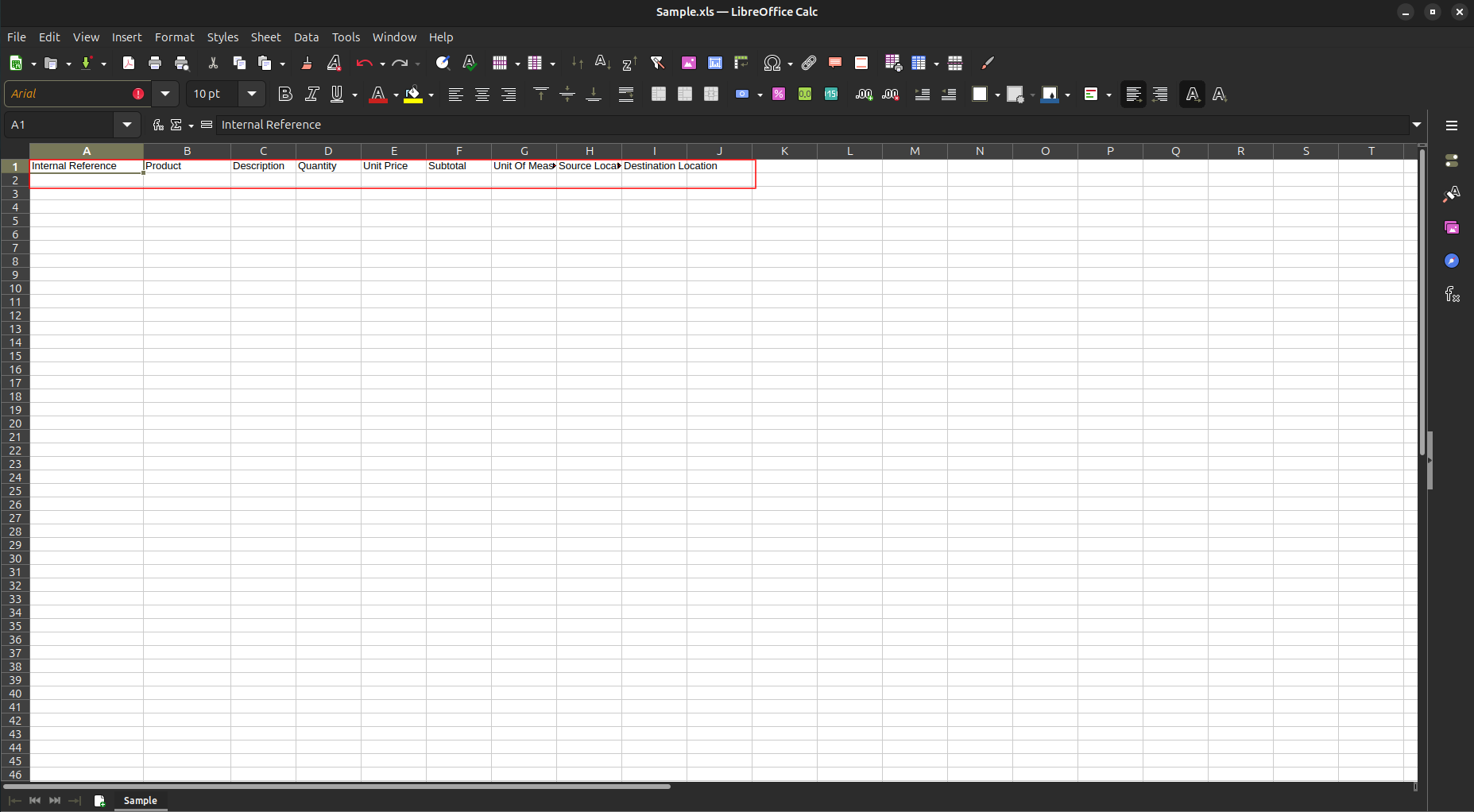
11. Downloaded sample file.
Our solutions focus on your problems
- Odoo Implementation
- Odoo Customization
- ERP Development and Implementation
- Odoo Ipass Cloud
- AI for Odoo
- Odoo Apps
- Aws Marketplace Products
- Business Engines
Our Pricing includes User Manual, 90 Days Support (Monday-Friday 10am to 7pm IST) and One time Setup
• Works & tested on standard installations of Odoo with no third party apps,
• Free support only for odoo installations with no third party apps,
• Paid support available for Odoo installations with third party apps.

Prefortune is a Odoo Official Partner, Odoo Development company. Our philosophy is to use Open Source tools and technologies to provide cost effective and green solutions for our customers.
Prefortune Technologies LLP is working on web development, Mobile development, and Odoo ERP.
If you need any help or want more additional features, you may contact us through:
Alternative Products
These other products might interest you
Specifications
| Version | 19.0, 18.0, 17.0, 16.0, 15.0, 14.0 |