Watch Quick Video
Multi Product Repair Order Tracking
Our all-inclusive
Managing repairs of multiple products separately in standard Odoo adds unnecessary overhead – separate orders, duplicate customer entries, and scattered tracking. Our comprehensive Odoo – Multi Product Repair Order Tracking module The Multi Product Repair Order Tracking module solves this problem by enabling you to flexibly choose the repair type right on the repair order form. Selecting “Multiple Products Repair” opens a product lines tab reserved for technicians, allowing them to add as many products as they want along with their corresponding quantities and units of measure. Each product line also has its own tracking for whether the item is under warranty or is a return item. This gives operations teams full visibility. The module creates stock move creation per product efficiently as soon as the repair is finished, so all inventory transactions are properly accounted for. Per product line unit of measure validation prevents data entry errors before order confirmation. The solution is fully integrated with existing Odoo repair workflow so quotation, confirmation and repair done stages all works seamlessly for single and multiple product modes. No need to configure anything, just install the module and the repair type option will show automatically on each new repair order.
Multi Product Repair Order Tracking
- Add unlimited products with individual quantity and unit of measure to one repair order.
- Simple radio button to switch on the fly between Single Product and Multiple Products Repair mode.
- Automatically checks the available stock quantity for each product line before the order is confirmed.
- Warranty status and return flag are tracked separately for each product line to improve service management.
- Individual stock moves are created per product on repair completion, ensuring inventory records are accurate and traceable.
Complete Workflow for Manage Multi Product Repair Order Tracking
Enable the Multi Product Repair Order Tracking Create a new Repair Order and select "Multiple Products Repair" as the Repair Type — the Products To Repair tab activates where you add all products with quantity, UOM, warranty, and return details. Confirm the repair after stock availability validation passes for each product line, then process parts and operations as usual. On clicking Repair Done, the module automatically generates individual stock moves for every product in the list, completing inventory transactions accurately.
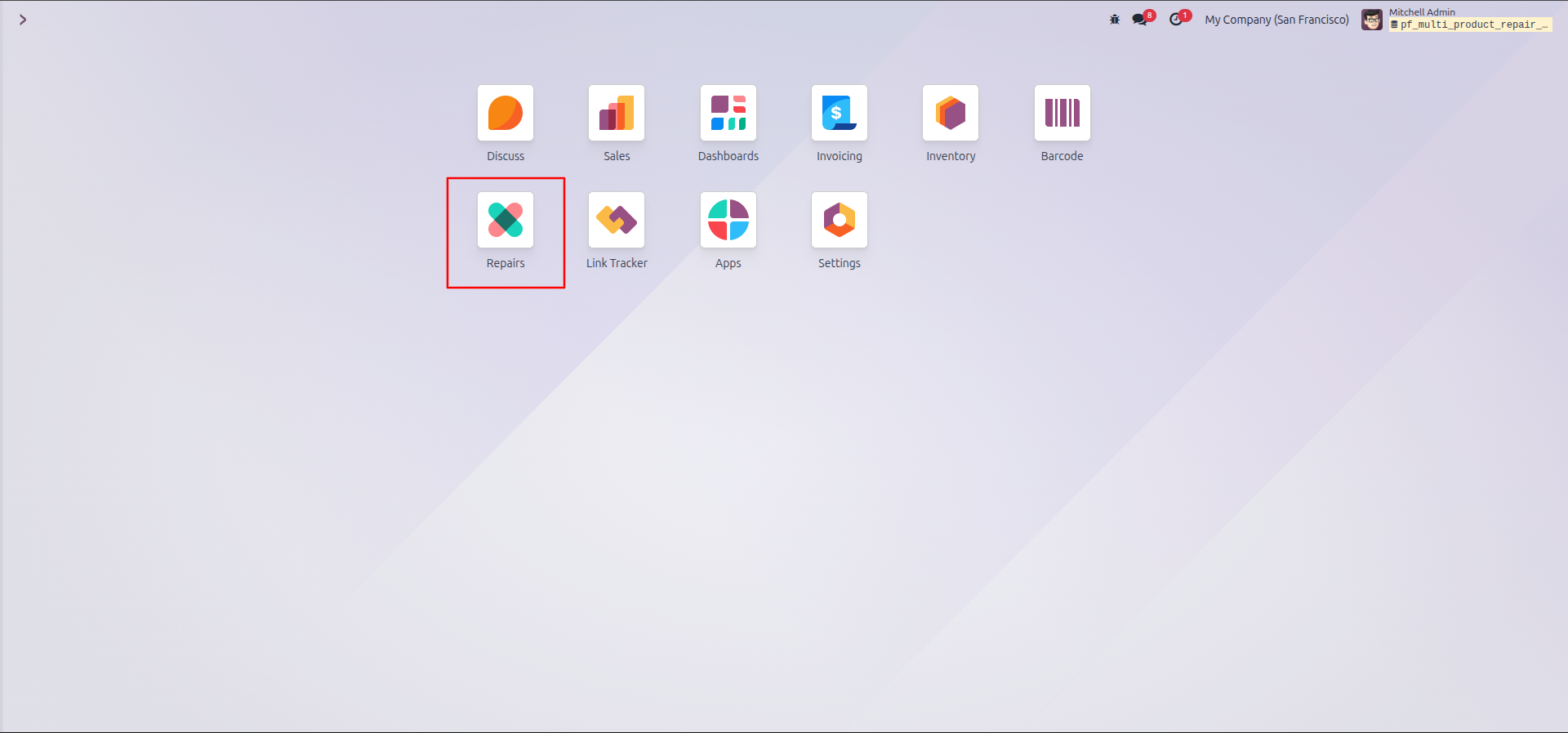
1.From your dashboard, click on the Repairs application.
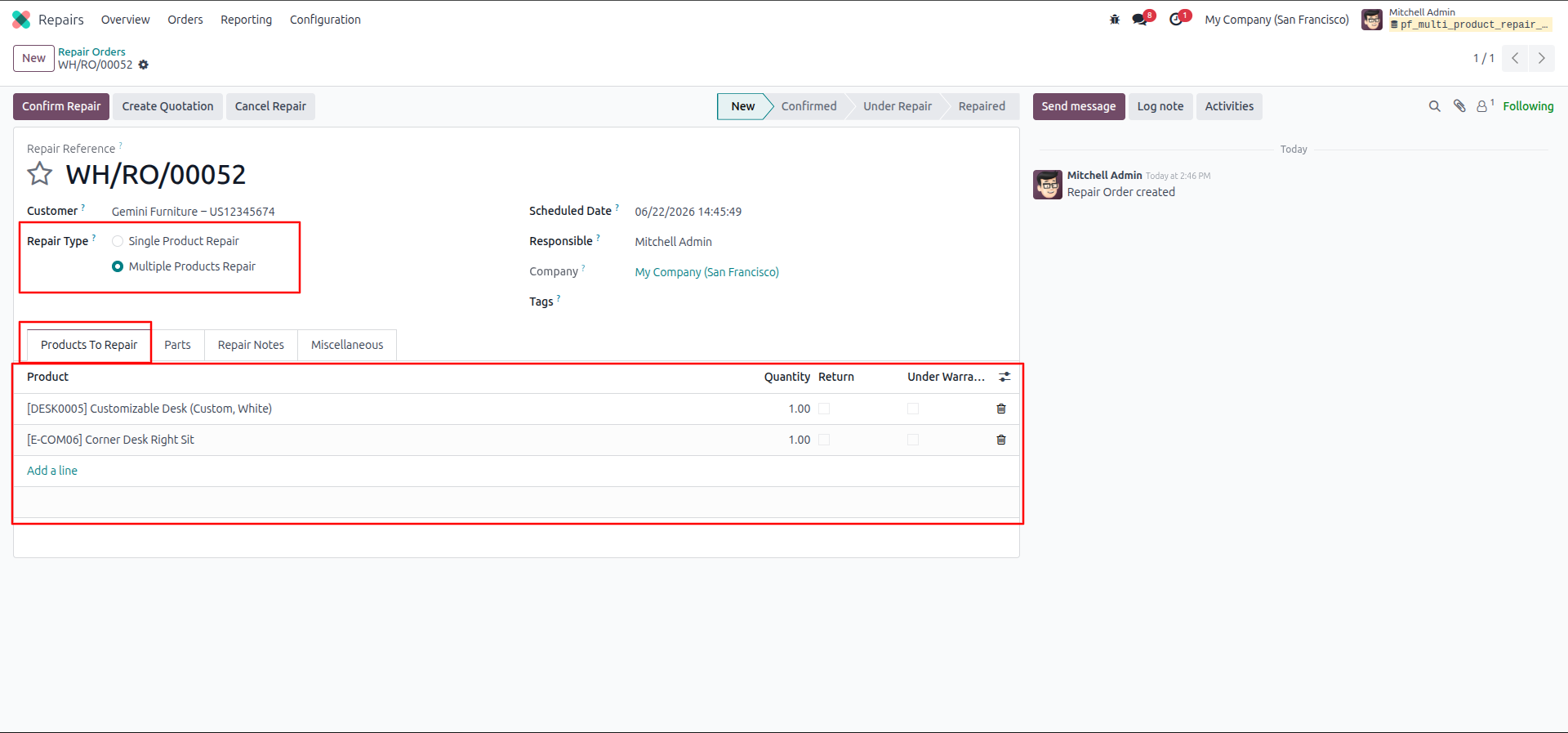
2.Click New, select Multiple Products Repair, and add your items in the Products To Repair tab.
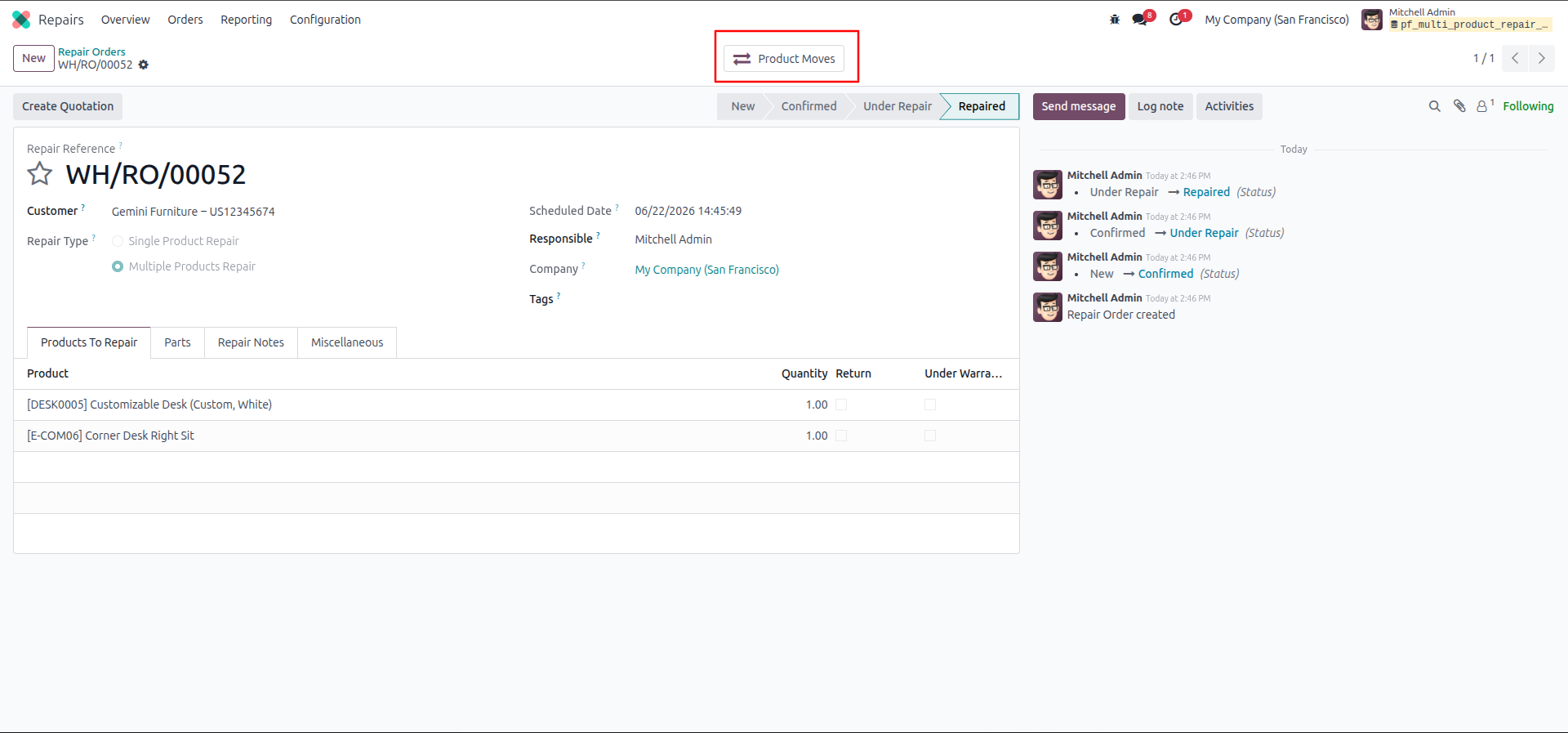
3.Confirm the repair and move it to the Repaired stage, then click the Product Moves smart button.
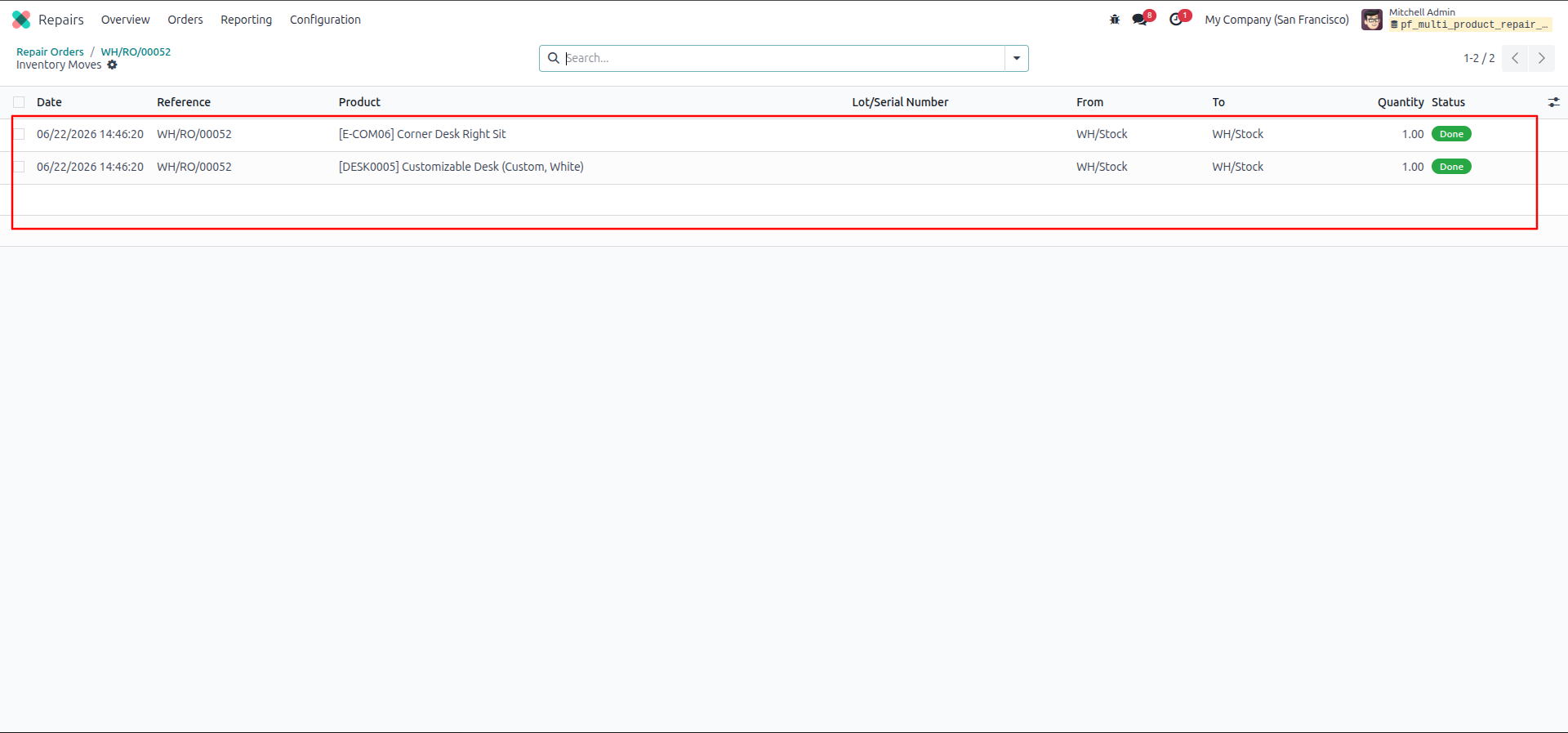
4.Review the list to verify that individual inventory moves were successfully created for each product in your order.
Our solutions focus on your problems
- Odoo Implementation
- Odoo Customization
- ERP Development and Implementation
- Odoo Ipass Cloud
- AI for Odoo
- Odoo Apps
- Aws Marketplace Products
- Business Engines
Our Pricing includes User Manual, 90 Days Support (Monday-Friday 10am to 7pm IST) and One time Setup
• Works & tested on standard installations of Odoo with no third party apps,
• Free support only for odoo installations with no third party apps,
• Paid support available for Odoo installations with third party apps.

Prefortune is a Odoo Official Partner, Odoo Development company. Our philosophy is to use Open Source tools and technologies to provide cost effective and green solutions for our customers.
Prefortune Technologies LLP is working on web development, Mobile development, and Odoo ERP.
If you need any help or want more additional features, you may contact us through:
Alternative Products
These other products might interest you
Specifications
| Version | 19.0, 18.0, 17.0, 16.0, 15.0, 14.0 |