Watch Quick Video
Website Invoices Partial Payment in Odoo Integration Odoo App
This Odoo module improves the customer portal by
adding Odoo Invoice Partial Payment App for enabling the invoice payment from the website
itself. It enables customers to enter a custom payment amount, make secure partial payments with
Odoo’s standard payment providers and track the remaining invoice balance in real-time while
keeping the default Odoo invoicing and payment workflow simple, secure and fully integrated.
Odoo Invoice Partial Payment App Features
- Partial invoice payment on the website with the option to enter the payment amount.
- Partial payment of outstanding invoices
- Invoice payment portal: Simple and easy to use workflow.
- Customer Portal & Secure Multi-Company Invoice Access
Complete Workflow for Website Invoices Partial Payment in Odoo Integration
The Odoo Invoice Partial Payment App provides a simple workflow for managing partial invoice payments through the Odoo customer portal. Customers can open their invoices, enter a custom payment amount, and click Pay Partial to open Odoo’s standard payment popup with the selected amount. They can then choose an available payment method and complete the payment securely. After successful payment, Odoo automatically updates the invoice payment status and remaining balance while maintaining the standard Odoo invoice and portal workflow.
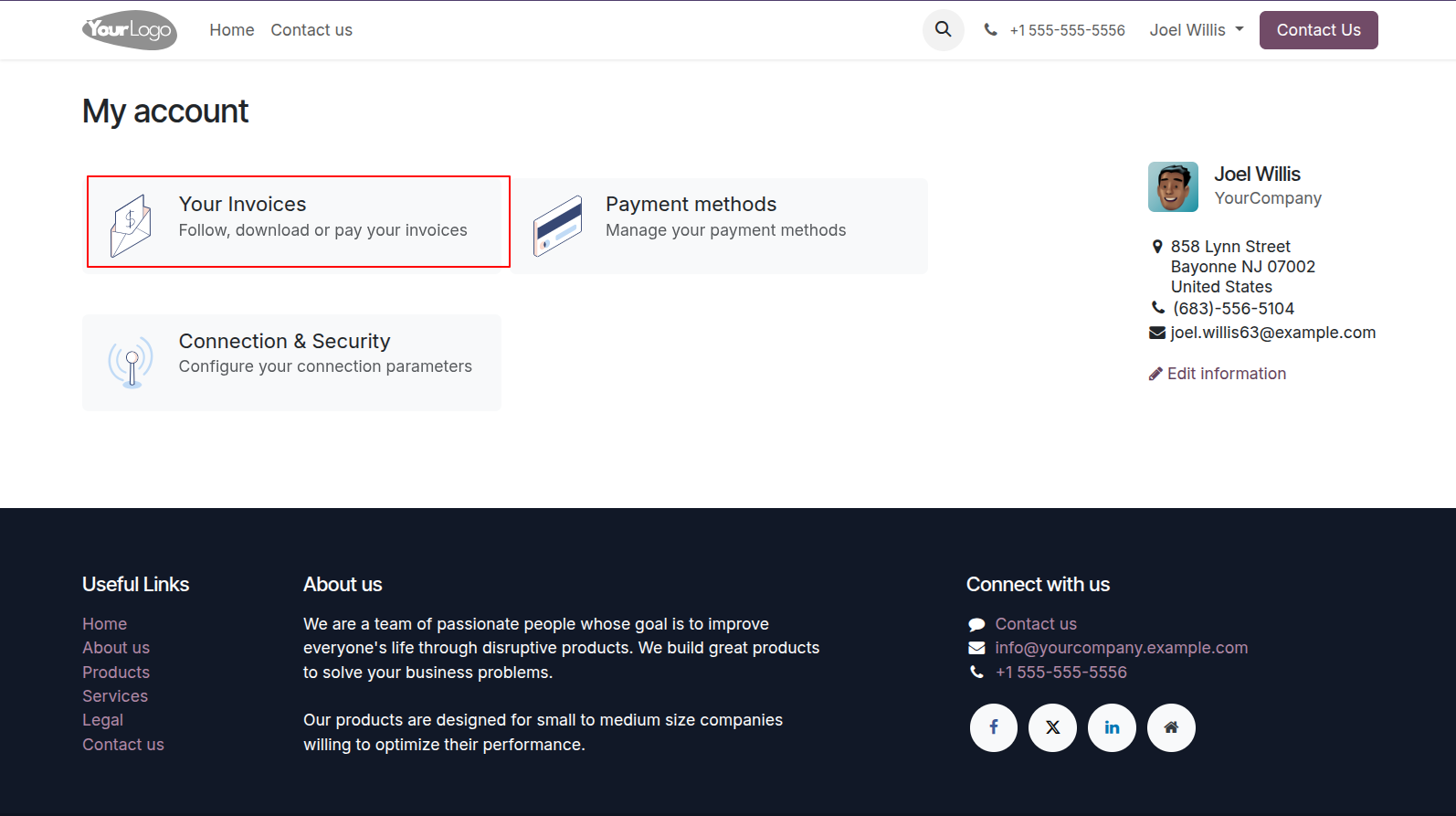
1.You can see your invoices from my account.
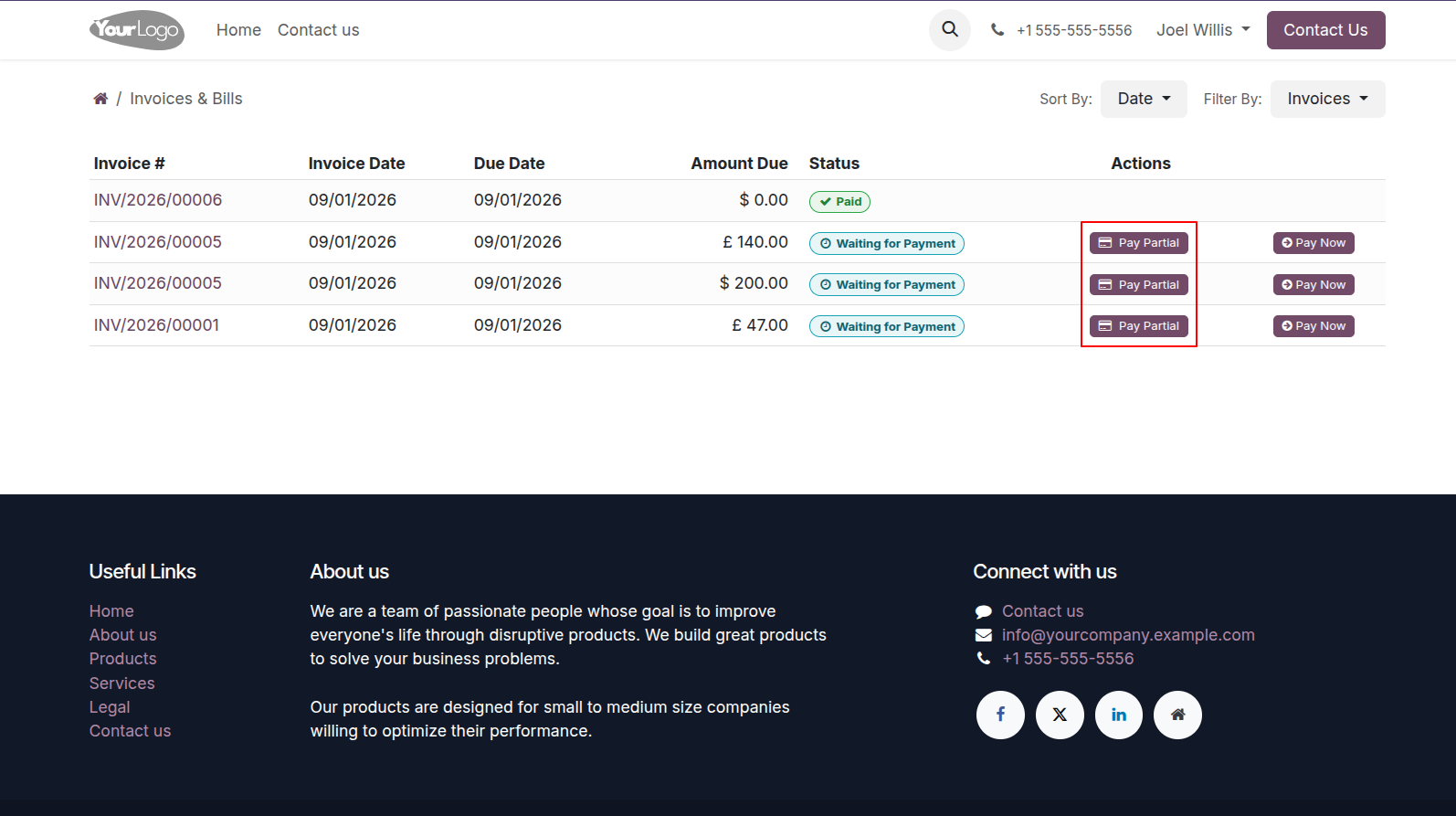
2.The figure shows the Partial Payment button.
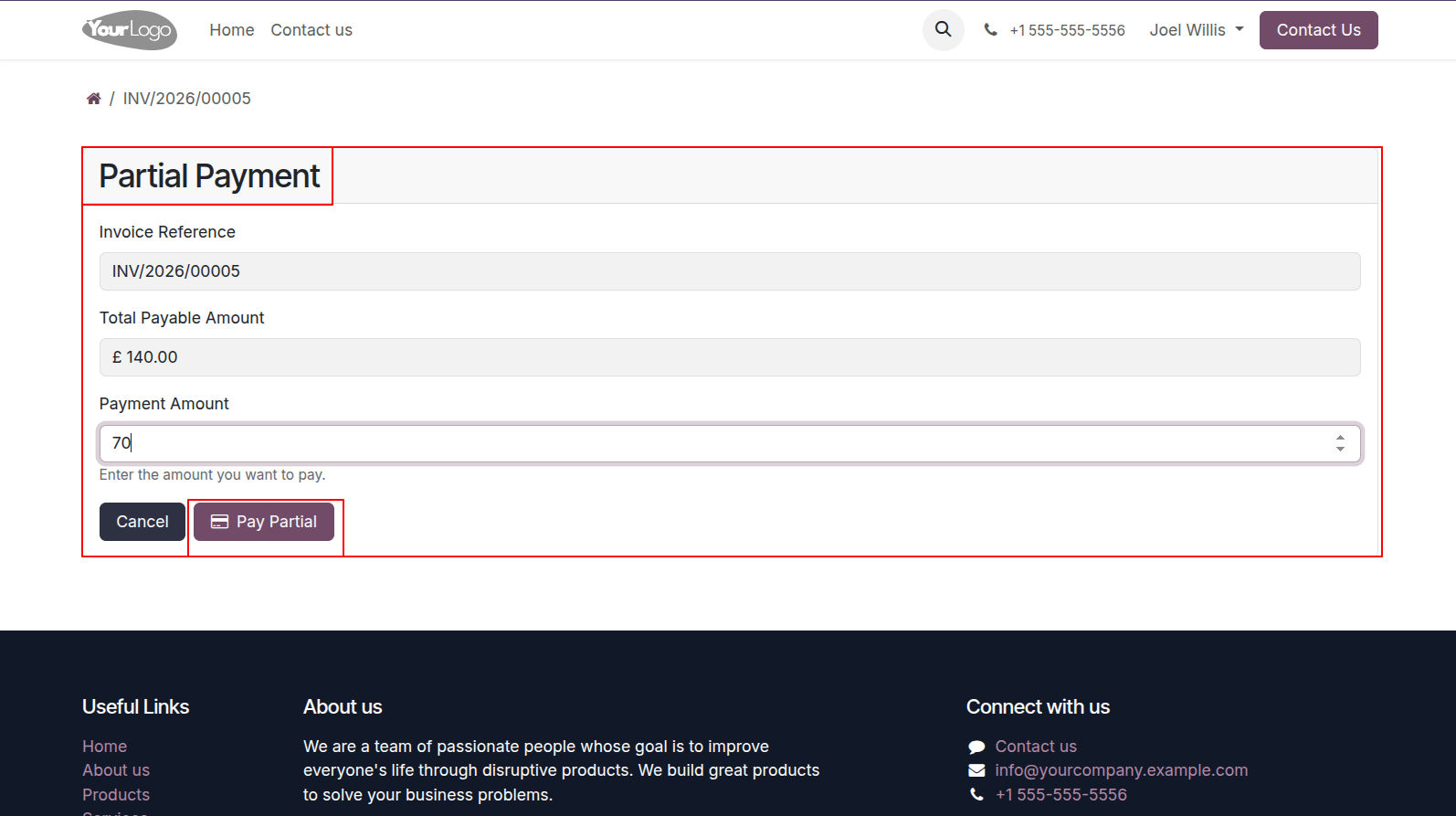
3.Make for Partial Payment In this window enter the amount that you want to make for partial payment.
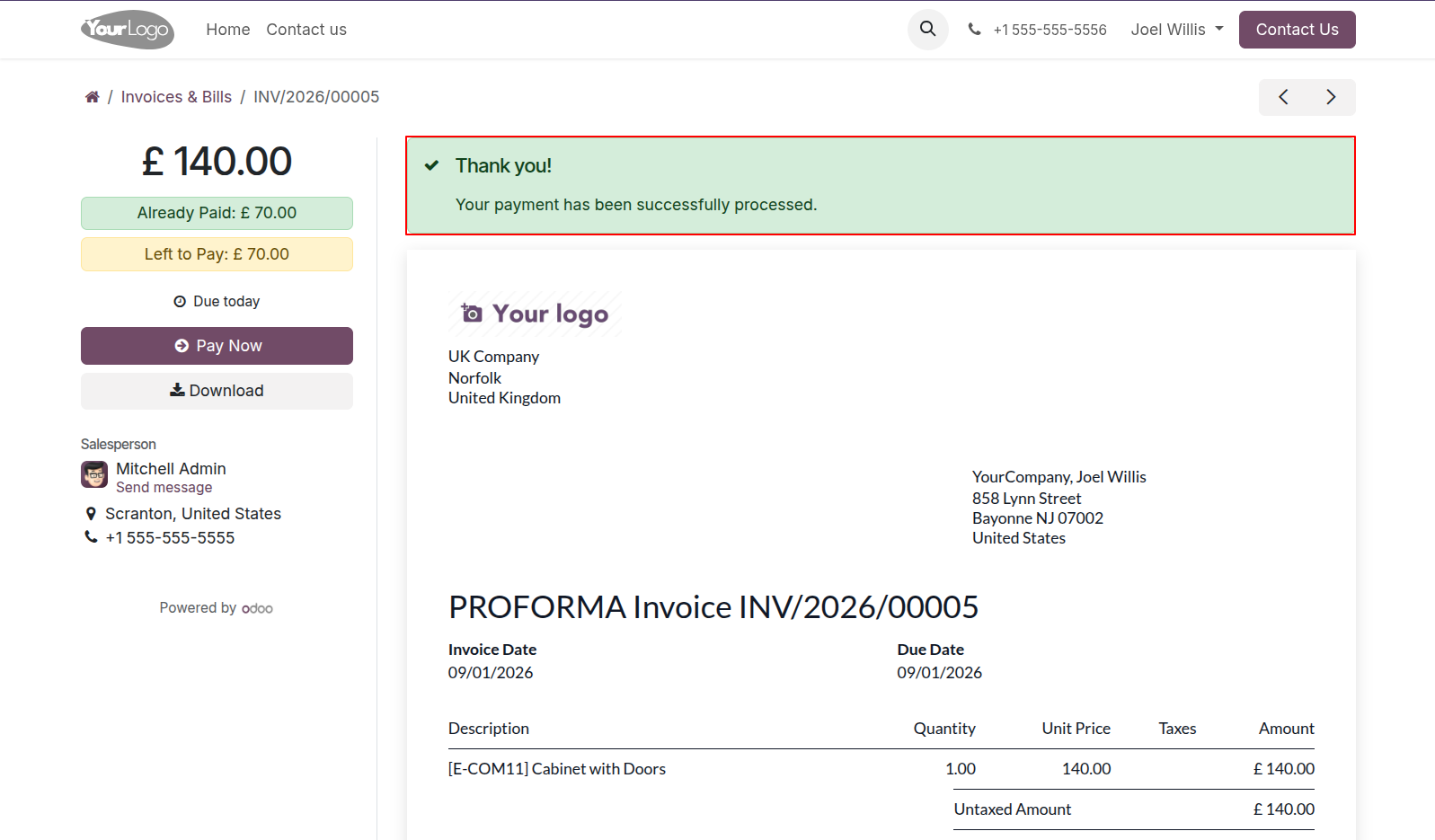
4.Payment Completed Notification A simple thank-you message confirming that your partial payment has been completed successfully.
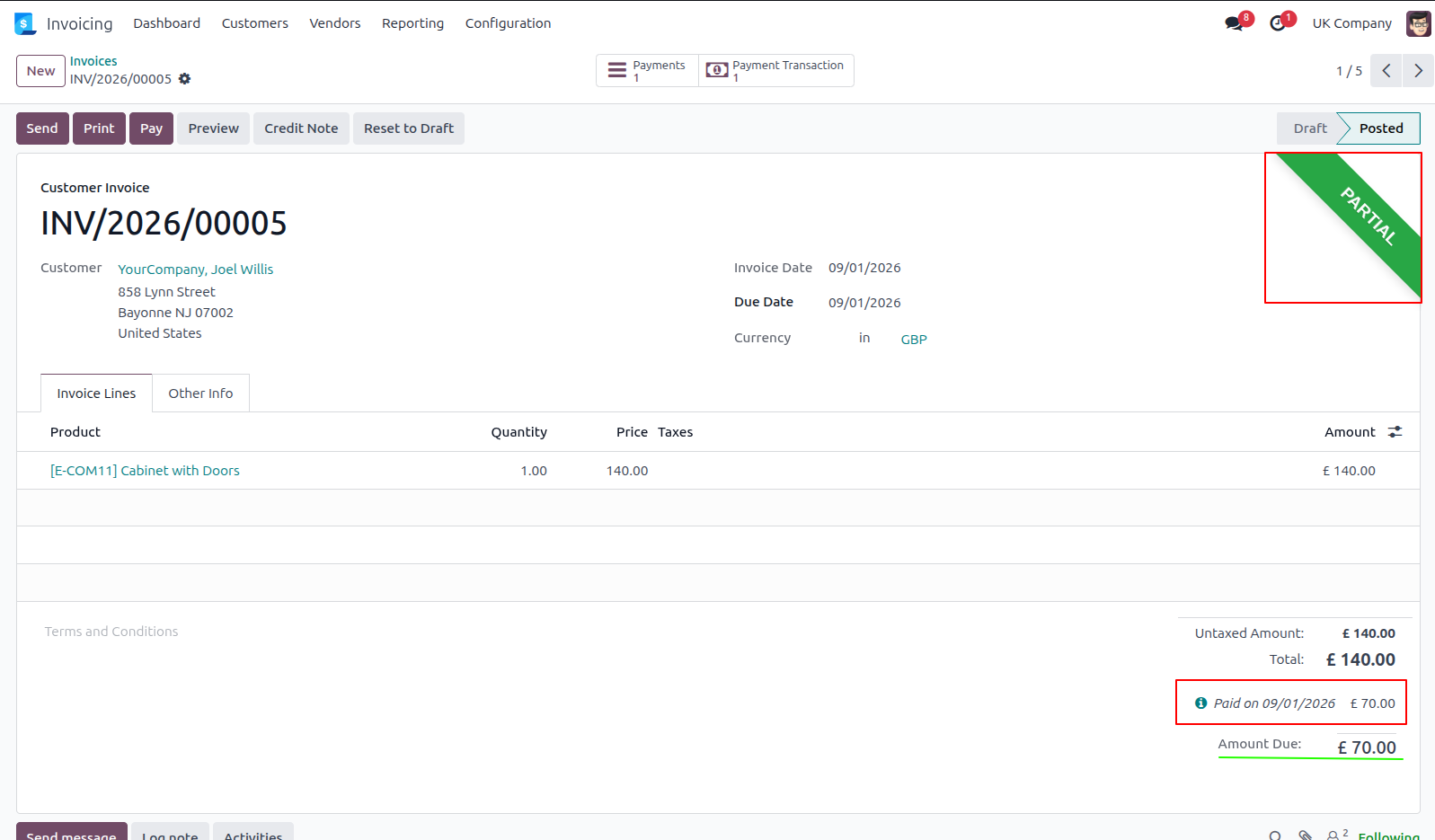
5.In the Back-end Remaining balance of order with invoice order id are display in the Customer Invoice.
Our solutions focus on your problems
- Odoo Implementation
- Odoo Customization
- ERP Development and Implementation
- Odoo Ipass Cloud
- AI for Odoo
- Odoo Apps
- Aws Marketplace Products
- Business Engines
Our Pricing includes User Manual, 90 Days Support (Monday-Friday 10am to 7pm IST) and One time Setup
• Works & tested on standard installations of Odoo with no third party apps,
• Free support only for odoo installations with no third party apps,
• Paid support available for Odoo installations with third party apps.

Prefortune is a Odoo Official Partner, Odoo Development company. Our philosophy is to use Open Source tools and technologies to provide cost effective and green solutions for our customers.
Prefortune Technologies LLP is working on web development, Mobile development, and Odoo ERP.
If you need any help or want more additional features, you may contact us through:
Alternative Products
These other products might interest you
Specifications
| Version | 19.0, 18.0, 17.0, 16.0, 15.0, 14.0 |