Watch Quick Video
Odoo Portal Login & Signup Redirect
Our all-inclusive Odoo Portal Login & Signup Redirect
module helps businesses streamline website navigation with Odoo login redirect and custom redirect after signup functionality. It automatically redirects customers and portal users to predefined pages after authentication, eliminating unnecessary navigation steps and improving the overall user experience.
The module provides separate configurations for login redirect and signup redirect actions, allowing businesses to manage customer journeys more effectively. Seamlessly integrated with Odoo Website and Portal modules, it helps deliver a smoother and more user-friendly experience for website visitors and portal users.
Odoo Portal Login & Signup Redirect
- Configure Odoo login redirect to send customers to a selected page after login.
- Set different login redirect and signup redirect URLs as needed.
- Works seamlessly with Odoo Website and Portal modules.
- Enable custom redirect after signup for newly registered customers.
- Supports portal user redirect to configured pages after login and signup.
Complete Workflow for Manage Odoo Portal Login & Signup Redirect
Install and activate the Odoo Portal Login & Signup Redirect module. After installing the module, go to Website → Configuration → Settings. Enable the Portal Login Redirect option. Enter the Login Redirect URL and Signup Redirect URL to configure the desired Odoo Login Redirect and Custom Redirect After Signup behavior. Save the settings to apply the configured redirection rules. When a customer or Portal User logs in or signs up, the system automatically performs the configured Login Redirect or Signup Redirect instead of sending users to the default destination page. This helps improve website navigation, enhances the customer experience, and ensures users are directed to the most relevant pages on your website.
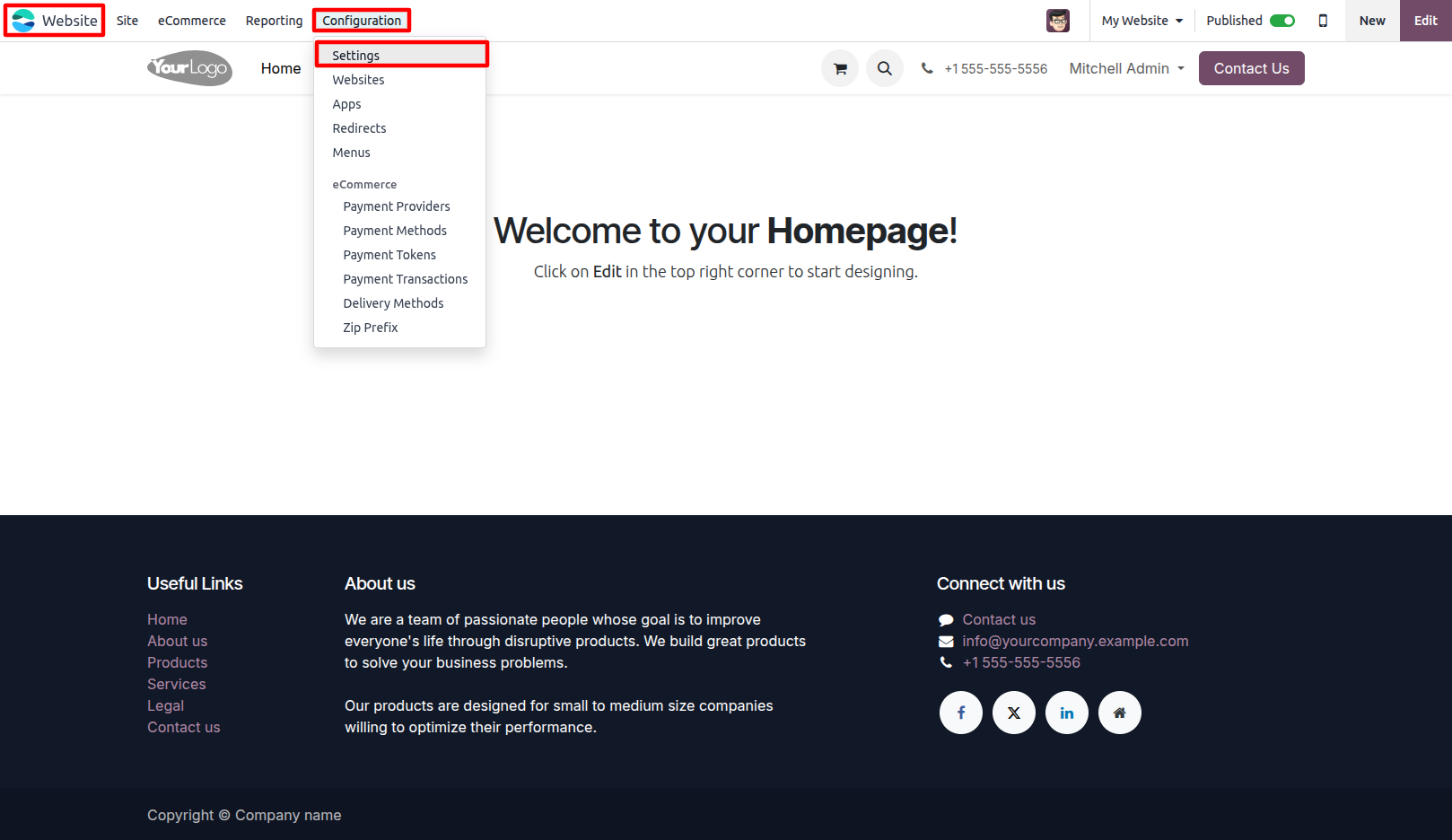
1.Go to Website Settings. Website → Configuration → Settings.
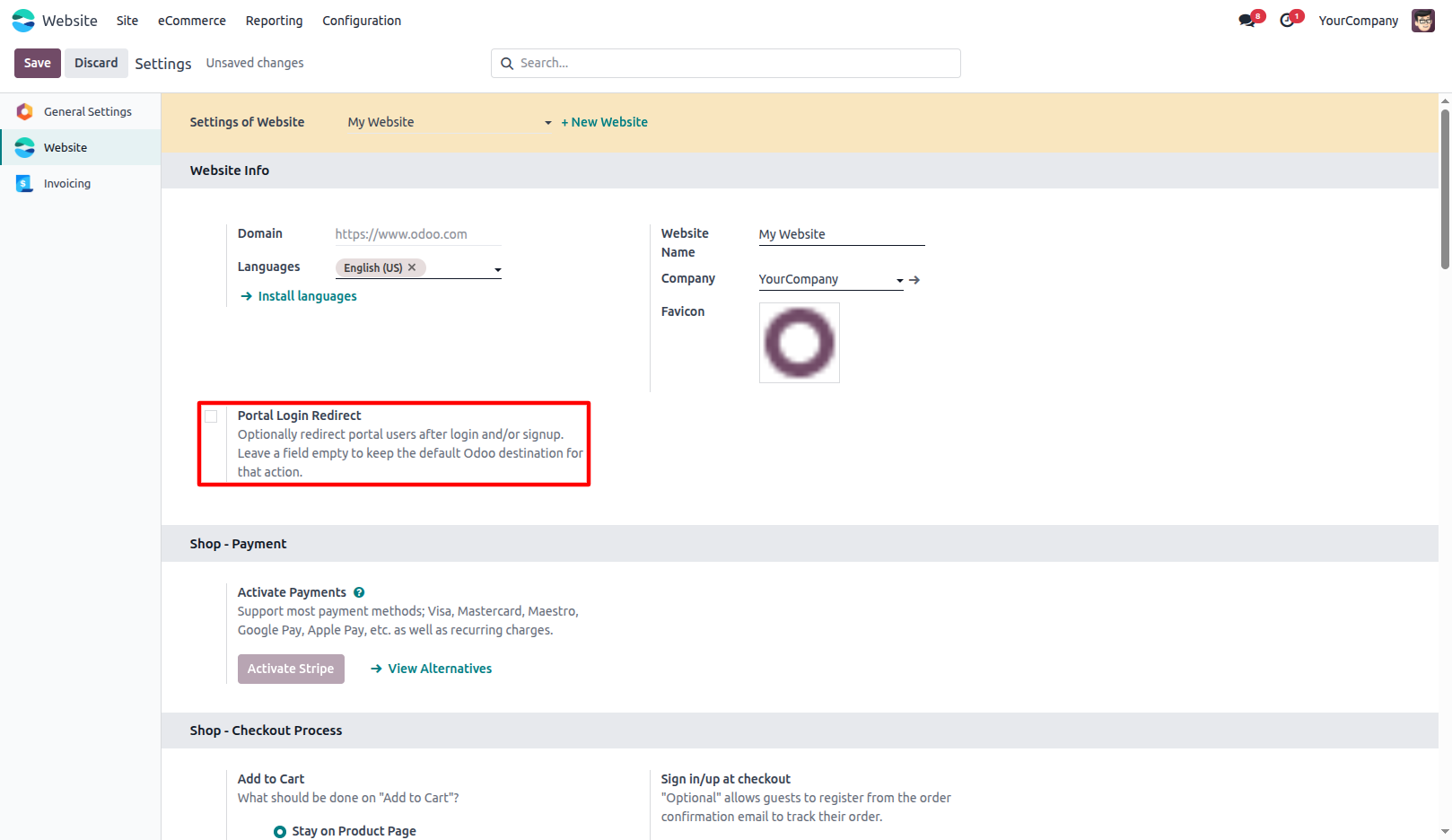
2.Enable the Portal Login Redirect.
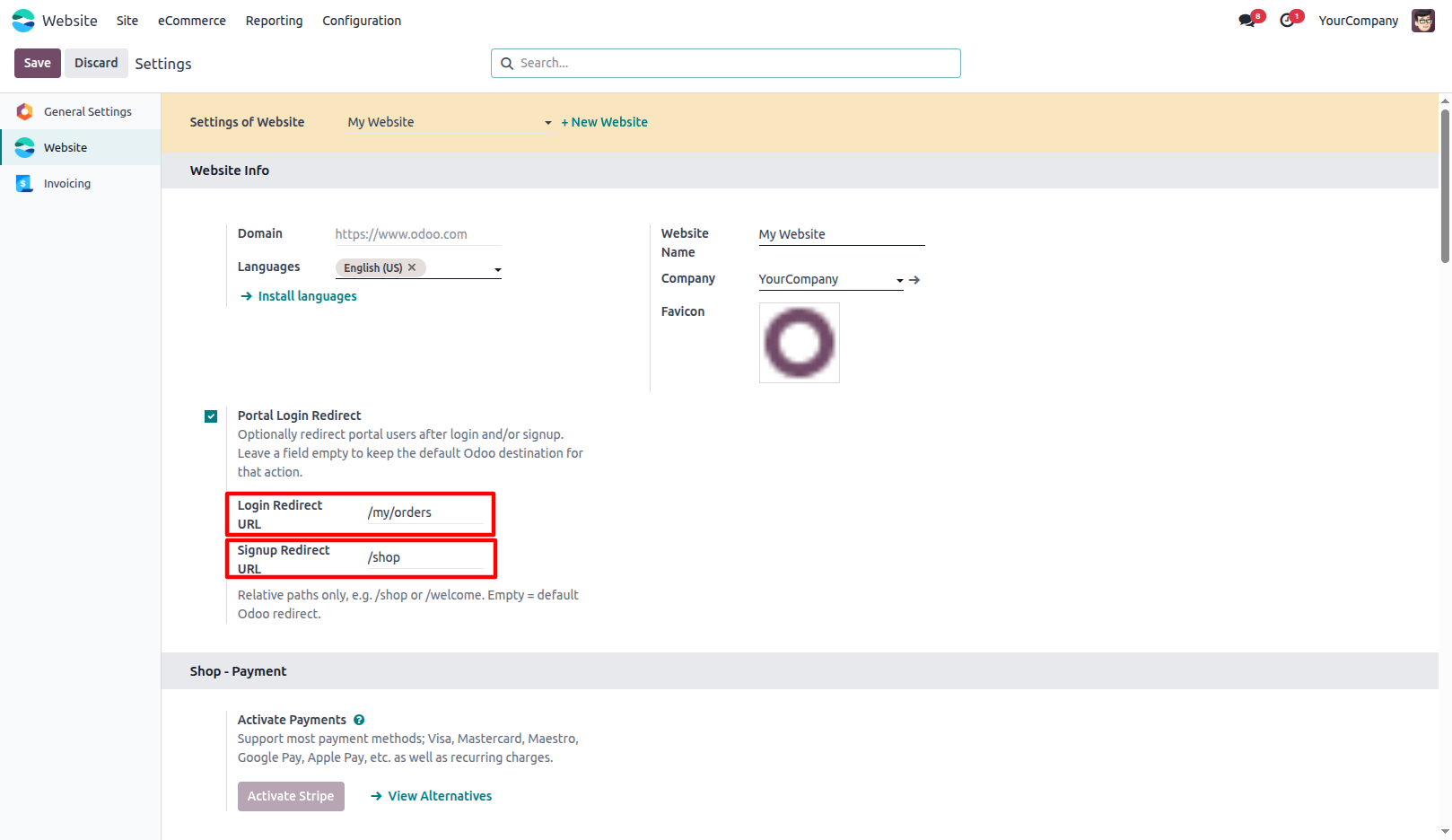
3.Enter the Login Redirect URL and Signup Redirect URL as required.
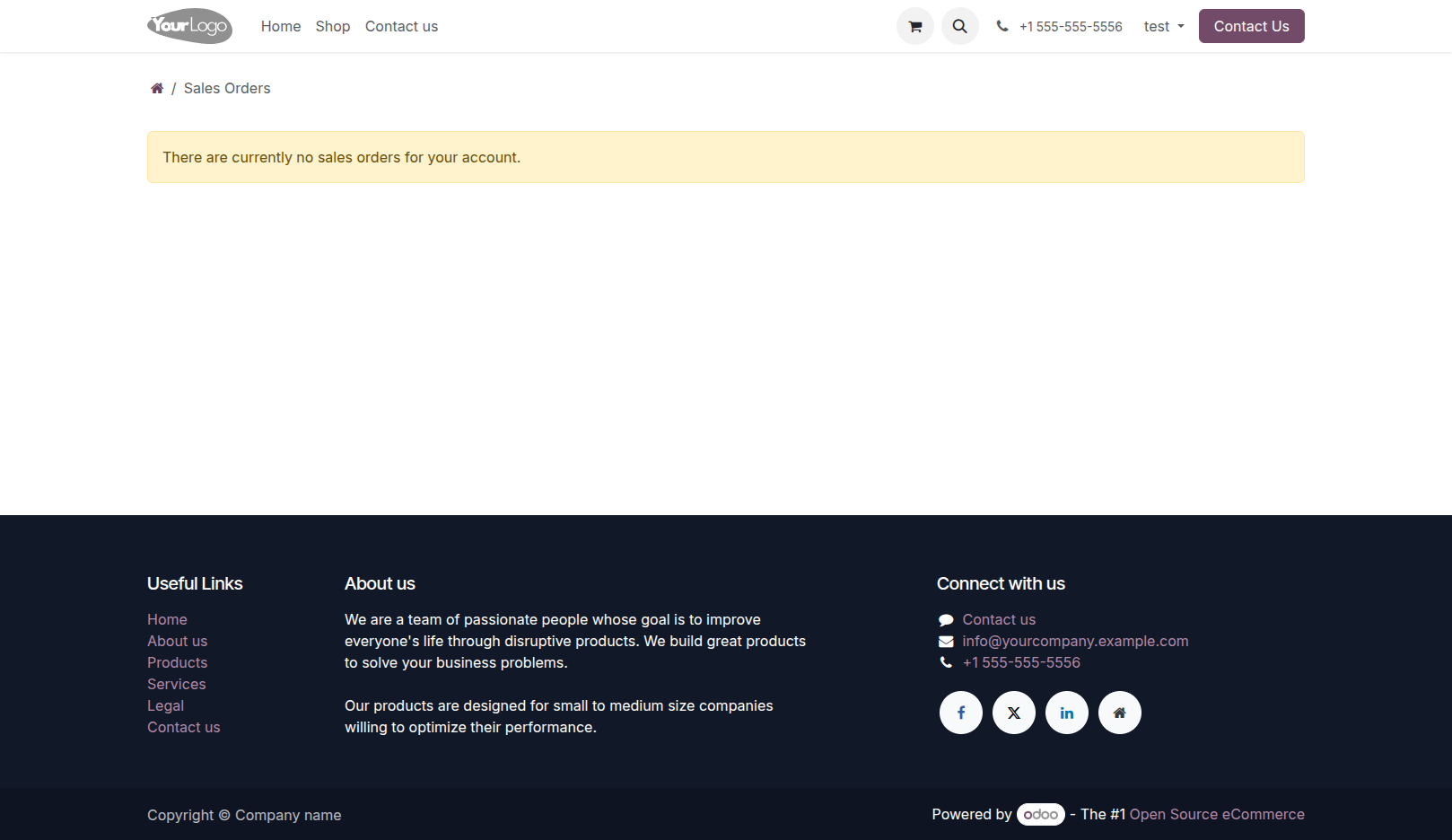
4.When customers or portal users log in or sign up, they are automatically redirected to the configured pages.
Our solutions focus on your problems
- Odoo Implementation
- Odoo Customization
- ERP Development and Implementation
- Odoo Ipass Cloud
- AI for Odoo
- Odoo Apps
- Aws Marketplace Products
- Business Engines
Our Pricing includes User Manual, 90 Days Support (Monday-Friday 10am to 7pm IST) and One time Setup
• Works & tested on standard installations of Odoo with no third party apps,
• Free support only for odoo installations with no third party apps,
• Paid support available for Odoo installations with third party apps.

Prefortune is a Odoo Official Partner, Odoo Development company. Our philosophy is to use Open Source tools and technologies to provide cost effective and green solutions for our customers.
Prefortune Technologies LLP is working on web development, Mobile development, and Odoo ERP.
If you need any help or want more additional features, you may contact us through:
Alternative Products
These other products might interest you
Specifications
| Version | 19.0, 18.0, 17.0, 16.0, 15.0, 14.0 |