Watch Quick Video
Odoo POS Save & Restore Orders
The Odoo POS Save & Restore Orders
module makes it easy for businesses to keep track of POS draft and pending orders, plus customer cart states all straight from the Odoo POS screen. Cashiers can save current orders and items right to the backend, thanks to flexible setup options and automated draft creation. When they need to get back to a saved order, they just use the import draft order pop-up and pick up right where they left off.
Everything stays in sync, too the cart details on the frontend are always matched with draft records in the backend. Managing POS orders becomes less of a headache. And with the clear draft order list and simple ways to close sessions, cashiers spend less time worrying about lost orders or mistakes. In short, it helps everyone work faster and keeps store operations running smoothly.
Odoo POS Save & Restore Orders
- Enable the 'Save Draft' feature from POS settings.
- Save and manage POS draft orders directly from the POS screen.
- Prevent saving empty draft orders with warning alerts.
- Restore POS orders and resume saved drafts in active sessions.
- Allow or restrict POS session closure with active draft orders.
Complete Workflow for Manage Odoo POS Save & Restore Orders
Activate the Odoo POS Save & Restore Orders module and configure POS Save Draft Configurations under the Point of Sale settings. Enable "Enable Save Draft Order" and "Enable Close Session with Draft Order" options directly for your preferred POS shop floor. The module automatically adds interactive action features to the POS interface screen and synchronizes POS Draft Orders in real time when users trigger selections. Operators can populate product lines in the checkout terminal cart and click 'Save Order' to save POS Orders and sync information back to the administration panel layout. This helps businesses optimize frontline checkouts, increase daily cashier processing speeds, and prevent order data loss through automated POS Draft Order Handling, POS Order Management, and cross-session POS Order Restoration.
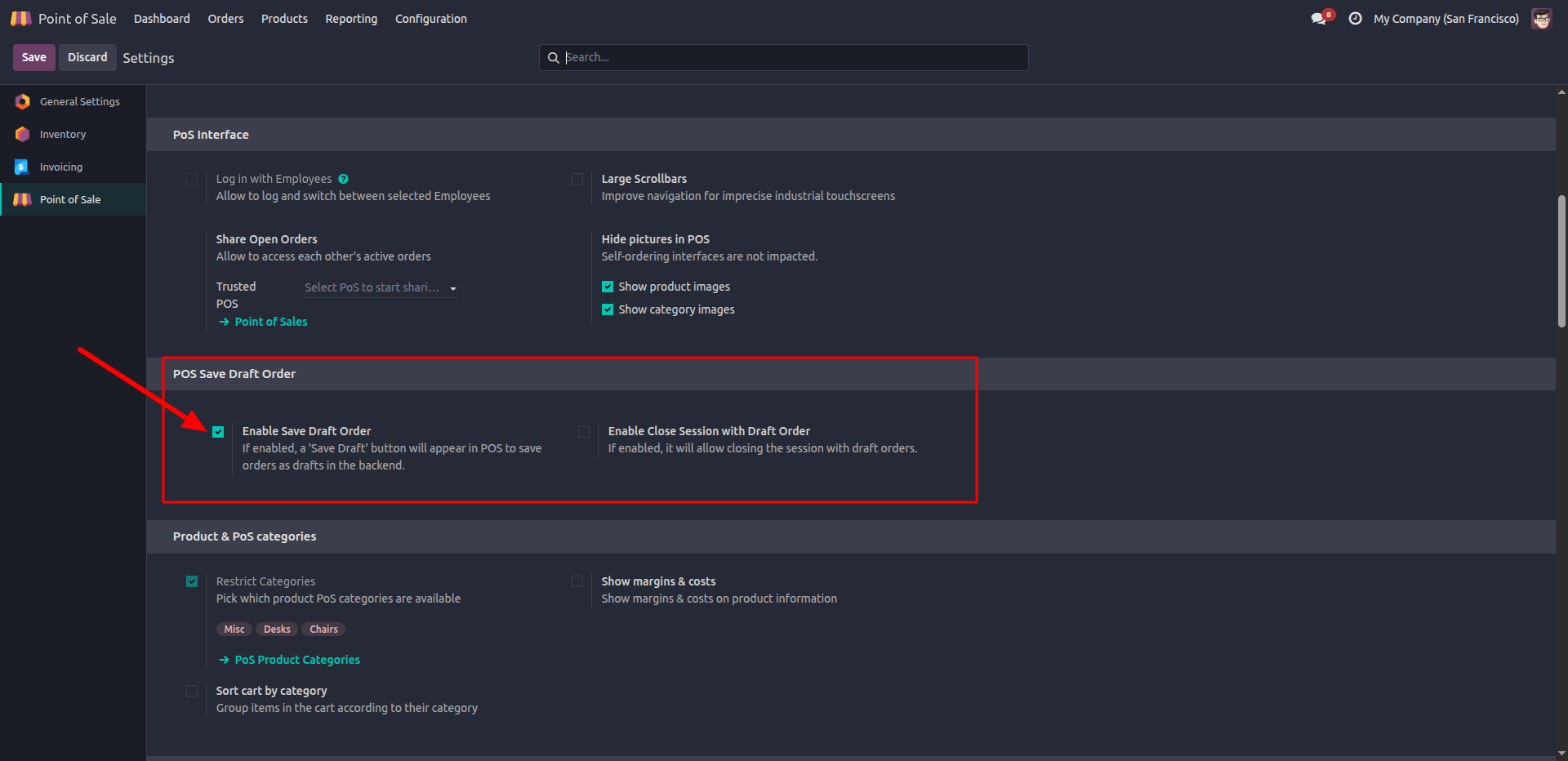
1. Enabling the 'Save Draft' feature in POS settings.
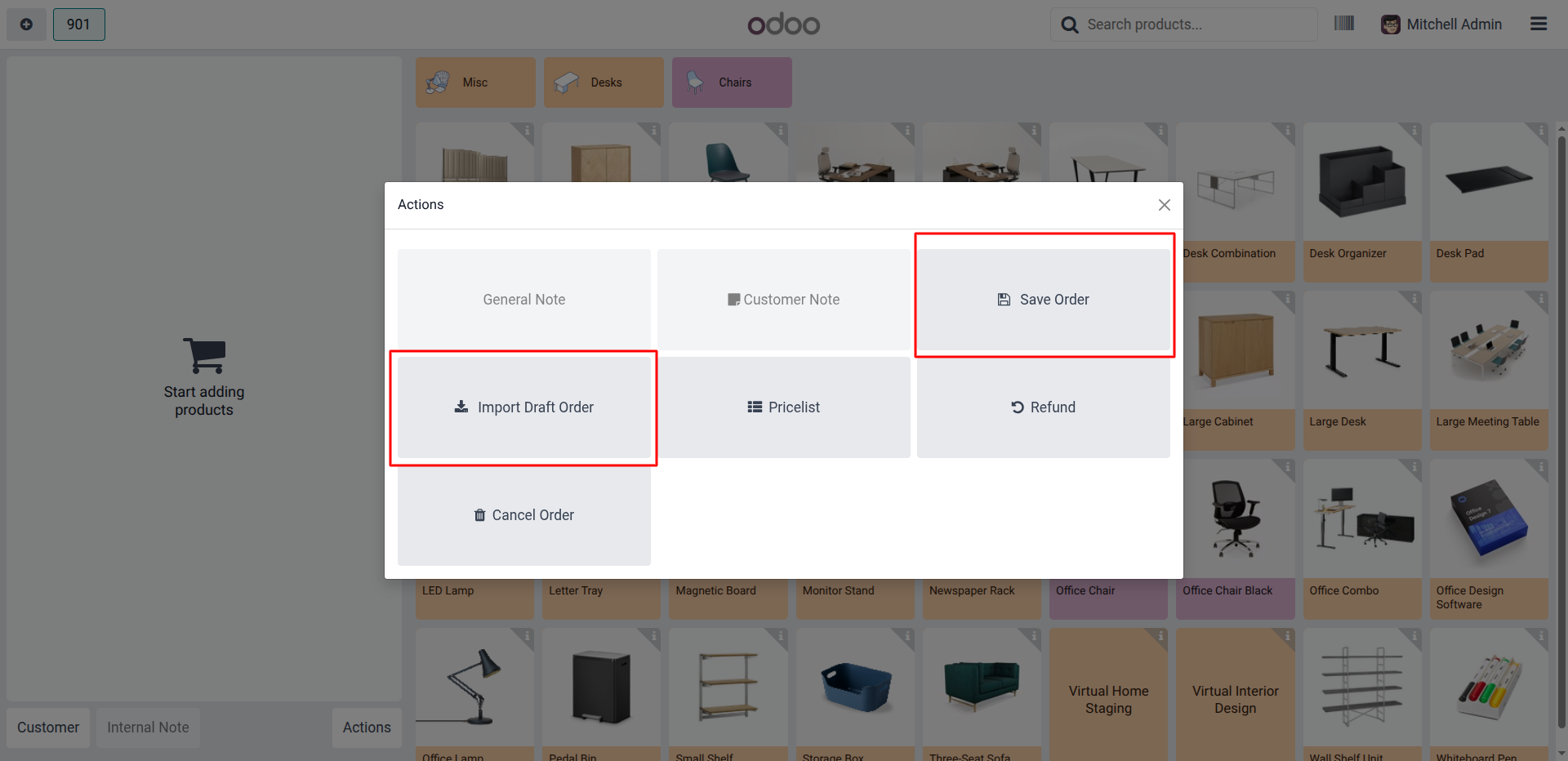
2. Managing draft orders directly from the POS interface.
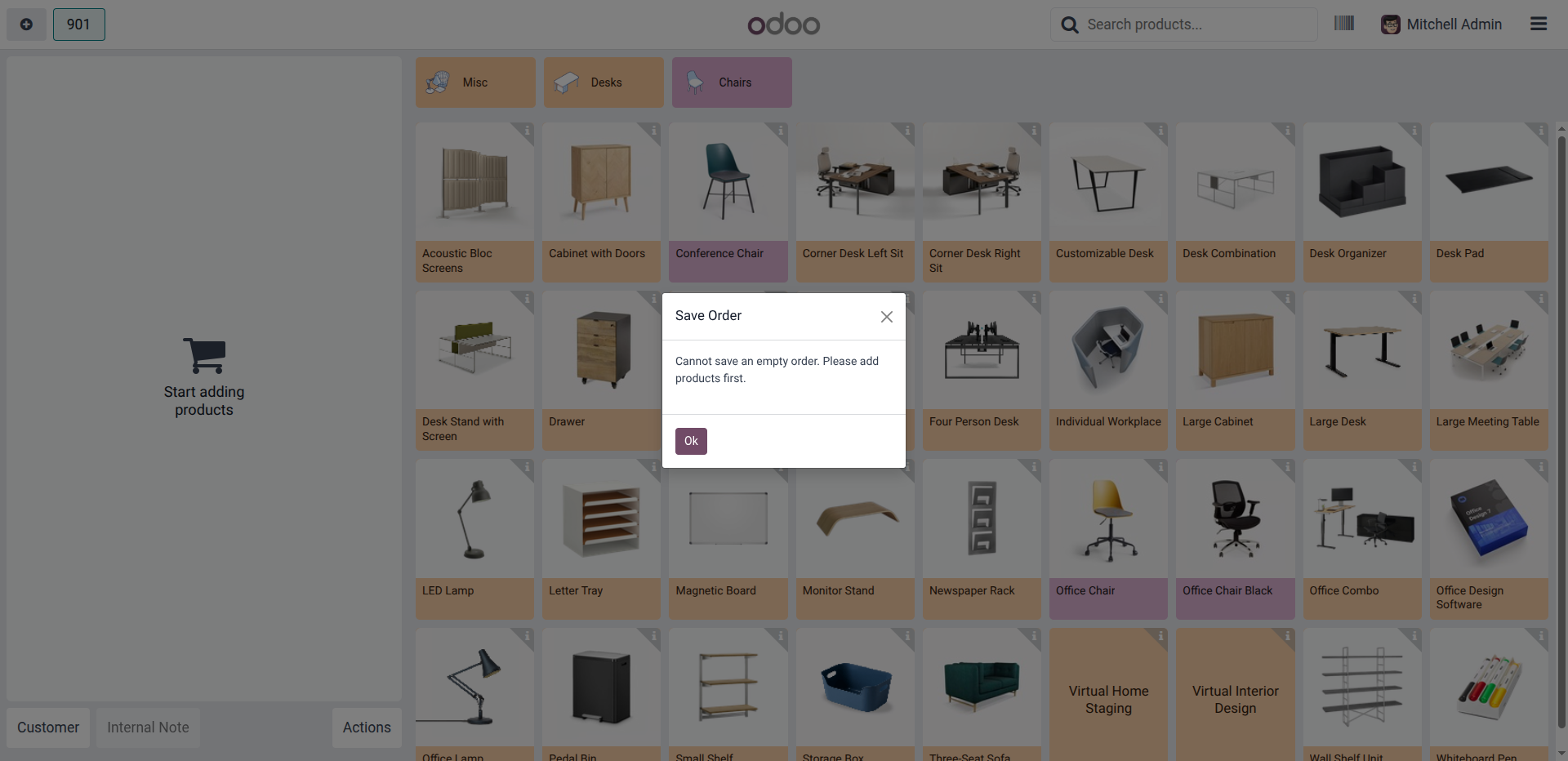
3. Warning message preventing the saving of an empty draft order.
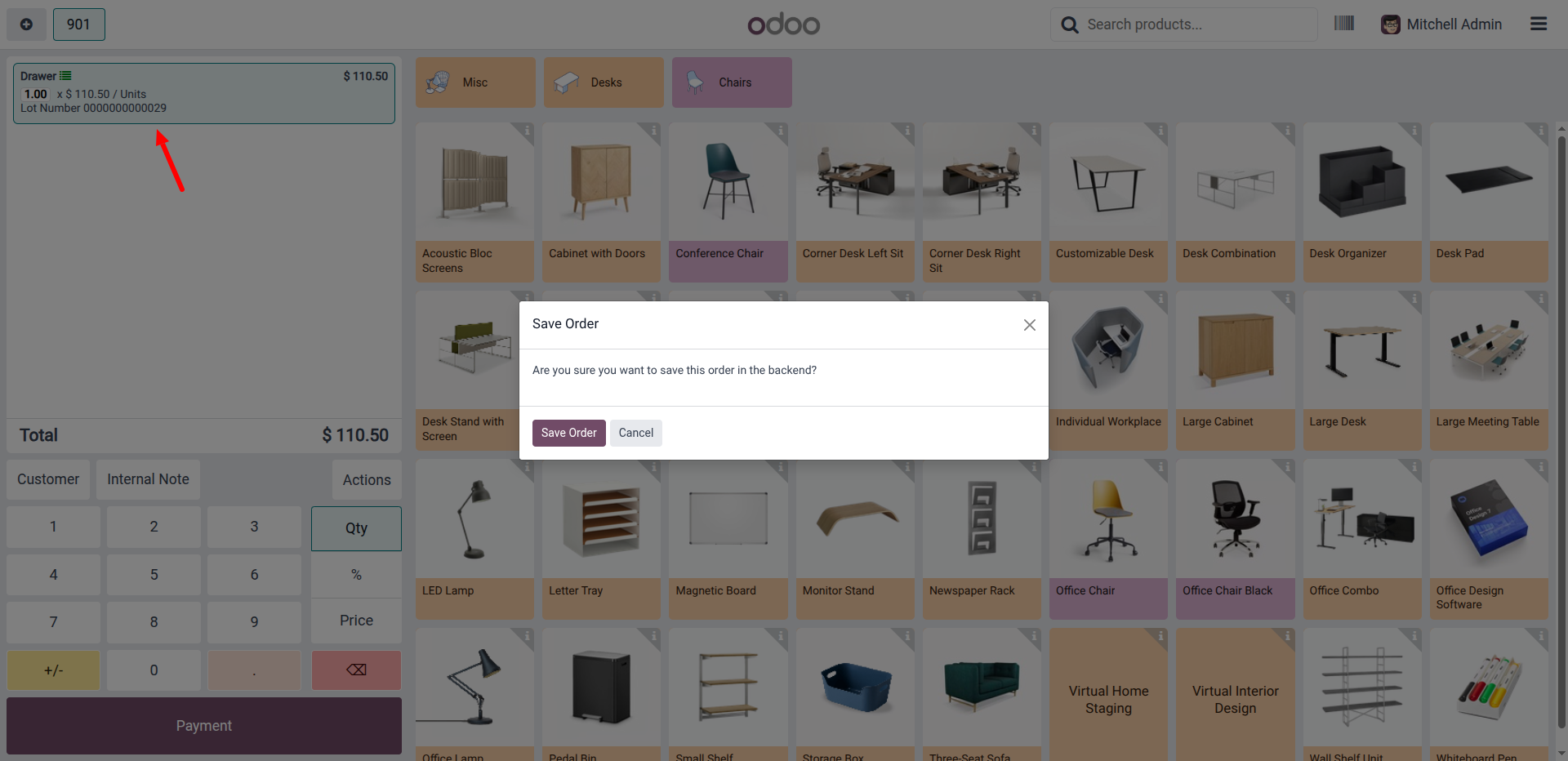
4. Selecting 'Save Order' to create a draft in the backend.
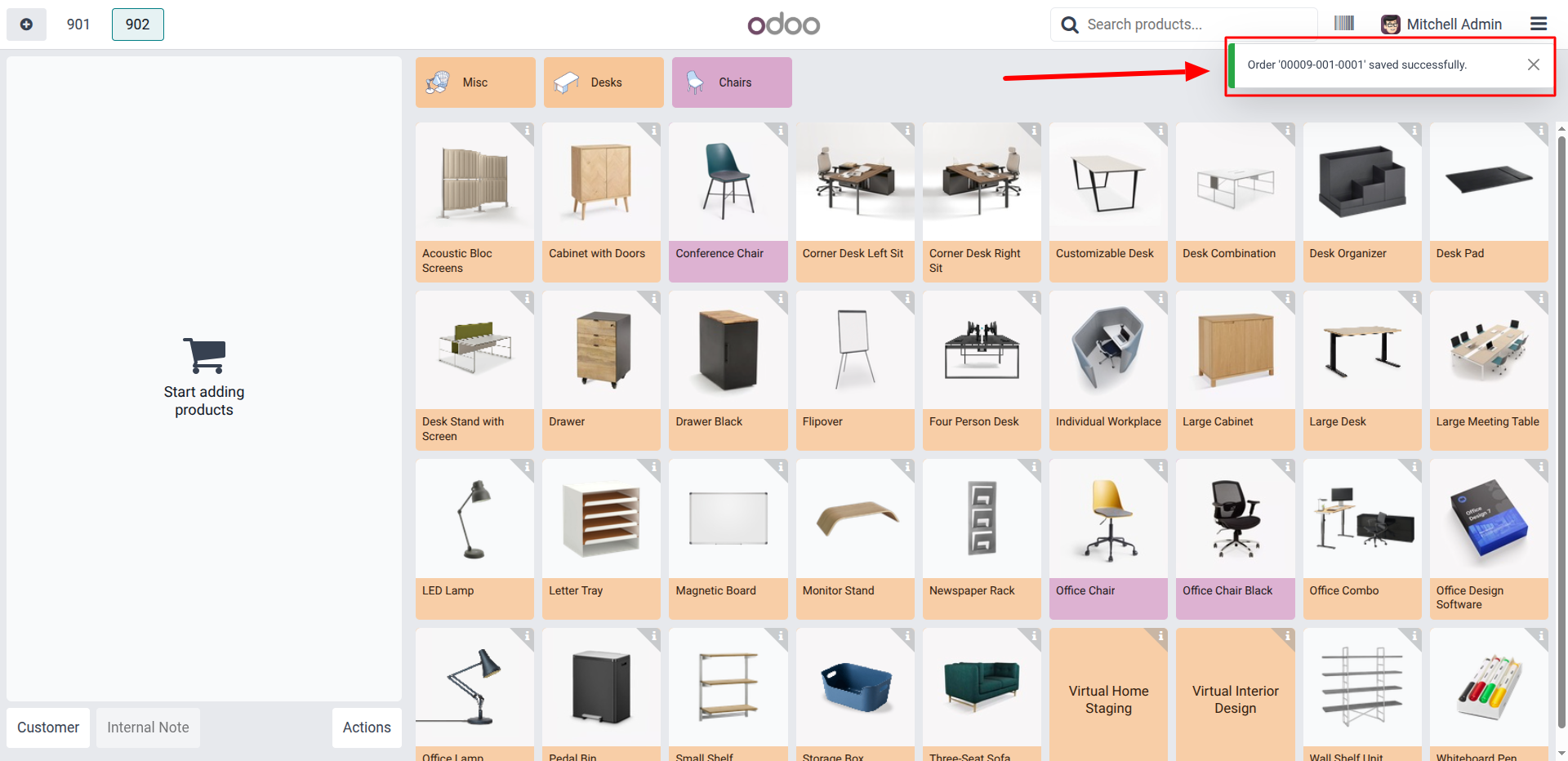
5. Success notification confirming the draft order is saved in the backend.
6. Confirming the order save to the backend.
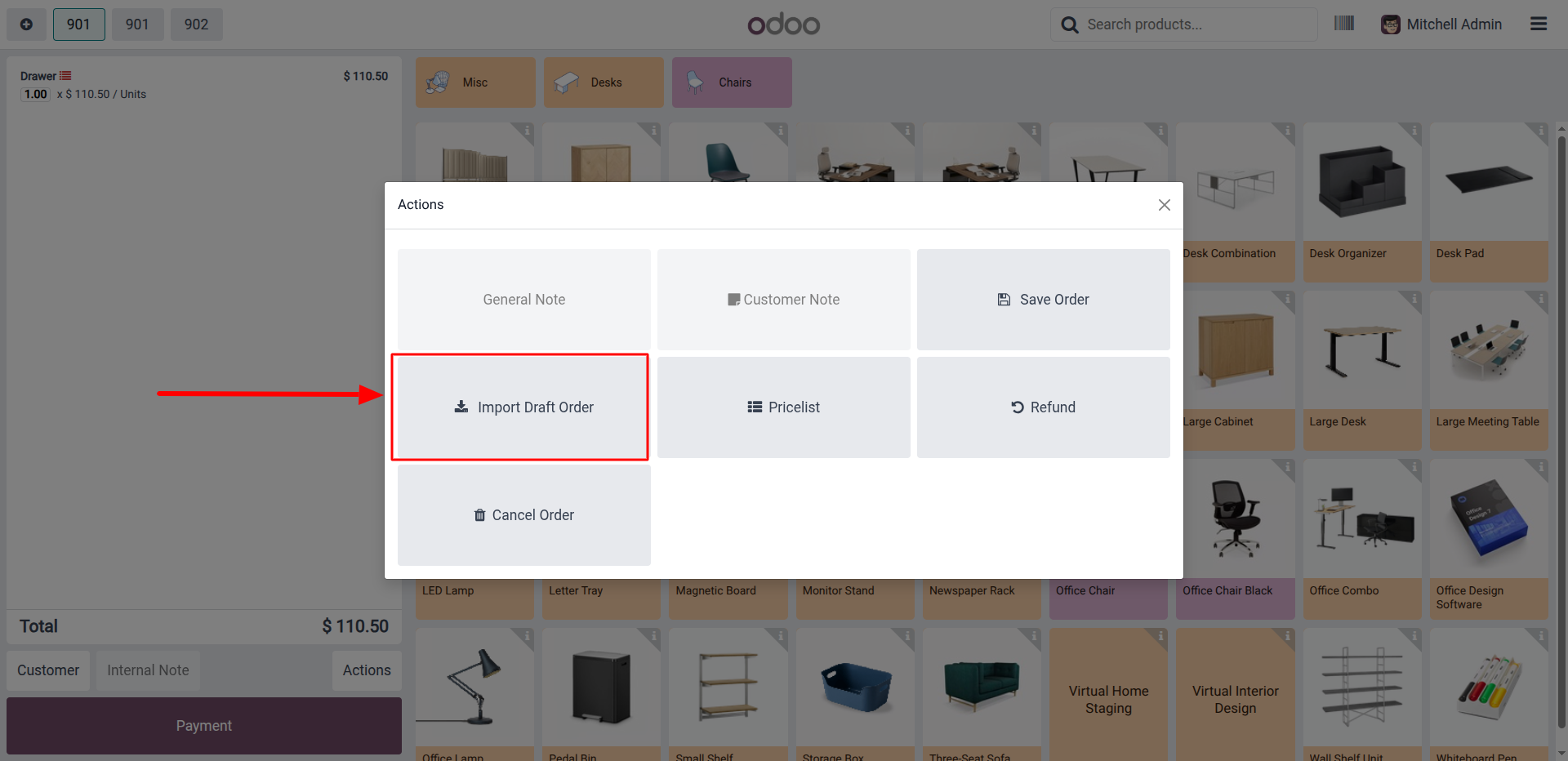
7. Selecting 'Import Draft Order' to retrieve saved orders.
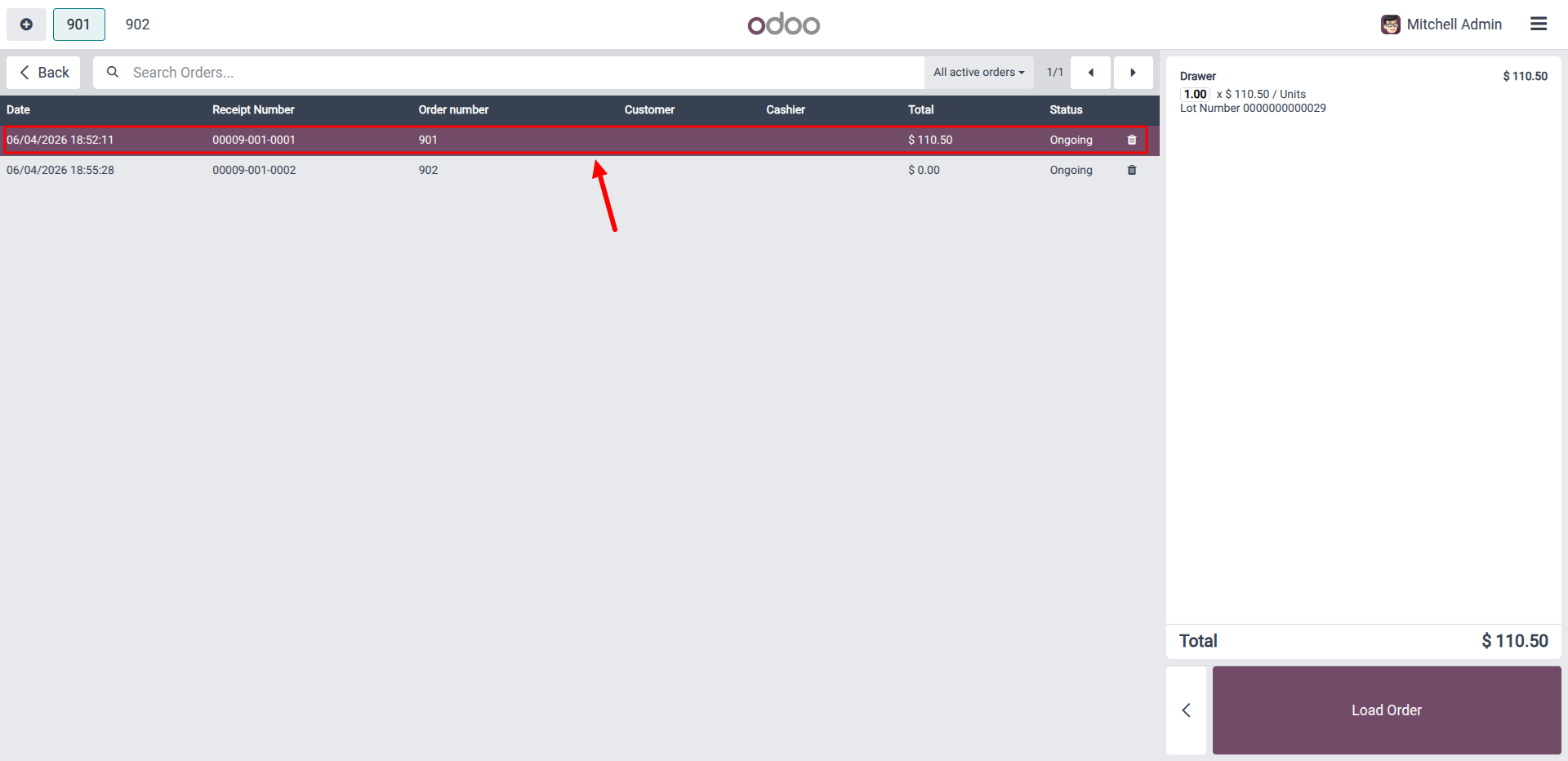
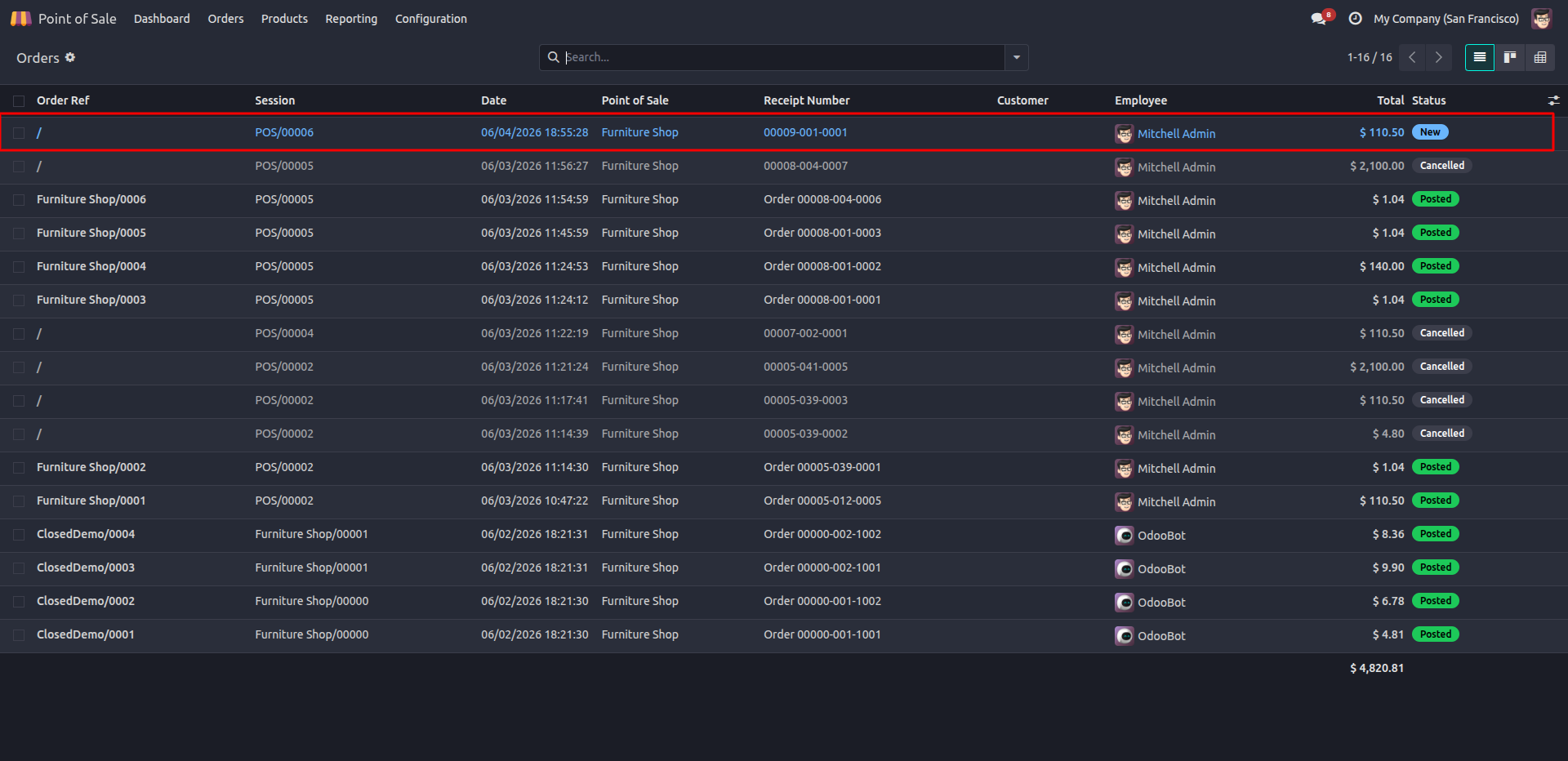
8. Reviewing the newly created draft order in the backend.
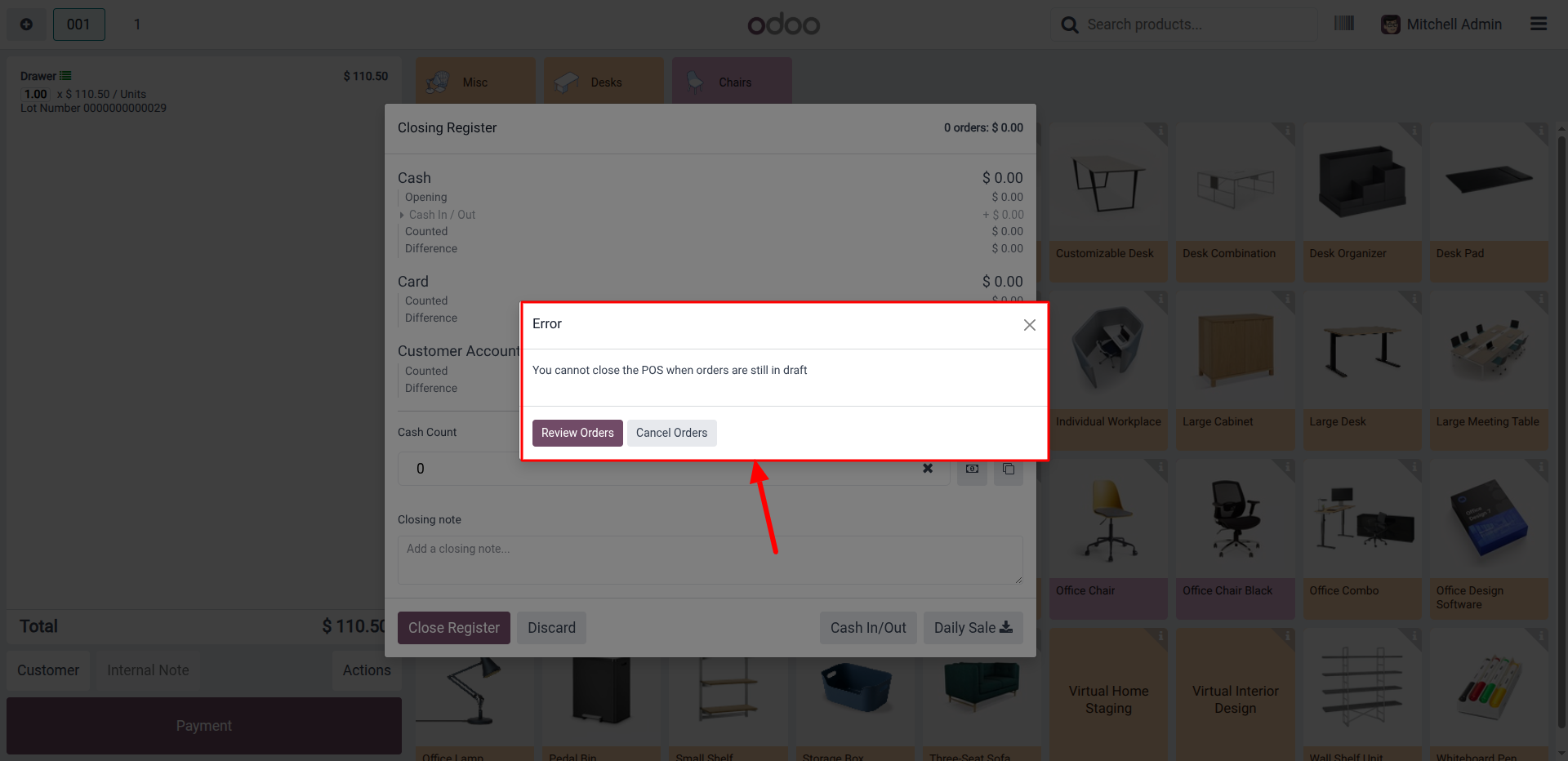
9. Error message preventing session closure due to pending draft orders.
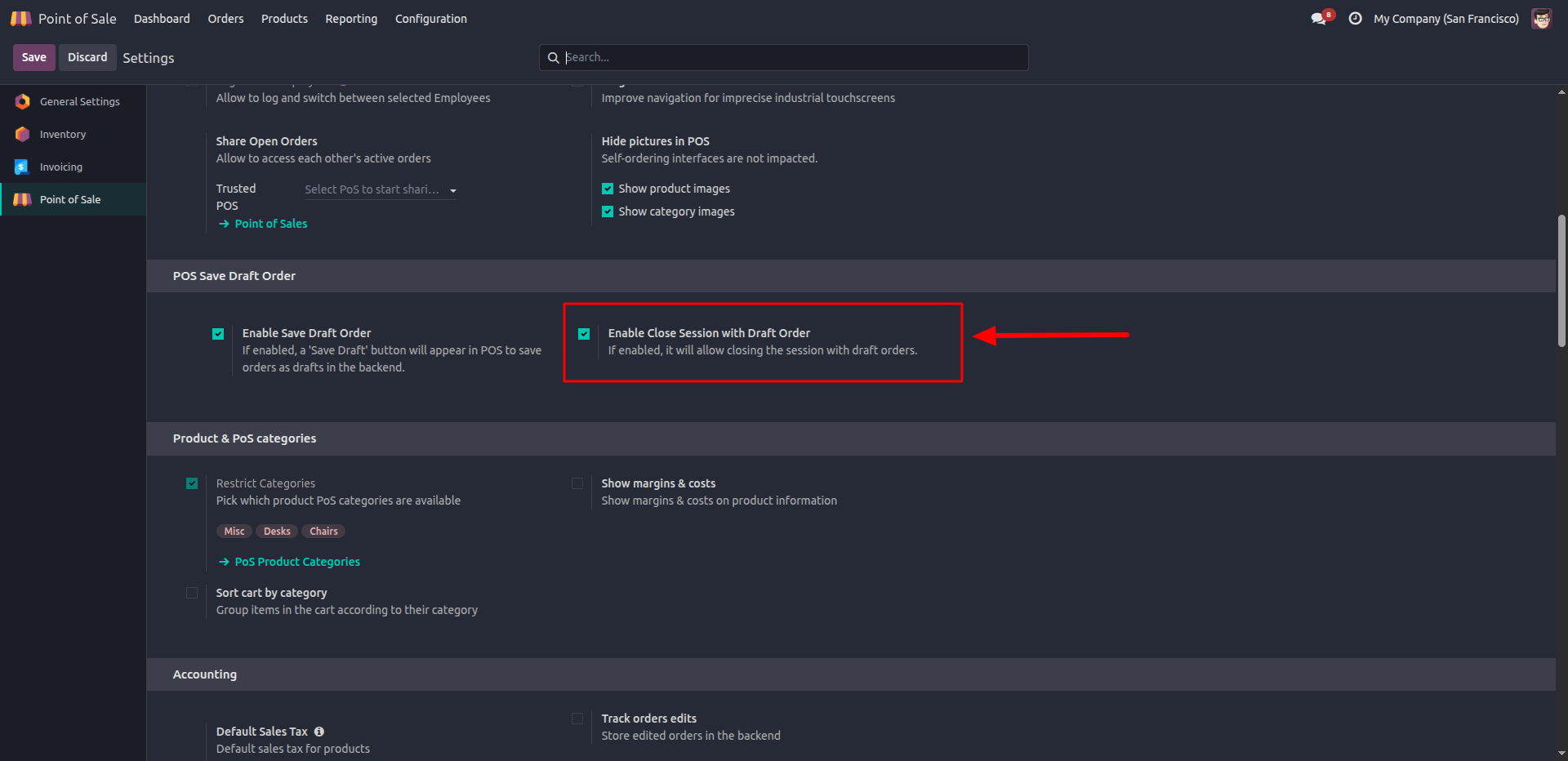
10. Enabling the 'Allow Close Session with Draft' feature in POS settings.
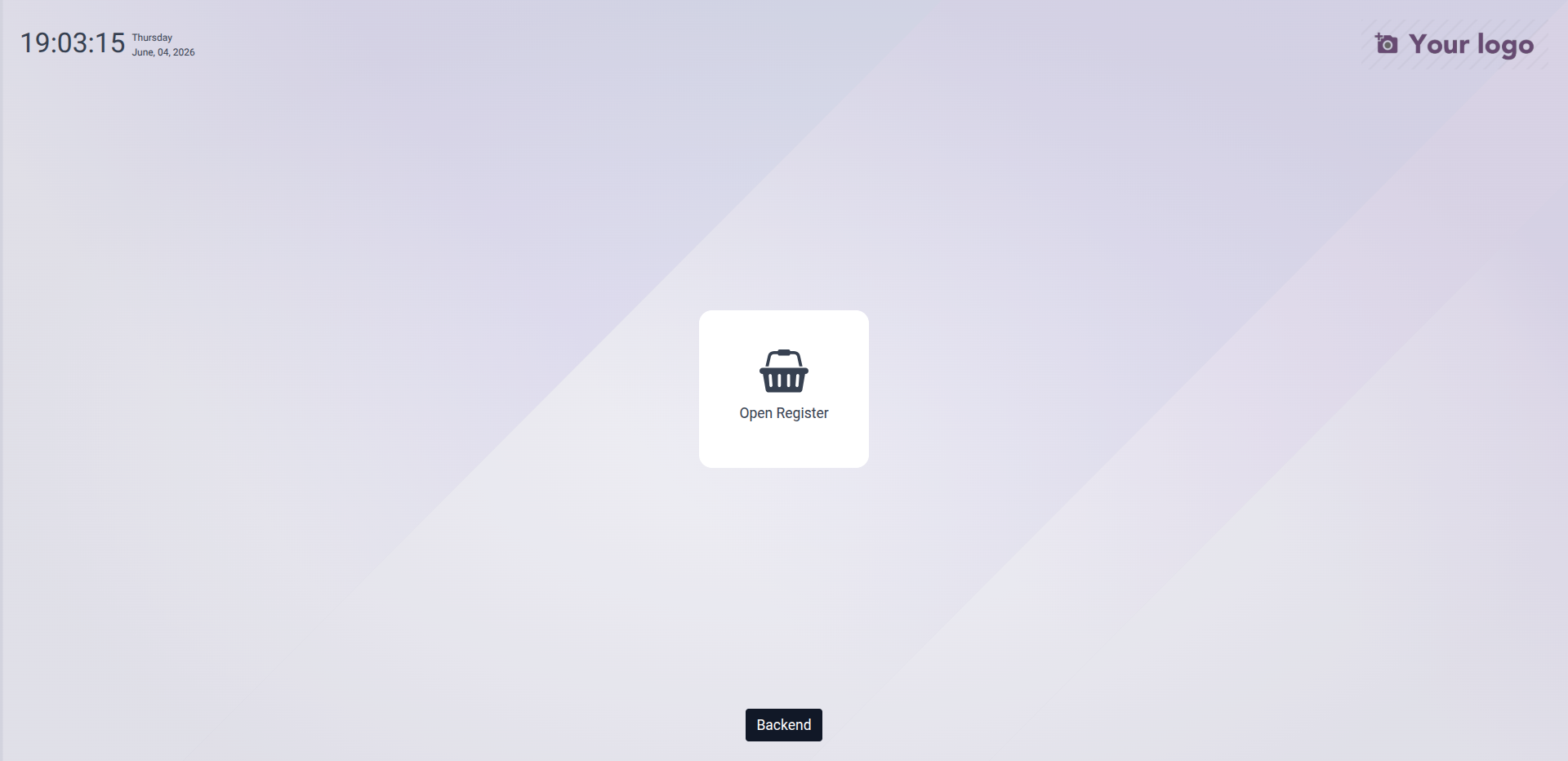
11. Successfully closing the POS session with active draft orders.
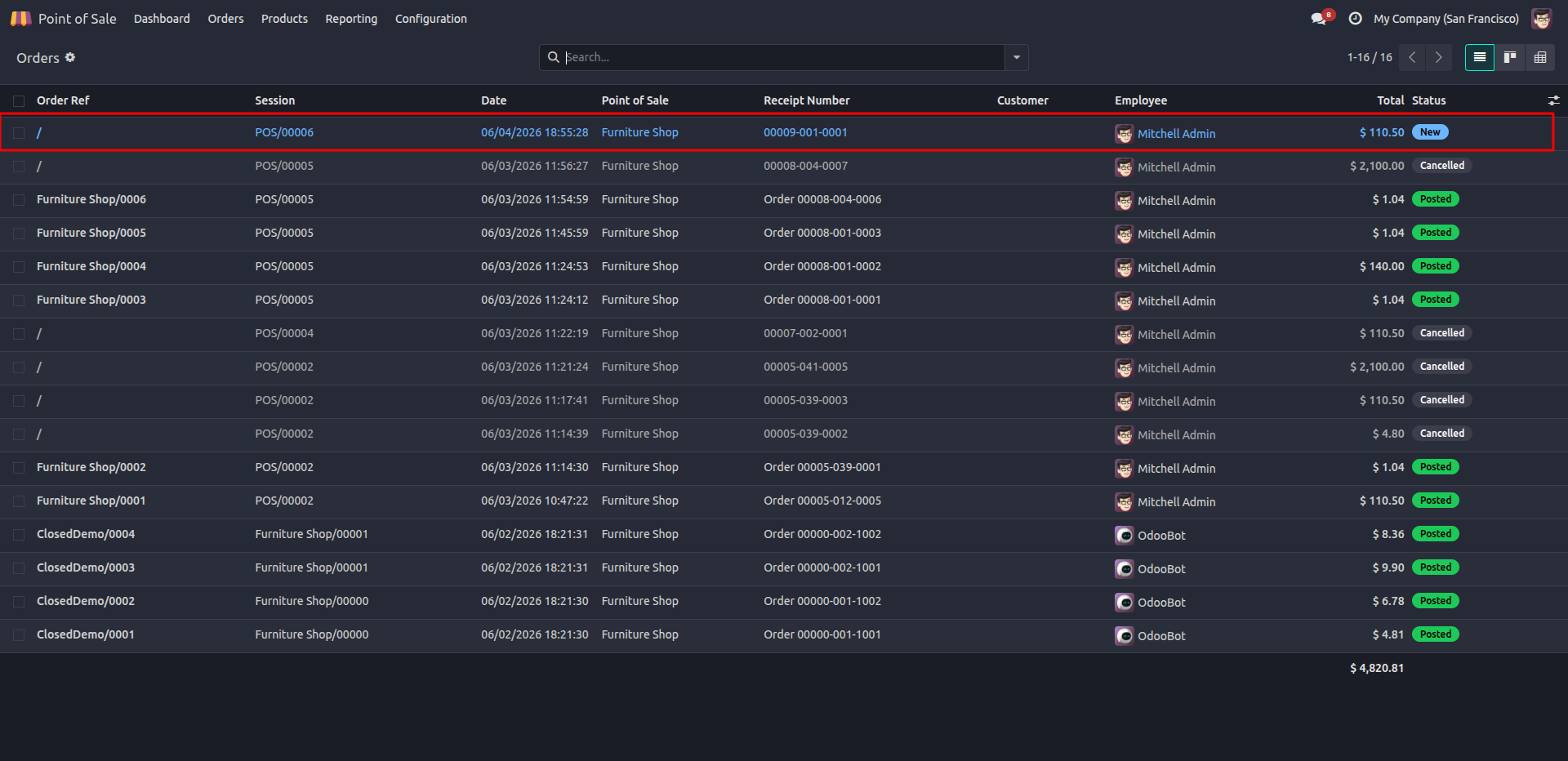
12. Confirming the order save to the backend.
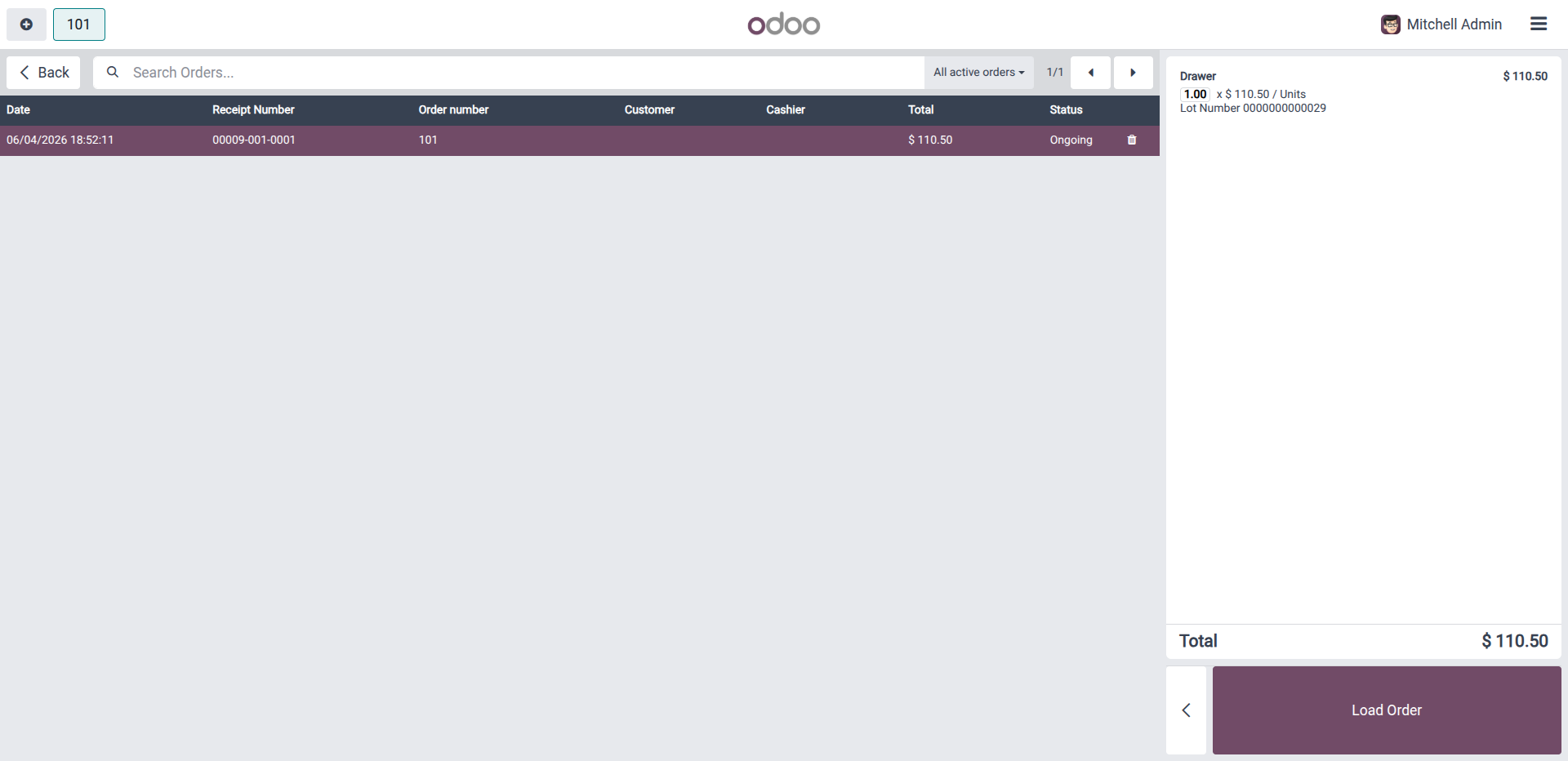
13. Successfully fetched draft orders when reopening the shop.
Our solutions focus on your problems
- Odoo Implementation
- Odoo Customization
- ERP Development and Implementation
- Odoo Ipass Cloud
- AI for Odoo
- Odoo Apps
- Aws Marketplace Products
- Business Engines
Our Pricing includes User Manual, 90 Days Support (Monday-Friday 10am to 7pm IST) and One time Setup
• Works & tested on standard installations of Odoo with no third party apps,
• Free support only for odoo installations with no third party apps,
• Paid support available for Odoo installations with third party apps.

Prefortune is a Odoo Official Partner, Odoo Development company. Our philosophy is to use Open Source tools and technologies to provide cost effective and green solutions for our customers.
Prefortune Technologies LLP is working on web development, Mobile development, and Odoo ERP.
If you need any help or want more additional features, you may contact us through:
Alternative Products
These other products might interest you
Specifications
| Version | 19.0, 18.0, 17.0, 16.0, 15.0, 14.0 |