Watch Quick Video
Odoo Single Session Login | Login Restriction
Our efficient
Odoo Single Session Login | Login Restriction
helps businesses improve account security by restricting users to a single authorized device or browser.
Once a user logs in successfully, the system records device information such as Device Type, Hardware
Fingerprint, and Last Used details. Any login attempt from an unauthorized device or browser can be
automatically blocked, preventing account sharing and unauthorized access. The module provides
administrators with easy-to-use controls to manage device restrictions for individual users. It offers a
secure and reliable authentication process without requiring complex configuration. The application
integrates seamlessly with Odoo user management features and enhances overall system security.
Organizations can monitor authorized devices and maintain better control over user access. This module is
ideal for businesses that require secure login policies and controlled user authentication. It helps
improve data protection, user accountability, and overall access management within Odoo.
It provides flexible options for login security management:
1. Device Access Management: Control and manage which device or browser a user is allowed to
use for accessing the Odoo system. Unauthorized devices can be restricted automatically.
2. Device Information Monitoring: Keep track of user device details including browser type,
device fingerprint, and recent login activity for improved visibility.
3. Unauthorized Access Prevention: Reduce security risks by blocking login attempts from
unknown devices and ensuring only approved devices can access accounts.
4. Individual User Device Policies: Configure device restrictions separately for each user,
providing flexible security management based on organizational needs.
5. Login Security Enforcement: Strengthen user authentication by validating device credentials
during every login attempt and preventing unauthorized access.
Odoo Single Session Login | Login Restriction
- Restrict users to a single device login by allowing access only from an authorized device or browser. Login attempts from other devices can be blocked.
- The system records important device details such as Device Type, Hardware Fingerprint, and Last Used date for each user.
- Support login device restriction by allowing access only from approved devices.
- Configure user access control by enabling or disabling device restrictions for individual users.
- Validate every login attempt against stored device information before allowing user authentication.
Complete Workflow for Odoo Single Session Login | Login Restriction
Enable the Login Security Admin access rights for specific users from the User Settings page. Open the Device Security tab and activate the Restrict Login Devices option for the selected user. After the first successful login, the system automatically stores the Device Type, Hardware Fingerprint, and Last Used information. These details are used for Login Device Restriction and Single Device Login validation. Any login attempt from a different device or browser will be restricted and an alert message will be displayed. This allows administrators to control user access and helps prevent login attempts from unauthorized devices within Odoo.
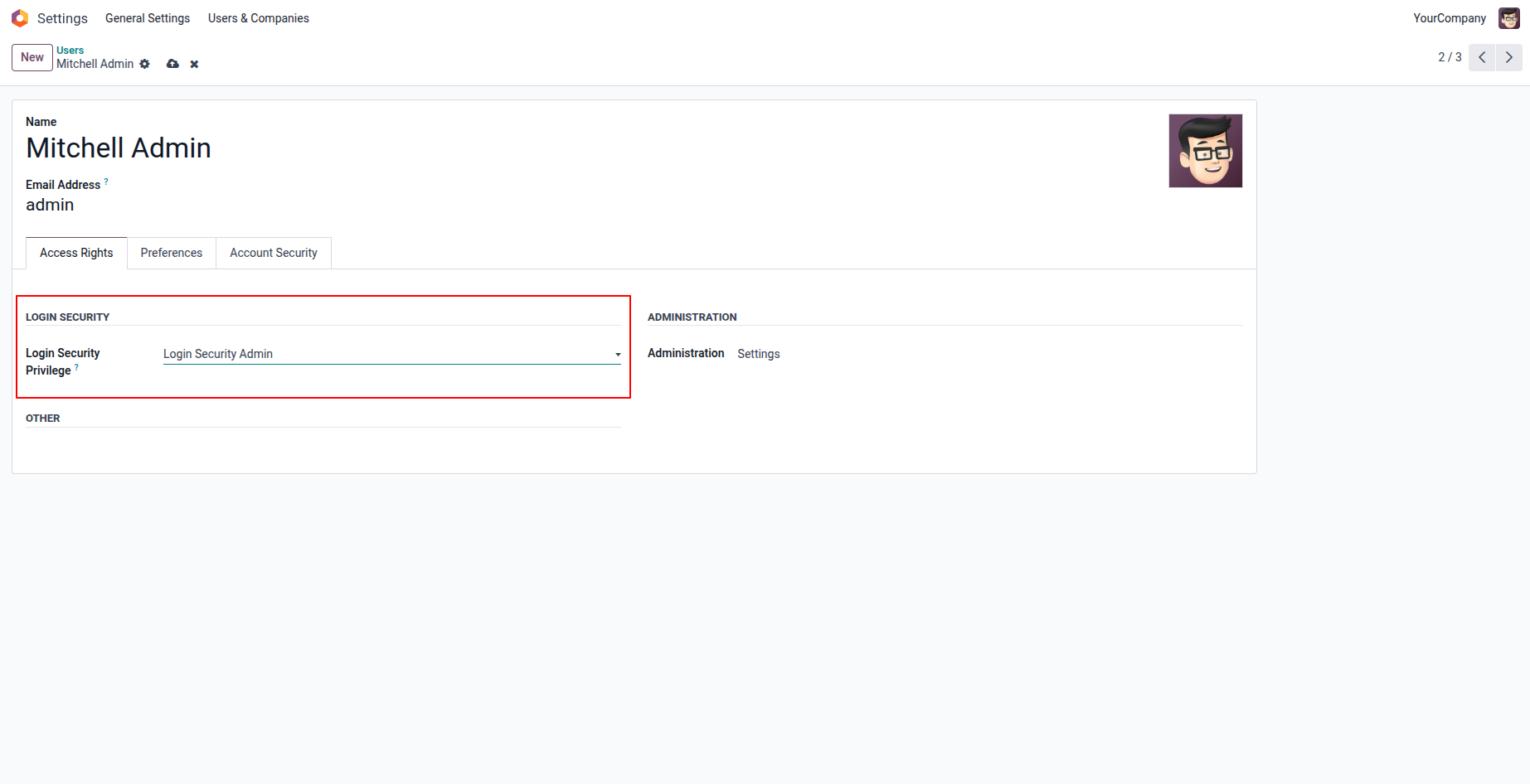
1. You can select the Login Security Category and Group Login Security Admin in the User page, for the users whom you want to give access rights of this feature.
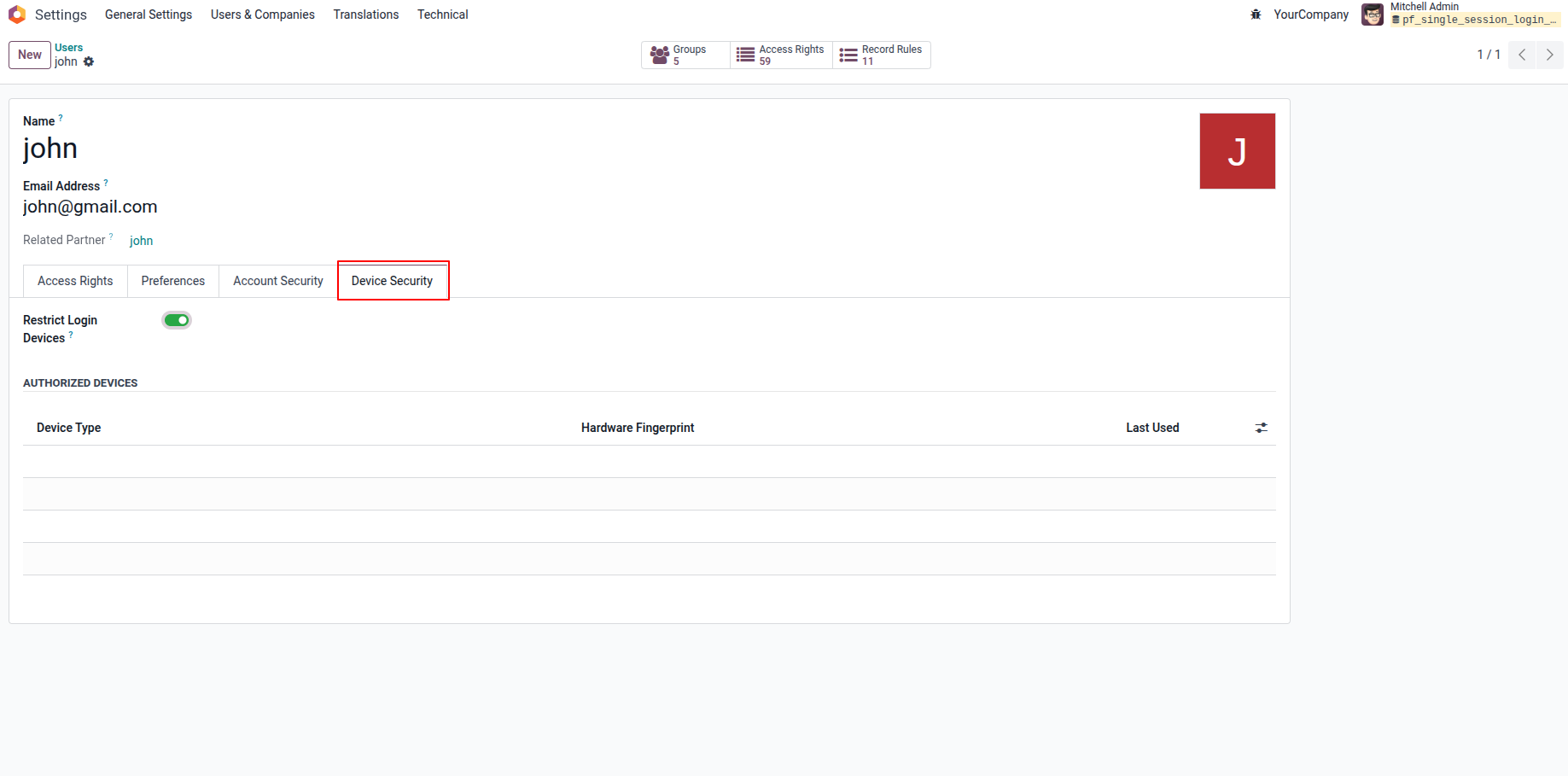
2. Device Security tab will be displayed so that you can enable to Restrict Login Devices for that particular user.
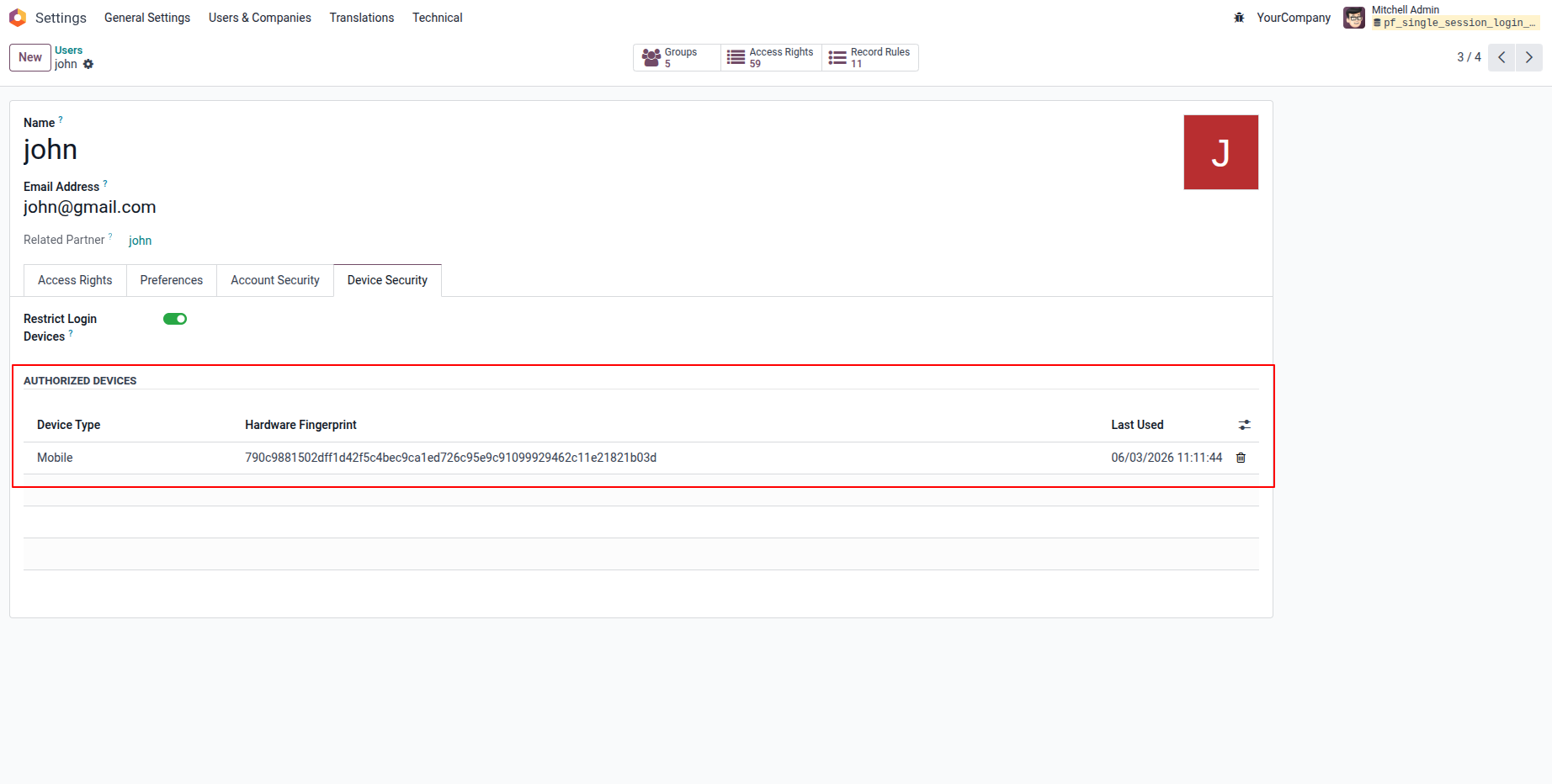
3. After login for the first time from a device/browser, you can see the Device Type, Hardware Fingerprint and Last Used recorded for that particular user.
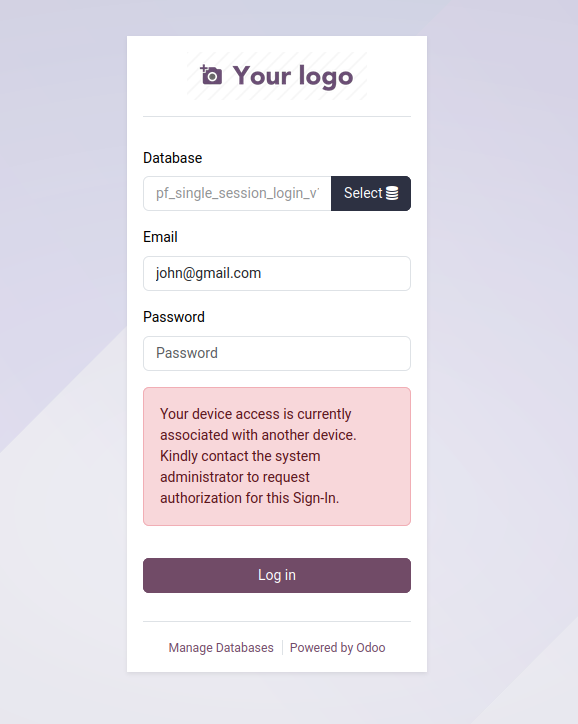
4. Now when you try to login from different device or browser, you will be restricted to login and the alert message will be displayed.
Our solutions focus on your problems
- Odoo Implementation
- Odoo Customization
- ERP Development and Implementation
- Odoo Ipass Cloud
- AI for Odoo
- Odoo Apps
- Aws Marketplace Products
- Business Engines
Our Pricing includes User Manual, 90 Days Support (Monday-Friday 10am to 7pm IST) and One time Setup
• Works & tested on standard installations of Odoo with no third party apps,
• Free support only for odoo installations with no third party apps,
• Paid support available for Odoo installations with third party apps.

Prefortune is a Odoo Official Partner, Odoo Development company. Our philosophy is to use Open Source tools and technologies to provide cost effective and green solutions for our customers.
Prefortune Technologies LLP is working on web development, Mobile development, and Odoo ERP.
If you need any help or want more additional features, you may contact us through:
Alternative Products
These other products might interest you
Specifications
| Version | 19.0, 18.0, 17.0, 16.0, 15.0, 14.0 |