
Watch Quick Video

Website Store Locator in Odoo
Our all-inclusive Odoo – Website Store Locator module empowers businesses to manage and showcase multiple physical store locations directly on their website. It offers a seamless backend configuration for creating stores with tags and auto-filled addresses, while the frontend features interactive map views, location-based filters, and info-rich store cards — delivering a smooth and engaging experience for customers searching for nearby outlets.
Website Store Locator : Additional Features
- Centralized Store Management : Easily create and manage multiple store records with details like address, contact info, working hours, images, and custom tags from a dedicated backend menu.
- Google Maps API Integration : Auto-fill store address fields with accurate geolocation data using your Google Maps API key, ensuring consistency and ease of setup.
- Custom Store Tagging System : Categorize stores using flexible tags (e.g., brand, type, service) to enhance filtering and organization for both admins and website visitors.
- Dynamic Website Store Page : Display all stores on a public-facing “Store” page with two layout options — list with map or full-screen embedded map as well as multiple types of views — tailored for user experience.
- Advanced Filtering and Search : Allow users to filter stores by City, State, Country, and Tags, and even detect the nearest store using geolocation support.
- Informative Store Cards & Popups : Showcase store info using sleek cards with instant info popups containing address, contact, and other key details for a quick overview.
Genereal Workflow for Website Store Locator App in Odoo
The Website Store Locator app offers a seamless and intelligent solution for businesses to manage and showcase multiple store locations directly on their Odoo website. After installing the module, you can configure your Google Maps API key and customize display options like map style and zoom level under Website → Configuration → Websites. A new Store Locator menu will appear, allowing you to create custom store tags and configure store records with details like address (auto-filled via the API), contact info, images, and more — all from a centralized backend interface. On the frontend, the Store page presents two powerful viewing styles for your customers.
Style 1 : includes both kanban and list views, complete with info popups, map redirection, location-based filters, and a nearest store button.
Style 2 : features a built-in interactive map with clickable pins and info cards displayed beside the map, offering the same filter and geolocation tools.
This module simplifies the often complex process of multi-location management, delivering a smooth, user-friendly experience that enhances customer convenience and brand visibility.
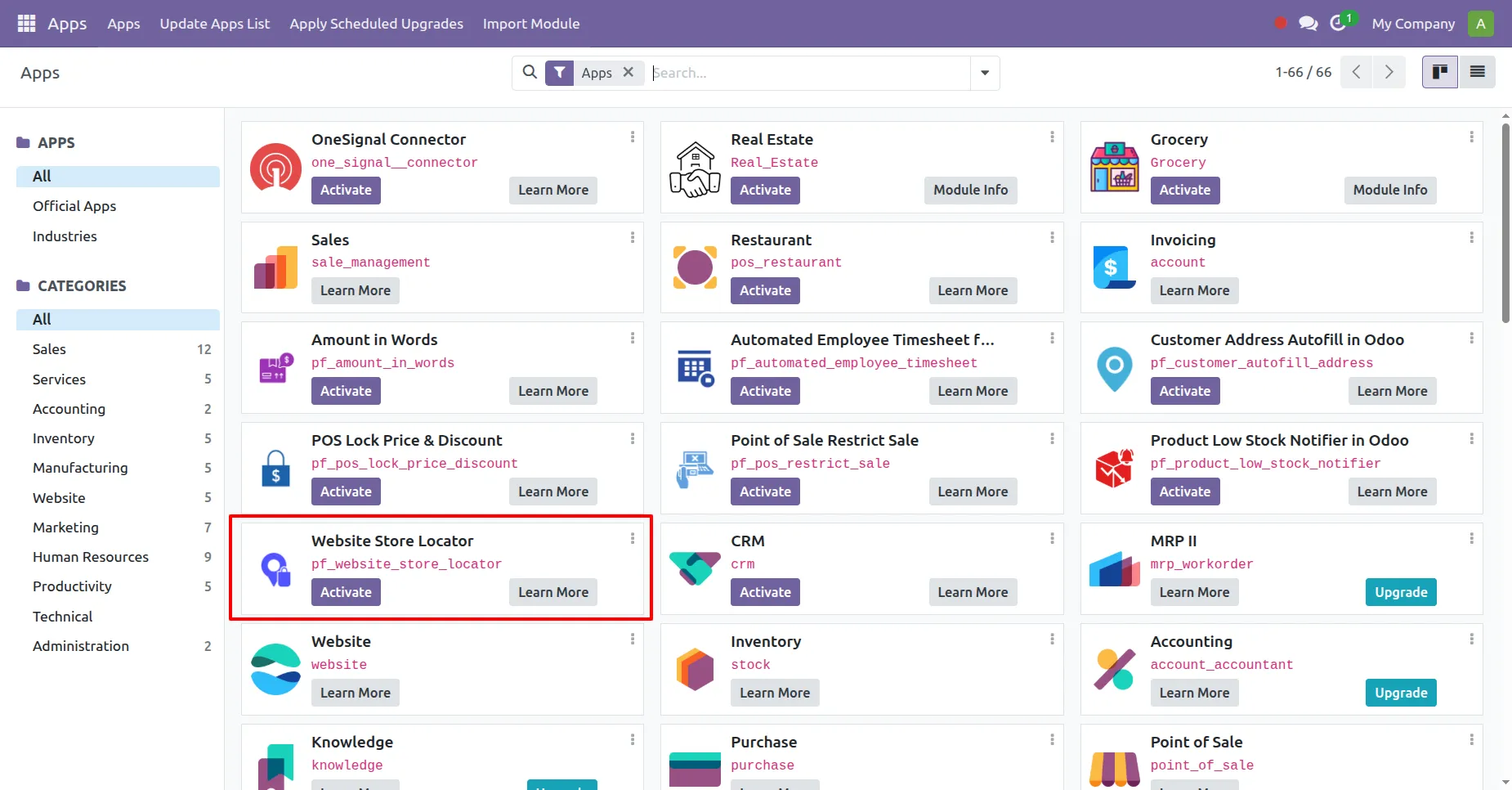
Install and Activate the Website Store Locator App.
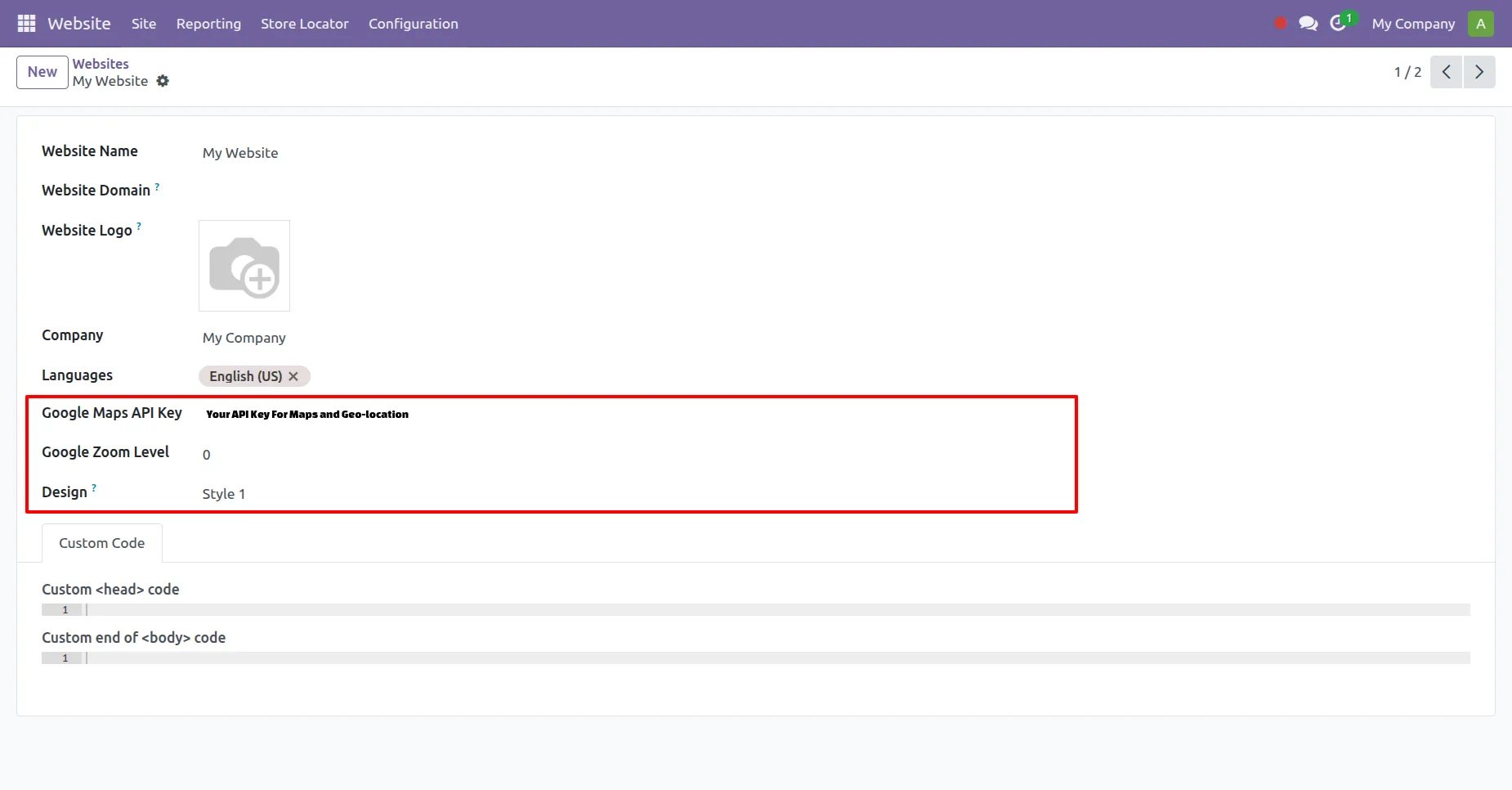
In Website > Configuration > Website add the Api key and select the design you want.
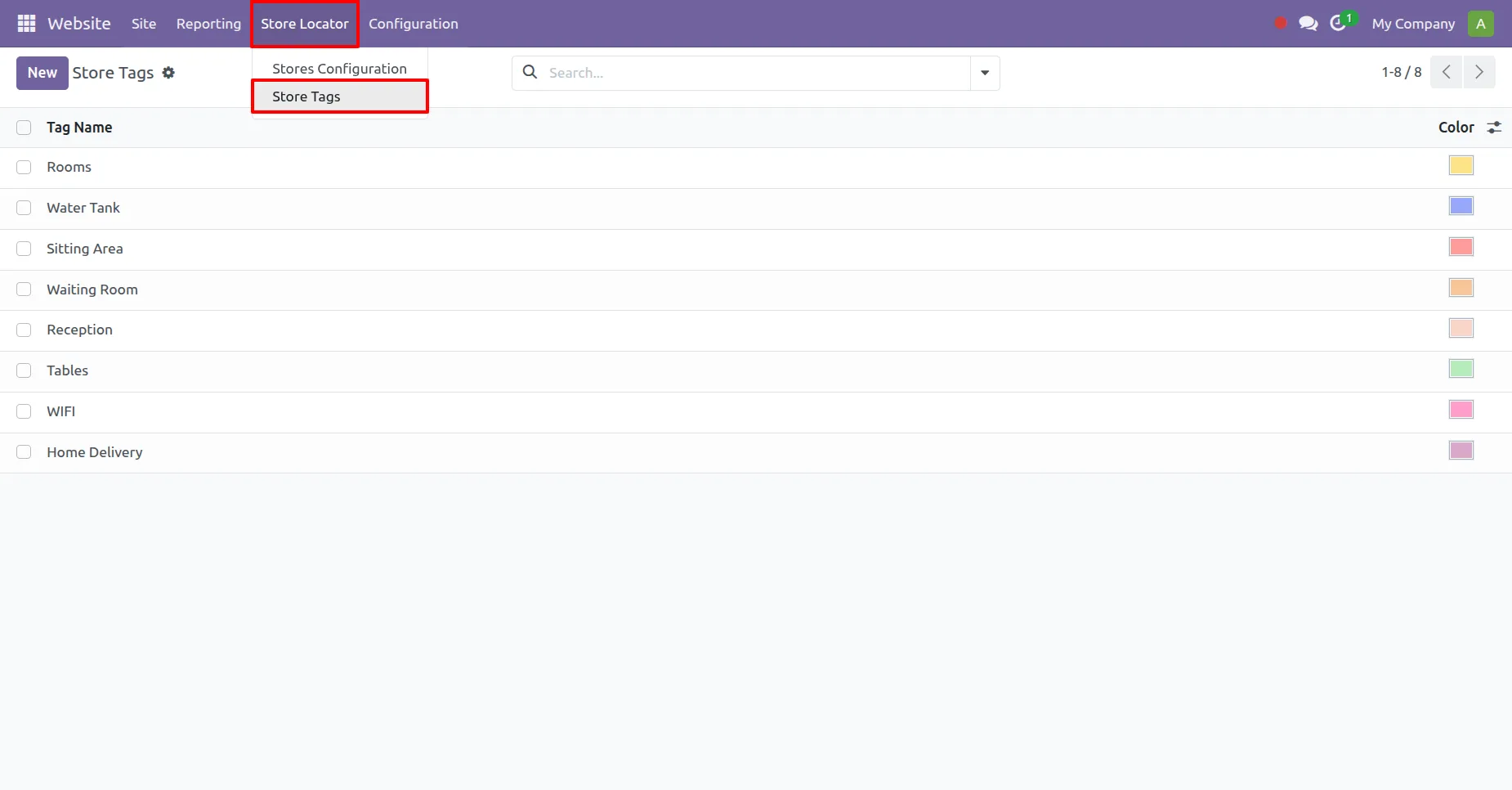
In Website > Store Locator > Store Tags configure necessary tags as per need.
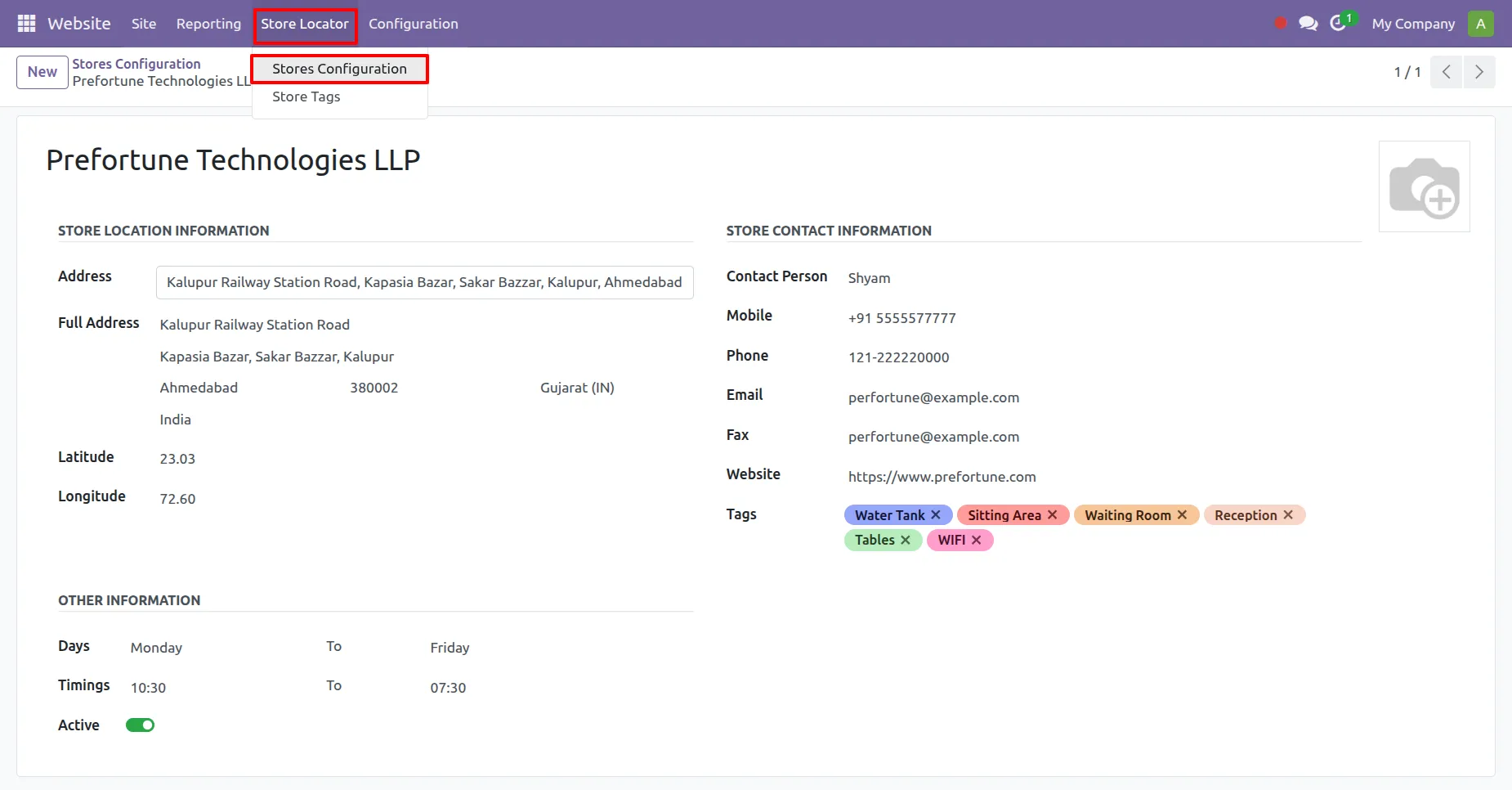
In Website > Store Locator > Store Configuration add and configure stores for the Front-End Display.
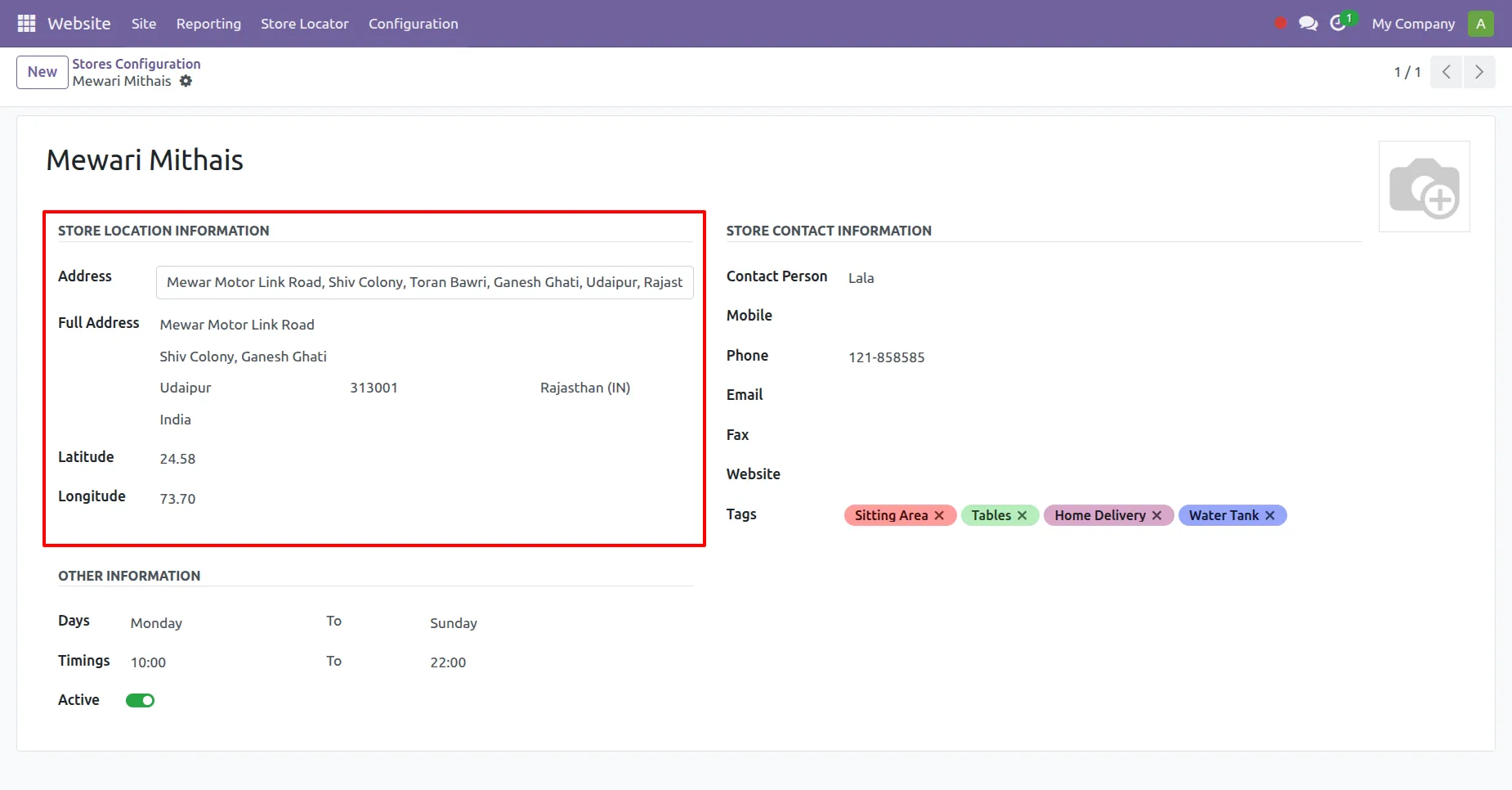
Use Autocomplete to add Addresses and these addresses will be used in front-end for maps display and redirection.
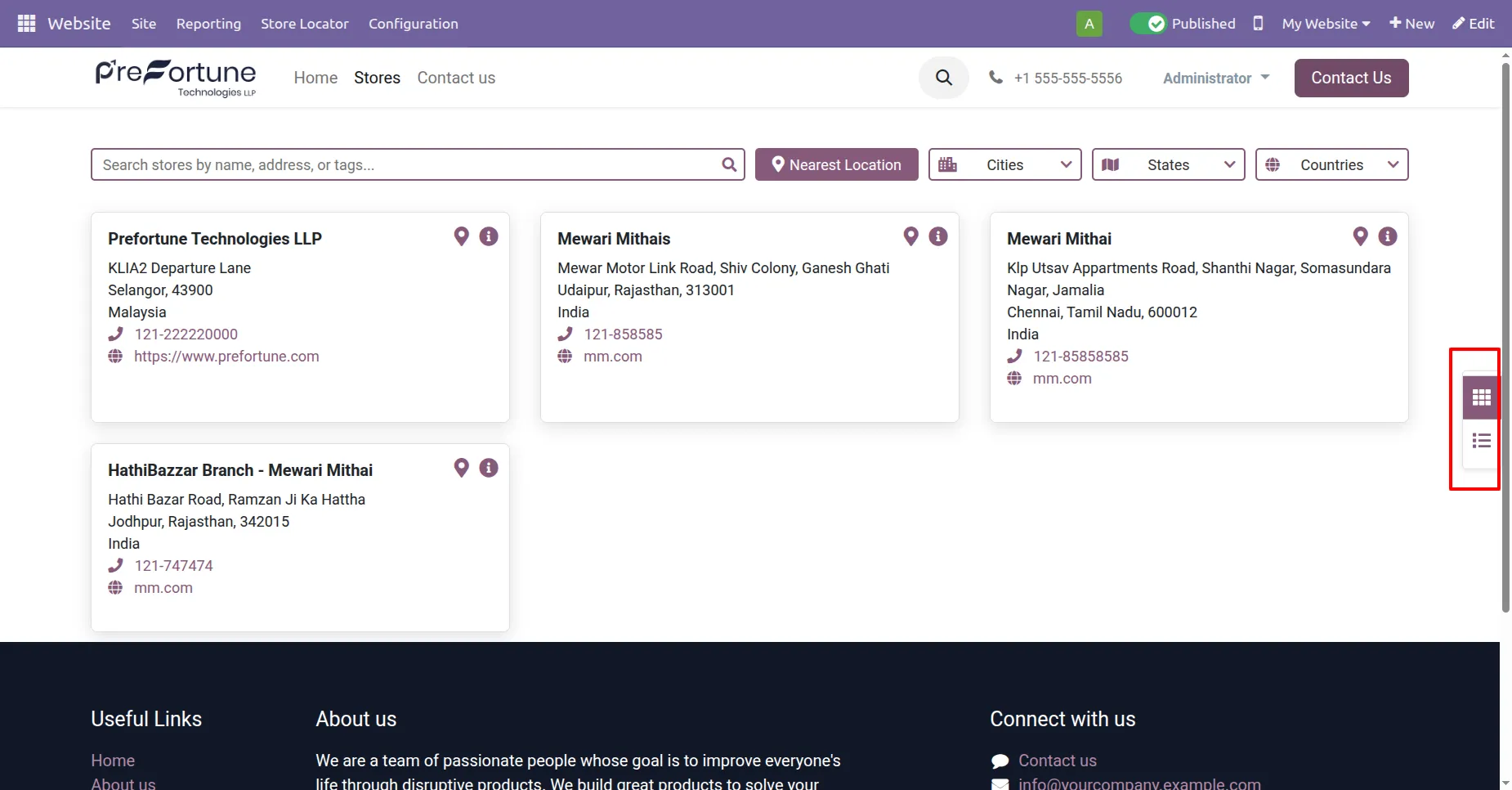
STYLE 1 : Kanban View
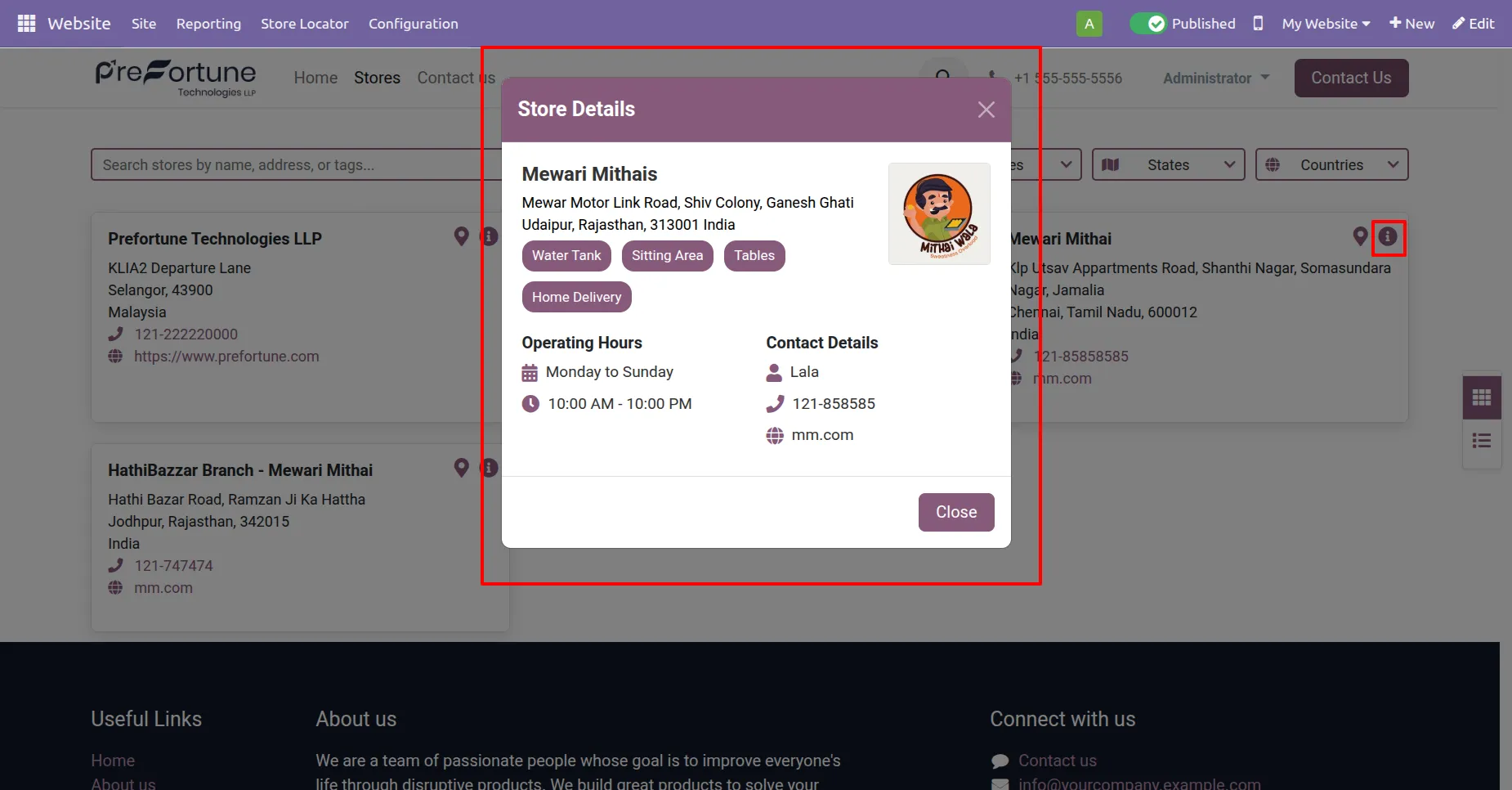
Info Popups when clicked on information icon in the kanban card with all key details.
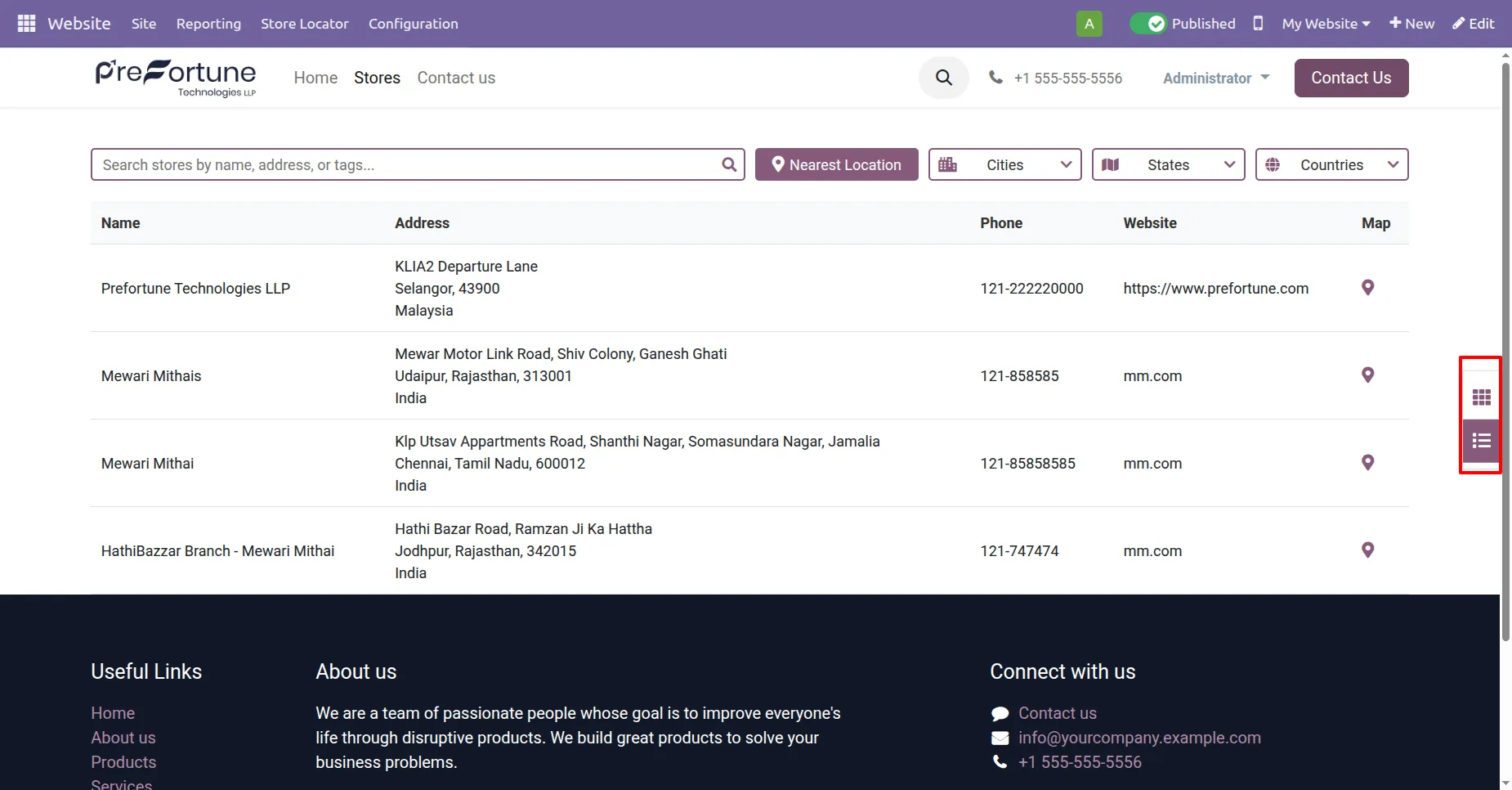
STYLE 1 : Tree View
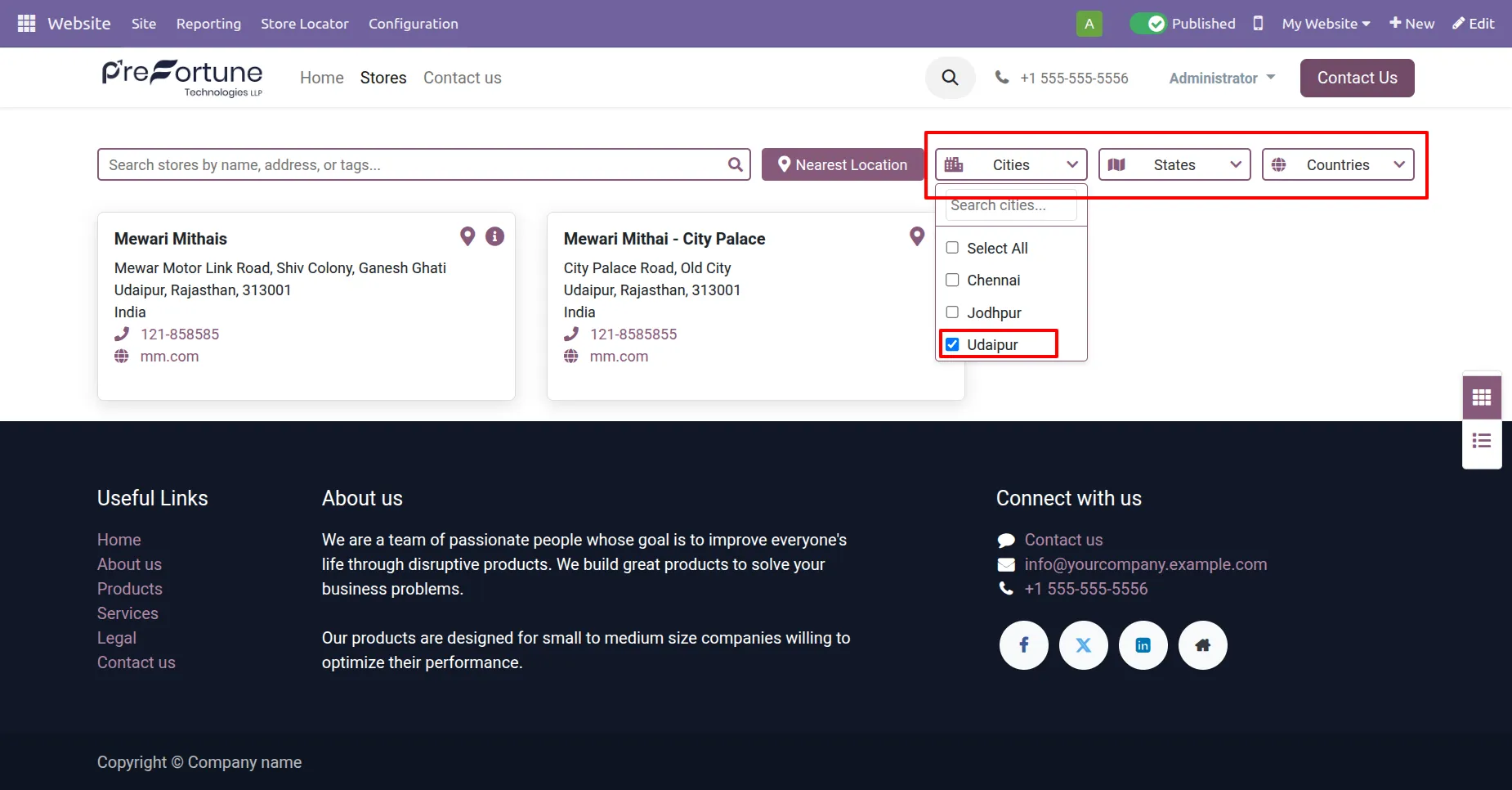
Filters in the both views to filter stores based on cities, states and countries with a search option as well.
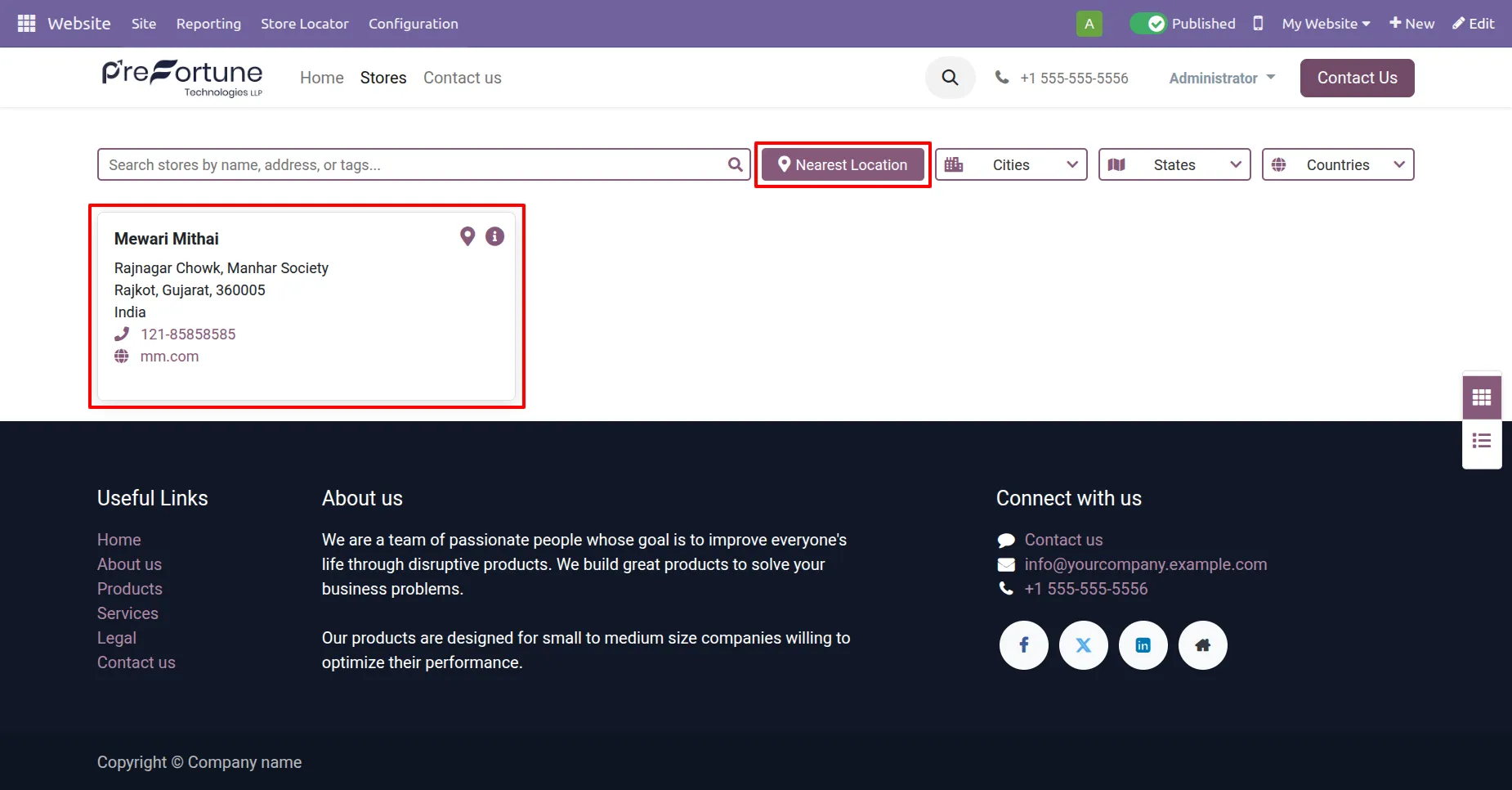
Nearest Location button when clicked displays the Store nearest to your location.
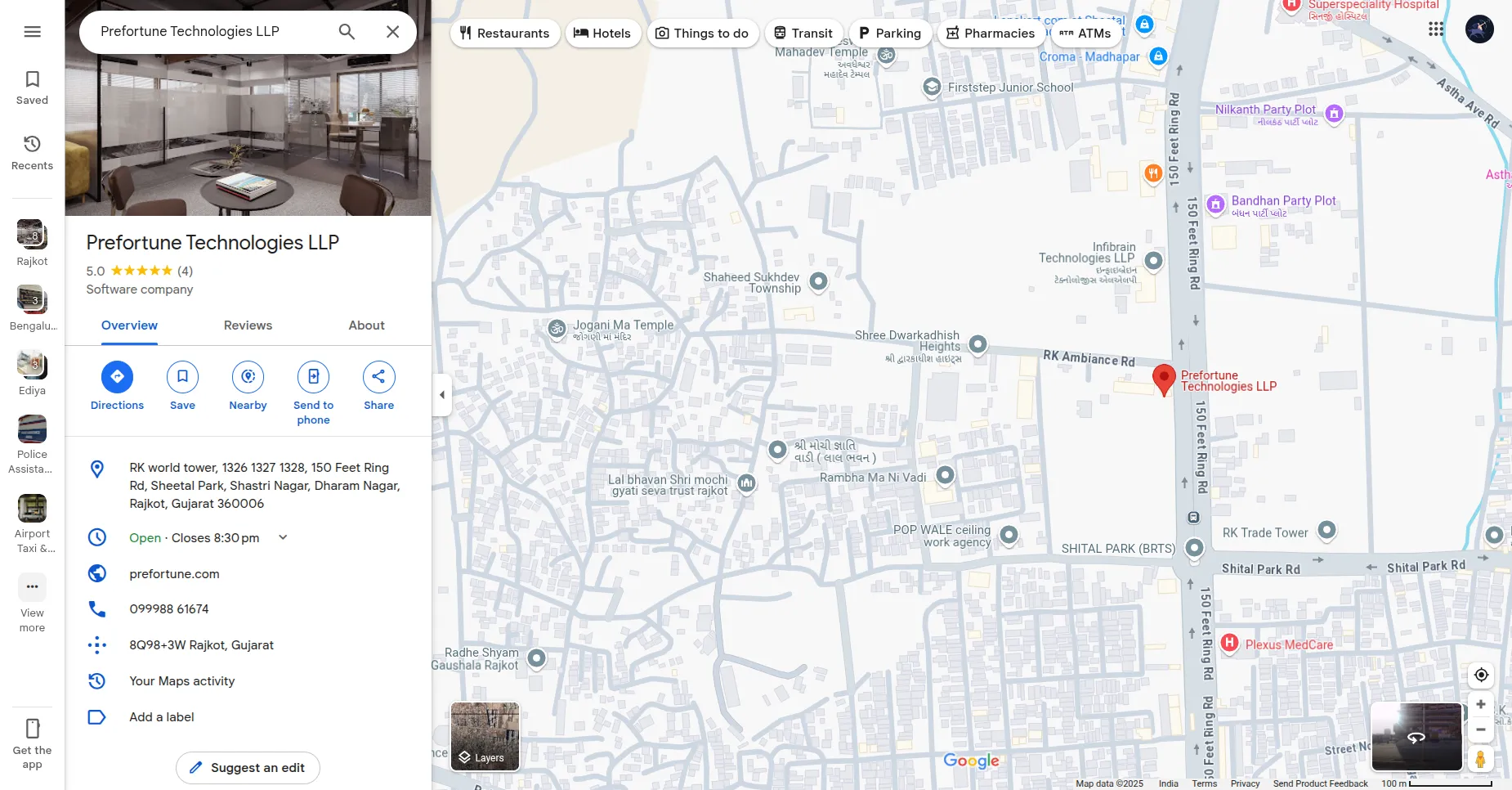
When clicked on map icon you will be redirected to google maps with location of the store.
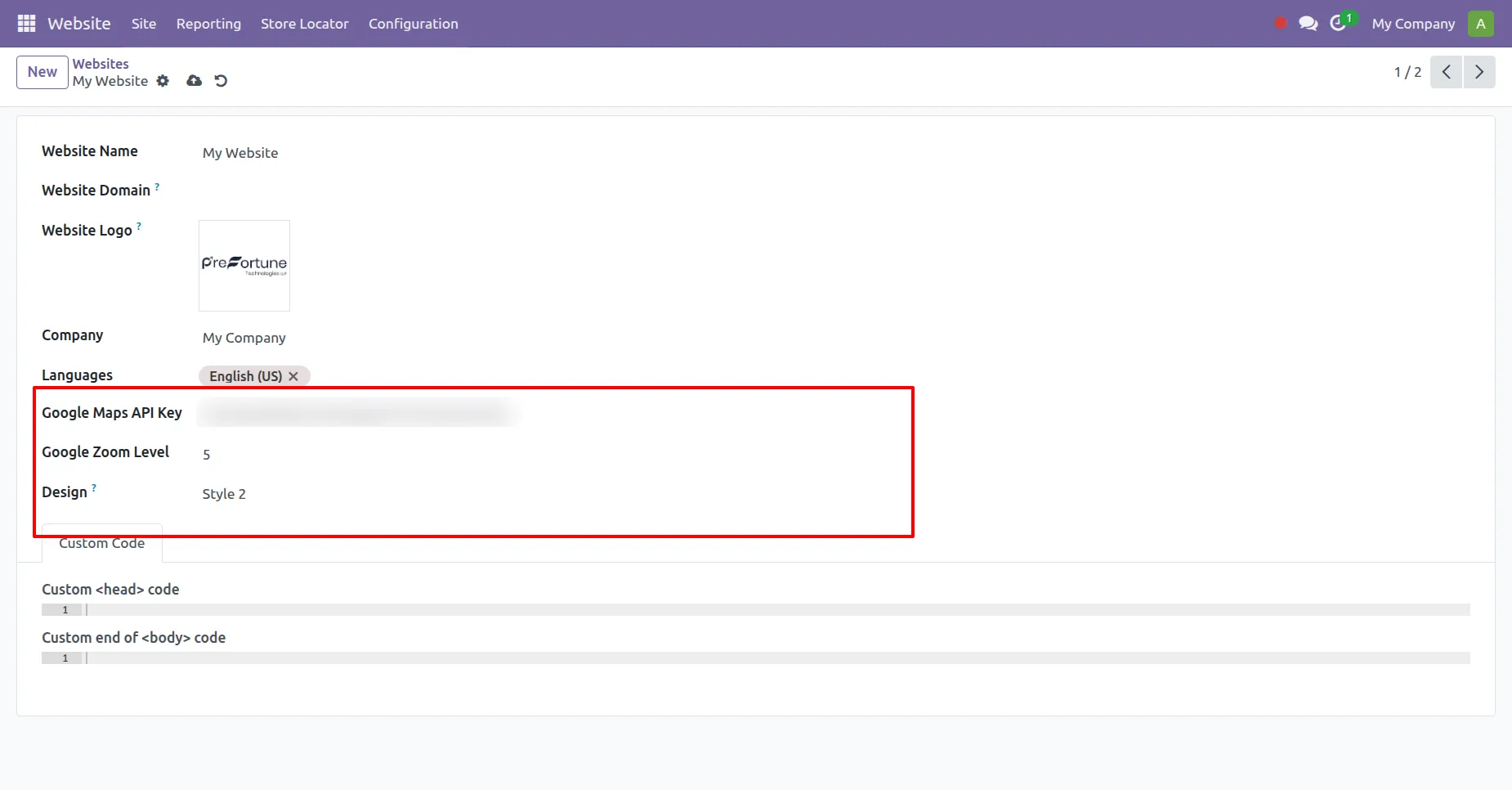
In Website > Configuration > Website you can change style as per need and in style 2 you will need to provide the zoom level.
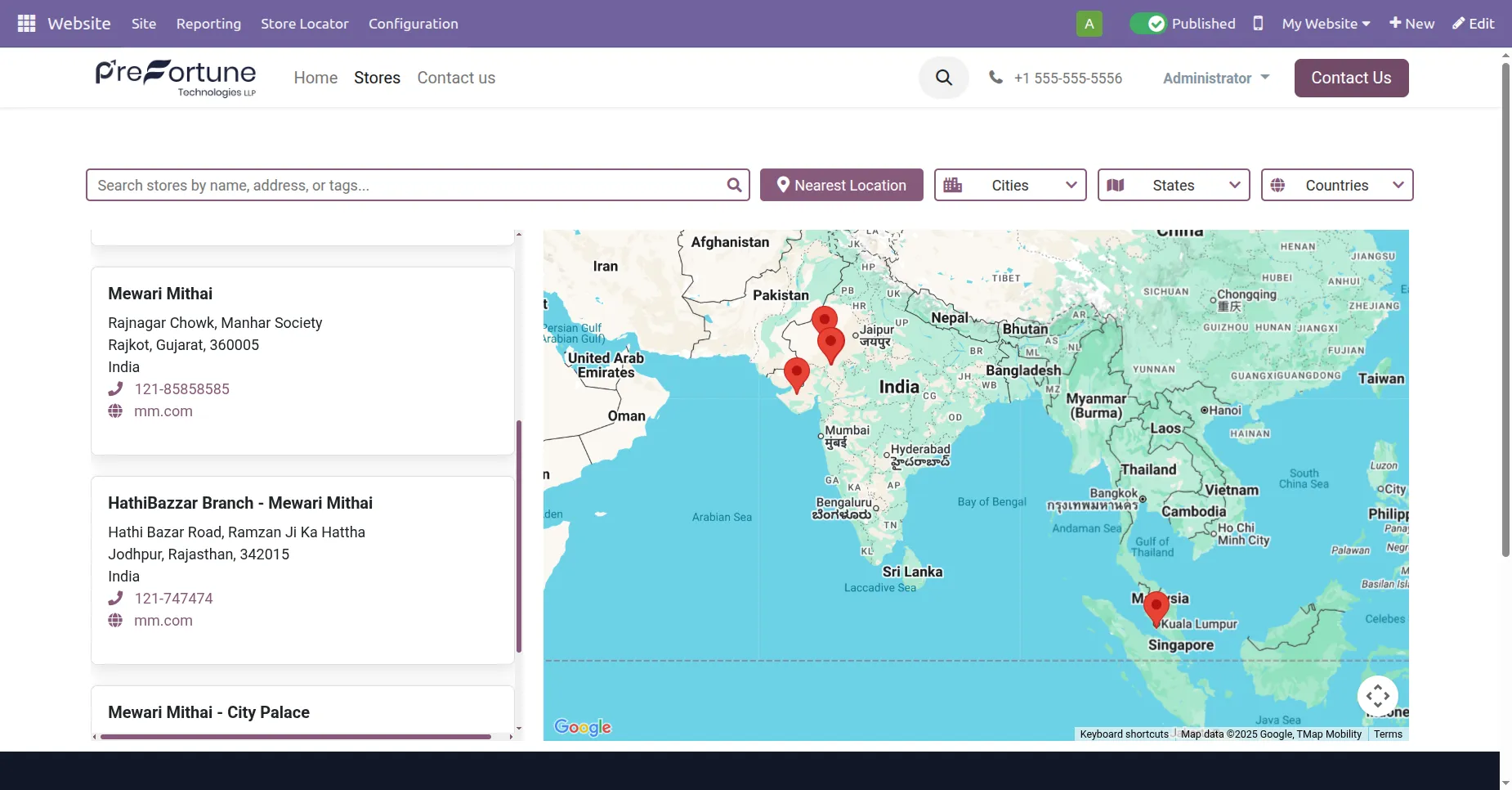
STYLE 2 : Map Embedded View
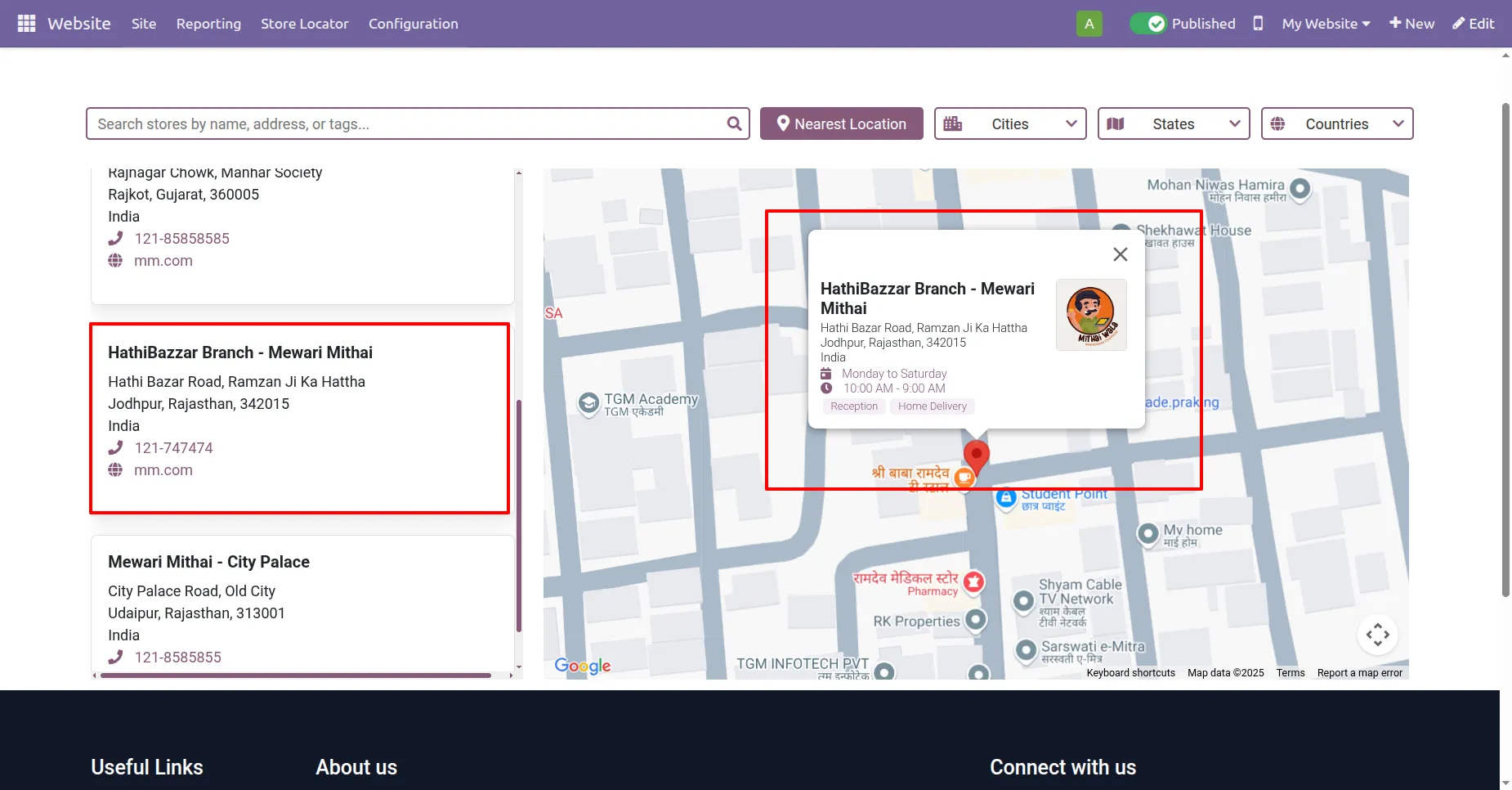
When any particular card is selected a info popup in map view itself.
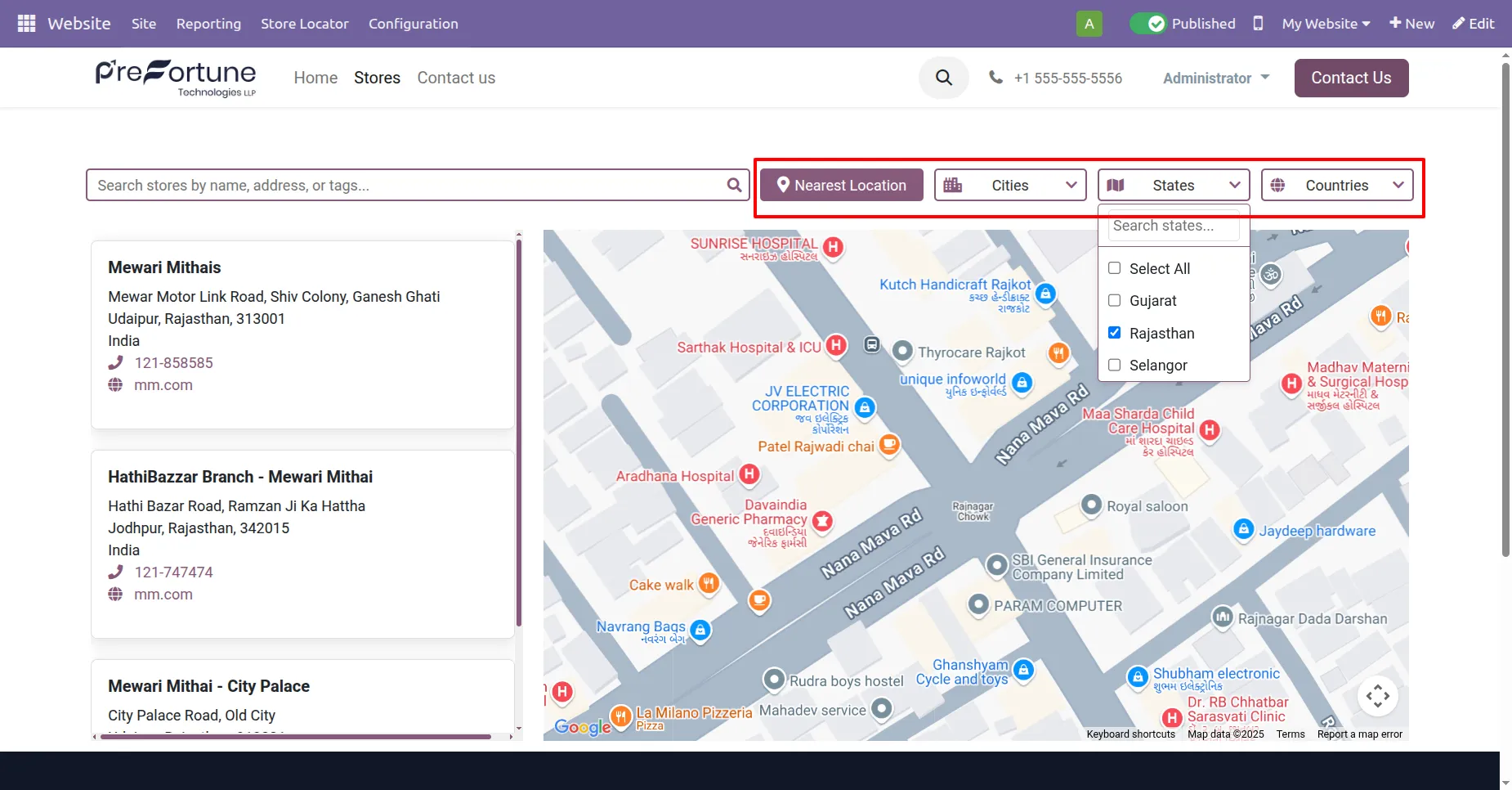
Same functionality of filters and nearest location button as style 1.
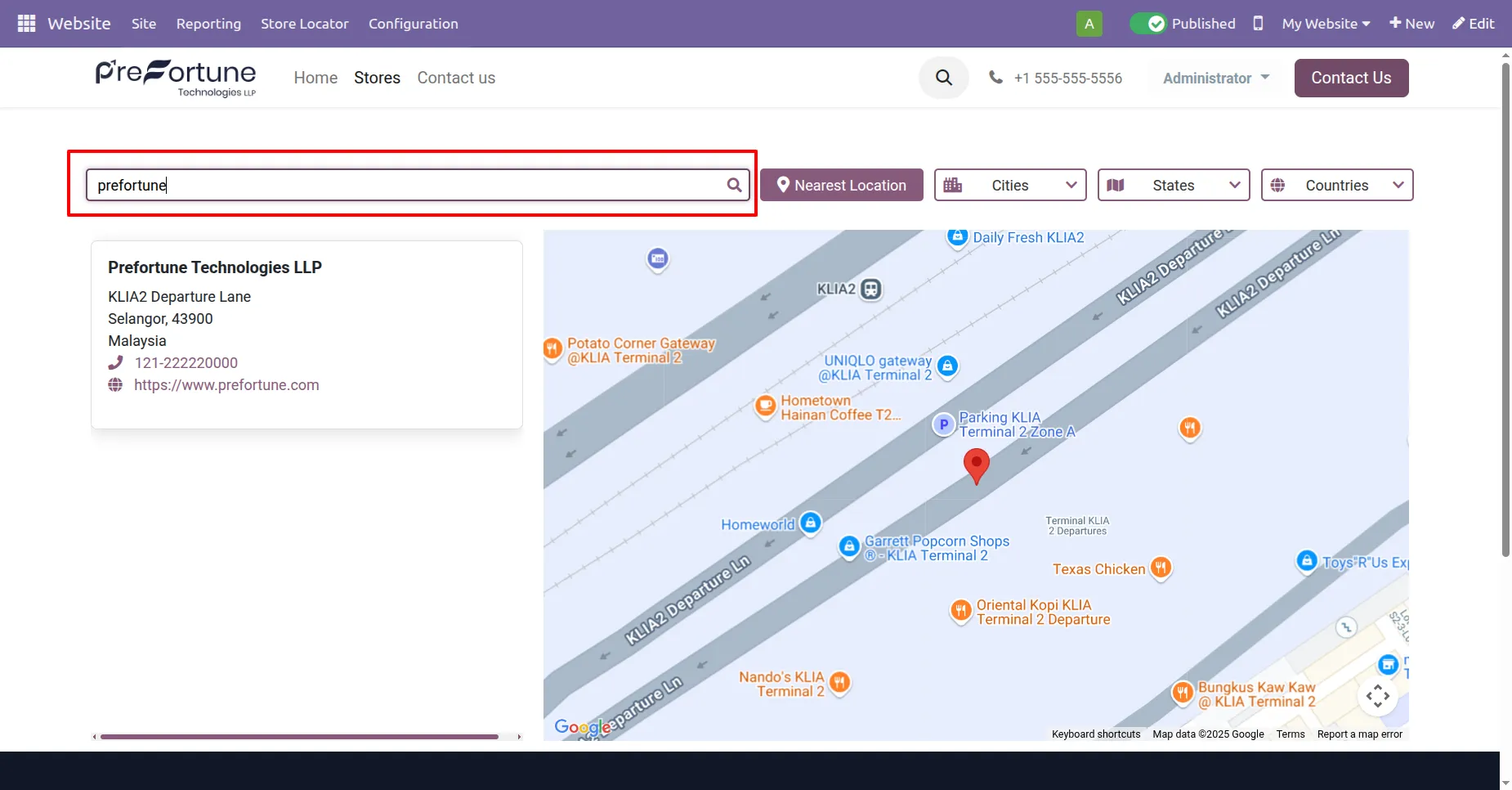
Search Bar to search stores with name, address or tags.
Our solutions focus on your problems
- Odoo Implementation
- Odoo Customization
- ERP Development and Implementation
- Odoo Ipass Cloud
- AI for Odoo
- Odoo Apps
- Aws Marketplace Products
- Business Engines
Our Pricing includes User Manual, 90 Days Support (Monday-Friday 10am to 7pm IST) and One time Setup
• Works & tested on standard installations of Odoo with no third party apps,
• Free support only for odoo installations with no third party apps,
• Paid support available for Odoo installations with third party apps.

Prefortune is a Odoo Official Partner, Odoo Development company. Our philosophy is to use Open Source tools and technologies to provide cost effective and green solutions for our customers.
Prefortune Technologies LLP is working on web development, Mobile development, and Odoo ERP.
If you need any help or want more additional features, you may contact us through:
Alternative Products
These other products might interest you
Specifications
| Version | 19.0, 18.0, 17.0, 16.0, 15.0, 14.0, 13.0 |