Watch Quick Video
POS Invoicing | Point Of Sale Default Invoice App
Our efficient Odoo – POS Invoicing | Point of Sale Default Invoice simplifies the billing process for Point of Sale orders easy and simple for companies. If you enable the “POS Invoicing” option, the billing option will be checked automatically for each new POS order, no need to review it manually. This module generates consumer invoices and updates each POS order to Invoiced status in the back-end system.
This module helps businesses maintain accurate sales and accounting records by automatically generating invoices for every POS transaction. By creating invoices automatically, it reduces the risk of missed or unrecorded invoices and eliminates the need for manual invoice creation. The module works directly with the standard Odoo POS system, so no complex setup or major changes to existing processes are required.
It integrates seamlessly with the standard Odoo POS workflow and requires minimal configuration.By automating the invoicing process, cashiers can complete sales more quickly and focus on serving customers instead of handling additional paperwork. It also speeds up billing operations and simplifies the checkout process by removing extra steps during POS transactions. The module is suitable for retail stores, supermarkets, restaurants, and other businesses that require an invoice for every sale. It helps make invoice management easier, improves operational efficiency, and provides a more streamlined POS billing experience within Odoo.It offers smart automation features for efficient POS invoicing:
1. Default Invoice Option:
When turned on, the invoicing option will be selected by
default for every new POS order. This saves time and eliminates the need to select invoices manually.
2. Seamless Invoice Creation:
Customer invoices are generated automatically during the
Point of Sale sale process. This guarantees a smooth and error-free invoicing workflow for you.
3. Automatic Order Synchronization:
Upon creation of invoice, the respective POS order is
automatically updated to invoiced status in the backend. This will help keep POS and accounting records
aligned.
4. Better Invoice Tracking:
Better invoice tracking, After the transaction is done, users
can easily check the invoice and how much is paid. Better tracking of billings and management of records
is made easier.
POS Invoicing | Point Of Sale Default Invoice App
- If you enable the feature, the invoice option is checked automatically for each new POS order. That eliminates the need to manually select invoices.
- Customer invoices are automatically created in the sales process for POS orders. It saves time and reduces manual work for the users.
- The POS order status is updated to invoiced state automatically in the backend. This enables accurate orders and tracking.
- When an order is completed, created invoices are displayed with the correct payment status. Invoice and payment verification are easy for users.
- The default invoice feature can be activated or deactivated with a simple checkbox in the POS settings. There’s no need for any complex configuration to use the feature.
Complete Workflow for POS Invoicing | Point Of Sale Default Invoice Odoo App
Enable the POS Invoicing option from the POS Configuration settings to automate the invoicing process. Once activated, the Invoice Button is automatically selected for every new POS order. The system performs Automatic Invoice Generation during the checkout process and updates the POS order to the Invoiced State in the backend. Users can easily track the Invoice Payment Status, ensuring a faster and more efficient POS billing workflow in Odoo.
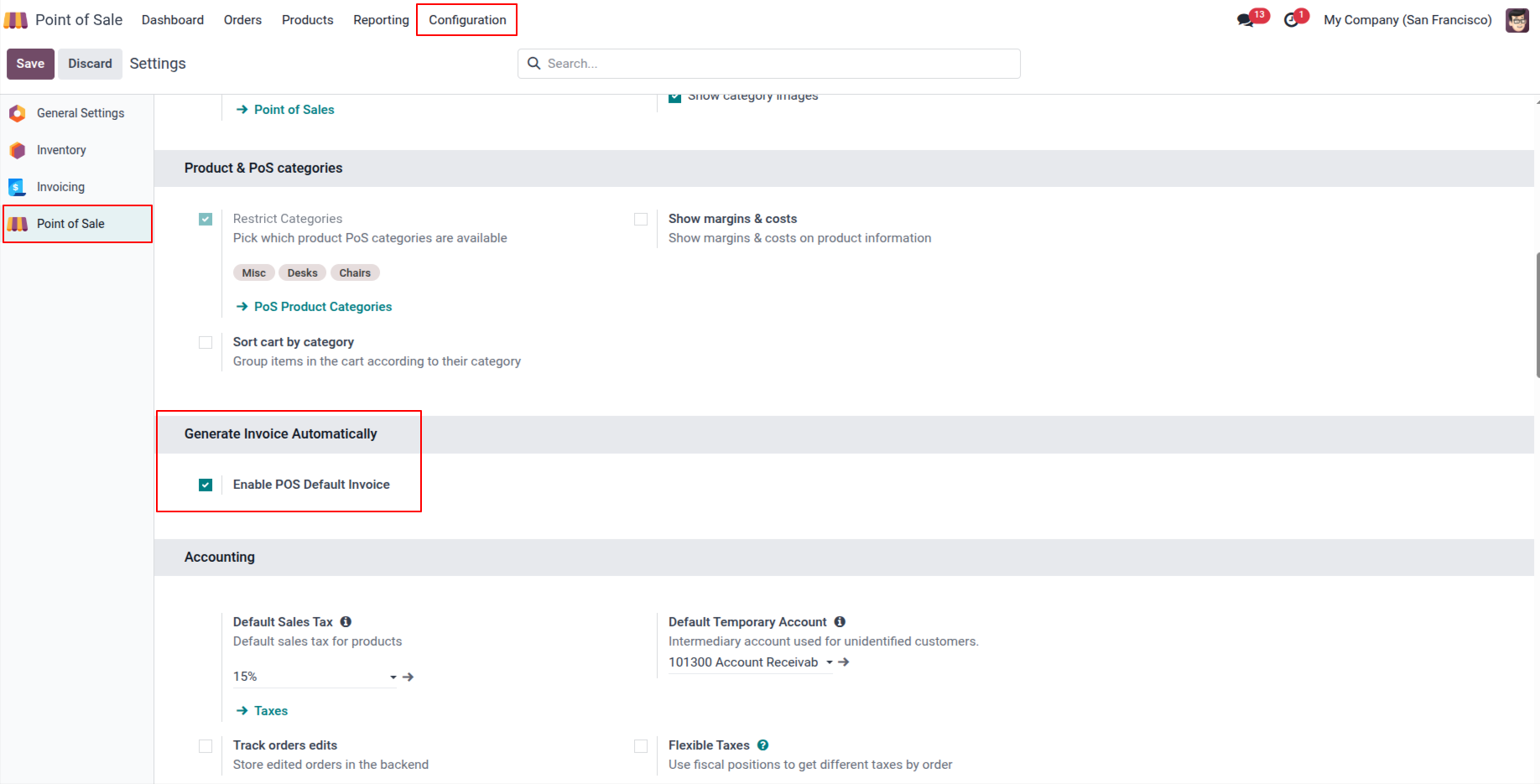
1. Tick the "Enable POS Invoicing" to generate invoices automatically.
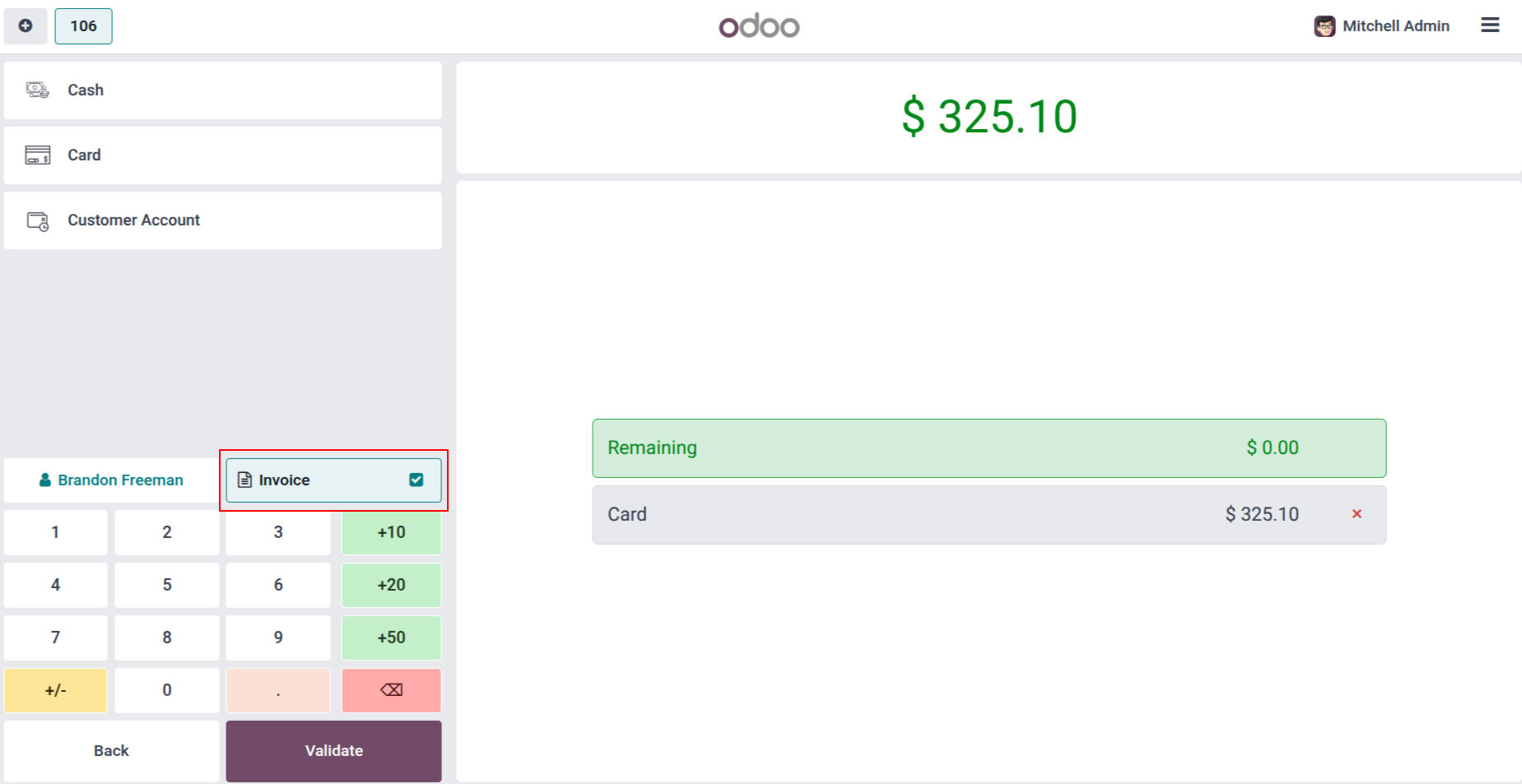
2. The invoice button is selected by default.
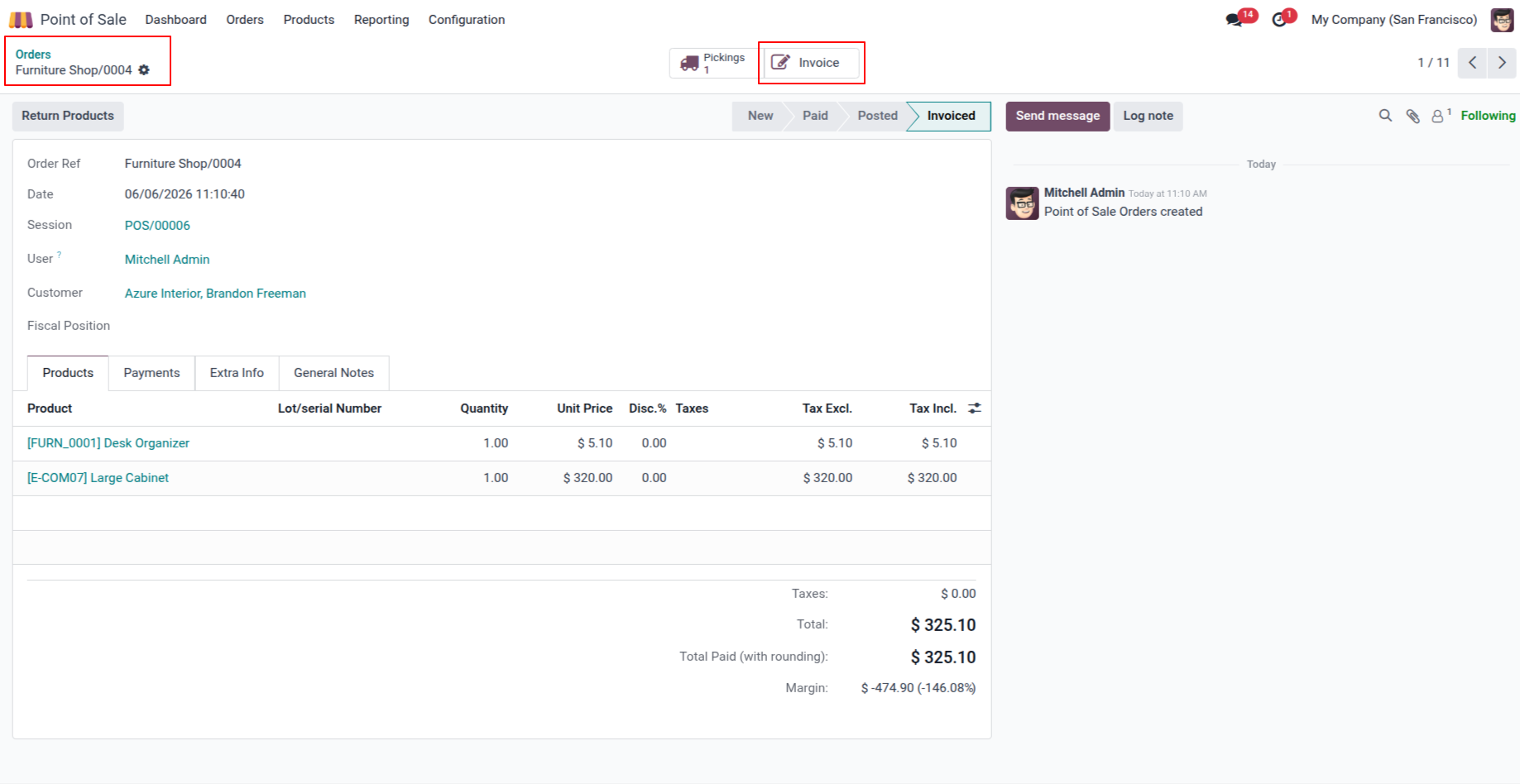
3. In the backend also our order state changed to invoiced.
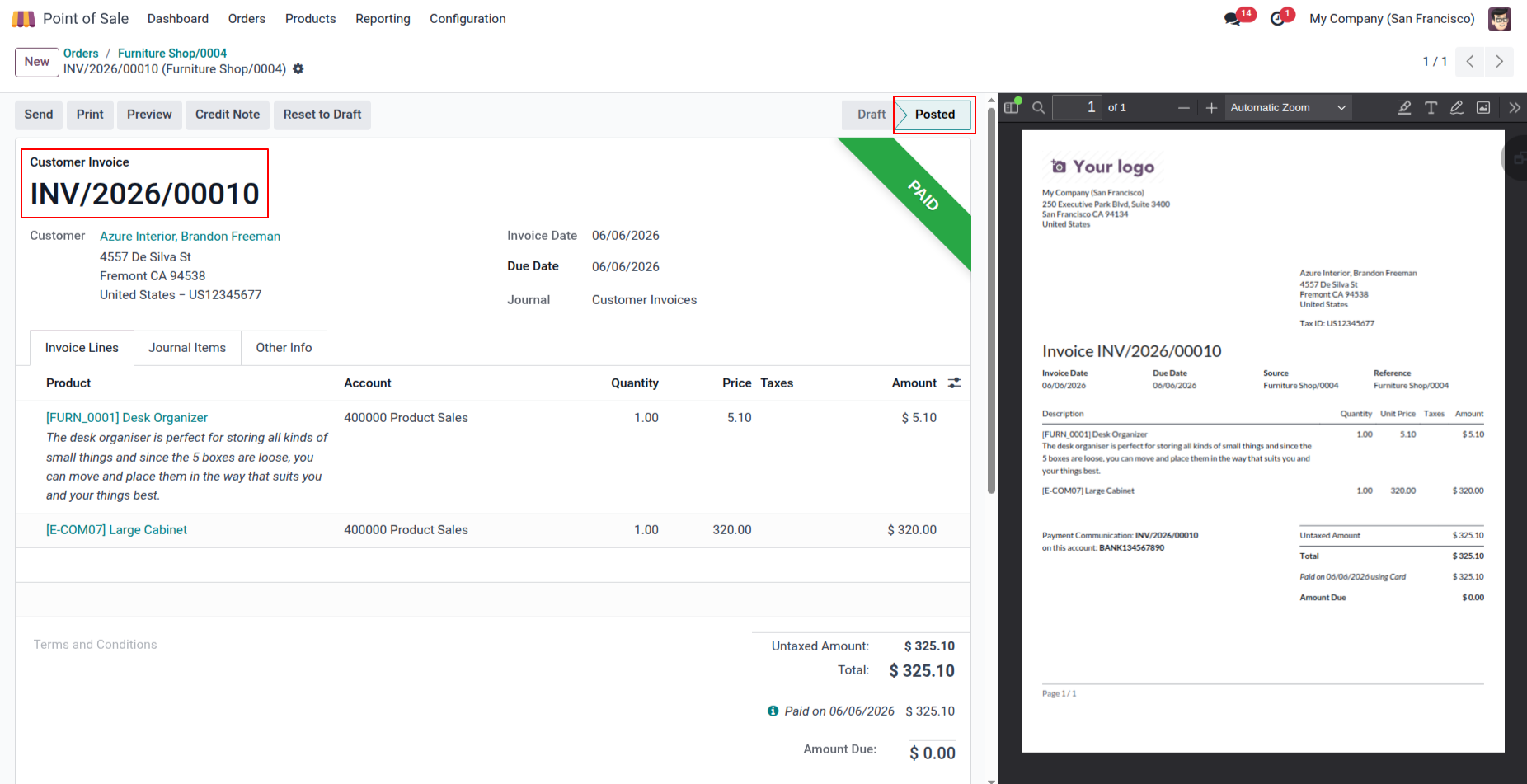
4. Invoice paid view.
Our solutions focus on your problems
- Odoo Implementation
- Odoo Customization
- ERP Development and Implementation
- Odoo Ipass Cloud
- AI for Odoo
- Odoo Apps
- Aws Marketplace Products
- Business Engines
Our Pricing includes User Manual, 90 Days Support (Monday-Friday 10am to 7pm IST) and One time Setup
• Works & tested on standard installations of Odoo with no third party apps,
• Free support only for odoo installations with no third party apps,
• Paid support available for Odoo installations with third party apps.

Prefortune is a Odoo Official Partner, Odoo Development company. Our philosophy is to use Open Source tools and technologies to provide cost effective and green solutions for our customers.
Prefortune Technologies LLP is working on web development, Mobile development, and Odoo ERP.
If you need any help or want more additional features, you may contact us through:
Alternative Products
These other products might interest you
Specifications
| Version | 19.0, 18.0, 17.0, 16.0, 15.0, 14.0 |