
Watch Quick Video

Product carousel/slider in website in Odoo
all-inclusive Odoo –Product carousel/slider in website lets users easily add a customizable product slider by dragging and dropping it in Odoo’s Website Editor. It offers control over products per slide, scrolling behavior, autoplay, navigation toggles, and product filtering. Multiple template styles and infinite loop options provide design flexibility. Fully responsive, the carousel ensures a seamless product browsing experience across all devices.
Product carousel/slider in website in Odoo
- Flexible Carousel Display Options.
- Customizable Autoplay and Navigation.
- Category-Based Product Filtering.
- Responsive Across All Devices.
Complete Workflow for Product carousel/slider in website in odoo
To configure the Product carousel/slider in website, navigate to the Website app and activate Edit mode using the Website Editor. From the Snippets panel, simply drag and drop the Product Carousel Snippet into the desired section of your webpage. Once placed, click on the snippet to open the settings panel, where you can customize its behavior—including products per slide, scroll settings, autoplay options, navigation controls, infinite loop, and product filtering. Multiple layout templates are available to align with your website’s design. After configuration, click Save and Publish to make the carousel live on your site.
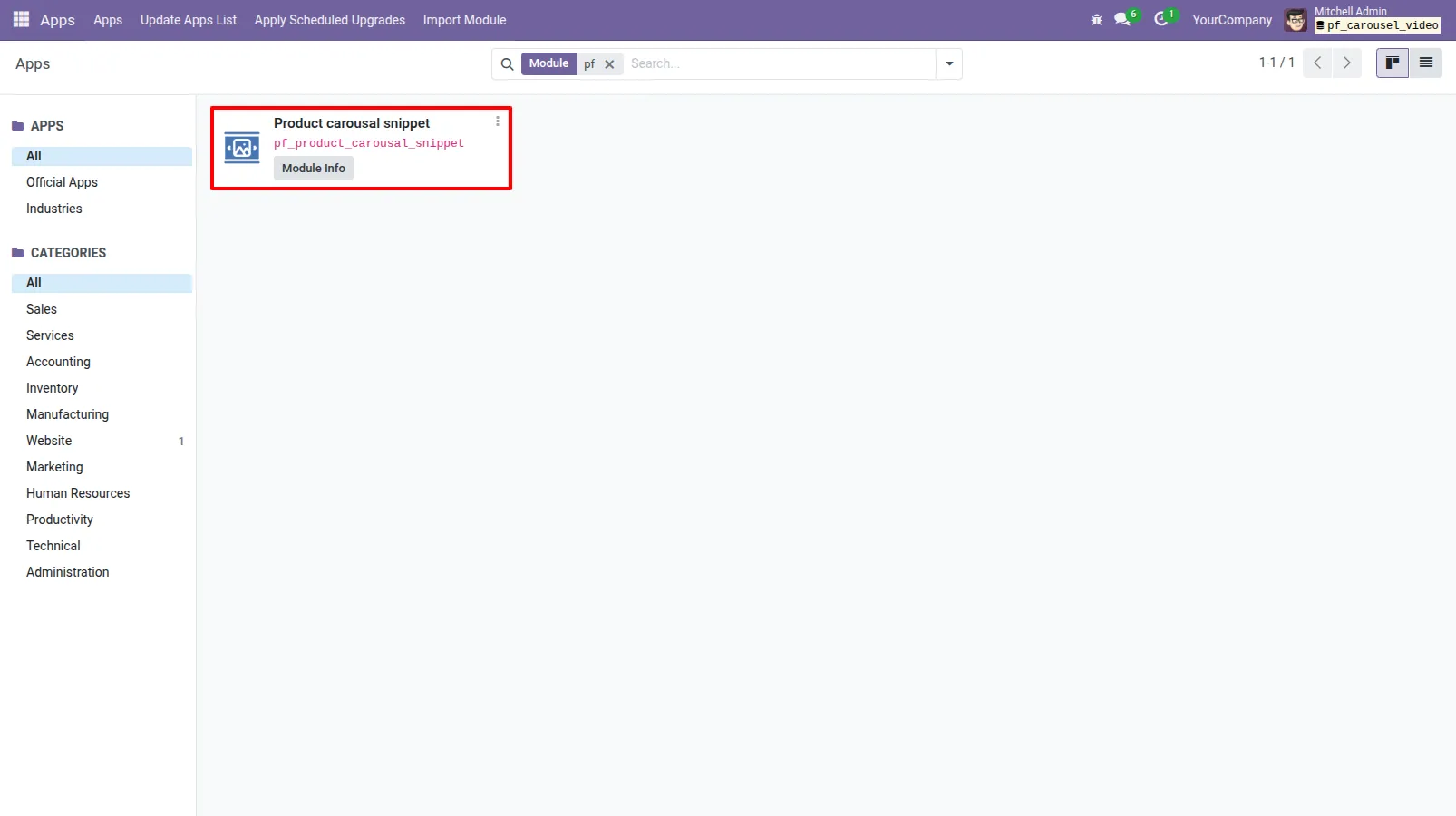
1.Install Product carousel/slider in website module
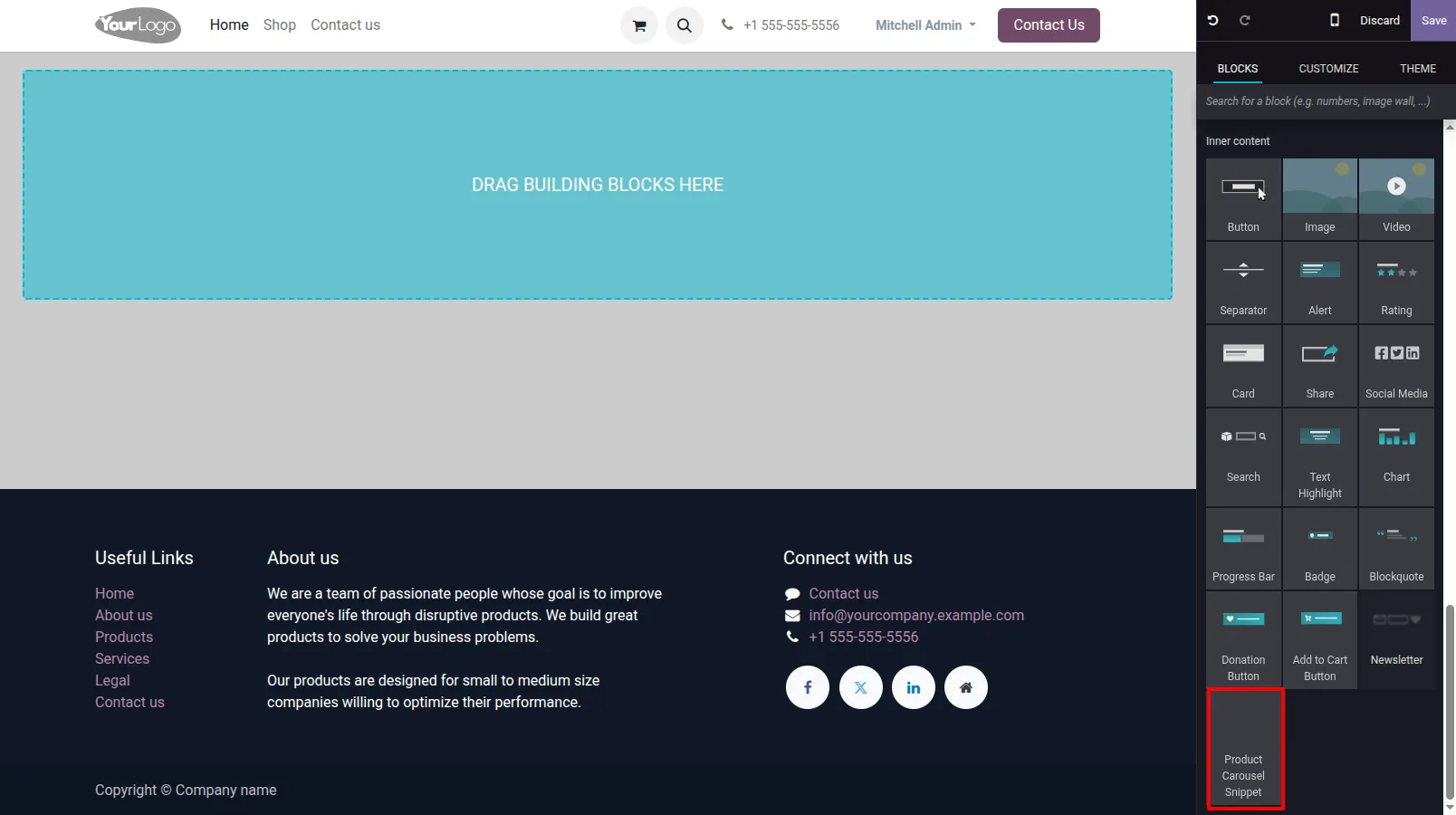
2.Go to Website → Click Edit → Drag and drop the Product Carousel Snippet onto any page.
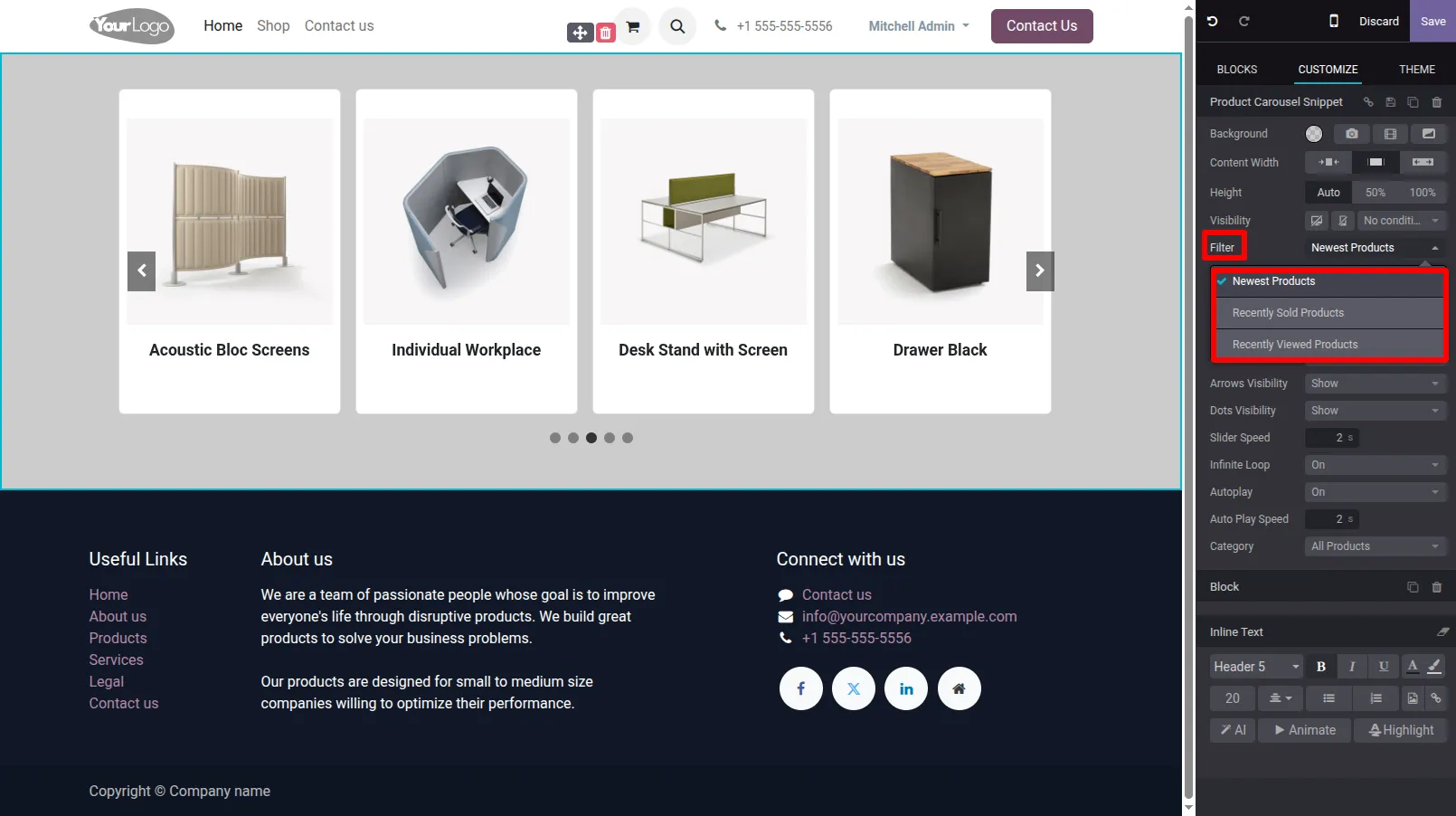
3.To configure the Product Carousel, click on the carousel after placing it — from where you can find filter product based on various filter options.
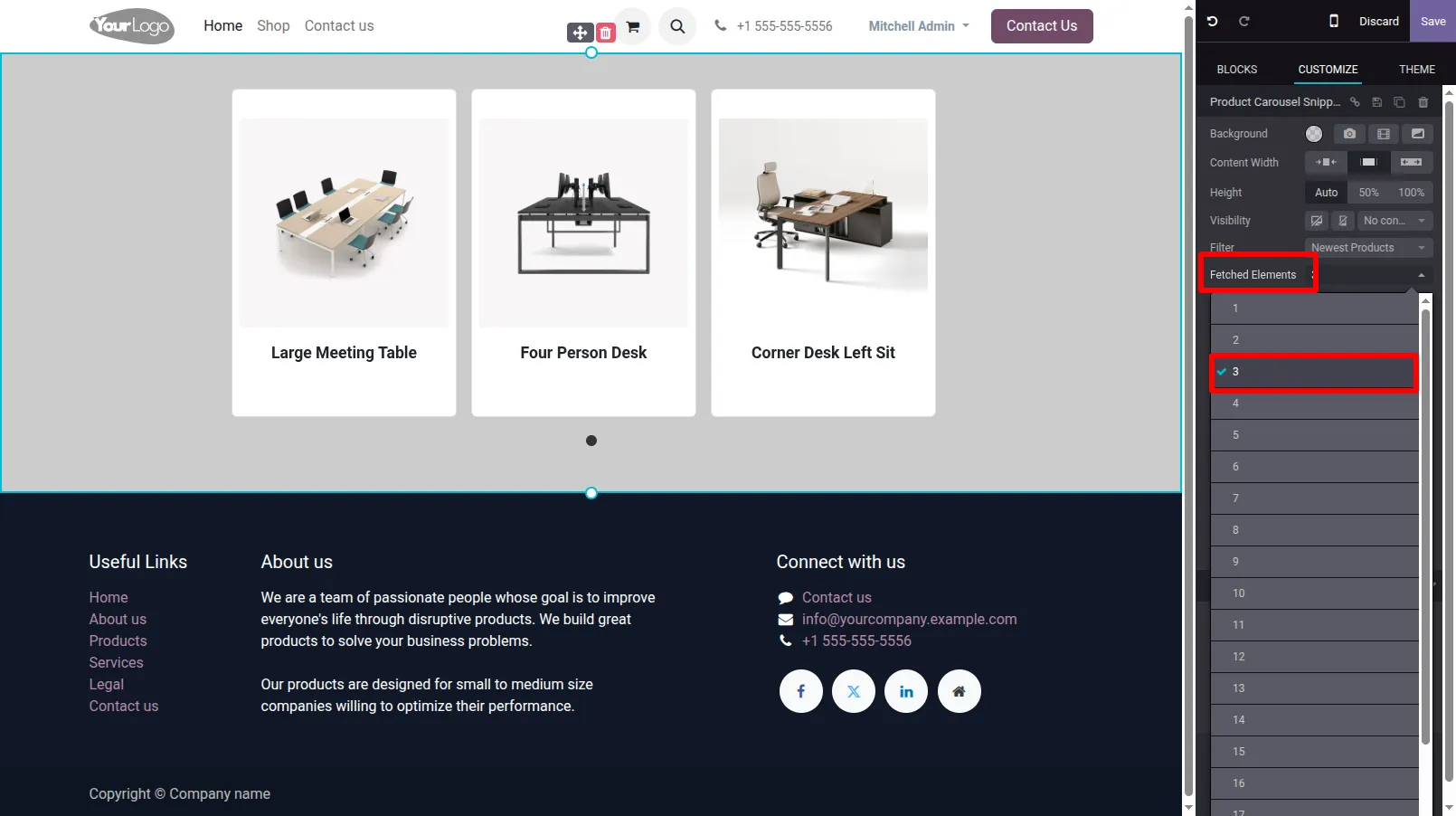
4.Set how many products to fetch and show on dynamic product carousel snippet.
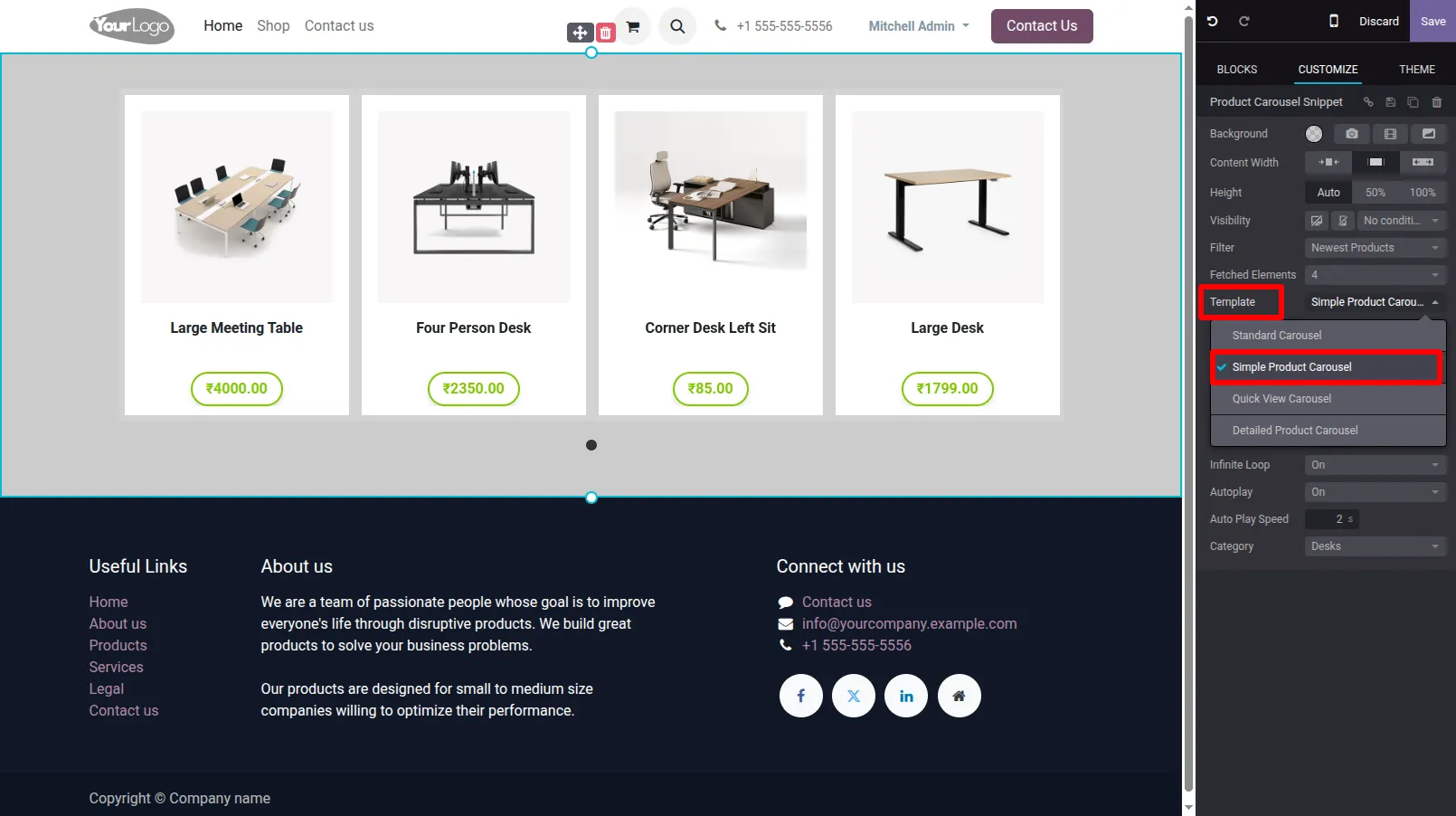
5.Choose from Various Templates for Different Layouts of product carousel snippet.
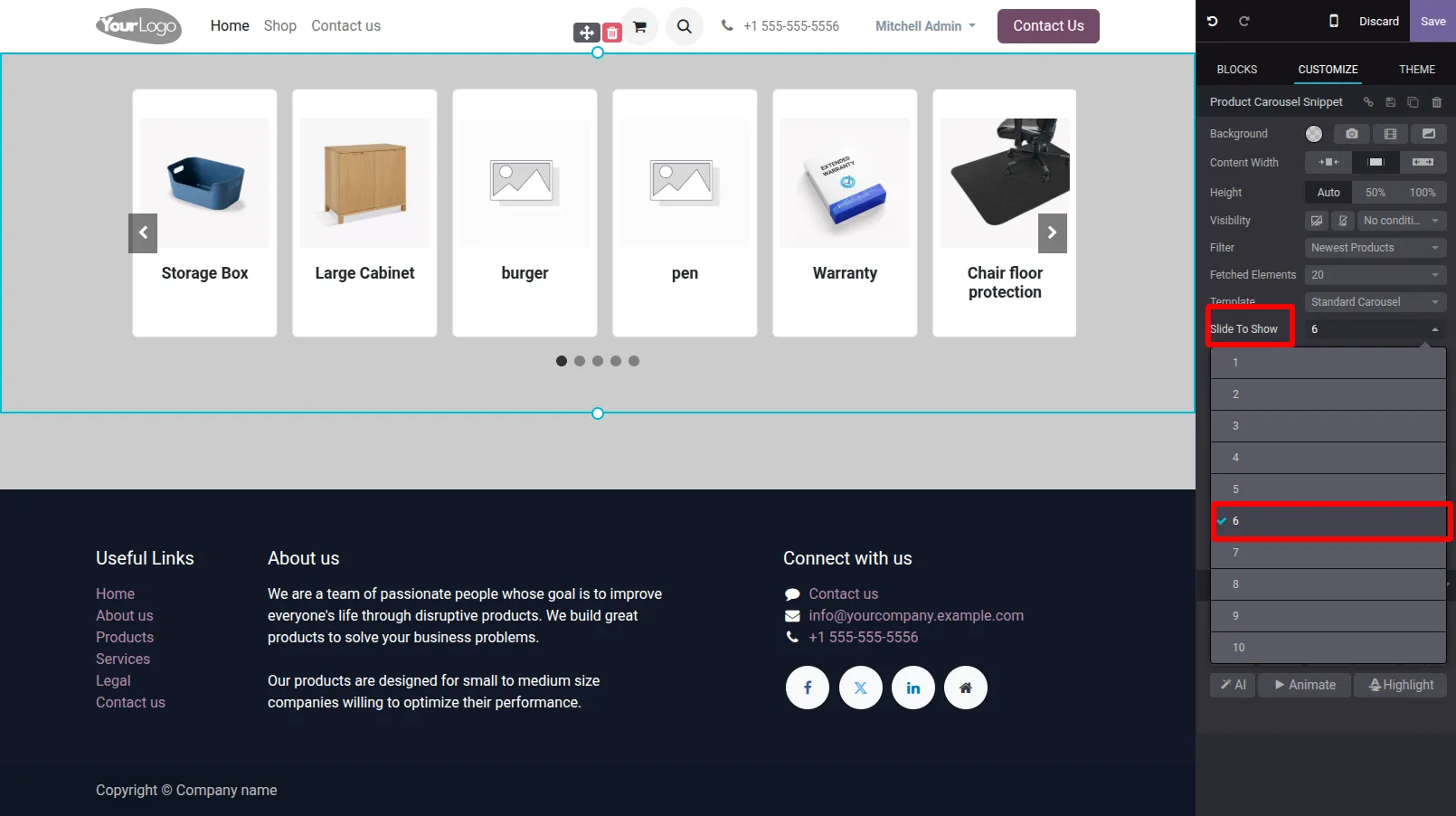
6. Slides to Show determines how many products are visible simultaneously in the carousel, allowing you to customize the number of items displayed per view for different device sizes.
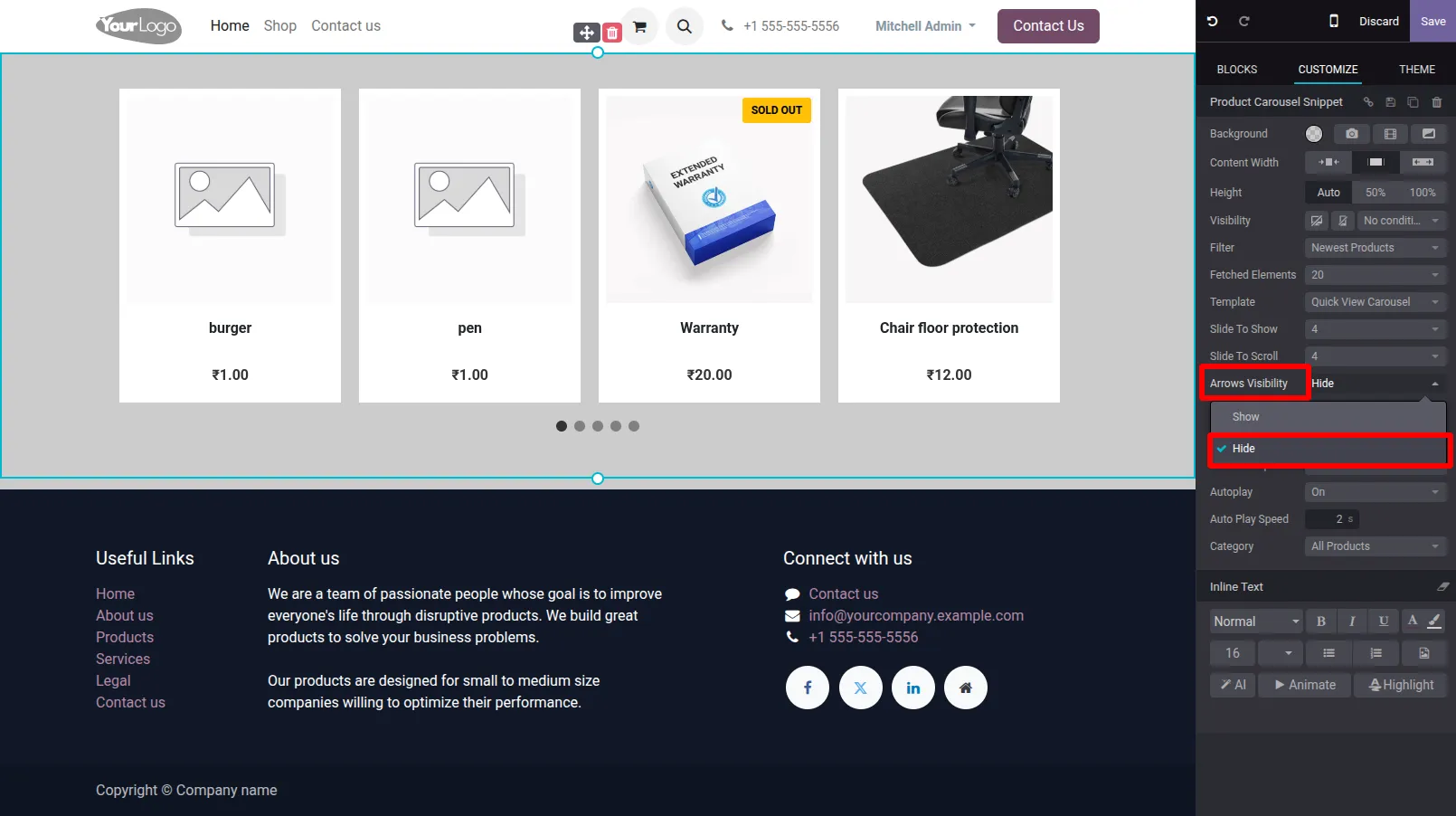
7. You can set Arrows Visibility to show or hide the navigation arrows, allowing users to manually scroll through the carousel.
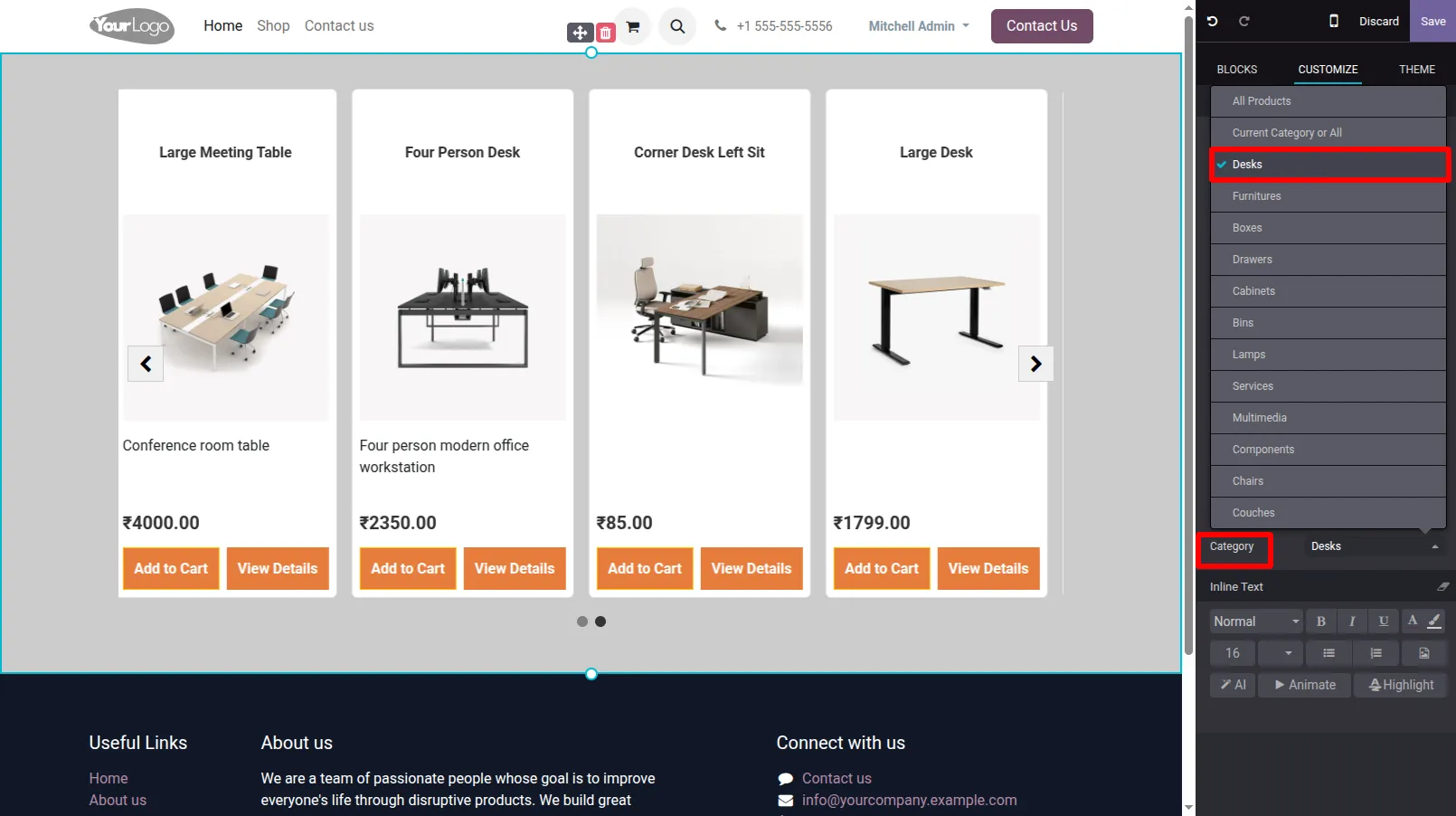
9. You can filter products based on their product categories.
Our solutions focus on your problems
- Odoo Implementation
- Odoo Customization
- ERP Development and Implementation
- Odoo Ipass Cloud
- AI for Odoo
- Odoo Apps
- Aws Marketplace Products
- Business Engines
Our Pricing includes User Manual, 90 Days Support (Monday-Friday 10am to 7pm IST) and One time Setup
• Works & tested on standard installations of Odoo with no third party apps,
• Free support only for odoo installations with no third party apps,
• Paid support available for Odoo installations with third party apps.

Prefortune is a Odoo Official Partner, Odoo Development company. Our philosophy is to use Open Source tools and technologies to provide cost effective and green solutions for our customers.
Prefortune Technologies LLP is working on web development, Mobile development, and Odoo ERP.
If you need any help or want more additional features, you may contact us through:
Alternative Products
These other products might interest you
Specifications
| Version | 18.0, 17.0, 16.0, 15.0, 14.0, 13.0 |