Watch Quick Video
Product Catalog Management
Our comprehensive product catalog management system
module allows firms to generate reliable and aesthetically pleasing product catalogues from Odoo. They can
generate catalogue reports from different product types and display key product data such as images,
attributes, prices, barcodes, and stock information in a structured format. Users may customise the module
by uploading custom header images, choosing barcode formats, altering the display of product attributes,
and organising item details according to business needs, providing flexibility. This enables the creation
of catalogues and provides a consistent presentation of products in all marketing and sales
materials.
It provides support for different pricing configurations like pricelist based pricing and quantity based
pricing to help businesses generate catalogues based on different customer groups and sales strategies. It
also offers inventory visibility by showing available and inbound stock quantities so that customers and
sales teams can make well-informed purchasing decisions. The report is a full product reference document
for distributors, partners and customers. It contains support for many barcode standards and full product
variant information.
The product catalogue management combines product data, pricing, stock information and branding into one
customisable report, simplifying catalogue management and reducing manual documentation. The solution
provides increased product visibility, better customer communication and allows organisations to create
professional catalogues quickly and efficiently with accurate and up-to-date product information.
Product catalog management
- Create professional product catalogs directly from Odoo with a single click.
- Customize catalog layouts with company branding and header images.
- Include product images, descriptions, and variant attributes in catalog reports.
- Support multiple barcode formats for easy product identification and scanning.
- Display product pricing and stock availability for accurate catalog generation.
Complete Workflow for Manage Product catalog management
Activate the Product catalog management module and navigate to Product Variants. Select one or more products and click the Print button to launch the Product catalog management wizard. From the wizard, users can configure catalog options such as custom header images, product attribute visibility, barcode display, pricing methods, and stock information according to their business requirements. The module automatically generates a professionally formatted catalog containing product images, variant attributes, pricing details, barcode information, and inventory data. Users can choose from multiple supported barcode formats, display product prices based on selected pricelists or quantity ranges, and include available or incoming stock quantities for enhanced product visibility. This helps businesses simplify catalog creation, maintain consistent product presentation, and provide customers, distributors, and sales teams with accurate and up-to-date product information through product catalog management automation directly from Odoo.
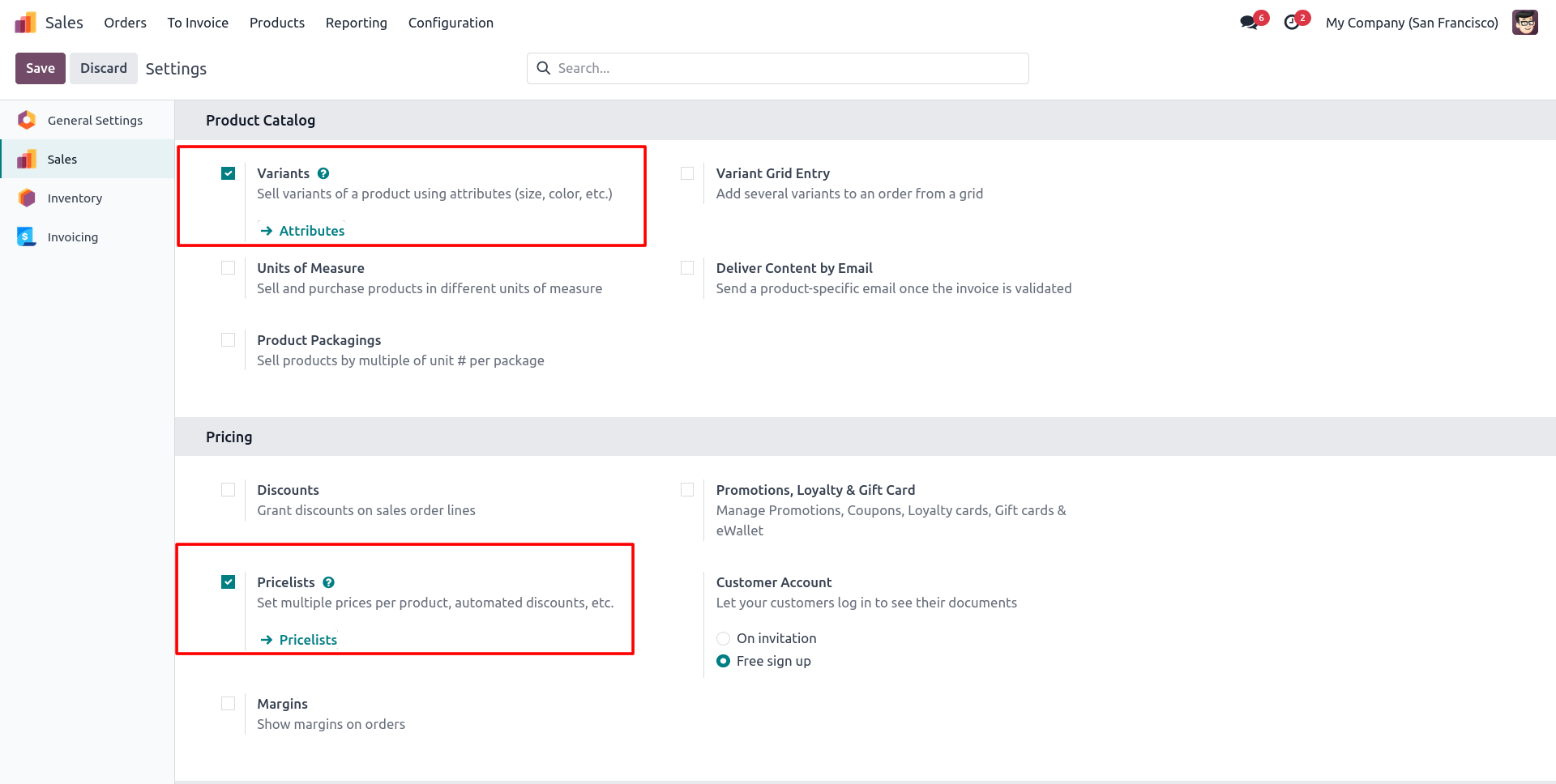
1. Go to the settings and enable the required Pricelist and Product Variant options before generating the Product catalog management .
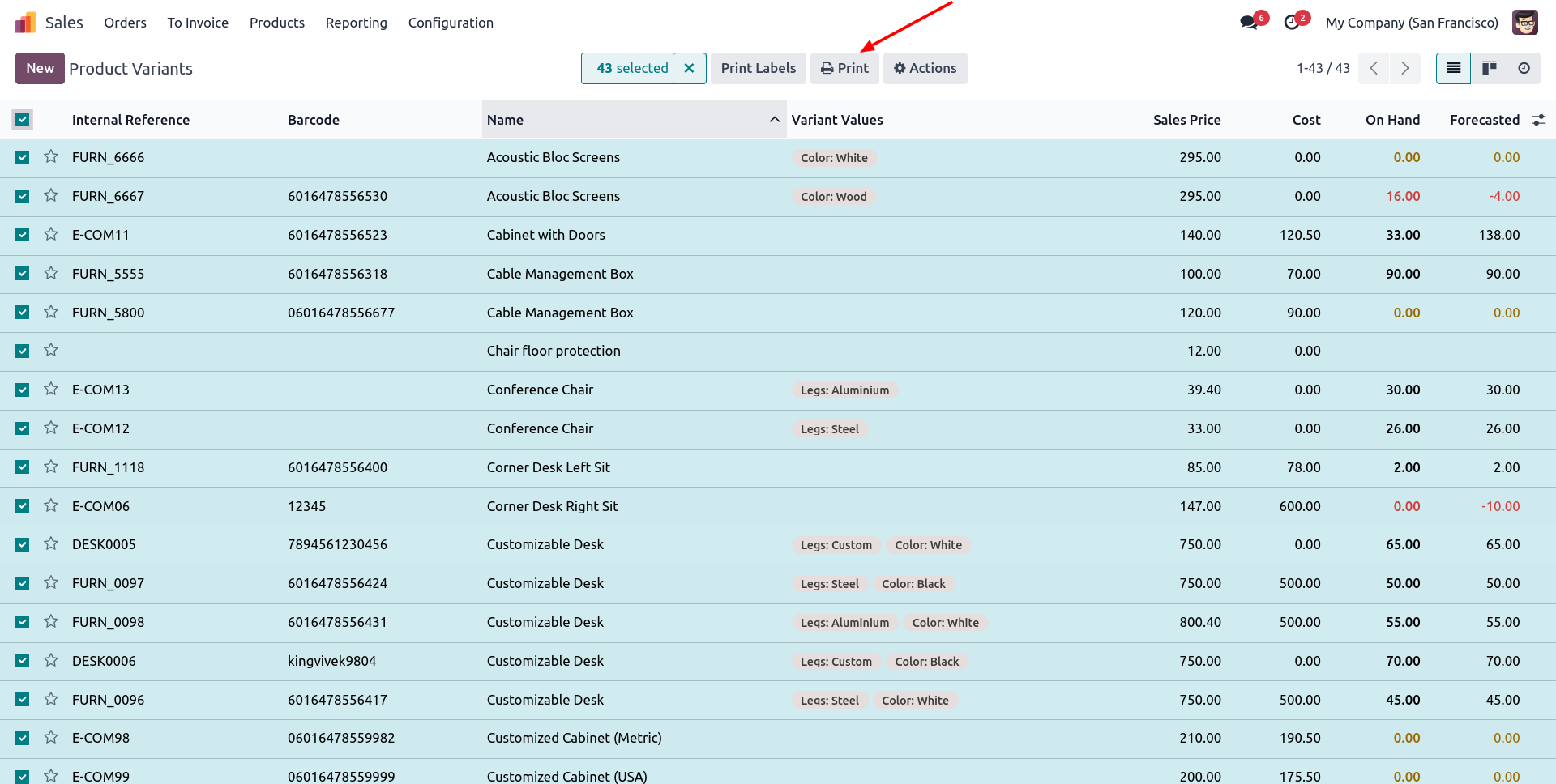
2. Open the Product Variants menu, select the required product records, and click the Print button to start the report generation process.
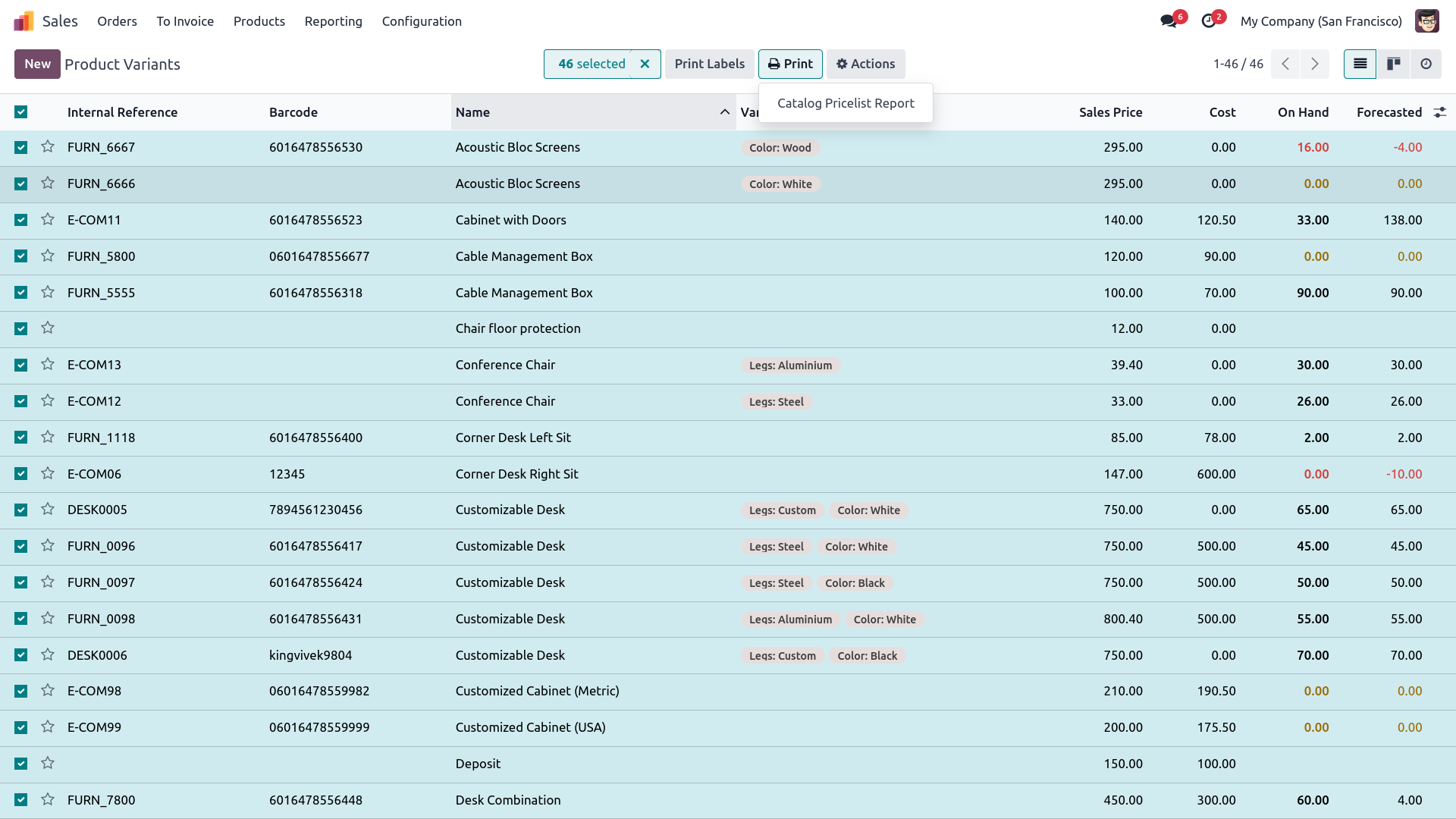
3. From the Print options, click on the Catalog Pricelist Report menu to open the report configuration wizard.
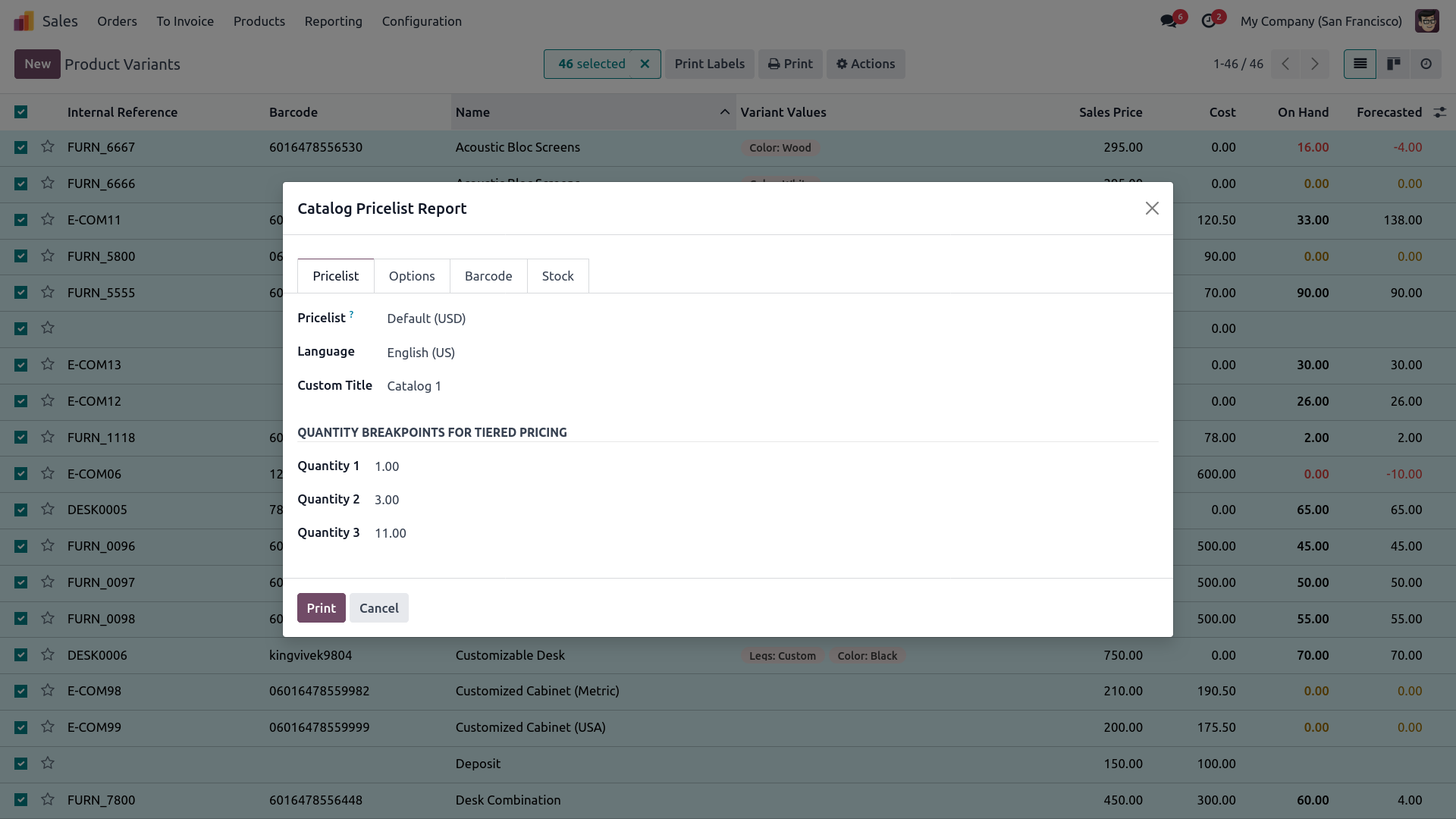
4. Enable the Show Pricelist option, select the required pricelist, and configure quantity-based pricing values such as quantity 1, quantity 2, quantity 3, and other required quantities.
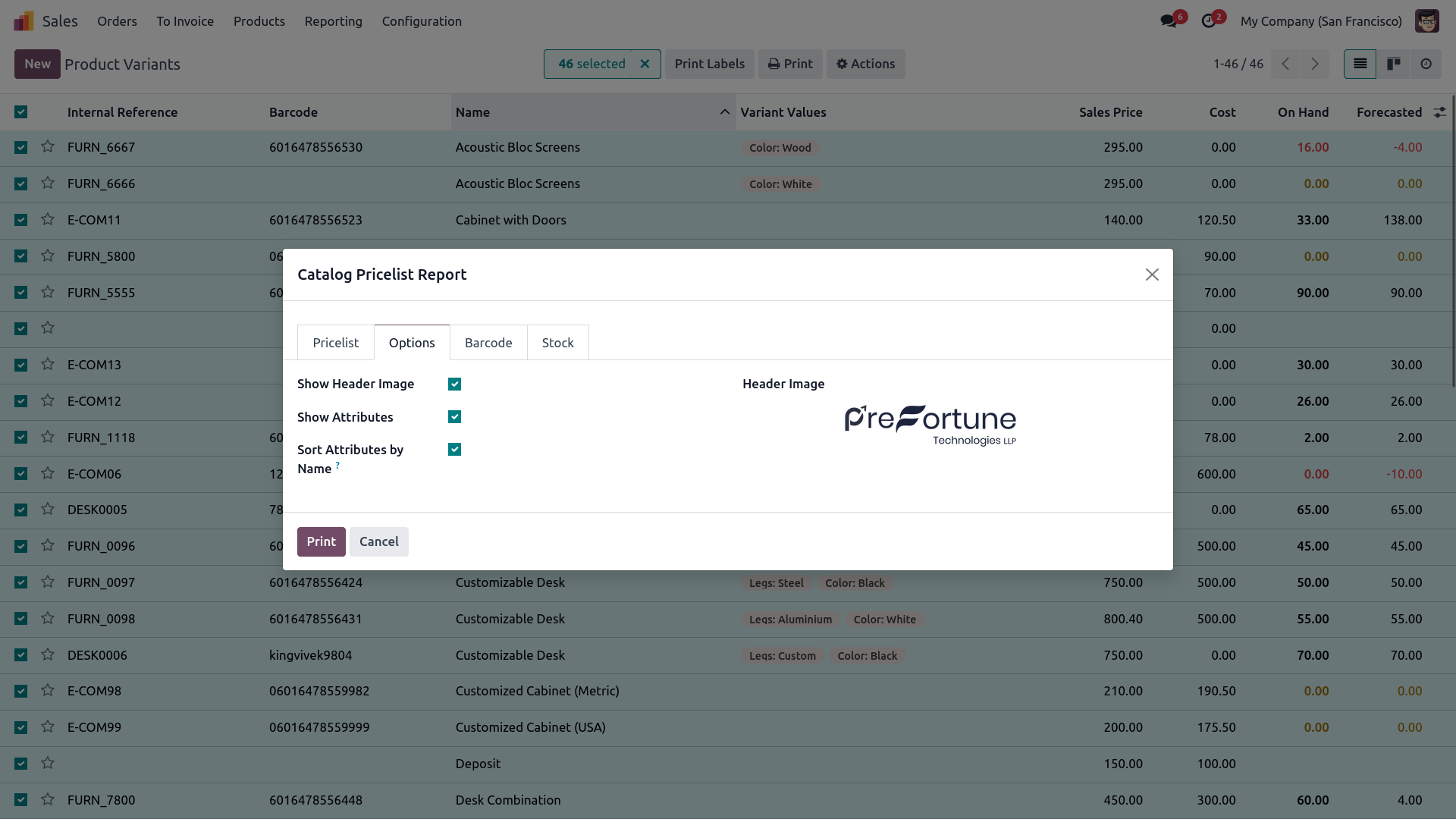
5. Enable the header image option to upload a custom image and configure the attribute display settings to show product variant attributes in the catalog report.
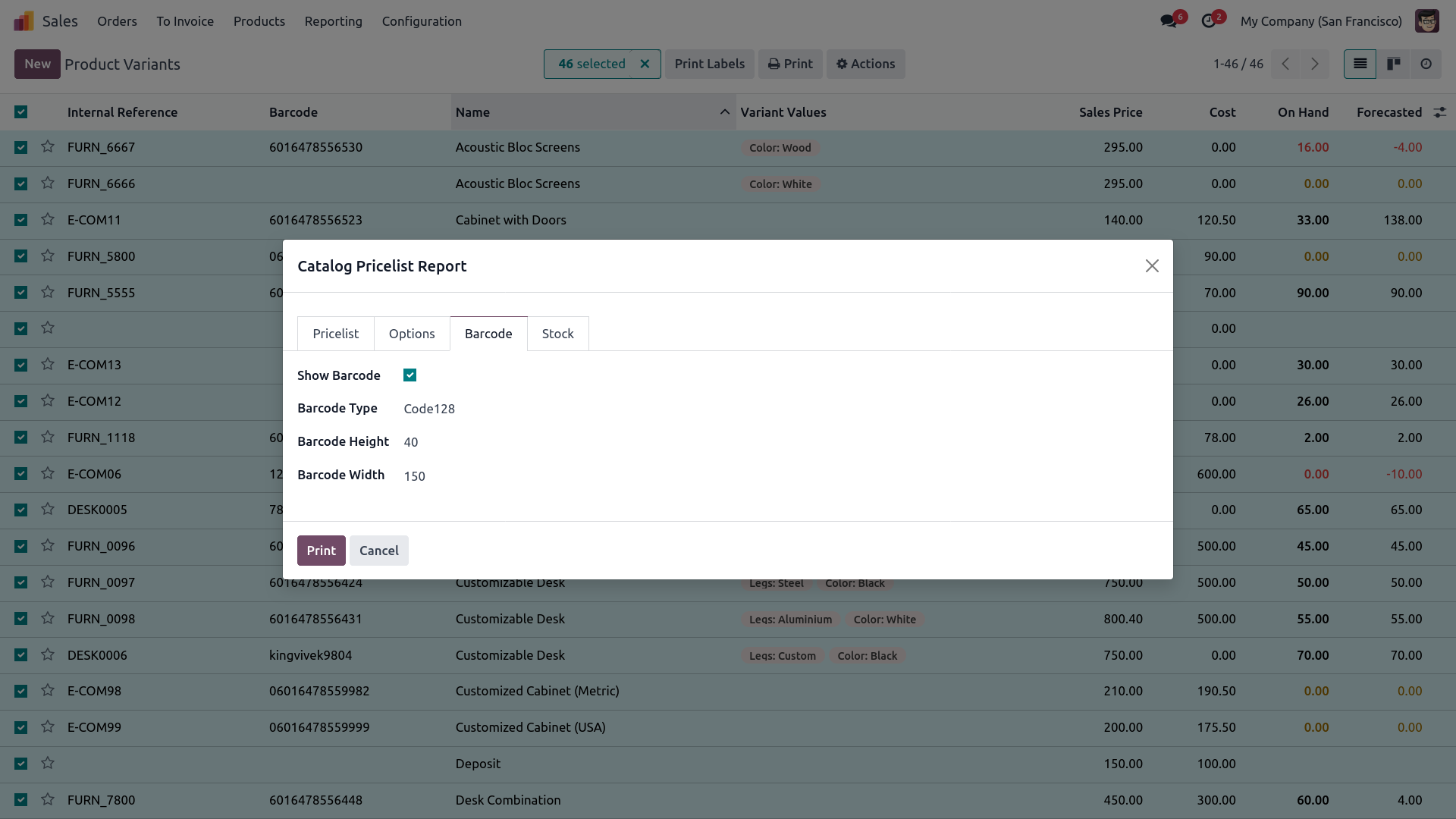
6. Enable barcode display and configure the barcode settings by selecting the barcode type, barcode height, and barcode width for the report.
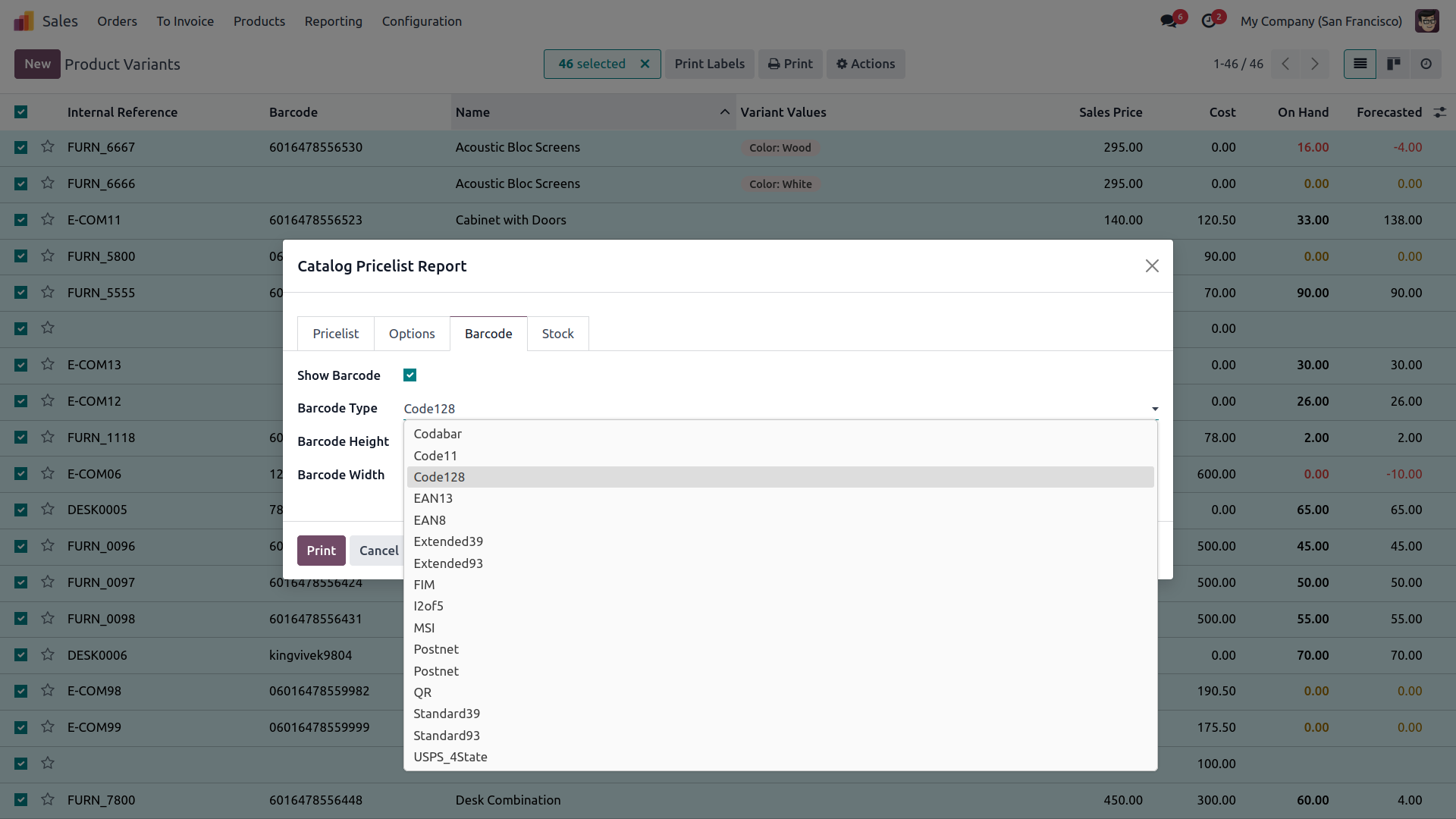
7. The report supports multiple barcode formats, allowing you to choose the required barcode type for product identification in the catalog.
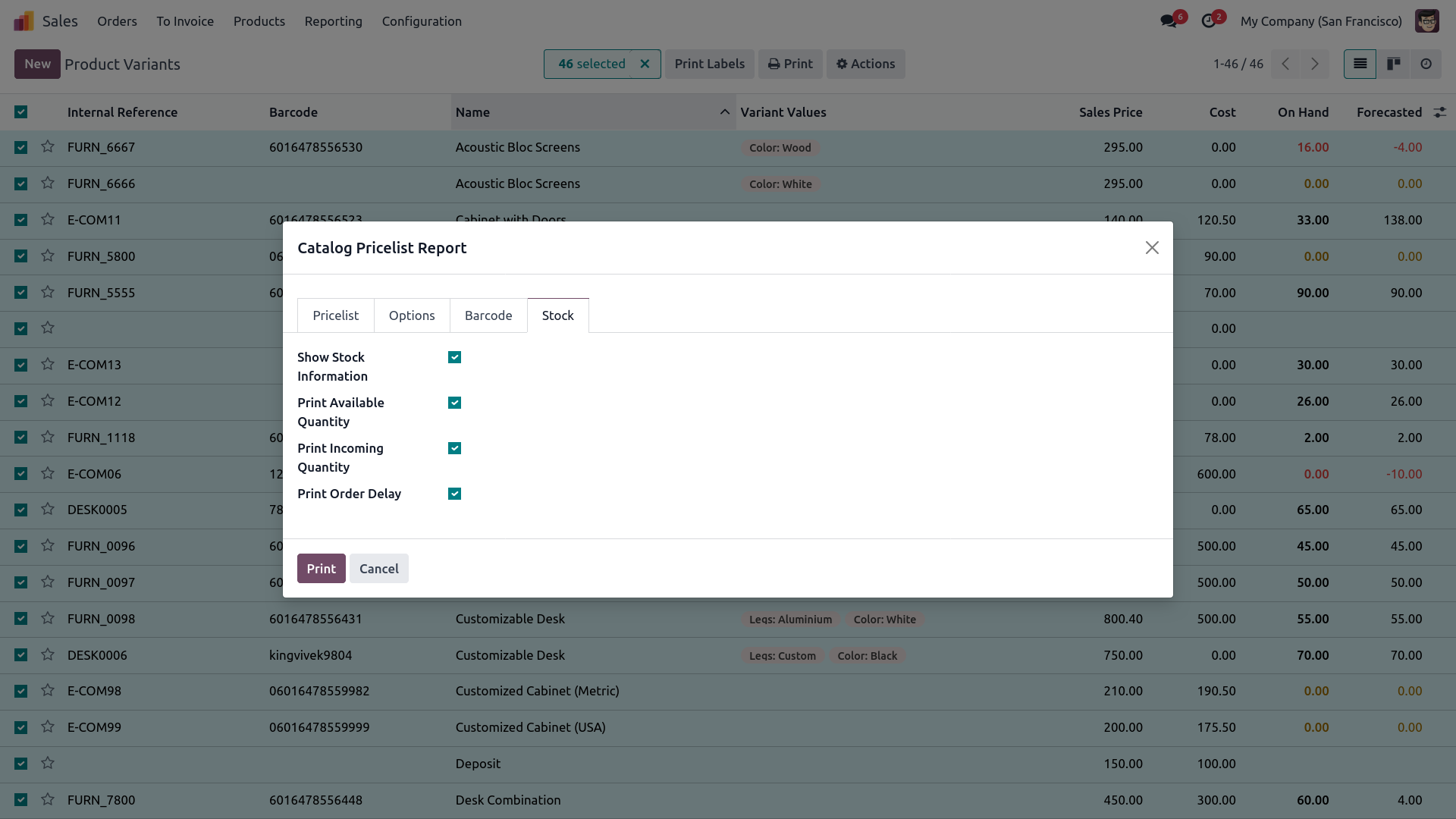
8. Enable the stock information option to display available stock and incoming stock quantities for products directly in the catalog report.
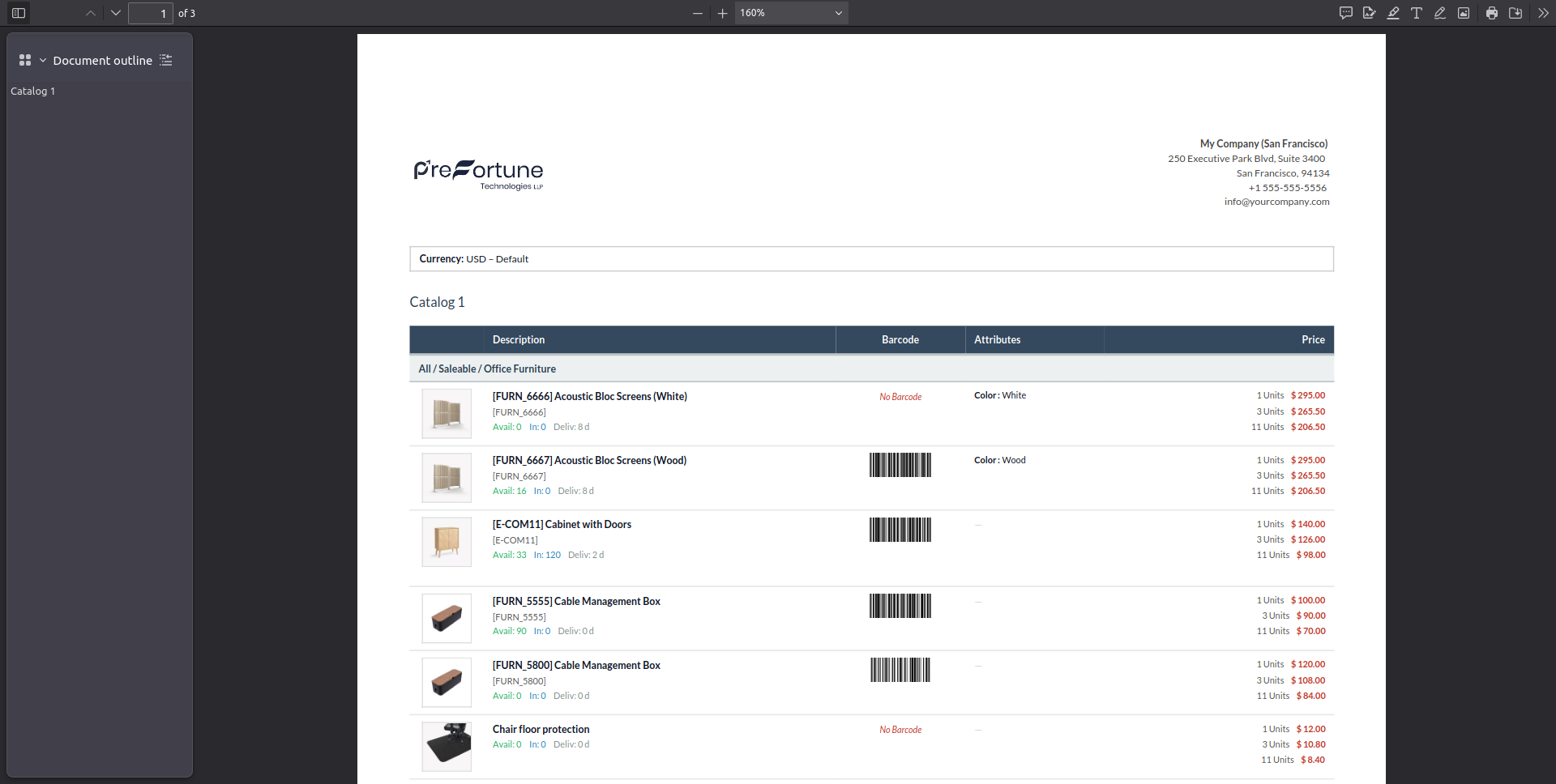
9. Generate the PDF report to preview the complete catalog with pricing, attributes, barcode, stock, and header image details based on the selected configuration.
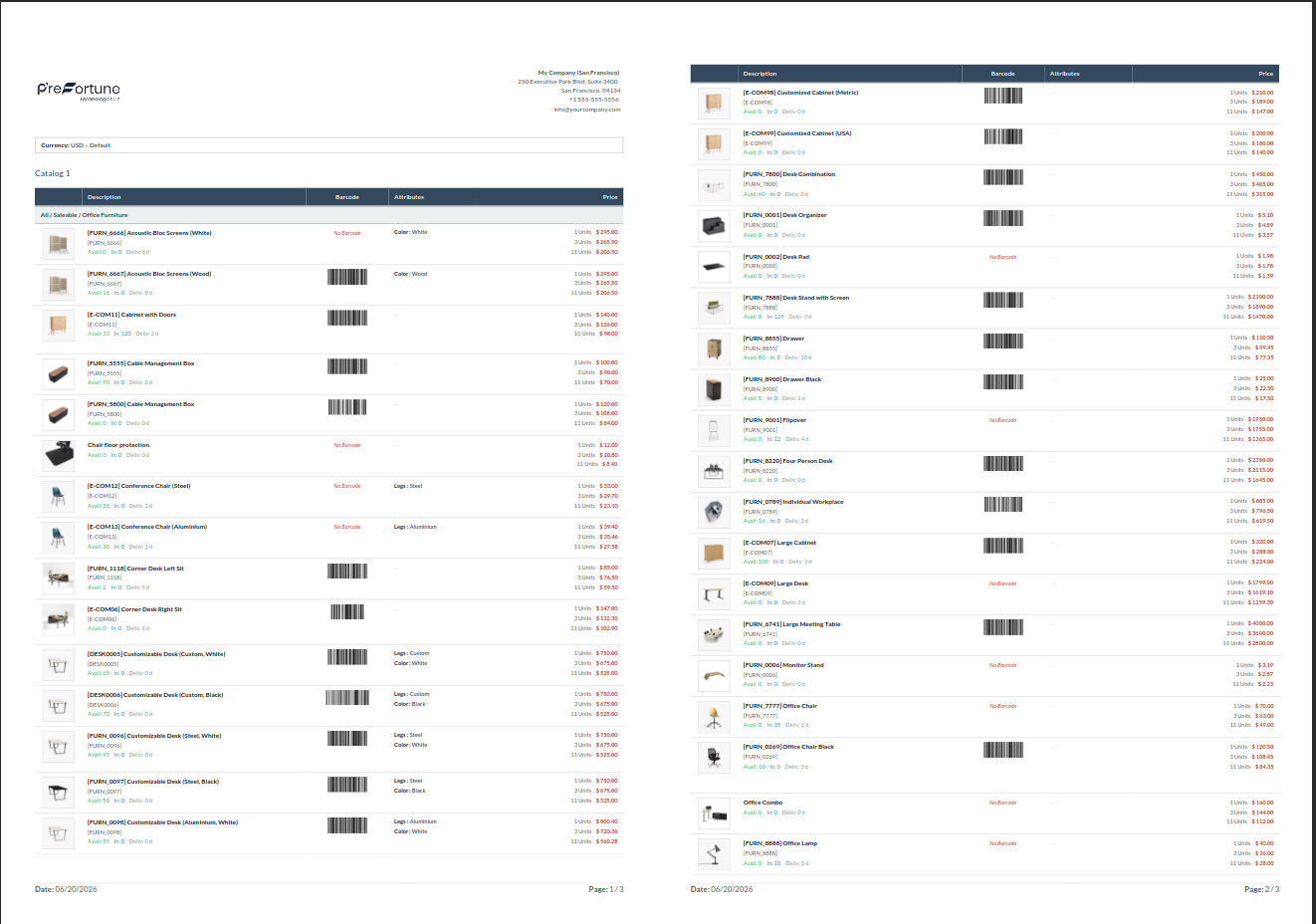
10. The final product catalog management PDF displays detailed product information, pricing, barcode, stock details, and catalog images across the report pages.
Our solutions focus on your problems
- Odoo Implementation
- Odoo Customization
- ERP Development and Implementation
- Odoo Ipass Cloud
- AI for Odoo
- Odoo Apps
- Aws Marketplace Products
- Business Engines
Our Pricing includes User Manual, 90 Days Support (Monday-Friday 10am to 7pm IST) and One time Setup
• Works & tested on standard installations of Odoo with no third party apps,
• Free support only for odoo installations with no third party apps,
• Paid support available for Odoo installations with third party apps.

Prefortune is a Odoo Official Partner, Odoo Development company. Our philosophy is to use Open Source tools and technologies to provide cost effective and green solutions for our customers.
Prefortune Technologies LLP is working on web development, Mobile development, and Odoo ERP.
If you need any help or want more additional features, you may contact us through:
Alternative Products
These other products might interest you
Specifications
| Version | 19.0, 18.0, 17.0, 16.0, 15.0, 14.0 |