Watch Quick Video
Product Sale & Purchase Price History Tracker
With our Odoo – Product Sale & Purchase Price History Tracker
module businesses can track and analyse product sale prices and purchase prices in selected period. It provides users access to detailed price history records, enabling them to track price increases and decreases, identify pricing trends and gain valuable insights into product pricing behaviour for better business decisions.
The module allows flexible filtering by date range, products, categories, companies. Companies can make better decisions in buying, better strategies in selling, better price control of products by monitoring the records of past sale and purchase price. It integrates with Odoo Sales and Purchase modules so you can track and analyse prices accurately.
Product Sale & Purchase Price History Tracker
- View complete sale and purchase price records for selected products.
- Easily find price records using date and product filters.
- Analyze price history data in tabular and graphical formats.
- Monitor changes in product prices over time.
- Identify pricing patterns in sales and purchases.
Complete Workflow for Manage Product Sale & Purchase Price History Tracker
Install and activate the module. After installing the module, navigate to Sales → Sale Price Tracker or Purchase → Purchase Price Tracker. Use the Sale Price Tracker or Purchase Price Tracker menu to generate a price tracking report. In the wizard, specify the required Start Date and End Date along with the desired product filters. Click Generate to view price tracking records directly on-screen for the selected period. The module helps businesses monitor sale and purchase price changes, identify price increases and decreases, analyze pricing trends, and compare prices over time for better purchasing and sales decisions. The Sale Price Tracker and Purchase Price Tracker views provide quick access to generated price tracking records for review and analysis.
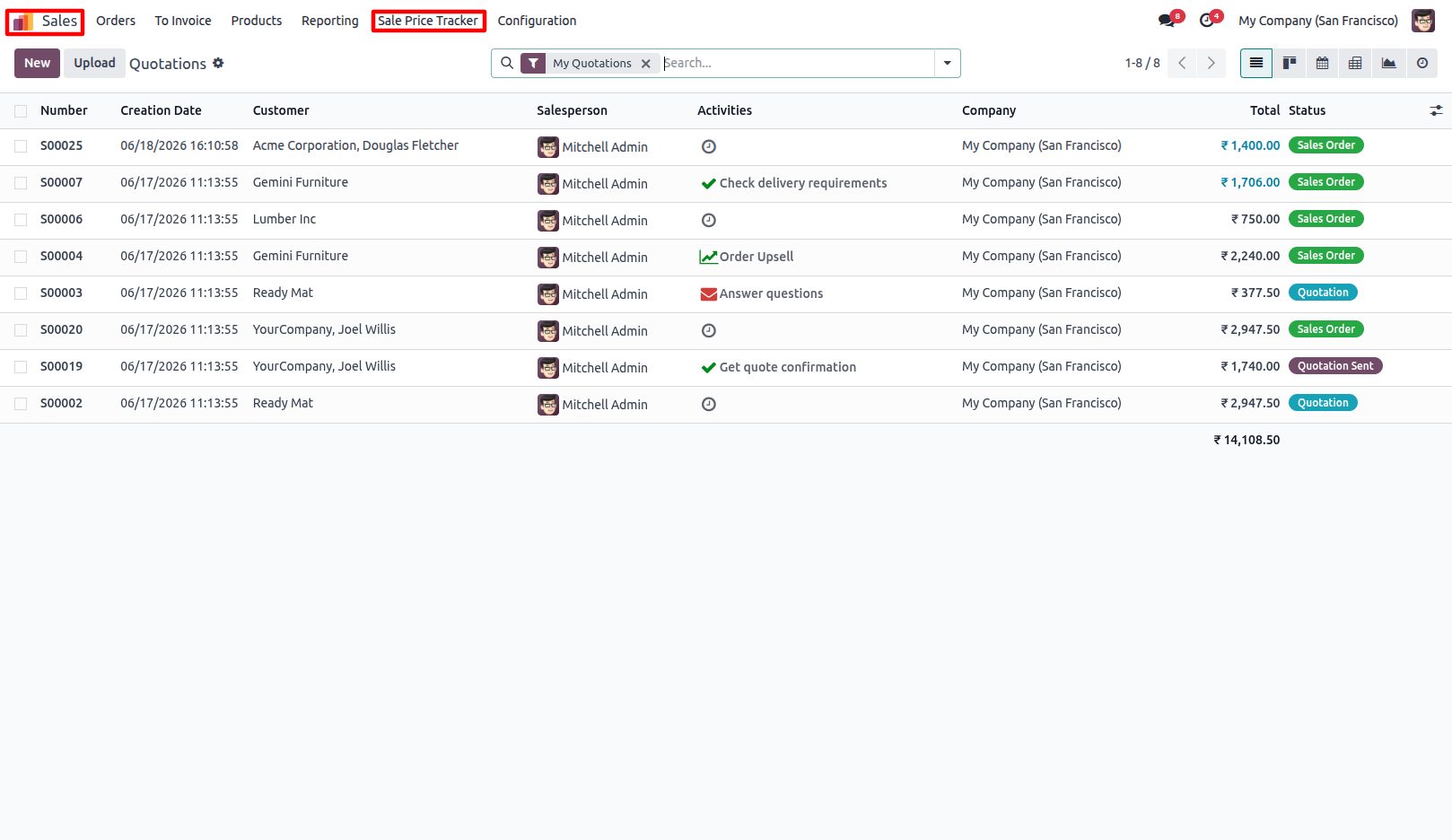
1.Go to Sale Price Tracker. Sales → Sale Price Tracker
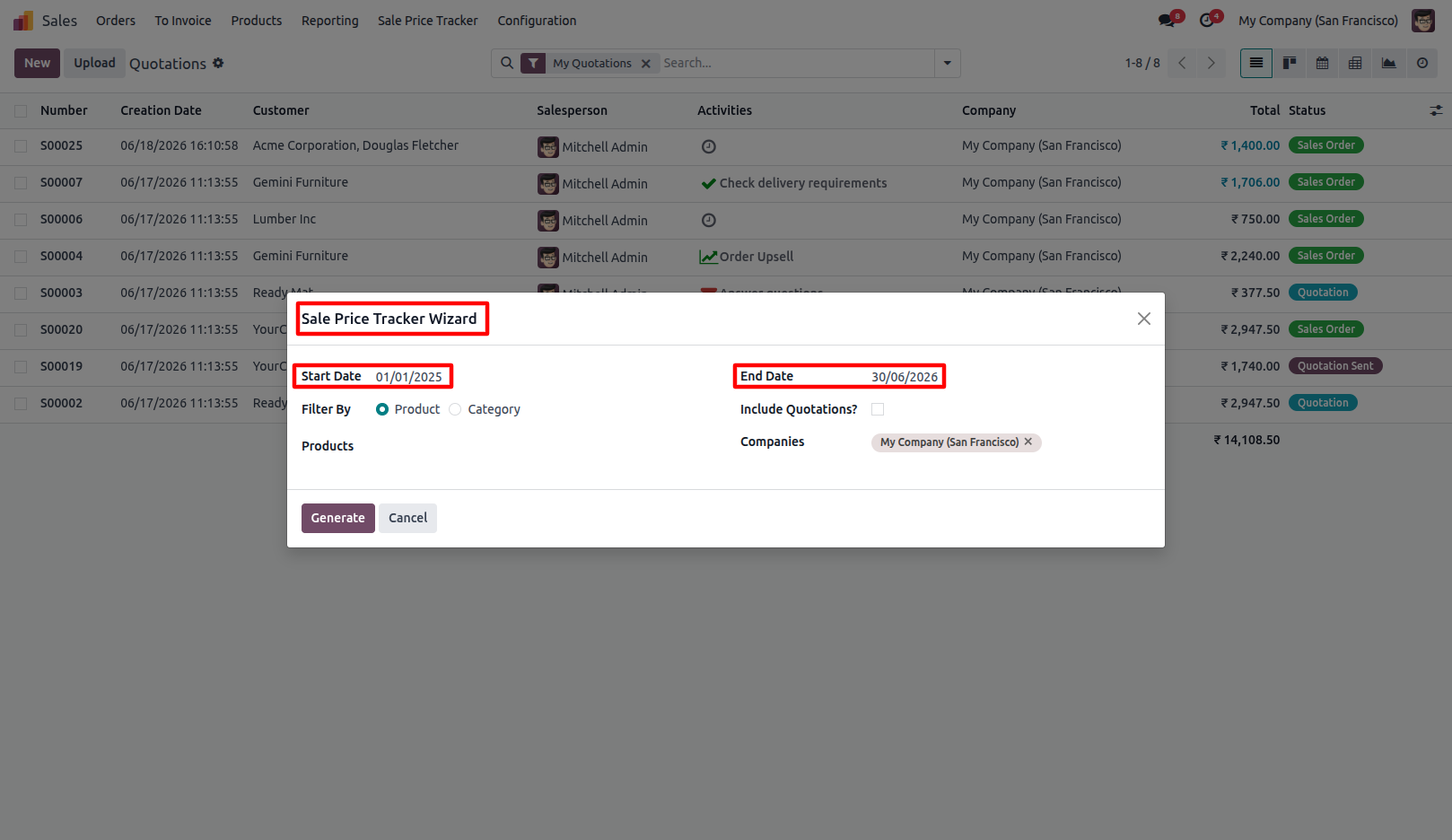
2.Select the required Start Date and End Date for the price history period.
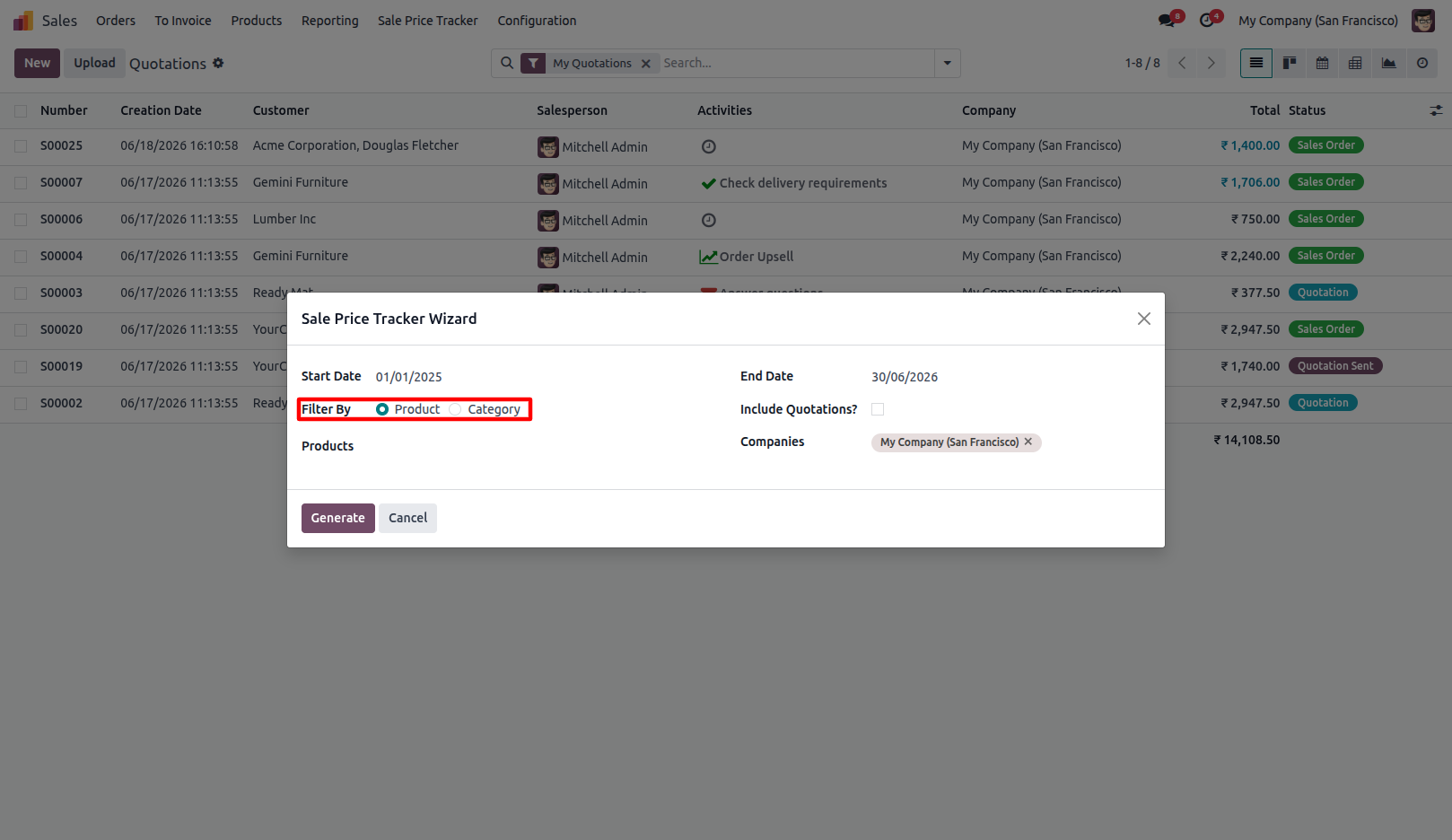
3.Select Product or Category as the filter criteria.
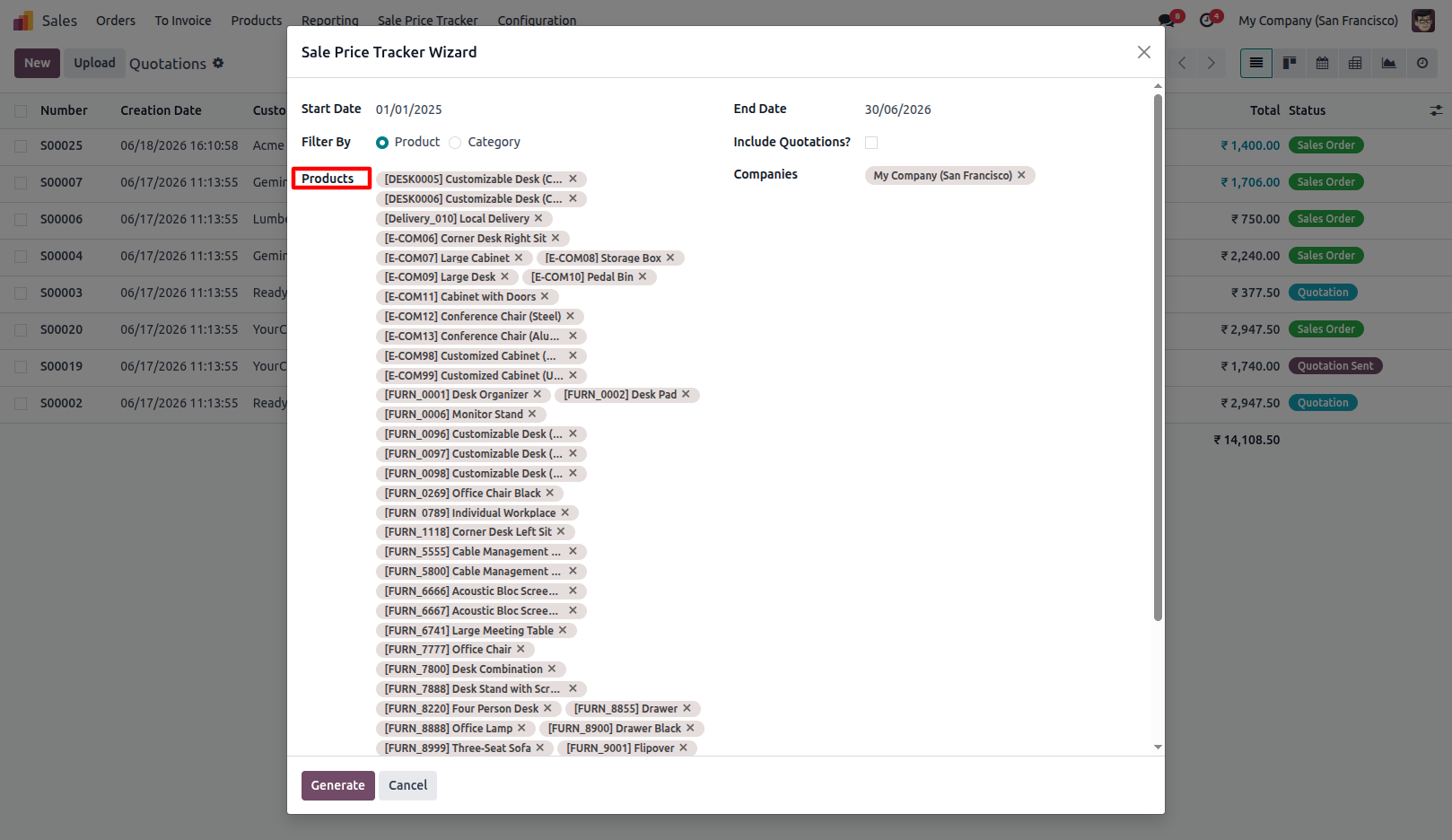
4.Select the required products or categories for price tracking.
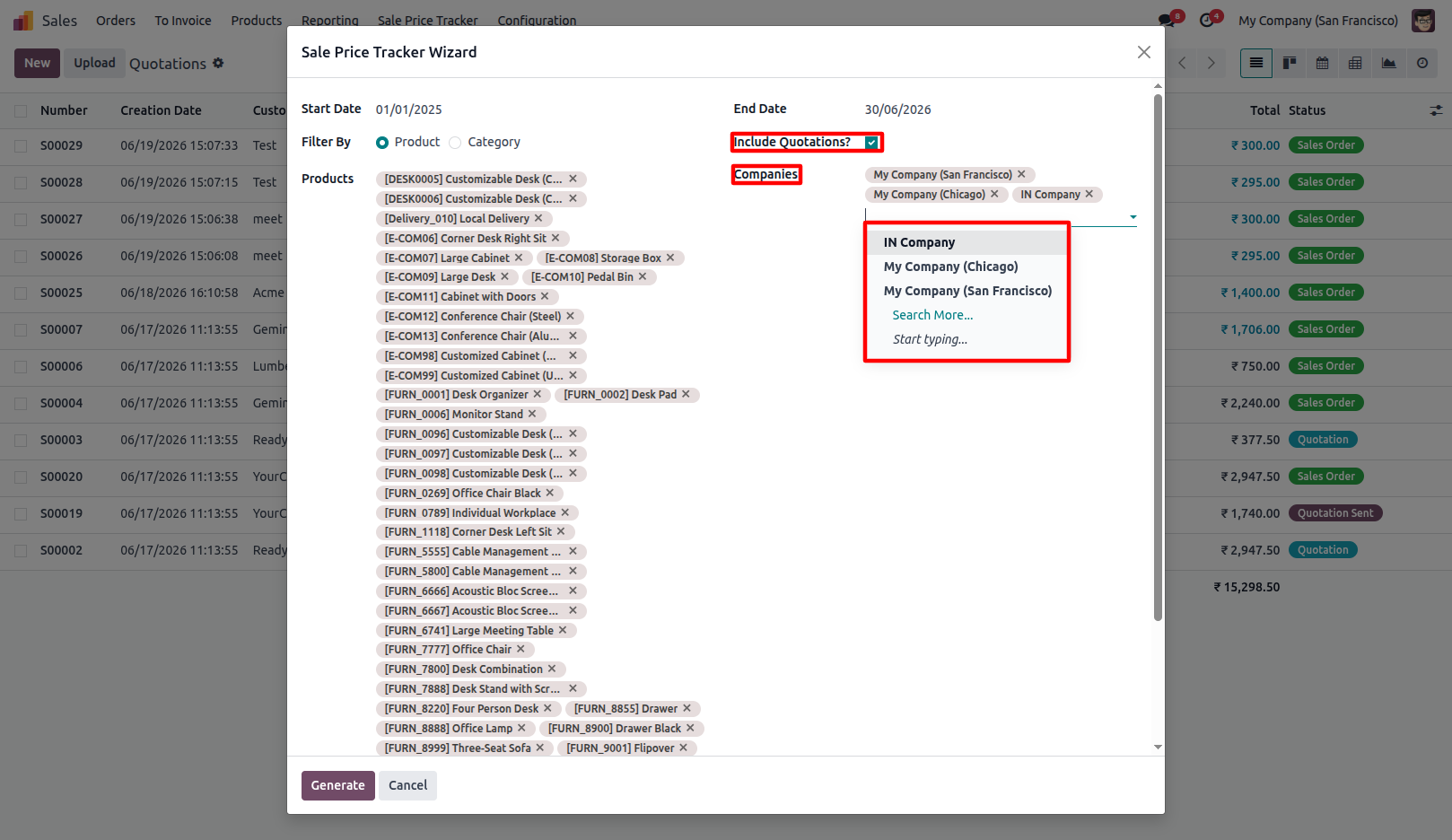
5.Enable Include Quotations to include quotation prices in the generated records. Supports Multi-Company price tracking. Generate reports for one or multiple companies from a single wizard.
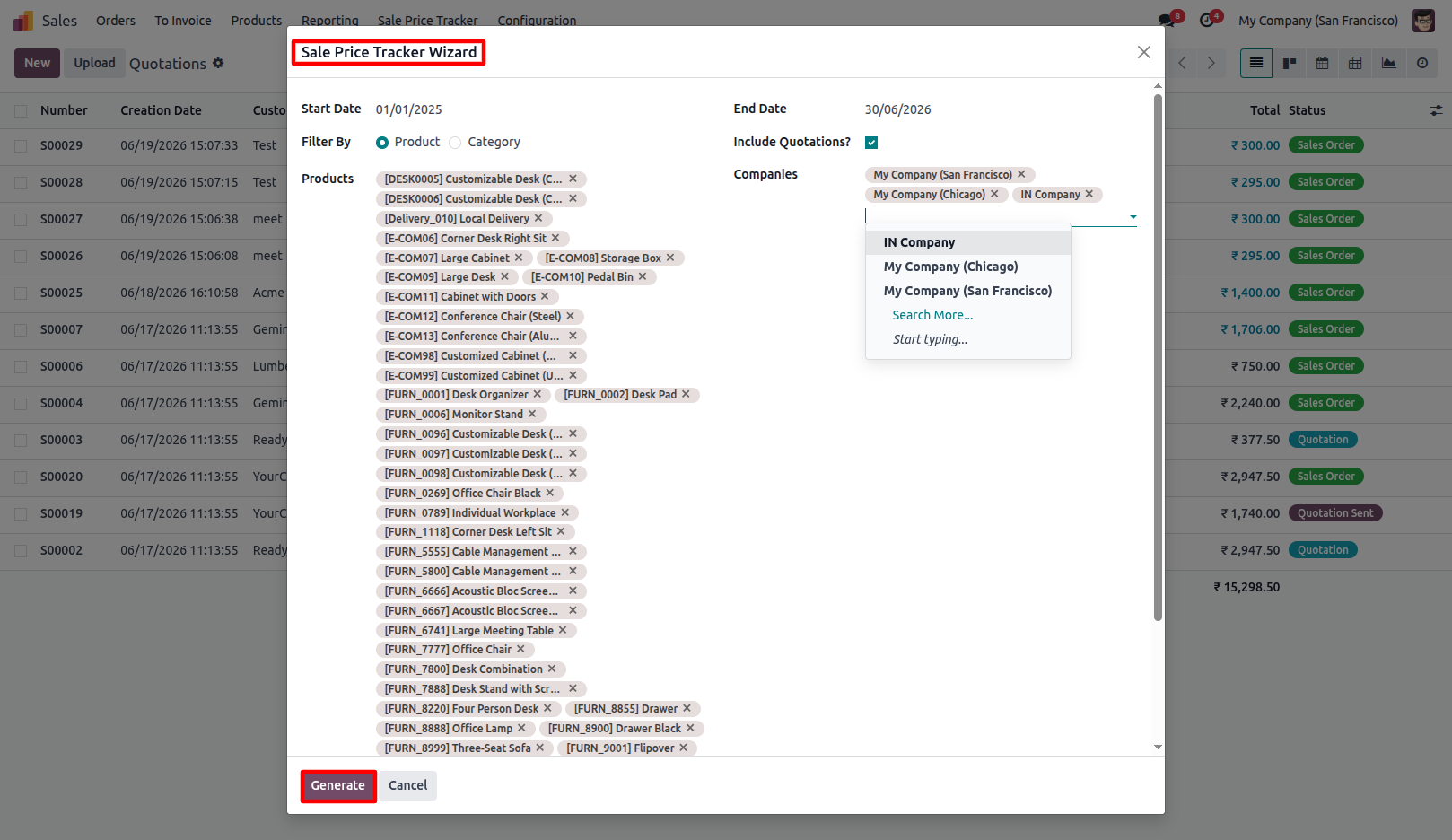
6.Click Generate to display filtered sale price tracking records.
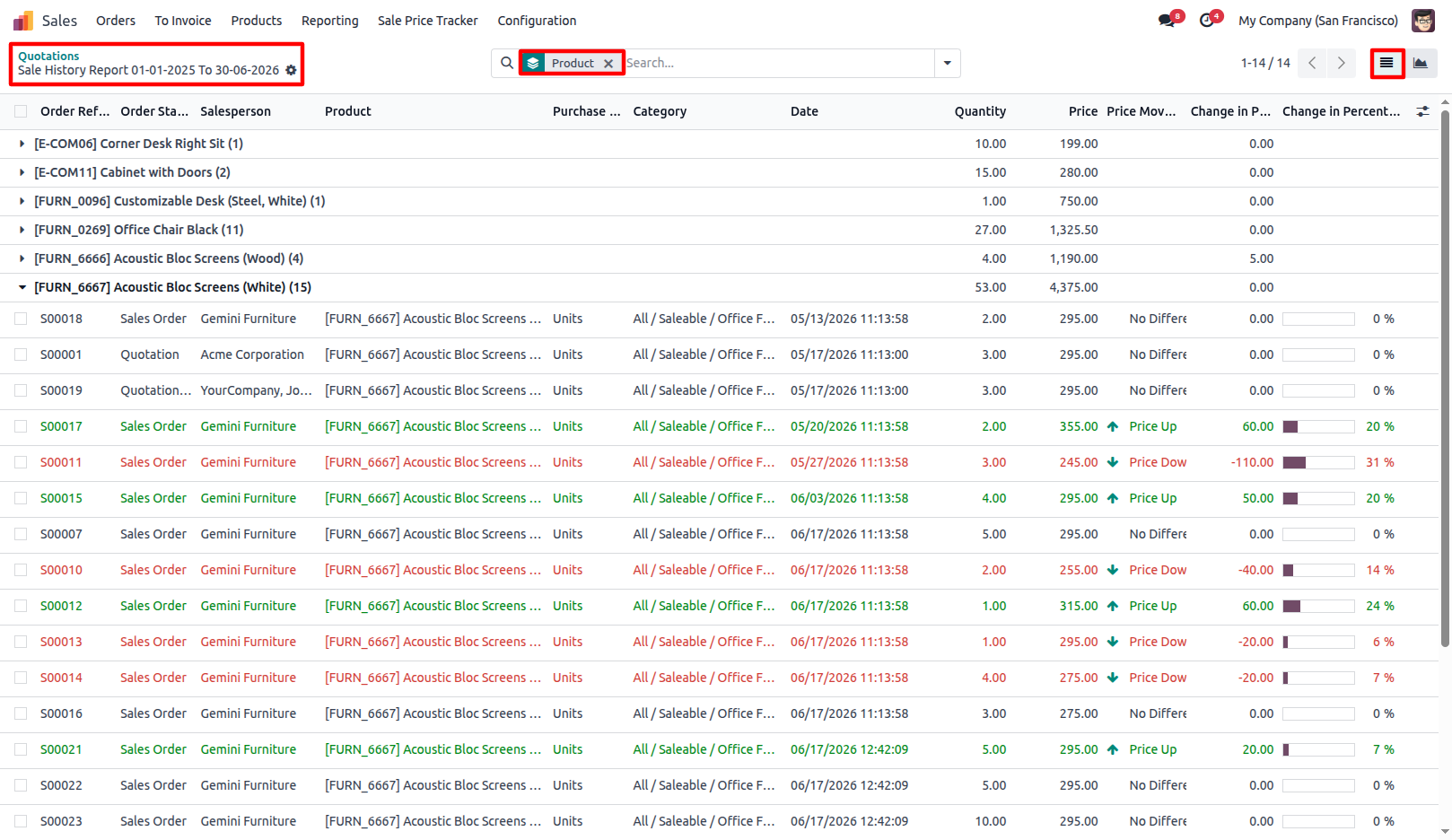
7.View generated sale price history records in List View, analyze price changes, and group records using available group options.
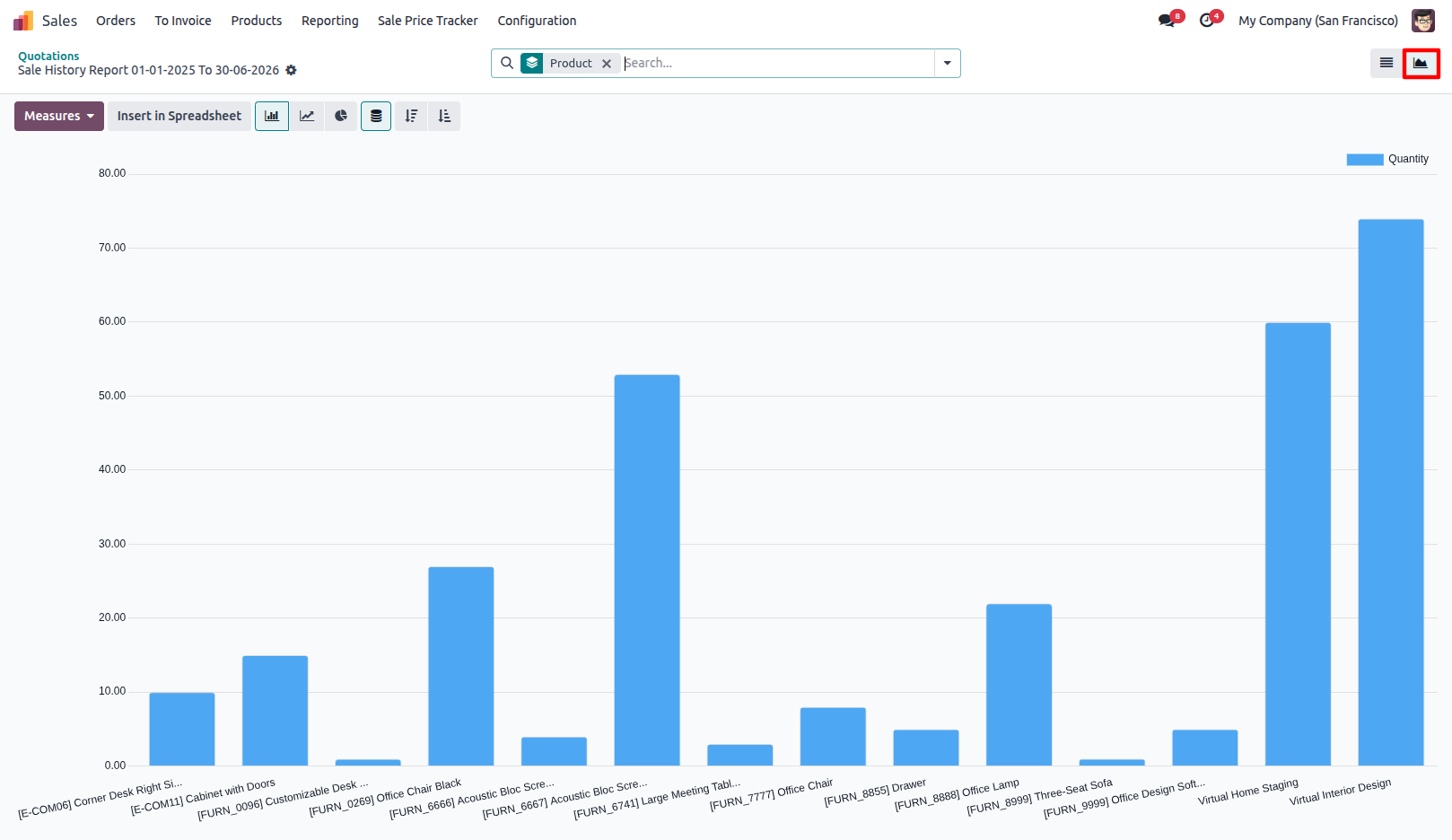
8.Switch to Graph View for visual price trend analysis.
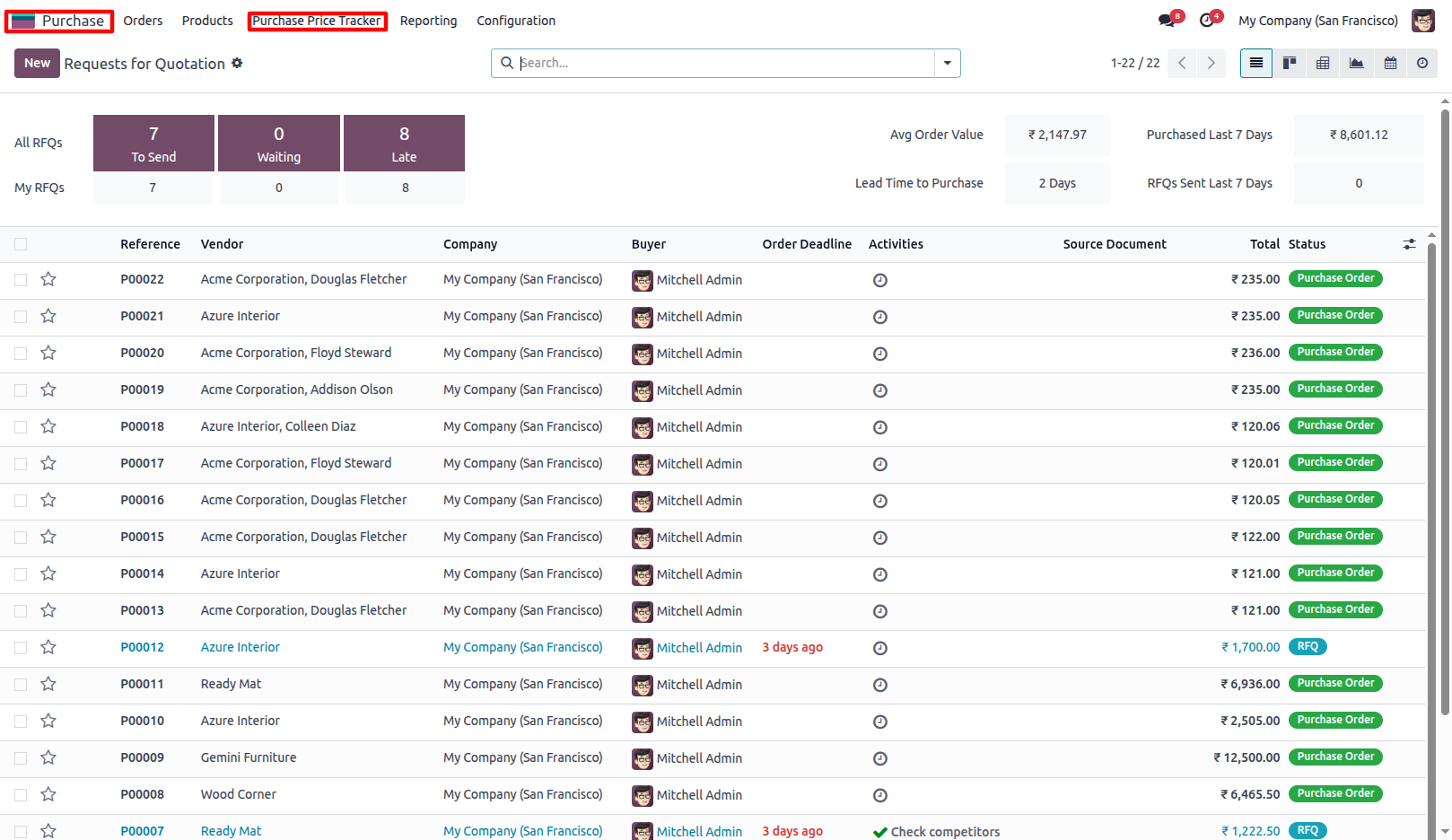
9.Go to Purchase Price Tracker. Purchase → Purchase Price Tracker
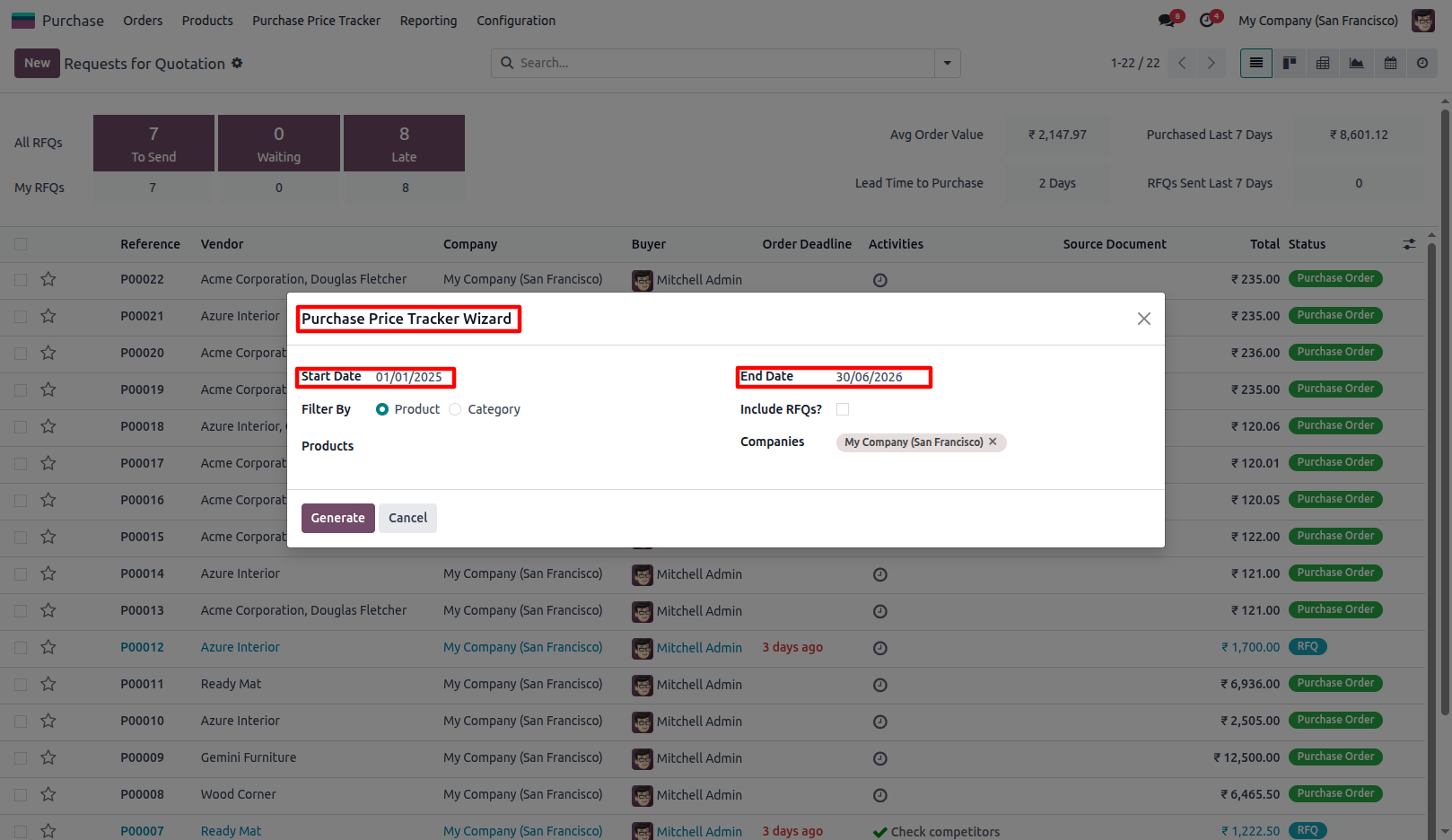
10.Select the required Start Date and End Date for the price history period.
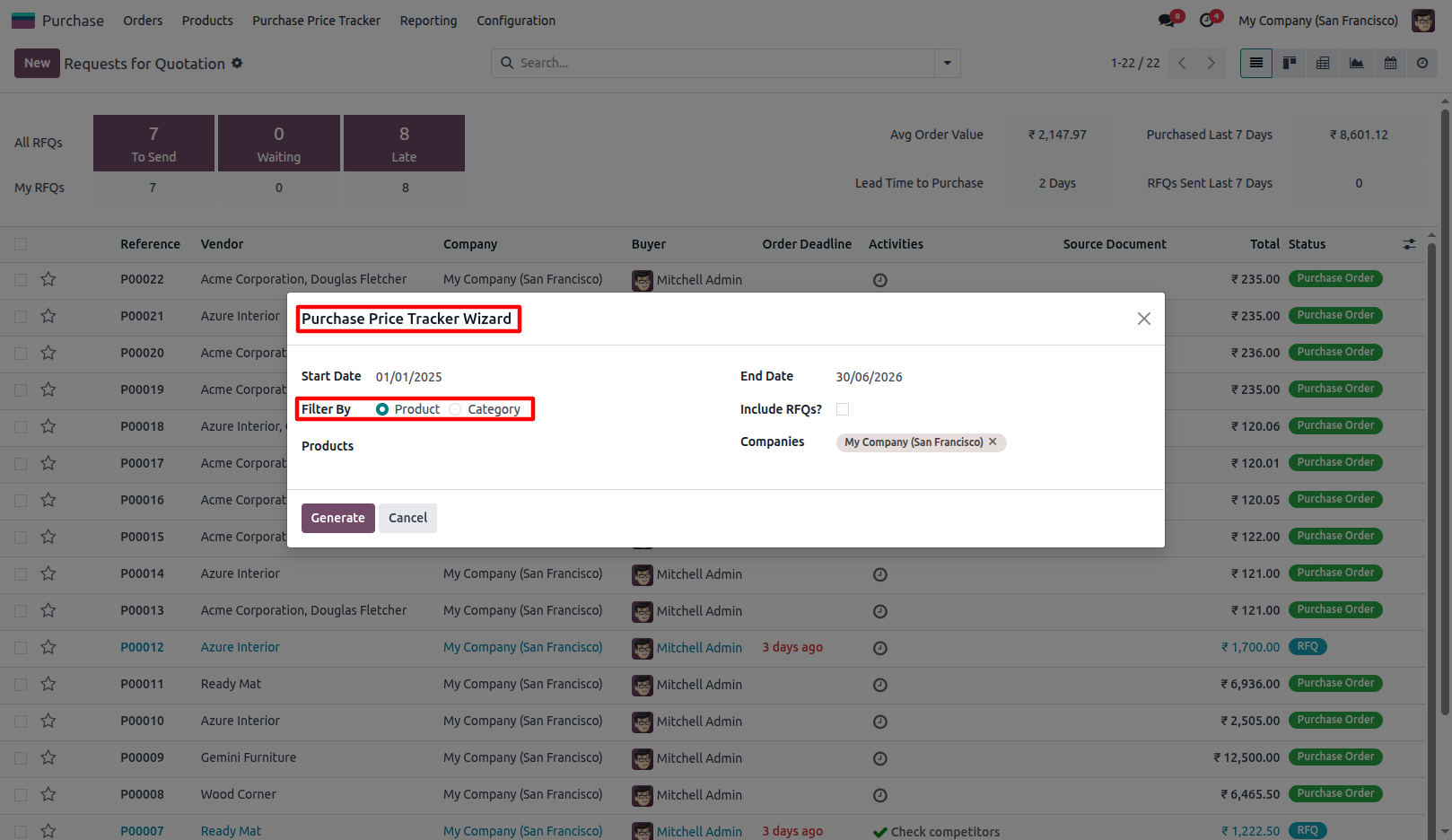
11.Select Product or Category as the filter criteria.
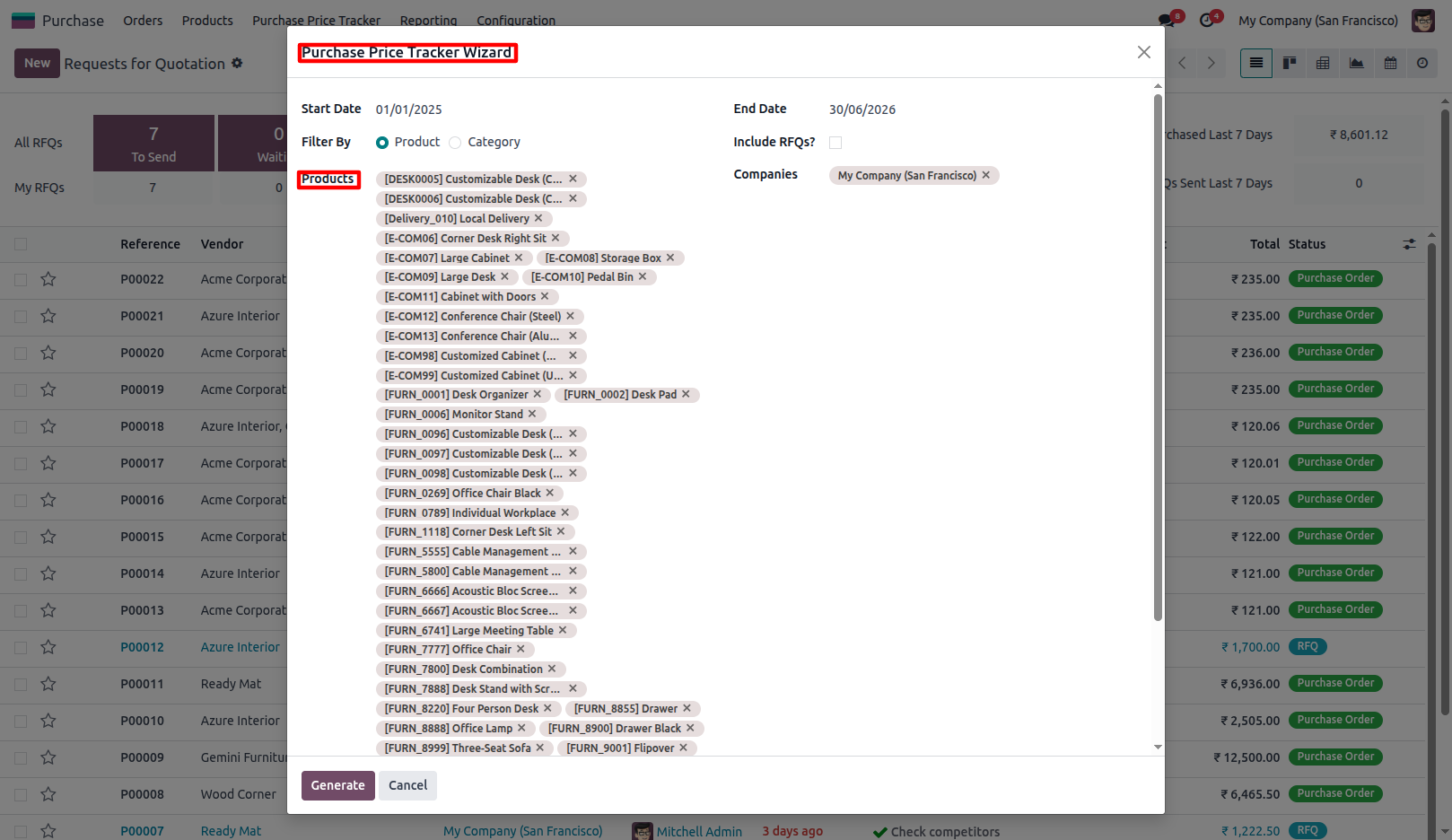
12.Select the required products or categories for price tracking.
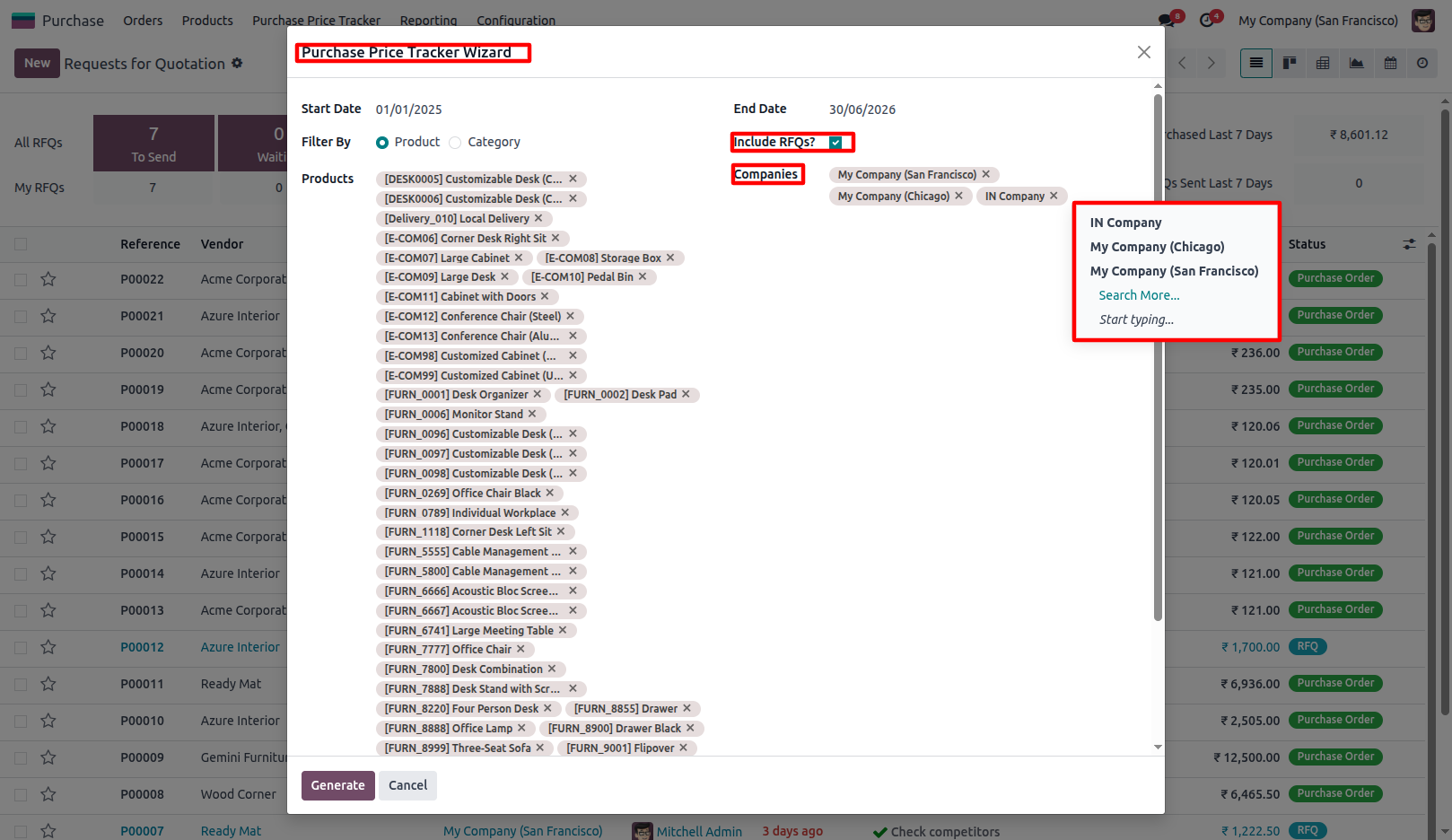
13.Enable Include RFQs to include RFQ prices in the generated records. Supports Multi-Company price tracking. Generate reports for one or multiple companies from a single wizard.
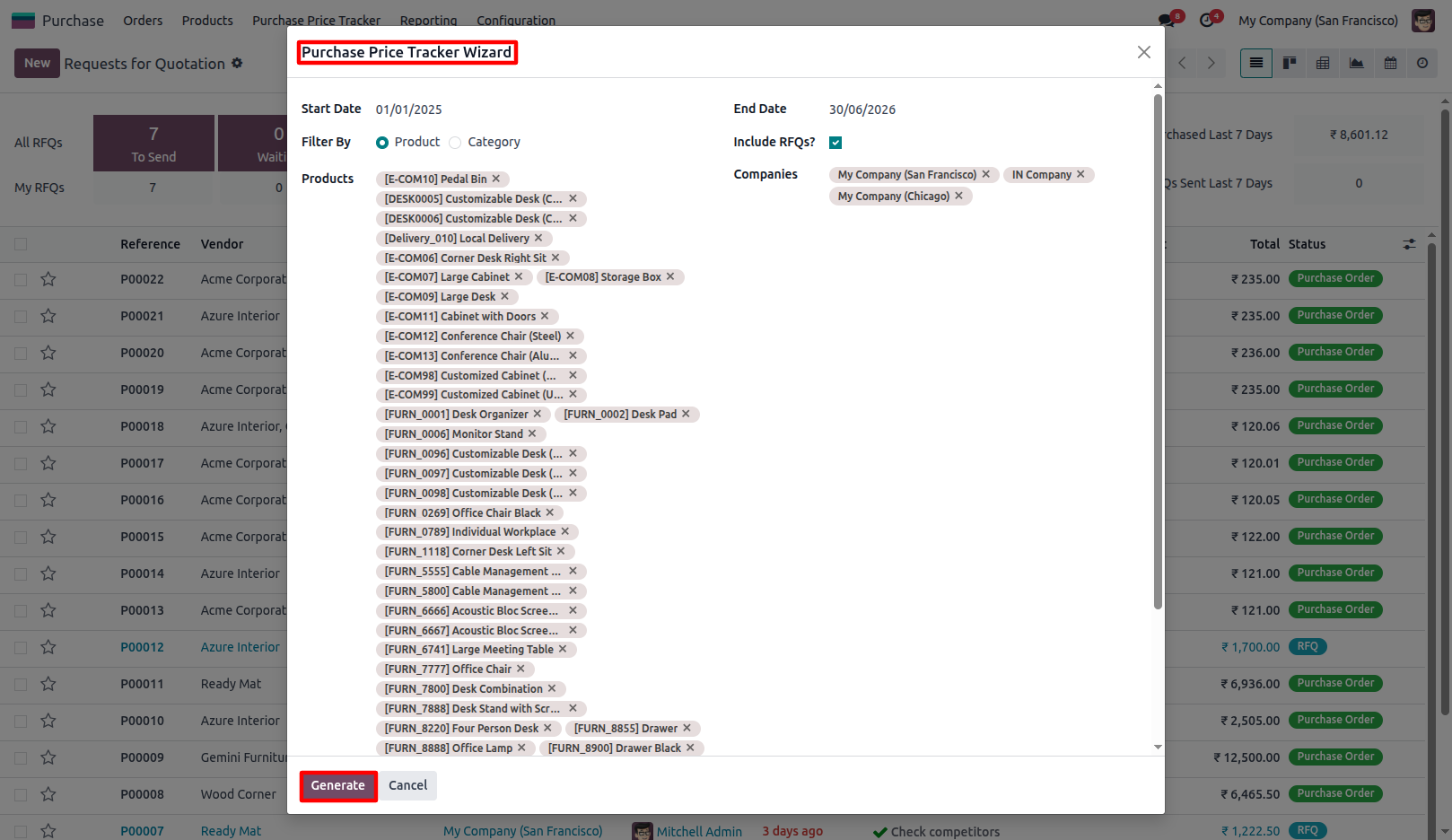
14.Click Generate to display filtered purchase price tracking records directly on-screen.
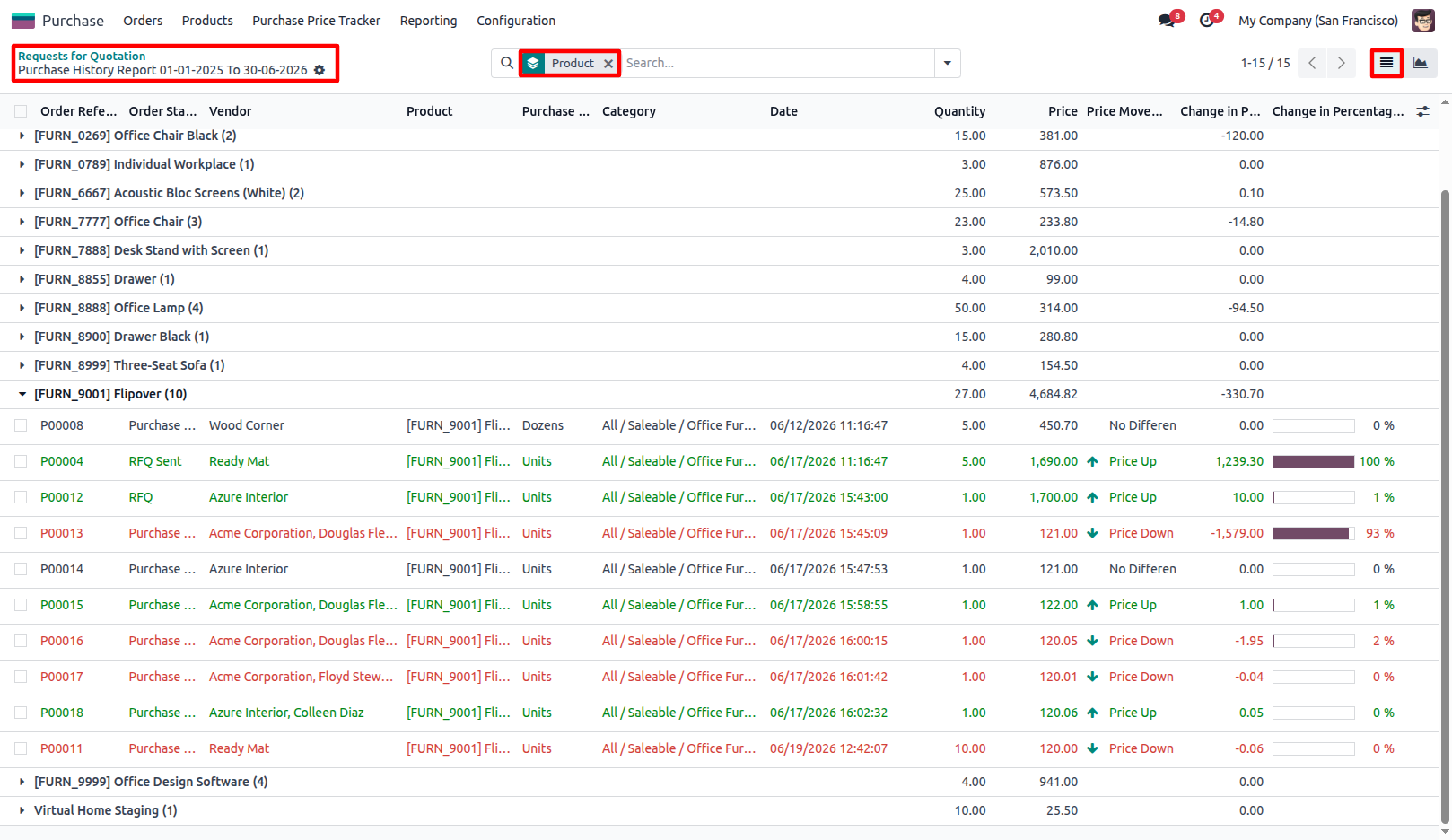
15.View generated purchase price tracking records in List View and group records using available group options.
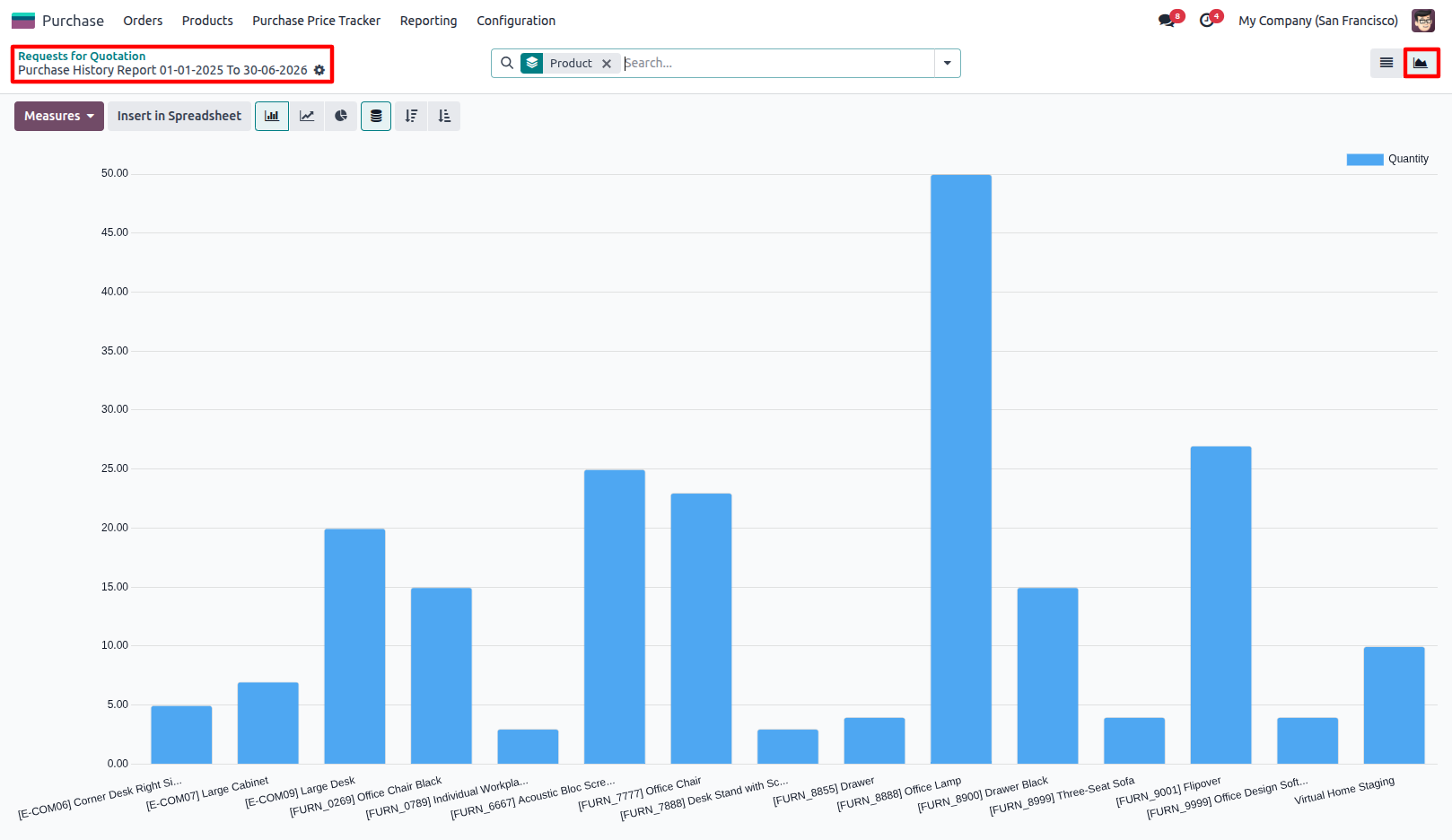
16.Switch to Graph View to analyze purchase price trends visually.
Our solutions focus on your problems
- Odoo Implementation
- Odoo Customization
- ERP Development and Implementation
- Odoo Ipass Cloud
- AI for Odoo
- Odoo Apps
- Aws Marketplace Products
- Business Engines
Our Pricing includes User Manual, 90 Days Support (Monday-Friday 10am to 7pm IST) and One time Setup
• Works & tested on standard installations of Odoo with no third party apps,
• Free support only for odoo installations with no third party apps,
• Paid support available for Odoo installations with third party apps.

Prefortune is a Odoo Official Partner, Odoo Development company. Our philosophy is to use Open Source tools and technologies to provide cost effective and green solutions for our customers.
Prefortune Technologies LLP is working on web development, Mobile development, and Odoo ERP.
If you need any help or want more additional features, you may contact us through:
Alternative Products
These other products might interest you
Specifications
| Version | 19.0, 18.0, 17.0, 16.0, 15.0, 14.0 |