Watch Quick Video
Odoo Import Export Access Control - Model Wise Permissions
Our efficient
Odoo import export access control
Our app makes a difference you manage model level import export access Odoo with exactness. It improves
data access control Odoo by permitting admins to characterize user wise export permissions Odoo and limit
unauthorized operations.
Easily enable disable import export Odoo and hide import export menu Odoo based on client parts. The
module guarantees secure data handling Odoo and fortifies Odoo business data security without influencing
existing workflows.
It offers flexible and powerful features for managing import and export access:
1. Model-wise Access Control: Allows administrators to define import and export permissions for
each model individually.
Ensures precise control over data operations without affecting other models.
2. User-specific Permissions: Enables selection of specific users who are allowed to perform
import and export actions.
Prevents unauthorized access and improves accountability within the system.
3. Default Open Access: By default, all models have import and export enabled for all users.
If no users are selected, the system automatically grants access to everyone.
4. Dynamic UI Control: Automatically hides import and export options for users who do not have
permission.
Creates a cleaner interface and prevents users from attempting restricted actions.
5. Easy Configuration Panel: Provides a centralized settings menu under Users & Companies for
quick configuration.
Admins can easily update permissions without any technical complexity.
Key Features
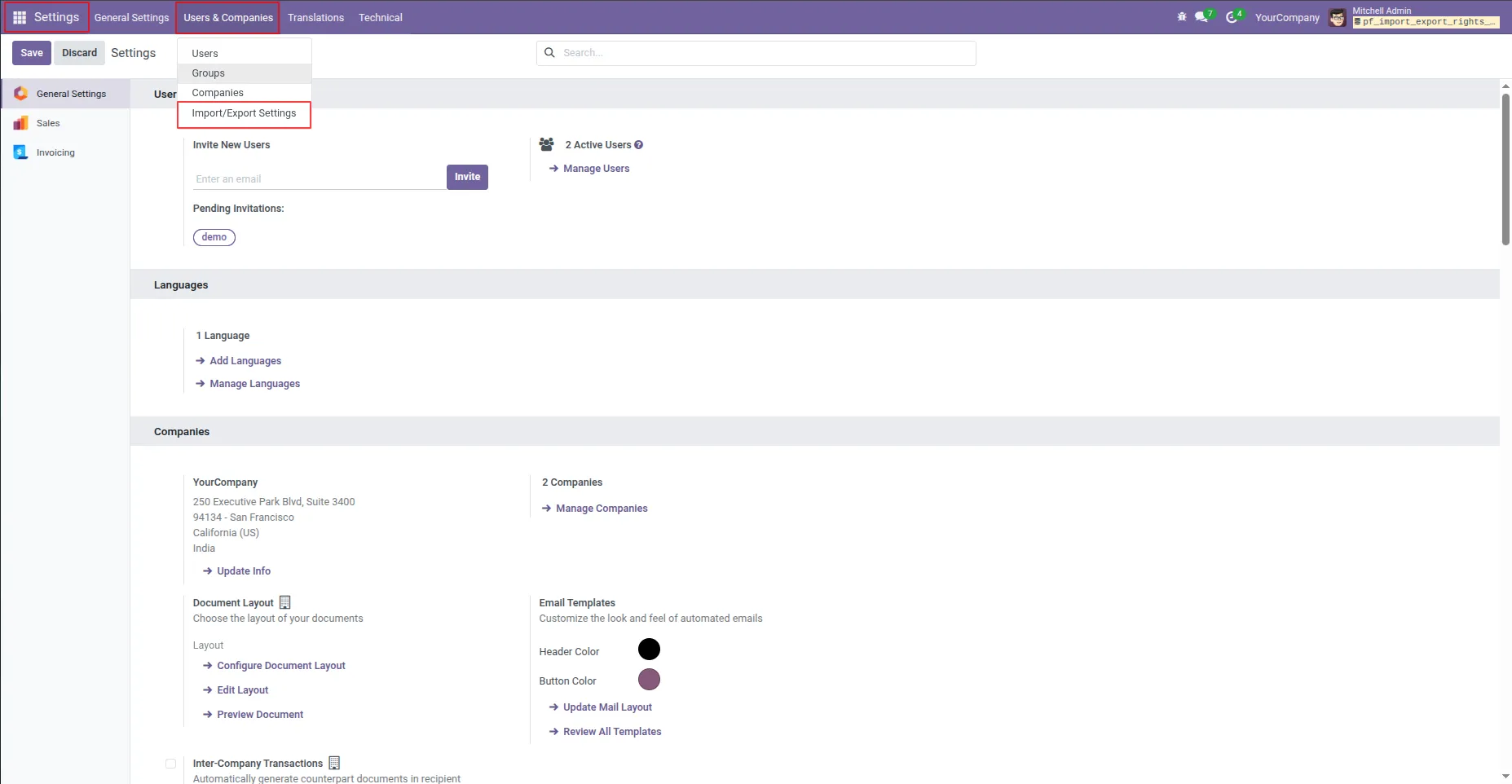
1. After installing the app, navigate to Settings → Users & Companies → Import/Export Settings to access and manage the Import/Export configuration screen. Note: By default, both Allow Import and Allow Export options are enabled for all models.
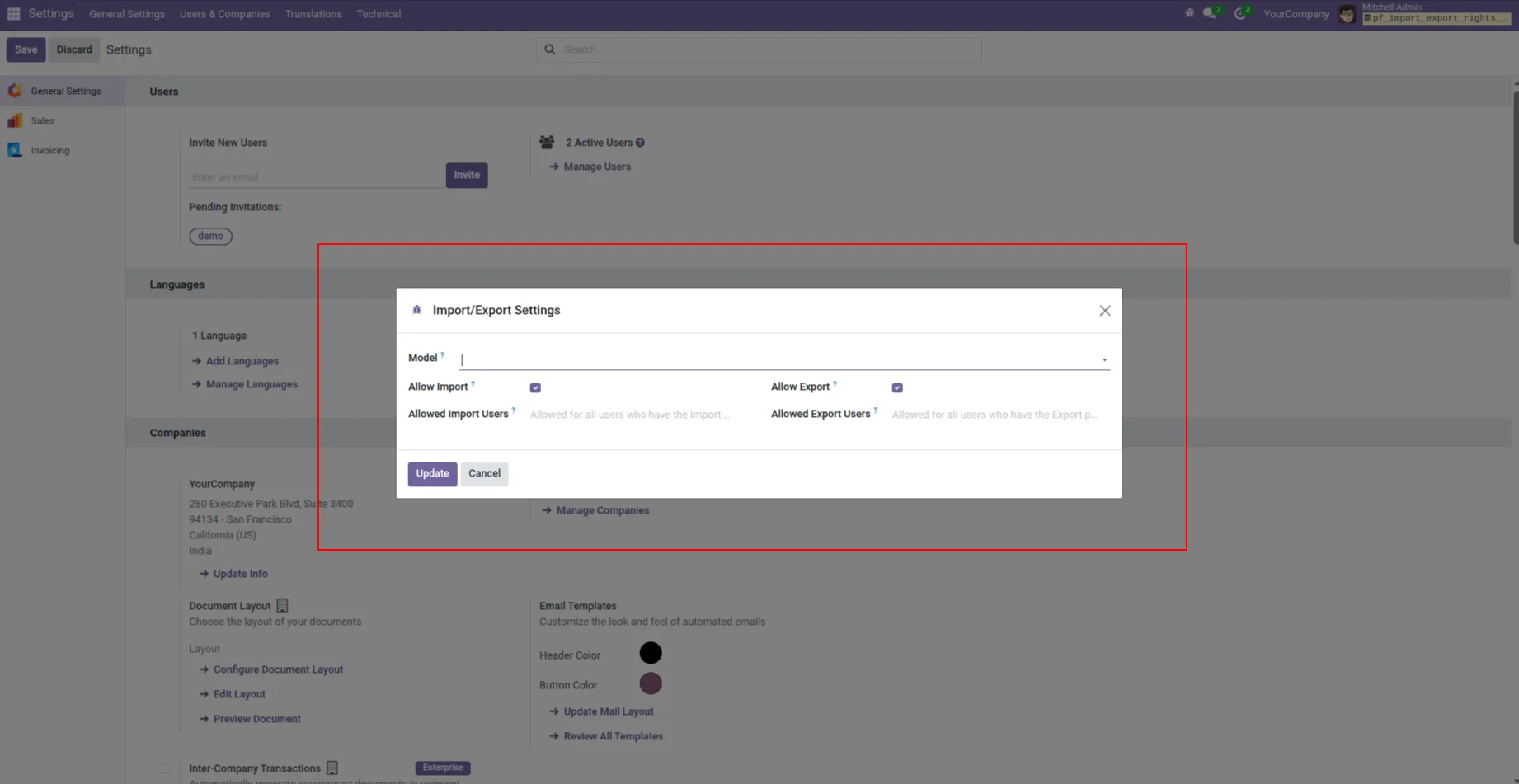
2. On the Import/Export Settings screen, Choose the model to set the import and export access rights per user
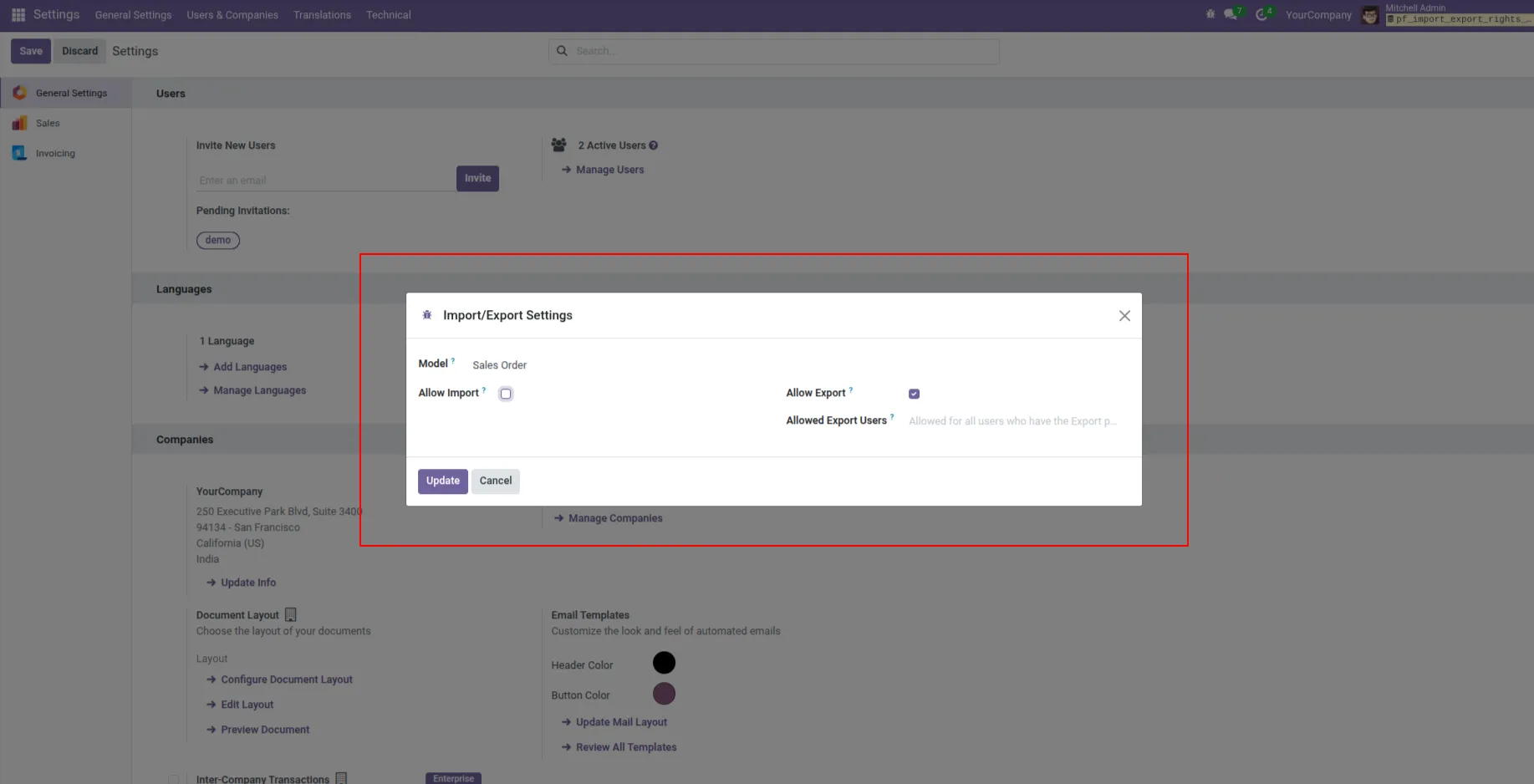
3. The Sales Order model is selected, the Export option is enabled with no specific users selected (accessible to all users), and the Import option is disabled.
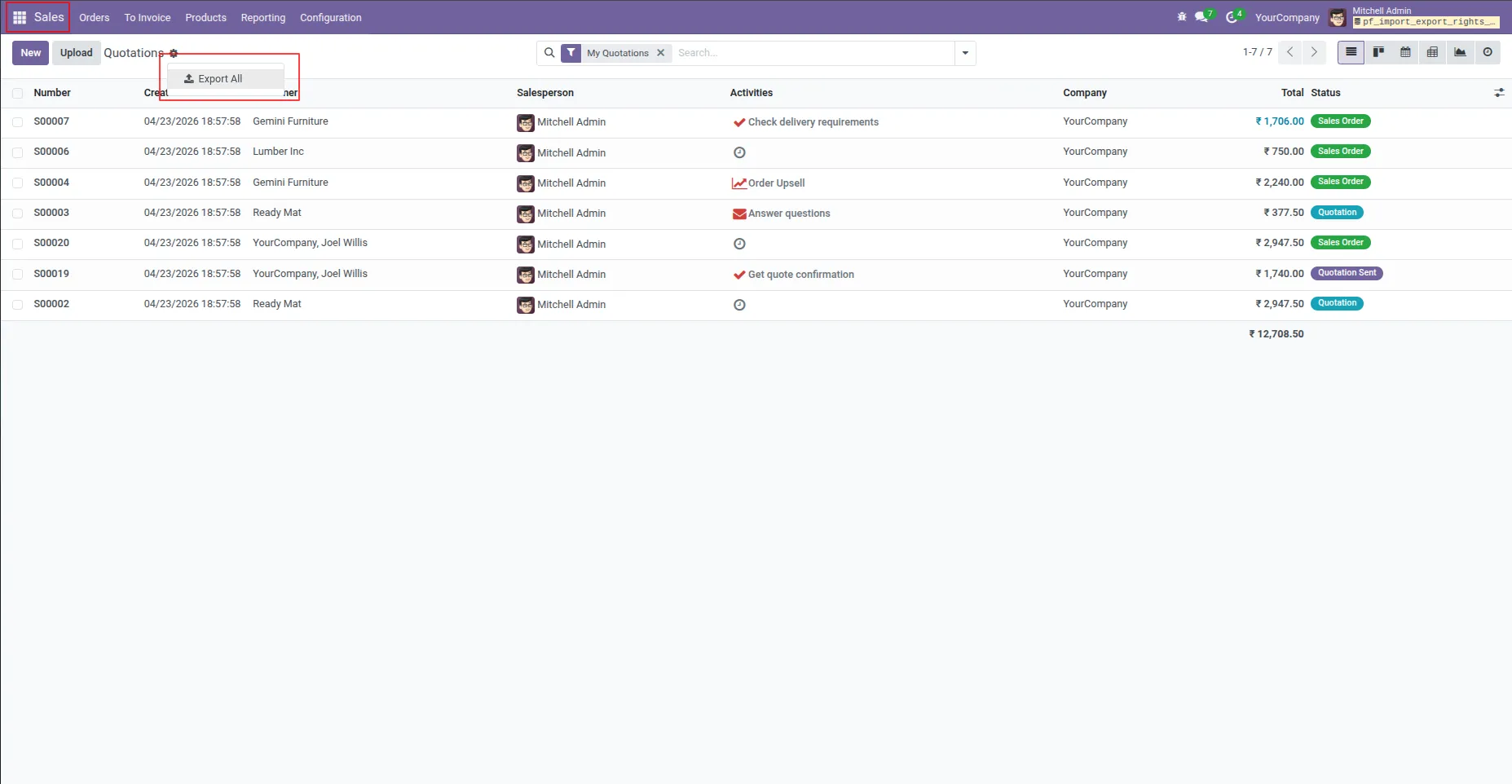
4. In the Sales model, the Export all button will be visible, but the Import record button will not be displayed.
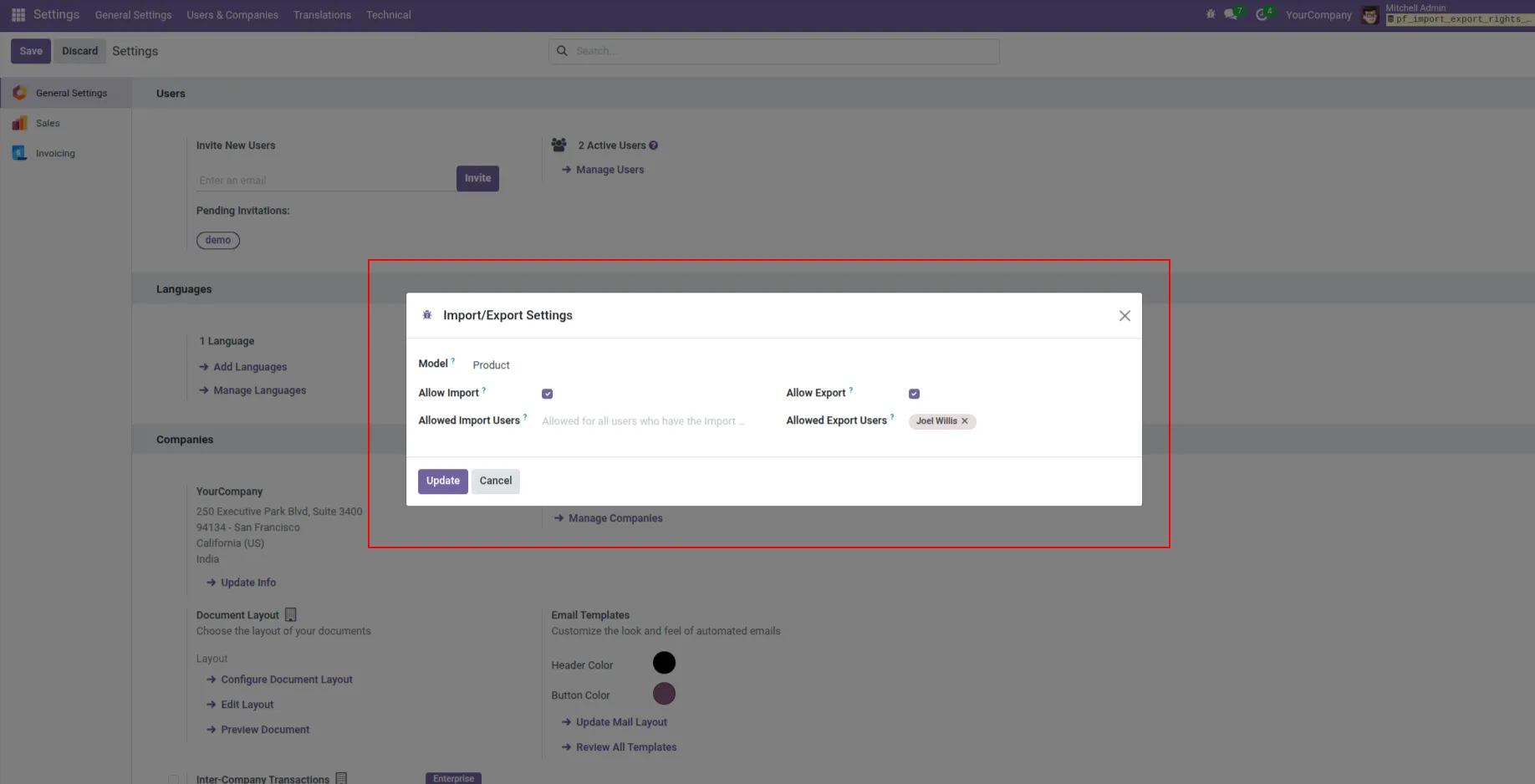
5. Then the Product model was selected, and the Export box was enabled. No specific user was selected in it. The Import box was also enabled, but the current user was not selected in the user list.
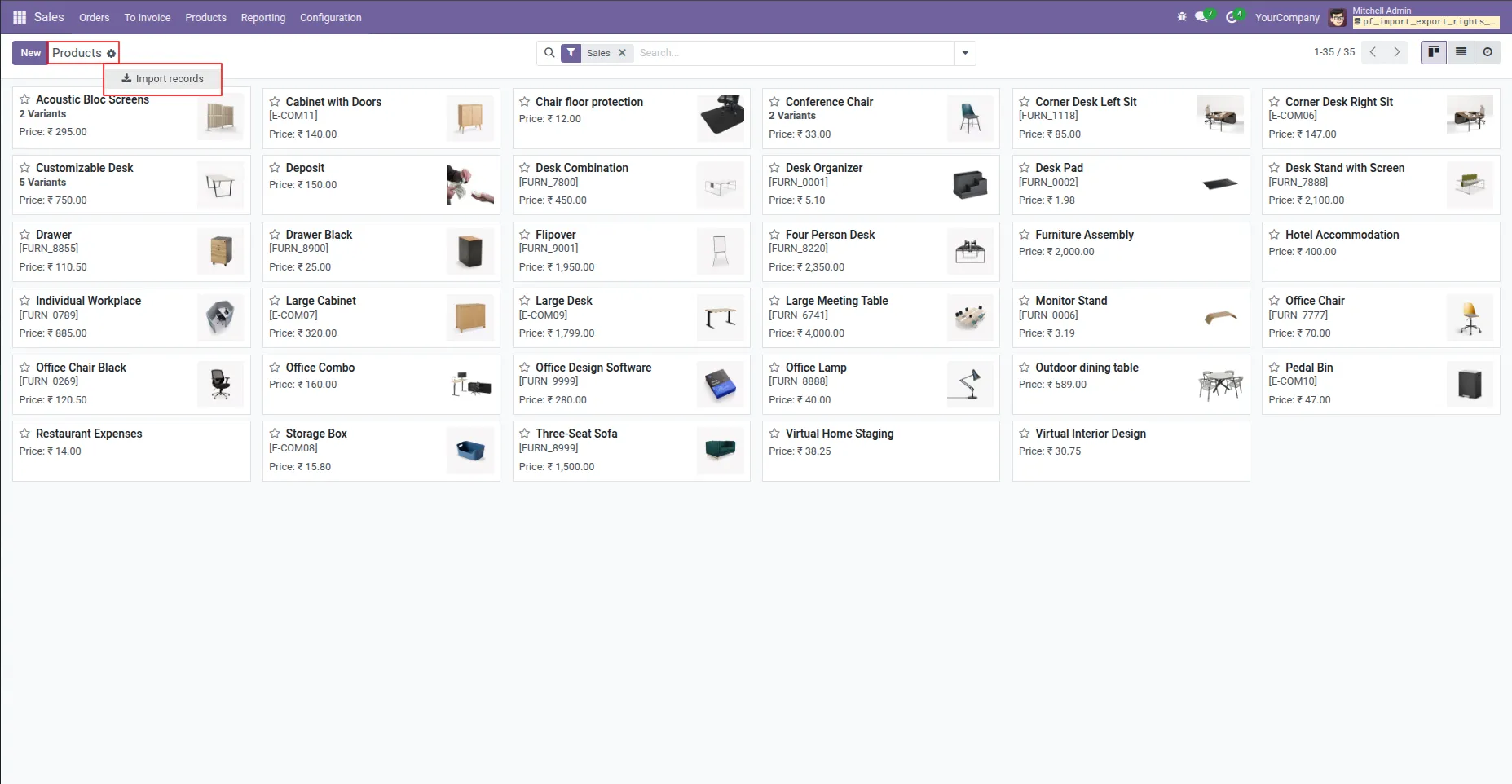
6. The Import record button will be visible.
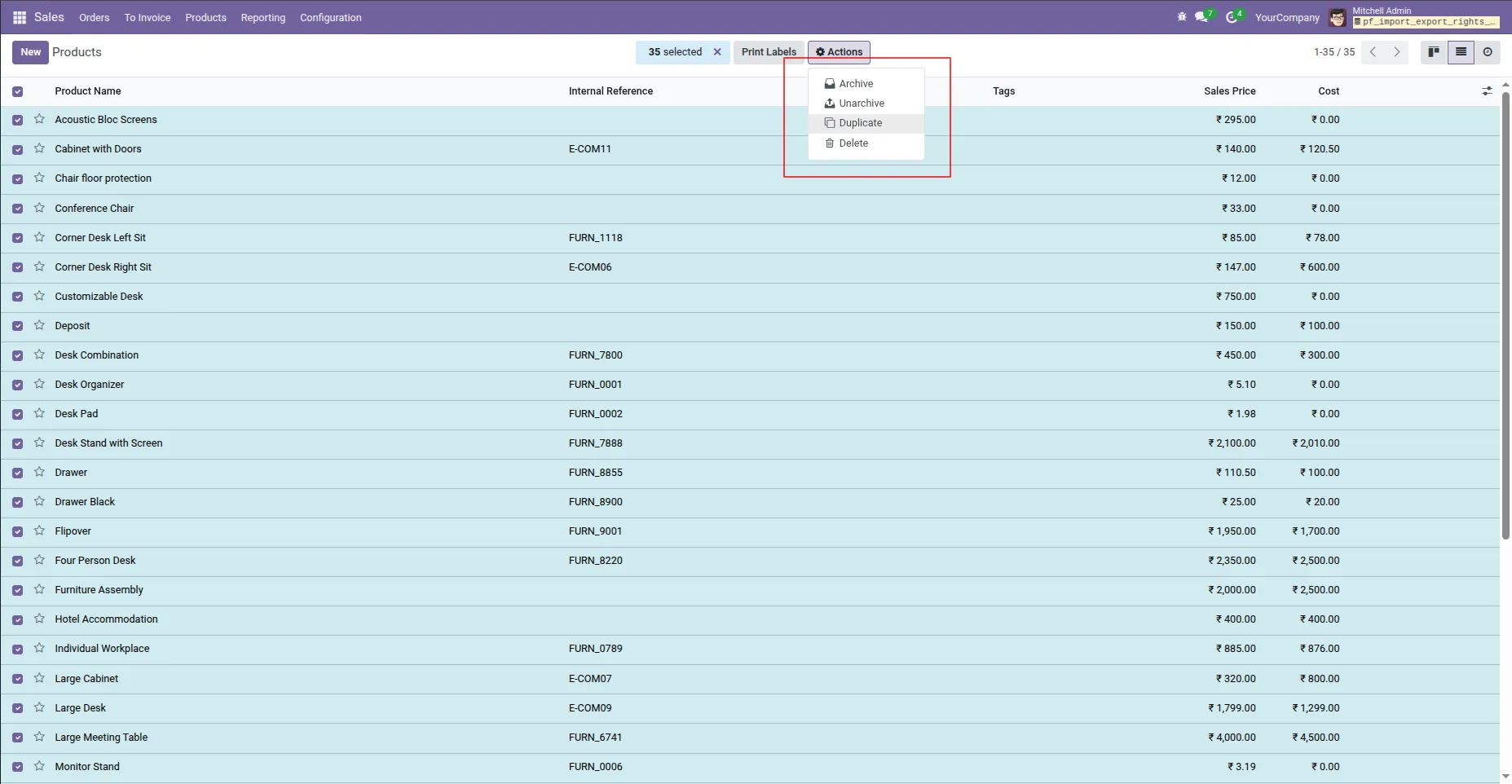
7. the Export button will not be visible.
Our solutions focus on your problems
- Odoo Implementation
- Odoo Customization
- ERP Development and Implementation
- Odoo Ipass Cloud
- AI for Odoo
- Odoo Apps
- Aws Marketplace Products
- Business Engines
Our Pricing includes User Manual, 90 Days Support (Monday-Friday 10am to 7pm IST) and One time Setup
• Works & tested on standard installations of Odoo with no third party apps,
• Free support only for odoo installations with no third party apps,
• Paid support available for Odoo installations with third party apps.

Prefortune is a Odoo Official Partner, Odoo Development company. Our philosophy is to use Open Source tools and technologies to provide cost effective and green solutions for our customers.
Prefortune Technologies LLP is working on web development, Mobile development, and Odoo ERP.
If you need any help or want more additional features, you may contact us through:
Alternative Products
These other products might interest you
Specifications
| Version | 19.0, 18.0, 17.0, 16.0, 15.0, 14.0 |