
Watch Quick Video

Purchase Dynamic Approval in Odoo
Our all-inclusive Odoo – Purchase Dynamic Approval transforms the approval process for purchase orders and RFQs with a flexible, multi-level workflow. Set dynamic approvals based on untaxed or total amounts and assign them to specific users or groups. Approvers receive real-time email notifications, ensuring a smooth and efficient approval process. Users are instantly alerted when an order is approved or rejected, keeping the procurement flow seamless and transparent.
Purchase Dynamic Approval in Odoo
- Manage Multi-Level Purchase Order Approvals in Odoo
- Configure Dynamic Approval Levels Based on Users or Groups
- Approval Based on Untaxed or Total Amount
- Restrict Order Confirmation Without Required Approvals
- Instant Alerts for Approved or Rejected Purchase Orders
Complete Workflow for Purchase Dynamic Approval in odoo
Approval Configuration – In the Purchase settings, choose whether approvals should be based on the untaxed amount or the total amount of the purchase order. Define Approval Levels – Configure multiple approval levels, assigning users or groups along with the minimum approval amount required. Approval Workflow – Each approval level can consist of multiple users or groups. If any user or group from a level approves the order, it automatically progresses to the next approval level. If any user rejects the order, a rejection email is sent, including the reason for rejection. If all levels approve, a confirmation email is sent to notify stakeholders.
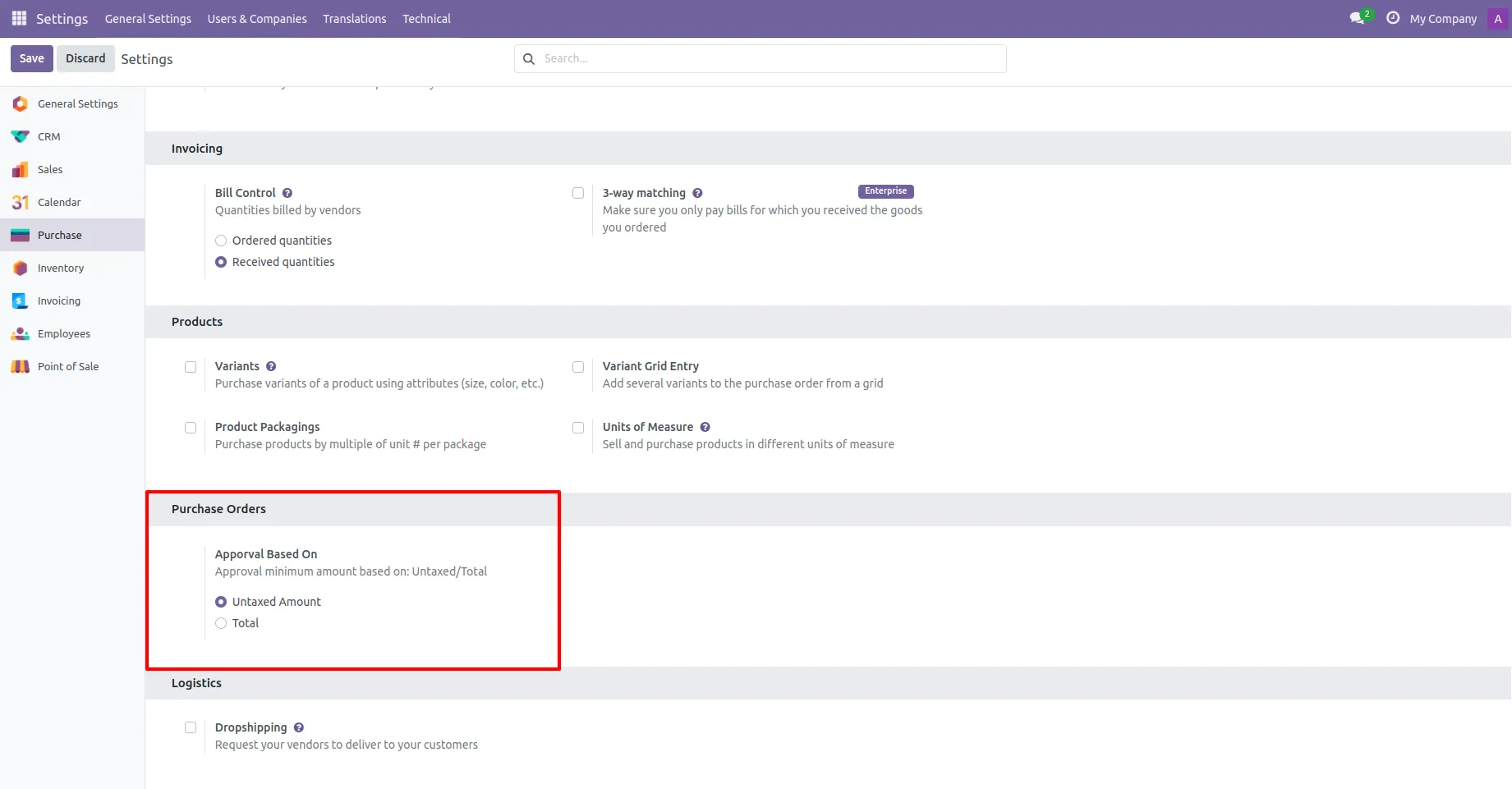
1. You have to define the minimum amount based on tax amount or without tax amount.
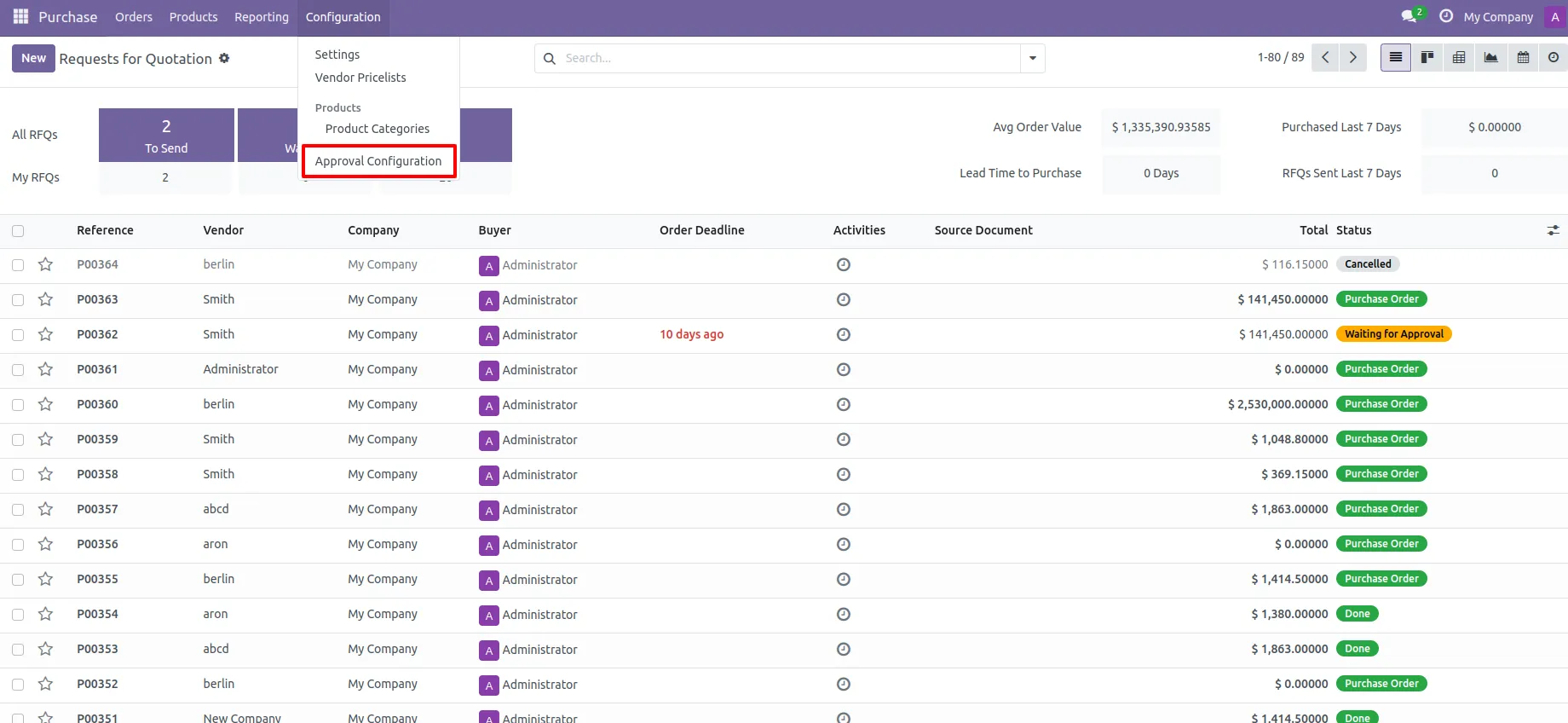
2. Approval configuration menu.
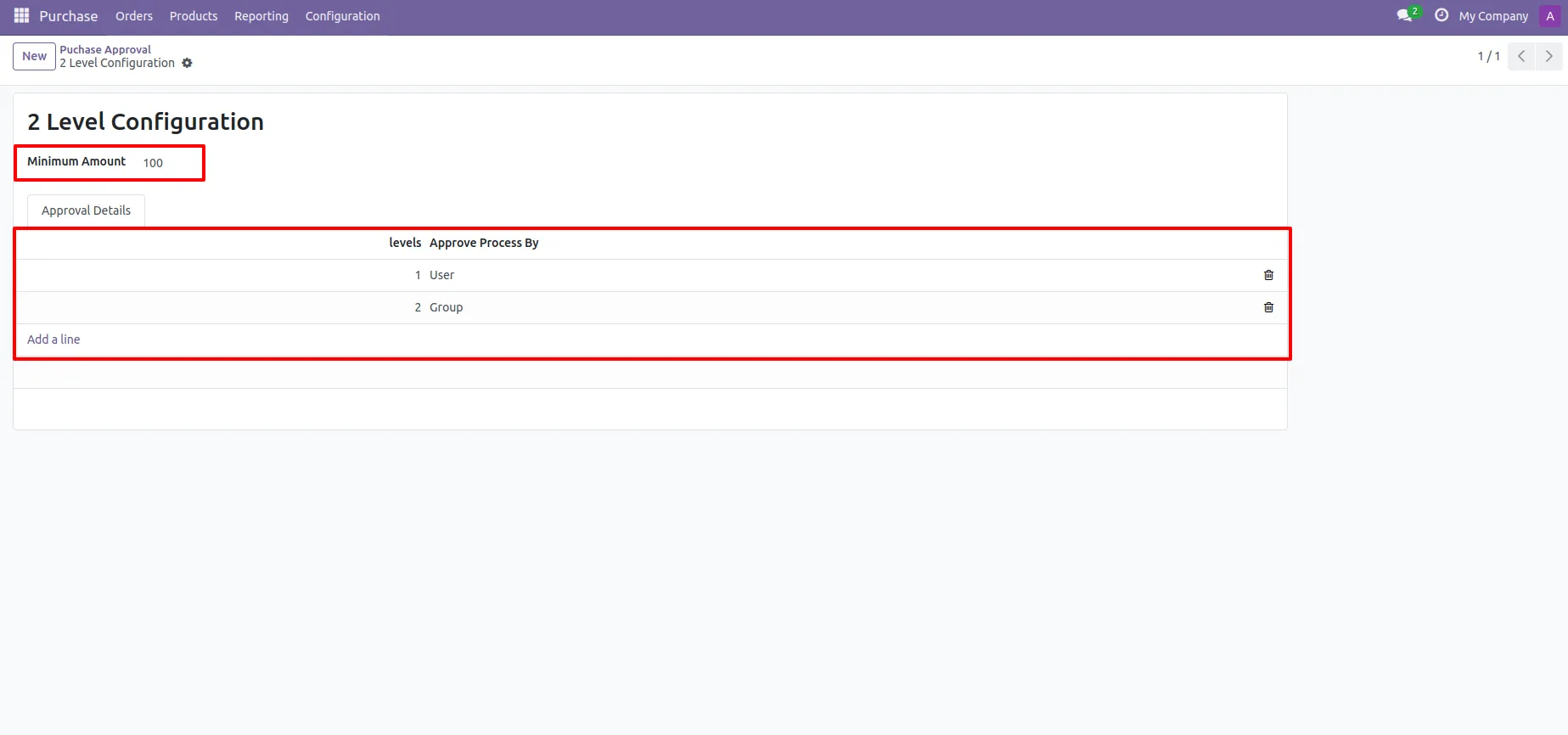
3. Approval Configuration: Setup approval levels based on minimum amount and users level. Also select companies.
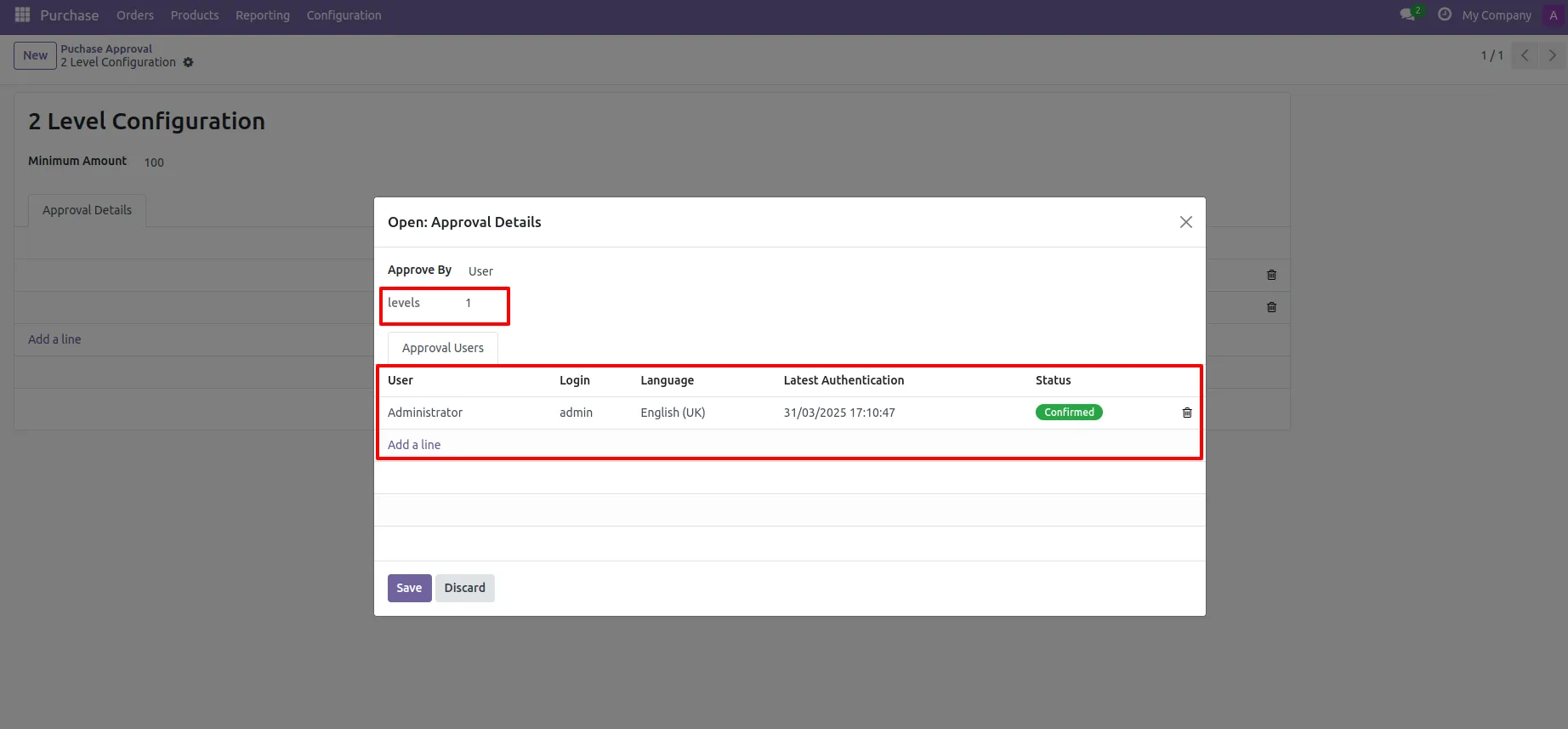
4. Approved Process By, there are two types 1. User, 2. Group. Userwise means to define that person who approved the purchase order, in this wizard select the user.
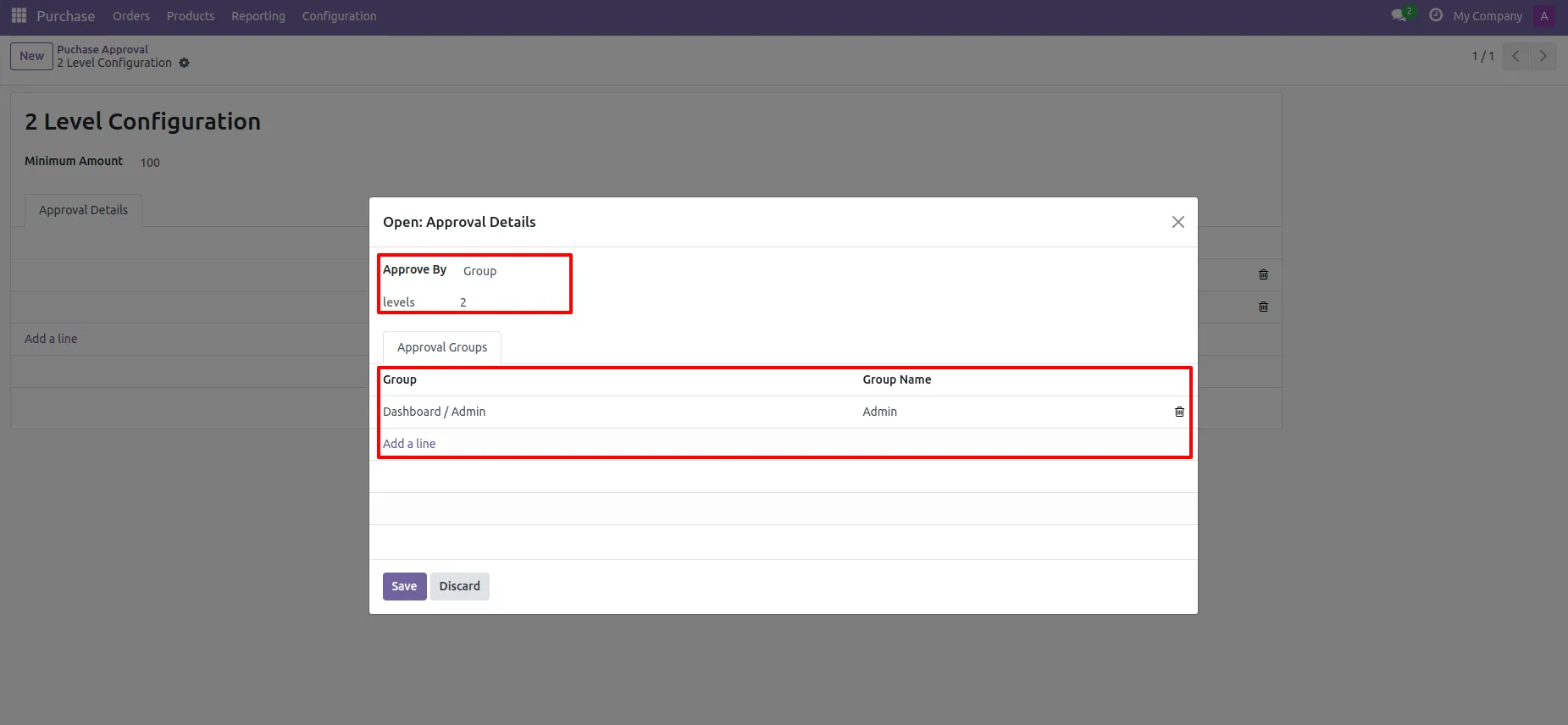
5. Approve type 2. Group that means only specific groups users will give approval.
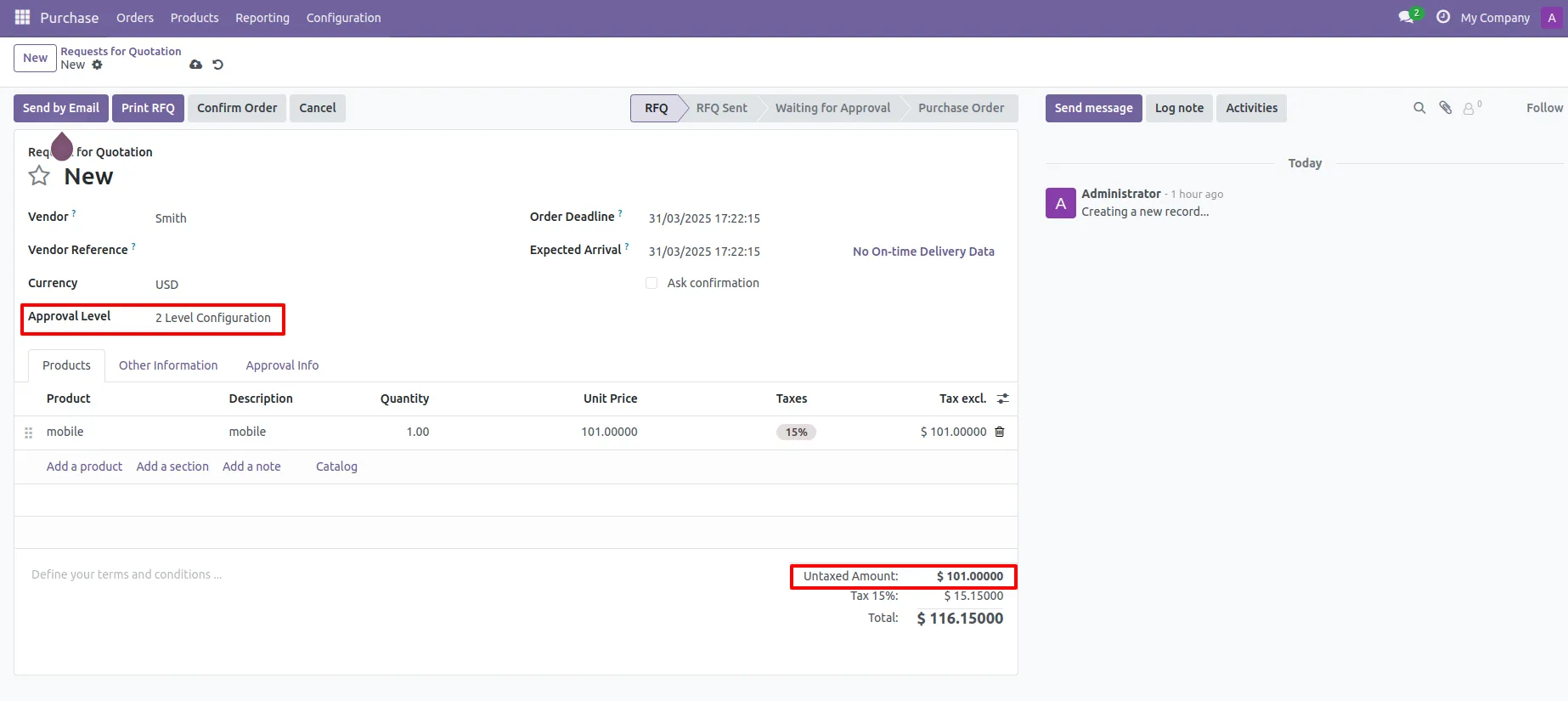
Approval Flow 6. User submits RFQ for approval by pressing the Confirm-Order button. so that RFQ will automatically set the Waiting for Approval stage. Auto fetch Approval Level based on configured approvals setup and minimum limit.
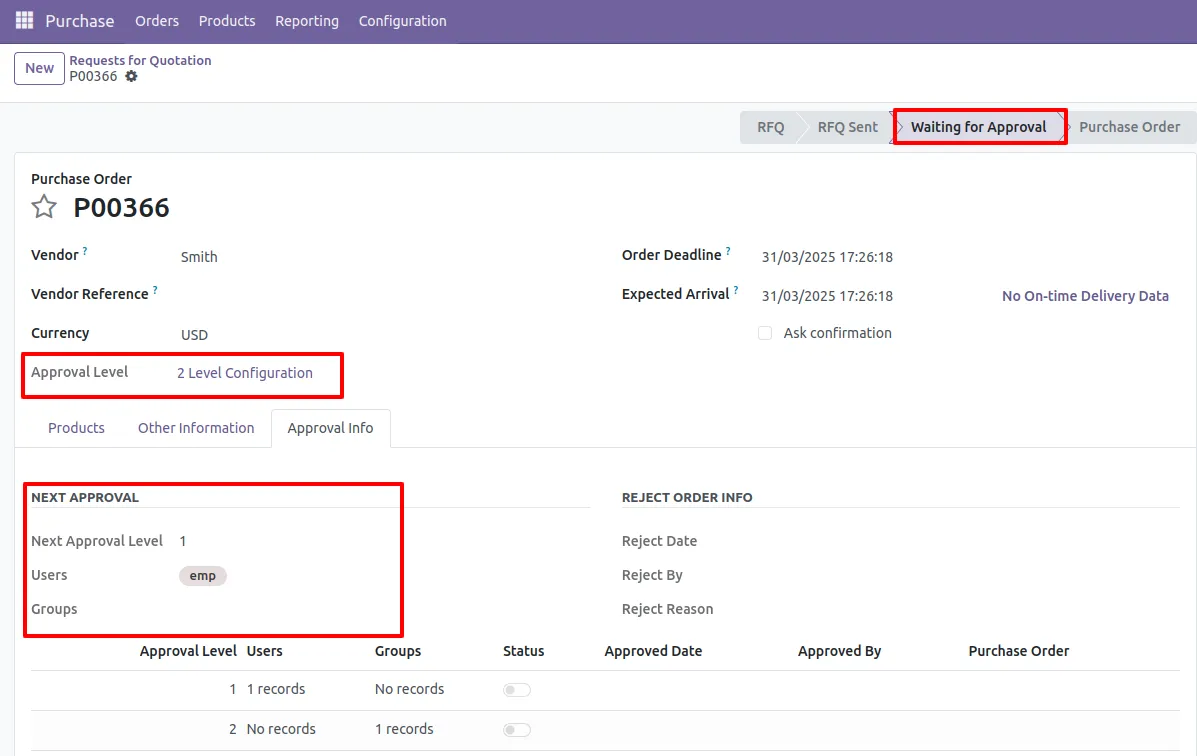
7. After confirmed by the user, Auto set next level approves in the Approval Info tab. If next approval is required.
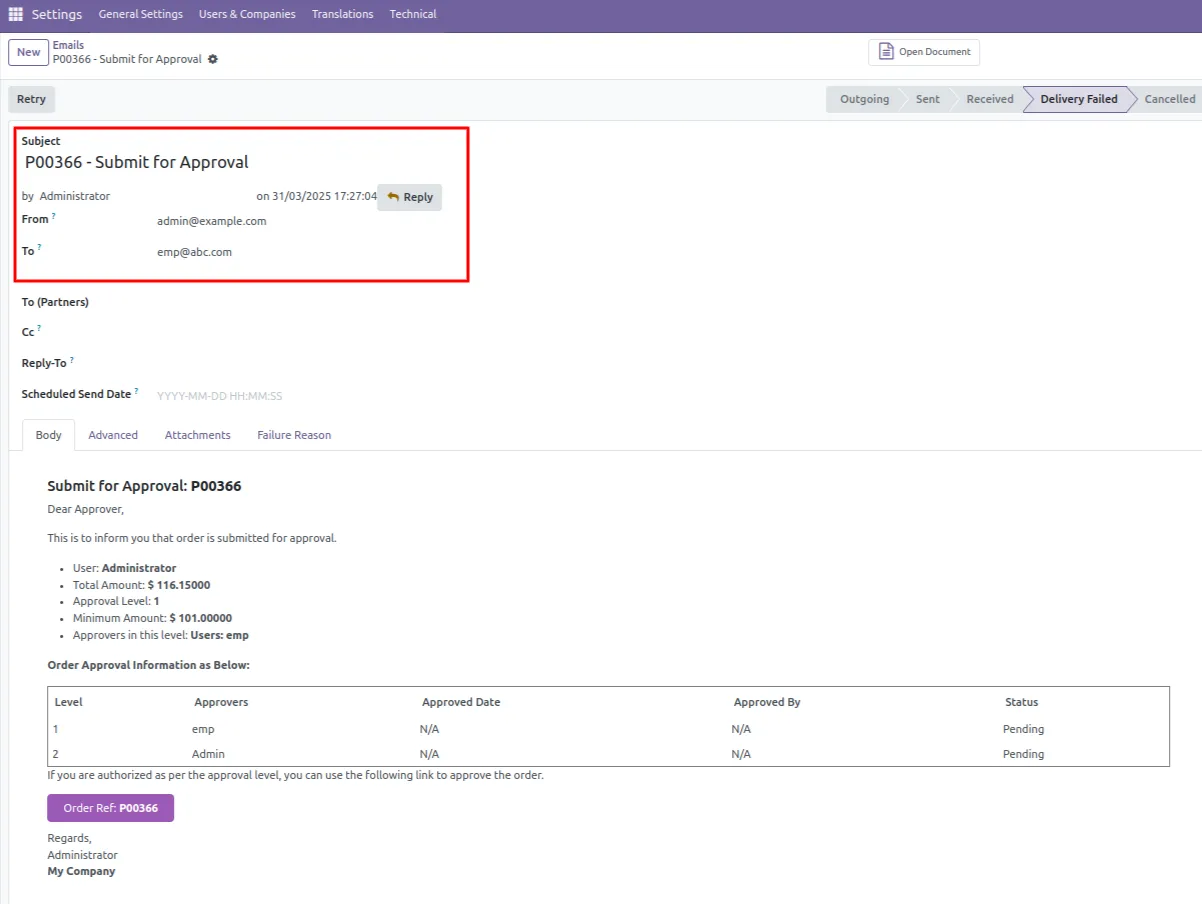
8. Email notification sent to approves for approval RFQ.
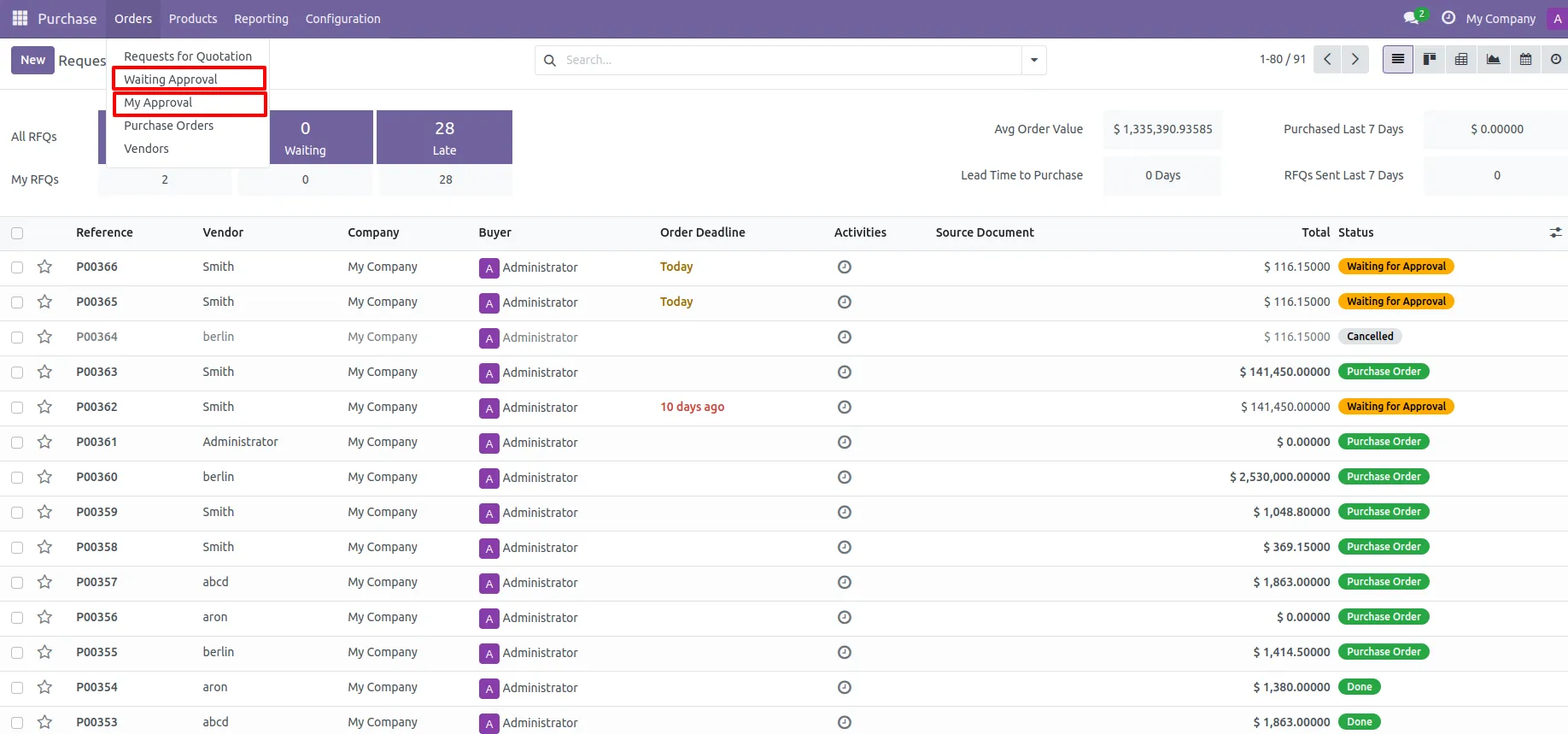
9. There are two menus for 1. My Approval: Only access those RFQs which are assigned to him. 2. Waiting Approval: user can access own RFQ which is in Waiting for Approval and Approved stage.
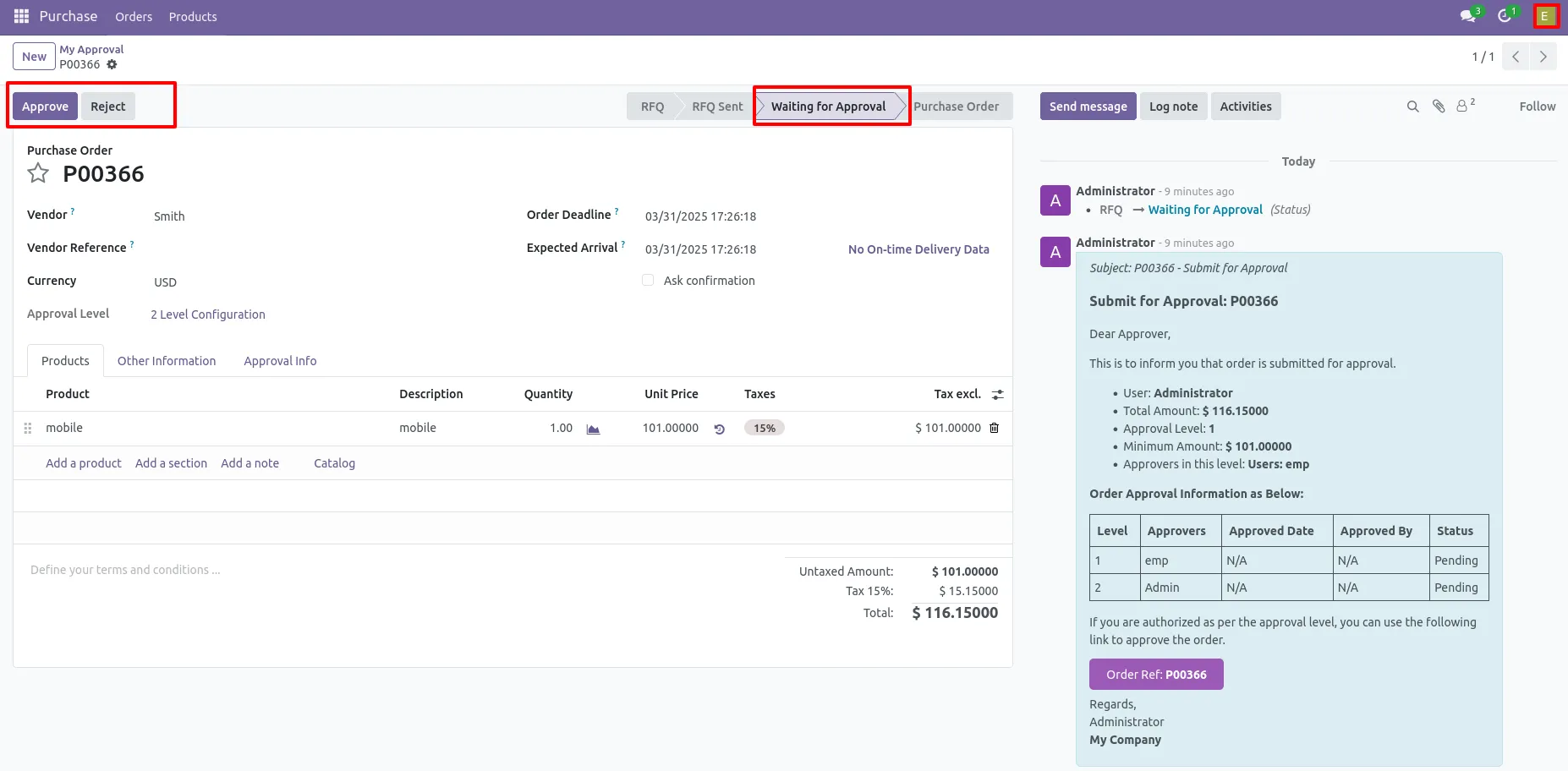
10.There are 2 approves the first approver approves the RFQ.
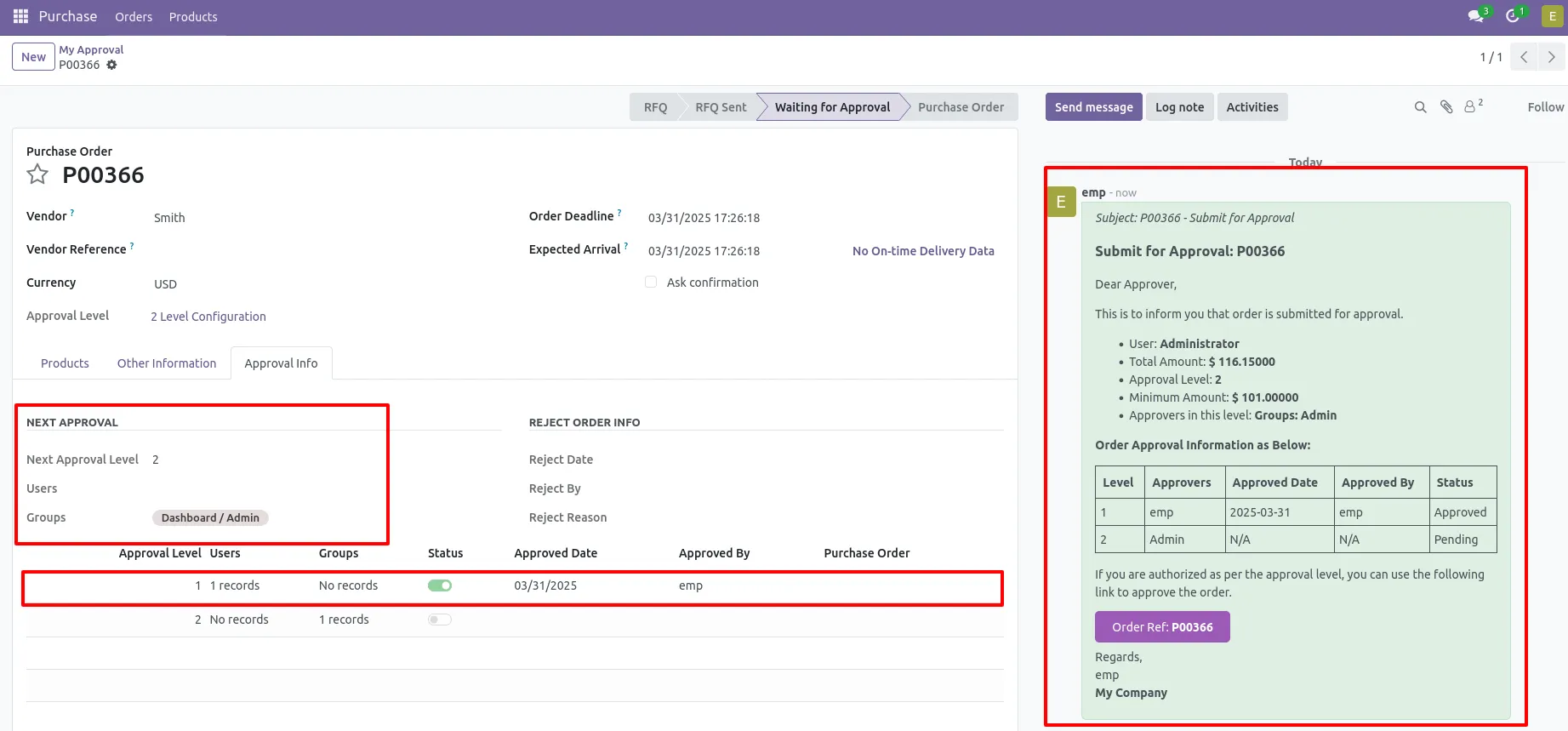
11. After approved by the approved person, Auto set the next level approvers in the Approval Info tab. If next approval is required.
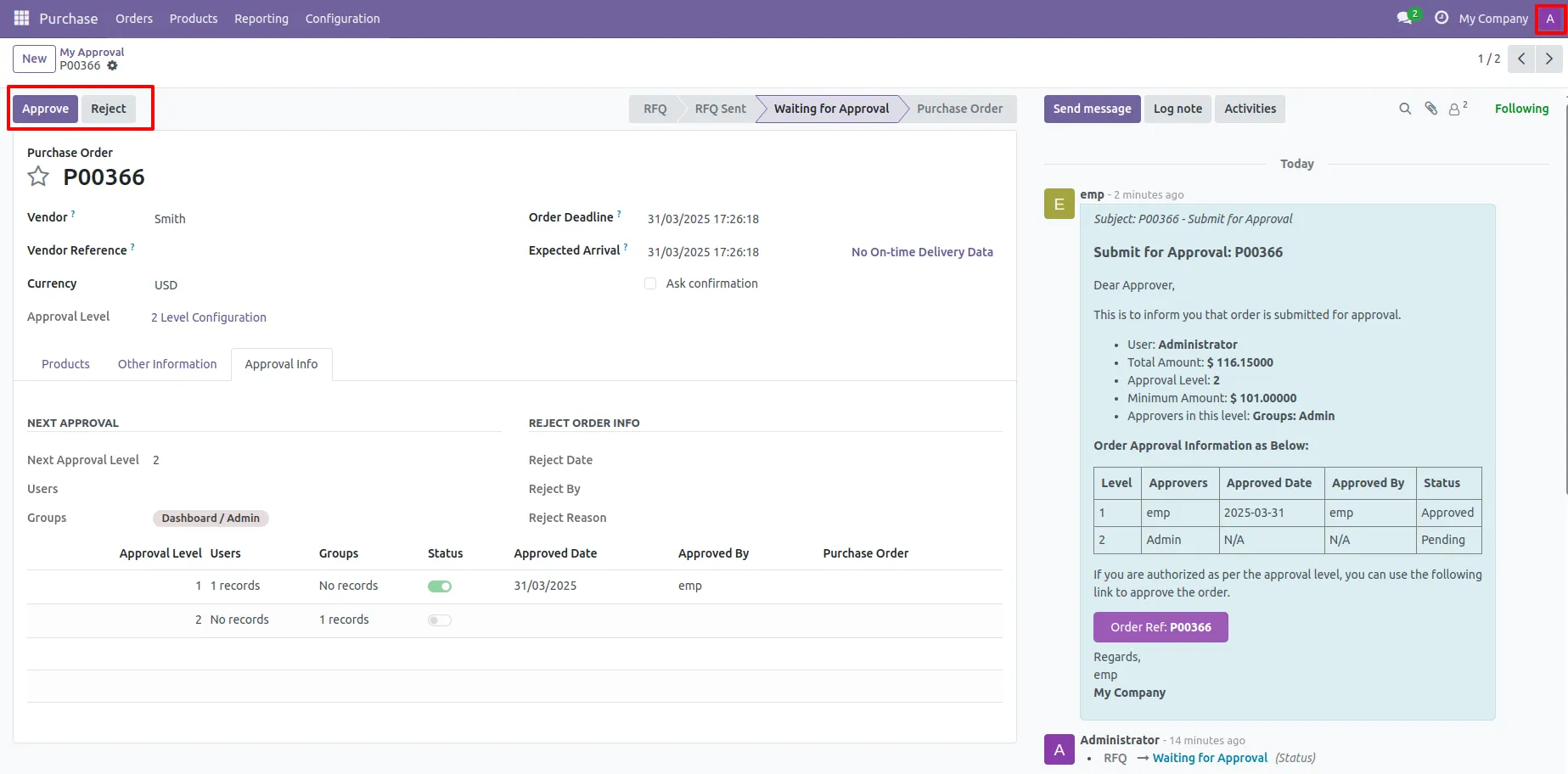
12. Now the second approver approves the RFQ.
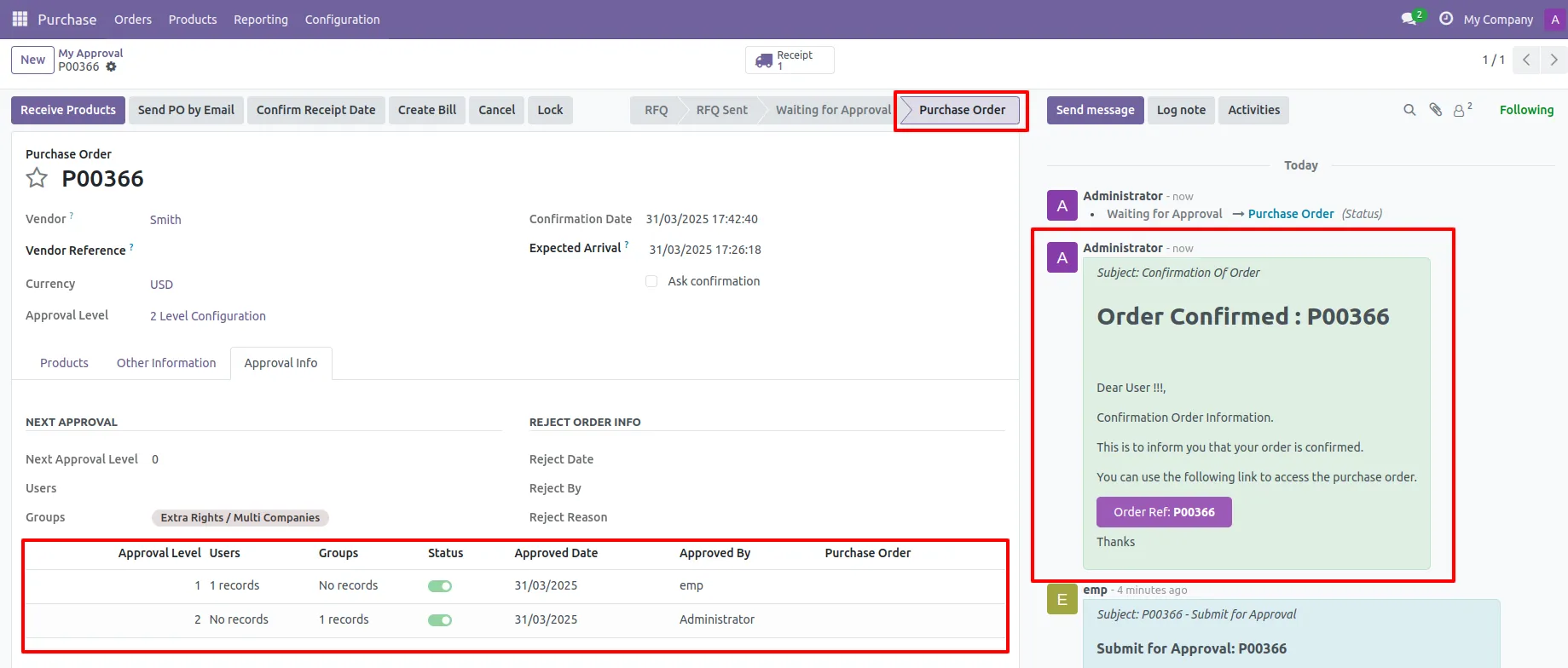
13. So purchase order created and email notification is sent to the stakeholders.
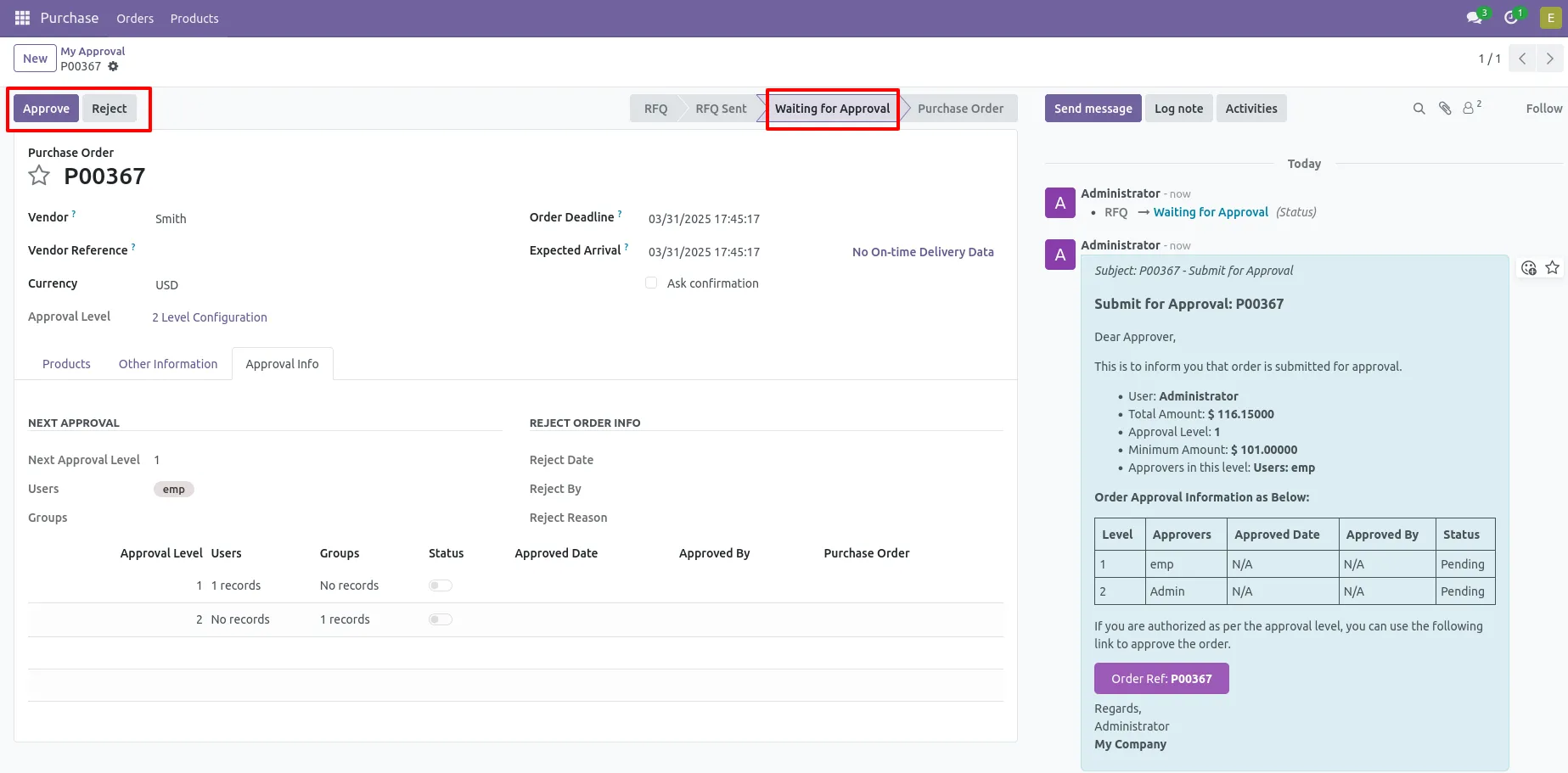
14. There are 2 approvers If the first approver rejects the RFQ that means that RFQ will be canceled no more second approver is needed
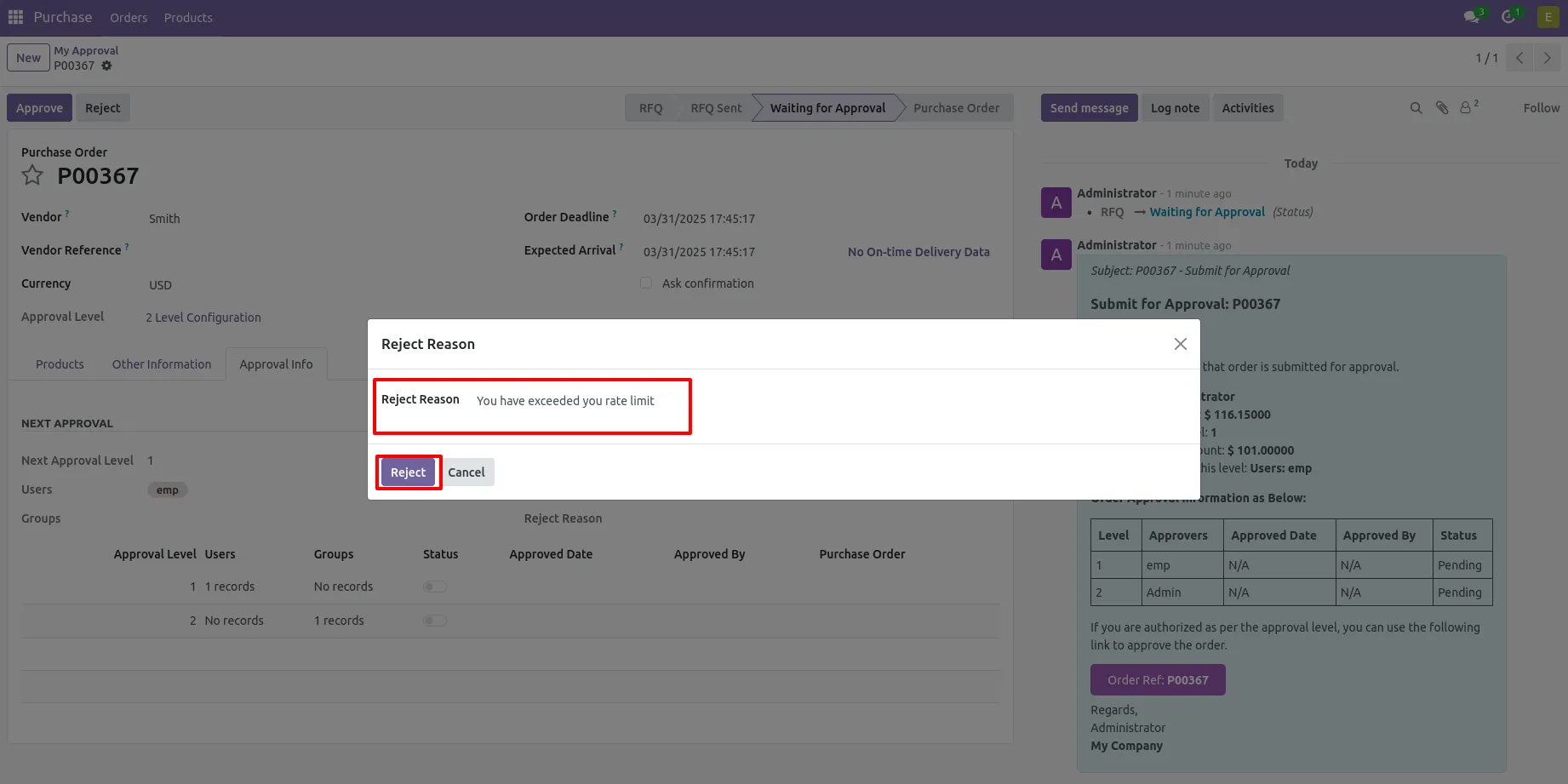
15. After click on the Reject button, this wizard will pop up, here the approver has to add a reason for rejecting the RFQ.
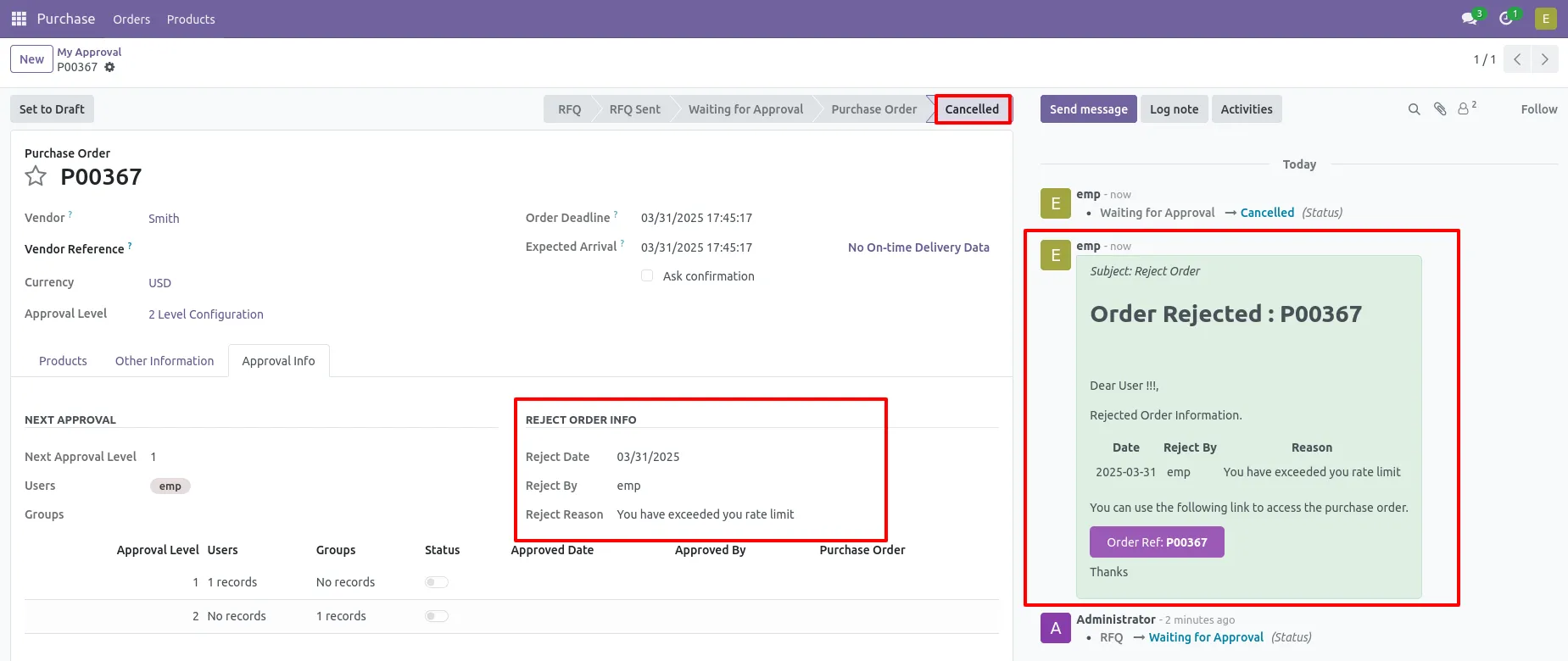
16. After rejection, it auto set the rejection information in the "Reject Order Info".
Our solutions focus on your problems
- Odoo Implementation
- Odoo Customization
- ERP Development and Implementation
- Odoo Ipass Cloud
- AI for Odoo
- Odoo Apps
- Aws Marketplace Products
- Business Engines
Our Pricing includes User Manual, 90 Days Support (Monday-Friday 10am to 7pm IST) and One time Setup
• Works & tested on standard installations of Odoo with no third party apps,
• Free support only for odoo installations with no third party apps,
• Paid support available for Odoo installations with third party apps.

Prefortune is a Odoo Official Partner, Odoo Development company. Our philosophy is to use Open Source tools and technologies to provide cost effective and green solutions for our customers.
Prefortune Technologies LLP is working on web development, Mobile development, and Odoo ERP.
If you need any help or want more additional features, you may contact us through:
Alternative Products
These other products might interest you
Specifications
| Version | 18.0, 17.0, 16.0, 15.0, 14.0, 13.0 |