Watch Quick Video
Sale Order Confirmation Backdate | Custom Sale Confirmation Date
Sale Order Confirmation Backdate | Custom Sale Confirmation Date
Sale Order Confirmation Backdate | Custom Sale Confirmation Date allows users to confirm quotations using a custom sale confirmation date and time instead of the system timestamp. When the Confirm button is clicked, a popup wizard appears to select the desired confirmation datetime before confirming the order. The module supports both backdated and future-dated sale order confirmations, helping businesses maintain accurate sales records and reporting while working seamlessly within the standard Odoo Sales workflow.
Sale Order Confirmation Backdate | Custom Sale Confirmation Date
- Select the exact date and time when confirming a sales quotation.
- Works directly with Odoo's standard Confirm button without additional actions or menus.
- A popup wizard allows users to choose the desired confirmation datetime before confirming the order.
- Supports both backdated and future-dated sale order confirmations based on business requirements.
- Helps maintain accurate sales records and reporting using the intended confirmation date and time.
Sale Order Confirmation Backdate | Custom Sale Confirmation Date Workflow
Navigate to the Sales module and create a new Sales Quotation or open an existing quotation. When you click the standard Confirm button, the module displays a confirmation wizard that allows you to select the desired date and time for the sale order confirmation. After choosing the required datetime, click the Confirm button available in the wizard footer to proceed with the confirmation process. Once confirmed, the quotation is automatically converted into a Sales Order, and the selected date and time are applied to the Order Date field of the confirmed Sales Order. This enables users to perform backdated sale order confirmations or use a custom sale confirmation date while maintaining a seamless and familiar Odoo Sales workflow.
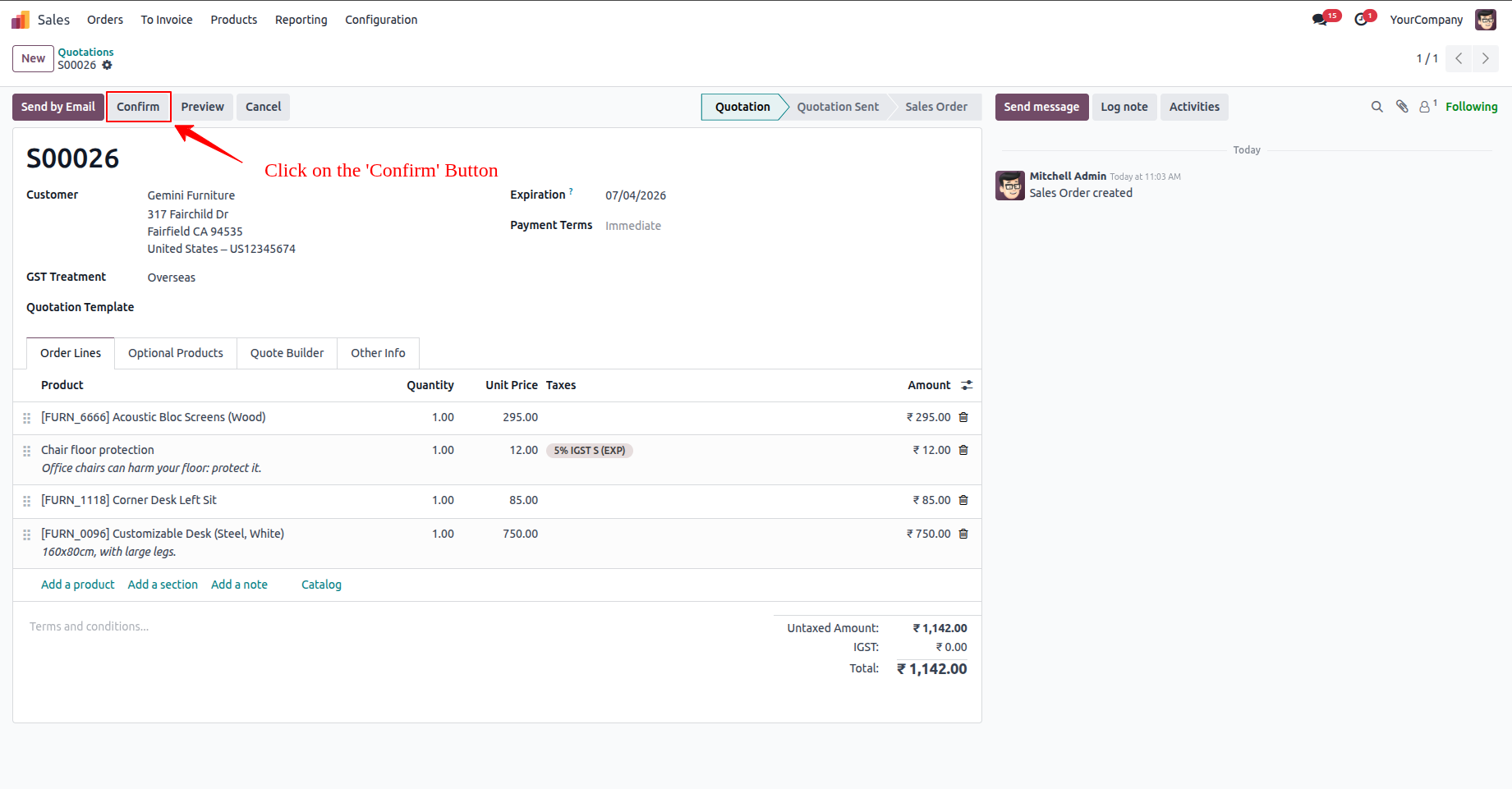
1.Open or Create a Sales Quotation
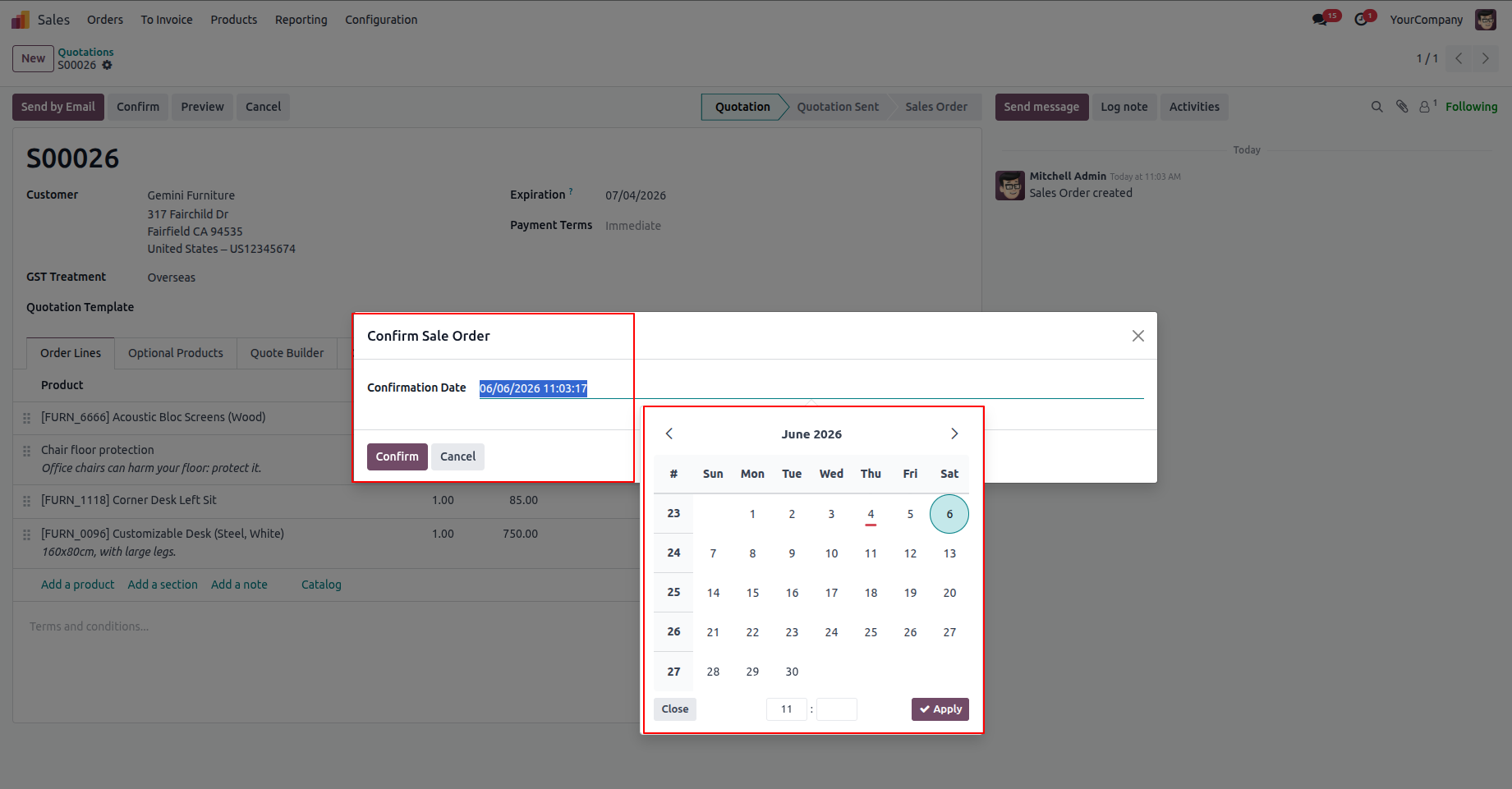
2.A confirmation wizard will appear. Choose the desired date and time.
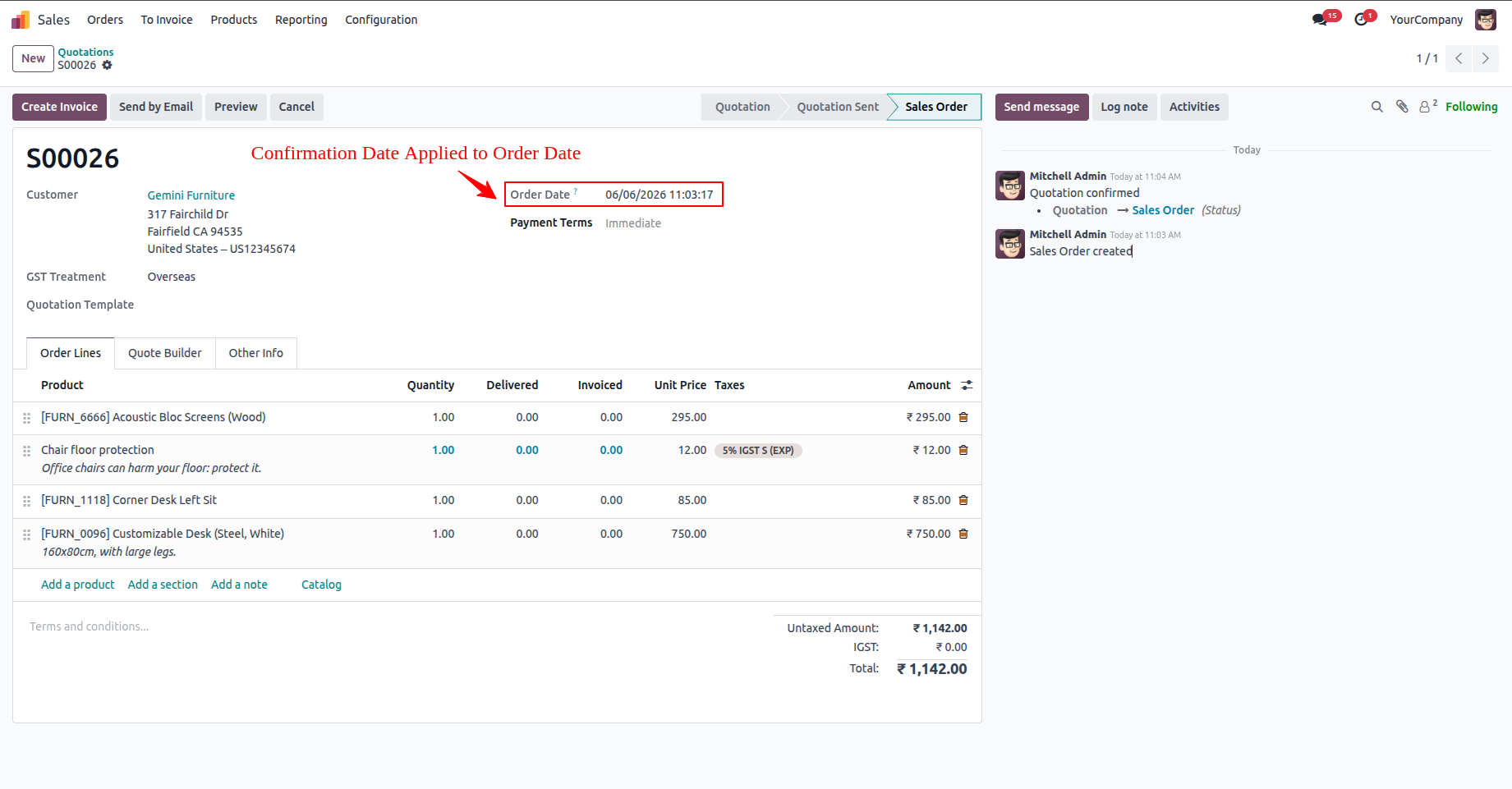
3.The quotation is converted into a confirmed Sales Order, and the selected date and time are automatically applied to the Order Date field.
Our solutions focus on your problems
- Odoo Implementation
- Odoo Customization
- ERP Development and Implementation
- Odoo Ipass Cloud
- AI for Odoo
- Odoo Apps
- Aws Marketplace Products
- Business Engines
Our Pricing includes User Manual, 90 Days Support (Monday-Friday 10am to 7pm IST) and One time Setup
• Works & tested on standard installations of Odoo with no third party apps,
• Free support only for odoo installations with no third party apps,
• Paid support available for Odoo installations with third party apps.

Prefortune is a Odoo Official Partner, Odoo Development company. Our philosophy is to use Open Source tools and technologies to provide cost effective and green solutions for our customers.
Prefortune Technologies LLP is working on web development, Mobile development, and Odoo ERP.
If you need any help or want more additional features, you may contact us through:
Alternative Products
These other products might interest you
Specifications
| Version | 19.0, 18.0, 17.0, 16.0, 15.0, 14.0 |