
Odoo for Real Estate: Boost Property Sales with 5 Powerful Apps
Discover 5 powerful Odoo apps to streamline property sales, manage customer relationships, improve agent performance, and grow your real estate business.

Our all-inclusive Odoo – Commission Manager for Odoo: Sales Order, Invoice, and Payment
Our module enhances Odoo's capabilities by allowing you to configure commission settings
for actions like confirming sales orders, validating invoices, and registering payments. The
commission amount is dynamically calculated based on predefined commission policies,
which can be tailored to suit your specific needs.
Once commissions are calculated, the app generates detailed commission lines, providing
transparency and accountability. You can also generate comprehensive Sales Commission
PDF reports directly from these commission lines, making tracking and analysis a breeze.
Moreover, our app simplifies the process of generating vendor bills or supplier invoices from
commission lines, whether it's for your sales team or external partners.
Our module enhances Odoo's capabilities by allowing you to configure commission settings for actions like confirming sales orders, validating invoices, and registering payments. The commission amount is dynamically calculated based on predefined commission policies, which can be tailored to suit your specific needs.
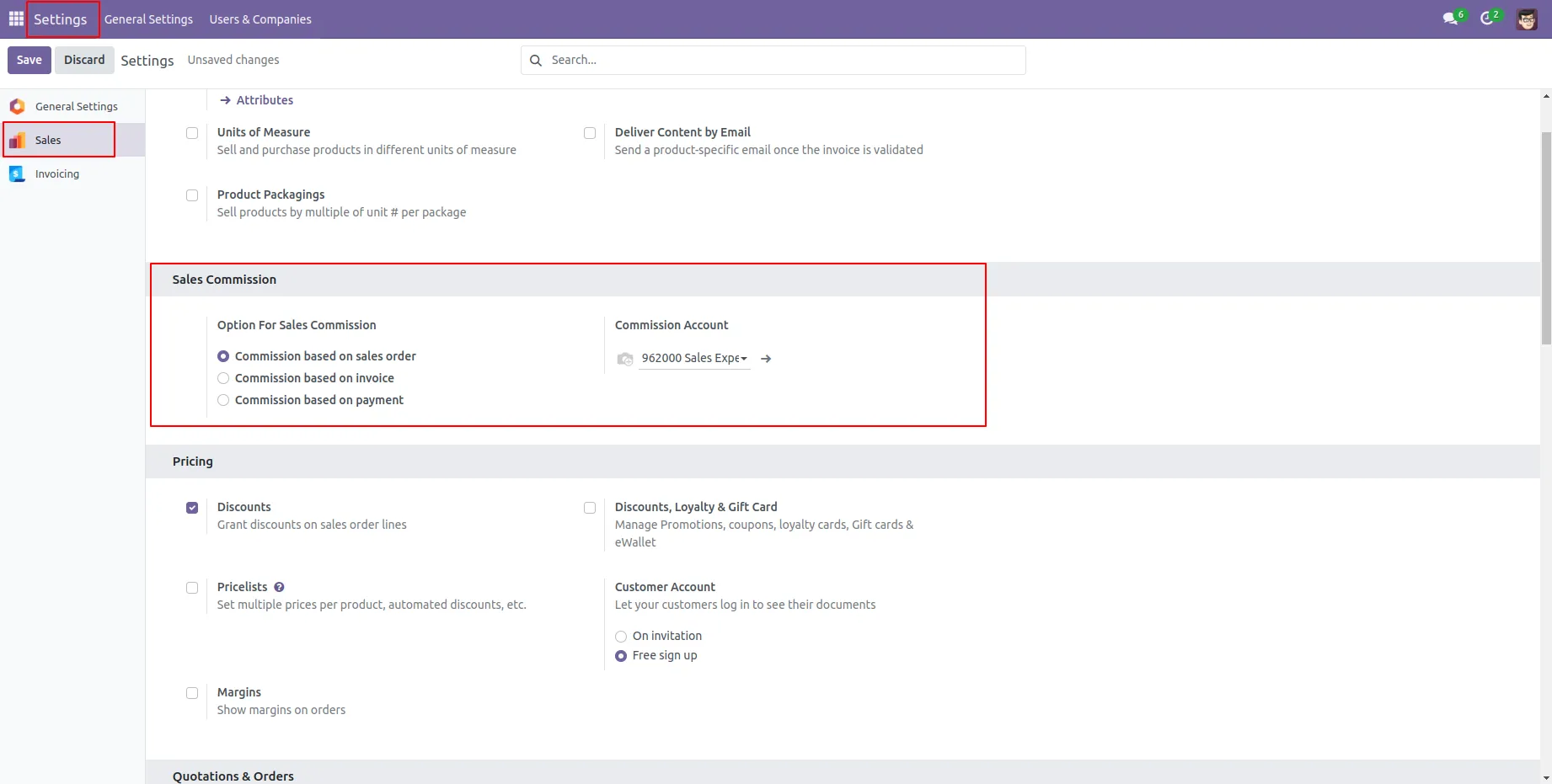
1.Enable the Developer Mode in ODOO to access advanced settings and features for Sales Commission
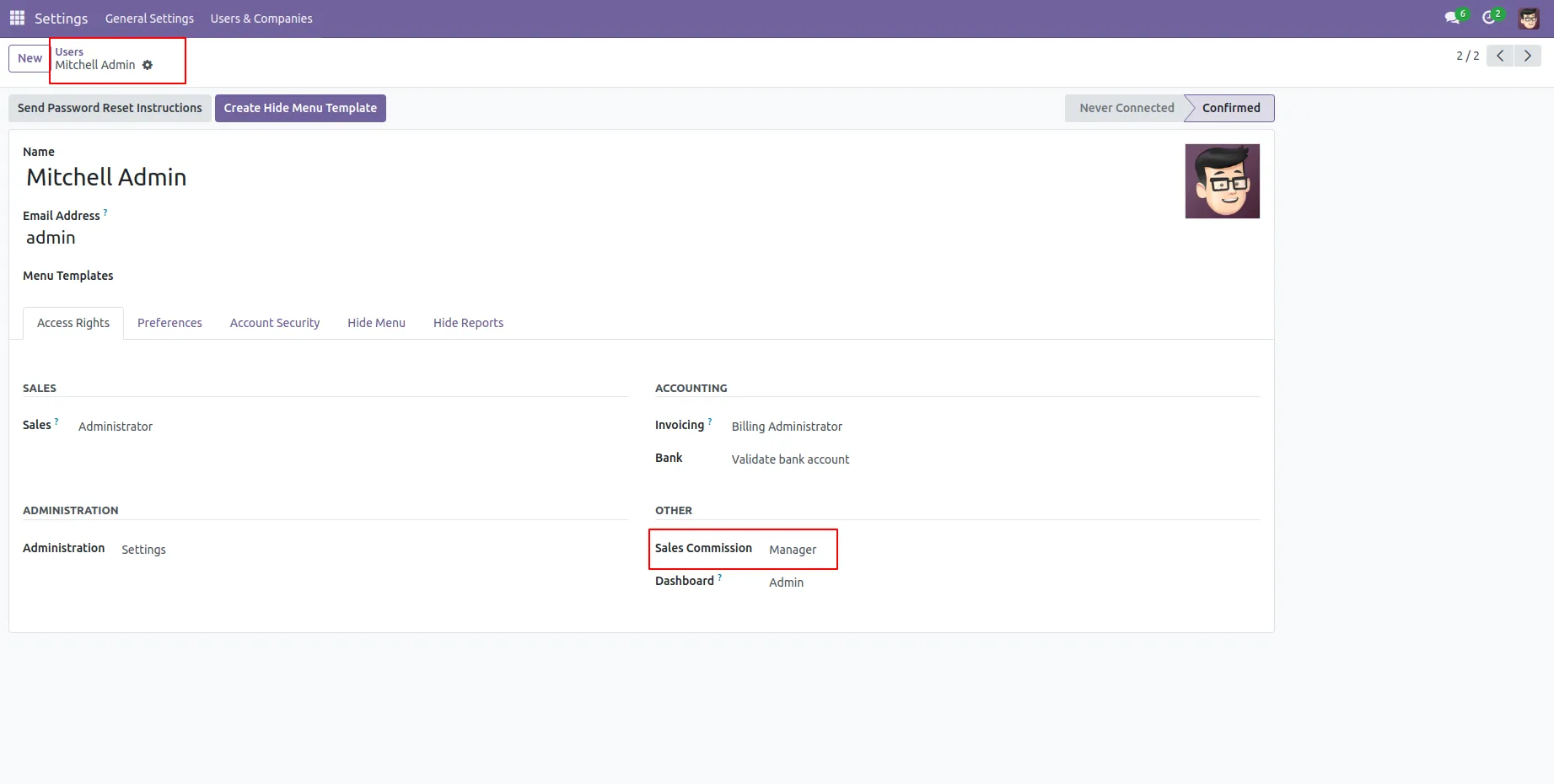
2. Give the Rights of Sales Commission manager.
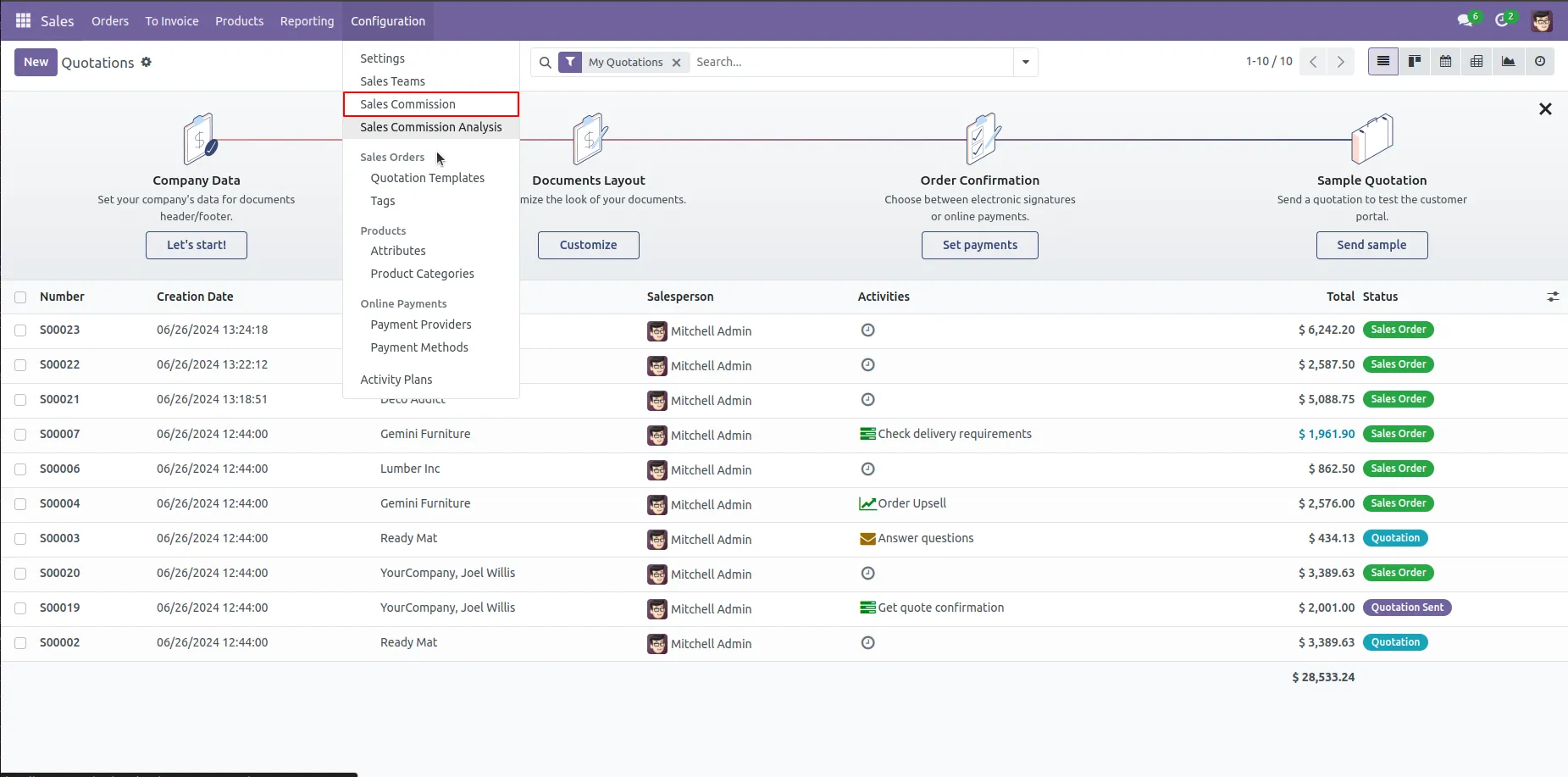
3. In Sales Order Configuration Click on the Sales Commission Menu.
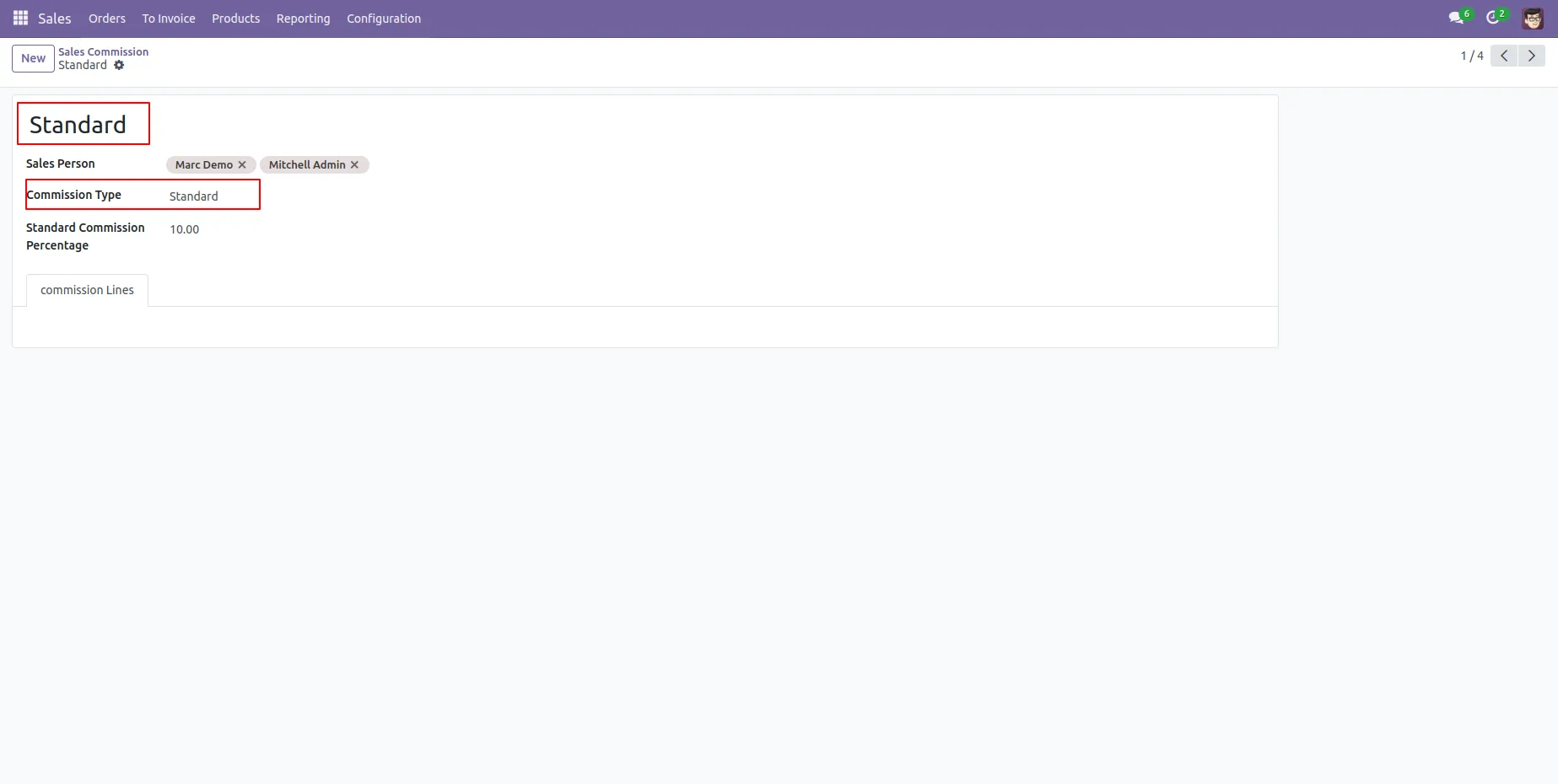
4. Create Standard Based Commission.
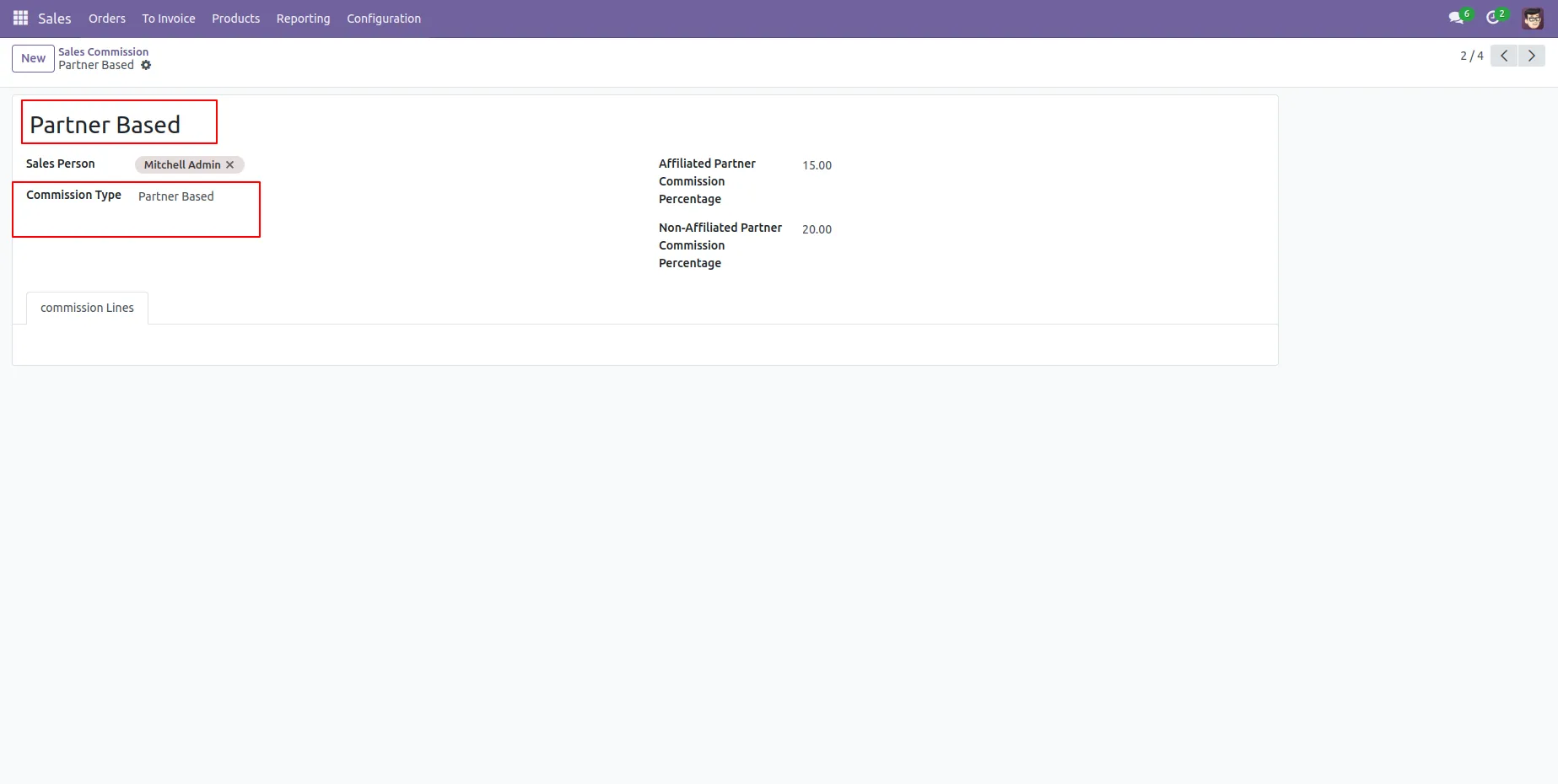
5. Create Partner Based Commission.
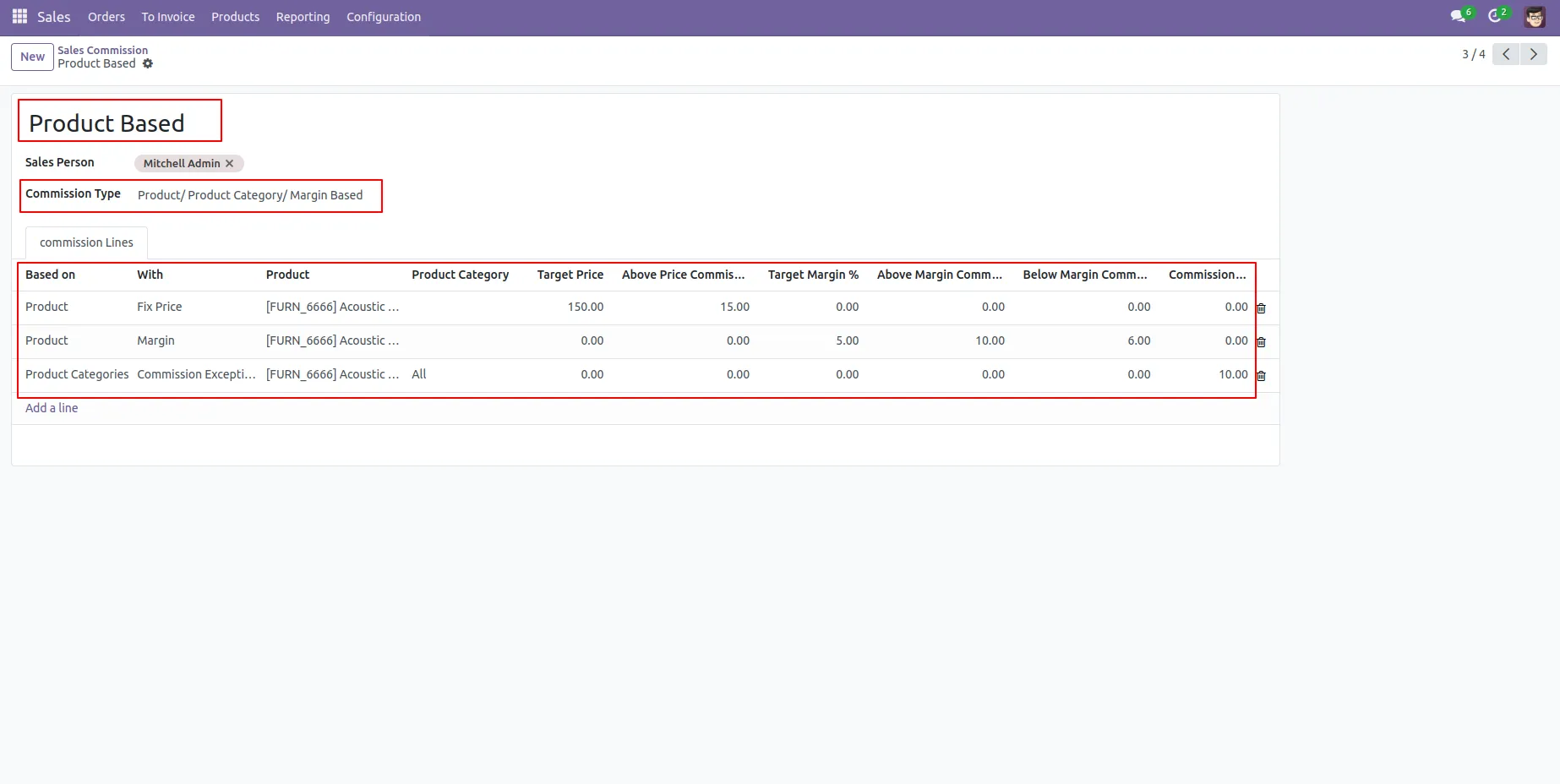
6. Create Product/Product Category Based/Product Margin Based Commission.
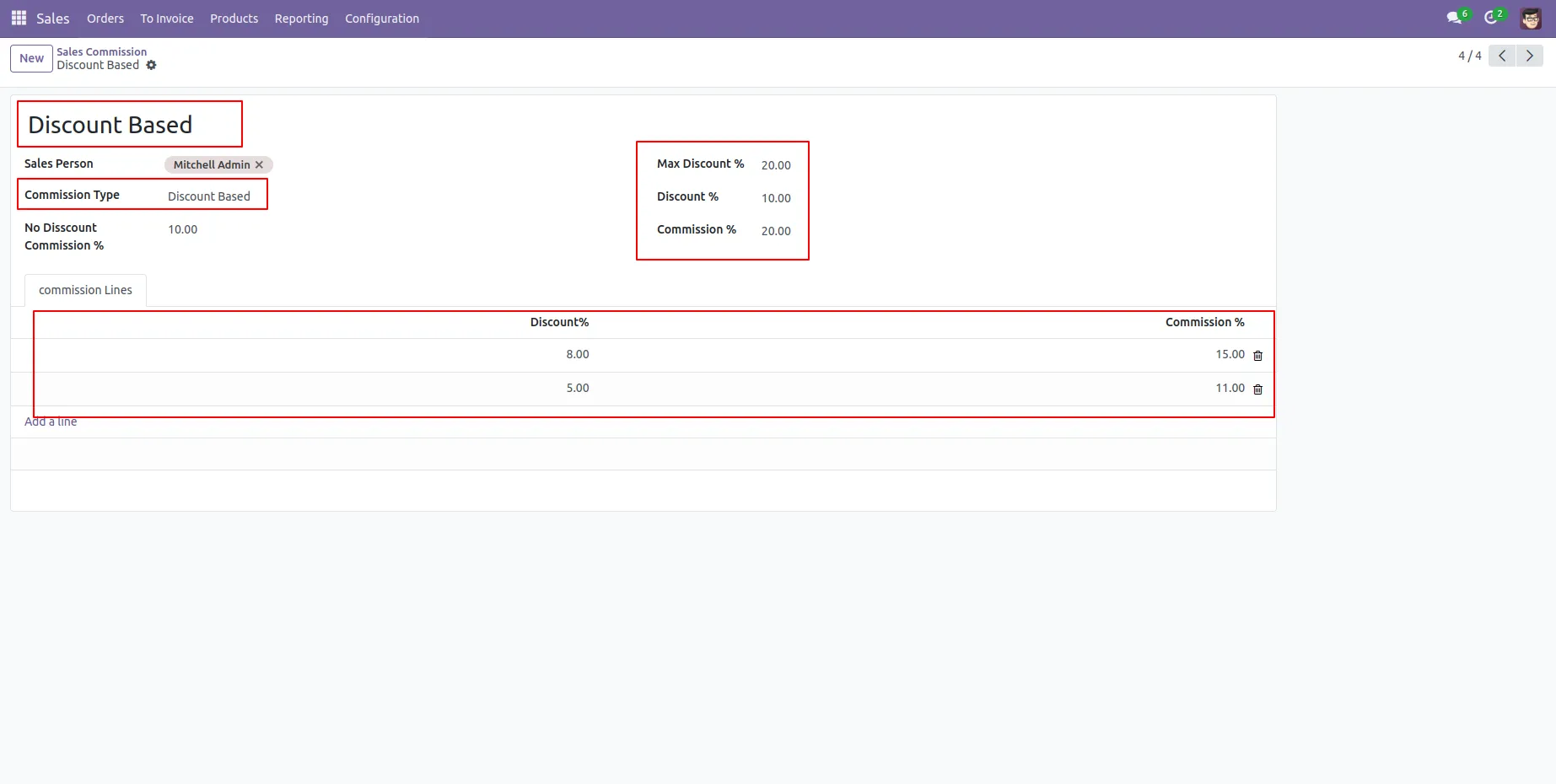
7. Create discount Based Commission
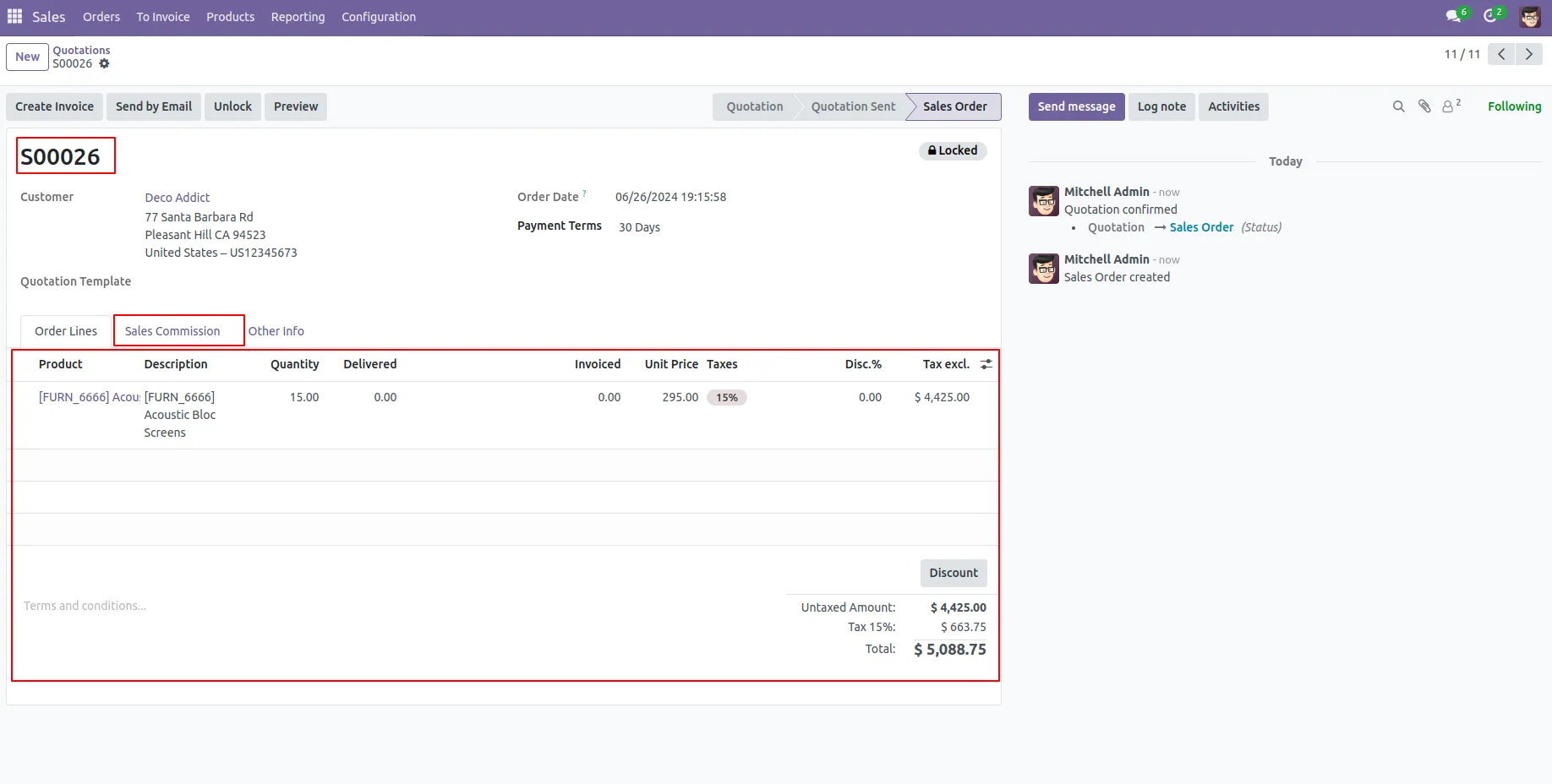
8.Create Sale Order Once Confirm generated Sales Commission shown In "Sales Commission" Tab.
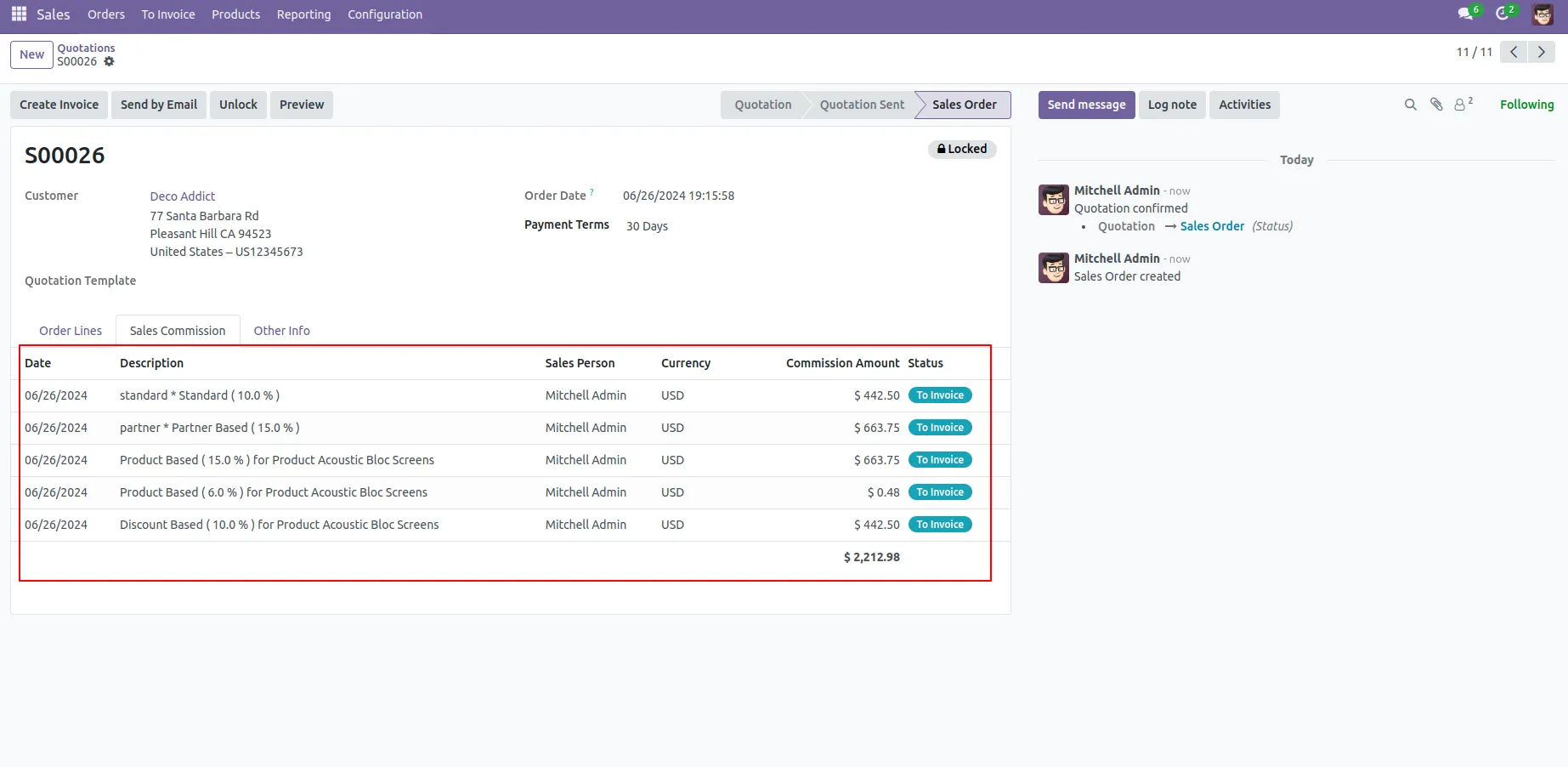
9. Commission Shown Of This Sales Order.
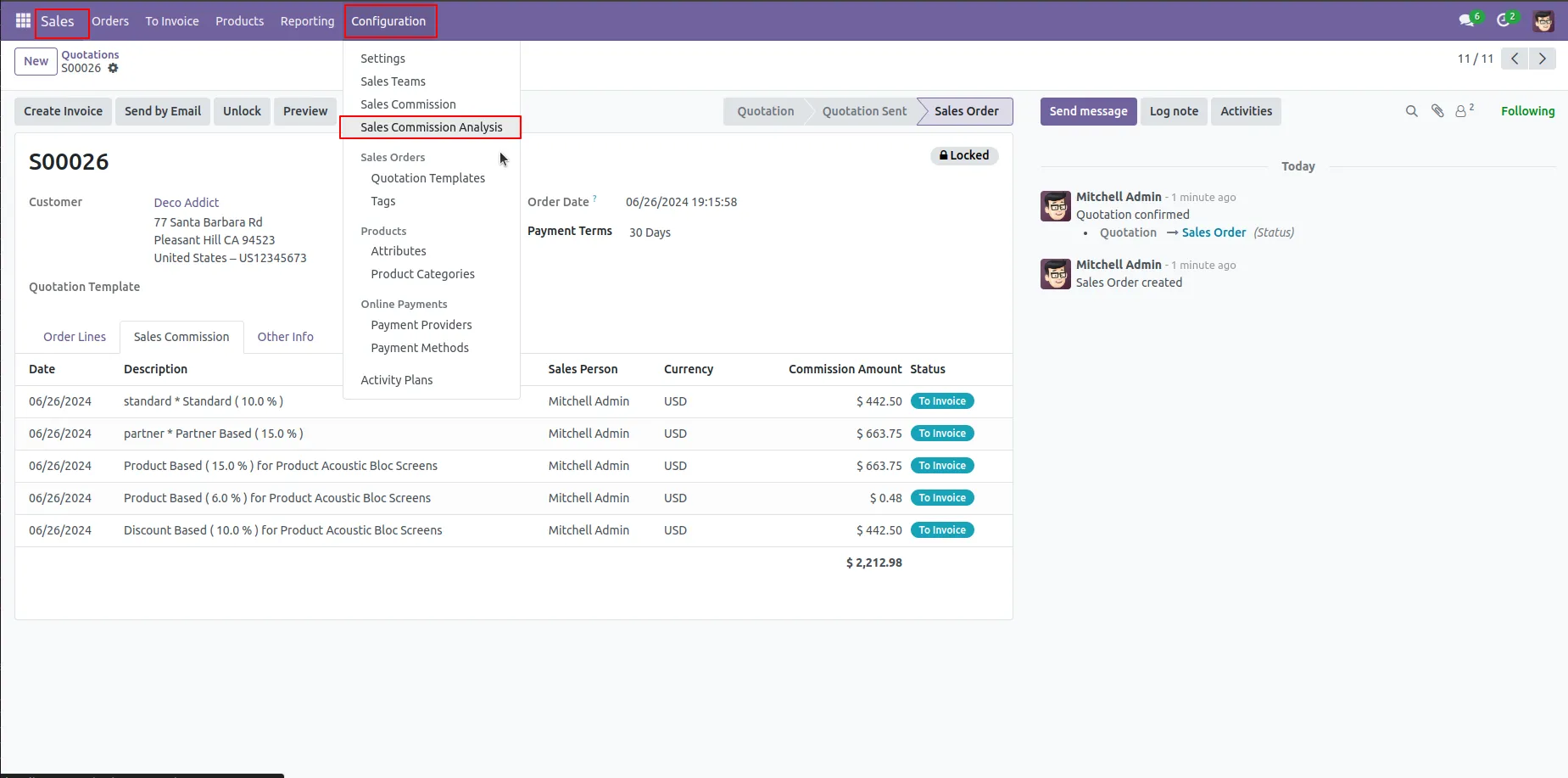
10. In Sales Order Configuration Click on the Sales Commission Analysis Menu.
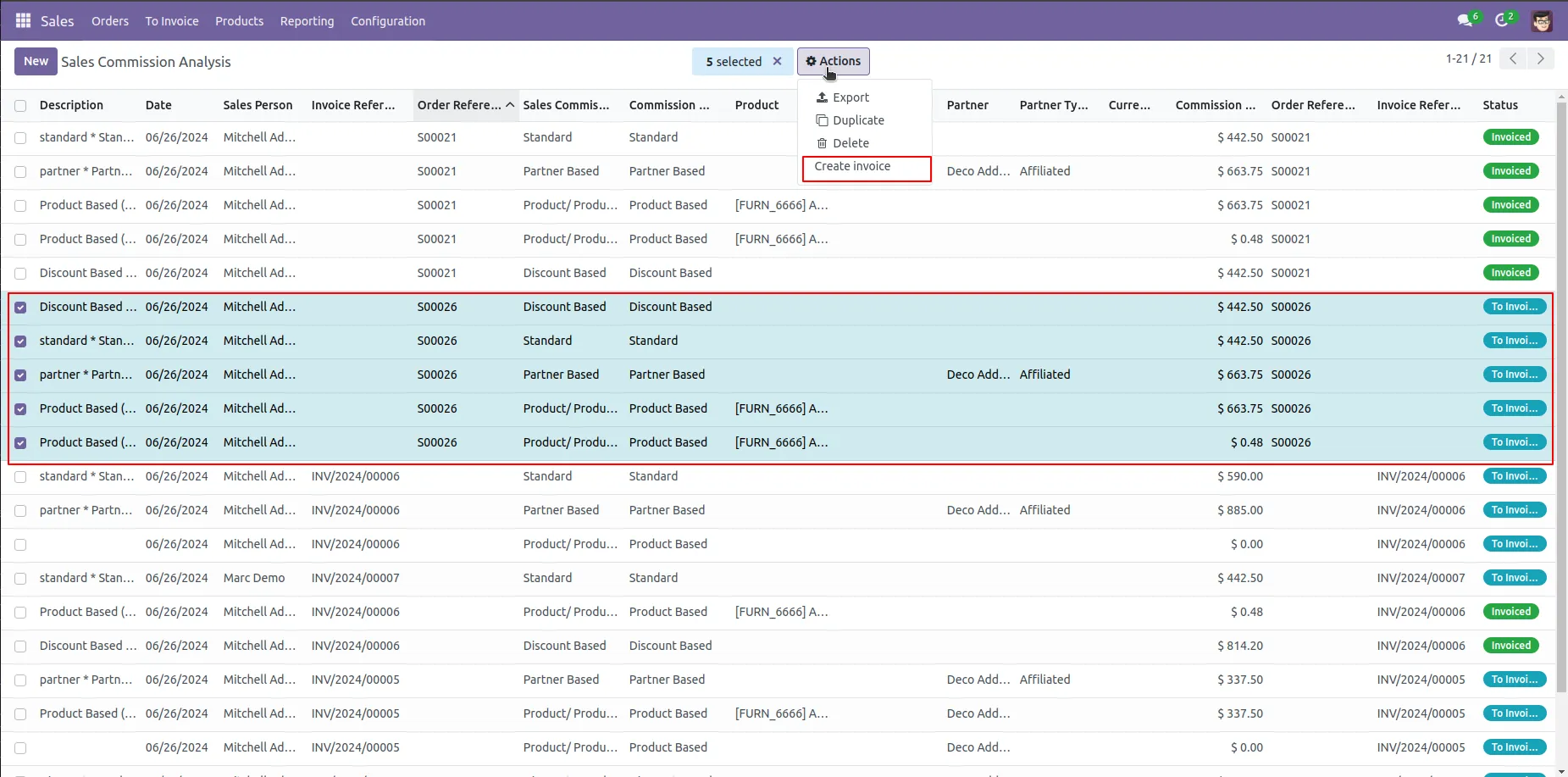
11. Selected Commissions making Create Invoice when Click on Create Invoice Action.
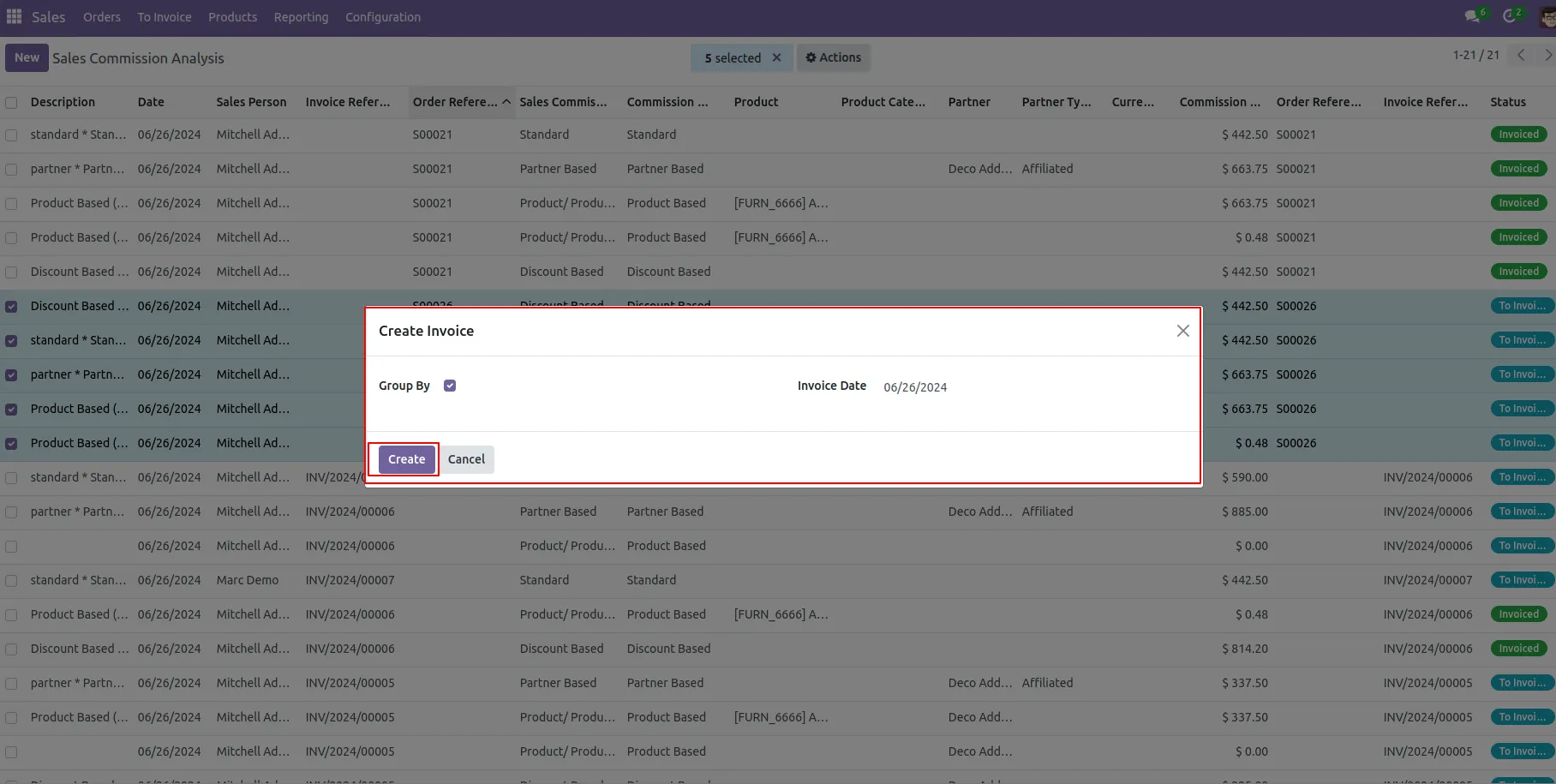
12. Click on "Create" button Based on Invoice Date or Group by .
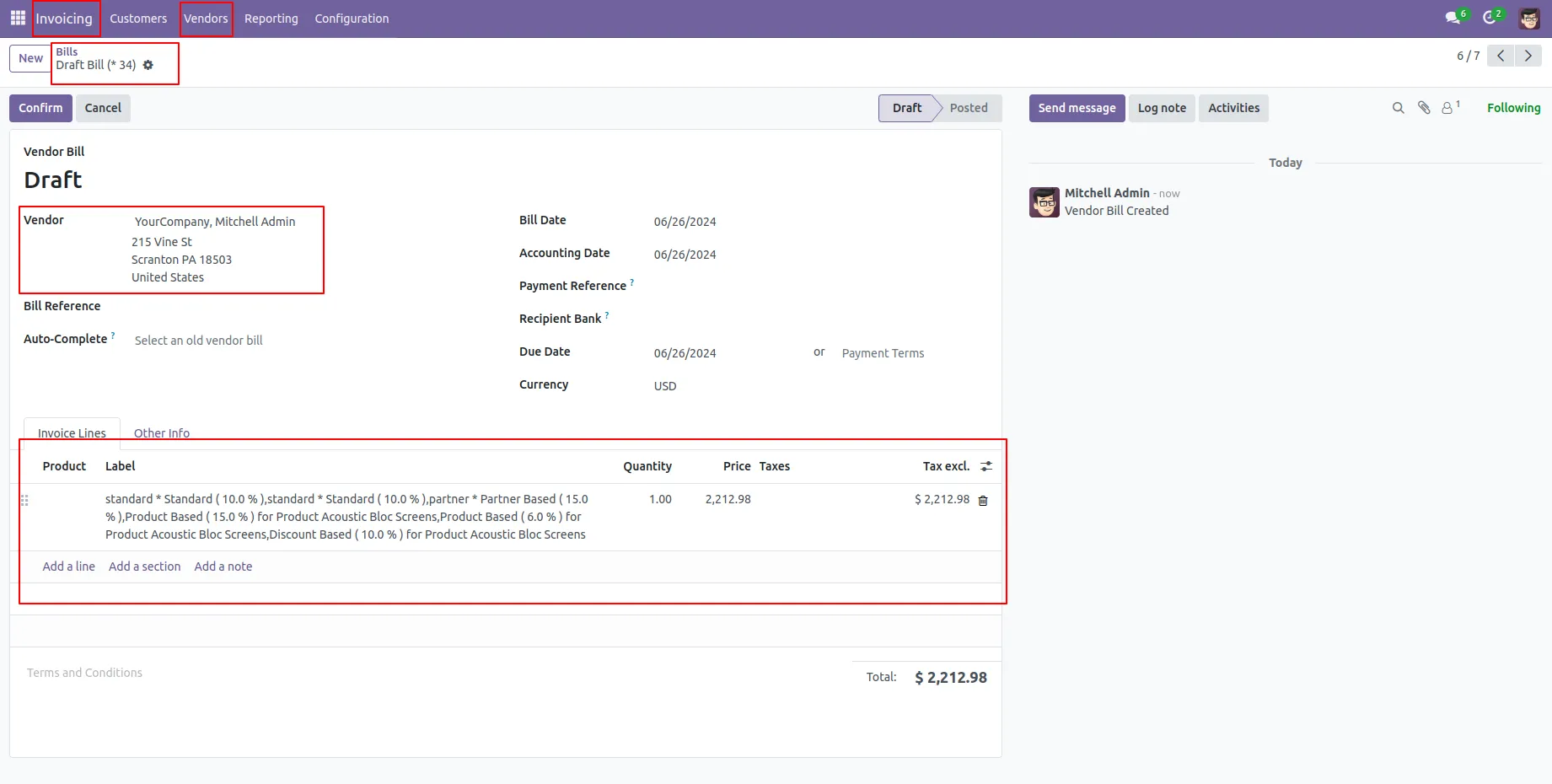
13.Vendor Bill is generated for That Sales Person and Bill is in Draft Stage.
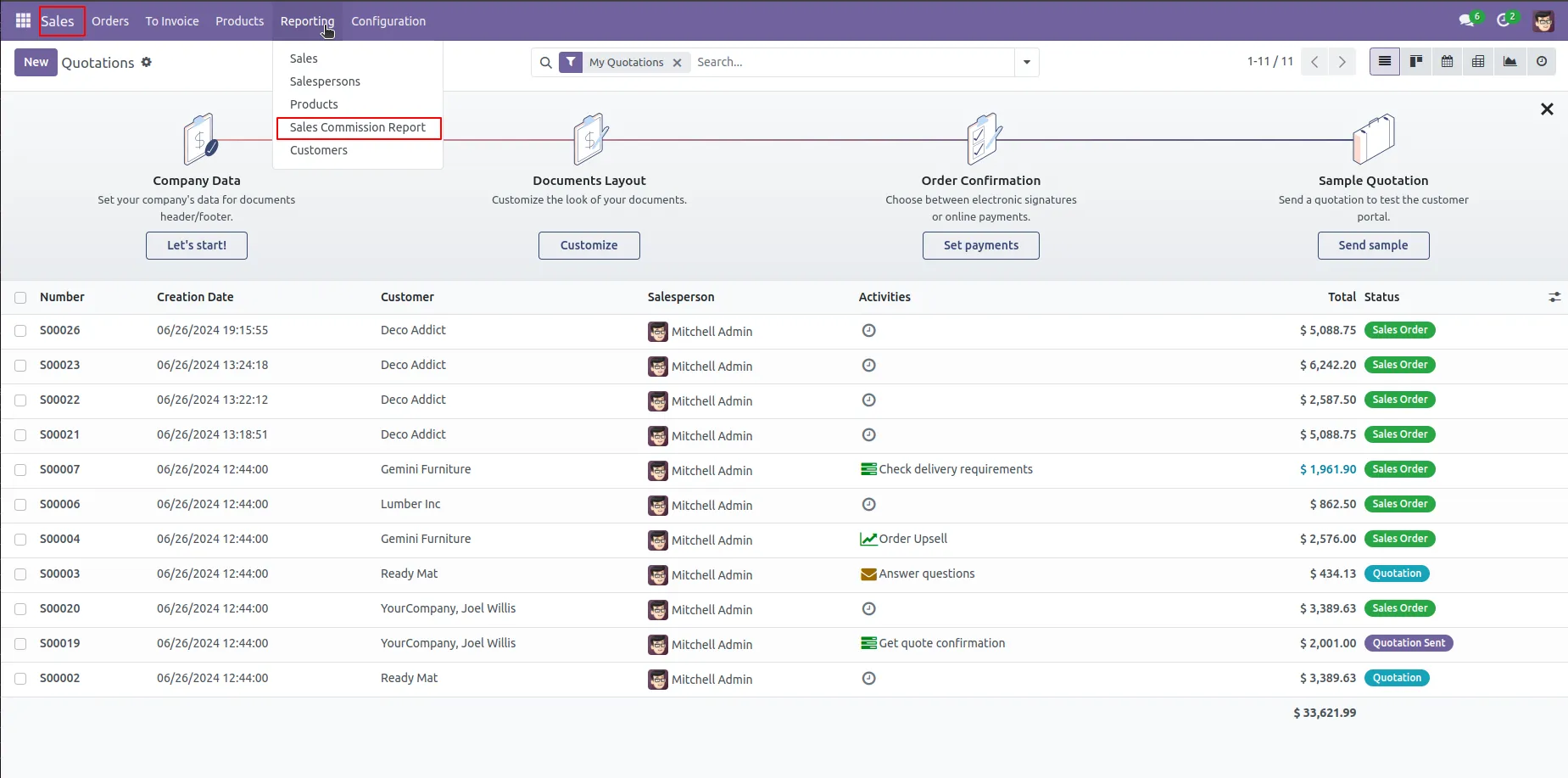
14. In Sales Order Configuration Click on the Reporting menu and click the Sales Commission Report Sub-menu.
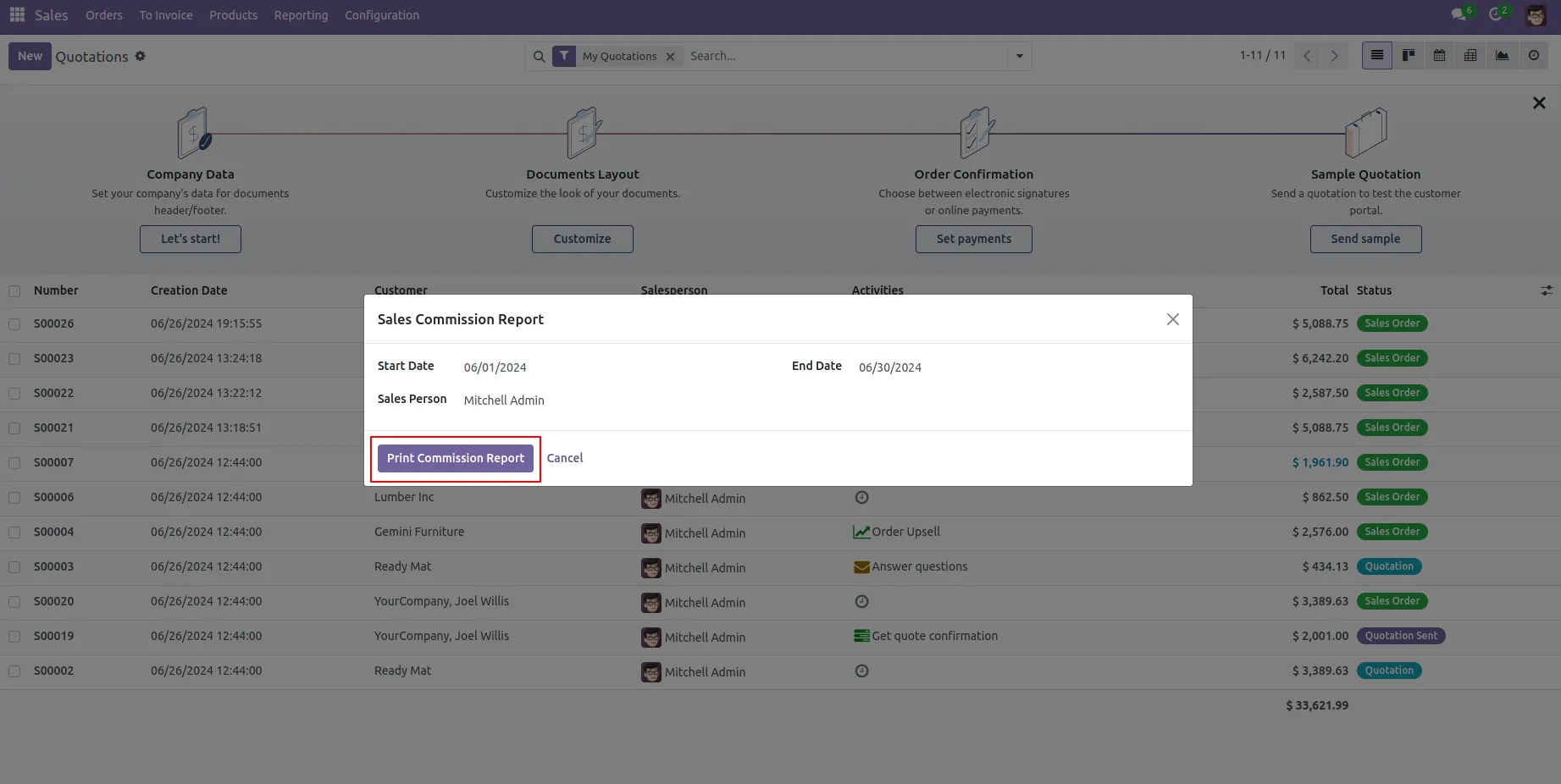
15. Click on the Print Report.
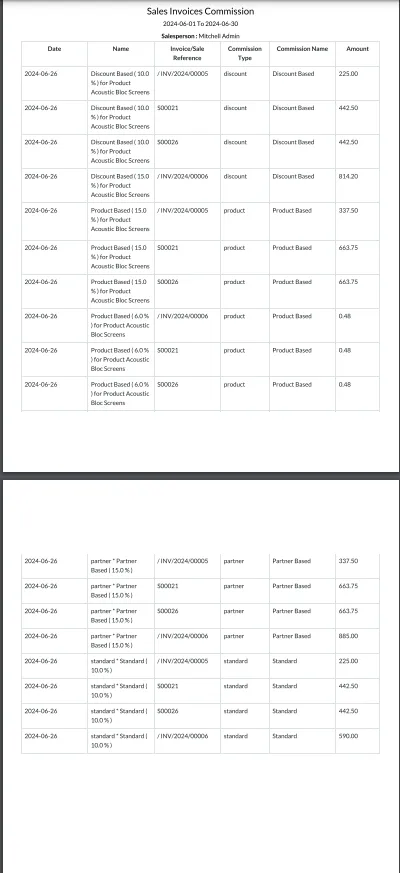
16. Report is generated based on between dates and selected salesperson.
Our Pricing includes User Manual, 90 Days Support (Monday-Friday 10am to 7pm IST) and One time Setup
• Works & tested on standard installations of Odoo with no third party apps,
• Free support only for odoo installations with no third party apps,
• Paid support available for Odoo installations with third party apps.

Prefortune is a Odoo Official Partner, Odoo Development company. Our philosophy is to use Open Source tools and technologies to provide cost effective and green solutions for our customers.
Prefortune Technologies LLP is working on web development, Mobile development, and Odoo ERP.
If you need any help or want more additional features, you may contact us through:
These other products might interest you
| Version | 17.0, 16.0, 15.0, 14.0, 13.0 |