7 Odoo Apps for Aerospace Component Traceability
Track aerospace components from sourcing to delivery with lot and serial number management, country-of-origin tracking, barcode and QR labeling, and advanced inventory reporting.
Odoo – Stock Traceability by Country of Origin
helps businesses manage and track inventory
based on the Country of Origin throughout the procurement, inventory,
and sales processes. It allows the user to enter the Country of Origin on purchase order lines, and proactively forwards this data to Stocks Moves, shift Lines and Lot/Serial Numbers during receipt verification. It additionally enables users to select the desired Country of Origin on Sale Order lines and maintain stock by default only from associated Lots or Serial Numbers in order to achieve precise country-wise inventory control, improved tracking, and dependable stock allocations.
Use an effective Country of Origin tracking system for Odoo to manage stock on a country-by-country basis. This element allows users to enter the Country of Origin on PO lines and transmits this data effortlessly to Stock Moves, Move Lines and Lot/Serial Numbers based on receiving validation. This feature provides country wise inventory tracking. It displays country of origin data in stock views and allows users to select country of origin on Sale Order lines. During deliveries, the stock is automatically reserved and consumed only from Lots or Serial Numbers assigned to the selected Country of Origin, ensuring precise inventory control, better traceability and reliable stock control throughout the entire supply chain.
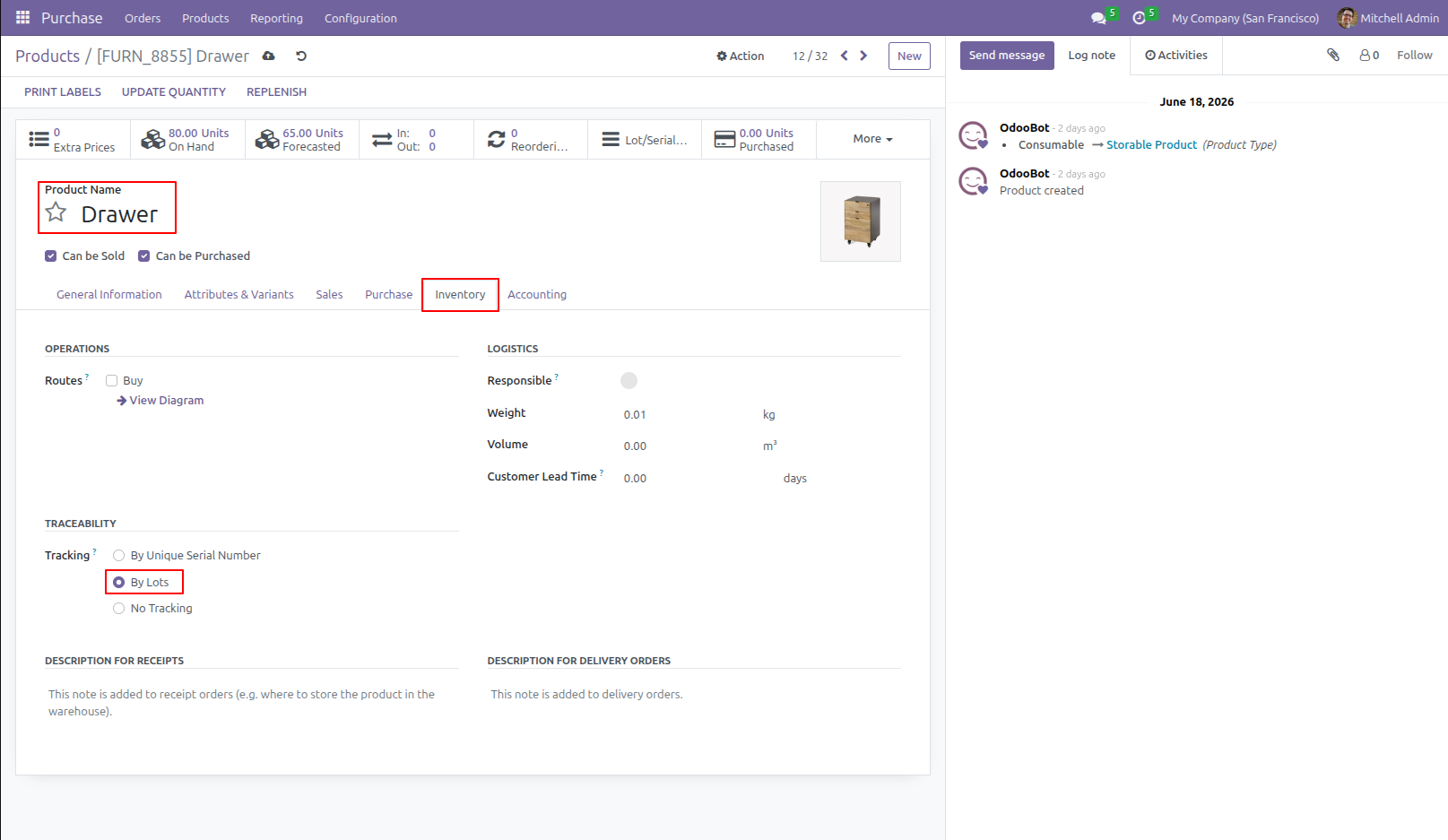
1.Click on New to create a Product, set the Product Type as Storable Product, and select Tracking as By Lots or By Unique Serial Number.
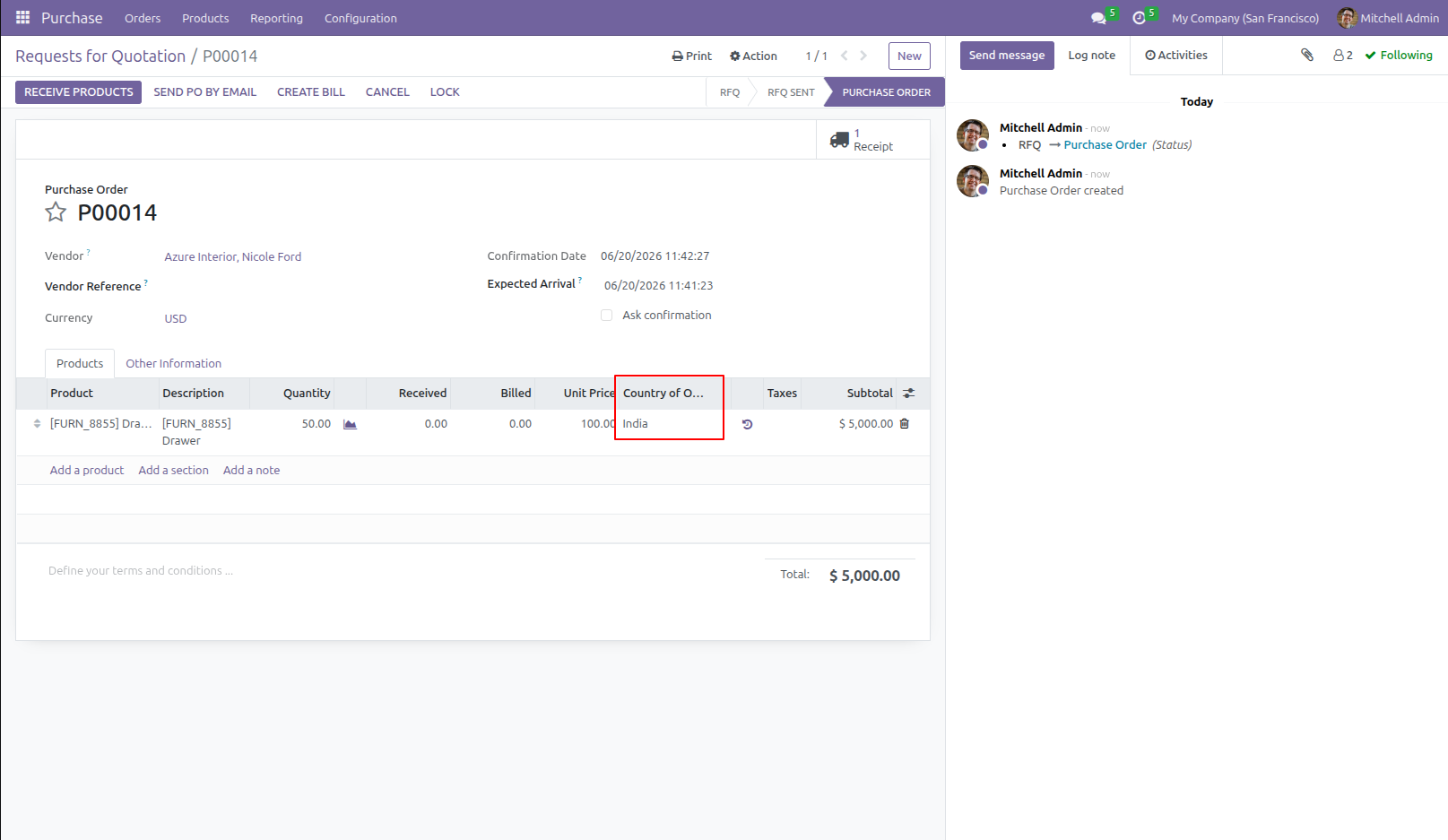
2.Create a Purchase Order for the product, select the Product, Quantity, and Country of Origin, then confirm the order.
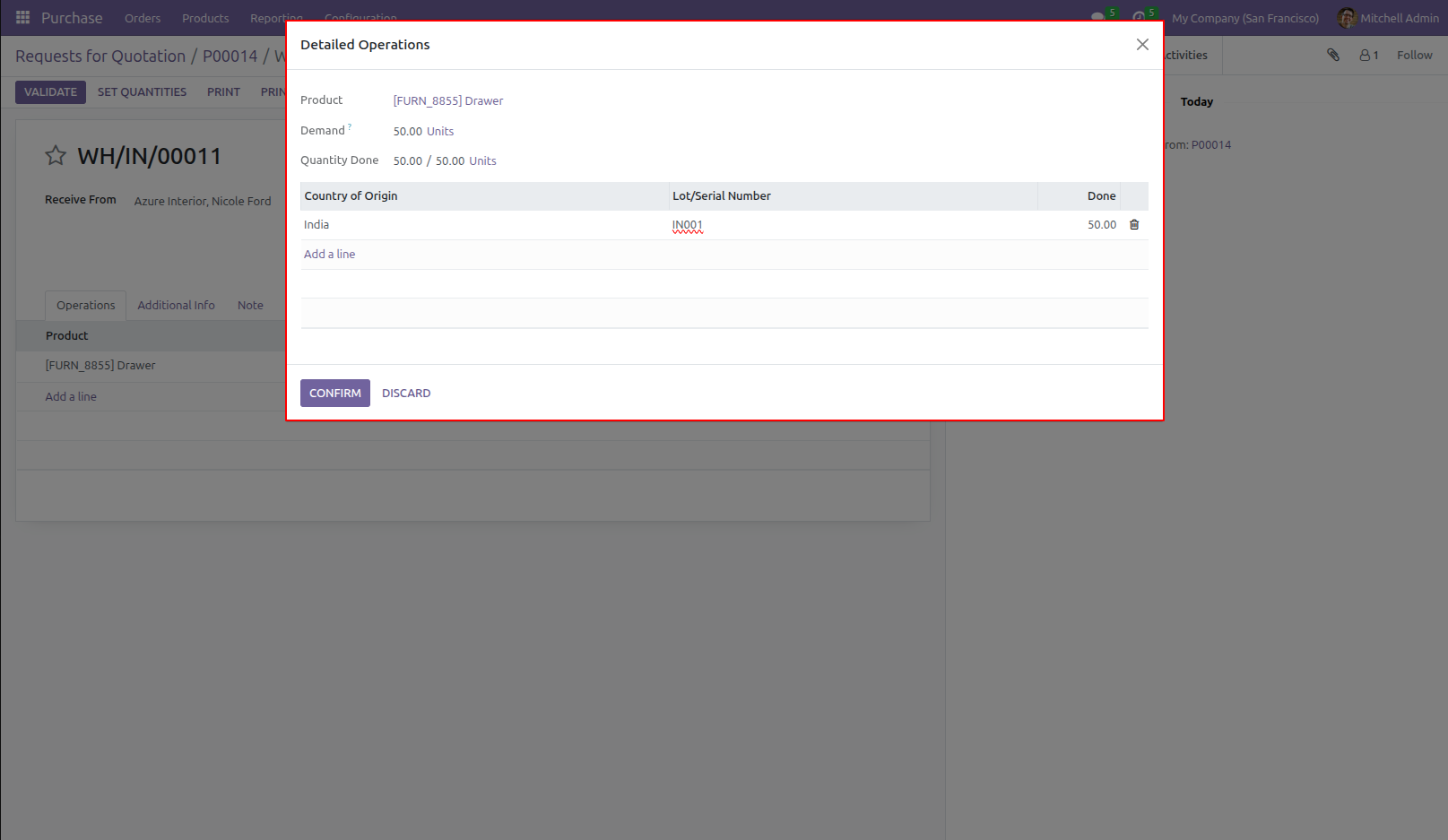
3.Stock Traceability by Country of Origin View the Lot/Serial Number details along with the available product quantity and the quantity processed for each record.
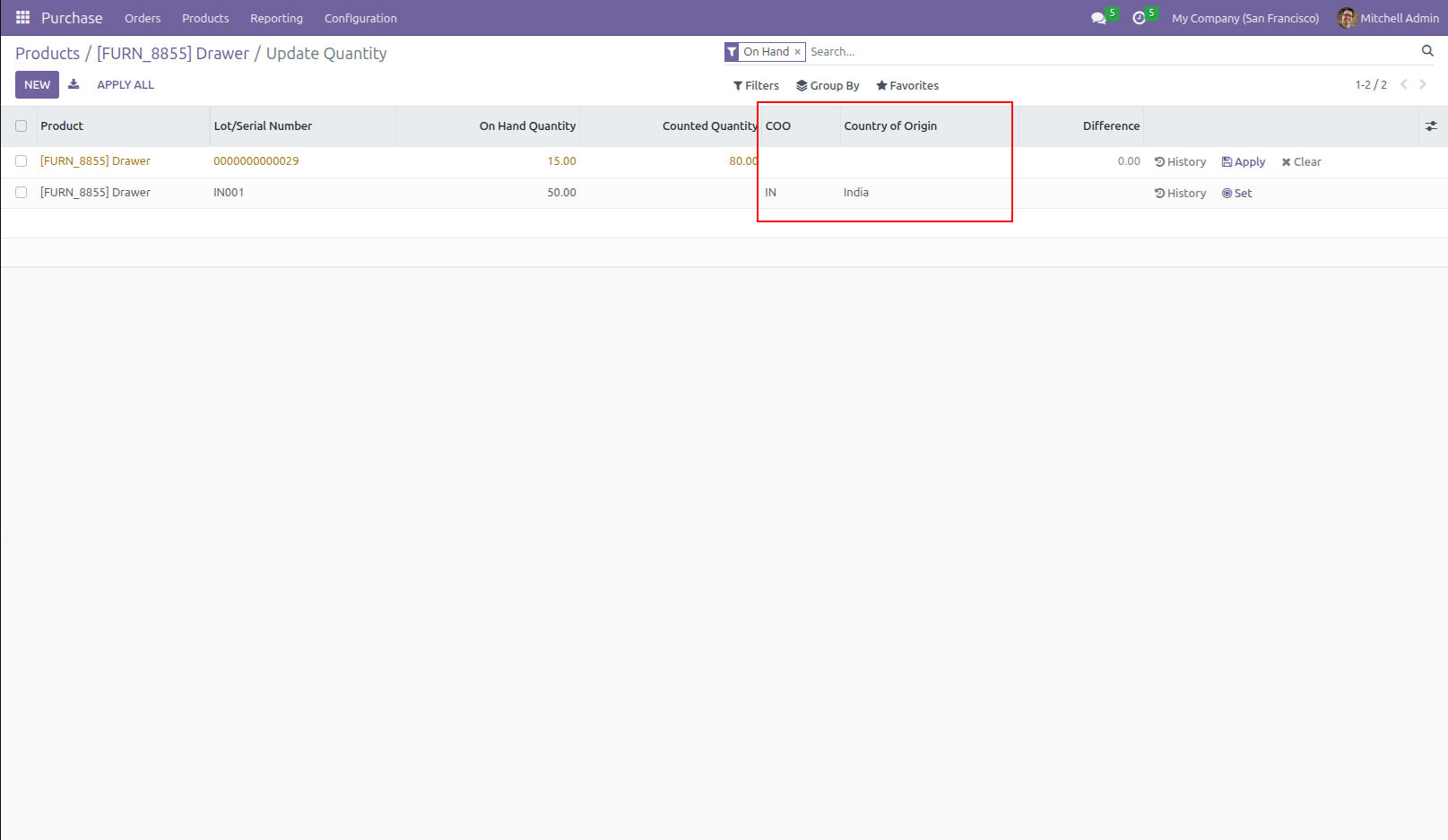
4.Here, you can see the Onhand Quantity after purchase order.
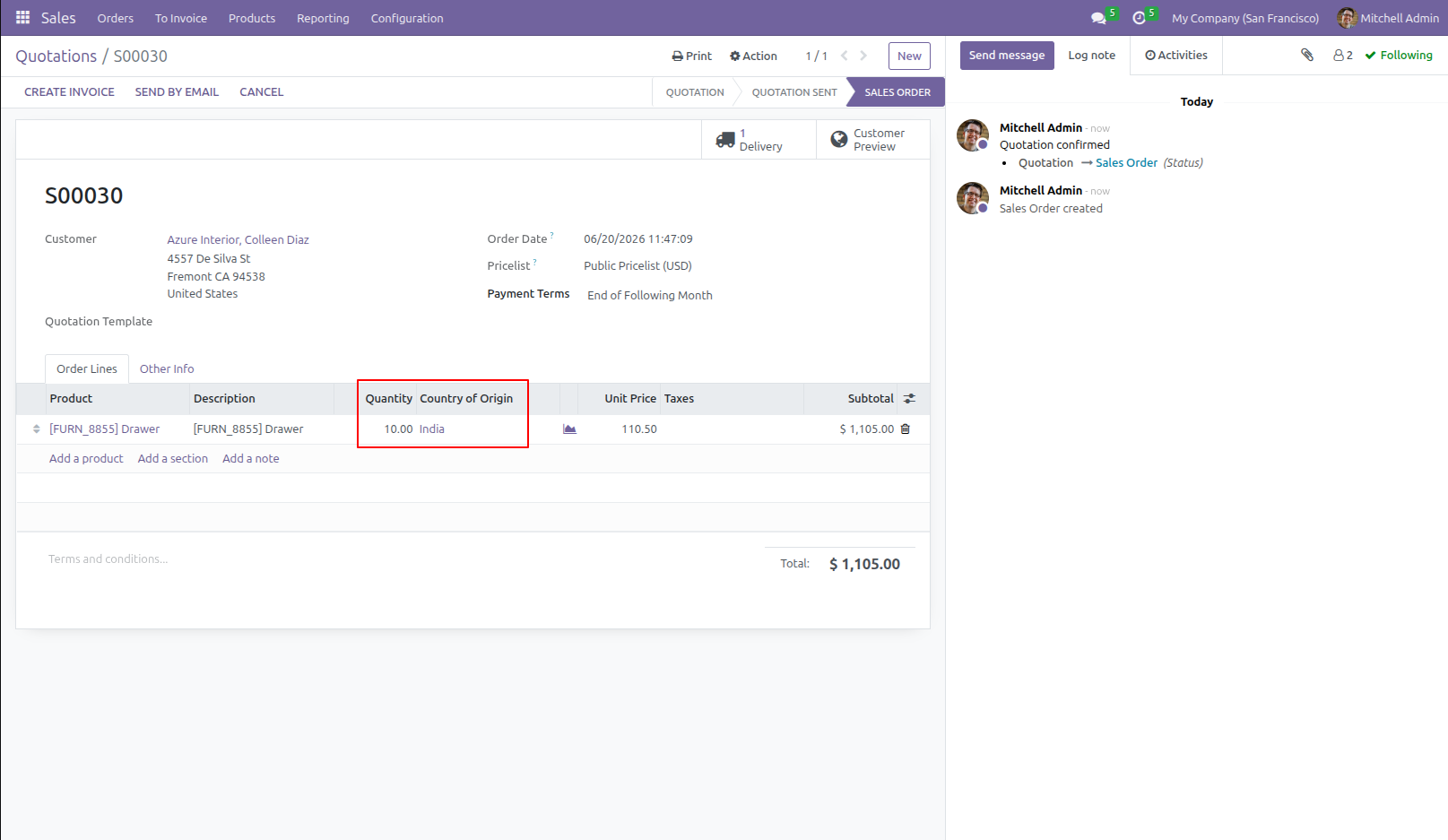
5.Stock Traceability by Country of Origin Create a Sales Order for the product, select the Product, Country of Origin, and Quantity, then confirm the order.
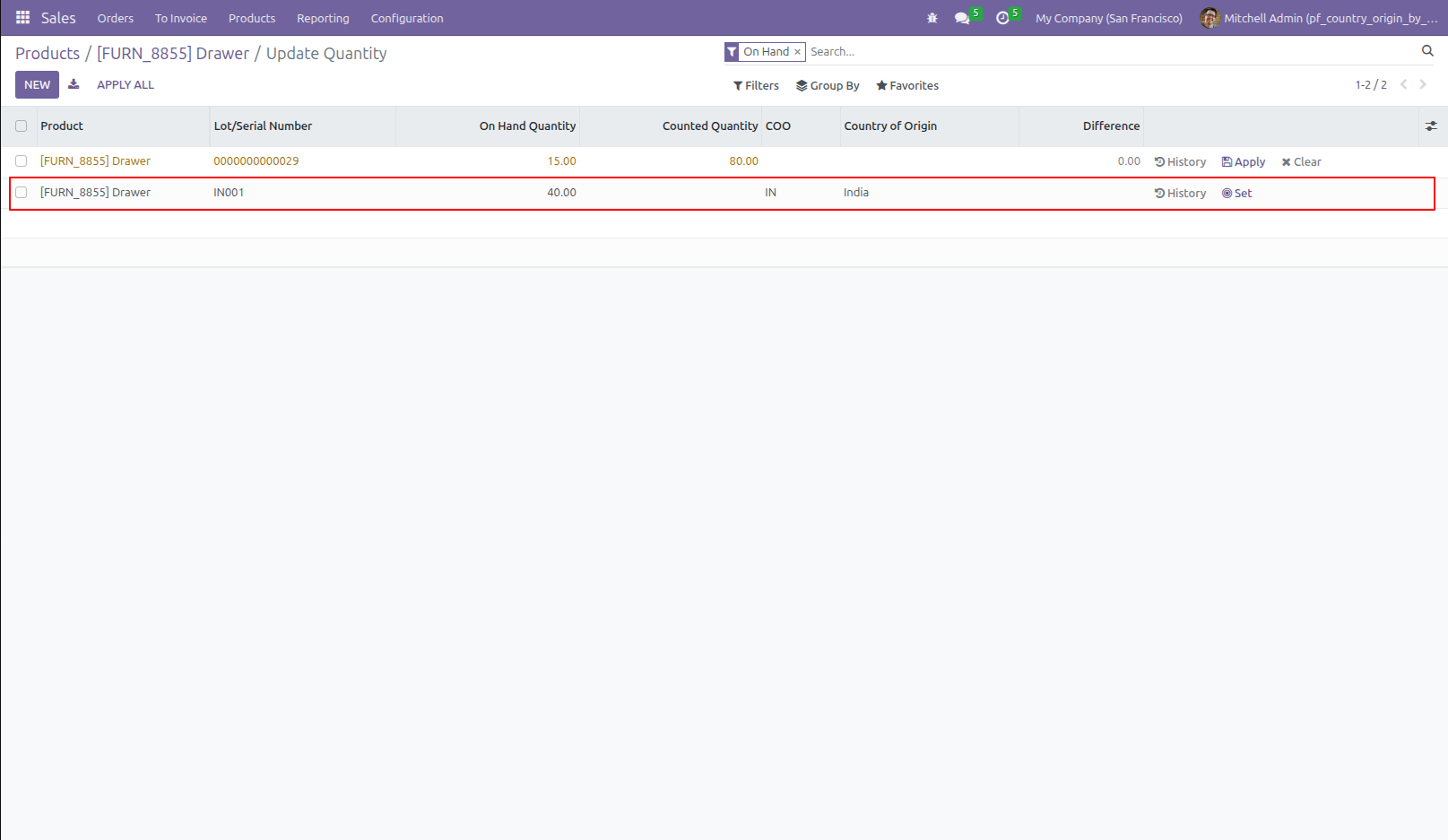
6.After confirming the Sales Order, the On Hand Quantity is automatically reduced based on the selected Country of Origin.
Our Pricing includes User Manual, 90 Days Support (Monday-Friday 10am to 7pm IST) and One time Setup
• Works & tested on standard installations of Odoo with no third party apps,
• Free support only for odoo installations with no third party apps,
• Paid support available for Odoo installations with third party apps.

Prefortune is a Odoo Official Partner, Odoo Development company. Our philosophy is to use Open Source tools and technologies to provide cost effective and green solutions for our customers.
Prefortune Technologies LLP is working on web development, Mobile development, and Odoo ERP.
If you need any help or want more additional features, you may contact us through:
These other products might interest you
| Version | 19.0, 18.0, 17.0, 16.0, 15.0, 14.0 |