
Aerospace Security & Controlled Access with Odoo
Secure Aerospace Operations with Odoo Apps for Access Control, Data Protection & Compliance

Our all-inclusive Odoo – Hide Action Button in Odoo App is a customizable tool designed to enhance user interface management in software platforms, supporting both Community and Enterprise Editions. It allows users to selectively hide or show various action buttons, including Actions, Archive, Unarchive, Delete, Export, Duplicate, and Print buttons, enabling a streamlined and tailored user experience. By toggling the visibility of these buttons, the app reduces interface clutter, prevents accidental actions, and adapts the system to specific workflows or user roles, making it ideal for environments like document management systems, CRMs, or project management tools where interface simplicity and customization are key.
First we need to activate the "Hide Action Button in Odoo App" module. Once activated, go to the Settings menu and open the Users section. Select the user for whom you want to hide specific action buttons. Inside the user's form, you will find a new page called "Hide Actions". On this page, you can see all the available action buttons that can be hidden. Simply enable the options for the actions you want to hide for that user, then save your changes. After this, the selected action buttons will be hidden for that user in the Odoo app.
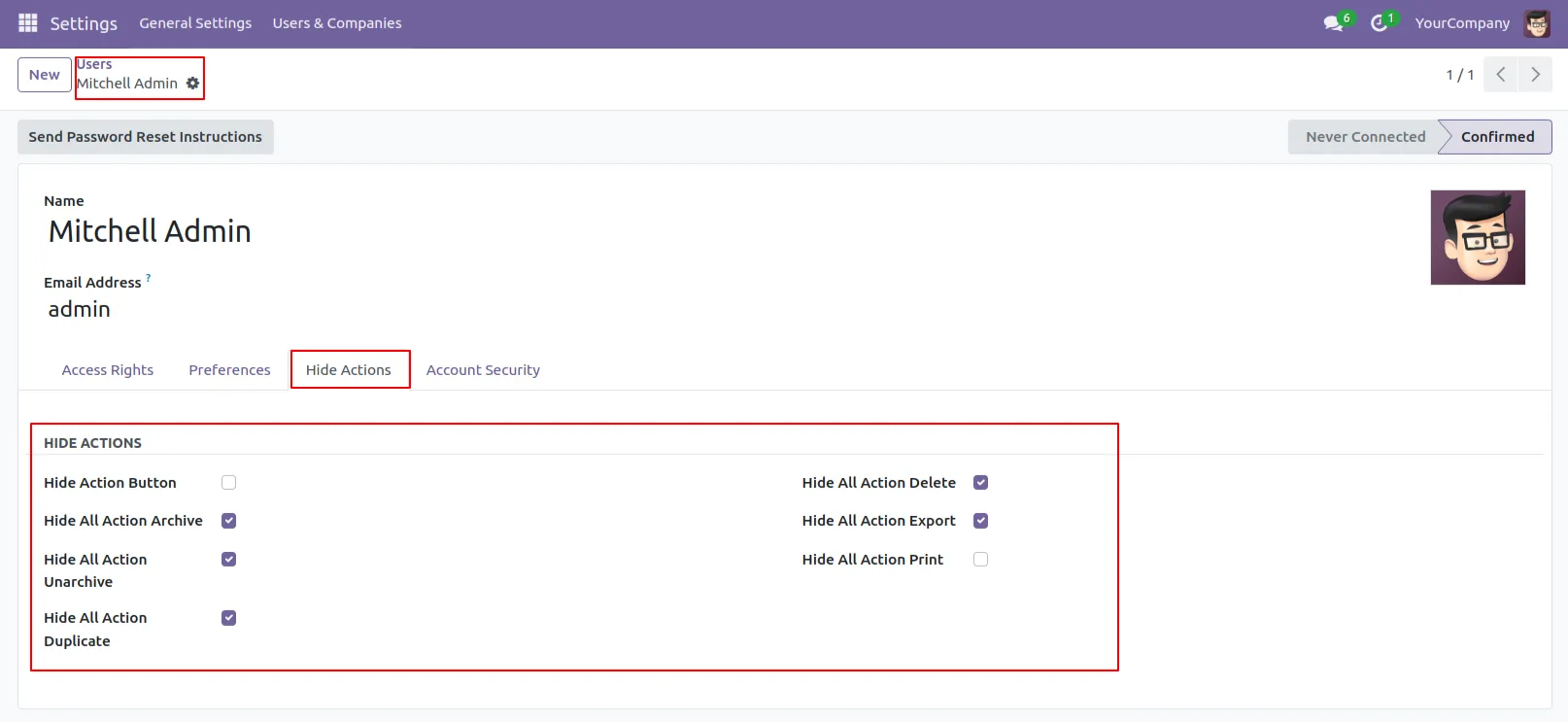
1.Go to the User and Inside the user see Hide Actions page.
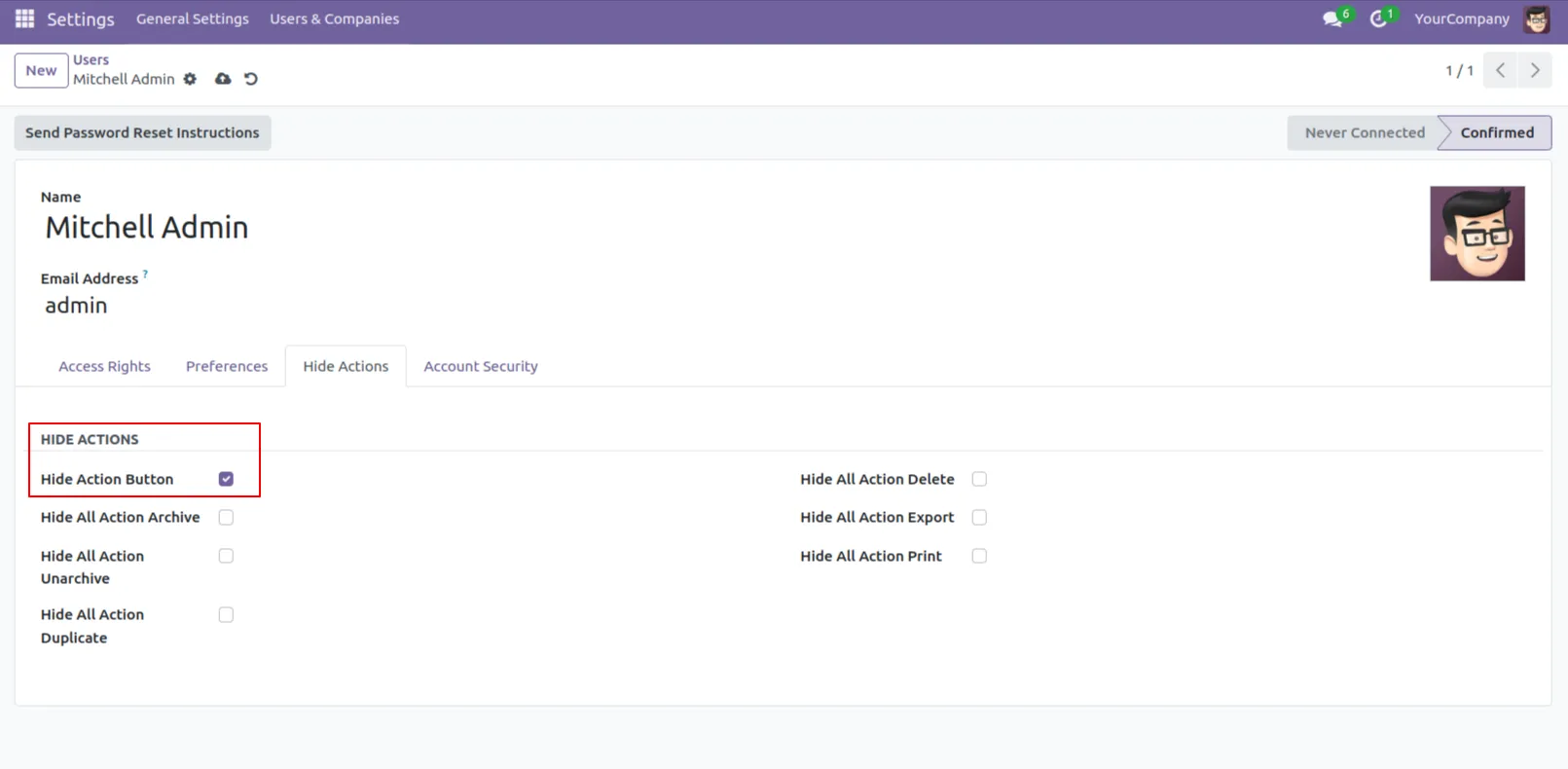
2.Enable the Hide Action Button.
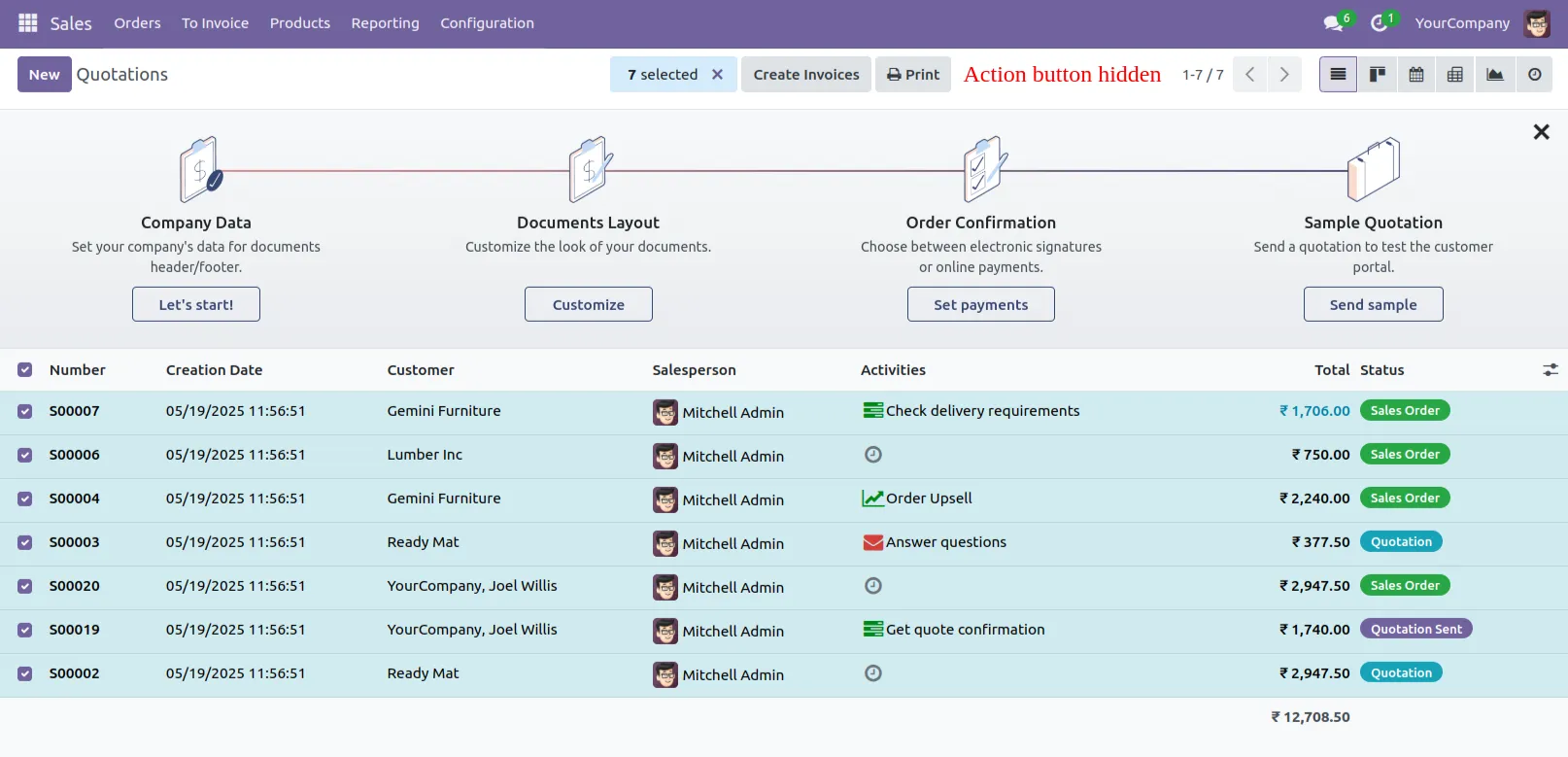
3.Action button is hidden.
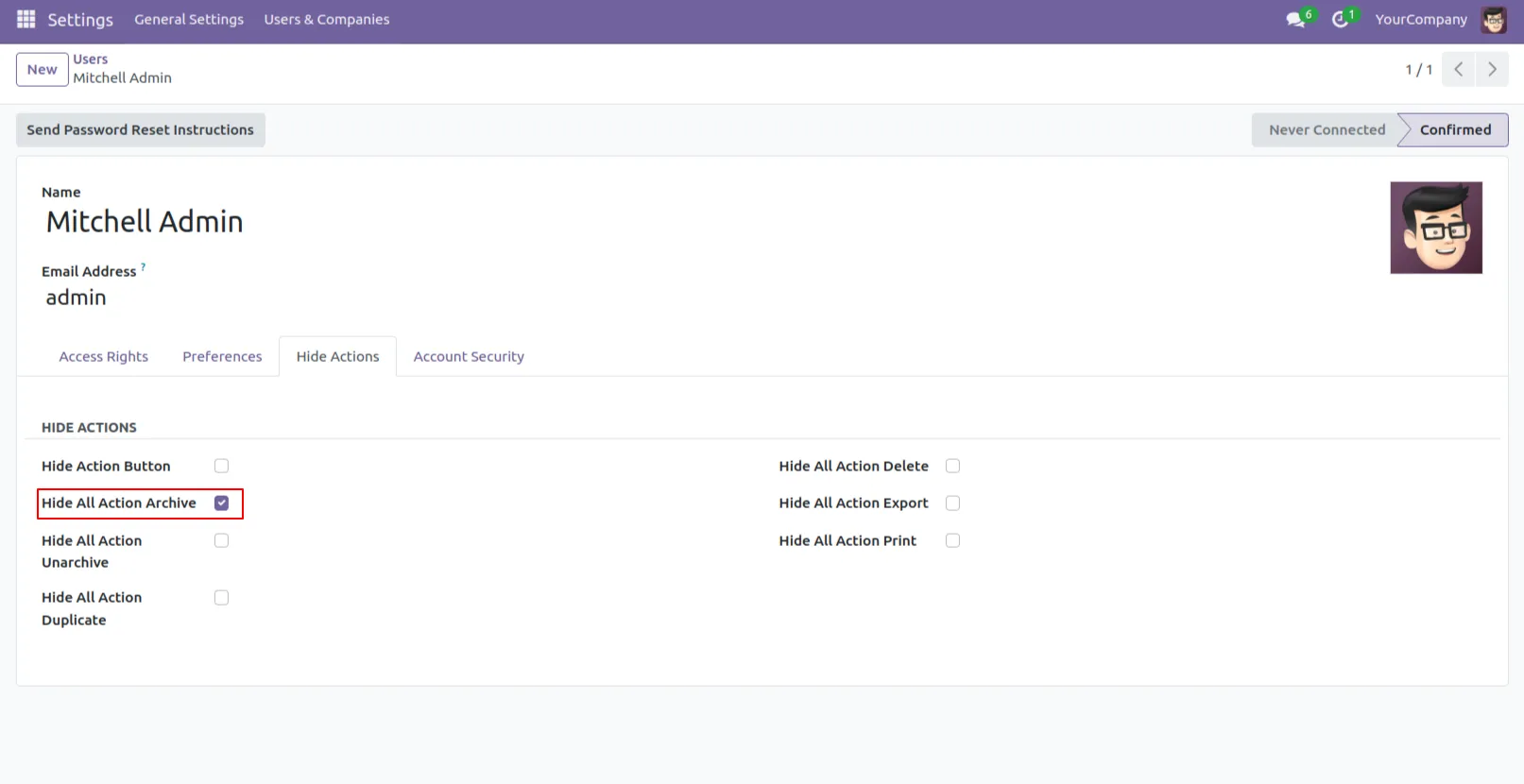
4.Enable the Hide All Action Archive.
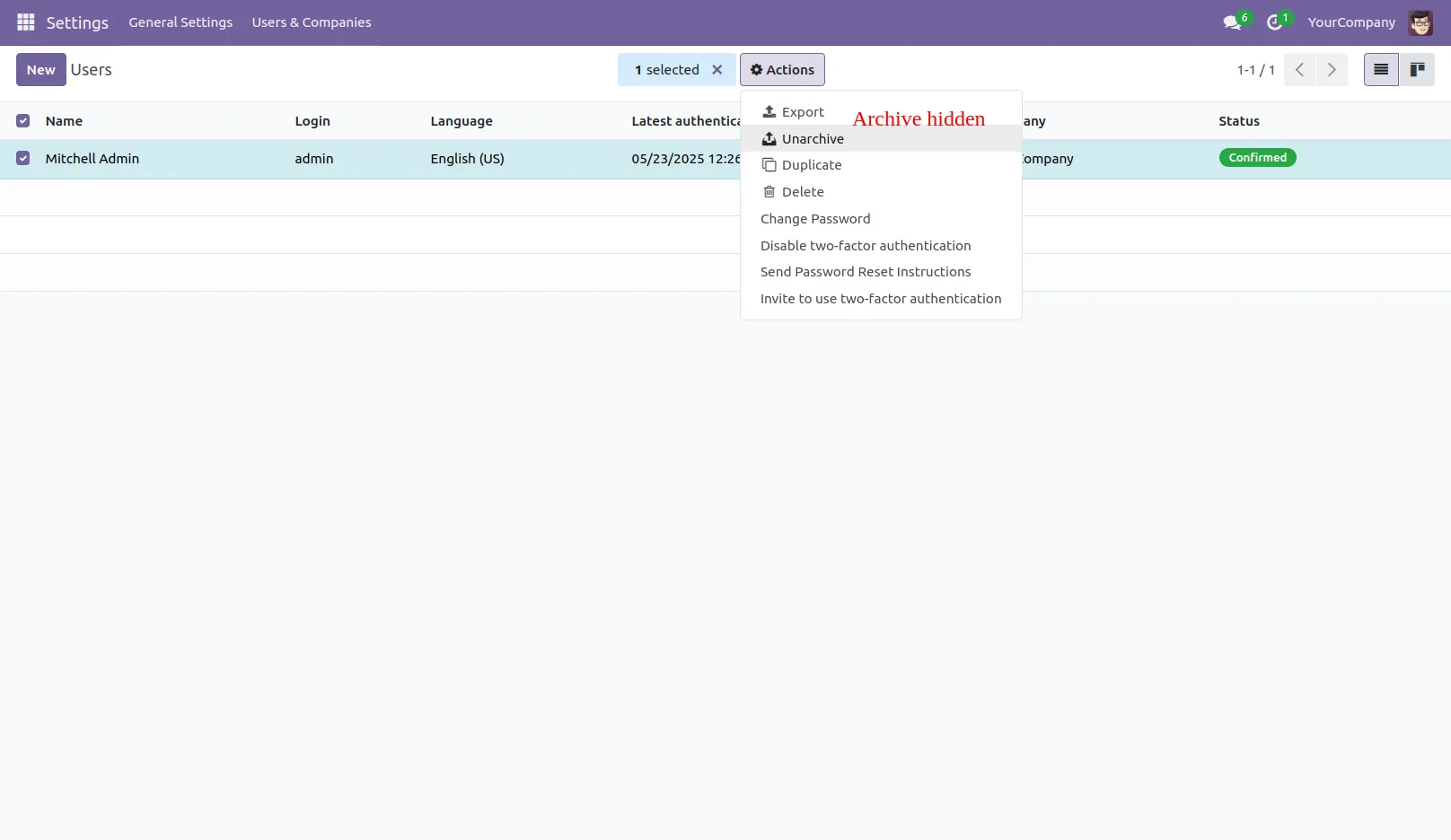
5.Archive Action is hidden.
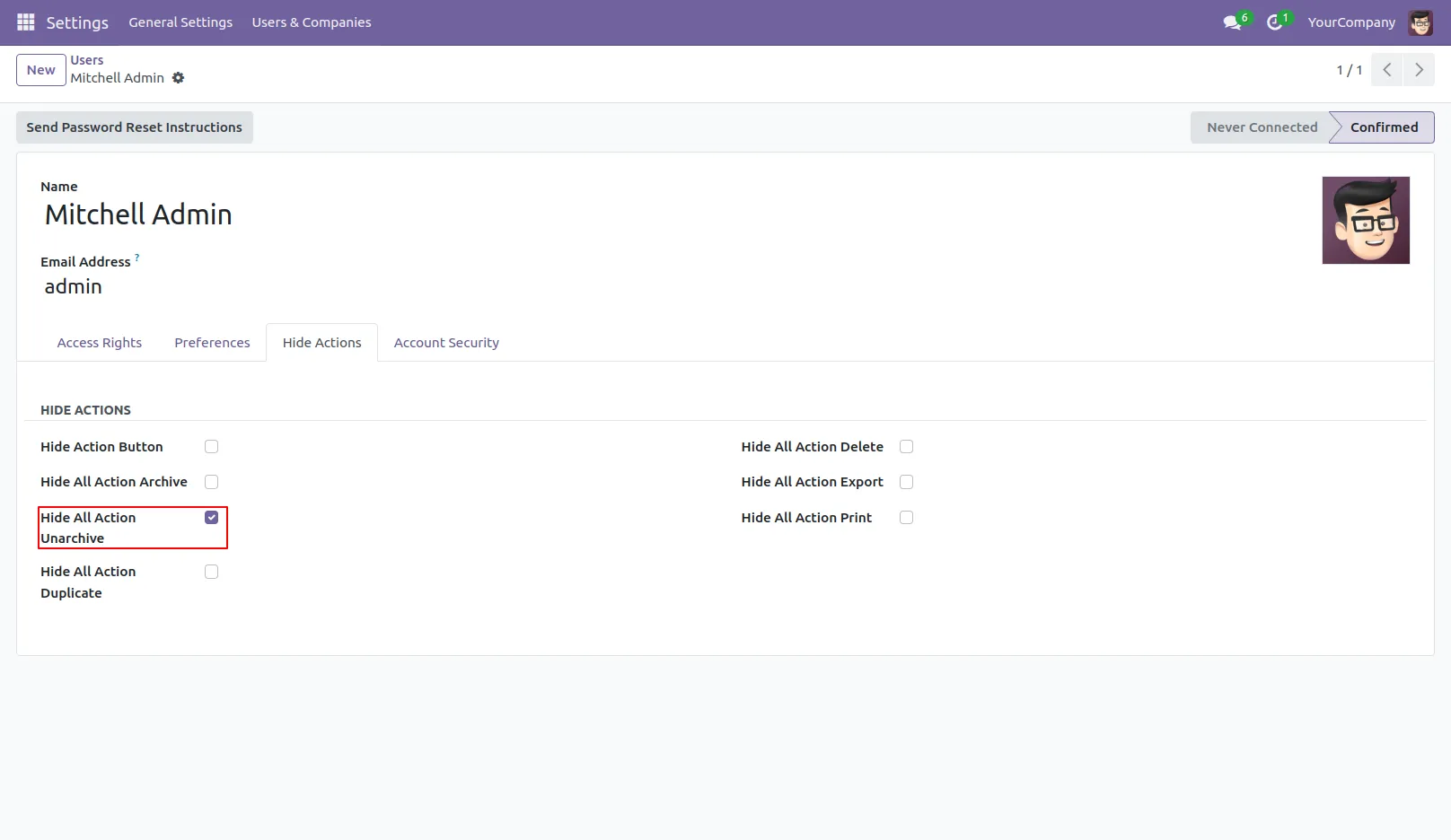
6.Enable the Hide All Action Unarchive.
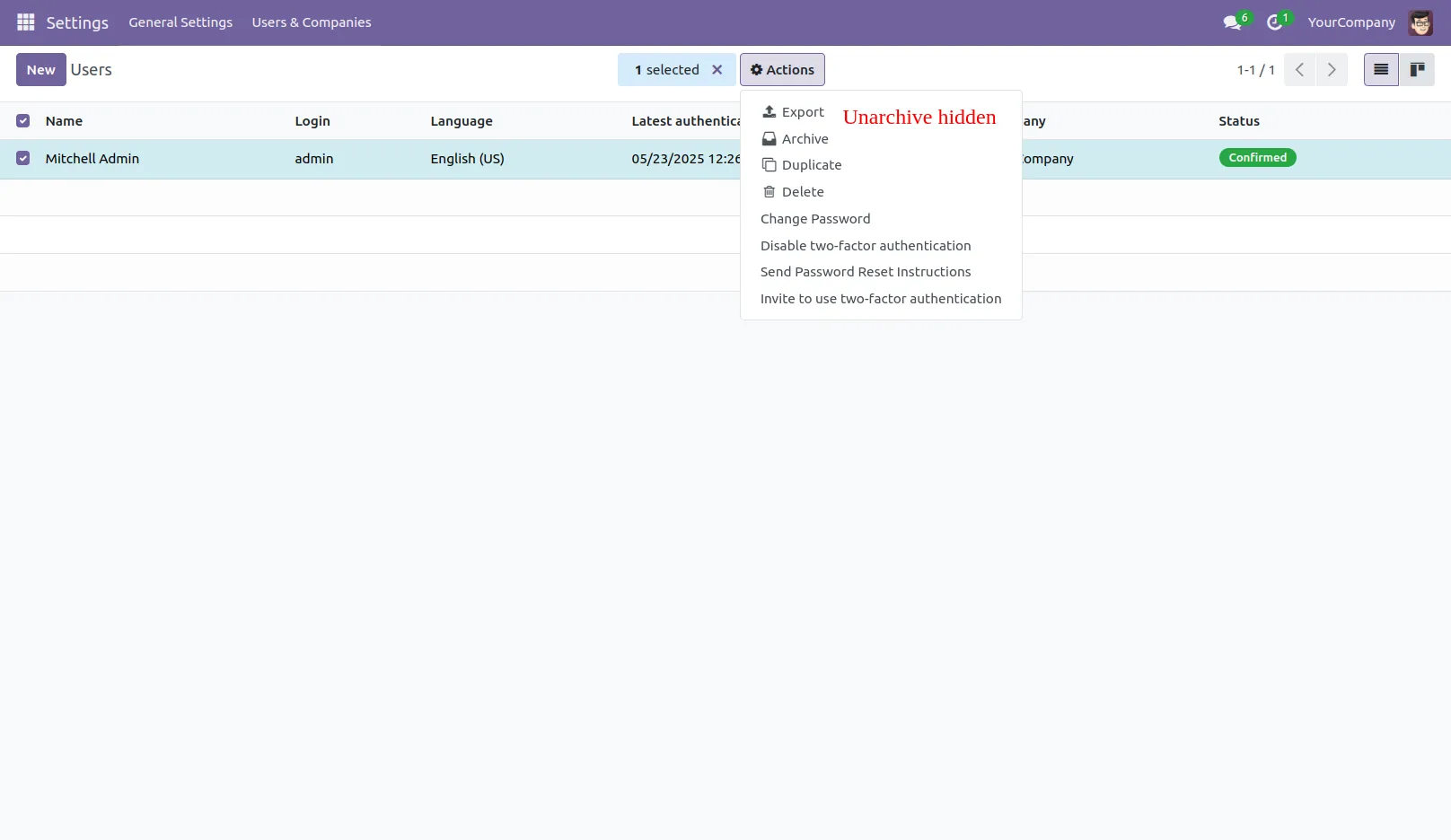
7.Unarchive action is hidden.
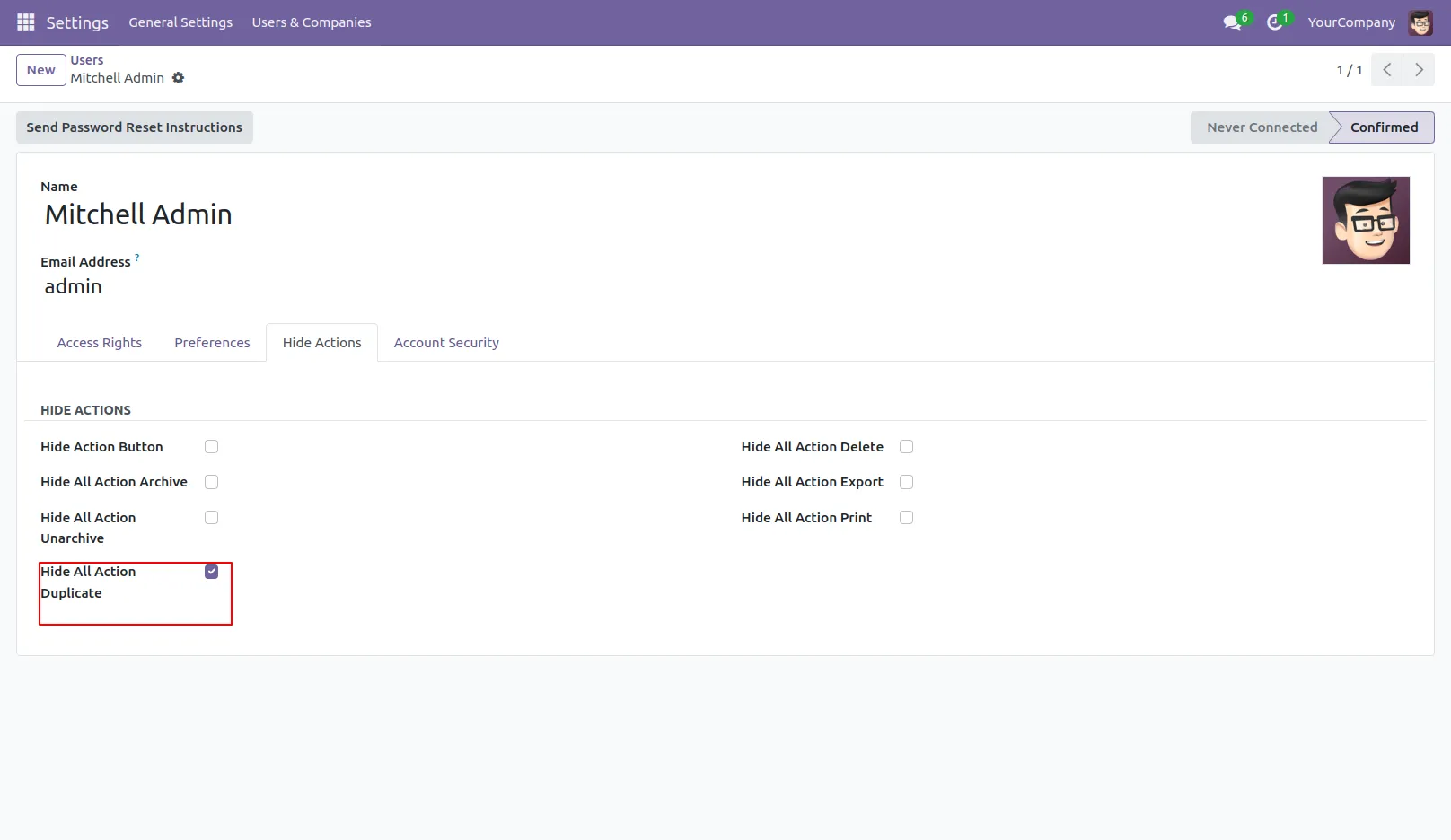
8.Enable the Hide All Action Dublicate.
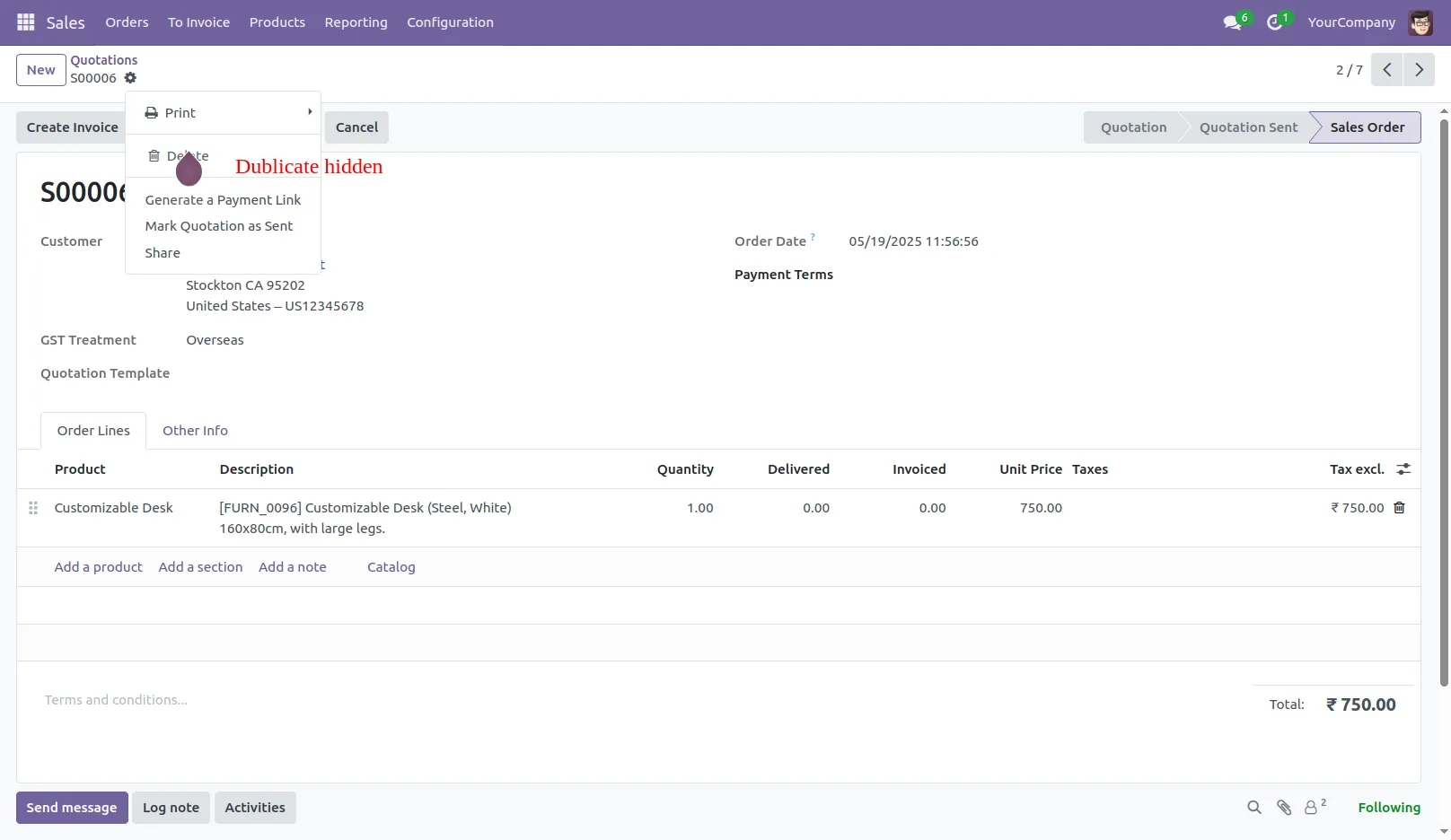
9.Dublicate action is hidden.
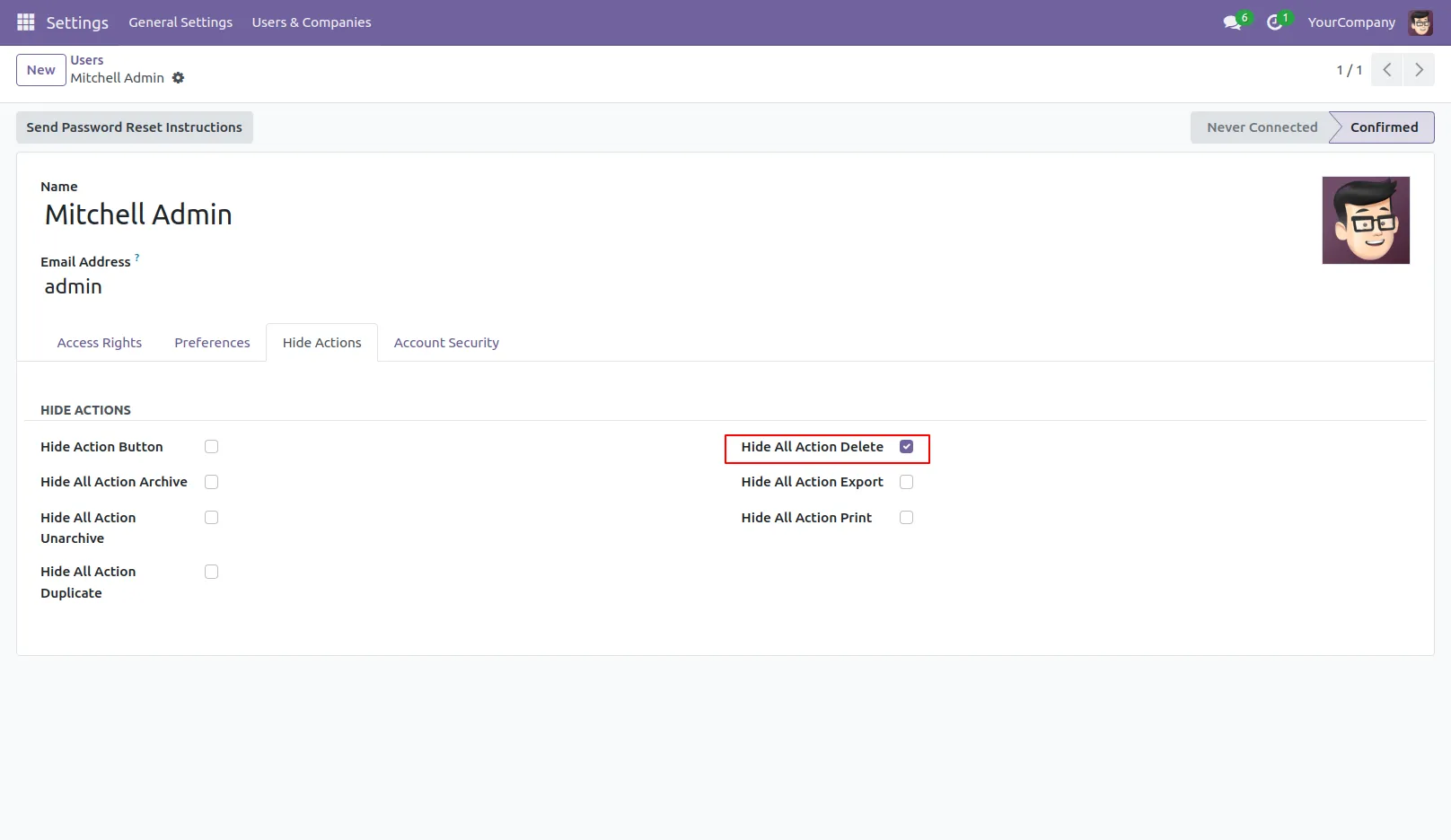
10.Enable the Hide All Action Delete.
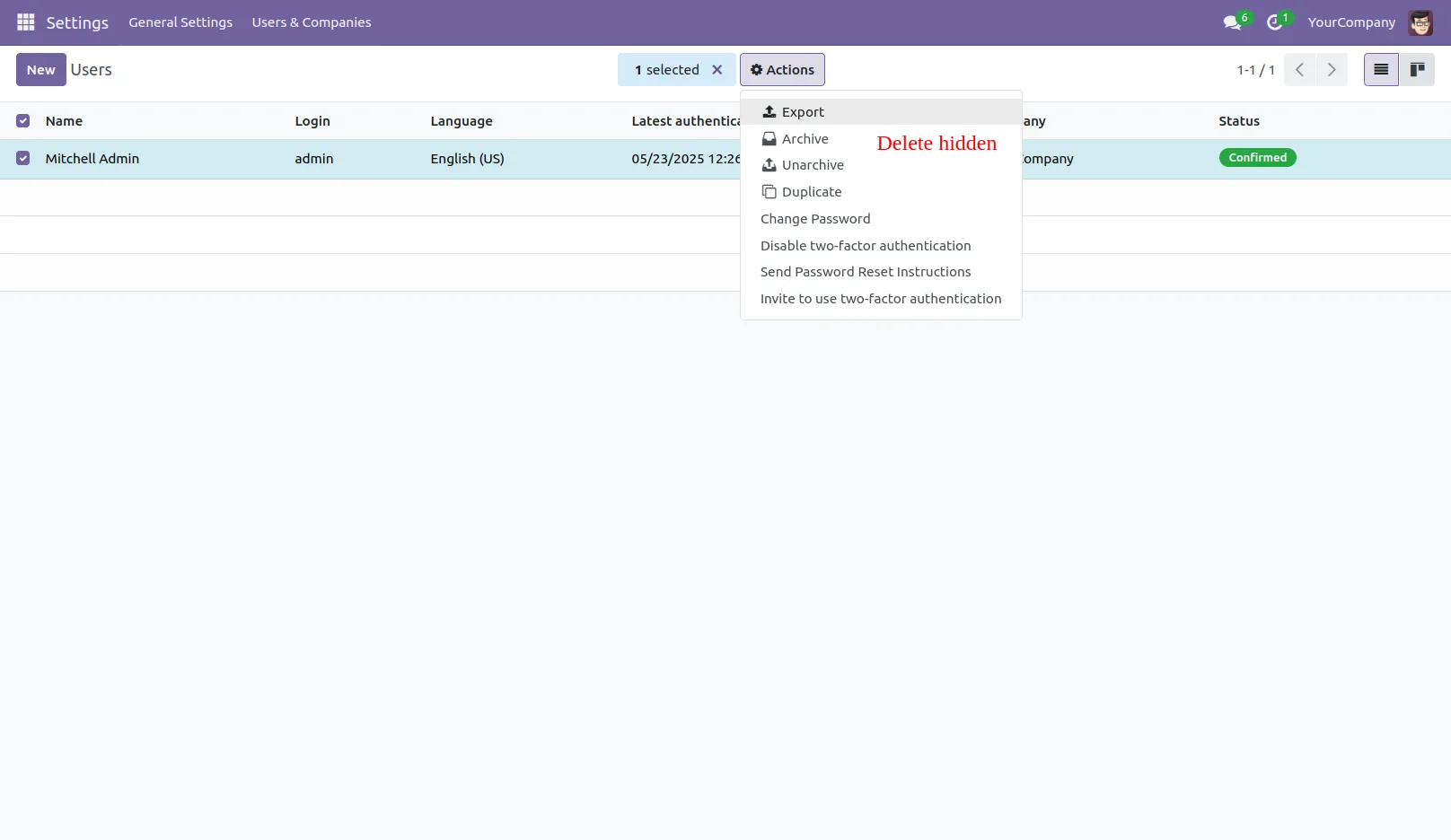
11.Delete action is hidden.
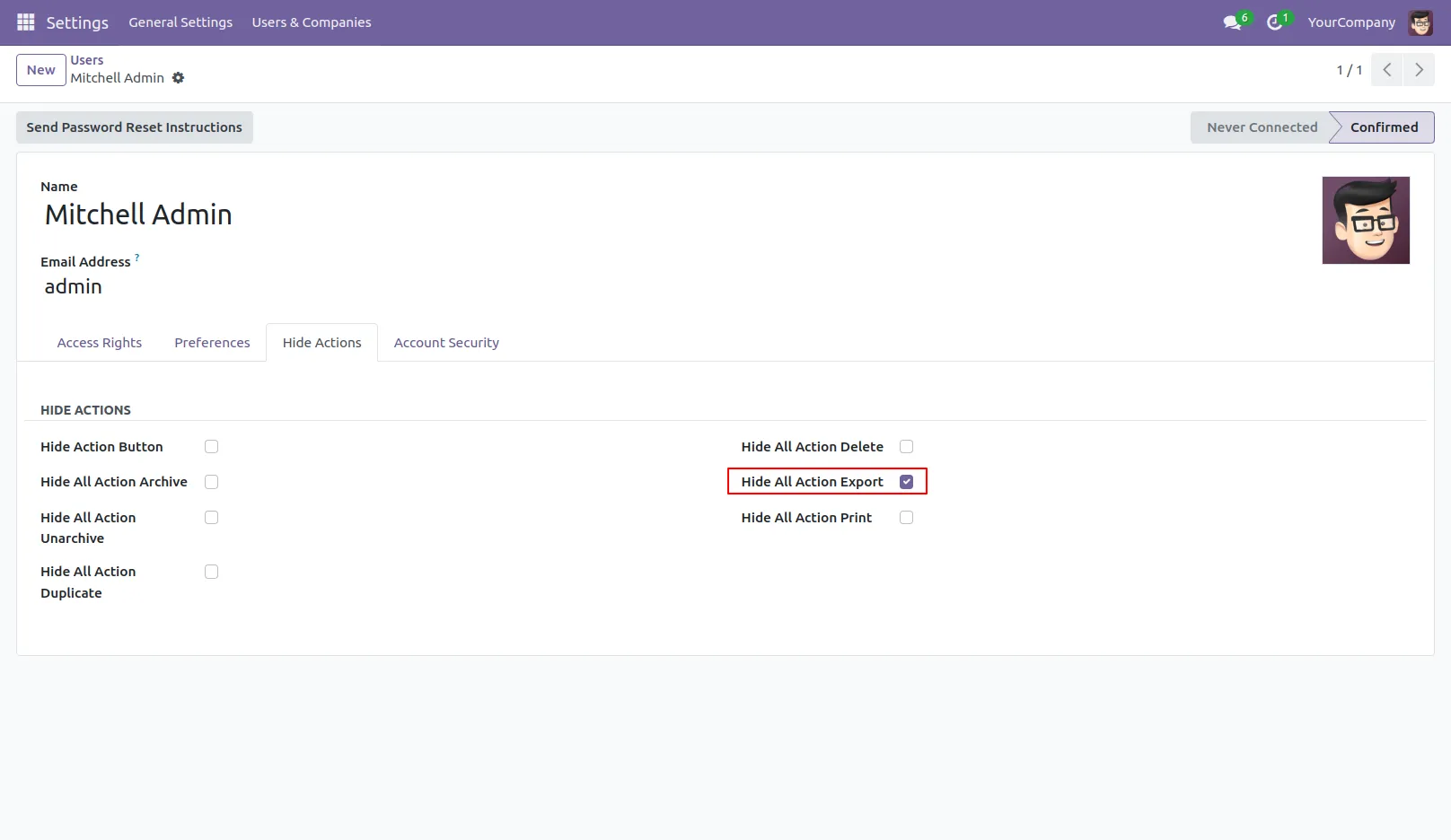
12.Enable the Hide All Action Export.
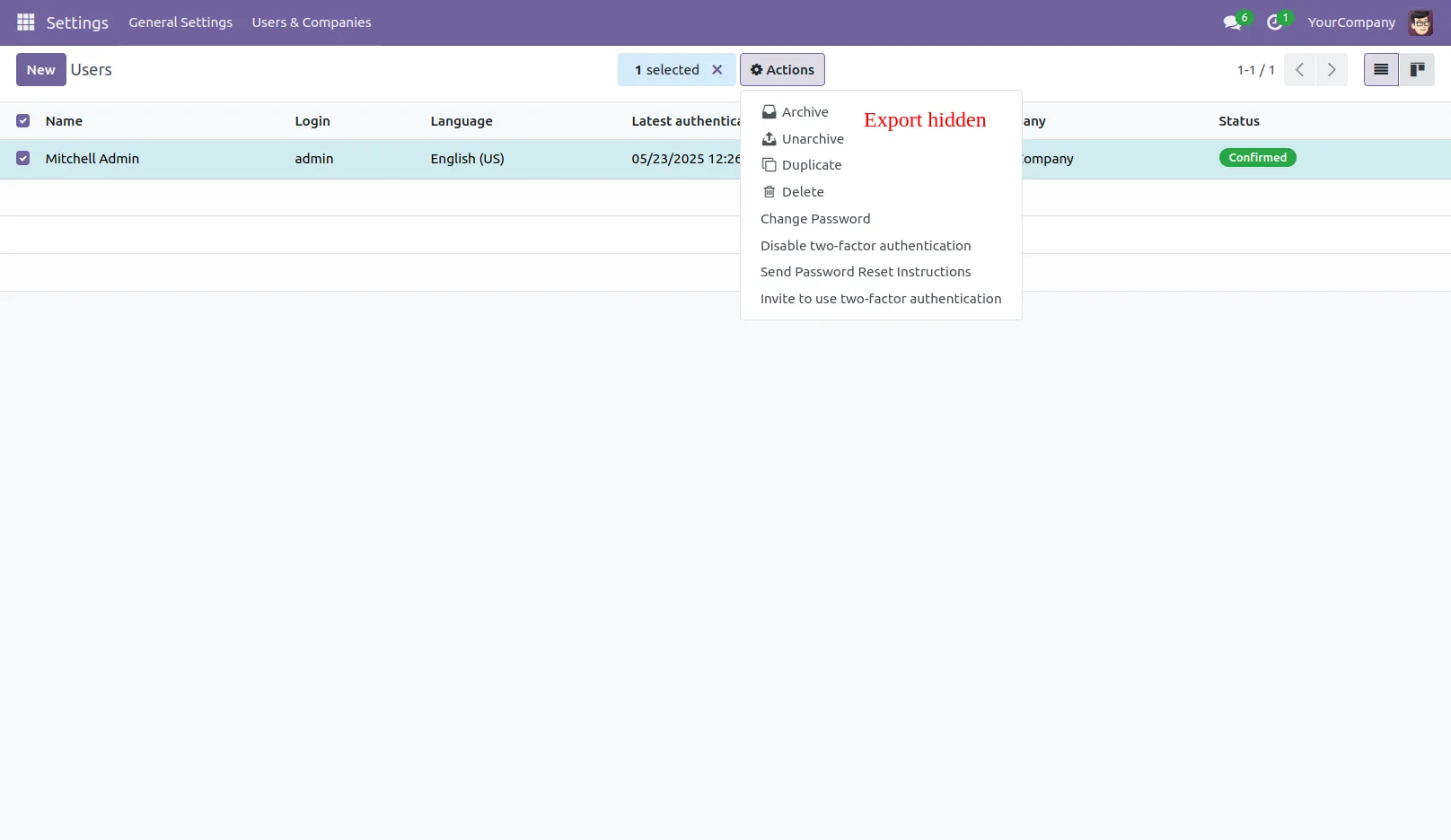
13.Export action is hidden.
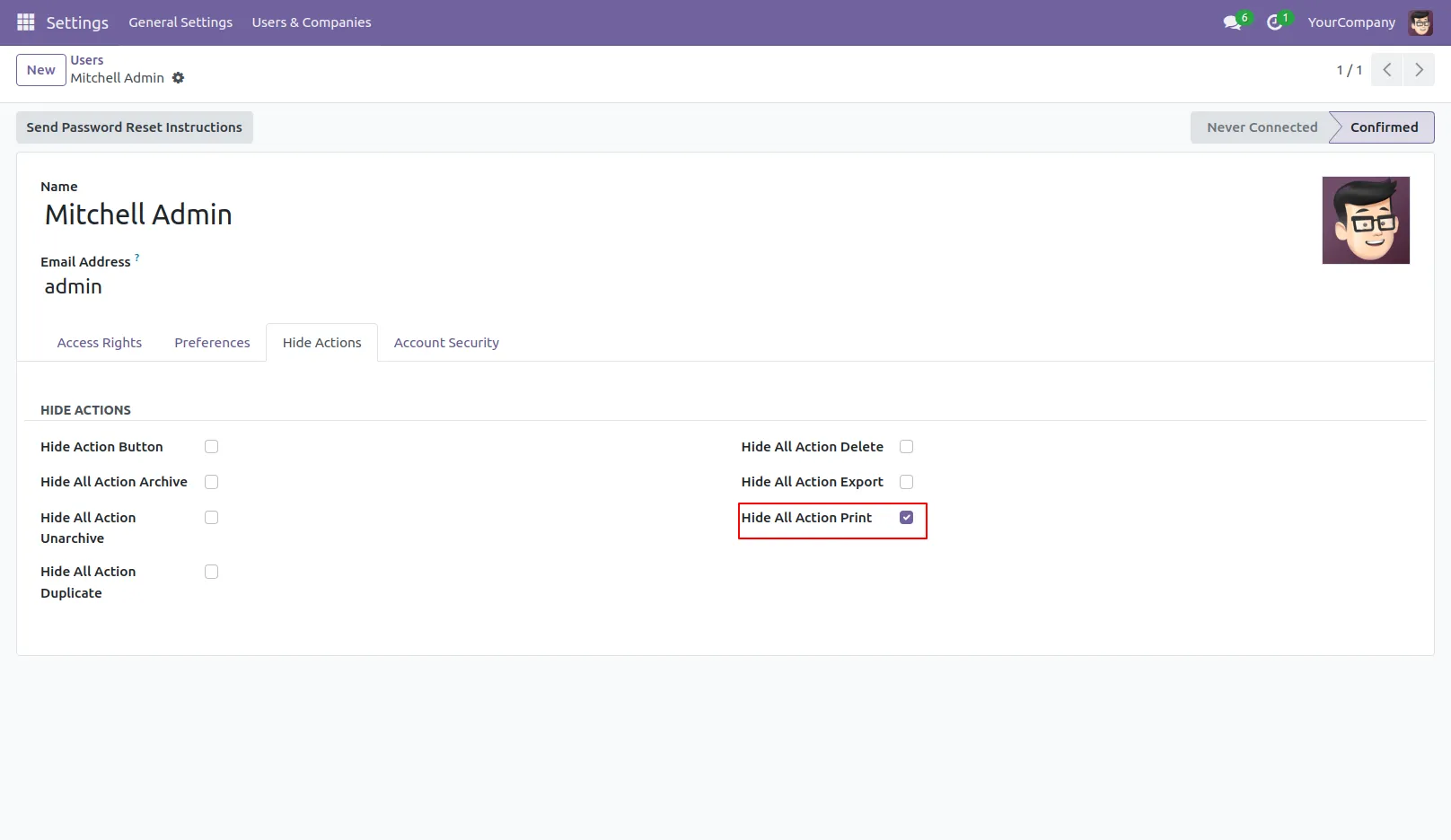
14.Enable the Hide All Action Print.
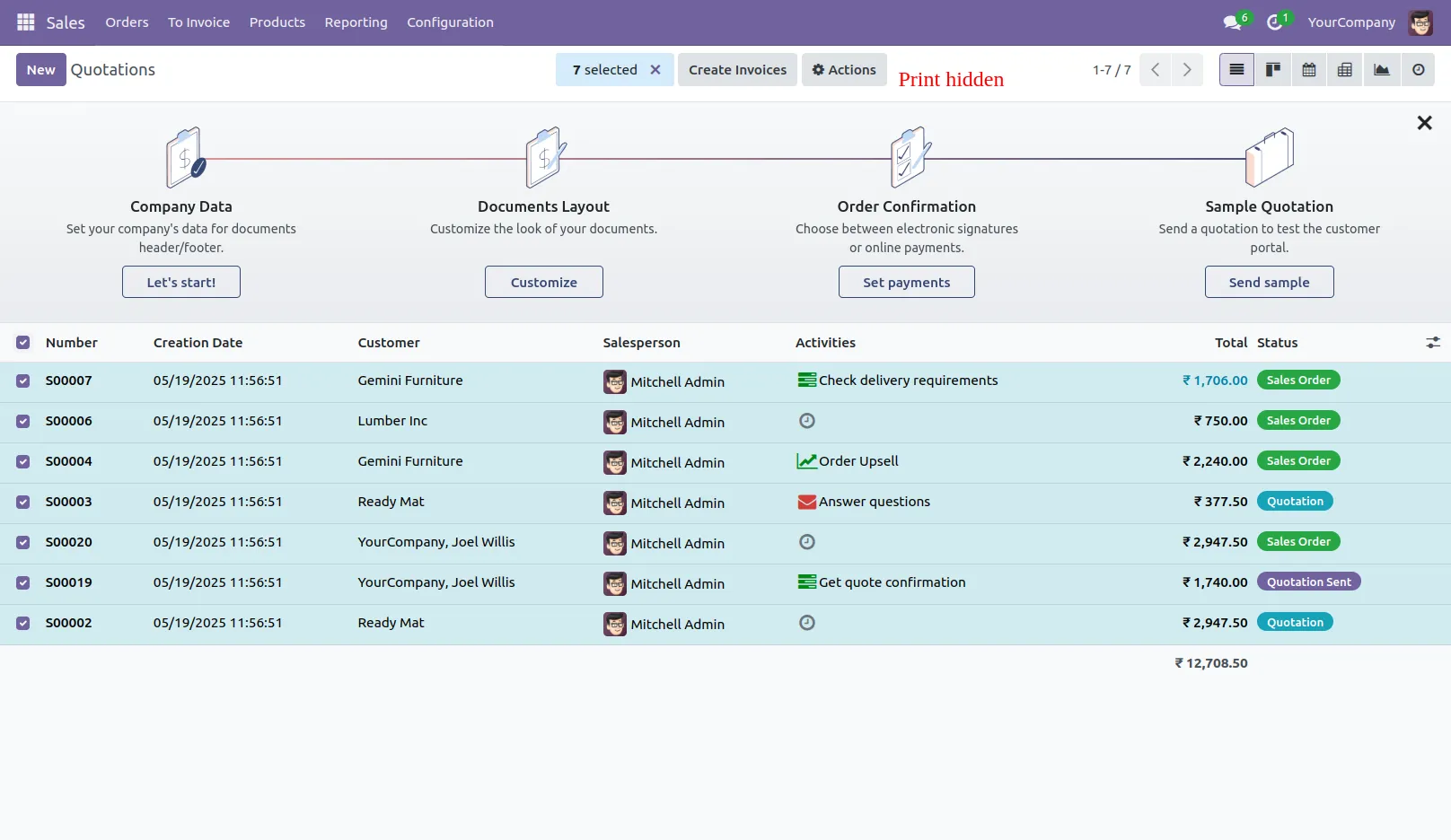
15.Print button is hidden.
Our Pricing includes User Manual, 90 Days Support (Monday-Friday 10am to 7pm IST) and One time Setup
• Works & tested on standard installations of Odoo with no third party apps,
• Free support only for odoo installations with no third party apps,
• Paid support available for Odoo installations with third party apps.

Prefortune is a Odoo Official Partner, Odoo Development company. Our philosophy is to use Open Source tools and technologies to provide cost effective and green solutions for our customers.
Prefortune Technologies LLP is working on web development, Mobile development, and Odoo ERP.
If you need any help or want more additional features, you may contact us through:
These other products might interest you
| Version | 18.0, 17.0, 16.0, 15.0, 14.0, 13.0 |