Watch Quick Video
Documents & Attachments Version Odoo App
Documents & Attachments Version Odoo App
module improves attachment control in odoo by providing a complete history of document versions. Every time a file with the same name is uploaded, it is automatically filed as a new version while all the previous copies are stored for future reference. Dedicated Previous Version and Next Version actions make it easy to flip between earlier and later versions, allowing an easy review of document changes over time. The module also allows flexible model-specific and company-specific versioning configuration, giving administrators the ability to control where versioning should be applied. The module allows businesses to keep a well-organized version history, improve document traceability, and ensure that each revision is accessible. This helps to manage important documents with accuracy, consistency, and confidence.
Documents & Attachments Version Odoo App Features
- Automatically maintains a complete version history of a document. For multiple uploads it creates a new version and keeps all previous versions for future reference.
- Maintain a full and traceable history for each document, including the version number, the person who created it, when it was created and the record to which it relates.
- Enable document versioning Choose the Odoo models you want to keep version history and filter the records that shouldn’t be version tracked.
- Provide Previous Version and Next Version buttons so that users can easily jump from one version of a document to another. This allows users to quickly jump to a previous or later version without having to wade through several attachments.
- Company-specific versioning configuration. Each company can manage attachments independently and define its own rules for document versioning in a multi-company environment.
Complete Workflow for Managing Documents & Attachments Version Odoo App Control
Install the module Documents & Attachments Version Odoo App Control and simply upload files as you normally would — on Chatter, on any record's Attachments view, or via Documents. Whenever a file with the same name, same type is uploaded again on the same record, the system automatically treats it as a new version instead of creating a duplicate or silently overwriting it. Each attachment gets a Document Version number, and users can jump between revisions instantly using the Previous Version and Next Version smart buttons right on the attachment form — no need to hunt through the Attachments list to find an older copy. To keep versioning focused only on what matters, go to Document Version Restriction and configure a company-specific list of models to exclude — for example journal entries, partners, or products — so non-critical or company-shared documents aren't versioned unnecessarily. Only one restriction record per company is allowed, and switching companies from the top bar always applies that company's own rules, keeping your document versioning workflow clean, predictable, and free of unwanted file clutter.
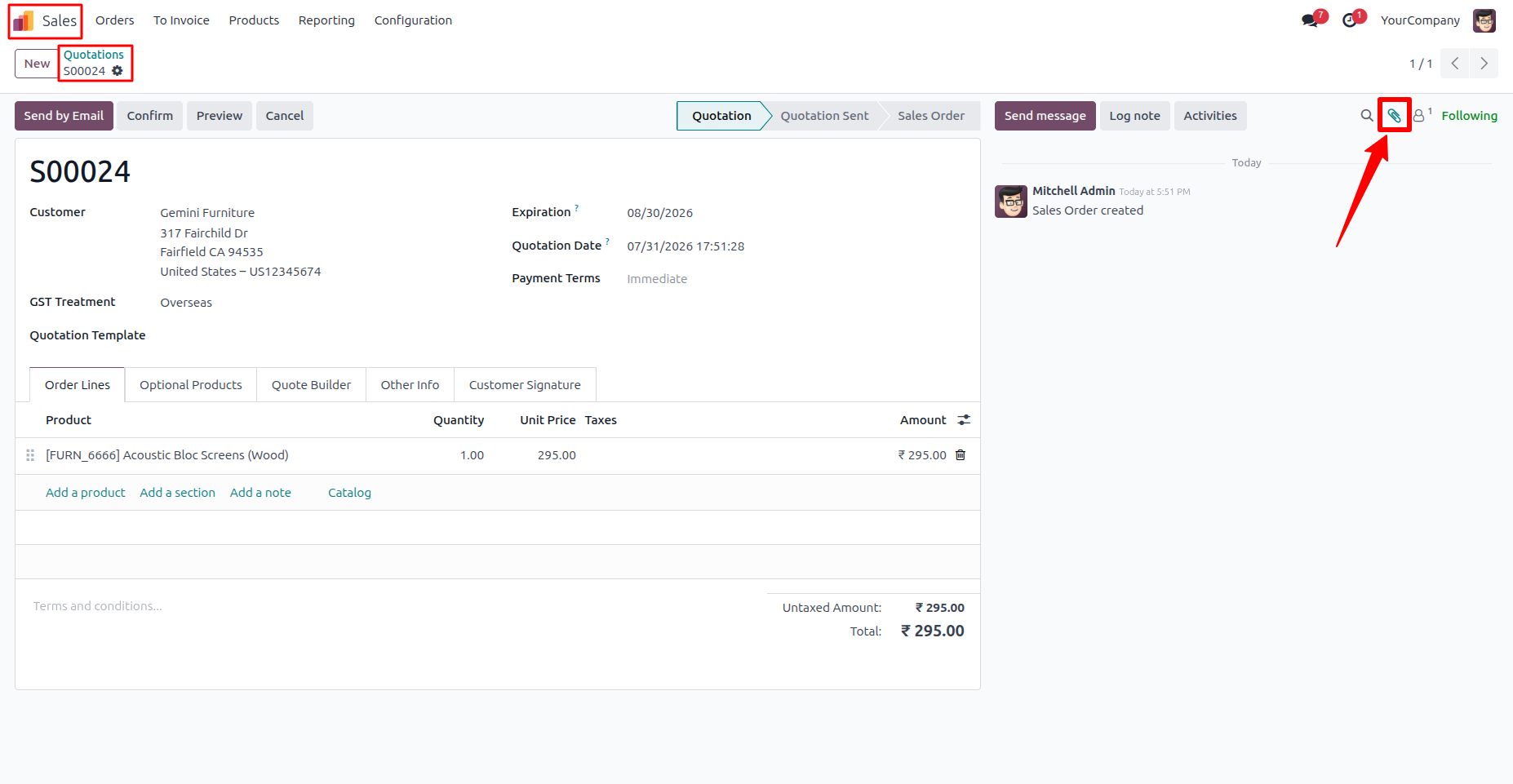
1. Open any business record, such as a Sales Order, and use the attachment button in the chatter to upload and manage related documents. Sales → Quotations
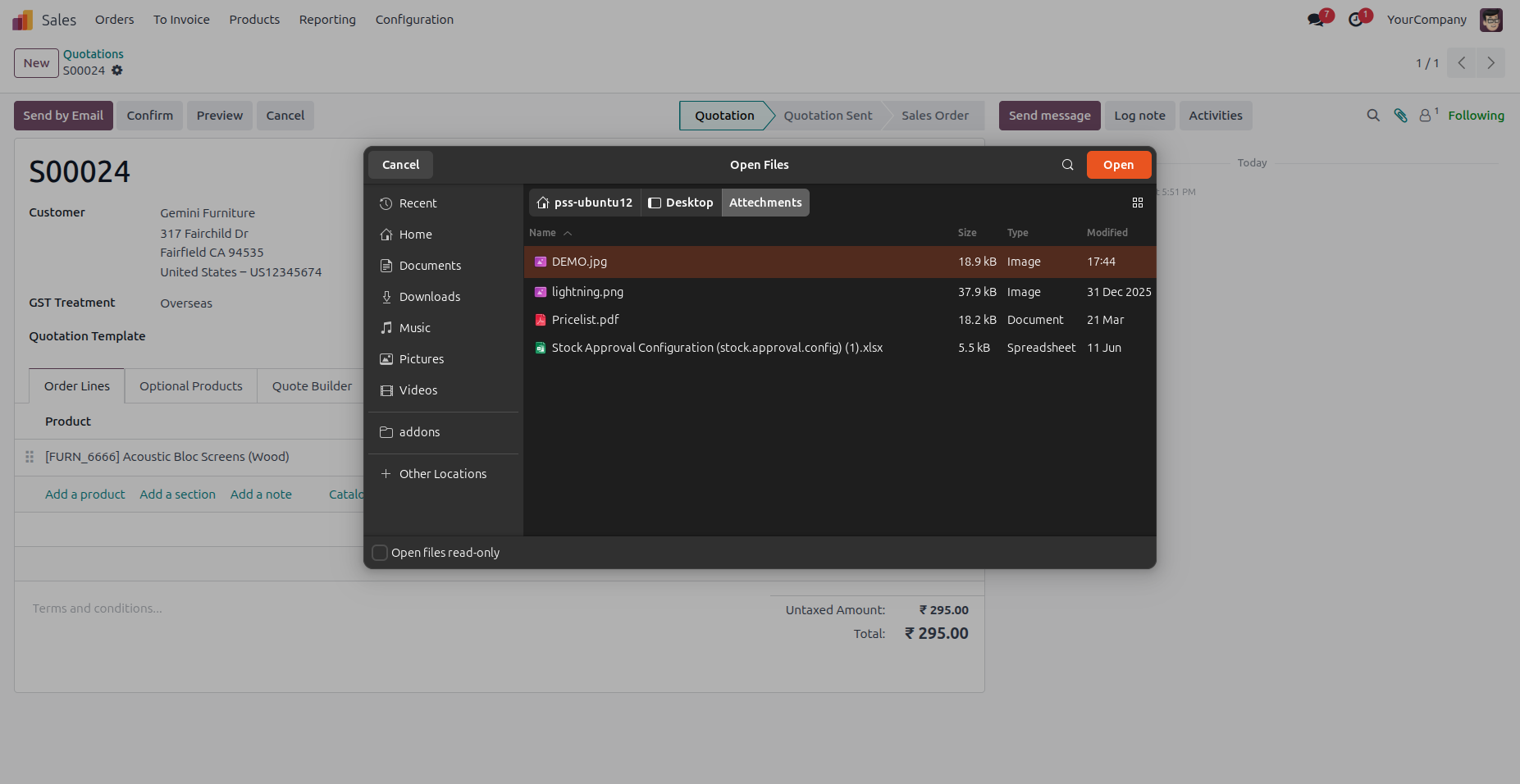
2. Choose a file from your local system to attach it to the selected business record. The module automatically manages version history for repeated uploads.
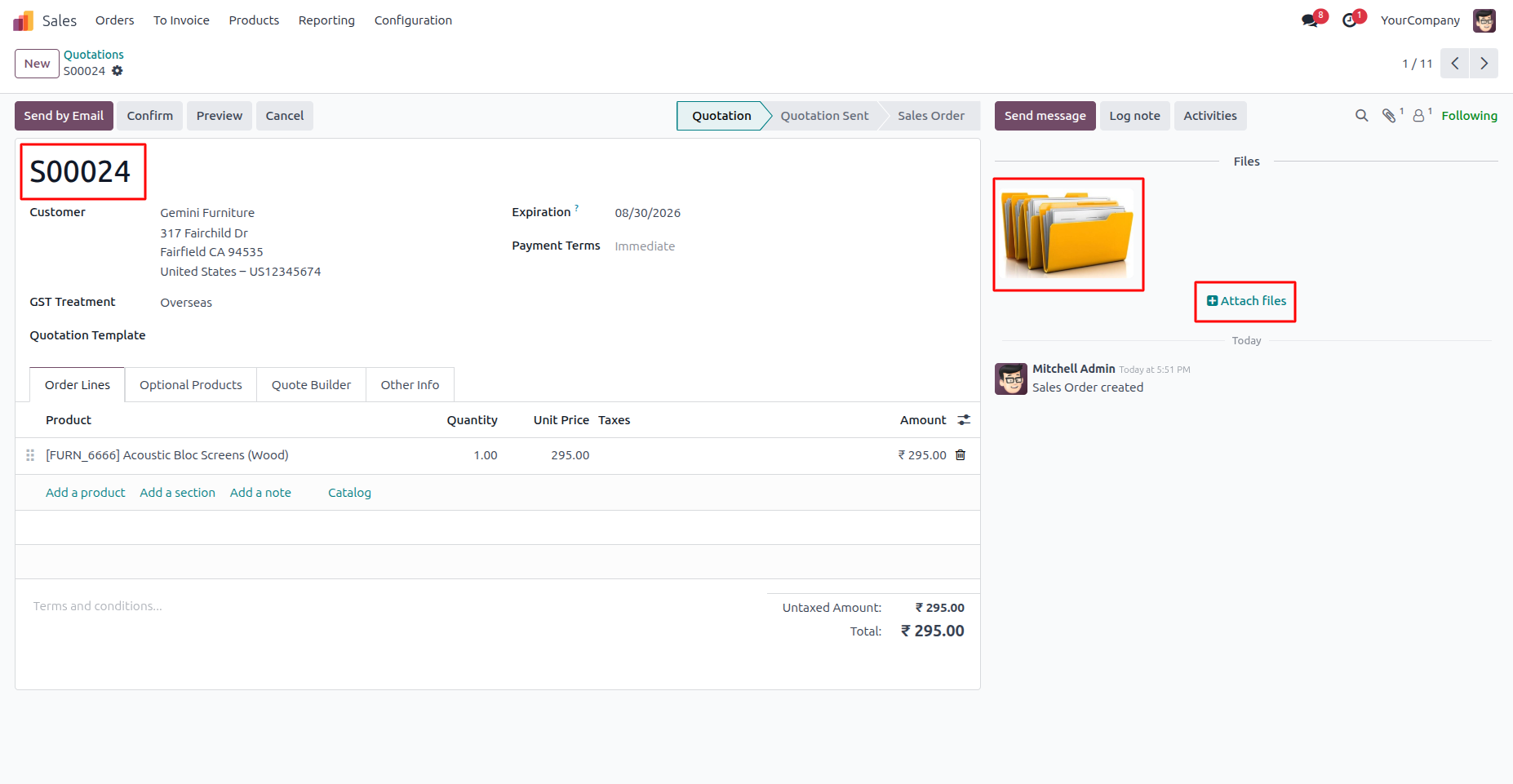
3. Once uploaded, attachments are displayed directly within the record's chatter, allowing users to access, manage, and organize all related documents from a single location.
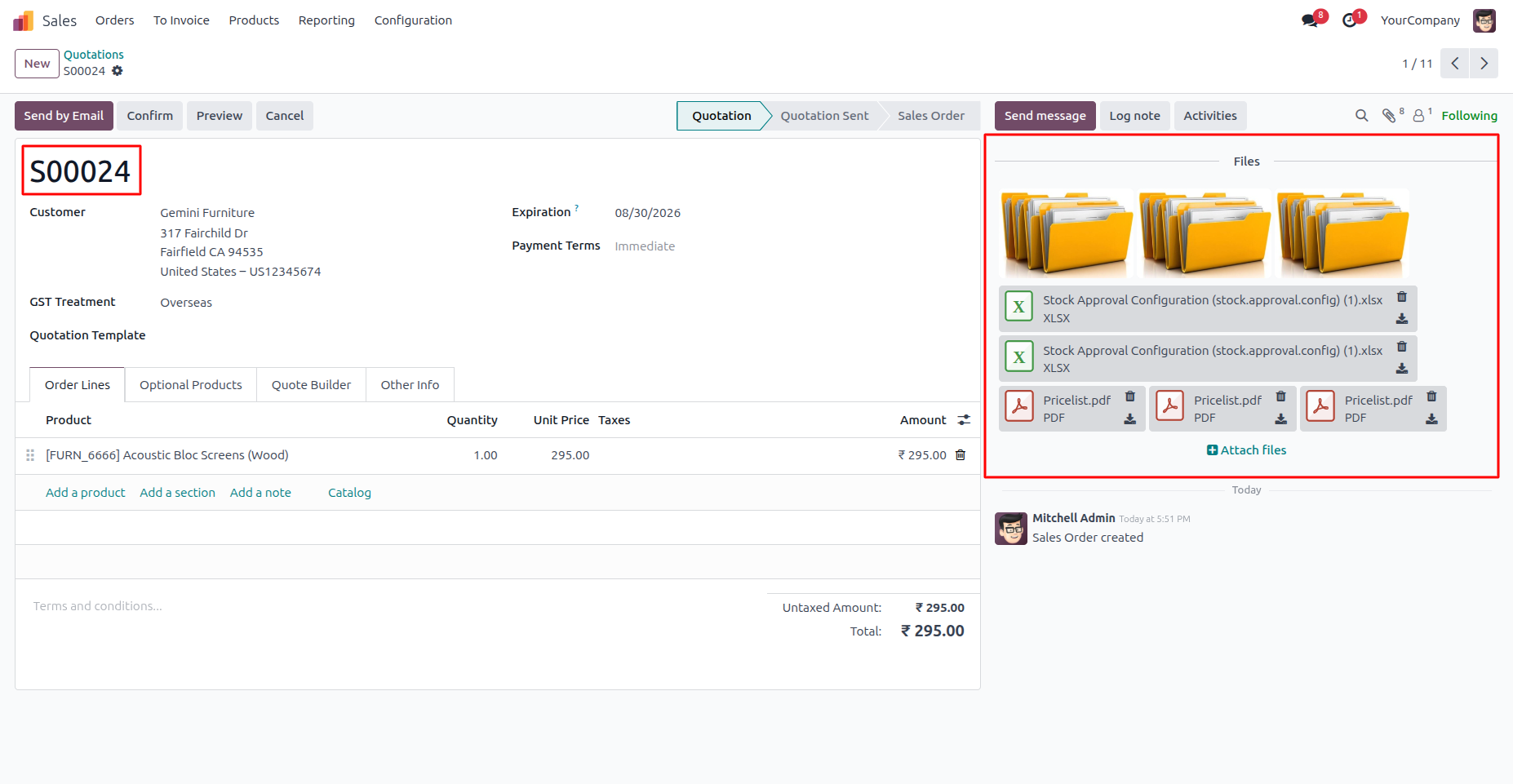
4. Uploading a document with the same name automatically creates a new version while preserving all previous versions. Users can view every document revision directly from the record, ensuring complete version history and improved document traceability.
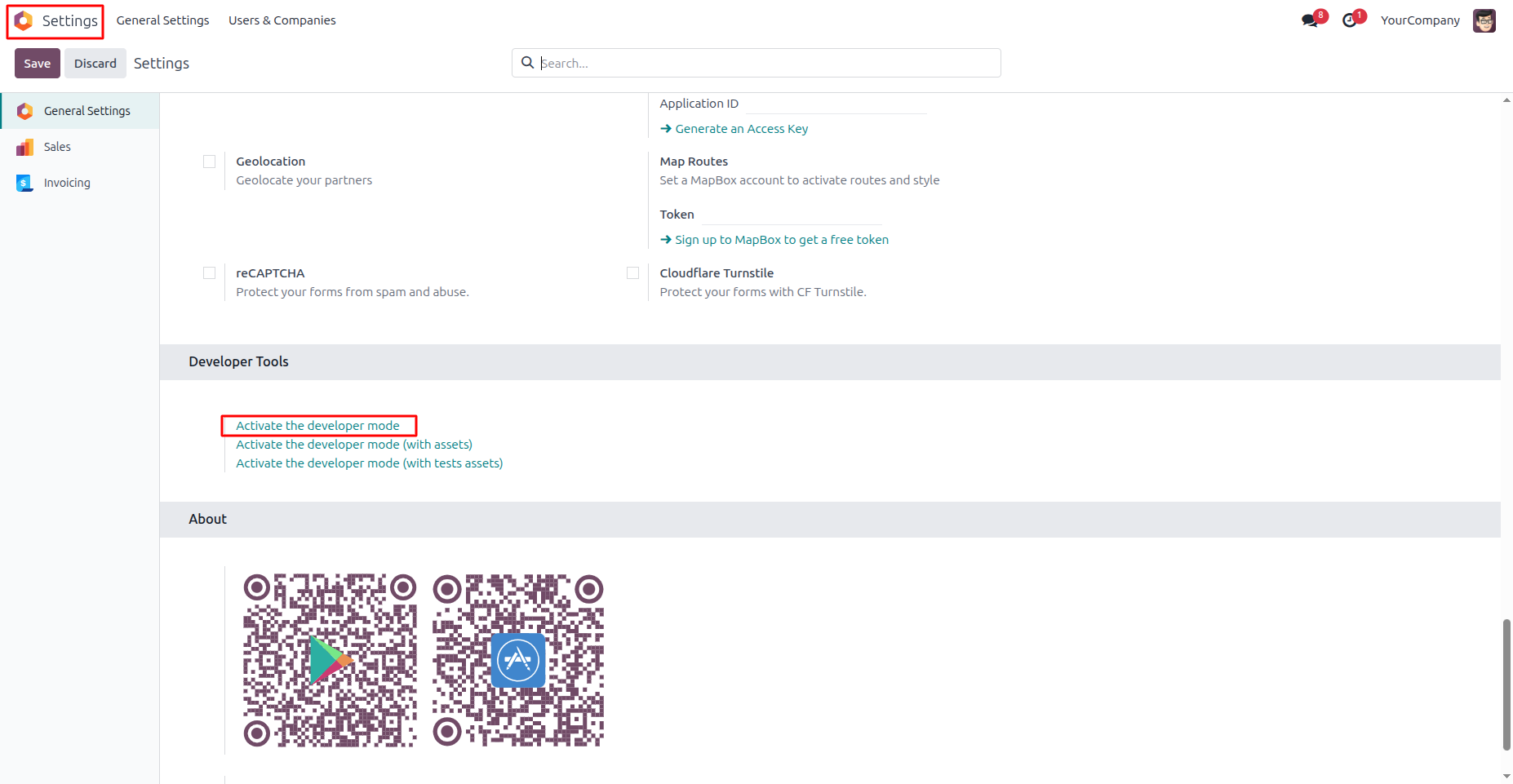
5. Enable Developer Mode to access Odoo's technical features, allowing administrators to view attachment records, version information, and advanced document versioning configuration. Navigation: Settings → General Settings → Developer Tools → Activate the Developer Mode
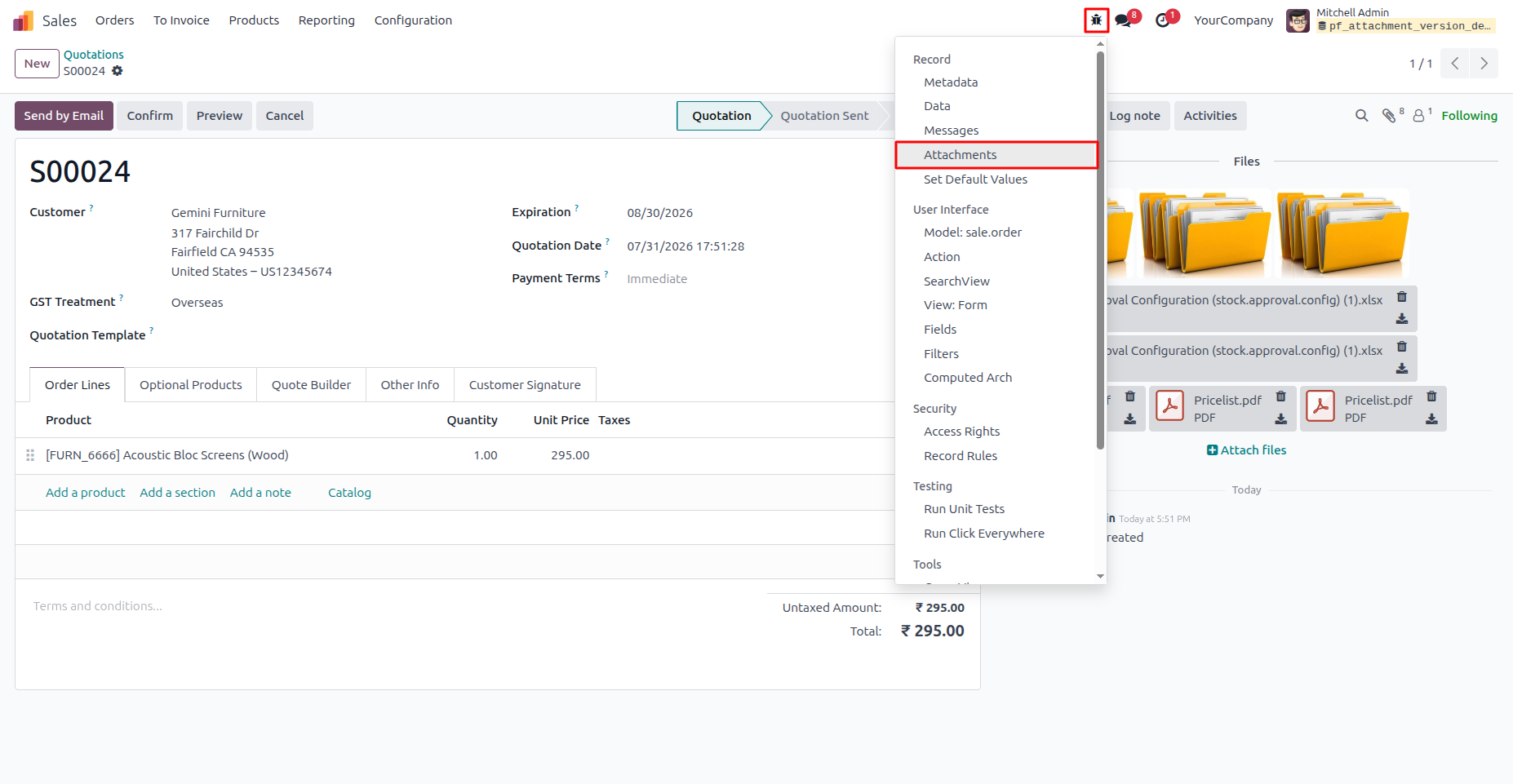
6.Open the attachment records directly from the Debug menu to review document versions, attachment details, and linked business records. This provides quick access to technical information for document management and troubleshooting. Navigation: Business Record → Debug Menu (Bug Icon) → Attachments
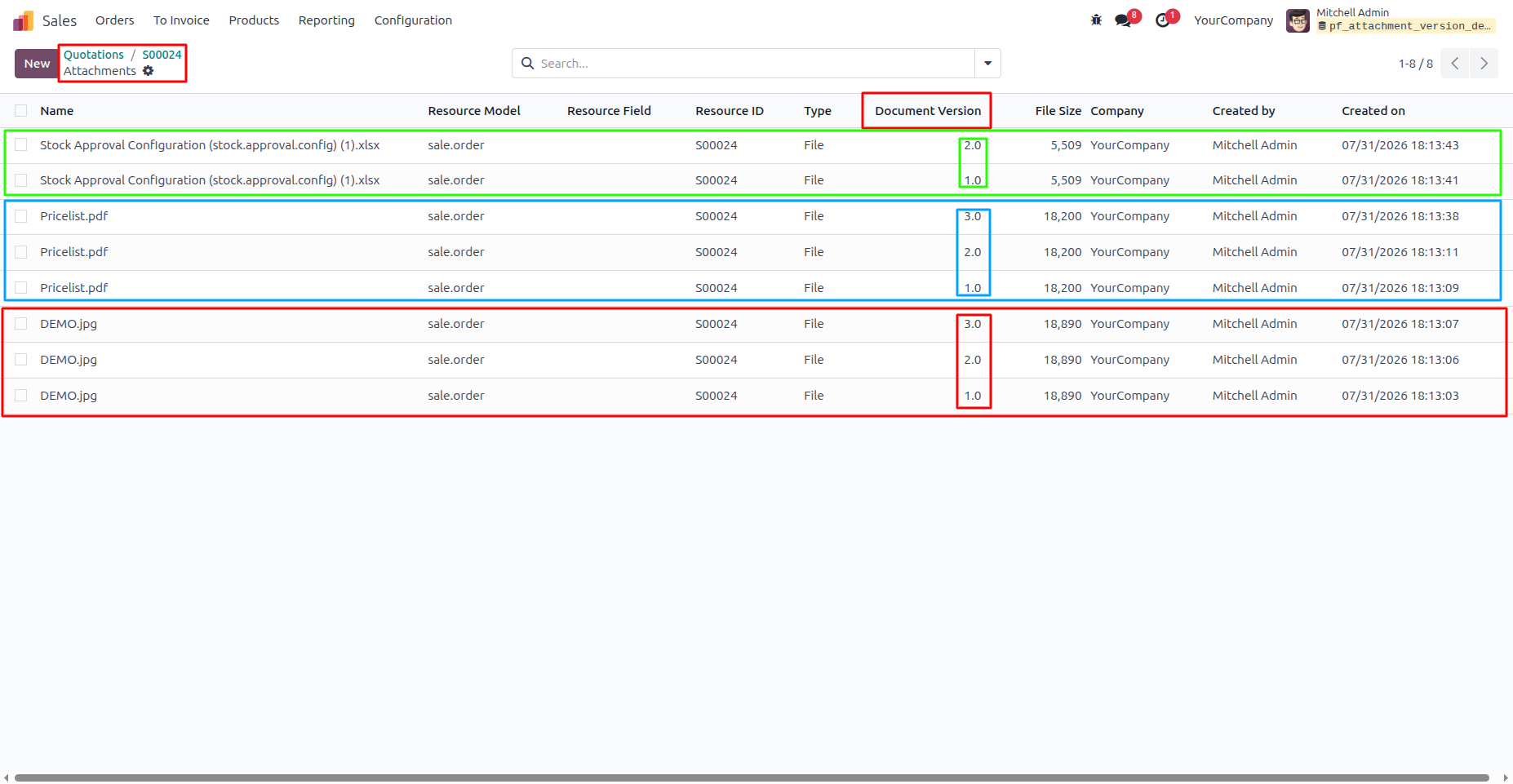
7. The Attachments view provides a centralized list of all uploaded documents along with their version numbers, file size, creator, and creation date. This makes it easy to track document history, identify the latest version, and maintain complete traceability.
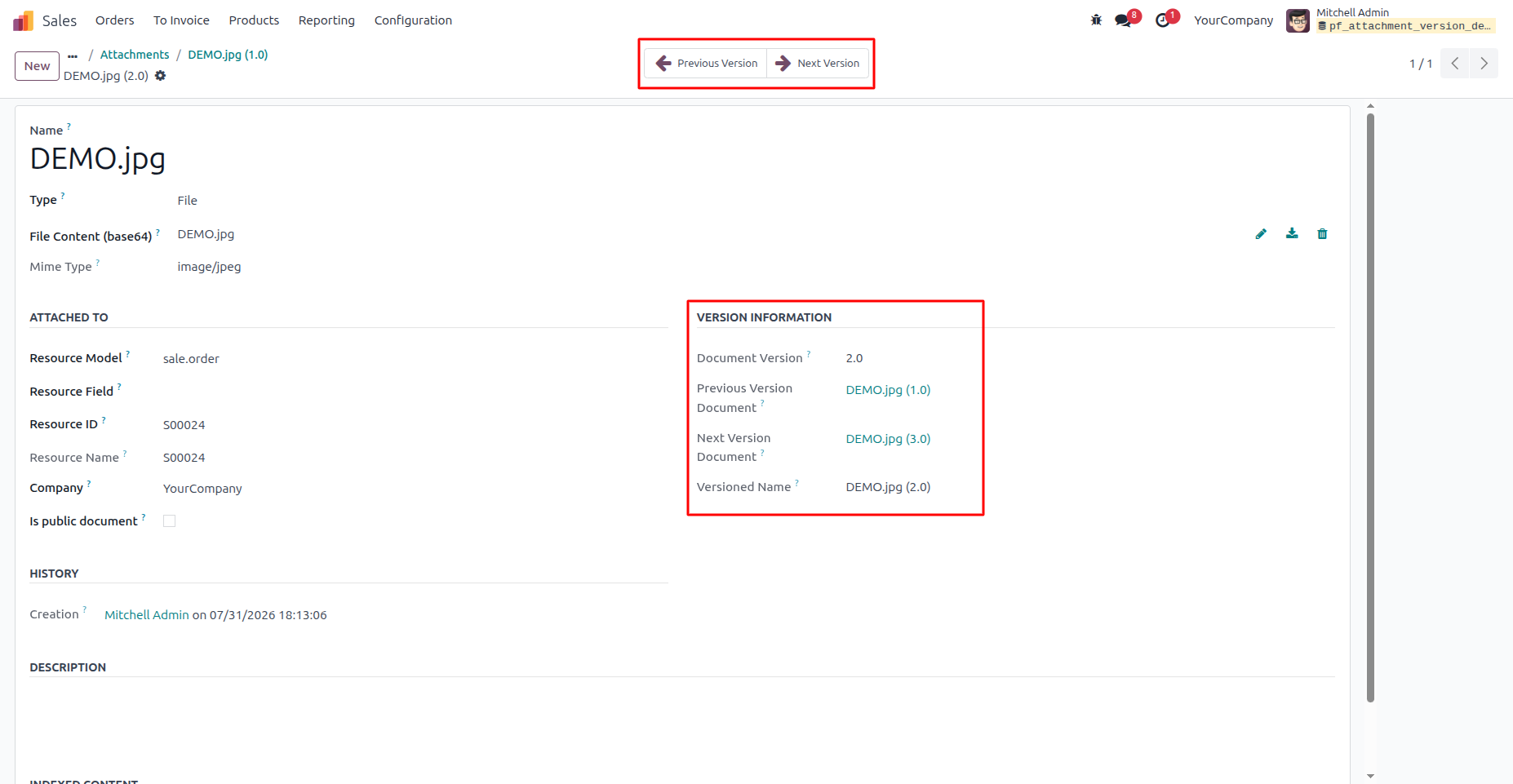
8. The Attachment Form View displays complete version information for the selected document, including its current version, linked previous and next versions, and versioned file name. Previous Version and Next Version buttons allow users to navigate seamlessly through the document's entire version history.
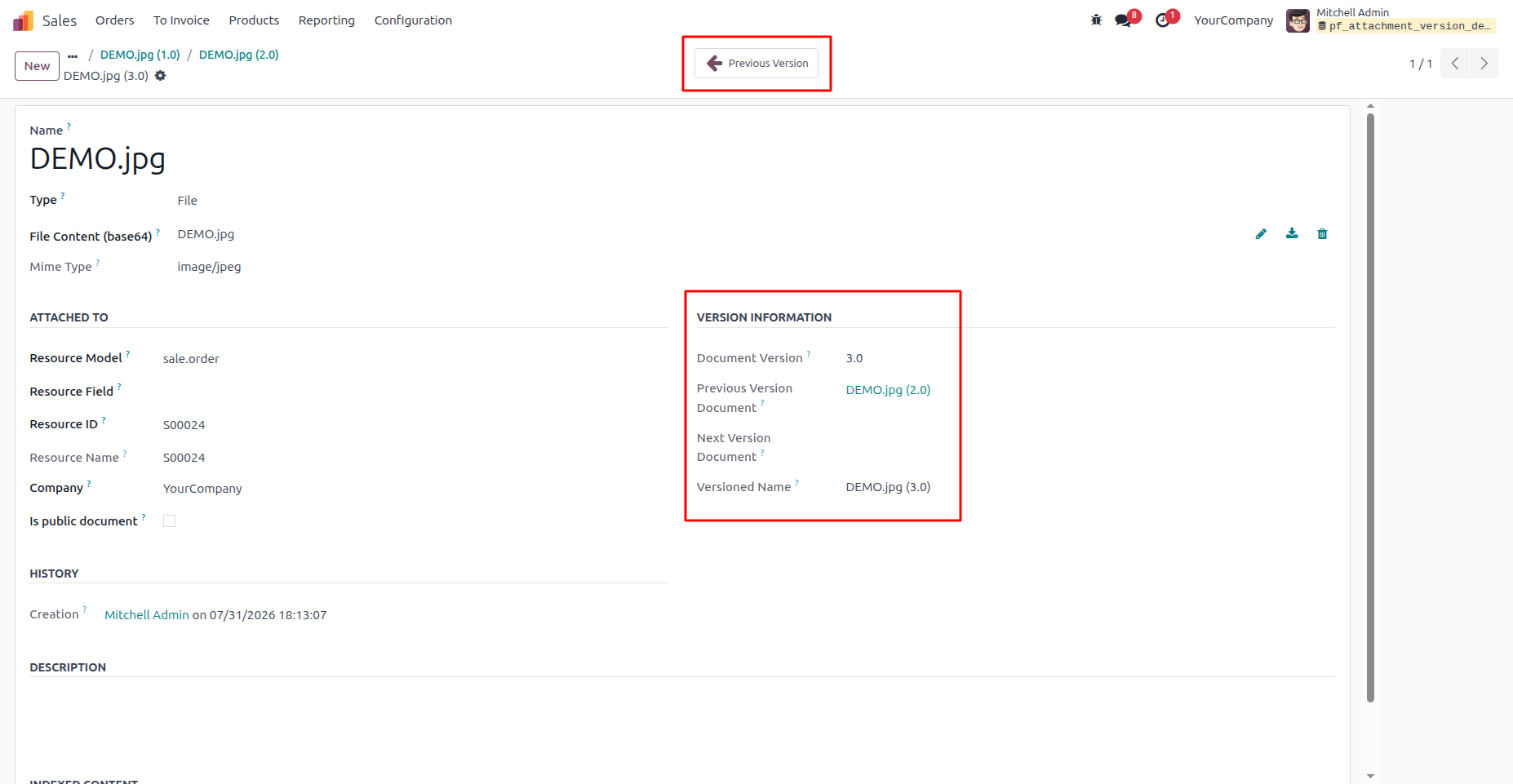
9. When viewing the latest document version, only the Previous Version button is available because no newer revision exists. This clearly indicates that the current document is the most recent version while still allowing users to navigate back through earlier versions.
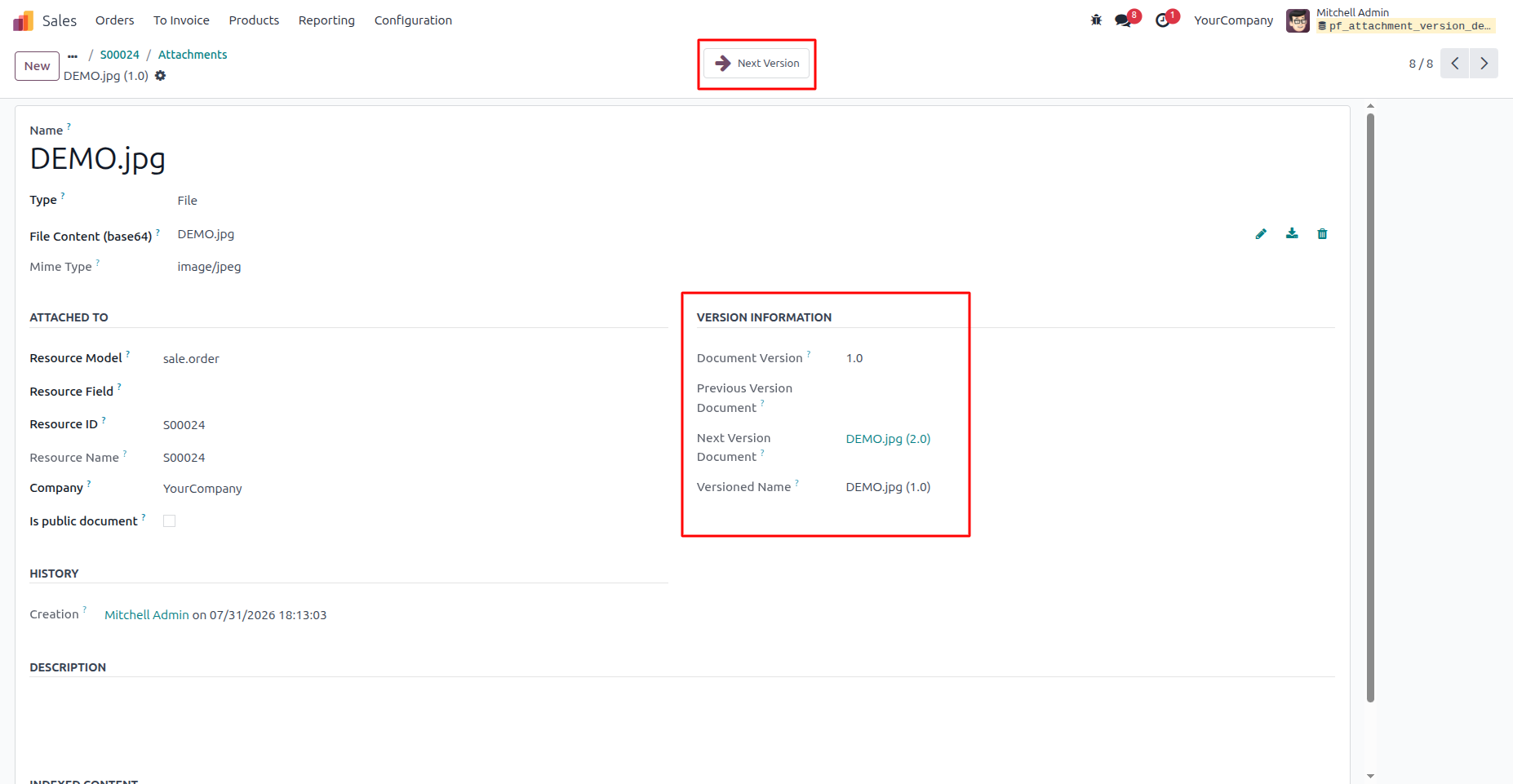
10. When viewing the first document version, only the Next Version button is available because no previous revision exists. This allows users to move forward through the document's version history while clearly identifying the initial version.
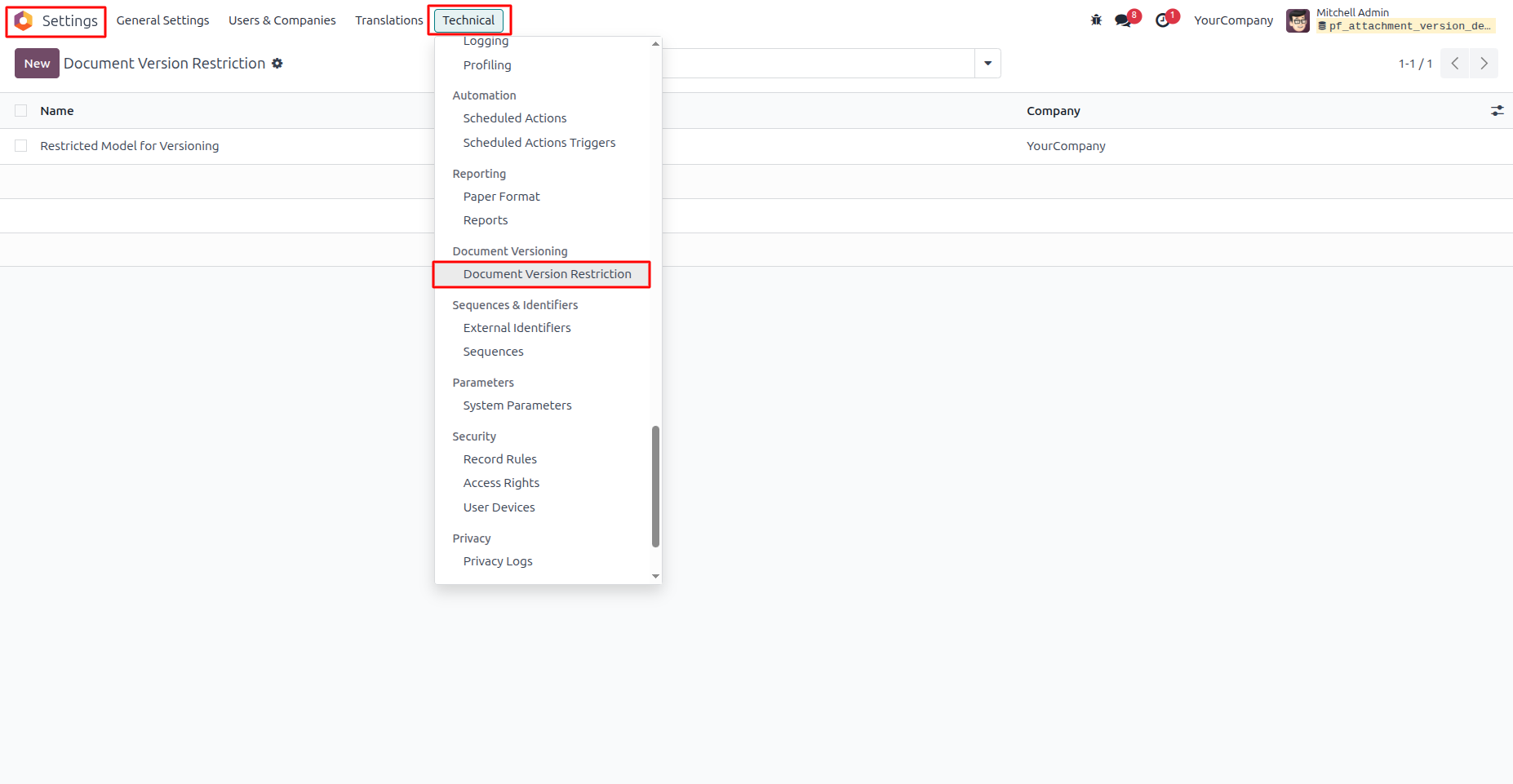
11. The Document Version Restriction menu allows administrators to configure where automatic document versioning should be applied. By excluding selected Odoo models from version control, businesses can prevent unnecessary document versions and keep version tracking focused only on records where it is required. Navigation: Settings → Technical → Document Versioning → Document Version Restriction
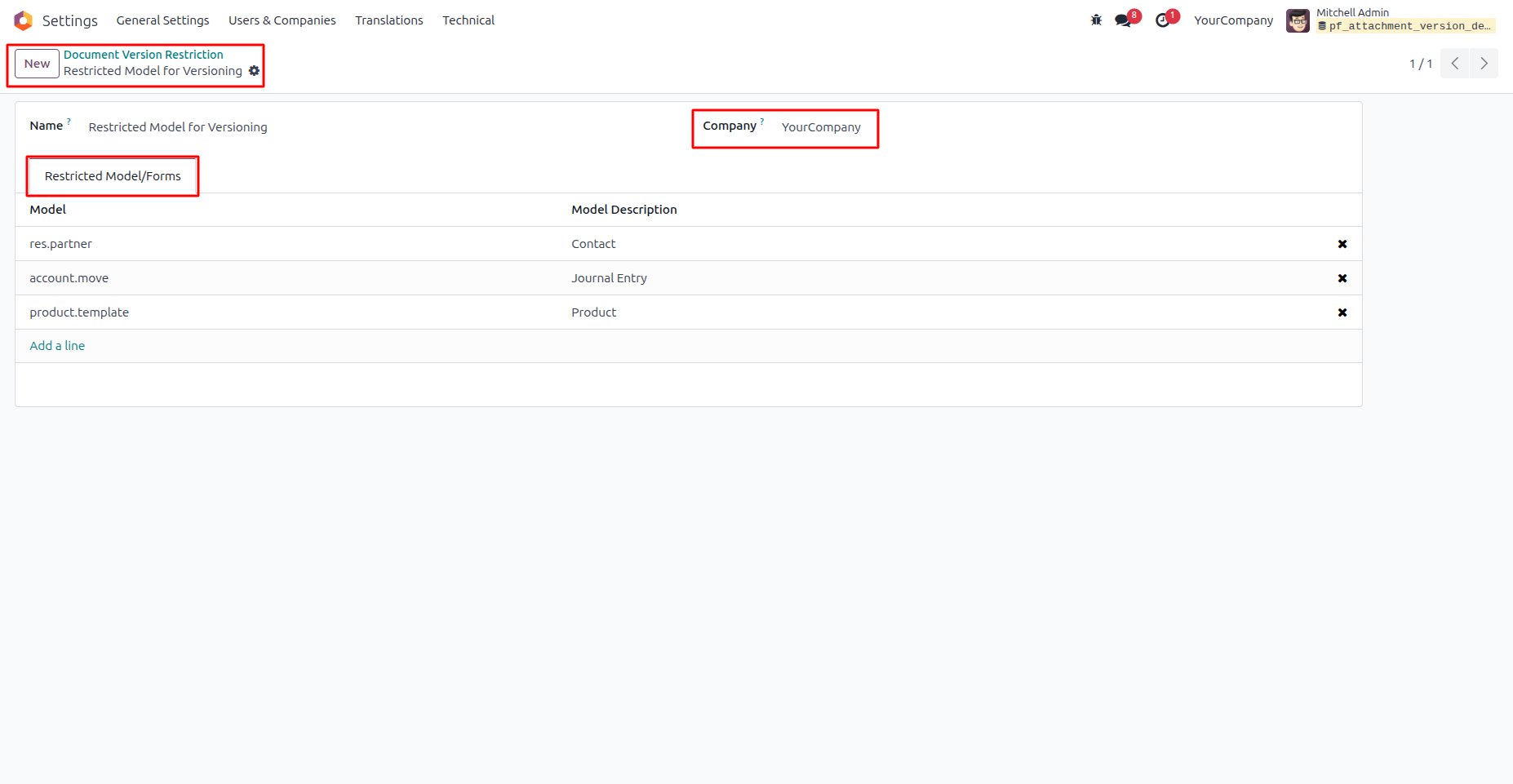
12. Configure model-specific document versioning restrictions for each company. Administrators can exclude selected Odoo models from automatic versioning to prevent unnecessary document versions and keep version tracking focused on business-critical records. Only one restriction configuration is allowed per company, ensuring consistent and centralized version control settings. Navigation: Settings → Technical → Document Versioning → Document Version Restriction
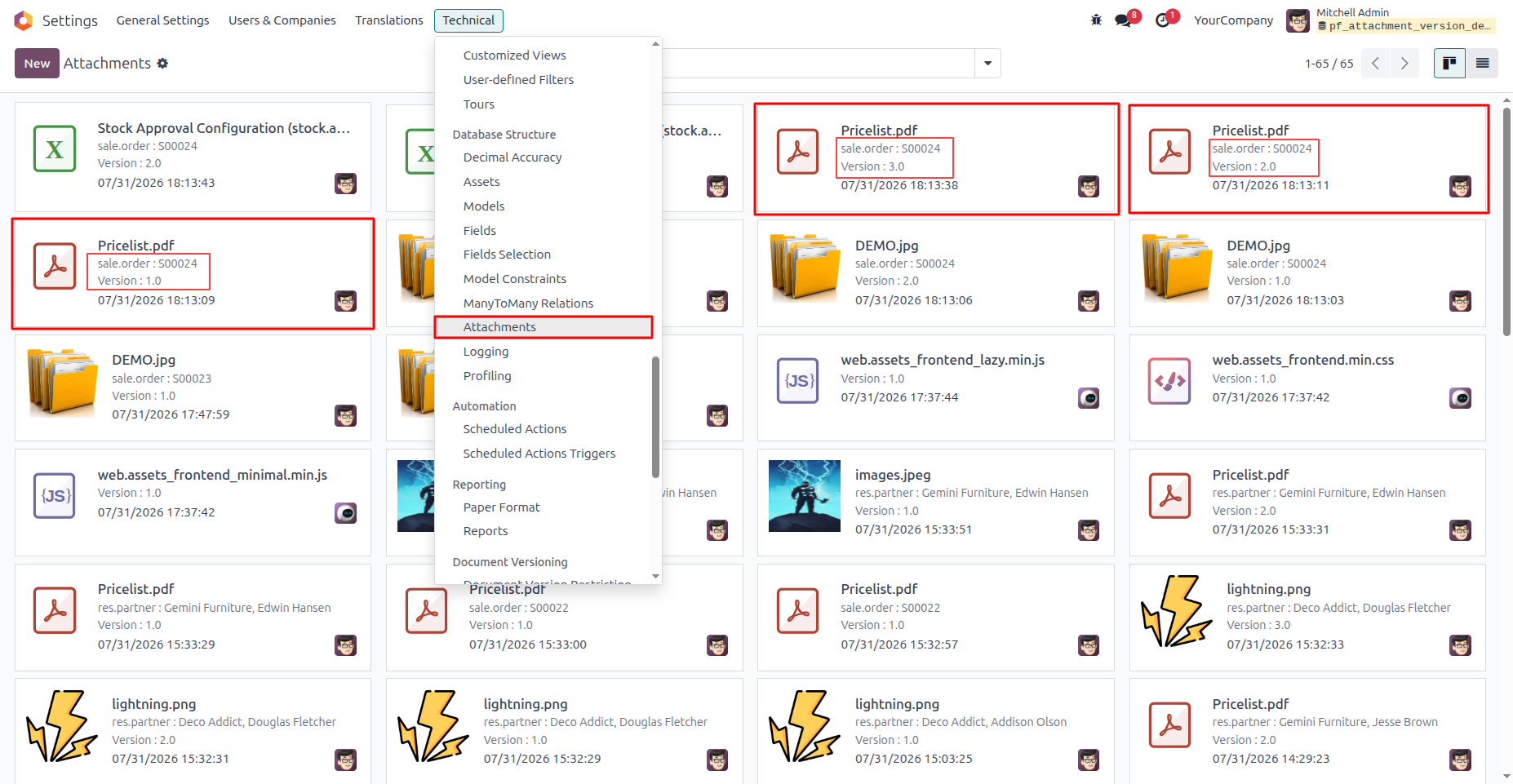
13. The Attachments menu provides a centralized repository for all documents uploaded across Odoo, along with their complete version history. When a file with the same name and extension is uploaded, the system automatically creates a new version instead of replacing the existing one. Each attachment displays its linked business record, document version, upload date, and related model, making it easy to track revisions, identify the latest document, and maintain a complete audit trail across the system. Navigation: Settings → Technical → Database Structure → Attachments
Our solutions focus on your problems
- Odoo Implementation
- Odoo Customization
- ERP Development and Implementation
- Odoo Ipass Cloud
- AI for Odoo
- Odoo Apps
- Aws Marketplace Products
- Business Engines
Our Pricing includes User Manual, 90 Days Support (Monday-Friday 10am to 7pm IST) and One time Setup
• Works & tested on standard installations of Odoo with no third party apps,
• Free support only for odoo installations with no third party apps,
• Paid support available for Odoo installations with third party apps.

Prefortune is a Odoo Official Partner, Odoo Development company. Our philosophy is to use Open Source tools and technologies to provide cost effective and green solutions for our customers.
Prefortune Technologies LLP is working on web development, Mobile development, and Odoo ERP.
If you need any help or want more additional features, you may contact us through:
Alternative Products
These other products might interest you
Specifications
| Version | 19.0, 18.0, 17.0, 16.0, 15.0, 14.0 |