Watch Quick Video

List View Column Headers for Odoo
Our Odoo module All-in-one List View Column Headers
allows you to organize Odoo list (tree) views by merging several columns under custom group headers.
Create and manage header groups directly in the user interface without editing XML or writing any
code.
Drag and drop fields into groups, create multiple header sections and make large, complex list views more
readable. The module gives you a clean, two level header layout to make data easier to understand and work
with across your business.
The user access permissions allow the admin to control who can create or edit header groups. Users without
edit permissions will still be able to see the headers that have been configured. This provides a
consistent interface for all users, and makes managing headers safe and easy.
List View Column Headers for Odoo
- Create custom merged headers for list (tree) views, using the Odoo user interface.
- Group multiple columns under one custom header with no coding or XML editing.
- Easily drag and drop fields to construct and organize multiple header groups.
- Limit who can create or edit header groups by using user access permissions.
- Users without edit access can see the configured header groups for consistency.
Complete Workflow for Manage List View Column Headers for Odoo
Install the List View Column Headers for Odoo module and open any supported Odoo list (tree) view. Click the Edit Header Groups button to create custom header groups. Enter a group name, then simply drag and drop the desired columns into the group without modifying XML or writing any code. You can create multiple header groups to organize related columns under meaningful headings, making large and complex list views easier to read and manage. The module automatically displays a clean two-level header layout while preserving the original functionality of the list view. Administrators can control who is allowed to create or edit header groups through Edit Header Access permissions. Users without edit access can still view the configured merged headers, ensuring a consistent and organized interface for everyone across the system.
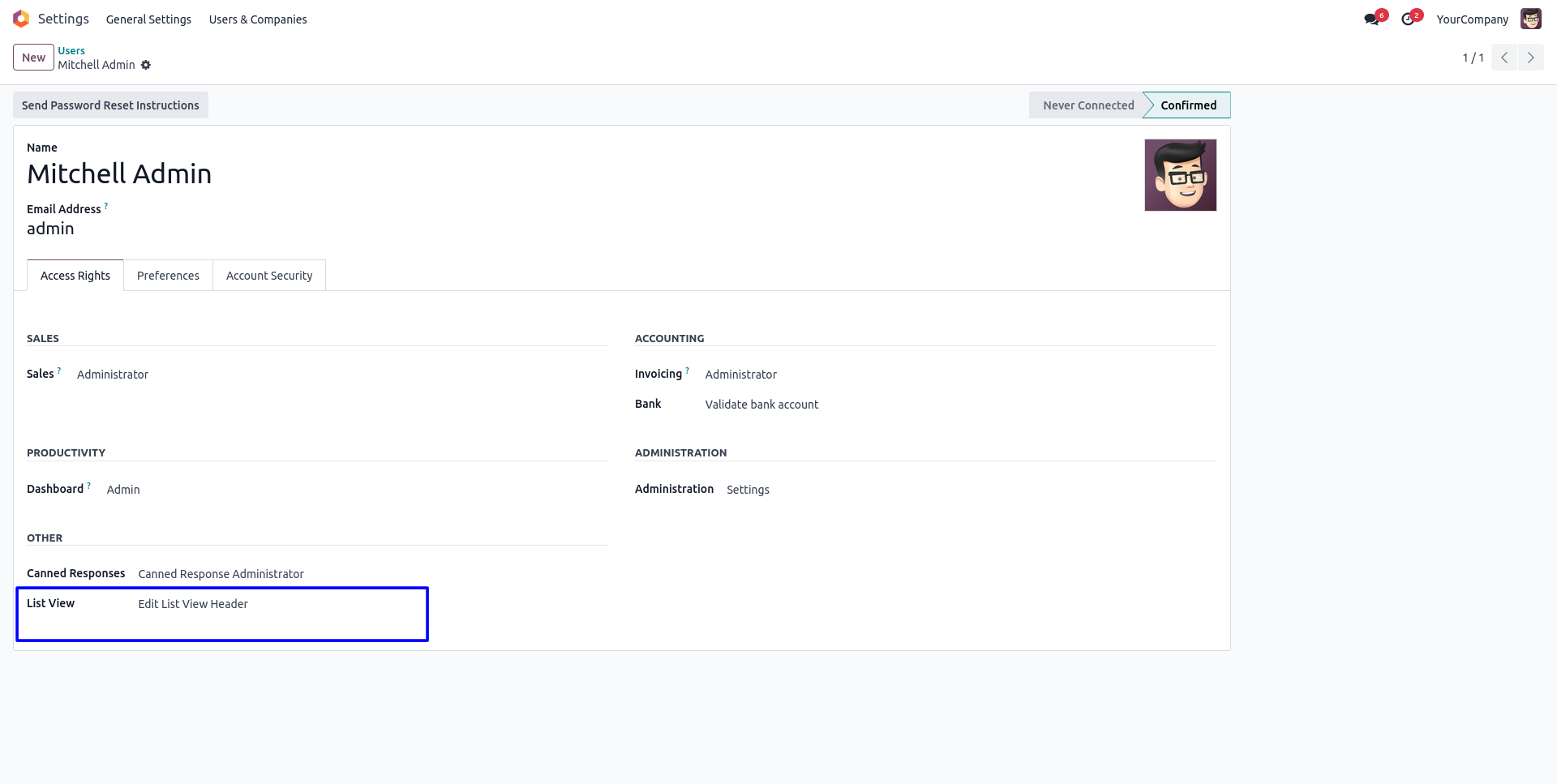
1. Select the user group that should be granted permission to create and edit merged list view headers.
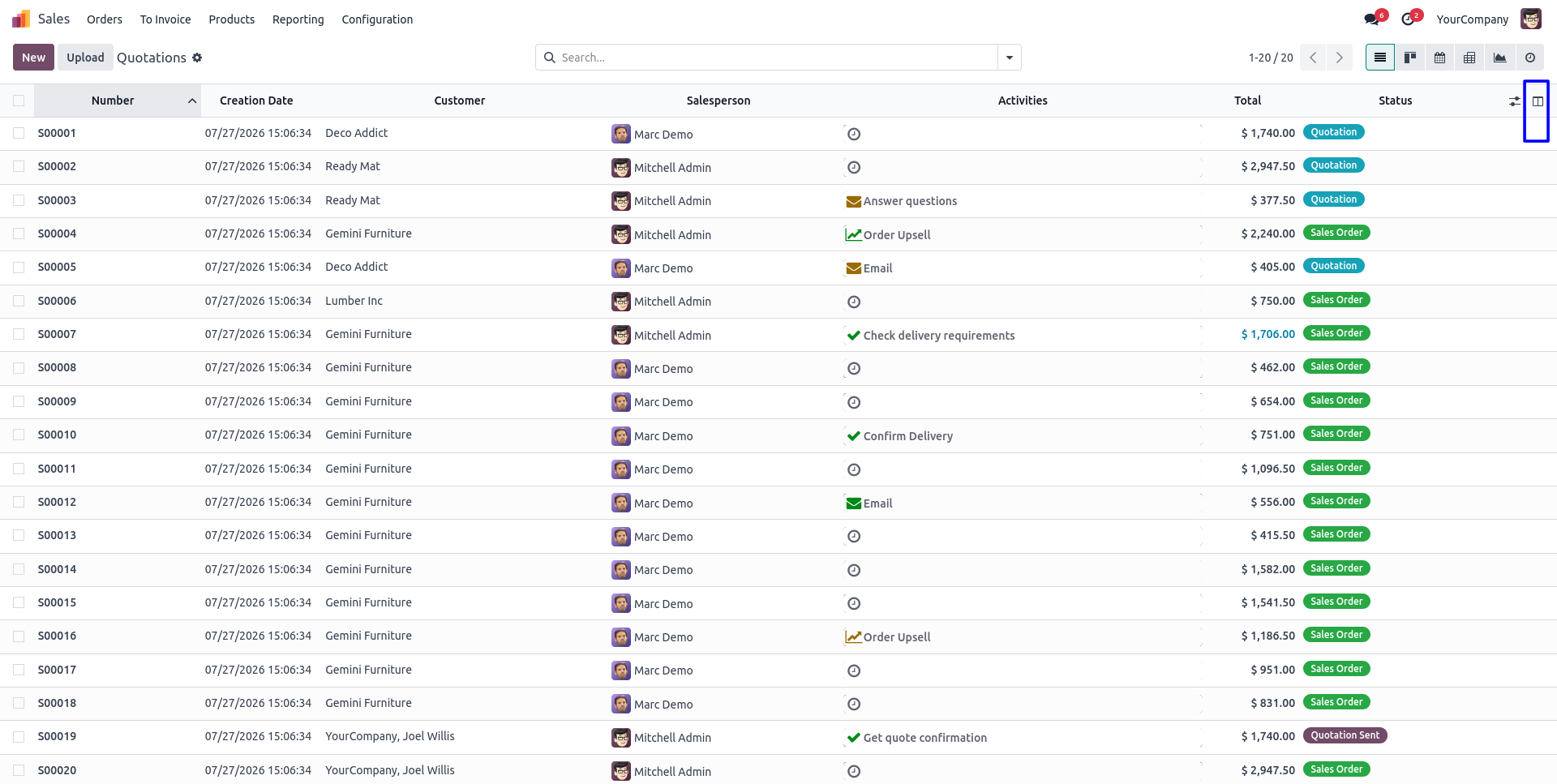
2. Open any supported list view and click the "Edit Header Groups" button to configure merged headers.
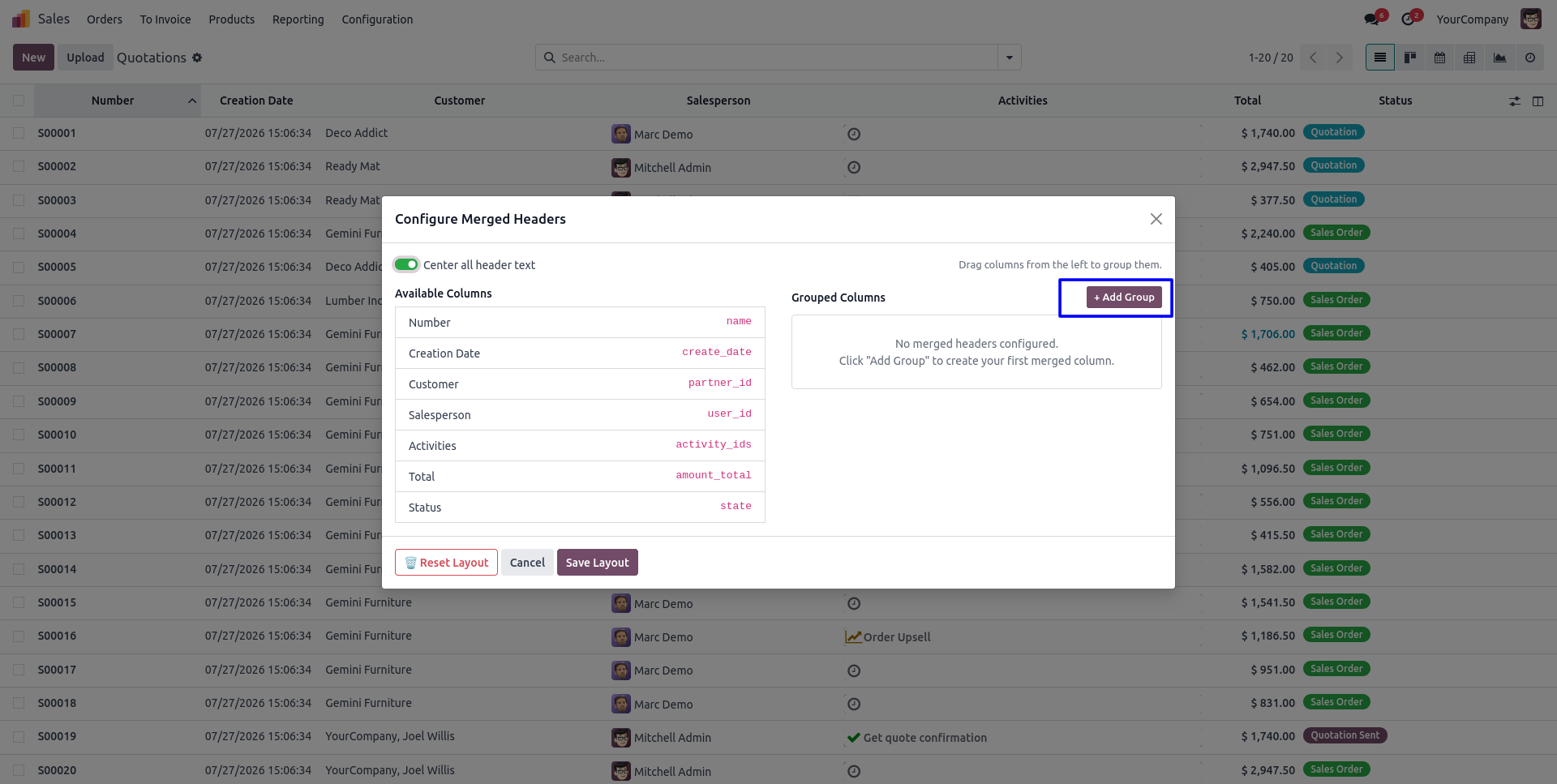
3. The configuration wizard opens, allowing you to manage existing header groups or create a new one.
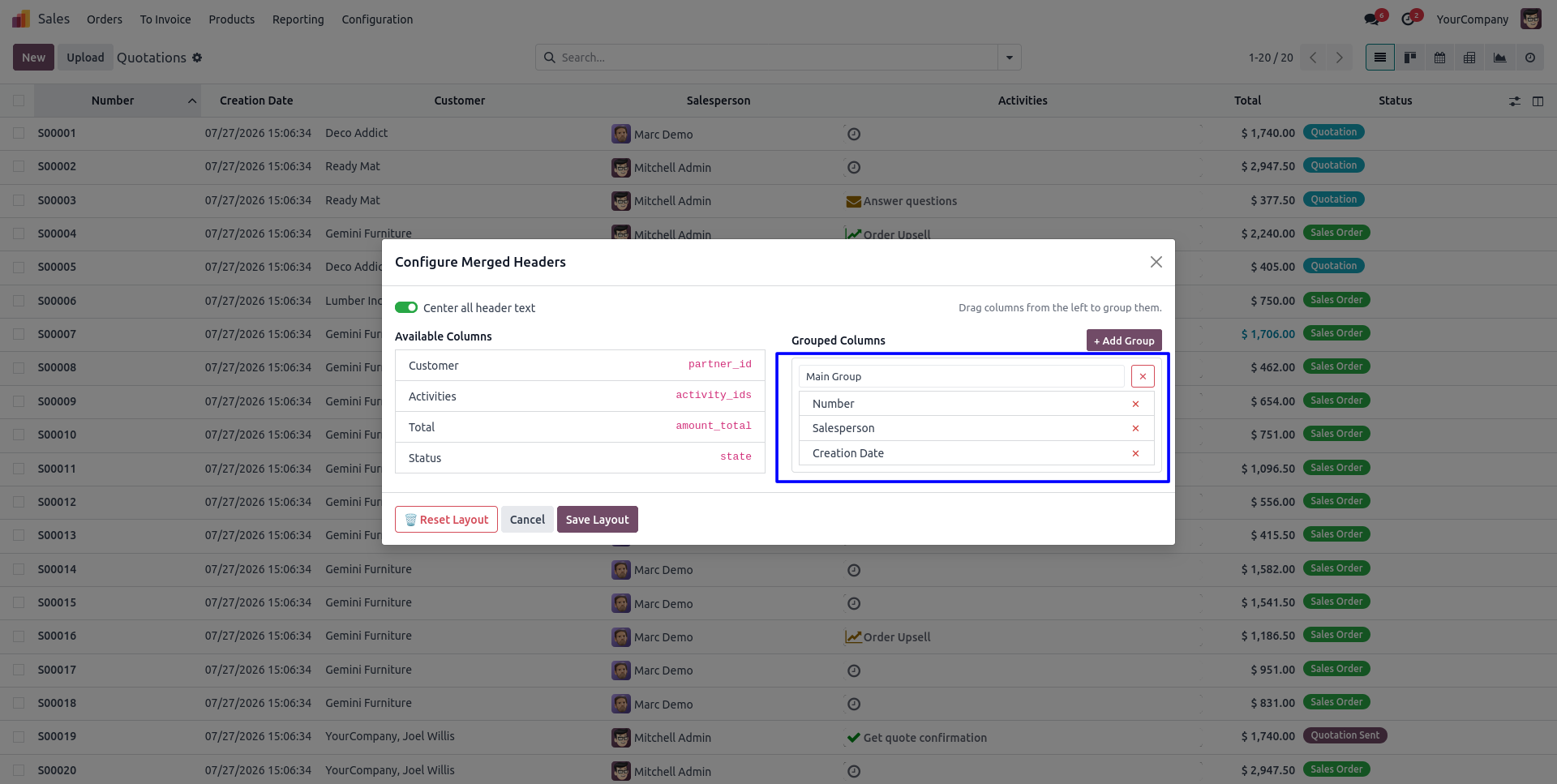
4. Enter a group name and drag & drop the required columns into the group, then save the configuration.
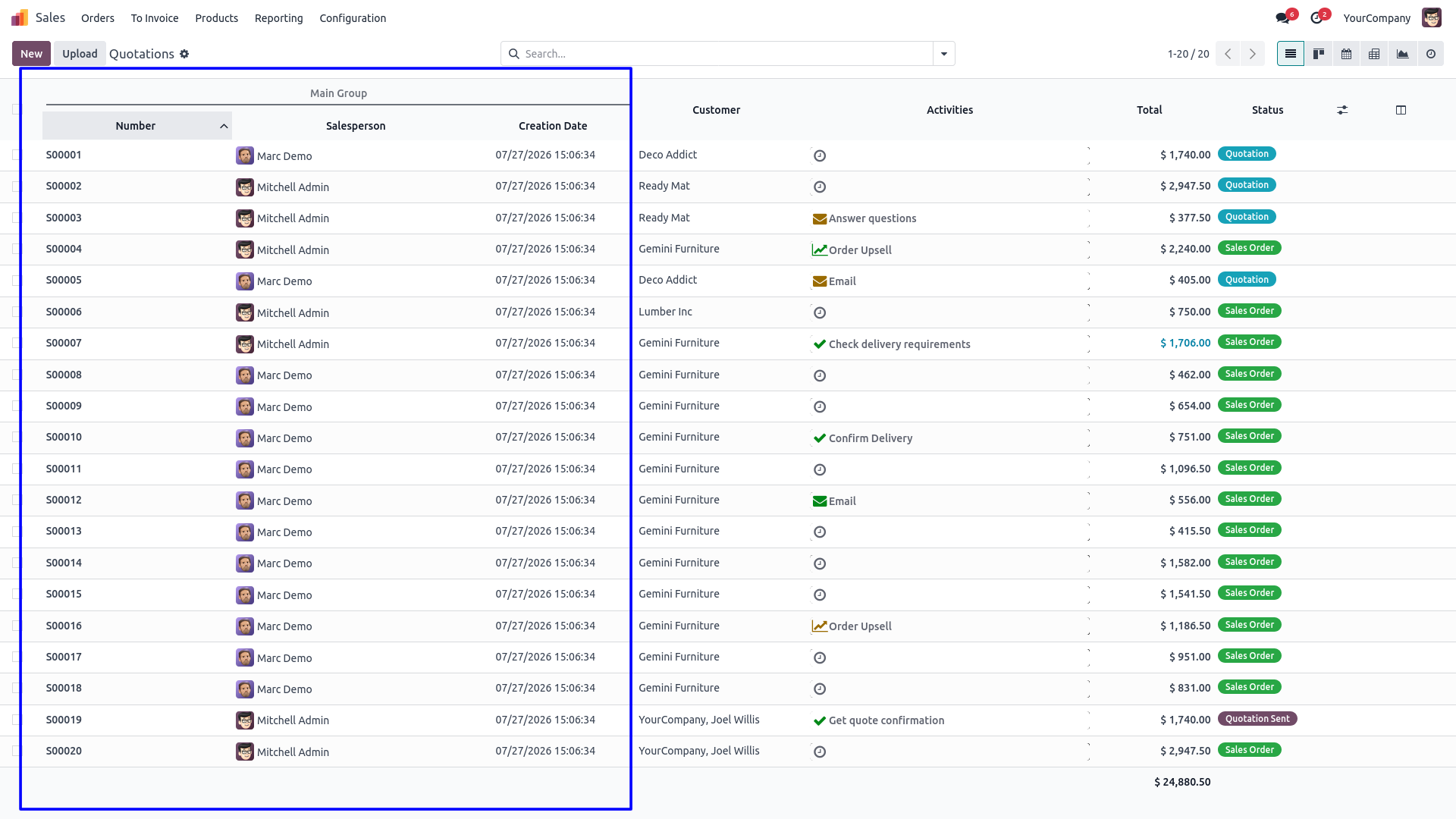
5. The selected columns are displayed under the newly created merged header in the list view.
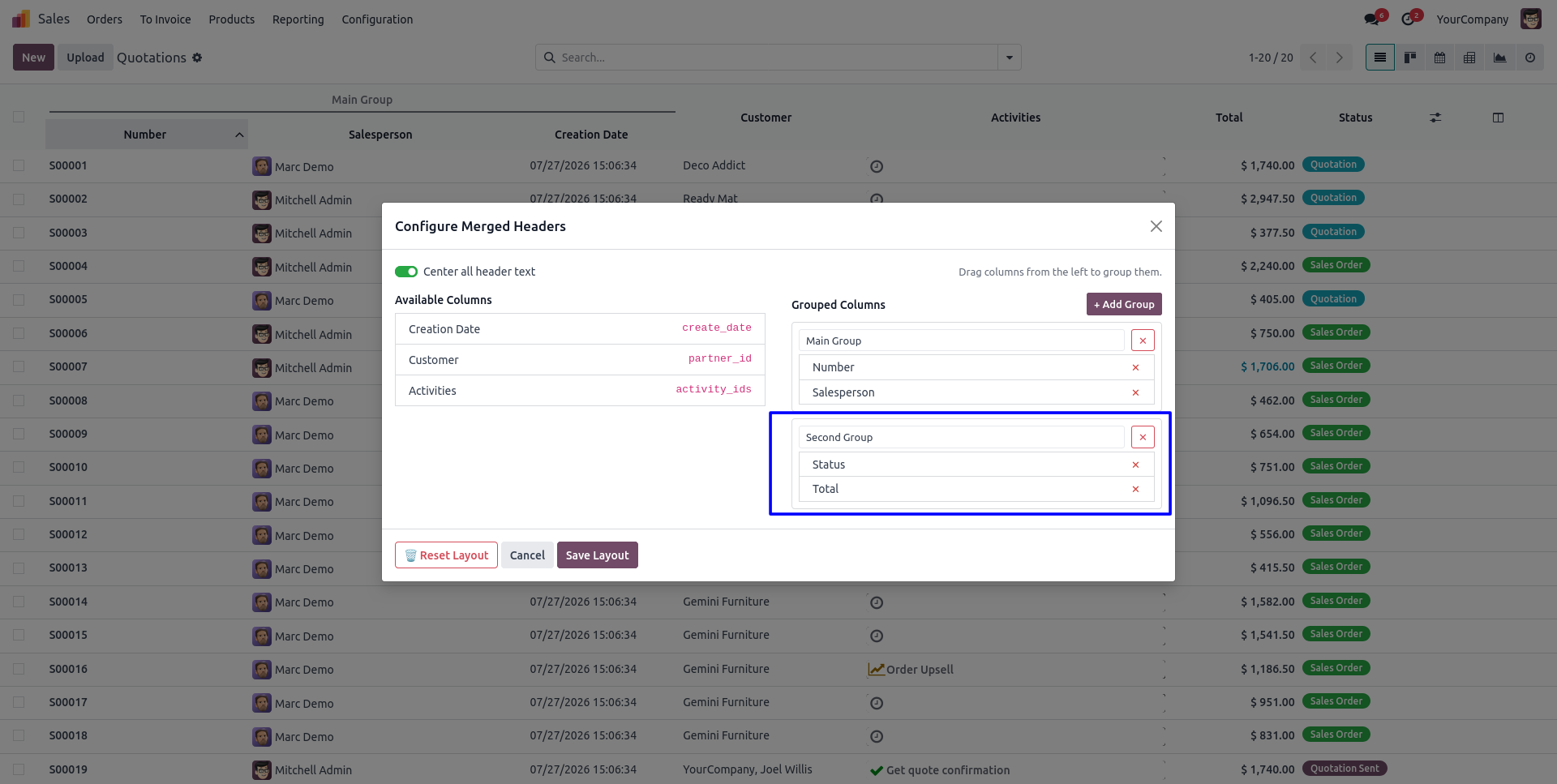
6. Create another header group by adding a new group with different columns from the same configuration wizard.
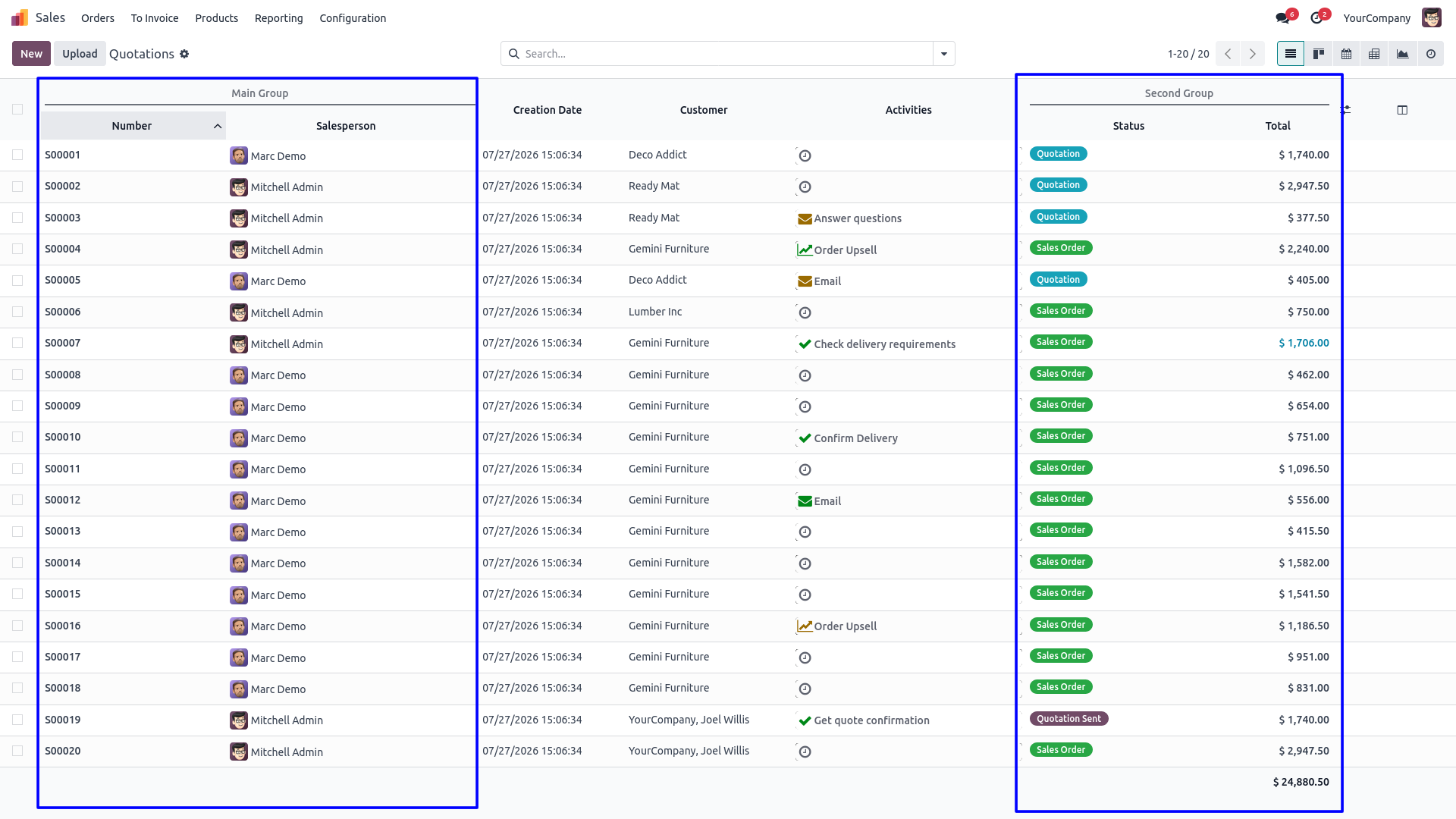
7. Multiple merged header groups are displayed together, making the list view more organized and easier to read.
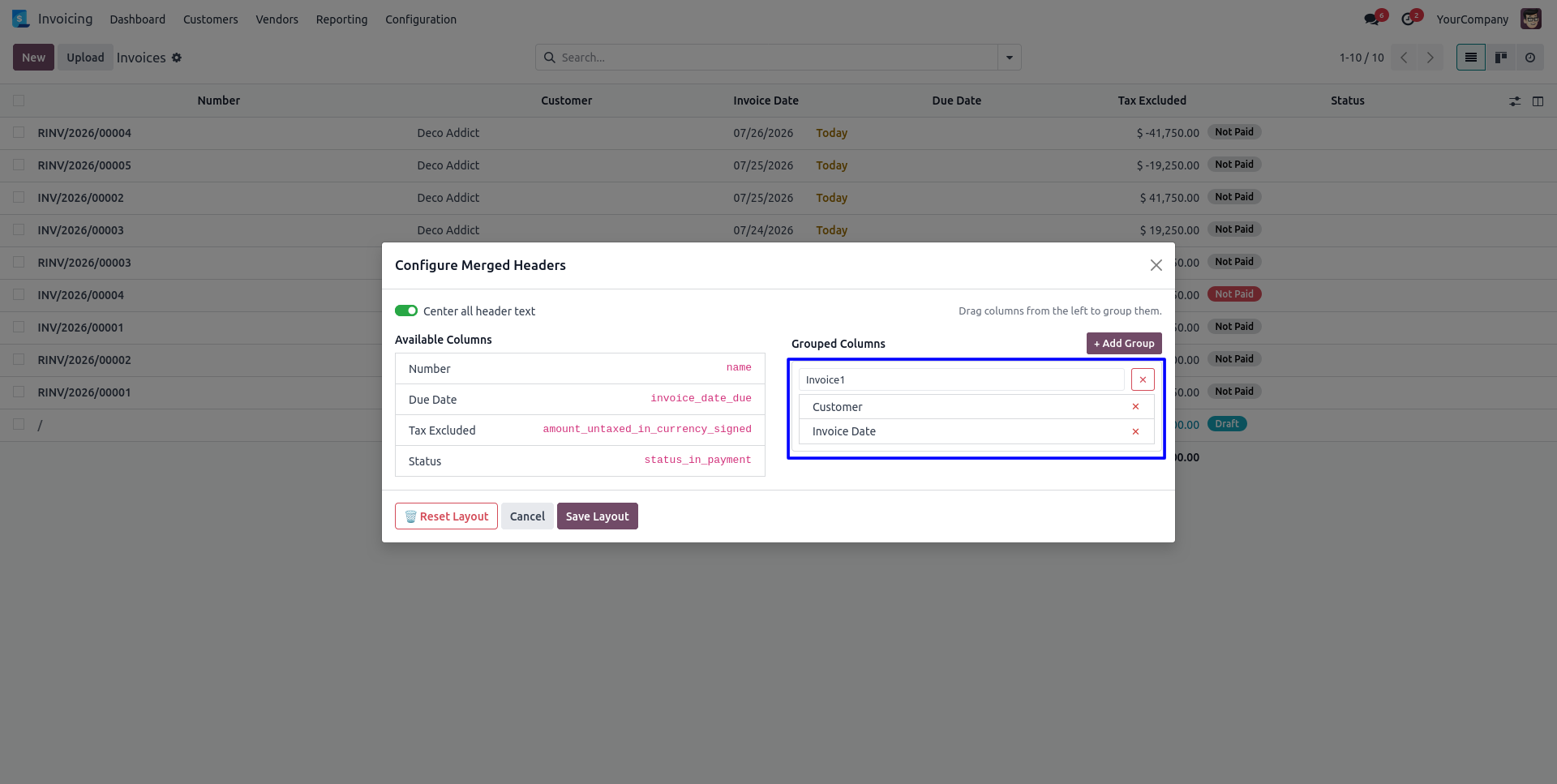
8. Configure merged headers for another list view independently using the same simple drag & drop interface.
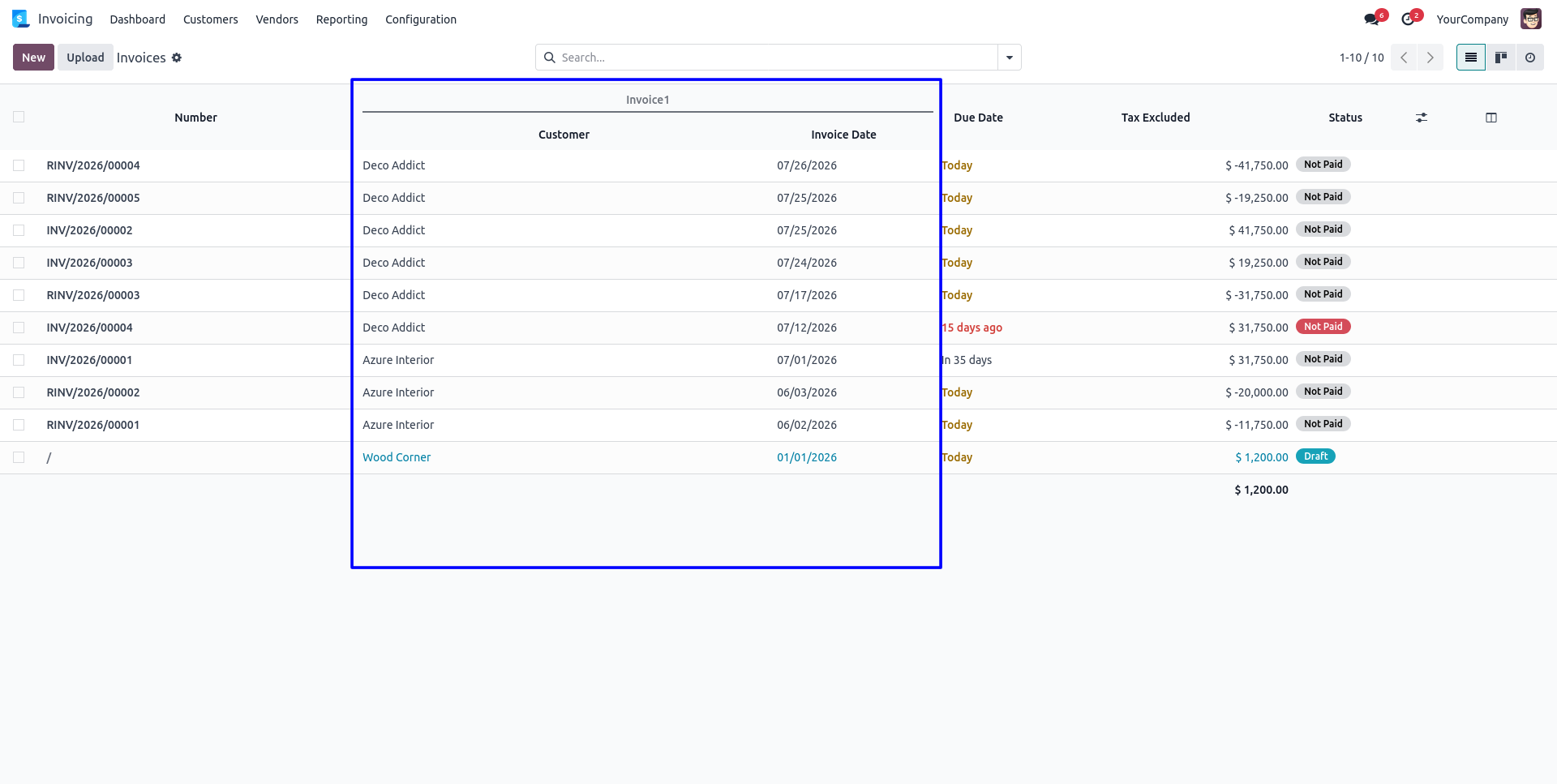
9. The configured merged headers are applied automatically to the selected list view.
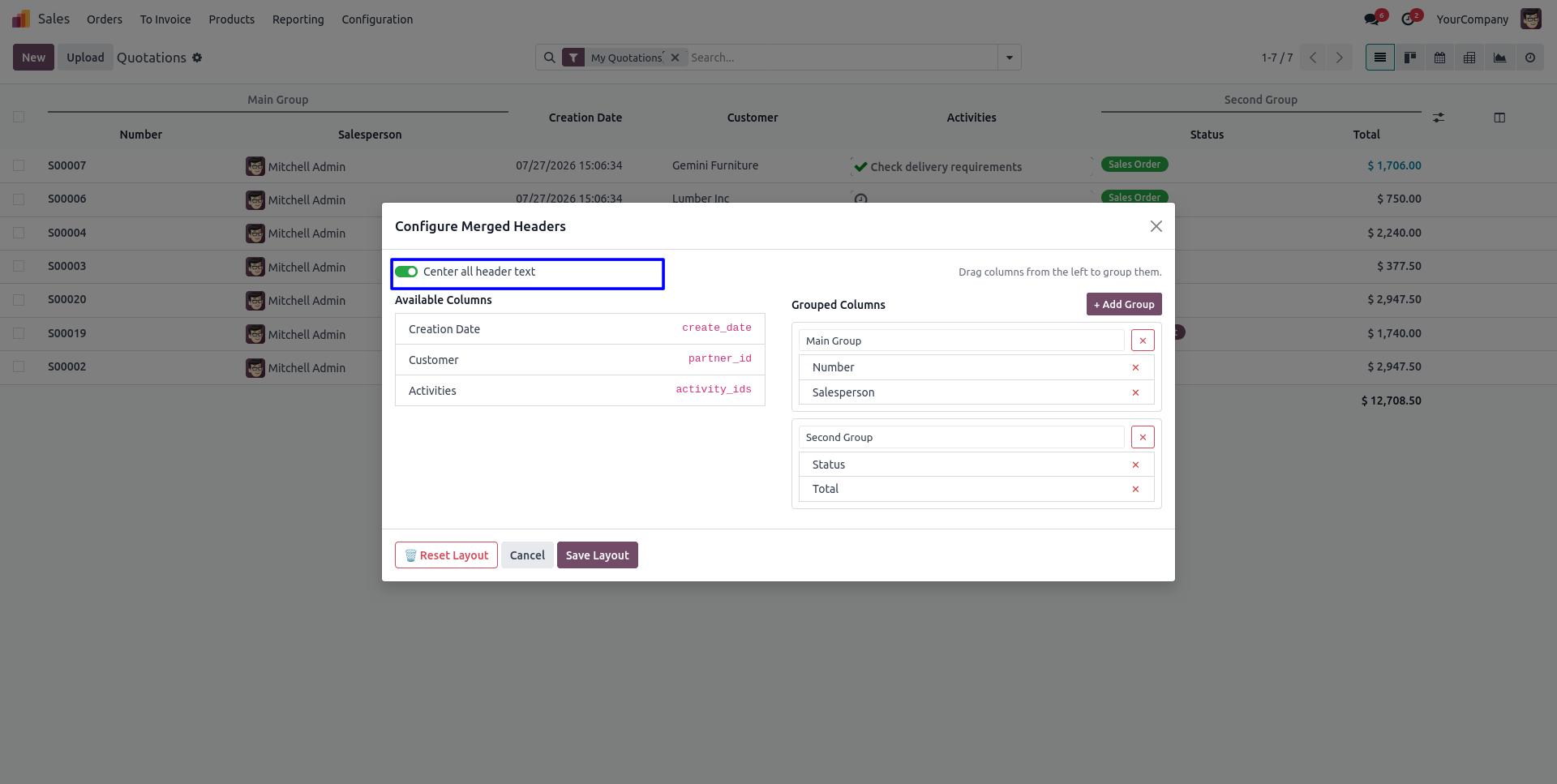
10. Enable the "Center Header Text" option to automatically align all merged header titles to the center.
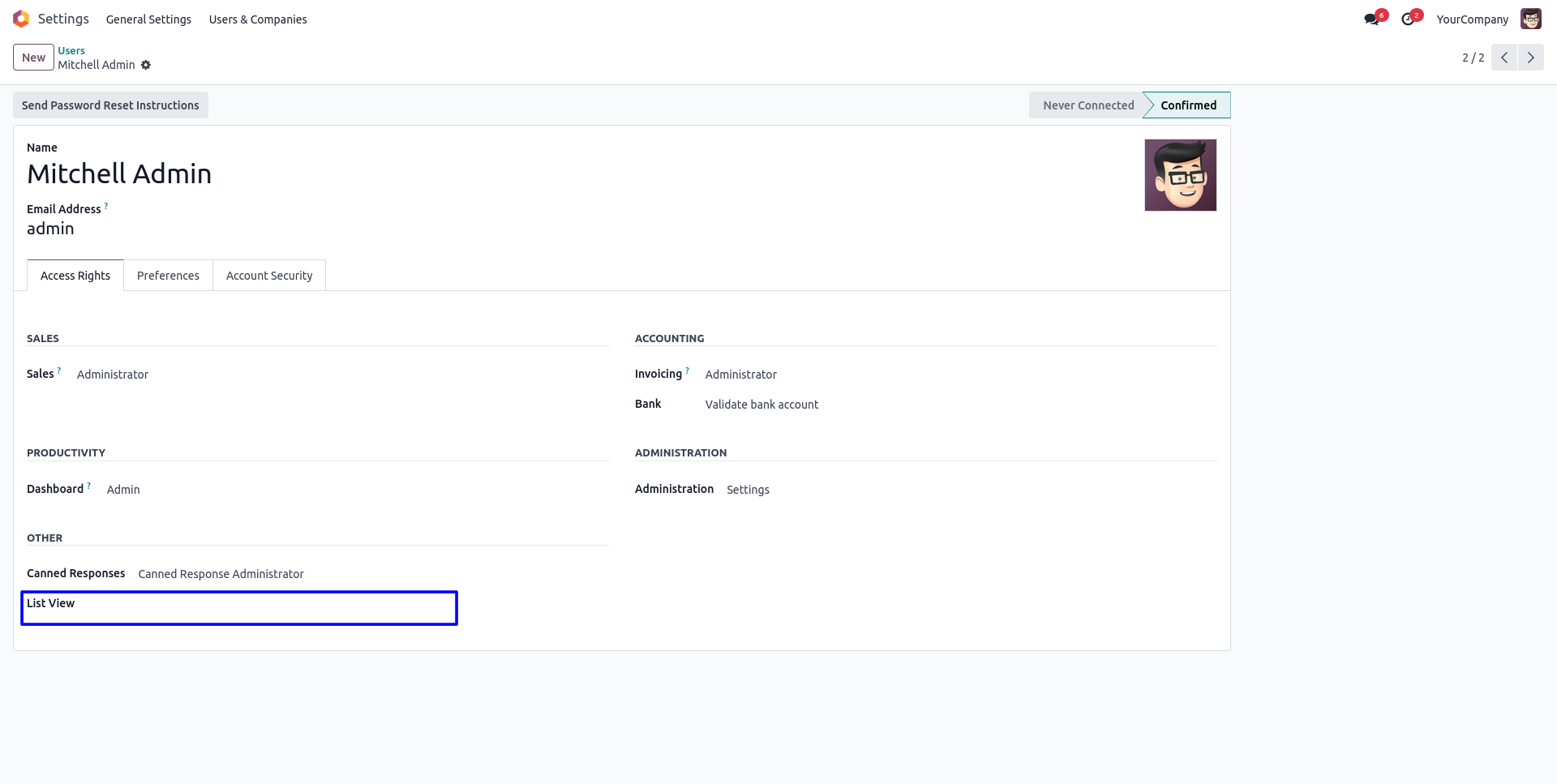
11. Users without the required access permission cannot create or edit merged header groups.
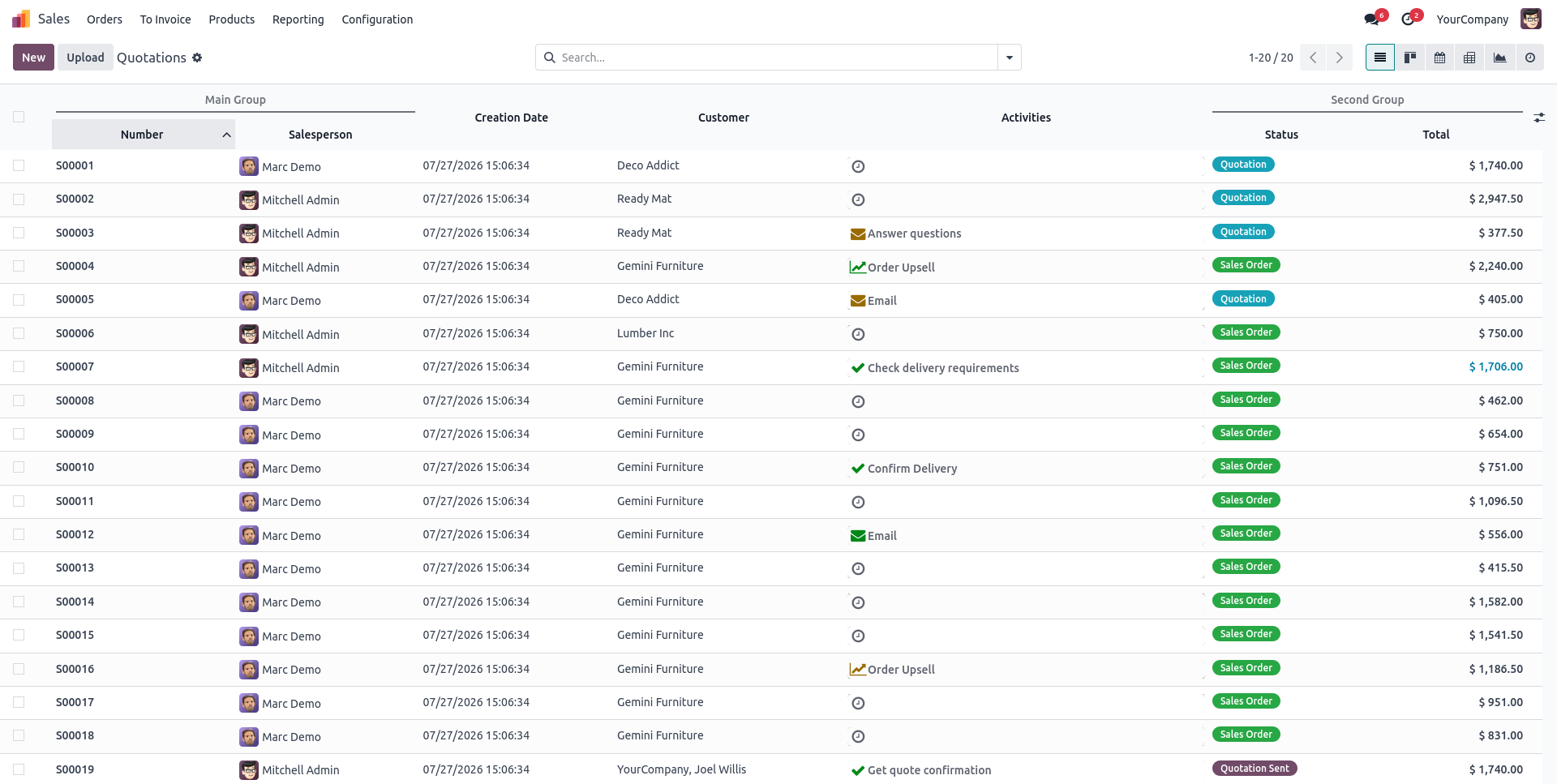
12. Users without edit permission can still view all configured merged headers, but the configuration button is hidden.
Our solutions focus on your problems
- Odoo Implementation
- Odoo Customization
- ERP Development and Implementation
- Odoo Ipass Cloud
- AI for Odoo
- Odoo Apps
- Aws Marketplace Products
- Business Engines
Our Pricing includes User Manual, 90 Days Support (Monday-Friday 10am to 7pm IST) and One time Setup
• Works & tested on standard installations of Odoo with no third party apps,
• Free support only for odoo installations with no third party apps,
• Paid support available for Odoo installations with third party apps.

Prefortune is a Odoo Official Partner, Odoo Development company. Our philosophy is to use Open Source tools and technologies to provide cost effective and green solutions for our customers.
Prefortune Technologies LLP is working on web development, Mobile development, and Odoo ERP.
If you need any help or want more additional features, you may contact us through:
Alternative Products
These other products might interest you
Specifications
| Version | 19.0, 18.0, 17.0, 16.0, 15.0, 14.0 |