Watch Quick Video
Odoo Meeting Minutes & Print Report App
Our
Odoo Meeting Minutes & Print Report App
module helps organisations to efficiently document, organise and keep professional meeting records in
Odoo. Module can systematically record important meeting information such as agenda, participants, issues
for discussion, decisions, follow-up actions. It gives you one place to securely store all your meeting
minutes and access them whenever you need to. Effortlessly distribute formal meeting minutes to
stakeholders and team members with a single click to generate professional meeting reports. This module
helps to record all conversations and decisions to improve collaboration, accountability and communication
within the company. Our module integrates seamlessly with the Odoo Meetings process out of the box and
does not alter any core features. It is compatible with both odoo Enterprise as well as Community. It is
the perfect solution for companies that require reliable and well-organised documentation of
meetings.
It has powerful features that will help you manage meetings:
1. Structured meeting minutes: Convert meeting data into agenda items, discussion points,
decisions, and key notes. This means every meeting is recorded in the same manner and can be reviewed
whenever you want.
2. Detailed Participant Management:Track meeting participants, internal employees and external
participants. This means that organisations will have accurate attendance data for all the meetings.
3. Reports of Professional Meetings for Publication: One click to produce professional and well
formatted Meeting Minutes reports in PDF. Save or Share Reports to Stakeholders.
4. Action Items & Tracking Follow Up:Document follow-up actions, assign owners and track
outstanding items in the meeting minutes. It helps teams to ensure that decisions made in meetings are
implemented effectively.
5. Centralised Meeting Repository: Keep all your meeting minutes in one central place in Odoo
for easy reference and quick searching. Minutes are kept for historical reasons and can be made available
upon request.
Odoo Meeting Minutes & Print Report App Features
- Generate detailed meeting notes including : attendees, roles, discussion points, action items, and major decisions. Structure meetings so that they are easy to revisit.
- Meeting form PDF reports of professional meeting minutes one-click generation. Easily print or share official meeting minutes with stakeholders and team members.
- Structure the documentation of the agendas, roles of the participants, discussion points, follow-up actions and conclusions. It standardises documentation and makes it easier to review past meetings.
- Store all meeting minutes in Odoo’s central repository for easy access and reference later. Easily search, review and manage historical meeting records without outboard documents.
Complete Workflow for Odoo Meeting Minutes & Print Report App
When a Meeting is created, users can enter all essential information, including the Meeting Agenda, Participants, discussion points, decisions, and follow-up actions in a structured format. After the meeting is completed, the minutes are Saved and maintained in a centralized repository for future reference. Users can review or update the meeting record whenever required and finally generate a Professional PDF Report with a single click using the Print Meeting Report feature. This ensures accurate documentation, easy sharing, and long-term record management for every meeting.
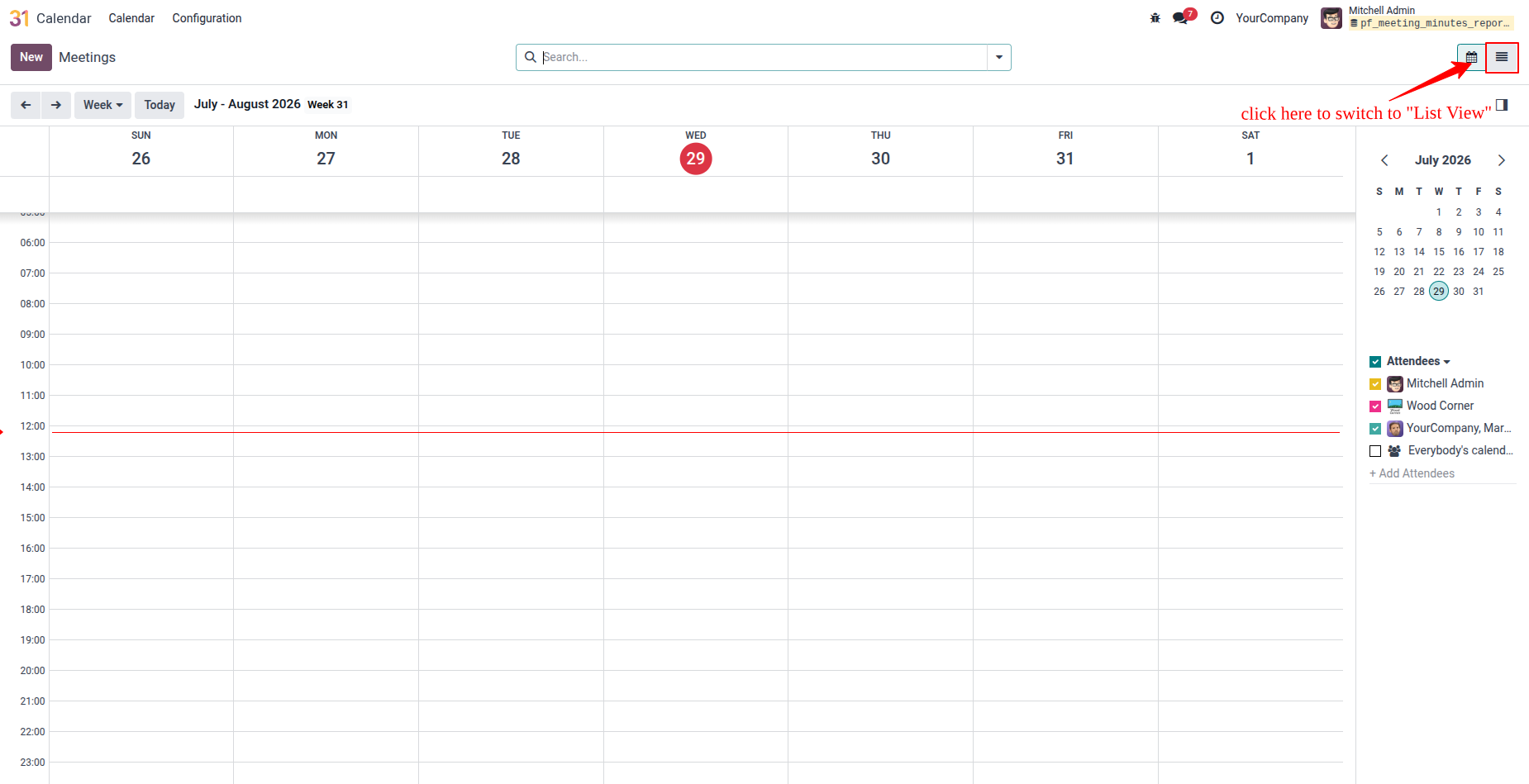
1. Open the Calendar app, then click the List View icon in the top-right corner to view meetings in a list format.
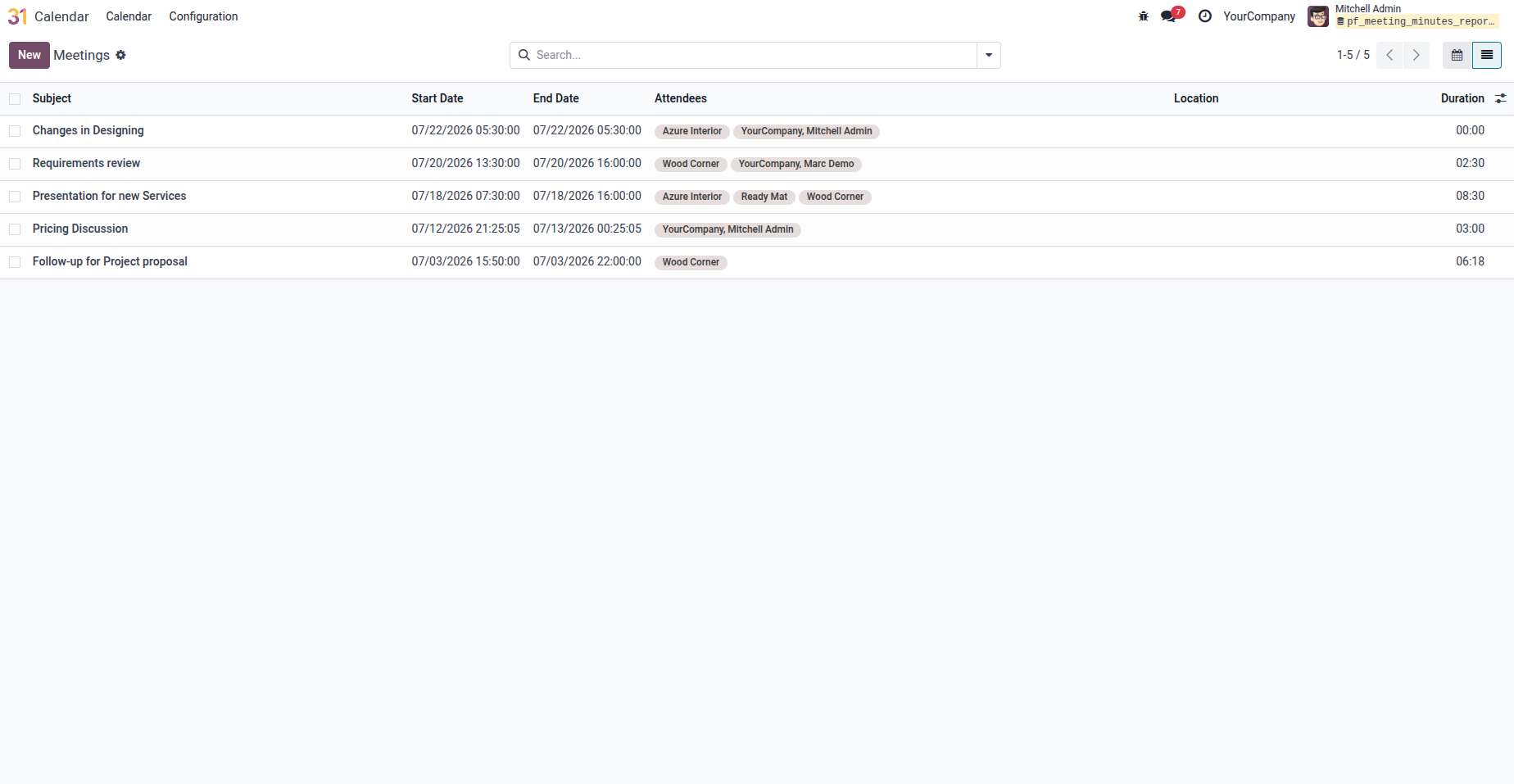
2. In List View, you can view all meeting records, open any meeting to review its details, or click the Create button to add a new meeting.
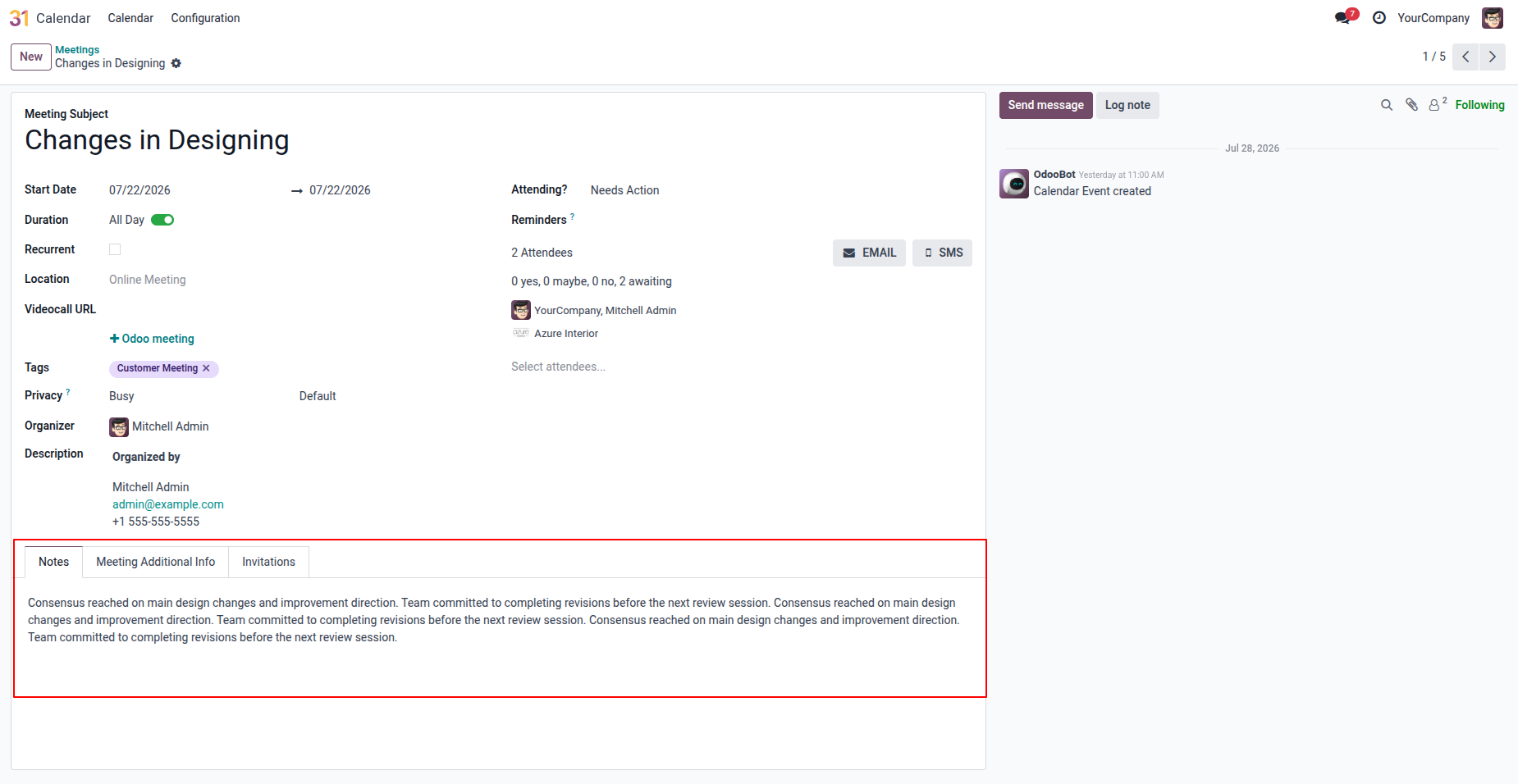
3. Complete the meeting details and fill in the Notes tab with the required information.
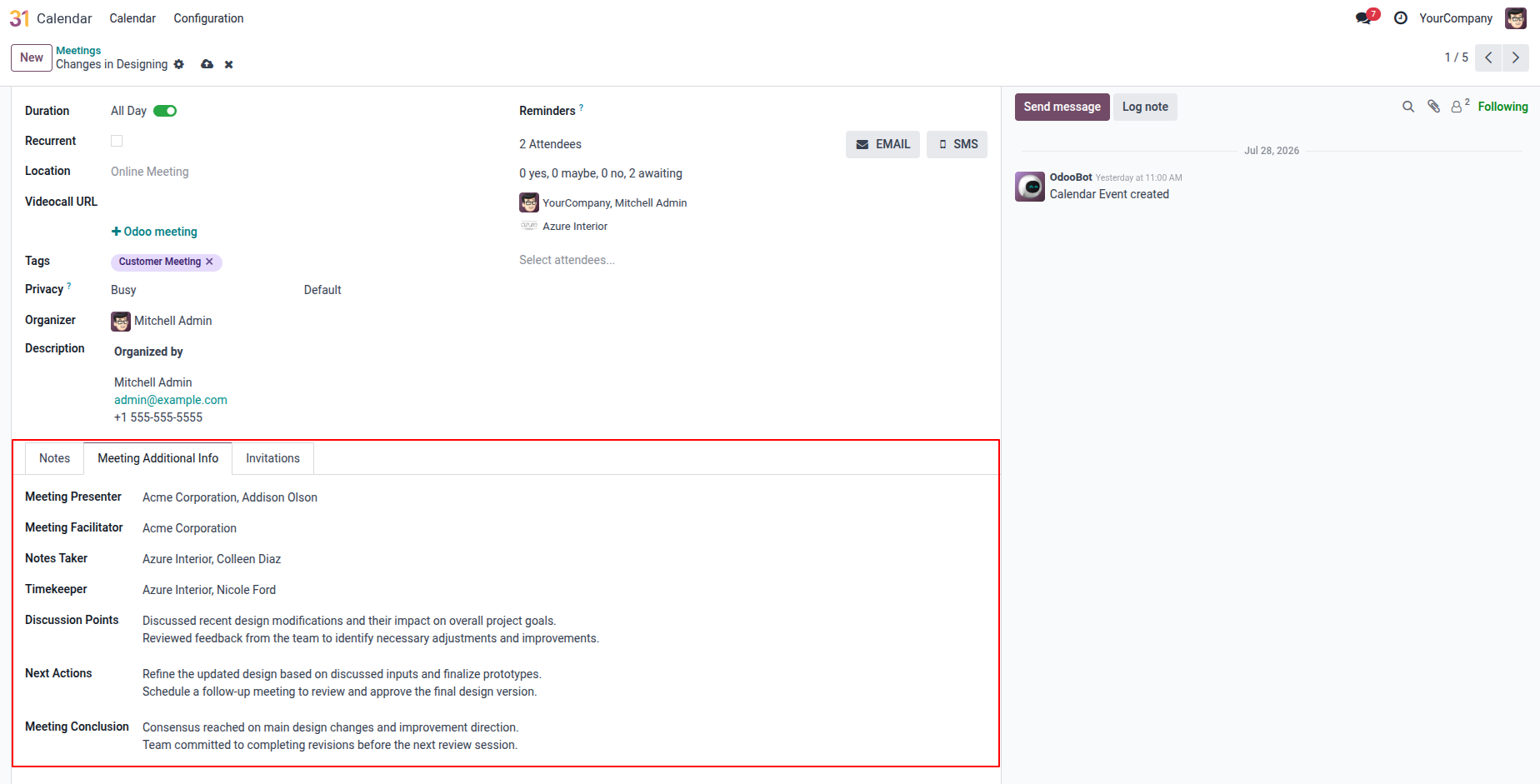
4. Meeting Additional Info: Enter the Presenter, Facilitator, Notes Taker, Timekeeper, Discussion Points, Next Actions, and Meeting Conclusion details.
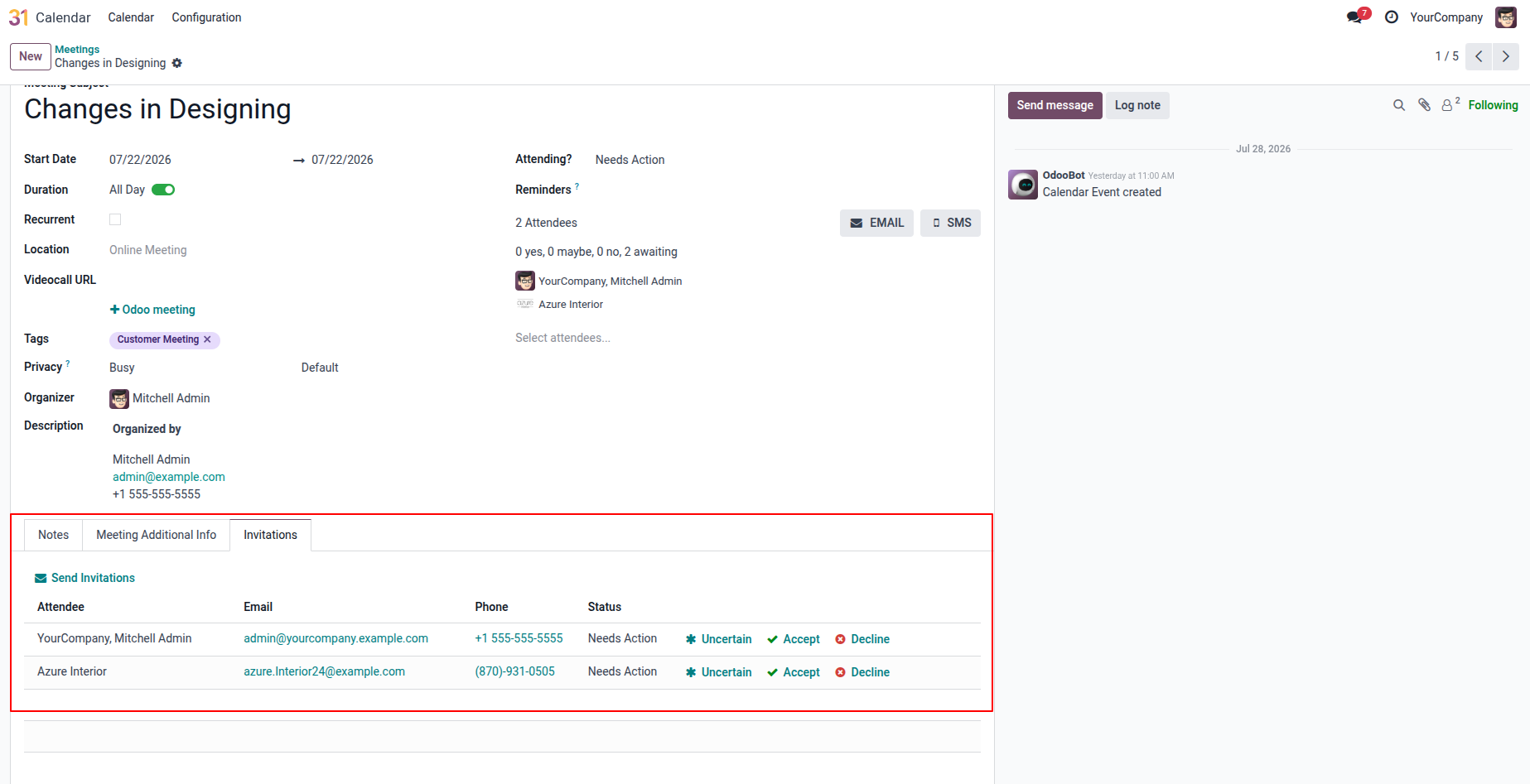
5. Invitations Tab: Add attendees and send meeting invitations.
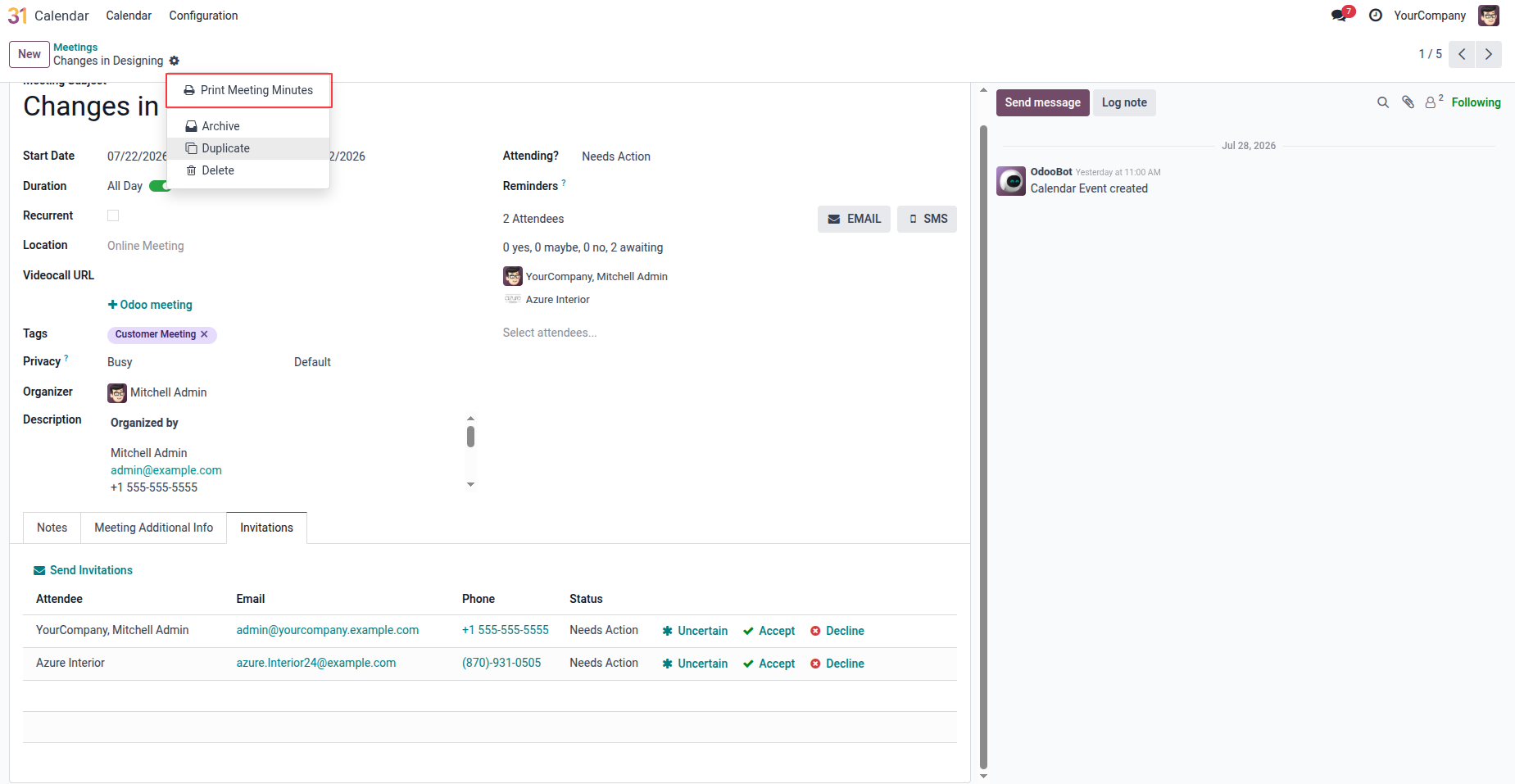
6. Click the gear icon in the meeting form and select "Print Meeting Minutes" to generate the meeting minutes PDF report.
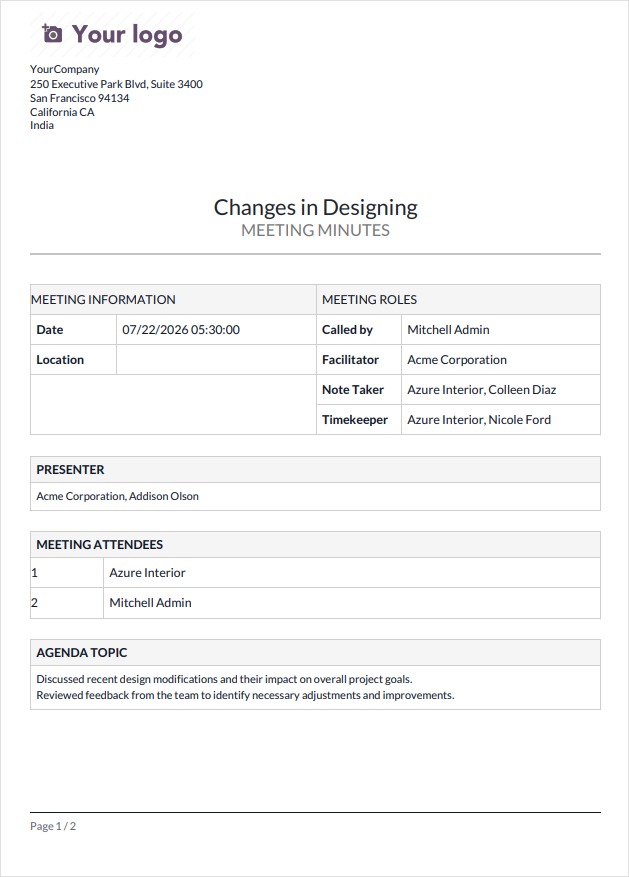
7. The PDF report displays all meeting details including meeting info, roles, attendees, agenda topics, discussion points, action items, and conclusions.
Our solutions focus on your problems
- Odoo Implementation
- Odoo Customization
- ERP Development and Implementation
- Odoo Ipass Cloud
- AI for Odoo
- Odoo Apps
- Aws Marketplace Products
- Business Engines
Our Pricing includes User Manual, 90 Days Support (Monday-Friday 10am to 7pm IST) and One time Setup
• Works & tested on standard installations of Odoo with no third party apps,
• Free support only for odoo installations with no third party apps,
• Paid support available for Odoo installations with third party apps.

Prefortune is a Odoo Official Partner, Odoo Development company. Our philosophy is to use Open Source tools and technologies to provide cost effective and green solutions for our customers.
Prefortune Technologies LLP is working on web development, Mobile development, and Odoo ERP.
If you need any help or want more additional features, you may contact us through:
Alternative Products
These other products might interest you
Specifications
| Version | 19.0, 18.0, 17.0, 16.0, 15.0, 14.0 |