Watch Quick Video
Odoo POS Tax Exemption App
Our
Odoo POS Tax Exemption App
is a simple and effective solution to assist businesses in quickly removing the taxes in the Point of Sale checkout process. 2 dedicated buttons, Remove Tax and Remove All Tax, to easily remove taxes from selected products or entire POS bill without changing product tax settings. Automatically calculates total bill and tax amount giving you accurate pricing and saving manual efforts . It makes it easier for businesses to do special sales, and gives cashiers and customers a faster, smoother and more reliable checkout experience.
Odoo POS Tax Exemption App
- Eliminate Quick Tax on a Selected Product
- All POS bills can have their taxes removed with a single click.
- Dedicated Buttons to Remove Tax and Remove All Tax.
- Automatically recalculate the tax and bill totals
- The product tax settings do not need to be changed.
- Operates without requiring any modifications to the product tax configuration.
Complete Workflow for Odoo POS Tax Exemption App
Users can easily remove taxes during the Point of Sale checkout process using the dedicated Remove Tax and Remove All Tax buttons. The module allows taxes to be removed from selected products or the entire POS bill with a single click, automatically updates the bill total and tax amount, and works without changing product tax settings. It helps reduce manual effort, improves billing accuracy, and provides a faster, smoother, and more efficient checkout experience for both cashiers and customers.
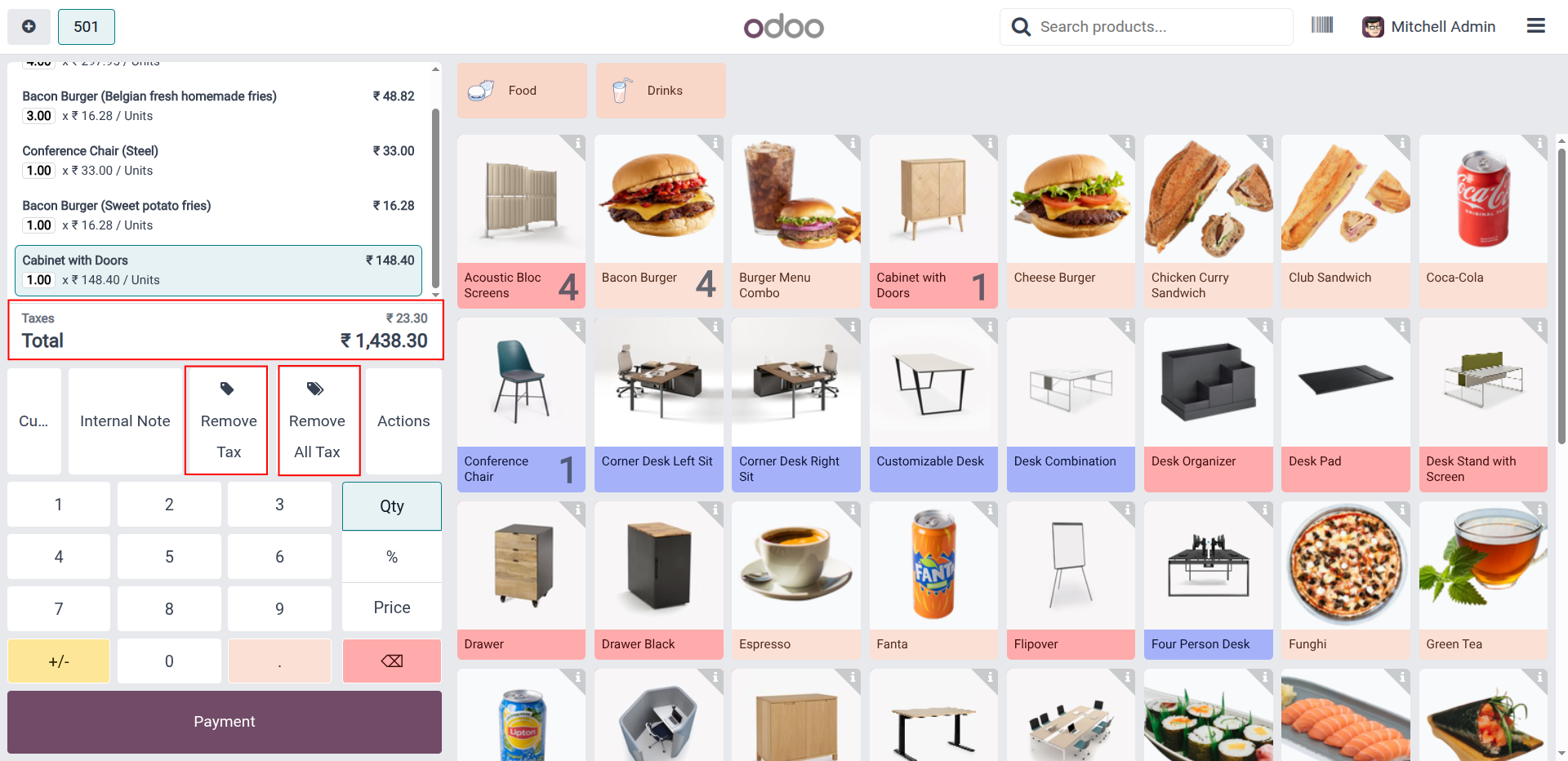
1. The module provides dedicated Remove Tax and Remove All Tax buttons for quick and efficient tax management in Odoo POS.
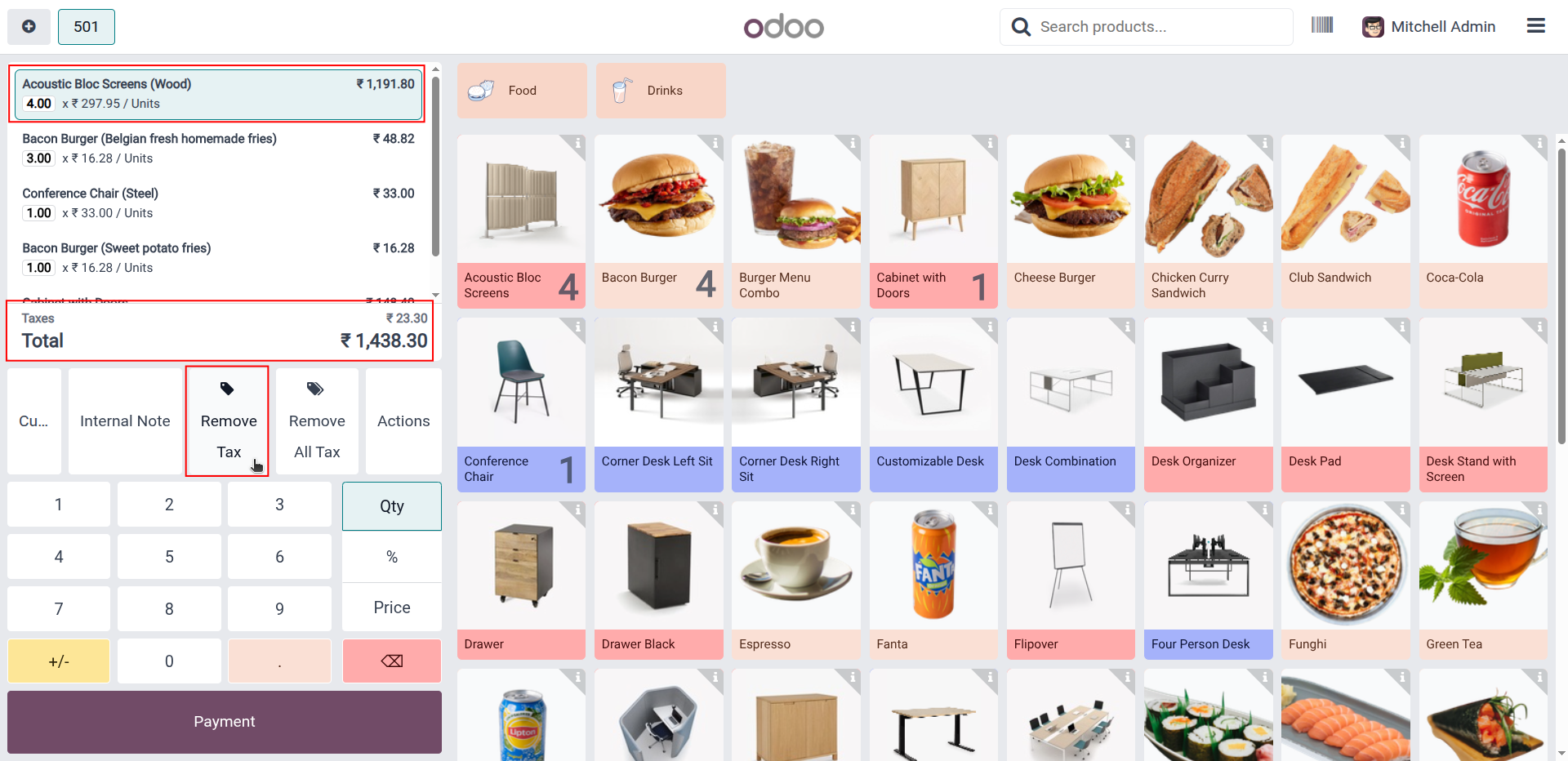
2. Click the Remove Tax button to remove tax from the selected product in the POS bill.
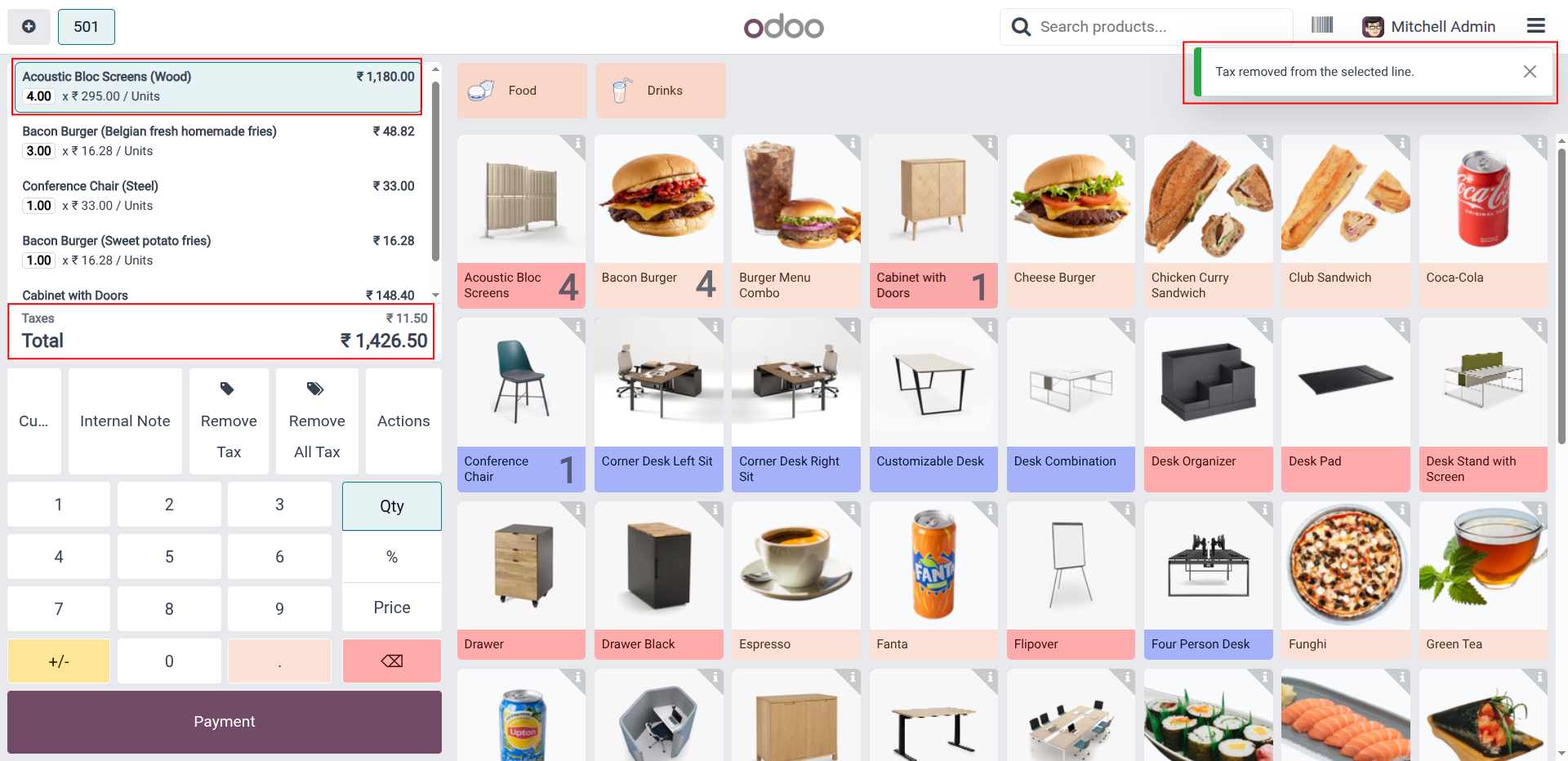
3. The tax is successfully removed from the selected product, and the POS bill is updated instantly.
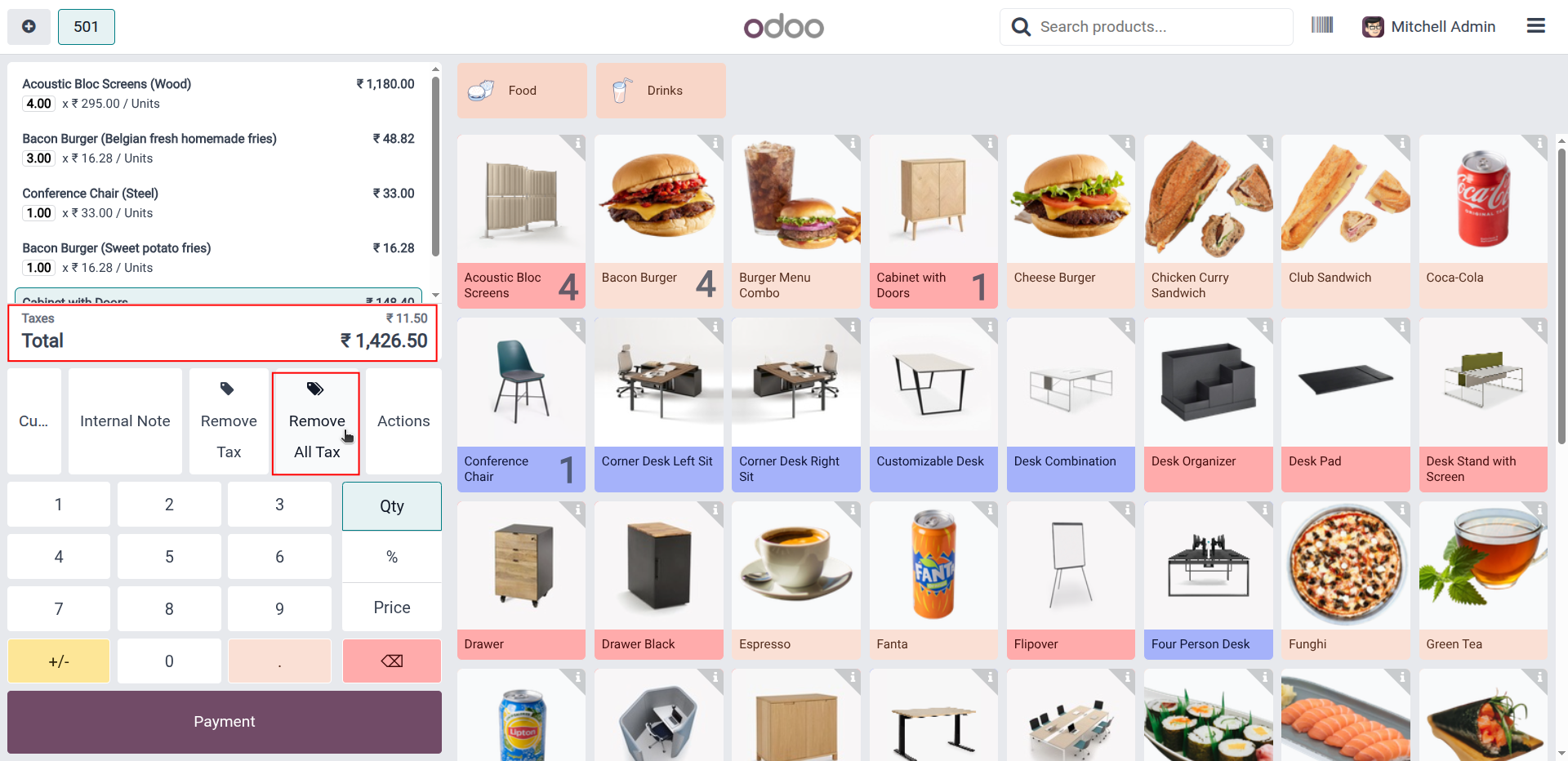
4. Click the Remove All Tax button to remove taxes from all products in the POS bill.
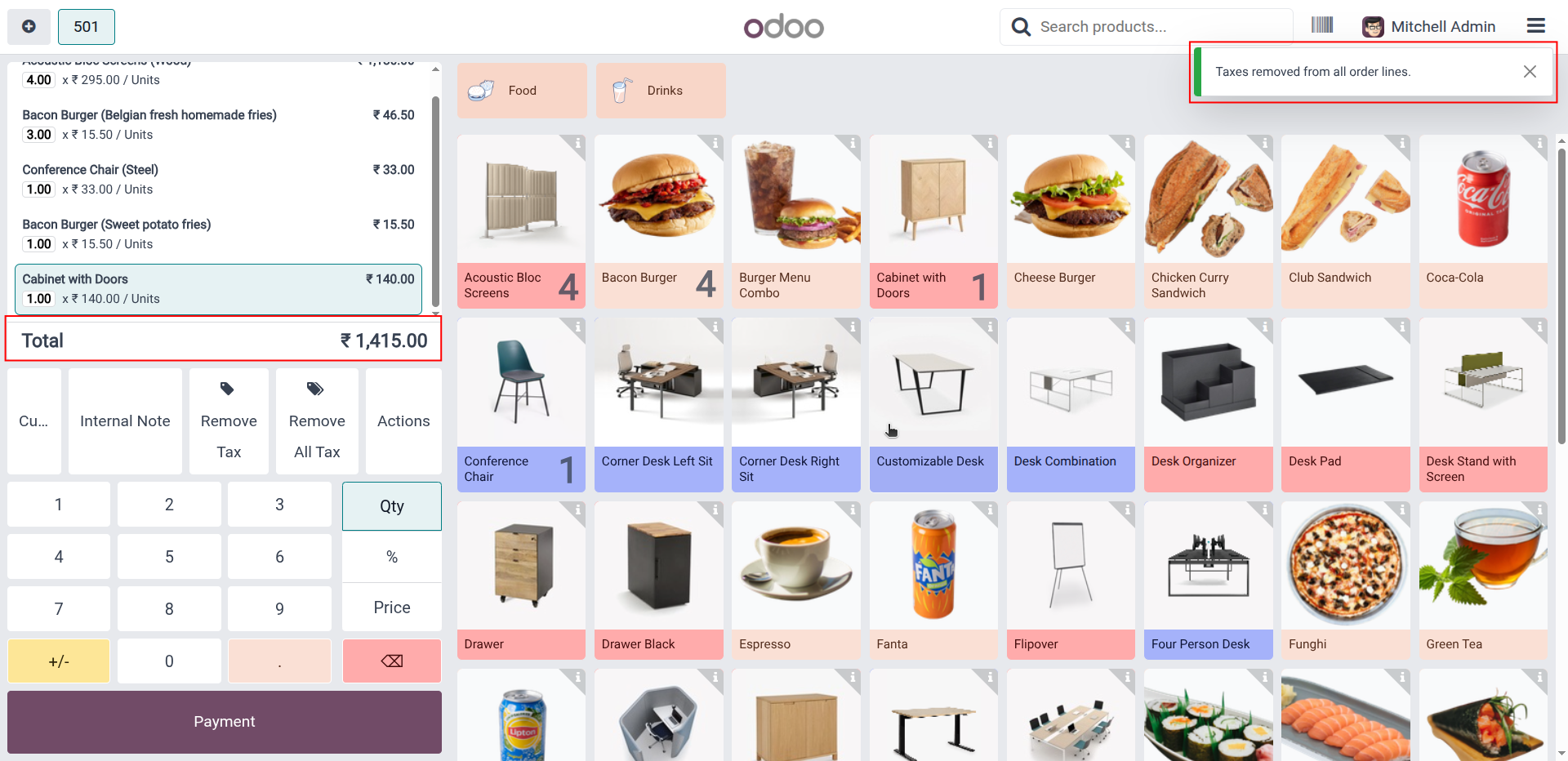
5. All taxes are successfully removed from the POS bill, and the bill total is updated instantly.
Our solutions focus on your problems
- Odoo Implementation
- Odoo Customization
- ERP Development and Implementation
- Odoo Ipass Cloud
- AI for Odoo
- Odoo Apps
- Aws Marketplace Products
- Business Engines
Our Pricing includes User Manual, 90 Days Support (Monday-Friday 10am to 7pm IST) and One time Setup
• Works & tested on standard installations of Odoo with no third party apps,
• Free support only for odoo installations with no third party apps,
• Paid support available for Odoo installations with third party apps.

Prefortune is a Odoo Official Partner, Odoo Development company. Our philosophy is to use Open Source tools and technologies to provide cost effective and green solutions for our customers.
Prefortune Technologies LLP is working on web development, Mobile development, and Odoo ERP.
If you need any help or want more additional features, you may contact us through:
Alternative Products
These other products might interest you
Specifications
| Version | 19.0, 18.0, 17.0, 16.0, 15.0, 14.0 |