Watch Quick Video
Out of Stock Product Restriction Odoo App
All our Out of Stock Product Restriction Odoo App
module allows you to verify the availability of the products before confirming the sales orders, thus preventing you from selling products that are out of stock. It aids businesses in not over-selling and in maintaining accurate inventory control, by enabling users to confirm orders only when adequate stock is available.
The module provides controlled override access to Odoo Sales for the authorised users. Allows the users to setup settings to restrict stock. Provides real time stock validation. Improve order accuracy, speed up sales process and avoid stock issues by adding product specific restriction options and clear notifications on stock availability.
Out of Stock Product Restriction Odoo App
- Prevent the sale of products with insufficient stock.
- Configure stock restrictions for individual products.
- Require a reason before overriding stock restrictions.
- Prevents validating deliveries with insufficient stock.
- Allow only authorized users to use the Override button.
Complete Workflow for Manage Out of Stock Product Restriction Odoo App
Install and activate the Out of Stock Product Restriction Odoo App module. After installing the module, navigate to Sales → Configuration → Settings and configure the stock restriction options as needed. You can also manage user access through the Stock Override Access security group and enable or disable Show Stock Restriction Alerts for individual products. When users create a sales order, the module automatically validates stock availability before confirmation. If stock is insufficient, it displays stock availability alerts and blocks order confirmation. Authorized users can click the Override Stock Block button to bypass the restriction and confirm the sales order. The module helps prevent overselling, improves inventory accuracy, and ensures that only authorized users can override stock restrictions when required.
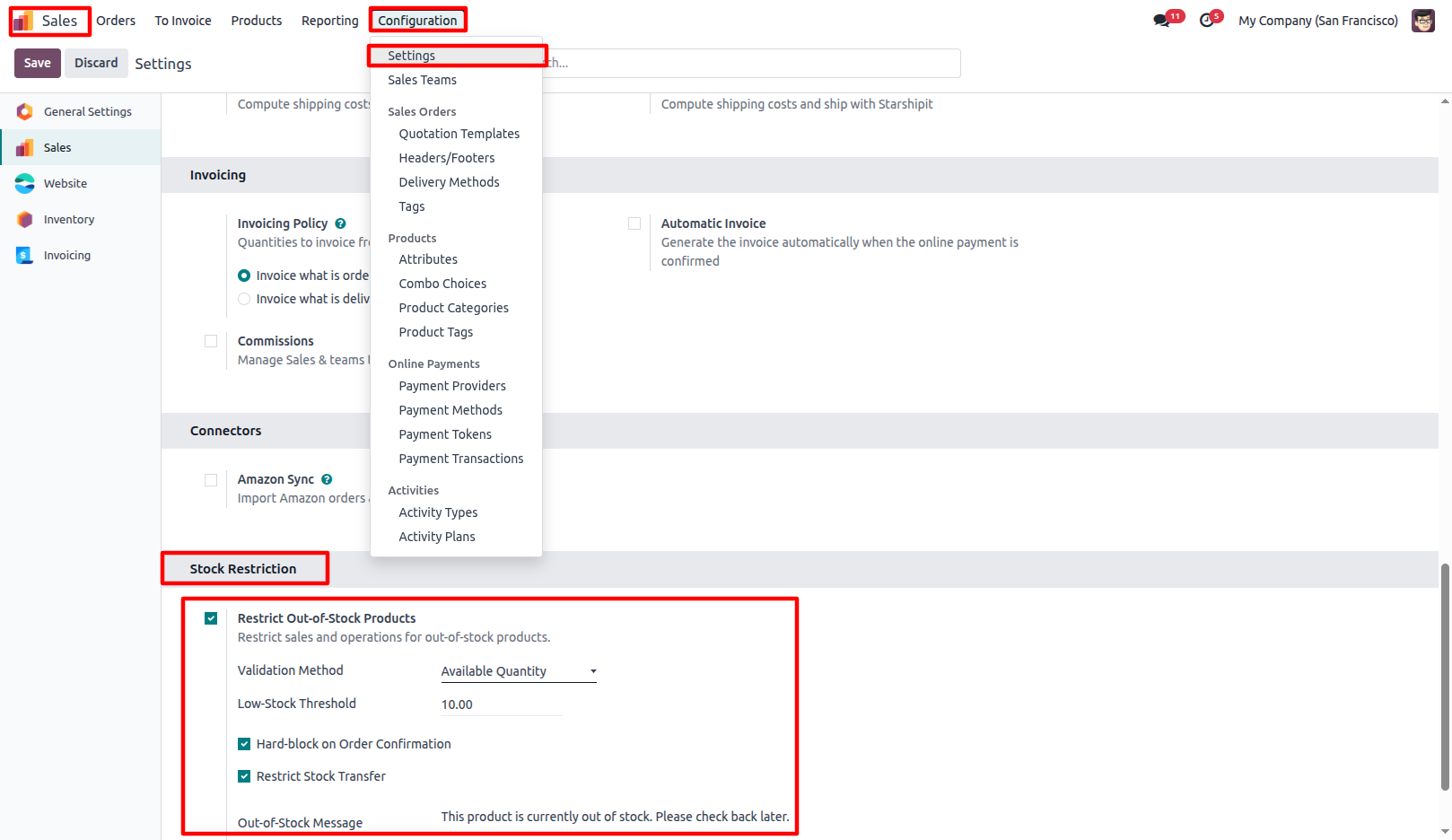
1.Go to Sales → Configuration → Settings enable Restrict Out-of-Stock Products, then configure the Validation Method, Low-Stock Threshold, and other stock restriction settings.
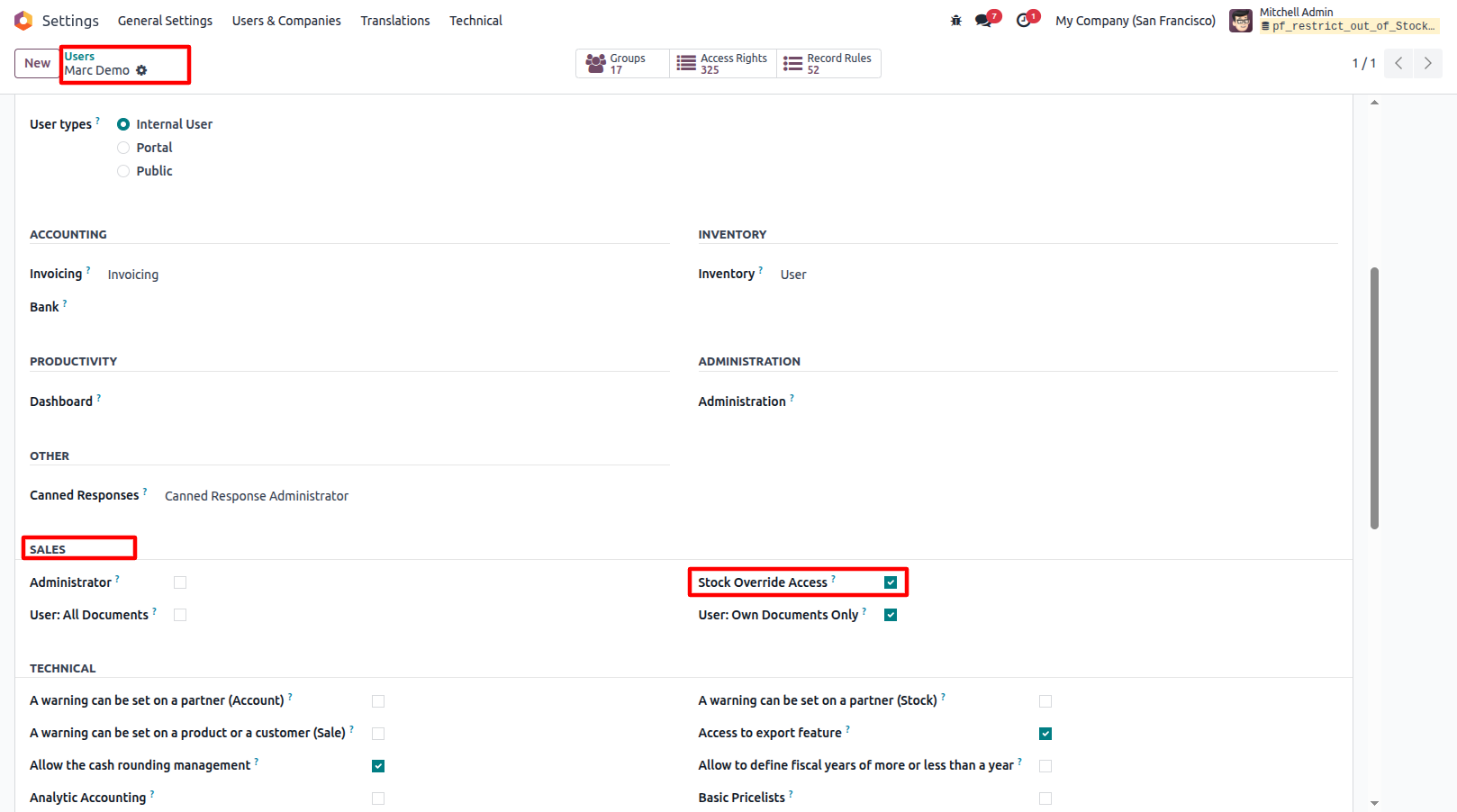
2.Assign the Stock Override Access security group to users who are allowed to override stock restrictions.
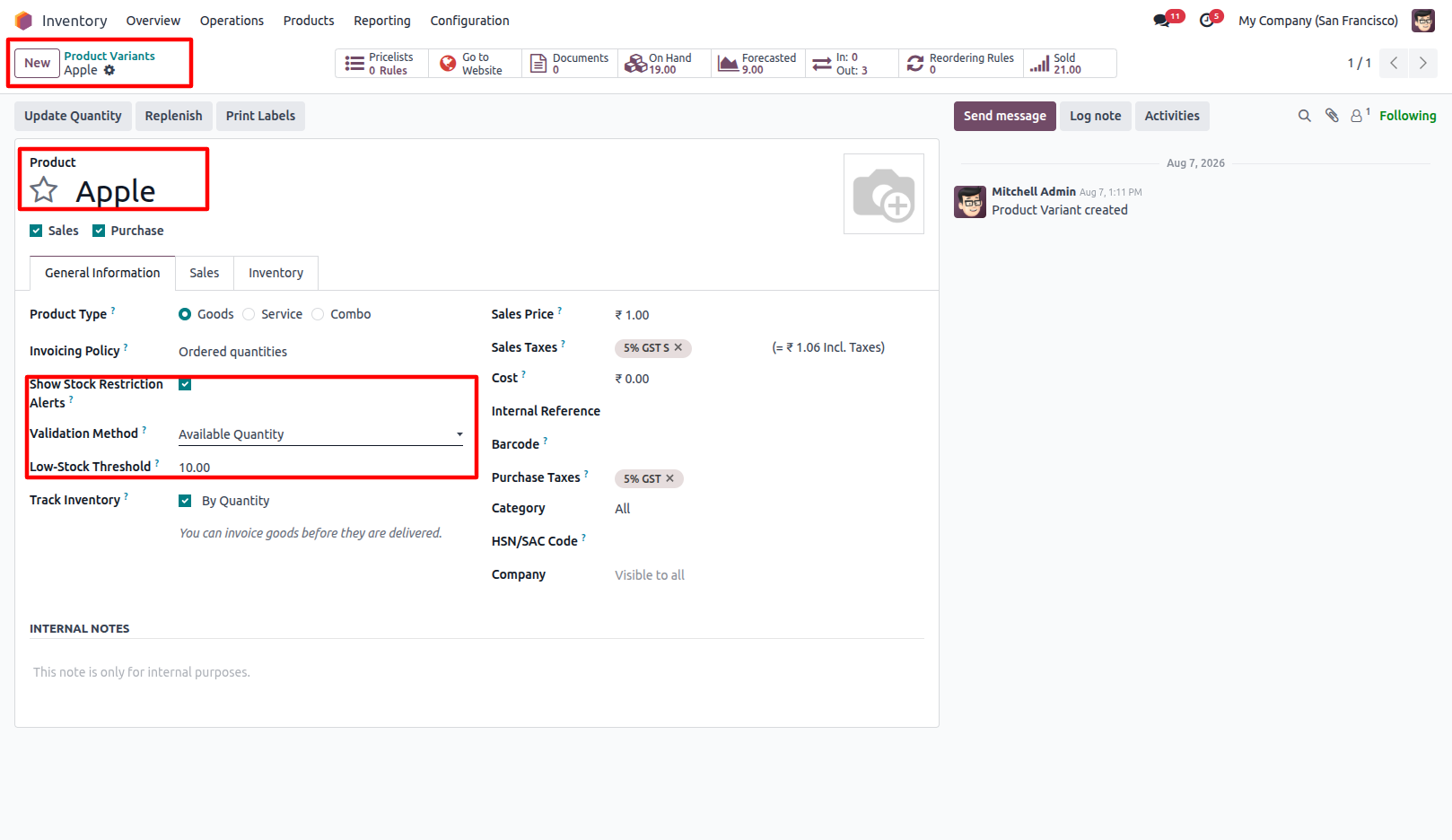
3.Go to Sales → Products → Product Variants open the required Product, and enable Show Stock Restriction Alerts. Once enabled, configure the Validation Method and Low-Stock Threshold specifically for the selected product.
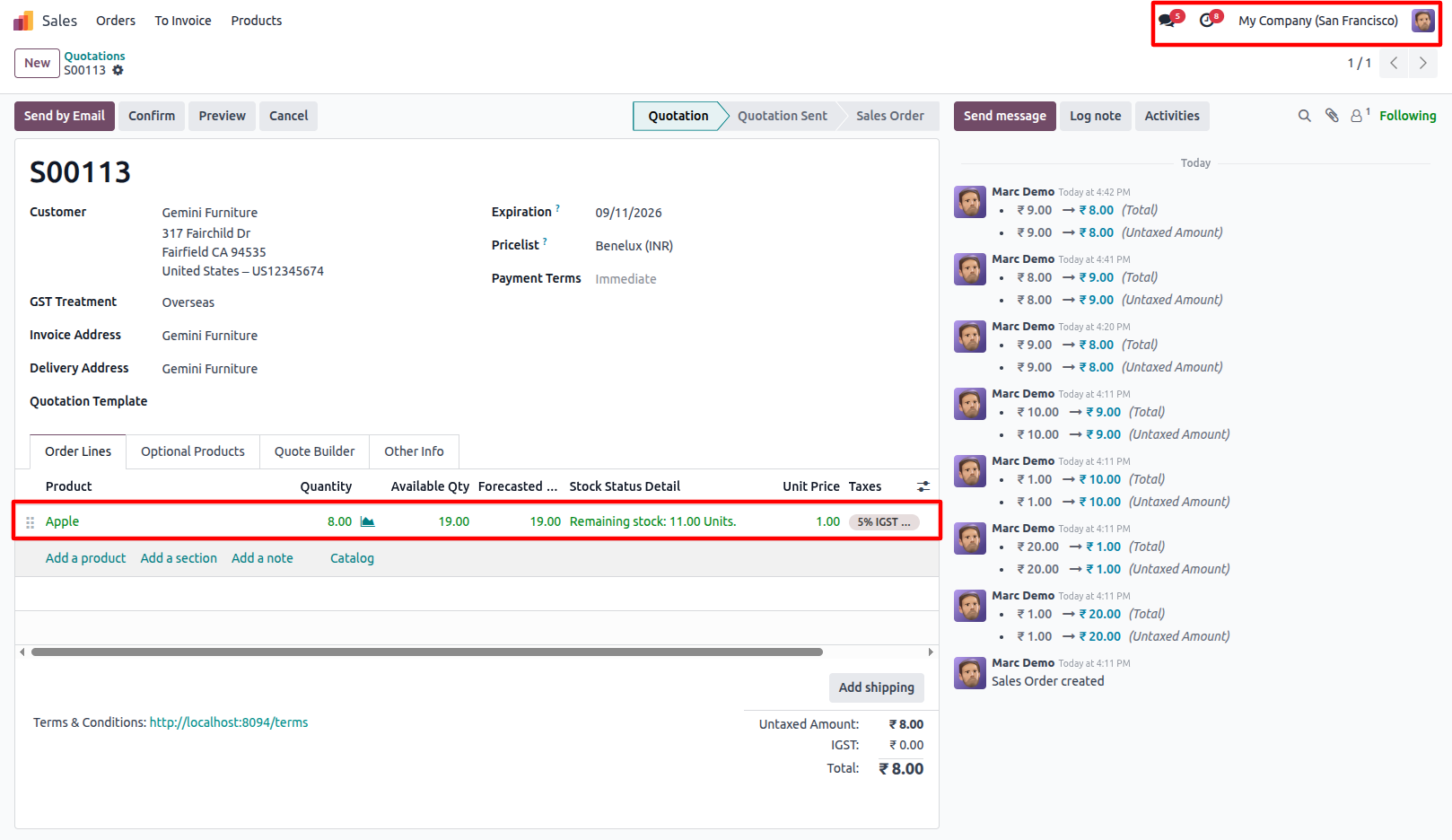
4.Create a Sales Order with products that have insufficient stock. If stock is unavailable, the module displays a Stock Restriction warning and blocks order confirmation.
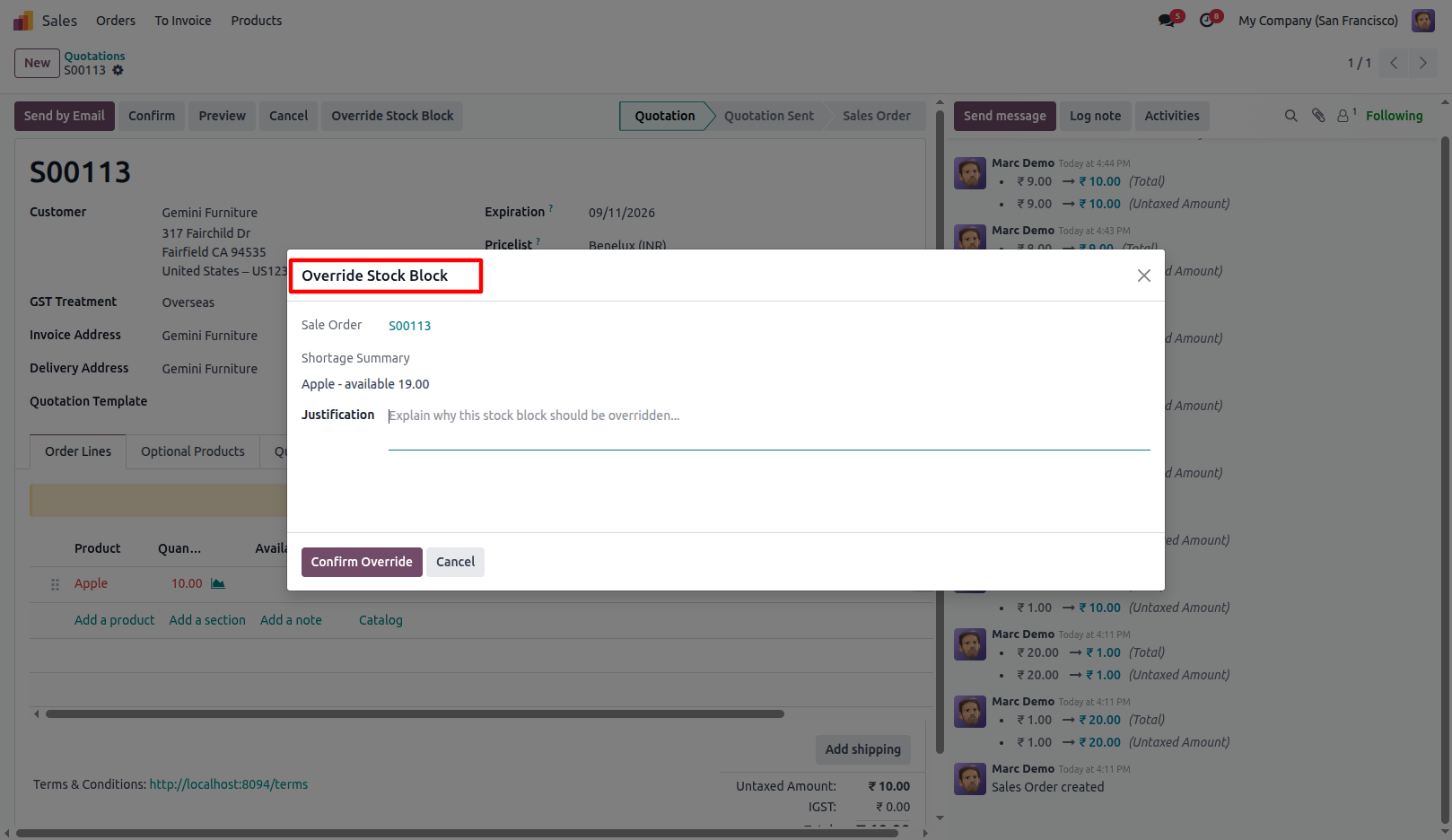
5.Before clicking Override Stock Block, confirming the Sales Order displays a validation error. Click Override Stock Block to open the override wizard. After clicking Override Stock Block, authorized users can confirm the Sales Order without the validation error.
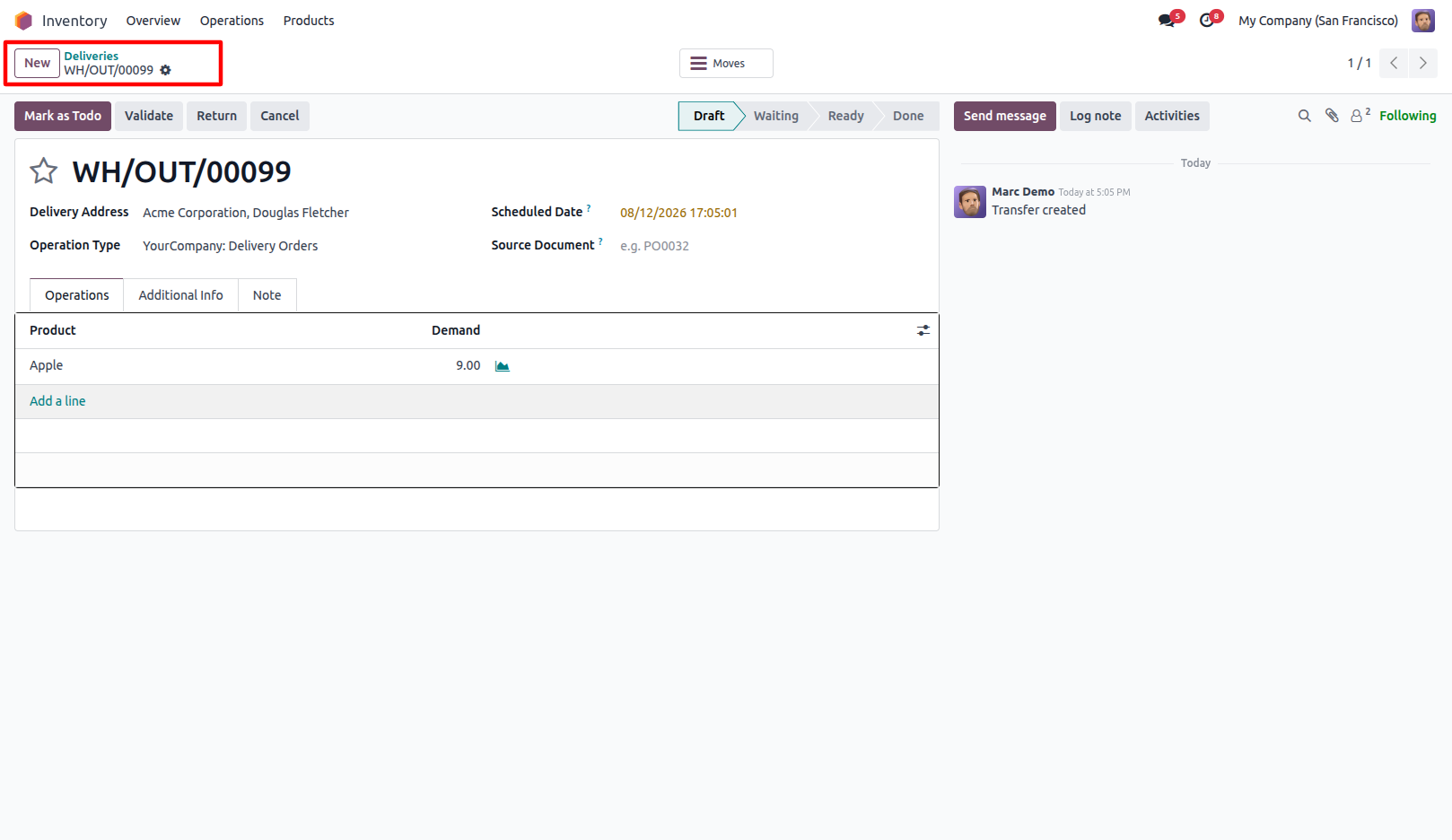
6.Create a Delivery Order with products that are close to or below the configured Low-Stock Threshold. When the remaining stock is above the threshold, no restriction is shown. When the remaining stock falls below the threshold, the module displays a custom validation message and the Override Stock Block button.
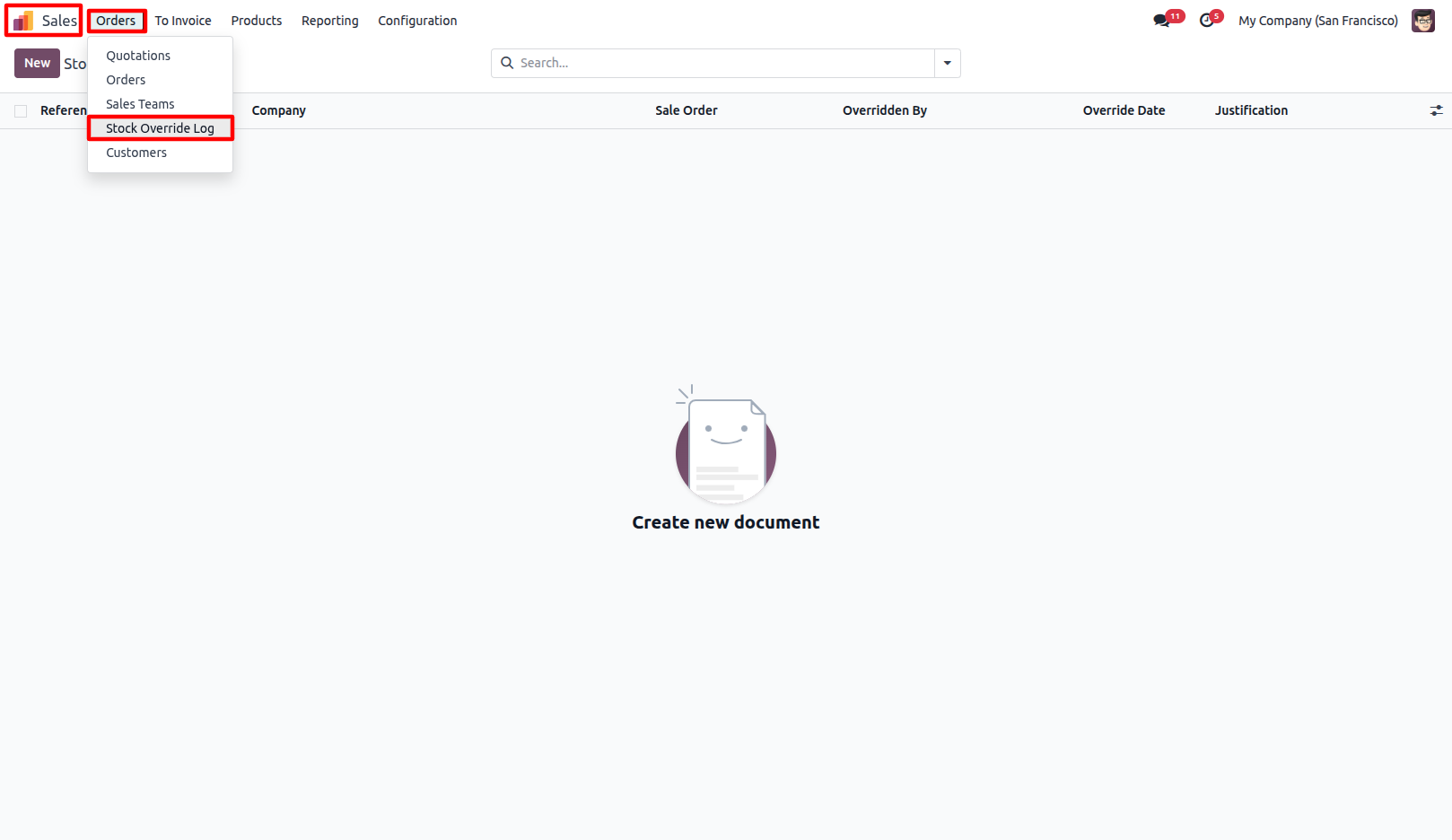
7.View override logs for Sales Orders and Delivery Orders. Only Administrators can access and view these override logs.
Our solutions focus on your problems
- Odoo Implementation
- Odoo Customization
- ERP Development and Implementation
- Odoo Ipass Cloud
- AI for Odoo
- Odoo Apps
- Aws Marketplace Products
- Business Engines
Our Pricing includes User Manual, 90 Days Support (Monday-Friday 10am to 7pm IST) and One time Setup
• Works & tested on standard installations of Odoo with no third party apps,
• Free support only for odoo installations with no third party apps,
• Paid support available for Odoo installations with third party apps.

Prefortune is a Odoo Official Partner, Odoo Development company. Our philosophy is to use Open Source tools and technologies to provide cost effective and green solutions for our customers.
Prefortune Technologies LLP is working on web development, Mobile development, and Odoo ERP.
If you need any help or want more additional features, you may contact us through:
Alternative Products
These other products might interest you
Specifications
| Version | 19.0, 18.0, 17.0, 16.0, 15.0, 14.0 |