Watch Quick Video
Portal Access Management Odoo App
Odoo App
Portal Access Management Odoo App
This module allows you to manage portal users without going through a multitude of screens. Lets an admin enable or disable portal access from a contact record in a single click. Once a portal is activated, users receive an invitation via email to activate their accounts and create passwords. It also allows for bulk grant and bulk revoke operations, letting you work with several contacts at a time. Built-in validations to prevent invalid access assignments and to clearly notify when user action is required After each operation a summary of successfully processed and skipped records is provided. The portal's user management becomes easier using this module and it saves time, manual effort and increases administrative efficiency.
Portal Access Management Odoo App Features
- With one click inside contact records, you can easily turn on Grant Portal Access Management and automatically send invitation emails to quickly activate accounts.
- To manage your portal users easily and quickly, delete the access right away when it is no longer needed.
- After each action you will get clear notifications and full operation summary so you will be able to easily track successful, skipped and failed records.
- Bulk manage portal access, granting or revoking access for multiple contacts simultaneously, saving time and reducing manual effort.
Complete Workflow for Managing Portal Access Management Odoo App
Install the module Portal Access and go to the Contacts app to manage portal access for individual or multiple contacts. Open any contact from List or Form view and click Grant Portal Access to instantly give that contact a portal login. To act on several contacts at once, select them in the list view and use the Grant Portal Access or Revoke Portal Access bulk actions. Before any change is applied, the system runs smart eligibility checks — archived contacts, internal users, missing emails, and duplicate emails are automatically identified and excluded, so nothing breaks silently. Once the action completes, a detailed result summary pops up, showing exactly which contacts succeeded, which already had access, which were skipped, and which failed — along with the reason for each. Revoking access removes the contact's portal login without deleting their record, and access can be granted again at any time. keeping your portal access workflow fast and safe
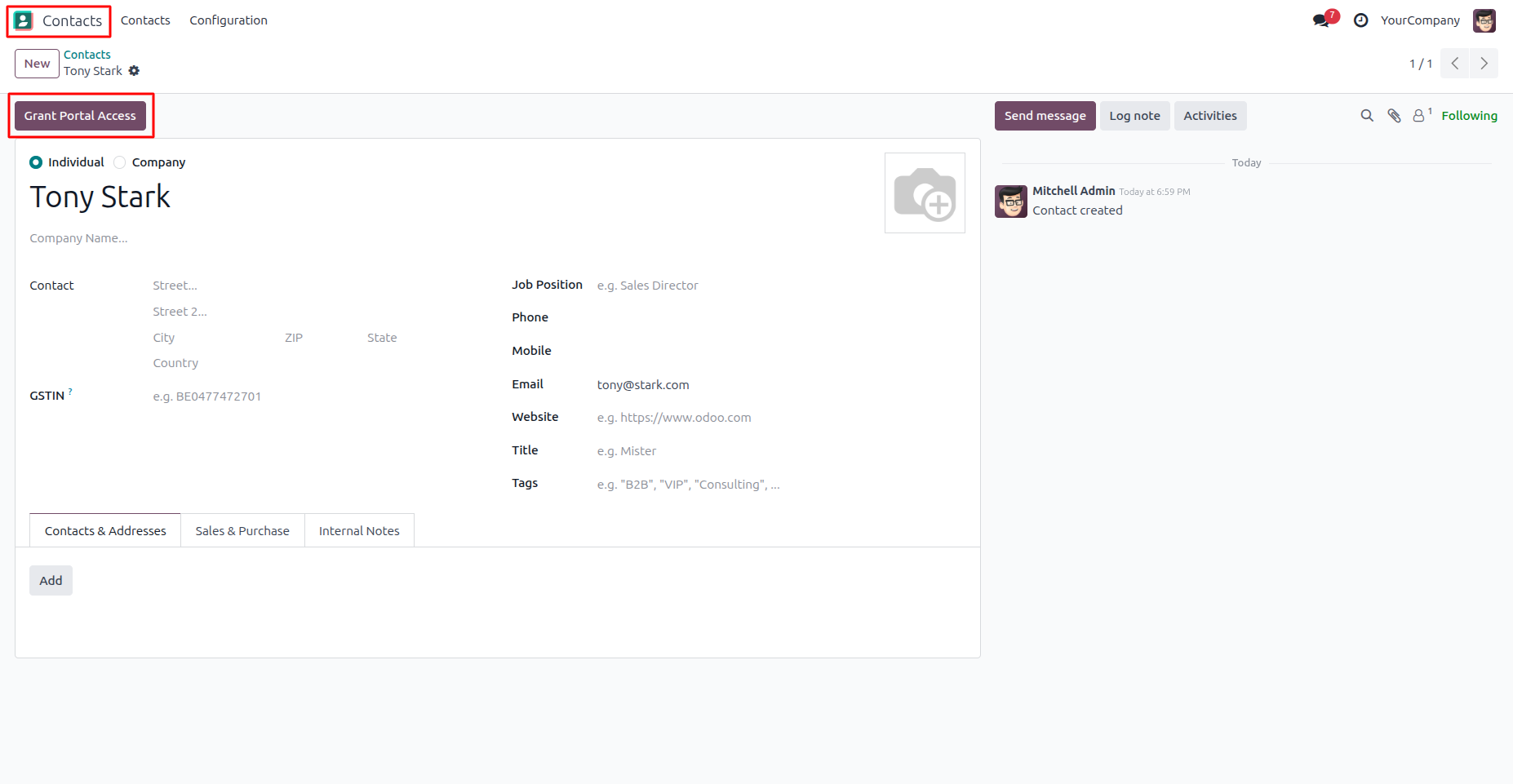
1. Navigate to Contacts and open the desired contact record. Click the Grant Portal Access button to instantly provide portal access to the contact.
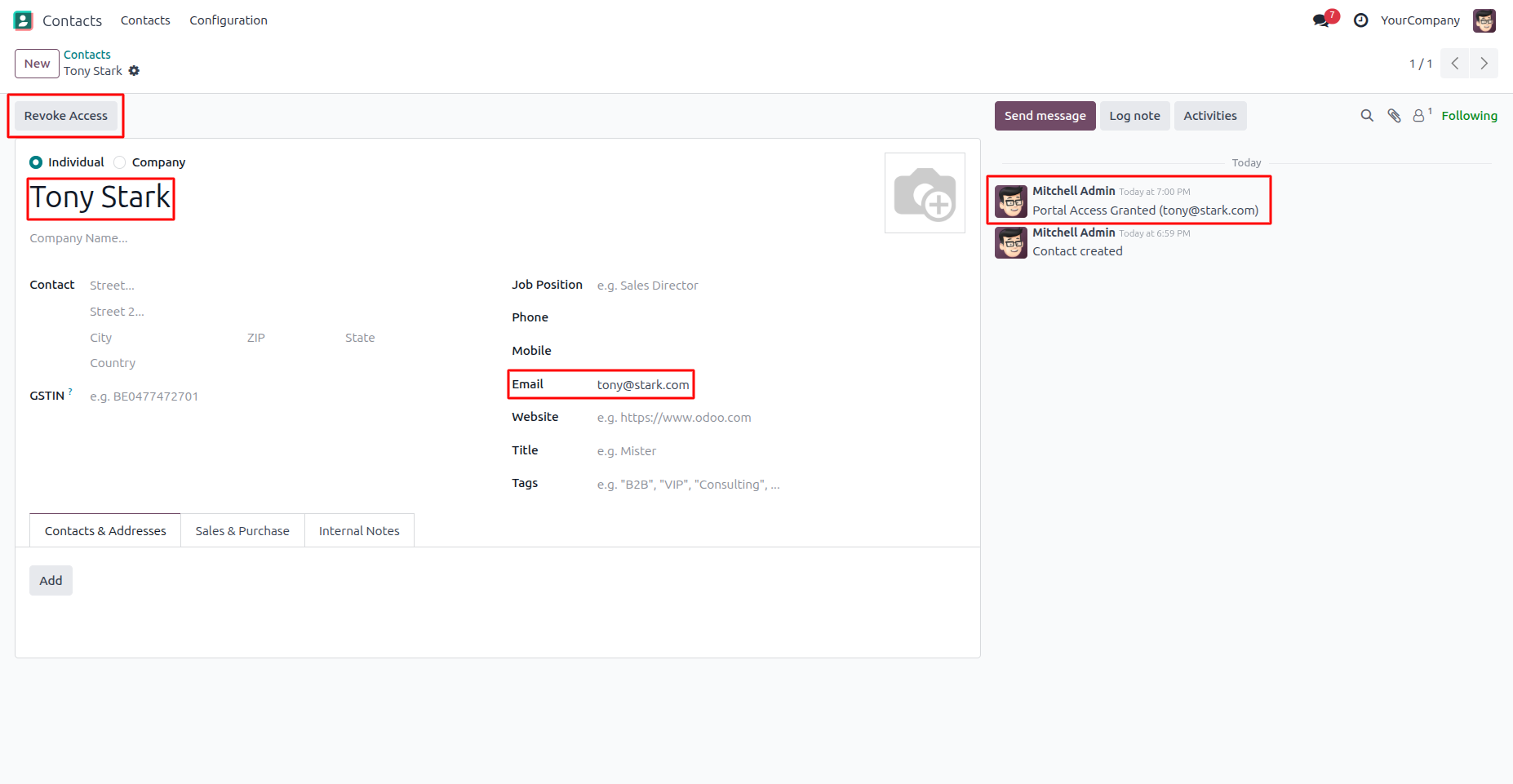
2. Once the access is successfully granted, a Revoke Access button is displayed, an invitation email is automatically sent to the contact, and a confirmation message is logged in the Chatter for easy tracking and audit purposes.
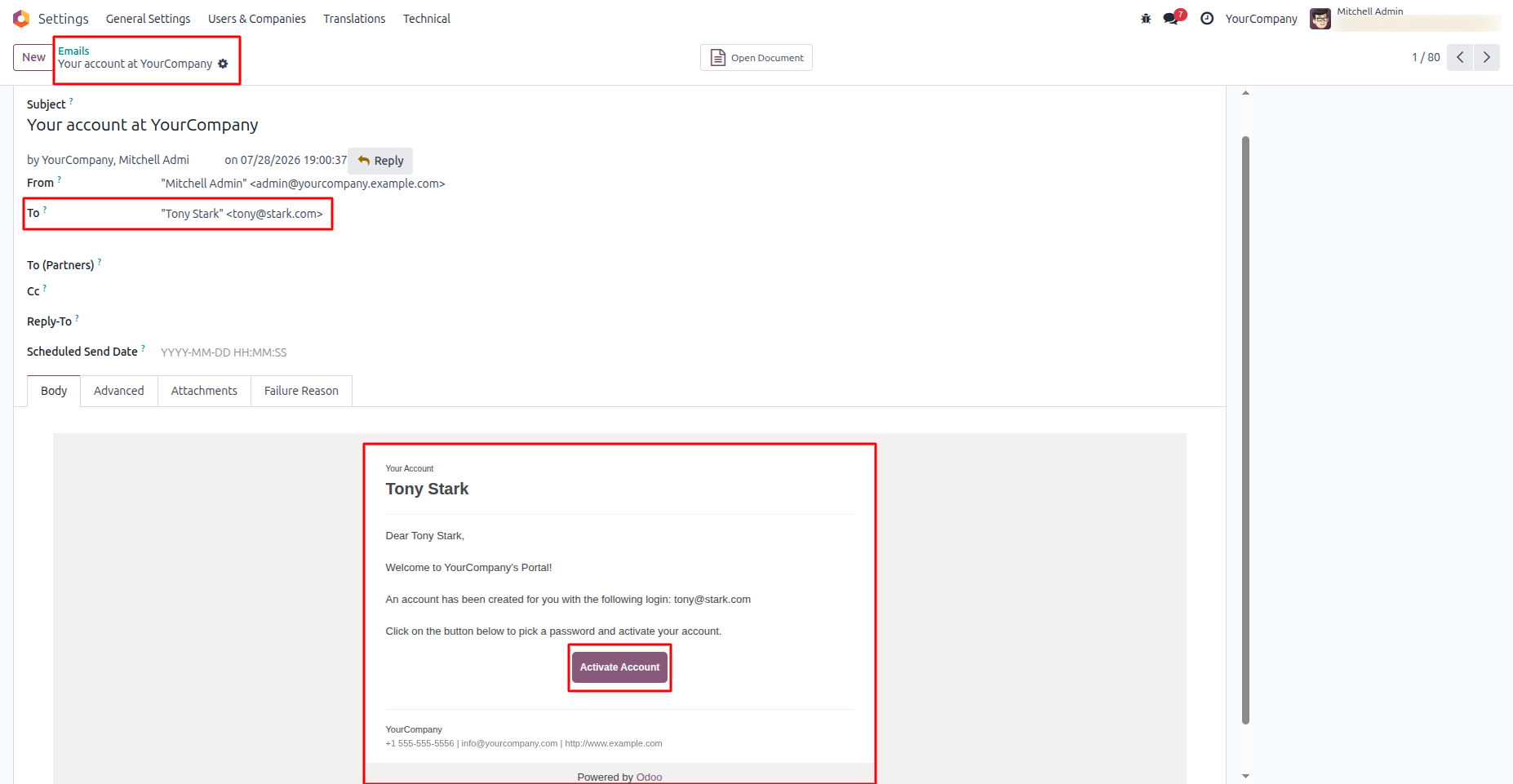
3. After portal access is granted, Odoo automatically sends a Portal Invitation Email to the contact's registered email address. The email contains an Activate Account button, allowing the user to set their password and activate their portal account securely.
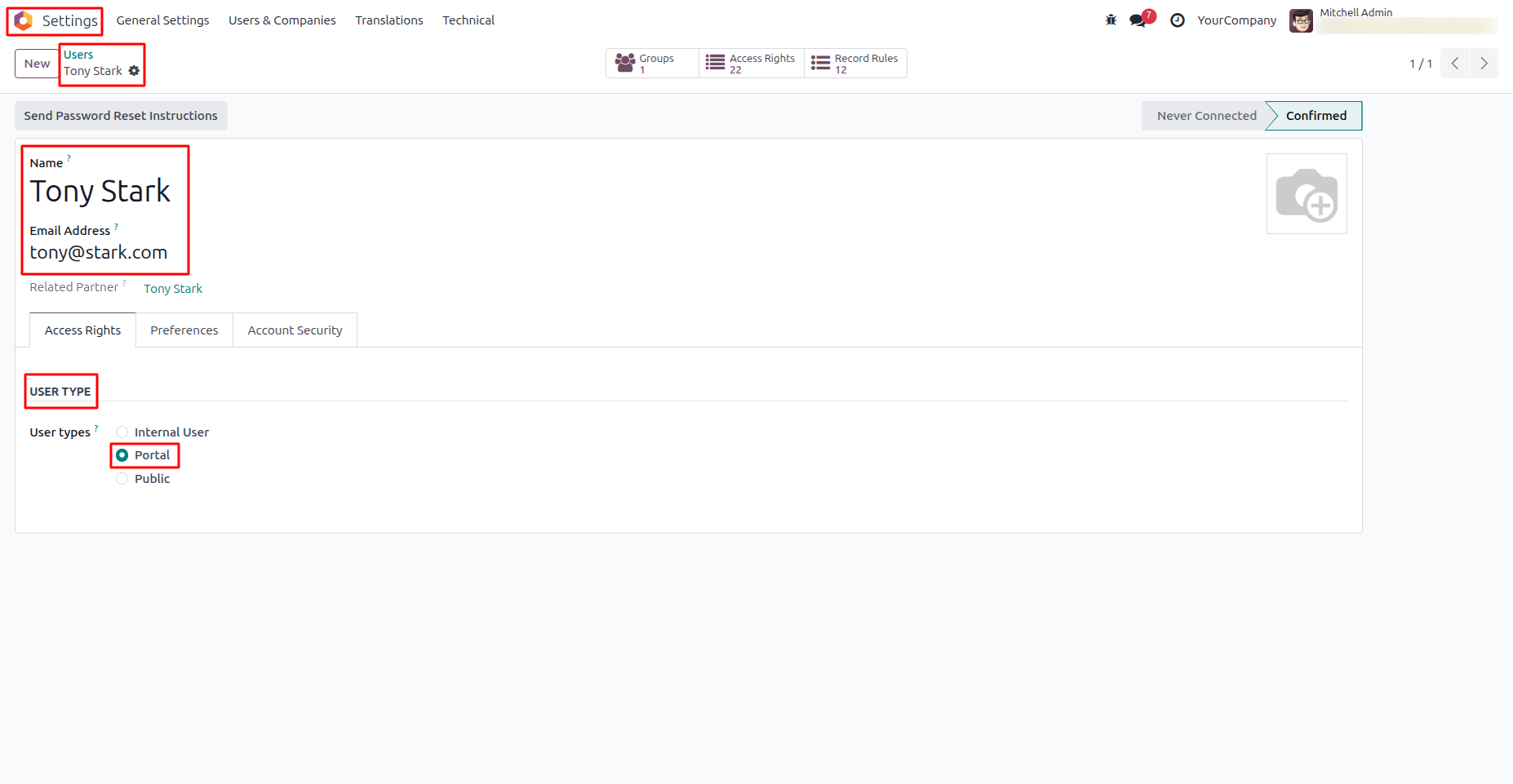
4. Once portal access is granted, Odoo automatically creates a Portal User linked to the selected contact. The user record is assigned the Portal user type, allowing secure access to the portal with the permissions available to portal users.
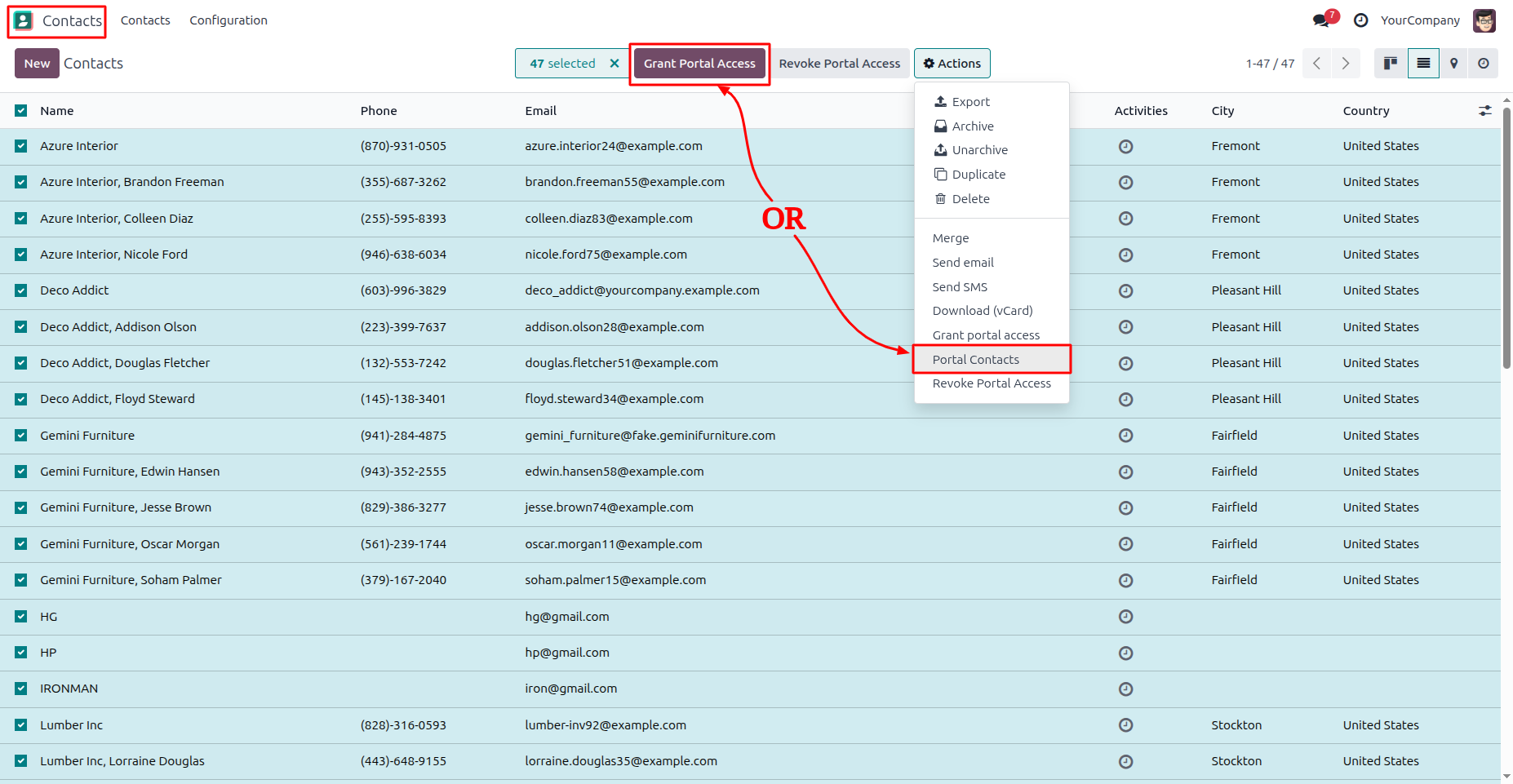
5. Select one or more contacts from the Contacts list view, then click Grant Portal Access or choose Actions → Portal Contacts. The module processes all selected contacts in a single operation, automatically granting portal access and sending invitation emails to all eligible contacts.
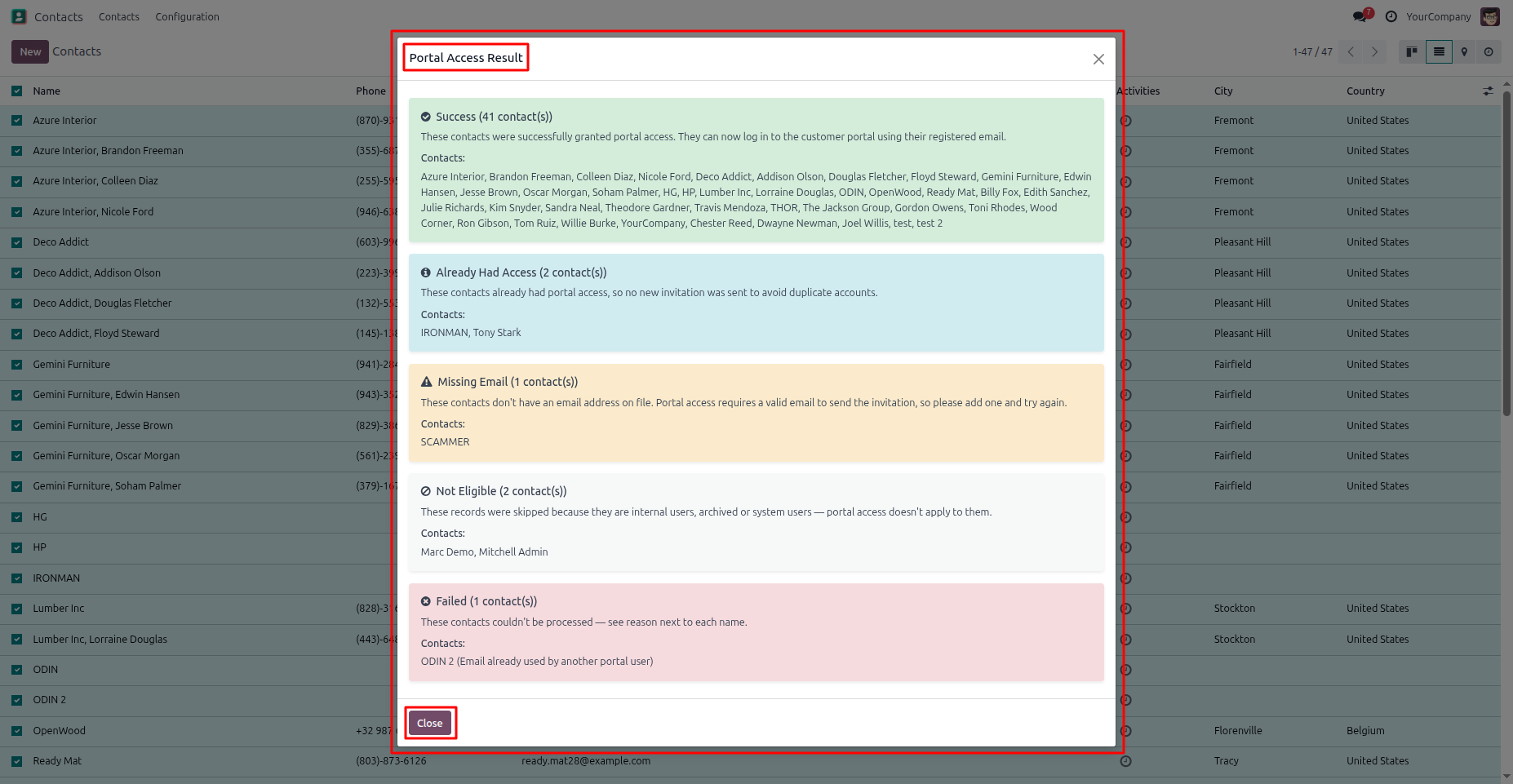
6.After the bulk portal access operation is completed, a Portal Access Result summary is displayed. The summary provides a detailed breakdown of successful grants, contacts that already had portal access, contacts with missing email addresses, ineligible records, and failed operations, allowing you to quickly review the results and identify any contacts that require further action.
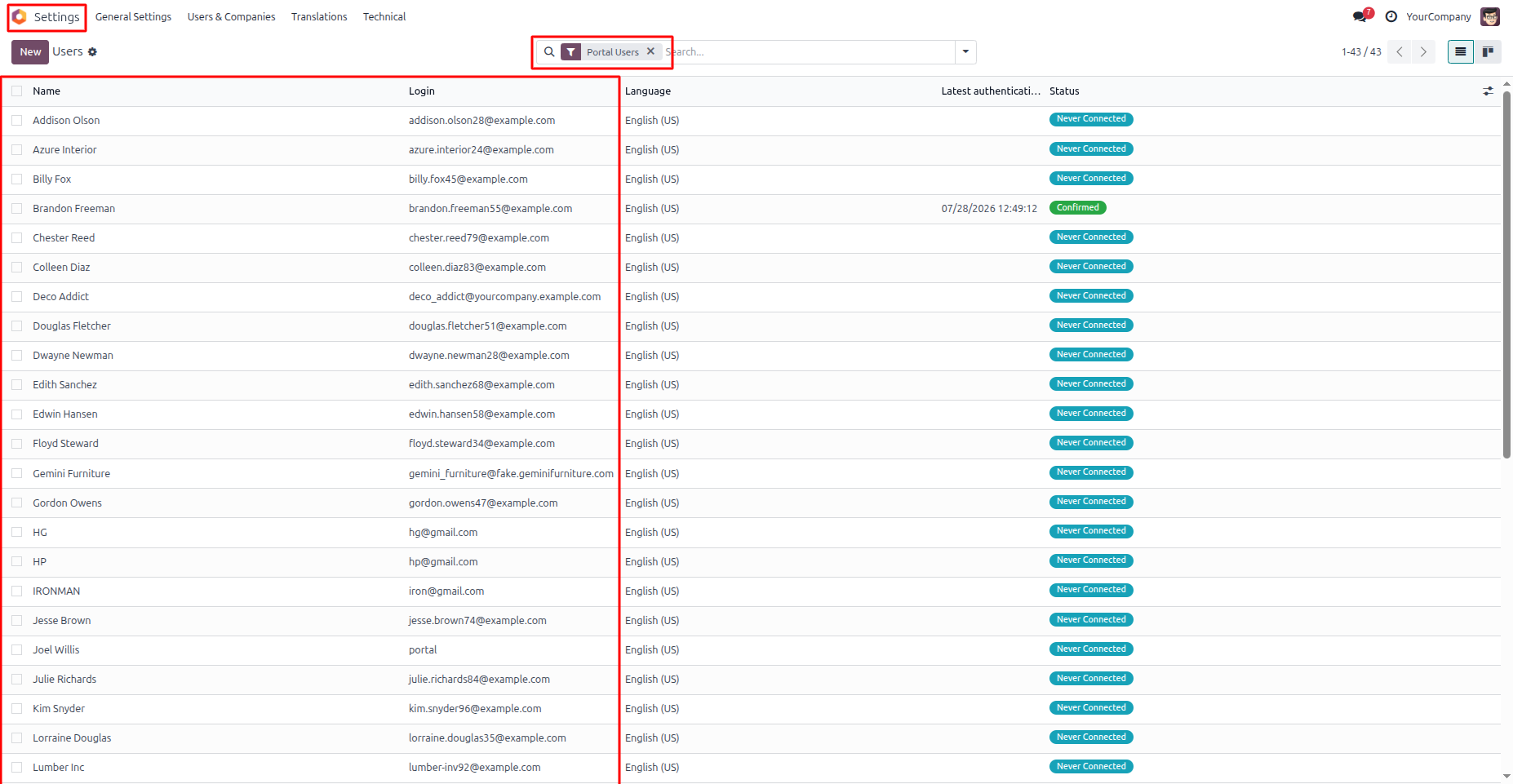
7. After the bulk portal access operation is completed, all eligible contacts are automatically converted into Portal Users. You can verify the created users by navigating to Settings → Users & Companies → Users and filtering the list to display Portal Users.
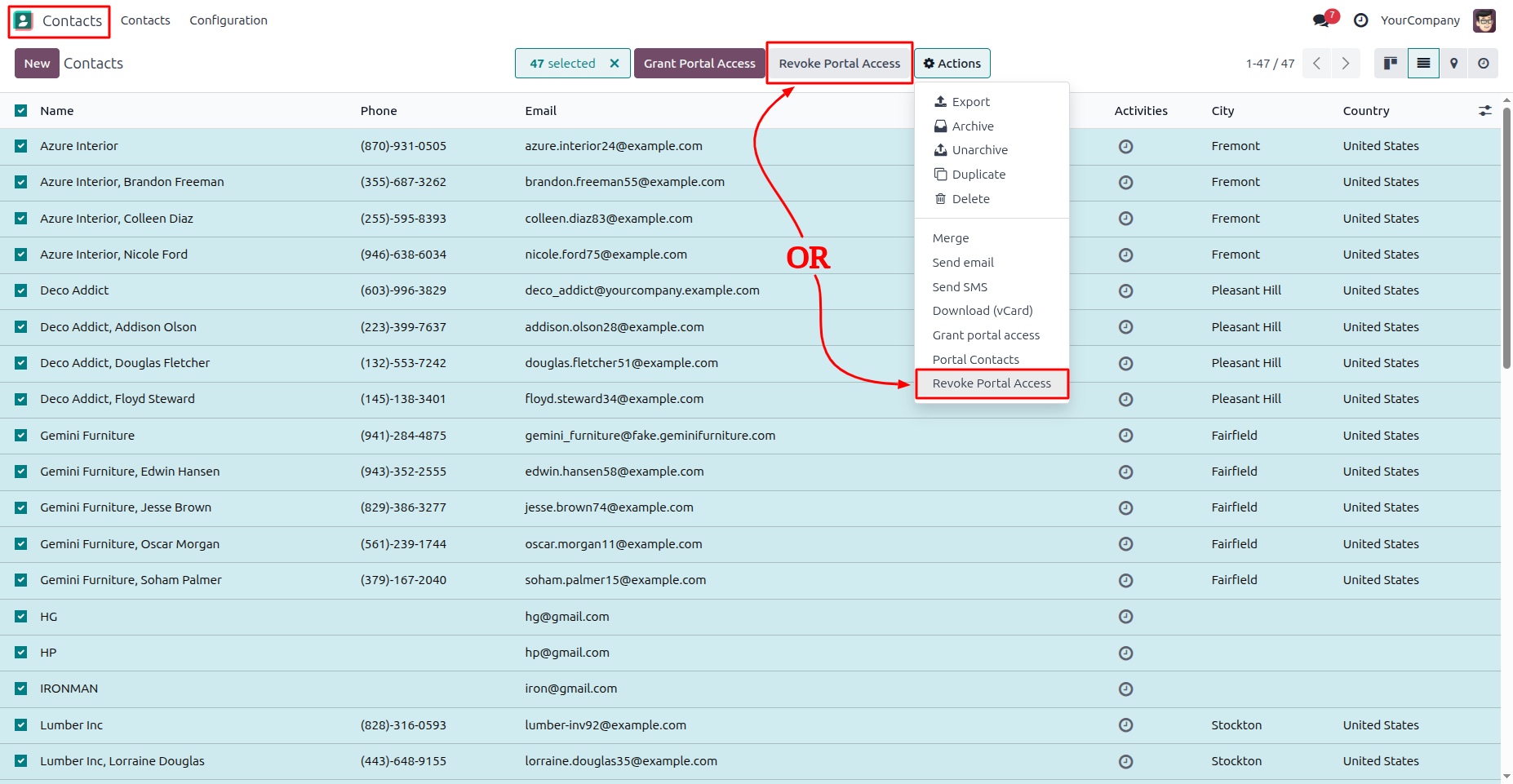
8. "Select one or more contacts from the Contacts list view, then click Revoke Portal Access or choose Actions → Revoke Portal Access. The module processes all selected contacts in a single operation, removing portal access from all eligible contacts while skipping ineligible records automatically.
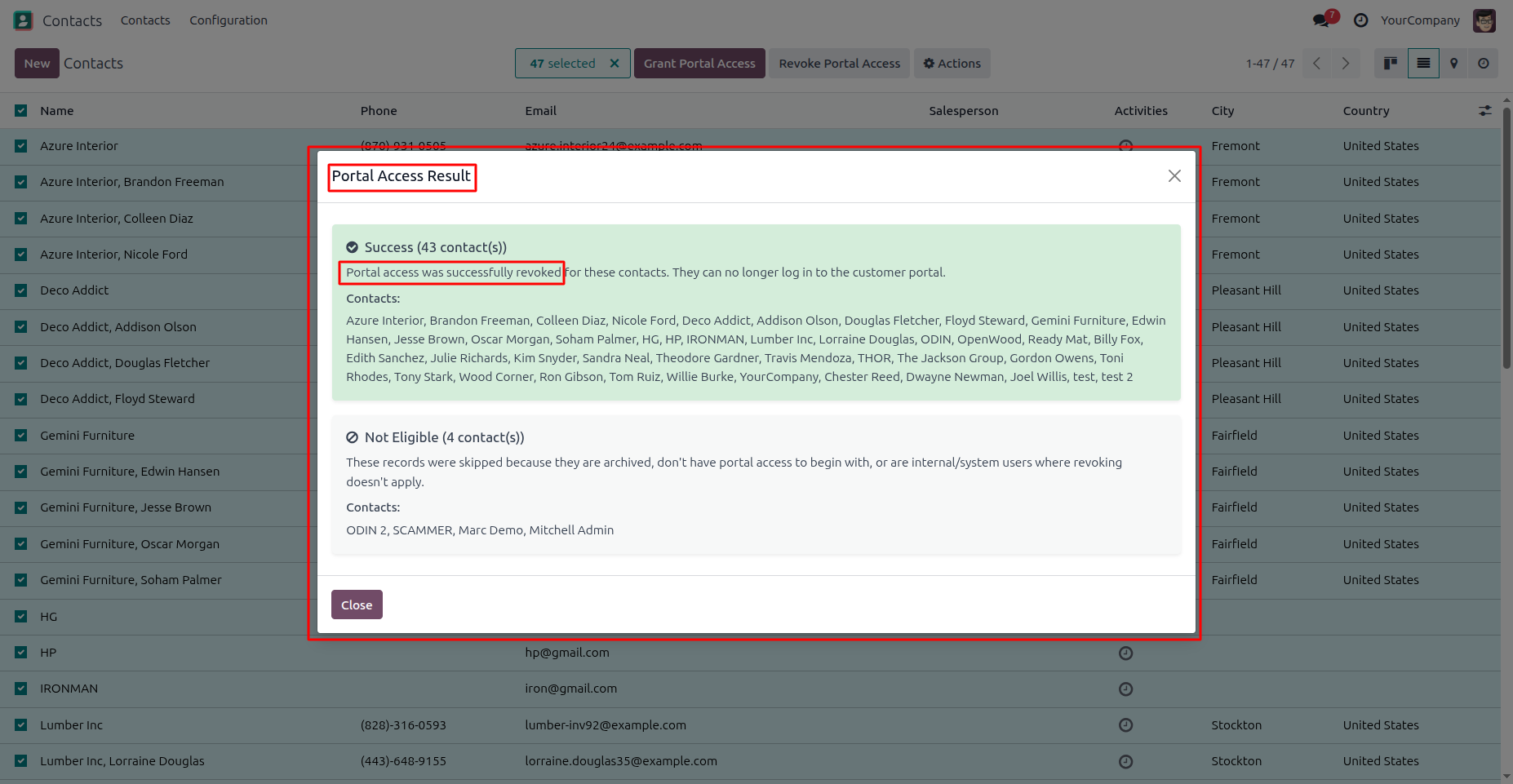
9. After the bulk revoke operation is completed, a Portal Access Result summary is displayed. The summary provides a detailed breakdown of successfully revoked contacts and skipped records, allowing you to quickly review the results and identify any contacts that require further attention.
Our solutions focus on your problems
- Odoo Implementation
- Odoo Customization
- ERP Development and Implementation
- Odoo Ipass Cloud
- AI for Odoo
- Odoo Apps
- Aws Marketplace Products
- Business Engines
Our Pricing includes User Manual, 90 Days Support (Monday-Friday 10am to 7pm IST) and One time Setup
• Works & tested on standard installations of Odoo with no third party apps,
• Free support only for odoo installations with no third party apps,
• Paid support available for Odoo installations with third party apps.

Prefortune is a Odoo Official Partner, Odoo Development company. Our philosophy is to use Open Source tools and technologies to provide cost effective and green solutions for our customers.
Prefortune Technologies LLP is working on web development, Mobile development, and Odoo ERP.
If you need any help or want more additional features, you may contact us through:
Alternative Products
These other products might interest you
Specifications
| Version | 19.0, 18.0, 17.0, 16.0, 15.0, 14.0 |