Watch Quick Video
Portal Contacts Managements Odoo App
Portal Contacts Managements Odoo App
module helps companies manage their client contacts directly from the Odoo Portal. The module
allows the portal users to create, view, edit and delete contacts and also maintain the
necessary information like names, email addresses, phone numbers, mobile numbers and full
addresses. It allows dynamic selection of country and state for accurate address management. It
allows searching, sorting, filtering and grouping of contacts. Easily manage contacts using list
and kanban views with the option to upload contact profile images. This module generally gives a
simple, organised and efficient way to manage your contacts directly from the Odoo portal.
Portal Contacts Managements Odoo App Features
- Easily create, view, edit, and delete contacts directly from the Odoo portal.
- Quickly find contacts using search, sorting, filtering, and grouping options.
- View and manage contacts in both structured list and convenient kanban layouts.
- Select a country and automatically load its available states for accurate address management.
Complete Workflow for Portal Contacts Managements Odoo App
The Portal Contacts Managements Odoo App provides a simple workflow for managing contacts directly through the Odoo Portal. Users can access their contacts, create new contacts with essential personal and address information, and select the appropriate country and state for accurate location details. Users can then view contacts in list or kanban views, search, sort, filter, and group contact records as needed. Existing contacts can be opened to update their information, including phone, mobile, email, address, country, state, city, and profile image. Users can also delete contacts when they are no longer required, providing a complete and convenient contact management workflow within the Odoo portal.
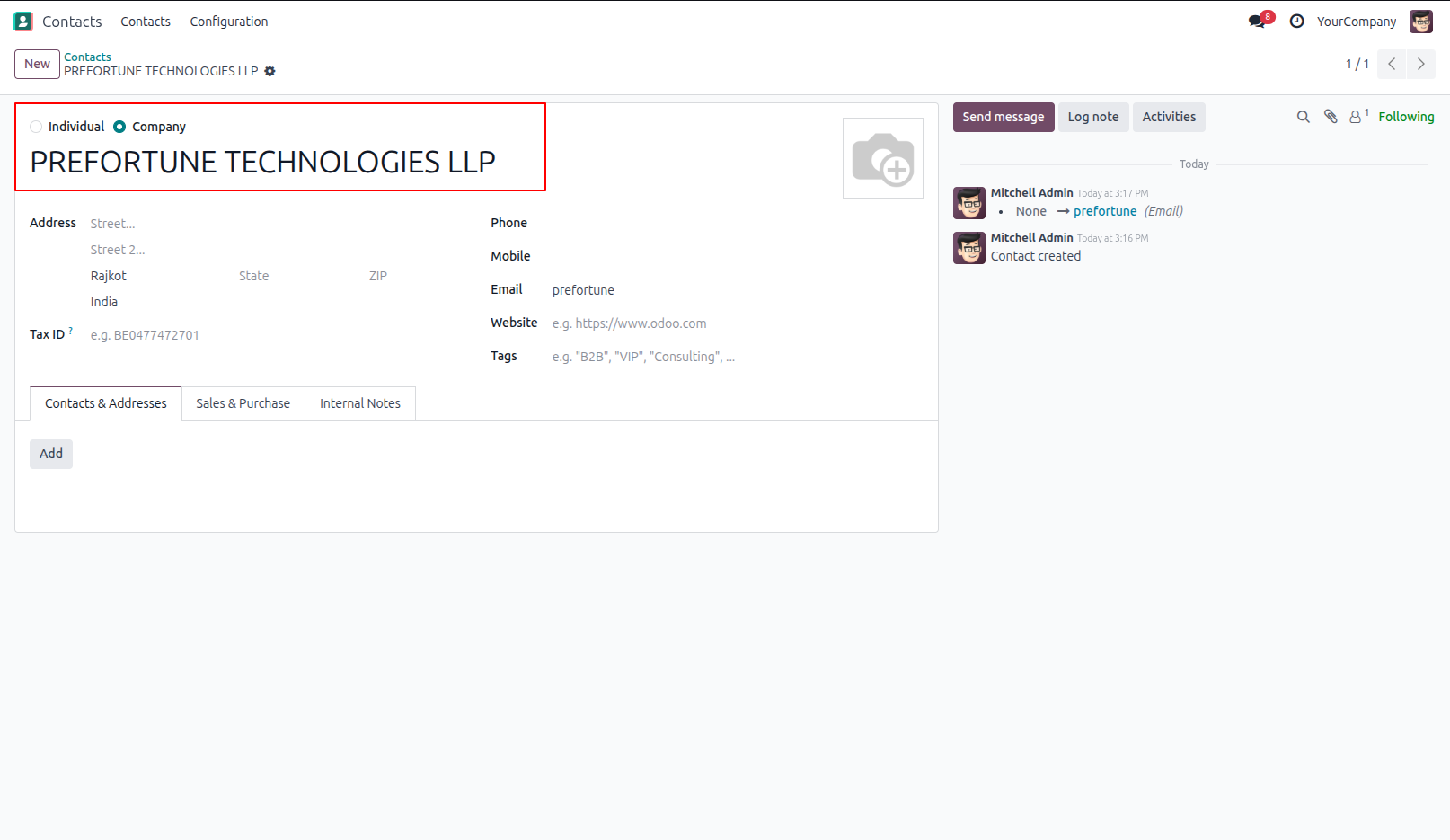
1.Company with Contacts & Addresses
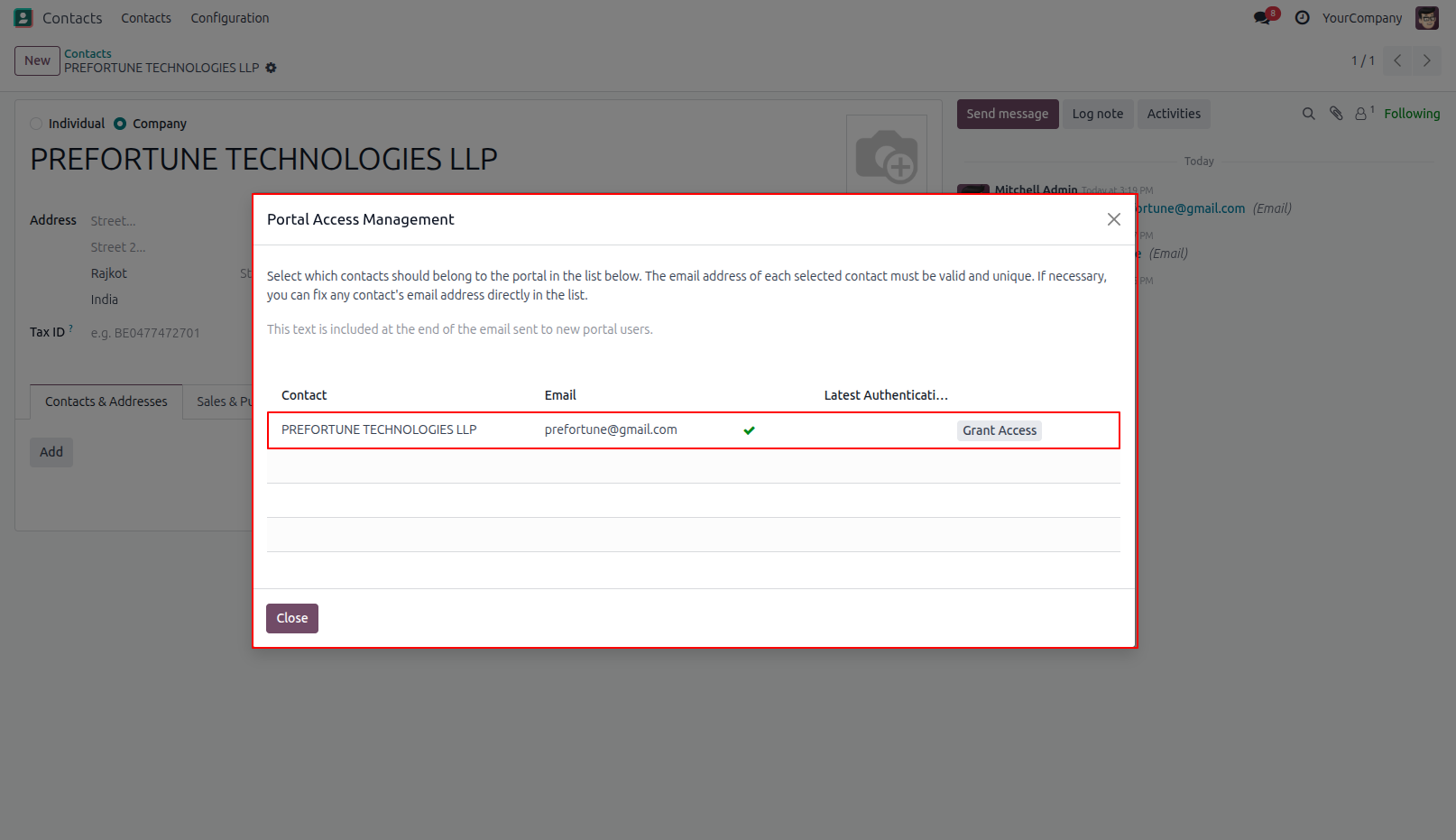
2.Give the portal access to user.
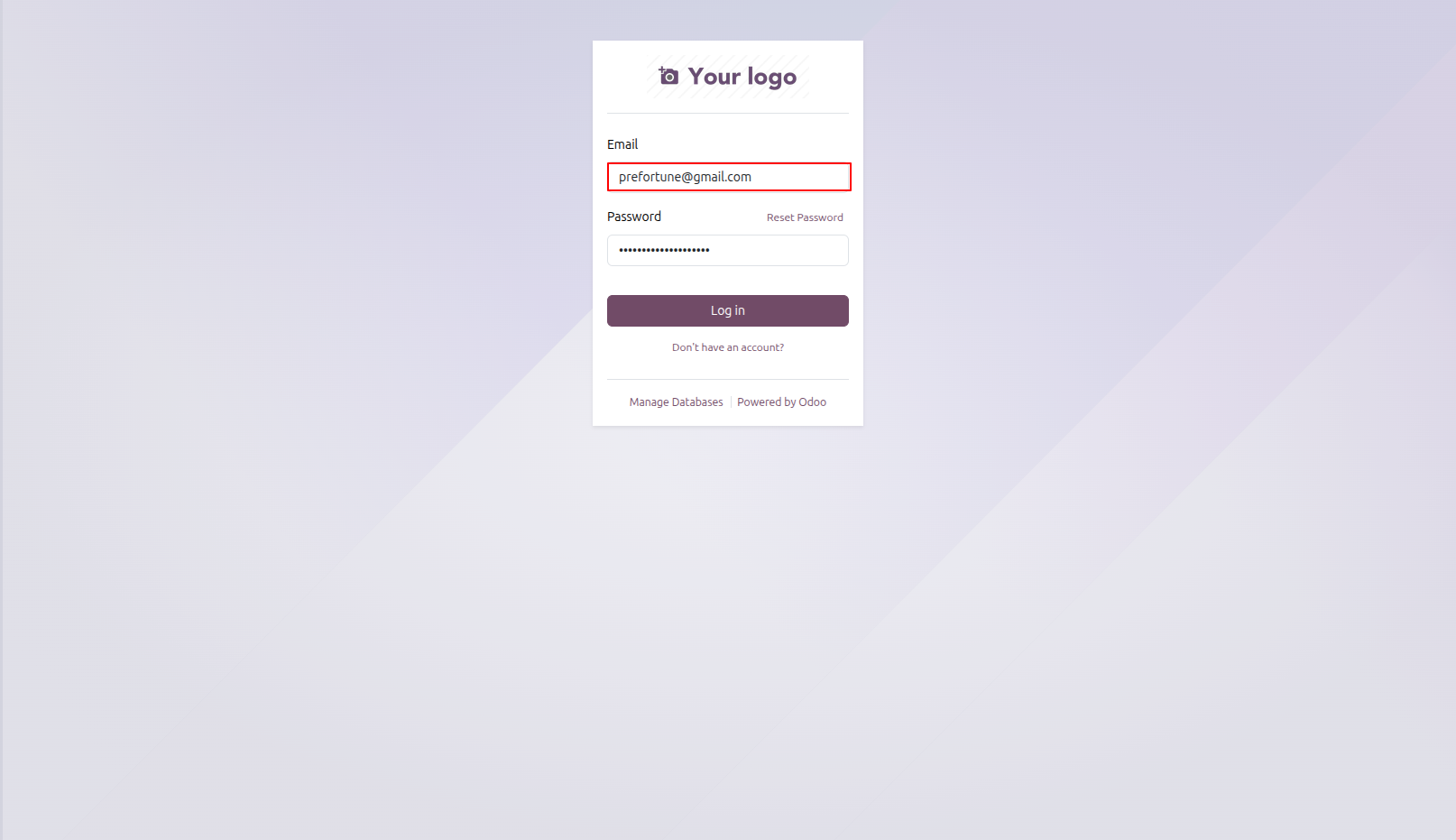
3.Login to Portal Account
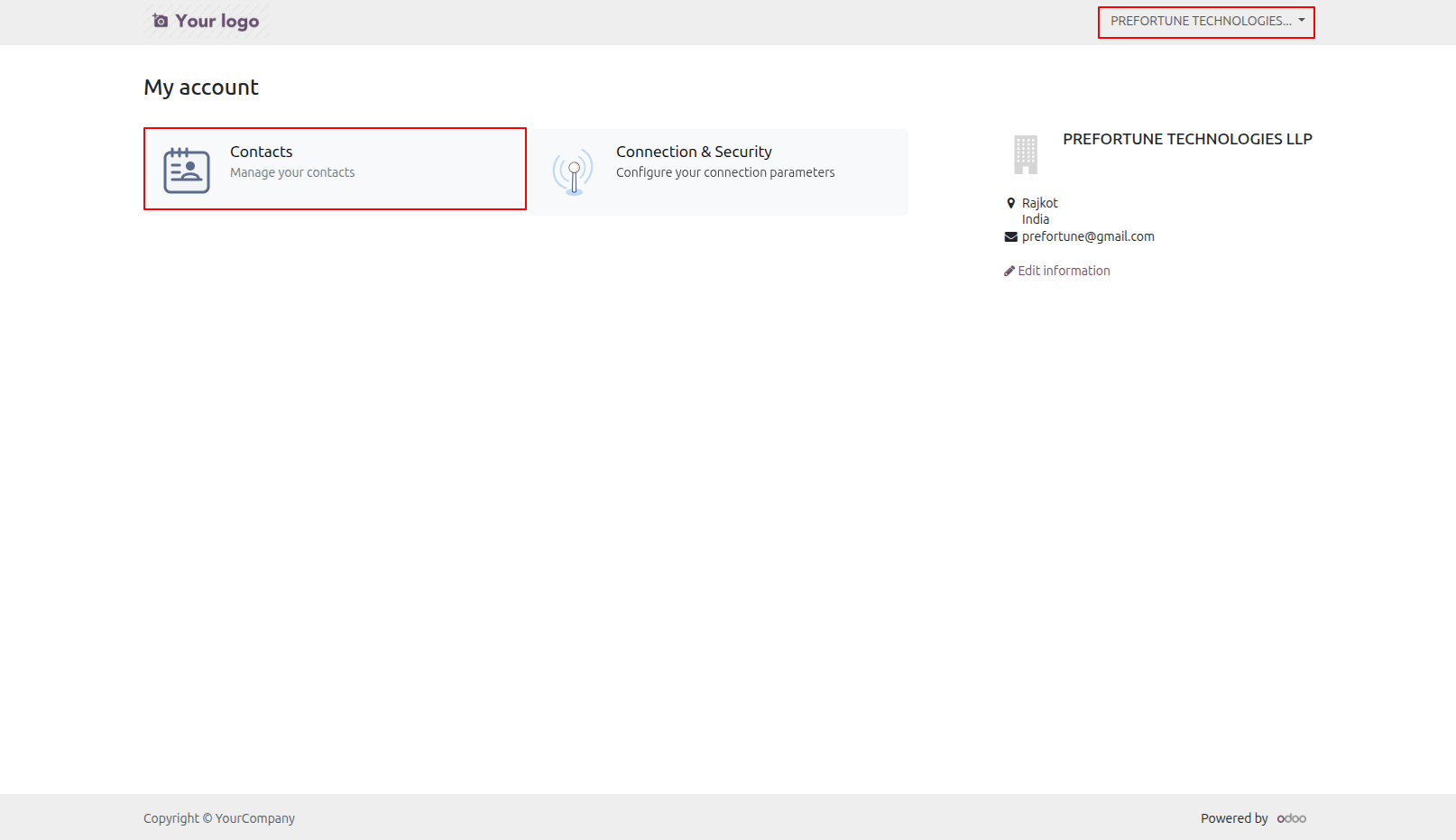
4.Manage Contacts in the Portal
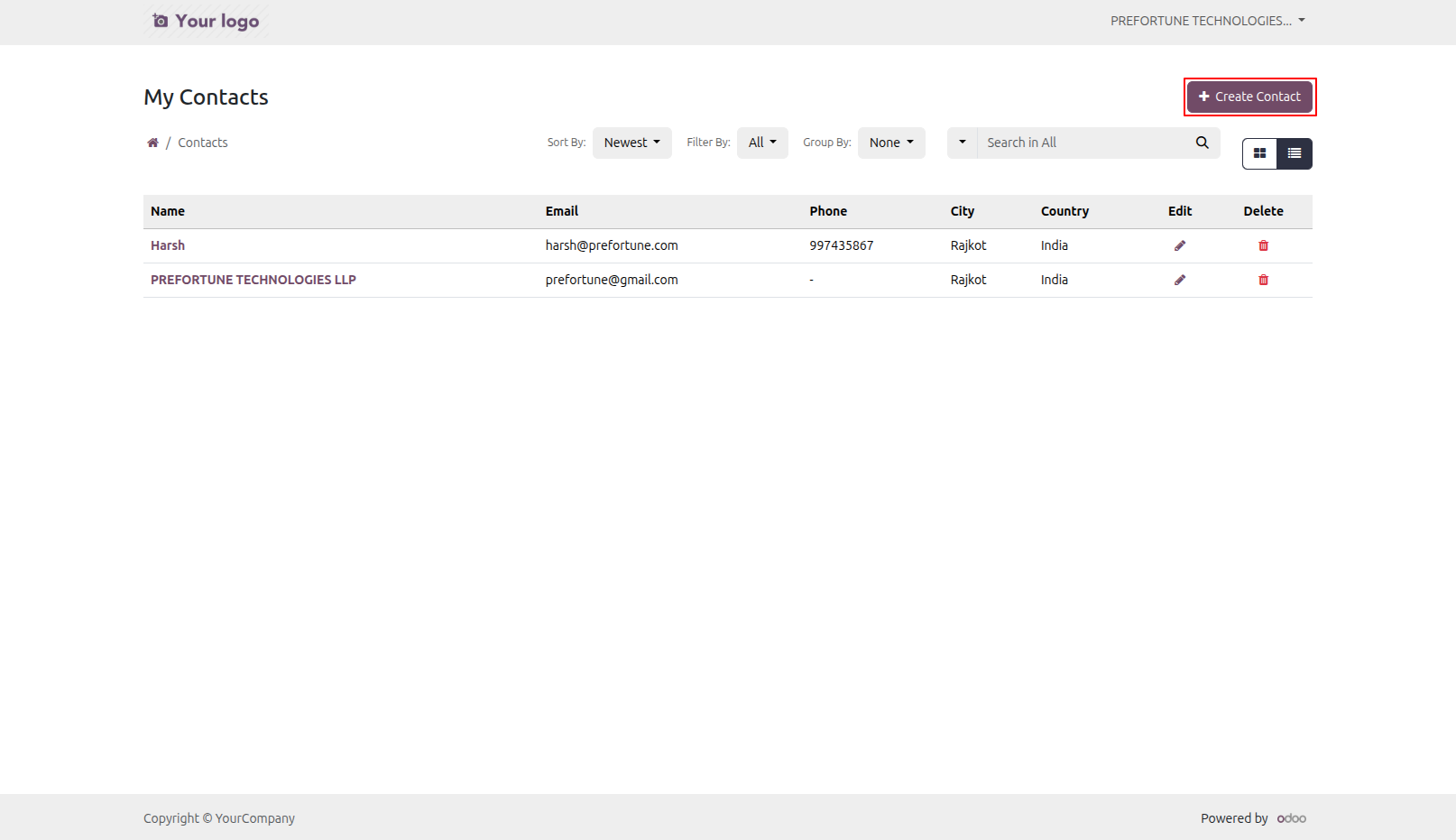
5.Create Contact from the Portal User can click on 'Create' button to create contact from the portal.
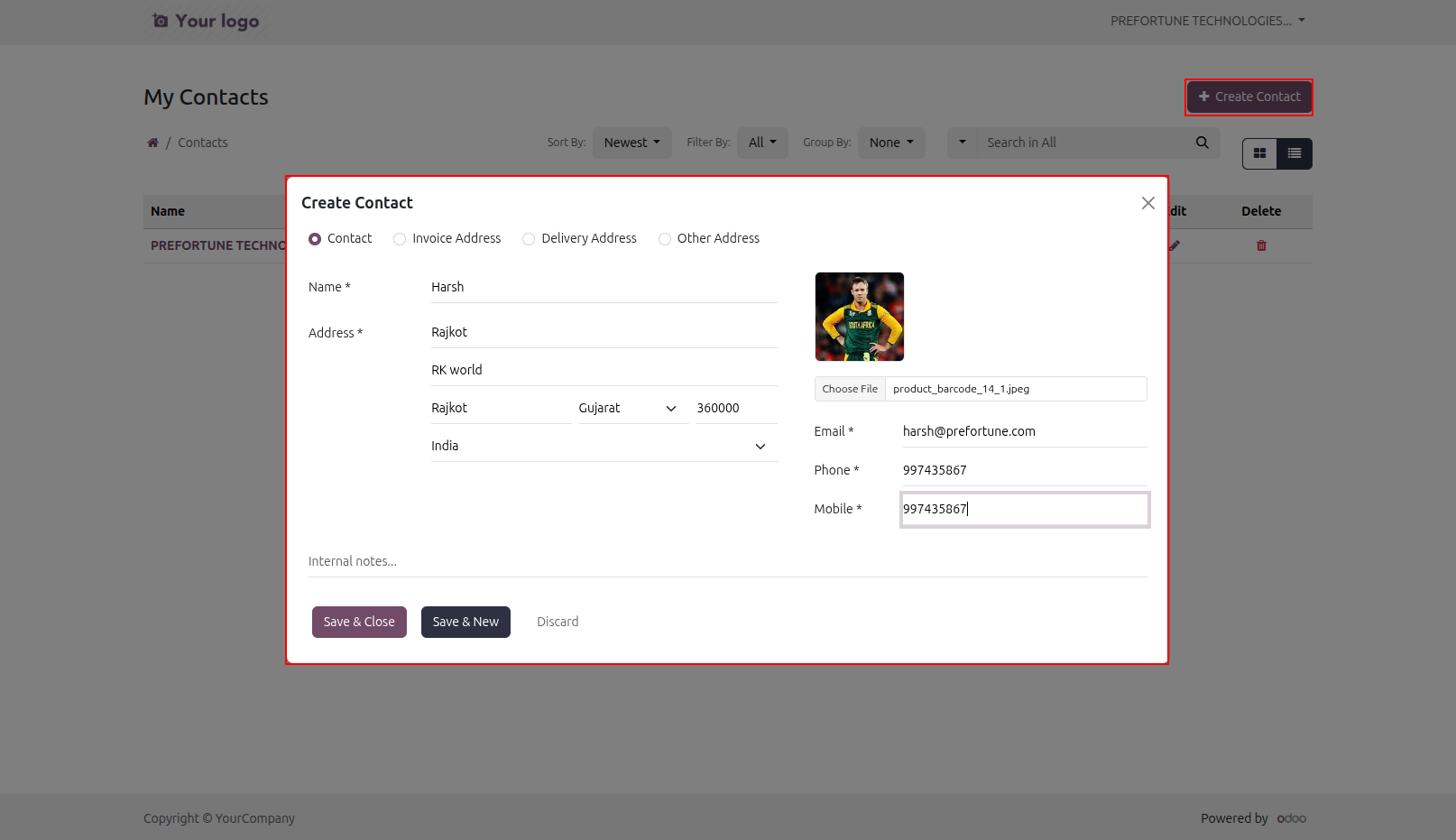
6.User have to enter contact details in this wizard.
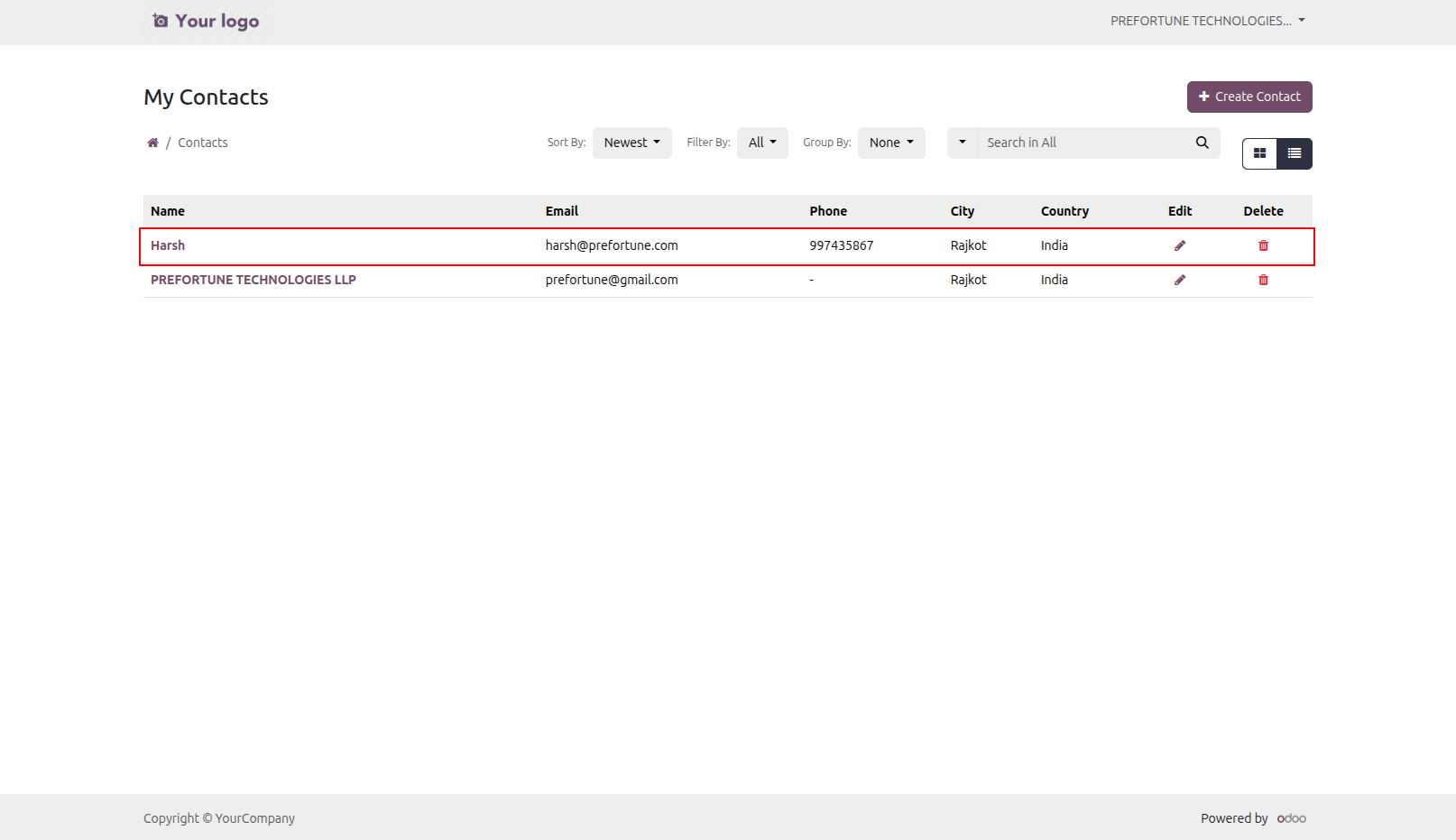
7.Created Contact in the Portal
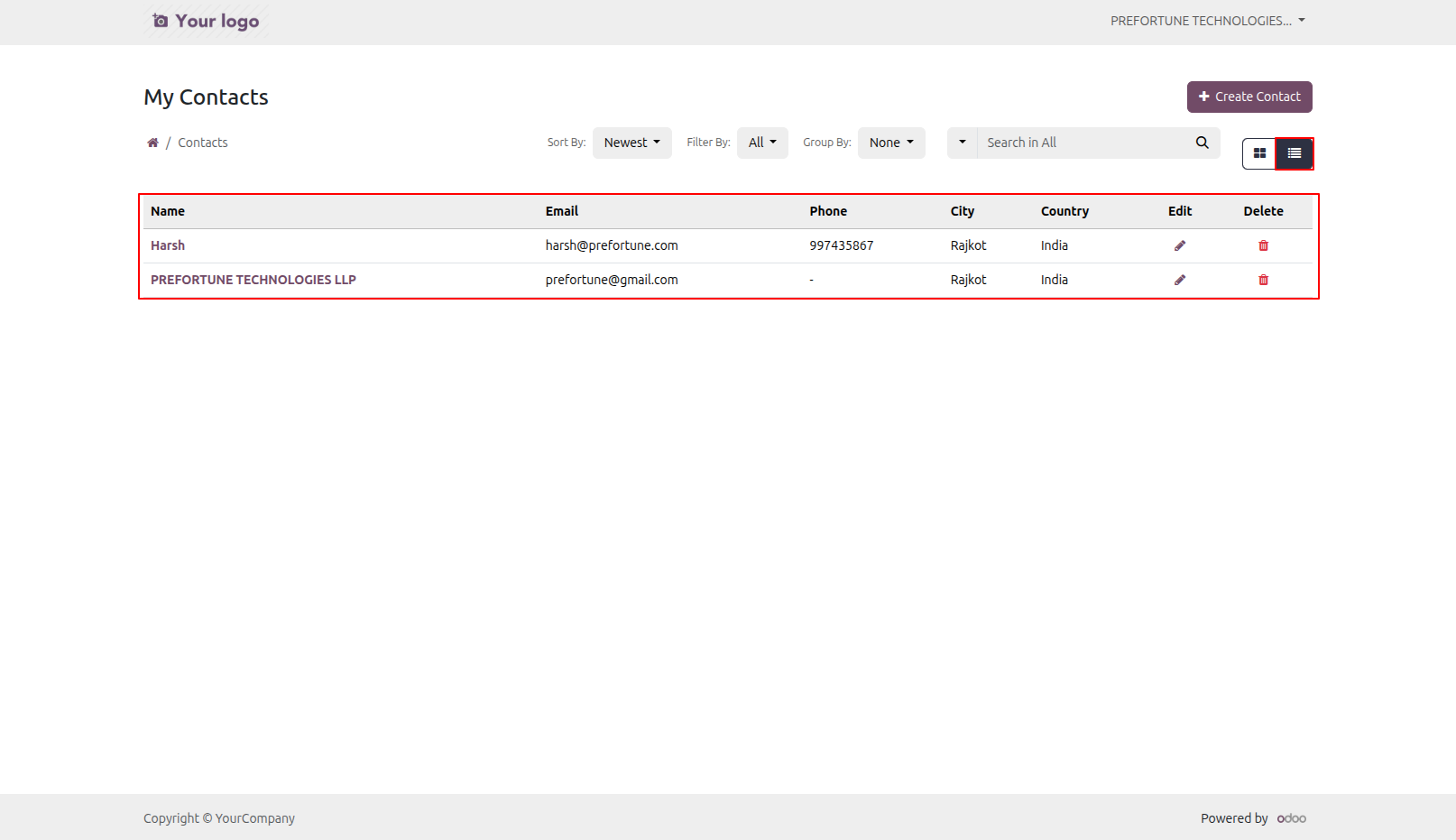
8.Contacts in List View
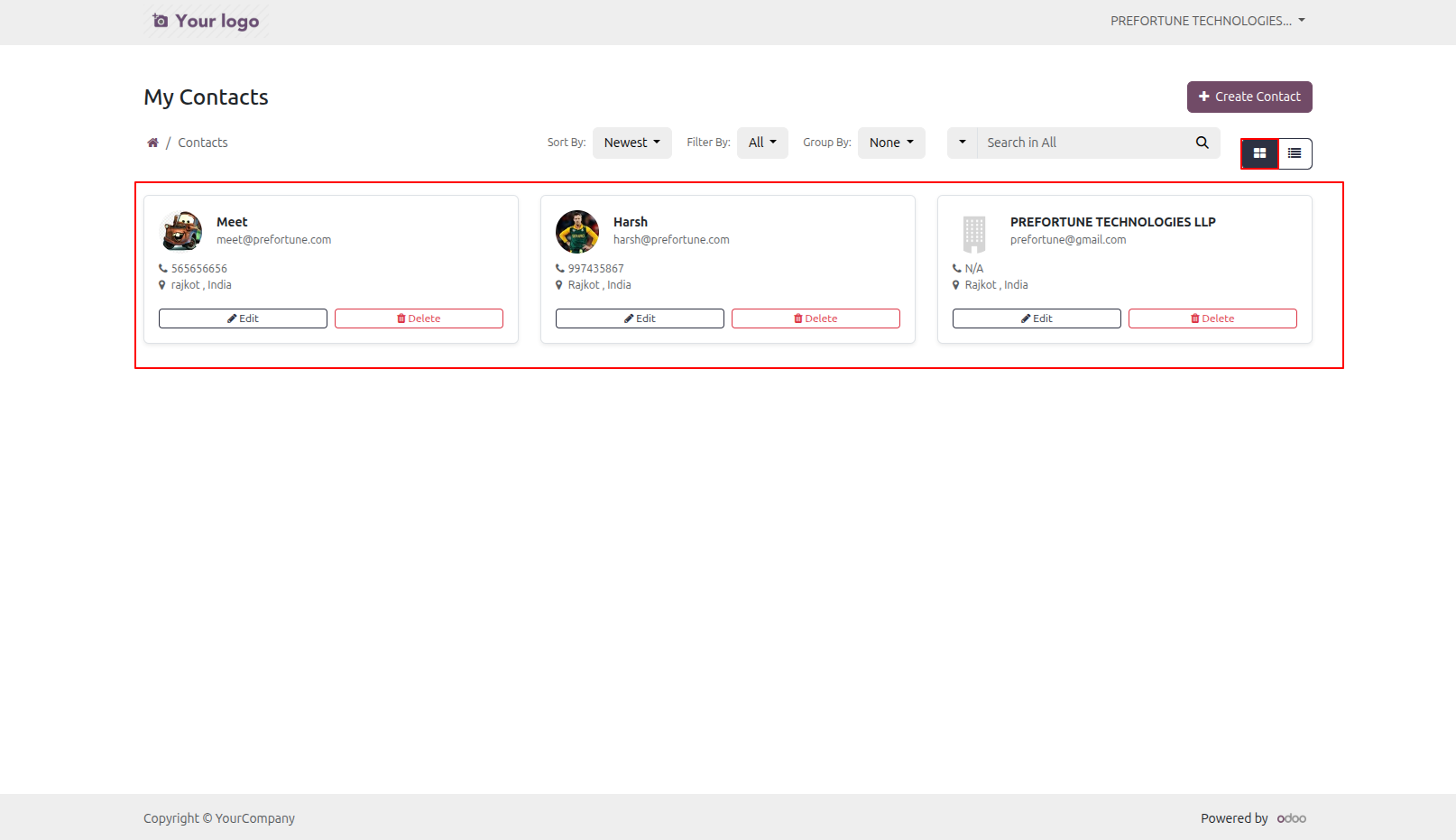
9.Contacts in Kanban View
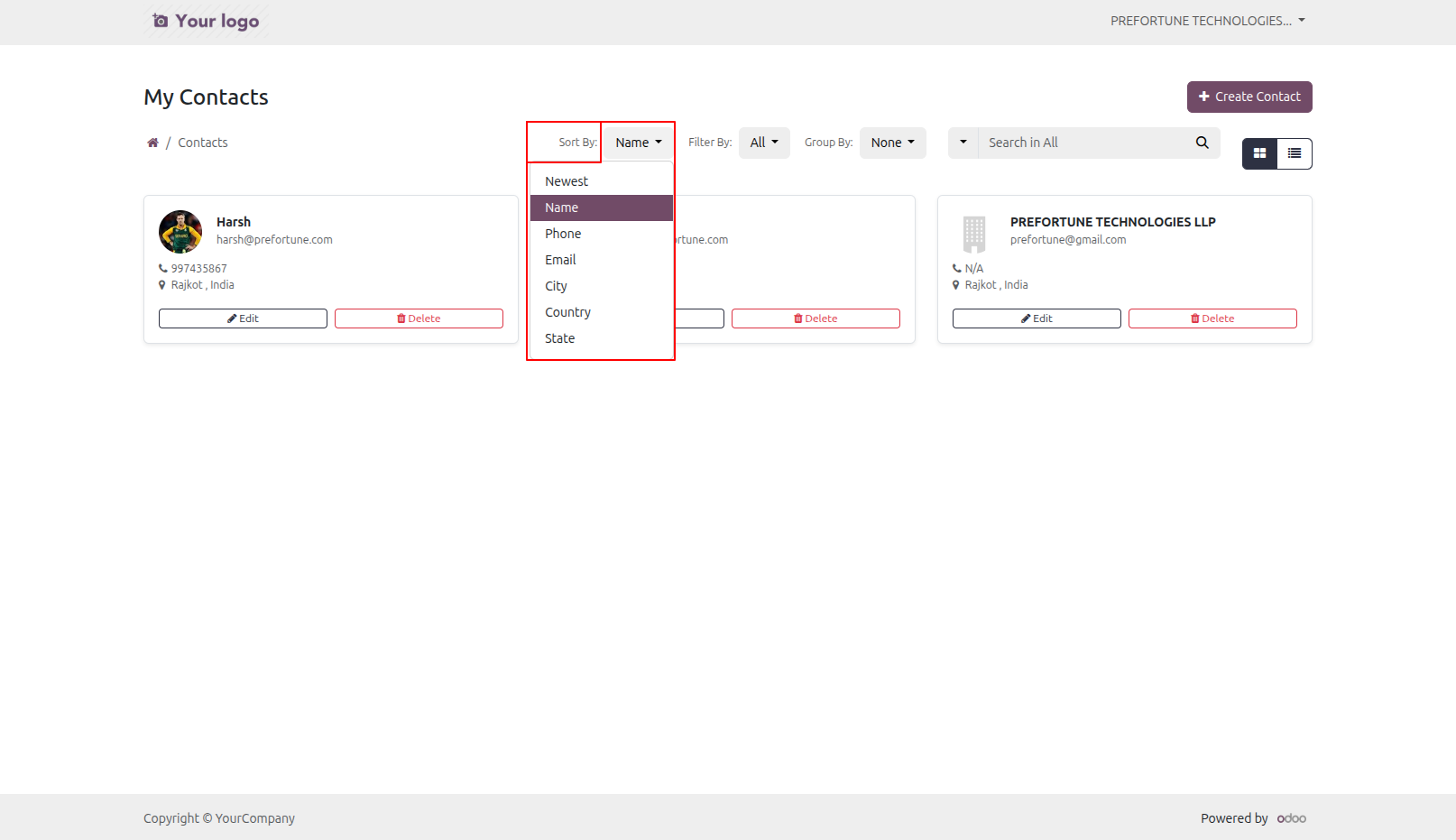
10.Sort By Contacts can be sort by Newest, Name, Phone, Email, Grade, City, Country and State.
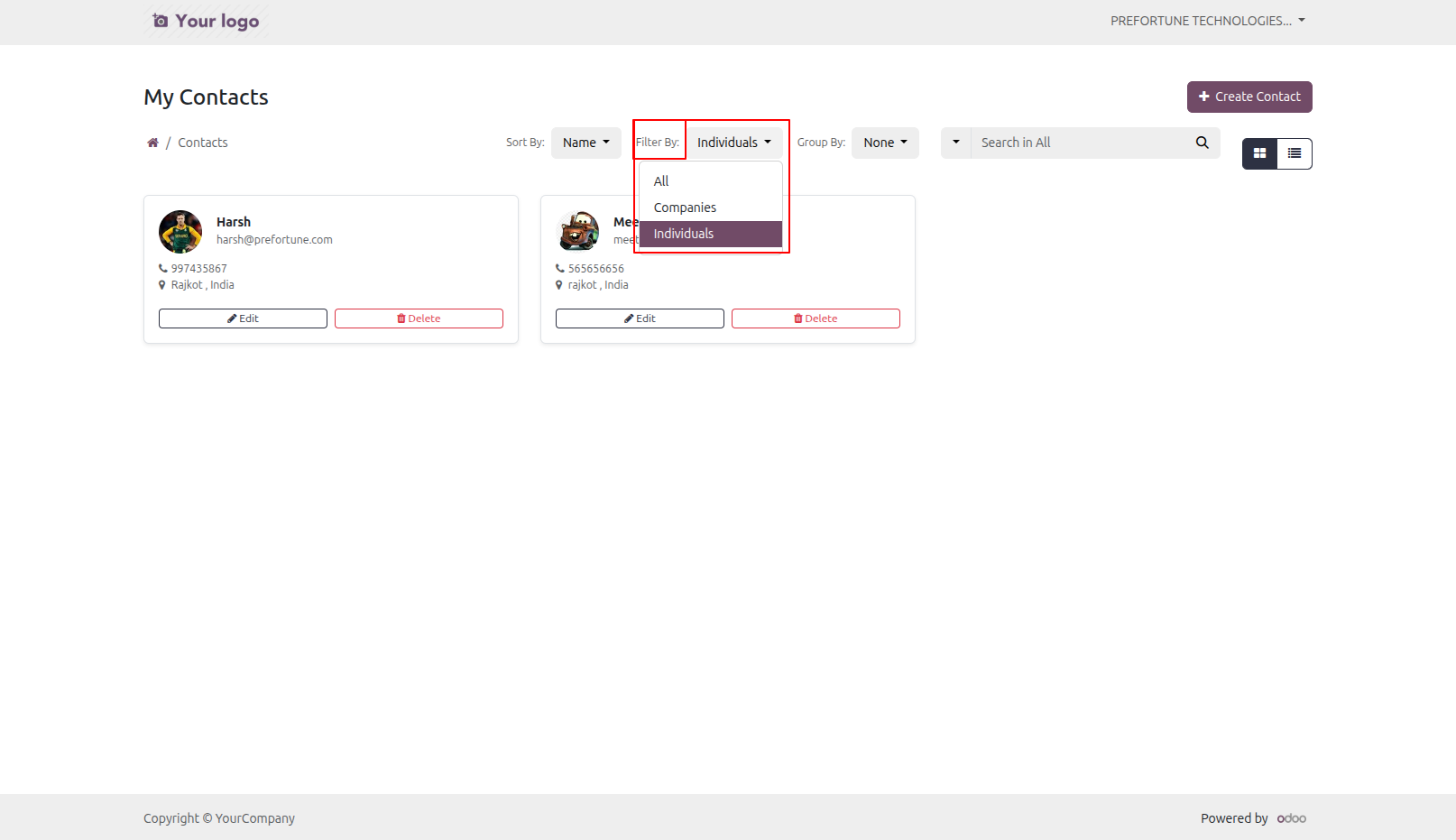
11.Filter By Contacts Contacts can be filter by Companies, Individual and All.
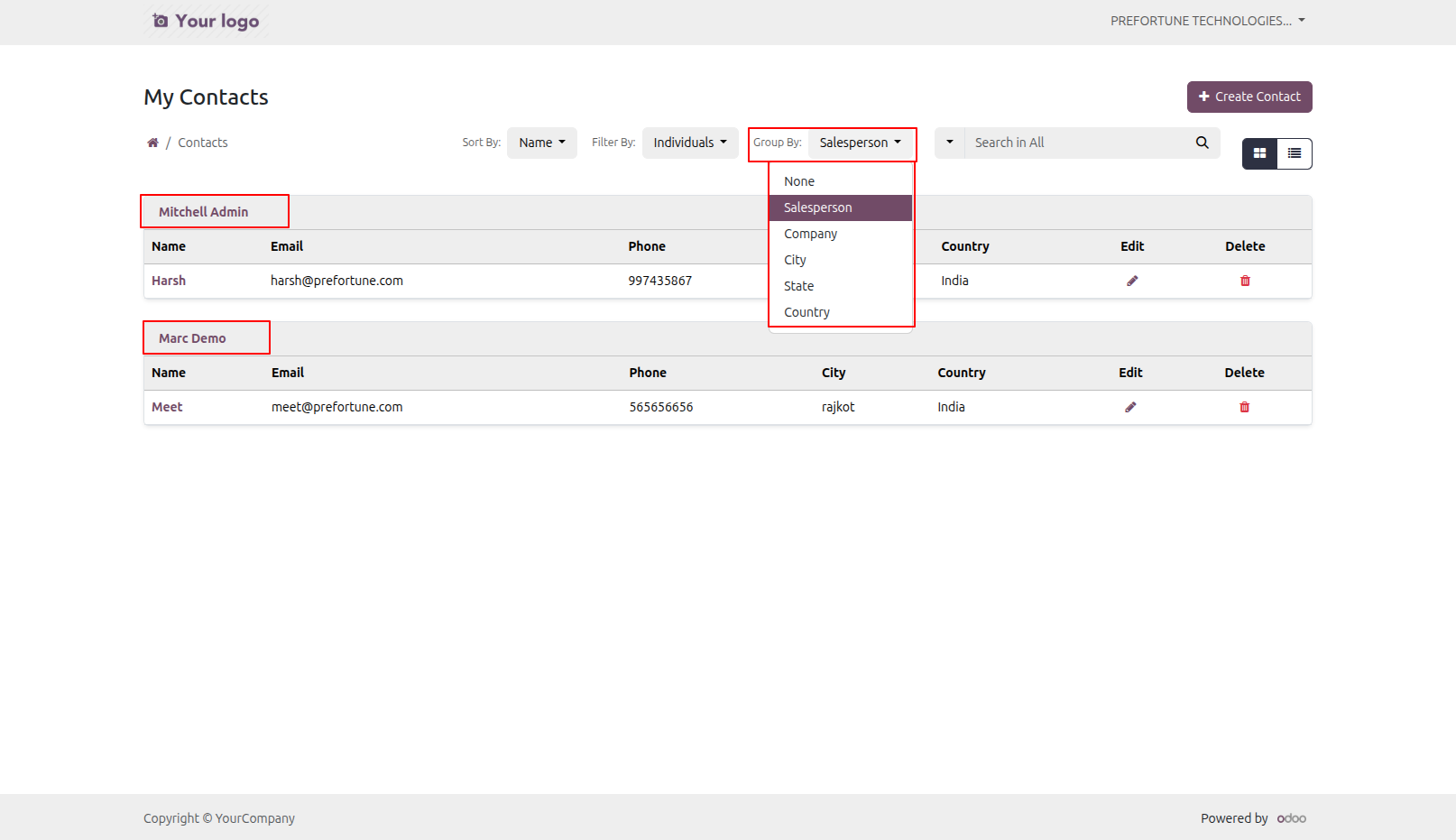
12.Group By Contacts can be group by None, Salesperson, Company, City, State and Country.
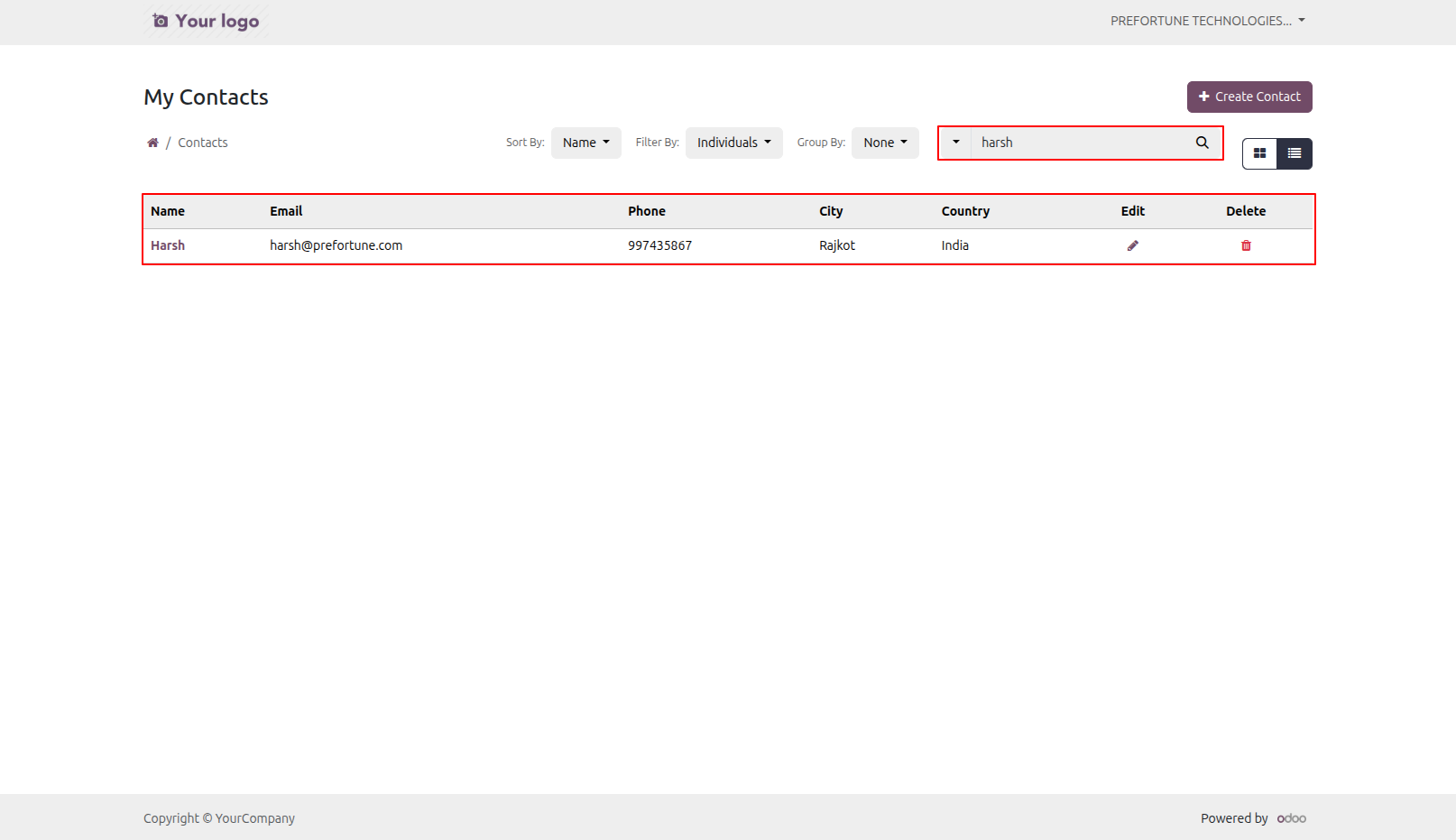
13.Search By Contacts
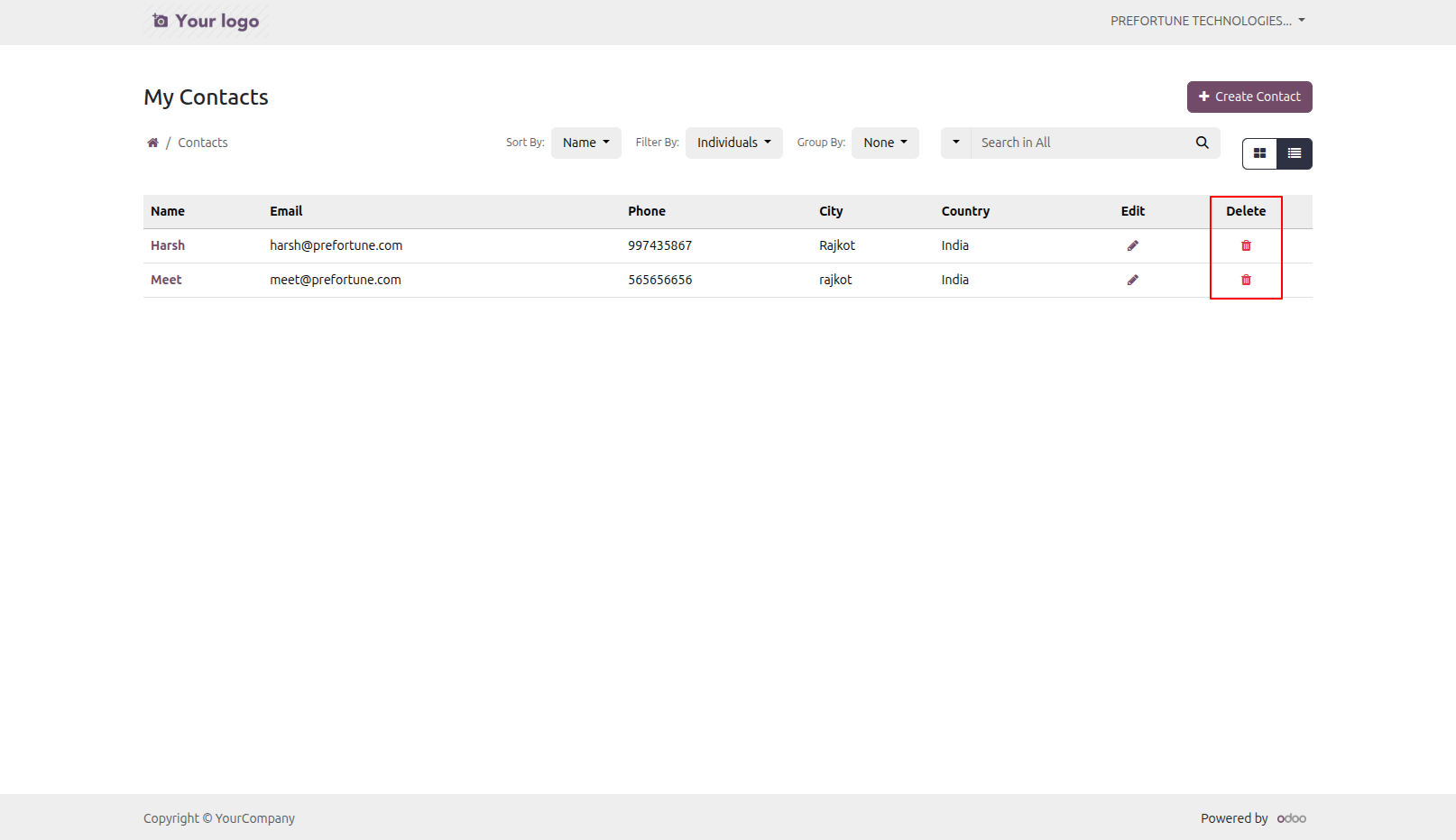
14.Delete Contact from the Portal User can click on 'Delete' icon to delete contact from the portal.
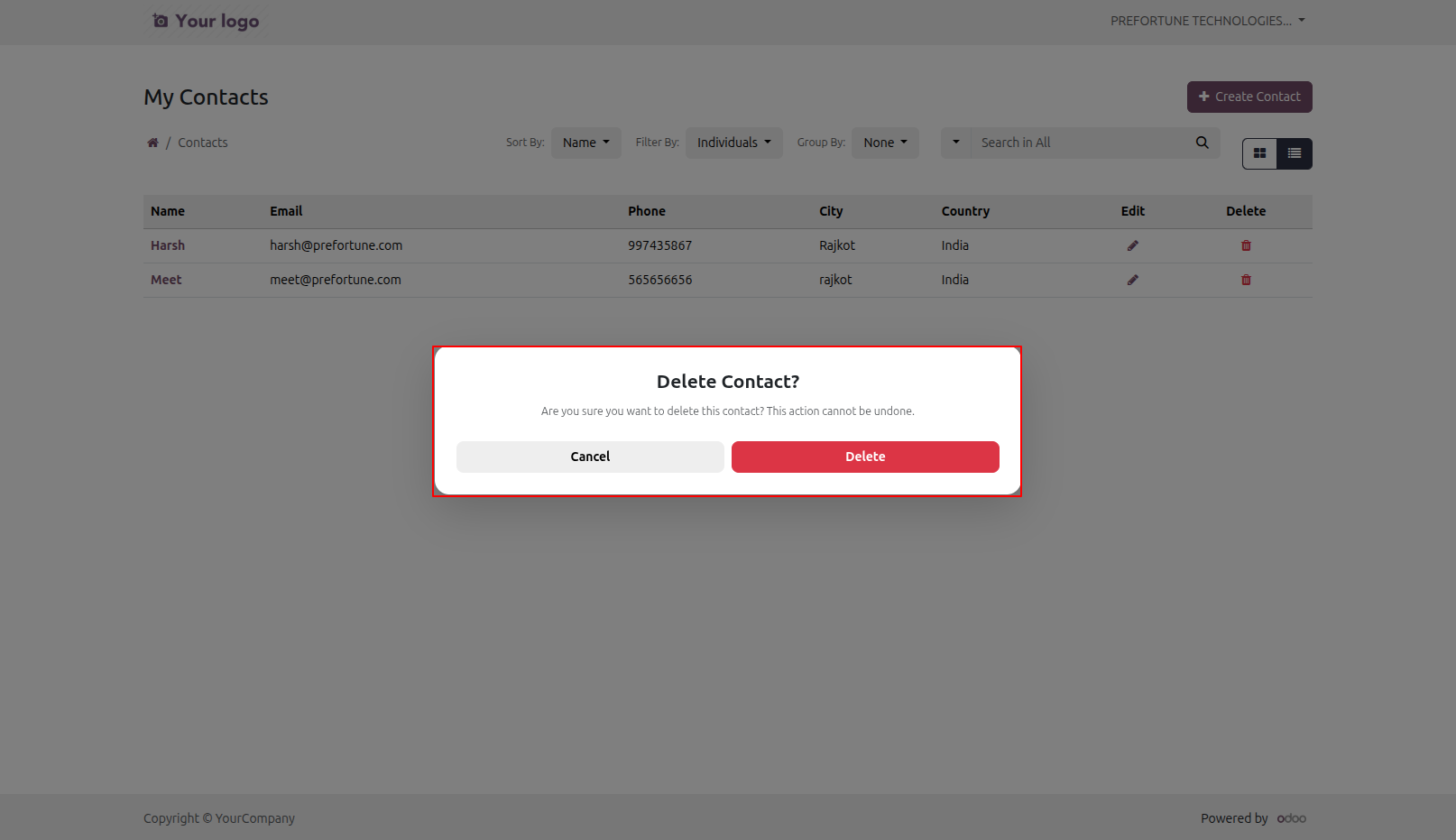
15.Confirmation Popup to Delete Contact
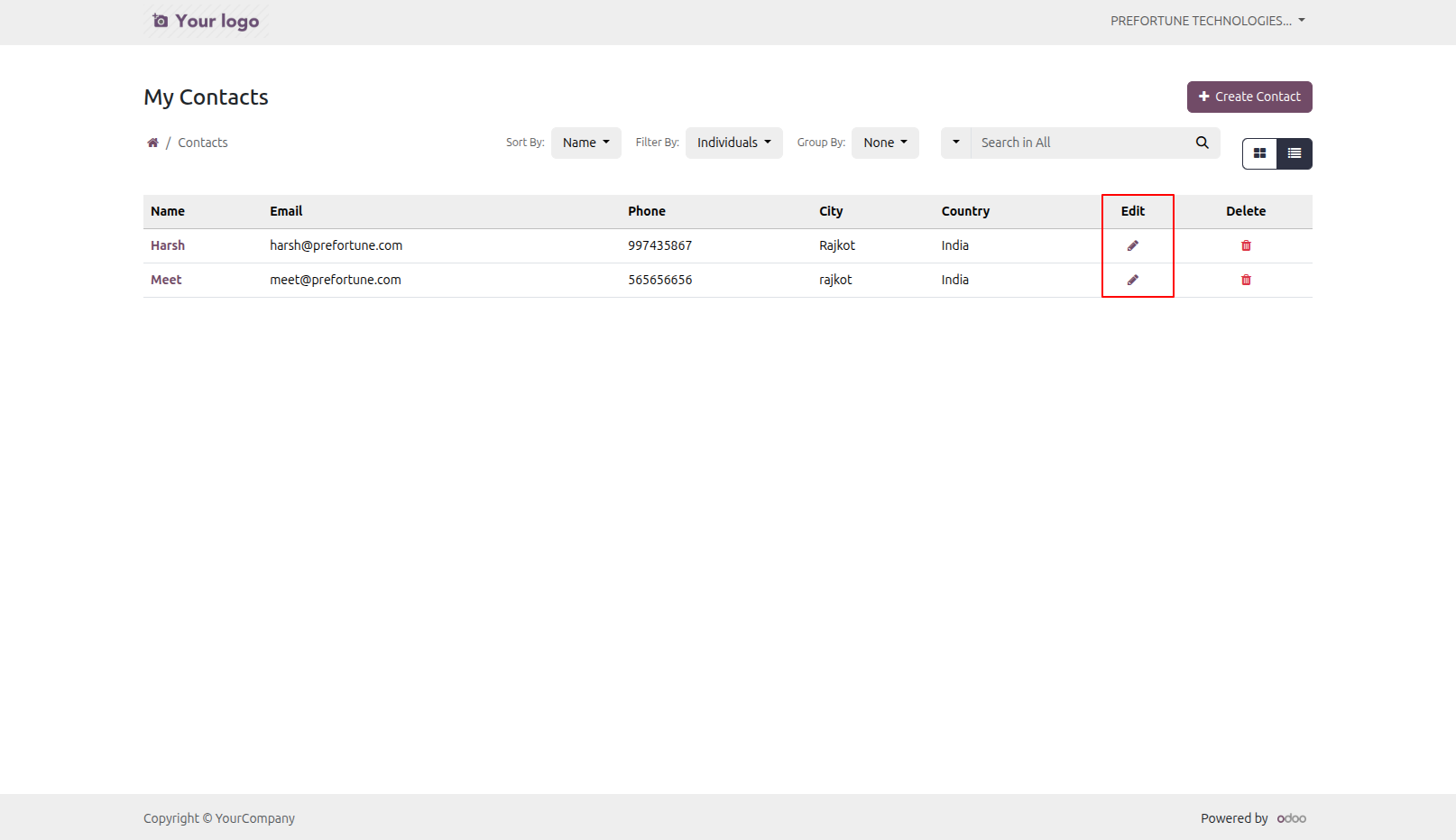
16.Edit Contact from the Portal User can click on 'Edit' icon to edit contact from the portal.
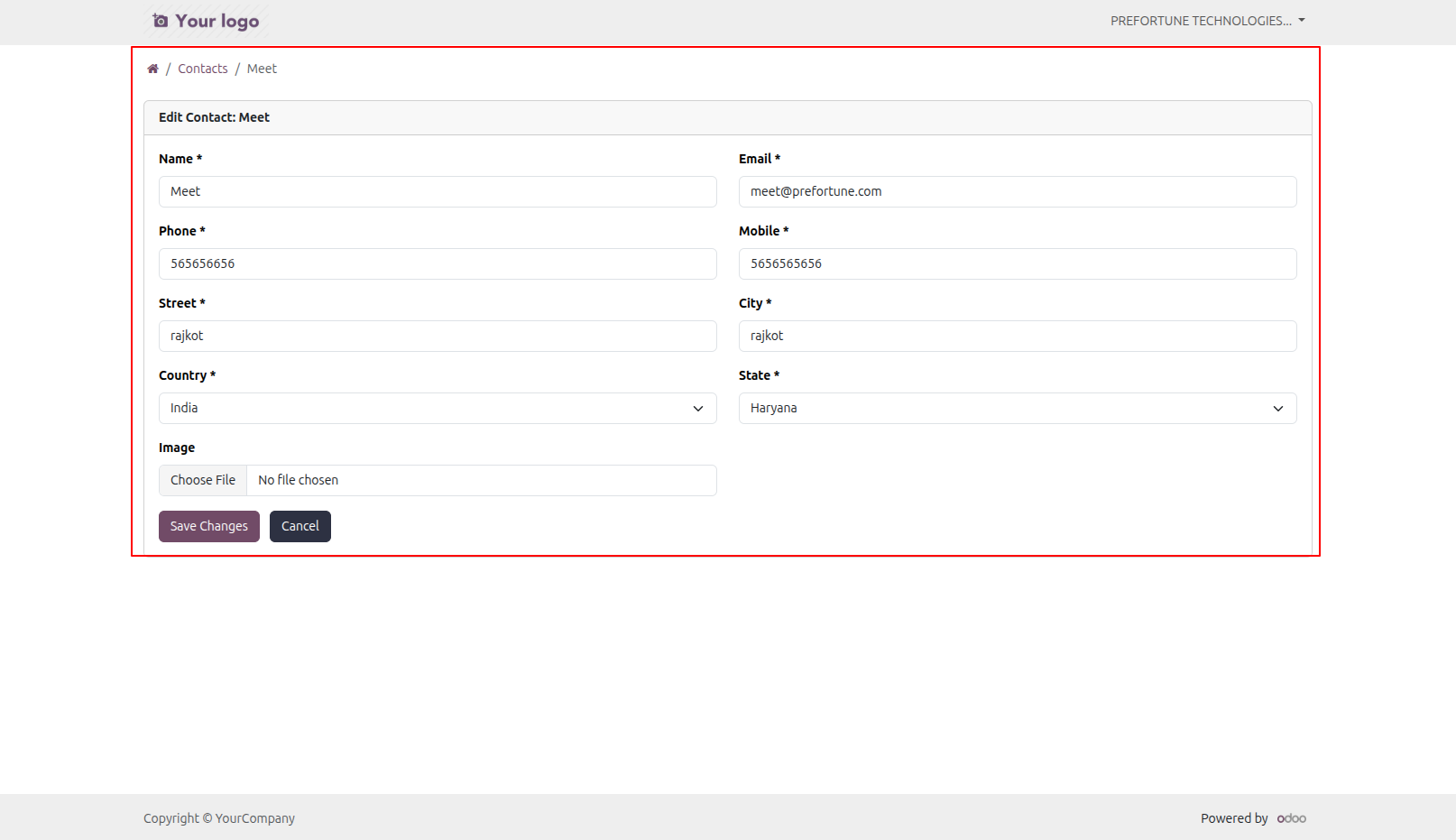
17.Edit Contact Details User can edit contact details and click on 'Save Edit Contact' button in the portal
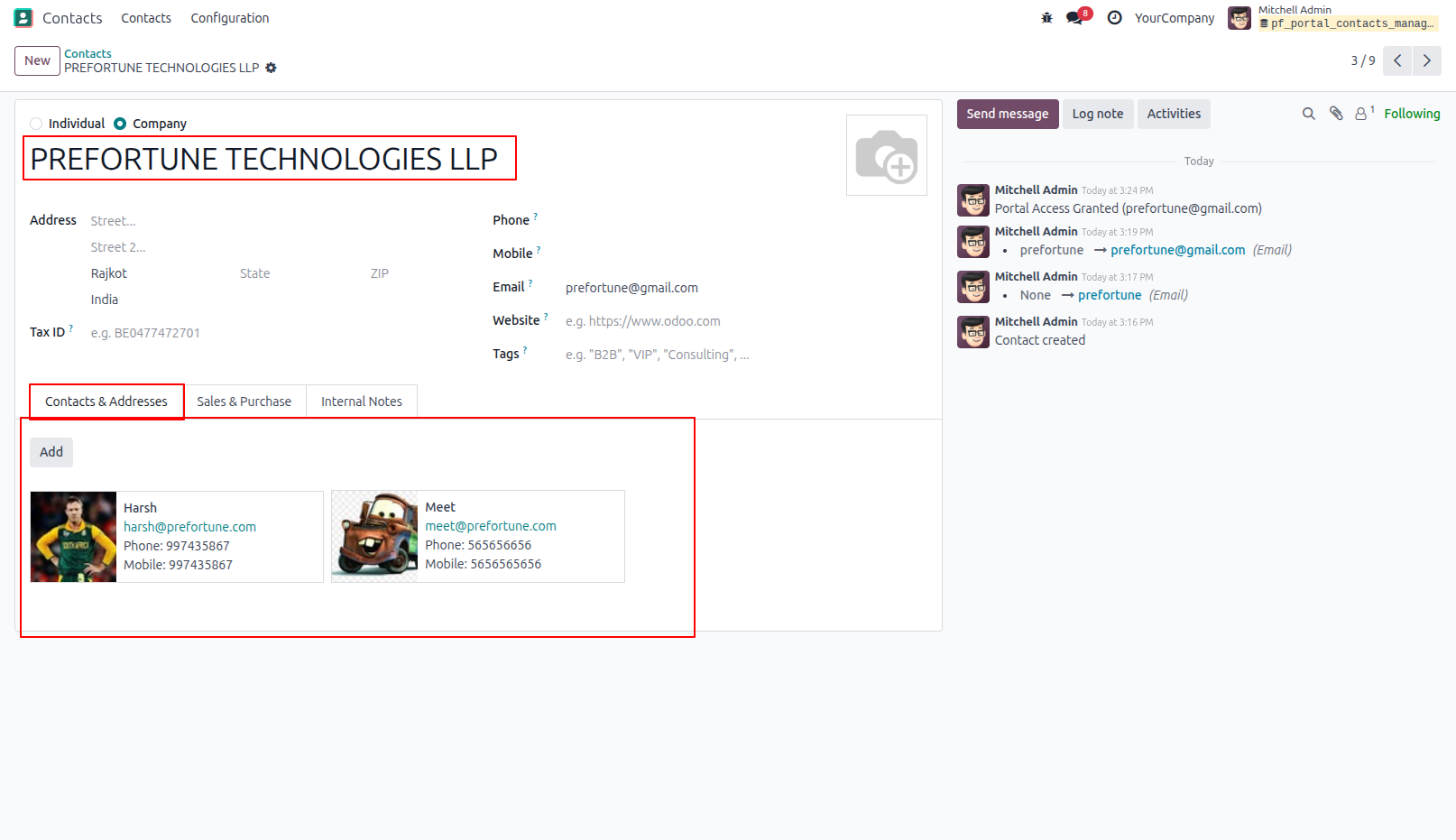
18.Updated Contact with Details in the Back-end
Our solutions focus on your problems
- Odoo Implementation
- Odoo Customization
- ERP Development and Implementation
- Odoo Ipass Cloud
- AI for Odoo
- Odoo Apps
- Aws Marketplace Products
- Business Engines
Our Pricing includes User Manual, 90 Days Support (Monday-Friday 10am to 7pm IST) and One time Setup
• Works & tested on standard installations of Odoo with no third party apps,
• Free support only for odoo installations with no third party apps,
• Paid support available for Odoo installations with third party apps.

Prefortune is a Odoo Official Partner, Odoo Development company. Our philosophy is to use Open Source tools and technologies to provide cost effective and green solutions for our customers.
Prefortune Technologies LLP is working on web development, Mobile development, and Odoo ERP.
If you need any help or want more additional features, you may contact us through:
Alternative Products
These other products might interest you
Specifications
| Version | 19.0, 18.0, 17.0, 16.0, 15.0, 14.0 |