Watch Quick Video
POS Mix and Match Pricelist Management Odoo App
POS Mix and Match Pricelist Management Odoo App is an inclusive module that allows businesses to easily manage complex retail promotions. The POS Mix and Match Pricelist Management Odoo App allows businesses to group different products into one pricing rule. To allow managers to use shared percentage discounts or fixed prices on a tailored batch of product templates, flexible pricelists can be easily enabled in the configuration settings. The cart totals for the particular mixed items are automatically recalculated when using the new configured pricelist in a live Point of Sale session. The savings applied are also clearly displayed directly underneath each affected product. Crucially the module is smart enough to compartmentalise these rules and prevent billing errors. Selected mixed products are given their own exclusive discounts only, with all other unrelated items in the cart remaining unaffected at their default prices and ensuring accurate promotional pricing at checkout.
POS Mix and Match Pricelist Management Odoo App Features
- To simplify promotion management, you can combine some product templates into a single rule.
- It overcomes the limitation of Odoo where a product belongs to one pricing rule, allowing you to select and group multiple products under one pricing rule.
- Automatically creates a clear UI label on the Point of Sale orderline displaying applied savings and then displays it.
- It connects seamlessly backend multi-product configurations with Point of Sale frontend engine to calculate and display discount in real time.
- Please note this promo will be applied for the mix & match items only selected in back end Items in the POS cart not included in this promotion will be charged at regular price.
Complete Workflow for Manage POS Mix and Match Pricelist Management Odoo App
Enable the POS Mix and Match Pricelist Management Odoo App To manage mixed pricelists, first enable flexible pricelists in the Point of Sale configuration settings, then create a new rule by checking "Enable Mix match pricelist" and adding your desired multiple product templates. Next, define the price type—such as a percentage discount or a fixed price—and simply select this pricelist during an active POS session to automatically trigger the targeted pricing on the chosen cart items.
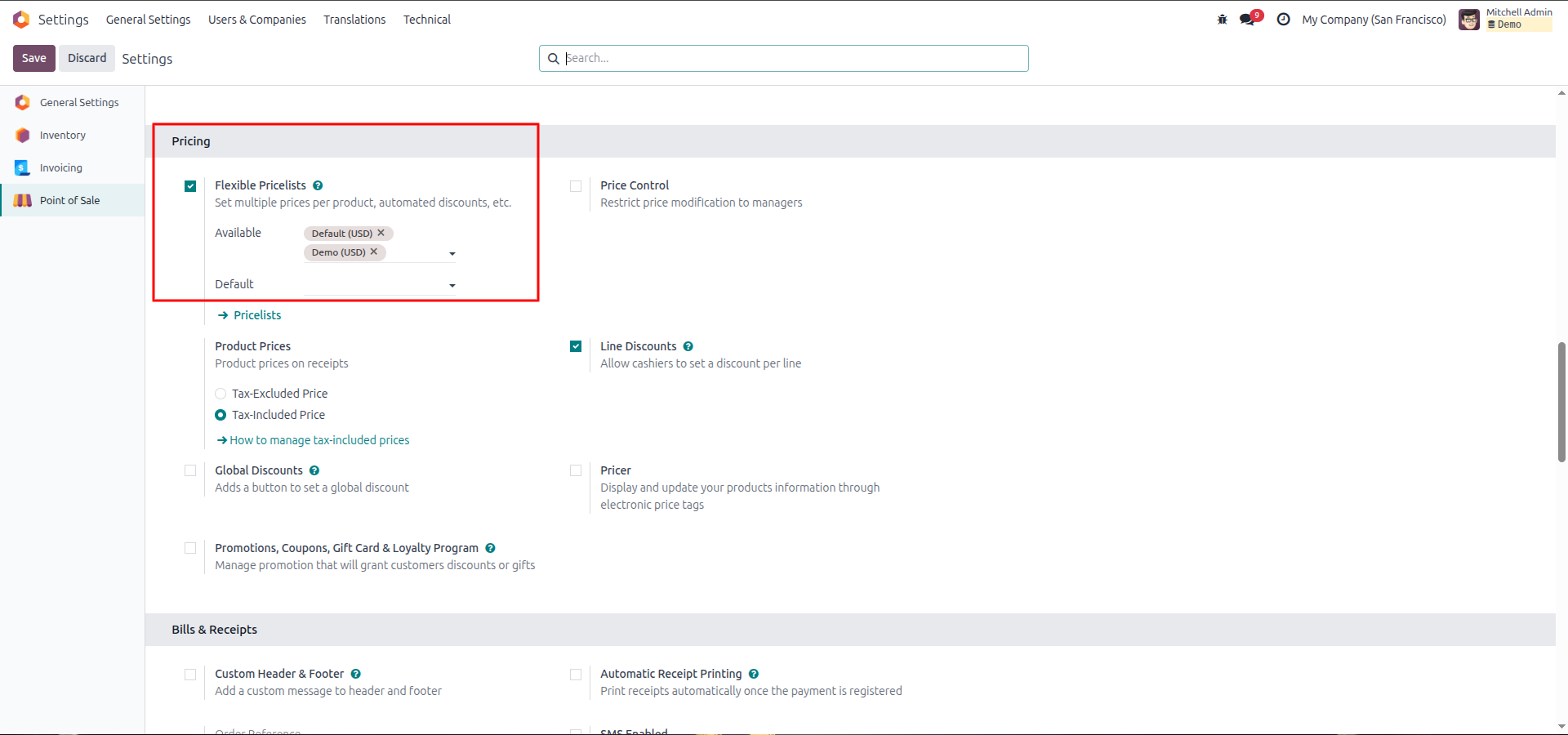
1.Navigate to the Point of Sale configuration settings and enable the Flexible Pricelists option to allow multiple prices and automated discounts.
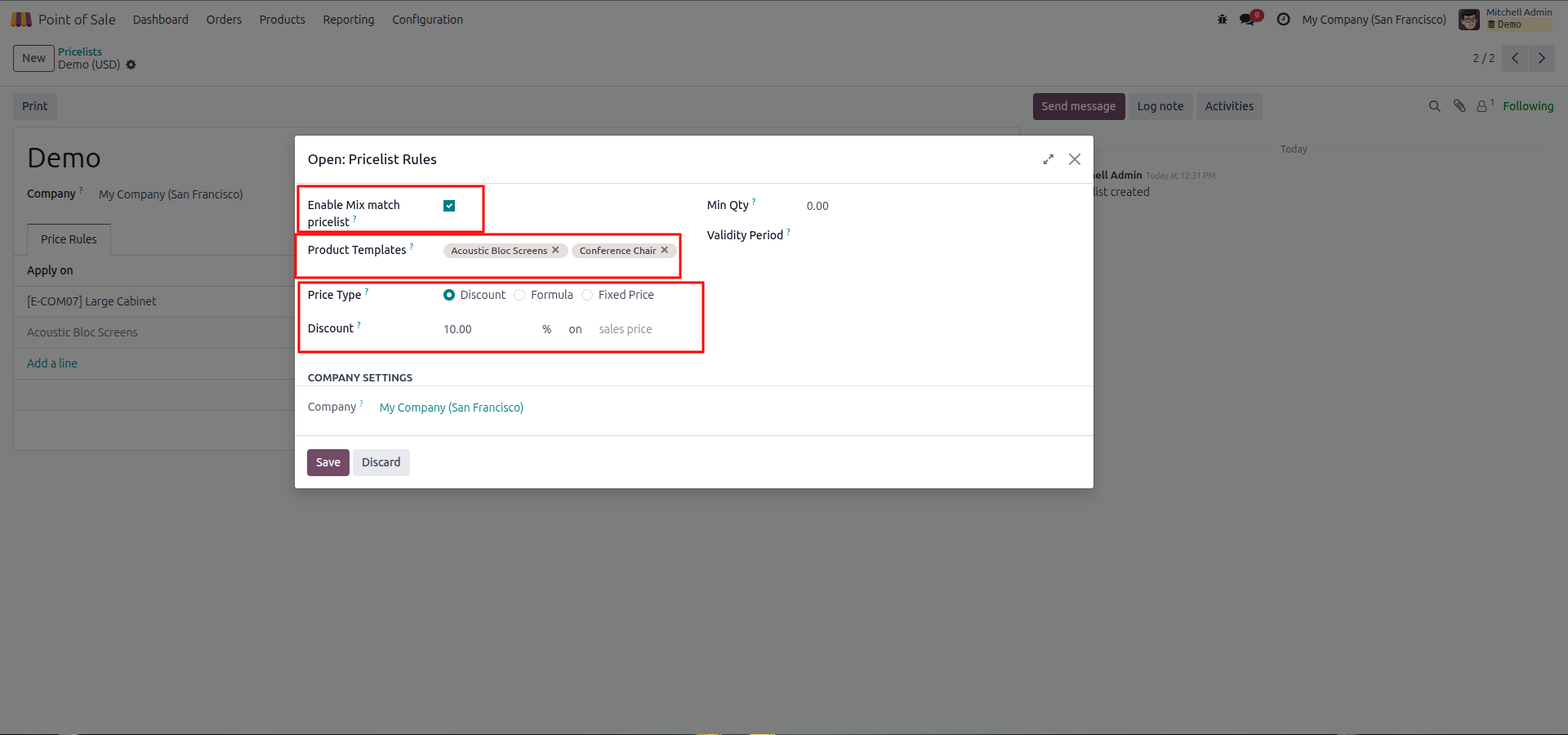
2.Create a new pricelist rule by checking Enable Mix match pricelist, selecting multiple Product Templates (like Acoustic Bloc Screens and Conference Chair), and configuring a percentage Discount.
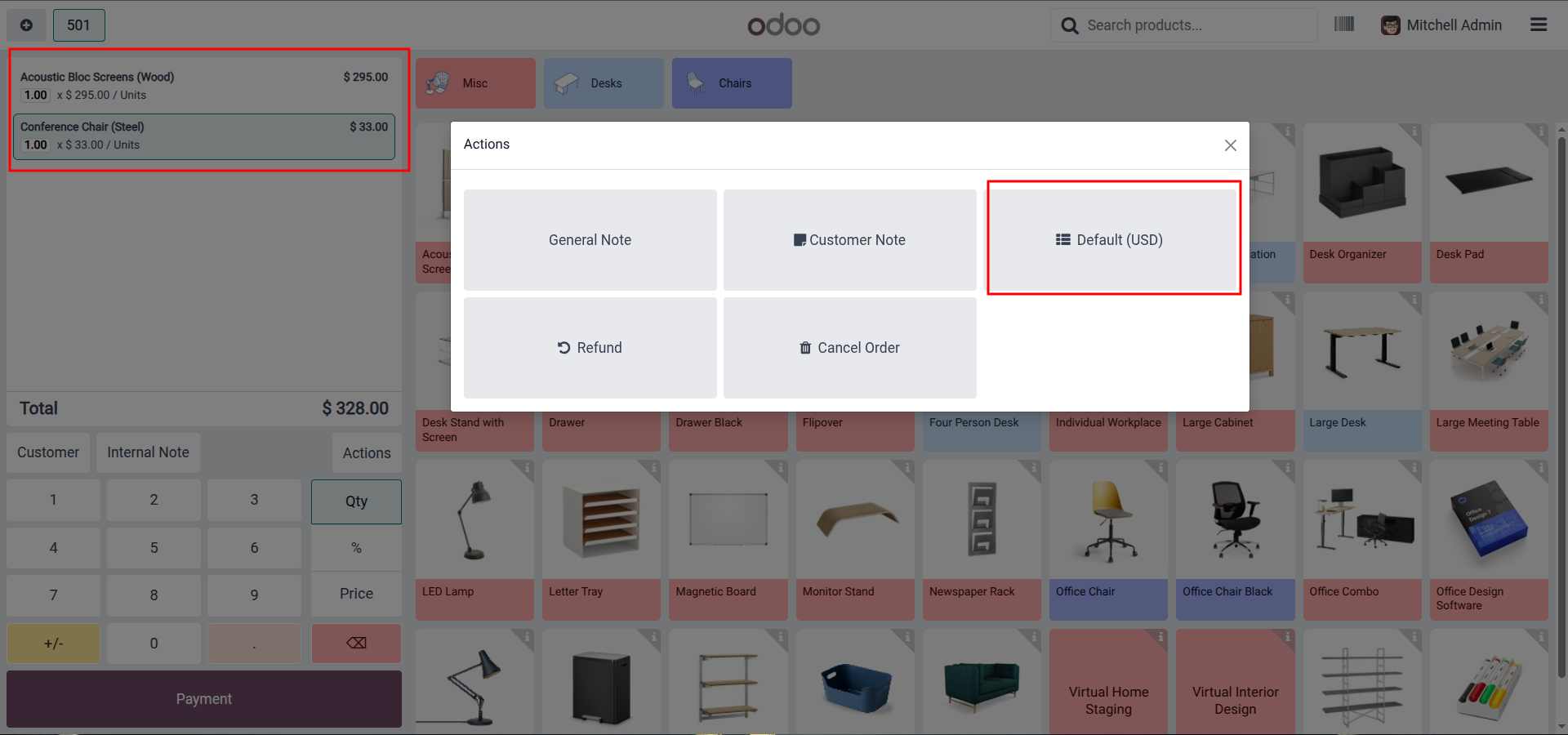
3.In the Point of Sale interface, add the selected items to your cart, which will initially display their standard costs under the Default pricelist.
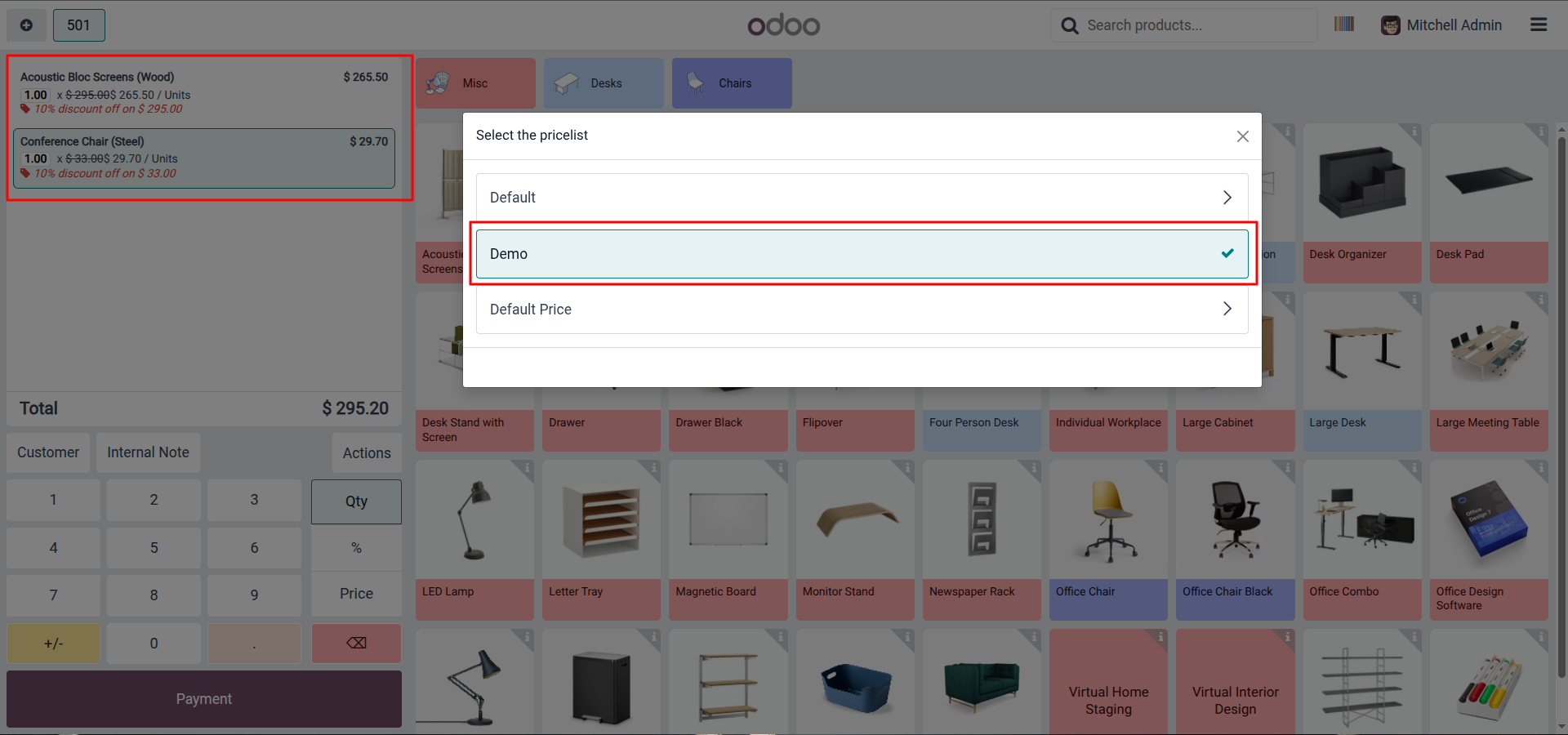
4.Open the pricelist selection menu and choose your custom pricelist (e.g., "Demo") to automatically apply and display the percentage discount on the mixed products.
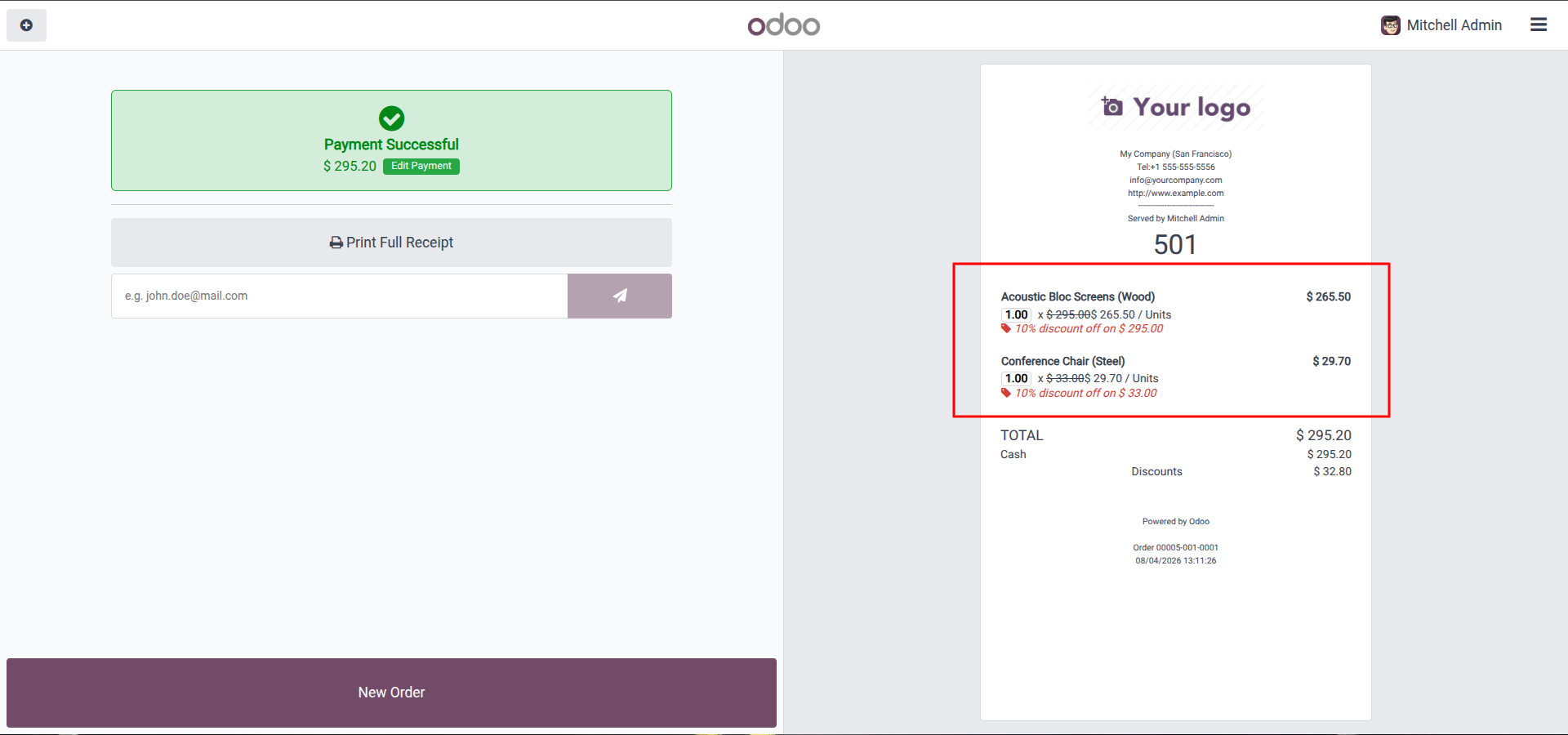
5.Process the payment to view the final receipt, which will clearly list the applied discounts for the selected mix-and-match items.
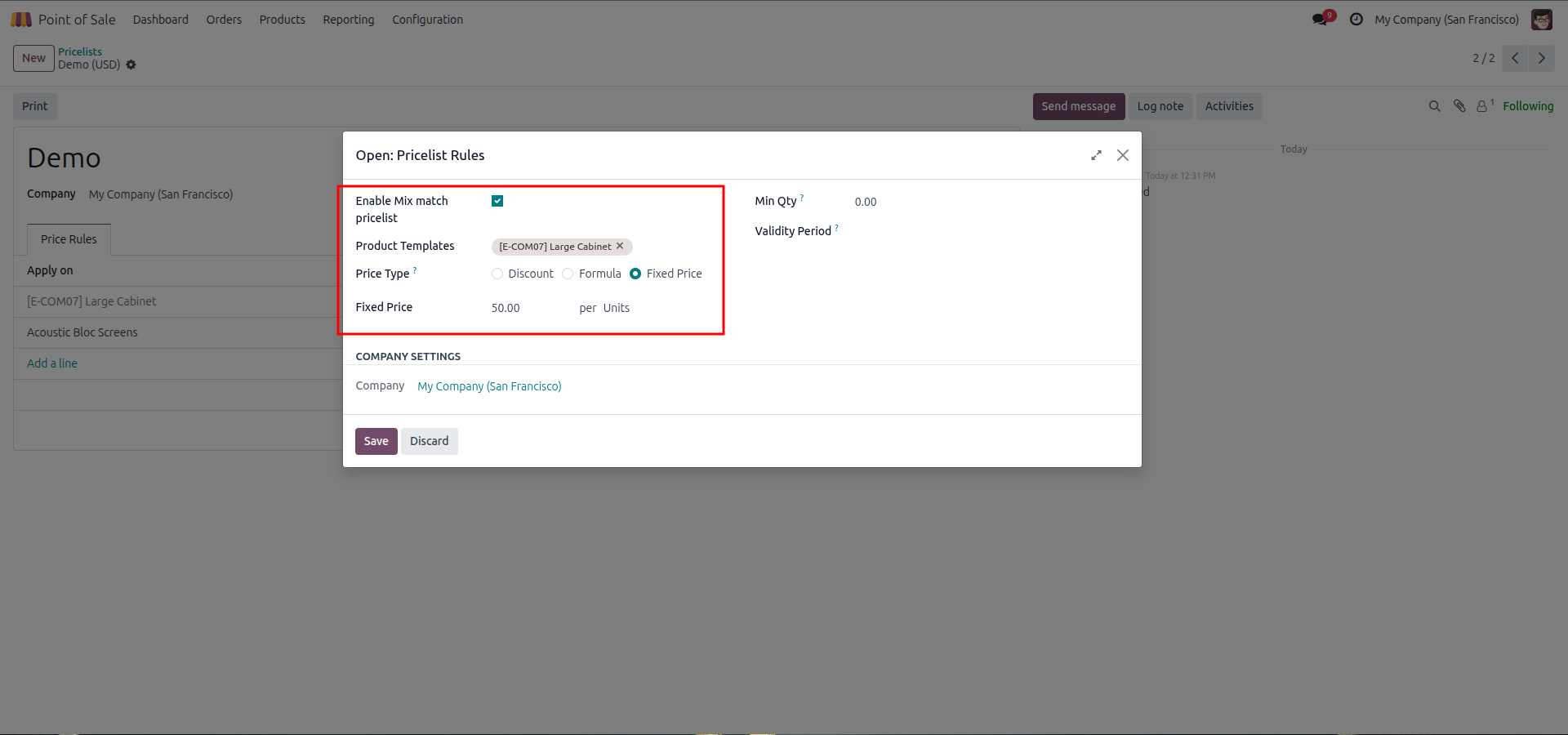
6.To use fixed pricing, configure a new mix-and-match rule by selecting a product (like a Large Cabinet) and setting the Price Type to Fixed Price.
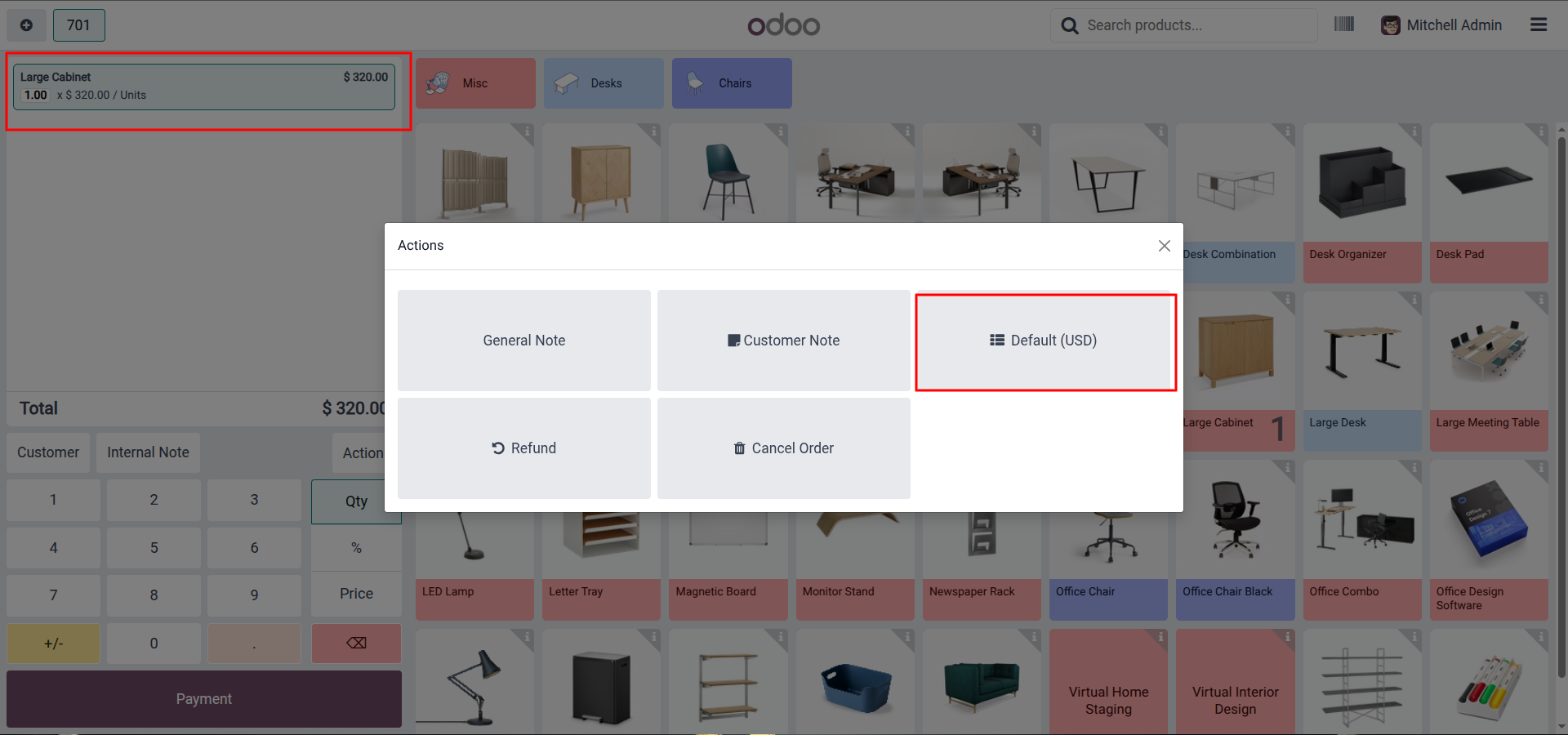
7.Add the configured item to the POS cart, where it will initially appear at its normal retail price under the default pricelist.
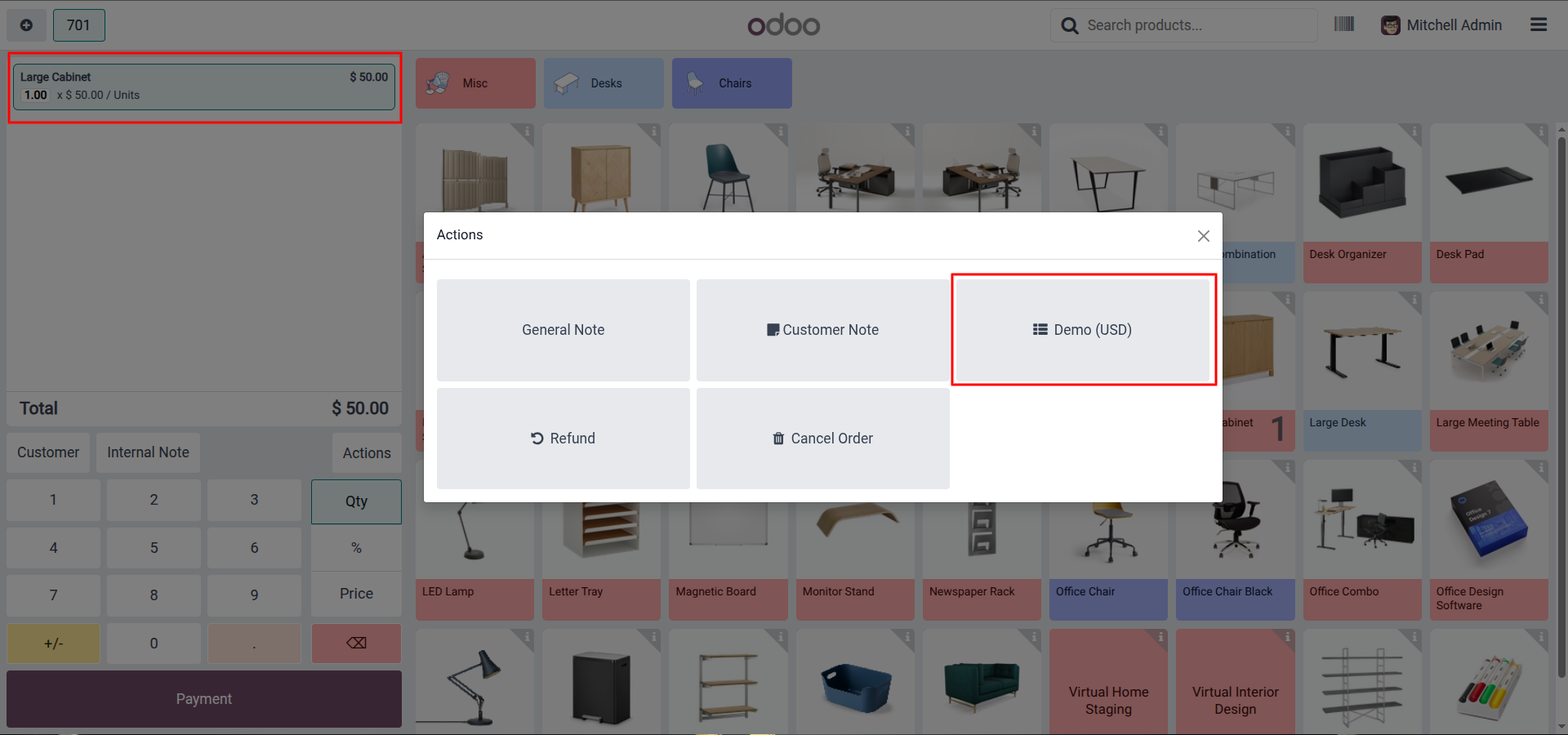
8.Select your custom pricelist to instantly override the standard cost and apply the predefined fixed price to the item.
Our solutions focus on your problems
- Odoo Implementation
- Odoo Customization
- ERP Development and Implementation
- Odoo Ipass Cloud
- AI for Odoo
- Odoo Apps
- Aws Marketplace Products
- Business Engines
Our Pricing includes User Manual, 90 Days Support (Monday-Friday 10am to 7pm IST) and One time Setup
• Works & tested on standard installations of Odoo with no third party apps,
• Free support only for odoo installations with no third party apps,
• Paid support available for Odoo installations with third party apps.

Prefortune is a Odoo Official Partner, Odoo Development company. Our philosophy is to use Open Source tools and technologies to provide cost effective and green solutions for our customers.
Prefortune Technologies LLP is working on web development, Mobile development, and Odoo ERP.
If you need any help or want more additional features, you may contact us through:
Alternative Products
These other products might interest you
Specifications
| Version | 19.0, 18.0, 17.0, 16.0, 15.0, 14.0 |