Watch Quick Video
POS Multi Location Management Odoo App
The POS Multi Location Management Odoo App allows you to manage and control inventory operations of multi-warehouse and multi-location from the POS itself. Cashiers can view current stock levels of all configured locations in real-time, preventing stock-outs and overselling.
When customers ask for items in quantities larger than the default stock, the smart allocation engine identifies shortages and enables cashiers to obtain inventory from alternative warehouses and shelves with one click. When you check out, Odoo breaks down your orders into separate warehouse pickings, with accurate move lines, and handles returns from multiple locations correctly.
POS Multi Location Management Odoo App Features
- See real-time inventory across multiple warehouses and internal locations that you define.
- Automatic shortage detection when demand of carts is exceeded over default location stock.
- Intuitive distribution popup for cashiers to source quantities from multiple locations.
- Automatic creation of separate stock pickings per warehouse when the order is paid.
- Correct source locations and quantities of accurate stock move lines.
- Smart refund management, which accurately returns inventory to original source locations.
Complete Workflow for POS Multi Location Management Odoo App
Go to Point of Sale → Configuration → Settings, scroll to the "Warehouse & Location Management" section, and enable "Display POS Stock". Select your Available Warehouses, Allowed Warehouse Locations, and the Default Stock Location for the shop. Open a POS session to view real-time stock across locations. When adding items that exceed the default location, the allocation popup lets you distribute quantities across available locations. Upon order validation, separate stock pickings are automatically created and confirmed for each warehouse in the backend. When processing returns, inventory is automatically routed back to original source locations.
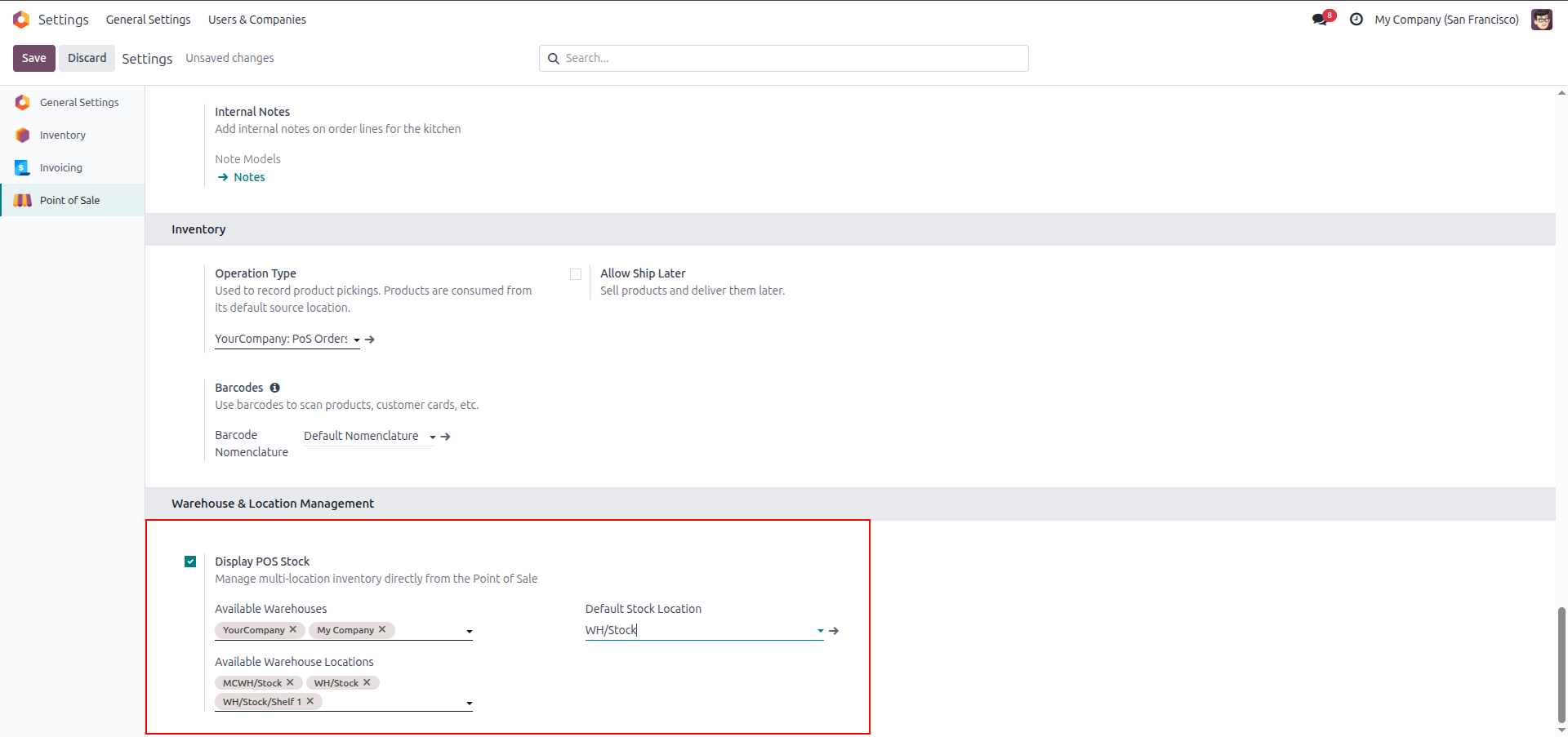
1. Configure Available Warehouses, Allowed Warehouse Locations, and Default Stock Location in POS Settings.
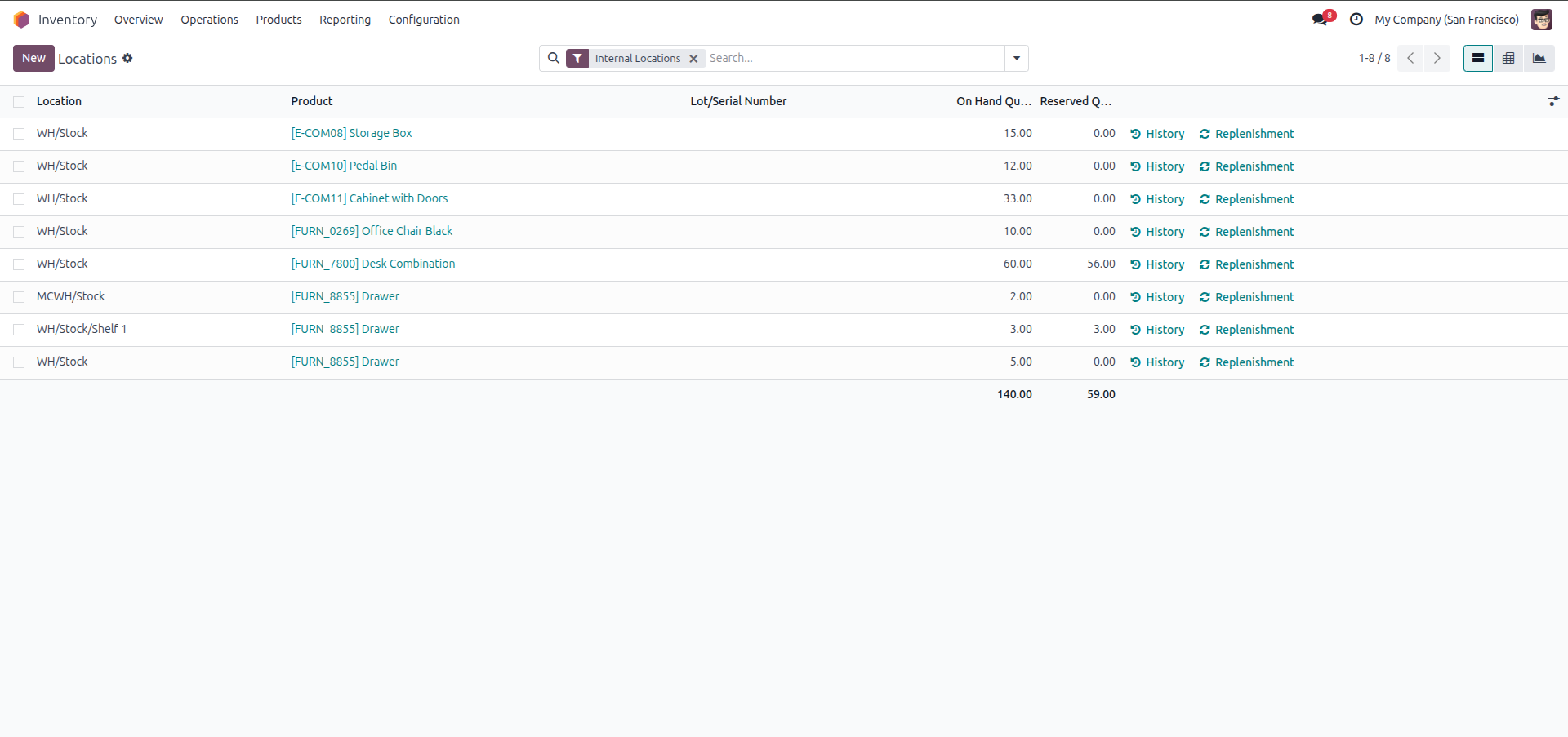
2. Real-time stock levels across different warehouses and internal locations before starting sales.
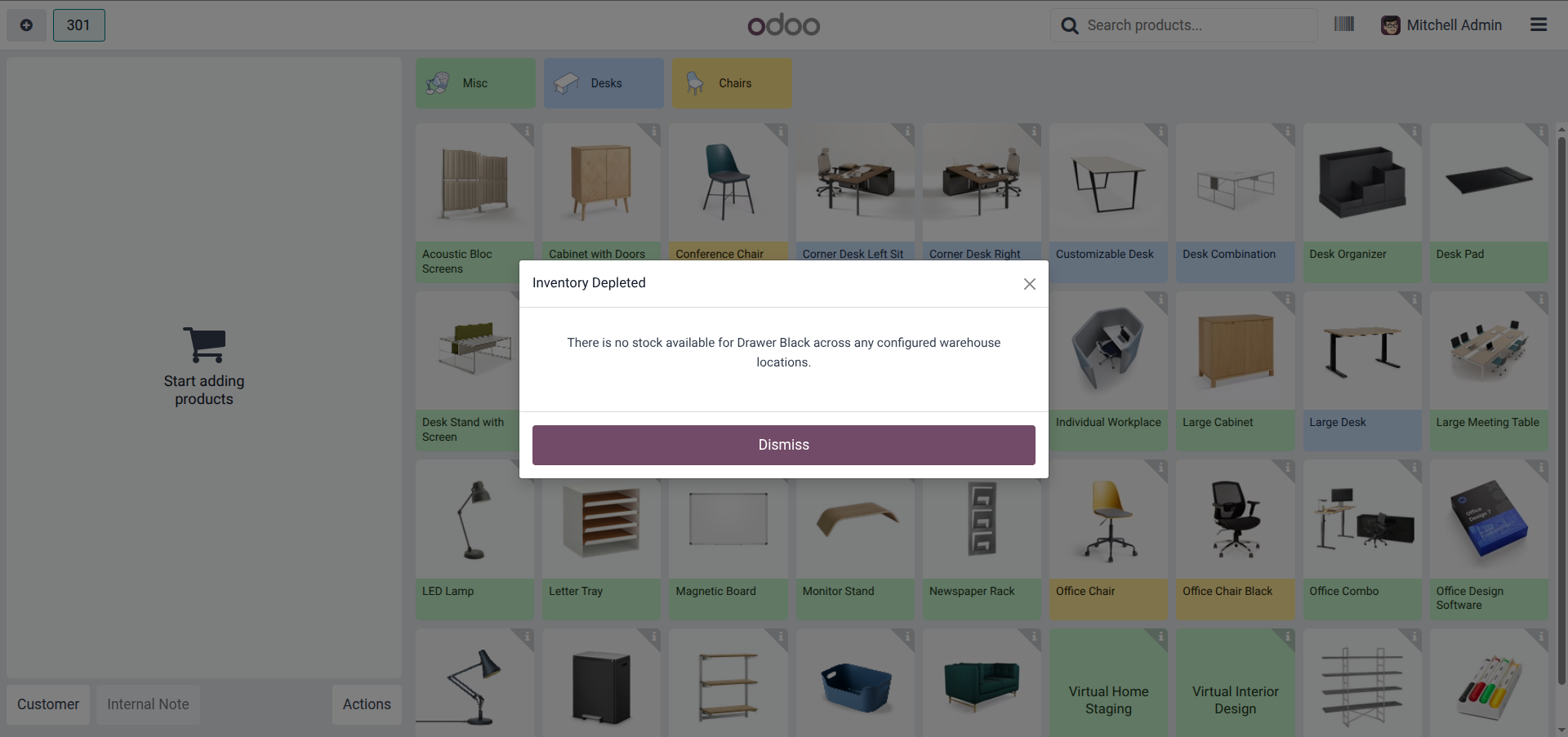
3. Instant "Inventory Depleted" warning when trying to add an out-of-stock product to the cart.
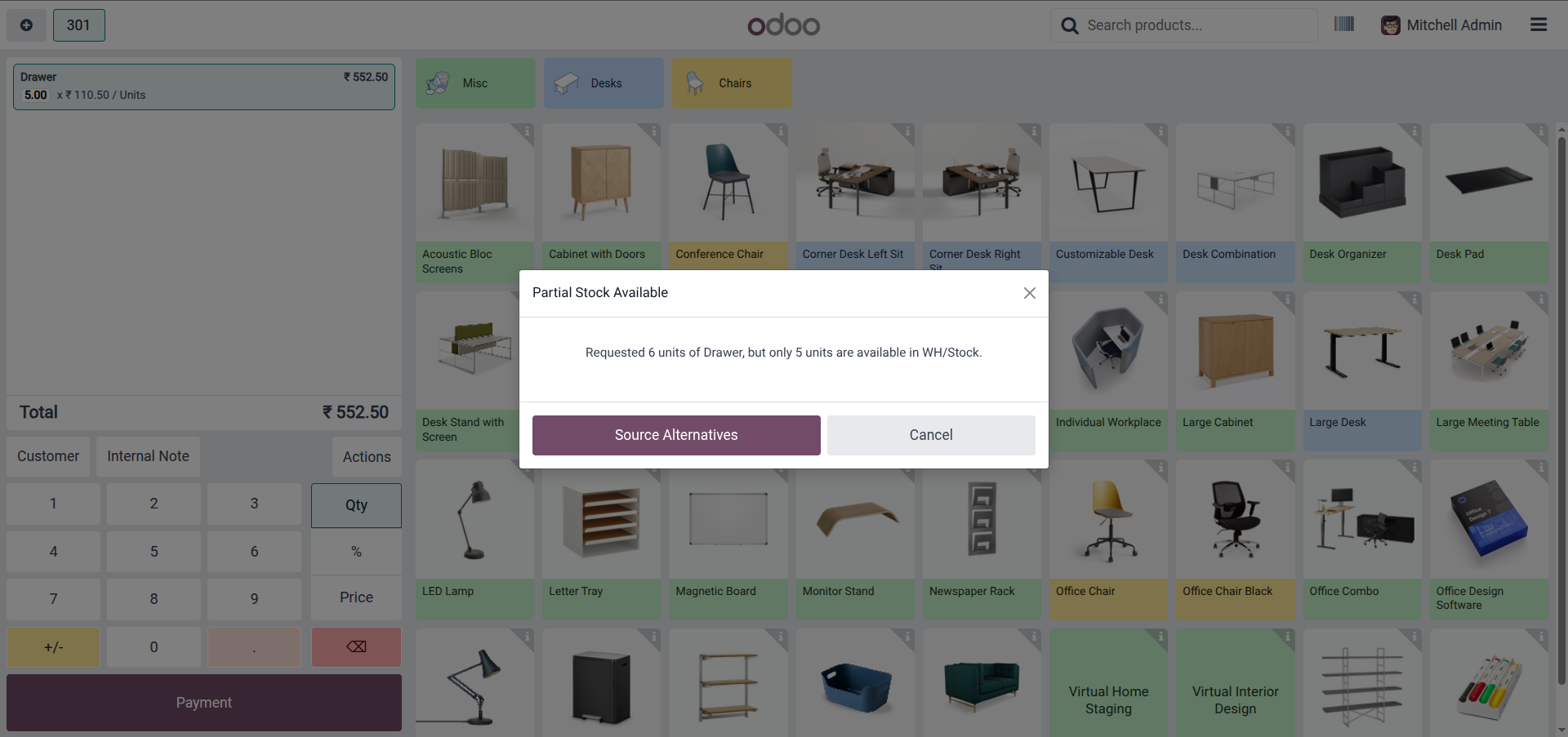
4. "Partial Stock Available" alert with a single-click "Source Alternatives" option when default stock is insufficient.
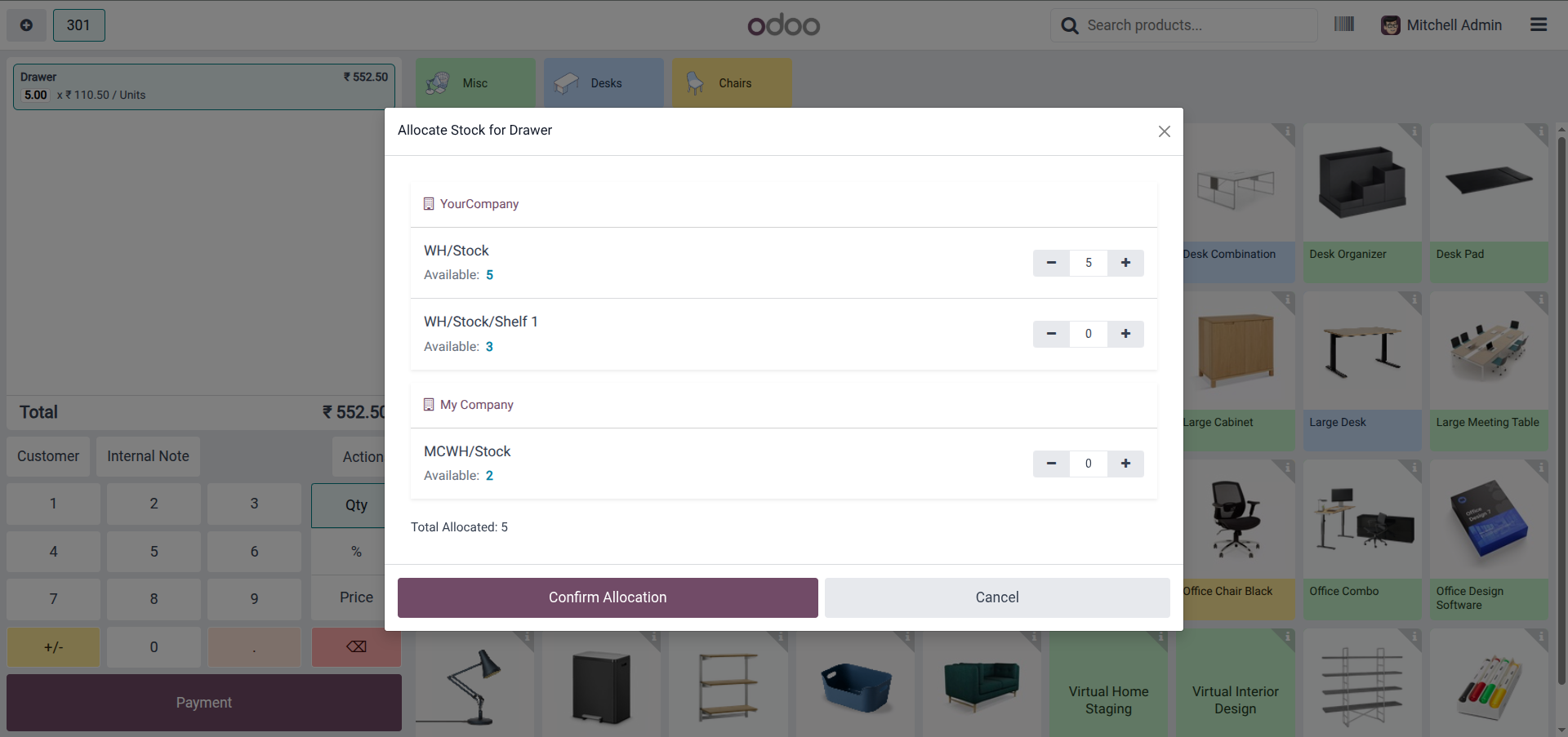
5. Interactive "Allocate Stock" dialog to distribute required quantities across multiple warehouses and locations.
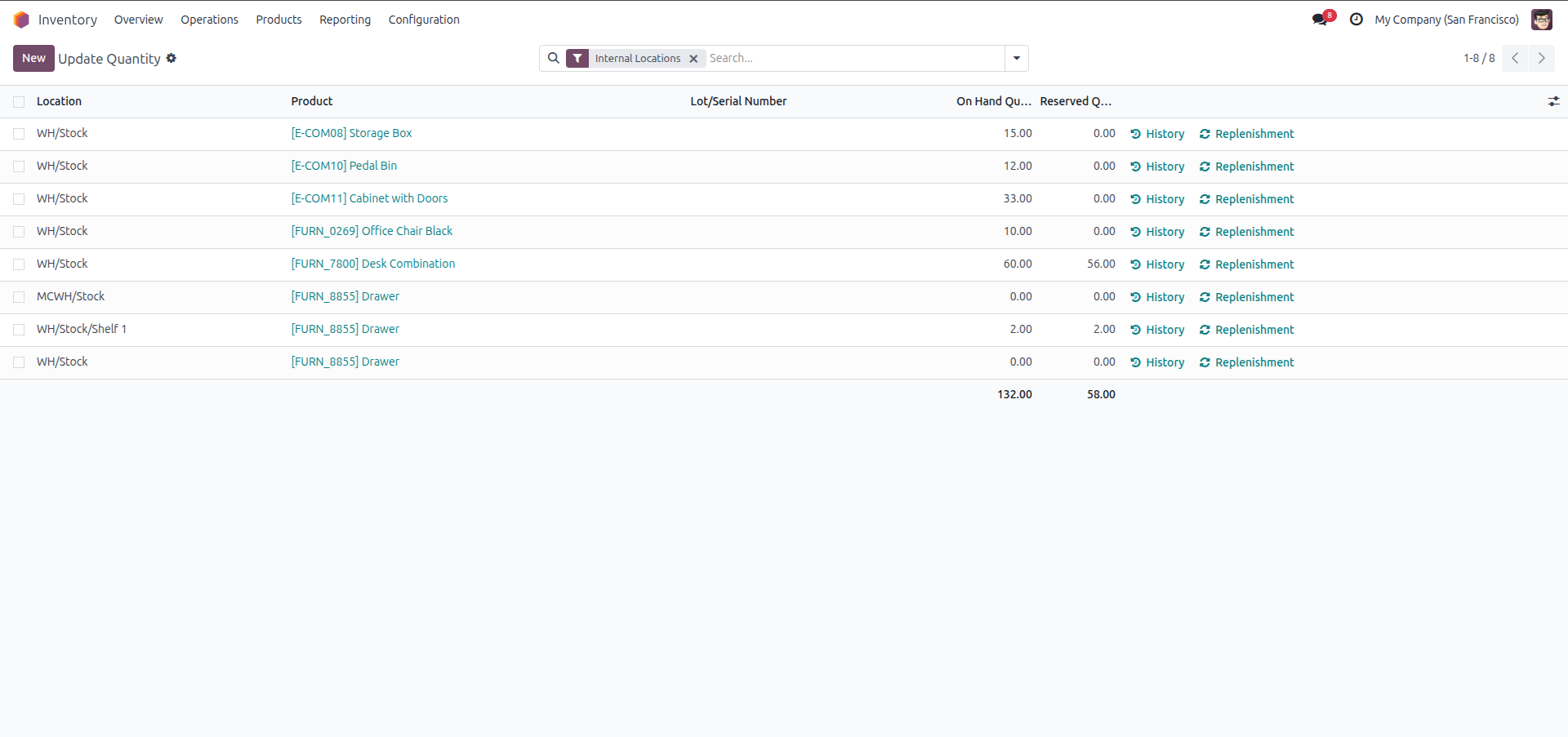
6. Live stock quantities updated and deducted automatically across all involved locations upon checkout.
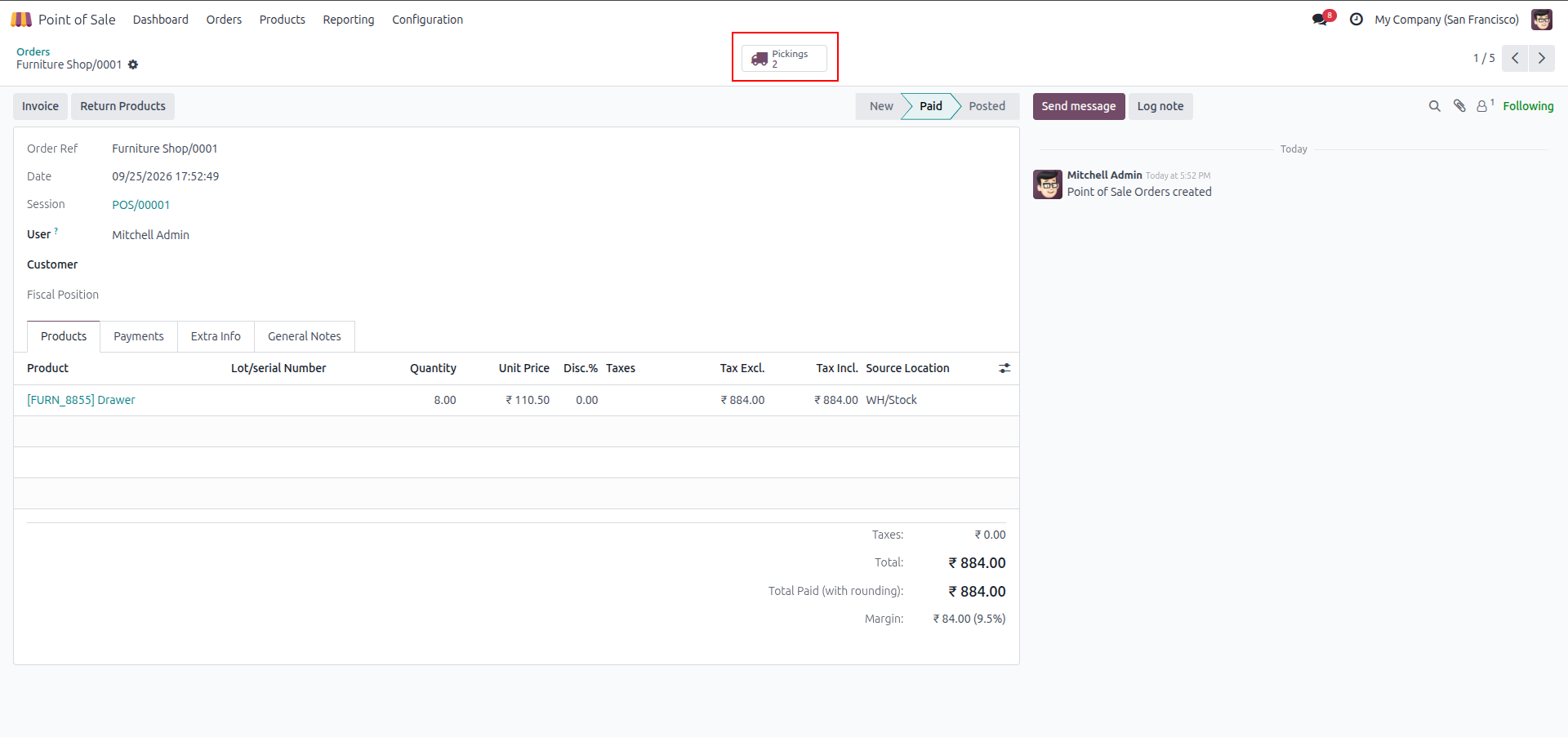
7. Backend POS Order details showing multiple delivery pickings generated for the order.
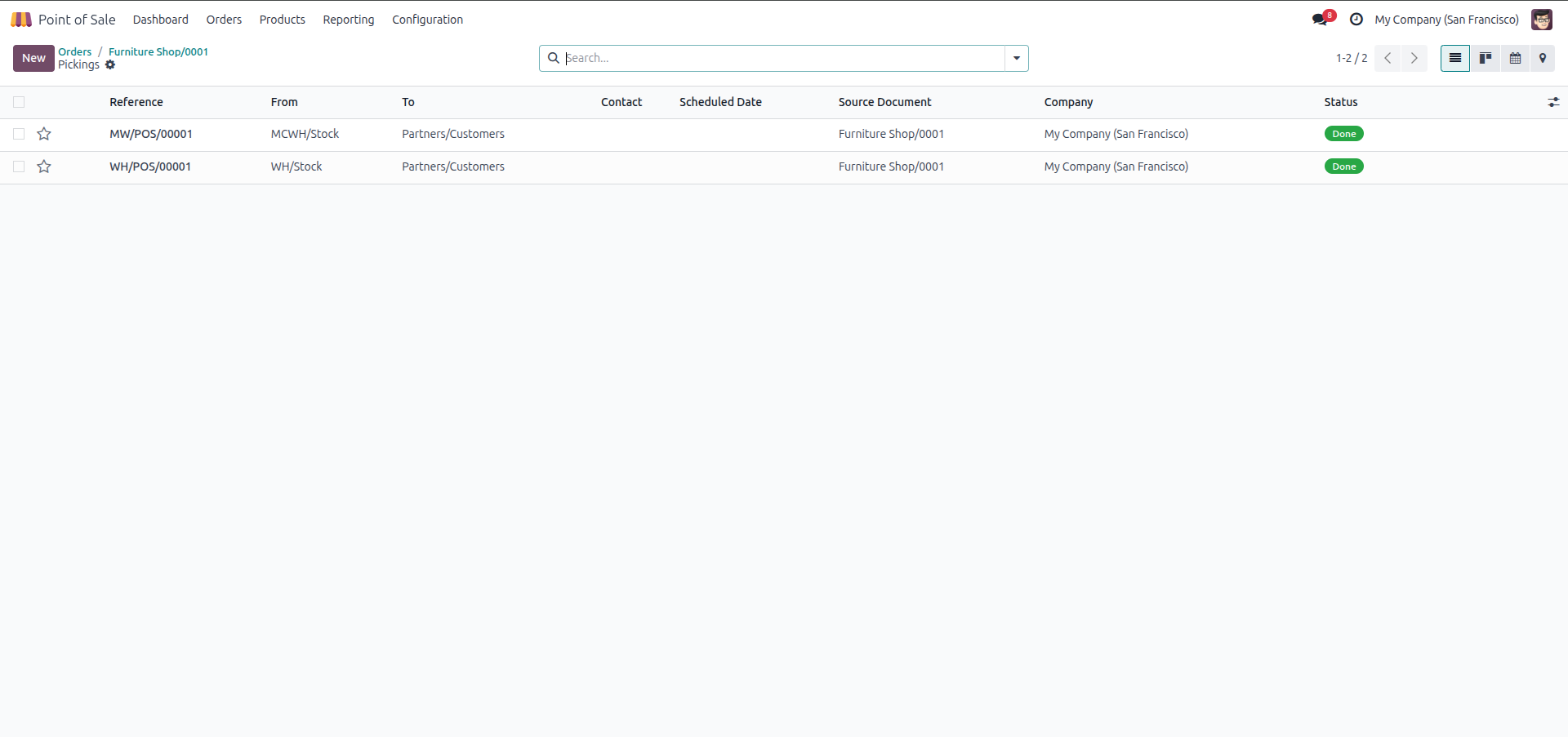
8. Delivery Pickings list showing separate transfers generated automatically for each warehouse.
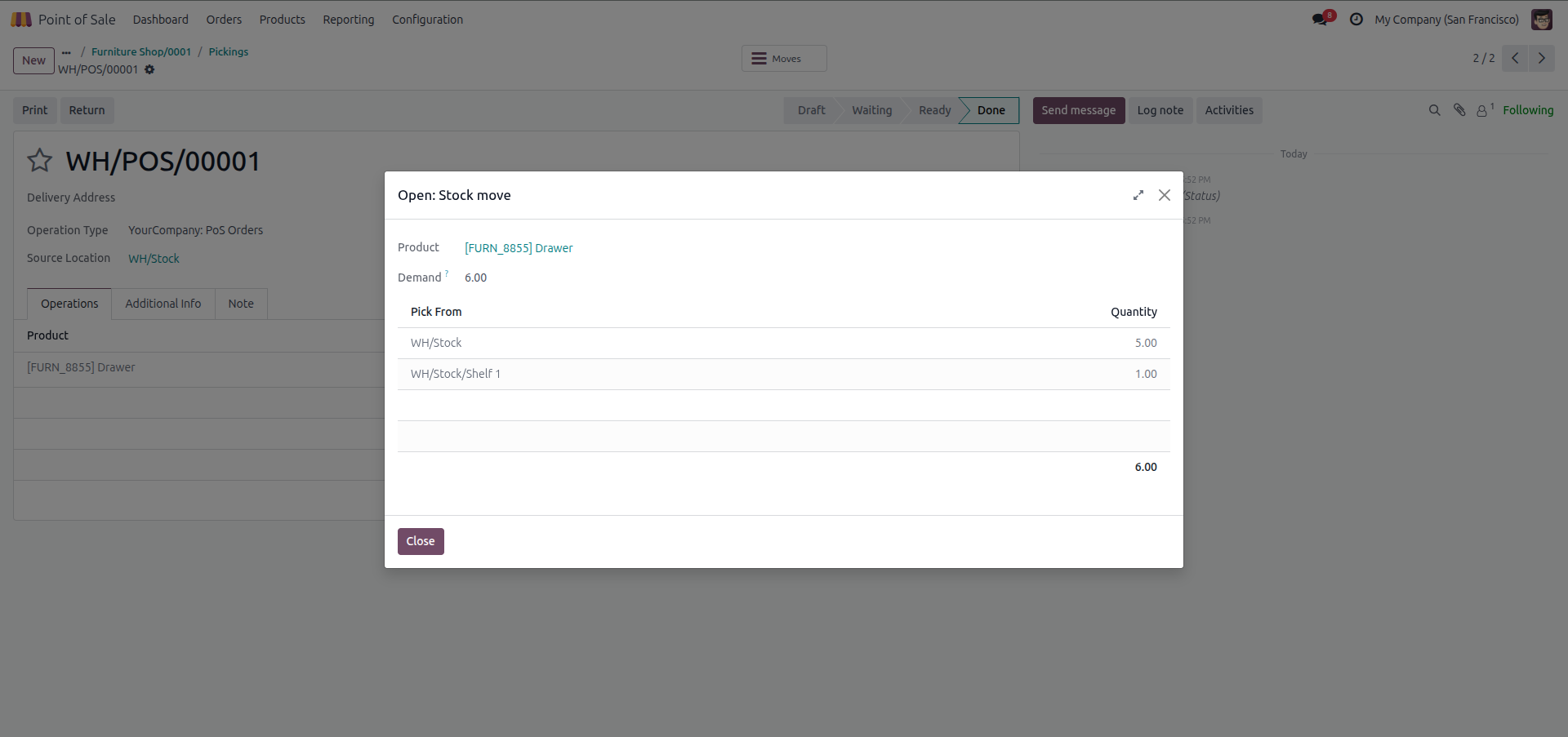
9. Detailed stock move lines for Main Warehouse picking with exact split quantities per internal location.
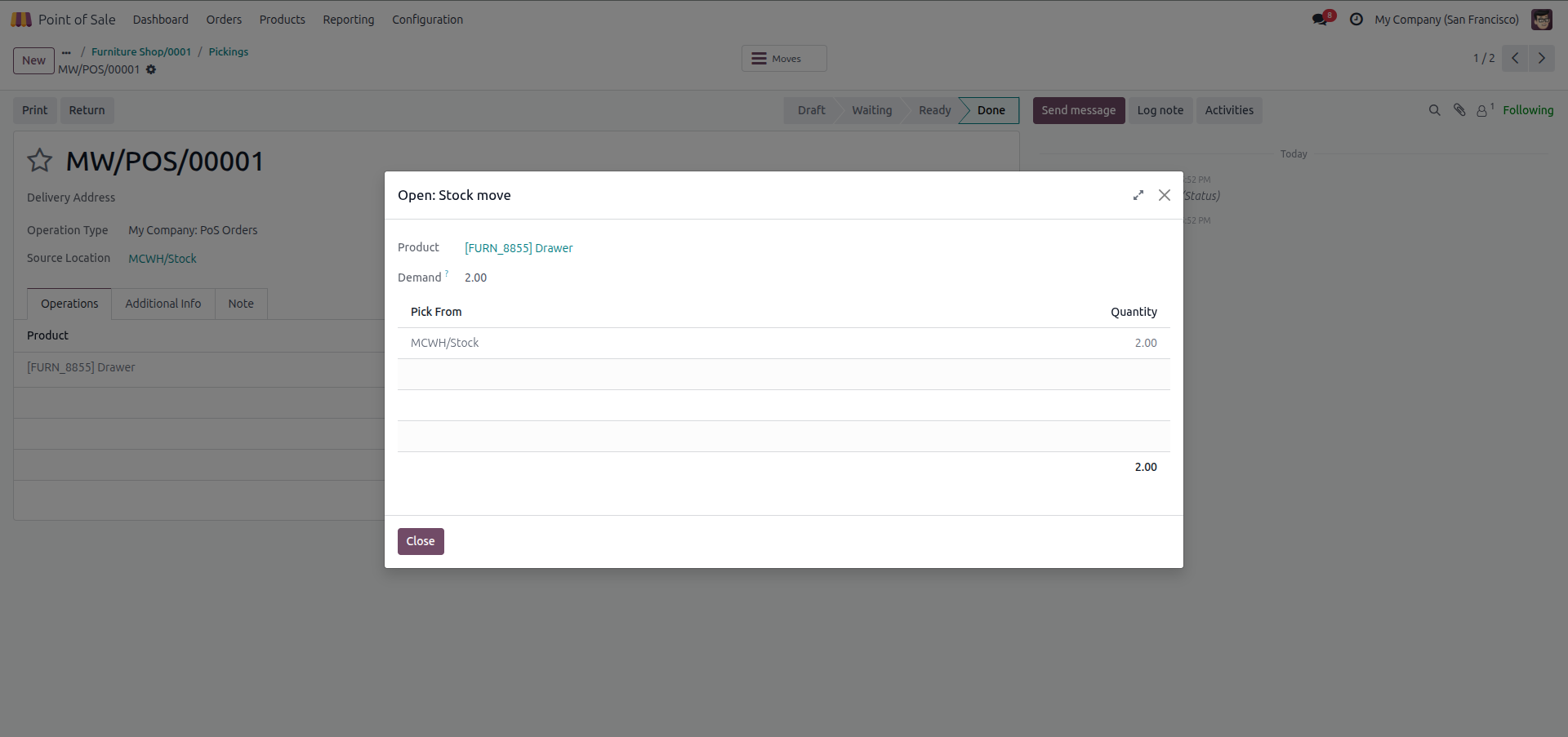
10. Detailed stock move lines for Secondary Warehouse picking delivering allocated items from its stock location.
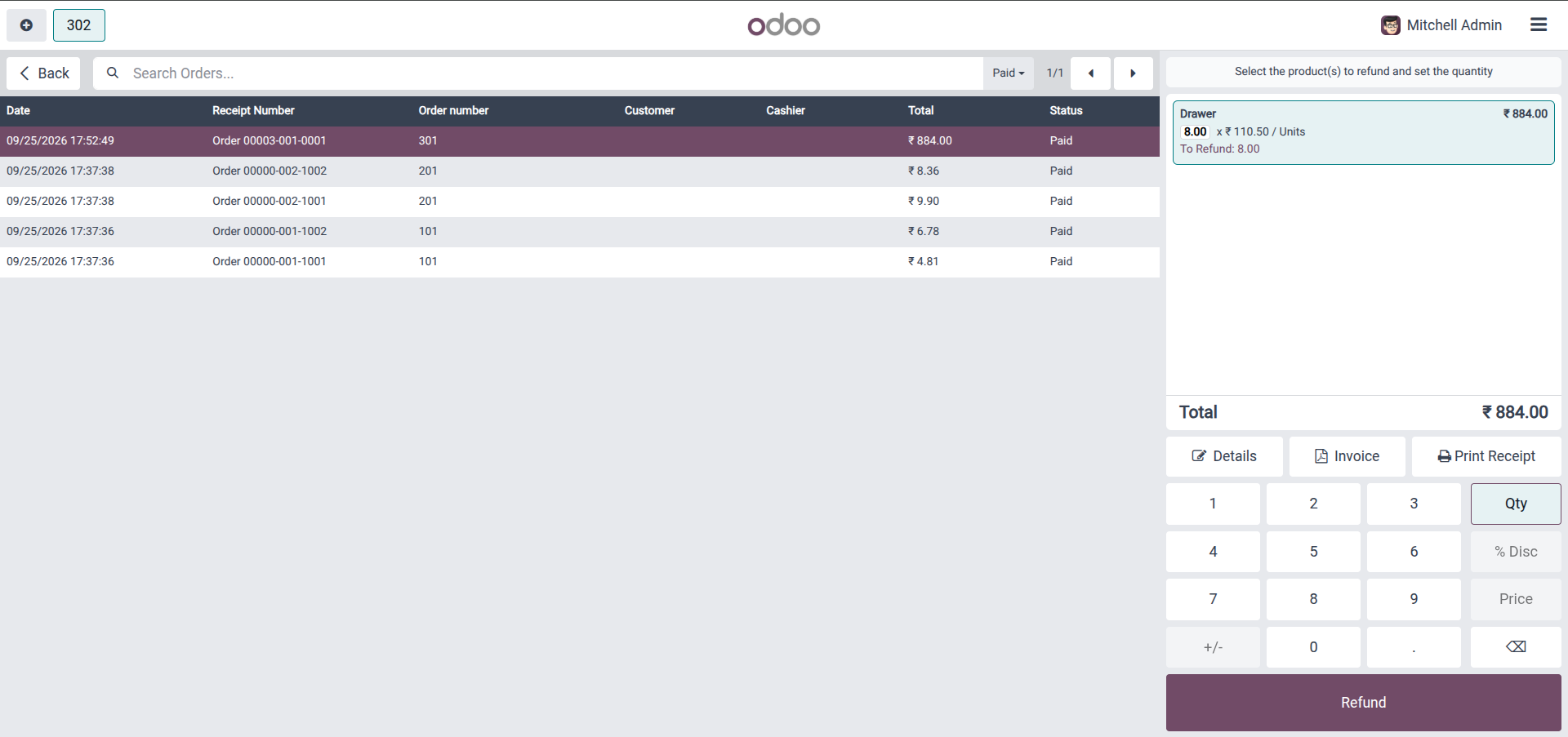
11. Seamless refund initiation directly from the POS Ticket Screen for multi-location orders (supports partial returns).
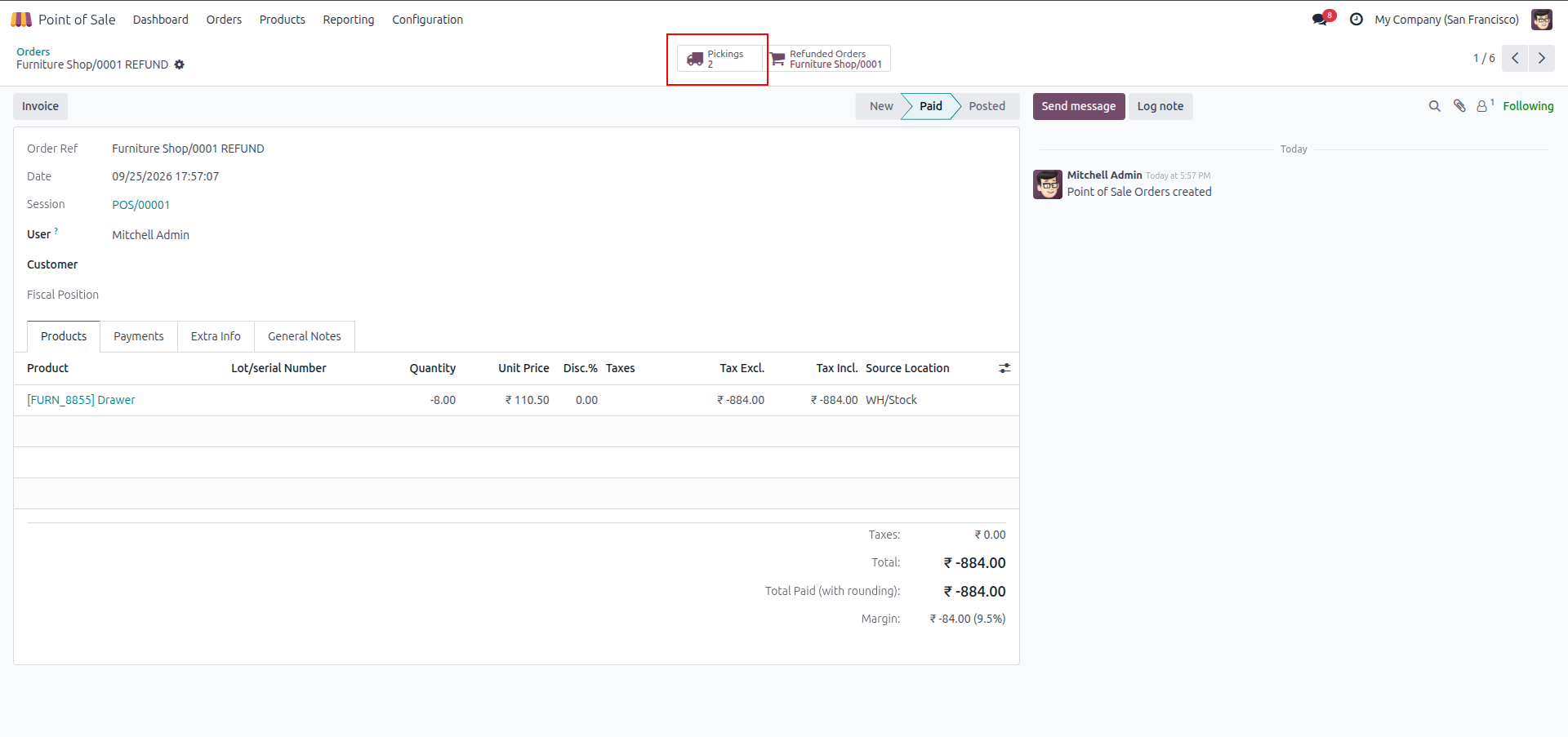
12. Backend POS Refund Order automatically creating corresponding return pickings across warehouses.
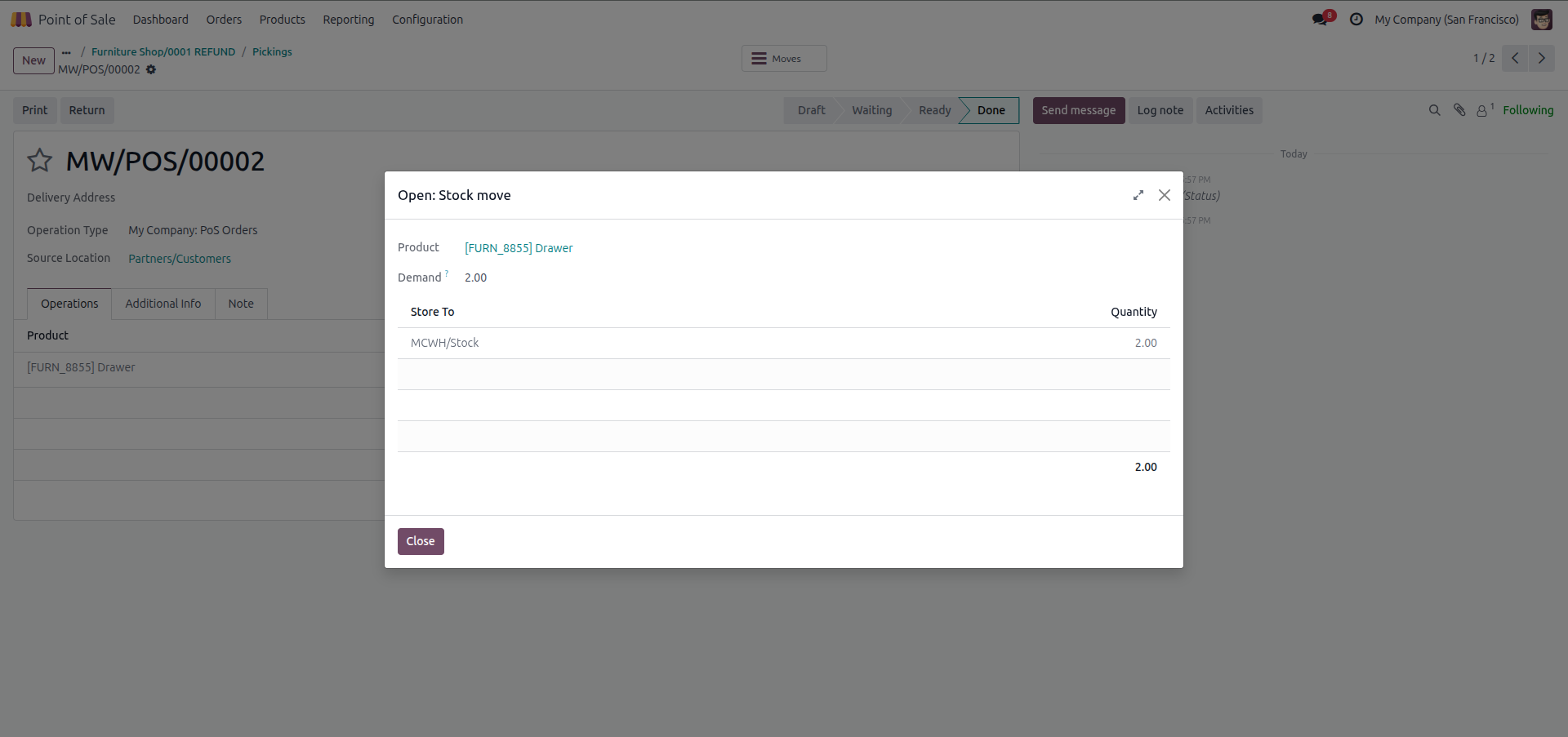
13. Return picking for Secondary Warehouse restoring returned stock back to its original location.
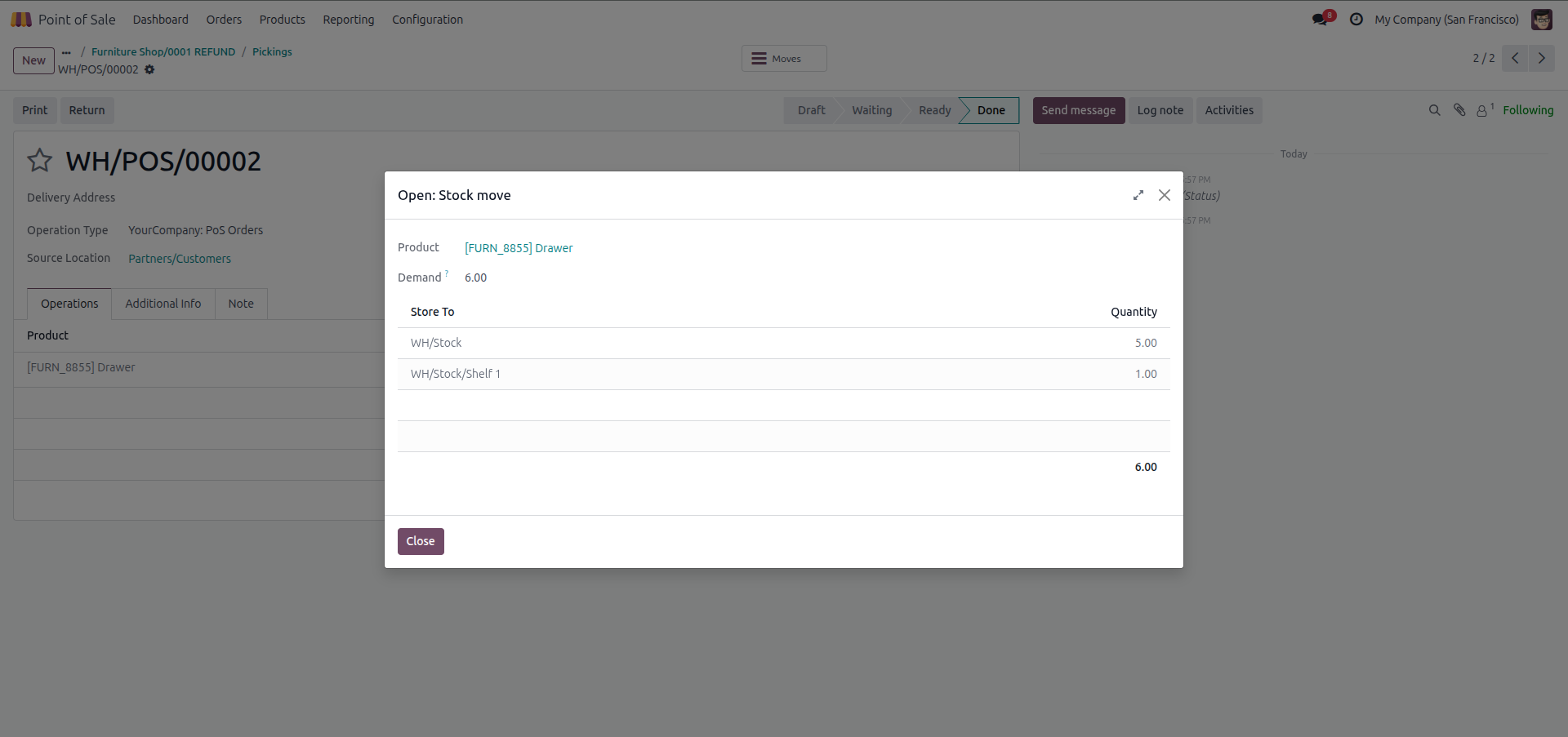
14. Return picking for Main Warehouse correctly routing returned units back to each specific shelf location.
Our solutions focus on your problems
- Odoo Implementation
- Odoo Customization
- ERP Development and Implementation
- Odoo Ipass Cloud
- AI for Odoo
- Odoo Apps
- Aws Marketplace Products
- Business Engines
Our Pricing includes User Manual, 90 Days Support (Monday-Friday 10am to 7pm IST) and One time Setup
• Works & tested on standard installations of Odoo with no third party apps,
• Free support only for odoo installations with no third party apps,
• Paid support available for Odoo installations with third party apps.

Prefortune is a Odoo Official Partner, Odoo Development company. Our philosophy is to use Open Source tools and technologies to provide cost effective and green solutions for our customers.
Prefortune Technologies LLP is working on web development, Mobile development, and Odoo ERP.
If you need any help or want more additional features, you may contact us through:
Alternative Products
These other products might interest you
Specifications
| Version | 20.0, 19.0, 18.0, 17.0, 16.0, 15.0, 14.0 |