Watch Quick Video
POS Product Sequence for Odoo
The POS Product Sequence for Odoo allows store staff to easily order how products appear on the POS register. Each product has a “POS Sequence” field on its Point of Sale tab that determines its position, with the lower numbers displaying first, and ties broken alphabetically by product name.
New products auto-get the next sequence number, so there’s nothing manual setup wise needed on creation, and this is both for single product entries and bulk imports. The default category grid respects this order immediately, but product search results are unaffected, so search relevance is kept.
POS Product Sequence for Odoo App Features
- Choose the specific order products are displayed in – priority items first, no longer defaulting to sorting by alphabetical or creation date.
- No separate settings screen, just open the product and go to Point of Sale tab, set a number, done.
- Save the sequence, new order appears on next POS reload, no session restart or sync delay required.
Complete Workflow for POS Product Sequence for Odoo
Go to Point of Sale → Products, open the product you want to reorder, and click the "Point of Sale" tab. Enter a value in the "POS Sequence" field — lower numbers show first in the product grid. Save the product, then open the POS Register screen to confirm the new position. Repeat for any product you want to prioritize or push back.
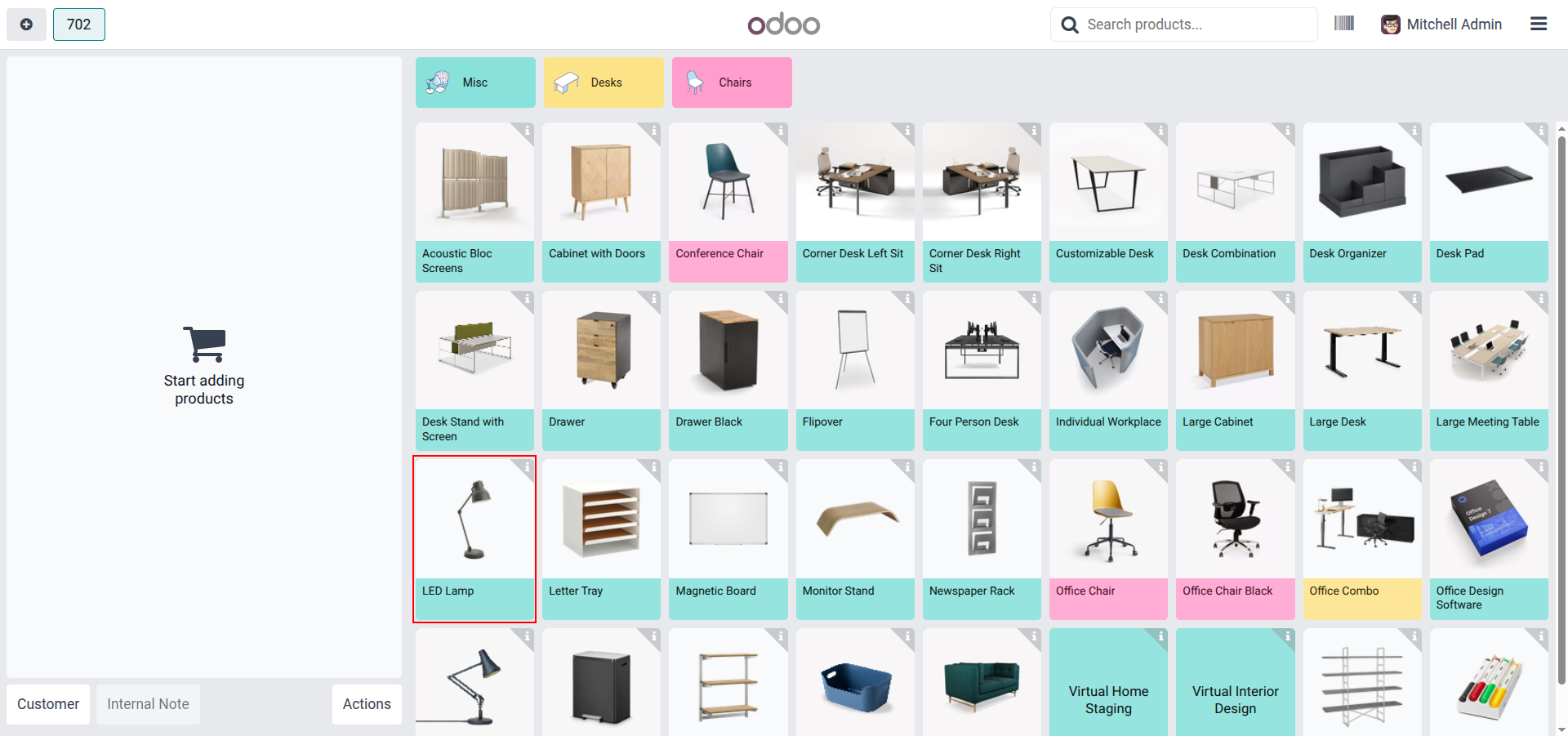
1. Default POS grid before setting sequence — LED Lamp sits in its normal alphabetical position within the Misc category.
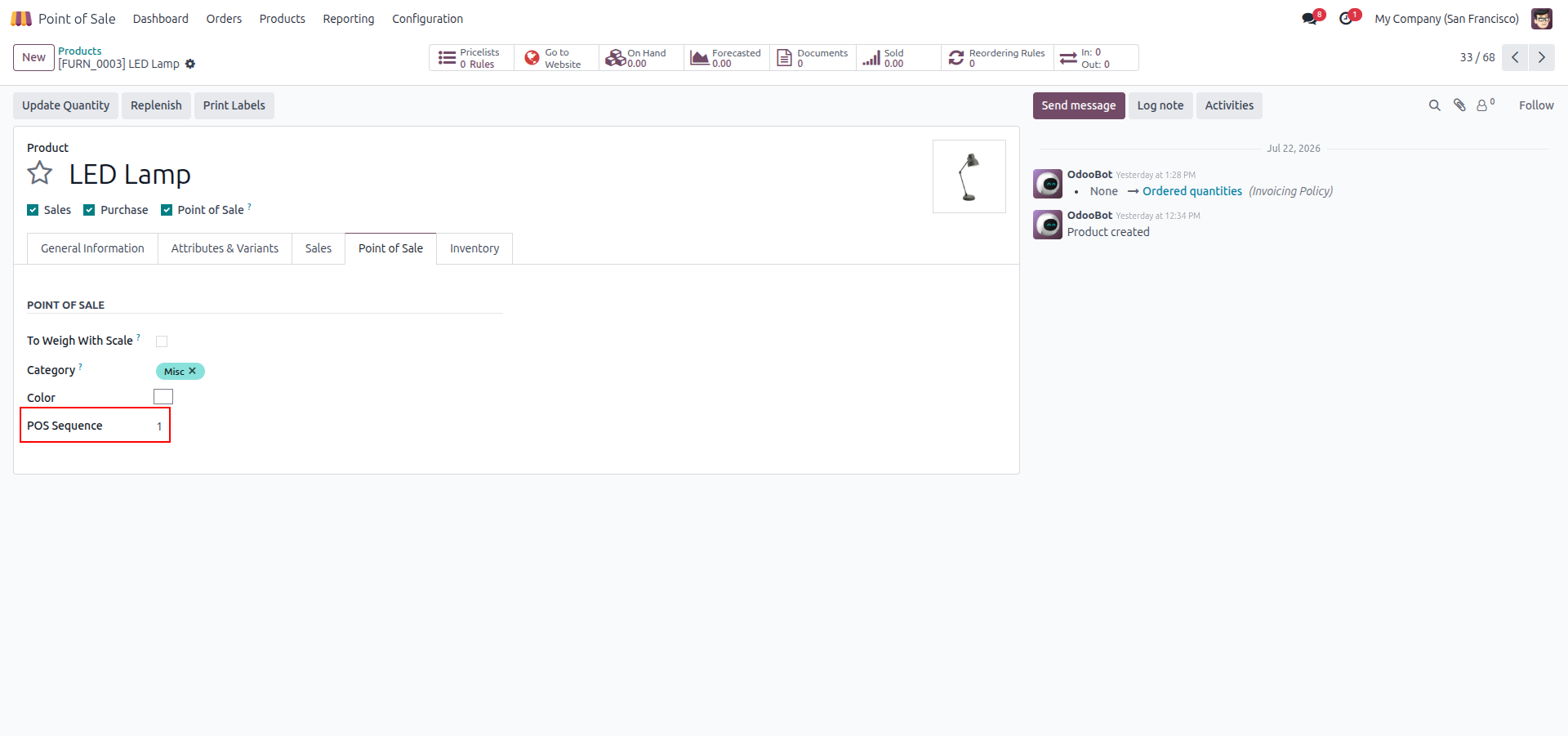
2. Product form, Point of Sale tab — "POS Sequence" set to 1 for LED Lamp.
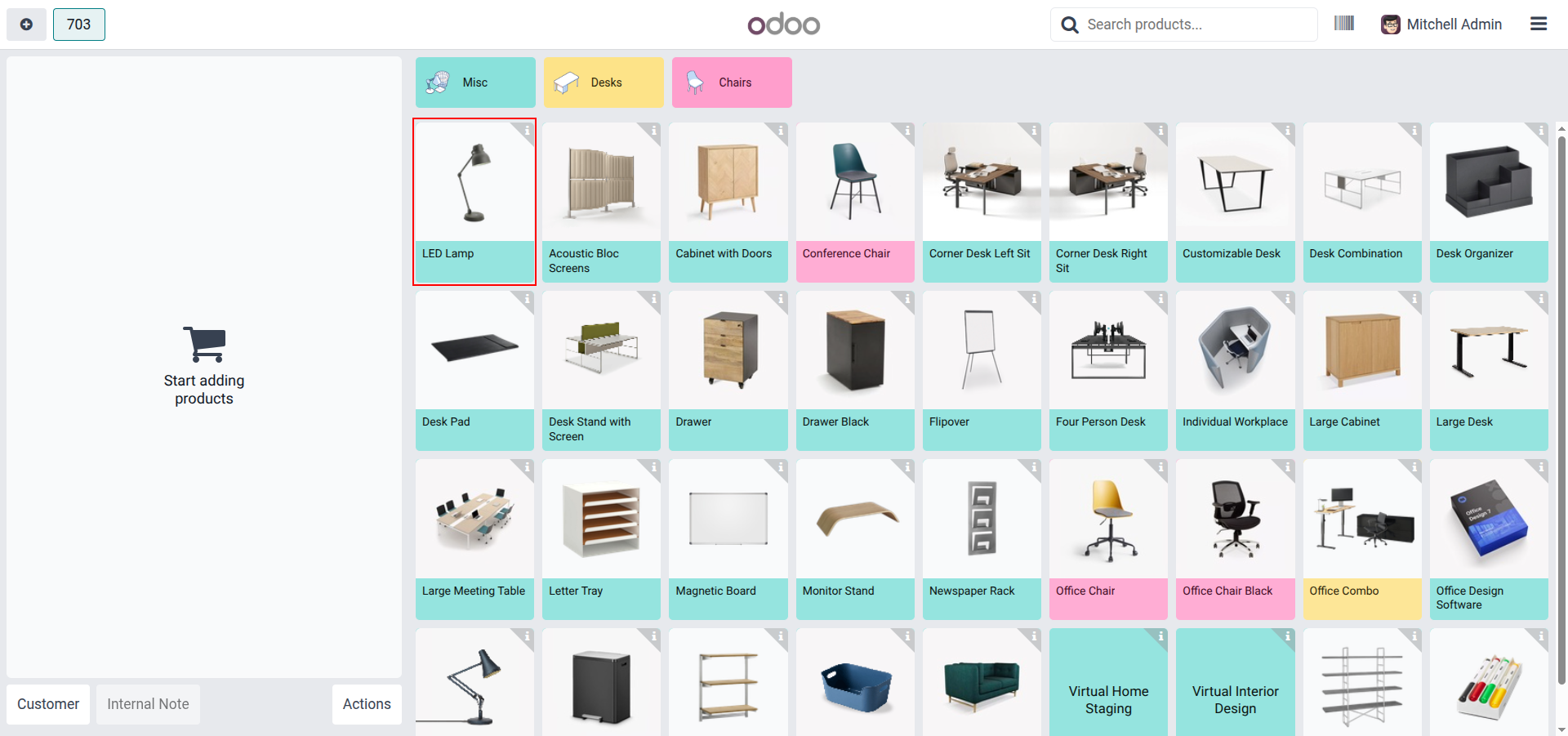
3. POS grid after saving — LED Lamp now appears first in the Misc category, reflecting the sequence instantly.
Our solutions focus on your problems
- Odoo Implementation
- Odoo Customization
- ERP Development and Implementation
- Odoo Ipass Cloud
- AI for Odoo
- Odoo Apps
- Aws Marketplace Products
- Business Engines
Our Pricing includes User Manual, 90 Days Support (Monday-Friday 10am to 7pm IST) and One time Setup
• Works & tested on standard installations of Odoo with no third party apps,
• Free support only for odoo installations with no third party apps,
• Paid support available for Odoo installations with third party apps.

Prefortune is a Odoo Official Partner, Odoo Development company. Our philosophy is to use Open Source tools and technologies to provide cost effective and green solutions for our customers.
Prefortune Technologies LLP is working on web development, Mobile development, and Odoo ERP.
If you need any help or want more additional features, you may contact us through:
Alternative Products
These other products might interest you
Specifications
| Version | 19.0, 18.0, 17.0, 16.0, 15.0, 14.0 |