Watch Quick Video
Product Pricelist Comparision Odoo App
Our efficient
Odoo – Product Pricelist Comparision Odoo App
helps sales teams and business managers to analyze the product pricing in Odoo across several customer tiers, currencies and discount rules. Dynamically choose products and pricelists for clean interactive matrix visualization of pricing differences.
Product Pricelist Comparision Odoo App Features
- Side-by-side price comparison on a number of pricelists.
- Target quantity calculation for volume pricing rules.
- Support for product templates and variant hierarchies.
- Export reports to PDF, XLSX (Excel), and CSV formats.
- Table rendering pagination for high performance with large data sets.
- Quick links to jump straight to product and template information.
Complete Workflow for Product Pricelist Comparision Odoo App
Go to Sales → Products or Sales → Product Variants, select the desired products or variants, then click on the Action → Compare Pricelists Matrix server action. Select the pricelists you wish to compare and adjust the Target Quantity to calculate volume pricing rules automatically. The interactive matrix displays side-by-side price comparisons and allows exporting reports directly in PDF, XLSX, or CSV formats.
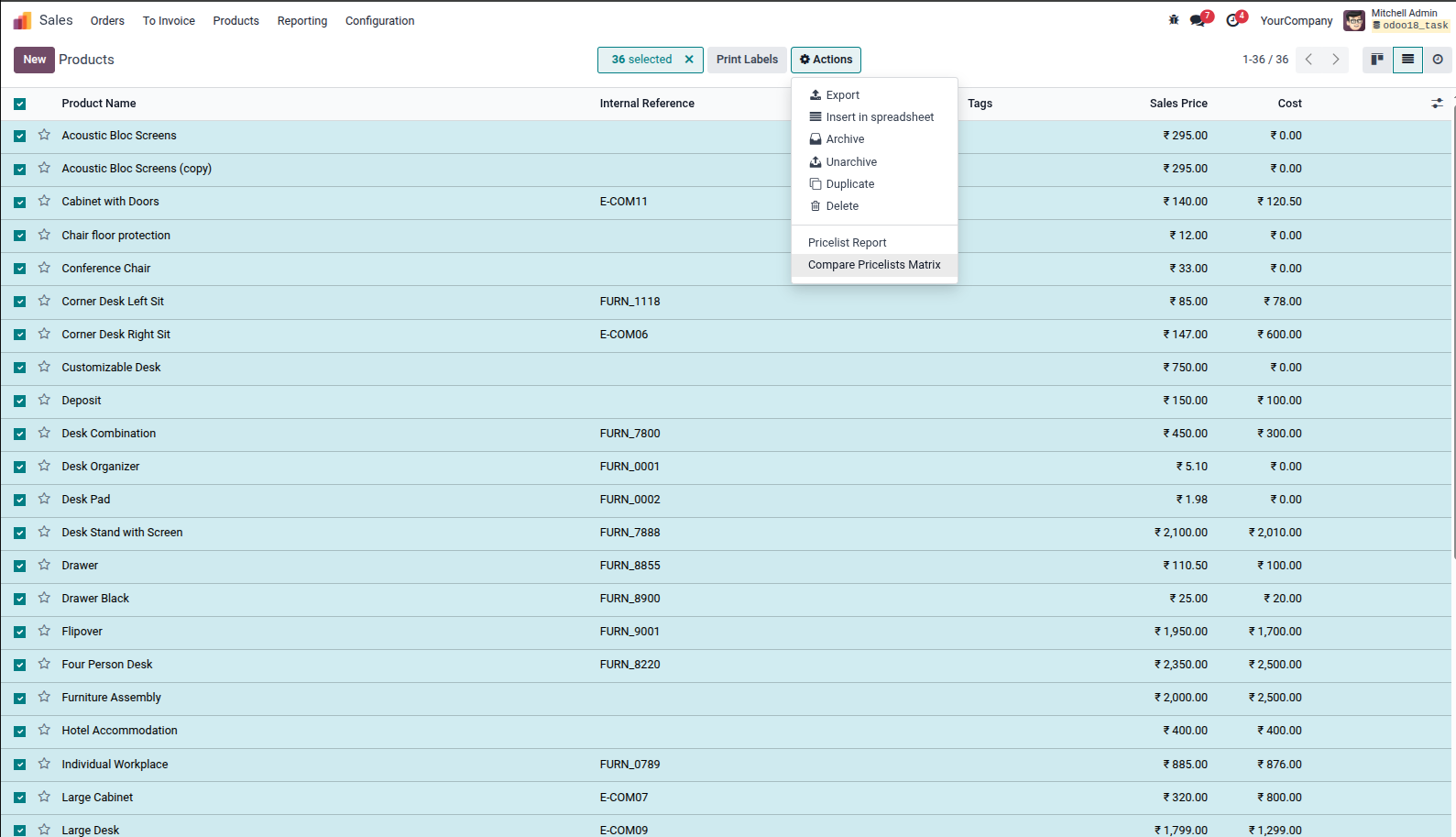
1. In Sales → Products (or Product Variants), select target products with checkboxes and click on Actions → Compare Pricelists Matrix.
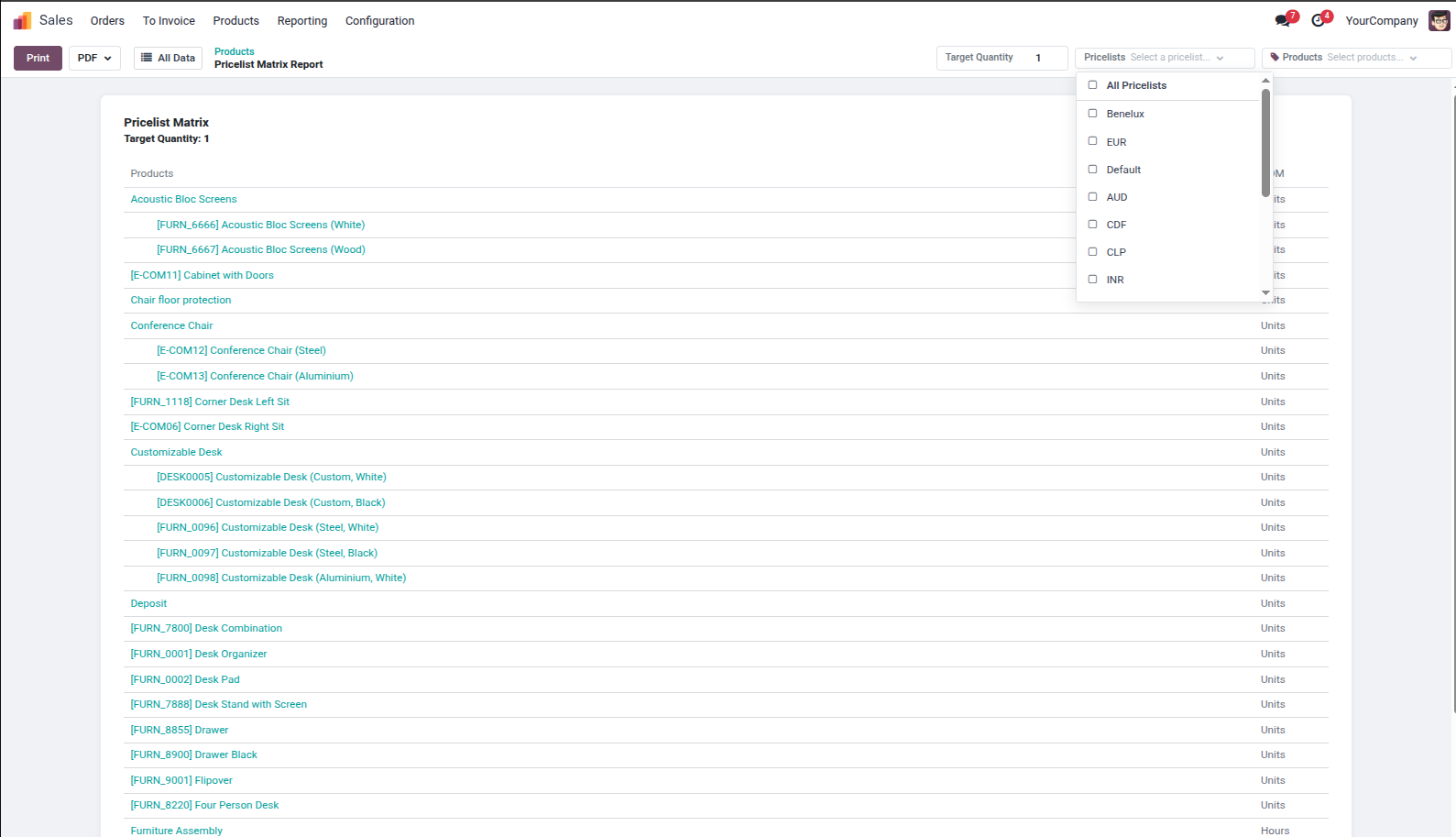
2. Open the Pricelists dropdown menu in the report control panel to select multiple customer pricelists for comparison.
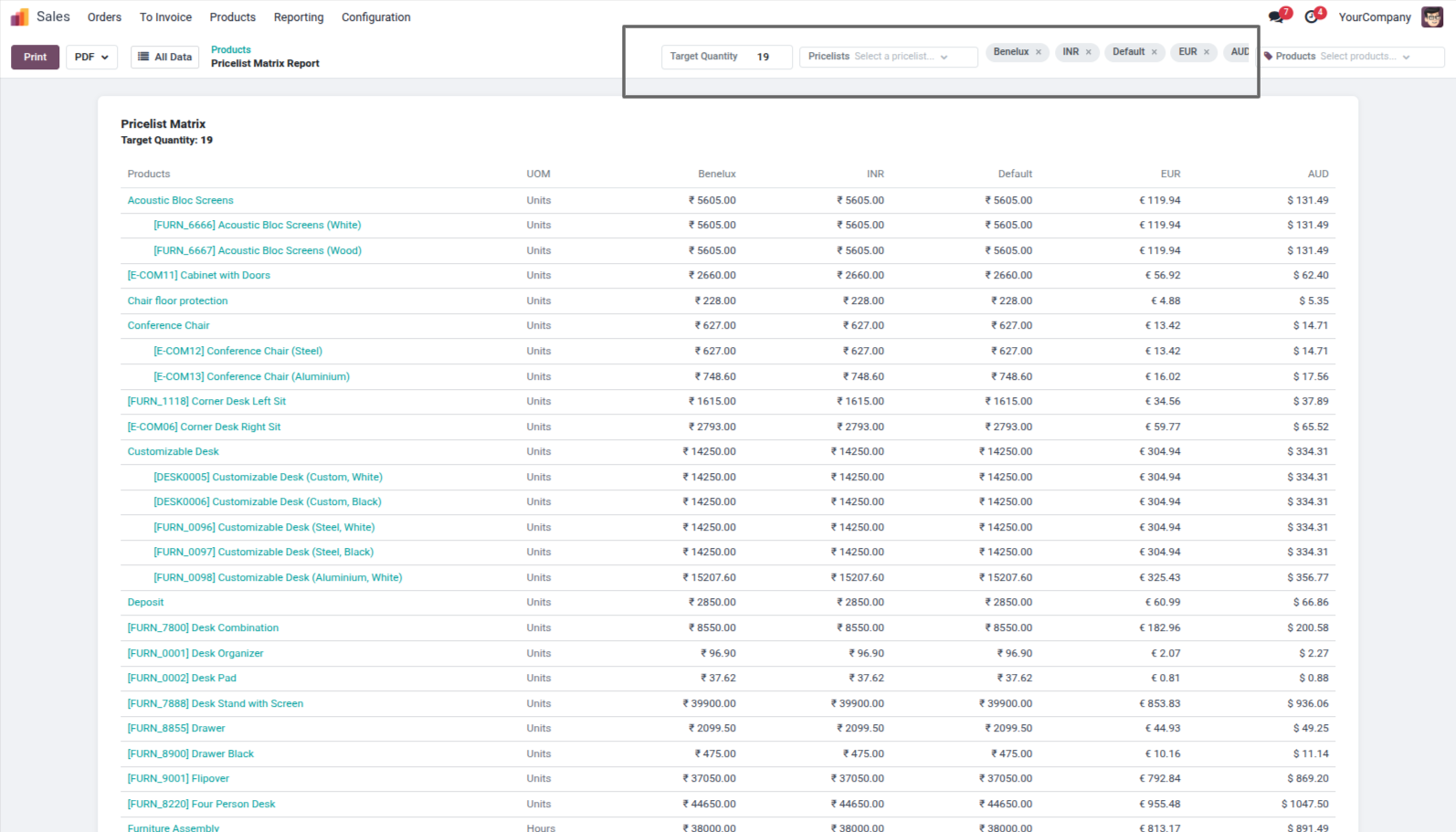
3. Side-by-side Pricelist Matrix view displaying products, variants, UOM, and multi-currency prices across selected pricelists (Benelux, INR, Default, EUR, AUD) for Target Quantity 19.
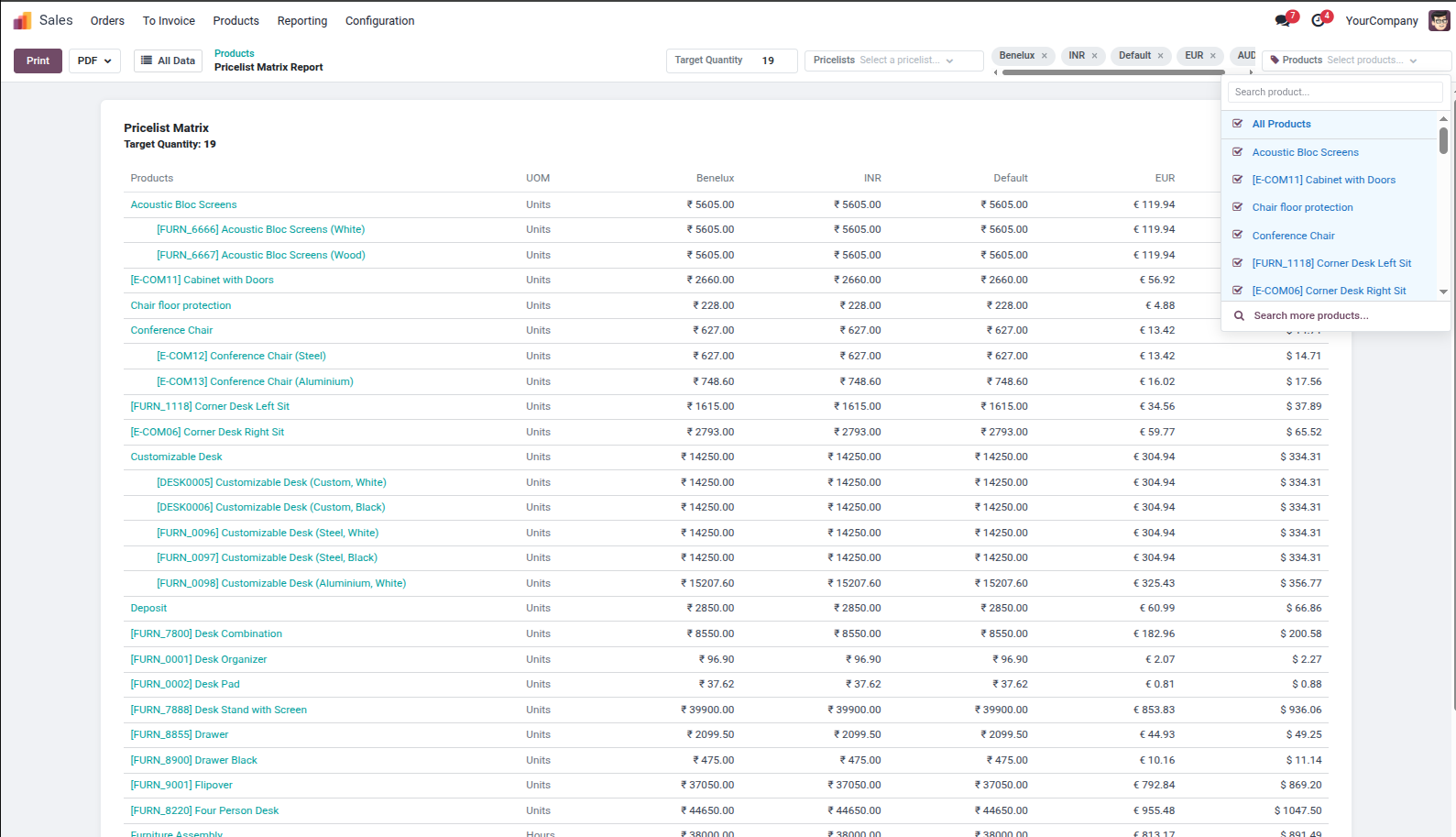
4. Open the Products dropdown menu to search and toggle individual products or select All Products.
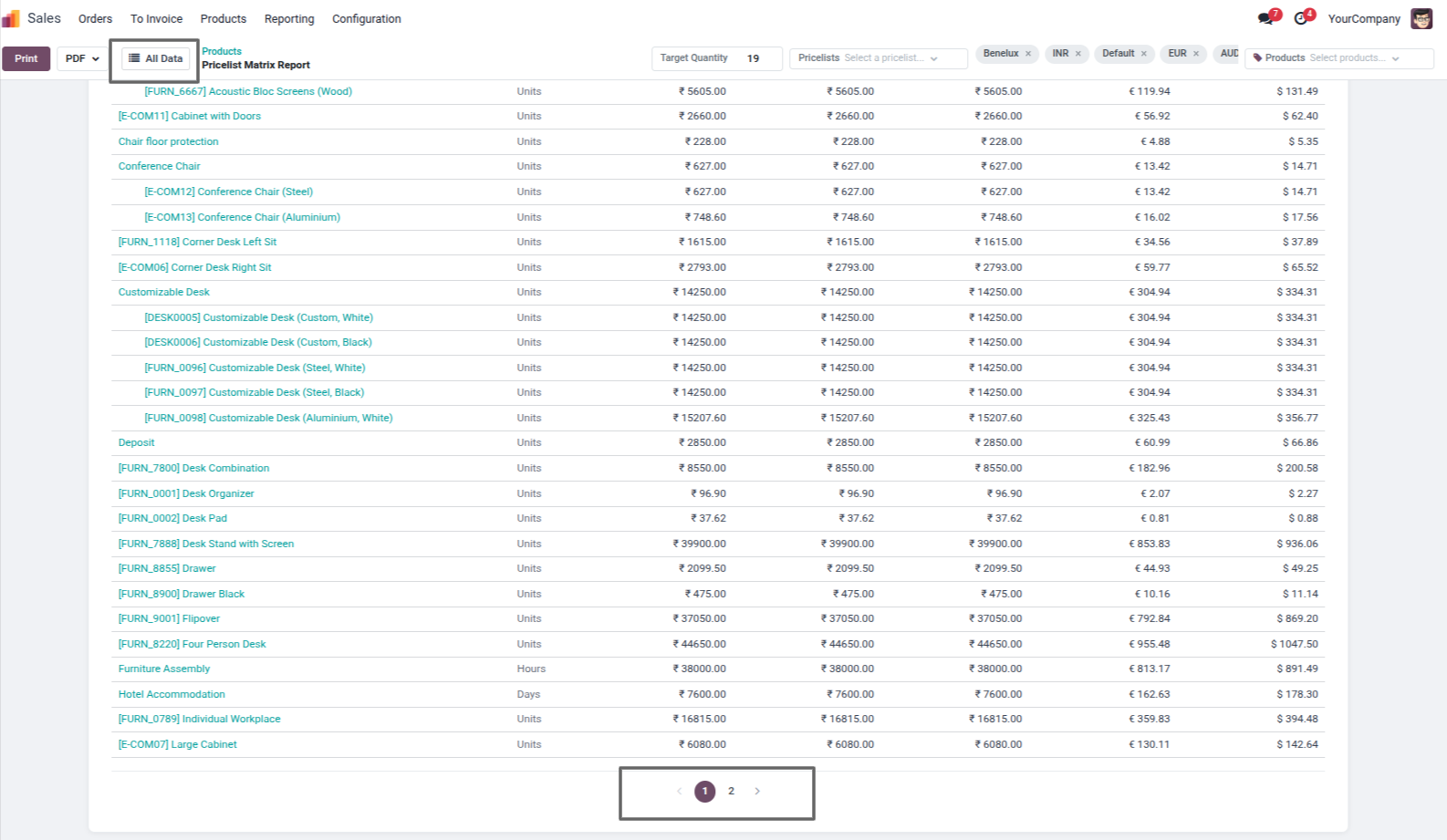
5. Highlighted All Data view button and Pagination Controls (1, 2) to toggle between full table view and paginated display.
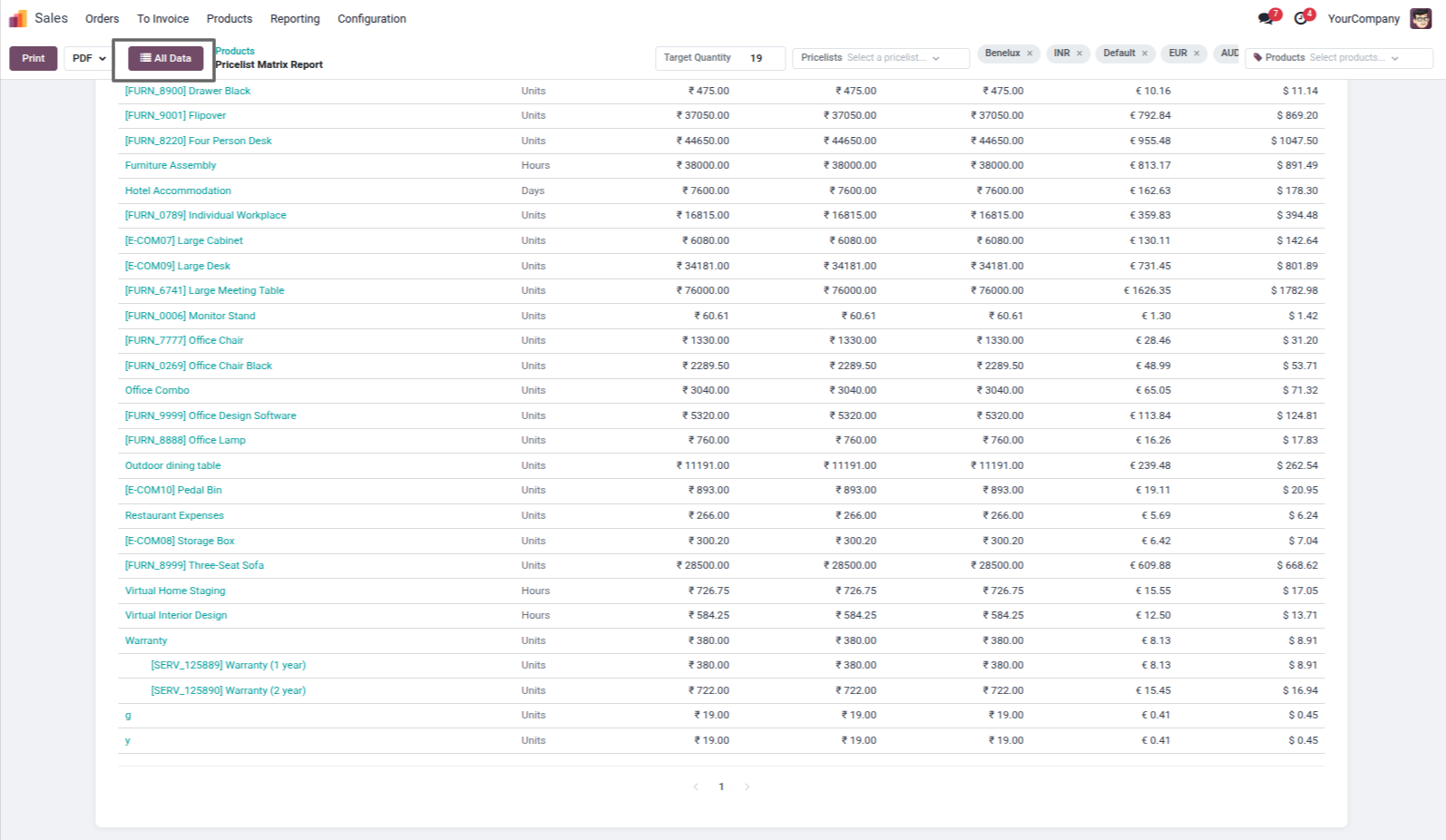
6. All Data view mode active, displaying full product matrix without page breaks.
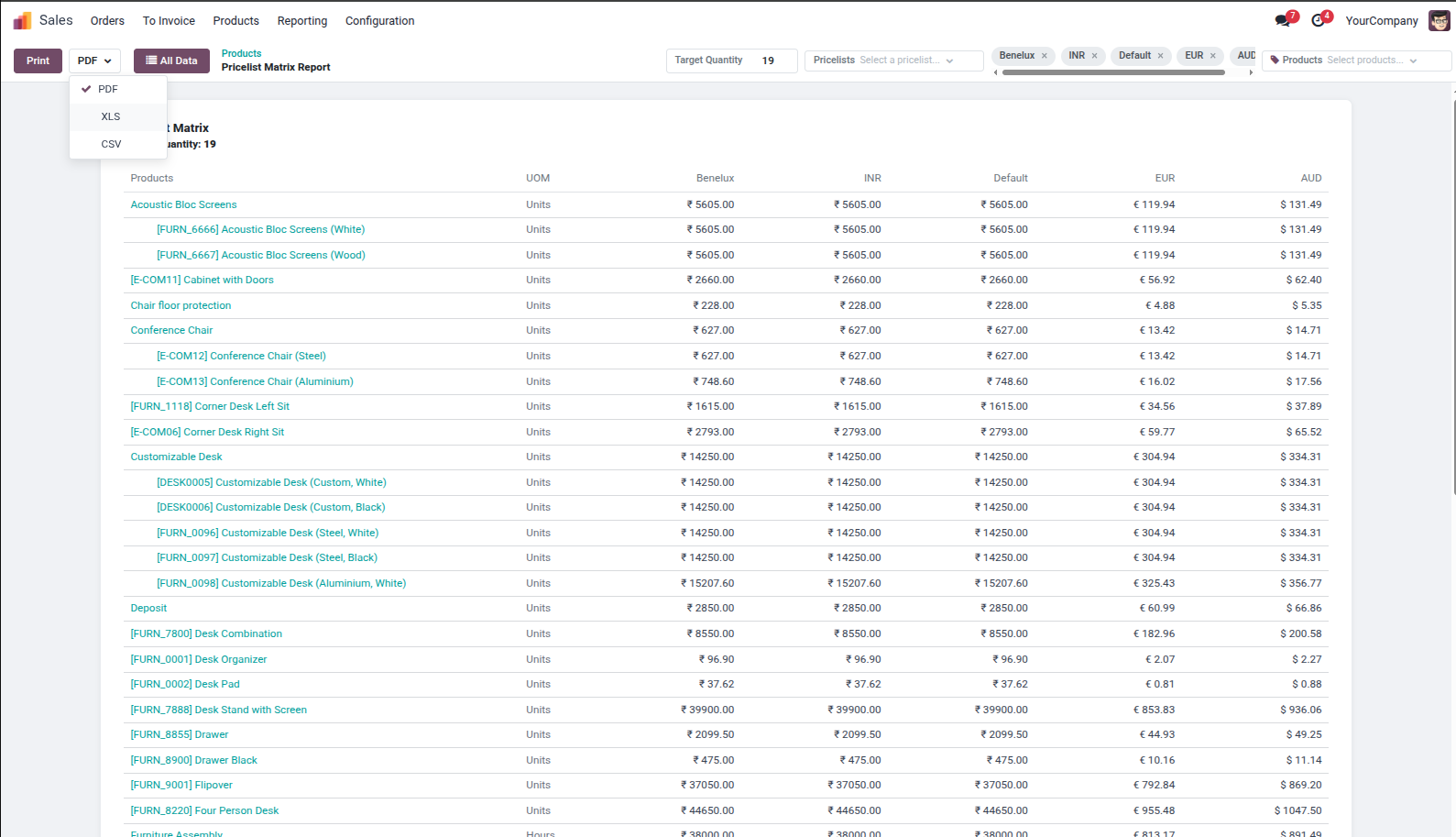
7. Select report export format (PDF, XLS, or CSV) from the dropdown next to the Print button.
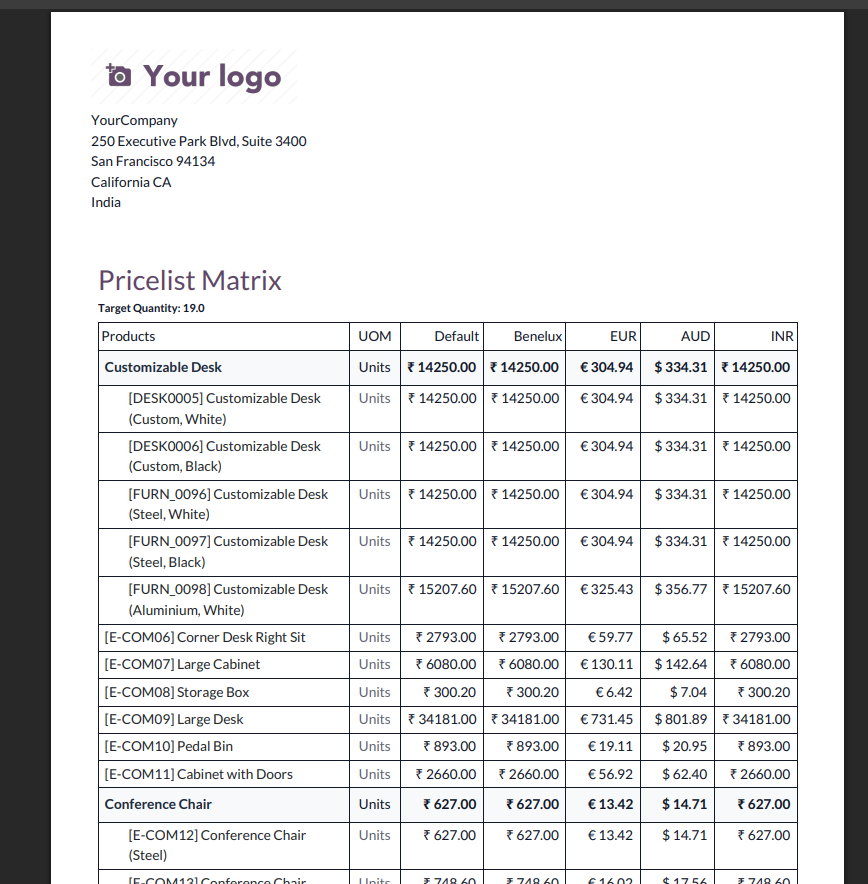
8. Print or download a professionally styled PDF Report with company logo, header details, and complete matrix grid.
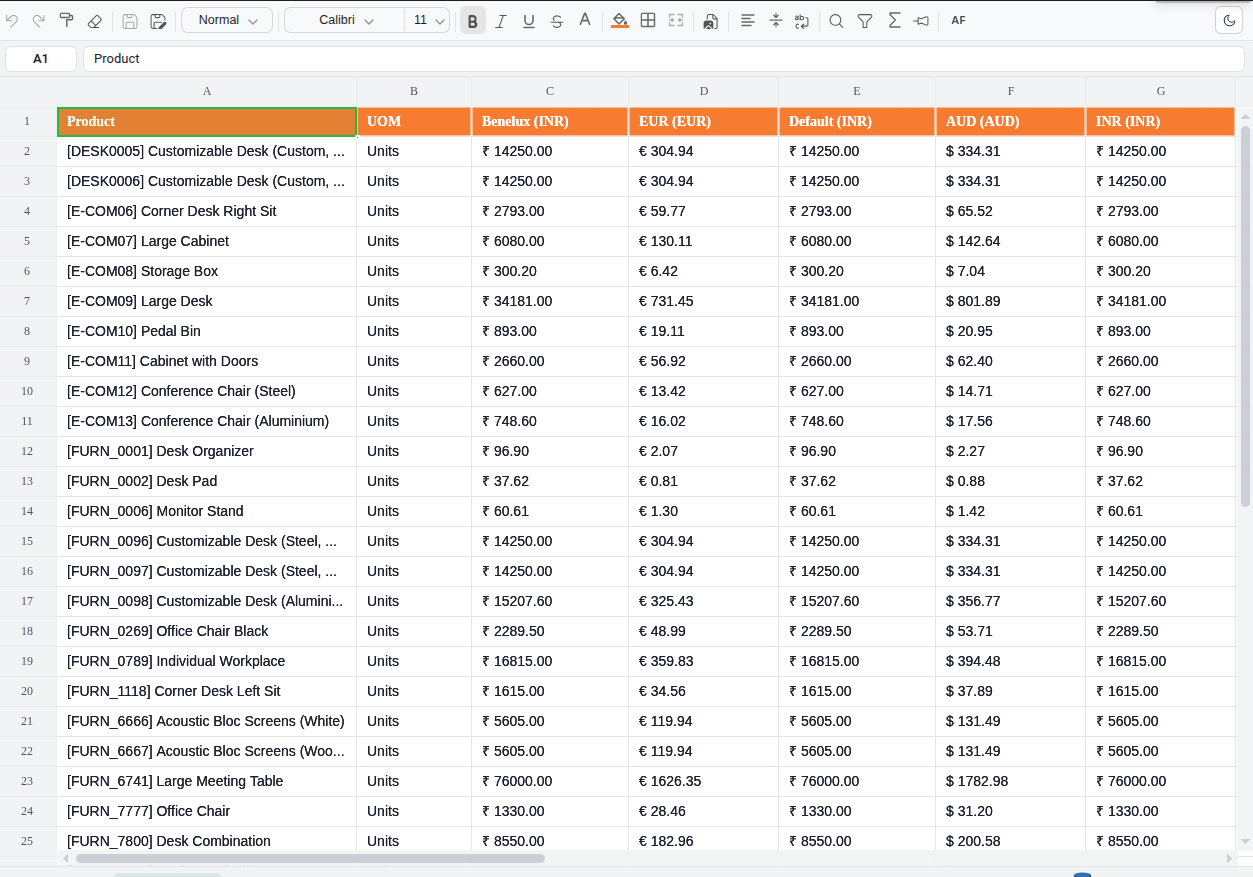
9. Export to Excel (XLSX) format with orange-styled headers, currency indicators (INR, EUR, AUD), and auto-formatted matrix columns.
Our solutions focus on your problems
- Odoo Implementation
- Odoo Customization
- ERP Development and Implementation
- Odoo Ipass Cloud
- AI for Odoo
- Odoo Apps
- Aws Marketplace Products
- Business Engines
Our Pricing includes User Manual, 90 Days Support (Monday-Friday 10am to 7pm IST) and One time Setup
• Works & tested on standard installations of Odoo with no third party apps,
• Free support only for odoo installations with no third party apps,
• Paid support available for Odoo installations with third party apps.

Prefortune is a Odoo Official Partner, Odoo Development company. Our philosophy is to use Open Source tools and technologies to provide cost effective and green solutions for our customers.
Prefortune Technologies LLP is working on web development, Mobile development, and Odoo ERP.
If you need any help or want more additional features, you may contact us through:
Alternative Products
These other products might interest you
Specifications
| Version | 19.0, 18.0, 17.0, 16.0, 15.0, 14.0 |