Watch Quick Video
Website File Upload Odoo App
Website File Upload Odoo App
module is a powerful tool to collect customer documents from Odoo website directly. The module allows the
customer to attach important files like images, PDFs, design documents, spreadsheets and other supporting
attachments when submitting an inquiry or placing an order. All the uploaded files are securely linked
with the relative Sale Order. So, your sales team can instantly access all the customers’ documents from
the Odoo backend. This saves time in finding documents, facilitates communication and minimizes the risk
of missing important files during order processing. The module is compatible with Odoo Website and Sales
to enhance client experience and streamline internal processes. Works with Odoo Community and Odoo
Enterprise editions No customization of standard Odoo functionalities. It’s the ideal solution for any
business that needs to collect files in an organized, secure way through their website.
It has great features to easily handle website files:
1. Upload Files on website : Let your customers upload the files they need when making an
enquiry or placing an order directly onto your website. It's easy, no muss, no emails, no third party file
sharing platforms.
2. Safe Attachments Storage: The files you upload will be safely stored in the Odoo attachment
management system, so your documents are well-organized, easy to find and saved for your future use.
3. Auto Linking of Sale Orders: All uploaded attachments will be auto linked with the relevant
Sale Order enabling your sales team to view your customer files on a single screen without any manual
efforts.
4. Support Various File Formats: It supports multiple file formats like PDF, Word document,
Excel, images, ZIP file and other common business documents for customers to upload based on different
business needs.
5. Improved Customer Communication: Customers may be asked to provide all the necessary
documents when ordering from companies. This reduces the number of follow-up requests and lead time and
speeds up the order processing as all information is available from the start.
Website File Upload Odoo App
- Customers can upload PDFs, images, documents, design files etc. while submitting their order or request from the website. This feature makes it fast, easy and convenient for you to share important project related documents.
- All files you upload will be automatically attached to the respective Sale Order in Odoo. Now your sales team has all customer documents at one place, no manual work involved.
- After installation it works out of the box with few configurations. Businesses can start accepting customer attachments without the need for lengthy configurations.
- All the uploaded documents are attached to Odoo and can be viewed, downloaded and managed from the backend as and when required.
- The module works fine with Odoo Website, eCommerce and Sales modules. It improves the customer ordering experience and streamlines internal workflow and document management.
Complete Workflow for Website File Upload Odoo App
Customers visit the website and Upload Required Files while submitting an inquiry or placing an order. The uploaded documents are Securely Stored and automatically Linked to the Sale Order, allowing the sales team to access all attachments from the backend. Users can Review Attachments , download them whenever needed, and continue the order processing with complete customer documents. This streamlined workflow improves Customer Communication , reduces manual effort, and ensures every important file is available throughout the sales process.
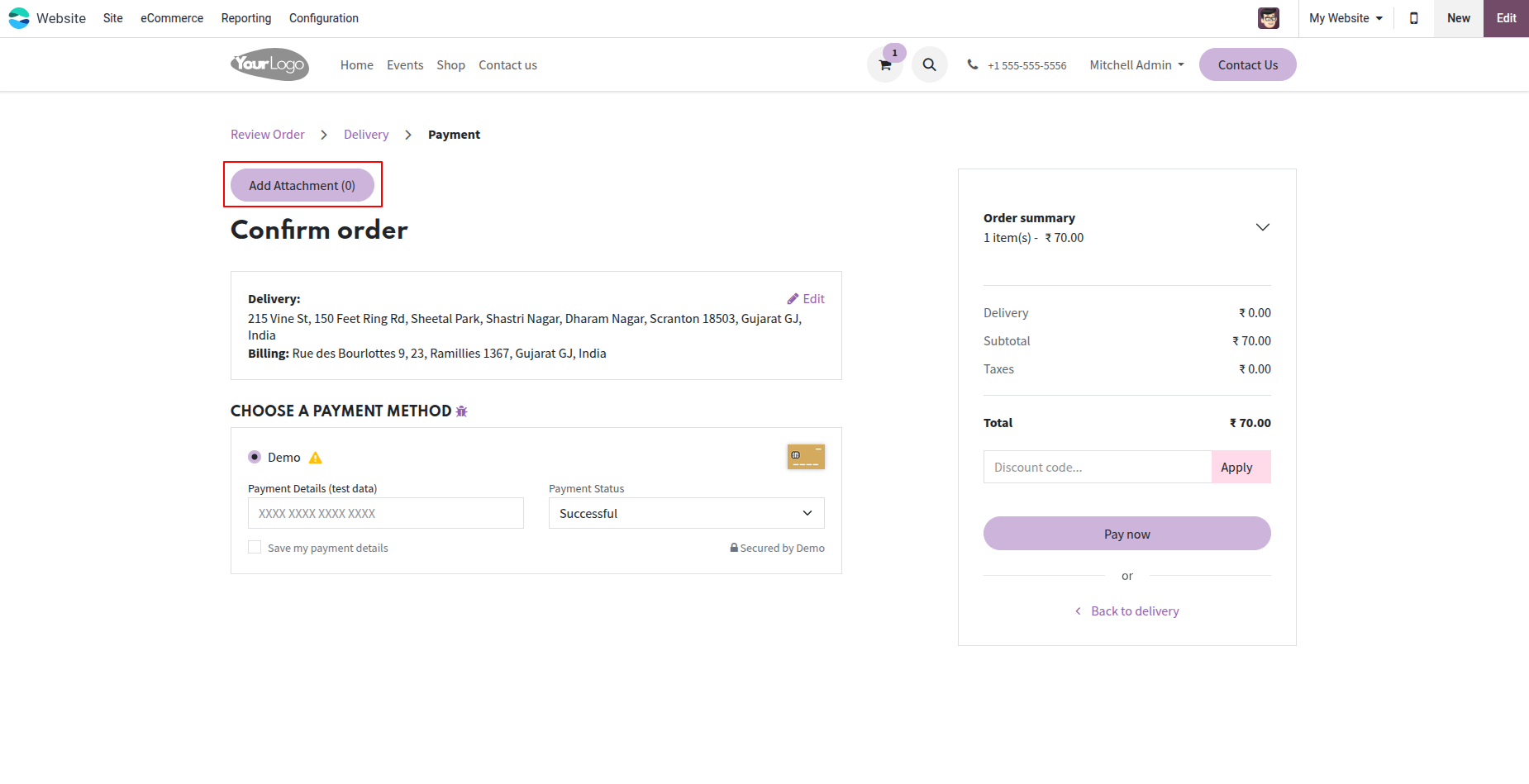
1. On the website payment/checkout page, click on the "Add Attachment" button to upload documents for your Sale Order.
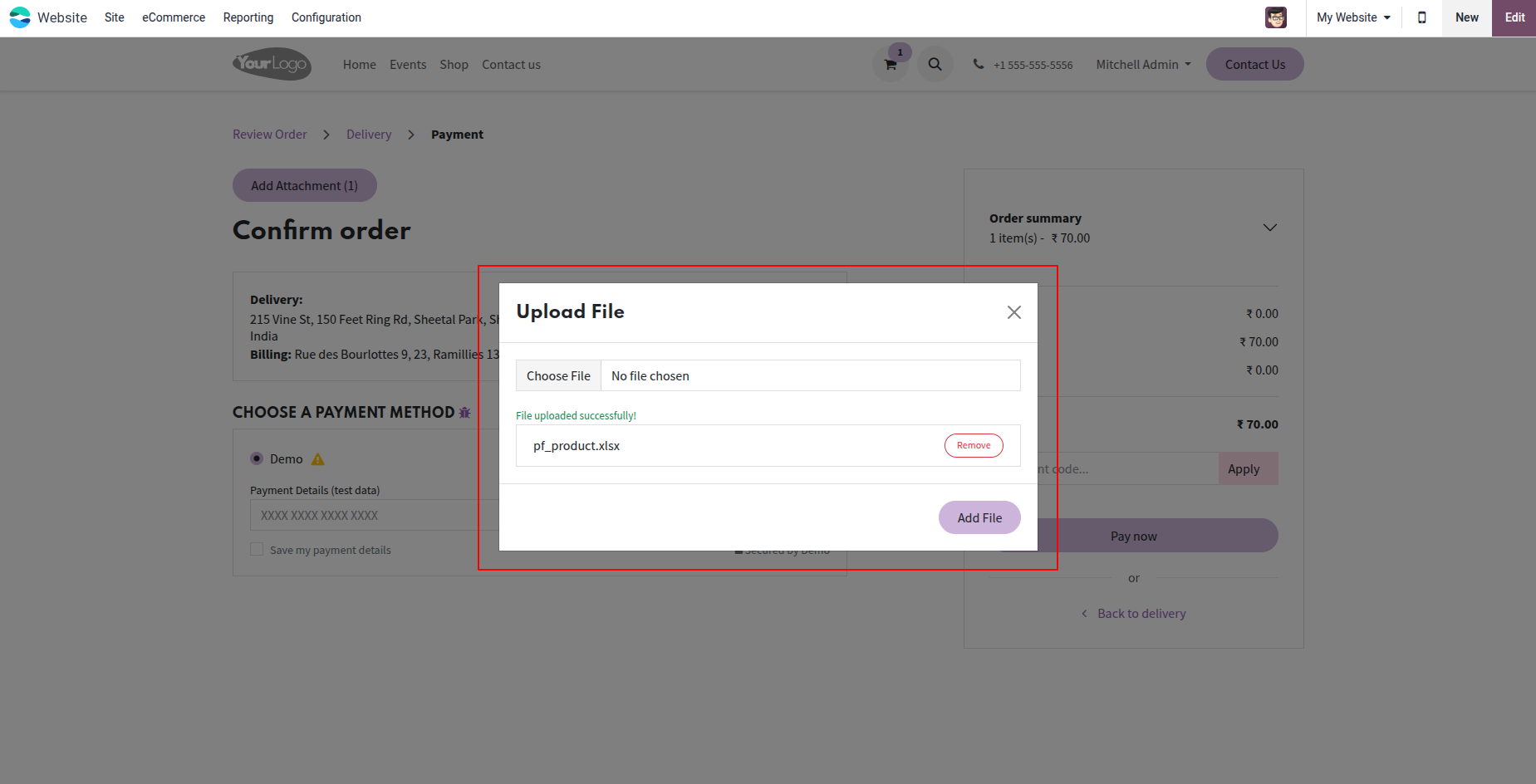
2. Select and upload your files in the attachment popup modal, and see the list of uploaded files.
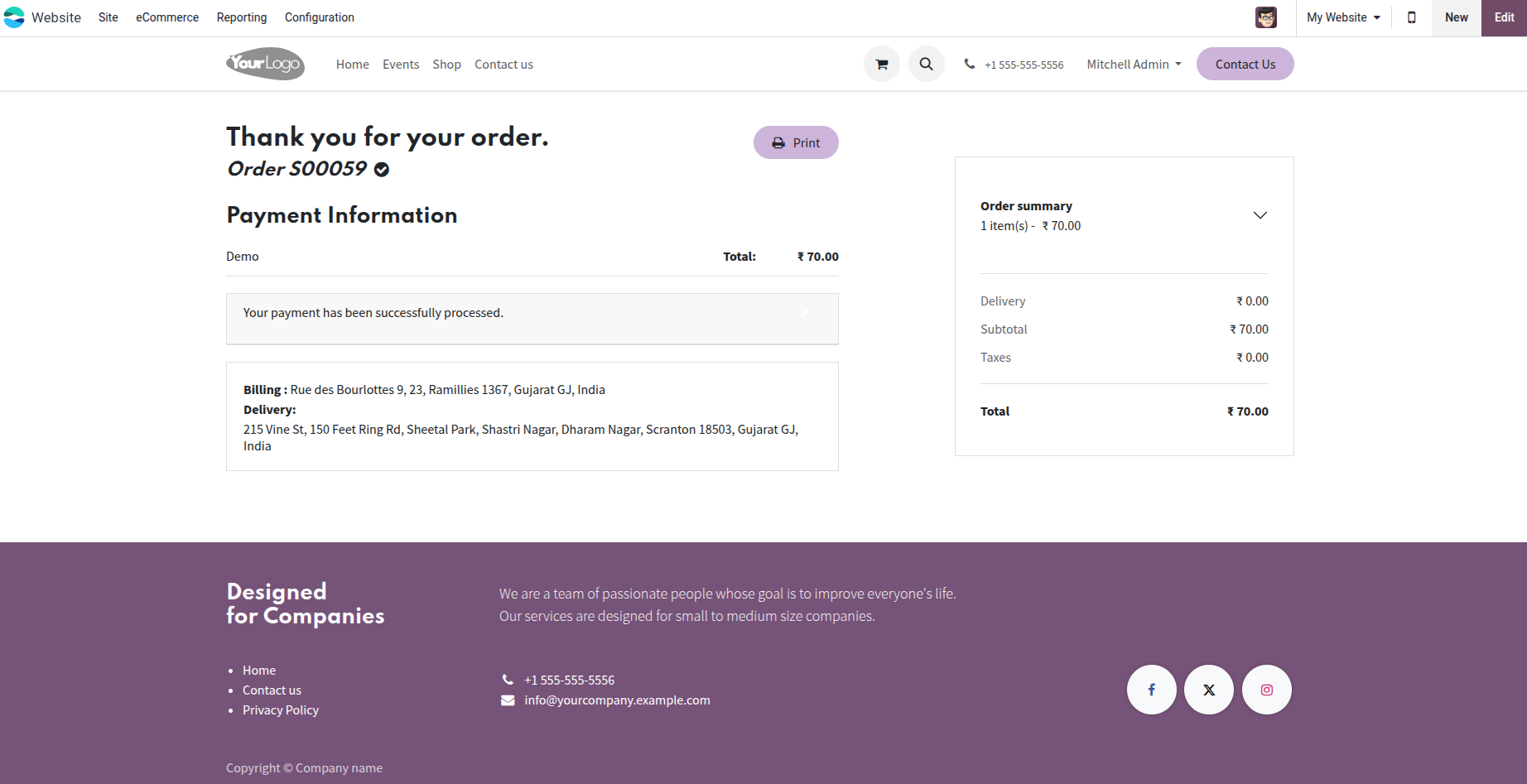
3. On the backend Sale Order form view, access all customer files using the 'Attachments' smart button.
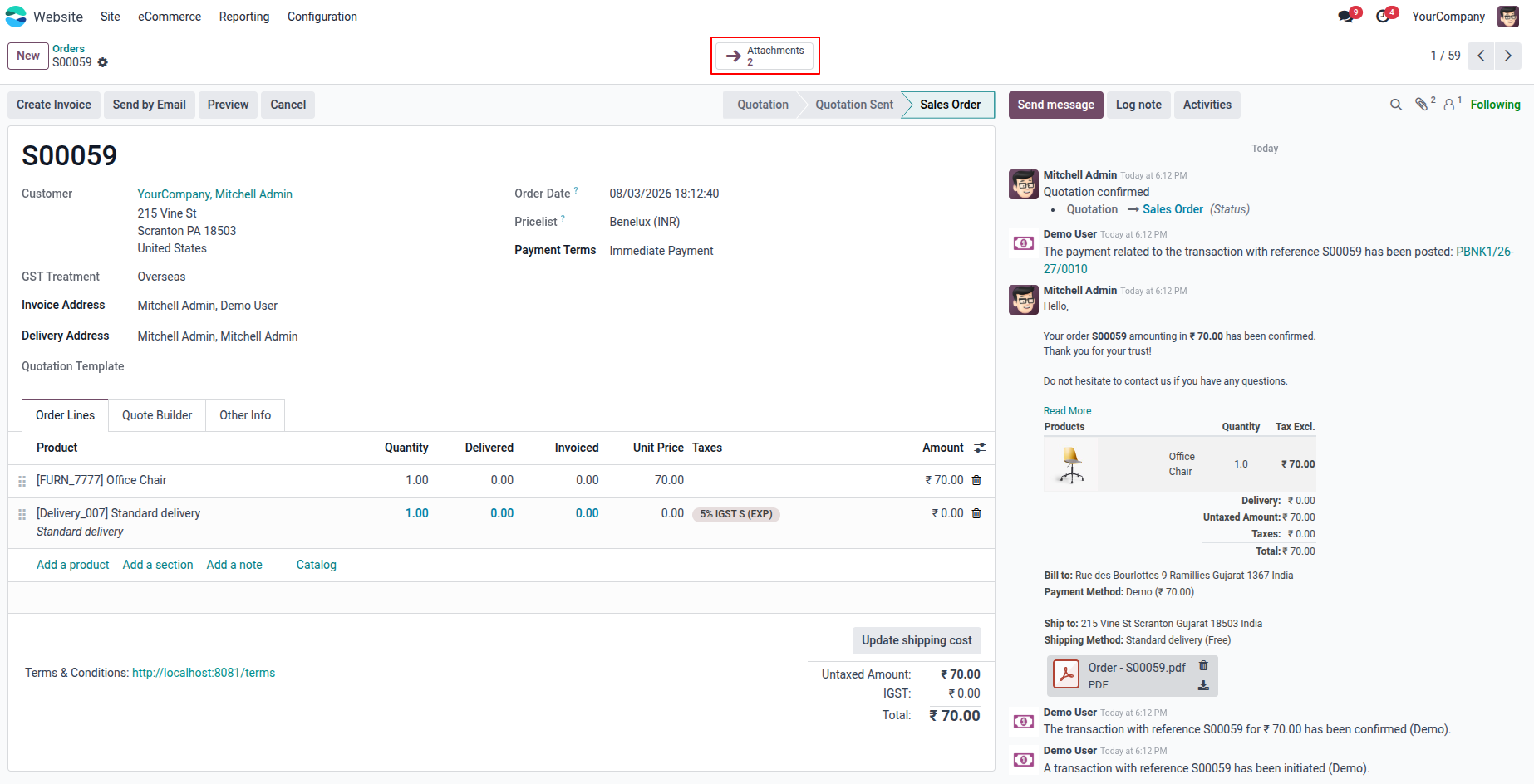
4. In the Sales Order, an 'Attachments' smart button is available. Clicking this button displays all related attachment files.
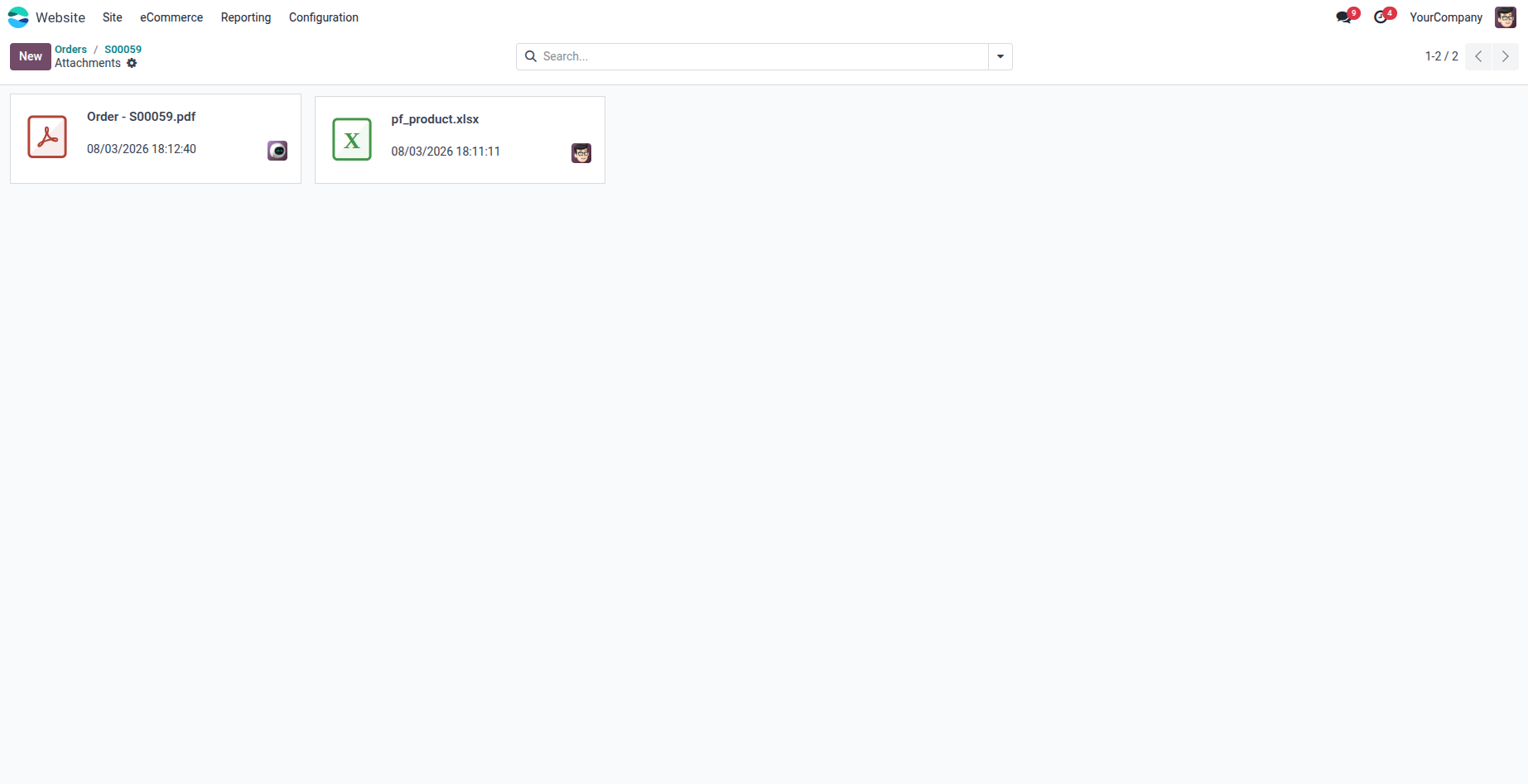
5. Download, preview, delete or manage customer attachments directly from the backend.
Our solutions focus on your problems
- Odoo Implementation
- Odoo Customization
- ERP Development and Implementation
- Odoo Ipass Cloud
- AI for Odoo
- Odoo Apps
- Aws Marketplace Products
- Business Engines
Our Pricing includes User Manual, 90 Days Support (Monday-Friday 10am to 7pm IST) and One time Setup
• Works & tested on standard installations of Odoo with no third party apps,
• Free support only for odoo installations with no third party apps,
• Paid support available for Odoo installations with third party apps.

Prefortune is a Odoo Official Partner, Odoo Development company. Our philosophy is to use Open Source tools and technologies to provide cost effective and green solutions for our customers.
Prefortune Technologies LLP is working on web development, Mobile development, and Odoo ERP.
If you need any help or want more additional features, you may contact us through:
Alternative Products
These other products might interest you
Specifications
| Version | 19.0, 18.0, 17.0, 16.0, 15.0, 14.0 |