Watch Quick Video
Check/Cheque Payment Odoo App
**Check Transfer** Our
Check/Cheque Payment Odoo App
is a new payment method for the order on your website in Odoo that allows you to accept payments by
check at your convenience. Customers can upload the front and back of their checks at checkout. This
allows businesses to receive the payment confirmation directly from the website. Check images uploaded via
the Check Image Upload feature are automatically matched to the corresponding Sales Order and can be
easily reviewed and stored under a dedicated **Check Information** tab. The Sales process offers full
payment transparency with the selected payment method of **Check Transfer** also displayed on the Sales
Order and Invoice preview pages. The whole feature can be configured without any technical knowledge from
the Payment Provider options. The module offers centralisation of payment information and digitisation of
cheque payments for better tracking of payments, improved operational efficiency and smooth cheque payment
workflow for business and customers.
Check/Cheque Payment Odoo App
- Dedicated cheque Transfer payment option on your website enabling your customers to pay by cheque from their own home.
- When it comes time to check out, you can securely upload a picture of the front and back of your checks.
- Automatically uploads and saves the images of the checks you upload and displays them in a special tab called Check Information within the Sales Order.
- Improves payment visibility by adding selected Bill Transfer payment method to Sales Order preview.
- Displays the Cheque Transfer payment method in the Invoice preview for complete payment transparency across sales documents.
Complete Workflow for Manage Check/Cheque Payment Odoo App
Go to Sales → Configuration → Payment Providers and enable/configure the Check Transfer payment provider. Place an order on the website and select Check Transfer as the payment method during checkout. Upload the front and back images of the check before confirming the payment to submit the payment proof. Open the corresponding Sales Order to view the uploaded check images in the dedicated Check Information tab for verification. Review the Sales Order and Invoice preview pages, where the selected Check Transfer payment method is displayed for complete payment transparency.
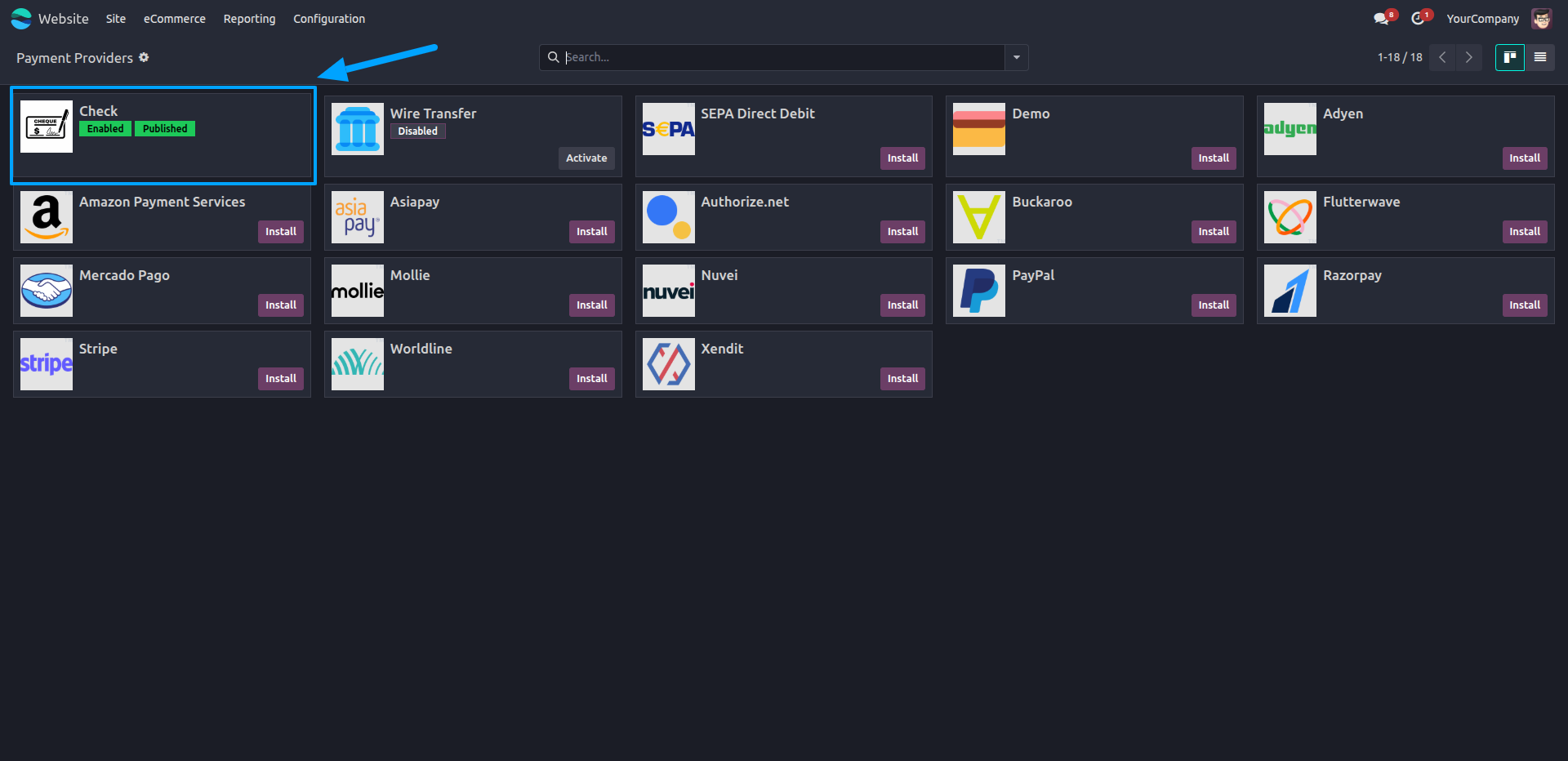
1.Navigate to Website → Configuration → Payment Providers and enable the Check payment provider.
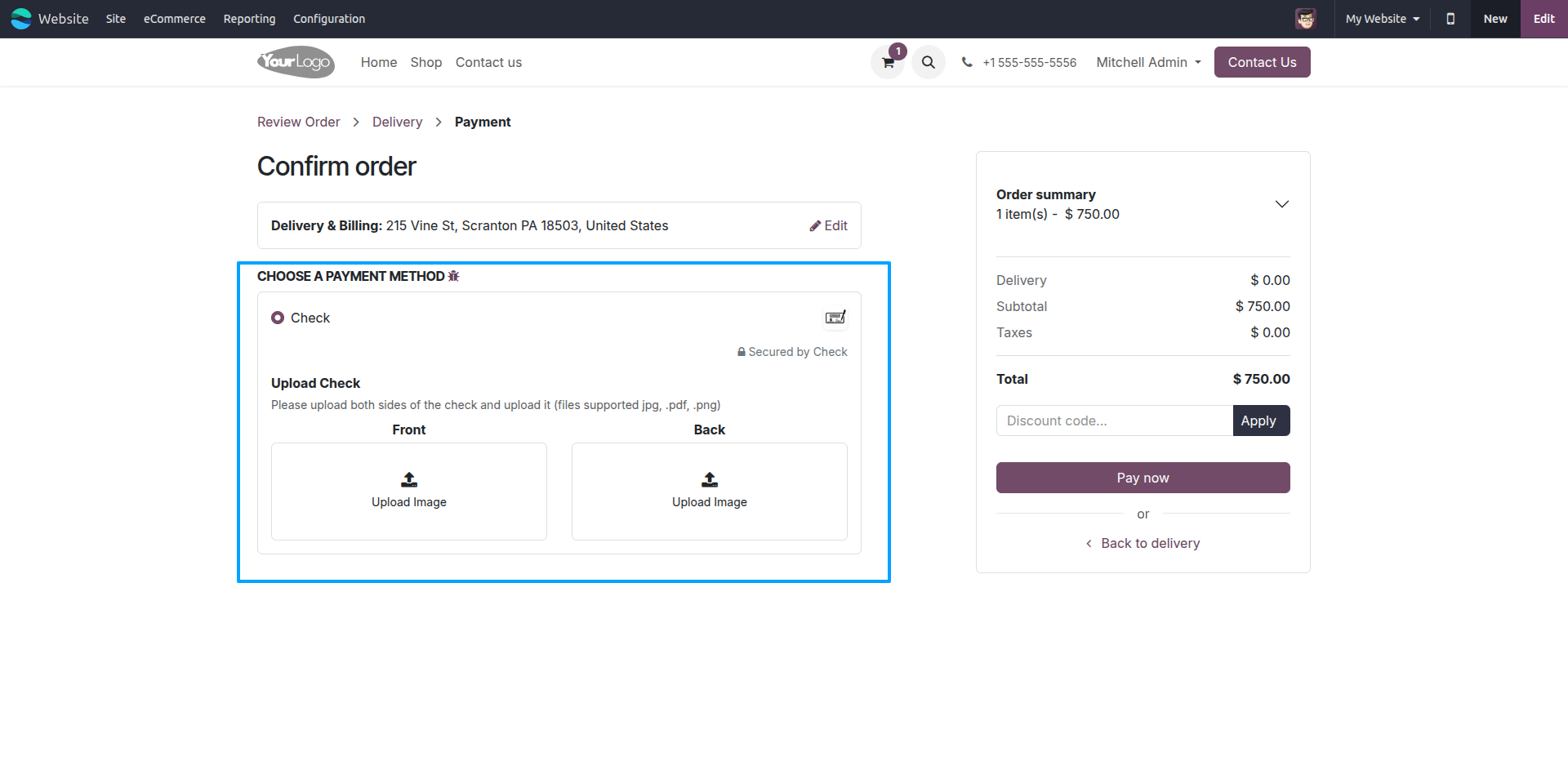
2.Select the Check payment method, and upload the front and back images of the check during checkout.
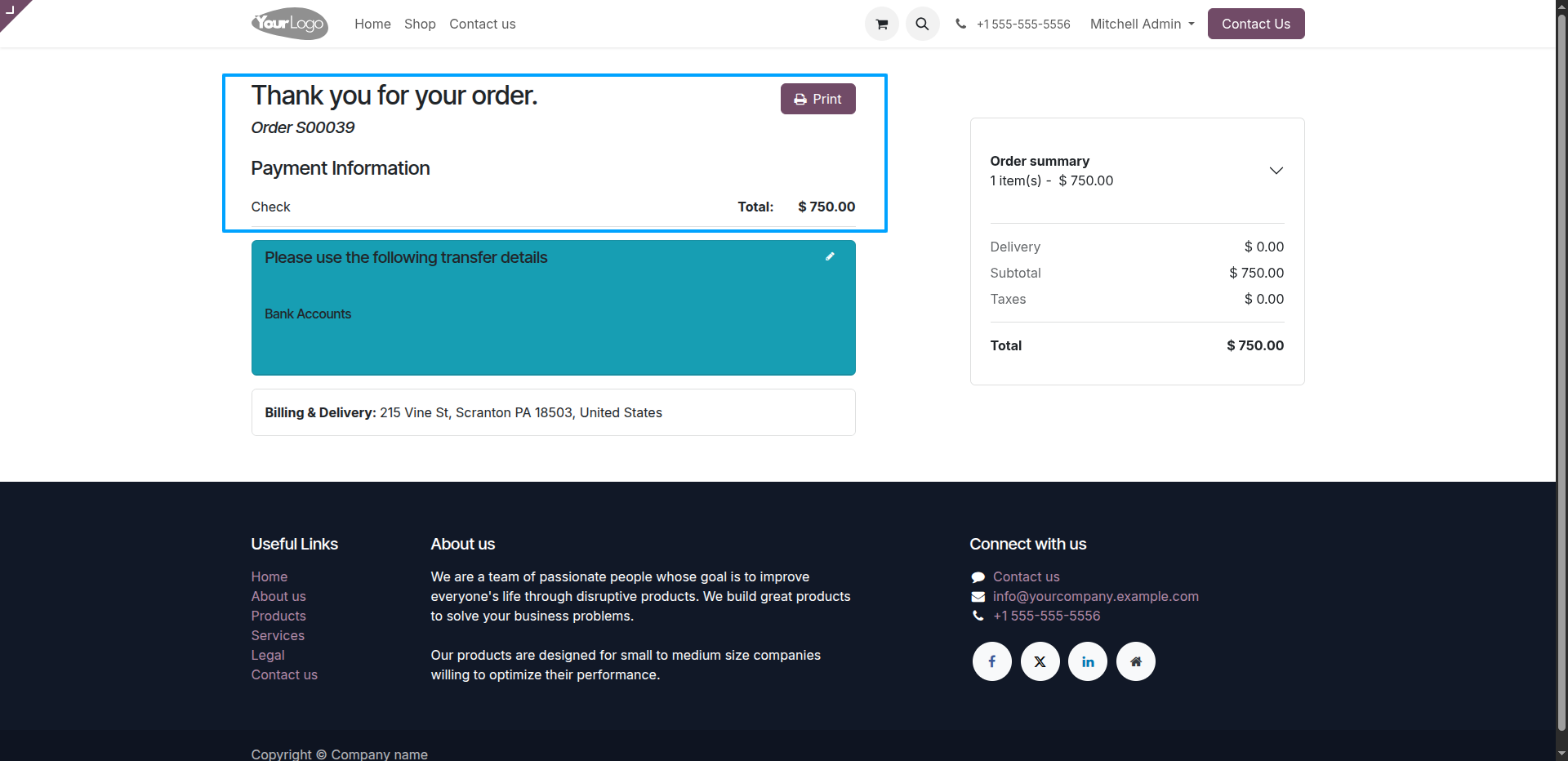
3.After confirming the order, the payment information is displayed on the order confirmation page, indicating that the order was placed using the Check payment method.
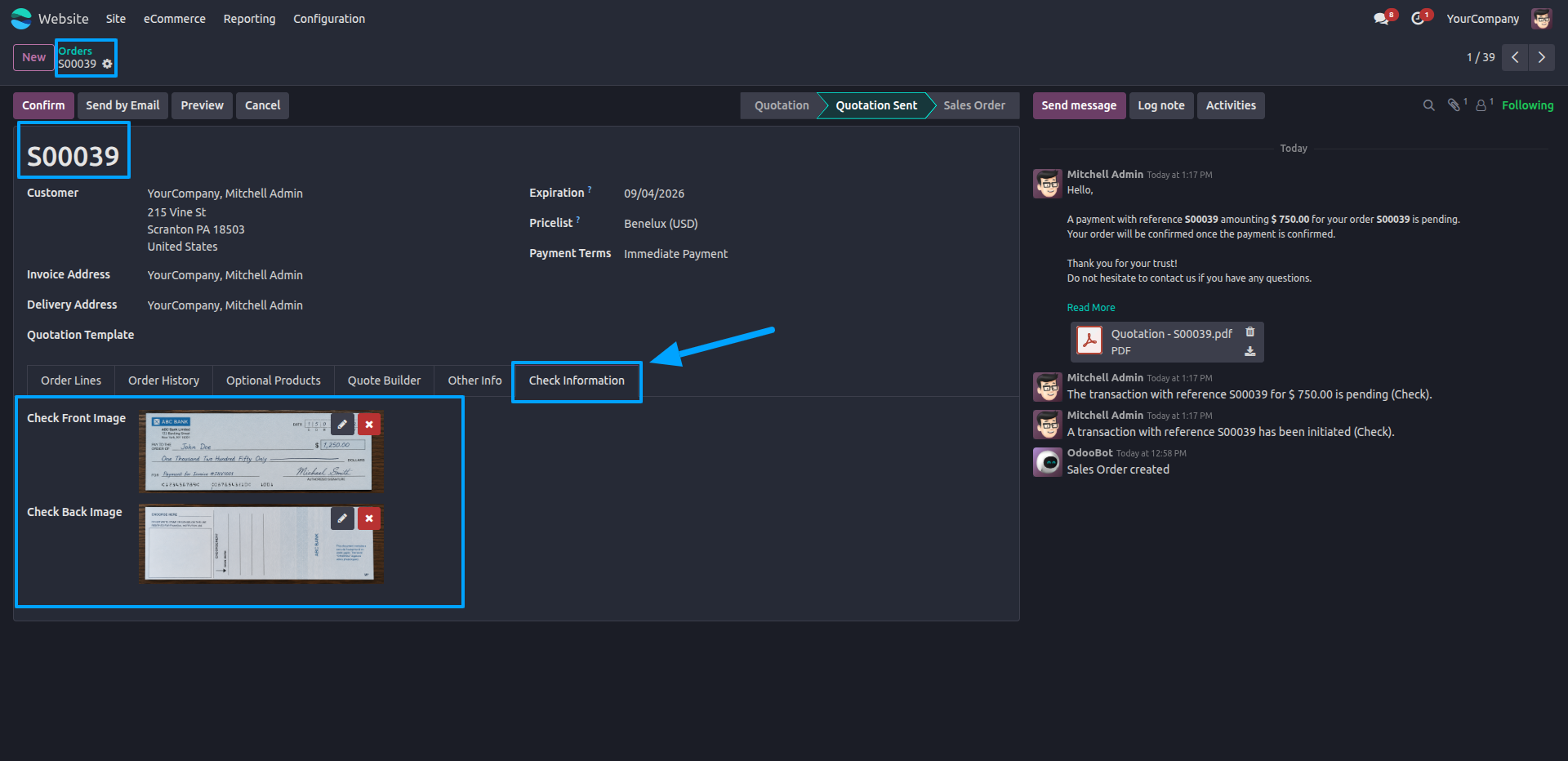
4.Open the Sales Order to view the uploaded front and back check images in the dedicated Check Information tab.
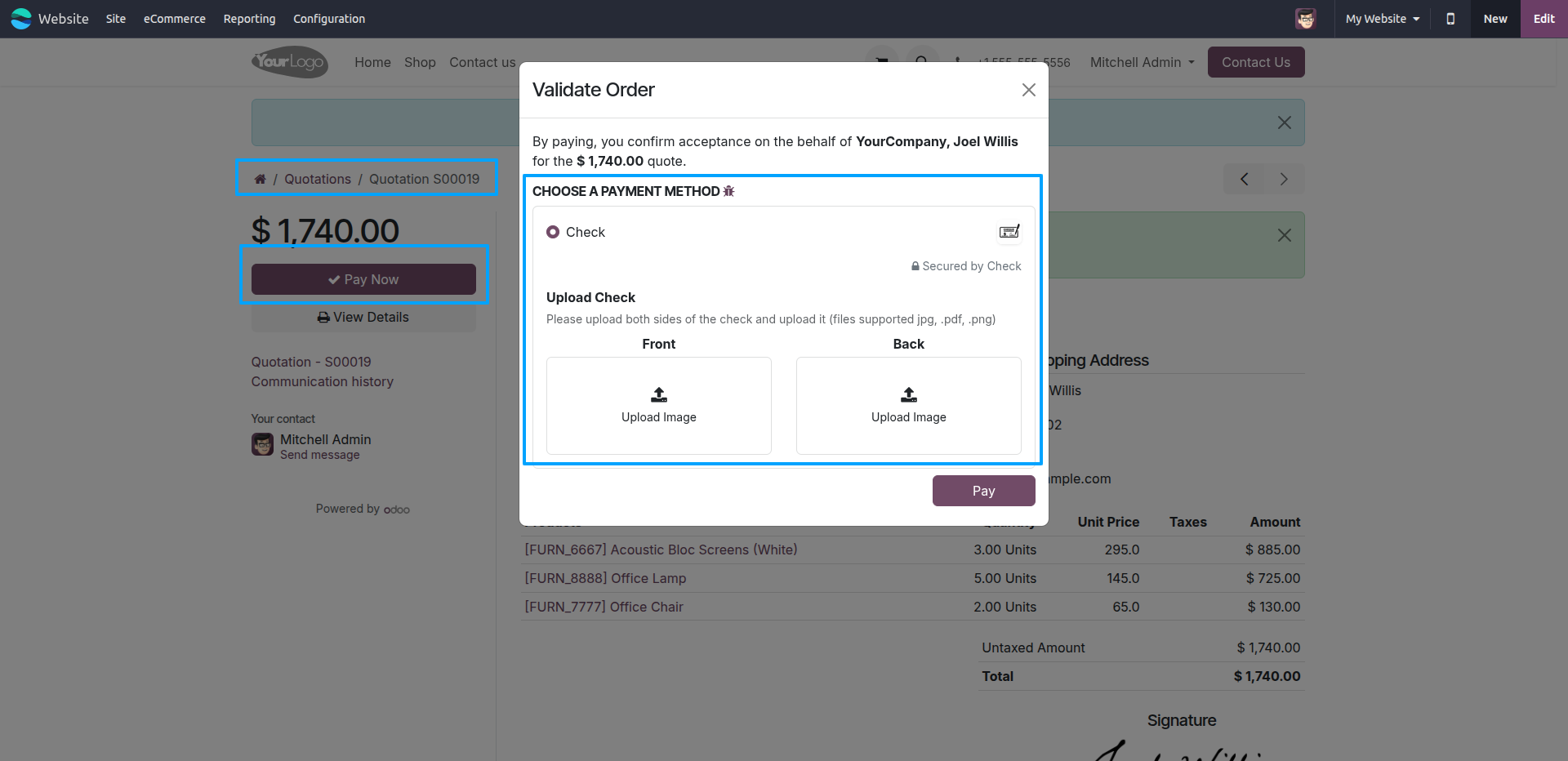
5.Customers can also upload the front and back check images directly while making a payment from the Customer Portal.
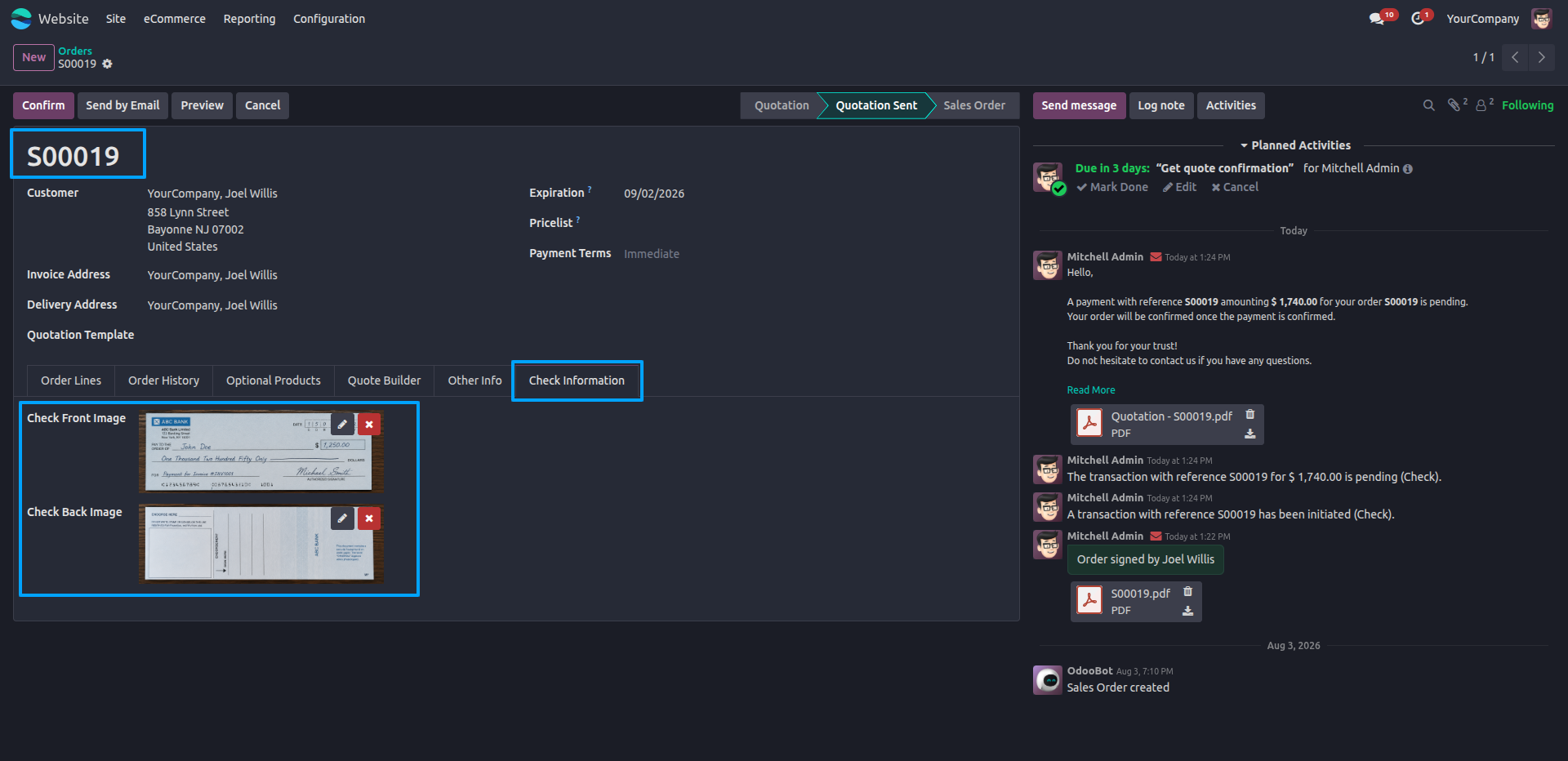
6.After payment submission, the uploaded check images are automatically stored and displayed in the Sales Order under the Check Information tab.
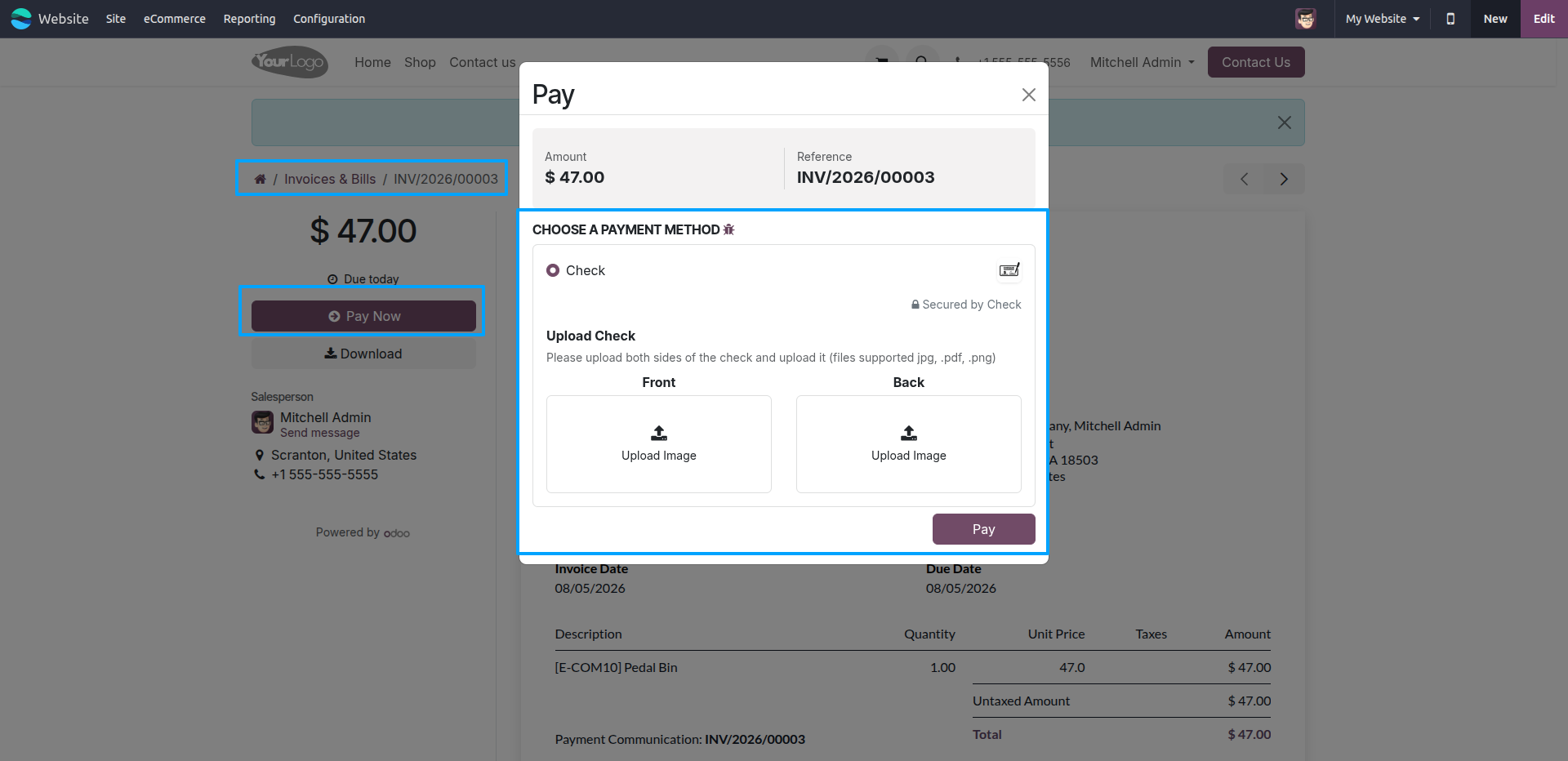
7.Open the Customer Portal invoice, click Pay Now, select the Check payment method, and upload the front and back images of the check.
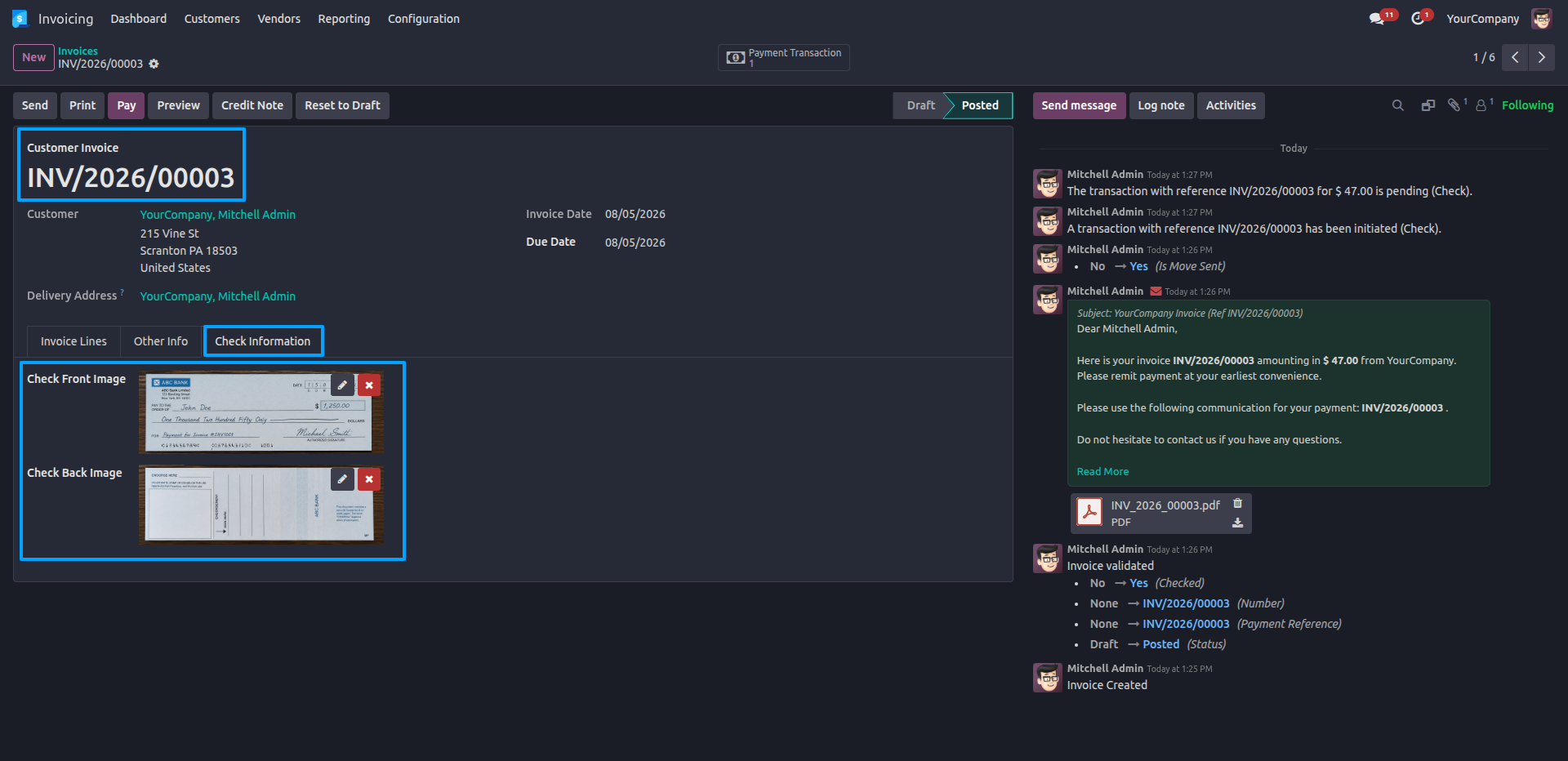
8.After the payment is submitted, the uploaded check images are automatically stored and displayed in the Invoice under the dedicated Check Information tab.
Our solutions focus on your problems
- Odoo Implementation
- Odoo Customization
- ERP Development and Implementation
- Odoo Ipass Cloud
- AI for Odoo
- Odoo Apps
- Aws Marketplace Products
- Business Engines
Our Pricing includes User Manual, 90 Days Support (Monday-Friday 10am to 7pm IST) and One time Setup
• Works & tested on standard installations of Odoo with no third party apps,
• Free support only for odoo installations with no third party apps,
• Paid support available for Odoo installations with third party apps.

Prefortune is a Odoo Official Partner, Odoo Development company. Our philosophy is to use Open Source tools and technologies to provide cost effective and green solutions for our customers.
Prefortune Technologies LLP is working on web development, Mobile development, and Odoo ERP.
If you need any help or want more additional features, you may contact us through:
Alternative Products
These other products might interest you
Specifications
| Version | 19.0, 18.0, 17.0, 16.0, 15.0, 14.0 |