Watch Quick Video
Customized Cheque Printing Odoo App
Our
Customized Cheque Printing Odoo App module provides accounting team complete control over cheque print layout inside Odoo, no dev help needed. Admin creates a 'Cheque Format' record for each bank. He can set the border width and colour, then toggle and position each field: partner name (prefix/suffix title, bold, spacing), date (format, separator, letter spacing), amount in digit + words (with optional star markers ***), company name, cheque number, bank short code, bank address, account number, A/C PAY label, signature block and 3 free-text fields for extra notes. Each field has independent spacing (CSS-like margin: top right bottom left), font-size, font colour control via form view with color-picker widget. On the account.payment form, the user selects the cheque format from a dropdown, fills in the partner title, cheque no., free texts and clicks the "Print Cheque" button (only visible when format is selected). The QWeb PDF report renders a positioned overlay that matches the physical cheque and pulls data live from the payment (partner, amount, currency, amount-in-words via amount_to_text). Stored in multiple formats . Reusable across payments and banks .
Customized Cheque Printing Odoo App Features
- Add specific config menu to create unlimited bank specific cheque templates (border, spacing, font)
- Independent margin/spacing control (px, top-right-bottom-left) for each printable element - pixel perfect alignment.
- Font size per field Font colour (colour picker) Bold toggle Partner Amount Amount-words
- Auto-convert amount to words using currency util, optional *** star padding on amount/words for fraud prevention.
- Print Cheque’ button on payment form instantly generates QWeb PDF report overlaying data on selected format.
Complete Workflow for Manage Customized Cheque Printing Odoo App
Enable the Customized Cheque Printing Odoo App Go Invoicing > Configuration > Cheque Format, create format record, configure border/spacing/font per field per bank's physical cheque layout. On payment record, select that Cheque Format, fill partner title/cheque no/free texts if need, click 'Print Cheque' → PDF generate with position-matched text overlay ready for bank cheque paper.
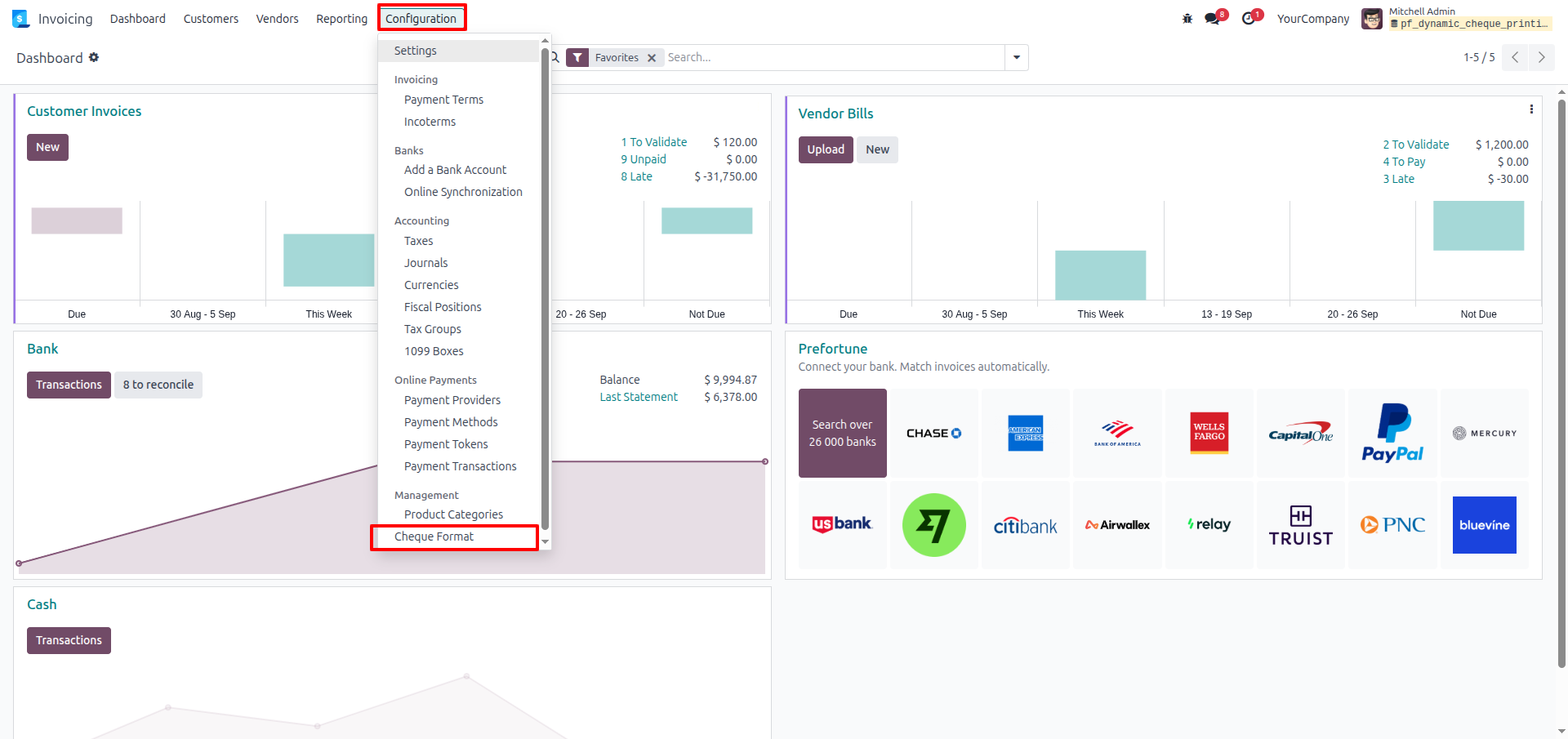
1.Navigate to the Invoicing app, click the Configuration menu, and select Cheque Format under the Management section.
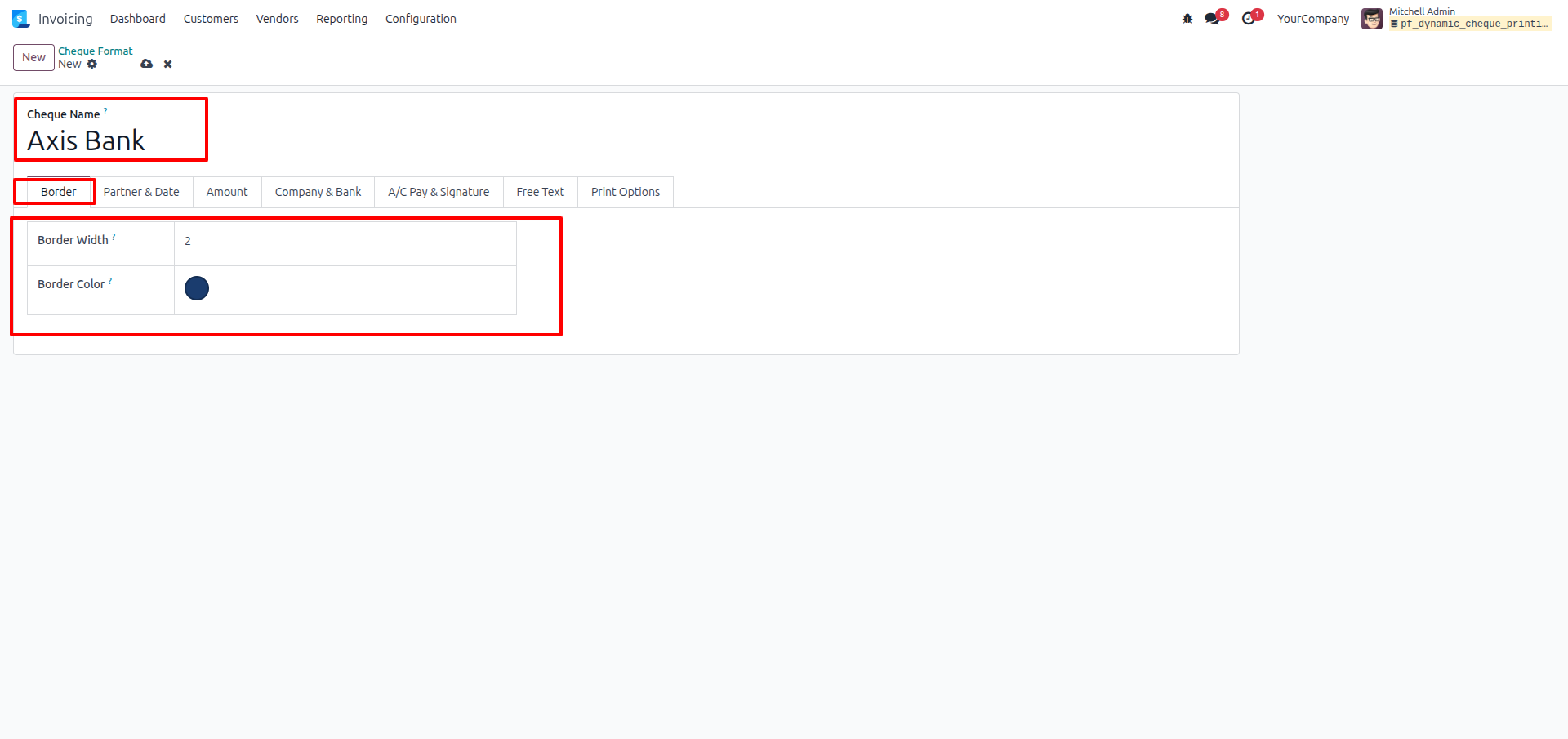
2.Create a new cheque format (e.g., "Axis Bank") and define the boundary styling in the Border tab by setting the width and color.
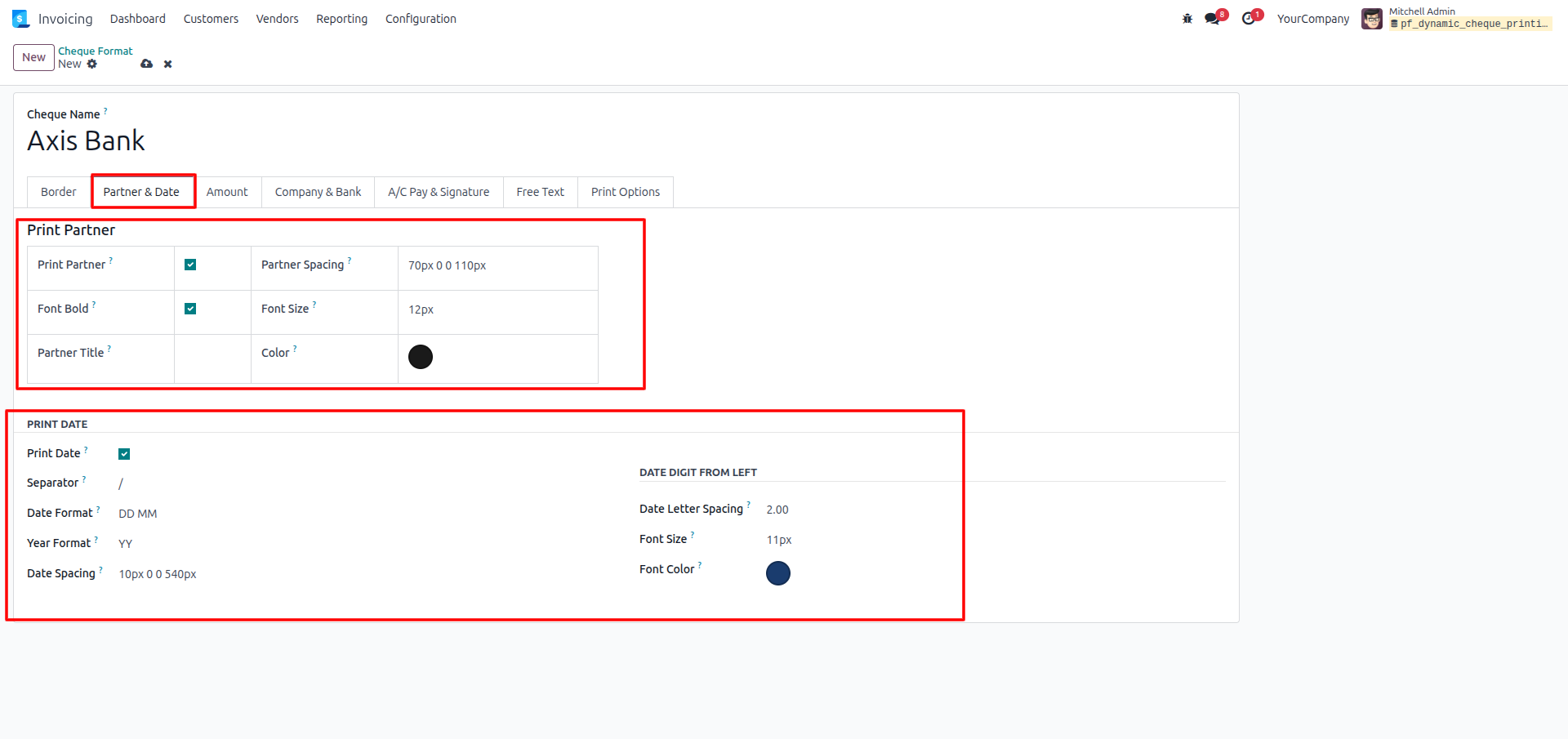
3.Open the Partner & Date tab to toggle visibility and set the exact spacing/fonts for the recipient's name and the payment date.
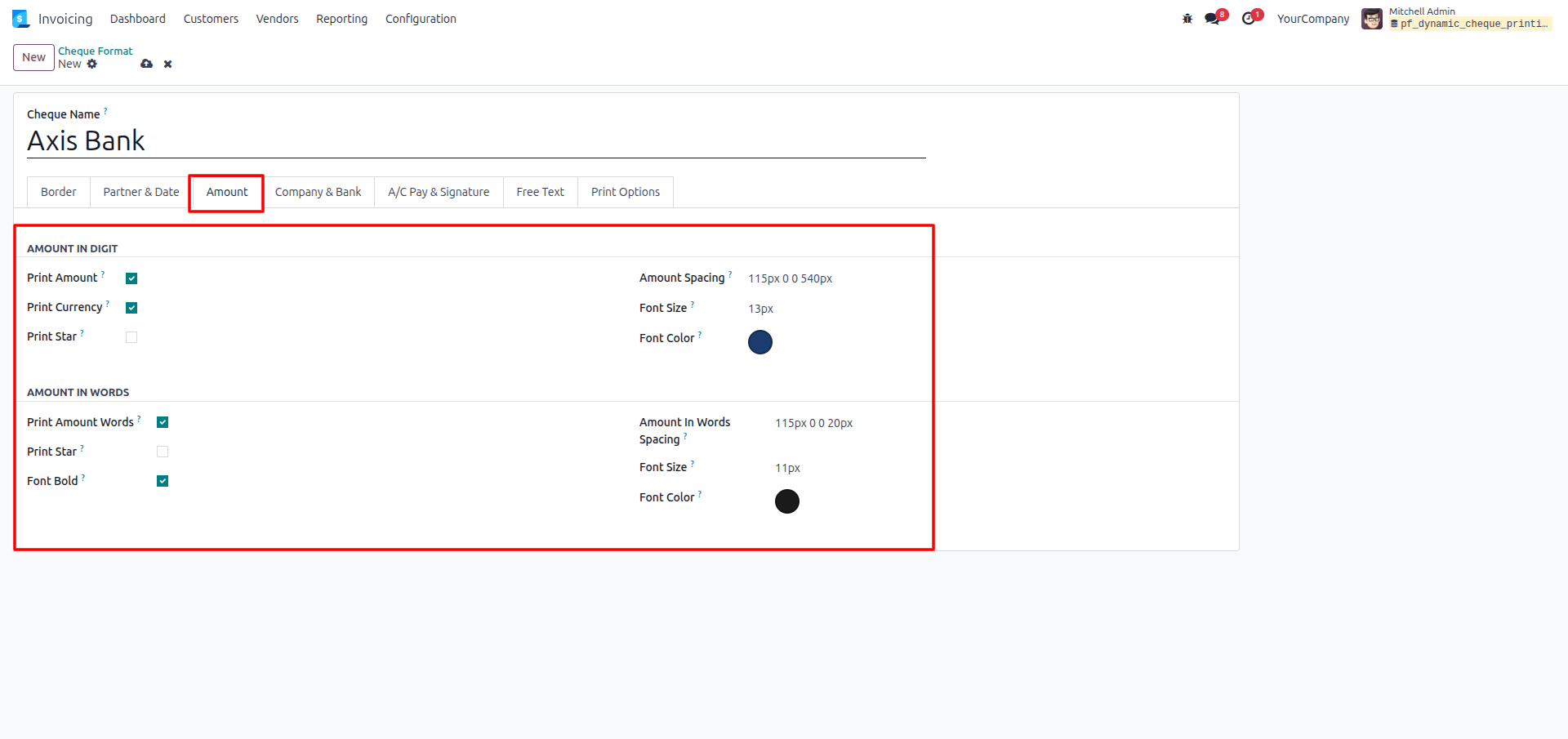
4.Use the Amount tab to configure the layout coordinates, font size, and colors for both the numerical amount and the amount in words.
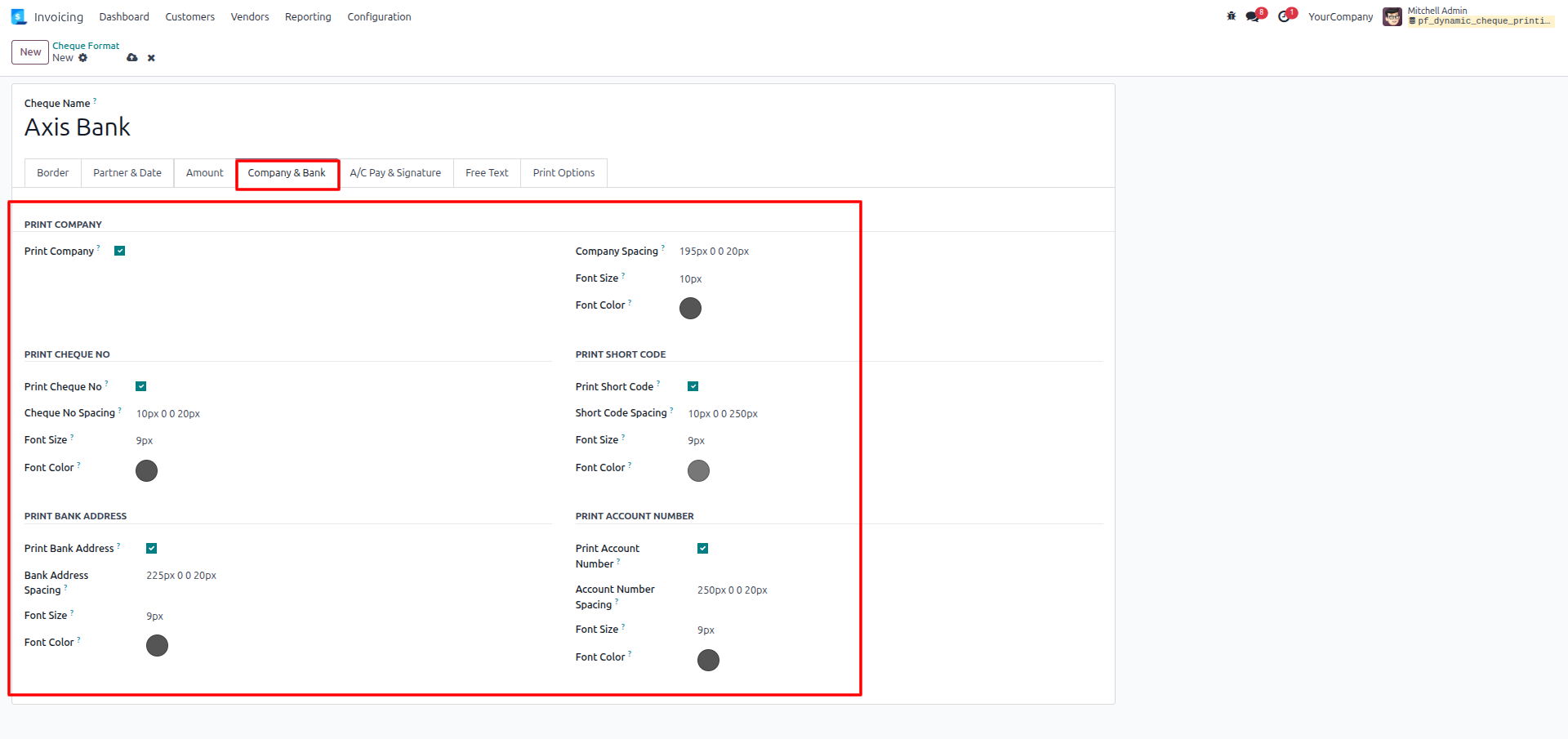
5.Switch to the Company & Bank tab to position your company name, the cheque number, the bank address, and your account number on the canvas.
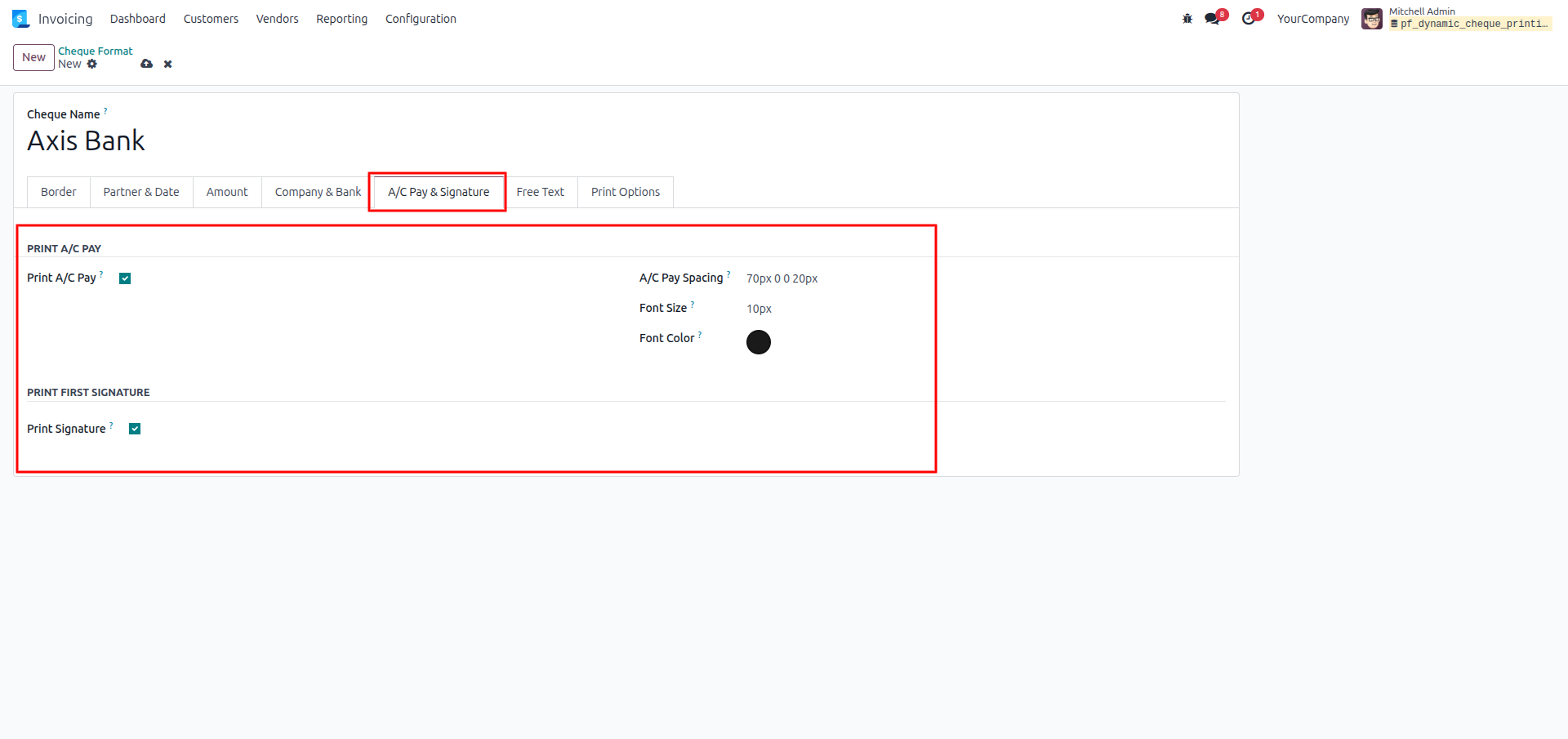
6.Configure the "A/C PAY" text placement and the authorized signature line spacing within the A/C Pay & Signature tab.
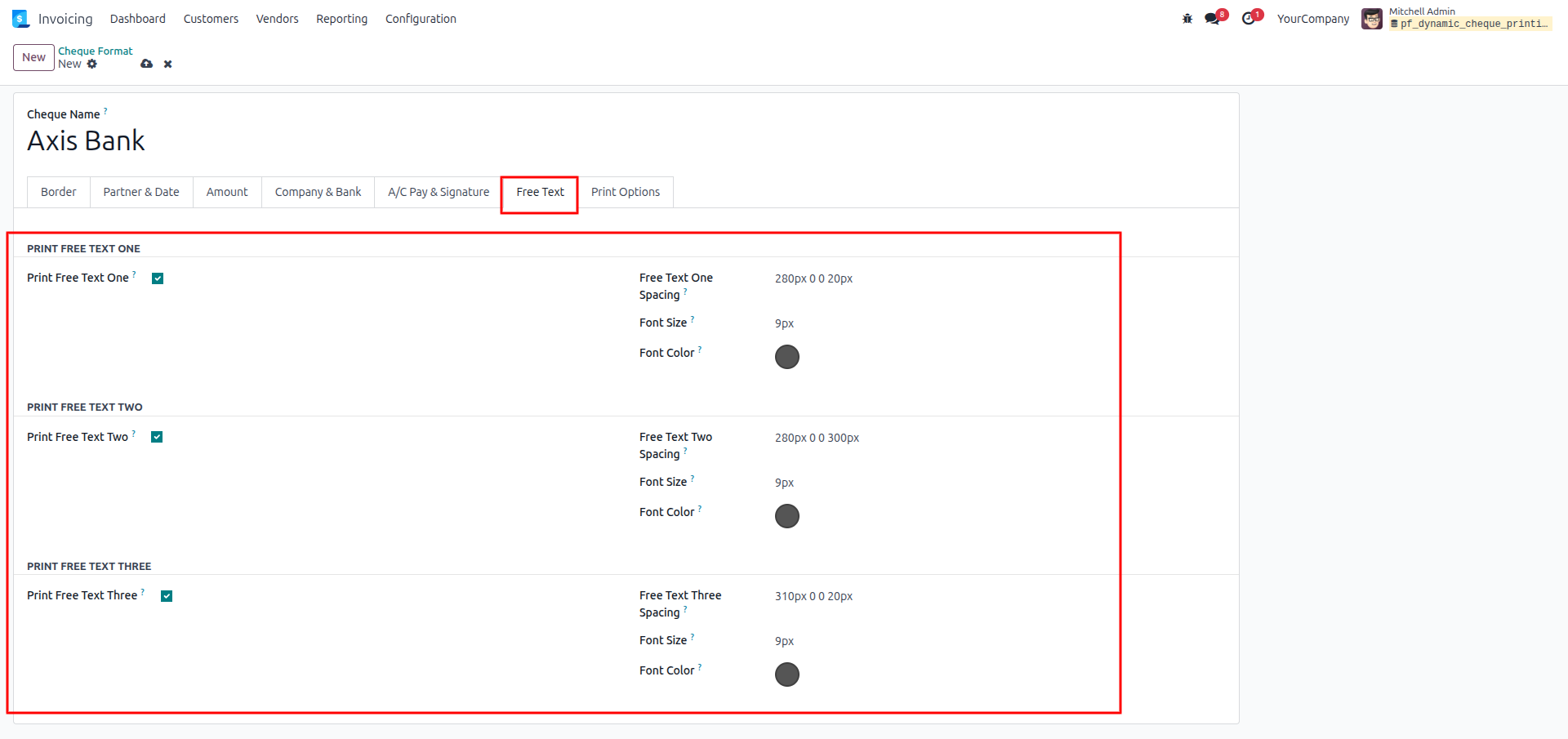
7.Enable and position up to three custom text fields on the cheque layout using the Free Text tab settings.
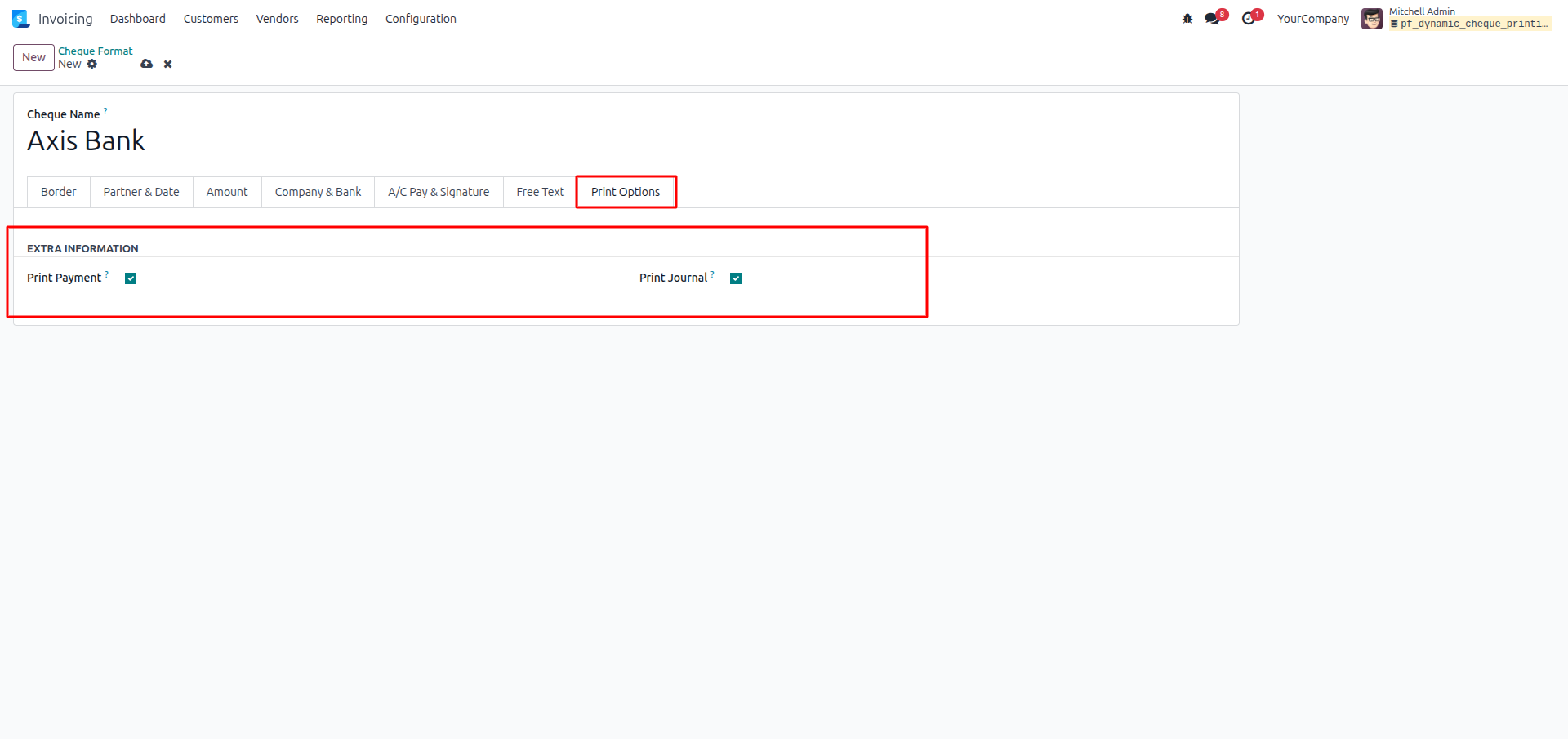
8.Go to the Print Options tab and check the boxes to append extra Payment and Journal Information to the final printed document.
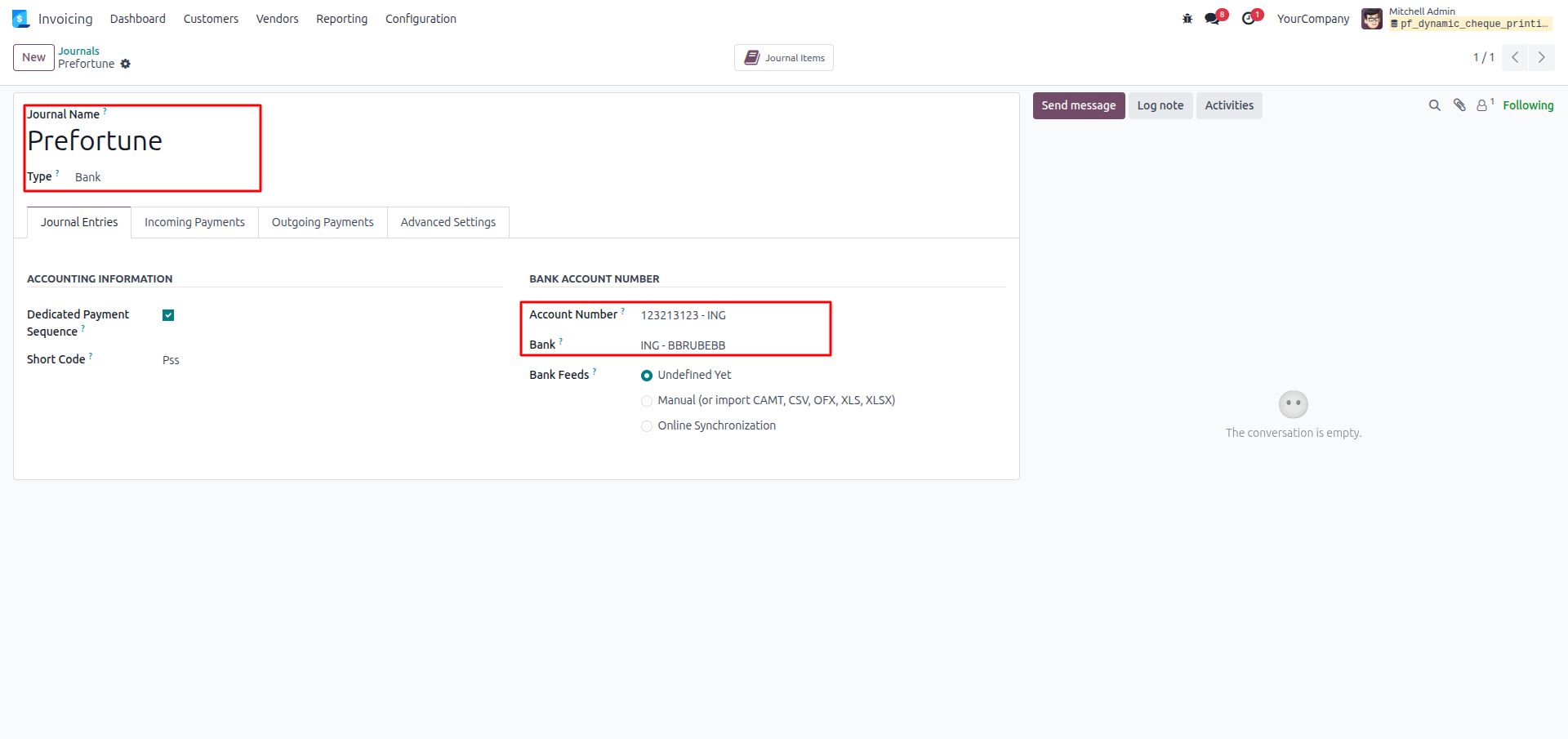
9.Verify your Bank Journal settings to ensure the Account Number and Bank details are correctly entered so they populate on the cheque.
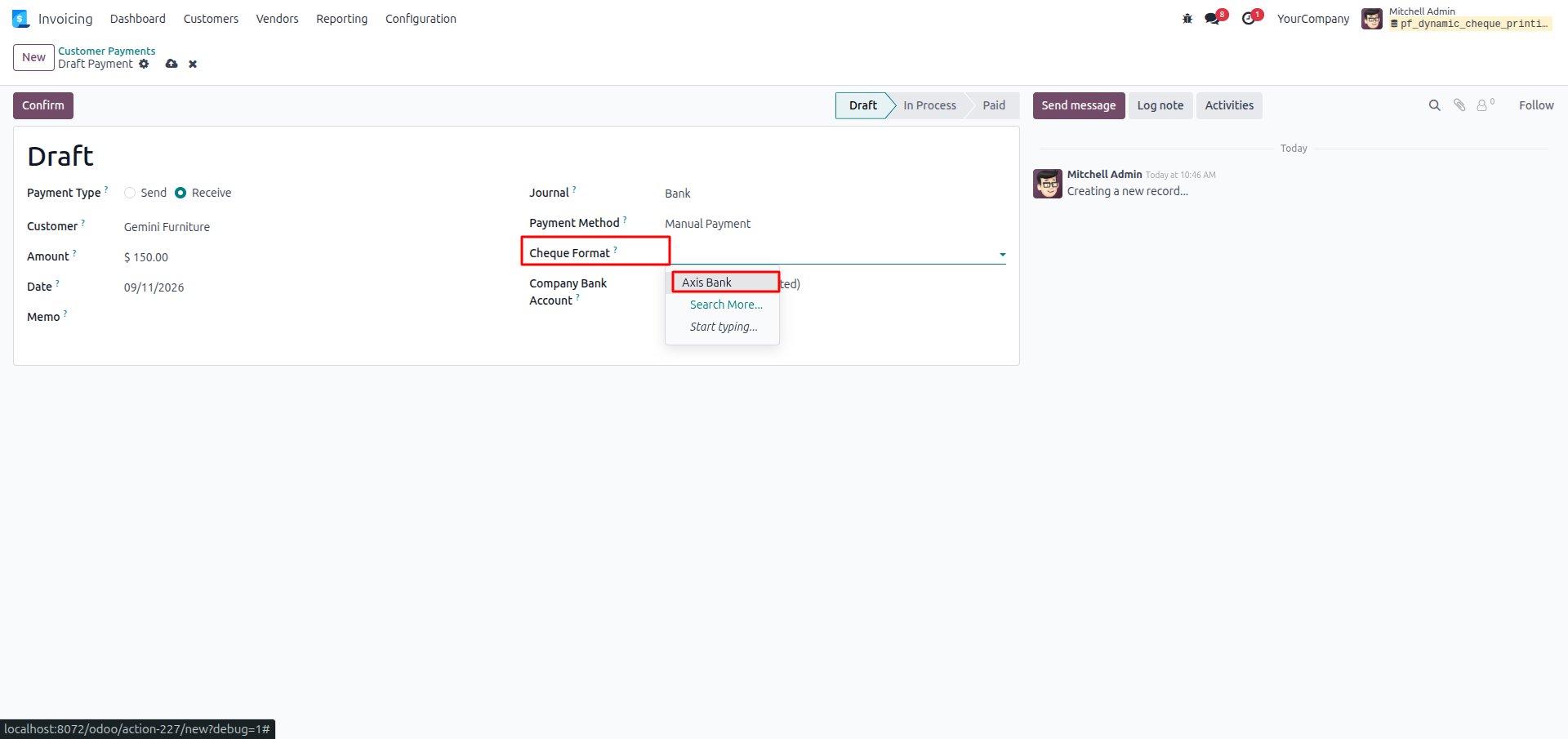
10.Create a new Draft Customer Payment, input the standard payment details, and select your specific Cheque Format (e.g., Axis Bank) from the dropdown.
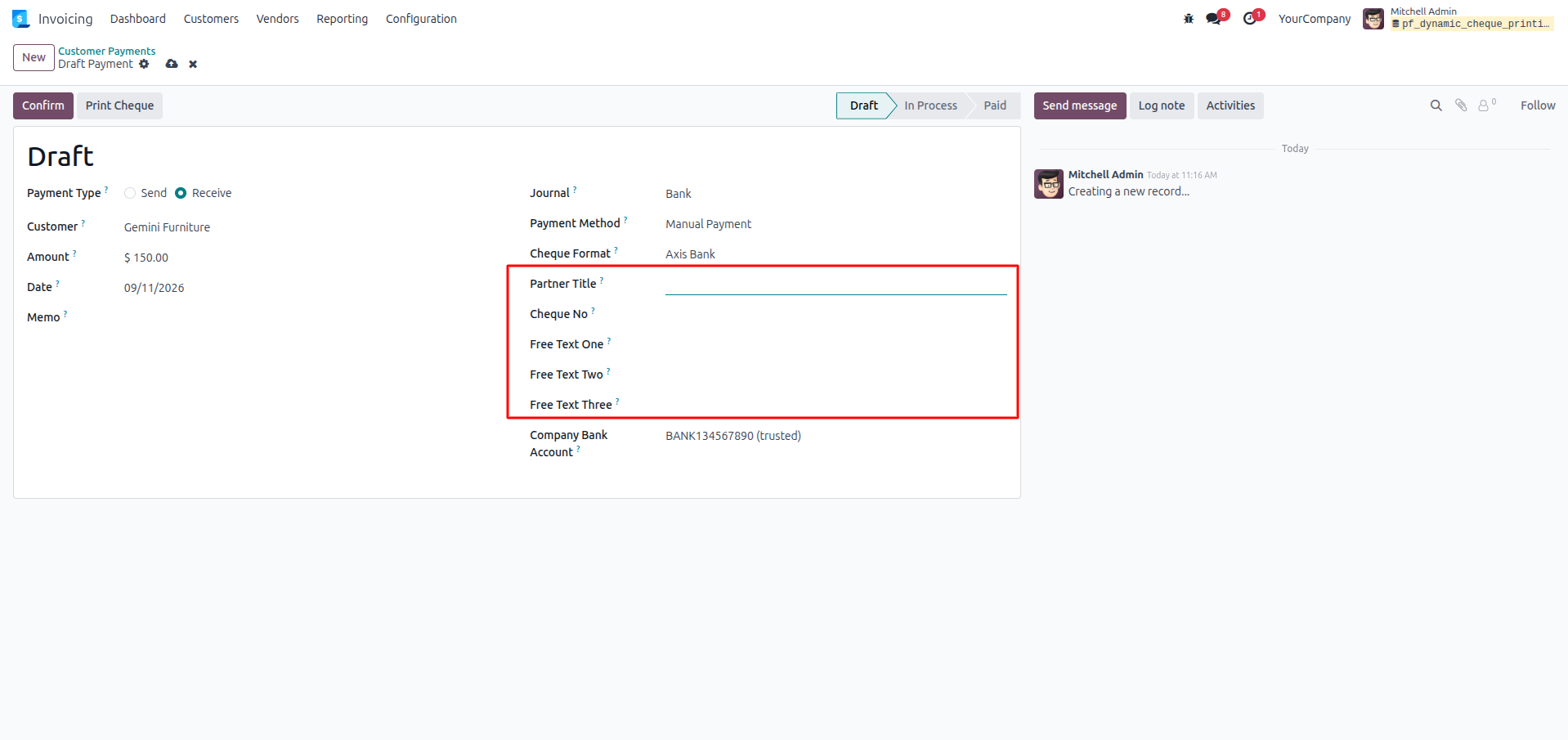
11.Observe that once the Cheque Format is selected, additional cheque-specific fields (such as Partner Title, Cheque No, Free Text options, and Company Bank Account) immediately become visible on the draft form to be filled out.
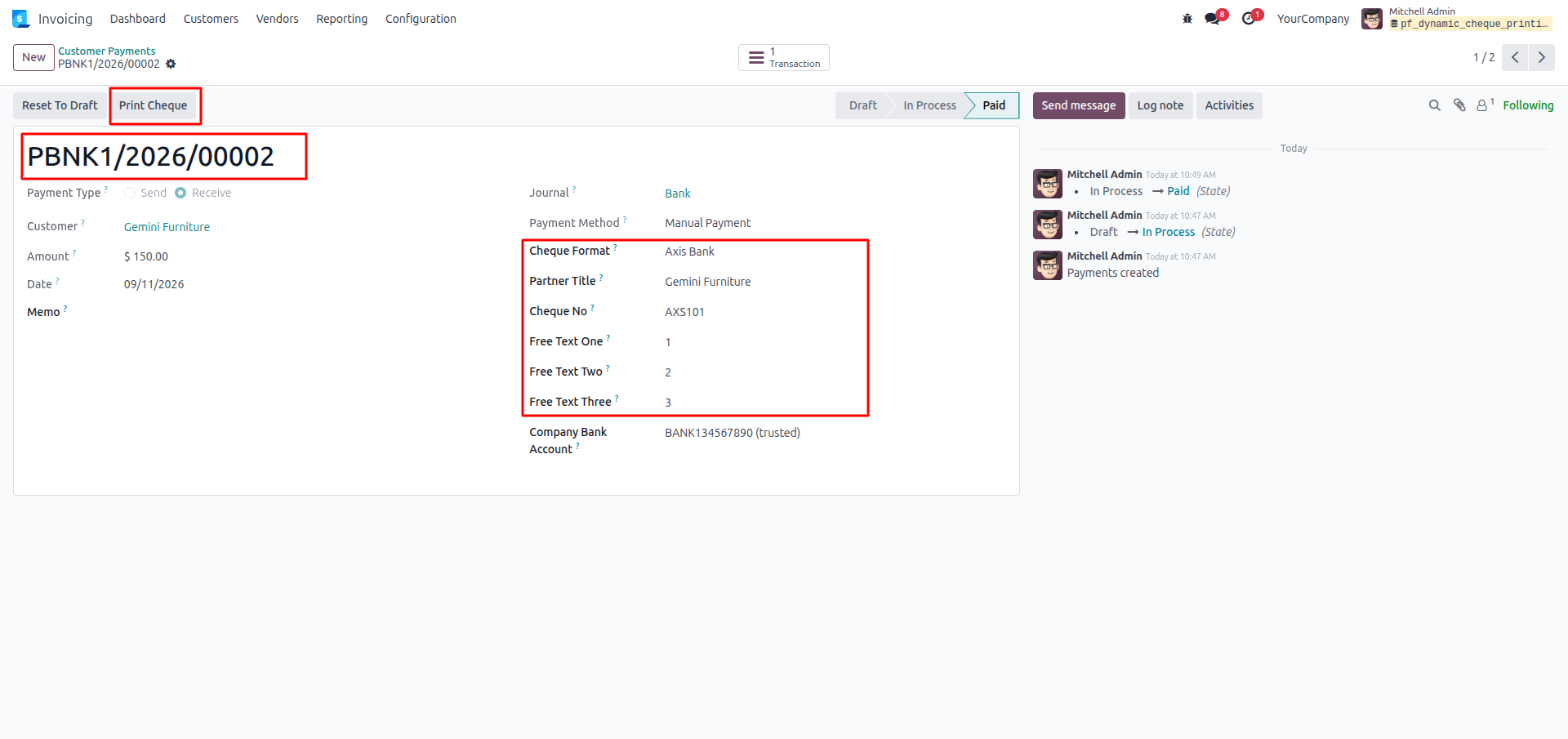
12.Confirm the payment to finalize the transaction, review the populated data, and click the Print Cheque button at the top.
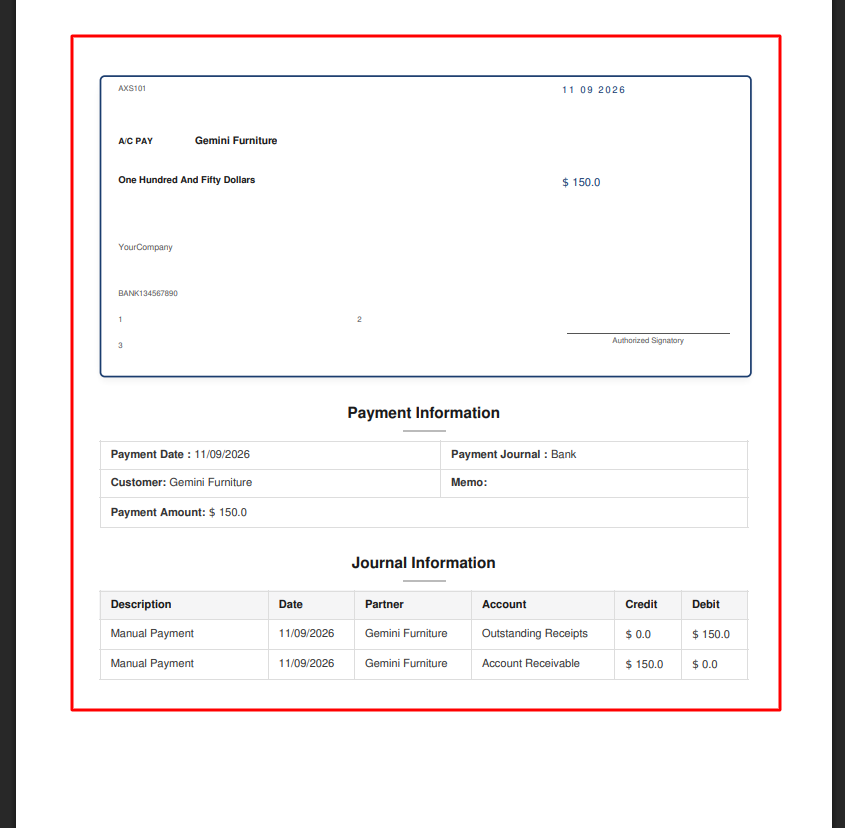
13.Retrieve the generated PDF, which outputs the precisely formatted physical cheque at the top and the configured payment/journal summary tables below.
Our solutions focus on your problems
- Odoo Implementation
- Odoo Customization
- ERP Development and Implementation
- Odoo Ipass Cloud
- AI for Odoo
- Odoo Apps
- Aws Marketplace Products
- Business Engines
Our Pricing includes User Manual, 90 Days Support (Monday-Friday 10am to 7pm IST) and One time Setup
• Works & tested on standard installations of Odoo with no third party apps,
• Free support only for odoo installations with no third party apps,
• Paid support available for Odoo installations with third party apps.

Prefortune is a Odoo Official Partner, Odoo Development company. Our philosophy is to use Open Source tools and technologies to provide cost effective and green solutions for our customers.
Prefortune Technologies LLP is working on web development, Mobile development, and Odoo ERP.
If you need any help or want more additional features, you may contact us through:
Alternative Products
These other products might interest you
Specifications
| Version | 19.0, 18.0, 17.0, 16.0, 15.0, 14.0 |