Watch Quick Video
Moyasar Payment Gateway Connector App for Odoo
All in One
Odoo –Moyasar Payment Gateway Connector App module, Integrate Moyasar gateway into Odoo Website & eCommerce for smooth online checkout. Admin config credential - Publishable Key, Secret Key - on Website > Configuration > Payment Providers. Added Messages tab to allow admin to customise Help, Pending, Authorise, Done, Cancelled text displayed per payment state. Customer select "Moyasar Online" at checkout, redirect to secure Moyasar payment page, enter card info, pass 3DS authentication (ACS Emulator flow), hit Pay. On successful order confirmation, auto-create a payment transaction with reference, provider name, amount and link to the Sales Order. Post a message in Chatter and send a confirmation email. Admin opens linked Payment record, clicks Refund button, modal shows Payment Amount + Maximum Refund Allowed + editable Refund Amount field — confirms refund creates new negative Payment Transaction (R-prefix reference) linked back to source transaction, status Confirmed.
Moyasar Payment Gateway Connector App
- Enter your Publishable Key and Secret Key directly in the Odoo Payment Provider configuration.
- Help, Pending, Authorise, Done, Cancelled Message Text by Transaction State.
- Redirect to secure card page, pass 3DS V2 (ACS Emulator) authentication before confirmation, “Moyasar Online” at checkout.
- Auto-link payment status, reference, amount to Sales Order, log post in chatter + email + invoice.
- Refund button on payment record opens modal (Payment Amount, Max Refund Allowed, editable Refund Amount) Create linked negative transaction Auto-confirm status.
Complete Workflow for Manage Moyasar Payment Gateway Connector App
Enable the Moyasar Payment Gateway Connector App let admin config Publishable Key + Secret Key + custom status message in Odoo, customer checkout secure with card + 3D Secure auth, order auto-confirm with transaction sync to Sales Order + chatter + invoice email. Admin manage full/partial refund direct from linked Payment record — Refund button open modal, confirm create linked negative transaction, auto-sync status with Moyasar.
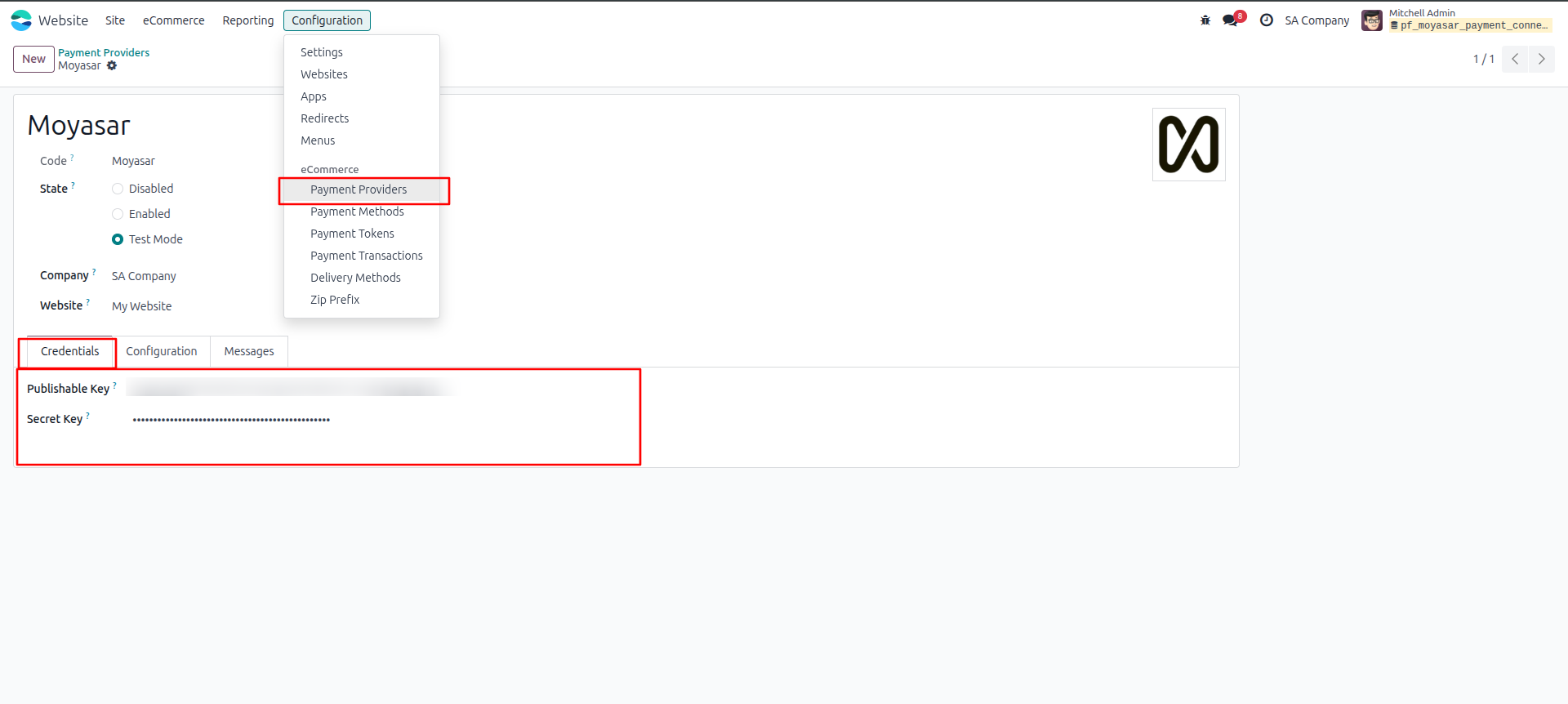
1.Go to Website > Configuration > Payment Providers, click on Moyasar. Enter your Publishable Key and Secret Key here.
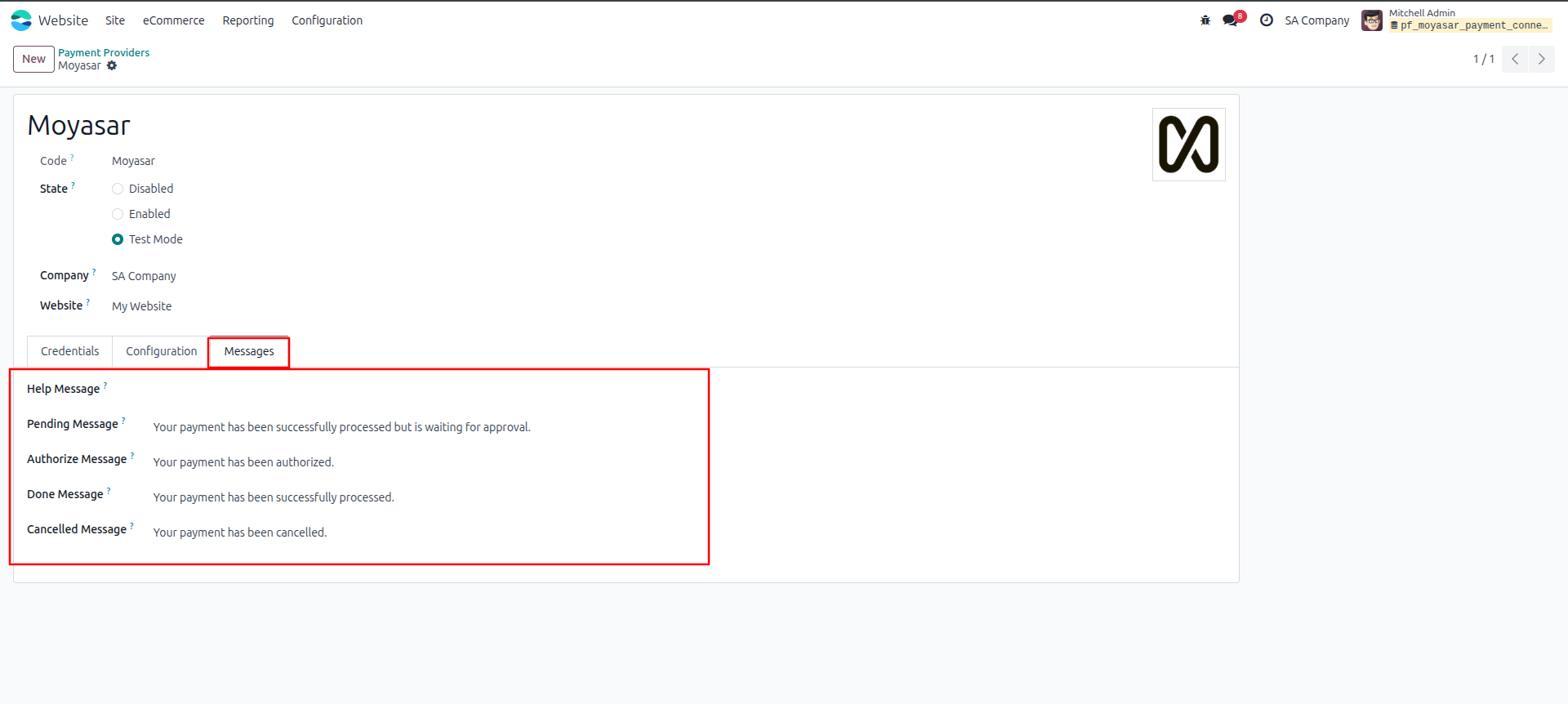
2.Click Messages tab. Write the text customers see for each payment status (Pending, Authorize, Done, Cancelled).
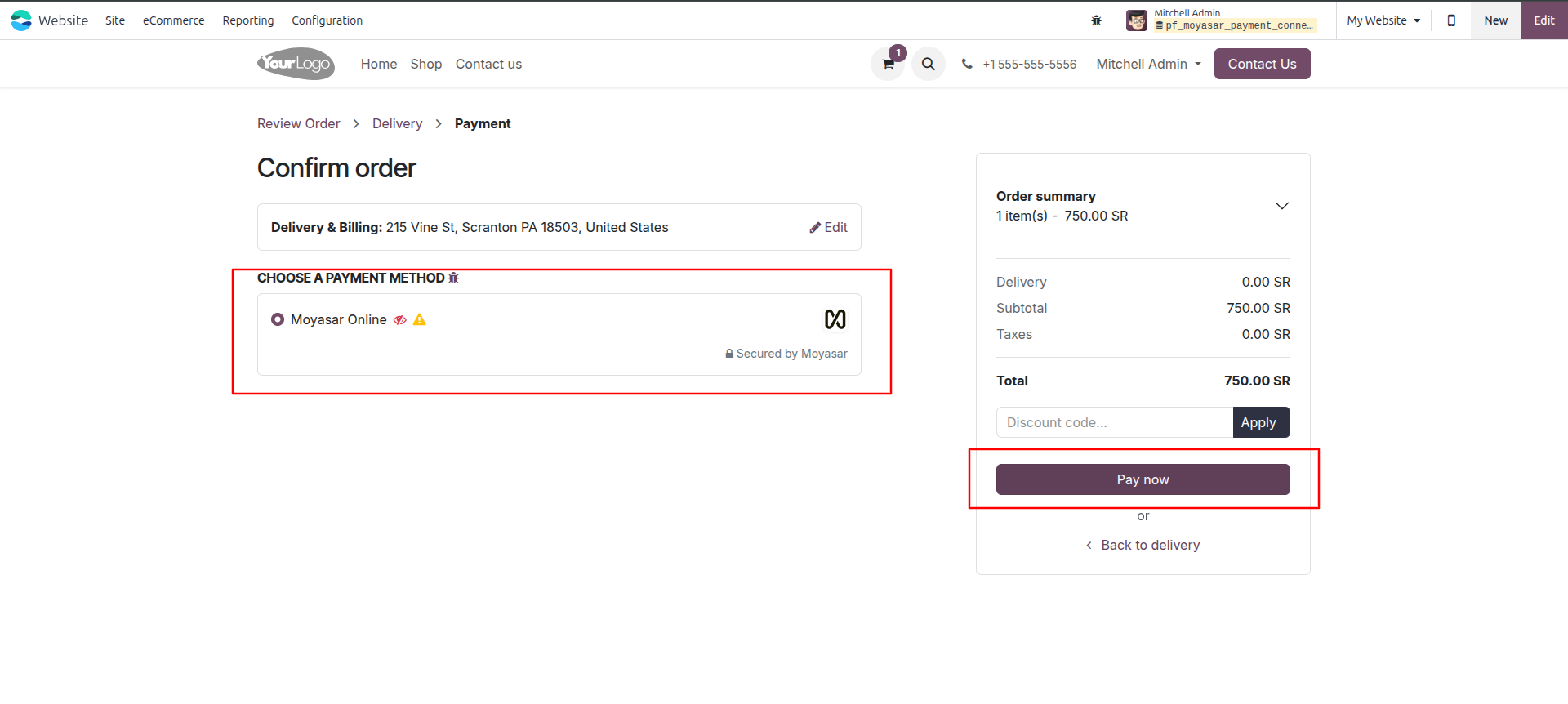
3.On checkout page, customer picks "Moyasar Online" as payment method, then clicks Pay Now.
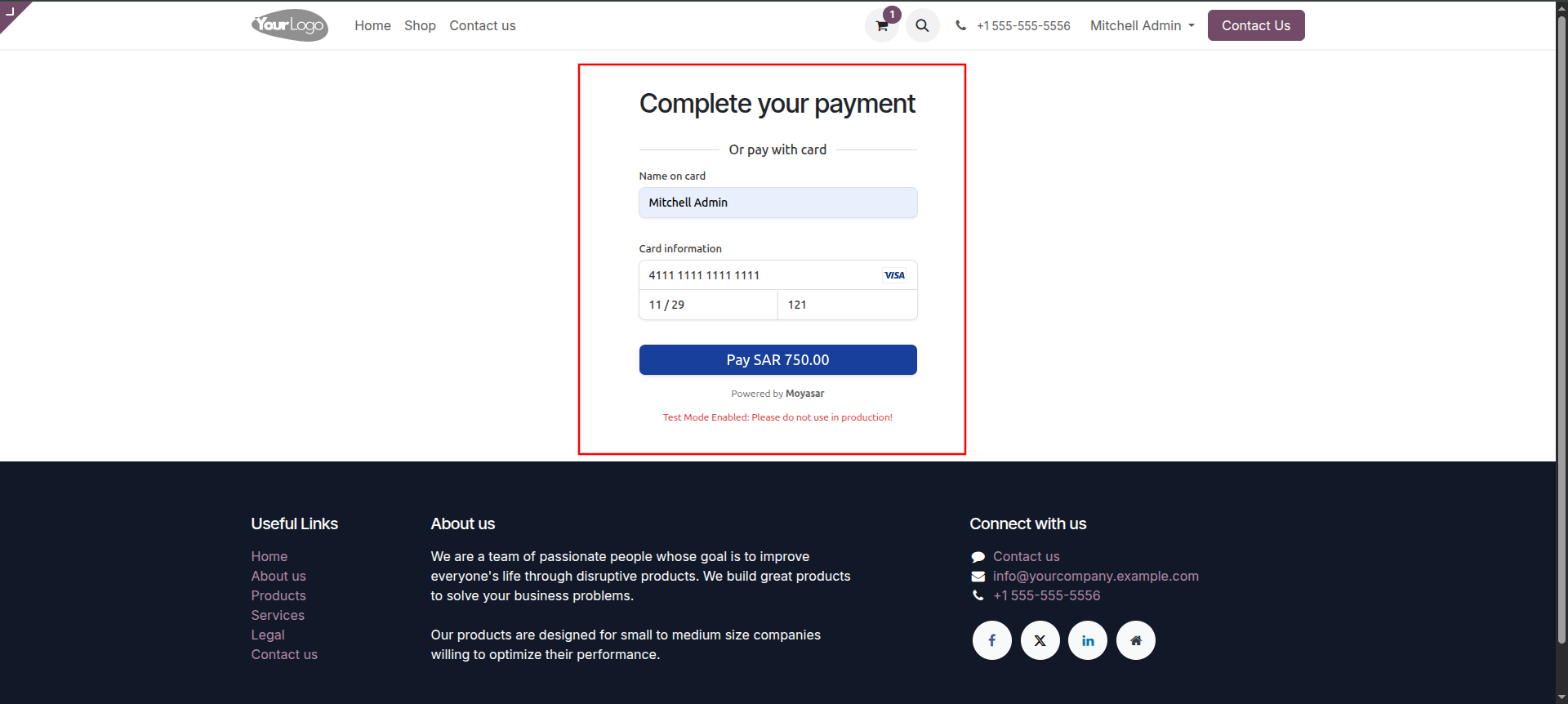
4.Customer is taken to Moyasar's payment page. They type card name, card number, expiry date, CVV, then click Pay.
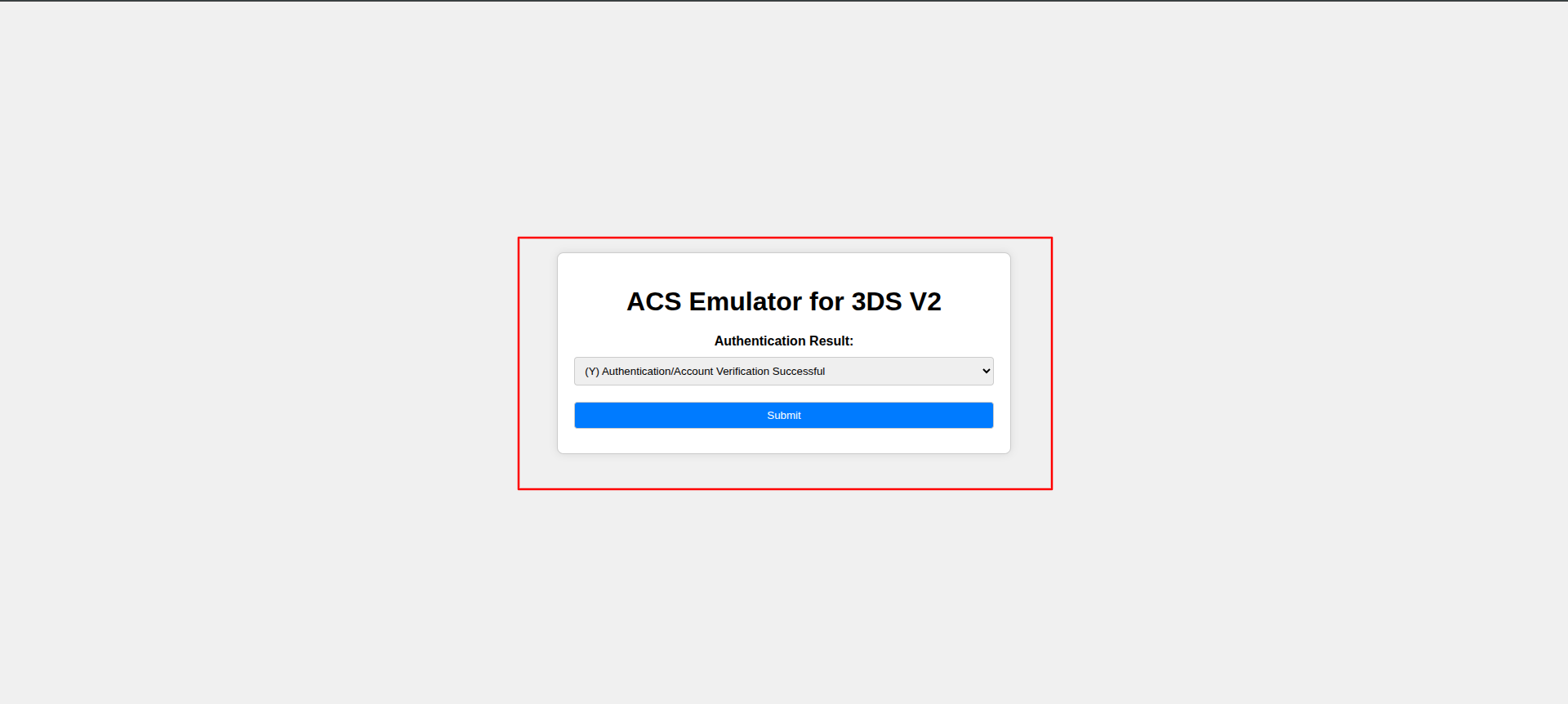
5.A verification screen pops up to confirm it's really the cardholder. Customer confirms and clicks Submit.
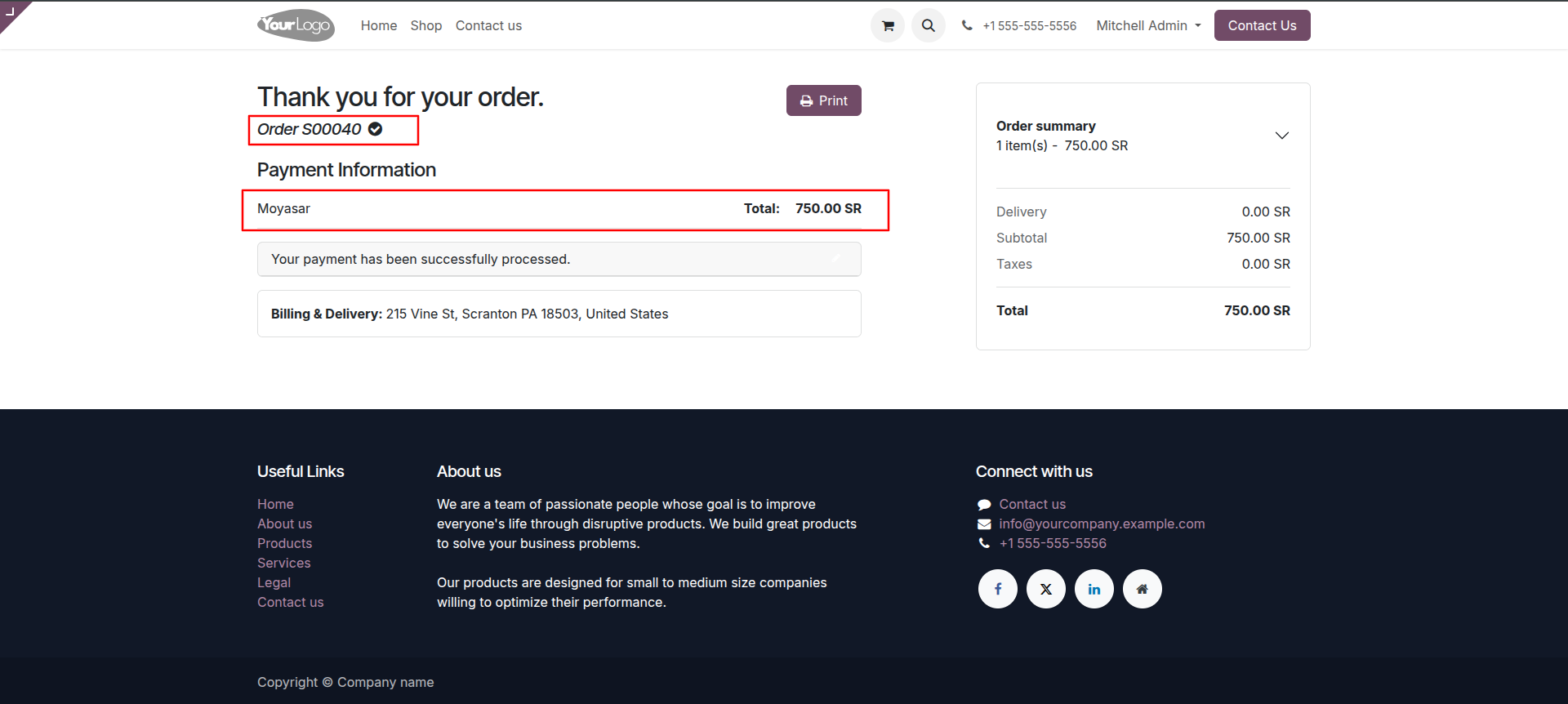
6.Customer sees "Thank you for your order" page showing payment was successful.
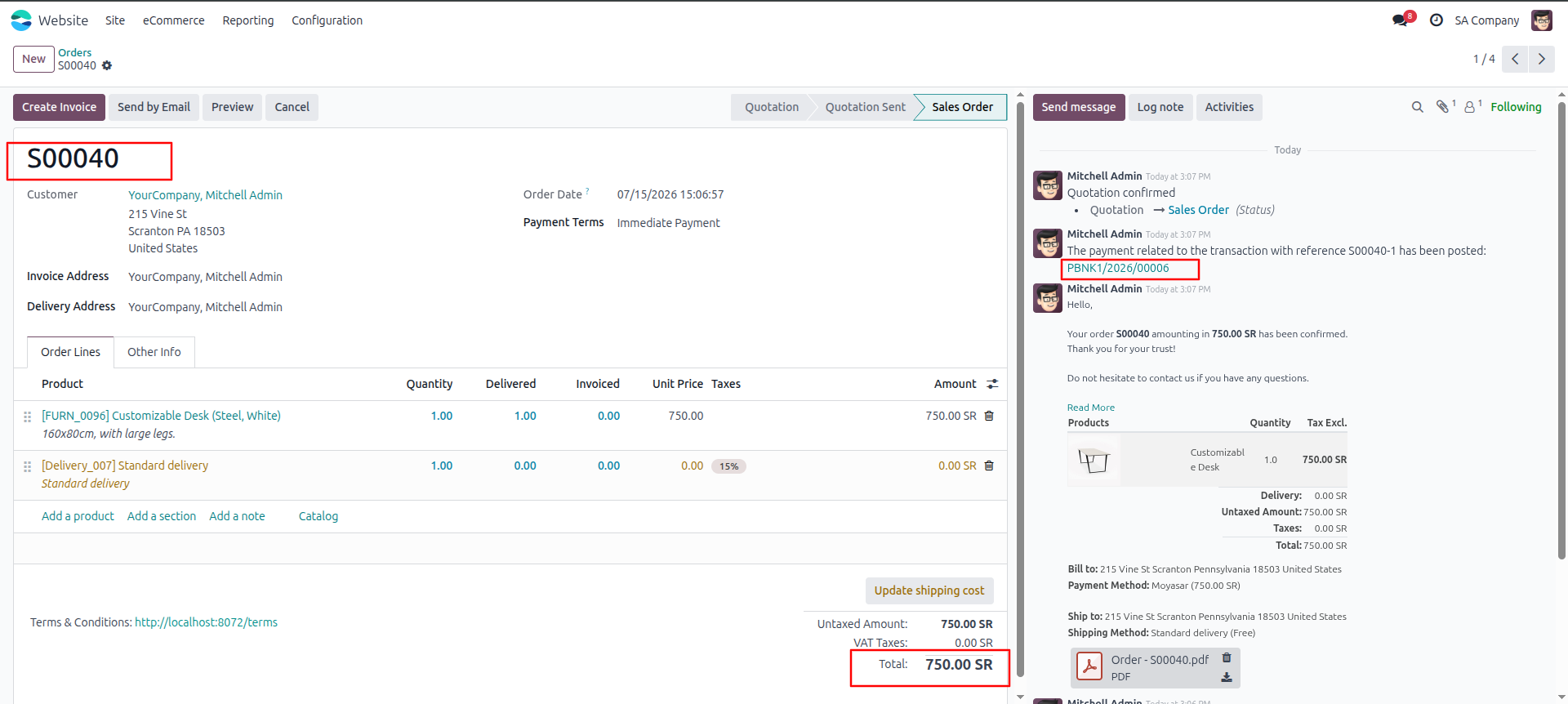
7.Opens the Sales Order — payment confirmation message and linked payment record now visible in the order's chat log.
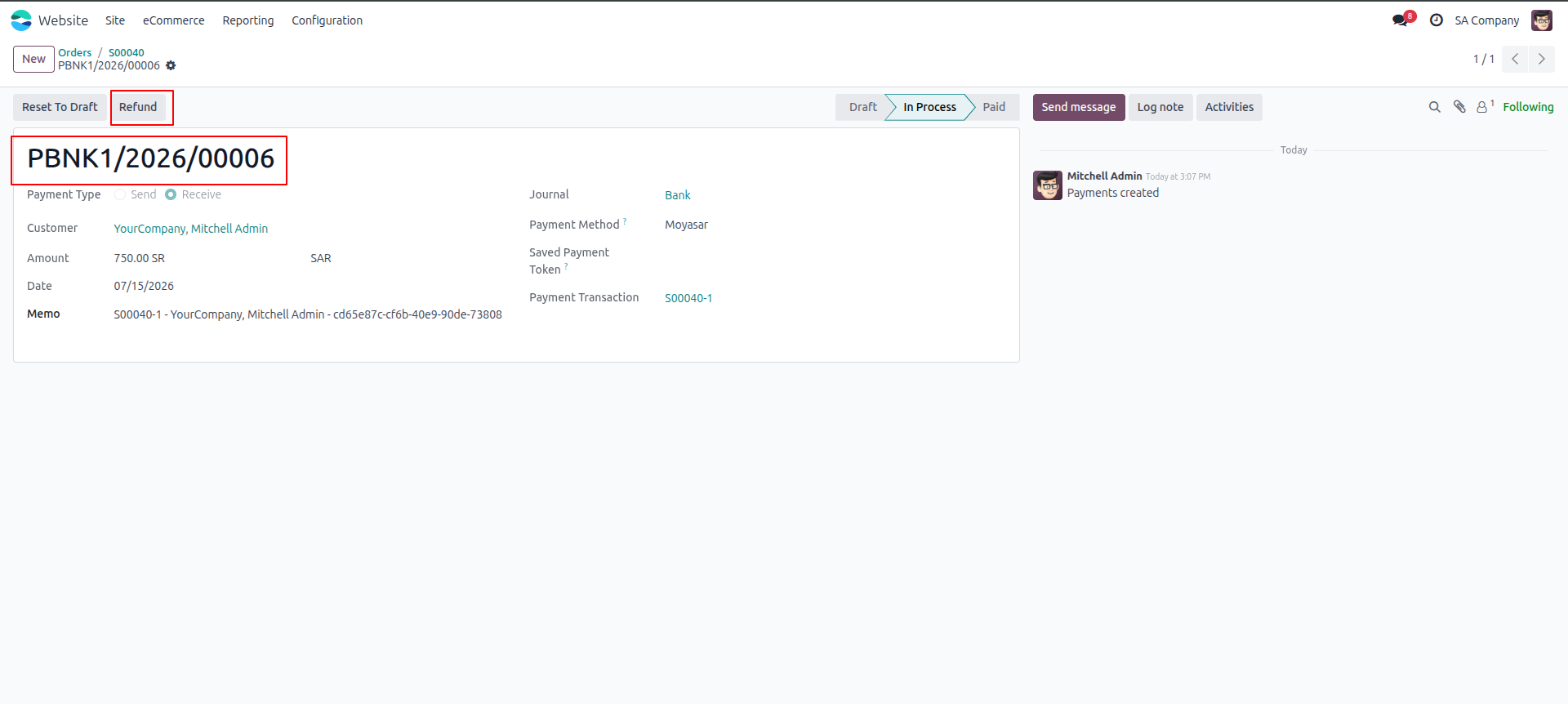
8.Clicks on the linked payment record to see full details — amount, customer, payment method. A Refund button is available here.
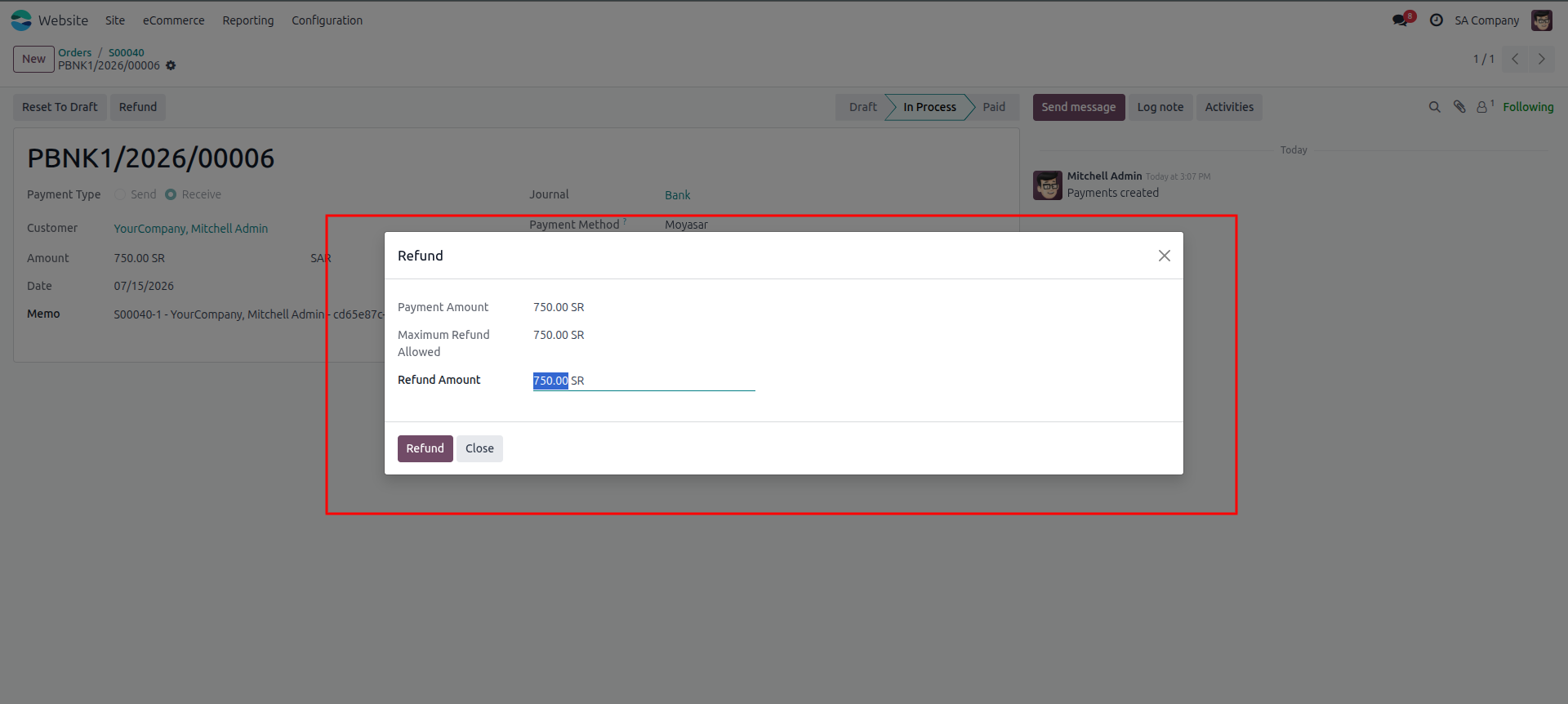
9.Click Refund. A small window pops up showing how much can be refunded. Admin can refund full amount or type a smaller amount.
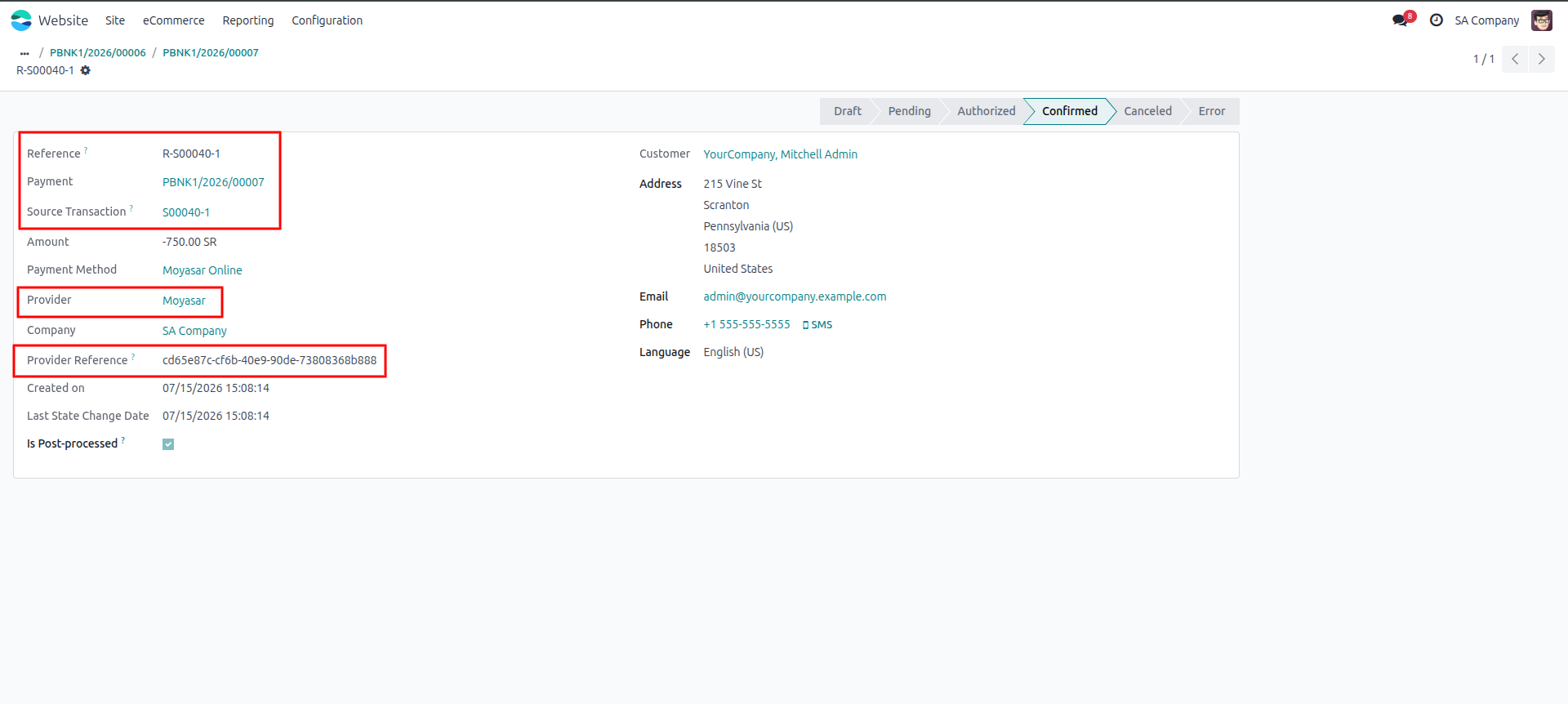
10.A new refund record is created automatically, linked back to original payment — confirming money sent back to customer..
Ans : This is
a one-time payment.
Ans: Yes, the
module works with both the Community &
enterprise version of apps.
Ans: you can
install the application directly from the Odoo Apps
store or upload the application file to your Odoo
instance. Once installed, you can configure the
application to suit your organization's needs and
begin creating branches or units.
Ans: yes,
support is available for the Moyasar Payment Gateway Connector App. You can access documentation,
forums, and community resources for assistance with
installation, configuration, and troubleshooting.
Additionally, paid support plans may be available
for more personalized assistance.
Our solutions focus on your problems
- Odoo Implementation
- Odoo Customization
- ERP Development and Implementation
- Odoo Ipass Cloud
- AI for Odoo
- Odoo Apps
- Aws Marketplace Products
- Business Engines
Our Pricing includes User Manual, 90 Days Support (Monday-Friday 10am to 7pm IST) and One time Setup
• Works & tested on standard installations of Odoo with no third party apps,
• Free support only for odoo installations with no third party apps,
• Paid support available for Odoo installations with third party apps.

Prefortune is a Odoo Official Partner, Odoo Development company. Our philosophy is to use Open Source tools and technologies to provide cost effective and green solutions for our customers.
Prefortune Technologies LLP is working on web development, Mobile development, and Odoo ERP.
If you need any help or want more additional features, you may contact us through:
Alternative Products
These other products might interest you
Specifications
| Version | 19.0, 18.0, 17.0, 16.0, 15.0, 14.0 |