Watch Quick Video
Nexi Payment Connector App for Odoo
Nexi Payment Connector App for Odoo
is a payment integration module that integrates Odoo’s payment framework with the Nexi (Nets Easy) Checkout API. It offers a secure hosted payment page where the customer pays on Nexi platform and Odoo takes care of the entire payment lifecycle automatically: creation, verification, capture, cancellation, refunds and webhook processing. The module is based on Nexi API requirements and Odoo payment standards, so you get secure, reliable and seamless payment processing.
Nexi Payment Connector App for Odoo Features
- Guide your customers smoothly from Odoo to Nexi secure hosted payment page for a PCI-compliant and safe checkout experience.
- It checks each payment directly with the Nexi API before updating the transaction status, so that the payment validation is trustworthy and not only based on the callback parameters.
- Offers the full payment workflow including payment creation, authorisation, capture, cancellation, refunds and transaction updates via webhooks.
- It automatically manages country code conversion, phone number formatting, string sanitisation, and other Nexi API requirements to enable successful payment requests.
- Includes idempotent API calls, comprehensive error logging and smart transaction state synchronisation for reliable and fault-tolerant payment processing.
Complete Workflow of Nexi Payment Connector App for Odoo
After installation, go to Website → Configuration → Payment Providers, and open the Nexi (Nets Easy) payment provider. Activate the provider, fill in your Checkout Key and Secret Key and save the configuration. Customers can then visit the website shop, add products to their cart, go through the checkout process, confirm the order and click Pay Now. They will be redirected to the secure Nexi Hosted Checkout page where they can enter their billing and delivery details and complete the payment. Once the payment has been successfully processed, the customer is redirected back to Odoo where he can view the payment status and order confirmation. Payment Transaction is automatically created and updated in Website → Configuration → Payment Transactions and same transaction is available in Nexi Merchant Portal. To give a refund, go to the corresponding payment transaction in Odoo and click the Refund button in the header of the form. The refund wizard allows for full or partial refunds. Once the refund has been done, the refund information is synchronised and you can see it in the payment transaction in Odoo and in Nexi Merchant Portal.
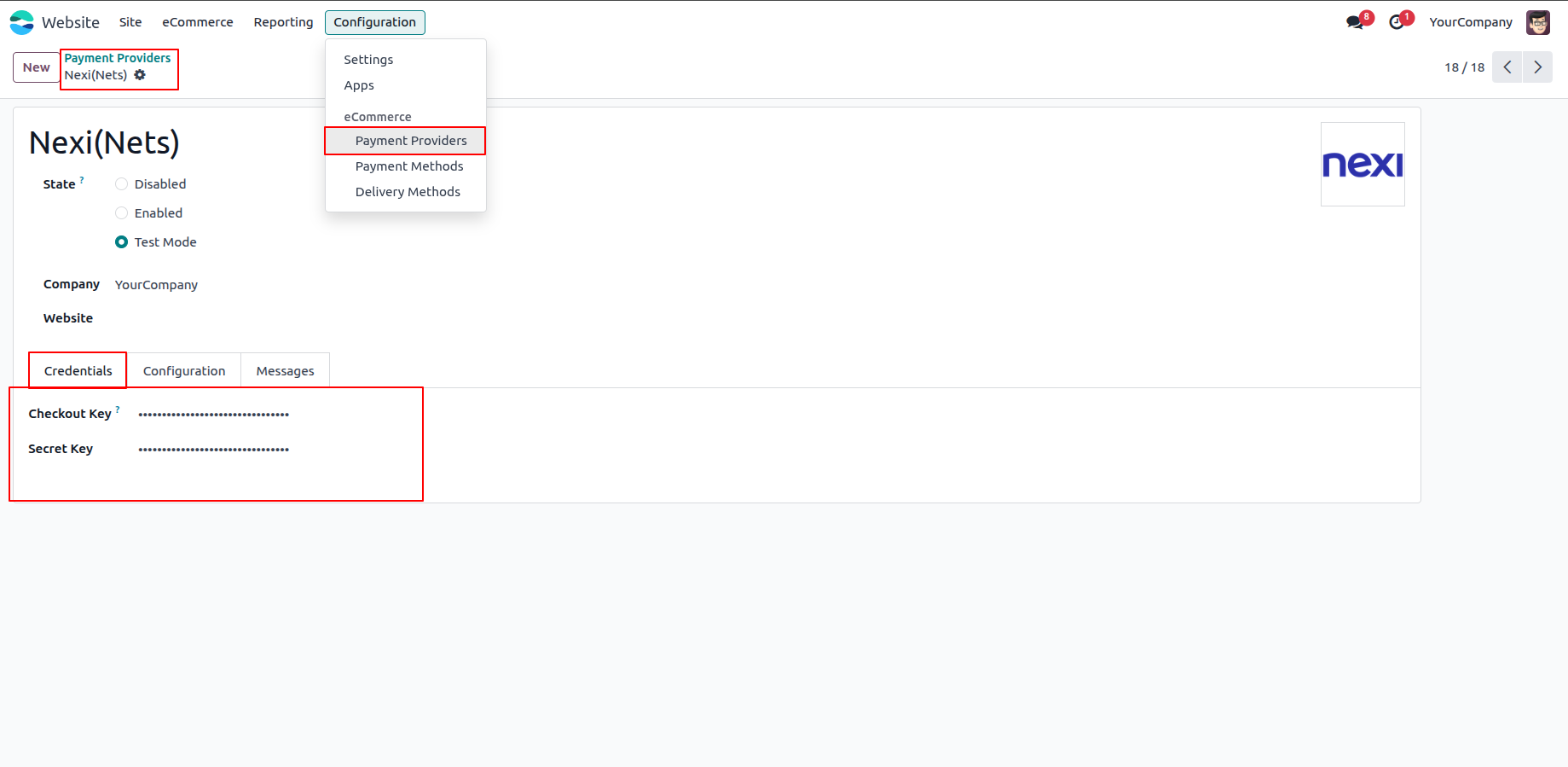
1.Enter the Nexi (Nets) Secret Key and Checkout Key in the Nexi (Nets) Payment Provider configuration in Odoo.
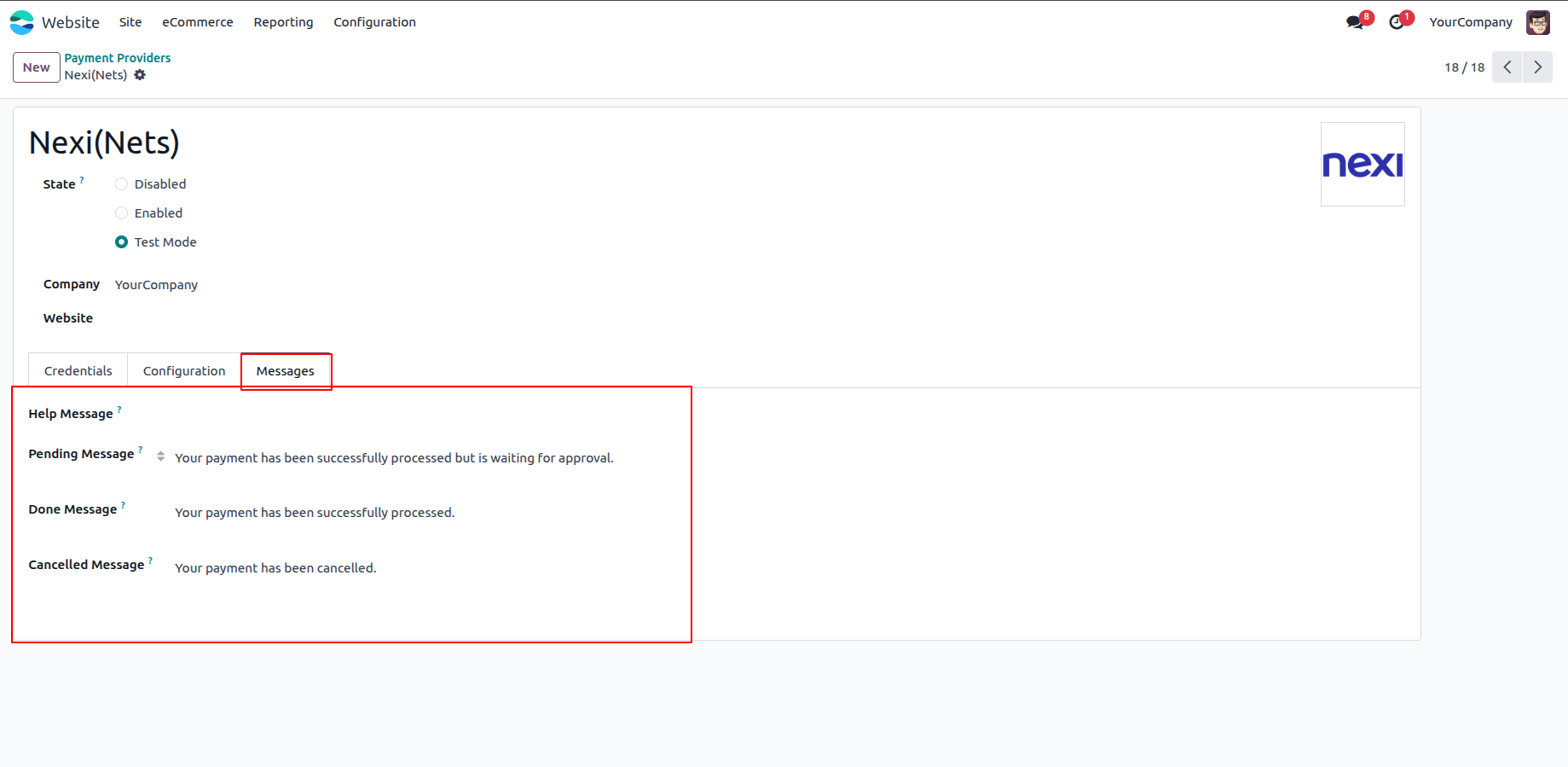
2.Under the Messages tab, configure the payment messages displayed to customers.
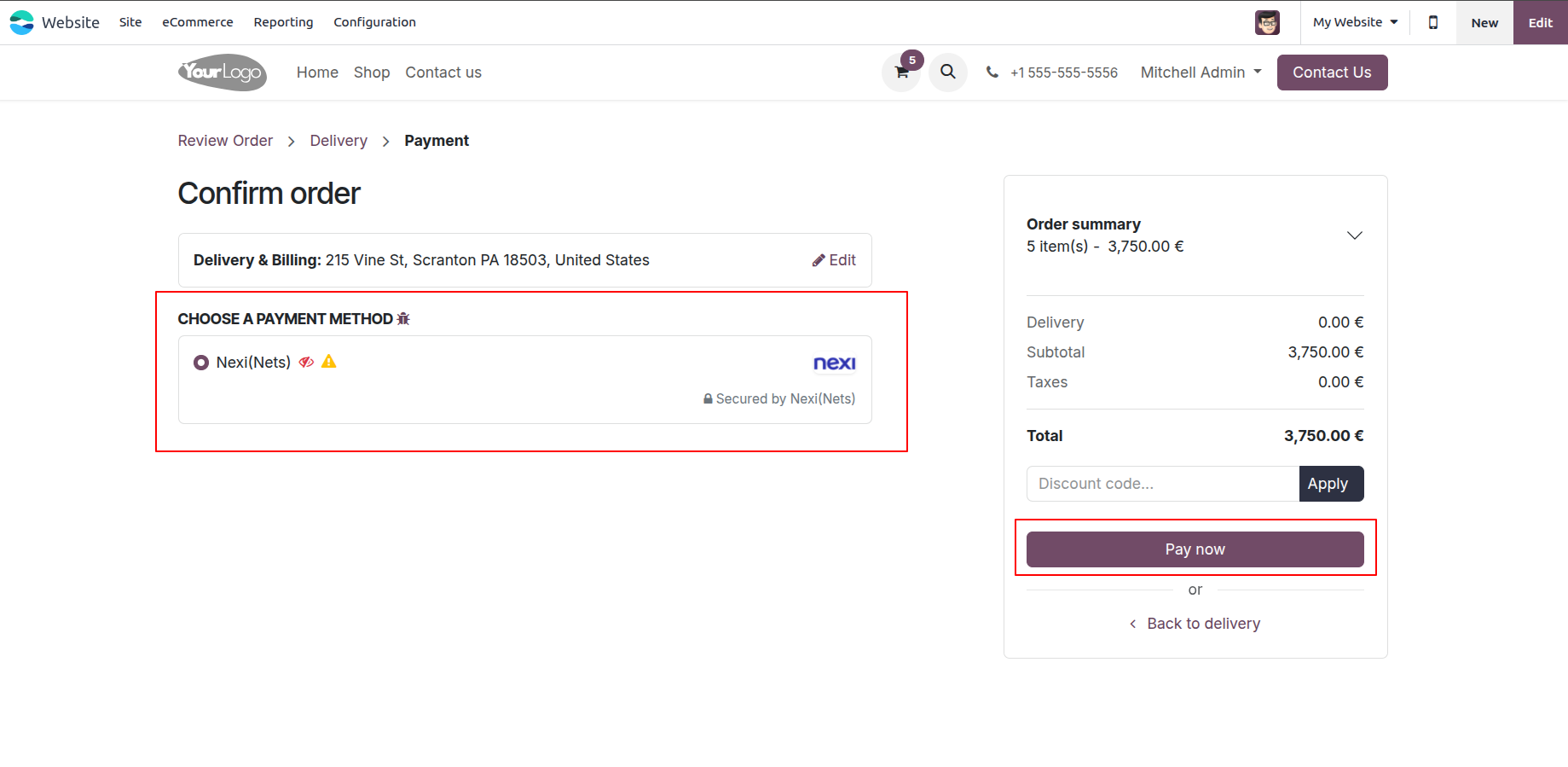
3.After the payment provider is configured, customers can select Nexi (Nets) as their payment method during checkout on the Odoo website.
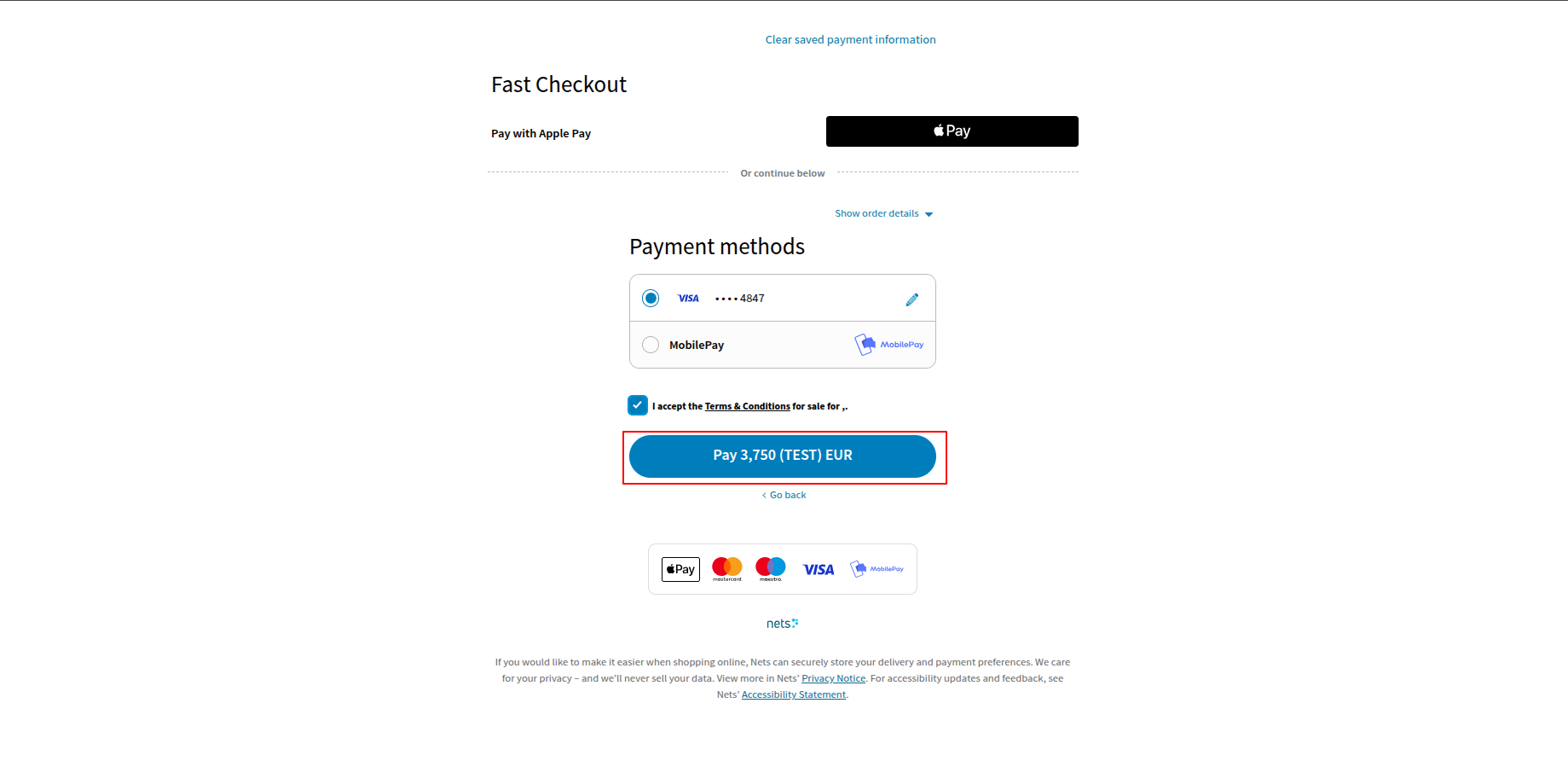
4.After selecting Nexi (Nets) as the payment method, customers are redirected to the secure Nexi hosted payment page, where they enter their card details and click Pay to complete the transaction.
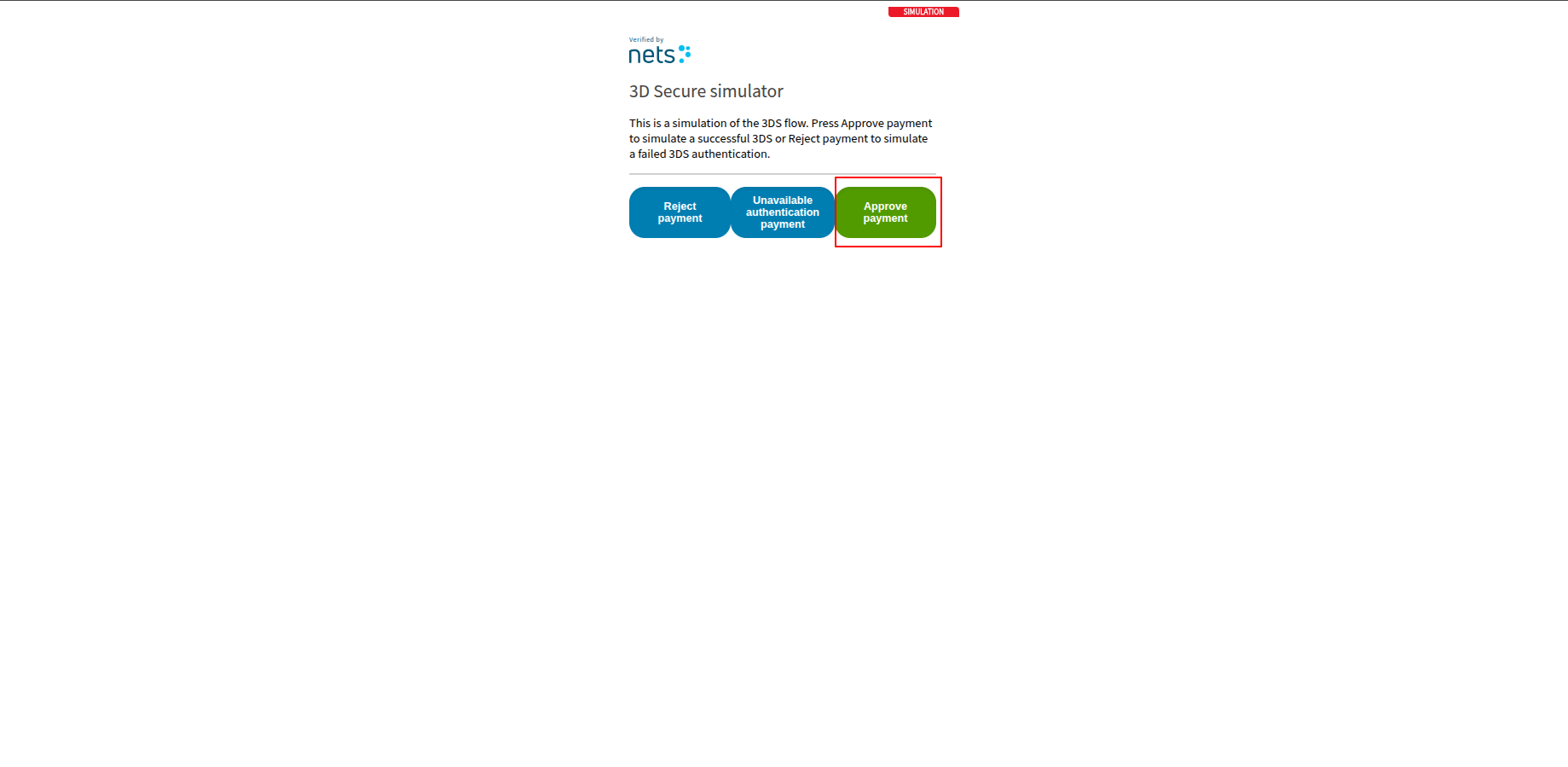
5.Click Approve Payment to authorize and complete the payment.
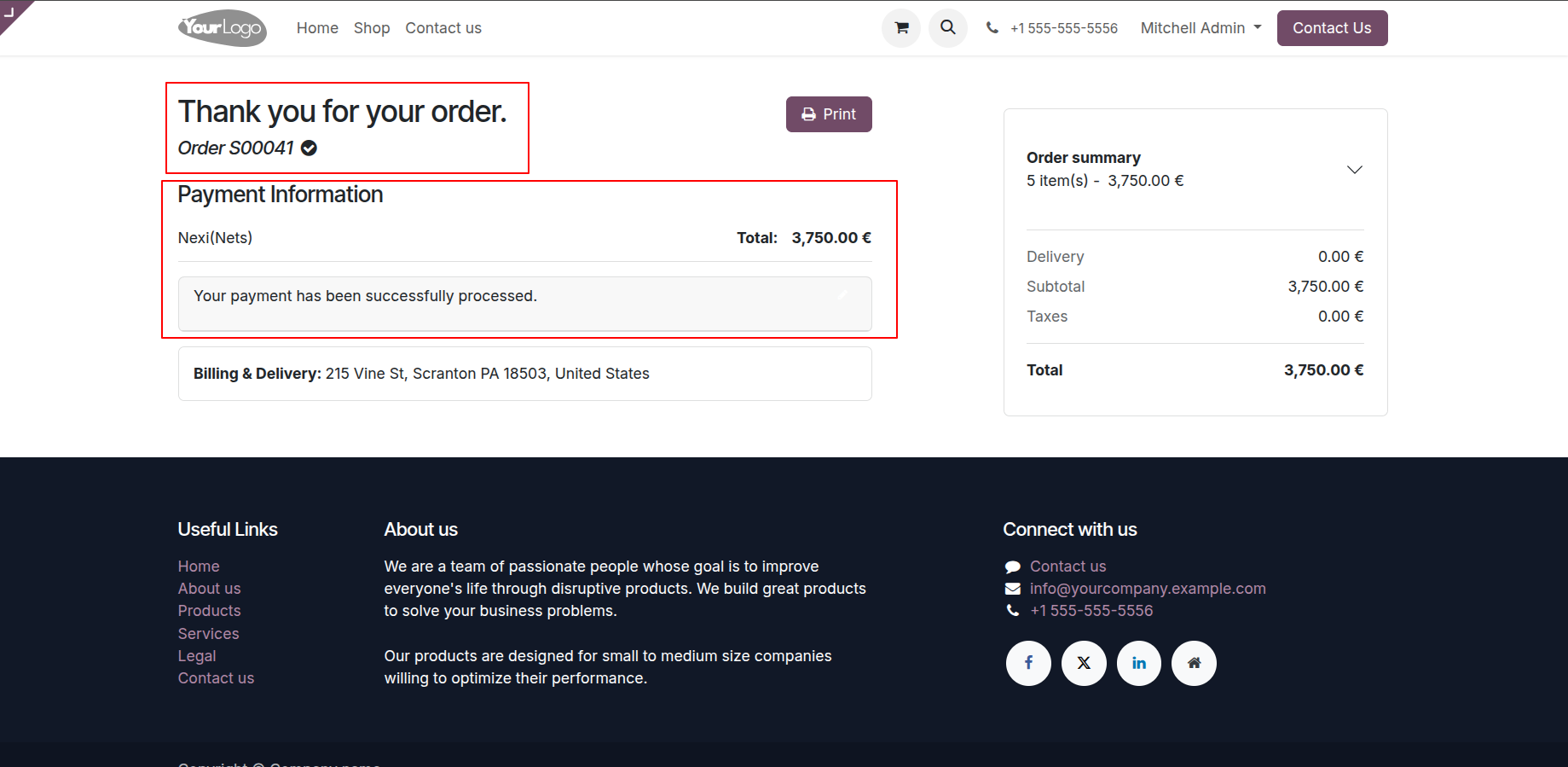
6.The payment is successfully processed, and the payment transaction is automatically created in Odoo.
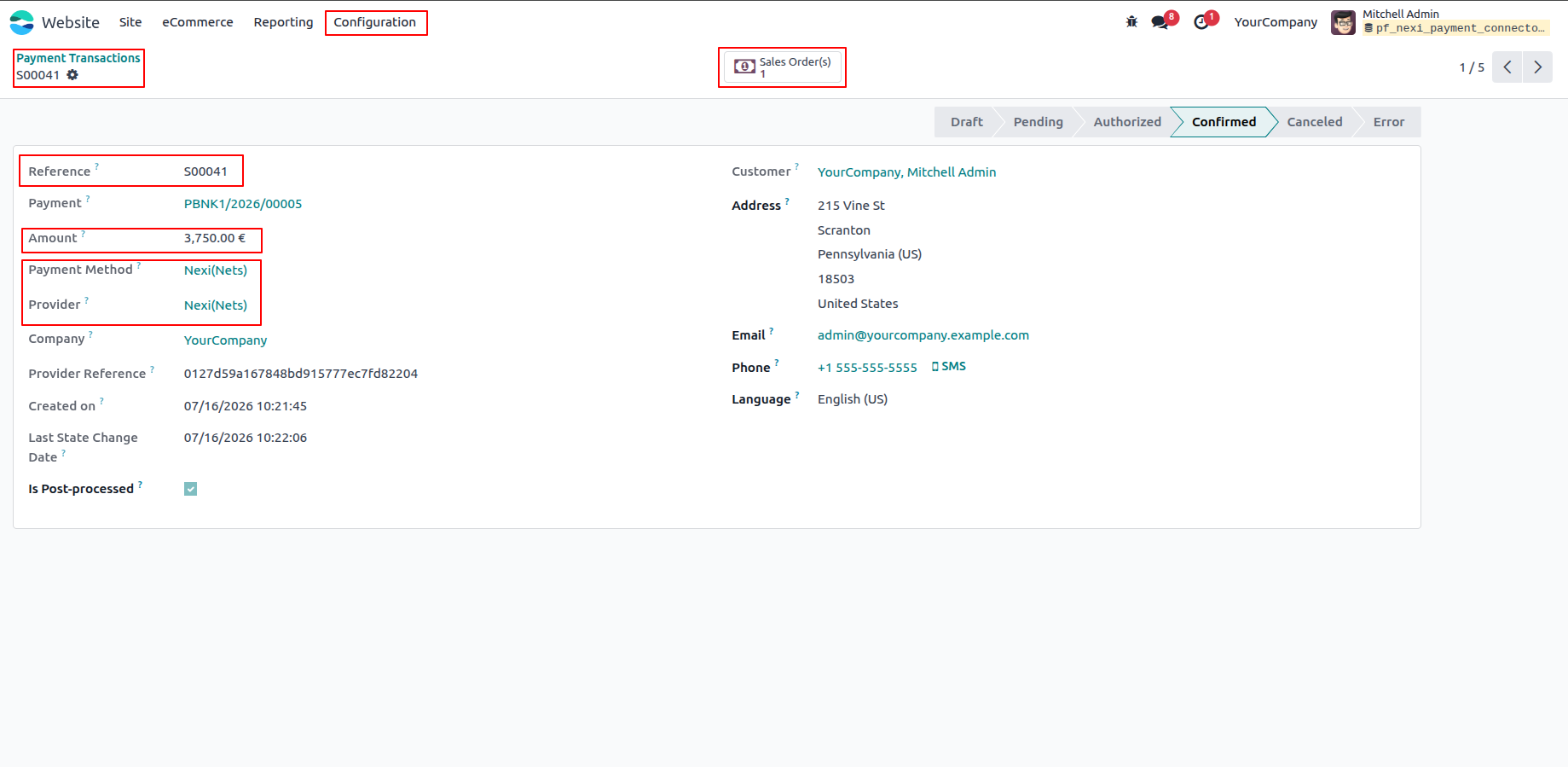
7.The payment transaction displays the transaction reference, payment provider, and payment status.
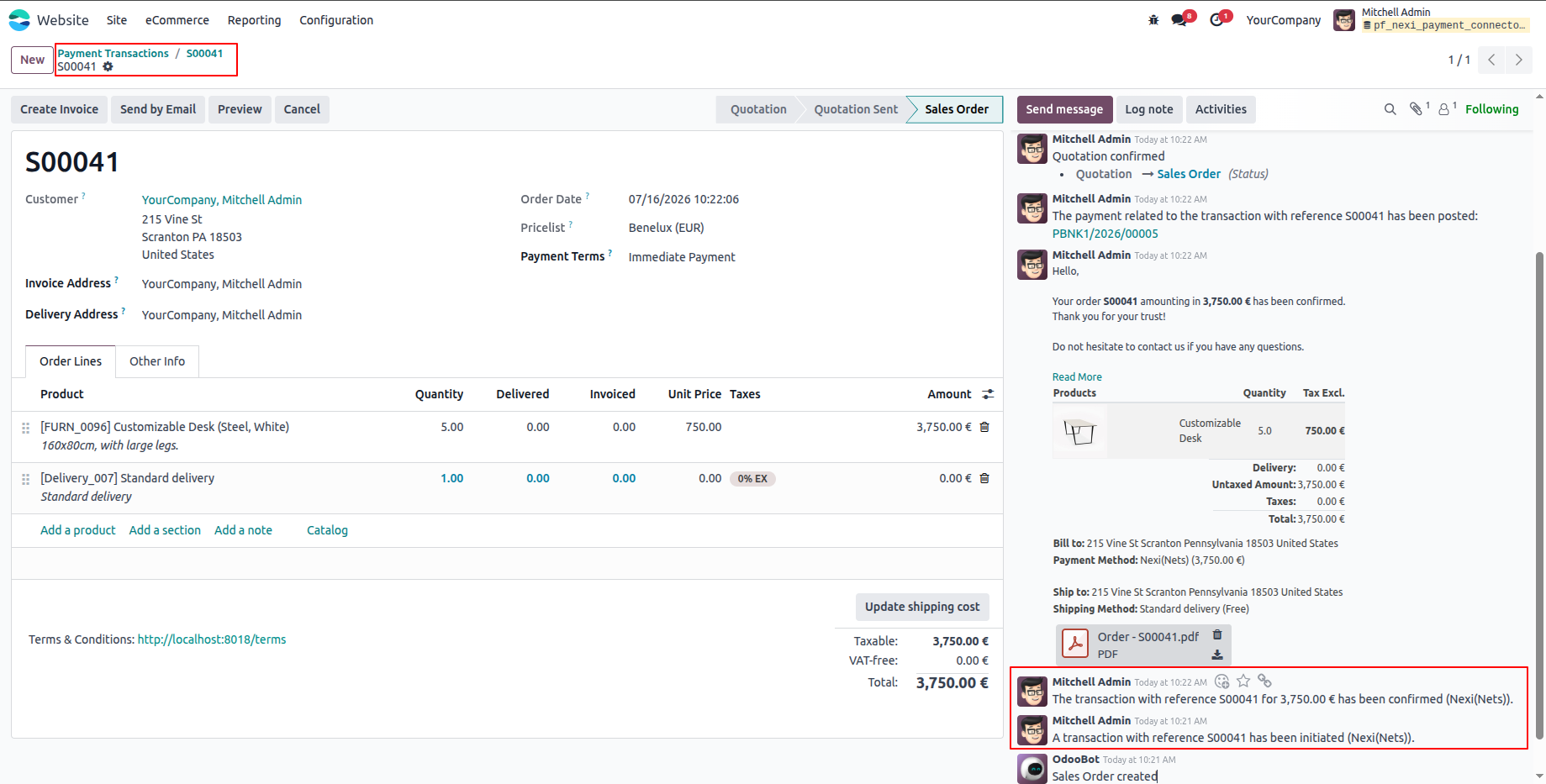
8.The sale order is updated with the payment details and the total amount of the ordered products.
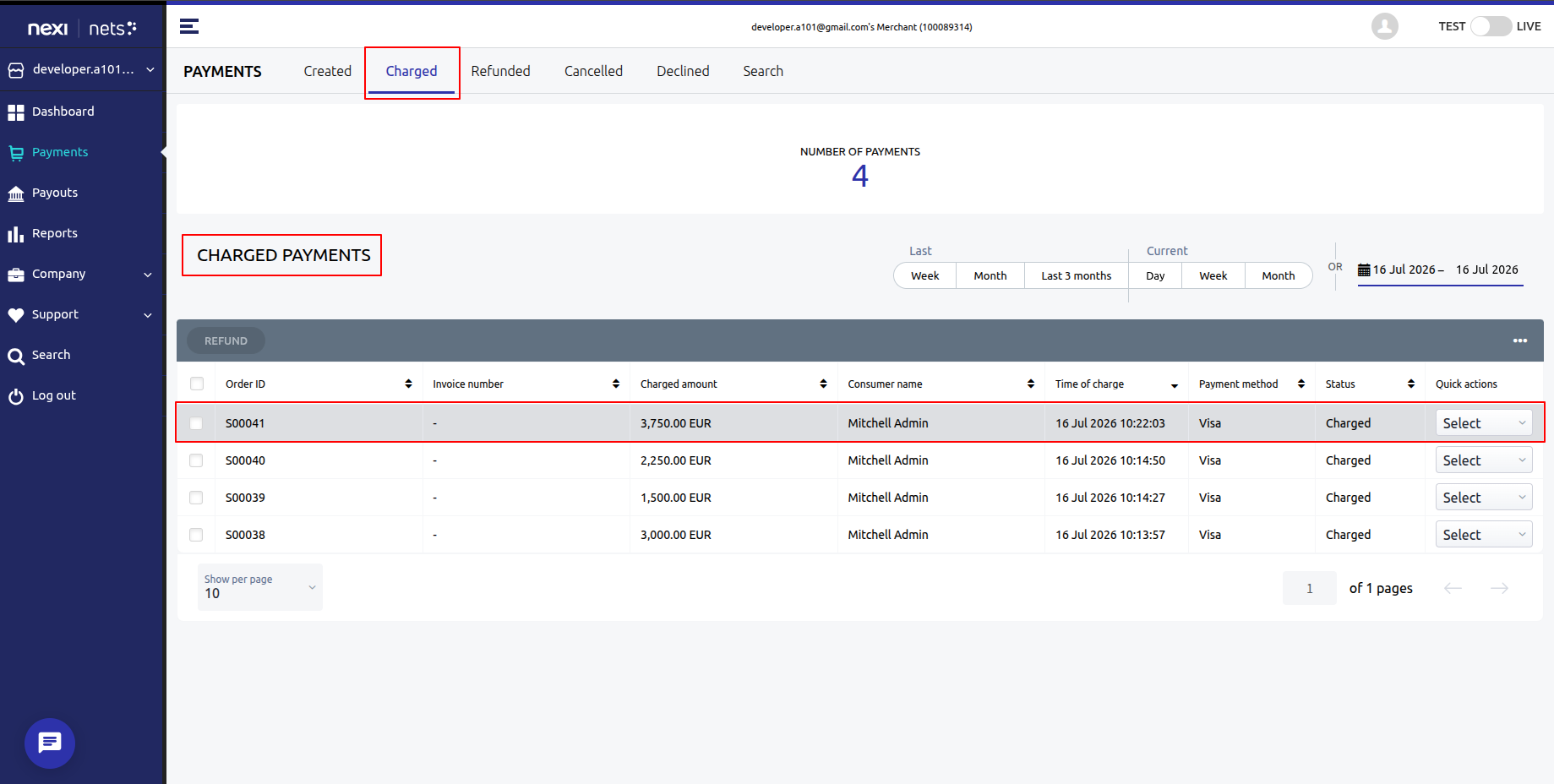
9.The completed payment transaction is also available in the Nexi (Nets) Merchant Dashboard.
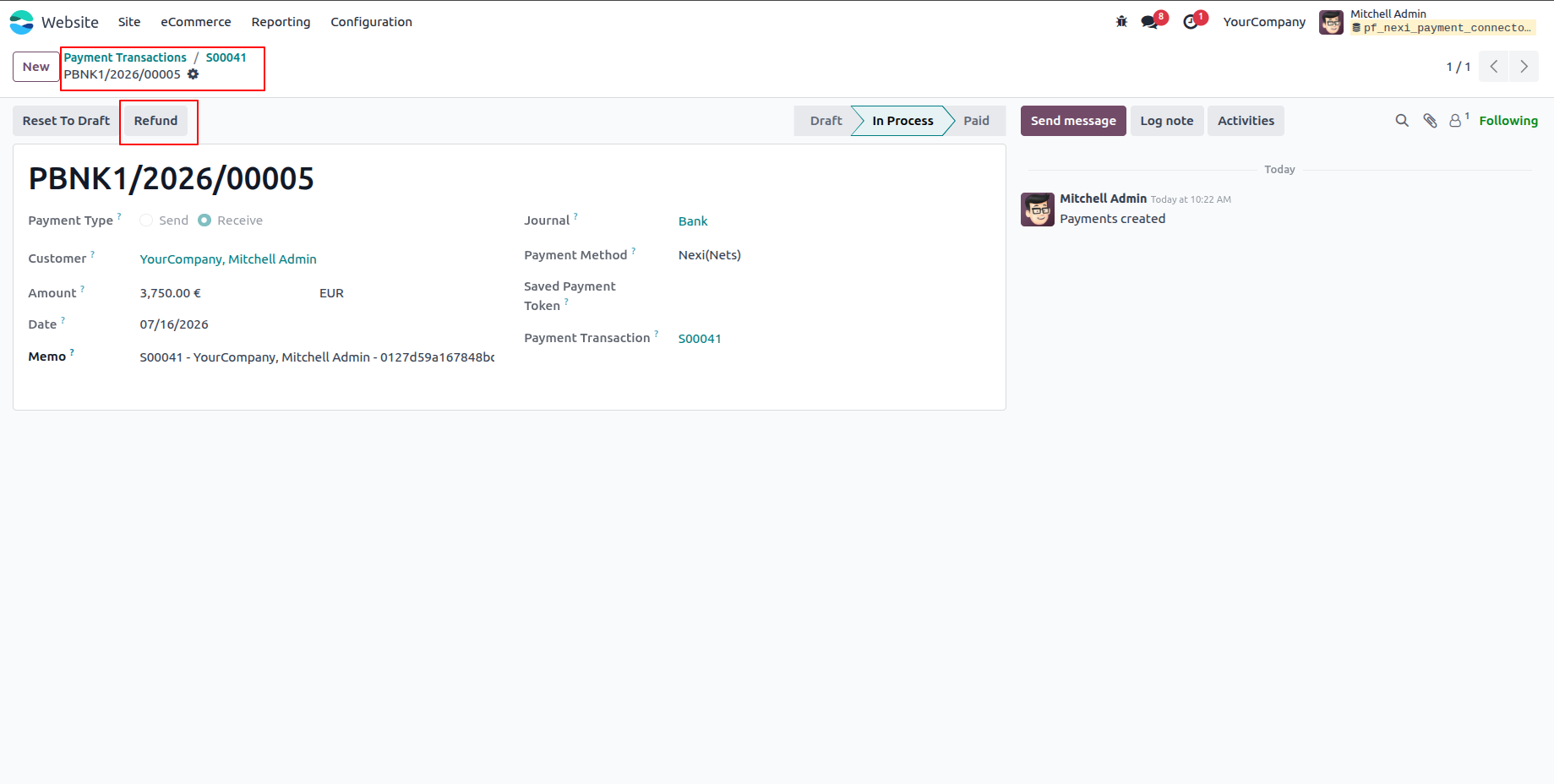
10.To refund a payment, open the corresponding payment transaction in Odoo and click Refund Payment.
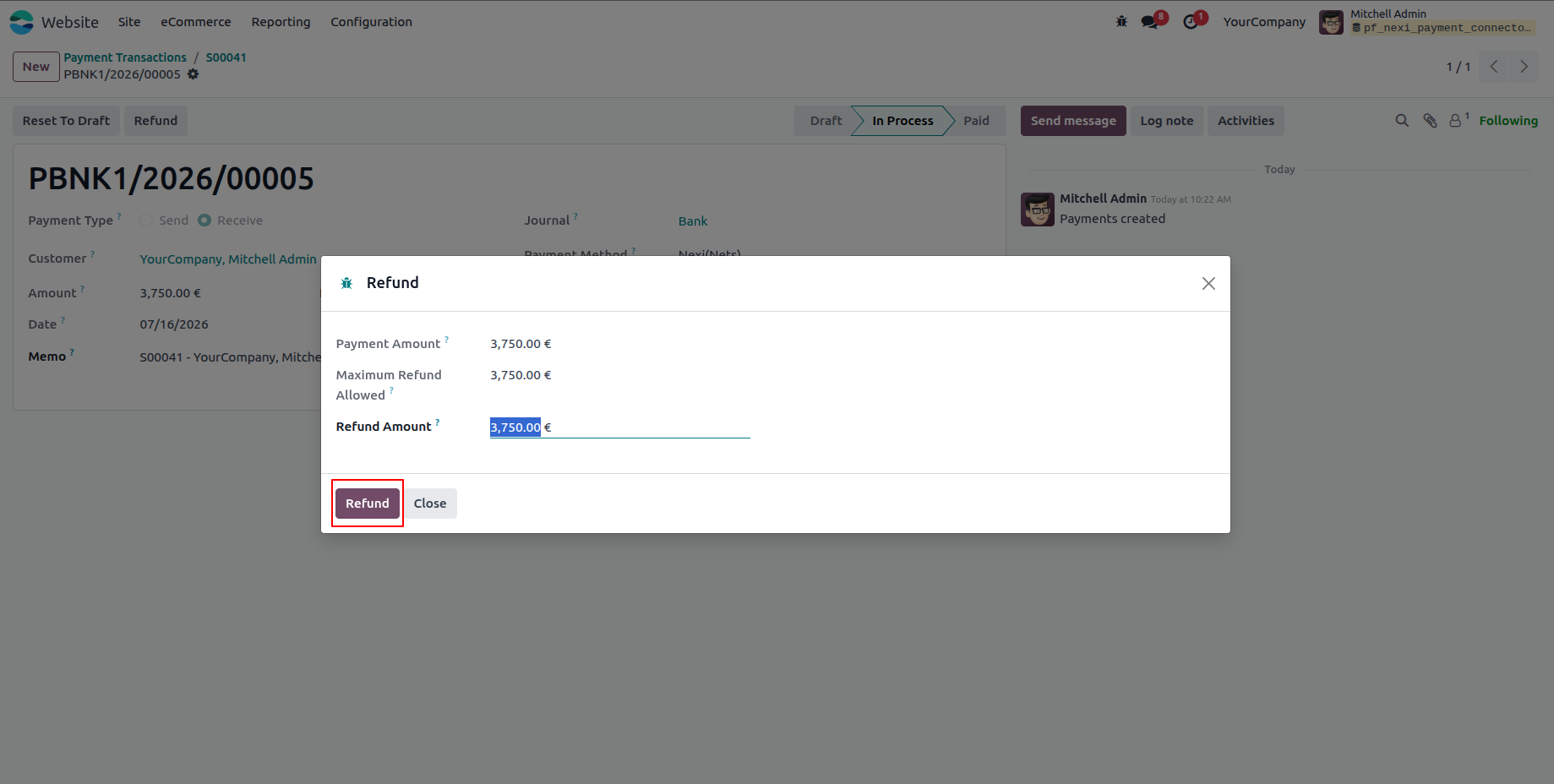
11.The refund wizard allows you to process either a full or partial refund.
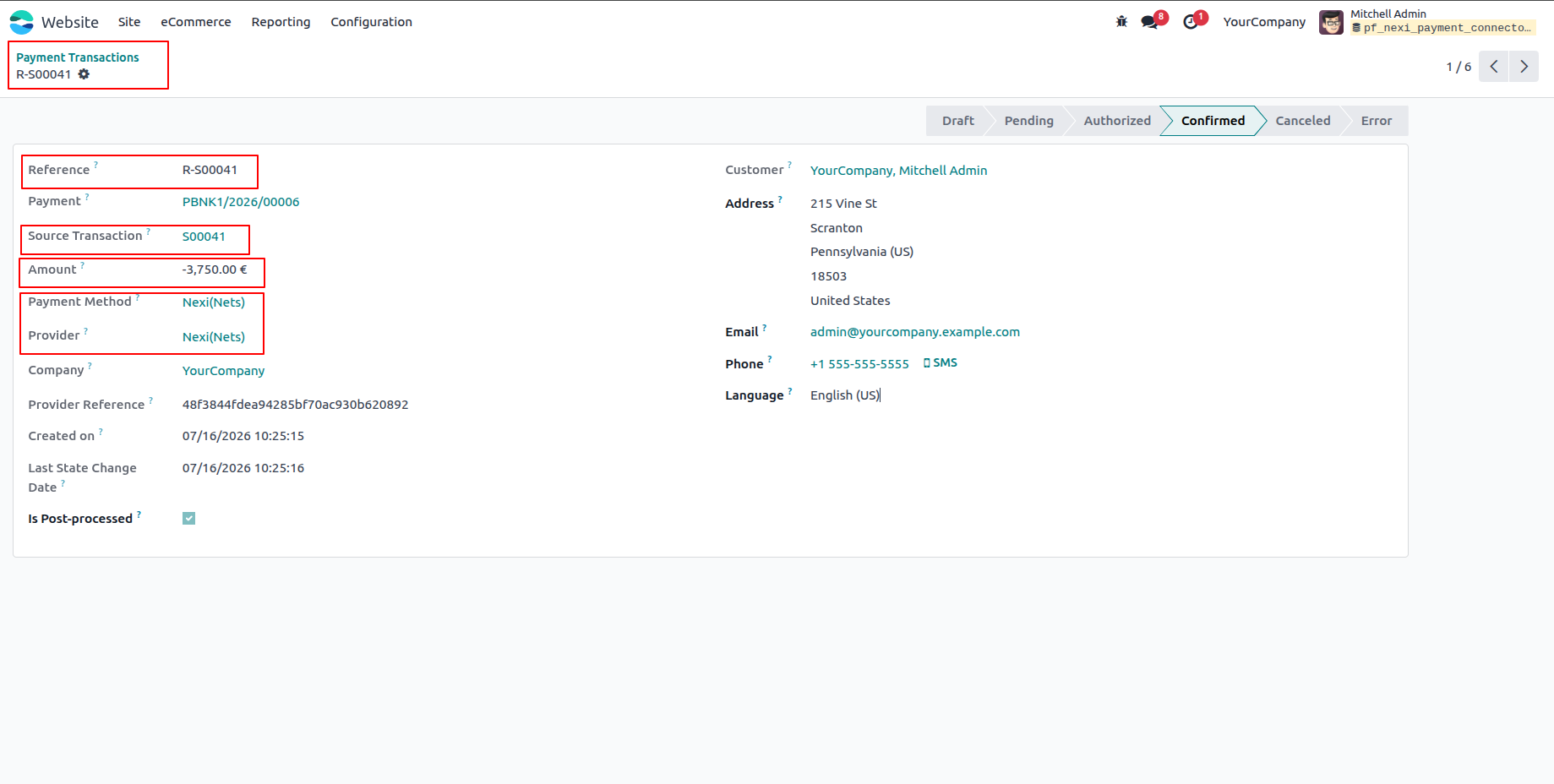
12.The refunded payment transaction displays the updated transaction reference, payment provider, and refund status.
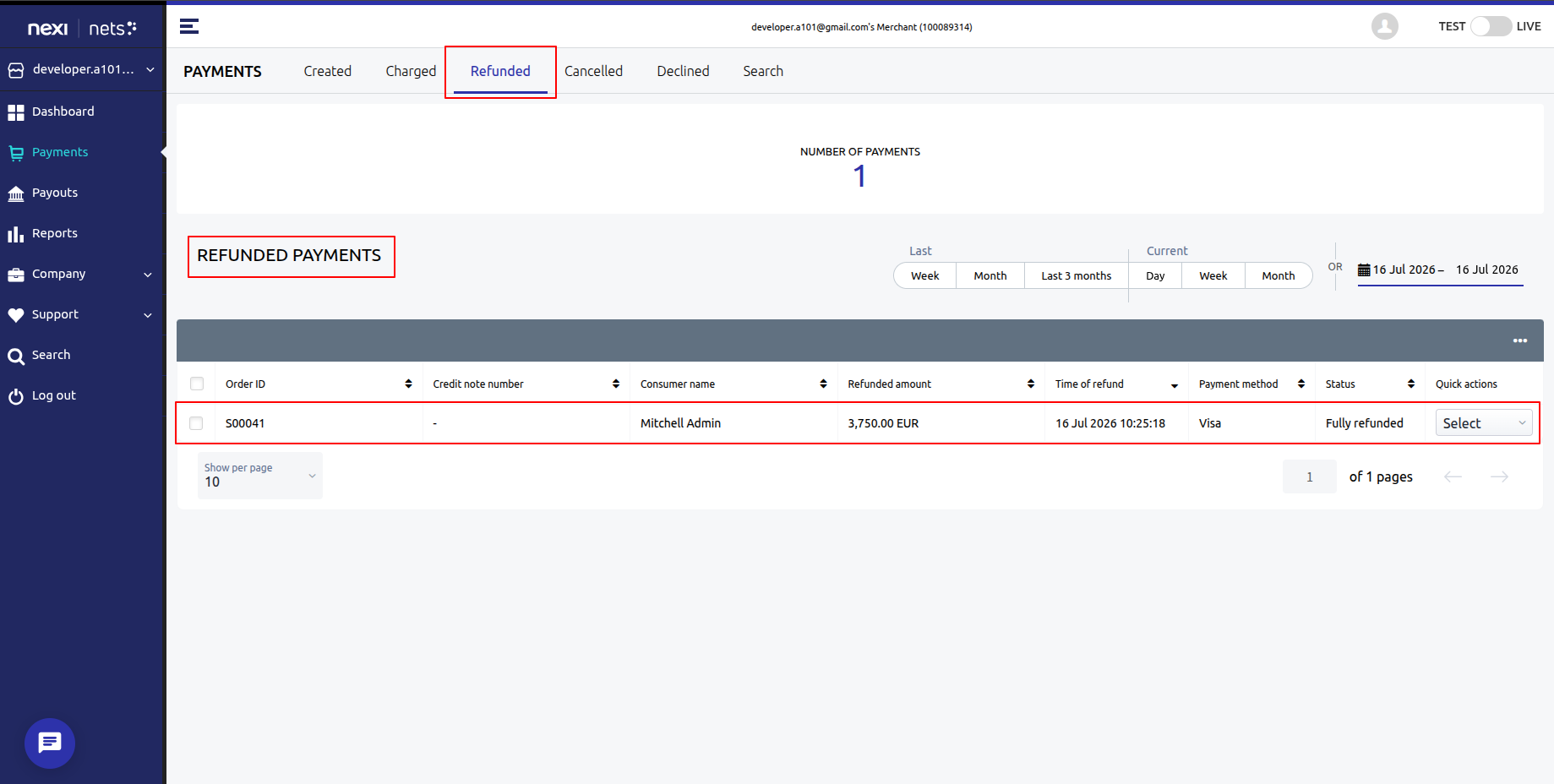
13.The refund transaction is also synchronized and can be viewed in the Nexi (Nets) Merchant Dashboard.
Ans : This is
a one-time payment.
Ans: Yes, the
module works with both the Community &
enterprise version of apps.
Ans: you can
install the Nexi Payment Connector application directly from the Odoo Apps
store or upload the application file to your Odoo
instance. Once installed, you can configure the
application to suit your organization's needs and
begin creating branches or units.
Ans: yes,
support is available for the Nexi Payment Connector Odoo App You can access documentation,
forums, and community resources for assistance with
installation, configuration, and troubleshooting.
Additionally, paid support plans may be available
for more personalized assistance.
Our solutions focus on your problems
- Odoo Implementation
- Odoo Customization
- ERP Development and Implementation
- Odoo Ipass Cloud
- AI for Odoo
- Odoo Apps
- Aws Marketplace Products
- Business Engines
Our Pricing includes User Manual, 90 Days Support (Monday-Friday 10am to 7pm IST) and One time Setup
• Works & tested on standard installations of Odoo with no third party apps,
• Free support only for odoo installations with no third party apps,
• Paid support available for Odoo installations with third party apps.

Prefortune is a Odoo Official Partner, Odoo Development company. Our philosophy is to use Open Source tools and technologies to provide cost effective and green solutions for our customers.
Prefortune Technologies LLP is working on web development, Mobile development, and Odoo ERP.
If you need any help or want more additional features, you may contact us through:
Alternative Products
These other products might interest you
Specifications
| Version | 19.0, 18.0, 17.0, 16.0, 15.0, 14.0 |