Watch Quick Video
Penalty & Interest on Due Invoices
Our efficient
Odoo – Penalty & Interest on Due Invoices
module helps businesses manage overdue invoice management by automatically applying penalty or interest
charges on customer due invoices. Users can configure late payment interest as a fixed amount or
percentage and define after how many overdue days charges should apply.
The module also supports recurring invoice penalty calculation after specific intervals and automatically
generates invoices for penalty or interest charges through scheduled actions. It improves customer payment
tracking, due invoice monitoring, and overall accounting workflow automation in Odoo.
Penalty & Interest on Due Invoices
- Automatically apply penalty or interest charges on customer due invoices.
- Configure penalty charges as fixed amounts or percentage-based values.
- Set overdue days after the invoice due date for automatic penalty application.
- Configure recurring interest charges for overdue invoice management.
- Automatically generate penalty invoices through scheduled automated actions.
Complete Workflow for Penalty & Interest on Due Invoices
Go to Invoicing → Configuration → Settings and configure the Penalty & Interest on Due Invoices settings based on your business rules. Users can configure late payment interest as a fixed amount or percentage and define after how many overdue days charges should apply automatically. You can also configure recurring invoice penalty calculation intervals for customer due invoices. The scheduled action “Due Invoice Charges” automatically generates penalty or interest invoices for efficient overdue invoice management and customer payment tracking in Odoo.
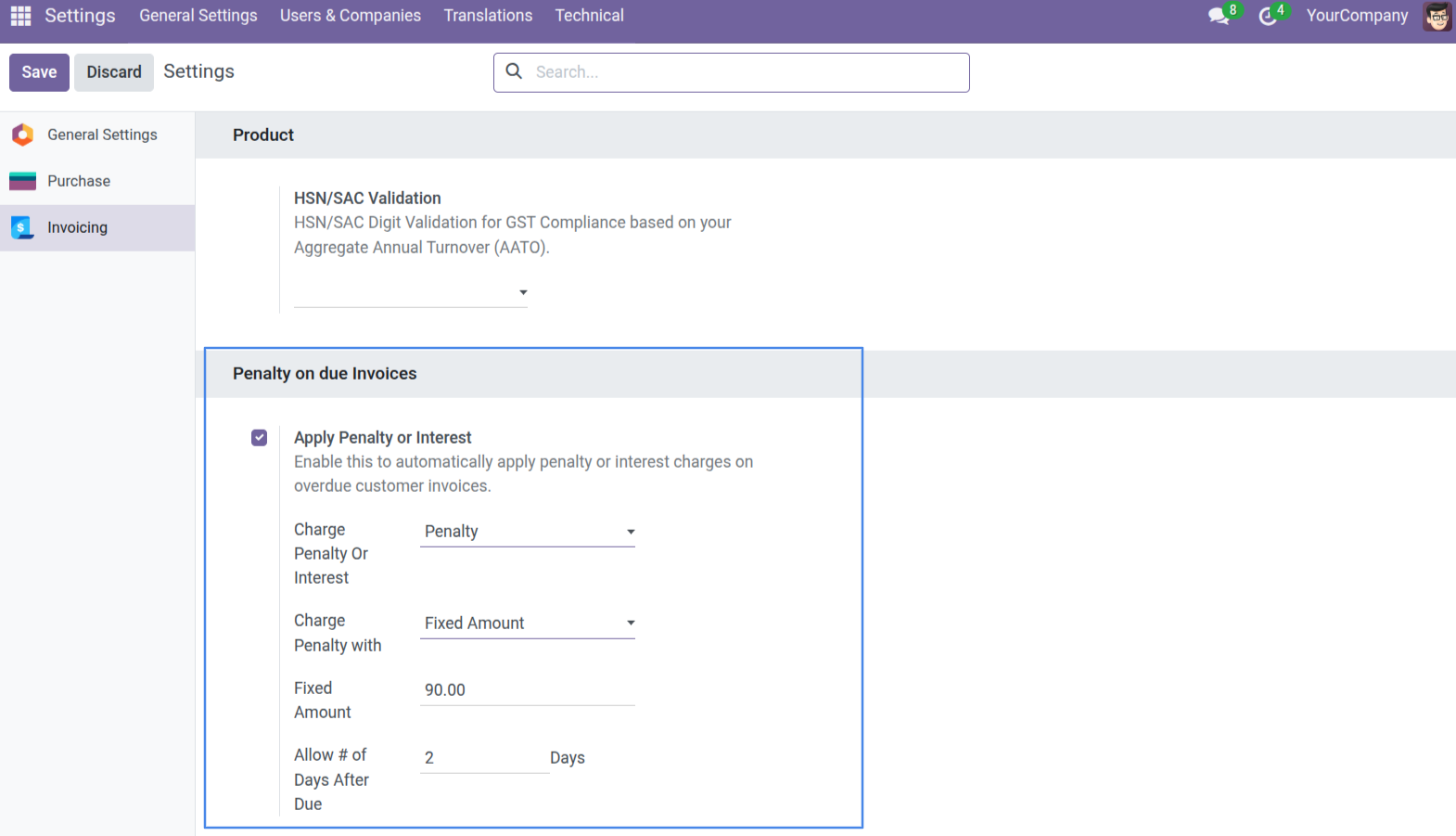
1. Configure a Fixed Amount Penalty in the Settings. You can choose to "Charge Penalty with" a Fixed Amount and set the allowed days after the due date.
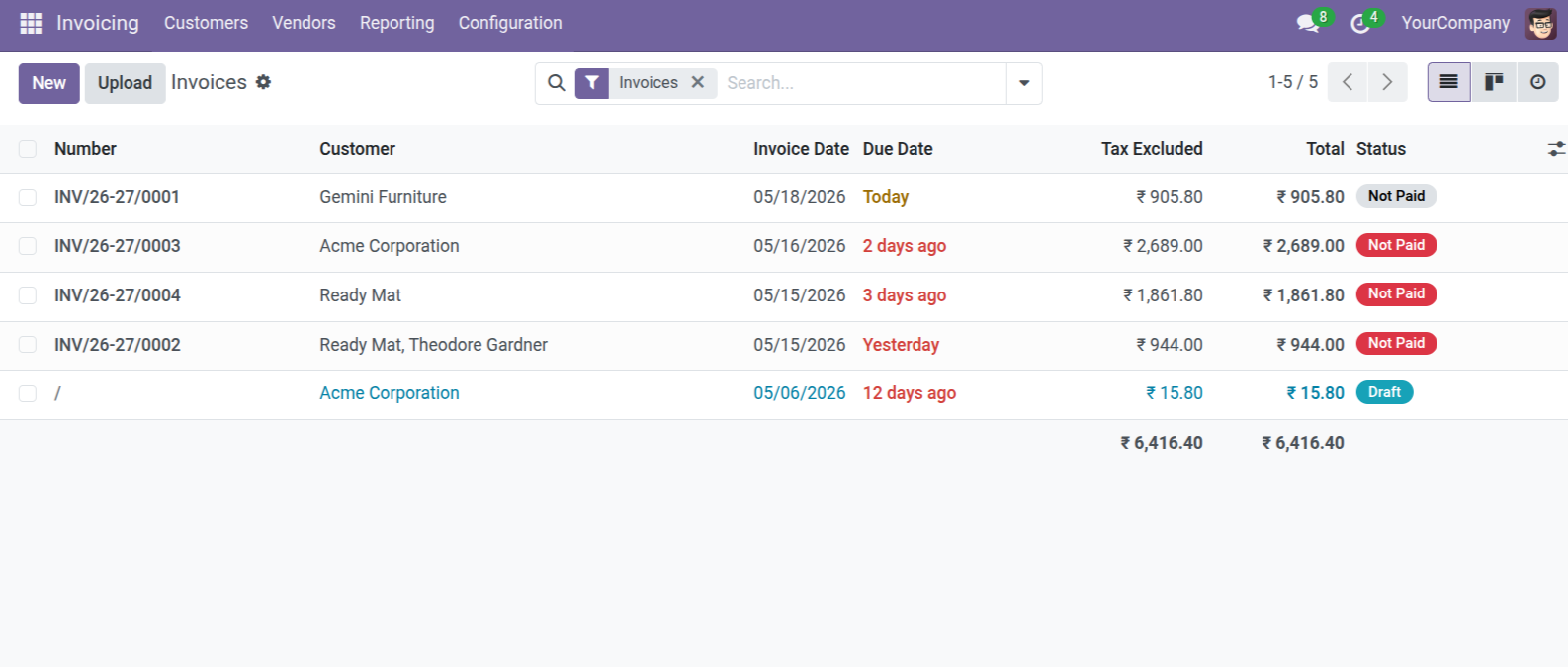
2. View your customer invoices in the list view. The system clearly tracks overdue invoices and highlights how many days they are past due.
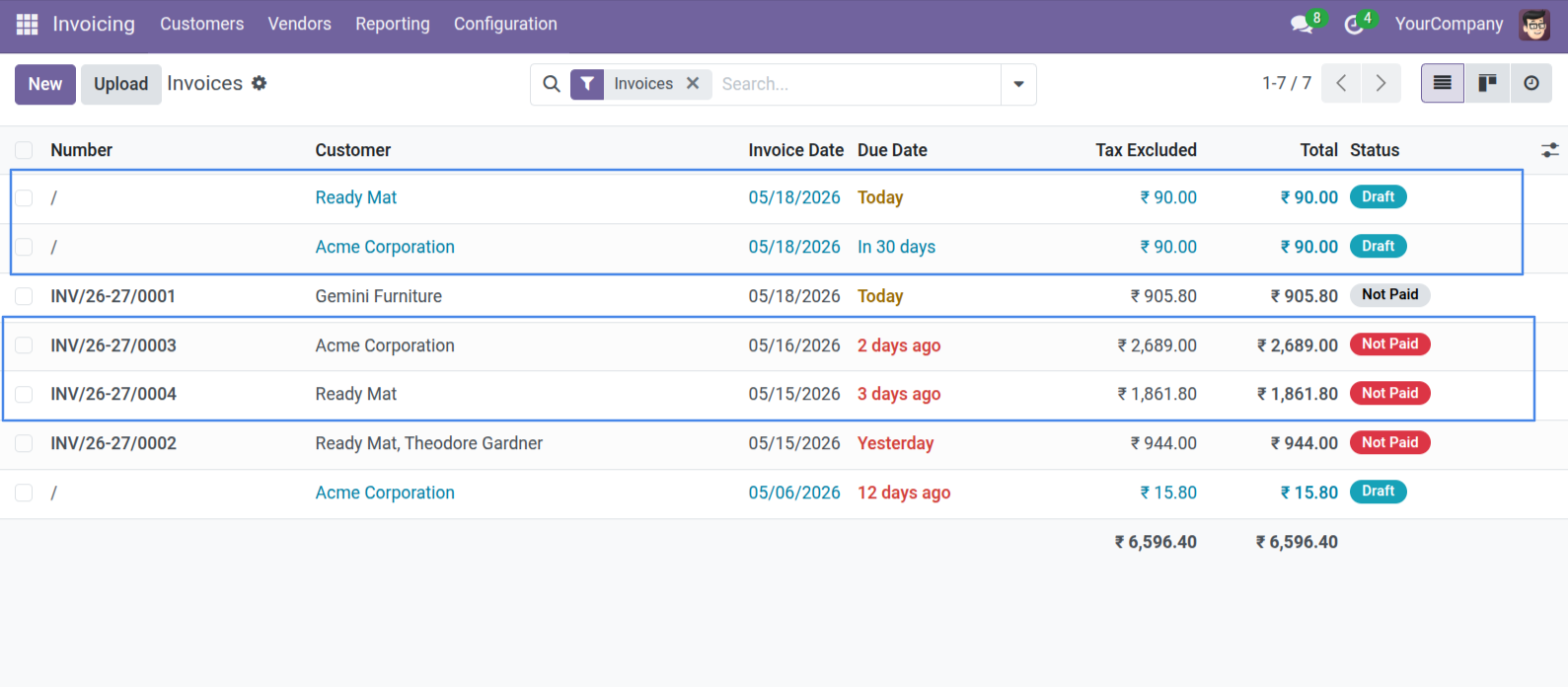
3. The scheduled action automatically generates new Draft invoices for the fixed 90.00 penalty charge for all qualifying overdue invoices.
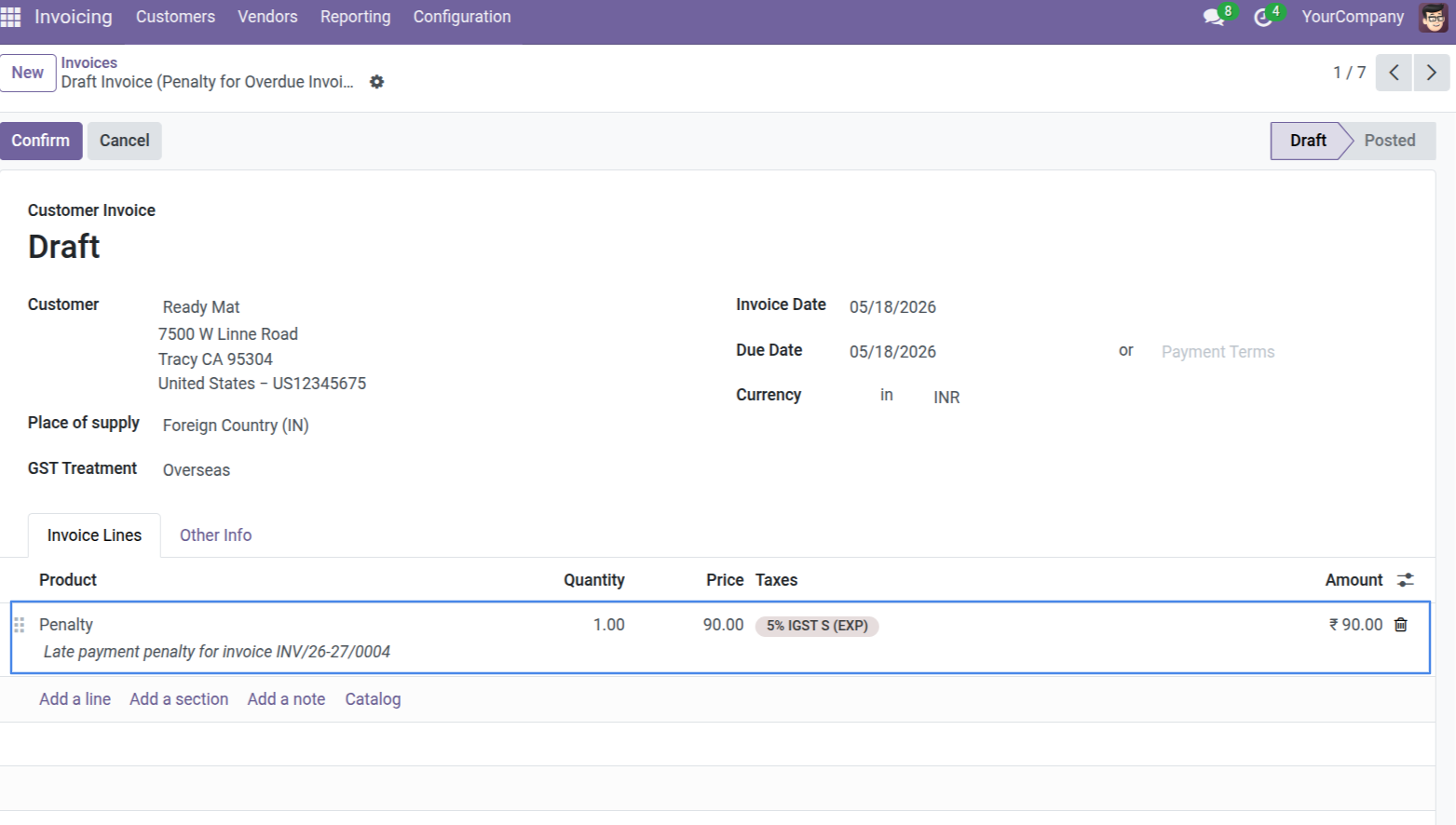
4. Open the generated penalty invoice to see the dedicated "Penalty" product and a clear description referencing the original overdue invoice number.
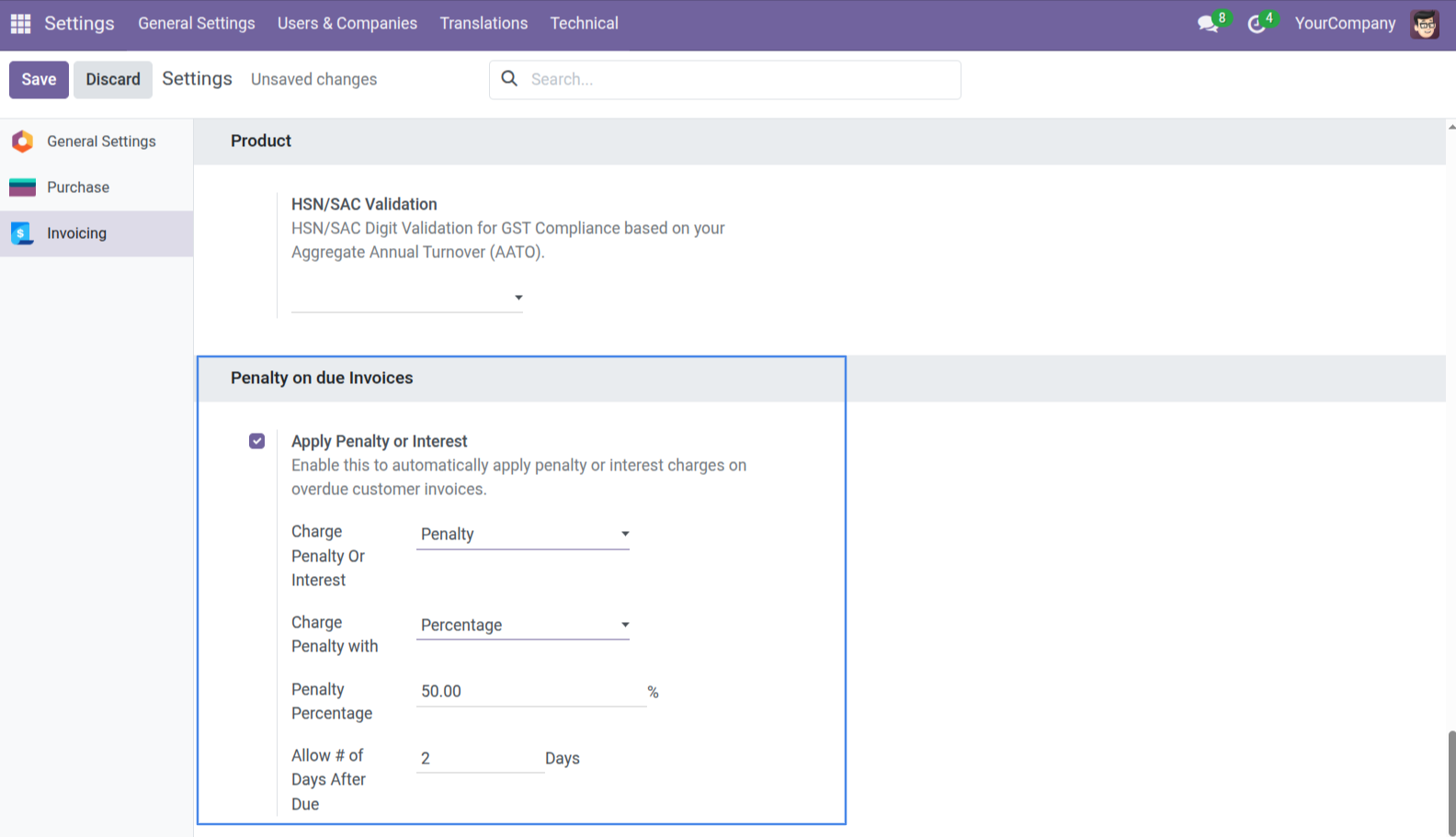
5. To calculate by Percentage instead of Fixed Amount, simply configure the "Charge Penalty with" to Percentage and set the penalty percentage amount in the Settings.
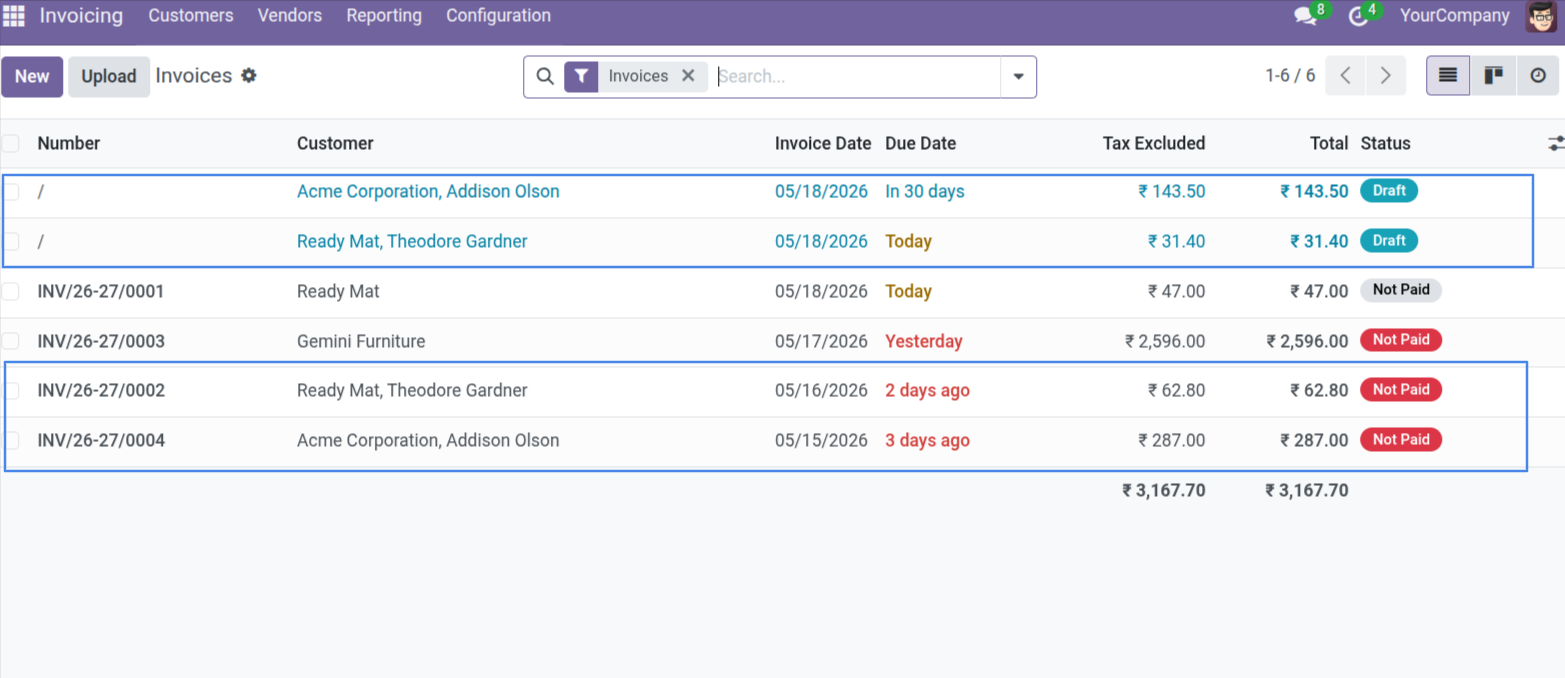
6. The scheduled action generates draft invoices based on the calculated percentage of the overdue total (e.g. 50% of the invoice amount).
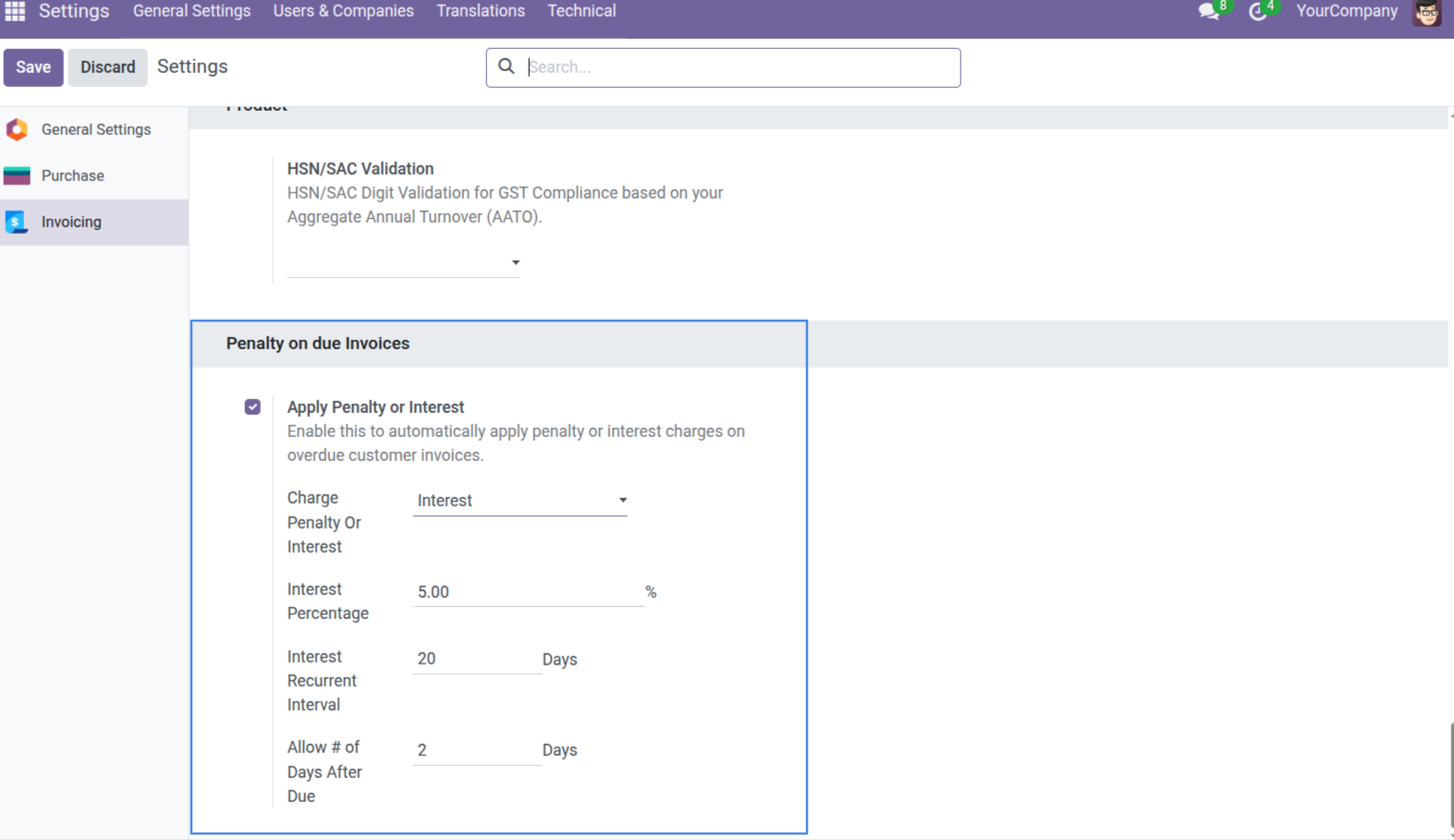
7. You can also switch the charge type to "Interest" to apply an Interest Percentage and define an Interest Recurrent Interval for ongoing recurring charges.
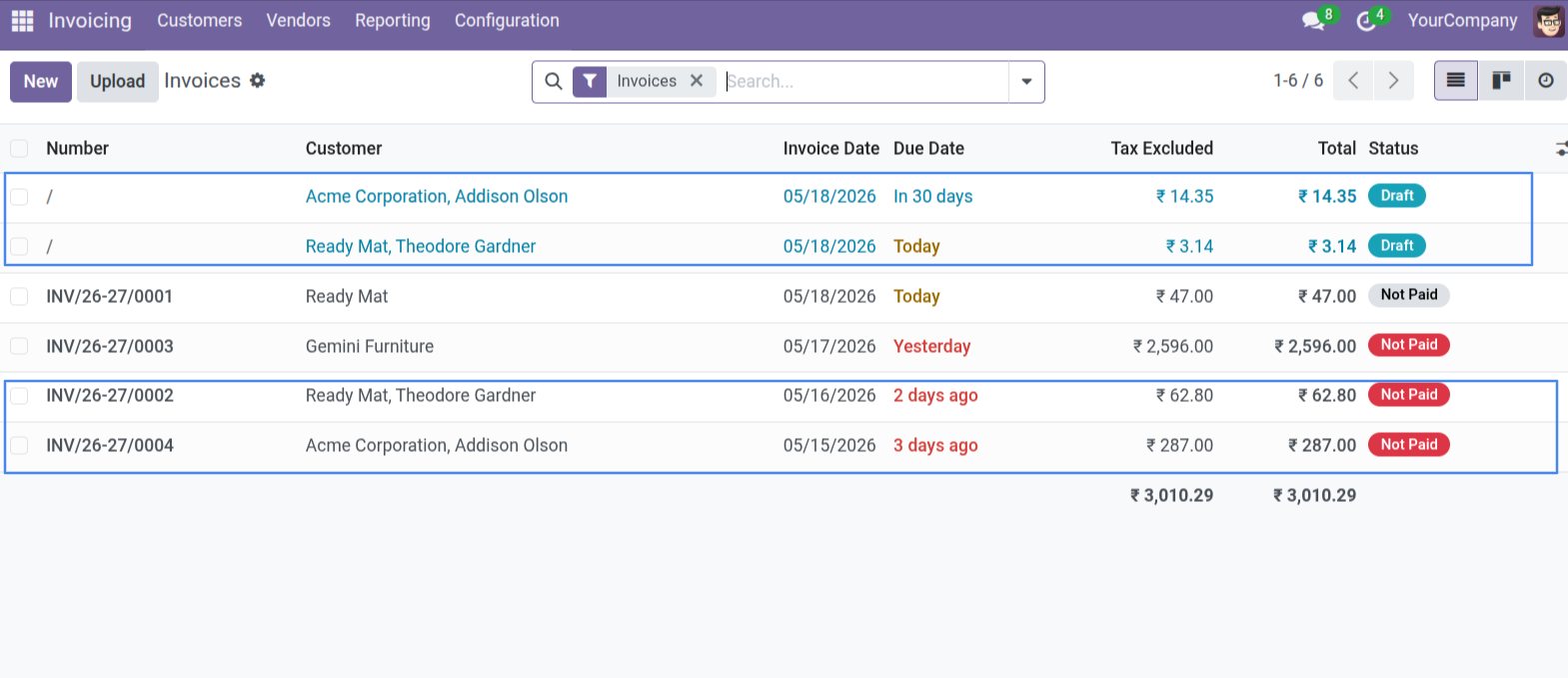
8. The system accurately calculates the exact interest amount based on your percentage settings and automatically creates new draft invoices for them.
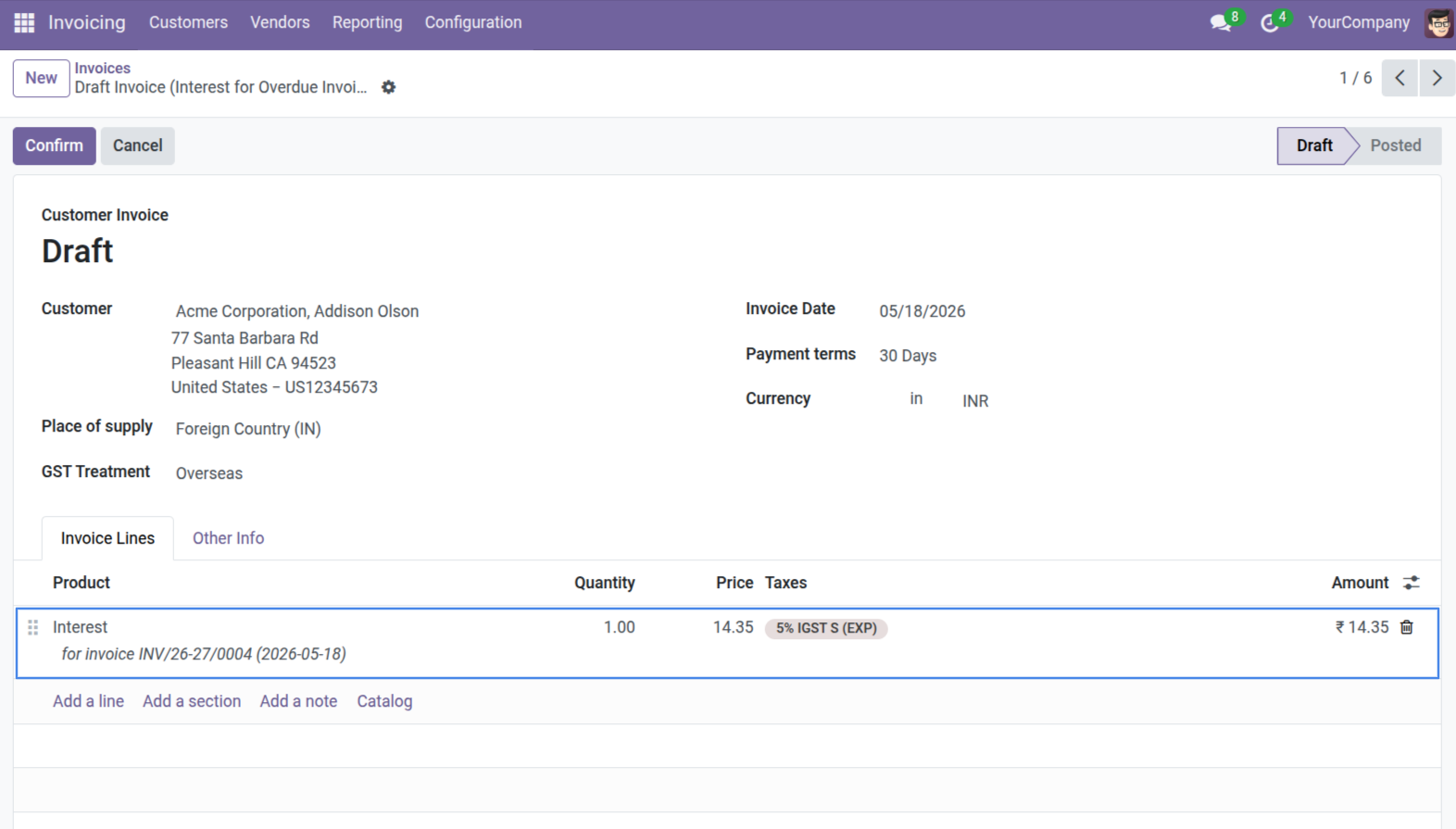
9. The detailed Interest invoice clearly links the calculated interest charge back to the original overdue invoice and specifies the exact date.
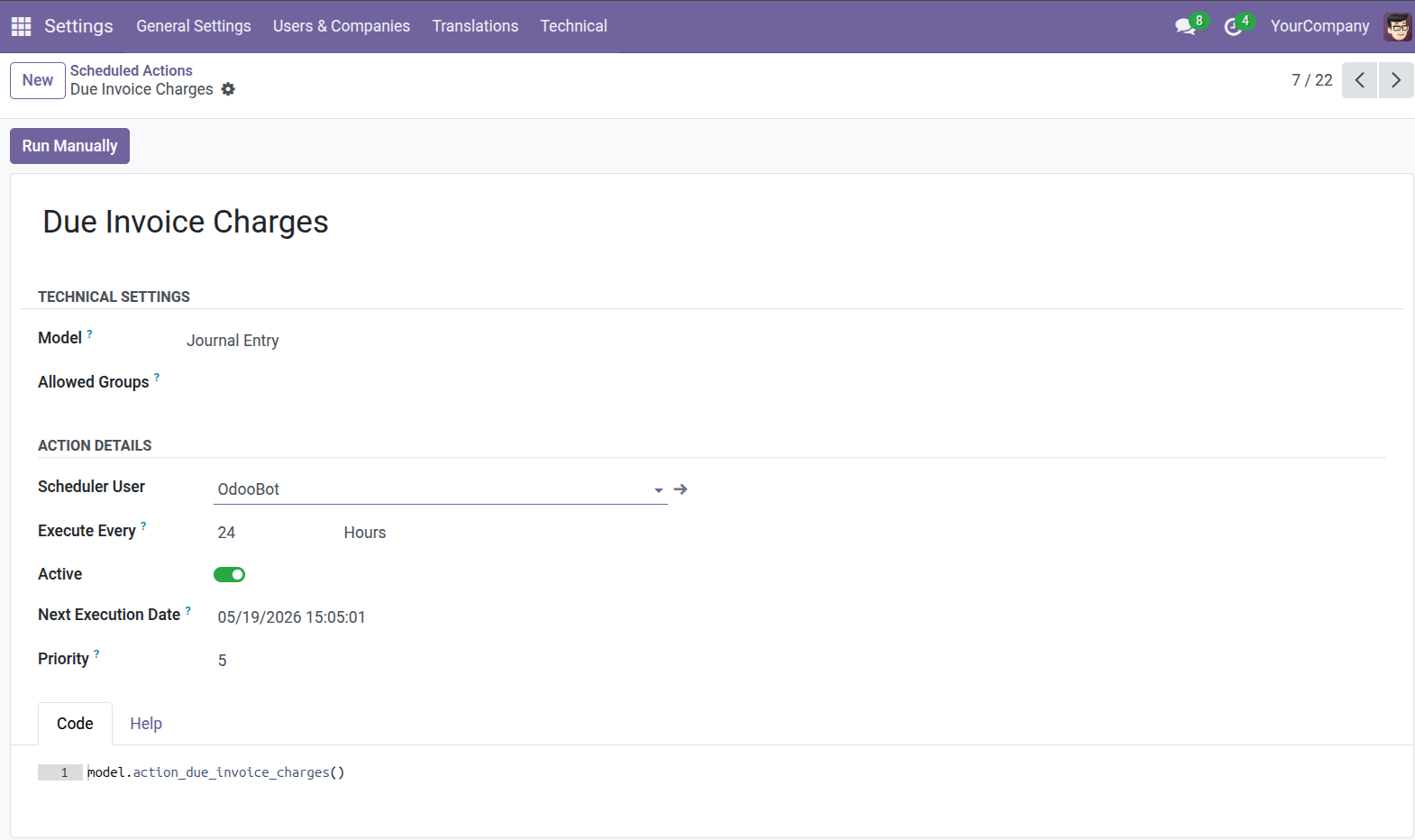
10. The system uses a Scheduled Action to process overdue invoices automatically. You can configure the execution interval (e.g., every 24 hours) from the Scheduled Actions menu.
Our solutions focus on your problems
- Odoo Implementation
- Odoo Customization
- ERP Development and Implementation
- Odoo Ipass Cloud
- AI for Odoo
- Odoo Apps
- Aws Marketplace Products
- Business Engines
Our Pricing includes User Manual, 90 Days Support (Monday-Friday 10am to 7pm IST) and One time Setup
• Works & tested on standard installations of Odoo with no third party apps,
• Free support only for odoo installations with no third party apps,
• Paid support available for Odoo installations with third party apps.

Prefortune is a Odoo Official Partner, Odoo Development company. Our philosophy is to use Open Source tools and technologies to provide cost effective and green solutions for our customers.
Prefortune Technologies LLP is working on web development, Mobile development, and Odoo ERP.
If you need any help or want more additional features, you may contact us through:
Alternative Products
These other products might interest you
Specifications
| Version | 19.0, 18.0, 17.0, 16.0, 15.0, 14.0 |